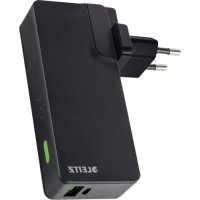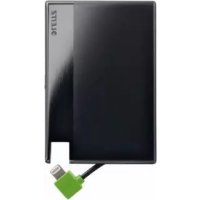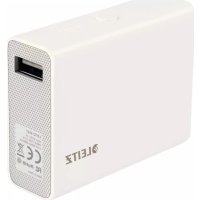
65270001 - Power bank LEITZ - Free user manual and instructions
Find the device manual for free 65270001 LEITZ in PDF.



User questions about 65270001 LEITZ
0 question about this device. Answer the ones you know or ask your own.
Ask a new question about this device
Download the instructions for your Power bank in PDF format for free! Find your manual 65270001 - LEITZ and take your electronic device back in hand. On this page are published all the documents necessary for the use of your device. 65270001 by LEITZ.
USER MANUAL 65270001 LEITZ
natural_image
Illustration of a rectangular electronic device with a lid and front panel, no text or symbols present.Instructions for use
| EN | DE | FR | IT | ES | PT | NL | DK | NO |
| SV | FI | ET | LV | LT | PL | UK | RU | KK |
| CS | SK | HU | RO | GR | TR |
text_image
A B C D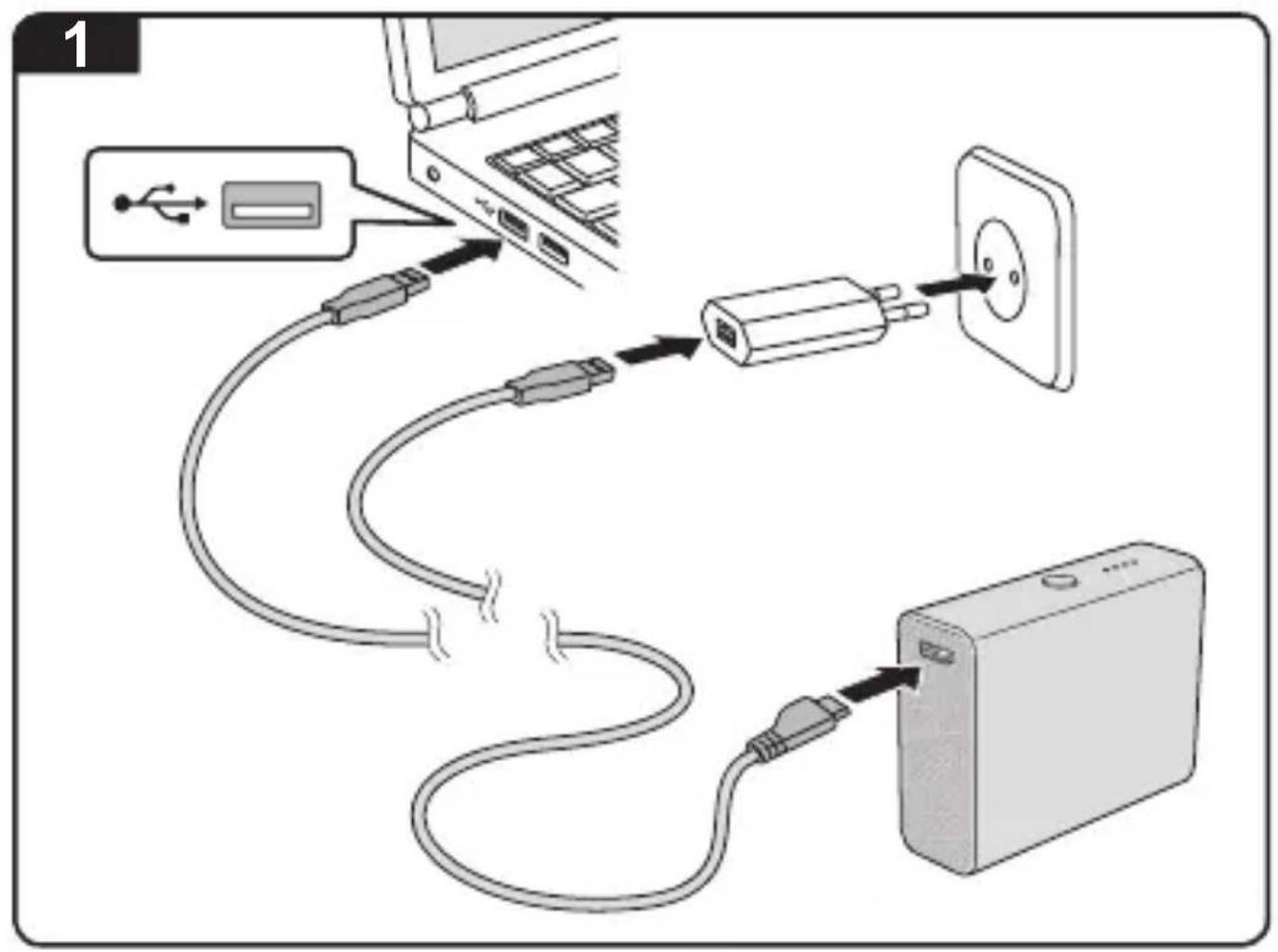
text_image
Diagram showing cable routing from a laptop to an electronic device, with labeled ports and connection arrows.2
text_image
2 2. 1.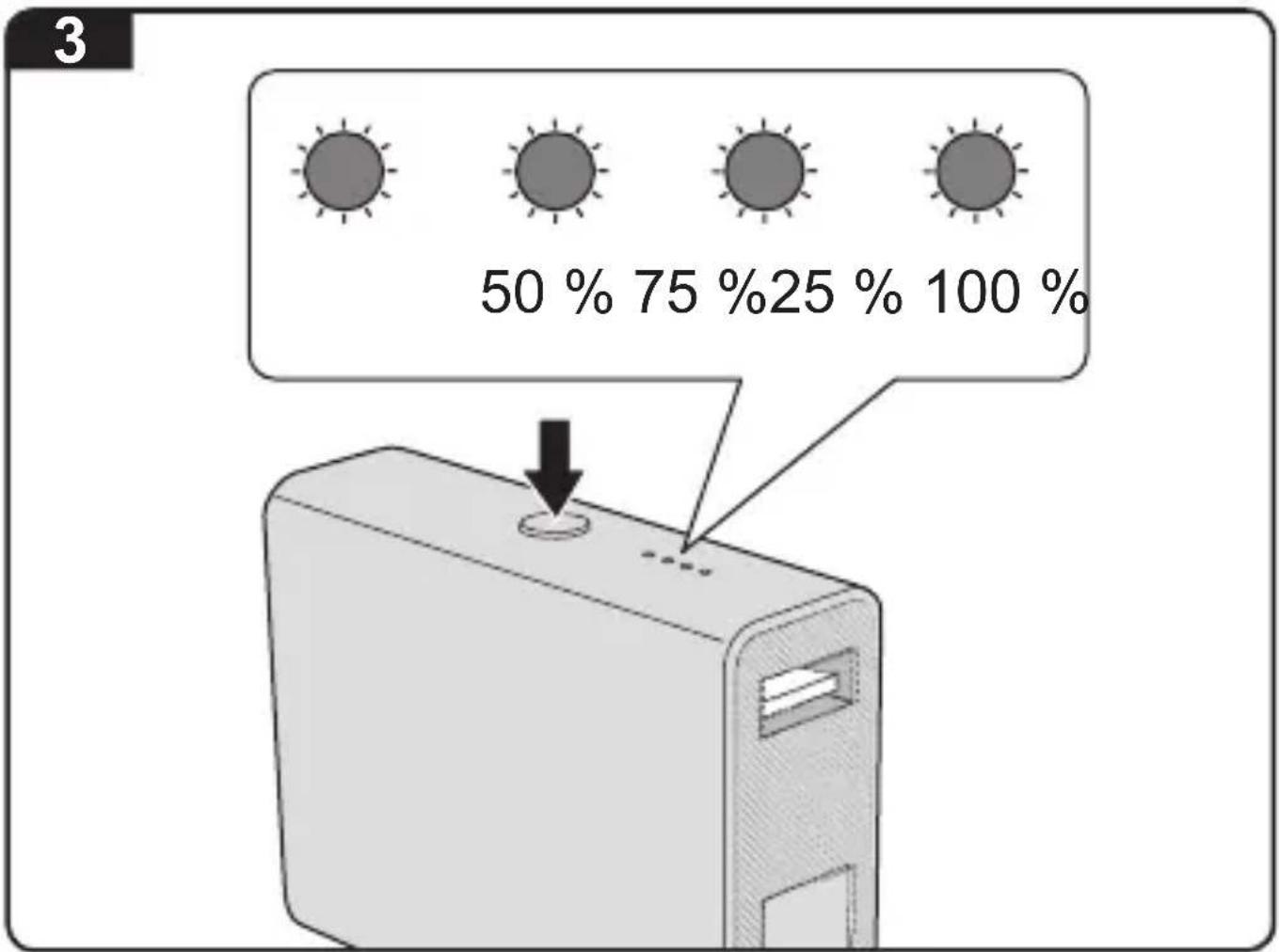
text_image
3 50 % 75 %25 % 100 %EN....5
DE 10
FR....15
IT 20
ES....25
PT....30
NL....35
DK 40
NO 45
SV....50
FI 55
ET....60
LV 65
LT....70
PL 75
UK 80
RU 85
KK....90
CS 95
SK....100
HU 105
RO 110
GR 115
TR....120
Instructions for use
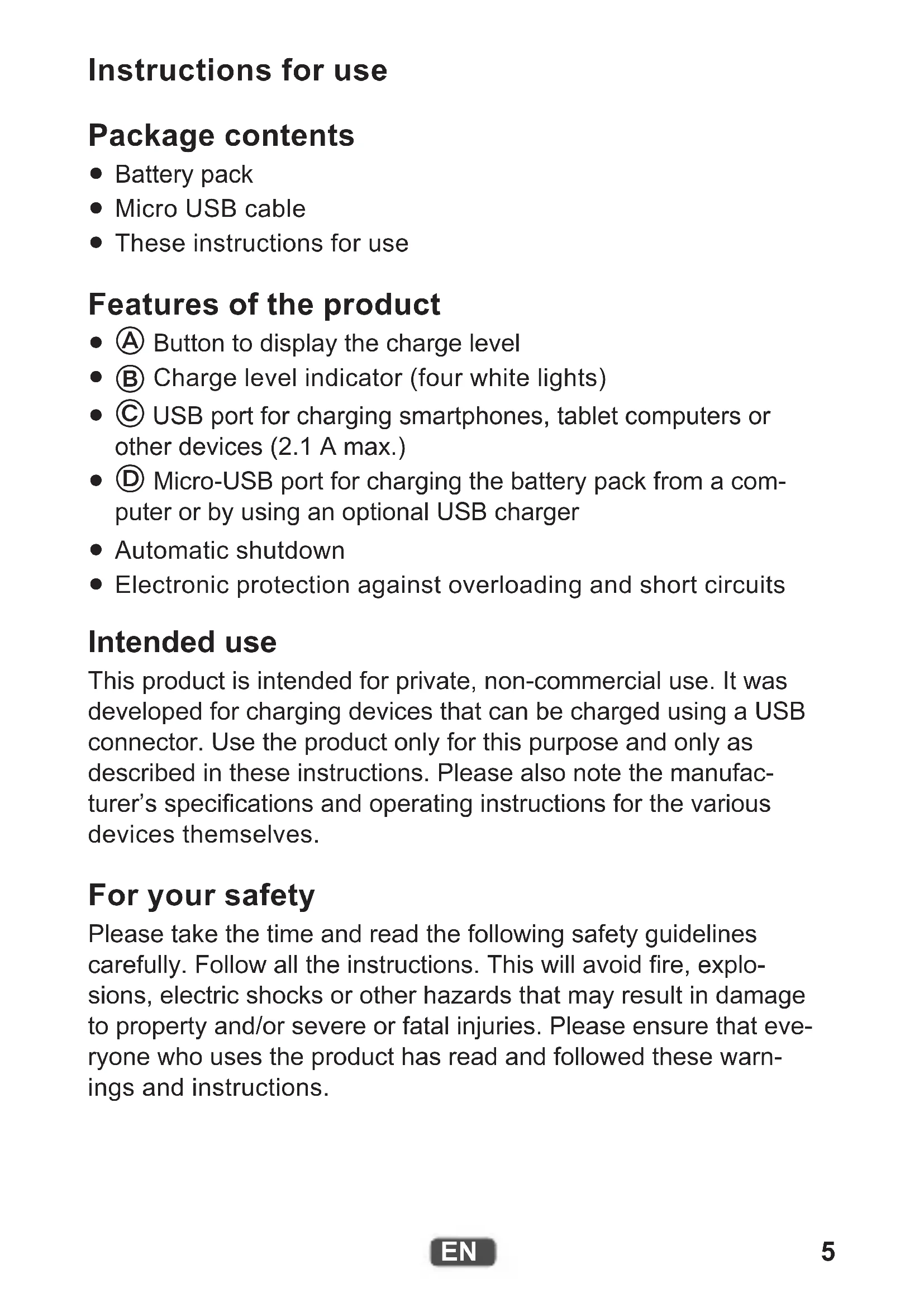
Package contents
- Battery pack
- Micro USB cable
• These instructions for use
Features of the product
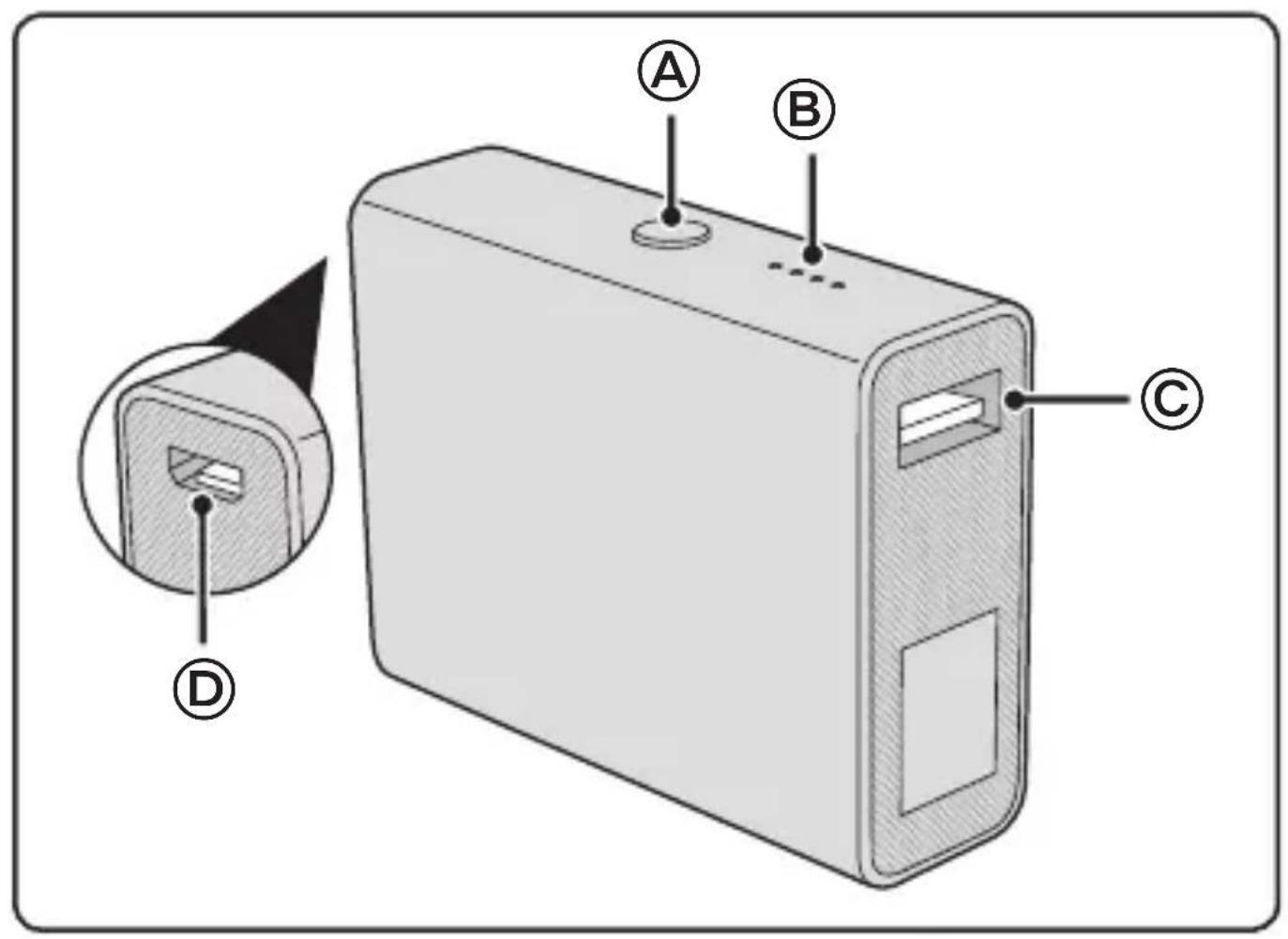
- Ⓐ Button to display the charge level
- ⑧ Charge level indicator (four white lights)
- © USB port for charging smartphones, tablet computers or other devices (2.1 A max.)
- © Micro-USB port for charging the battery pack from a computer or by using an optional USB charger
• Automatic shutdown - Electronic protection against overloading and short circuits
Intended use
This product is intended for private, non-commercial use. It was developed for charging devices that can be charged using a USB connector. Use the product only for this purpose and only as described in these instructions. Please also note the manufacturer's specifications and operating instructions for the various devices themselves.
For your safety
Please take the time and read the following safety guidelines carefully. Follow all the instructions. This will avoid fire, explosions, electric shocks or other hazards that may result in damage to property and/or severe or fatal injuries. Please ensure that everyone who uses the product has read and followed these warnings and instructions.

WARNING!
- The product is intended for use indoors. Never use outdoors.
- When charging the battery pack with an AC adapter, follow the safety instructions for the AC adapter.
- Check the product, cable and adapter for any damage before use. If there is any visible damage, a strong odour, or excessive overheating of components, unplug all the connections immediately and stop using the product.
- Use the product within the specified performance limits.
- To avoid overheating, do not cover the product, do not use near heat sources or in direct sunlight and only at ambient temperatures of between 0 °C and 40 °C.
- Unplug the product during electrical storms or when not in use.
- The built-in lithium-ion battery is flammable. Keep away from open flame! Do not use near flammable materials or in explosive environments.
- Do not attempt to open, modify or repair the product. Do not drop, puncture, break or expose to high pressure.
- Use and store the product out of reach of children.
- Unplug all connections before cleaning the product. Do not use wipes or chemicals as these could damage the surface. Wipe the housing with a damp cloth. Electrical/electronic parts must not be cleaned.
Charging the battery pack
- Use the cable supplied to connect the micro-USB connector to the USB port of a computer or to a USB power adapter (Figure 1).
The charging process starts automatically. The four lights indicate the progress of the charging process by flashing (while the battery is charging) or remaining steadily lit (the respective charge level has been reached). Once all four lights blink simultaneously, you have reached the end of the charging process. - Unplug the battery pack when charging is completed.
Charging a device

CAUTION!
- Charge your devices in accordance with the instruction manual of each device. Follow all safety instructions given there.
-
Make sure that the maximum permissible charge current of 2.1 A is not exceeded.
-
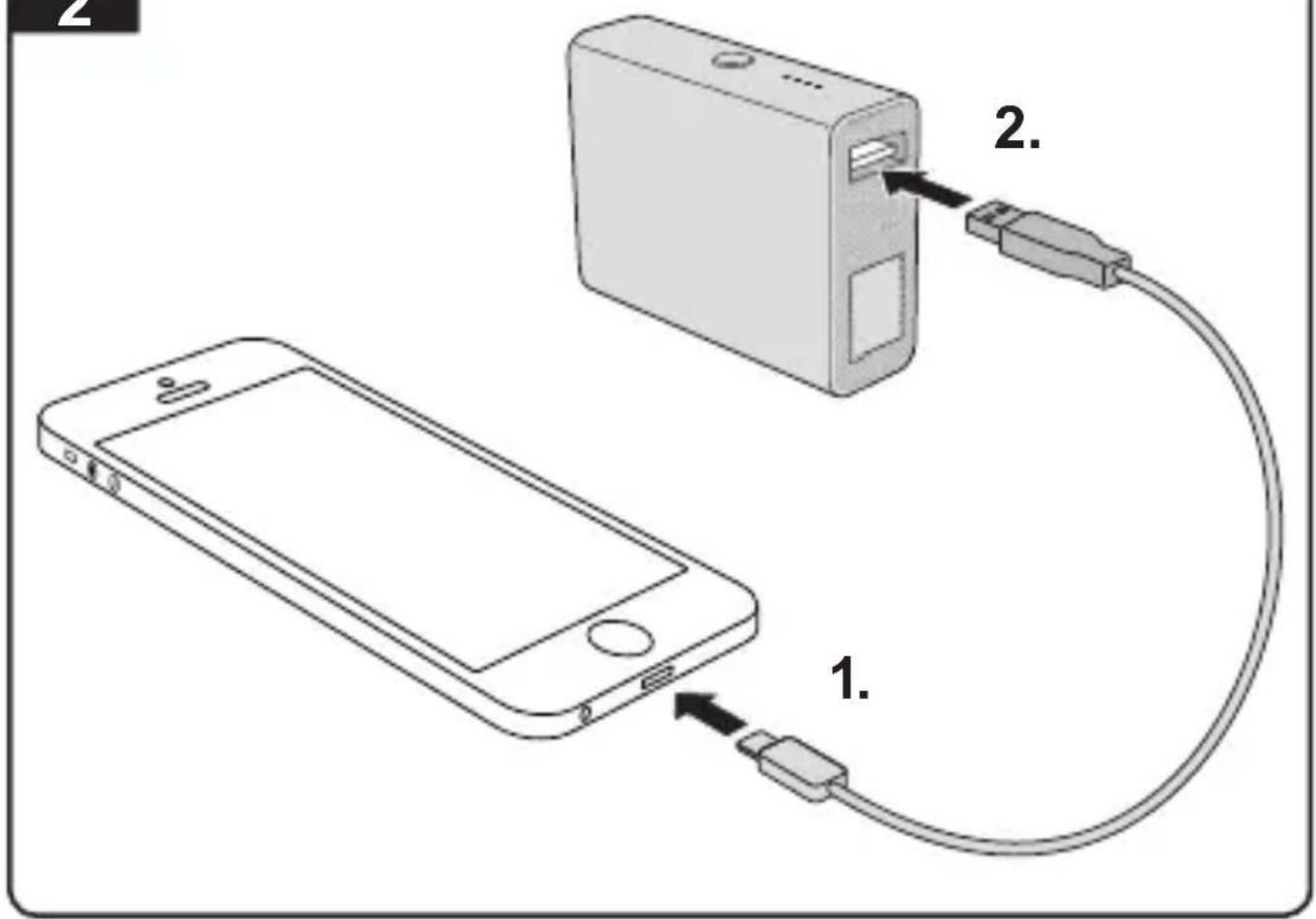
Connect the device you wish to charge to the charging port on the battery pack (Figure 2).
For this purpose, use the USB cable that came with this product or your device. - The battery pack will turn off automatically when the device it is charging is fully charged or when the battery pack has fully discharged.
- You can check the charge level of the battery pack at any time by looking at the four charge level indicator lights. To do this, press the button (Figure 3).
What happens in case of overload
If the battery pack is overloaded, it will automatically shut off. Overload is also indicated by the four lights flashing for 12 seconds. If this happens, proceed as follows:
- Unplug all cables. Wait until the lights stop flashing.
- Try charging with a different cable. (The cable might be defective.)
- If the problem occurs again, the device cannot be charged with the battery pack.
Improving your battery pack's performance
- Charge the product before using it for the first time. The built-in battery will only reach full capacity after repeated charging and discharging.
- Do not leave the product plugged in to the power supply or another USB power source if it is not in use for an extended period.
- Do not store the product in a fully discharged state for long periods of time. The remaining capacity of the battery pack when placed into storage should be around 50–75 % (indicated by two or three lights on the charge level indicator).
- Recharge the product after 90 days at the latest.
Technical Data
| Rated input voltage/current DC 5 V, 2 A |
| Rated output voltage/current DC 5 V, 2.1 A |
| Battery capacity 6000 mAh |
| Permissible ambient temperature 0–40 °C |
| Dimensions (L × W × D) 70 mm × 55 mm × 23 mm |
| Weight 150 g |
| Guarantee 2-year manufacturer's warranty |
Additional Information
Up-to-date information and/or further details for use can be obtained from the product description at http://www.leitz.com/.
Guidelines for Electromagnetic Compatibility
This device has been tested for compliance with the limit values specified in EMC Directive 2004/108/EC of the European Community. These limit values are designed to provide reasonable protection against harmful interference in residential areas. If this equipment is not installed and used in accordance with this manual, it may cause harmful interference to radio or television reception or affect other electronic devices. Use only shielded cable to connect the components in order to avoid such interference. Non-compliance invalidates the permission to operate this equipment.
Disposal
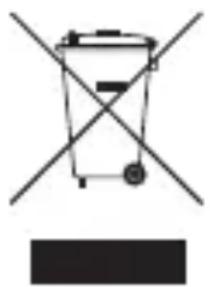
The crossed-out wheelie bin indicates that this product must not be disposed of with household waste (residual waste). You must dispose of electric and electronic appliances and empty batteries at specially provided public locations. There is no charge for disposal. For more information, contact your local city or district council or the shop where you purchased the product.
natural_image
Symbol of a trash bin crossed with a diagonal line and a blank rectangular block below (no text or labels)Gebrauchsanleitung
Packungsinhalt
natural_image
Symbol of a trash bin crossed with a diagonal line and a blank rectangle below (no text or labels)natural_image
Simple line drawing of a trash bin with two crossed lines and a solid black rectangle below (no text or symbols)natural_image
Symbol of a trash bin crossed with a diagonal line and a blank rectangular block below (no text or labels)natural_image
Symbol of a trash bin crossed with a diagonal line and a blank rectangular block below (no text or labels)Instruções de uso
natural_image
Symbol of a trash bin crossed with a diagonal line and a horizontal line, representing no waste or elimination (no text or labels)Gebruiksaanwijzing
natural_image
Symbol of a trash bin crossed with a diagonal line and a blank rectangular block below (no text or labels)Brugsvejledning
Æsken indeholder
natural_image
Symbol of a trash bin crossed with a diagonal line and a blank rectangular block below (no text or labels)Bruksinstruksjoner
Pakkens innhold
natural_image
Symbol of a trash bin crossed with a diagonal line, no text or labels presentnatural_image
Symbol of a trash bin crossed with two crossed lines and a solid rectangle below (no text or labels)Käyttöohjeet
Pakkauksen sisältö
natural_image
Symbol of a trash bin crossed with a diagonal line and a blank rectangular block below (no text or labels)Kasutamisjuhend
Pakendi sisu
- Aku
- Micro USB-kaabel
- Käesolev kasutusjuhend