DBS 769 R CB - Iron BOMANN - Free user manual and instructions
Find the device manual for free DBS 769 R CB BOMANN in PDF.

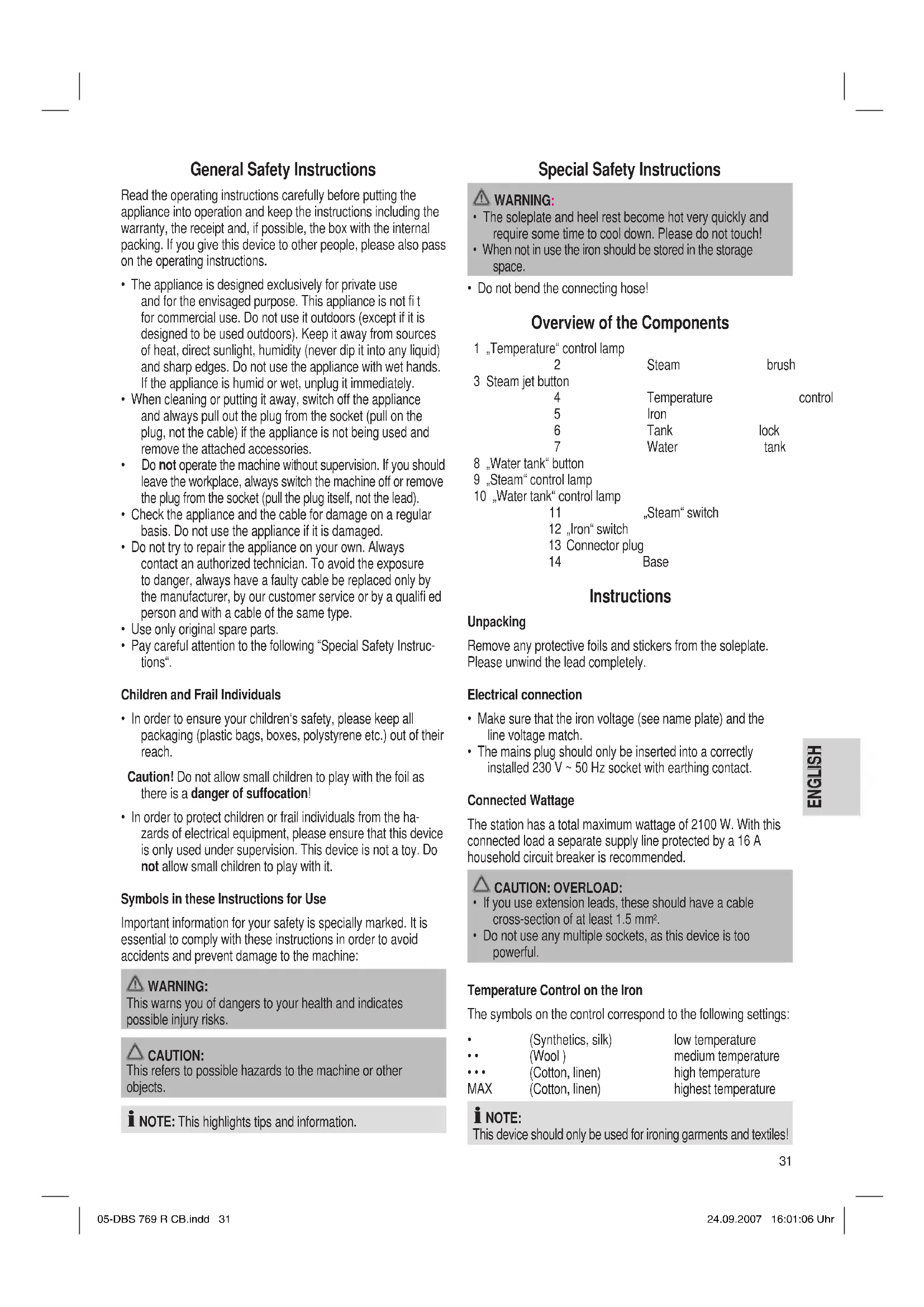


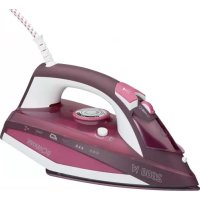
| Product type | Steam iron with base |
| Brand | Bomann |
| Model | DBS 769 R CB |
| Category | Iron |
| Power supply | 230 V, 50 Hz |
| Maximum power | 2100 W |
| Water tank capacity | 1.2 L |
| Net weight | 3.7 kg |
| Temperature adjustment | Yes (settings for synthetic, silk, wool, cotton, linen) |
| Dry ironing function | Yes |
| Steam ironing function | Yes |
| Steam brush function | Yes |
| Steam ejection | By button (on the iron and the brush) |
| Safety | Do not touch the hot soleplate, controlled steam ejection |
| Maintenance | Clean with a damp cloth, do not immerse |
| Included accessories | Iron, steam brush, water tank, base |
| Warranty | 24 months |
| Control type | Buttons and dial (thermostat, ejection buttons) |
Frequently Asked Questions - DBS 769 R CB BOMANN
User questions about DBS 769 R CB BOMANN
0 question about this device. Answer the ones you know or ask your own.
Ask a new question about this device
Download the instructions for your Iron in PDF format for free! Find your manual DBS 769 R CB - BOMANN and take your electronic device back in hand. On this page are published all the documents necessary for the use of your device. DBS 769 R CB by BOMANN.
USER MANUAL DBS 769 R CB BOMANN
DAMPFBUGELSTATION DBS 769 RCB
Stoomstrijkijzer • Station fer à repasser • Sistema stirante a vapore • Estación para planchar a vapor Aparelho de engomar a vapor • Dampstrykestason • Steam Ironing Unit • Želazko z generatorempary Žehlici souprava • Gózolós vasaló • Парован Гладиьан установka
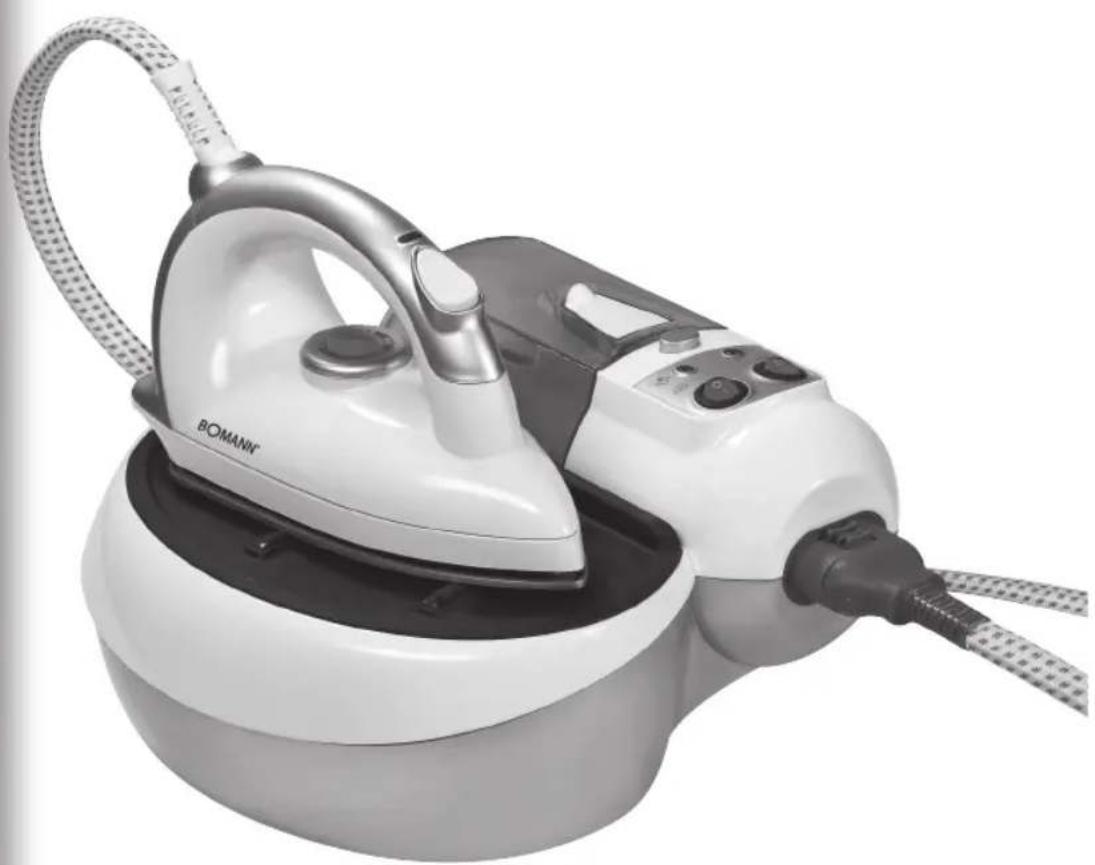
Overview of the Components.. 3
Instruction Manual. 31
Technical Data.. 33
Guarantee 34
FRANÇAIS
JEZYK POLSKI
Sommaire
LiTe des differents elements de commande.. Page 3
D-47906 Kempen/Germany
WAARSCHUWING: GEVAAR VOOR VERBRANDING!
Consommation: 2100 W
Classe de protection: I
Significat i on du symbole ,Elimination
General Safety Instructions
Read the operating instructions carefully before putting the appliance into operation and keep the instructions including the warranty, the receipt and, if possible, the box with the internal packing. If you give this device to other people, please also pass on the operating instructions.
- The appliance is designed exclusively for private use and for the envisaged purpose. This appliance is not fit for commercial use. Do not use it outdoors (except if it is designed to be used outdoors). Keep it away from sources of heat, direct sunlight, humidity (never dip it into any liquid) and sharp edges. Do not use the appliance with wet hands. If the appliance is humid or wet, unplug it immediately.
- When cleaning or putting it away, switch off the appliance and always pull out the plug from the socket (pull on the plug, not the cable) if the appliance is not being used and remove the attached accessories.
- Do not operate the machine without supervision. If you should leave the workplace, always switch the machine off or remove the plug from the socket (pull the plug itself, not the lead).
- Check the appliance and the cable for damage on a regular basis. Do not use the appliance if it is damaged.
- Do not try to repair the appliance on your own. Always contact an authorized technician. To avoid the exposure to danger, always have a faulty cable be replaced only by the manufacturer, by our customer service or by a qualified person and with a cable of the same type.
- Use only original spare parts.
- Pay careful attention to the following "Special Safety Instructions".
Children and Frail Individuals
- In order to ensure your children's safety, please keep all packaging (plastic bags, boxes, polystyrene etc.) out of their reach.
Caution! Do not allow small children to play with the foil as there is a danger of suffocation! - In order to protect children or frail individuals from the hazards of electrical equipment, please ensure that this device is only used under supervision. This device is not a toy. Do not allow small children to play with it.
Symbols in these Instructions for Use
Important information for your safety is specially marked. It is essential to comply with these instructions in order to avoid accidents and prevent damage to the machine:

WARNING:
This warns you of dangers to your health and indicates possible injury risks.

CAUTION:
This refers to possible hazards to the machine or other objects.

NOTE: This highlights tips and information.
Special Safety Instructions

WARNING:
- The soleplate and heel rest become hot very quickly and require some time to cool down. Please do not touch!
-
When not in use the iron should be stored in the storage space.
-
Do not bend the connecting hose!
Overview of the Components
1 "Temperature" control lamp
2
Steam
brush
3 Steam jet button
4
Temperature
control
5
Iron
6
Tank
lock
7
Water
tank
- Water tank" button
9,Steam"control
10 „Water tank" control lamp
1
"Steam" switch
12 „Iron" switch
13 Connector plug
14
Base
Instructions
Unpacking
Remove any protective foils and stickers from the soleplate. Please unwind the lead completely.
Electrical connection
- Make sure that the iron voltage (see name plate) and the line voltage match.
- The mains plug should only be inserted into a correctly installed 230V 50Hz socket with earthing contact.
Connected Wattage
The station has a total maximum wattage of 2100 W. With this connected load a separate supply line protected by a 16 A household circuit breaker is recommended.

CAUTION:OVERLOAD:
- If you use extension leads, these should have a cable cross-section of at least 1.5mm^2
- Do not use any multiple sockets, as this device is too powerful.
Temperature Control on the Iron
The symbols on the control correspond to the following settings:
(Synthetics, silk)
(Wool)
Cotton,linen)
MAX (Cotton, linen)
low temperature
medium temperature
high temperature
highest temperature

OTE:
This device should only be used for ironing garments and textiles!
Iron or Steam Brush
Please decide before you start which accessory you need.
- Release the plug (13) if necessary by pressing the buttons and pulling the plug.
- Change to the required accessory by inserting the plug (13) of the accessory.
I NOTE:
- On the plug there is an arrow which must be facing upwards.
- Please check whether the plug is firmly in place by pulling on it again. The plug must not become loose.
Steam Jet Button
on the iron: Press the steam jet button (3) to release a jet of steam. Press the button again to stop the jet of steam.
on the steam brush: Hold the button down for as long as you need the steam. Release the button to stop the jet of steam.
WARNING:
- Do not change the accessory while the device is still hot and therefore under pressure. Steam may be ejected unexpectedly.
- Turn the device off in order to allow it to cool down for 15 minutes.
Water Tank
- Press the button (8) if you would like to remove the water tank (see also illustration A).
- This makes it easier to fill in water. The contents of the tank are 1200ml .
Water
Please use only distilled water. Do not use any decalcifiers! These will destroy the device!
The following is also unsuitable: Do not fi II battery water, water from the clothes dryer and water containing additives (such as starch, perfume, softener or other chemicals) into the water reservoir.
This could damage the iron due to residues forming in the steam chamber. These residues may cause impurities to the fabric when dropping out of the holes in the soleplate.
Before Initial Use
Clean the ironing base with a slightly damp cloth.

CAUTION: INITIAL USE:
Please proceed as follows:
- Connect the iron.
- Fill the tank up to the maximum mark. Do not overfi!
- Close the water tank and place it back in the base.
- Connect the base station to a 230V / 50Hz socket with earthing contact.
- Turn the switches (11) and (12) on.
- Turn the temperature control to MAX. The control lamp on the iron lights up.
- Please wait until the control lamp (9) on the base lights up.
- Now press the steam jet button for at least 1 minute.
I NOTE:
- This time is needed for the steam to reach the iron.
-
Keep a cloth ready! During this phase water also comes out of the soleplate of the iron.
-
When only steam comes out without any water you can stop the procedure. Then press the steam jet button another 2-3 times without touching the clothes that are to be ironed.
- After you have ironed an old but clean cloth a few times, your station is ready for use.
Operation
Ironing without steam
NOTE:
- Sort out the garments according to their ironing temperatures.
-
Always set the temperature control to, MIN before connecting the appliance to a power point, or before disconnecting it.
-
Place the iron on the rest.
- Only connect the machine to a properly installed safety socket, 230V / 50Hz .
- Turn the switch (12) on.
- Set the temperature on the temperature control (4). If you have sensitive items to iron, please begin with the lowest temperature.
- The control lamp on the iron shows that it is heating up. As soon as the control lamp goes off the operating temperature has been reached. Now you can start ironing.
After use always turn the temperature control to MIN (the control lamp in the handle goes off) and turn the switch (12) off.
Steam Ironing

WARNING:
The steam brush and the iron eject a large quantity of hot steam. Danger of burns.

CAUTION:
When using the steam iron please ensure that the water tank is always filled to the required level. Operating the device without water will damage it.
- Fill the tank up to the maximum mark. Do not overfi!
- Close the water tank and put it back on the base.
- Connect the base station to a 230V / 50Hz socket with earthing contact.
- Turn on the switches (11) and (12).
- Set the desired temperature.
- When the control lamp (9) on the base lights up you can start ironing.
- Press the steam jet button if necessary.

OTE:
Keep a cloth ready! At first water may also be expelled from the soleplate of the iron.
How can I replenish the water during operation?
Refi II with water before the tank is completely empty. The lamp (10) shows that there is not enough water.
- Place the iron on the heel rest.
- Turn off the steam with the switch (11).
- You can remove the tank and then fi ll it up.
- Replace the tank on the base. You can now continue operation.
Operating the steam Brush

WARNING: DANGER OF BURNS!
- Particularly when using the steam brush it is advisable to protect yourself, e.g. by means of protective goggles, long-armed clothing, gloves etc.
- Please also note our other warnings and instructions for use.

OTE:
The steam brush has a catch with which you can remove the brush attachment.
You can use the steam brush to refresh or remove creases from the clothes, or brush them off under steam.
For this purpose it is best to put your clothes on a hanger.
- While you are using the brush, guide it gently over the laundry.
- If you are using only the jet of steam the distance should be approximately 2-3 cm.
When you have finished
After use, always turn the temperature control to MIN (the control lamp in the handle of the iron goes off).
- Turn the switches (11) and (12) off.
- Remove the mains plug from the socket.
- Empty the water tank.
- Allow the device to cool down before you put it away.
Cleaning
Always remove the mains lead before cleaning!
- Wait until the machine has cooled down completely.
- Clean the casing with a slightly damp cloth.
- Clean the sole plate and the rest with a slightly damp cloth. Do not use any abrasive cleaning agents!
- The device must never be immersed in water!
Troubleshooting
| Fault Possible Cause Remedy | ||
| Device does not work | Faulty mains socket Try another socket | |
| Loud noises during steam operation | The tank is empty Check the tank | |
| During steam operation water is also expelled | • The temperature control on the iron is set too low • It is possible that at fi rst water will also be expelled | • Select a higher temperature • Press the steam jet button for approx. 1 minute until no further water comes out |
| The device suddenly stops working during operation | Is the electric circuit overloaded? | Check the house fuse |
Technical Data
Model: DBS 769 R CB
Power supply: 230 V, 50 Hz
Power consumption: 2100 W
Protection class: I
Maximum fling quantity of the water tank: 1,2 litres
Net weight: 3,7 kg
This device has been tested according to all relevant current CE guidelines, such as electromagnetic compatibility and low voltage directives, and has been constructed in accordance with the latest safety regulations.
Subject to technical changes without prior notice!
Guarantee
The device supplied by our Company is covered by a 24 month guarantee starting on the date of purchase (receipt).
During the life of the guarantee any fault of the device or its accessories ascribable to material or manufacturing defects will be eliminated free of charge by repairing or, at our discretion, by replacing it. The guarantee services do not entail an extension of the life of the guarantee nor do they give rise to any right to a new guarantee!
Proof of the guarantee is provided by the proof of purchase. Without proof of purchase no free replacement or repair will be carried out.
If you wish to make a claim under the guarantee please return the entire machine in the original packaging to your dealer together with the receipt.
Defects to consumables or parts subject to wearing as well as cleaning, maintenance or the replacement of said parts are not covered by the guarantee and hence are to be paid!
The guarantee lapses in case of unauthorized tampering.
After the expiry of the guarantee
After the expiry of the guarantee repairs can be carried by the competent dealer or repair service against the payment of the ensuing costs.
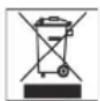
Meaning of the "Dustbin" Symbol
Protect our environment: do not dispose of electrical equipment in the domestic waste.
Please return any electrical equipment that you will no longer use to the collection points provided for their disposal.
This helps avoid the potential effects of incorrect disposal on the environment and human health.
This will contribute to the recycling and other forms of reutilisation of electrical and electronic equipment.
Information concerning where the equipment can be disposed of can be obtained from your local authority.
Yka3bIbaeHa BO3MOxHHyO ONaCHOCTb IIN3DeJIIN N DpyrNX OKpyJauOUX INpeDMETOB.
I I PIMEYAHNE: Jaet coBebi HnHopMaunIO.
CneuaNbHbIe yka3aHnno TeXnKe 6e3onacHOCTn
PENJYUNPEKDEHNE
IIOOswBa 3JIeKtpOHToHa Iero MeCTO B CTOHem NIOJOxEHm 6bICTPO HArpeBaIOTc,ДЯnx OXIAJxHeHn Heo6xOaHMo BpEm. IooKaanyIcTa, He npHKacaiTecb K Hm!
CTaBte yTHor TOnbKO Ha NODctABky!
- He neperin6aIte coeINHtIeIbIh IuHaIr!
O63op dTeanepn6opa
1 KOntpoIbHaI lamNoUka, TempepaTpa
2 NapoBany
UeTka
3 Khoŋka noaqun npap
4 PeryIaTOp
TempepaTpybI
5 ΘneKtpoyTIO
6 KpbuIka dIa EMMKocTn
7 EMKOCbI DnI BOBbI
8 KhoNka,EMKoCTb nIa BOBda
9 KoHrpoBHaN lamnOuKa ,nap
10 KoHTpOJIbHaJa lamMOnUka,EMKocTb IaIbOBoI
11 BbIKIOaTeNb
"nap"
12 BbIKnHouaTeNb
yTOr
13 LiTeNCeJIbHa BInJa OChactKN
14 OchOBaHne
Yka3aHHK npHMeHeHHO
PacnaKOBka
YdaHNTe 3aunTHyO fOJIbry HnKaHneKu, ECNI TaKOBble
HMeOTc, CpaOoey NOBepxHOCTynTjORA. Pa3MotaTe,
NoXaIyICTa, NoNHOCTbIO Ka6JIb.
3neKtpocetb
Y6eIntecbBTOM,TOHAnpRKeHHeNITaHnYyTOrA(CMOTPN TaBnKHyHaHE)COOTBeCTByET HApRKeHHIOBaWcEeCtN.
BCTabJIte CeTeBOI uTEKeP IuMb B MOHTnpOBaHHyO corNaCHO npEanicaHnM uTencelbHyIO po3eKy 230 B\~ 50 tC 3auNTbIM KOHTaKToM.
Notpe6JREMA MOHOCb
B o6uien CNOHOCTH yCTPOICTBO MOKET NOTpe6JIbTdo 2100 BaTT. TaKyIO HArpy3ky peKOmeHdyETC NOKJIIOUaTb yePe3 OTDeJIbHyO 3NEKTPOIPOBOKy, OCHaUeHHyO aBTOMaTOM OTKIIIOUeHnHa 3NEKTPOtOK 16 A n yCTPOICTBOM TOKOB 3aunTIb.

BHHMAHNE: INEPERPU3KA:
- Pn NpIb3OBAHN yDINHInTeNbHbIMN Ka6eJAMN CneJNTe 3a TEM, yTO6bl nonepueHoe ceeyHne Ka6eJb6blno MNHMym 1,5 MM.
He noJIb3yIteCb pa3BETBNTeHbIMn UTENCeNbHbIMn po3EtKaMn, TAK KaK 3OT npHOp HMeet CINUKOM BbICOKyHO MOUHOCTb.
PerynTOp TemnepaTypbB 3JKeKtpoyTore
CIMBOJIbHAXOJHUNecHa peryIHTope,COOTBETCTBYOT CJeDyUcIMM yCTaHOBkAM:
(CNHTeTnKa,WENK) HN3Ka TEmnepaTypa
(Wepctb)cpednHraTeMnepaTypa
(x/6, nEN) BbICOKaTEmnepaTypa
MAX (x/6, nEH)
TemnepaTypa

ПРIMECHAHNE:
Tnabte yTOrOM ToIbKO OeJHy N TeKCTNJIbHbIe H3dEIna!
YthornnnapoBaar ta
Ipeed hauaJom pa60tB bbl6epHte hyxHyyo Bam ochactky.
- BbHbTe, ecn Heo6xOdmo, WTeNCelHyIO BuNky OChactkn (13), dna 3tOrO HaKMITE Ha KhoNKn I NotAHNTe 3a WTeNCelHyIO BuNky.
3aMeHHTe OChACTKy Ha HyxHyIO,ДЯ 3TOrO BOTKHITe B npH6Op wTeNCEbHyIO BnIKy (13) OChactKn.

IPIMMEUAHNE:
HaITeNcBHOH BnKe HMeetcCTpeKKa, KOtopaDOnKHa NOKa3bBaTb BBepx.
- PpOBepbTe, npaBnIbHO nI BOTKHyTa wTencJIbHaB BNka, dIra 3TO rO notHInTe 3a Hee eue pa3. lTeKepe He doJxHe BbIHIMATbcR.
KhoNa BbI6poca npa
Ha yIIORe: HaxMITE Ha KONky BbIbOpa napa
(3)TObblBbIyCTnTBcTpynnapa.
CHOBA HAKMITE HA KHONKY BILOpoca napa,TO6b3aKpbITbnapoByIO CTpyIO.
Ha napoboi ueke: Depknte KhoNky haxaToT aK dIoIro, noka Bam hyKeH nap. TTo6bl npepBaBb bI6poc npap, otnyCTnte KhoNky.

PENEYIPPEXHEHNE:
He 3aemeHnTe OChactky, ecnn npnbop euee ropnyn I n03tomy HaxoNTcnaD aBleHneM. Ectb Bo3MOxHoCTb BHe3anHoro Bbl6poca napa.
BbIKHOnHTe npH6Op, 4To6bI OH MOR ocTbITb PnIMepHO B TeueHHe 15 MNHT.
BognoH pe3epbyap
HaKMMTE Ha KONky (8), ecN Bby XOTnTe CHrTb EMKoCTb DnB BObl (CMOTn TaKHe pnc. A).
Tak Bam 6ydt Neue 3aIINBaTb BDOy. EMMKoCTb pe3epByapa coCTabJIReT 1200 Ml.
Boda
HcnoIb3yIte TOnIbKO dNCTnIIMPOBaHHYIO BDOy. He IOnIb3yIteCb CpeDCTBAMM DnO ONUCTKN OT N3BeCTHRA! OH MOrTy NOBpeDITb np6Op!
He roHntc TaKHe roHntc TaKHe: 3aIpeuaeTc HAnBaTb B BOJHO BAOY I3 OTONHTBHO CNTeMbI, CyINbHbIX aBTOMaTOB NIN BOY C DObaBKAMN (KaK KpaxMaI, apOMATn3npUOuNE cpeDCTBA, pa3MgHTeNB NIN dpyrHe XIMKAtBu). COKA
I3dene MoKeT HcnpToTbC8 OT 3TO, TAK KAc B npoBoKampe MOry O6pa3ObaTbC8 OTNOKeHn. Kpome 3TOrOTN OTIOKeHn MOry T BbiTN Upe3 npoBbE OTBepCTn IN 3aqrA3HNTb 6eJIbe.
Pepe npmeHem BnepBbIe
IpoTnTe NOOuBy yTOrA cnerKa BnaJHKn TpRknKo.

BHIMAHHE:BBOIDB3KCIYYATAUHO:
ДяЗТО РО noctуалte cneуHoumOобразOM:
IodKIOHHTe yTHOr.
- HanolHnTE eMKoCTb DO MaKcHmAlbHoI OTMeTKn. He nepenONHrTb!
3aKpoTe BOJHOn pe3epByap N BCTaBte ero Ha3aD BoCHOBaHHe.
- PódklouHTe CTaHnIO OCHOBaHH K LTeNcIbHOI po3ETke 230 B / 50 rC 3aUHTbIM KOHTAKTOM.
BkIIOUHTe BbIKIOUaTeIN (11) n (12).
- NocTaBbTe peryIaTOp TemnepaTypbl B noIooKeHne MAX. KoHTpoJIbHb CBeTIbHbNk yTHOra CBETITcR.
-Подждente,пokaHa6a3e He 3aRopntc KoHTpoIbHar lamnoquka (9).
TenepbHaHIMaTe KHOIpKy BbIbPoca npa MHHIMyMB TeueHne 1MnHyTbI.

ПОНМЕЧАНО:
3ToBpemHHeoXoHMO DnTOrTO,HTO6bI np NOCTyINB yTHOT.
Дерхиerte harotobetpny!Ha nepbom 3tanepTO npceca Ha pa6oey nOBepxHoctn yTOrabydET BbCTyntaBbOda.
Kak toIbKO 6yTe BbICTynatb TOnIbKO nap 6e3 BoIbIMOxHNO npePbaT bOT npoecC. Pocne 3TOr HAKMITE eue 2-3 pa3a Ha KONky NODaun npa, He Kacarcb npedHa3NaeHHOrO DnI rnaKeHb6JIb.
- Pocne toro, KaK BbI nporlaHte Heckolko pa3 no cTapoi, Ho uCTOJ TKaHN, Ba7a cTaHnra roTOBa K pa6ote.
06cnyxHBaHne
TnaxhenHe 6e3 npa
I PIMMEUHNE:
Paccopntpyte 6eIbe no TemnepaType InaKeHn.
Kakdbpa3,nepeBkIOUeHHeM HnBbIKIOUeHHeM yTHora n3 cETn, nepeBOOHTpepyJrTOp TEMNEpAtpbl B noIOKeHHe MIN
- NocTabBe yTIOr ha npEHa3NaueHHeOE dIra Hero MeCTO.
BCTaBbTe BUNKy B 3a3eMJIeHHyHO pO3eTKy C HAprrKeHnEM cTn 230 B,50 Tc, yCTaHOBJIeHHyHO B COOTBeTCTBnC npeDnncAHmN.
BkIIOHTe BbIKIOUaTeJIb (12). - BbCTaBbTe TEmnepatpy Ha TepMoperyIraTope (4). Ecnn Bam HANO nOrrnAITb OeKdy N3 YyBCTBnTeJbHOH TKAHN, HauHHaTE C cAmOHN3KO TEmnpatpybl.
KoHTpOlbHnA lamna yTOra yKa3bIbAEt Ha cTeNeH npouceca HArpeBaHn. KaK TOnbKO OHa nOtYxHeT, pa6Oar TaemepaTypa oocnHyTa. TeNepb MoXHO NaHnHaTb rJaNDtB. - Pocne ynoTpeBHeHnCTaBbTe TepMOperyIaTOp BceRda Ha MIN" (KoHTpOlbHa JAMNIOuKa BpyKe np3OM tyxHet), a NOTOM BbIKNoUaTe BbIKNoUaTeJIb (12).
TnAnHeHc npom
PENYIPEHDEHNE
Iapobaa 3kna yTOB BbInyckaiOT 60nbwoe KOINueCTBO npa. H3-3a 3Toro cyuectByet OnaCHOctb nOlyueHn OXIOB.
BHIMAHHE:
PnIgKaHeBn C npom CneDnte 3a TEM, YTO6bI BOJHOH pe3epByap 6bl BcERda IOCTaTOUHO 3anoJIHEn BOIO. PioIb3OBAHne npi6bOpom 6e3 BObl HaHocNT npi6bOp Byed.
HaONHHe EMKoCTb DO MAKcImaJIbHoI OTMeTKn. He nepenonHrTb!
3aKpOte EMMKoCTb IIN BOIy IN NOCTaBBTe eHa 6a3y.
- PoiKIIHouHTe 6a3y K wTeNceIbHOH po3eTke C 3a3EMIAHUM KOHTAKTOM Ha 230 B / 50 rU.
BkJIIOUHTe BbIKIHOaTeJn (11) n (12).
- YctaHOBInTe HxHHyIO TEMpepaTyPy.
Ecn3aeropeIacb KOHTpOJIbHaJ lamnoUka (9) Ha 6a3e, MOHHO HauHHaTb IaIaNTb.
-При Нeoбхдимости Нжиматей Кногу Bьбрocа napa.
I PIMMEUHNE:
ДеркпгуНагоТБЕТРИКУ!Ha nepвOM этane этOTO npоцeccа Ha pa6oчeи nobepxHOCTH yTOra MoKET taKKe BbICTyntb BOda.
Kan donnBaT B Ody B npouecce pa60tbyythora?
I03aONJIHnIe pe3epByap BOIOJ DO TORO, KaK OH onOpOHHTCa. IAmNoUka (10) yKa3bIbAet Ha HeoCTaTOOHoe KOINHECTBO BObl.
OCTaBnIe yTHo HA CNEuHaJIbHOe MecTo B CTOrHem NOJIOKeHHN.
- BbiklouhTe nap BbiklouhatoTeem (11).
BblMOXeTB3rTbEMKoCTbH3aTeM NONOJIHNHTb eE.
BCTaBbTe pe3epByap cHOBa B OCHOBaHHe yTHora mOKeTe npoDOnKaTb pa60Ty.
Peknma60bI npaBOO uTkn
IPEUYIPHEKJEHNE:ONACHOCTbOHOTA!
- IMeHNo npa6oTe c npoBoi ueTkoeIeIeCoO6pa3Ho nCIOJIb3OBAt CpeCTBa 3auNTbl, HapnMep 3auNThBiE OCHK, OeJky C dnnHHbIM pyKaBOM, nepyATKn ITd.
-Obpatnte BnHMaHne TaKke HHa DpyrHe HaUNIpeDyPpeXdaOuHne yKa3aHnH n peKoMeHdauH.
I PIMMEUHNE:
NapobaaIeTkaHMeETfHKcatOp, npn NMOUKNKOTOPOROBMOKeTe CHaHcAky C EeTKoN.
Pn nmoounnapoBOuIeTKN BblMOKeTe rnaHTb OeJy,OCBexKaT bero HnnHCTMtb eTKOINpOAM.
Iyue Bcero,ecn Bby npn 3om nobecnte OeJky Ha npeuKn.
EcnBbpa6oTaTe 电KTo,TO PnabHbIMN DnHexHnMBODHTe TkY NO ODeJKe.
EcnBbpa6oTaTeToIbKOnapOMtoHeo6xoIIMO co6HIOdaTbpacCTOARHe npM.B2-3cm.
OKOHuaHne pa6oTbi
- Pocne yntpe6nene Bcerda yctaHaBnBaIte TepMoperyIaTOp Ha MIN" (rachet KOHTpOlbHaa NaMNoUka Ha pyuKe yToRa).
- BbikHIOUHTe BbIKHOUaTeHN (11) n (12).
- BbIdepHnTe WtKepehNb pa3bE m n3 po3ETK.
- Bblneite octatkn BOdi n3 EMKoCTn dIa BOdi.
-ДаHTe npHbOpy IcTbIb,прждчem ybHpaTb erOHa MecTo.
UncTka
-ПарацчсковВСЕгдаБынмалеВикуИЗ розтк!
-Даитэлкгрпборунлсьoctы!
- Pnpntpe Kopnyc cyxou Tpnnkoi.
- Pnpotpnte nooowBy yTora n nobepxhoctb noctabkn cnlerka bnaKHO Tprkko. He noIb3yTecb abpa3nBbIMN qCTAumn CpeCTBaMn!
- Hn B koem cnyuae He norpykaiTe ounbI B BODY!
YcTpaHeHne HEnCnPaBHOCTe
TapaHTn TepaETc npB BckpbITn H3dJIIN NOCTOPOHHIMN liuamn.
Pocne rapaHTM
Iocne oKoHuaHnrcpoka rapaHTnn,peMOHTn3dJInn npOn3BODNTcra 3a ONnATy, COOTBEcTCTBYUOLmM MaCTepCKMN nnnnyHKtAmn cepBncCHOO 06ClyJKBaHH.
TexHnueckne daHHbIe
MoIeIb: DBS 769 R CB
3JIeKtpoNTaHHe: 230B,50T
Iotpebnaemar moohoctb: 2100 BaTT
Klacc 3aunrbl:
MaKcHmAlbHaBMeCTHMocTbpe3epByapaIINBODbl.....1,2nITpa
Bec HeTTO: 3,7 K
3To n3deneHne npoJIO BCE Heo6xOaMlbIe n AKTyAJIbHbIe npOBepKn, npEtnHCaHHbIe DnpeKTHBOI CE, K npIM. Ha 3JIeKTPOMaHTHHyO COBMeCTUMOCt b COOTBETCTBHe Tpe6oBaHmR K Hn3KOBoTbTHOH TEXHKe, OHO 6blIO TAKKe CKOHCTpynpoBaHO N IOCTPOeHO C yyeTOM IocNeHNX Tpe6oBaHm NO TEXHKe 6e30NaChOCTH.
Mbl octabnem 3a coboi npabo Ha texhueckne n3mehenia!
BOMANN
C. Bomann GmbH
Heinrich-Horten-Str. 17 - 47906 Kempen
Tel.: 02152/8998-0·Fax: 0 2152/8998911
e-mail: mail@bomann.de · Internet: www.bomann.de
- DAMPFBUGELSTATION DBS 769 RCB
- FRANÇAIS
- JEZYK POLSKI
- Sommaire
- WAARSCHUWING: GEVAAR VOOR VERBRANDING!
- Significat i on du symbole ,Elimination
- General Safety Instructions
- Children and Frail Individuals
- Symbols in these Instructions for Use
- WARNING:
- CAUTION:
- Special Safety Instructions
- Overview of the Components
- Instructions
- Unpacking
- Electrical connection
- Connected Wattage
- CAUTION:OVERLOAD:
- Temperature Control on the Iron
- OTE:
- Iron or Steam Brush
- I NOTE:
- Steam Jet Button
- Water Tank
- Water
- Before Initial Use
- CAUTION: INITIAL USE:
- Operation
- Ironing without steam
- NOTE:
- Steam Ironing
- How can I replenish the water during operation?
- Operating the steam Brush
- WARNING: DANGER OF BURNS!
- When you have finished
- Cleaning
- Technical Data
- Guarantee
- After the expiry of the guarantee
- Meaning of the "Dustbin" Symbol
- I I PIMEYAHNE: Jaet coBebi HnHopMaunIO.
- CneuaNbHbIe yka3aHnno TeXnKe 6e3onacHOCTn
- PENJYUNPEKDEHNE
- O63op dTeanepn6opa
- Yka3aHHK npHMeHeHHO
- PacnaKOBka
- 3neKtpocetb
- Notpe6JREMA MOHOCb
- BHHMAHNE: INEPERPU3KA:
- PerynTOp TemnepaTypbB 3JKeKtpoyTore
- ПРIMECHAHNE:
- YthornnnapoBaar ta
- IPIMMEUAHNE:
- KhoNa BbI6poca npa
- PENEYIPPEXHEHNE:
- BognoH pe3epbyap
- Boda
- Pepe npmeHem BnepBbIe
- BHIMAHHE:BBOIDB3KCIYYATAUHO:
- ПОНМЕЧАНО:
- 06cnyxHBaHne
- TnaxhenHe 6e3 npa
- I PIMMEUHNE:
- TnAnHeHc npom
- PENYIPEHDEHNE
- BHIMAHHE:
- Kan donnBaT B Ody B npouecce pa60tbyythora?
- Peknma60bI npaBOO uTkn
- IPEUYIPHEKJEHNE:ONACHOCTbOHOTA!
- OKOHuaHne pa6oTbi
- UncTka
- Pocne rapaHTM
- TexHnueckne daHHbIe
- BOMANN
Brand : BOMANN
Model : DBS 769 R CB
Category : Iron