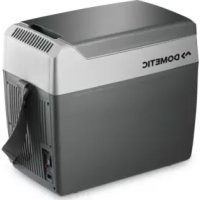
USER MANUAL TropiCool TC 07 DOMETIC
Please read this manual carefully before starting the machine. Keep it in a safe place for future reference. If the device is resold, this manual must be handed over to the purchaser along with the device.
Contents
1 Notes on using the instruction manual. 13
2 Safety instructions 13
3 Scope of delivery 15
4 Proper use 15
5 Technical description 15
6 Operation 16
7 Cleaning and care 18
8 Disposal 18
9 Troubleshooting 19
10 Technical data 20
Notes on using the instruction manual TC-07
1 Notes on using the instruction manual
The following symbols are used in this instruction manual:

Caution!
Safety instruction, failure to observe this instruction can cause injury or damage the device.

Caution!
Safety instruction, relating to a danger from electrical current or voltage. Failure to observe this instruction can damage the device and impair its function and cause injury.

Note
Supplementary information for operating the device.
Action: this symbol indicates that you need to do something. The required action is described step-by-step.
This symbol indicates the result of an action.
Please observe the following safety instructions.
2 Safety instructions
2.1 General safety
-
Connect the device as follows:
-
With the mains rectifier supplied to the AC mains
-
With the connecting cable supplied to the cigarette lighter in the vehicle (see fig. 3, page 2).
-
Do not pull the plug out of the cigarette lighter or the socket by the cable.
- If the cable is damaged, it must be replaced to prevent possible electrical hazards.
- Do not operate the device if it is visibly damaged.
TC-07 Safety instructions
- This device may only be repaired by specialist personnel. Inadequate repairs can lead to considerable hazards.
Should your device need to be repaired, please contact WAECO customer services.
Pull out the plug:
- Before cleaning and care
- After use
- Ensure that the ventilation slots are not covered.
- On boats: if the device is powered by the mains, ensure that the power supply has a ground fault interrupter circuit. Mortal danger!
- Disconnect the cooling device and other power consuming devices from the battery before connecting the quick charging device.
- Check that the voltage specification on the type plate corresponds to that of the energy supply.
- The cooling device is not suitable for transporting caustic materials or materials containing solvents.
- Food may only be stored in its original packaging or in suitable containers.

Electronic devices are not toys.
Always keep and use the device out of the reach of children.
2.2 Operating the device safely
- Before starting the device ensure that the power supply line and the plug are dry.
- Do not place the device near flames or other heat sources (heating, direct sunlight, gas ovens etc.).
- Do not fill the inner container with ice or fluid.
- Do not immerse the device in water.
- Protect the device and the cable against heat and moisture.
- Do not touch exposed cables with your bare hands. This especially applies to when operating the device with the AC mains: mortal danger!
- WAECO cannot be held liable for damage resulting from improper usage or incorrect operation.
Scope of delivery TC-07
3 Scope of delivery
Quantity Description
1 Cooling device
1 Mains rectifier for 230 Volt AC mains
1 Connection cable for cigarette lighter
Before starting the device check if all of the parts belonging to the scope of delivery are present.
4 Proper use
The cooling device is suitable for cooling and warming foodstuffs. The device is also suitable for camping.
If you wish to cool medicines, please check if the cooling capacity of the device is suitable for the medicine in question.
5 Technical description
The toolbox is suitable for mobile use. You can cool products to a maximum of 25^ under the ambient temperature (thermostat switches off at approx. +5^ ) or warm them to a maximum of 65^ .
Its cooling system is a non-wearing Peltier cooling, the heat is discharged by a fan.
TC-07 Operation
6 Operation

Before starting your new cooling device for the first time, you should clean it inside and outside with a damp cloth for hygienic reasons (please also refer to the "Cleaning and care" chapter on page 18).
6.1 Energy saving tips
- Choose a well ventilated installation location which is protected against direct sunlight.
- Allow food to cool down first before placing it in the device.
- Do not open the cooling device more often than necessary.
- Do not leave the lid or door open for longer than necessary.
6.2 Switching on the cool box
Place the coolbox on a firm base.

The plug's polarity cannot be reversed: it can only be inserted into the socket in one direction (see fig. 2 A, page 2).
Connect the coolbox
- With the mains rectifier supplied to a socket or ...
- Using the connection cable supplied to the cigarette lighter in your vehicle (see fig. 3, page 2).
Push the switch on the operating panel (see fig. 2 C, page 2) into the "HEISS/HOT" position or the "KALT/COLD" position to switch the coolbox on.
✓The cool box starts cooling/heating the interior.
Operating display Operating mode
Red
Heating
(see fig. 2 B, page 2)
Green
Cooling
(see fig. 2D, page 2)
Operation TC-07

Ensure that the objects placed in the cool box are suitable for cooling/warming to the selected temperature.
6.3 Switching between cooling and heating
If you wish to switch between cooling and heating, push the switch on the operating panel (see fig. 2 C, page 2) into the "HEISS/HOT" or "KALT/COLD" position.
✓The red or green operating display lights up and the device begins cooling/heating.
If you wish to end the cooling/heating process, push the switch on the operating panel (see fig. 2 C, page 2) into the "AUS/OFF" position.
If you wish to switch off the device, pull out the connecting cable.
6.4 Connecting to a cigarette lighter

If you connect the device to the cigarette lighter of your vehicle (see fig. 3, page 2), remember that the ignition must be turned on to supply the device with power.
TC-07 Cleaning and care
7 Cleaning and care

Caution!
Before cleaning the coolbox, pull the cable out of the socket or the cigarette lighter.

Caution!
Do not clean the coolbox under flowing water or in dish water.

Caution!
Do not use abrasive cleaning agents or hard objects during cleaning as these can damage the coolbox.
Clean the interior of the coolbox with a damp cloth from time to time.
Clean the exterior of the device with a damp cloth.
8 Disposal
8.1 Disposing of packaging material
Do not simply throw the packaging material away. Please observe the following instructions:
The cardboard packaging material should be disposed of in the appropriate waste bin.
- Plastic packaging should be placed in the appropriate recycling bin.
- Ask your local authority for the location of the recycling unit closest to you.
8.2 Disposing of the device
If you wish to finally dispose of the coolbox, take it to the nearest recycling centre or return it to your specialist dealer who will be happy to take it back for a small fee.
Troubleshooting TC-07
9 Troubleshooting
| Fault Possible cause Suggested remedy |
| Your toolbox is not working and the fan wheel which can be seen from the outside is not turning. | There is no voltage flowing from the cigarette lighter in your vehicle. | The ignition must be switched on in most vehicles for voltage to flow at the cigarette lighter. |
| The ignition is on and the toolbox is not working.Pull the plug out of the socket and make the following checks. | The cigarette lighter socket is dirty. This results in a poor electrical contact. | Clean the socket of the cigarette lighter with a non-metallic brush and a solvent, to ensure that the middle contact pin is clean. If the plug of your toolbox becomes very warm in the cigarette lighter socket, either the socket must be cleaned or the plug has not been assembled correctly. |
| The fuse of the connecting cable has blown. | Replace the connecting cable fuse (5 A). |
| The vehicle fuse has blown. | Replace the vehicle cigarette lighter fuse (usually 15 A). Please refer to the operating manual of your vehicle. |
| Your toolbox does not cool satisfactorily and the outer fan wheel is not turning. | The fan motor is defective. | This can only be repaired by an authorised customer services unit. |
| The toolbox does not cool satisfactorily and the outer fan wheel is turning. | The ventilator motor for the inner motor is defective.The Peltier element is defective. | This can only be repaired by an authorised customer services unit. |
| Only for devices with AC operating mode: | The integrated mains adapter is defective. | This can only be repaired by an authorised customer services unit. |
TC-07 Technical data
10 Technical data
| Capacity: 7 l | |
| Connection voltage: 12 Volt DC or
230 Volts AC with mains rectifier |
| Power consumption: 36 Watts (12 Volts DC) or
40 Watts (230 Volts AC) |
| Temperature range: Cooling: up to approx. 5 °C inner temperature
(max. 25 °C under ambient temperature)
Heating: up to approx. 65 °C inner temperature |
| Weight: 2.8 kg (without mains rectifier) |
| Testing/certification: | CE 4 T0v GS |
TC-07
5 Description technique
6.1 Tips for energisparing
Dometic Italy S.p.A.
Via Virgilio, 3
1-47100Forli
+390543754901
+390543756631
Mail: info@dometic.it

Dometic Switzerland AG
Riedackerstrasse 7a
CH-8153 Rümlang (Zürich)
+41448187171
+41448187191
Mail: info@dometic-waeco.ch

Dometic Norway AS
Skolmar 24
N-3232 Sandefjord
+4733428450
+4733428459
Mail: firmapost@waeco.no

Domatic Denmark A/S
Nordensvej 15, Taulov
DK-7000 Fredericia
+4575585966
+4575586307
Mail: info@waeco.dk

Dometic Benelux B.V.
Ecustraat 3
NL-4879 NP Etten-Leur
+31765029000
+31765029090
Mail: info@dometic.nl

Dometic Spain S.L.
Avda. Sierra del Guadarrama, 16
E-28691 Villanueva de la Canada
Madrid
+34902111042
+34900100245
Mail: info@dometic.es

Dometic Scandinavia AB
Gustaf Melins gata 7
Domatic House The Brewery
Blandford St. Mary
DorsetDT119LS
+448446260133
+448446260143
Mail: sales@dometic.co.uk
Overseas + Middle East

Domatic Australia
1 John Duncan Court
Varsity Lakes QLD 4227
+61755076000
+61755076001
Mail: sales@waeco.com.au

WAECO Impex Ltd.
Suites 2207-2211·22/F·Tower 1
The Gateway 25 Canton Road
Tsim Sha Tsui · Kowloon
Hong Kong
+852 24611386
+852 24665553
Mail: info@dometic-waeco.com.hk

WAECO Impex Ltd.
Taipei Office
2 FL-3 · No. 56 Tunhua South Rd, Sec 2
Taipei 106, Taiwan
+886227014090
+886227060119
Mail: marketing@waeco.com.tw

Dometic AB
Regional Office Middle East
PO Box 74775
Dubai, United Arab Emirates
+97143212160
+97143212170
Mail: info@dometic.ae

Dometic Marine Division
2000 N. Andrews Ave. Extension
Pompano Beach, FL 33069 USA
+19549732477
+19549794414
Mail: marinesales@domesticusa.com

Dometic Finland OY
Mestarintie 4
FIN-01730 Vantaa
+358207413220
+35897593700
Mail: info@dometic.fi

www.dometic-waeco.com