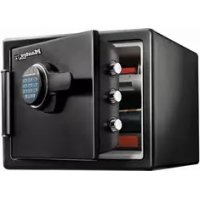
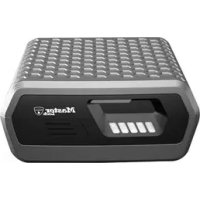
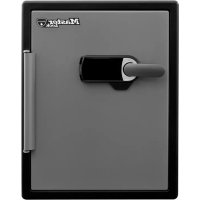
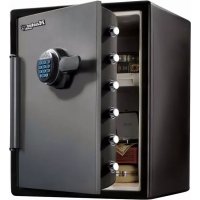
USER MANUAL LFW082FTC Master Lock
Fire Safe Owner's Manual
LFW082FTC, LFW123FTC, LTW123GTC, LFW205FYC, LTW205GYC
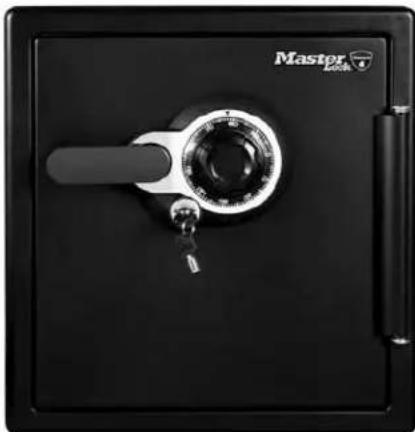
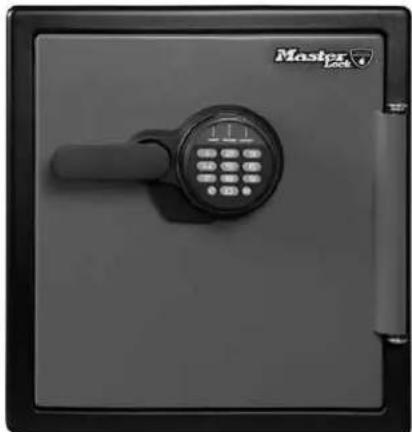
GB INSTRUCTIONS FOR USE 2
FR MODE D'EMPLOI....5
DE GEBRAUCHSANWEISUNG......8
NL GEBRUIKSAANWIJZING 11
ES INSTRUCCIONES DE USO 14
IT ISTRUZIONI PER L'USO 17
PT INSTRUÇÕES DE UTILIZAÇÃO ....20
GR ODHΓIEΣ XPHΣΗΣ 23
NW BRUKSANVISNING....26
DK BRUGSANVISNING 29
FN KÄYTTÖOHJE 32
SW BRUKSANVISNING 35
PL INSTRUKCJA UŻYCIA 38
HU HASZNÁLATI ÚTMUTATÓ....41
RO MOD DE UTILIZARE 44
CZ NÁVOD K POUŽITÍ 47
RU ИНСТРУКЦИЯ ПО ПРИМЕНЕНИЮ.... 50
TK KULLANIM TALİMATI 53
① 使用説明書....56
Fire Safe
Thank you for choosing Master Lock to store all your important documents and valuables.
We hope that this product will help you stay organized and provide you with the peace-of-mind of knowing the things most important to you are protected.
Warning
Gun warning
This product is not intended for the secure storage of all materials. Items such as firearms, other weapons, combustible materials, or medication should NOT be stored in this unit.
Warning
DO NOT store delicate items directly in your safe.
Master Lock products which offer fire protection have a proprietary insulation that has a high moisture content. In addition, the Master Lock advanced safes close airtight to offer water resistance, which may also cause moisture to accumulate inside your safe. The desiccant packet included in your safe during shipment should be left in your safe. DO NOT DISCARD IT. It is intended to help absorb moisture which may accumulate inside your safe. Please open your unit once every two weeks to avoid moisture accumulation.
If you choose to store delicate items such as jewelry with working parts, watches, stamps, or photos in your safe, we recommend putting them in an air-tight container, prior to placing them in the safe for storage.
NOTE: Master Lock will not be responsible for any damage or loss of items placed in the unit due to moisture.
Warning
DO NOT store pearls in this safe.
In the event of a fire, potential damage to delicate pearls occurs at temperatures much lower than the 350°F [176°C] interior performance measure which the UL classification performance standard indicated guarantees. Therefore, DO NOT store pearls in your Master Lock product.
Warning
No computer disks, audio-visual cassettes or photo negatives. This product is not intended to protect computer floppy or diskettes, cartridges and tapes, audio or video cassettes or photo negatives.
Warning
Your safe is only part of your total security protection.
Master Lock recommends that you store your safe in closets, offices, basements, bedrooms and any other locations that are convenient for you but out of direct line of sight from prying eyes. The location of the safe does not affect the safe's ability to protect your valuables inside.
▲ Important
If you experience any problems or challenges with your safe, please contact us. Many issues can be resolved quickly without the product being returned. www.masterlock.eu/safes
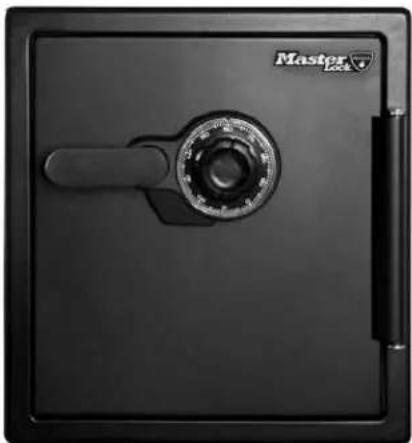
Mechanical Combination Lock
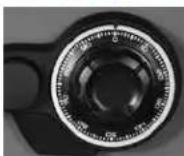
NOTE:
Store combination (and keys if equipped) in a secure location (other than in the safe).
• Combination can not be changed.
Preparing your safe for first time use
1 Ensure any shipping screws have
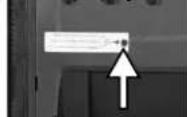
been removed. Located on the inside of the door.
NOTE: Your unit may or may not have a shipping screw.
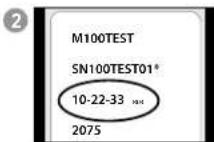
Find your combination on the back of this owner's manual.
WARNING: Test your combination several times before putting valuables inside.
Unlocking your safe
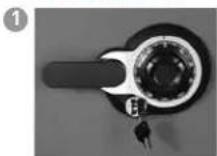
FOR DUAL KEY/COMBINATION LOCKS ONLY, insert key into the lack, turn to the 'unlocked' position, then remove the key
This is a secondary locking feature not an override key.
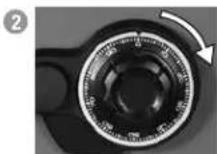
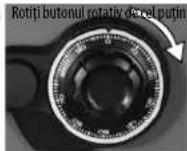
Rotate dial to '0', then rotate right [clockwise] passing '0' three times, continue rotating until you reach the first number in your combination.
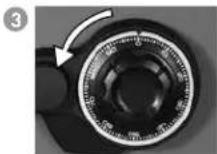
Rotate dial to the left (counterclockwise). Go PAST the second number of your combination ONCE and stop the SECOND time the dial reaches the number.
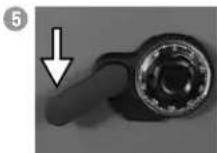
Rotate the dial to the right (clockwise), stop when you reach the third number in your combination.
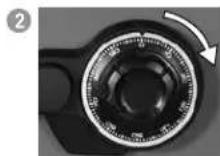
Rotate the handle downward to open the door.
This may take a limited amount of force if you have a water-resistant safe.
NOTE: • Make sure the handle is rotated all the way up in the horizontal position before unlocking the safe.
- If the door does not open easily, repeat steps 1-5.
- If you exert too much force on the handle, the handle will move without moving the bolts. If this happens, you will hear a 'click.' DO NOT be alarmed. This feature is designed to protect the bolts from being overpowered by force. If this occurs, simply exert force in the opposite direction (lifting up) until the handles 'clicks' back into place and repeat steps 1-5 to open your safe.
Locking your safe
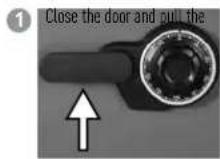
handle upward until the handle is horizontal.
For water-resistant units, additional pressure to the front, left side of the door may need to be applied prior to rotating the handle.
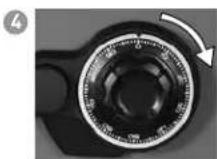
Spin the dial at least 2x to the right (clockwise).
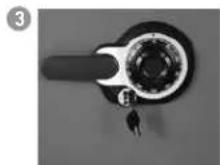
FOR DUAL KEY/COMBINATION LOCKS ONLY, insert key into the lock, turn to the 'locked' position, then remove the key.
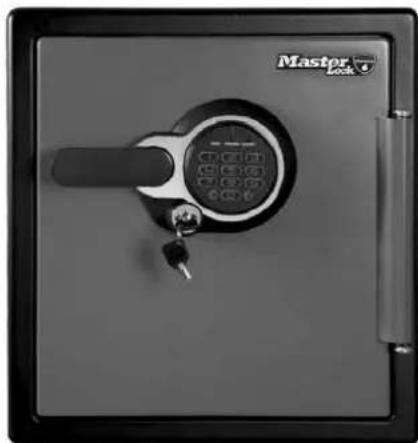
Programmable Electronic Lock
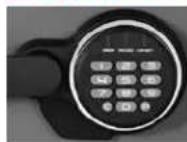
NOTE: Store code (and keys if equipped) in a secure location (other than in the safe).
Preparing your safe for first time use
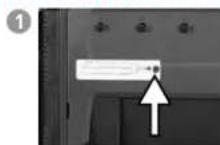
Ensure any shipping screws have been removed. Located on the inside of the door.
NOTE: Your unit may or may not have a shipping screw.
Master Lock.
ENGLISH
②
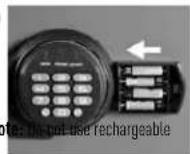
Slide out the battery drawer on the side of the keypad.
Insert 4 AAA alkaline batteries (not included)
Not
batteries or any other type of non-alkaline battery. Do not mix old and new batteries. Do not mix alkaline and standard batteries.
6 Slide battery drawer back into keypad.
3
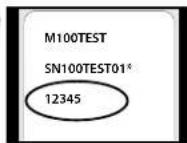
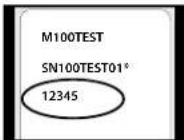
Find your 5 digit factory code on the back of this owner's manual.
!
WARNING: Test your code several times before putting valuables inside.
Unlocking your safe
1
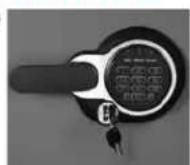
FOR DUAL KEY/COMBINATION LOCKS ONLY, insert key into the lock, turn to the 'unlocked' position, then remove the key
This is a secondary locking feature not an override key.
2
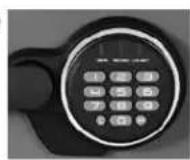
A Enter the 5 digit factory code found on the back of the owner's manual. Note: You may have to lift the handle while entering the combination.
B A green light will indicate the code is correct. You will have 4 seconds to turn the handle to unlock your safe.
3
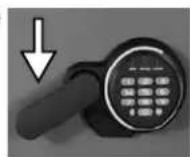
Rotate the handle downward to open the door.
This may take a limited amount of force if you have a water-resistant safe.
NOTE: • Make sure the handle is rotated all the way up in the horizontal position before unlocking the safe.
- If you exert too much force on the handle, the handle will move without moving the bolts. If this happens, you will hear a 'click.' DO NOT be alarmed. This feature is designed to protect the bolts from being over powered by force. If this occurs, simply exert force in the opposite direction (lifting up) until the handles 'clicks' back into place and repeat steps 1-3 to open your safe.
- Delay mode will occur if three consecutive invalid entries have been tried. Red LED will blink on and off to let you know the safe is in delay mode. This will cause the system to shutdown for two minutes. DO NOT remove the batteries to restart the system it will only increase the length of time for the system shutdown.
Locking your safe
1
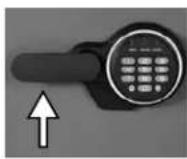
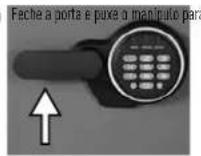
Close the door and pull the handle upward until the handle is horizontal.
For water-resistant units, additional pressure to the front, left side of the door may need to be applied prior to rotating the handle.
②
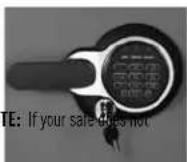
FOR DUAL KEY/ELECTRONIC LOCKS ONLY, insert key into the lock, turn to the 'locked' position, then remove the key.
appear to be working properly, please check to make sure you are using NEW alkaline batteries before contacting Master Lock Customer Service.
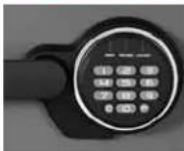
Three code options:
Factory code:
The safe will ALWAYS unlock using this 5 digit code (found on the back of the owner's manual). This code cannot be deleted.
User code:
A 5 digit programmable code of your choosing that can be changed or deleted or changed.
Secondary code:
A second 5 digit programmable code of your choosing that can be changed or deleted. Can only be programmed after a user code has been activated.
NOTE: • The "C" key is a clear key. This can be used at anytime to clear the system and return to standby mode – unless you are in delay mode [3 consecutive invalid entries].
- The 5 digit factory code cannot be deleted. However, you may add and delete additional codes.
This safe can store up to three codes at one time. One factory code and two additional programmable codes.
Programming the user code
To ADD a user code:
1 Press the "P" key.
2 Enter the 5 digit factory code found on the back of your owner's manual.
3 The light will flash green and then you will have five seconds to enter your own personal 5 digit user code.
To DELETE a user code:
1 Press the "P" key.
2 Enter the 5 digit factory code.
3 Enter 0.0.0.0.0.
NOTE: • The electronic lock will NOT indicate that it has deleted the user code – please test the code to make sure it has been deleted.
• Test with door open when programming.
Programming the secondary code
To ADD a secondary code:
1 Press the "P" key two times.
2 Enter the 5 digit user code previously programmed.
3 The light will flash green and then you will have five seconds to enter your own personal 5 digit secondary code.
To DELETE a secondary code:
1 Press the "P" key two times.
2 Enter the 5 digit user code.
3 Enter 0,0,0,0,0.
NOTE: • The electronic lock will NOT indicate that it has deleted the secondary code – please test the code to make sure it has been deleted.
How to operate the light
The safe you have purchased may include a light. This is a long-lasting LED light. Not all safes include a light.
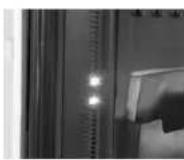
The batteries that operate the keypad are the same batteries that operate the light. If the light in your unit does not turn on, please change your batteries.
The light will turn on every time you enter your code and will remain on for 30 seconds. The light duration has
three options - off, 30 seconds, and 60 seconds.
To turn the light off:
1 Press the "0" button.
2 Press the "P" button.
3 Press the "3" button.
To turn the light on for 30 seconds:
1 Press the "0" button.
2 Press the "P" button.
3 Press the "4" button.
To turn the light on for 60 seconds:
1 Press the "0" button.
2 Press the "P" button.
3 Press the "5" button.
NOTE: • If the light duration is 60 seconds, the battery life will be reduced at a faster rate.
Operating sound features
For Programmable Electronic Lock Only
The tones of the key pad may be turned on and off depending on user preference.
Turn sound off:
1 Press "0".
2 Press "P" key.
3 Press "2".
Turn sound on:
1 Press "0".
2 Press "P" key.
3 Press "1".
Bolt-down instructions (For select models only)
WARNING: Product is not water resistant once it is bolted down. The ETL verified water resistance claim applies to product prior to the application of a bolt-down kit.
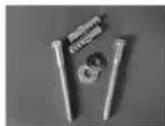
Bolt-down kit contents (in select models only):
• 2 lag screws
- 2 washers
• 2 masonry anchors
Tools needed to bolt safe to the floor:
- Drill
• Wrench
- 7/16" (11 mm) drill bit - for drilling into the safe
- 9/32" (7.2 mm) drill bit - for drilling into a wood floor
- 38" [9.5 mm] drill bit - for drilling into a masonry floor
WARNING: • DO NOT drill from any location inside the safe.
• DO NOT bolt through the walls.
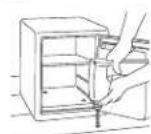
1 Tip the safe onto its right side (door hinges horizontal with the floor).
2 Unlock the safe and open the door. Look to the bottom of the safe for two indentations on the feet in opposite corners. Using the 7/16" [11 mm] bit; drill a hole through each indentation perpendicular to the bottom of the safe. DO NOT drill from any location inside the safe.
3 Tip the safe upright, place the safe in the desired location and open the door.
Use a screw or pencil to mark the floor through both holes.
5 Move the safe aside to clear both marked spots for drilling.
6 Drill into the floor:
A For wood: Using the 9/32" drill bit, drill a hole 2-1/2" (64 mm) deep in each marked spot.
For masonry: Using the 38" drill bit, drill a hole 2-1/2" (64 mm) deep in each marked spot. Install a masonry anchor in each hole.
7 Replace the safe in the desired position, with the holes in the safe aligned with those in the floor.
8 Securing the safe:
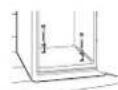
A For wood: Pass each lag screw through a washer, then through the safe and into a hole. Tighten with the wrench.
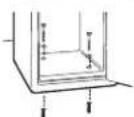
For masonry: Pass each lag screw through a washer, then through the safe and into a masonry anchor. Tighten with the wrench. Place masonry anchors into the holes in the floor.
NOTE: • The safe should not be bolted to a wall, this will compromise the fire rating. Drill holes through the feet only. DO NOT drill through the back or sides.
- Bolting/unbolting the unit is at the consumer's expense and discretion.
- Master Lock is not responsible for any costs incurred if the unit is to be replaced.
Troubleshooting
| THE PROBLEM: WHY IT IS HAPPENING: THE SOLUTION: | |
| The door will not lock. 1. Shipping screw is in place.2. Confirm that there is no obstruction in the door.3. Bolted down incorrectly. | 1. Remove the screw on the back inside of the door.2. Remove all items and accessories from inside the safe.If this resolves the issue, re-set the accessories and organize items to properly fit. |
| The handle is not in the horizontal position when the safe is locked. | The clutch mechanism has been engaged. | Rotate the handle up or down until it clicks into the horizontal position. |
| Cannot open door after inputting the combination or electronic code. | 1. Safe doors equipped with a water-resistant gasket may initially be tight.2. Key lock is in the locked position. (select models only) | 1. Hold the handle up while inputting the code or dialing the combination and then pull down on the handle.2. If your safe is equipped with a key lock ensure that the key is in the unlocked position. (select models only) |
| The dial does not turn. | 1. Shipping screw is still in place.2. Locking bolts are not fully extended. | 1. Remove the screw from the back of the door.2. Ensure the handle is in the horizontal position. |
| Red indicator light blinks three times and there are three beeps. | An incorrect code has been entered. Verify code and re-enter. If the programmable code you are using doesn't work then use the factory code. If successful re-program your programmable code. |
| Red indicator light blinks five times and there are five beeps. | Keypad communication error. Visit masterlock.eu/safes |
| Red indicator light blinks once and there is one beep. | Program button is pressed out of sequence.-or-5 seconds has lapsed between button entries. | Start over. |
| Red indicator light is blinking. | An incorrect code has been entered three times and system has entered delay mode. | Wait two minutes and start over. |
| Yellow indicator light is on. Battery power is low. -or- Battery may be the wrong type. | Replace with new alkaline batteries. |
Registration
masterlock.eu/safes
By registering your Master Lock product you can easily retrieve forgotten codes, combinations or order new keys should they be lost. Registering also ensures the best customer service should you have a question or concern regarding your Master Lock product. By registering your Master Lock product you can also be sure that in the unfortunate circumstance of a fire you will be guaranteed your replacement safe (provided official paperwork).
Lifetime After-Fire Replacement Guarantee
If your Master Lock product is in a fire it will be sealed shut making it necessary for it to be pried open. To help your family begin again, Master Lock will ship a replacement free of charge. To be eligible for the After-Fire Replacement Guarantee you (the original owner) must register your product by visiting masterlock.eu/safes.
Master Lock.
Got a question?
If you ever have any questions regarding your Master Lock product, please visit our website masterlock.eu/safes.
Fire Safe
3
[Non-Text]
[Non-Text]
[Non-Text]
[Non-Text]
[Non-Text]
[Non-Text]
Fechar o cofre
1
For at slukke lyset:
For at slukke for lyden:
1 Tryk på "0".
2 Tryk på "P"-tasten.
3 Tryk på "Z".
2
spre dreapta (in sensul acelor de ceasornic).
Introduceti 0,0,0,0,0.
Introduceti 0,0,0,0,0.
Key No. (Not All Models)