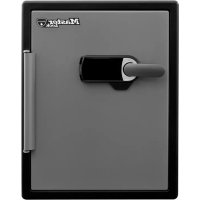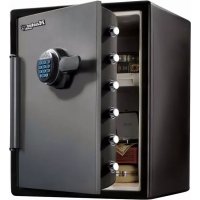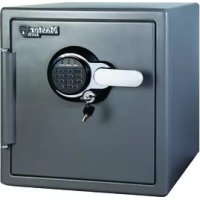
P56069 - Safe Master Lock - Free user manual and instructions
Find the device manual for free P56069 Master Lock in PDF.

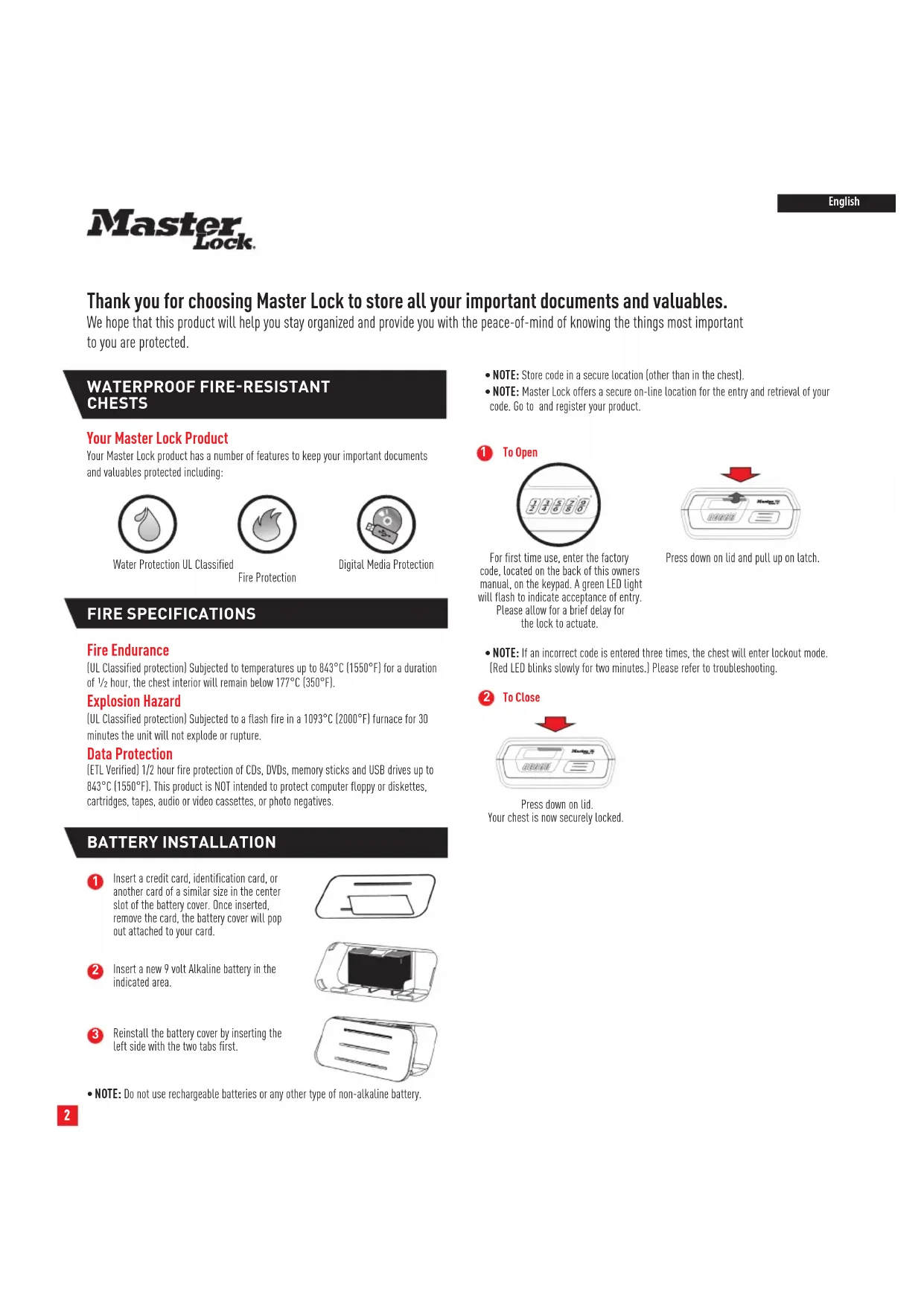


| Product type | Fire-resistant and waterproof safe |
| Brand | Master Lock |
| Model | P56069 |
| Power supply | 9V alkaline battery (non-rechargeable) |
| Fire protection | Up to 843°C for 30 minutes (UL classified) |
| Explosion resistance | Tested to 1,093°C for 30 minutes (UL standard) |
| Data protection | 30 minutes up to 843°C for CDs, DVDs, flash memory cards and USB drives |
| Water protection | Yes (hermetic seal) |
| Personal code | 4 to 6 digits |
| Temporary lockout | After 3 incorrect entries, 2-minute lockout |
| Audible signal | Enabled/disabled via keys 1 and 9 (3 seconds) |
| Low battery indicator | Flashing yellow light every 30 seconds |
| Battery installation | Compartment accessible by slot with card |
| Reset button | Yes (inside the safe) |
| Maintenance | Keep desiccant packet, open every two weeks |
| Warranty | Limited lifetime fire replacement program (registration required within 30 days) |
| After-sales service | Email: safes@masterlock.eu, website: www.masterlock.eu |
| Product registration | www.registermysafe.com |
Frequently Asked Questions - P56069 Master Lock
User questions about P56069 Master Lock
0 question about this device. Answer the ones you know or ask your own.
Ask a new question about this device
Download the instructions for your Safe in PDF format for free! Find your manual P56069 - Master Lock and take your electronic device back in hand. On this page are published all the documents necessary for the use of your device. P56069 by Master Lock.
USER MANUAL P56069 Master Lock
Thank you for choosing Master Lock to store all your important documents and valuables.
We hope that this product will help you stay organized and provide you with the peace-of-mind of knowing the things most important to you are protected.
WATERPROOF FIRE-RESISTANT CHESTS
Your Master Lock Product
Your Master Lock product has a number of features to keep your important documents and valuables protected including:

Water Protection UL Classified

Fire Protection

Digital Media Protection
FIRE SPECIFICATIONS
Fire Endurance
(UL Classified protection) Subjected to temperatures up to 843^ (1550^) for a duration of 1/2 hour, the chest interior will remain below 177^ (350^) .
Explosion Hazard
[UL Classified protection] Subjected to a flash fire in a 1093^ (2000^) furnace for 30 minutes the unit will not explode or rupture.
Data Protection
(ETL Verified) 1/2 hour fire protection of CDs, DVDs, memory sticks and USB drives up to 843^ (1550°F). This product is NOT intended to protect computer floppy or diskettes, cartridges, tapes, audio or video cassettes, or photo negatives.
BATTERY INSTALLATION
Insert a credit card, identification card, or another card of a similar size in the center slot of the battery cover. Once inserted, remove the card, the battery cover will pop out attached to your card.
2 Insert a new 9 volt Alkaline battery in the indicated area.
3 Reinstall the battery cover by inserting the left side with the two tabs first.

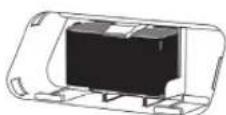
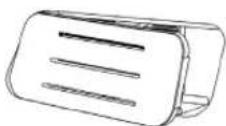
NOTE: Do not use rechargeable batteries or any other type of non-alkaline battery.
NOTE: Store code in a secure location [other than in the chest].
NOTE: Master Lock offers a secure on-line location for the entry and retrieval of your code. Go to and register your product.

To Open
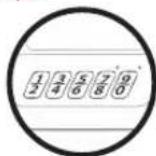
For first time use, enter the factory code, located on the back of this owners manual, on the keypad. A green LED light will flash to indicate acceptance of entry. Please allow for a brief delay for the lock to actuate.
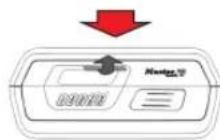
Press down on lid and pull up on latch.
- NOTE: If an incorrect code is entered three times, the chest will enter lockout mode. (Red LED blinks slowly for two minutes.) Please refer to troubleshooting.

To Close
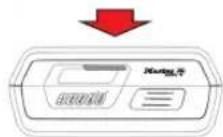
Press down on lid. Your chest is now securely locked.
PROGRAMMING OR RESETTING YOUR PERSONAL CODE
Open the chest. Use a thin object like a straightened paperclip to press and hold the reset button, located on the top of the keypad, until the green LED flashes.
Enter a new 4-6 digit personal code on the key pad. The chest will acknowledge each acceptable keypress when green LED flashes.
NOTE: The chest will time out and the red light will flash if there is no key entry within 10 seconds.
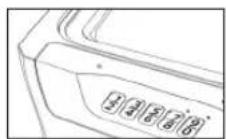
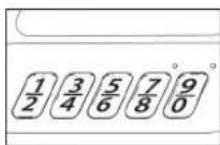
If the new personal code is 6 digits, the chest will accept it immediately. If the new personal code is 4 or 5 digits, the code will be accepted 10 seconds after the last key press. The red light will flash after 10 seconds if fewer than 4 digits are entered and the chest will go into Standby mode.
Once the new personal code is accepted, the chest will automatically save and exit to Standby mode without additional indication.
Test the personal code before closing the chest. If the code is invalid, repeat steps 1-4.
NOTE: The personal code programmed will not be erased when the battery power is removed.
CONFIDENTIAL
Write down personal code, and keep it in a secure location.
Or visit www.registermysafe.com to store your personal code combinations.
Troubleshooting
| THE PROBLEM: WHY IT IS HAPPENING: THE SOLUTION: | ||
| Red LED blinks three times Incorrect code has been entered/ programming error | Check if the code is correct | Verify the code and re-enter or reprogram |
| Programming error | ||
| Red LED slowly blinks for two minutes An inco rect code has been entered three times, chest is in lockout mode | Wait for two minutes, re-enter personal or factory code | Wait for two minutes, re-enter personal or factory code |
| Yellow LED blinks once every thirty seconds | Battery power is low Replace with 9 volt alkaline batteries (do not use rechargeable or any other type of non-alkaline battery) | Batteries (do not use rechargeable or any other type of non-alkaline battery) |
| No LED indication when pressing key pad buttons | Power failure Replace with 9 volt alkaline batteries (do not use rechargeable or any other type of non-alkaline battery) | Batteries (do not use rechargeable or any other type of non-alkaline battery) |
ENABLING/DISABLING KEYPAD SOUND
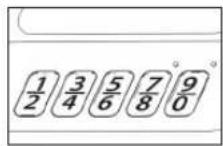
To enable or disable the sound of the keyboard, press and hold the 1 and 9 on the keyboard simultaneously for 3 seconds.
If the sound is enabled, the green LED light will flash and the beeper will sound. If the sound is disabled, the green LED will flash but have no sound.

IMPORTANT INFORMATION
- If you experience problems or challenges with your product, please contact us. Many issues can be quickly resolved without the product being returned.

- This product is not intended for the secure storage of all materials. Items such as firearms, other weapons, combustible materials, or medication should NOT be stored in this unit.
- DO NOT store delicate items directly in your fire and waterproof chest.
Master Lock products which offer fire protection have a proprietary insulation that has a high moisture content. In addition, the fire and water proof chests close airtight to offer water resistance, which may also cause moisture to accumulate inside your chest. Please open your unit once every two weeks to avoid moisture accumulation.
If you choose to store delicate items such as jewelry with working parts, watches, stamps, or photos in your chest, we recommend putting them in an air-tight container, prior to placing them in the chest for storage.
- NOTE: Master Lock will not be responsible for any damage or loss of items placed in the unit due to moisture
- DO NOT store pearls in this chest. In the event of a fire, potential damage to delicate pearls occurs at temperatures much lower than the 177^ (350^) interior performance measure which the UL classification performance standard indicated guarantees. Therefore, DO NOT store pearls in your Master Lock product.
- DO NOT store computer disks, audio- visual cassettes or photo negatives. This product is not intended to protect computer floppy or diskettes, cartridges and tapes, audio or video cassettes or photo negatives.
REGISTRATION
www.registmysafe.com
By registering your Master Lock product you can easily retrieve forgotten codes and combinations. By registering your Master Lock product you can be sure that in the unfortunate circumstance of a fire you will be guaranteed your replacement product (provided official paperwork has been completed).
CUSTOMER SERVICE
www/masterlock.eu/contact-us/helplines
safes@masterlock.eu
LIMITED LIFETIME AFTER-FIRE REPLACEMENT PROGRAM
If this product is damaged by fire at any time while still owned by you, the original, registered owner (the original purchaser), Master Lock will ship a replacement, at Master Lock's own and sole discretion.
To be eligible for this Limited Lifetime After-Fire Replacement Program, the original purchaser must have registered the product within 30 days of purchase, online at www.registermysafe.com. Do not ship your product back to Master Lock.
To obtain service under the Limited Lifetime After-Fire Replacement Program, please contact Master Lock Customer Care: safes@masterlock.eu.
Please make sure you join following elements to your request:
1) A description of the fire event; 2) unit model number; 3) serial number; 4) a photo of the burned unit; and 5) a copy of the report from the fire department, insurance or police.
THIS AFTER-FIRE REPLACEMENT PROGRAM IS LIMITED TO REPAIR OR REPLACEMENT ONLY. The limited warranty does not cover labor for removing, reinstalling or refinishing the product or part, or other materials removed, reinstalled or refinished in order to repair or replace the product or part. TO THE EXTENT PERMITTED BY LAW, MASTER LOCK DISCLAIMS ALL OTHER IMPLIED OR EX-PRESS WARRANTYES INCLUDING ALL WARRANTYES OF MERCHANTABILITY AND/OR FITNESS FOR A PARTICULAR PURPOSE. TO THE EXTENT THAT ANY IMPLIED WARRANTYES MAY NONTHENLESS EXIST BY OPERATION OF LAW, SUCH WARRANTYES ARE LIMITED TO THE DURATION PROVIDED BY LAW.
Master Lock
Got a question?
If you ever have any questions regarding your Master Lock product, please visit our website www/masterlock.eu.
www.registmysafe.com
www.registmysafe.com
www.registermysafe.com
www.registmysafe.com
www.registmysafe.com
PROGRAMAR OU REPOR O SEU CÓDIGO PESSOAL
www.registmysafe.com
To npoiov oac Master Lock
To npoiov oac Master Lock diaheTei ma oeipa xapaktniopitov npokevov na pootateovtata onavtka oc evyypapa kai ta noutia avtkeievaoc, ounpeliaubavouevwvEvc:


PpooTaoia ano to vepo NiotoonoiOn npopnpoTaiaic kata UL
www.registermysafe.com
Me Tnv kataxwpnou npoiovtoc Master Lock nou anokthoate nnpoeite eikola va avakntoete Kkudkoic kai uuvduaouoc nou tuxov Exdoate. Me Tnv kataxwpnou npoiovtoc Master Lock nou anokthoate npoeite vieote belaio ot otnyatyn nepiwn npukayiac navikatataon tou xpnatokotou oac evai eyyunevn (te tv opo otexoy ouannpwe ta enionja Eyypaa).
EEYINHPETHNEAATQN
www/masterlock.eu/contact-us/helplines
safes@masterlock.eu
Ditt Master Lock-product
www.registermysafe.com
Ved a registre ditt Master Lock- produit kan du enkelt hente gleme koder og kombinasjoner. Ved a registre ditt Master Lock- produit kan du vare sikker pa at i tilfelle brann har du garanti pa en ny safe (forutsatt at offisiert papirarbeit er fullfert).
KUNDESERVICE
www/masterlock.eu/contact-us/helplines
safes@masterlock.eu
ERSTATNINGSPROGRAM FOR BEGRENSET LEVETID ETTER BRANN
Din Master Lock-boks
www.registmysafe.com
www.registmysafe.com
www.registmysafe.com
www.registermysafe.com
www.registermysafe.com
www.registermysafe.com
Inregistrandrudu-va produsul Master Lock, va puteti recupera rapid codurile sifirurile uitate. Inregistrandrudu-va produsul Master Lock, puteti fi siguri ca in cazul putin probabilit al unui incendiu vi se va garantan un itself de schimb (cu condita ca documenta officiala sa fost completeness.)
ASISTENTÁ CLIENTI
www/masterlock.eu/contact-us/helplines
safes@masterlock.eu
PROGRAM DE IINLOCUIRE DUPA INCENDIU, CU DURATA DE VIATA LIMITATA
www.registermysafe.com
www.registermysafe.com
3apeHCTPnpOBABN3dEneMasterLock,BbMOXeTeJERKBOCCTaHOBHT3abtIbeKObIKnKoBmHaun.3apeHCTPnpOBABN3dEneMasterLock,BbCMoxeTe6bTyBvpeHbTOM,TOB CNYaeNojapaBbIpaANTpOBAHNO NOnyUHe HObBceΦB3aMeH CTaporo (pnYcNOBnIONDnCAHnHEo6xOIMMbIXoKymEHTOB).
CNYKBAIOIDEPKKKINJIHEHTOB
www/masterlock.eu/contact-us/helplines
safes@masterlock.eu
OTPAHnueHHA IPOPTPAMMA 3AMEHbl IOCJI NOJXAPA B TEUHE N CPOKA CNYKbI
Ecn optnnnaHbHO 3dene, 3apeTnpoBaHHBm BnaJeBcem (nepeBOaHbHm npno6pTaTeNem) KOtopo Bby ABnReTcb, BIO60 MoMeNT EKcNpyatauIN nobpeXeHo noxapom, Master Lock 3aMeHIT Bam NOBpeXeHHO 3dene Ha co6CTBeHHOe ycmToPHe NOMnAHM Master Lock.
YtO6bIMeTb npBa HO yuaTeB OOrpaHmEHHoN pOorpAmME 3aMeHb NoCne noKApA B TeueHHe cPoka Cny6bI (Limited Lifetime After-Fire Replacement Program), nepBOHaunbHb pnno6peTaTeB DoJnKe H zapeHcTpMoBaTB n3dene B TeueHHe 30 dNeNoCne NOKyKn OHnA Hn oApcye www.registerymsafe.com mHxke c nOMooBbPOrncTpaHOnHOH KApTb (Registration Card), NOCTaBHeHHoB BMcTe C n3dennem. He Bo3Bpaauate H3dene B KOMNaHNO Master Lock.
YTObI BOCNoB3OBAbC yCyrAmn B pAMkx OrpAHueHHO npOrpaMMb 3aMeHbIOncne noXapa B TeueHene cpoKa cnYkb6, o6paTntcB B UeHTp noDepKKn KIneHToBMaster Lock no 3NeKtpOHn NOCTe:safes@masterlock.eu.
K3anpocy Heo6xOdmo npnlooxntb/B 3anpoce Heo6xOdmo yka3aTb cneyuoyu HhOpmauHIO:1)OnncAHNE noXkapa;2)HOmeP moEn H3denA;3)cpeHHbHOMep; 4) oToRpaHNO NobpexDcHoro OHeM H3denA;a TaKke 5) KOHNOTeTa NoXkapHO 6prradbl,ctpaXOBOH KOMPAHm Nnnnonnn.
DAHHA OTRPAHUEHHA IPOPTPAMMA 3AMEHbI IOCNEIIOXAPA PACNPOCTPAHRETC NCKJIOUHTIELHO HA PEMOH TYI3AMEHY N3DEJIY. OTRPAHueHHa rapaTHMa He nOKpbBaET 3atpaTbHa Ycnyrno NO ydaIeHHO, NOBTOHOr yCTAOHBe HnNOKpacke N3dENHn KOMNNEKTYUOxu XaCTeR, a TAKKe 3aTaPbHa YcNYr no ydaIeHHo, NOBTOHOr yCTAOHBe HnNOKpacke MaTePHAnOB, KOtOpBe IPOHNBOINHc Bo BPEMpeMOHTa Nm 3aMeHbI M3dENHn KOMNNEKTYUOxu XaCTeR. COFIACHO DEICTBYOUEMy 3AKOOHDATEJBCTBy, KOMTAHn Master LOCK HE IPEIOCTABIET HIKAKNX OB3ATEJBCTB B BVIE DpyHX IODPA3YMEBAEbIX INN RBhix FAPAHn, B TOM YNCIE BOTHOSEHHM TOBAPHO INPFOIDHOCTN W/NNB03MOXHOCTN NCIOJIb3OBAHn N3DEJIY INOPIEDEJIHHbIX 3ADAY. B PAMKAXIIO5O INOIPA3YMBAEMOI TAPAHm, HAJINME KOTOPOH HE ICKJIOUHEO IPNIMEHEBMIM 3AKOOHDATEJBCTBOM, TAKAR TAPAHNTMy OTPAHUEHA CPOKOM, IPEUYCMOTPEHHBM 3AKOHOM.
Master Lock.
Y Bacectb Bonpocbi?
Ecn y Bac Bo3HMKHT KAKME-Ni6o BONPOcbl no NOBOy N3dennr Master Lock, nocetnte Hau Be6-cait www masterlock.eu.
www.registermysafe.com
www.registmysafe.com
4 Key No. (Not All Models)
Master Lock Company LLC
Milwaukee, Wisconsin USA
Master Lock Europe SAS
92 400 Courbevoie, France
mle@master-lock.fr
UK & Ireland: sales_ukf@mlock.com
Germany: vertrieb_de@mlock.com
Spain & Portugal: mliberica@mlock.com
www/masterlock.eu
P56587