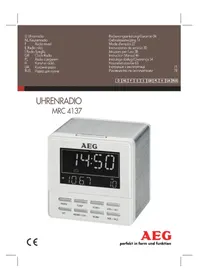
MRC 4137 - Radio AEG - Free user manual and instructions
Find the device manual for free MRC 4137 AEG in PDF.



| Brand | AEG |
| Model | MRC 4137 |
| Product Type | Radio Alarm Clock |
| Power Supply | 220-240 V~, 50 Hz |
| Power Consumption | 7 W |
| Net Weight | 0.25 kg |
| Radio Frequency Bands | FM 87.5 ~ 108 MHz |
| Antenna | Integrated dipole antenna |
| Display | LCD screen with backlight |
| Time Display | 12 or 24 hours |
| Alarms | 2 independent alarms (AL1 and AL2) |
| Alarm Signal | Radio or buzzer |
| Snooze Function | Yes, approximately 9 minutes |
| Sleep Function | Yes, adjustable in 10-minute increments up to 90 minutes |
| Station Memory | Preset and recall of FM stations |
| USB Charging Port | Yes, for charging a smartphone (audio playback not supported) |
| Light Function | Temporary illumination (60 seconds) or permanent |
| Cleaning | Slightly damp cloth without detergent |
| Safety | Do not expose to water or moisture; do not open the casing |
| Disposal | Do not dispose of with household waste, take to a recycling center |
Frequently Asked Questions - MRC 4137 AEG
User questions about MRC 4137 AEG
0 question about this device. Answer the ones you know or ask your own.
Ask a new question about this device
Download the instructions for your Radio in PDF format for free! Find your manual MRC 4137 - AEG and take your electronic device back in hand. On this page are published all the documents necessary for the use of your device. MRC 4137 by AEG.
USER MANUAL MRC 4137 AEG
Overview of the Components......Page 3
Instruction Manual.. Page 46
Technical Data.. Page 52
Disposal.. Page 53
Język polski
Spistresci
Przegladelementowoblsugi.....Strona 3
OrlaJeMeHtIb ynpabInHHa.....CTOp. 3
Ihctpykcij3 ekcnjyaatai.. cTOp. 71
TexhiHnI npaMeTpN cTOp. 77
Pycckn
CopepkHne
O63opIeTaleI np6opa. 3
PykoBoIcTBoNo 3KcNJIyatau..CTp. 78
TexHnueckne daHHbIe cTp. 85
Thank you for selecting our product. We hope that you will enjoy use of the appliance.
Symbols in these Instructions for Use
Important information for your safety is specially marked. It is essential to comply with these instructions in order to avoid accidents and prevent damage to the machine:

WARNING:
This warns you of dangers to your health and indicates possible injury risks.

CAUTION:
This refers to possible hazards to the machine or other objects.

NOTE: This highlights tips and information.
General Safety Instructions
Read the operating instructions carefully before putting the appliance into operation and keep the instructions including the warranty, the receipt and, if possible, the box with the internal packing. If you give this device to other people, please also pass on the operating instructions.
- To avoid the risk of fire or an electric shock, you should not expose the device to rain or moisture. Consequently, do not use the device in the immediate vicinity of water - for example near a bath tub, a swimming pool or in a damp cellar.
- Do not use the device in extremely hot, cold, dusty or damp places.
- Only use the device for private use and the intended purpose. This device is not intended for commercial use.
- Ensure that the power cord is not kinked, trapped or brought into contact with heat sources.
- Ensure that the power cord does not present a tripping hazard.
- Never touch the power plug or the cable with wet hands.
The power cord must always be easily accessible. - Do not cover up any ventilation openings with objects such as newspapers, tablecloths, curtains, etc.
- This appliance shall not be exposed to dripping or splashing water and that no object filled with liquids such as vases shall be placed on apparatus.
-
Exposed ignition sources such as burning candles may not be placed onto the device.
-
Never open the housing of the device. Incorrect repairs can constitute a considerable risk for the user. Should the device become damaged, in particular the mains supply cable, do not operate the device any longer, but rather have it repaired by an expert. Check the mains supply cable regularly for damage.
- For safety reasons a broken or damaged mains lead may only be replaced by an equivalent lead from the manufacturer, our customer service department or a similar qualified person.
- If the device is not used for a longer period, remove the plug connector from the plug socket or take out the batteries.
These symbols may be found on the machine and are intended to indicate the following:
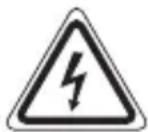
The lightning symbol should advise the user of parts in the inside of the device which carry dangerously high voltage levels.

The symbol with an exclamation mark should advise the user of important operation or maintenance instructions in the accompanying documentation.
Children and Frail Individuals
- In order to ensure your children's safety, please keep all packaging (plastic bags, boxes, polystyrene etc.) out of their reach.
WARNING!
Caution! Do not allow small children to play with the foil as there is a danger of suffocation!
- This device is not intended to be used by individuals (including children) who have restricted physical, sensory or mental abilities and/or insufficient knowledge and/or experience, unless they are supervised by an individual who is responsible for their safety or have received instructions on how to use the device.
Children should be supervised at all times in order to ensure that they do not play with the device.
Overview of the Components
1 SNOOZE/LIGHT button
2 VOL+/AL1 button
3 VOL-/AL2 button
4 SCAN- button
English
5 SCAN+ button
6 MEMO/CH+ button
7 SLEEP button
8 SET button
9 MODE button
10 Display
Display
11 Alarm time 1
12 Alarm time 2
13 Snooze active
14 Sleep timer active
15 Year
16 Volume
17 Memory location
18 Month
19 Day
20 Radio frequency
21 Time mode
22 Radio mode
Rear (not shown)
Mains supply cable
Dipole antenna
USB charging socket for smartphones
Start-up of the device/Introduction
- Choose a suitable location for the device. Suitable would be a dry, level, non-slip surface.
- Sensitive surfaces such as the display are possibly protected with foil. Remove these foils.
Power supply
- Pay attention to the mains voltage! The type plate lists the correct voltage for your device.
- Insert the plug into a properly installed power socket.
- If the device is not used for a longer period of time, the mains plug must be pulled from the power socket.
USB charging socket
You may use this socket to charge your Smartphone, for example, if your clock radio is not in radio operation. Use the USB cable of your smartphone for the connection.
i NOTE:
- Due to the different types of smartphones offered nowadays, and their different charging capacities, the charging duration depends on the smartphone used and its operating condition.
- Playback of audio files through this socket is not possible.
Display lighting
You may light the display briefly or permanently.
- Briefly: Press the SNOOZE/LIGHT button. The display is lit for 60 seconds.
- Permanently: Press the SNOOZE/LIGHT button until the lighting blinks 1x. The display is lit permanently.
To shut off the permanent lighting again, keep the SNOOZE/LIGHT button pressed again. The lighting is shut off.
Switching the device on/off
Switching on: Press the MODE button.
Switching off: Press the MODE button for ca. 3 seconds.
Time
Setting the time (in time mode)
- Press the SET button for ca. 2 seconds until the display blinks for the year.
- Set the year with the SCAN+/SCAN- buttons.
- Confirm the setting with the SET button.
- Repeat the operations 2 and 3, to set month, day and time.
i NOTE:
If you do not press any button within 3 seconds, the settings are adopted automatically.
12 or 24 hour display
You may optionally also use the time display for the 12 hour display. "PM" will show for afternoons in the 12 hour display.
Press the SLEEP button in time mode to switch between 12 and 24 hour display.
50 English Listening to the radio
Scanning stations
- Press the MODE button to switch on the radio.
- Control the volume with the VOL+/AL1 or the VOL-/AL2 button.
- If you press the SCAN+ or the SCAN- button briefly, the device will scan to the next radio station.
i NOTE:
If there is interference on the received station, try to improve the reception by changing the position and by unwinding or winding the antenna.
Presetting radio stations
- Search for a station as described in "Scanning stations".
- Press the MEMO/CH+ button. The pre-set location will be displayed. Select the preset location with the SCAN+ or the SCAN- button.
- Press the MEMO/CH+ button to store the station.
Recalling preset radio stations
While in radio operation, repeatedly press the MEMO/CH+ button. One pre-set location after the other will be called up.
Alarm function
General information
- You may now set the alarm times in time mode.
- You'd like to be woken up by radio? Set the correct volume and the station ahead of time.
- When the alarm time has been reached, the symbol will blink for the first, or respectively the second alarm time.
Setting the Alarm Time
- Press the VOL+/AL1 button. The currently set alarm time is displayed.
- Press the VOL+/AL1 button again. The hours will flash.
i NOTE:
- You may now use the MODE button to choose between buzzer and radio. The symbol " " appears in the display if you selected radio.
i NOTE:
-
If you don't press any button within about 5 seconds, the settings are adopted automatically.
-
Set the hours with the SCAN+/SCAN- buttons.
- Confirm the setting with the VOL+/AL1 button.
- Repeat points 3 and 4 to set the minutes.
To set the second alarm time, repeat the above steps each with the VOL-/AL2 button.
Shutting off of the alarm signal
To shut off the alarm signal until the next day, press the VOL+/AL1 or the VOL-/AL2 button.
Activating/deactivating the alarm time
- Press the VOL+/AL1, respectively the VOL-/AL2 button to activate the alarm time. The symbol for the respective alarm time will show in the display.
- To deactivate the respective alarm time, press the button again. The symbol for the alarm time will go out.
Snoopze function (SNOOZE)
The automatically set alarm signal can be shut off for ca. 9 minutes with the SNOOZE/LIGHT button. The symbol "zz" will appear in the display.
Delayed shut-off
Would you like to fall asleep with radio music?
- Turn on the radio and press the SLEEP button. 90 (minutes) and the symbol “ ” will appear in the display.
- Press the SLEEP button repeatedly to reduce the time in steps of 10.
- The OFF setting will deactivate the function.
- To display the still remaining time, briefly press the SLEEP button.
Cleaning

CAUTION:
- Do not dip the appliance in water.
- Do not use a wire brush or other abrasive objects.
- Do not use any caustic or abrasive cleaning agents.
English
- Remove the plug before cleaning.
- Clean the appliance with a slightly humid cloth without any additives.
Troubleshooting
| Symptoms Cause Solution | ||
| The unit cannot be operated. | The unit is blocked and “hangs”. | Pull the mains plug for approximately 5 seconds. Then connect the unit again. |
Technical Data
Model: MRC 4137
Power supply: 220-240 V~, 50 Hz
Power consumption: 7 W
Protection class:
Net weight: 0.25 kg
Radio section
Frequency ranges: FM 87.5 ~ 108 MHz
We reserve the right to make technical and design changes in the course of our ongoing product development.
This device has been tested according to all relevant current CE guidelines, such as electromagnetic compatibility and low voltage directives, and has been constructed in accordance with the latest safety regulations.
Disposal
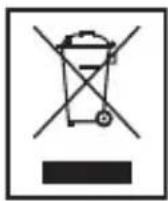
Meaning of the "Dustbin" Symbol
Protect our environment: do not dispose of electrical equipment in the domestic waste.
Please return any electrical equipment that you will no longer use to the collection points provided for their disposal.
This helps avoid the potential effects of incorrect disposal on the environment and human health.
This will contribute to the recycling and other forms of reutilisation of electrical and electronic equipment.
Information concerning where the equipment can be disposed of can be obtained from your local authority.
CTC Clatronic Sp. z o.o
Cnmbolni, kI BnKOpNCTOBYIOTBcB 1iHCTpyKci
BaxnBa iHcpmaiz, 0cTocyETb863neKn, cneuaIbHO no3NaHeHa. JyXe BaXJINBO npouHTaTI ci IHCTpyKzI dny YHKHeHH HeUacNH BInaAdKIB i NOIKoJKeHH npNCtpoIO.

PONPEIXEHHA.
LcEi cIbBOJ nOpeJXae Ipo He6e3neKy dIa 3IopOB'ia MoXJIbICtB TpaBMYBaHnKoPNCtYBaHa.

YBAGA.
CnBbBk3yE Ha MoXJIbIcTb He6e3NeKIn IpnCTpoIO abO IHxNpeDMeTIB.

PIMITKA. Bnijne nka3Ka Ta iHopmaciIO.
3araJIbHi iHcTppyKcii 3 Texhikn 6e3neKn
IepuHix BnKOpNCTOBvBaTn npncTpi, yBaXHo npoHTaTe iNCTpyKcii 3 BnKOpNCtAHHa Ta 36epiraTe ix dny DoBIDKN, BKJIouaOCh rapaHTIO, KBNTaHcIO I, kLIO MOxJIINBO, Kopo6Ky 3 BHyTpIshm UpaKaYBaHHaM. IpepaBaTe npncTpi iNShm ocobam pa3om 3 iNCTpyKcieo 3 BnKOpNCtAHHa.
- Lio6 3anobirn noxexi nn ypaXeHHIO eJeKTPnHm Ctpymom, yHnKaIte KOHTaKTy npicrpoIO 3doem nBoloroIO. BiIOBIDHO, He BnKOpNCtOByIte npicrpiN no6n3y BOIN, HapnKJaI nnobn3y BaHH, baceHy a6o B Bolonux iDbaJax.
He BnKOpNCTOBuYTe npNCTpiB OocOblBO XapKnX YI XoJIoHnx, 3aIIJIeHnx YI BOJOnrNX npIMiUeHHax.
BnKOpNCTOBuYTe npNCTpiTilbKn IJRA OCObNCTNX cJIeN Ta 3a npN3HaueHnM. DaHnI npNCTpi He npN3HaueHn IJRA KOMepuiHOro BnKOpNCTaHHa. - PerekohaiTec, 0o shHyp XnBHeHH He nepeHnaCTbC, He 3aTncHeH i He npInTuscheHn Do DkepeI TeIIa.
- IpekeohaiTeC, 10 uHpy XINBJIeHHn He c TpaBMoHe6e3neuHOIO nepeWKoIo.
Hi B ykomy pa3i He TopkaiTecra Do BNJIKN YI UHypa XINBHeHHa MOKpIMn pyKaMn.
Hyp KINBHeHHaBxN Mae 6yTN JIeKoOCTyHIM.
He nepekpuBaIte BeHTnlaui Hi OTBOpn npedMeTam: ra3eTam, cKaTeptuHOIO, UTOpAMN TOU.
72 YkpaIHcbka
HePiIaBaIe npIaIad II kpanelb nn 6pn3IB BOIN I He CTaBTe Ha npIaIad NOcyDnH, 3aIOBHeHIX pIDHHOJ, AK-OT Ba3y IJI KBiTIB.
He MoxHa CTaBnTu Ha npilaan DkepeB iDkPntoro BOrHIO, HapnKlaan 3anaIeHi CbiYi.
Hikon He po3bpaTe Kopnyc npncTroO. HeaJexn peMOHT moKe HeCTn 3NaHn pN3NK dIe KOpNCyBaay. KaIoo nOwKOxKeHO npncTpi, Oo6blNO Ka6JIb XuBHeHH, npINHtB BkOpNCtaHn BnpOby Ta BiDneCITb NOro dJepeMOHTy Do CneuaJIcTa. PoCTiHo nepeBipAte Ka6JIb XuBHeHH Ha HauBHicTh NoWKoXeHb.
3 MeTOIO 6e3neKn BiDIPBAHn a6o N0sKOJxHn Ka6eIb JxNBHeHn NOTpioHO 3aMInHTn Ha aHaJIOriHn Ka6eIb y BnPo6HnKa, B HAIOMy UcHTpIO BCNvYROByBaHHn YIN BIHJoro KBaJIΦIKOBaHOrO cNeUiaJIcTa.
-Якшо пистрий He 6уde BИКОПСТОВУВАТИСь пOTЯROM TРИВАЛО Г acy, BИМiTb uTekep i3 po3eTKn a60 BИМiTb bAtapei.
Ha npictroi moxytb 6ytn po3miuehi cIMBOJN, kI nonepedxauotb npo Take:
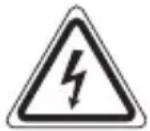
CnmboI 6nckabkn nobidomnae KopncTyBauebi npo Te, zo BCEpeHni Kopnyc npictpoIO icHyE BnCOKn piBHeh HanpyrN.

Cnmbol 3Naky Okny BdoKymeHTaui,ka doaetbca,ihopmye KopnctyBaay npo BaXnBi iHctpykuii zoDo po60n a6o TexhiHoro o6cnyroBybaHHa.
ДiT Ta HemiHi Oco6n
- Дябзень сбоix дITEи He 3aIIшайTe ДocTyнMu nakyBaIbHi MaTePIaII (Пл actN KOBi NaKeTI, KapToHHi KopobKn, NeHONJIaCT ToIoo).
NONEPEIXEHHA!
He do3B0JrTe MaIIM dITaM rpaTncb i3 PnIBKOIO. IcHye 3arpo3a 3aIyxn!
- LcE npiJaH He npi3HaueHn IJRA BVKOpNCTaHH JIOBbMn (BKNUOauOn iTei) 3 O6mExeHIMN φi3uHIMN, UyTTEBHMn a6o pO3ymOBUMN 3dI6HOCTAMn, HeIOCTaTHIM DOCBIOM Ta/a6o 3HaHHaMn - KpIM BInpaIKIB, KOJI N 3a HIMN dOgJIaJaE BiINOBiJaNbHa 3a ix 6e3neKyu oc6a a6o BOHn OTpImaJIbBkN lOdo BVKOpNCTAHHa npiJaNy.
- IITAM He Do3B0JeHO rpaTncb 3 cIIM npnilaIOM. IOTpi6eH dOgIaI 3a HIMM.
Orlae elementiB ynpablinHn
1 KhoNka SNOOZE/LIGHT
2 KhoJaVOL+/AL1
3KhonkaVOL-/AL2
4 Khonka SCAN
5 Khonka SCAN+
6 Khonka MEMO/CH+
7 Khonka SLEEP
8 Khonka SET
9 Khonka MODE
10Диспел.
Ducnien
11 Yac 6yDnIbHnka 1
12 Yac 6yDnIbHnKa 2
13 IHHkaizyBIMKHeHHaYHKJIIOBTOpeHHaI3BInKaYepe3 NeBnIpomixok Yacy
14 INdkaizy yBIMKHeHH TaMepa Chy
15 PiK
16 TuyHicTb
17 IHHaJi po3MiUeHnB nAm'rTi
18 Micra
19 DeHb
20 PaiochaTota
21 Pekim Haja山TyBaHHa cay
22 Pekim paio
3Bopotha ctopoHa (He noka3aHa)
Ka6eJIb XmBJIeHHa
IINIOJIbHa aHTeHa
YbIMKHeHHI BIMKHeHH npCTPOIO
YbIMKHeHHaTnCHiTb KhoNky MODE.
BnMKHeHHaTncHItb Ta ytpmmyTe KhoNky MODE npoTgrom np6n3Ho 3-x ceKyHd.
Yac
HanaHTyBaHHa cacy (BpeKmHaJaHTyBaHHa cacy)
- Hatnchitb ta ytpmyte KhoNky SET npotrom np6n3Ho 2-x cekyH, donokn Ha dincnnei He 6nMaTmme 3NaueHHa pOKy.
- 3a donomoroKhoNOK SCAN+/SCAN- BCTaHOBiTb 3HaHeHHpOKy.
- Hatncitb KhONky SET, 06 niTBePdntn Bn6ip.
- BnkoHaTe II, 3a3NaYeHi y Kpokax 2 i 3, IIO6 HalaTByBaTN 3NaYeHHe MICAu, dHn i acy.
i IPNMITKA.
Якwo He haTnchTyN XODHOI KHONK N ynpoIOBx 3-x cekyH, HanaHTyBaHHa 6ydyb npiHRTi aBTOMATNUHO.
Bido6paXeHHa 12 nn 24-roHHoro Yacy
He 3aHypoIte npicTpiy Body.
He BnKOpncToBvIte IpoTAnu 1tKU nn iHsi a6pa3NBi MaTepiJI.
He BnKOpNCTOByIte HiaKnx iDkNx Yn a6pa3NBHX MMHnx 3acO6iB.
- Pered uHsEHNrM BnIMiTb ITeKepe 3 pO3eTKn.
- YnctbTe npnstpii 3JIeKa BOnoToIO raHupkoio 6e3 6yIbIcx 3acO6iB.
YcyHeHHa HeCnpaBHOCTeH
CnmbolpiPmmeHReMbIeBdaHHOMpyKOBOcTBeNoJIb3ObaTeJIa
Baxhble pekomehdaun Inra oecneueHnae Bauen be3onacHOCTn 6o3NaeHbI NOOCohHomy.ObaTeJIbHo cJeNyIte 3TNM pekomehdaunm, YTObI ppeOTbpaTb HeCuaCThbl CnyaH nnPiNoLMky n3deJInr:

PPEyPExKDEHNE:
Ipeynpejdaet o6 onacnoctn drr 3nopobb n BO3MOXHOM pncke noyuhen TpaBMbl.

BHIMAHHE:
Yka3bIbaeHa BO3MOXHyIO ONaCHOCTb IJIa I3JeLIIa INpyrNX OKpyKaIOUxN ppeIMeTOB.

ПРИМЕЧАНЯ: Даet coBETы Информалю.
He no3B0JrTe dETM nIpaTb c NOINaTIJIeHOBOI pJIeHKO. Onacnoctb ydyu7y!
- ΘTOT npибор He npeДнaЗнeHдЯ ПОьзOBaHЯ ЛИсами (ВКлчая DeTei) c orpaHHeHHbIMnФИЗЧECKIMN, CEHCOPHBIM NЛY UМСТBEHbIMN CNOco6HOCTAMN NЛINLcAmN, He IMeOuIIMN Oпыт a N/NЛN HeO6xOДmBix 3HaHni. VICKIQUeHne COCTaBJIaOT ClyuA, KOrda OHI HaxOДТСЯ ПОД ПИСMOTpOM JInUa, OTBeTCTBEHHOrO 3a INX 6e3OnacHOCTb, NЛN KOrda OT 3TOrO JInUa ПОЛУeHbI Yka3aHnI NO ПОь3OBaHnIO npi6Opom.
Pycckn
Heo6xOIMO npncMaTpNBaTb 3a JeTbMn, YTO6bl y6eINTbC B TOM, YTO OHn He IGamma C np6opom.
O63op detaJIeI npI6opa
1 Khoonka SNOOZE/LIGHT
2 KhonkaVOL+/AL1
3KhonkaVOL-/AL2
4 KhoNka SCAN
5 Khonka SCAN+
6 Khonka MEMO/CH+
7 KhoNka SLEEP
8 Khonka SET
9 Khonka MODE
10Диспел.
DmcJIeI
11 Bpem86yndnIbHnka 1
12 BpemBdynJIbHnka 2
13 BkJIIOUeHa cyHKUIN KOpOTKOTo CHa
14 BkJIIOueH TaIIMEp HOHOro pexKIma
15 TOn
16 pomkoctb
17 O6naTb nAMrN
18 Meça
19 DeHb
20 PaioocToTa
21 Pekim BpeMeHn
22 Pekimpaio
3aHnA CTOPOHa (He noka3aHa)
LHyp cTeBOrO 3JIeKtpOnNTaHn
ДиюльнааHTeHа
THe3do USB 3apAdkn cMapTΦoHOB
3aynck yctpoicTba / BbeJeHne
- BbIbepe Te IoXoJyee MeTo Ira pa3MeJeHn yCTpoiCTBa. IooXoIIT cyxH, poB-Ha, HeCKOJIb3KaI IOBepXHOCTb.
- UyBCTBNTeJIbHbIe NOBepXHOCTn, HApPIMep, IucPJIeN, MOrYT 6bITb 3aUuIeHbI fOJIb- roJ. ChIMITE foJIbry.
3JIeKtpoNtahHe
- Μυρατινενήμας ἀντημαστόνης ἀντημαστόνης ἀντημαστόνης ἀντημαστόνης ἀντημαστόνης ἀντημαστόνης ἀντημαστόνης ἀντημαστόνης έλεκτροετης! Ha Tabлічke Типа устpoійства.
- Доступные мелaneous мелaneous мелaneous мелaneous мелaneous мелaneous мелaneous мелaneous мелaneous мелaneous мелaneous мелaneous мелaneous мелaneous мелaneous мелaneous мелaneous мелaneous мелaneous мелaneous мелaneous мелaneous мелaneous мелaneous мелaneous мелaneous мелaneous мелaneous мелaneous мелaneous мелaneous мелaneous мелaneous мелaneous mELA.
BCTaBbTe BnIky CTeBOrO UHypa ByyCTaHOBJeHHyIO COOTBETCTBYUOM 6pa3OM cTeByIO p03ETKY. - EcIn yCTpOcTBo He nCnOJb3yETcB TteHHe dIITeJIbHO BpeMeHN, I3BLeKNTeBVINKy shHpya n3 cTeBOi PO3eTKN.
THe3do USB nIa 3apAdkn
Bb mojke Te nCnoJIb3OBA Tb rHe3do dIaPAnBaUero CMapTfoHa, HApnpMep, ecn paNoocabI He haoJATcB pexIme paIIO. IpaNkIIOueHn CmapTfoHa nCnoJIb3yIte Ka6eJIb USB.

PIMMEUAHJ:
- Tak KaB HactoJee BpeMa Ha pbIHKe DoCTyHbI pa3JIuHbIe TINbI CMapTfoHOB c pa3JIuHbIMN 3apRdHbIMN EMKOCTaMn, IpOIOJIxHTeJIbHOCTb 3apRdKN 3aBNCIT OT IcNoJIb3yEMOro CmapTfoHa N yCNOBn erO 3KcPnyaTaun.
Bocnpon3BeDHe aynofoaJIOB yepe3 3TO rHe3do HeBO3MOxHO.
IocBetka nCnJIeA
A B T O M A T N U C E K N H A C T P O E H H B I C N R H A N 6 y D I N J B H N K A M O X E T 6 b I T b B b I K L I O Y E N p r i M E P H O H A 9 M N H Y T C N O M O U S B I O K H O N K N S N O O Z E / L I G H T. H a d i n c n l ee n o r B u T C A C H R H A N " z Z".
OTLOXeHHoe BbIKIOUeyHne
BbixoTnte 3acHytb noM my3bIKy paIIO?
BknIOHTe paIIO n HaxMnte KhoNky SLEEP. Ha IincnIee noaBNTcya NcIoo 90 (mHyTbI) IN CIMBOJ "
Mhorokpatno haximaiTe kHonky SLEEP dIa cokpaueHnBpeMeHn 3a 10 7arOB.
- YctaHOBka OFF oTKJIIOyaeT cyHKUHO.
- Д�� посяп Вс eш eоctaioe roc BpeMeH KpaTko haxmTe KhoNky SLEEP.
Ynctka

BHIMAHHE:
HeokyHaTe npBOp B Body.
He nCnoJIb3yIte npoBOJIOUHbIe UeTKn JIN npyIne a6pa3NBbIe cpeIcTBa.
He npimehyTe eKne nIa6pa3nBhle YnCTaIe cpeCTBa.
YcTpaHHe HeNCnPaBHOCTeI




- Język polski
- Spistresci
- Pycckn
- CopepkHne
- Symbols in these Instructions for Use
- WARNING:
- CAUTION:
- General Safety Instructions
- Children and Frail Individuals
- WARNING!
- Overview of the Components
- English
- Display
- Start-up of the device/Introduction
- Power supply
- USB charging socket
- i NOTE:
- Display lighting
- Switching the device on/off
- Time
- Setting the time (in time mode)
- or 24 hour display
- English Listening to the radio
- Scanning stations
- Presetting radio stations
- Recalling preset radio stations
- Alarm function
- General information
- Setting the Alarm Time
- Shutting off of the alarm signal
- Activating/deactivating the alarm time
- Snoopze function (SNOOZE)
- Delayed shut-off
- Cleaning
- Troubleshooting
- Technical Data
- Disposal
- Meaning of the "Dustbin" Symbol
- Cnmbolni, kI BnKOpNCTOBYIOTBcB 1iHCTpyKci
- PONPEIXEHHA.
- YBAGA.
- 3araJIbHi iHcTppyKcii 3 Texhikn 6e3neKn
- YkpaIHcbka
- ДiT Ta HemiHi Oco6n
- NONEPEIXEHHA!
- Orlae elementiB ynpablinHn
- Ducnien
- YbIMKHeHHI BIMKHeHH npCTPOIO
- Yac
- HanaHTyBaHHa cacy (BpeKmHaJaHTyBaHHa cacy)
- i IPNMITKA.
- Bido6paXeHHa 12 nn 24-roHHoro Yacy
- YcyHeHHa HeCnpaBHOCTeH
- CnmbolpiPmmeHReMbIeBdaHHOMpyKOBOcTBeNoJIb3ObaTeJIa
- PPEyPExKDEHNE:
- BHIMAHHE:
- O63op detaJIeI npI6opa
- DmcJIeI
- 3aynck yctpoicTba / BbeJeHne
- 3JIeKtpoNtahHe
- THe3do USB nIa 3apAdkn
- PIMMEUAHJ:
- IocBetka nCnJIeA
- OTLOXeHHoe BbIKIOUeyHne
- Ynctka
- YcTpaHHe HeNCnPaBHOCTeI
Brand : AEG
Model : MRC 4137
Category : Radio