
OCR 150PR - Radio OK - Free user manual and instructions
Find the device manual for free OCR 150PR OK in PDF.



| Product type | Radio alarm clock with time projection |
| Brand | OK |
| Model | OCR 150PR |
| Power supply | Mains 230-240 V~, 50 Hz, 3 W; backup battery 9 V (not included) |
| FM frequency range | 88 to 108 MHz |
| AM frequency range | 530 to 1,600 kHz |
| Main functions | Wake-up by radio or buzzer, sleep timer, alarm, snooze, time projection, dimmer |
| Display | Digital with wall or ceiling projection |
| Antenna | Telescopic antenna for FM |
| Projection | Distance approx. 3 m, focus adjustment, adjustable arm |
| Alarm pause (snooze) | 8 minutes |
| Brightness dimmer | LO/HI DIMMER switch |
| Protection class | Class II |
| Exterior cleaning | Damp cloth, no abrasive products |
| Projection lens cleaning | Soft, dry cloth |
| Safety instructions | Do not immerse, unplug before cleaning, unplug in case of emergency |
| Disposal | WEEE, do not dispose with household waste |
Frequently Asked Questions - OCR 150PR OK
User questions about OCR 150PR OK
0 question about this device. Answer the ones you know or ask your own.
Ask a new question about this device
Download the instructions for your Radio in PDF format for free! Find your manual OCR 150PR - OK and take your electronic device back in hand. On this page are published all the documents necessary for the use of your device. OCR 150PR by OK.
USER MANUAL OCR 150PR OK
IMPORTANT SAFETY INSTRUCTIONS. READ CAREFULLY AND KEEP FOR FUTURE REFERENCE.
- Observe all safety instructions to avoid damage through improper use! Follow all safety warnings on the appliance and in this instruction manual.
- Keep this instruction manual for future use. Should this appliance be passed on to a third party, then this instruction manual must be included.
- No liability will be accepted for damage resulting from improper use or non-compliance with these instructions.
- Only use this appliance for its intended use. The appliance is not suitable for commercial use. This appliance is only suitable for indoor and household use.
- Before connecting the appliance to the power supply, check that the power supply voltage and current rating corresponds with the power supply details shown on the appliance rating label.
- Never use a damaged appliance! Disconnect the appliance from the electrical outlet and contact your supplier if it is damaged.
- Danger of electric shock! Do not attempt to repair the appliance yourself. In case of malfunction, repairs are to be conducted by qualifi ed personnel only.
- To avoid damaging to the power cord, do not squeeze, bend or rub it on sharp edges. Keep it away from hot surfaces and open fl ames as well.
- Place the cord in such a way that no unintentional pulling or tripping over it is possible. Keep the appliance and its cord out of reach of children.
- Warning! During cleaning or operation do not immerse the electrical parts of the appliance in water or other liquids. Never hold the appliance under running water.
- Do not operate the appliance with wet hands or while standing on a wet floor. Do not touch the power plug with wet hands.
- Should the appliance fall into water, unplug the power plug first before reaching into the water.
- The appliance shall not be exposed to dripping or splashing water.
- Do not open the appliance casing under any circumstances.
- Do not insert any foreign objects into the inside of the casing.
-
Never use accessories which are not recommended by the manufacturer. They could present a safety risk to the user and might damage the appliance. Only use original parts and accessories.
-
Do not place heavy objects on top of the appliance. Do not place objects with open fl ames, e.g. candles, beside the appliance. Do not place objects fi lled with water, e.g. vases, near the appliance.
- Do not pull the power plug out of the electrical outlet by the power cord and do not wrap the power cord around the appliance.
- Disconnect the power plug from the electrical outlet when not in use and before cleaning.
- Keep the appliance away from any hot surfaces and open fl ames. Protect the appliance against heat and cold, dust, direct sunlight, moisture, dripping and splashing water.
- Connect the power plug to an easily reachable electrical outlet so that in case of an emergency the appliance can be unplugged immediately. Pull the power plug out of the electrical outlet to completely switch off the appliance.
- The mains power is used as the disconnect device, the disconnect device shall remain readily operable.
- Do not expose batteries to extreme temperatures, like direct sunlight or fire. Do not place the appliance on any heat source. Leaking battery acid may cause harm.
- Always insert batteries correctly with regard to the polarities (+ and -) marked on the battery and the battery compartment.
- Caution! Danger of explosion if battery is incorrectly replaced.
- Replace battery only with the same or equivalent type.
- If the battery should leak, remove it with a cloth from the battery compartment. Dispose of batteries according to the regulations. If battery acid has leaked avoid contact to skin, eyes and mucous membranes. Rinse affected areas immediately after contact with the acid and wash with plenty of clean water. Visit a physician.
- Swallowed batteries are lethal. Keep batteries out of reach of children and pets. Immediately ask for medical assistance if a battery is swallowed.
- Do not allow children to replace batteries without adult supervision.
- Batteries shall be stored in well-ventilated, dry and cool conditions.
- Remove the battery if you will not be using the appliance for an extended period of time.
- Danger of explosion! The battery may not be charged, reactivated by other means, disassembled, thrown into fire or short-circuited.
- An exhausted battery should be immediately removed from equipment and properly disposed of.
CONGRATULATIONS
Thanks for your purchase of this ok. product. Please read this manual carefully and keep it for future reference.
COMPONENTS
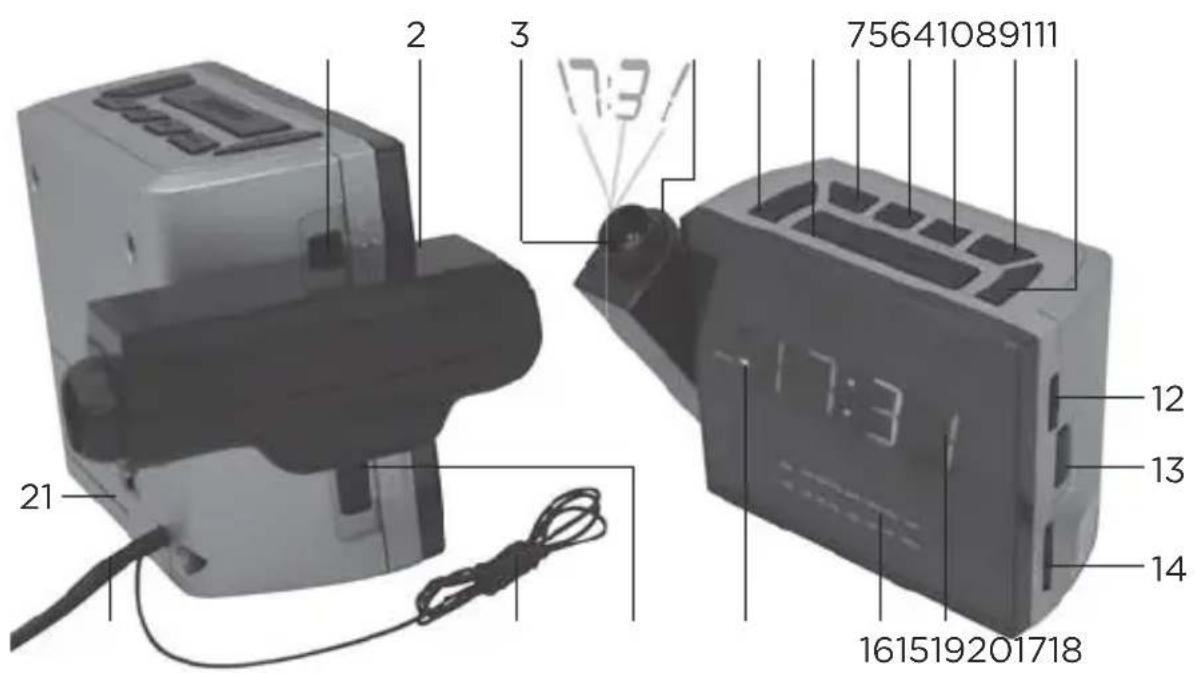
- AUTO·ON·OFF switch
- Projection arm
- Projection lens
- Sharpness adjustment ring
5.PROJECTION MODE button - SNOOZE button
- ALARM button
- TIME button
- HOUR button
- MIN button
-
SLEEP button
-
BUZZ·OFF·control
- AM·FM switch
- TUNING control
- Display
- Frequency scale (AM/FM)
- ALARM indicator
- LO·HI DIMMER switch
- Radio antenna
- Power cord with plug
- Battery compartment
OPERATION
1
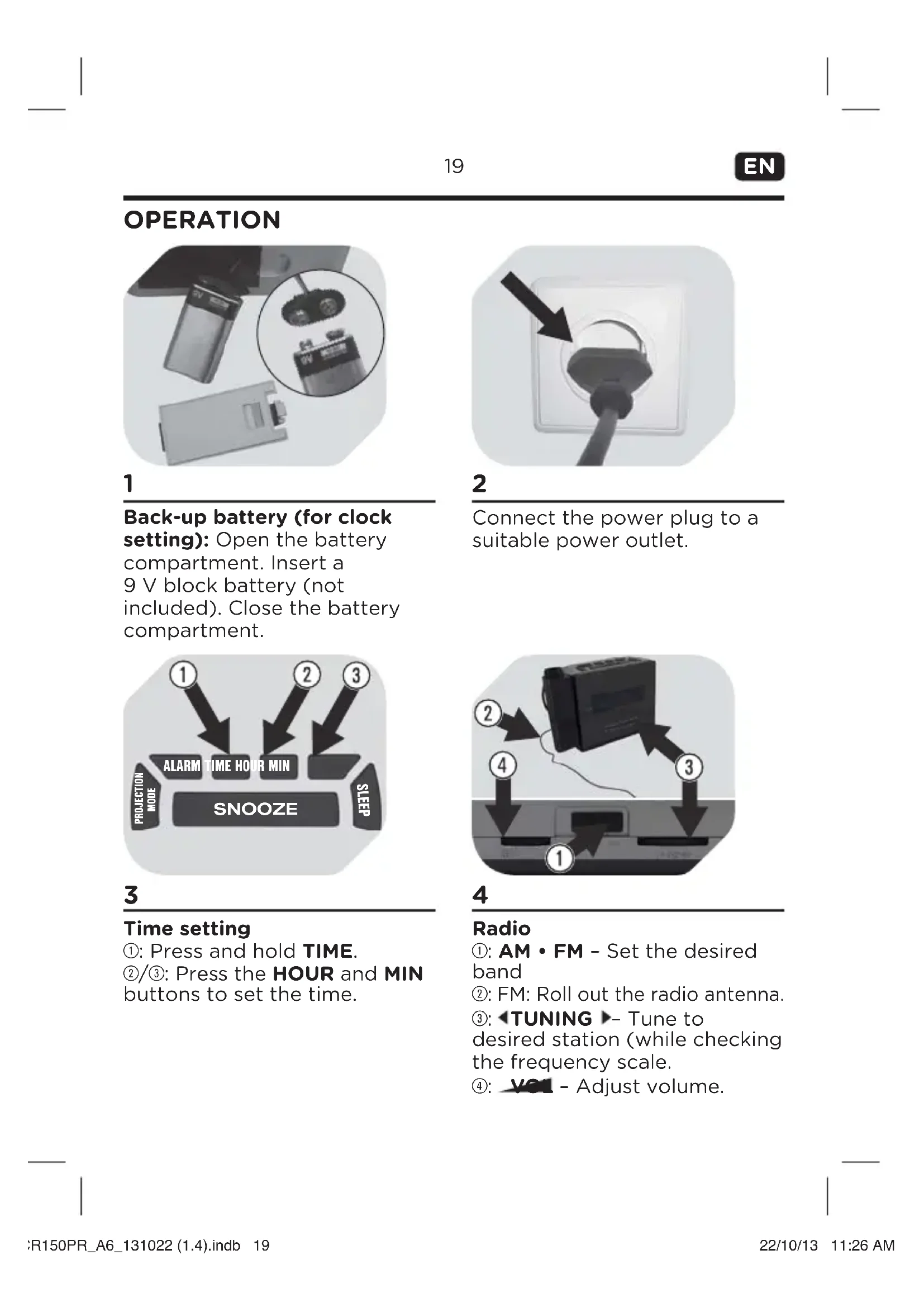
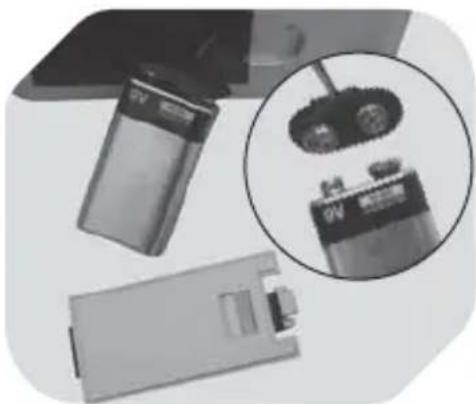
Back-up battery (for clock setting): Open the battery compartment. Insert a 9 V block battery (not included). Close the battery compartment.
3
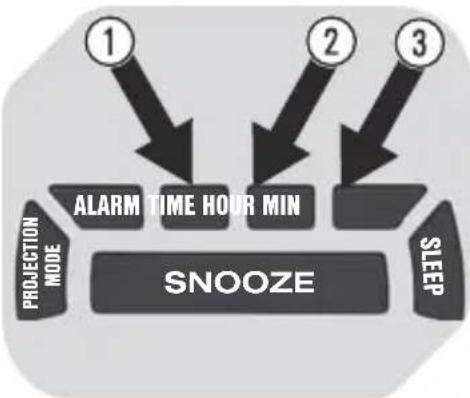
Time setting
①: Press and hold TIME.
② / 3 Press the HOUR and MIN buttons to set the time.
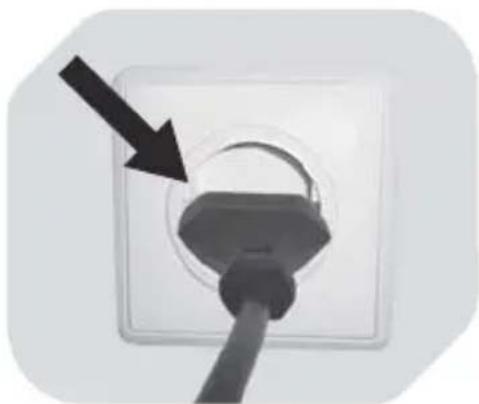
2
Connect the power plug to a suitable power outlet.
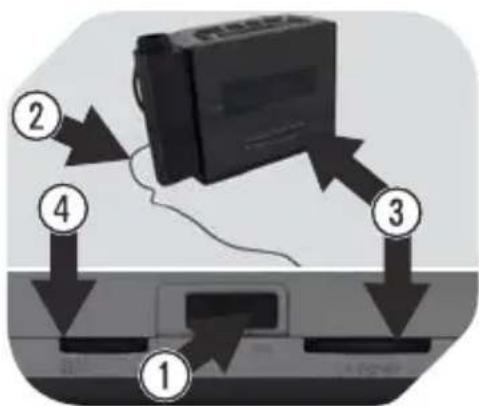
4
Radio
①: AM • FM - Set the desired band
②: FM: Roll out the radio antenna.
③ TUNING Tune to desired station (while checking the frequency scale.
④: V=1 - Adjust volume.
OPERATION
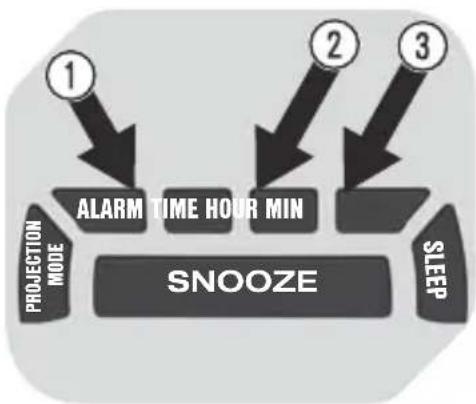
5
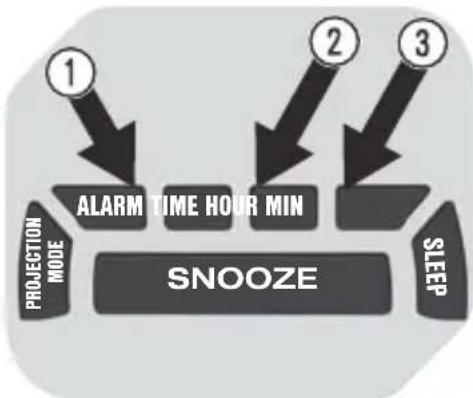
Alarm setting:
①: Press and hold ALARM.
② / 3 Press the HOUR and MIN buttons to set the alarm time.
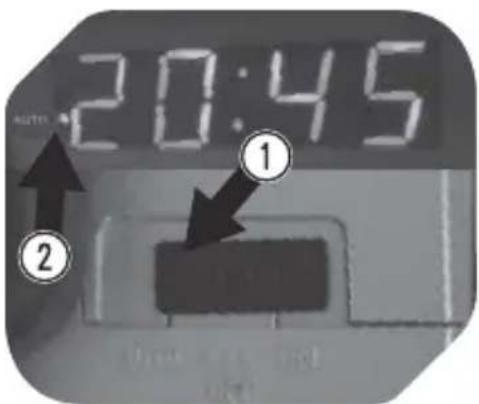
7
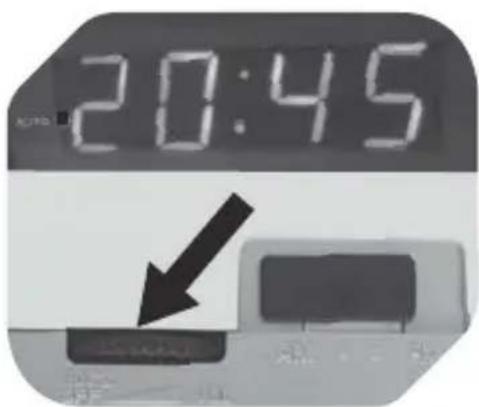
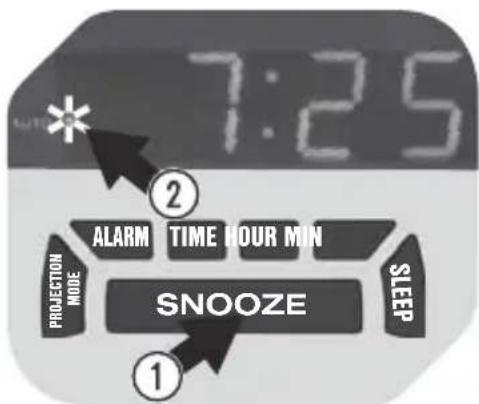
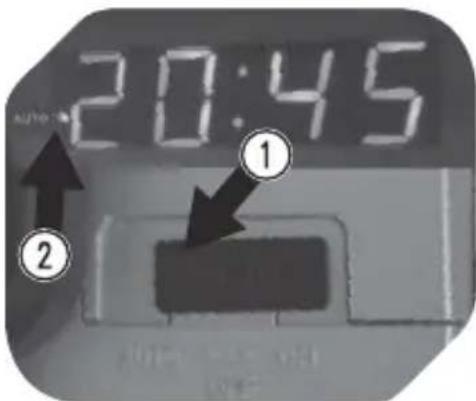
Activating the alarm:
①: Set control to AUTO position.
②: The alarm indicator lights up.
6
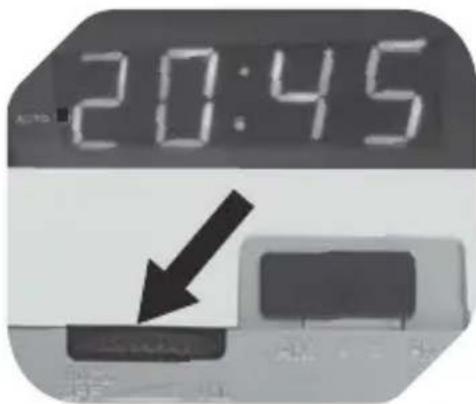
Wake by buzzer:
Set control to BUZZ position.
Wake by radio:
Tune to desired station. Adjust volume with vou.
8
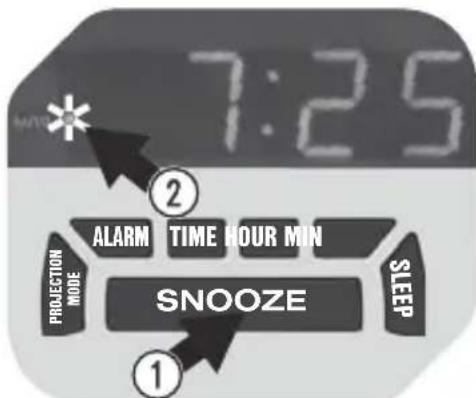
Pausing the alarm temporarily:
When the alarm goes off, press SNOOZE to stop the signal for 8 minutes. Meanwhile, the alarm indicator fl ashes.
OPERATION
9
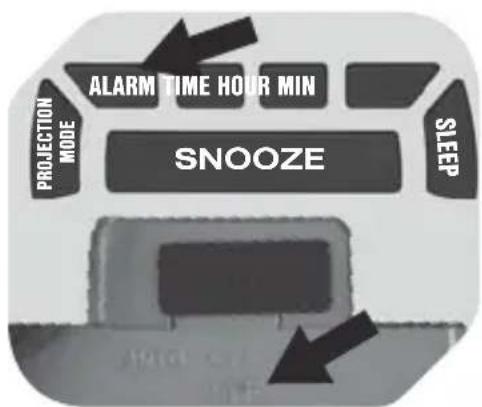
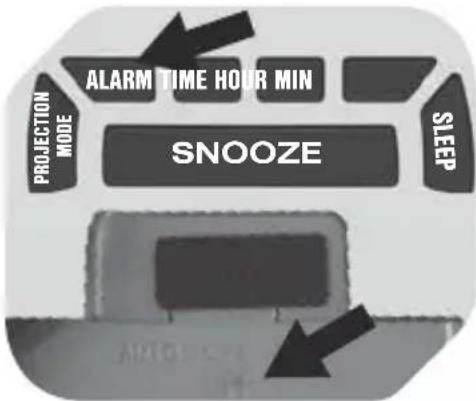
Stopping the alarm:
When the alarm goes off, press ALARM. The alarm will sound again the next day. To completely switch off the alarm, set control to OFF position.
11 12
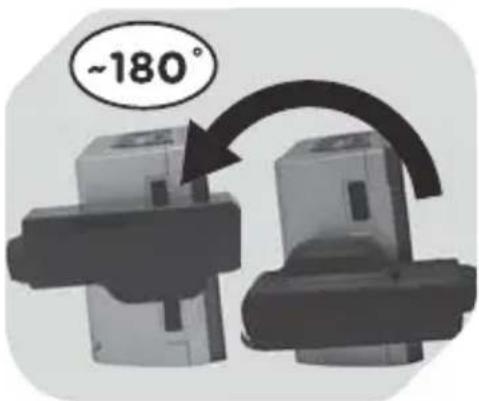
Starting projection mode:
Press PROJECTION MODE to switch projection on or off. Rotate projection arm to the desired position on the wall or ceiling.
10
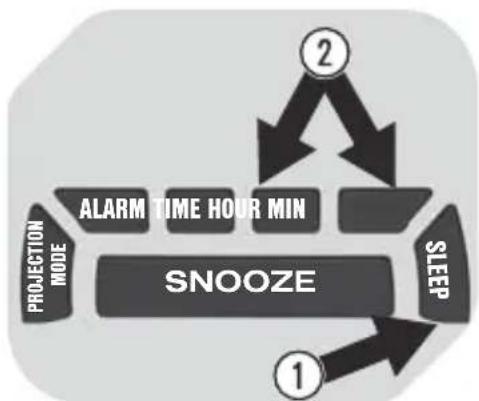
Sleep mode:
Switch on the radio.
①: Press and hold SLEEP.
② Press the HOUR and MIN buttons to set the time after which the radio will switch off (from 0:01 to 1:59).
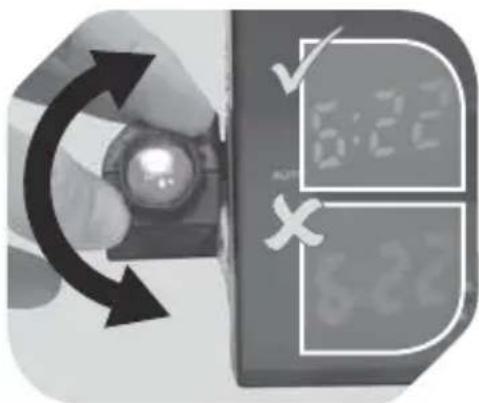
Adjusting sharpness:
Bring the projected time into focus by rotating the sharpness adjuster.
Dimmer: Set DIMMER switch to LO or HI position.
CLEANING AND CARE
WARNING
Before cleaning or maintenance, disconnect the appliance from the power outlet and remove the battery
- Never immerse the appliance in water or other liquids.
- Clean the exterior with a damp cloth.
- Do not use petrol, alcohol or other abrasive cleansers to clean the exterior.
- Gently wipe the projection lens with a soft, dry cloth. Do not scratch the lens.
SPECIFICATIONS
Rated voltage: 230 - 240 V\~, 50 Hz / Rated power: 3 W
Protection class: Class II
Back-up battery: 9 V = block battery (not included)
Projection distance: approx. 3 m
Frequency range: FM 88 - 108 MHz / AM 530 - 1600 kHz
DISPOSAL
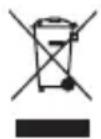
The crossed-out wheeled bin logo requires the separate collection of waste electric and electronic equipment (WEEE). Electric and electronic equipment may contain dangerous and hazardous substances. Do not dispose
of this appliance as unsorted municipal waste. Return it to a designated collection point for the recycling of WEEE. By doing so, you will help to conserve resources and protect the environment. Contact your retailer or local authorities for more information.
schakelaar in stand LO of HI.
SCHOONAMKEN EN ONDERHOUD
WAARSCHUWING
② FM: pa3IOxKInTe paIINOaHTeHHy.
TUNING HactpoNTecb
Ha yactOTy HxKHOCTaHcIMN
(cneiTe 3a uKaIOn YacToT).
VcHacTpoITe
rPOMKOCTb.
NcNoJIb3OBAHNE
5
Hac tropka 6ydnbHnka
①HaxmTe n ydepXnBaTKeKHOkY ALARM.
2 / 3 HacpoTe BpeMa BKJIOueHn6yINbHnKa C NOMOuKHOKNOK HOUR mMIN.
7
AKTINBaCn6yDnJIbHnKa
① YcTaHOBnTe nepeKIOuHaTeIb B NOJoxKeHne AUTO.
② 3aropntcHndkaTOp 6yndbHnka.
6
PpO6yKdEHNe OT 3ByKOBOrO cnHaJa
YcTaHOBnTe peRyJIaTOp B
NoIoxKeHne BUZZ.
PpO6yXdEHe n 3Byka paIINO
HaCTpoIeTc b Ha yAcToTy HxKHOJ
CTaHcNn. OTpErynpyiTe
rPOMKOCTb C NOMoUbIO
peRyJIaTopa V
8
PpnoocTaHOBka 6yDnJIbHnKa
Korda 3a3ByuNT cnHaJI 6yDnIbHnKa, HaxMnte KHOIpKy SNOOZE, yTO6bl npIOCTaHOBHTb cnHaJI Ha 8 MInHyT. Bce 3TO BpeMa INDnKaTOp 6yDnIbHnKa 6yDet MInTaB.
NCHOJIb3OBAHNE
9
OcTaHOBka 6yDnJIbHnIka
Korda 3a3ByuNT cnHnA
6yDnIbHnKa,HaXMMTe KHOIpKy
ALARM. ByDnIbHnK CHOBa
cpa6oTaET Ha CJeDuOUsn DeHb.
YTO6bl NOnHoCTbIO BbIKNIOUHTb
6yDnIbHnK, yCTaHOBnTE
pepeKnIOuAteNb B NoLoXKeHne OFF.
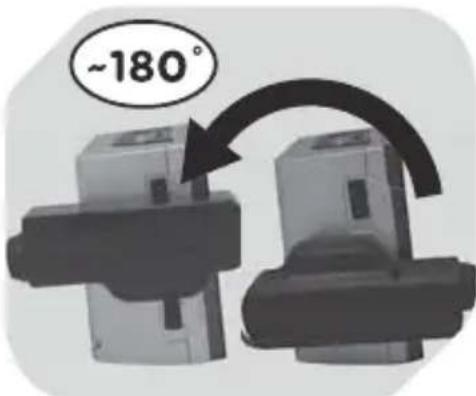
11 12
BkIouheNepeXIma npoeunpoBaHn
ДлЯВКЛIOUeHIN BBIKIIOUeHIN прoeцИpoBaHIN ИСПОЛьЗУTe KNONKY PROJECTION MODE. Врашая консль прoeцИpoBaHIN, БыберпTe MeCTO OTOбраЖeHIN Информаци Na CTeHe ИЛи Ha notOLke.
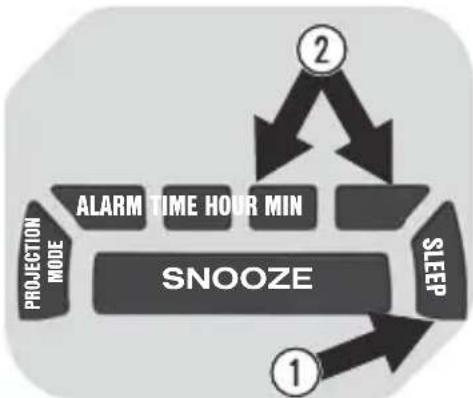
10
Peximcha
BkIIOHTe paIIO.
1 HaxMnte n ydepxnBaIte
KhONKy SLEEP.
2 C NOMOsbIO KHOJOK HOUR
H MIN hAcTpoTe BpeM, no
NCTeueHn KOtOpOro paIIO
BbIKIOHTc8 (OT 0:01 do 1:59).
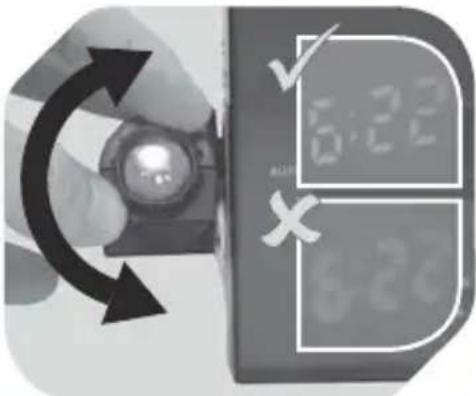
Hactpoika pe3Koctn
BpaaarpeyraTOppe3KocTn, cpoKycnpyIte npoeucnpyemoe 3NaueHne BpeMeHN. Cnla CBeta:YcTaHOBNTe nepeKJIouaTeIb DIMMER B noLoXKeHne LO nII HI.
YNCTKA N YXOD
PPEyPPEKDEHNE
IpeeJ uNCTKoJ nJn TexO6cJyXuBaHHeM OTCoEaHInTe yCTpOuCTBO OT cEtN n3BLeKeNTe 6aTapeiKy.
He norpykaTe yctpoicTBO B Body nn npnyo XndkocTB.
- IpoTupaIte HApxKhIe NOBepXHOCTN BlaXHOn TpAnKOi.
He nCnoJb3yIte 6eH3nH, cInpT nIa 6pa3NBhIe YnCTaIne CpeDCTBa IJIa Mblb YcTPOIcTBA.
OctopoKHO npoTpne npoeKunOHHyIO liH3y cyXoMЯrKOJ TpIKnO. He nozaapanaTe liH3y.
TEXHUNCHECKNEXAPAKTEPNUCTUKN
HomHaJIbHoe HapJxKeHne: 230-240 B nepem. Toka, 50 T
HOMHaJIbHaЯ MoUHOCTb: 3 BT
Klacc 3aunTbI: KJacc II
Pe3epBna 6aTapeiKa: 6IoUHa 6aTapeiKa Ha 9 B = (He BXoIIT B KOMnJIeKT)
PacctoHHe npoeuropobHa: np6J. 3 M
Диапазон част: FM 88-108 MФ/AM 530-1600 KФ
YTNJIIN3AUIN
I3o6paXeHne IpeepKHyToro MycOpHOro KOHTeHepa yKa3bIBaet Ha Heo6xOdIMocTb pa3deIbHOro c6opa Otpa6oTaHHoro 3JIeKtpnueckoro n 3JIeKtpoHnHO o6OpydoBaHn. 3JIeKtpnueckoe n 3JIeKtpoHnOe o6OpydoBaHne MoXeT
CoDEpXaTb OAnChbIe IN BpeDnHbIE BeUeCTBa. He Bbl6paCbIBaIte 3TO yCTpoINCTBO BMeCTe C HecOpTnPOBaHHbIM 6bITOBbIM MycOPOM. BMeCTO 3TOro cdaIte erO B cneuaHn3nPOBaHHbI NyHKT npHeMa 3JIeKTPnueCKoro n 3JIeKTPoHHoro o6OpyIDoBAHnI. TaKIM o6pa3OM, Bbl NOMOXeTe COxpaHnTB pEcypcbI IN 3aUnTIb OKpyKaIOuIyO cpeIy. 3a DOnOJHnTeJbHO INΦOpMaUnei O6paUaITeCb B MaRa3IN IIN B MeCTHbIe OPraHbI BlnACTN.
VIKTIGA SÄKERHETSANVISNINGAR. LÄS NOGA OCH SPARA FÖR FRAMTIDA BRUK.

- IMPORTANT SAFETY INSTRUCTIONS. READ CAREFULLY AND KEEP FOR FUTURE REFERENCE
- CONGRATULATIONS
- COMPONENTS
- OPERATION
- 1
- 3
- TIME SETTING
- 2
- 4
- RADIO
- 5
- ALARM SETTING
- 7
- ACTIVATING THE ALARM
- 6
- WAKE BY BUZZER
- WAKE BY RADIO
- 8
- PAUSING THE ALARM TEMPORARILY
- STOPPING THE ALARM
- 11 12
- STARTING PROJECTION MODE
- SLEEP MODE
- ADJUSTING SHARPNESS
- CLEANING AND CARE
- WARNING
- SPECIFICATIONS
- DISPOSAL
- SCHOONAMKEN EN ONDERHOUD
- WAARSCHUWING
- NCNOJIB3OBAHNE
- HAC TROPKA 6YDNBHNKA
- AKTINBACN6YDNJIBHNKA
- PPO6YKDEHNE OT 3BYKOBORO CNHAJA
- PPNOOCTAHOBKA 6YDNJIBHNKA
- NCHOJIB3OBAHNE
- OCTAHOBKA 6YDNJIBHNIKA
- BKIOUHENEPEXIMA NPOEUNPOBAHN
- PEXIMCHA
- HACTPOIKA PE3KOCTN
- YNCTKA N YXOD
- PPEYPPEKDEHNE
- TEXHUNCHECKNEXAPAKTEPNUCTUKN
- YTNJIIN3AUIN
- VIKTIGA SÄKERHETSANVISNINGAR. LÄS NOGA OCH SPARA FÖR FRAMTIDA BRUK
Brand : OK
Model : OCR 150PR
Category : Radio