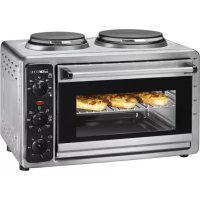
KK 3423 - Cooker CLATRONIC - Free user manual and instructions
Find the device manual for free KK 3423 CLATRONIC in PDF.



| Product type | Cooker with oven and two hotplates |
| Model | KK 3423 |
| Brand | Clatronic |
| Supply voltage | 230 V ~ 50 Hz |
| Total power | 3320 W |
| Protection class | I |
| Net weight | 10.6 kg |
| Dimensions (approx.) | Not specified in the manual, approximately 50 x 40 x 30 cm |
| Large hotplate - Power levels | 850 W, 1100 W, 1500 W, 900 W (with oven) |
| Small hotplate - Settings | 6 positions (1 to 6) |
| Oven - Heating modes | Top heat, bottom heat, both combined |
| Oven - Thermostat | Adjustable by control knob |
| Indicator light | Indicates operation |
| Included accessories | Baking tray, grid, crumb tray |
| Hotplate maintenance | Clean with a damp cloth and dish soap if necessary |
| Oven maintenance | Manual cleaning with soapy water, dry thoroughly |
| Safety | Hot surface (burn risk), do not immerse, use on a heat-resistant surface |
| Repairability | Spare parts available from Clatronic after-sales service; do not repair yourself |
| Warranty | In accordance with legislation, warranty certificate included |
| Environmental information | Do not dispose of with household waste, recycle at an authorized center |
Frequently Asked Questions - KK 3423 CLATRONIC
User questions about KK 3423 CLATRONIC
0 question about this device. Answer the ones you know or ask your own.
Ask a new question about this device
Download the instructions for your Cooker in PDF format for free! Find your manual KK 3423 - CLATRONIC and take your electronic device back in hand. On this page are published all the documents necessary for the use of your device. KK 3423 by CLATRONIC.
USER MANUAL KK 3423 CLATRONIC
Attention aux Surcharges:
3o6paKeHHnepemnkaayib4i5
Ipeemkaui
BukopncToByTe noaHi dani nepemkaui, 06 ynpabTn BapOHHMn NOBepxHmN i DxyOBKOIO:
IpepeMka3 TemepaTypa dYXOBKn
Bn6epiTb TeMnepaTyPy dYxOBKn.

PnmuTka.
DyXOBky MoXHa BMUKaTN i BMUKaTN JINJHe 3a DOnOMOrO IpemMKa4 4.
IpeMka4 IyXOBKa/BapOHa NOBepxH, BEJnKa
Bn6epiB peKm 850 Bt,1100 Bt a6o 1500 Bt DЯ BeJNKoi BapOCHoi NOBepxHi 6e3 ΦyHKii DxyOBKn (CIMBOJNf,g,h).
Bn6epiTb cyHKciIO dyXOBKn (cIMBOJN b, c, d). BnKOpNCTOByTe nepemkaU 3, 0o6 daNi Bn6paTu TempepaTyP.
BubepiBpeKIMBeNkoI BapOuHOI NOBepXHi 900BTynoEHaHHI3peKIMOMdyxOBKn (cIMBOJ e).
Bn6epitb noIoxeHHra "OFF", 0o6 BmKHyTu yci hanaWtYBaHHra.
Ipeemkau 5 (i) BapouHa nobepxHna, mana
Bubepiht HanaaTyBaHHmaoI BapouHoi nobepxhi mix 1 i 6.

PnmiTka.
MaioB BapouHIO NOBepxHeIO i DyXOBKOIO MOKHa KOpNCyBaTncb OdHocHO 6e3 6yIb- kIX 3aCTepexKeHb.
Bn6epiTb noIoxeHHra "0", 106 BmKHyTu yci HanaaTyBaHHra.
PeryIaTOp nIDcBItKn
JrkTilbknBnPiE'edHaete npucptpi do Mepeksi
JINBJIENHn i BNbepTe yHKUIO, yBIIMKHeTbcra niDCBITka.
YnpabHnHaBapOuHmN NOBepXHaMn
- YbIMKHTb i 3aJnWte BapOCHi NOBepXHi yBIMKHeHmN BnpoDObK 5 xBnInn nepei noaTkOM KOpNCtYBaHHra, Uo6 ycHyTu 3axnchy nIIbKy.
- MoKe 3'ABNTNcA dI M i HEnpneMn 3aIax, kIi 3HnKHyTb NiD Yac po6Otn npucToIO.
3a6e3neuTe DoCTaTHIO BeHTnIaIio.
Iocyd
BnKOpNCToBnyTe IInSe nocyd i3 nIaCKO OCHOBOIO, 06 onTmIm3yBaTN BnKOpNCTaHH eHeprii.
- NocyDHa He Ma6 6ytN MeHsOIO 3a BapOHy nobepxHIO. Lepn3BeDe Do BtpaTn eHeprii. Y HaRripoMy BnAky BapOHa NOBepxHr MoKe DeΦopMyBaTncb.
DyXOBka
- YcyhTe nakyBaJIbHm MaTePiaJ 3 DyXOBKn, KIO BIn E.
- Ybimkhitb npictiHa 15 xbunH nepeid noyatakom BnKOpncTaHHa, uOb yCyHyTu 3axnchy nibky 3 enemeHTIB HarpibaHHa.
Bn6epiTb cyHKciIO BepXHbOro/HnxHbOReIeMeHTa HarpiBaHH. - Moke 3'ABTnCz Dm i HenpneMn 3anax, kki 3HnKHyTB NiD Yac po6Ot npncToIO. 3a6e3neYte DoCTaTHIO BEHTnIaIIO.
PnKnaDn BkOpncTahHg yHKci:
Bepxhi enemeHT harpibaHn: ideaIbHO nixoDHT bIra 3anikaHOK, rpaTeHiB Toio.
Bepxhi i HnKhi eIemEnH harpBaHHa: nixoJrTb,do npknady,dn npiroTyBaHHn niu,nporib Toio.
Papmo deknyac nporpiTn dyxOBky (BnpoO8x 15 xBnInH).
BmKHeHH npucToPOU
-Ппсстрий NOВHICTЮ ВIMKHeHи,Кои уci nepemikayi BCTaHOBJIeHi y noJoxeHHa "0" a6o "OFF".
Bid'edhae npucpii Bid mepekei.
UHnHn
PonepeJxHnH.
Bid'edhaIte npicptiB iD mepeki i daTe Nomy oxoJohyTu.
- He 3aHypoIe npicTpIy Body!
ybara.
- He BnKOpncToBvIte a6pa3nBHi 3ac06n.
He npraaTe elementn HarpibaHny nOKpTTJOTKa dNBAIIkaHH.
Bapouhi nobepxhi
-Дячишеняпсстpoю ВИКОПСТОВУTe 3лERka BONORY raHupyKy.
- Y pa3i cKnlaHnX 3a6pydHeHb BnKOpncToBnyTe 3acio nIg MttTnocdy.
DyXOBka
- Yci deTani MoKHa UcHtTN BpyHy y BaHHi.
BntpiB BnytpiHi noBepxHi dYXOBKn 3JIerKa BOJoroIO raHcyipKOHO. - Y pa3i cknaHnX 3a6pydHeHb BnKOpncToByTe 3acio dIra MmTTT noCydy.
BntpiB niCnIy zuoro npucTpi.
Texhichi xapaKTepeNCTnKn
MoeJIb: KK 3423
Hanpyra: 230 B, 50 T
BxiHa noTyKHiCtB: 3320 B
Klaac 3axncty:
Bara HeTTo: 10,6 kr
TexhiHxapaKtepncTNkMOxyTb 6yTu 3MiHeHi!
Ley npctpii ceptnikobao HbnoiHdo Dioux HOpM PC, HapnKnaH Hopm eektpomarHITHOcymichocti I H3koH anpyu, i cKOHCTpynoBAHO BiNOBIDHO do octaHHix xapaKTepncnk i3 texhikn 6e3neKn.
General Safety Guidelines
Before using this device, carefully read this user manual and keep it together with the Warranty Certificate, cashier receipt and if possible, the original package inclusive its interior packing. If you hand on the device to any third person, include the user manual as well.
- Use the device for private and its intended purpose only. The device is not intended for commercial use.
Do not use the device outdoors. Protect it from heat, direct sunlight, humidity (do not immerse into liquids under any circumstances) and sharp edges. Do not use the device with wet hands. If the device gets wet, unplug it immediately.
Always switch off and unplug the device (pull the plug, not the cable) when you do not use the device, or when you attach accessories, during cleaning or malfunctioning. - Do not leave the device unattended during operation. Always switch off the device when leaving the room. Unplug the device.
- Regularly check the device and cable for signs of damage. Do not continue to operate the device in case of damage.
- Do not repair the device by yourself. Please contact authorized personnel. In order to avoid hazards, a damaged mains cable must be replaced with an equivalent cable by the manufacturer, our customer service or any other qualified specialist.
- Do only use original parts.
- Please observe the following "Special safety instructions".
Children and disabled persons
- For the safety of your children, keep any packing parts (plastic bags, cartilage, Styrofoam etc.) out of their reach.
Warning!
Don't let small children play with foils for danger of suffocation!
- This device is not intended for use by persons (including children) with reduced physical, sensory or mental capabilities, or lack of experience and/or knowledge unless they have been given supervision or instructions concerning the use of the device by a person responsible for their safety.
Supervise children to ensure they do not play with the device.
Symbols in this user manual
Important notes for your safety are marked distinctively. Pay absolute attention to them to avoid accidents and damage to the device.
Warning:
Warns of dangers for your health and indicates potential risks of injury.
Attention:
Indicates potential dangers for the device or other objects.

Note:
Highlights tips and information for you.
Special security information regarding this device
Symbols on the product
On the product you will find warning and informative symbols:
Danger of burns!
The temperature of touchable surfaces can be very high during operation.
- Do not operate the device with a timer or separate telecontrol system.
- Put the device on a flat, moisture and heat resistant surface. With delicate surfaces, please put a heat resistant board underneath the device.
- Keep in mind that hot parts stay hot for a long time after operation has been ended.
- Do not move the device during operation.
- Only hold the device at the therefore intended handles and buttons.
- Do not operate the device under wall units, because heat and steam escape during operation.
- Keep a safety clearance (30 cm) from highly flammable objects such as furniture, curtains, etc.! Do not install the device inside cabinets.
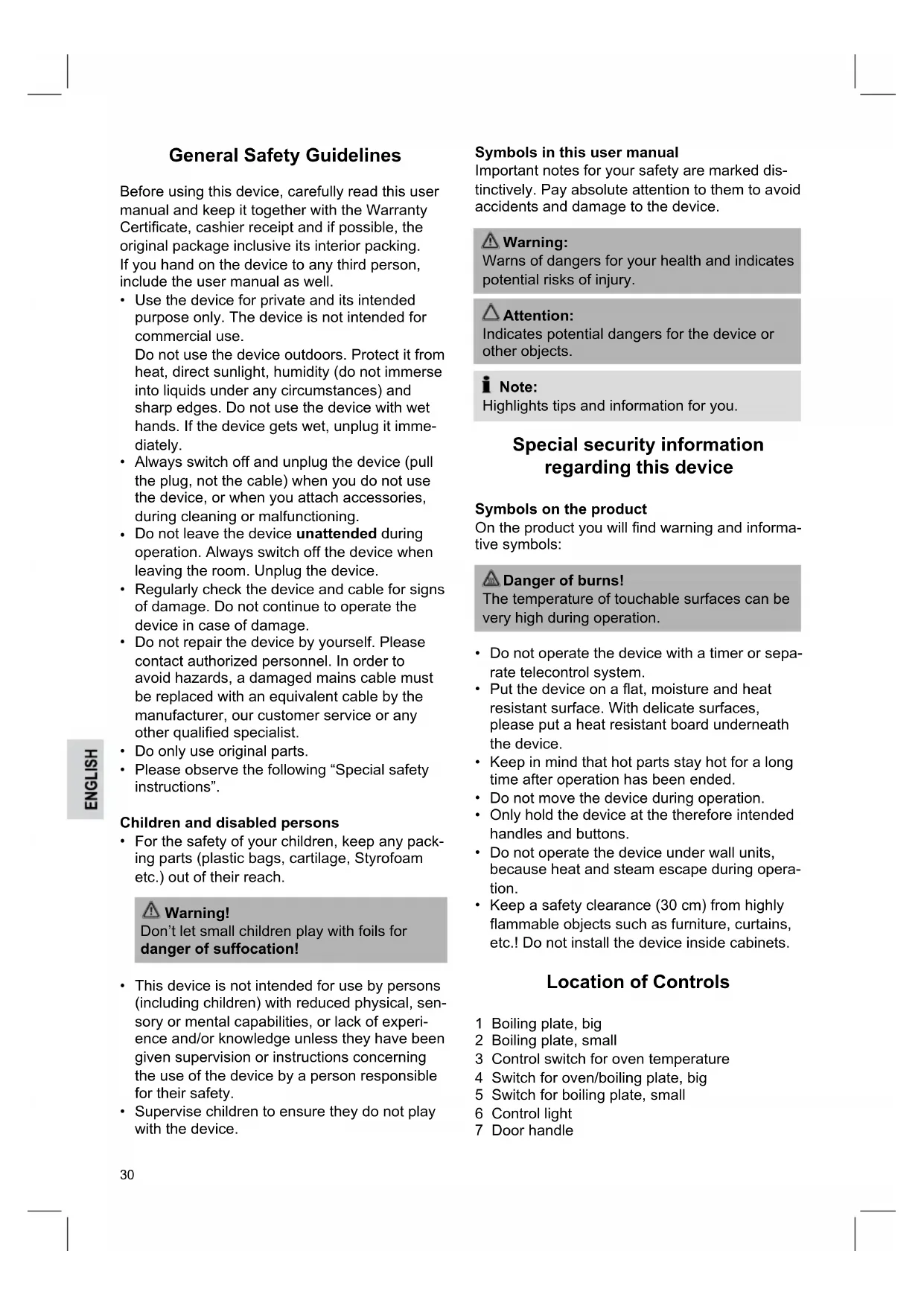
Location of Controls
1 Boiling plate, big
2 Boiling plate, small
3 Control switch for oven temperature
4 Switch for oven/boiling plate, big
5 Switch for boiling plate, small
6 Control light
7 Door handle
8 Glass door
9 Heating element
10 Baking tray
11 Grilling grid
12 Crumb tray
Unpacking the device
- Unpack the device.
- Remove all packaging materials such as foils, filling material, cable ties and cardboard packaging.
- Check the scope of delivery.
i Note:
There might be particles or production remains on the device. We recommend you wipe the enclosure with a damp cloth.
Electric installation
- Be sure the voltage of the device (rating plate) is in accordance with the mains voltage.
- Connect the mains plug to a properly installed shockproof socket (230V~ 50Hz) only.
a OFF
b Top heat
c Bottom heat
d Top and bottom heat
e Top and bottom heat together with big boiling plate 900W
f Big boiling plate 850W
g Big boiling plate 1100W
h Big boiling plate 1500W
i Small boiling plate
Connected load
The device is intended for a maximum power intake of 3320 W. This connected load recommends a separate input lead secured with a 16 amp protected switch.
Caution Overload:
- When using extension cords, these should have a cable cross-section of at least 1.5 mm².
- Do not use gang plugs, because the device is too powerful.
Notes on operation
Imagery on switch 4 and 5
Switch
Use the following switches to operate both boiling plates and the oven:
Control switch 3 Oven temperature
- Select an oven temperature.

Note:
You may turn on/off the oven function with switch 4 only.
Switch 4 Oven/Boiling plate, big
- Select performance 850W, 1100W or 1500W of the big boiling plate without oven function (symbols f, g, h).
- Select an oven function (symbols b, c, d). Use control switch 3 to furthermore set the temperature.
- Select operation of big boiling plate with 900 W in combination with the oven (symbol e).
- Select position "OFF" to turn off all settings.
Switch 5 (symbol i) Boiling plate, small
- Select a setting of the small boiling plate between 1 and 6.

Note:
You may use the small boiling plate and the oven simultaneously without any disturbance.
- Select position "0" to turn off all settings.
Control light
As soon as you connect the device to the mains and select a function, the control light turns on.
Operating the boiling plates
- Leave the boiling plates turned on for 5 minutes before initial use, in order to remove the protective film.
- In this connection there might be a slight formation of smoke and odor, which will vanish during the course of operation.
- Ensure sufficient ventilation.
Cookware
Only use cooking pots with a flat footing in order to optimize the use of energy.
- The pot should never be smaller than the boiling plate. This would cause a loss of energy. In the worst case the boiling plate might become distorted.
Oven
- If present, remove packaging material from the oven.
- Operate the unit 15 minutes before initial use in order to remove the protective film of the heating element.
- Select the operating function top/bottom heat.
- In this connection there might be a formation of smoke and odor, which will vanish during the course of operation. Ensure sufficient ventilation.
Some examples regarding the use of the operating functions:
Top heat: perfect for scalloping casseroles, gratins, etc.
Top/bottom heat: e.g. for pizza, cakes, etc. We recommend to shortly preheating the oven (approx. 15 minutes).
Switching off the device
- The device is completely switched off when all switches are turned to the positions "0" or "OFF".
- Unplug the device afterwards.
Cleaning

Warning:
- Unplug the device and allow the device to cool down.
- Do not immerse the device into water!

Attention:
- Do not use abrasive cleaning agents.
- Do not scratch the heating elements or coating of the baking tray.
Boiling plates
- Use a slightly damp cloth for cleaning the device.
- Use a dishwashing agent in case of heavy staining.
Oven
- You may clean all parts manually during a rinsing bath.
- Wipe the interior of the oven with a slightly damp cloth.
- Use a dishwashing agent in case of heavy staining.
Wipe dry afterwards.
Technical Specifications
Model: KK 3423
Voltage supply: 230V, 50Hz
Power input: 3320W
Protection class:
Net weight: 10.6 kg
Subject to change without prior notice!
This device complies with all current CE directives, such as electromagnetic compatibility and low voltage directive and is manufactured according to the latest safety regulations.
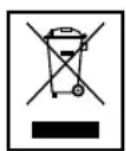
Meaning of the "Wheelie Bin" Symbol
Take care of our environment, do not dispose of electrical applications via the household waste.
Dispose of obsolete or defective electrical appliances via municipal collection points.
Please help to avoid potential environmental and health impacts through improper waste disposal.
You contribute to recycling and other forms of utilization of old electric and electronic appliances.
Your municipality provides you with information about collecting points.
HeIOCTyINhbIXIJIaIeTei MeCTax.

BhimaHne!
He n03B0JIaTe MaJIeHbKIM DeTREM INrpaTb C nJIeHKoI. OnachocTB ydysb!
Данhoe yctpoiCTBO He DoJNHO NCNoJIb3OBAtBCaIaMn (BKNIOUaYaTee) C OcIaNbIeHHbIMnФИЗYeCKIM,CEHCOPHbIMN IIN YMCtBEHHbIMN CNOco5HoCTaMn, IIN HeIOCTaTKOM ONbITa N/INI 3HaHIn, 3a INCKNIuHeHem CnyaEB, KOrda 3a HmN Ha6JIIOJaET OTBeTCTBeHHbI 3a INX 6e3OnaCHOCTb IepCOHaJI INI OHI NOyUynI INHCTpyKcII N ONCNoJIb3OBAHnIO yCTpoiCTBa.
Cneinte 3a DeTbMn, yTo6bl y6eINTbcra, YTO OHn He nCNoJb3yIOT npI6Op B KaueCTBe INrpyuKn.
CnmbonblBdaHHompykoBoDCTBe NOb3OBaTeJI
BaxKbIe yka3aHnI, kacaIoUncEraBaWei 6e3OpacHocTn,OTMeueHbIOco6o.Bo n36ExaHne HeCuaCTbIX cIyuaEB N IOBpeXdEHnY ycToiCTBa o6paauTe Ha Hx oc6oe BHMaHne.

BHHMaHHe:
PpeDynpexKdEHNe 06 onaCHOCTn DnA 3doPOBbYka3bIbAEr HA BO3MOXHOCTb NOBPExKeHn.

06paTne BHHMaHHe:
IontuHaBnaOnaCHOCTbDnA yctpoiCTBa nn Dpynx npedmetOB.

Tpimechnia:
CobetbI INHΦopMaunIaBac.
Дононтеловье Мерbl6e3oNaChOCTn ДЯ данHoroyctpoiCtBa
CnmbonblHa npodykTe
Ha npodyKe HaxoTcCmBOJIbI npdynpTeJIbHOrO INHΦopMaUHOHorO xapakTepa:

Onachoctb oxorob!
TemnepaTpa HarpBaHouxxCB BO BpemNcNoJIb3OBAHnI NOBepXHOCTe MoKET 6blTbOYeHb BbICOKoI.
He nCnoJb3yIte yCTpoNCTBO C BbIKnHouateJeM C YacOBbIM MEXaHN3MOM NIN C OTDeJIbHOI CNCTeMOJ DnCTaHcNOHHORO ynpabNeHn.
- YcTaHaBJIbBaIte yCTpoNcTBO Ha poBHOI NOBepxHocTN, yCTOuYnBOI K BO3dEiCTBIO BlaRn n TeIIa. B Clyuae MeHee cToIKoI NOBepxHocTN yCTaHOBInTe NOD yCTpoNcTBO JapocToKyU DOcky.
-ПOMHnTe,чToHarpeTbIe 3IeMeHtblOCTaIOTcR roPryUmN B TeueHne DOnrro TepnoDa BpeMeHn NocLe OKOHuaHn 3KcnJyatauIN.
He nepemeeaTe yctpoiCTBO BO BpeM 3Kcnnyatau. - Depxnte yctpoiCTBO TOnbKO 3a CneuaHbHbIe pyuKn N KHOPIK.
He yctaHaBnBaIte yctpoiCTBO nOHaBeChbIMu IkaΦamN, NocKoJIbKy npn pa6ote BbIeJrTcA TeIIO n nap.
-ПодерхиВаite6e3oNaChoepacCTOHaHne (30cm)doIerKOB3rpaIOxxCnIpeMToB: Me6eN,3aHaBeCenT.n.I!He yctaHabJIuBaIte ycTpoiCTBO BHyTpNI uKaΦOB.
PacnoJoxeHne 3JeMeHTOB
1Bapouhna nobepxHoctb,60buaa
2BapouHaNoBepxHocTb,MaNa
3 PeryJrTop TempepatypbI neu
4 BbiknouaTeJIb neu/BapoUHoi nobepxHocTn, 6onbwoi
5 BbIKIOUaTeIb BapOuHOI NOBepXHocTn, MAIOI
6 KOnTpOJIbHbI INHdNkAtOp
7 Puyka dBepbI
8 CTeKJIHHaI DBePca
9 HarpeBaTeNbHbI 3JeMeHT
10IpoTnBHeb
11 PeWeTeKa rPnIa
12 POnHoc dJa c6opa KpoWeK
PacnaKobka yctpoiCTBa
- Pacnakyntye yctpoCTBO.
- CHNMTe BeCb yNaKOBOUHbMaTePnAn: nIeHky, HanoJIHNTeIb, fukCaTOpb Ka6eJIn yNaKOBOUHb KApTOH.
- PpOBepbTe KOMJIeKTHOCTb.

Приимechан: С�лары:
Ha yctpoicTBe MoKeT OCTaBaTbCnIbNbnn OCTaTKn Ipon3BOcTBeHHoro npOcecca. PekomeHdyETcN pOtepeTb Kopnyc c NOMOuBIO yBnaXHeHHo TKaHI.
3JIeKTponoKnIouyeHne
- Y6eIntecb, yTo HAnpJxKeHne yCTpoiCTBa (3aBoDcKa Ta6nUka) COOTBETCTByET
HanpJKeHNIO cETN.
-Поdkлочte wTeNCEьК npaBnIbHbIM o6pa3OM yCTaHOBNeHHoI wTeNCEьHOBIpo3eTke c 3a3emJIIOUIm KOHTaKTOM (230 B~50 T).
a OFF (BbIKJ)
b HarpeB cbepxy
c HarpeB cHn3y
d Harpeb Cbepxu n Chn3y
e HarpeB CBepxu n CHn3y n 6oJIbwaar BapOHaJ noBepxHOCTb 900BT
f BoJIbIaB aBOpUHa nOBepXHocTb 850BT
g Bɔnbsa Bapouhna NobepxHocTb 1100BT
h Bɔlbaa Bapouhna nobepxHoctb 1500BT
i Manay Bapouhna nobepxhoctb
IopknHuaemHaRpy3ka
YcTpoIcTBo paccuHTaHO Ha MaKcMaJIbHyIO nOTpe6nEMyIO MoUHocTb 3320Bt.ДЯ TakoI Harpy3Kn peKOMeHdyETcra OTdEnbHbI NITaHOuIN npOBOD C 3aUNTHbIM BbIKNoHaTeJIem Ha 16 A.

BhimaHne Npeperpy3ka:
Bcnyae nCnoIb3ObaHn yDInHntJeTOTdoJxeh HMeTb ceYeHne MmH.1,5 mm2.
He nCnoJIb3yIte MHOROKoHTaKTHbIuTEnCeIb, NocKoJIbky yCTpoIcTB OMeET CInuKOM BbICOKyO MOUHOCTb.
PpimMeuHnno 3Kcnnyataun
CmBOJIbHa BblKIOHoyateJe 4 n 5
BbIKHoyaTeNb
Iynpabnene OBeIMN BapOHyIMNOBepxHOCTaMNI NebIO NcNOJb3yITcJeNyUoIe BbIKNoUaTeJI:
Peryjatop 3 TemnepaTpa neu
- YctaHOBnTe TEMnepaTypeN.

Приимейчени:
Функця Neчи BKIIIOuaeTcBbIKIIOuaeTcToJIbKO C NOMOUsbIO BbIKHouaTeJI4.
BbIKHouateIb 4 Neyb/BapOuHaJ NOBepXHOCTb,60JIbwaJ
- YctaHOBtMe MoHocTb 850BT, 1100BT nnn 1500BT dJa 6oJbwoi BapOuHoi nobepxHocTn, 6e3 cyHKcui neu (CmmbOnbl f, g, h).
BbI6epNTe cyHKNUO neu (CIMBObl b, c, d). NcnoJb3yIte peryIaTOp 3 nla yCTaHOBKn TeMnepaTypbl.
Bb6epnte yHKnIO 60bnBapOCHNOBepxHocTn Ha 900BT B KOMnHaCn C
NcBIO(CNMBOJI e)
BbI6epnte noIOxKeHne "OFF",yTo6bI OTKJIIOUHTb BCE peRyJINpOBKn.
BbIKNoCuTeNb 5 (i) BapouHa nOBepxHocTb, MaJa
- YctaHOBnTe ypoBeHb HarpBa MaOn BapOCHNo NOBepxHocTn OT 1do6.
I PnpMeuHne:
BblMOKeTe OJHOBpeMeHHO NcNoIb30BaTb MaMyo BapouHyIOBepxHocTb Ney.
BbI6epnte noJoxKeHne "0",yTo6bl OTKnOuHTb BCEpeRyIupoBKn.
KoHTpoJIbHbI INHdNkaTOp
Pn noKlnHenn yctpoNCTBa K cetn n BbIbope cyHKcnn 3aropaeTc KOHTpOJbHbI INHdNKaTOP.
IcnoIb3OBaHne BapOuHbIX naHeJe
- PpeIeNepBbIM NcNoJIb3OBAHHeM OCTaBBTe BapOCHBe NaHEII IN BKIIoueHHbIM Ha 5 MInHyT, YTO6bl CHrTB 3aUHTbI CNoI.
- Пи NTOM BO3MOxH0 O6pa3OBAHHe 6oJIbIwOrO KOJIInueCTBa IdbIMa N 3aIaxa, KOTOpBie INcye3HyT BO BpeM 3KcNpyatauIN.
- ObecneBte DoCTaTOHyIO BEHTNIAIIO.
KyxonHna nocya
-Дяг ONТIMаьHOrO ИСПОЛБЗOBAHЯ 3HeprIM NOJIb3yIteCb TOnbKO KAcTpHJIaMn C pOBHbIM DHom.
-Диametр kactpOJINdoJXeH 6bITb He MeHbWe, YemДиametp BapoyHOI NOBepxHocTn, INaYe npOxCoJNT noTepr 3Heprn. B xUdsem Cnyuae KACTPJI MoKet DeOpMnPOBaTbcra.
Neyb
- CHIMITE C neu ynaKOBOHbMaTePnAn, ecJIN OH NMeETcR.
BkIIOHTe yCTpOINCTBO Ha 15 MNHyT nepei nepBbIM NcNoJIb3OBaHInEM, YTO6bI CHrTb 3aUHTbI CNoI C HArpeBaTeJIbHOro 3JIemeHTa.
BbI6epnte yHKnUHO harpeBa cBepxy/chn3y. - Pn 3TOM BO3MOXHO o6pa3OBAHHe6oJIbIwOro KOINueCTBa DbIMa N 3anaxa, KOTOpBie IcYe3HyT BO BpeMg 3KcNJIyatau. OBeCneYbTe DoCTaTOUHyIO BEHTINJRAuIO.
PpIMepbI nCNoJIb3OBAHnO TdEnbHbIX cyHKc:
Harpeb CBepxy: ndeaIbHO dna
3aNeKaHnCyΦne,
3aneKaHOK T.I.
HarpeB cBepy/chn3y: Happ.,ДлЯ NiuCbl, NiporOB nT.I.
PekomeHdyetc npedBapnteHbHO HeKOTOpoe Bpempa3OrpeBaTneb (OK.15 MNHyT).
BbIKIOUeHHe yCTpoNCTBa
- YCTPOICTBO NOJIHOCTBIO BVIKNIQUeHO, KOrDa BCE BBIKJIOUaTeJIYcTaHOBJIeHbI B NOJOXKeHne "0" uIN "OFF".
- Pocne 3Toro n3BnKeNTe uTeNceIb n3 pO3eTKI.
OuInCTka
BHMMaHHe:
- OToeHNHTe yCTpoNCTBO OT cTe N daNTE My OCTbITb.
He norpykaTe yctpoNCTBO B BOy!
O6paTnTe BHHMaHHe:
He nCnoB3yIte a6pa3nBhble qnCTaune BeueCTBa.
He zapanaTe HarpBeBaTeIbHbIe 3JIeMeHTbl IIN NOKpbITne npOTNBHr.
Bapouhbie noBepxHoctn
-ДяоусNTK yctpoiCTBa nCNoIb3yIte CJIeRka yBnaXHeHHyIO TkaHb.
- Pn6 60Jee cToKnx 3aRpa3HeHnax nCNoIb3yIte cpeIcTBO IINrMbITbIPOcybl.
Neyb
Bce npHaJnEeKHO MoXHO IpombITb BpyHyIO.
BHyTpEHHOIO NOBepXHOCb Neu BbITnpaTe CJIeKka YBNaXKeHHOH TKAHbIO.
- Ppi 6oJee cToKx 3aRpa3HeHnax nCNoJIb3yIte cpeICTBO IINrMbITbIocyIbl.
B 3aknioeHne npoTpnte cyxon TkaHBIO.
TexHnueckne xapaKTepeNCTnKN
MoeJIb: KK 3423
3JIeKtpoNTaHHe: 230B,50T
Notpe6IyemaMoHocTb: 3320BT
Knacc 3auntbI:
Bec HeTTo: 10,6 Kr
N3MeHeHnMOryBHOcHTbc8e3 npedBaHPteIbHorO yBeOMTeHnI
Данhoe yctpoIcTBO COOTBeTCTByeT Bcem TekyuIM dIpeKtINbAM CE, TaKIM KAK 3JIeKTpOMaHHTHa COBMeCTNMOCTb Hn3Koe HaPRAKeHne; OHO pON3BedeHO B COOTBeTCTBnC HOBeHsIMM npaBnIaMn TEXHKn 6e3ONaCHOCTn.
GARANTIE-KARTE
Garantiebewijs · Carte de garantie