URC 6410 - Remote control ONE FOR ALL - Free user manual and instructions
Find the device manual for free URC 6410 ONE FOR ALL in PDF.



| Product Type | Universal Remote |
| Brand | One for All |
| Model | URC 6410 |
| Power Supply | 2 AAA batteries (not included) |
| Main Functions | TV control, SimpleSet, Auto Search, Copy function (learning) |
| Compatibility | Common TV brands (LG, Samsung, Philips, Sony, etc.) |
| Infrared Range | Up to 10 meters |
| Dimensions (approx) | 18 x 5 x 2.5 cm |
| Weight (approx) | 150 g |
| Material | ABS plastic |
| Color | Black |
| Warranty | 1 year |
| Care | Clean with a soft, dry cloth |
| Safety | Do not expose to moisture, replace used batteries |
| Spare parts and repairability | Batteries only; not user repairable |
Frequently Asked Questions - URC 6410 ONE FOR ALL
User questions about URC 6410 ONE FOR ALL
0 question about this device. Answer the ones you know or ask your own.
Ask a new question about this device
Download the instructions for your Remote control in PDF format for free! Find your manual URC 6410 - ONE FOR ALL and take your electronic device back in hand. On this page are published all the documents necessary for the use of your device. URC 6410 by ONE FOR ALL.
USER MANUAL URC 6410 ONE FOR ALL
natural_image
Close-up of a black remote control with two battery cards labeled 'AAA' inserted into the interior (no text beyond labels)3
English
Is your device brand listed? (see page 4).
Deutsch
Ist Ihre Gerätemarke aufgelistet? (siehe Seite 9).
Français
La marque de votre appareil figure-t-elle dans la liste? (voir page 14).
Español
¿Aparece la marca de su dispositivo en la lista? (consulte la página 19).
Italiano
La marca del dispositivo è presente nell'elenco? (vedere pagina 24).
Português
A marca do seu dispositivo é apresentada na lista? (consulte a página 29).
Nederlands
Wordt uw merk apparaat vermeld? (Zie pagina 34).
Magyar
Készülékének márkaneve szerepel a listán? (lásd: 39. oldal).
Polski
czy Twoje urządzenie znajduje się na liście marek? (patrz str. 44).
Česky
Nachází se značka vašeho zařízení v seznamu?(viz strana 49).
Dansk
er din enheds mærke angivet? (se side 54).
Suomi
Er enheten din på listen? (se side 59).
Horsk
Finns din enhet med i listan? (se sidan 64).
Svensk
Onko laitteesi luettelossa? (katso sivu 69).
Ελληνικα
Είναι η μάρκα της συσκευής σας καταχωρημένη; (βλ. σελίδα 74).
Русский
марка вашего устройства есть в списке? (см. стр. 79).
Türkçe
Cihazınızın markası listede yer alıyor mu? (bkz. sayfa 84).
Български
Включено ли е вашето устройство в списъка на марките? (виж стр. 89).
Română
Marca dispozitivului dvs. se regăsește în listă? (consultați pagina 94).
Slovensky
nachádza sa značka vášho zariadenia v zozname? (pozrite si stranu 99).
Hrvatski
Je li marka vašeg uređaja navedena? (pogledajte stranicu 104).
English
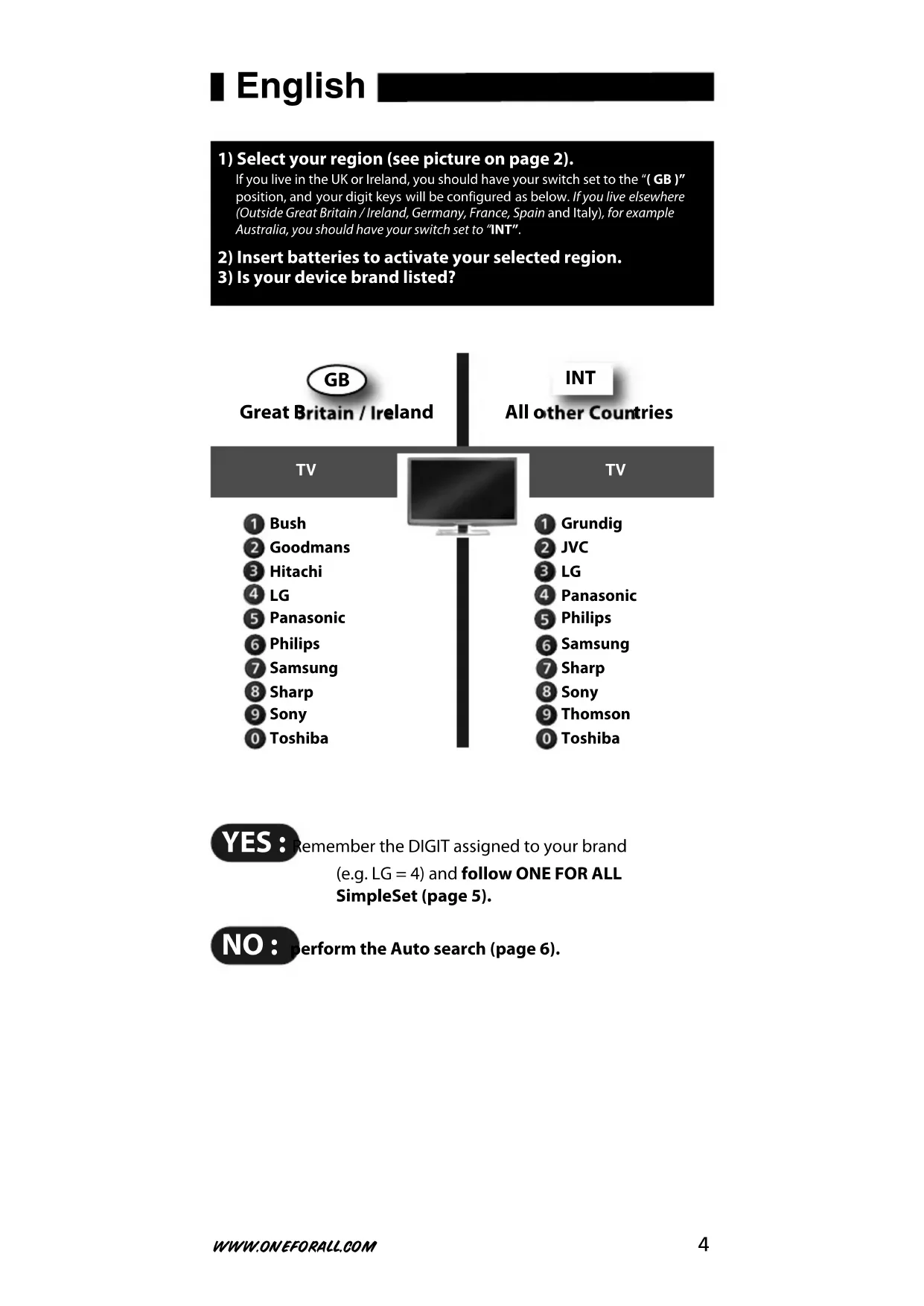
1) Select your region (see picture on page 2).
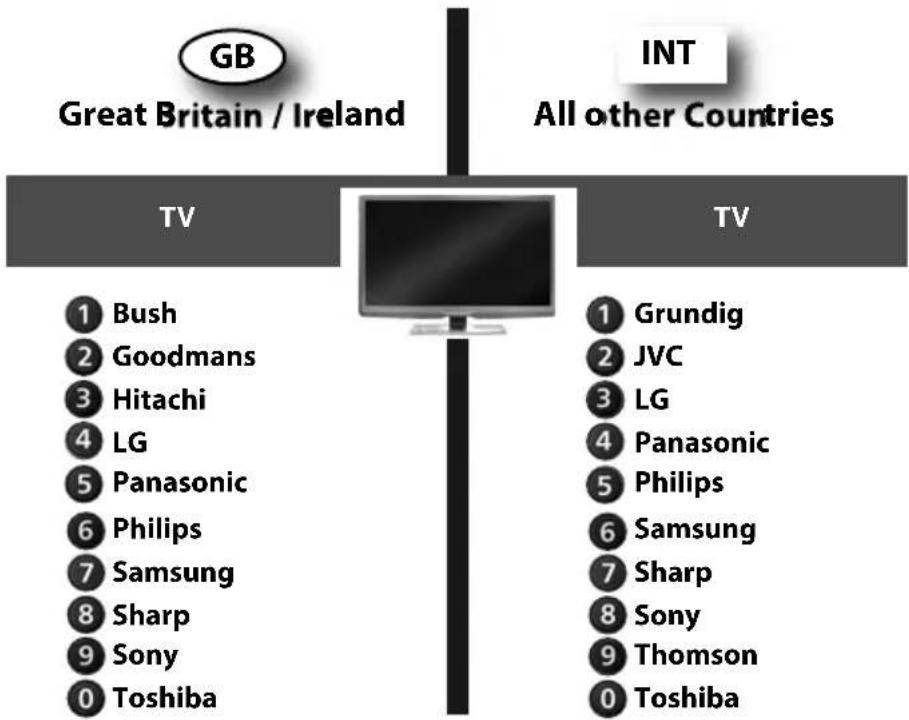
If you live in the UK or Ireland, you should have your switch set to the “( GB )” position, and your digit keys will be configured as below. If you live elsewhere (Outside Great Britain / Ireland, Germany, France, Spain and Italy), for example Australia, you should have your switch set to “INT”.
2) Insert batteries to activate your selected region.
3) Is your device brand listed?
YES :
Remember the DIGIT assigned to your brand
(e.g. LG = 4) and follow ONE FOR ALL
SimpleSet (page 5).
NO:
Perform the Auto search (page 6).
ONE FOR ALL SimpleSet
Allows you to set up most popular device brands within a few minutes. Simply find the DIGIT KEY assigned to your brand (page 4) and follow steps A-B.

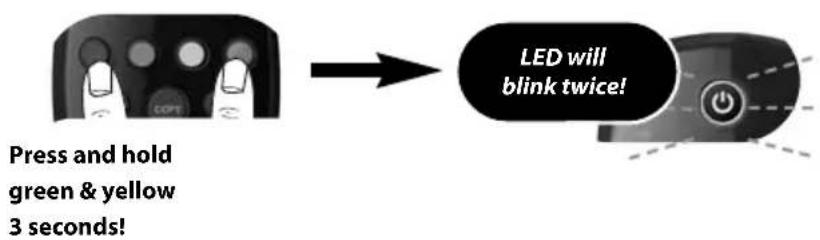

Make sure your device is switched ON (not on standby).
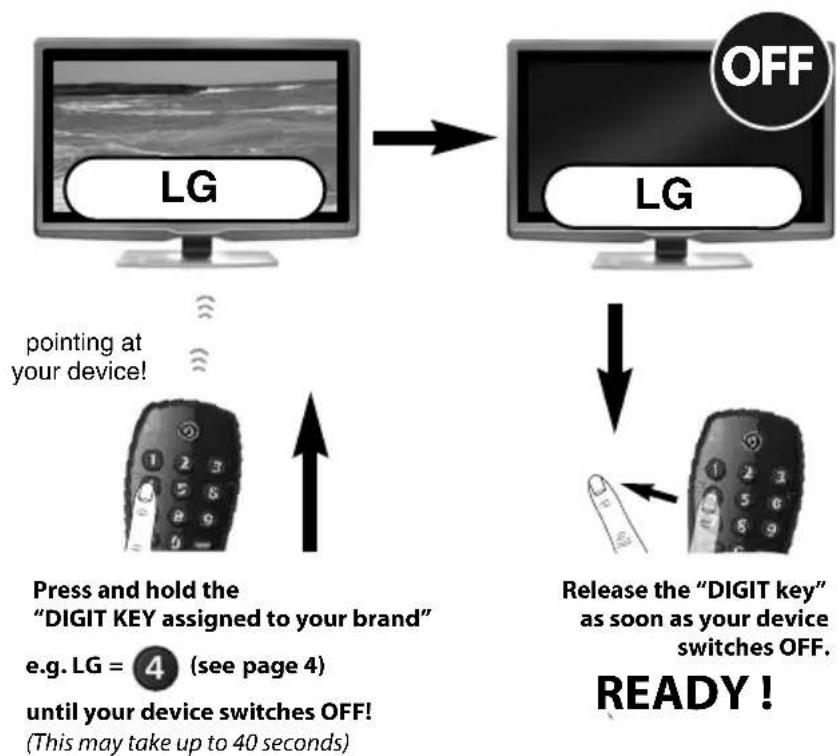
flowchart
graph TD
    A["LG"] -->|pointing at your device!| B["Press and hold the "DIGIT KEY assigned to your brand""]
    B --> C["e.g. LG = 4 (see page 4) until your device switches OFF! (This may take up to 40 seconds)"]
    C --> D["Release the "DIGIT key" as soon as your device switches OFF. READY!"]
    D --> E["Off"]
Your particular device does NOT switch OFF?
Follow the Auto search procedure on page 6.
Your particular device does NOT switch back ON?
Switch your device back ON manually (or using the original remote) and repeat SimpleSet making sure to release the "DIGIT KEY assigned to your brand" as soon as your device switches OFF.
Your ONE FOR ALL is not working properly?
There may be a better configuration for your device brand. Please repeat SimpleSet. If still not successful please follow the Auto search procedure.
Auto search
Is the way to set up all brands not covered by SimpleSet
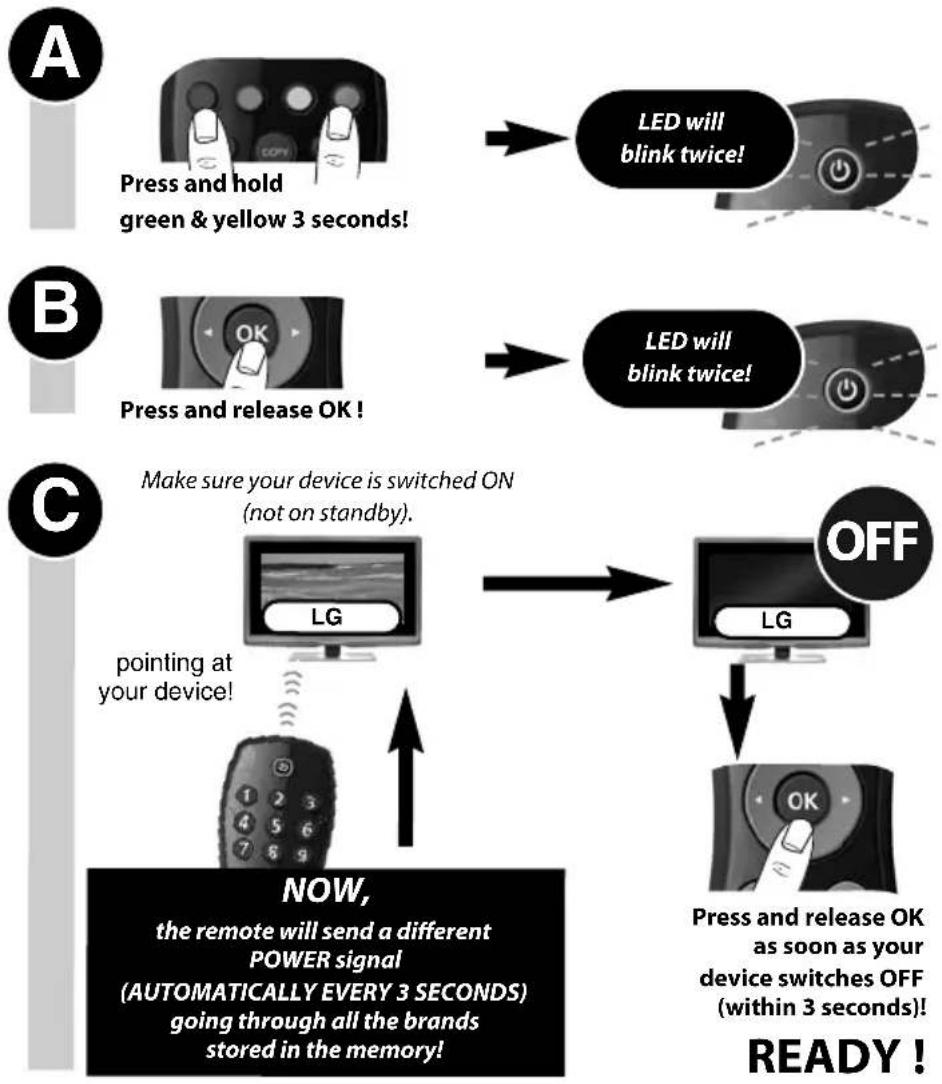
flowchart
graph TD
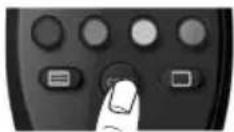
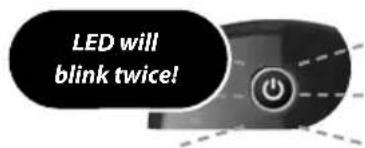
    A["Press and hold green & yellow 3 seconds!"] --> B["LED will blink twice!"]
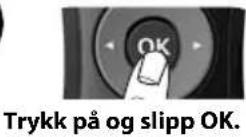
    B --> C["Press and release OK!"]
    C --> D["LED will blink twice!"]
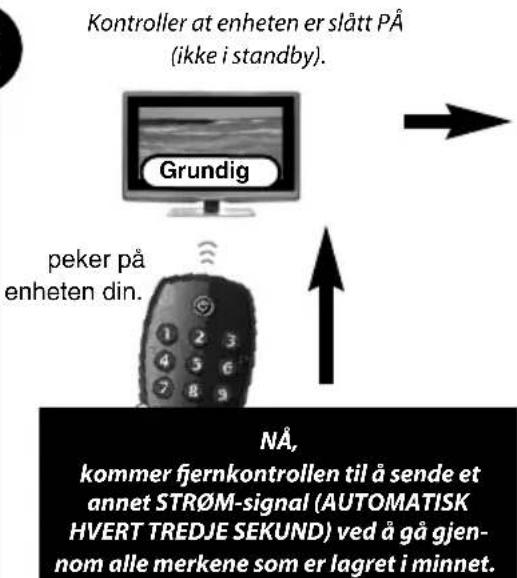
    D --> E["Make sure your device is switched ON (not on standby)."]
    E --> F["LG"]
    F --> G["OFF"]
    G --> H["LG"]
    H --> I["Press and release OK as soon as your device switches OFF (within 3 seconds)!"]
    I --> J["pointing at your device!"]
    J --> K["NOW, the remote will send a different POWER signal (AUTOMATICALLY EVERY 3 SECONDS) going through all the brands stored in the memory!"]
Your device switched OFF but it does not switch back ON?
You may have pressed the OK key (to save your settings) too late.
1) Switch your device back ON manually (or using the original remote).
2) Press and hold "green & yellow" for 3 seconds. LED will blink twice (Main TV Control = press and hold red & blue for 3 sec.).
3) Print the device to ALL at your device and press CH- (repeatedly) until your device switches OFF.
4) Press and OK lease OK as soon as your device switches OFF.
If this is not successful you may want to repeat Auto Search and make sure to press OK as soon as your device switches OFF to save your settings!
Your ONE FOR ALL is not working properly?
There may be a better configuration for your device brand. Please repeat the Auto Search procedure!
Auto Search not successful?
Perform the COPY feature.
Learning (COPY)
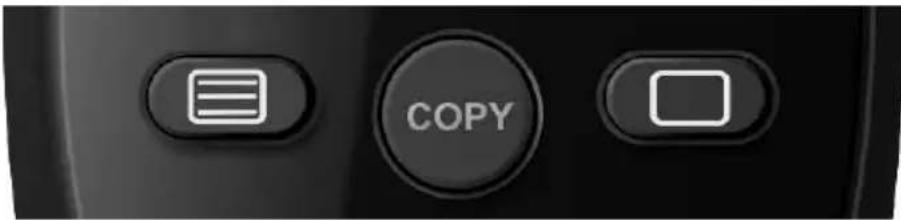
The Learning feature allows you to Learn (Copy) one or more functions from your (working) original TV and/or Digital TV Receiver remote control onto your ONE FOR ALL remote.
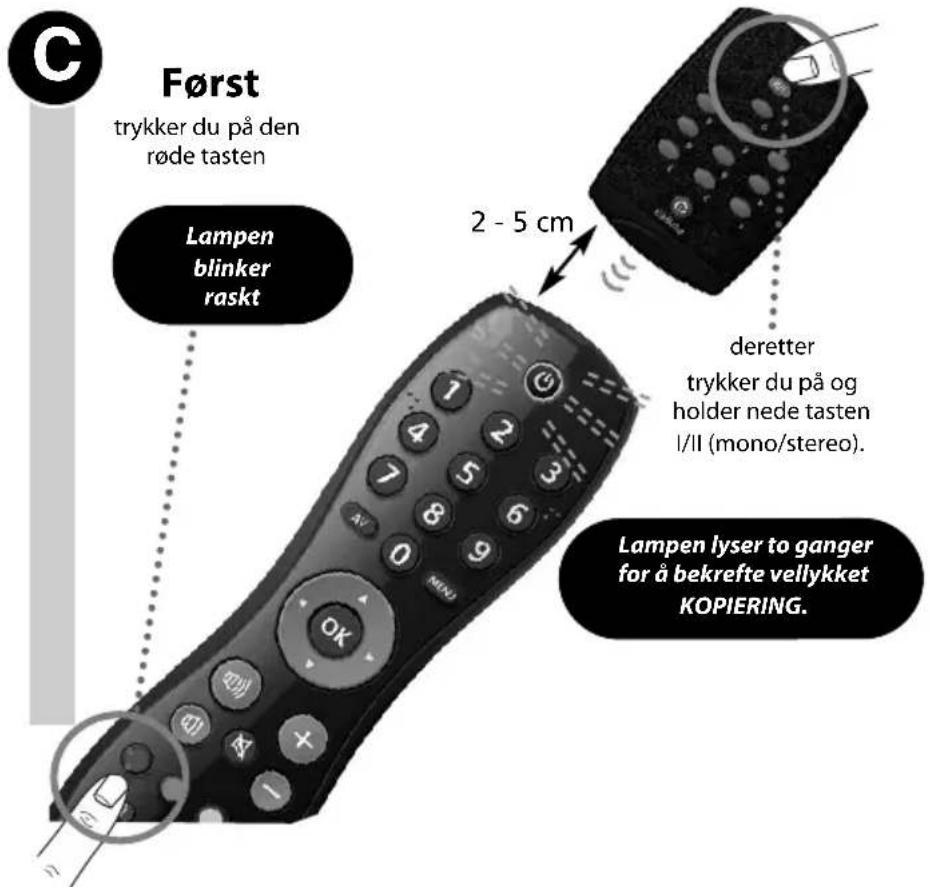
Example: How to learn (copy) the "I/II (mono/stereo)" function from your original remote onto the "red key" on your ONE FOR ALL remote control.

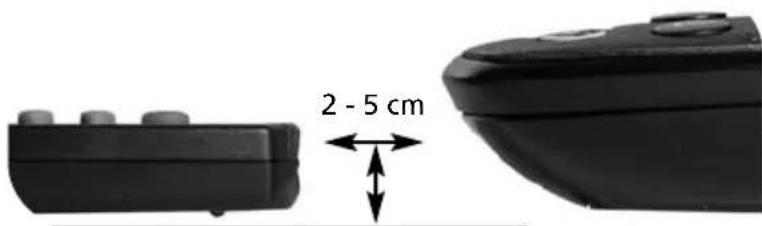
Align both remotes also in height
Place both remote controls on a flat surface. Make sure that the ends you normally point at your device are facing each other.

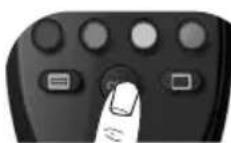
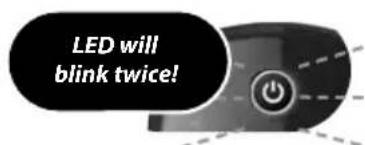
Press and hold
COPY
3 seconds!
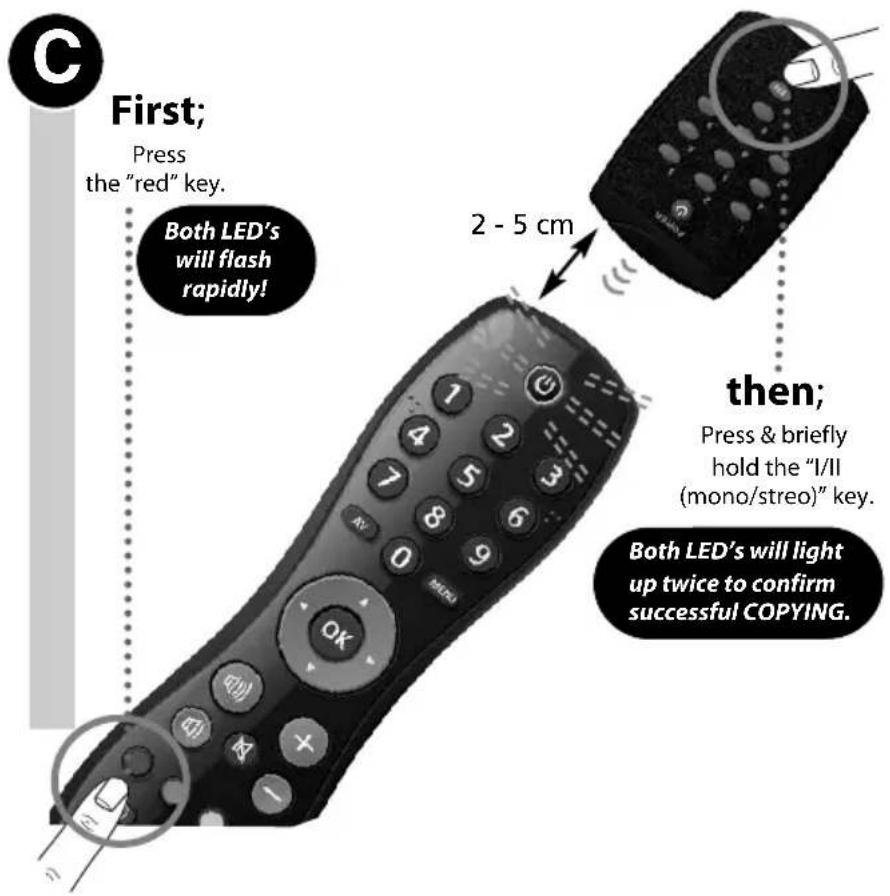
- If you want to copy other functions, simply repeat step C for each key you want to copy.
• If you get a long blink, please repeat step C. - You can COPY onto every key except the COPY key.

Press and hold COPY 3 seconds to exit the COPY feature!
READY!
Delete a COPIED function:
1) Press and hold COPY for 3 seconds until both LED's blink twice.
2) Press the corresponding key (e.g. red key) you wish to delete for 3 seconds until both LED's blink twice.
3) Press and hold COPY for 3 seconds. Both LED's will blink twice.
natural_image
Two black rectangular devices with rounded tops, one labeled 2–5 cm (no other text or symbols)natural_image
Modern computer monitor with blank screen, no visible text or symbols on the device itselfTV
1 Grundig
② JVC
3 LG
4 Panasonic
5 Philips
6 Samsung
7 Sharp
8 Sony
9 Thomson
0 Toshiba
SIM
natural_image
Modern computer monitor with black screen and stand, no visible text or symbolsTV
1 Grundig
② JVC
3 LG
4 Panasonic
5 Philips
6 Samsung
7 Sharp
8 Sony
9 Thomson
0 Toshiba
natural_image
Modern flat-screen monitor with black screen and stand, next to a vertical gray bar (no text or symbols visible)TV
1 Grundig
② JVC
3 LG
4 Panasonic
5 Philips
6 Samsung
7 Sharp
8 Sony
9 Thomson
0 Toshiba
IGEN:
natural_image
Modern flat-screen monitor with black screen and stand, no visible text or symbolsTV
1 Grundig
② JVC
3 LG
4 Panasonic
5 Philips
6 Samsung
7 Sharp
8 Sony
9 Thomson
0 Toshiba
TAK
natural_image
Modern flat-screen monitor with a black screen and stand, next to a vertical gray bar (no text or symbols visible)TV
1 Grundig
② JVC
3 LG
4 Panasonic
5 Philips
6 Samsung
7 Sharp
8 Sony
9 Thomson
0 Toshiba
ANO:
natural_image
Modern flat-screen monitor with a black screen and stand, next to a vertical gray bar (no text or symbols visible)TV
1 Grundig
② JVC
3 LG
4 Panasonic
5 Philips
6 Samsung
7 Sharp
8 Sony
9 Thomson
0 Toshiba
natural_image
Modern flat-screen monitor with black screen and stand, no visible text or symbolsTV
1 Grundig
② JVC
3 LG
4 Panasonic
5 Philips
6 Samsung
7 Sharp
8 Sony
9 Thomson
0 Toshiba

KLAR!
Slette en KOPIERT funksjon:
1) Trykk på og hold nede COPY i tre sekunder til lampen blinker to ganger.
2) Trykk på den tilsvarende tasten (f.eks. den røde tasten) som du ønsker å slette, i tre sekunder til lampen blinker to ganger.
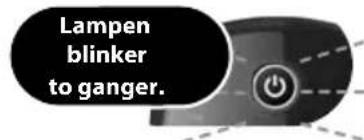
3) Trykk på og hold nede COPY i tre sekunder. Lampen blinker to ganger.
Svenska
natural_image
Modern flat-screen monitor with black screen and stand (no visible text or symbols)TV
1 Grundig
② JVC
3 LG
4 Panasonic
5 Philips
6 Samsung
7 Sharp
8 Sony
9 Thomson
0 Toshiba
JA Kom
natural_image
Modern flat-screen monitor with black screen and stand (no visible text or symbols)natural_image
Close-up of a black remote device with circular buttons and a dotted line indicating a location (no visible text or symbols)στη συνέχεια:
natural_image
Modern flat-screen monitor with a black screen and stand, next to a vertical gray bar (no text or symbols visible)Основные функции ТВ
1 Grundig
② JVC
3 LG
4 Panasonic
5 Philips
6 Samsung
7 Sharp
8 Sony
9 Thomson
0 Toshiba
ДА:
natural_image
Close-up of a black remote device with a magnified circular detail showing internal components (no text or symbols visible)затем;
natural_image
Modern flat-screen monitor with black screen and stand, next to a vertical gray bar (no text or symbols visible)TV
1 Grundig
② JVC
3 LG
4 Panasonic
5 Philips
6 Samsung
7 Sharp
8 Sony
9 Thomson
0 Toshiba
EVET:
natural_image
Close-up of a black remote control device with a 2–5 cm size annotation (no other text or symbols)natural_image
Modern computer monitor with blank screen, no visible text or symbols on the screen or sidenatural_image
Close-up of a black remote control with a magnified circular detail showing internal components (no text or symbols visible)след това:
natural_image
Modern flat-screen monitor with black screen and stand, next to a vertical gray bar (no text or symbols visible)TV
1 Grundig
② JVC
3 LG
4 Panasonic
5 Philips
6 Samsung
7 Sharp
8 Sony
9 Thomson
0 Toshiba
natural_image
Close-up of a black remote control with a dotted line indicating a sensor or signal path (no text or symbols visible)Apoi;
natural_image
Modern flat-screen monitor with black screen and stand (no visible text or symbols)Hlavný ovládač TV
① Grundig
② JVC
3 LG
4 Panasonic
5 Philips
6 Samsung
7 Sharp
8 Sony
9 Thomson
0 Toshiba
ÁNO:
Zapamätajte si ČÍSLO priradené k vašej značke
(napr. Grundig = 1) a vykonajte nastavenie
SimpleSet ovládača ONE FOR ALL (strana 100).
NIE:
natural_image
Close-up of a black remote control with buttons and a hand pointing to a button (no visible text or symbols)potom
natural_image
Modern flat-screen monitor with black screen and stand, no visible text or symbolsTV
1 Grundig
② JVC
3 LG
4 Panasonic
5 Philips
6 Samsung
7 Sharp
8 Sony
9 Thomson
0 Toshiba
DA:
lpamtite koja je ZNAMENKA dodijeljena marki
Although all customer service information is updated before printing it may happen that during the time of use changes have occurred. Please check our website (www.oneforall.com) for our latest customer service information.
India
UEI Electronics Private Ltd offers you, the customer, ONE YEAR WARRANTY for your Remote.
The Remote is warranted against manufacturing defects arising from faulty design, poor workmanship and materials for a period of One year ("the period") from the date of its original purchase by you, on the following terms and conditions.
To obtain warranty service, please call us at the numbers applicable to your local area mentioned on the Customer Service Page of the User Manual or available on www.oneforall.co.in
This warranty will be valid only when the original invoice/purchase receipt (indicating date of purchase, product description, dealer's name etc.) is presented with the defective Remote. Universal reserves the right to refuse free-of-charge warranty replacement if the above document cannot be presented or if the information contained in it is incomplete, illegible or incorrect. This Warranty does not apply if the type, serial number on the Remote has been altered, deleted, removed or otherwise made illegible. Universal's liability, under this warranty, shall be strictly limited to the first/original sale by the dealer/retailer to you (the first user), and will not apply or extend to any secondary or subsequent sale/transfer of the Remote by you.
You shall be liable for all expenses incurred in delivering the defective Remote to us at the applicable addresses, however, we shall bear the cost of delivery to you for the replacement Remote. While Universal shall make all efforts to replace the defective Remote at the earliest, it is made expressly clear that Universal is under no obligation to do so in a specified period of time. Universal reserves the right to retain the defective Remote, at its own discretion. Please note that the replacement of the Remote, shall not extend the warranty period beyond one year from the original purchase. No fresh warranty shall apply to the replacement Remote.
This Warranty covers only manufacturing defects in the Remote which occur under conditions of normal operation of the Remote and in consonance with their proper and prescribed use. This Warranty does not cover the damage resulting from adaptations, adjustments, modifications made to the Remote or normal wear and tear, misuse, reckless use, damages caused due to natural disasters. Acts of God. This Warranty does not extend to accessories or products used with the Remote, batteries, broken or marred cabinets, cartons, carrying cases or any other item used in connection with the Remote. This Warranty does not apply if the Remote has been tampered with, altered, serviced by any agency, person not authorized by Universal. It is your responsibility to check and verify from Universal, the authenticity of the authorization, which any servicing agency may represent to you.
This Warranty is in lieu of all implied conditions and warranties under applicable law and is confined to replacement of the defective Remote and does not cover any special, consequential, incidental or resulting liability; damage, loss arising from such defects. This warranty, in no event, shall extend to the payment of any monetary consideration or compensation whatsoever. This Warranty does not affect your statutory rights under applicable Indian laws. This Warranty is valid only within the territory of India. In the event of a dispute arising in relation to or connected with this Warranty, the decision of Universal shall be final and binding.
For more information, write to: UEI Electronics Private Ltd
5th Floor, East Wing
Khanija Bhavan
# 49 Race course Road
Bangalore 560 001
Dansk
Universal Electronics BV
Europe & International
P.O. Box 3332
7500 DH, Enschede
The Netherlands
English
UNIVERSAL ELECTRONICS INC./ONE FOR ALL warrants to the original purchaser that this product will be free from defects in materials and workmanship under normal and correct use for a period of one (1) year from the date of original purchase. This product will be replaced free of charge if it has been proven to be defective within the one (1) year warranty period. This warranty does not cover cartons, carrying cases, batteries, broken or marred cabinets or any other item used in connection with the product. Any further obligation than listed above is excluded. To obtain warranty service during the warranty period, please call us at the number mentioned on the Customer Service page. Please notice that we need your purchase receipt so that we may establish your eligibility for service. If you have bought this product for purposes which are not related to your trade, business or profession, please remind that you may have legal rights under your national legislation governing the sale of consumer goods. This guarantee does not affect those rights.
Deutsch
Universal Electronics BV
Europe & International
P.O. Box 3332
7500 DH, Enschede
The Netherlands
URC-6410
708294
RDN-4300611
Direct
Code Set Up
- If SimpleSet or Auto Search was not successful you may succeed using Direct Code Set Up.
A
TV
Television, Plasma, LCD, Projector or TV with build-in Digital Receiver
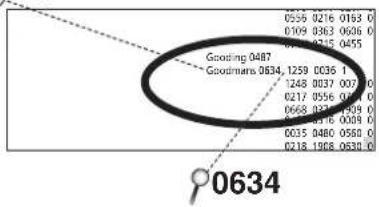
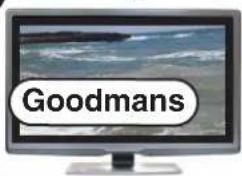
e.g. Goodmans
scatter
| Label | Value | |---|---| | Gooding 0487 | 0556 0216 0163 0 | | Goodmears 0634 | 1259 0036 1 | | | 1248 0037 007 0 | | | 0217 0556 0761 0 | | | 0668 0217 0599 0 | | | 0218 0516 0039 0 | | | 0035 0480 0560 0 | | | 0218 1968 0630 0 | | | 0634 |Find the code (4-digits) for your device (e.g. Goodmans TV) in the following pages. Codes are listed by device type and brand name. The most popular code is listed first. Make sure your device is switched on (not on standby).
B
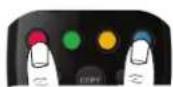
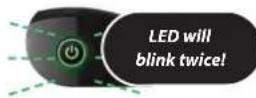
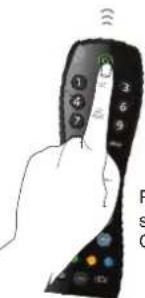
Press and hold red & blue 3 seconds!
C
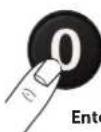


Enter the code (4-digits) for your device.
D
Make sure your device is switched ON (not on standby).
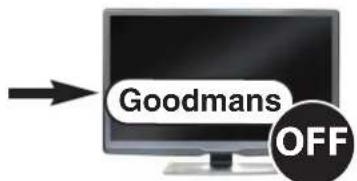
Pressing POWER should switch OFF your device.

OFF
ready
IF not all keys are working properly OR
If your device does NOT switch OFF? --> Please repeat steps A - D trying the next code for your brand.
ONE®
FOR ALL
TV
888 0264 0412
A.R. Systems 2031 0037 0556 0374 0455
Accent 0009 0037 0556
Accusound 0860
Acer 1339 1509 2190 1644
Acoustic Solutions 1667 1727 1545 1523 1865 2055
1037 2676
Acura 0009
Adcom 0675
Addison 0653 0108
ADL 1217 2022 0890
Admiral 0093.0163.0418.0264
Advent 0876 1613
AEA 0037 0556
AEG 0606 1556
2021 2239 2166 2197
Aftron 0891
Agashi 0264
Aiko 0009 0037 0556 0371 1681 0035
0880 0361 0191 0264
Aim 0037 0412 0556 0753 0208 0706
0698 0634 0374 0455 0606 0499
Airis 1833 2405 2050 1779 1531 2022
Aiwa 0701 1916 1908 1505
Akai 0009 0361 1326 1413 0556 0208
0037 0371 0191 0218 0035 0753
0806 0163 0412 0729 0714 0706
0698 0715 0602 0812 0548 0480
0264 0631 0178 0606 1037 1908
0473 0648 1259 1248 1935 2021
1727 1308 1865 2676
Akashi 0860 0009
Akiba 0218 0455 0037 0556
Akira 0418 2241 0753 0037
Akito 0037 0556
Akura 1687 0037 0218 0264 0556 0668
1667 1645 1770 1846 0412 1585
0009 0714 1982 1847 1983 1363
2239 1820 2289 2059
Alba 0037 0009 1037 0556 0714 0036
0418 0218 0370 0371 0668 0355
0163 0487 1908 0443 1935 1997
2050 2104 1865 2676 1585
Alkos 0035
Allstar 0037 0556
All-Tel 0865
Amltech 1281 0655 1849
Amol 2342
Amplivision 0370
Amstrad 0009 0037 0264 0371 0412 0218
0556 1037 0648 1372 1982 1820
Anam
Anam National
Andersson 1163 1667 1585
Anglo 0009 0264
Anitech 0009 0264 0037 0556
Ansonlc 0370 1582 0037 0556 0009 0668
0374 0163 0292 0411 1437 1846
AOC 2402 1588 0625 0009 2111 2214
0093 0108 0178
Aolinpike 0264 0412
Apollo 0473
Apro 1846
AquaVision 1606
Arc en Ciel 0109
Arçelik 0714
Ardem 0486 0714 0037 0633 0556 0715
Arena 0037
Aristona 0556.0037
Art Mito 1585 1820
Arthur Martin 0163
ASA 0105 0346 0163
Asberg 0037 0556
Asora 0009
Astra 0037 0556
Asuka 0218 0264
ATD 0698
Atec 1606
Atlantic 0037 0556
Atori 0009
Auchan 0163
Audiosonic 0009 0037 0374 0820 0109 0556
1308 1681 1703 2050 0714 0715
2059 0370 0264 0218 0486 1983
2104
Audioton 0486.0370.0264
Audioworld 0698
Autovox 2169 2172
Avol 1820
AVP 1908
AWA 0009 0036 0374 0412 0037 0556
0606 0108 0264 1376 0178 0698
1681 2039 2241
Axxent 0009
Axxon 0714
Azuki 2239
B&D 1217
Bajer 0876 1372 2239
Oceanic 0163.0361.0208.0473.0548.0480
2001
Odeer
01 1795
Oays
Okano 0370 0037 0556 0264 0009
OKI 1037 2125 2200 1667 1585 2676
Olevia
Olidat
Onyag
Omni 0780 0991 0699
Oni
onci
Orida 0655 0418 2555
Onn 1667 2055 1709 2125 2166 0556
1770 2279
Onwa 0371 0602 0218
Onyx
Opera 1308.0037.0556.0714
Optim
•
Option
Urava
Orbit 0037 2031 0556
Orion 0037 2007 2031 2032 2005 0443
0355 0714 2108 0556 0655 0009
0264 0412 1916 1908 0880 1196
2001 1954
Online 0037 0218 0556
Ormond 0668 1037 0037 0556
Orson
Criski 0218 0764 0413 0937 0774 0755
Osaki 0218 0204 0412 0037 0374 0355 0556
Orio
010 0037 0356
C50
Usume 0036 0218 0037 0556
OTIC 1687 1645 1983
Otto Versand 0036 1505 0037 0343 0093 0512
0535 0554 0556 0195 0191 0361
0109 0226 0009 0519
Race
D. 2017 7969-0556-1137-1816-0741
Pacific 0057 2080 0536 1137 1916 0714
1037 0443 1372
Раска
Palladium 0370 0418 0037 0655 0411 0714
1137 0191 1505 0554 0556 0327
0163 0519 1982
Palsonic 0264 0412 0773 0037 0218 0698
0556 0418 1183 1196 1226 1691
1705 2461
1795 2401
Panache
Panama 0009 0264 0037 0556
Panasonic
0650 1636 0226 1650 0037 1310
0556 0163 0208 0508 0896 0361
0853 0267 0548 0109
0037 0411 0556
0000 0200 0226 0264 0413 0509
0009 0208 0220 0264 0412 0508
0698 0821 0780 0706 0891
0037 0556
0163 0292 0370
0109
0009
0891
0179
0175
0163 0037 0556
0037
0074 0418 0037 0163 0556 0370
0519 0178 0481
0163
0556
0336 0057 1308 0059 1744 0065
2015 1583 1867 1887 2800 0178
0108
1505
1289 1308 0714 1652
0037 0556 0370 0486 0163
0037 0556
0556 0027
0550 0037 0712 0700
1260 0760 1457 0109 0170 0163
0679
0486 0512
0370 0486
0037 0556 0264 0009
0714 0027 0715 1652
0027
0057
1523 1720 1645 1687 2125
0109 0361 0163 0074 0535
0009
0374 0624 1909
0487
0262
0561
0009 0284 0891
0860
1900
0009 0264 0412 1196
1609
0698 1326
1027
1057 0264
0561
ONE
®