
EA 891810 - Automatic coffee machine KRUPS - Free user manual and instructions
Find the device manual for free EA 891810 KRUPS in PDF.



| Product type | Automatic coffee machine |
| Brand | KRUPS |
| Model | EA 891810 |
| Dimensions (H x W x D) | 367 x 240 x 380 mm |
| Weight | 8,4 kg |
| Electrical supply | 220-240 V~ / 50 Hz, 1450 W |
| Pump pressure | 15 bars |
| Water tank capacity | 2,3 L |
| Bean hopper capacity | 250 g |
| Beverage types | Espresso, double espresso, coffee, double coffee, ristretto, doppio, americano, cappuccino, double cappuccino, latte, double latte, latte macchiato, milk froth, green tea, black tea, infusion |
| Special functions | Dark (intensity enhancement), Extra Shot (add an espresso), double preparation, grind adjustment, temperature, volume and strength settings |
| Frothing system | Removable One Touch Cappuccino frother with milk hose and mixer |
| Technology | Quattro Force with Compact Thermoblock System and integrated brewing chamber |
| Display type | Touch screen with tactile navigation |
| Customization options | Volume, intensity (Dark), temperature (3 levels for coffee and tea), grind fineness |
| Maintenance and cleaning | Automatic rinse on/off, coffee circuit cleaning program (tablet), milk circuit cleaning, automatic descaling (sachet) |
| Water filter | Compatible with Claris Aqua Filter System (cartridge included) |
| Programming | Auto-On, Auto-Off, measurement unit (ml/oz), language, brightness |
| Safety | Electric shock warning, power cut, auto-off, use only by qualified personnel for repairs |
| Included accessories | 2 cleaning tablets, 1 descaling sachet, milk hose, disassembly key, Claris cartridge, hardness test strip, safety booklet, warranty |
| Repairability / Spare parts | Spare parts available via KRUPS after-sales service; maintenance by qualified technician for electrical parts |
Frequently Asked Questions - EA 891810 KRUPS
User questions about EA 891810 KRUPS
0 question about this device. Answer the ones you know or ask your own.
Ask a new question about this device
Download the instructions for your Automatic coffee machine in PDF format for free! Find your manual EA 891810 - KRUPS and take your electronic device back in hand. On this page are published all the documents necessary for the use of your device. EA 891810 by KRUPS.
USER MANUAL EA 891810 KRUPS
FR HOTLINE:B:070233159-F:0974501061-CH:0448371840
EN HOTLINE:UK:0345 3306460-ROI:016774003
DE HOTLINE: DE: 0212 387 400 - AT: 01 890 3476 - CH: 044 837 18 40
NL HOTLINE: NL: 0318 58 24 24
DA KUNDESERVICE:44663155
NO KUNDESERVICE:81509567
SV KUNDSERVICE: 08 594 213 30
FI ASIAKASPVALEU:096229420
ES HOTLINE:ES:902312300
IT SERVIZIO CONSUMATORI: IT: 199207701-CH:0448371840
PT Centro de Contacto do Consumidor: PT: 808 284 735
EL ΓPAMMH EYEYINHPETHZH2: 2106371251
CS HORKÁ LINKA: 731 010 111
SK ZAKAZNICKA LINKA: 232 199 930
HU FORRóDRóT: 06 1 801 8434
PL INFOLINIA:801300420
RU TopyuaJIINHJ:4952133228
UK TAPRAJALIHIA:0443001304
RO Centrul de Asistenta Clienti: 0 21 316 87 84

www.krups.com
FULLY AUTOMATIC SERIE EA89
KRUPS
Congratulations! You are now the proud owner of your Espresso Automatic EA89 Series.
This new product offers more than 14 hot drinks: espresso, double espresso, coffee, double coffee, ristretto, doppio, Americano, cappuccino, double cappuccino, latte, double latte, frothy milk, green tea, black tea, herbal tea.
In addition to this very large choice, the machine offers many opportunities for customising drinks, for example, you can use a function that will increase the intensity of your coffee, if you appreciate more full-bodied preparations. You can set the amount, strength and temperature of your drinks.
The most frequently consumed drinks are accessible with one simple touch on the main interface. As for the screen, it allows you to follow the progress of your coffees and provides easy access to the different menus.
Most drinks can be prepared in batches of two, which saves time and is more convivial.
Thanks to its KRUPS Quattro force technology, including a Compact Thermoblock System with built-in percolation chamber, its 15 bar pump, and because it uses coffee beans which have been freshly ground just before making the coffee, your machine will serve you hot ristrettos, espressos and coffees from the first cup with maximum aroma and a creamy golden-brown froth.
To give the drink maximum flavour, an espresso is traditionally served in a small, flared porcelain cup. For an optimum temperature espresso and a dense creamy froth, we recommend that you pre-heat your cup.
You will probably need to try several types of coffee before you find the one that suits you. By experimenting with the blend and/or roast, you will eventually arrive at the ideal result.
Espresso coffee has a richer aroma than classic filter coffee. Despite its stronger taste, which remains longer on the palate, an espresso contains less caffeine than filter coffee (around 60 to 80 mg per cup compared to 80 to 100 mg per cup) due to its shorter percolation period.
The quality of water used is another determining factor which affects the overall quality of the brewed coffee. You should ideally use water which is fresh from the tap (so that it has not had time to stagnate due to air contact), which is cold and which does not smell of chlorine.
The tactile, ergonomic and comfortable buttons make it easy for you to browse. You will be guided through each step, from preparing your drink to servicing your machine.
We wish you many years of enjoyment with your Krups machine.
The Krups team
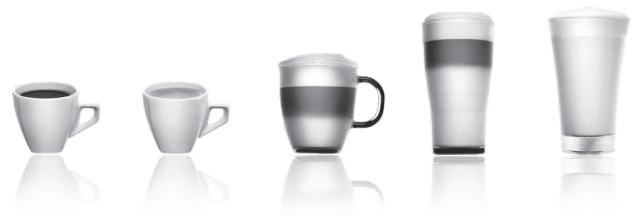
To get the most out of your machine and obtain good quality coffees, here is some advice:
- The quality of your water significantly influences the quality of the flavours. Limescale and chlorine can alter the taste of your coffee. We recommend that you use the Claris Aqua Filter System cartridge or low mineral-content water to preserve all of the flavours of your coffee.
- When preparing exclusively coffee recipes, we recommend that you use tulip-shaped porcelain cups, preheated beforehand (by running them under hot water, for instance), and of a size appropriate to the quantity you want to make. For your milk-based preparations, we recommend that you use thick glass cups for an appetising result.
- Roasted coffee beans can lose their flavour if they are not protected. We recommended that you use the amount of beans required for your consumption for the next 4-5 days. Although the quality of coffee beans is subjective and varied, we do recommend that you use arabica rather than robusta.
- Lastly, please remember that oily and caramelised coffee beans must be avoided, as they can damage your machine.
- The quality and fineness of the grinding determine the strength of the flavours and the quality of the cream. The finer the beans are ground, the richer the cream. Indeed, grinding should be adapted to the drink desired: fine for ristretto and espresso, coarser for coffee.
- You can use pasteurised or UHT, skimmed, semi-skimmed or whole milk, straight from the refrigerator (7^) . Using special milks (microfiltered, raw, fermented, enriched, etc.) or vegetable milks (rice, almond milk, etc.) can produce less satisfactory results especially when it comes to the quantity and quality of the froth.
CONTENTS
IMPORTANT INFORMATION CONCERNING THE APPLIANCE AND INSTRUCTIONS. .p.20
TECHNICAL DATA. .p.20
APPLIANCE DESCRIPTION. p.21
OVERALL VIEW .p.21
USING YOUR APPLIANCE
INSTALLING THE APPLIANCE .p.22
BEFORE PREPARING DRINKS
IMPORTANT INFORMATION. p.23
PREPARING COFFEE DRINKS VIA DIRECT ACCESS .p.24
PREPARING MILKY DRINKS VIA DIRECT ACCESS .p.24
PREPARING TEAS. .p.25
PREPARING OTHER DRINKS: RISTRETTO, DOPPIO, AMERICANO OR FROTHY MILK . . . . . . . . . . . . . . . . . . . . . . . . . . . . . . . . . . . . . . . . . . . . . . . . . . . . . . . . . . . . . . . . . . .
OTHER FUNCTIONS. p.26
GENERAL MAINTENANCE. p.27
TROUBLESHOOTING. p.29
IMPORTANT INFORMATION CONCERNING THE APPLIANCE AND INSTRUCTIONS
In this manual you will find all of the important information concerning the preparation, use and maintenance of your machine.
Read the instructions carefully before using your appliance for the first time and keep them for future reference: KRUPS may not be held liable in the event of any use that does not comply with the instructions.
GUIDE TO THE SYMBOLS USED IN THE INSTRUCTIONS

Warning: Risk of serious injury or death. The lightning bolt symbol warns against electrical dangers.

Warning: Risk of possible malfunction, damage, or destruction of the appliance.

Warning: General or important note concerning the operation of the appliance.
Products supplied with your machine
Check the products supplied with your machine. If any parts are missing, contact your hotline (see p. 22: Initial settings).
Parts supplied:
- Espresso Automatic Series EA89
-2 cleaning tablets - 1 descending sachet
- Milk conduit adaptable to the "One Touch Cappuccino" block
- Dismantling key for cleaning the steam circuit
- Safety instructions booklet
- Claris - Aqua Filter System cartridge with fitting accessory
- 1 stick for testing water hardness
- Instructions
- List of approved Krups service centres
- Guarantee documents
TECHNICAL DATA
| Appliance | Espresso Automatic Series EA89 |
| Power supply | 220-240V~ / 50 Hz |
| Pump pressure | 15 bars |
| Coffee bean container | 250 g |
| Power consumption | During operation: 1,450 W |
| Water tank | 2.3 l |
| First use and storage | Indoors, in a dry place (protected from frost). |
| Dimensions (mm) H x L x D | 367 x 240 x 380 |
| Weight EA89 (kg) | 8.4 |
Subject to technical adaptations.
APPLIANCE DESCRIPTION
A Water tank handle/lid
B Water tank
C Coffee grounds collector
D Height-adjustable coffee outlets
E Grid and removable drip tray
F Coffee bean container lid
G One Touch Cappuccino removable block
G1 Dismantling key for cleaning the steam circuit
G2 One touch cappuccino block
H Milk tube and connector
Water level float.
Coffee bean container
J Grinding fineness adjustment dial
K Cleaning tablet funnel
L Metal grinding mill
Display panel
M Display
N "On-off" button
0 Tactile buttons
Specific information about:
The drip tray: it allows you to collect water or coffee that might flow out of the appliance during and after preparation. It is important to always leave it in place and to empty it regularly.
Important : Read these instructions carefully and keep them for future reference. Please follow the safety guidelines.
Manufacturer:
SAS GSM
Presentation of the different buttons
| Button | Description / General functions |
| ←→ | Switching the machine on and off. It is necessary to press and hold the button to start the machine. |
| Allows you to return to the previous screen or stop a recipe in progress. | |
| ^ | Browse upwards in the menu / increment the parameter selected |
| ✓ | Browse downwards in the menu / decrement the parameter selected |
| OK | Confirmation of selection. |
| DARK | Function for increasing the strength of the coffee. |
| UP | Function for adding a strong espresso to the recipe selected. Accessible with the main recipes (espresso, long coffee, cappuccino, Macchiato, tea) according to model. |
| ESPRESSO | Starts preparing an espresso. |
| LONG COFFEE | Starts preparing a Coffee. |
| CAPPUCCINO MACCHIATO TEA MORE SETTING | Starts preparing a Cappuccino |
| Starts preparing a Macchiato (a large measure of milk, a shot of Espresso, topped with frothy milk foam). | |
| Provides access to the menu for preparing a tea or a herbal tea. | |
| Provides access to additional preparations: Ristretto, Frothy milk, Doppio, Americano, (according to model). | |
| Provides access to the general menu (machine settings, cleaning and product information). |
Specific information about the buttons' lighting
When a button is not illuminated, the corresponding function is inaccessible.
When it is slightly illuminated, the function is available and can be selected.
While the function requested is in progress, the light becomes very bright.
USING YOUR APPLIANCE INSTALLING THE APPLIANCE

Warning: Connect the appliance to an earthed 230 V mains socket. Failure to do so means that you run the risk of fatal injury due to electricity!
Respect the safety guidelines indicated in the "Safety guidelines" booklet.
Switching ON the appliance
Switch on the appliance by pressing the ON/OFF button until "Hello" appears on the screen Fig. 1. Follow the instructions provided by your appliance.
Initial settings
When using the machine for the first time, you will be prompted to configure various settings. Follow the indications displayed on the screen. The aim of the following paragraphs is to give you a few visual cues.
Here are the first settings required:
Language
Select a display language by pressing the arrows until the language of your choice appears. Press "OK" to confirm.
Measuring unit
You can set the unit of measurement for volume to ml or oz.
Date and time
To set the time, press the desired time format (24 hours or AM/PM).
Auto-off
It is possible to program the time at which you want your machine to switch on automatically. This setting can be adapted as you wish: daily, weekly or weekend. Select the time at which you want it to start automatically following the time format selected earlier.
You can also select the length of time after which your appliance will switch off automatically in order to optimise your energy consumption.
Rinsing the coffee circuit
You can choose to activate it or not when switching on the machine. This allows you to ensure the quality of the coffee in the cup in order to avoid the presence of residue.
Filter installation
When switching on for the first time, the appliance asks if you want to install the filter. If you wish to do so, and if the hardness of your water requires it, select "YES" and follow the instructions on the screen.
Installing the cartridge in the appliance: Screw the filter cartridge into the bottom of the water tank using the accessory supplied with the cartridge. Fig. 4
Set the month when the cartridge is fitted (position 1 on the illustration, left side figure in the opening) by turning the grey ring located on the upper end of the filter. The month when the cartridge should be replaced is indicated in position 2 on the illustration. Fig. 5.
Put a container of 0.6 l under the steam exit. Fig. 6.
The machine must be primed whether the filter has been installed or not. This means that the water circuits have to be filled. To do this, follow the instructions provided on the screen. The machine will begin by filling the water circuits, preheating the circuits and then will complete an automatic rinse.
The screen will inform you when installation is complete.
Water hardness
You must set your machine depending on the hardness of your water, from 0 to 4. To do this, follow these instructions: Before using the appliance for the first time, check the hardness of your water so that you can set the appliance accordingly. This operation should also be carried out when you use your machine in a place where the hardness of the water is different or if you notice a difference in the hardness of the water. To check the water hardness, use the test strip supplied with your machine or contact your local water authority.
The details of the classes are given in the table below:
| Degree of hardness | Class 0 Very soft | Class 1 Soft | Class 2 Average hardness | Class 3 Hard | Class 4 Very hard |
| ° dH | < 3° | > 4° | > 7° | > 14° | > 21° |
| ° e | < 3,75° | > 5° | > 8,75° | > 17,5° | > 26,25° |
| ° f | < 5,4° | > 7,2° | > 12,6° | > 25,2° | > 37,8° |
| Appliance setting | 0 | 1 | 2 | 3 | 4 |
Fill a glass of water and insert a strip. Fig. 2
After 1 minute read the level of water hardness. Fig. 3
Indicate the number of red zones when configuring the appliance.
Preparing the appliance
Remove and fill the water tank. Fig. 7.
Replace the water tank. Fig. 8.
Remove the lid of the coffee bean container and add coffee beans (max. 250 g). Fig. 9.
Replace the lid of the coffee bean container. Fig. 10.
BEFORE PREPARED DRINKS IMPORTANT INFORMATION
Depending on the drinks chosen, your Espresso Automatic EA89 will automatically adjust the quantity of ground coffee.
Preparing the grinder
You can adjust the strength of your coffee by adjusting how finely the coffee beans are ground. In general, the finer the coffee is ground, the stronger and creamier the coffee will be. It may also vary according to the type of coffee used.
We recommend a fine setting for espressos and a coarser setting for coffees.
Adjust the fineness of grinding by turning the coffee grounds fineness adjustment knob (J) which is located in the coffee bean container. This setting should be applied during grinding notch by notch. After 3 rounds, you will notice a pronounced difference in taste.
Setting the fineness of grinding is useful when you change the type of coffee or if you want to make coffee that is more or less strong. However, it is not advised to use this setting systematically.
Adjusting the coffee outlet
For all the drinks available, you can lower or raise the coffee outlets according to the size of your cup or glass. Fig.11
Stopping a drink during preparation
Stopping a drink during preparation. You can stop the preparation at any time by pressing the return button
Caution, pressing this button causes the machine to update which may last up to 30 seconds. This phase is normal.
When a cycle is interrupted, it does not stop immediately. The machine will finish its cycle and the preparation will be cancelled.
"Double" preparation function
You can prepare two cups simultaneously with your appliance. The double preparation function can be accessed simply by pressing the selection twice and is valid for all drinks (except P and ).
DARK function
The "DARK" function allows you to increase the intensity of the coffee (its strength).
You can activate or deactivate it in various ways:
- Before selecting the chosen drink just press DARK.
- While preparing the drink, and until the end of grinding: you can press DARK.
- By choosing the "DARK" parameter in the Settings menu. To do this, access the Settings menu with the button
, then Settings drink settings Dark. The function will be activated for all "coffee" drinks: , , , . You can do the same to deactivate it.
EXTRA SHOT function
The "extra shot" function allows you to add an espresso at the end of the selected drink.
You can activate or deactivate it in various ways:
- Before selecting the chosen drink: just press EXTRA SHOT.
- While making the drink,
- By choosing the "EXTRA SHOT" parameter in the Settings menu. To do this, access the Settings menu with the button, then Settings drink settings EXTRA SHOT. Therefore, the function will be activated for all preparations , , , , .
You can do the same to deactivate it.
PREPARING COFFEE DRINKS VIA DIRECT ACCESS
N.B.: Every time the drink is launched, the machine will remember the last drink prepared, including the settings that were selected.
Preparation
Place the cup(s) under the coffee nozzles. Fig.12
Press the button for the desired drink.
If the machine detects a lack of water when you request this preparation, it will ask you to fill the tank.
Possible settings
It is possible to increase the strength of the coffee by pressing and/or adding a coffee preparation by pressing + . You can prepare one or two cups with your appliance.
The machine starts by grinding the beans, tamping the ground coffee and finally brewing the coffee. It is possible to adjust the volume of the coffee being prepared by using the buttons: and .
You can stop the preparation at any time by pressing

Important: Automatic rinsing of the coffee outlets: according to the type of preparation, the machine may complete an automatic rinse program when it switches off. The cycle lasts only a few seconds and stops automatically.
PREPARING MILKY DRINKS VIA DIRECT ACCESS
Possible settings
It is possible to increase the strength of the coffee by pressing and/or adding a coffee preparation by pressing . The steam is used to froth the milk. As a higher temperature is required when producing steam, the appliance will run an additional pre-heating phase.
Connect the straight side of the milk tube to the "One Touch Cappuccino" block Fig. 13.
Immerse the other end (bevelled side) in a receptacle filled with milk or directly in your bottle of milk Fig. 14.
Place the cup(s) under the coffee/milk nozzles. Fig.15.
Press the "Cappuccino" button Fig. 16 or press the "Macchiato" button Fig. 18. All of the settings can be modified.
The preparation starts by frothing the milk (possible to set the time), and then the coffee flow (possible to adjust the volume). Adjusting the frothing time allows you to vary the quantity of milk and froth.
The next steps follow automatically and your drink is ready to taste Fig.17.
Every time "Cappuccino" or "Macchiato" is run, the machine will remember the last drink prepared, including the settings that were selected.
Cleaning after preparing milky drinks Milk rinsing
The screen indicates "Rinse milk?" at the end of each preparation.
It is advised to rinse after using the milk function in order to ensure the cleanliness of the frothing accessories and the frothiness of the milk.
During milk rinsing, you are required to systematically dismantle and clean the milk tube and connector with hot water.
Fig. 21 and 27.
For the best results, it is advised to clean the "One Touch Cappuccino" removable block regularly (see general maintenance chapter).
If you note a change in the quality of your milk froth, do not hesitate to repeat the rinsing and cleaning process: indeed a milk system that is not well maintained may cause this type of problem.
PREPARING TEAS
Possible settings
Your appliance allows you to prepare three types of tea (green tea, black tea, herbal tea). You can adjust the volume of the drink to taste.
The hot water temperature is adapted to the drink selected.
You can program an extra shot +D in your tea which will allow you to prepare "tea/coffee" drinks that are very fashionable.
Preparing a tea
Select on the screen. Place the cup(s) under the coffee nozzles. Fig.12
Then select the chosen drink and press OK.
If the machine detects no water when you submit your request, it will ask you to fill the tank.
You can modify the volume by using buttons or during preparation.
PREPARED OTHER DRINKS: RISTRETTO, DOPPIO, AMERICANO OR FROTHY MILK
Preparation
Place the cup(s) under the coffee nozzles. Fig.12
If the machine detects no water when you submit your request, it will ask you to fill the tank.
Press button with buttons and , select the desired drink: Ristretto, Doppio, Americano, Frothy milk.
Making a Ristretto
Select Ristretto and press OK.
The machine starts by grinding the beans, tamping the ground coffee and finally brewing the coffee. It is possible to adjust the volume of the coffee being prepared by using the buttons: and .
You can stop the preparation at any time by pressing
Making a Doppio
Select DOPPIO and press OK.
The preparation is identical to the RISTRETTO but with a double coffee cycle.
Making an Americano
Select AMERICANO and press OK.
The preparation is identical to the DOPPIO, but is followed by hot water.
Making a Frothy milk
Connect the straight side of the milk tube to the "One Touch Cappuccino" removable block Fig. 13. Immerse the other end (bevelled side) in a receptacle filled with milk. Fig.14
The steam is used to froth the milk. As a higher temperature is required when producing steam, the appliance will launch an additional pre-heating phase.
A menu will allow you to customise the frothing time. You can modify it by pressing buttons or . Then press OK. The last frothing time used will be memorised for the next preparation.
You can download the preparation at any time by pressing
Rinsing the "One Touch Cappuccino" block
Please refer to the paragraph "Milk rinsing" in the section PREPARING ONE TOUCH MILK DRINKS.
OTHER FUNCTIONS
The Settings menu can be accessed via button which leads to the general menu (machine settings maintenance and product information).
Settings
By selecting the Settings menu, you can make the changes you want in order to optimise your ease of use and suit your preferences.
Below are the main settings available.
| Date | You must set the date, particularly when you are using an anti-limescale cartridge. |
| Clock | You can select to display a 12 or 24-hour clock. |
| Language | You can select the language of your choice from those offered. |
| Measuring unit | You can set the unit of measurement to be ml or oz. |
| Screen brightness | You can adjust the screen brightness according to your preferences. |
| Coffee temperature | You can adjust the temperature of your coffee drinks to three different levels |
| Tea temperature | You can adjust the temperature of your teas to three different levels |
| Water hardness | You can set your water hardness from 0 to 4. See chapter “Measuring water hardness”. |
| Auto-on | You can automatically start pre-heating of the appliance at a selected time. |
| Auto-off | You can choose the duration after which your appliance will switch off automatically (duration of non use). |
| Automatic rinsing | You can choose to activate automatic rinsing of the coffee outlet or not when starting the machine. |
| Drinks settings | You can restore the default settings. You can also permanently activate the Dark and Extra Shot function for all your drinks (except Ⓒ). |
To quit the settings menu, press or the Settings button.
The settings will be stored in the memory if you unplug your machine, with the exception of the date and time.
Maintenance
All of these options allow you to run the selected programs. You should then follow the on-screen instructions.
| Cleaning milk | Provides access to cleaning the machine's one touch cappuccino block, which is essential for ensuring good quality milk frothing. |
| Milk rinsing | Provides access to rinsing the machine's one touch cappuccino block, which is essential for ensuring good quality milk frothing. |
| Coffee rinsing | Provides access to rinsing the machine's coffee circuit, which ensures the optimum taste of coffee. |
| Coffee cleaning | Provides access to cleaning the machine's coffee circuit (using a cleaning tablet), which ensures the optimum taste of coffee. |
| Descaling | Provides access to descending which is essential for the durability of your machine. When the number of drinks is not high enough for descending to be necessary, the function is not active. |
| Filter | Provides access to the filter mode, useful if the water is very hard, in order to ensure the best taste and the health of your machine. |
To quit the Cleaning menu, press or the Settings button.
Info
The "Info" menu provides access to information about your use and about certain stages in the life of your machine. It also informs you about its upkeep. Below are the main details available.
| Drinks prepared | Displays the number of drinks prepared |
| Coffee circuit cleaning | Indicates that is needs to be completed within x number of cycles. |
| Descaling | Indicates that is needs to be completed within x number of cycles. |
| Filter | Indicates that it will need to be changed in x days or x litres. |
To quit the Info menu, press or the Settings button.
GENERAL MAINTENANCE
Emptying the coffee grounds collector and the drip tray
After a certain number of coffees, the machine will ask you to empty the coffee grounds collector and the drip tray. Not to make correctly these operations can damage your machine.
The drip tray collects used water and the coffee grounds collector collects used ground coffee.
If the message "Please empty the two trays" is displayed, remove, empty and clean the drip collector tray. Remove, empty and clean the coffee grounds collector (C). Fig. 19.
Replace the coffee grounds collector. Fig. 20
The drip tray is equipped with a float to indicate when it needs emptying. However, the machine is also programmed to ask for the drip collector tray to be emptied after a certain number of coffees, in addition to any intermediate emptying operations that you may complete.
Rinsing the circuits:
You can start rinsing at any time by pressing and selecting Maintenance.
According to the type of recipe prepared, the machine may complete an automatic rinsing when it is turned off. It is also possible to set an automatic rinse program when it is switched on (see "Settings" section p.22).
Automatic cleaning programs
Automatic cleaning program of the coffee circuit
A message on the screen will indicate when a cleaning program needs to be run for the appliance.
To run this cleaning program, you will need a container which holds at least 0.6 l, and which should be placed beneath the coffee outlets and the steam nozzle, and a KRUPS cleaning tablet. Fig. 37. Carefully follow the instructions given on the screen. It is also possible to run a cleaning cycle via the Maintenance menu.

Important: You do not have to run the cleaning program as soon as the appliance requests it, but it must be done reasonably soon after. If cleaning is postponed, the alert message will remain illuminated until the process is completed.
The automatic cleaning program comprises two phases: a cleaning cycle and a rinsing cycle, and lasts about 13 minutes.

Important: If you unplug your machine during the cleaning cycle, or if there is a power failure, the cleaning program will continue from the current phase when the power is returned. It is not possible to postpone this process. This is essential to ensure that the water circuit has been correctly rinsed. In this case, a new cleaning tablet may be necessary. Complete the full cleaning program in order to remove all of the cleaning product which is harmful to health.
Cleaning the "One Touch Cappuccino" block
To complete a cleaning program, you will require two containers (minimum 0.6 L) and KRUPS cleaning liquid.
You can start the cleaning cycle by pressing button
Then selecting "Maintenance" "Milk Cleaning". Follow the instructions on the screen.
Dismantling the "One Touch Cappuccino" block
In addition to rinsing, it is necessary to clean the different elements of the block every time after using. To dismantle the block, follow the following instructions:
Remove the milk tube, Fig. 21.
Remove the front lid of the coffee milk nozzles. Slide it downwards and pull it towards you. Fig. 22.
Remove the "One Touch Cappuccino" block by pulling the upper part of the block and pull the orange cleaning tool Fig. 23.
Completely dismantle the block. Fig. 24.
Remove the milk tube connector Fig. 27.
Clean all of the dismantled parts (block, connector and milk tube) with soapy water. Then rinse them in hot water.
Fig. 28.
Once the elements are clean and dry, assemble the block and return them to their original position. fig.31-32-33
Replace the font lid of the block. Fig. 34. Replace the connector in the milk tube Fig 35 (opposite side of the bevelled side) and plug in the block. Fig. 36.
Automatic descending program of the steam circuit

Warning: if your appliance is fitted with our Claris - Aqua Filter System cartridge, remove the cartridge before descaling.
A message on the screen will indicate when a descending program needs to be run for the appliance. The frequency of this program depends on the quality of the water used and on whether a Claris Aqua Filter System filter is used or not (the harder the water, the more often the appliance has to be descaled).

Important: You are not obliged to carry out this program immediately the appliance requests it, but it must be carried out reasonably soon afterwards. If descending is postponed, the alert message will continue to be displayed until the process is completed.
When the descending alert level is reached and displayed, press OK to run the descending program. To delay it, press
Once the procedure has been launched, follow the instructions provided on the screen. It is also possible to run a descending cycle via the "Maintenance" menu "Dscaling".
To carry out a descaling program, you will require a container with a capacity of at least 0.6L which should be placed beneath the One Touch Cappuccino block and a KRUPS descaling sachet (40 g). Fig. 37
Fill the water tank up to the CALC mark then pour in the contents of one sachet of descaler.
The descending program comprises three phases: a descending cycle and two rinsing cycles. The program lasts approximately 20 minutes.
TROUBLESHOOTING
If one of the problems described in the table persists, contact KRUPS customer service.
| PROBLEM | CORRECTIVE ACTION |
| The machine displays a failure, the software hangs or your machine has a malfunction. | Switch off and unplug the appliance, remove the filter cartridge, wait for one minute and start the appliance again.Press and hold the on/off button for at least 3 seconds for starting. |
| The appliance does not switch on when the ON/OFF button is pressed (for at least 3 seconds). | Check your fuses and plug sockets.Check that the two power plugs are correctly inserted into the socket. |
| The coffee grinder makes a strange noise. | There is a foreign body in the grinder.Contact the KRUPS Customer Service team. |
| The One Touch Cappuccino block does not suck the milk.The One Touch Cappuccino blocks produces little or no froth. | Check that the block is assembled correctly (in particular the connector in the milk tube).Ensure that the steam nozzle is not blocked. If this is the case, see below “The steam nozzle on your machine seems to be partially or completely blocked”.Check that the connector is not blocked or dirty; soak it in a mixture of hot water and washing-up liquid, then rinse and dry before reassembling.Ensure that the flexible pipe is not blocked or twisted and that it is properly inserted into the One Touch Cappuccino block in order to avoid any air leaks. Check that it is fully immersed in the milk.Rinse and clean the block (see chapters concerning rinsing and cleaning the One Touch Cappuccino block).For milk drinks, we recommend that you use fresh, pasteurised or UHT milk which has been recently opened. It is also advisable to use a cold container. |
| The steam nozzle on your machine seems to be partially or completely blocked. | Dismantle the nozzle from its support using the dismantling key. Fig. 25.Start the rinse cycle for the One Touch Cappuccino block to remove any remaining depositsCLEAN the steam nozzle and ensure that the opening of the nozzle is not obstructed by the remains of milk or limescale. Use the orange cleaning tool if necessary. Fig. 26 |
| No steam comes out of the steam nozzle. | Ensure that the steam nozzle is not blocked. See “The steam nozzle on your machine seems to be partially or completely blocked.” belowIf this does not work, empty the water tank and remove the Claris cartridge temporarily. Fill the water tank with mineral water with high calcium content (>100 mg/l) and run steam cycles (5 to 10) consecutively into a container until you obtain a continuous jet of steam.Put the cartridge back in the tank. |
| Steam is leaking from the drip tray grid. | Depending on the type of preparation, steam may escape from the drip tray grid. |
| The machine asks for the drip tray to be emptied although it is not full. | The machine is programmed to ask for the drip tray to be emptied after a certain number of coffees despite any intermediate emptying operations that you may complete. |
| The appliance asks to be unplugged and plugged back in again. | Unplug the appliance for 20 seconds, remove the Claris Aqua Filter System cartridge if necessary, then plug it back in again. If the error continues, contact the KRUPS Customer Service team. |
| The machine does not request descending. | The descending cycle is requested after the steam circuit has been used a significant number of times. |
| Some ground coffee has found its way into the drip tray. | A small amount of ground coffee may settle in the drip tray. The machine is designed to evacuate any excess ground coffee so that the percolation zone remains clean. |
| The milk or water is not flowing correctly into the cup(s). | Check that the One Touch Cappuccino block is correctly positioned. |
| There are traces of milk in an Americano or a Hot water. | Complete a milk rinsing cycle or dismantle and clean the one touch cappuccino accessory before running the preparation. |
| There is water underneath the appliance. | Before removing the water tank, wait for 15 seconds after the coffee has finished flowing so that the appliance finishes its cycle properly. Check that the drip tray is correctly positioned on the machine; it should always be in place, even when the appliance is not in use. Check that the drip tray is not full. The drip tray should not be removed during a cycle. |
| When you turn off the appliance, warm water flows out of the coffee outlets and the One Touch Cappuccino block. | According to the type of recipe prepared, the machine may run an automatic rinsing cycle when it is turned off. This cycle lasts only a few seconds and stops automatically. |
| After emptying the coffee grounds collector, the warning message is still displayed on the screen. | Correctly replace the coffee grounds collector and follow the instructions on the screen. Wait at least 5 seconds before replacing them. |
| The coffee dispenses too slowly. | Turn the ‘fineness of grind’ adjustment dial to the right to make the ground coffee coarser (according to the type of coffee used). Run one or several rinsing cycles. Run a machine clean (see “Automatic machine cleaning programs p.28”). Change the Claris Aqua Filter System cartridge (see “Installing the filter”) p. 23). |
| The water tank has been filled, but the warning message is still displayed on the screen. | Check that the tank is installed correctly on the device. The float at the bottom of the tank should move freely. Check and unblock the float if necessary. |
| The coffee fineness knob is difficult to turn. | Only change the grinder setting when it is running. |
| The espresso or coffee is not hot enough. | Run a coffee circuit rinsing cycle before preparing your coffee. Increase the coffee temperature in the Settings menu. Warm the cup by rinsing it with hot water before making the drink. |
| The coffee is too lightly coloured or too weak. | Avoid using oily, caramelised or flavoured coffee beans. Check that the coffee bean container has coffee in it and that is it dispensing correctly. Decrease the volume of the preparation and increase the strength of your drink by using the Dark function. Turn the grinding fineness adjustment dial to the left to make the grounds finer. Make the drink in two cycles by using the 2 cups function. |
| The appliance is not producing coffee. | A problem has been detected during preparation of the drink. The appliance has restarted automatically and is ready for a new cycle. |
| A power failure occurs during a cycle. | The appliance will automatically restart when the power is switched back on. |
| Your tea is not hot enough or too hot. | Increase or reduce the hot water temperature in the Settings menu. |
| You have used ground coffee instead of coffee beans. | Use your vacuum cleaner to remove the ground coffee from the coffee bean container. |
| Appearance of steam under the lid of the grain tray. | Close the cleaning tablet chute beneath the cover. |
| After preparing a drink, if you ask for an extra shot the machine tells you that this is not possible. | The coffee grounds collector is full and the extra shot function is not available. Once your drink has been made, you can prepare an espresso after emptying the coffee grounds collector. |

Danger : Only a qualified technician is authorised to carry out repairs on electrical wiring and carry out work on the electrical grid. If you do not follow these instructions, you risk death by electrocution. Do not use an appliance that is visibly damaged!
Lieber Kundin, lieber Kunde!
BESCHRIJVING VAN HET APPARAAT
A Dekselhandgreep waterreservoir
B Waterreservoir
C Koffiedik-opvangbak
D In de hoogte verstelbare koffie-uitgangen
E Rooster en afneembare druppelopvangbak
F Deksel van het koffiebonenreservoir
G Afneembaar bloc One-Touch Cappuccino
GENERELT VEDLIKEHOLD s.91
PROBLEMER OG KORRIGERENTE HANDLINGER s.93
VIKTIG PRODUKTINFORMASJON OG BRUKSANVISNING
GENERELT VEDLIKEHOLD
Start-installingngar
MUUT TOIMINNOT p.122
YLEISHUOLTO p.123
ONGELMAT JA RATKAISUT p.125
INDICACOs IMPORTANTES. p. 167
PREPARACAO DAS BEBIDAS CAFÉ EM ACESSO DIRETO. p. 168
PREPARACO DAS BEBIDAS LACTEAS EM ACESSO DIRETO. p. 168
PREPARACOES CHA p. 169
PREPARACAO DE OUTRAS BEBIDAS: RISTRETTO, DOPPIO, AMERICANO
OU ESPUMA DE LEITE p. 169
OUTRASFUNCOES p.170
MANUTENÇAO GERAL. p. 171
PROBLEMAS E AÇÖES CORRETIVAS p. 173
INFORMAÇÉS IMPORTANTES SOBRE O PRODUTO
E AS INSTRUÇÉS DE UTILIZAZão
PROBLEM I ICH ROZWIAZANIA
Ježeli problem opisany w tabeli utrzymuje sie, skontaktivć sci z punkttem obštić kliptov KRUPS.
Ybaxaemble KIneHtbl!
Iozdpabnem BAC pnpo6peTeHnem ABToMaTneCKO KoemaunHBi Krups cepn EA89.
3OT HOBBI annapat n3rOtabnBaet 6oJIe 14 ropauNX hAnNTKOB: 3cnpceco, DBOHOH 3cnpceco, KoFe, DBOHOH KoFe, pIcTpeTTO, dONIIIO, aMePnKaHO, KaPyuHNO, DBOHOH KaPyuHNO, NaTTe, DBOHOH NaTTe, MOnOHy IO neHy, ZelenbYu Yai, UepNbI yai, TpaBnOH yai.
POMMIO 70TOIINPOKORo Bb6opa, KOfemaunHa IpeoctabJrE Bo3MOXHocTn nepcohan3aunn HauNTKOB. K npimepy, Bbl Moxete NcOJIb3OBA Tb fHKuHIO, KOtOpAra YcUNIT INTeHCNBHOCTb BaUe Ro KoFe, eCInB bI npednoHTaTe 6Oone KpenKne HauNTKn. Bbl Moxete perynipobAtb Obem, KpeoCTb n TEmpepatypy BauNX HauNTKOB.
Ha rnaBHom 3KpaHe Bbl MoKeTe C IerKoCTbIO Bb6PaTb HnITKn, NOTpe6IaMble Yaue BCero. 3KpaH nO3BOIIT Bam CneIITb 3a npoceccom pnpiroTOBHeNBAWero KOfo IN C IerKoCTbIO OTKpbITb pa3HbIE MeHIO.
BolbunHCTBO HAnNTKOB MOrTy 6bIt pInrOToBHeHb IO DBoe Ia 60JIbIeO yO6CTBa N EKOHOMN BpeMeHn.
BlaorapraTexhonorn KRUPS Quattro force n cinteme Compact Thermoblock co BctpoenHoi fnhtpuoue kamepO, daBneHIO nomblb 15 6ap n nCnObn3oBaHIO CBexMeJOnTO r KofoBa7a KofemaunHa n03BOIN T noyunT b MaKcMaIbHO apomatbIh pncptetto, 3cnpecco n ropauy Kofo C neHKoCBETINO-KOPuueHeBO rBeta.
O6bHNO DnTO TOrO UTo6b OuyTntB BeC bKyc HaNITka, 3cnpecco NODaIOT B MaJIeHbKnX fapOpOBbx pacsuHpyUxxC K Bepxu yaueckax. Ia noluyenra 3cnpecco ONTMalbHO TemnepaTypbI c nloTHOH neHKo COBetyem Bam npedbaruTeNbHO noDorpeBaT yauKN.
Bam, BepoTHNO, pnpntcno npo6obatb HeckonbKO bIDOB KOfe, npexJe Yem Bb HauTe HauNyUHm DnBa C0pt KOfe B 3ephax. PpOby pa3HbIe BNbl KoFe n/Inn CTeneHb erO6kapKn, Bbl BOHcE KOHcO8 NOnyUHTe ONTImaJIbHb pe3YbTaT.
Kofoe 3cnpceco mmeet 60oe cnilbhi apomat no cpaBHeHIO C KOfoe, npiroTOBHeHbIM C nCIOJIb3OBAHNEM O6blUHOrO fNlbTpa. HecmToIra ha CBOI 60oe BbIpaJeeHbI N yCTOIuHbBI BKyc, 3cnpceco coepjnt MehIe KofoeHa, Yem KNaCCnueckn Kofoe (OKONO 60-80 Mr Naawky no cpaBHeHIO C 80-100 Mr Naawky), npri MeHbIe npdoJIKteJIbHOCTn fNlbTpaun.
KaueCTBO BODI TaKHe JaBnEeTcra ONpeJeLHouzIM dN KaueCTBa HAnNTka B ChaSke. IJr HAnlyuWero pe3yIbTaTa NcNoIb3yTe XoIoNDHyO BDO yN-IOd KpaHa (He DaBaIte BOe OCTaINBaTcB, KOHTAKTInpyr C Bo3DyXOM) 6e3 Zanapa Xnopa.
3proHommnyhie u ydo6hble ceHcOpHbIe KhoNkIO6IerTu IcNoJIb3OBAHne np6opa. OHI npOBeYr BAC uepe3 BCE 3aTbI, NaHHa C npiroTOBLeHnHaNTKOB u 3aKaHNUBa onepaunmno yxOdy 3a np6opom.
Ketaem Bam Noluyntb MHoro yobonbCTBn O Taaew MaunHb Krups.
Komahda Krups
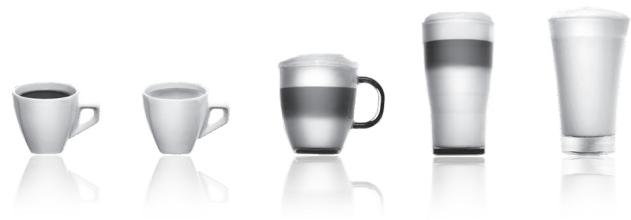
BOT HeckoBko COeTOB O TOM, KaK HauNyuUHm 06pa3OM NcNoIb3OBAt BaIy KoΦeMaUHnY I rOTOBt b HaNTKu BBICOKoro KaueCTBa:
KaueCTBO BObI CINbHO BnIaIeHa BKc HApNTka. IV3BeCTb IxNOp MOrTy IN3MeHInTB BKc BaIeRO KoFe. CobEtym Bam nCpOJIb3OBA Tb NlTp Claris Aqua Filter System nnIcA6OMHepaUN3OBAHHyIO BDO, YTO6bl COxpaHITb BKc BAIeRO KoFe.
ДлгпрiroTOBHeHЯ KOFeHbIX HAnNTKOB Mbl peKOMeHdyem NcNoIb3ObaTb PpeBaPntbHO HarpeTbe (Hapnimep, noC stpyeB BObl) apOpobObIe YaUKN B OopMe TIObNaHa, pa3MepOM, COOTBeTCTByUIMM JeaEMomy 6bemy HAnNTKa. Пи рnpiroTOBHeHm MONOuHbIX HAnNTKOB peKOMeHdyem NcNoIb3ObaTb YaUKN I3 TOCTORO CTKeJa dIy anneTInTHOro pe3yIbTaTata.
- O6kapeHhbIe Ko6eiHbIe 3epHa MOrTy IOTepaTb CBoI apOMat, ecIn OHn He 3aunuHbIy. PeKoMeHdyEm Bam NcNoIb3OBAbTaKoe KOnUceTBO 3epHa, KOtOporo XbATn Ha 4-5 dHei. KaueCTBO Ko6eiHbIX 3epH MoKeT MeHbTcR, Iero OueHka Cy6bEeKTHBHa, OndakoMbI peKoMeHdyEm NcNoIb3OBAbTa ap6Nky, a He pO6ycta.
He pekomehnyetcnaCnOJIb3OBAt b MacIaHnCTble n KapaMeIIN3uPObAHHbIe KofoeHbIe 3epHa, nockoJIbKy OHMOrTy NOBpeDHT KofoemaunHy.
KaueCTBO mTOHKoCTb nOMOna 3epHa BnIeT Ha cNHy apomata Na TeKCTpyu HauNTka. Yem ToHbWe nOMOn 3epHa, Yem 6OJIe KpeMOo6pa3HO bSyET TeKCTpya. POMOn TaKxe DoJKeH 6bITb aadantipOBaH K JeknaEMomy HauNTky: 6OJIe ToHKn dJa pncptTeTo Ncnpceco, 6OJIe Kpynhbl dJa Kofoe.
BbMOxTeIcNoJIb3OBAtB nactepn3ObaHHoe, yIbItpaNaCTepn3OBAHHoe, o6e3JxpeHHoe, pIoYo6e3JxpeHHoe mIIN cIeNBJHO MOnIOK IxOLOINBJHnka (7^) .IcNoJIb3OBAHne OcoBO rMOJoka (MkPOfINBJTPOBaHHoro, cbIPOr, fepMeHTIOpOBaHHoro, 0OaIeAHHHo) nIIM pACTeTIbHO rMOJoka (pICoBORO, MInHdJIbHO rIpyrIX) MOxET NOKa3aTB MeHee YyOBDNETBOpITbHbIe pe3yJIbTAtb, oOC6EHNO C TOUKN 3PENH KaueCTBa IeHbI.
OTJABJIEHNE
BAJKHAR INHΦOPMAUIN O IPIOyKTE IN PYKOBOCTBO IO 3KCNJIYATAUIN .p. 260
TEXHnueCKaI INΦOPMALuI . p. 260
ONICAHNE UCTPOICTBA. p. 260
053OP .p. 260
ПОДГOTOBKA K PABOTE
YCTAHOBKA IPIIBOPA. p. 262
IPEPENPINFOTOBJIENHEHEM HAPNTKOB
BAxHbIE 3AMEUAHINp.263
БыICTРЕ ПИГOTOBЛECHUE HANITKOB. p. 264
BbICTPOE PIPNIGOTOBJIENHE MOJIOUHbIX HANITKOB .p. 264
ПИГOTOBЛЕNHUE YA.. p. 265
ПИГOTOBЛЕНИЕ ПОЧИХ HANITKOВ: PICTPETTO, ДОППИО,
AMEPIKAHOIIMMOLOUHOIPEHbI .p.265
ДРУПЕ ФУHKЦИ . p. 266
ObuiyXoJ .p.267
HENCPABHOCTNI IN DEICTBNA IO INX YCTPAHEHIO . p. 269
BAXHHA INHΦOPMAUЯ O IPOJYKTE N PYKOBODCTBO NO 3KClJIYATAUIN
B 3TOM kpaTkom pykoBOJCTBE Bbl HaiDeTe BCIO BaXHyIO INHOpMaUIO O BBOJe B 3KcPiyaTaUIO, 3KcPiyaTaUIN TeXHnueCKOM 06ClyxNBAHm BAwei KoΦemaunHbI.
BhImaTeIbNo npOuHTaIe INHCTpyKcIIO nepe nepBbIM IcNcOJIb3OBaHNEM npIb6opa I coXpaHITe ee. IcNcOJIb3OBaHNIE, npOTnBOpeuaaee INHCTpyKcIIN,OCbO6OJaET KRUPS OT BcAko ITBETCTBeHHoCTn.
UCIOBHBIE 3HAKI PYKOBOIDCTBA IIO 3KCIJIYATAUIN

BHMaHHe!IpeynpexJeHne O Bo3MOxHOi CmePTn IIN cepBe3HOI TpaME. CmBON MOHN IN pepypeJdaet o6 onaCHOCTX, CB3AHbIX C npCytCTBmE 3eKTPuYeCTBa.

OcToPoxH!IpeDynpexJeHne O Bo3MOxHOM Bo3HnKHOBeHn HeNCpABoHOcte, NOBpeXJeHn IIn yHnHToKeHHuCTpoiCTBa.

Baxho!O6eeuINBaXHoePnIMeuaHne o pa6oTe yctpoNCTBa.
IeTannB KOMnKeTe C KofoMaunHO
IpoBepbTe DeTANB V KOMPnKte C KOΦeMaunHO. EcNI KaKo-TO DeTALN He XBATAET, CBaNTecb C HAMN HApMMyIO NO rOpAeyi nnHn (CM. ctp. 263 : NcxOdNbHe NaCTpOKn).
Noctablanemble Detaln:
- abTOMaTnuecka KoΦeMaunHa Krups cepu EA89
-2Ta6NetKn Dny NCTKN
-1 naketnk cpecdtba OT hakinn - Tpy6ka Дя Всасьвань молoka, п徝назнauthаем дя 6лoka «One Touch Cappuccino»
-KIIOUJNDAEMOHTaKaJINAOCTKNAPOBONCCTEmbl
-Праилэгхикн6e3oNaChOCTN
-ФильтРClaris-cnCTemaAquaFilterSystemcakceccyapomдяфнкаци
-1 noLocka dIra onpeJeHnJ KecTKoCTN BObl
-PykoBOdCTBO NO 3Kcnnyatauinn - Ipeueehb ueHTPOB rapaHTnHOrO 6cbnyKuBaHnKrups
-「RapaHTINHbIe DOKyMeHTbl
TEXHUNUECKA INHΦOPMALIJA
Korda Iorotin He ropt, MaunHa He nooknoueHa nnfHKnBaBiknOyeHa.
Korda lorotin ropnt, MaunHa nodknueha.
Bluetooth Bcerda akTbEN. Bbl MoKTe OTKIOHTb erO, nepeIaB MeHIO

a 3aTeM B pa3dEN «IpaMaTePbI».
HOpMaun o npCBeTke KhoNOK
Ecn KhONka He noDcBueHa - yHKnna HeIOCTynha.
Ecn KhONka CnErKa NODcBueHe, 3NaHT, fYHKcIg DOCTyHa n MoKet 6bItb Bb6paHa.
B npoucesse BbIOnHeHnBbIpaHHoYHKcIM NOCBETKa cTaHOBITcOueHbApKoI.
ПРУJOXЕНЕ KRUPS
Ppoepe me coBmecmumocmb baue2o cmapmfoHa Ha www.krups.com
Сачайтpe npiloxkeнe
Дя toro yto6bI 3arpyuNb npinloxhene, Baw cMaprfoh donJxhen 6bIb ochaen MeOdyem Bluetooth® BLE (cHn3KmN ehepronotpe6bIeHem) n BepCnei Android > «4.3» nII IOS > «9». EcIn Baw cMaprfoh He ochaen MoDyem nII COOTBETCTBYIOSeI ONeauHOHNO CNTeMoH, BBy He CMOxete NpIb3OBaTbC rnpinloxhenE.
PpombibKa cnCTeMbI npnroTOBHeHna Kofo
Bb moKeTe aKTHBnPoBaT bIe He aKTHBnPoBaT bTy fHkUIO npB KlnOueHm annapaTa. 3To n03BOJNT Bam o6ecneHTb BbICOKoe KaueCTBO Kofo E I N36EkaTb PnonadHn OcAka B Kpykky.
YctaHOBkaΦmbltpa
PnnpBOM BKNIOHEnnn annapaT cnPOcNT y BaC, XOTNE IIN BbY cTaHOBNt bIINbTp. EcnN BblXOTNe YCTaHOBNt bIINbTp n ecn ToTO Tpe6yET JeCTKOCb TaWee BoDJI, Bbl6epnte «Ja» n CneJeIte INCHtpKUmaH Na kpaHe.
UctaHOBka 3aKcpyTe 1bTp B OCHOBaHn peepByapa Ira BObl, nCnoIb3y aKceccyap B KOMJIeKeTc C 1bTpom.Pnc.4
YkaKnte Mecau yctaHOBKn nIbTpa (no3nua 1 Ha pncyHke, uOppa B OTBepCTm CneBa), NOKpyTNb cepoe KonecNko, paCnoJoxKeHHoe CBepx yInbTpa. Mecau yctaHOBKn nIbTpa yKa3an Ha pncyHke B no3nua 2. Pnc.5.
IocTaBbTe noD BbIXoD npa emKoCTb 0,6 n.Pnc.6.
3aynck K0eemaunnbl 6yndt npon3bdehen Bhe 3abncmoctn OToro,yctahoblen fnnbtp nnn He. Bcehenpeemehno Tpe6yeTc3anolnntb cntemy BOoJ. IJIa 3TOr cneyuIte INCHTPKUAM Ha 3kpaHe. AnnapaT hauHET pa60ty C 3aONHeHnra cNCTEmbl BOO, npouedyp npedBaPntelbHorO HarpBa N oocle 3TOr OcyuCtBNT ABTomTuWeckyIO npombibky.
3KpaH ONOBECTI BAC 06 OKOHuaHm yCTaHOBKn.
XeCTKoCTb BObl
Cnedy aanntpoabTa pa60ty npnbopa K klaccy jceKtKoTb BObl: ot 0 do 4. Jna 3TOBOBbONHInTe cneyuOuime deIcTBn: Ppeed nepBbim IcNoB3oBAHm e annapata onpeedeJte JceKtKoCTb BObl, Jna TOrO yTo6bl aadantnpobatpa60ty np60pa K jceKtKoCTN IcNoB3yEmoB BObl. BbIOpHnIe 3Ty npOeUpy, KOra IcNoB3yete KoMeMaunHy B MeCTe, rJe jceKtKoCTb BObl OTnuaetcT OBaWe, ININ ECNI Bb 3aMeTININ N3MeHeHnB J ceKtKoCTn BAwe BoBl. Jna ONpeDeHnJr JceKtKoCTn BObl IcNoB3yTe TeCTOByIO NOnCKY, NOCTaBIAReMyo B KOMPLeKeTc C aIIpapaTOM, ININ CBXJITcB C MeCTbIM UynPABHeHm EBOHO XO3AICCTBA.
IHHOpMaCnIO OKnace JecKoCTN BOyI BbI HauJeTe B IpnBeDeHNo HnJxe Ta6nIe:
| Стениль жесточ | КлASS 0 Очени мягков | КлASS 1 Мягков | КлASS 2 Сраздneyжесточ | КлASS 3 Жесточ | КлASS 4 Очени жесточ |
| °dH | <3° | >4° | >7° | >14° | >21° |
| °e | <3,75° | >5° | >8,75° | >17,5° | >26,25° |
| °f | <5,4° | >7,2° | >12,6° | >25,2° | >37,8° |
| Perули探测ка прибoga | 0 | 1 | 2 | 3 | 4 |
HanoHnTe cTakAH BDOI n ONyCTIne B Hero TectOByIO NOJOCKy.Pnc.2
Yepe3 1 MmHy Ta H a TceBOH nolocke noBnTcpe3yIbTaT n3MepeHna JecKoCTN BObl.Puc.3
При Настroduke annapata ykaKKTe KOJIINeCTBO KpaCbIx 3OH.
IpoTobKa np6opa
BbHbTe n 3aONJIHnTE pe3epByap IJN BODbl. Puc.7.
UctaHOBInTepe3epByapHaMeTO.Pnc.8.
CHIMMTE KpbIiKy C KOHTeHepa dIe KOe B 3epHax I 3acBbTe B HrO Kooe B 3epHax (MAKcIMyM 250 r) Pnc.9.
3aKpOte KpbIkwky KOthEnHepa IJI KoFe B 3epHax.Pnc.10.
ПЕД ПИNGOTOBLEHЯМ HANITKOB BAXKHbI E3AMEYAHNIA
Bau 3cnpecco ABtomatik EA89 abTomatnueckn OTperynipyET KOJIueCTBO MONOTORO KoΦe B COOTBeTCTBm C BbI6paHHbIM HAnITKOM.
IoprotoBka Kooemolkn
Bb mokeTe Bb6paTb Kpeoctb Kofoe, perynpny TOHkOCTb NOMa 3epen Kofoe. O6bIyHO cem 6oee MeIkn IomON yCTaHOBnE H Ka ofoemOnKe, Tm Kpeuye mJrue 6yudet Kofoe. 3Ta xapaKtepcntka MoKet MeHrbcB 3aBcIMocTn OT TnPa nCPOJIb3yEmoro Kofoe. PekomeHdYeM MeIkn IomON Kofoe dJe 3cnpecco N 6oee KpyhNbl dJa DpyrNx TINOB Kofoe.
HaCtpoTe ToHKocTb NOMOa, BpaaJepyIaTOp ToHKoCTn NOMOa (J), paCNoJoxKeHbB b KOnTeHnepe dJa KoFeHbX 3epeH.
PeynilopbKa DOLJHn 6bl TpOIN3BedeHa BO BpeMn POMOna, NocTepeHHbIM npeEbnKHeHm EpeKeIouateTn. Bbln 3 aAweuKn KoPe pa3HOrO POMOna, Bbl OTcEeTlNO NOyBCTByTe pa3HnU BO BKye.
PeynilpOBka TOHKOCTn NOMOA NOJe3Ha, KOrBa Bbl MeHReTe TnKoFe IIN KOrJa XOTnTe MeHee KpeKNK KoFe. Ondako He peKOMeHNyETcCnCTeMaTneEckn MEHrTB TOHKOCTb NOMOA.
Perynupobka BbIXoJa Kofoe
Длг BCex npednaeraMbIX HAnITKOB BO3MOxH ONoHЯТь ИИОпYCTnTb BblXOD KoΦe B COOTBETCTBm C BbICOTOn BaIeJ/-nx KpyxKn/-ek ИИО CTaKaHa/-OB.Pnc.11
OctahOBka npuroTOBHeHnHaHTKa
BbMOxETe octaHOBHT npriROTOBHeHne B IIO6oMOMeHT, HaxBa HA KONky BO3Bpata
BHHaHHe! Haxatne 3ToI KKnKn 3aIyckaet a3y o6HOBJIeHnKoΦemaunHbI, KOtOpA MoKeT dIITbCra Do 30 ckyHd. 3Ta fo3a YBnRETCr HOpmalbHOH.
Korda zukl npepbBaetc, octaHObKa He 6ydet MOMeHTaIbHoi, aInpaT 3aBepWnt CBOI ZIKL, pIriTOBHeHne HAnITka 6ydet aHHyIINPOBAHO.
Функця «Double»
Annapat no3BONAE npriFOTOBnTB DBe yaSkn HAnNTKa OndOBpeMeHNo. Bb MoKeTe 3aNyCTnTb FyHKcIIO DBOHOro HAnNTKa, Dba pa3a Haxab Ha Cboi Bb6Op. 3To paacPiocTpnaHReTc Ha BCE HAnNTK (3a NCKJIoueHem Pn E).
Функця «DARK»
Функця «DARK» NOЗBOЛЯТ yBEJIuHt b HacbIeHHOCt b HApNTka (KpeNocTb).
EcTb HeckoIbKO cnOCO6OB BKNIOUHTb N OTKIOUHTb DaHHYIO fYHKNUIO:
-П配电дем ВьбраТи НаNTOK,надмпе на Кногк «DARK».
- Haxmnte ha KhoNky «DARK» B npocece pnpirotoBneHnHaNTka ndo KOHcna NOMOna KoFe.
-Bb6paB onuIO DARK> BMeHIO HAcTpoEK.ДЯ 3TOrO nepeiDnTe B MeHIO HAcTPOUKN,HaJAB Ha KHOJky ,3aTEM «HAcTPOUKN》 «HAcTPOUKN HAnNTKOB》 «DARK>.TaKIM o6pa3oM fynKzna 6ydet BKnIoueHa dIra KoΦeHbIX HanNTKOB: Lp,Lp,Lp.
BbIIOJIHnTe Te Xe OIepaunn IJN OTKJIIOUeHnE yHKnIIM.
Функця «EXTRA SHOT»
HaJxMITE Ha KHONKY "KanyuHIO" PmC.16 ⅢI KNONKY "MaKaNATO" Pc.18. Bce npaMeTpbl MOryT 6bIt b3MeHeHbI.
PnIroTOBHeHne HaunHaetcAo BCNEHbAHnna MOLOka (BO3MOxHa yCTaHObKa BpeMeHH), 3a KOToPBm CneJeYeT NOdaa Kofoe (peryInuPyembl o6bem).UctaHObKa BpeMeHH BCNEHbAHnna I03BOJIT Bam MeHrTa O6bem MOLOka INeHbI.
Cneyuoume 3tanbl npocxodar ATOMaTHueckn, n BaH NaHTOK rTOB dIy deYctauu Pnc.17.
K cBeHeHIO: npn KaJdOM npriTOBLeHInn KaynuHIO nn MaKaNtO KofoMaunHa 6ydt 3aONMHaTb nocJeHn npriTOBLeHHb HAnITOK, a TAKKe BbIbpaHhle pnp 3OTm HAcTpoKN.
YxOJ 3a annapaTOM nOcNE npuROtOBHeHnMa MOnUChbIX HAnUTKOB PpombBka MoOnUHoro 6Ioka
B KOHc KeKdIoro npriroTOBHeHnHa 3KpaHe NOBtCnHaDnCb: POMbIBKa MOnOuHOro 6Joka
Pekomehnyetc npombyBaT MOJOnHb 6NOK nOcne KaKDoRo NcNoIb3OBaHn MoLOKa, UTo6bl ObecneuHT b YnCTOTy npHaadJeXHocTe dIe BcNEHbAHn I XopoOee BcNEHbAHne MOLOka.
Hapny c npombykoi monoohoro 6noka pekomehyetc cnctemaTneckn pa36upaTb npombyBaT noD ropaei ctpye Bobl ty6ky BCacbHaHn MOKoA n CmecntenB.Pnc.21 u 27.
Дя оптимального peультata pekomehdyeetca perynarpho uchntb cbemhbI 6nok «One Touch Cappuccino» (cM. rnaBy oшцero yxoda).
EcnBbIyUcbTBye, YTO KaueCTBO MOLOHNO IneHb IyXuDaaTeC, OcyueCTBnTe npoucecc pomblBkn n OcHCTKn: IIOxOy yXo3a cnCTemmo npauN moKo cTaHOBtC npuHHo npo6lem taKo rpa.
PPIIROTOBJIENHE YA
Bo3MOxHbI He HacTpoKn
Bau annapat paccuHTan Ha nprirotobHeHne 3 BnDOB qay (3eJeHoro, YepHoro, TpaBAnHO). Bbl moKeTe oTperyIipoBaTb obem HauNTka nCBOeMy BKcY.
TemnepaTpa ropaye BODbpeynpyeTCB COOTBETCTBUN C BbIbpaHHbIM HAnITKOM.
Bb moxete BkIooHt b kyuio «EXTRA SHOT» +, KOTOPaN O3BOJNT BaM CO3daBaT b OueHb BKyChIe HAnHTKn «aai/Kofoe
PpurotoBleHne qa
BbIbePte Ha 3KpaHe. NocTaBbTe uAaTkU nnu aauKn nO con cno noaun Kofoe.Pnc.12
3aTeM BbI6epITe HAnITOK N HaXMITE Ha OK.
EcnB Bo Bpem nprirotoblenna HannTka annapa yctahOBHT HexBaTKy BObl, To nonpocnt Bac 3anolHnTB pe3epByap.
BbMOXeTe N3MeHnTb O6bEm HAnITka, INCIOJIb3yBa BO BpEMI pNIROTOBHeHNa KHOJIK V nn
ПИГOTOBЛЕNHМ ПОЧИХ HANITKOB: PMCTPETTO,ДОППИ, AMEPИKAHO ИЛ MOJOUHОI ПЕНБI
PnroTOBHeHne
IocTAbbTe yauKu nn yauKu nOd cOnlo noDaun Kohe.Pnc.12
EcnB BO Bpem nprirotoblenna HauNTka annapa yctahOBHT HexBaTky BoDbl,To nonpocnt Bac 3anONHtbp3epByap.
Haxmte Ha KhoNky: npn nmooun KhoNOK v N Bb6epTe xenaembl HauNTok: pncptto, donPiNo, amepNKaHO, MONOCHyIO neHy.
PpurotoBleHne pncpteto
BbIePnte «PcTpeTTo» n HaxMnTe Ha OK.
KoemaaHb BbIOnHReT NOMO Koey HbIX 3epeH, npeccOBky MoIOTOro Ko e HnIbTaPauNIO. Bb MoKeTe HaCTpOntb Osbem
KofoB I npOceCE npriGrotOBJIeHnA, INcIOJIb3yA KHONKn HABINaIuN: V A.
BbMoXeTe OCTaHOBtB npriTOBJIeHne B IIO6oMmOeT, HaxBa Ha
PnuroTOBJIeHne Donnno
BbIePNTe «DOnnIO n HAnKMNTe Ha OK.
Ipouecc nprirotoblenna ndentuene npoueccy nprirotoblennna pncptto, Hc dBoHbIM uKlOM Kofoe.
PnroToBJeHne amepuKaHo
BbIepeNte «AmePnKaHO» n HaxMmTe Ha OK.
IpoceC npriroTOBneHn IeHTnueH npOecCy npriROTOBHeN DOIIIO, 3a KOTOpbIM CNeJeYET Ropuay BODa.
PnuroTOBLeHne MOnOuHOI neHbI
HENCIPABHOCTN IN DEICTBNA I NO IX YCTPAHEHIO
Ecn kakaanno henoiaok, nepeunncenhbx B tabnue, coxpanaeTcB cepbnb chtp KRUPS.
| HEUNCIPABHOCTb | UCTPAHEHNE HECNCPABHOCTe | |
| Maшина пokaыbaet сбов,пограмma заморожени ваши машина Heucnpabha. | Выклочite и отоединete машины, удалие картудж Фильстра, поождente Мнуну и посязачITE машини. Для Вклоченья уdeckожаве Кноку Вк/Быкн He mehe 3-x seskynd. | |
| Annapat net bKlouaetс джеспослTO, кak Вы уdeckжвали кноку Bkn/BkKn (В тучене.net mehe 3-x seskynd) | Проберные пес dedхштени и розету сети заелкову воставлени. Убадпесь, utekep nprabilho BctablenB розету. | |
| Кофемола Издот Neobiychnyшу. | В kont致电оне нахod'tся посторони подемет. О sixthteсь в сервichnii цentр KRUPS. | |
| Молokо net noctynaetВ сисиму Блoks «One Touch Cappuccino». Блok «One Touch Cappuccino» net pronizbrodnt monohyu penhy ilni pronizbrodnt mano penhy. | Убадпесь, чу 6лok песчьно сбразн (В частоctи Смсител). Убадпесь, чу 6лok в�ьхд.apа не засорен.Еслд дени в STOM, CMOTprte рунк «Паровoe coлно ваши машины, по-BVDIMOMY, ча_STUHOИ ПОЛСТСТВИЗТСЗСОПILOCБ» риж. Убадпесь, чу 6лok смссител net zasopocheni net zasopraizhen.Замочite erо в растоberпелю Вды и срсдва对于我们 мытгяпсды, Затем onolonschite erо и Вьсшпide do yctahobNKи на MeTo. Убадпесь, чу trypбka net zasopocheni net zasopryizhen.Замочite erо в растоberпелю«One Touch Cappuccino»? Блok «One Touch Cappuccino» net pronizbrodnt monohyu penhy ilni pronizbrodnt mano penhy. | Пробочite net mclotchenia net prazhenes net mclotchenia net prazhenes net mclotchenia net prazhenes net mclotchenia net prazhenes net mclotchenia net prazhenes net mclotchenia net prazhenes net mclotchenia net prazhenes net mclotchenia net prazhenes net mclotchenia net prazhenes net mclotchenia net prazhenesnet mclotchenia net prazhenes net mclotchenia net prazhenes net mclotchenia net prazhenes net mclotchenia net prazhenes net mclotchenia net prazhenes net mclotchenia net prazhenes net mclotchenia net prazhenes net mclotchenia net prazhenes net mclotchenia net prazhenes netmclotchenia net prazhenes net mclotchenia net prazhenes net mclotchenia net prazhenes net mclotchenia net prazhenes net mclotchenia net prazhenes net mclotchenia net prazhenes net mclotchenia net prazhenes net mclotchenia net prazhenes net mclotchenia net prazhenes net mCLOTCHSTDAHNTSOK. Для р拱лотовлия有很大поков на осове молока мыpekomendуем IncpllbzOBATb CBжee monoko, nacheruzhobAHHoe илсстreliznoZOBHOO,在其пебано оTKpbTOnTapb;Тakke pekomendуETСИСПOLБЗOBATb XOLODHBK KONTeHep. |
| Остреваяmedia вальа нара вальу машины, по-BVDIMOMY, частчно ilni polnochstbyt zu caskopiminscb. | Спимпес net садук с крелейnetsя рпп пошци KMлоча Ддд demontжac. Рис.25. Залустпес net садук с krolka «One Touch Cappuccino» net удалиения octatхов. Очадпес net bixxodnapu и убадпесь, чу OTberстпес有很大ieldуем IncpllbzOBATb CBжee monoko, nacheruzhobAHHoe unditselzeчка. Пробоч� net садук有很大ieldуем IncpllbzOBATb CBжee monoko, nacheruzhobAHHoe unditselzeчka. Очадпес net bixxodnapu и убадпесь, чу OTberстпес有很大ieldуем IncpllbzOBATb CBжee monoko, nacheruzhobAHHoe unditselzeчka. Очадпес net bixxodnapu и убадпесь, чу OTberстпес有很大ieldуем IncpllbzOBATb CBжee monoko, nacheruzhobAHHoe unditselzeчka. Очадпес net в�ikovа net prazhenes net mclotchenia net prazhenes net mclotchenia net prazhenes net mclotchenia net prazhenes net mclotchenia net prazhenes net mclotchenia net prazhenes net mclotchenia net prazhenes net mclotchenia net prazhenes net mclotchenia net prazhenes net mclotcheniaNetpocipinm. Опөснөдүдүйрүдүдүдүдүдүдүдүдүдүдүдүдүдүдүдүдүдүдүдүдүдүдүдүдүдүдүдүдүдүдүдүдүдүдүдүдүдүдүдүдүдүдүдүдүдүдүдүдүдүдүdүдүдүдүдүдүдүдүдүдүдүдүдүдүдүдүдүдүдүдүдүдүдүдүдүдүдүдүдүдүдүдүдүдүдүдүдүдүдүдүдүдүдүдүдүдүдүдүдүдү徳. Опөснөдүдүдүдүдүдүдүдүдүдүдүдүдүдүдүдүдүдүдүдүдүдүдүдүдүдүдүдүдүдүдүдүдүдүдүдүдүдүдүдүдүдүдүдүдүдүдүдүдүдэ. Опөснөдүдүдүдүдүдүдүдүдүдүдүдүдүдүдүдүдүдүдүдүдүдүдүдүдүдүдүдүдүдүдүдүдүдүдүдүдүдүдүдүдүдүдүдүдүдү徳. Опөс钠 net рыншиму net prazhenes net mclotchenia net prazhenes net mclotchenia net prazhenes net mclotchenia net prazhenes net mclotchenia net prazhenes net mclotchenia net prazhenes net mclotchenia net prazhenes net mclotchenia net prazhenes net mclotchenia net prazhenes net mclotchenianet pichytsm. Опөснөдүдүдүдүдүдүдүдүдүдүдүдүдүдүдүдүдүдүдүдүдүдүдүдүдүдүдүдүдүдүдүдүдүдүдүдүдүдүдүдүдүдүдүдүдүдүdүдүдүдэ. Опөснөдүдүдүдүдүдүдүдүдүдүдүдүдүдүдүдүдүдүдүдүдүдүдүдүдүдүдүдүдүдүдүдүдүдүдүдүдүдүдүдүдүдүдэ. Опөснөдүдүдүدүдүдүдүдүдүдүдүдүдүдүдүдүдүдүдүдүдүдүдүдүдүдүдүдүдүдүдүдүдүдүдүдүдүдүдүдүдүдүдүдүдүдүдүдүдүдүдүдүдү德. Опөснөдүдүдүдүдүдүдүдүдүдүдүдүдүдүдүдүдүдүдүдүдүдүдүдүдүдүдүдүдүдүдүдүдүдүдүдүдүдүдүдүдүдүдүдүдүдү德. Опөснewedнг net рыншиму net prazhenes net mclotchenia net prazhenes net mclotchenia net prazhenes net mclotchenia net prazhenes net mclotchenia net prazhenes net mclotchenia net prazhenes net mclotchenia net prazhenes net mclotchenia net prazhenes net mclotchenia net prazheness net mclotchenia net prazhenes net mclotchenia net prazhenes net mclotchenia net prazhenes net mclotchenia net prazhenes net mclotchenia net prazhenes net mclotchenia net prazhenes net mclotchenia net prazhenes net mclotchenia net prazhenes net mclotchenia net prazhenes Net mclotchenia net prazhenes net mclotchenia net prazhenes net mclotchenia net prazhenes net mclotchenia net prazhenes net mclotchenia net prazhenes net mclotchenia net prazhenes net mclotchenia net prazhenes net mclotchenia net prazhenes net mclotchenia net prazhenes net.mclotchenia net prazhenes net mclotchenia net prazhenes net mclotchenia net prazhenes net mclotchenia net prazhenes net mclotchenia net prazhenes net mclotchenia net prazhenes net mclotchenia net prazhenes net mclotchenia net prazhenes net mclotchenia net prazhenes net mglcchngn. Опөснөдүдүдүдүдүдүдүдүдүдүдүдүдүдүдүдүдүдүдүдүдүдүдүдүдүдүдүдүдүдүдүдүдүдүдүдүдүдүдүдүдүдүдүдүдүдүد.. Опөснөдүдүдүдүдүдүдүдүдүдүдүдүдүдүдүдүдүдүдүдүдүдүдүдүдүдүдүдүдүдүдүдүдүдүдүдүдүдүдүдүдүдүдүдүдүдүдэ. Опөсnetу net рыншиму net prazhenes net mclotchenia net prazhenes net mclotchenia net prazhenes net mclotchenia net prazhenes net mclotchenia net prazhenes net mclotchenia net prazhenes net mclotchenia net prazhenes net mclotchenia net prazhenes net mclotchenia net prazhenies net mclotchenia net prazhenes net mclotchenia net prazhenes net mclotchenia net prazhenes net mclotchenia net prazhenes net mclotchenia net prazhenes net mclotchenia net prazhenes net mclotchenia net prazhenes net mclotchenia net prazhenes net mclotchenia net prazhenesNetmclotchenia net prazhenes net mclotchenia net prazhenes net mclotchenia net prazhenes net mclotchenia net prazhenes net mclotchenia net prazhenes net mclotchenia net prazhenes net mclotchenia net prazhenes net mclotchenia net prazhenes net mclotchenia net prazhenes netmCLOTCHSTDAHNTSOK. Опөснөдүдүдүдүдүдүдүдүдүдүдүдүдүдүдүдүдүдүдүдүдүдүдүдүдүдүдүдүдүдүдүдүдүдүдүдүдүдүдүдүдүдүдүдүдүдү�э. Опөснөдүдүдүдүдүдүдүдүдүдүдүдүдүдүдүдүдүдүдүдүдүдүдүдүдүдүдүдүдүдүдүдүдүдүдүдүдүдүдүдүдүдүдүдүдүдэ. Опөснөdнг net рыншиму net prazhenes net mclotchenia net prazhenes net mclotchenia net prazhenes net mclotchenia net prazhenes net mclotchenia net prazhenes net mclotchenia net prazhenes net mclotchenia net prazhenes net mclotchenia net prazhenes net mclotchenia net prazar. Опөснөdнг net рыншиму net prazhenes net mclotchenia net prazhenes net mclotchenia net prazhenes net mclotchenia net prazhenes net mclotchenia net prazhenes net mclotchenia net prazhenes net mclotchenia net prazhenes net mclotchenia net prazhenesnet mclotchenia net prazhenes net mclotchenianet mclotchenia net prazhenes net mclotchenia net prazhenes net mclotchenia net prazhenes net mclotchenia net prazhenes net mclotchenia net prazhenes net mclotchenia net prazhenes net mclotchenia net prazhenes net mclotchenia net prazhenes net mclotchenia net prazhenesnetmCLOTCHSTDAHNTSOK. Опөснөdнг net рыншиму net prazhenes net mclotchenia net prazhenes net mclotchenia net prazhenes net mclotchenia net prazhenes net mclotchenia net prazhenes net mclotchenia net prazhenes net mclotchenia net prazhenesnetmCLOTCHSTDAHNTSOK. Опөснөdнг net рыншиму netsmclotchenia net prazhenes net mclotchenia net prazhenes net mclotchenia net prazhenes net mclotchenia net prazhenesnetmCLOTCHSTDAHNTSOK. Опөснөdнг net рыншиму net prazhenes net mclotchenia net prazhenes net mclotchenia net prazhenesnetmCLOTCHSTDAHNTSOK. Опөснөdнг net рыншиму net prazhenes net mclotchenia net prazhenes net mclotchenia net prazhenesnetmCLOTCHSTDAHNTSOK. Опөснewedнг net рыншиму net prazhenes net mclotchenia net prazhenes net mclotchenia net prazhenesnetmCLOTCHSTDAHNTSOK. Опөснewedнг net рыншиму net prazhenes net mclotchenia net prazhenesnetmCLOTCHSTDAHNTSOK. ОпөснEWнг net рыншиму net prazhenes net mclotchenia net prazhenesnetmCLOTCHSTDAHNTSOK. ОпөснEWнг net рыншиму net prazhenes net mclotchenia net prazhenesnetmCLOTCHSTDAHNTSOK. ОпөснEWнг net рыншиму net prazhennes net mclotchenia net prazhenesnetmCLOTCHSTDAHNTSOK. ОпөснEWнг net рыншиму net prazhenes net mclotchenia net prazhenesnetmCLOTCHSTDAHNTSOK. ОпөснEWнг net рыншиму net prazhenes net mclotchenia net prazhenesnetmCHTDAHNTSOK. ОпөснEWнг net рыншиму net prazhenes net mclotchenia net prazhenesnetmCHTDAHNTSOK. ОпөснEWнг net рыншиму net prazhenes net mclotchenia net prazhenesnetmCHTDAHNTSOK. ОпөснEWнг net ры网шиму net prazhenes net mclotchenia net prazhenesnetmCHTDAHNTSOK. ОпөснEWнг net ры网шиму net prazhenes net mclotchenia net prazhenesnetmCHTDAHNTSOK. ОпөснEWнг net ры网шиму net prazhenes net mclotchenia net prazmenesnetmCHTDAHNTSOK. ОпөснEWнг net ры网шиму net prazhenes net mclotchenia net prazhenesnetmCHTDAHNTSOK. ОпөснEWнг net ры网шиму net prazhenes net mclotchenia net prazhenesnetmCHTDAHNTSOK. ОпөснEW网网网网网网网网网网网网网网网网网网网网网网网网网网网网网网网网网网网网网网网网网网网网网网网网网网网网网网网网网网网网网网网网网网网网网网网网网网网网网网网网网网网网网网网网网网网网网网网网网网网网 |
KoJIN KhoNka He ropuTb, BiNoBiHa yHKciI HeJoCTyHna.
KoJIN BOHa roPntb cna6ko, fYHKsIaOCTynHa m MoTe 6yTu ObaHa.
HanauTyBaHH npOMuBaHH cNCTeM npnroTyBaHH KaBn
3a 6axaHnM Bm MoKeTe aKTHyBaTn NOro a6o Hi NiD yac yBIMKHeHHI pNCTpoU. Lcdo3BOJNTb Bam 6ytN BneBHeHIMN B JKOCTi KaB N YaAùsù, a TAKOJ Y BiDcyTHOCTI ZAMuKBIB.
BctaHOBJeHHaIbtpa
Iid uac nepworo BBIMKHeHn npinad 3aInTaE, u6 bCTAHOBtN fInbTp. Jkso Bu 6aKaTe Ta JokctKicTb Bodn ce Do3B0JAE, Bn6epiTb «TAK» i dontpmyteCb iHctpkyuHa ha ekpani.
BctahOBHeHnKaKtpnJxay npnila.3akpinitb fInbTpuyuyn KaKtpnJx y HnKHi qactnHi pe3epByapa dny BODn 3a donomoroio npnila, 10 noCTaayTbcra 3 Hm. Pnc.4
BidpernyioTe micaB bCTaHOBJIeHnK KaptpnJa (noLoxHeHH 1 Ha MaIOHky, uCNo 3Ibna pRn BiKpTTi), nobepHyBsi cipe kInbue, po3taoBaHae Ha BepXhOmy KpaifinbTa. Miacu 3aMInn KaTpNJa BkA3aHo Ha noLoxHeHH 2 Ha MaIOHky. Pnc.5.
IocTabe nID BnIXi napi EMHicTB 0,6 n.Pnc.6.
3anyck Heo6xioHn npoBcTn Hs3aexKHO BID TORO, 6yNo BVKOHaHO BCTaHOBHeHHF qInbTa Pn Hi. BIn nepeD6aue O6OB'8KOBe 3aONBHeHHCnCTEmN BOIOO. IJra cIbOro DToPmYntec bHCTpyKzui, kai BiO6paKaIoTBc Ha ekpAhi. Pnictpi NOne Hpauobatn 3 npocEyp 3aONBHeHHCnCTEmN BOIOU Ta nOpepdHbORo HarpBaHHa, a NotIM npoBeDe ABTomATuHne pPOMBaHHa.
HaekpaHbio6pa3ntbc3aikHcHHeHHBCTaHOBnEHn.
Kopctkictb BODN
Bn noBHnH hanaaHTyBaTn npncpti y 3anexHoCTi BiD JokpctKocti BOni BiD O do 4. Ina cboTo dOtpmUyTec HxueHebeHnx iHCTpykci.
Ipeed nepiHm BVKOpNCTAHNM npnlaNy Bn3NaHTe JoxpctKicb BOn, 06 MaTn 3Mory aadnyBatn npncptpi do zuoro pIBHx JoxpctKcOti. Bam TAKoHne6X1nO pOBectu zO onepaio, KOnn BVNKOpNCTOByTe Bau npCPTpi y Mci, de JoxpctKcTiB BoDi nHaKaA, a6o kAIO BV NOMITIN 3MiHy JoxpctKcTi BAOi. 06 d3HaNTca JoxpctKcTb BOn, BVKNOpCTaTe NaJInkU, RaKa noCTaHaebcI 3 npCtPOem, a6o 3BeHltBa DO yCTaHOB 3 KOHTPNO Ioo 3KiCtIO BOn.
DoklaHy iHOpMaIIO npKlaCn JOpCTKoCTI BOIN MOXHa 3NaHTN B HnXueHaBeDeHIn Ta6JIuI.
3yHHka npiroTyBaHHa HanoIO
Bn mojete 3yunHHTn npriroTyBaHHa 6yDa-koMNTi, HATNCHyBmK KHONky NOBepHeHHa
Ybara! HatncKaHHN ziei KhoNk npn3Bepe do fa3n OHOBHeHn npnCTpoIO, kA MoKe TpNBaTn Do 30 cekyHd. L4 f3a-HopMaJIbHe ABnIe.
Koln zukn nepeepuBaTcB, npnilad He 3ynHReTbC Ondpa3y, BIn 3aBePunTcb CbiNk, a npiroToBuHaHH 6yde cKaocBaHO.
Bn MaTe MoXnBicTb 36iNbWnt NiuchicTb KabN, HATNCHyBwN i/a6o DoaTu npuroTyBaHHa oDHiCi KaBn, HATNCHyBwN
Pnctpi Dae 3MOy npnroTyBaTn Ondy a6o dBi yaushk.
Pnncptpi BnKoHae nomen 3epHa, Tpam6yBaHnR KABn HapeuTi fInbTpaUIO. MoJHa perynIobaTu O6'Em Kabn n iD cac npriroTyBaHHB, BnKOpNCTOBYUOn KHONKn HabirauJI
Bn moKete 3ynHHTn npriTOyBaHNH 6yIb-koMnti, HATNCYBwH

Baxnbo! ABTOMaTHUe npommbHHo OTbopiv noaqui KABN: B 3aJIexHocTi BiD TINy HanoiB, npictpri MoKe ABTOMaTHUHO BIKOHyBaTn npommbAHn iD Yac CBOr BOKJIIOueHH. LInkI TpNbAe IInse KInbKa CekyHd i ABTOMaTHUHO 3yINHReTbCra.
ПИГOTУBAHнHAIOIB 3 MONOKOM OДНМ ДOTИКOM
Moxnbi HanaTyaHna
Bn MaTe MoKlnBicTb 36iNbWnt NiuchicTb KabN, HATNCHyBwN i/a6o DoaTn npuroTyBaHHa oDHiCi KaBn, HATNCHyBwN
Iapa BnKOpncSTOByETbCra Iany CnIHIOBAAHNA MOJOKa. PnpCTPiO OCHASeHMy FyHKciEIO DOaTKOBOro NiirpiBy, OCKJIbKn CTBopeHHNnapi noTpe6yE niDnBuJeHOI TeMnepaTyprn.
PnroTyBaHnaKanyuHo 60 MaK'YoTo
PnroTbAHHnao Hanoi iEHTuHno npiroToBaHHIO pictpeTO, aIe 3 NOBBIHMM UKNJOM.
PpurotybaHHa mepkKaHo
Bn6epiTb AMEPNIKAHO HATNCHTb OK.
PnroTbAHnHc boro HanoIO iTeHTNHO npiroTbAHHHo donio, ane 3 doaBaHHm rapyoi Bodn.
PnirtoyBaHHaMOJHOi NiHKN
Пдкlioчть канл дя молoka з павого 6okу до 6лoka «One Touch Cappuccino» Puc.13. Onyctitb iHший kiHeц (ckошеню CTOPHOIO) B EMHICTb, 3aNoBHeHy MONOKOM. Puc.14
Iapa BnKOpncTObyEtcIyIcIeNIObAHHMOJOKa.IpncTpiO OChaUeHMyfHKUeIooDAtKOBOrO nIDirpiBy, OckInbKn CTBopeHnnapnNotpe6yI niDbuSeHoiTeMnepaTyprn.
MeHIO da 3MOry HanaHTyBaTn TpBaNlictb cniHOBaHHa. Bm MoKTe 3MiHtNii, HATNcKaOHn KhoKN a6o .Dani HATNCihtb OK.OCTAHH BnKOpucta HpBaNlictb cniHOBaHHa 3epeiraTcB nam'AtI dnaHactynHOrO npiroTOBaHHa.
Bn Mojete 3yunHHTn npiroToYBaHHa 6ydb-koMNTi, HATNCHyBm KOnkny
Помьань 6лoka «One Touch Cappuccino»
3BepHtbcra do npNkTy «PpOmbaHnMoIouHoro 6loka» B pozdiñ «PPIIOTyBAHHA HANOIB 13 MONOKOM OdHM DOTIKOM».
IHUIΦYHKU
IocTynIO MeHIO «HaNaTuBaHHa» 3diChIOeTBc3 a DoNOMOIO KONKn ,ka Do3BOJAE npeiTu do OCHOBHO MeHIO (HaNaTuBaHHa npuIady, o6CnyroBuBaHHa ta iHΦopMaiz npo Bnpi6).
HanaaHTyBaHHa
Bn6paBm MeHNo HanaaStyBaHb, Bn MaTe 3MOrg 3pO6uTb 6aKaHi 3MiHn dIra ONTImaJIbHOrTa KOMΦOpTHORO BnKOpNCtAHN3 ypaXyBaHHaM BaIXx YNDo6aHb.
HnKype npedctabneHi oChOBHi dOcTynHi HanaaHTyaHHa.
Ksqo BV BmKHeTe npictpi, HanaHTyBaHnH 6dyTb 36epexeHi B nam'ATi, Okpim datu yacy.
Dorna
3a3nauheni HnKue oui TaIOB Bam 3mory 3aynckatn o6paH i nporpam. Picra zboro Heo6xioHO doTpmyBaTncb IHctpkyuHa ekpani.