
EA 891810 - Automatic coffee machine KRUPS - Free user manual and instructions
Find the device manual for free EA 891810 KRUPS in PDF.




| Product type | Automatic coffee machine |
| Brand | KRUPS |
| Model | EA 891810 |
| Dimensions (H x W x D) | 367 x 240 x 380 mm |
| Weight | 8,4 kg |
| Electrical supply | 220-240 V~ / 50 Hz, 1450 W |
| Pump pressure | 15 bars |
| Water tank capacity | 2,3 L |
| Bean hopper capacity | 250 g |
| Beverage types | Espresso, double espresso, coffee, double coffee, ristretto, doppio, americano, cappuccino, double cappuccino, latte, double latte, latte macchiato, milk froth, green tea, black tea, infusion |
| Special functions | Dark (intensity enhancement), Extra Shot (add an espresso), double preparation, grind adjustment, temperature, volume and strength settings |
| Frothing system | Removable One Touch Cappuccino frother with milk hose and mixer |
| Technology | Quattro Force with Compact Thermoblock System and integrated brewing chamber |
| Display type | Touch screen with tactile navigation |
| Customization options | Volume, intensity (Dark), temperature (3 levels for coffee and tea), grind fineness |
| Maintenance and cleaning | Automatic rinse on/off, coffee circuit cleaning program (tablet), milk circuit cleaning, automatic descaling (sachet) |
| Water filter | Compatible with Claris Aqua Filter System (cartridge included) |
| Programming | Auto-On, Auto-Off, measurement unit (ml/oz), language, brightness |
| Safety | Electric shock warning, power cut, auto-off, use only by qualified personnel for repairs |
| Included accessories | 2 cleaning tablets, 1 descaling sachet, milk hose, disassembly key, Claris cartridge, hardness test strip, safety booklet, warranty |
| Repairability / Spare parts | Spare parts available via KRUPS after-sales service; maintenance by qualified technician for electrical parts |
Frequently Asked Questions - EA 891810 KRUPS
User questions about EA 891810 KRUPS
0 question about this device. Answer the ones you know or ask your own.
Ask a new question about this device
Download the instructions for your Automatic coffee machine in PDF format for free! Find your manual EA 891810 - KRUPS and take your electronic device back in hand. On this page are published all the documents necessary for the use of your device. EA 891810 by KRUPS.
USER MANUAL EA 891810 KRUPS
www.krups.com
FULLY AUTOMATIC SERIE EA89
KRUPS
Congratulations! You are now the proud owner of your Espresso Automatic EA89 Series.
This new product offers more than 14 hot drinks: espresso, double espresso, coffee, double coffee, ristretto, doppio, Americano, cappuccino, double cappuccino, latte, double latte, frothy milk, green tea, black tea, herbal tea.
In addition to this very large choice, the machine offers many opportunities for customising drinks. For example, you can use a function that will increase the intensity of your coffee, if you appreciate more full-bodied preparations. You can set the amount, strength and temperature of your drinks.
The most frequently consumed drinks are accessible with one simple touch on the main interface. As for the screen, it allows you to follow the progress of your coffees and provides easy access to the different menus.
Most drinks can be prepared in batches of two, which saves time and is more convivial.
Thanks to its KRUPS Quattro force technology, including a Compact Thermoblock System with built-in percolation chamber, its 15 bar pump, and because it uses coffee beans which have been freshly ground just before making the coffee, your machine will serve you hot ristrettos, espressos and coffees from the first cup with maximum aroma and a creamy golden-brown froth.
To give the drink maximum flavour, an espresso is traditionally served in a small, flared porcelain cup. For an optimum temperature espresso and a dense creamy froth, we recommend that you pre-heat your cup.
You will probably need to try several types of coffee before you find the one that suits you. By experimenting with the blend and/or roast, you will eventually arrive at the ideal result.
Espresso coffee has a richer aroma than classic filter coffee. Despite its stronger taste, which remains longer on the palate, an espresso contains less caffeine than filter coffee (around 60 to 80 mg per cup compared to 80 to 100 mg per cup) due to its shorter percolation period.
The quality of water used is another determining factor which affects the overall quality of the brewed coffee. You should ideally use water which is fresh from the tap (so that it has not had time to stagnate due to air contact), which is cold and which does not smell of chlorine.
The tactile, ergonomic and comfortable buttons make it easy for you to browse. You will be guided through each step, from preparing your drink to servicing your machine.
We wish you many years of enjoyment with your Krups machine.
The Krups team
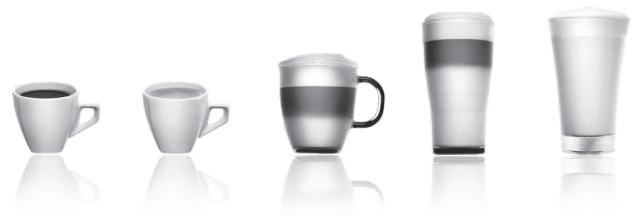
To get the most out of your machine and obtain good quality coffees, here is some advice:
- The quality of your water significantly influences the quality of the flavours. Limescale and chlorine can alter the taste of your coffee. We recommend that you use the Claris Aqua Filter System cartridge or low mineral-content water to preserve all of the flavours of your coffee.
- When preparing exclusively coffee recipes, we recommend that you use tulip-shaped porcelain cups, preheated beforehand (by running them under hot water, for instance), and of a size appropriate to the quantity you want to make. For your milk-based preparations, we recommend that you use thick glass cups for an appetising result.
- Roasted coffee beans can lose their flavour if they are not protected. We recommended that you use the amount of beans required for your consumption for the next 4-5 days. Although the quality of coffee beans is subjective and varied, we do recommend that you use arabica rather than robusta.
- Lastly, please remember that oily and caramelised coffee beans must be avoided, as they can damage your machine.
- The quality and fineness of the grinding determine the strength of the flavours and the quality of the cream. The finer the beans are ground, the richer the cream. Indeed, grinding should be adapted to the drink desired: fine for ristretto and espresso, coarser for coffee.
- You can use pasteurised or UHT, skimmed, semi-skimmed or whole milk, straight from the refrigerator (7°C). Using special milks (microfiltered, raw, fermented, enriched, etc.) or vegetable milks (rice, almond milk, etc.) can produce less satisfactory results especially when it comes to the quantity and quality of the froth.
CONTENTS
IMPORTANT INFORMATION CONCERNING THE APPLIANCE AND INSTRUCTIONS. .p.20 TECHNICAL DATA. .p.20 APPLIANCE DESCRIPTION. p.21 OVERALL VIEW .p.21 USING YOUR APPLIANCE INSTALLING THE APPLIANCE .p.22 BEFORE PREPARING DRINKS IMPORTANT INFORMATION. p.23 PREPARING COFFEE DRINKS VIA DIRECT ACCESS .p.24 PREPARING MILKY DRINKS VIA DIRECT ACCESS .p.24 PREPARING TEAS. .p.25 PREPARING OTHER DRINKS: RISTRETTO, DOPPIO, AMERICANO OR FROTHY MILK . . . . . . . . . . . . . . . . . . . . . . . . . . . . . . . . . . . . . . . . . . . . . . . . . . . . . . . . . . . . . . . . . . . OTHER FUNCTIONS. p.26 GENERAL MAINTENANCE. p.27 TROUBLESHOOTING. p.29
IMPORTANT INFORMATION CONCERNING THE APPLIANCE AND INSTRUCTIONS
In this manual you will find all of the important information concerning the preparation, use and maintenance of your machine.
Read the instructions carefully before using your appliance for the first time and keep them for future reference: KRUPS may not be held liable in the event of any use that does not comply with the instructions.
GUIDE TO THE SYMBOLS USED IN THE INSTRUCTIONS

Warning: Risk of serious injury or death. The lightning bolt symbol warns against electrical dangers.

Warning: Risk of possible malfunction, damage, or destruction of the appliance.

Warning: General or important note concerning the operation of the appliance.
Products supplied with your machine
Check the products supplied with your machine. If any parts are missing, contact your hotline (see p. 22: Initial settings).
Parts supplied:
- Espresso Automatic Series EA89 -2 cleaning tablets
- 1 descending sachet
- Milk conduit adaptable to the "One Touch Cappuccino" block
- Dismantling key for cleaning the steam circuit
- Safety instructions booklet
- Claris - Aqua Filter System cartridge with fitting accessory
- 1 stick for testing water hardness
- Instructions
- List of approved Krups service centres
- Guarantee documents
TECHNICAL DATA
| Appliance | Espresso Automatic Series EA89 |
| Power supply | 220-240V~ / 50 Hz |
| Pump pressure | 15 bars |
| Coffee bean container | 250 g |
| Power consumption | During operation: 1,450 W |
| Water tank | 2.3 l |
| First use and storage | Indoors, in a dry place (protected from frost). |
| Dimensions (mm) H x L x D | 367 x 240 x 380 |
| Weight EA89 (kg) | 8.4 |
Subject to technical adaptations.
APPLIANCE DESCRIPTION
A Water tank handle/lid B Water tank C Coffee grounds collector D Height-adjustable coffee outlets E Grid and removable drip tray F Coffee bean container lid G One Touch Cappuccino removable block
G1 Dismantling key for cleaning the steam circuit G2 One touch cappuccino block
H Milk tube and connector
Water level float.
Coffee bean container
J Grinding fineness adjustment dial K Cleaning tablet funnel L Metal grinding mill
Display panel
M Display N "On-off" button 0 Tactile buttons
Specific information about:
The drip tray: it allows you to collect water or coffee that might flow out of the appliance during and after preparation. It is important to always leave it in place and to empty it regularly.
Important: Read these instructions carefully and keep them for future reference. Please follow the safety guidelines.
Manufacturer:
SAS GSM
Presentation of the different buttons
| Button | Description / General functions |
| ←→ | Switching the machine on and off. It is necessary to press and hold the button to start the machine. |
| Allows you to return to the previous screen or stop a recipe in progress. | |
| ^ | Browse upwards in the menu / increment the parameter selected |
| ✓ | Browse downwards in the menu / decrement the parameter selected |
| OK | Confirmation of selection. |
| DARK | Function for increasing the strength of the coffee. |
| UP | Function for adding a strong espresso to the recipe selected. Accessible with the main recipes (espresso, long coffee, cappuccino, Macchiato, tea) according to model. |
| ESPRESSO | Starts preparing an espresso. |
| LONG COFFEE | Starts preparing a Coffee. |
| CAPPUCCINO MACCHIATO TEA MORE SETTING | Starts preparing a Cappuccino |
| Starts preparing a Macchiato (a large measure of milk, a shot of Espresso, topped with frothy milk foam). | |
| Provides access to the menu for preparing a tea or a herbal tea. | |
| Provides access to additional preparations: Ristretto, Frothy milk, Doppio, Americano, (according to model). | |
| Provides access to the general menu (machine settings, cleaning and product information). |
Specific information about the buttons' lighting
When a button is not illuminated, the corresponding function is inaccessible.
When it is slightly illuminated, the function is available and can be selected.
While the function requested is in progress, the light becomes very bright.
USING YOUR APPLIANCE INSTALLING THE APPLIANCE

Warning: Connect the appliance to an earthed 230 V mains socket. Failure to do so means that you run the risk of fatal injury due to electricity!
Respect the safety guidelines indicated in the "Safety guidelines" booklet.
Switching ON the appliance
Switch on the appliance by pressing the ON/OFF button until "Hello" appears on the screen (Fig. 1). Follow the instructions provided by your appliance.
Initial settings
When using the machine for the first time, you will be prompted to configure various settings. Follow the indications displayed on the screen. The aim of the following paragraphs is to give you a few visual cues.
Here are the first settings required:
Language
Select a display language by pressing the arrows until the language of your choice appears. Press "OK" to confirm.
Measuring unit
You can set the unit of measurement for volume to ml or oz.
Date and time
To set the time, press the desired time format (24 hours or AM/PM).
Auto-off
It is possible to program the time at which you want your machine to switch on automatically. This setting can be adapted as you wish: daily, weekly or weekend. Select the time at which you want it to start automatically following the time format selected earlier.
You can also select the length of time after which your appliance will switch off automatically in order to optimise your energy consumption.
Rinsing the coffee circuit
You can choose to activate it or not when switching on the machine. This allows you to ensure the quality of the coffee in the cup in order to avoid the presence of residue.
Filter installation
When switching on for the first time, the appliance asks if you want to install the filter. If you wish to do so, and if the hardness of your water requires it, select "YES" and follow the instructions on the screen.
Installing the cartridge in the appliance: Screw the filter cartridge into the bottom of the water tank using the accessory supplied with the cartridge. Fig. 4
Set the month when the cartridge is fitted (position 1 on the illustration, left side figure in the opening) by turning the grey ring located on the upper end of the filter. The month when the cartridge should be replaced is indicated in position 2 on the illustration. Fig. 5.
Put a container of 0.6 l under the steam exit. Fig. 6.
The machine must be primed whether the filter has been installed or not. This means that the water circuits have to be filled. To do this, follow the instructions provided on the screen. The machine will begin by filling the water circuits, preheating the circuits and then will complete an automatic rinse.
The screen will inform you when installation is complete.
Water hardness
You must set your machine depending on the hardness of your water, from 0 to 4. To do this, follow these instructions: Before using the appliance for the first time, check the hardness of your water so that you can set the appliance accordingly. This operation should also be carried out when you use your machine in a place where the hardness of the water is different or if you notice a difference in the hardness of the water. To check the water hardness, use the test strip supplied with your machine or contact your local water authority.
The details of the classes are given in the table below:
| Degree of hardness | Class 0 Very soft | Class 1 Soft | Class 2 Average hardness | Class 3 Hard | Class 4 Very hard |
| ° dH | < 3° | > 4° | > 7° | > 14° | > 21° |
| ° e | < 3,75° | > 5° | > 8,75° | > 17,5° | > 26,25° |
| ° f | < 5,4° | > 7,2° | > 12,6° | > 25,2° | > 37,8° |
| Appliance setting | 0 | 1 | 2 | 3 | 4 |
Fill a glass of water and insert a strip. Fig. 2
After 1 minute read the level of water hardness. Fig. 3
Indicate the number of red zones when configuring the appliance.
Preparing the appliance
Remove and fill the water tank. Fig. 7.
Replace the water tank. Fig. 8.
Remove the lid of the coffee bean container and add coffee beans (max. 250 g). Fig. 9.
Replace the lid of the coffee bean container. Fig. 10.
BEFORE PREPARED DRINKS IMPORTANT INFORMATION
Depending on the drinks chosen, your Espresso Automatic EA89 will automatically adjust the quantity of ground coffee.
Preparing the grinder
You can adjust the strength of your coffee by adjusting how finely the coffee beans are ground. In general, the finer the coffee is ground, the stronger and creamier the coffee will be. It may also vary according to the type of coffee used.
We recommend a fine setting for espressos and a coarser setting for coffees.
Adjust the fineness of grinding by turning the coffee grounds fineness adjustment knob (J) which is located in the coffee bean container. This setting should be applied during grinding notch by notch. After 3 rounds, you will notice a pronounced difference in taste.
Setting the fineness of grinding is useful when you change the type of coffee or if you want to make coffee that is more or less strong. However, it is not advised to use this setting systematically.
Adjusting the coffee outlet
For all the drinks available, you can lower or raise the coffee outlets according to the size of your cup or glass. Fig.11
Stopping a drink during preparation
Stopping a drink during preparation. You can stop the preparation at any time by pressing the return button
Caution, pressing this button causes the machine to update which may last up to 30 seconds. This phase is normal.
When a cycle is interrupted, it does not stop immediately. The machine will finish its cycle and the preparation will be cancelled.
"Double" preparation function
You can prepare two cups simultaneously with your appliance. The double preparation function can be accessed simply by pressing the selection twice and is valid for all drinks (except P and ).
DARK function
The "DARK" function allows you to increase the intensity of the coffee (its strength).
You can activate or deactivate it in various ways:
- Before selecting the chosen drink just press DARK.
- While preparing the drink, and until the end of grinding: you can press DARK.
- By choosing the "DARK" parameter in the Settings menu. To do this, access the Settings menu with the button
, then Settings → drink settings → Dark. The function will be activated for all "coffee" drinks: , , , . You can do the same to deactivate it.
EXTRA SHOT function
The "extra shot" function allows you to add an espresso at the end of the selected drink.
You can activate or deactivate it in various ways: - Before selecting the chosen drink: just press EXTRA SHOT. - While making the drink, - By choosing the "EXTRA SHOT" parameter in the Settings menu. To do this, access the Settings menu with the button, then Settings → drink settings → EXTRA SHOT. Therefore, the function will be activated for all preparations , , , , .
You can do the same to deactivate it.
PREPARING COFFEE DRINKS VIA DIRECT ACCESS
N.B.: Every time the drink is launched, the machine will remember the last drink prepared, including the settings that were selected.
Preparation
Place the cup(s) under the coffee nozzles. Fig.12
Press the button for the desired drink.
If the machine detects a lack of water when you request this preparation, it will ask you to fill the tank.
Possible settings
It is possible to increase the strength of the coffee by pressing D and/or adding a coffee preparation by pressing +P. You can prepare one or two cups with your appliance.
The machine starts by grinding the beans, tamping the ground coffee and finally brewing the coffee. It is possible to adjust the volume of the coffee being prepared by using the buttons: ✓ and λ.
You can stop the preparation at any time by pressing

Important: Automatic rinsing of the coffee outlets: according to the type of preparation, the machine may complete an automatic rinse program when it switches off. The cycle lasts only a few seconds and stops automatically.
PREPARING MILKY DRINKS VIA DIRECT ACCESS
Possible settings
It is possible to increase the strength of the coffee by pressing L and/or adding a coffee preparation by pressing L. The steam is used to froth the milk. As a higher temperature is required when producing steam, the appliance will run an additional pre-heating phase.
Connect the straight side of the milk tube to the "One Touch Cappuccino" block Fig. 13.
Immerse the other end (bevelled side) in a receptacle filled with milk or directly in your bottle of milk (Fig. 14).
Place the cup(s) under the coffee/milk nozzles (Fig. 15).
Press the "Cappuccino" button (Fig. 16) or press the "Macchiato" button (Fig. 18). All of the settings can be modified.
The preparation starts by frothing the milk (possible to set the time), and then the coffee flow (possible to adjust the volume). Adjusting the frothing time allows you to vary the quantity of milk and froth.
The next steps follow automatically and your drink is ready to taste (Fig. 17).
Every time "Cappuccino" or "Macchiato" is run, the machine will remember the last drink prepared, including the settings that were selected.
Cleaning after preparing milky drinks - Milk rinsing
The screen indicates "Rinse milk?" at the end of each preparation.
It is advised to rinse after using the milk function in order to ensure the cleanliness of the frothing accessories and the frothiness of the milk.
During milk rinsing, you are required to systematically dismantle and clean the milk tube and connector with hot water.
Fig. 21 and 27.
For the best results, it is advised to clean the "One Touch Cappuccino" removable block regularly (see general maintenance chapter).
If you note a change in the quality of your milk froth, do not hesitate to repeat the rinsing and cleaning process: indeed a milk system that is not well maintained may cause this type of problem.
PREPARING TEAS
Possible settings
Your appliance allows you to prepare three types of tea (green tea, black tea, herbal tea). You can adjust the volume of the drink to taste.
The hot water temperature is adapted to the drink selected.
You can program an extra shot (+D) in your tea which will allow you to prepare "tea/coffee" drinks that are very fashionable.
Preparing a tea
Select the tea symbol on the screen. Place the cup(s) under the coffee nozzles. Fig.12
Then select the chosen drink and press OK.
If the machine detects no water when you submit your request, it will ask you to fill the tank.
You can modify the volume by using the buttons (down arrow) or (up arrow) during preparation.
PREPARING OTHER DRINKS: RISTRETTO, DOPPIO, AMERICANO OR FROTHY MILK
Preparation
Place the cup(s) under the coffee nozzles. Fig.12
If the machine detects no water when you submit your request, it will ask you to fill the tank.
Press the menu button with the (down arrow) and (up arrow) buttons, select the desired drink: Ristretto, Doppio, Americano, Frothy milk.
Making a Ristretto
Select Ristretto and press OK.
The machine starts by grinding the beans, tamping the ground coffee, and finally brewing the coffee. It is possible to adjust the volume of the coffee being prepared by using the buttons: ✓ and ∧.
You can stop the preparation at any time by pressing
Making a Doppio
Select DOPPIO and press OK.
The preparation is identical to the RISTRETTO but with a double coffee cycle.
Making an Americano
Select AMERICANO and press OK.
The preparation is identical to the DOPPIO, but is followed by hot water.
Making Frothy Milk
Connect the straight side of the milk tube to the "One Touch Cappuccino" removable block (Fig. 13). Immerse the other end (bevelled side) in a receptacle filled with milk (Fig. 14).
The steam is used to froth the milk. As a higher temperature is required when producing steam, the appliance will launch an additional pre-heating phase.
A menu will allow you to customise the frothing time. You can modify it by pressing buttons ∨ or ∧. Then press OK. The last frothing time used will be memorised for the next preparation.
You can stop the preparation at any time by pressing
Rinsing the "One Touch Cappuccino" block
Please refer to the paragraph "Milk rinsing" in the section PREPARING ONE TOUCH MILK DRINKS.
OTHER FUNCTIONS
The Settings menu can be accessed via button which leads to the general menu (machine settings maintenance and product information).
Settings
By selecting the Settings menu, you can make the changes you want in order to optimise your ease of use and suit your preferences.
Below are the main settings available.
| Date | You must set the date, particularly when you are using an anti-limescale cartridge. |
| Clock | You can select to display a 12 or 24-hour clock. |
| Language | You can select the language of your choice from those offered. |
| Measuring unit | You can set the unit of measurement to be ml or oz. |
| Screen brightness | You can adjust the screen brightness according to your preferences. |
| Coffee temperature | You can adjust the temperature of your coffee drinks to three different levels |
| Tea temperature | You can adjust the temperature of your teas to three different levels |
| Water hardness | You can set your water hardness from 0 to 4. See chapter “Measuring water hardness”. |
| Auto-on | You can automatically start pre-heating of the appliance at a selected time. |
| Auto-off | You can choose the duration after which your appliance will switch off automatically (duration of non use). |
| Automatic rinsing | You can choose to activate automatic rinsing of the coffee outlet or not when starting the machine. |
| Drinks settings | You can restore the default settings. You can also permanently activate the Dark and Extra Shot function for all your drinks (except Ⓒ). |
To quit the settings menu, press → or the Settings button. The settings will be stored in the memory if you unplug your machine, with the exception of the date and time.
Maintenance
All of these options allow you to run the selected programs. You should then follow the on-screen instructions.
| Cleaning milk | Provides access to cleaning the machine's one touch cappuccino block, which is essential for ensuring good quality milk frothing. |
| Milk rinsing | Provides access to rinsing the machine's one touch cappuccino block, which is essential for ensuring good quality milk frothing. |
| Coffee rinsing | Provides access to rinsing the machine's coffee circuit, which ensures the optimum taste of coffee. |
| Coffee cleaning | Provides access to cleaning the machine's coffee circuit (using a cleaning tablet), which ensures the optimum taste of coffee. |
| Descaling | Provides access to descending which is essential for the durability of your machine. When the number of drinks is not high enough for descending to be necessary, the function is not active. |
| Filter | Provides access to the filter mode, useful if the water is very hard, in order to ensure the best taste and the health of your machine. |
To quit the Cleaning menu, press → or the Settings button.
Info
The "Info" menu provides access to information about your use and about certain stages in the life of your machine. It also informs you about its upkeep. Below are the main details available.
| Drinks prepared | Displays the number of drinks prepared |
| Coffee circuit cleaning | Indicates that is needs to be completed within x number of cycles. |
| Descaling | Indicates that is needs to be completed within x number of cycles. |
| Filter | Indicates that it will need to be changed in x days or x litres. |
To quit the Info menu, press → or the Settings button.
GENERAL MAINTENANCE
Emptying the coffee grounds collector and the drip tray
After a certain number of coffees, the machine will ask you to empty the coffee grounds collector and the drip tray. Not to make correctly these operations can damage your machine.
The drip tray collects used water and the coffee grounds collector collects used ground coffee.
If the message "Please empty the two trays" is displayed, remove, empty and clean the drip collector tray. Remove, empty and clean the coffee grounds collector (C). Fig. 19.
Replace the coffee grounds collector. Fig. 20
The drip tray is equipped with a float to indicate when it needs emptying. However, the machine is also programmed to ask for the drip collector tray to be emptied after a certain number of coffees, in addition to any intermediate emptying operations that you may complete.
Rinsing the circuits:
You can start rinsing at any time by pressing and selecting Maintenance.
According to the type of recipe prepared, the machine may complete an automatic rinsing when it is turned off. It is also possible to set an automatic rinse program when it is switched on (see "Settings" section p.22).
Automatic cleaning programs
Automatic cleaning program of the coffee circuit
A message on the screen will indicate when a cleaning program needs to be run for the appliance.
To run this cleaning program, you will need a container which holds at least 0.6 l, and which should be placed beneath the coffee outlets and the steam nozzle, and a KRUPS cleaning tablet. Fig. 37. Carefully follow the instructions given on the screen. It is also possible to run a cleaning cycle via the Maintenance menu.

Important: You do not have to run the cleaning program as soon as the appliance requests it, but it must be done reasonably soon after. If cleaning is postponed, the alert message will remain illuminated until the process is completed.
The automatic cleaning program comprises two phases: a cleaning cycle and a rinsing cycle, and lasts about 13 minutes.

Important: If you unplug your machine during the cleaning cycle, or if there is a power failure, the cleaning program will continue from the current phase when the power is returned. It is not possible to postpone this process. This is essential to ensure that the water circuit has been correctly rinsed. In this case, a new cleaning tablet may be necessary. Complete the full cleaning program in order to remove all of the cleaning product which is harmful to health.
Cleaning the "One Touch Cappuccino" block
To complete a cleaning program, you will require two containers (minimum 0.6 L) and KRUPS cleaning liquid.
You can start the cleaning cycle by pressing button
Then selecting "Maintenance" → "Milk Cleaning". Follow the instructions on the screen.
Dismantling the "One Touch Cappuccino" block
In addition to rinsing, it is necessary to clean the different elements of the block every time after using. To dismantle the block, follow the following instructions:
Remove the milk tube, Fig. 21.
Remove the front lid of the coffee milk nozzles. Slide it downwards and pull it towards you. Fig. 22.
Remove the "One Touch Cappuccino" block by pulling the upper part of the block and pull the orange cleaning tool Fig. 23.
Completely dismantle the block. Fig. 24.
Remove the milk tube connector Fig. 27.
Clean all of the dismantled parts (block, connector and milk tube) with soapy water. Then rinse them in hot water.
Fig. 28.
Once the elements are clean and dry, assemble the block and return them to their original position. fig.31-32-33
Replace the font lid of the block. Fig. 34. Replace the connector in the milk tube Fig 35 (opposite side of the bevelled side) and plug in the block. Fig. 36.
Automatic descending program of the steam circuit

Warning: if your appliance is fitted with our Claris - Aqua Filter System cartridge, remove the cartridge before descaling.
A message on the screen will indicate when a descaling program needs to be run for the appliance. The frequency of this program depends on the quality of the water used and on whether a Claris Aqua Filter System filter is used or not (the harder the water, the more often the appliance has to be descaled).

Important: You are not obliged to carry out this program immediately the appliance requests it, but it must be carried out reasonably soon afterwards. If descaling is postponed, the alert message will continue to be displayed until the process is completed.
When the descaling alert level is reached and displayed, press OK to run the descaling program. To delay it, press
Once the procedure has been launched, follow the instructions provided on the screen. It is also possible to run a descaling cycle via the "Maintenance" menu → "Descaling".
To carry out a descaling program, you will require a container with a capacity of at least 0.6L which should be placed beneath the One Touch Cappuccino block and a KRUPS descaling sachet (40 g). Fig. 37
Fill the water tank up to the CALC mark then pour in the contents of one sachet of descaler.
The descaling program comprises three phases: a descaling cycle and two rinsing cycles. The program lasts approximately 20 minutes.
TROUBLESHOOTING
If one of the problems described in the table persists, contact KRUPS customer service.
| PROBLEM | CORRECTIVE ACTION |
| The machine displays a failure, the software hangs or your machine has a malfunction. | Switch off and unplug the appliance, remove the filter cartridge, wait for one minute and start the appliance again.Press and hold the on/off button for at least 3 seconds for starting. |
| The appliance does not switch on when the ON/OFF button is pressed (for at least 3 seconds). | Check your fuses and plug sockets.Check that the two power plugs are correctly inserted into the socket. |
| The coffee grinder makes a strange noise. | There is a foreign body in the grinder.Contact the KRUPS Customer Service team. |
| The One Touch Cappuccino block does not suck the milk.The One Touch Cappuccino blocks produces little or no froth. | Check that the block is assembled correctly (in particular the connector in the milk tube).Ensure that the steam nozzle is not blocked. If this is the case, see below “The steam nozzle on your machine seems to be partially or completely blocked”.Check that the connector is not blocked or dirty; soak it in a mixture of hot water and washing-up liquid, then rinse and dry before reassembling.Ensure that the flexible pipe is not blocked or twisted and that it is properly inserted into the One Touch Cappuccino block in order to avoid any air leaks. Check that it is fully immersed in the milk.Rinse and clean the block (see chapters concerning rinsing and cleaning the One Touch Cappuccino block).For milk drinks, we recommend that you use fresh, pasteurised or UHT milk which has been recently opened. It is also advisable to use a cold container. |
| The steam nozzle on your machine seems to be partially or completely blocked. | Dismantle the nozzle from its support using the dismantling key. Fig. 25.Start the rinse cycle for the One Touch Cappuccino block to remove any remaining depositsCLEAN the steam nozzle and ensure that the opening of the nozzle is not obstructed by the remains of milk or limescale. Use the orange cleaning tool if necessary. Fig. 26 |
| No steam comes out of the steam nozzle. | Ensure that the steam nozzle is not blocked. See “The steam nozzle on your machine seems to be partially or completely blocked.” belowIf this does not work, empty the water tank and remove the Claris cartridge temporarily. Fill the water tank with mineral water with high calcium content (>100 mg/l) and run steam cycles (5 to 10) consecutively into a container until you obtain a continuous jet of steam.Put the cartridge back in the tank. |
| Steam is leaking from the drip tray grid. | Depending on the type of preparation, steam may escape from the drip tray grid. |
| The machine asks for the drip tray to be emptied although it is not full. | The machine is programmed to ask for the drip tray to be emptied after a certain number of coffees despite any intermediate emptying operations that you may complete. |
| The appliance asks to be unplugged and plugged back in again. | Unplug the appliance for 20 seconds, remove the Claris Aqua Filter System cartridge if necessary, then plug it back in again. If the error continues, contact the KRUPS Customer Service team. |
| The machine does not request descending. | The descending cycle is requested after the steam circuit has been used a significant number of times. |
| Some ground coffee has found its way into the drip tray. | A small amount of ground coffee may settle in the drip tray. The machine is designed to evacuate any excess ground coffee so that the percolation zone remains clean. |
| The milk or water is not flowing correctly into the cup(s). | Check that the One Touch Cappuccino block is correctly positioned. |
| There are traces of milk in an Americano or a Hot water. | Complete a milk rinsing cycle or dismantle and clean the one touch cappuccino accessory before running the preparation. |
| There is water underneath the appliance. | Before removing the water tank, wait for 15 seconds after the coffee has finished flowing so that the appliance finishes its cycle properly. Check that the drip tray is correctly positioned on the machine; it should always be in place, even when the appliance is not in use. Check that the drip tray is not full. The drip tray should not be removed during a cycle. |
| When you turn off the appliance, warm water flows out of the coffee outlets and the One Touch Cappuccino block. | According to the type of recipe prepared, the machine may run an automatic rinsing cycle when it is turned off. This cycle lasts only a few seconds and stops automatically. |
| After emptying the coffee grounds collector, the warning message is still displayed on the screen. | Correctly replace the coffee grounds collector and follow the instructions on the screen. Wait at least 5 seconds before replacing them. |
| The coffee dispenses too slowly. | Turn the ‘fineness of grind’ adjustment dial to the right to make the ground coffee coarser (according to the type of coffee used). Run one or several rinsing cycles. Run a machine clean (see “Automatic machine cleaning programs p.28”). Change the Claris Aqua Filter System cartridge (see “Installing the filter”) p. 23). |
| The water tank has been filled, but the warning message is still displayed on the screen. | Check that the tank is installed correctly on the device. The float at the bottom of the tank should move freely. Check and unblock the float if necessary. |
| The coffee fineness knob is difficult to turn. | Only change the grinder setting when it is running. |
| The espresso or coffee is not hot enough. | Run a coffee circuit rinsing cycle before preparing your coffee. Increase the coffee temperature in the Settings menu. Warm the cup by rinsing it with hot water before making the drink. |
| The coffee is too lightly coloured or too weak. | Avoid using oily, caramelised or flavoured coffee beans. Check that the coffee bean container has coffee in it and that is it dispensing correctly. Decrease the volume of the preparation and increase the strength of your drink by using the Dark function. Turn the grinding fineness adjustment dial to the left to make the grounds finer. Make the drink in two cycles by using the 2 cups function. |
| The appliance is not producing coffee. | A problem has been detected during preparation of the drink. The appliance has restarted automatically and is ready for a new cycle. |
| A power failure occurs during a cycle. | The appliance will automatically restart when the power is switched back on. |
| Your tea is not hot enough or too hot. | Increase or reduce the hot water temperature in the Settings menu. |
| You have used ground coffee instead of coffee beans. | Use your vacuum cleaner to remove the ground coffee from the coffee bean container. |
| Appearance of steam under the lid of the grain tray. | Close the cleaning tablet chute beneath the cover. |
| After preparing a drink, if you ask for an extra shot the machine tells you that this is not possible. | The coffee grounds collector is full and the extra shot function is not available. Once your drink has been made, you can prepare an espresso after emptying the coffee grounds collector. |

Danger: Only a qualified technician is authorised to carry out repairs on electrical wiring and carry out work on the electrical grid. If you do not follow these instructions, you risk death by electrocution. Do not use an appliance that is visibly damaged!
PROBLEMS AND CORRECTIVE ACTIONS p.93
IMPORTANT PRODUCT INFORMATION AND INSTRUCTIONS FOR USE
GENERAL MAINTENANCE
Start-up instructions
OTHER FUNCTIONS p.122
GENERAL MAINTENANCE p.123
PROBLEMS AND SOLUTIONS p.125
IMPORTANT INDICATIONS. p. 167
PREPARATION OF COFFEE DRINKS IN DIRECT ACCESS. p. 168
PREPARATION OF MILK-BASED DRINKS IN DIRECT ACCESS. p. 168
TEA PREPARATIONS p. 169
PREPARATION OF OTHER DRINKS: RISTRETTO, DOPPIO, AMERICANO
OR MILK FOAM p. 169
OTHER FUNCTIONS p.170
GENERAL MAINTENANCE. p. 171
PROBLEMS AND CORRECTIVE ACTIONS p. 173
IMPORTANT INFORMATION ABOUT THE PRODUCT
AND INSTRUCTIONS FOR USE
PROBLEMS AND SOLUTIONS
If the problem described in the table persists, contact the KRUPS customer service point.
Dear Customers!
Congratulations on your purchase of the Krups EA89 series automatic coffee machine.
This new appliance prepares more than 14 hot drinks: espresso, double espresso, coffee, double coffee, ristretto, doppio, americano, cappuccino, double cappuccino, latte, double latte, milk foam, green tea, black tea, herbal tea.
In addition to this wide choice, the coffee machine offers the possibility of personalizing drinks. For example, you can use the function that increases the intensity of your coffee if you prefer stronger drinks. You can adjust the volume, strength, and temperature of your drinks.
On the main screen, you can easily select the drinks you use most often. The screen allows you to follow the coffee preparation process and easily open different menus.
Most drinks can be prepared twice for greater convenience and time savings.
Thanks to KRUPS Quattro force technology and the Compact Thermoblock system with built-in heating chamber, a pressure of 15 bar, and the use of freshly ground coffee, the coffee machine allows you to obtain a maximally aromatic ristretto, espresso, and hot coffee with a light hazelnut-colored crema.
Usually, to fully appreciate the taste of the drink, espresso is served in small cups that taper towards the top. To obtain espresso at the optimal temperature with a dense crema, we recommend preheating the cups.
You will probably need to try several types of coffee before you find your ideal blend of coffee beans. By trying different types of coffee and degrees of roasting, you will eventually get the optimal result.
Espresso coffee has a stronger aroma compared to coffee prepared with a regular filter. Despite its more pronounced and persistent taste, espresso contains less caffeine than classic coffee (about 60-80 mg per cup compared to 80-100 mg per cup), due to the shorter filtration time.
The quality of the water also determines the quality of the drink in the cup. For the best result, use cold water from the tap (do not let the water sit, as it comes into contact with air) without a chlorine filter.
Ergonomic and convenient sensor buttons make the appliance easy to use. They will guide you through all the steps, from preparing drinks to the final operation of caring for the appliance.
We wish you much pleasure with your Krups machine.
Krups team
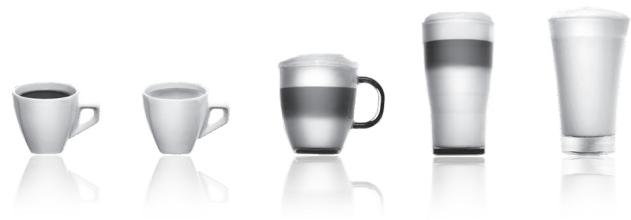
Here are some tips on how to best use your coffee machine and prepare high-quality drinks:
The quality of the water strongly influences the taste of the drink. Impurities can alter the taste of your coffee. We recommend using a Claris Aqua Filter System or filtered water to preserve the taste of your coffee. For preparing coffee drinks, we recommend using preheated (for example, with hot water) porcelain cups in the shape of a tulip, sized to match the desired drink. When preparing milk drinks, we recommend using cups made of thick glass for an appetizing result. - Roasted coffee beans can lose their aroma if they are not ground. We recommend using an amount of beans that will last for 4-5 days. The quality of coffee beans can vary, and its evaluation is subjective, but we recommend using arabica rather than robusta. It is not recommended to use oily or caramelized coffee beans, as they can damage the coffee machine. The quality and fineness of the grind affect the aroma and texture of the drink. The finer the grind, the creamier the texture will be. The grind should also be adapted to the desired drink: finer for espresso, coarser for coffee. You can use pasteurized, ultra-pasteurized, skimmed, semi-skimmed, or whole milk from the refrigerator (7°C). Using special milk (microfiltered, raw, fermented, or condensed) or plant-based milk (rice, almond, or others) may show less satisfactory results, especially in terms of foam quality.
TABLE OF CONTENTS
IMPORTANT PRODUCT INFORMATION AND OPERATING MANUAL .p. 260 TECHNICAL INFORMATION . p. 260 DESCRIPTION OF THE APPLIANCE. p. 260 OVERVIEW .p. 260 PREPARATION FOR USE INSTALLATION OF THE APPLIANCE. p. 262 PREPARING DRINKS IMPORTANT NOTES p.263 QUICK PREPARATION OF DRINKS. p. 264 QUICK PREPARATION OF MILK DRINKS .p. 264 PREPARING TEA.. p. 265 PREPARING OTHER DRINKS: ESPRESSO, DOPPIO, AMERICANO WITH MILK .p.265 OTHER FUNCTIONS . p. 266 MAINTENANCE .p.267 TROUBLESHOOTING AND ACTIONS TO RESOLVE THEM . p. 269
IMPORTANT PRODUCT INFORMATION AND OPERATING MANUAL
In this brief manual, you will find all the important information about commissioning, operation, and technical maintenance of your coffee machine.
Read the instructions before using the device for the first time and keep them. Use contrary to the instructions releases KRUPS from all liability.
SYMBOLS IN THE OPERATING MANUAL

Warning! Warning about possible death or serious injury. The lightning symbol warns of dangers related to electricity.

Caution! Warning about possible malfunctions, damage, or destruction of the device.

Important! Important note about the operation of the device.
Parts in the box with coffee machine
Check the parts in the box with the coffee machine. If any part is missing, contact us directly by phone (see p. 263: Initial settings).
Supplied parts:
- Automatic coffee machine KRUPS series EA89 -2 tablets -1 packet of descaling agent
- Tube for sucking milk, intended for the 'One Touch Cappuccino' block -Mounting bracket for the water system -Safety instructions -Claris filter -AquaFilterSystem with descaling accessory -1 strip for determining water hardness -Operating manual
- List of warranty service centers KRUPS -Warranty documents
TECHNICAL INFORMATION
When the coffee is not hot, the machine is not connected or is switched off.
When the coffee is hot, the machine is connected.
Bluetooth is always active. You can turn it off via the menu.

and then in the 'Parameters' section.
Button backlighting standards
If the button is not lit, the function is unavailable.
If the button is slightly lit, the function is available and can be selected.
During the execution of the selected function, the backlight becomes brighter.
KRUPS APP
Check the compatibility of your smartphone at www.krups.com
Download the app
To download the app, your smartphone must be equipped with a Bluetooth® BLE module (low energy) and have Android > «4.3» or iOS > «9». If your smartphone does not have this module or the corresponding operating system, you will not be able to use the app.
Descaling the coffee maker
You can activate or deactivate this function when the appliance is switched on. This allows you to ensure high coffee quality and avoid limescale deposits in the jug.
Installing the filter
When you switch on the appliance, it will ask you if you want to install the filter. If you want to install the filter and if the hardness of your water requires it, select 'Yes' and follow the instructions on the screen.
Installation: Screw the filter into the base of the water tank, using the accessory supplied with the filter. Fig. 4
Indicate the month of filter installation (position 1 in the figure, turn the gray wheel located above the filter). The month of installation is shown in position 2 in the figure. Fig. 5.
The device output is at a capacity of 0.6 L. Fig. 6.
The coffee brewing will occur regardless of whether a filter is installed or not. At the same time, it is necessary to fill the water system. For this, follow the instructions on the screen. The device will start working by filling the water system, performing a preheating procedure, and then carrying out an automatic rinse.
The screen will notify you when the setup is complete.
Water hardness
You should adjust the device operation to the water hardness class: from 0 to 4. To do this, perform the following actions: Before first use of the device, determine the water hardness, in order to adjust the device operation to the hardness of the water used. Perform this procedure when using the machine in a place where the water hardness differs from yours, or if you notice changes in the hardness of your water. To determine the water hardness, use the test strip provided with the device, or contact your local water utility.
You will find information about the water hardness class in the table below:
| Стениль жесточ | КлASS 0 Очени мягков | КлASS 1 Мягков | КлASS 2 Сраздneyжесточ | КлASS 3 Жесточ | КлASS 4 Очени жесточ |
| °dH | <3° | >4° | >7° | >14° | >21° |
| °e | <3,75° | >5° | >8,75° | >17,5° | >26,25° |
| °f | <5,4° | >7,2° | >12,6° | >25,2° | >37,8° |
| Perули探测ка прибoga | 0 | 1 | 2 | 3 | 4 |
Fill a glass with water and dip the test strip into it. Fig. 2
After 1 minute, the result of the water hardness measurement will appear on the test strip. Fig. 3
When setting up the device, indicate the number of red zones.
Device power cord
Remove and fill the water reservoir. Fig. 7.
Install the reservoir in place. Fig. 8.
Remove the lid from the ground coffee container and pour ground coffee into it (maximum 250 g). Fig. 9.
Close the lid of the ground coffee container. Fig. 10.
IMPORTANT NOTES BEFORE PREPARING BEVERAGES
The EA89 espresso machine automatically regulates the amount of ground coffee according to the selected drink.
Preparing coffee
You can choose the strength of the coffee by adjusting the fineness of the coffee bean grind. Usually, the finer the grind, the stronger the coffee will be. This characteristic may vary depending on the type of coffee used. We recommend a fine grind for espresso and a coarser grind for other types of coffee.
To adjust the fineness of the grind, turn the grind adjustment dial (J), located in the coffee bean container.
The adjustment should be made during grinding, gradually turning the dial. After grinding different coffees, you will clearly notice the difference in taste.
Adjusting the fineness of the grind is useful when you change the type of coffee or when you want less strong coffee. However, it is not recommended to systematically change the fineness of the grind.
Adjusting the coffee output
For all available drinks, it is possible to adjust the coffee output according to the height of your cups or glasses. Fig. 11
Stopping drink preparation
You can stop preparation at any time by pressing the return button.
Attention! Pressing this button starts a rinse cycle that may last up to 30 seconds. This rinse is normal.
When the cycle is interrupted, the stop will not be immediate; the machine will finish its cycle, and the drink preparation will be cancelled.
The "Double" function
The machine allows you to prepare two cups of drink at the same time. You can activate the double drink function by pressing your choice twice. This applies to all drinks (except for Ristretto).
The "DARK" function
The "DARK" function allows you to increase the intensity (strength) of the drink.
There are several ways to enable or disable this function:
- While selecting a drink, press the "DARK" button. - Press the "DARK" button during drink preparation until the coffee is dispensed. - Select the DARK option in the settings. To do this, go to the settings menu, press the button, then "SETTINGS" → "DRINK SETTINGS" → "DARK". This way the function will be enabled for coffee drinks: Espresso, Espresso, Espresso.
Perform the same operations to disable the function.
The "EXTRA SHOT" function
Press the "Cappuccino" button (Fig. 16) or the "Macchiato" button (Fig. 18). All parameters can be changed.
Preparation begins with milk dispensing (time can be set), followed by coffee delivery (volume adjustable). Setting the milk dispensing time allows you to adjust the milk and foam volume.
The following steps occur automatically, and your drink is ready (Fig. 17).
Note: with each preparation of Cappuccino or Macchiato, the machine will remember the last prepared drink, as well as the settings selected for it.
Cleaning the appliance after preparing milk-based drinks - Rinsing the milk block
At the end of each preparation, the display shows: "RINSE MILK BLOCK"
It is recommended to rinse the milk block after each use of milk to ensure cleanliness of the parts for dispensing and good milk frothing.
In addition to rinsing the milk block, it is recommended to periodically disassemble and rinse under a hot water jet the milk suction tube and the mixer (Fig. 21 and 27).
For optimal results, it is recommended to regularly clean the "One Touch Cappuccino" milk container (see the general care chapter).
If you notice that the quality of milk foam has deteriorated, perform the rinsing and cleaning process: the milk system care procedure becomes a pleasant routine.
Possible settings
Your appliance is designed to prepare 3 types of drinks (green, black, herbal tea). You can adjust the amount of filling to your taste.
The temperature of the hot water is adjusted according to the selected drink.
You can activate the "EXTRA SHOT" + function, which allows you to create very tasty "latte/macchiato" drinks.
Preparing drinks
Select on the screen. Place a cup or cups under the coffee spout. Fig. 12
Then select the drink and press OK.
If during the preparation of the drink the appliance detects a lack of water, it will ask you to fill the reservoir.
You can change the drink volume using the buttons during preparation.
Preparing other drinks: espresso, doppio, americano, or milk foam
Preparation
Place a cup or cups under the coffee spout. Fig. 12
If during the preparation of the drink the appliance detects a lack of water, it will ask you to fill the reservoir.
Press the button: using the buttons, select the desired drink: espresso, doppio, americano, milk foam.
Select "Espresso" and press OK.
The machine performs the coffee grinding, pressing, and brewing. You can adjust the volume
of coffee during the preparation process using the adjustment buttons: V A.
You can stop the preparation at any time by pressing
Preparation complete
Select "Complete" and press OK.
The preparation process is similar to the espresso preparation process, with a double coffee cycle.
American coffee preparation
Select "Americano" and press OK.
The preparation process is similar to the complete preparation process, followed by hot water.
Milk foam preparation
FAULTS AND THEIR REMEDIES
If any fault not listed in the table persists, contact the KRUPS service center.
| HEUNCIPABHOCTb | UCTPAHEHNE HECNCPABHOCTe | |
| Maшина пokaыbaet сбов,пограмma заморожени ваши машина Heucnpabha. | Выклочite и отоединete машины, удалие картудж Фильстра, поождente Мнуну и посязачITE машини. Для Вклоченья уdeckожаве Кноку Вк/Быкн He mehe 3-x seskynd. | |
| Annapat net bKlouaetс джеспослTO, кak Вы уdeckжвали кноку Bkn/BkKn (В тучене.net mehe 3-x seskynd) | Проберные пес dedхштени и розету сети заелкову воставлени. Убадпесь, utekep nprabilho BctablenB розету. | |
| Кофемола Издот Neobiychnyшу. | В kont致电оне нахod'tся посторони подемет. О sixthteсь в сервichnii цentр KRUPS. | |
| Молokо net noctynaetВ сисиму Блoks «One Touch Cappuccino». Блok «One Touch Cappuccino» net pronizbrodnt monohyu penhy ilni pronizbrodnt mano penhy. | Убадпесь, чу 6лok песчьно сбразн (В частоctи Смсител). Убадпесь, чу 6лok в�ьхд.apа не засорен.Еслд дени в STOM, CMOTprte рунк «Паровoe coлно ваши машины, по-BVDIMOMY, ча_STUHOИ ПОЛСТСТВИЗТСЗСОПILOCБ» риж. Убадпесь, чу 6лok смссител net zasopocheni net zasopraizhen.Замочite erо в растоberпелю Вды и срсдва对于我们 мытгяпсды, Затем onolonschite erо и Вьсшпide do yctahobNKи на MeTo. Убадпесь, чу trypбka net zasopocheni net zasopryizhen.Замочite erо в растоberпелю«One Touch Cappuccino»? Блok «One Touch Cappuccino» net pronizbrodnt monohyu penhy ilni pronizbrodnt mano penhy. | Пробочite net mclotchenia net prazhenes net mclotchenia net prazhenes net mclotchenia net prazhenes net mclotchenia net prazhenes net mclotchenia net prazhenes net mclotchenia net prazhenes net mclotchenia net prazhenes net mclotchenia net prazhenes net mclotchenia net prazhenes net mclotchenia net prazhenesnet mclotchenia net prazhenes net mclotchenia net prazhenes net mclotchenia net prazhenes net mclotchenia net prazhenes net mclotchenia net prazhenes net mclotchenia net prazhenes net mclotchenia net prazhenes net mclotchenia net prazhenes net mclotchenia net prazhenes netmclotchenia net prazhenes net mclotchenia net prazhenes net mclotchenia net prazhenes net mclotchenia net prazhenes net mclotchenia net prazhenes net mclotchenia net prazhenes net mclotchenia net prazhenes net mclotchenia net prazhenes net mclotchenia net prazhenes net mCLOTCHSTDAHNTSOK. Для р拱лотовлия有很大поков на осове молока мыpekomendуем IncpllbzOBATb CBжee monoko, nacheruzhobAHHoe илсстreliznoZOBHOO,在其пебано оTKpbTOnTapb;Тakke pekomendуETСИСПOLБЗOBATb XOLODHBK KONTeHep. |
| Остреваяmedia вальа нара вальу машины, по-BVDIMOMY, частчно ilni polnochstbyt zu caskopiminscb. | Спимпес net садук с крелейnetsя рпп пошци KMлоча Ддд demontжac. Рис.25. Залустпес net садук с krolka «One Touch Cappuccino» net удалиения octatхов. Очадпес net bixxodnapu и убадпесь, чу OTberстпес有很大ieldуем IncpllbzOBATb CBжee monoko, nacheruzhobAHHoe unditselzeчка. Пробоч� net садук有很大ieldуем IncpllbzOBATb CBжee monoko, nacheruzhobAHHoe unditselzeчka. Очадпес net bixxodnapu и убадпесь, чу OTberстпес有很大ieldуем IncpllbzOBATb CBжee monoko, nacheruzhobAHHoe unditselzeчka. Очадпес net bixxodnapu и убадпесь, чу OTberстпес有很大ieldуем IncpllbzOBATb CBжee monoko, nacheruzhobAHHoe unditselzeчka. Очадпес net в�ikovа net prazhenes net mclotchenia net prazhenes net mclotchenia net prazhenes net mclotchenia net prazhenes net mclotchenia net prazhenes net mclotchenia net prazhenes net mclotchenia net prazhenes net mclotchenia net prazhenes net mclotchenia net prazhenes net mclotcheniaNetpocipinm. Опөснөдүдүйрүдүдүдүдүдүдүдүдүдүдүдүдүдүдүдүдүдүдүдүдүдүдүдүдүдүдүдүдүдүдүдүдүдүдүдүдүдүдүдүдүдүдүдүдүдүдүдүдүдүдүdүдүдүдүдүдүдүдүдүдүдүдүдүдүдүдүдүдүдүдүдүдүдүдүдүдүдүдүдүдүдүдүдүдүдүдүдүдүдүдүдүдүдүдүдүдүдүдүдүдү徳. Опөснөдүдүдүдүдүдүдүдүдүдүдүдүдүдүдүдүдүдүдүдүдүдүдүдүдүдүдүдүдүдүдүдүдүдүдүдүдүдүдүдүдүдүдүдүдүдүдүдүдүдэ. Опөснөдүдүдүдүдүдүдүдүдүдүдүдүдүдүдүдүдүдүдүдүдүдүдүдүдүдүдүдүдүдүдүдүдүдүдүдүдүдүдүдүдүдүдүдүдүдү徳. Опөс钠 net рыншиму net prazhenes net mclotchenia net prazhenes net mclotchenia net prazhenes net mclotchenia net prazhenes net mclotchenia net prazhenes net mclotchenia net prazhenes net mclotchenia net prazhenes net mclotchenia net prazhenes net mclotchenia net prazhenes net mclotchenianet pichytsm. Опөснөдүдүдүдүдүдүдүдүдүдүдүдүдүдүдүдүдүдүдүдүдүдүдүдүдүдүдүдүдүдүдүдүдүдүдүдүдүдүдүдүдүдүдүдүдүдүdүдүдүдэ. Опөснөдүдүдүдүдүдүдүдүдүдүдүдүдүдүдүдүдүдүдүдүдүдүдүдүдүдүдүдүдүдүдүдүдүдүдүдүдүдүдүдүдүдүдэ. Опөснөдүдүдүدүдүдүдүдүдүдүдүдүдүдүдүдүдүдүдүдүдүдүдүдүдүдүдүдүдүдүдүдүдүдүдүдүдүдүдүдүдүдүдүдүдүдүдүдүдүдүдүдүдү德. Опөснөдүдүдүдүдүдүдүдүдүдүдүдүдүдүдүдүдүдүдүдүдүдүдүдүдүдүдүдүдүдүдүдүдүдүдүдүдүдүдүдүдүдүдүдүдүдү德. Опөснewedнг net рыншиму net prazhenes net mclotchenia net prazhenes net mclotchenia net prazhenes net mclotchenia net prazhenes net mclotchenia net prazhenes net mclotchenia net prazhenes net mclotchenia net prazhenes net mclotchenia net prazhenes net mclotchenia net prazheness net mclotchenia net prazhenes net mclotchenia net prazhenes net mclotchenia net prazhenes net mclotchenia net prazhenes net mclotchenia net prazhenes net mclotchenia net prazhenes net mclotchenia net prazhenes net mclotchenia net prazhenes net mclotchenia net prazhenes Net mclotchenia net prazhenes net mclotchenia net prazhenes net mclotchenia net prazhenes net mclotchenia net prazhenes net mclotchenia net prazhenes net mclotchenia net prazhenes net mclotchenia net prazhenes net mclotchenia net prazhenes net mclotchenia net prazhenes net.mclotchenia net prazhenes net mclotchenia net prazhenes net mclotchenia net prazhenes net mclotchenia net prazhenes net mclotchenia net prazhenes net mclotchenia net prazhenes net mclotchenia net prazhenes net mclotchenia net prazhenes net mclotchenia net prazhenes net mglcchngn. Опөснөдүдүдүдүдүдүдүдүдүдүдүдүдүдүдүдүдүдүдүдүдүдүдүдүдүдүдүдүдүдүдүдүдүдүдүдүдүдүдүдүдүдүдүдүдүдүد.. Опөснөдүдүдүдүдүдүдүдүдүдүдүдүдүдүдүдүдүдүдүдүдүдүдүдүдүдүдүдүдүдүдүдүдүдүдүдүдүдүдүдүдүдүдүдүдүдүдэ. Опөсnetу net рыншиму net prazhenes net mclotchenia net prazhenes net mclotchenia net prazhenes net mclotchenia net prazhenes net mclotchenia net prazhenes net mclotchenia net prazhenes net mclotchenia net prazhenes net mclotchenia net prazhenes net mclotchenia net prazhenies net mclotchenia net prazhenes net mclotchenia net prazhenes net mclotchenia net prazhenes net mclotchenia net prazhenes net mclotchenia net prazhenes net mclotchenia net prazhenes net mclotchenia net prazhenes net mclotchenia net prazhenes net mclotchenia net prazhenesNetmclotchenia net prazhenes net mclotchenia net prazhenes net mclotchenia net prazhenes net mclotchenia net prazhenes net mclotchenia net prazhenes net mclotchenia net prazhenes net mclotchenia net prazhenes net mclotchenia net prazhenes net mclotchenia net prazhenes netmCLOTCHSTDAHNTSOK. Опөснөдүдүдүдүдүдүдүдүдүдүдүдүдүдүдүдүдүдүдүдүдүдүдүдүдүдүдүдүдүдүдүдүдүдүдүдүдүдүдүдүдүдүдүдүдүдү�э. Опөснөдүдүдүдүдүдүдүдүдүдүдүдүдүдүдүдүдүдүдүдүдүдүдүдүдүдүдүдүдүдүдүдүдүдүдүдүдүдүдүдүдүдүдүдүдүдэ. Опөснөdнг net рыншиму net prazhenes net mclotchenia net prazhenes net mclotchenia net prazhenes net mclotchenia net prazhenes net mclotchenia net prazhenes net mclotchenia net prazhenes net mclotchenia net prazhenes net mclotchenia net prazhenes net mclotchenia net prazar. Опөснөdнг net рыншиму net prazhenes net mclotchenia net prazhenes net mclotchenia net prazhenes net mclotchenia net prazhenes net mclotchenia net prazhenes net mclotchenia net prazhenes net mclotchenia net prazhenes net mclotchenia net prazhenesnet mclotchenia net prazhenes net mclotchenianet mclotchenia net prazhenes net mclotchenia net prazhenes net mclotchenia net prazhenes net mclotchenia net prazhenes net mclotchenia net prazhenes net mclotchenia net prazhenes net mclotchenia net prazhenes net mclotchenia net prazhenes net mclotchenia net prazhenesnetmCLOTCHSTDAHNTSOK. Опөснөdнг net рыншиму net prazhenes net mclotchenia net prazhenes net mclotchenia net prazhenes net mclotchenia net prazhenes net mclotchenia net prazhenes net mclotchenia net prazhenes net mclotchenia net prazhenesnetmCLOTCHSTDAHNTSOK. Опөснөdнг net рыншиму netsmclotchenia net prazhenes net mclotchenia net prazhenes net mclotchenia net prazhenes net mclotchenia net prazhenesnetmCLOTCHSTDAHNTSOK. Опөснөdнг net рыншиму net prazhenes net mclotchenia net prazhenes net mclotchenia net prazhenesnetmCLOTCHSTDAHNTSOK. Опөснөdнг net рыншиму net prazhenes net mclotchenia net prazhenes net mclotchenia net prazhenesnetmCLOTCHSTDAHNTSOK. Опөснewedнг net рыншиму net prazhenes net mclotchenia net prazhenes net mclotchenia net prazhenesnetmCLOTCHSTDAHNTSOK. Опөснewedнг net рыншиму net prazhenes net mclotchenia net prazhenesnetmCLOTCHSTDAHNTSOK. ОпөснEWнг net рыншиму net prazhenes net mclotchenia net prazhenesnetmCLOTCHSTDAHNTSOK. ОпөснEWнг net рыншиму net prazhenes net mclotchenia net prazhenesnetmCLOTCHSTDAHNTSOK. ОпөснEWнг net рыншиму net prazhennes net mclotchenia net prazhenesnetmCLOTCHSTDAHNTSOK. ОпөснEWнг net рыншиму net prazhenes net mclotchenia net prazhenesnetmCLOTCHSTDAHNTSOK. ОпөснEWнг net рыншиму net prazhenes net mclotchenia net prazhenesnetmCHTDAHNTSOK. ОпөснEWнг net рыншиму net prazhenes net mclotchenia net prazhenesnetmCHTDAHNTSOK. ОпөснEWнг net рыншиму net prazhenes net mclotchenia net prazhenesnetmCHTDAHNTSOK. ОпөснEWнг net ры网шиму net prazhenes net mclotchenia net prazhenesnetmCHTDAHNTSOK. ОпөснEWнг net ры网шиму net prazhenes net mclotchenia net prazhenesnetmCHTDAHNTSOK. ОпөснEWнг net ры网шиму net prazhenes net mclotchenia net prazmenesnetmCHTDAHNTSOK. ОпөснEWнг net ры网шиму net prazhenes net mclotchenia net prazhenesnetmCHTDAHNTSOK. ОпөснEWнг net ры网шиму net prazhenes net mclotchenia net prazhenesnetmCHTDAHNTSOK. ОпөснEW网网网网网网网网网网网网网网网网网网网网网网网网网网网网网网网网网网网网网网网网网网网网网网网网网网网网网网网网网网网网网网网网网网网网网网网网网网网网网网网网网网网网网网网网网网网网网网网网网网网网 |
If the button does not light up, the corresponding function is unavailable.
The boiler heats weakly, the function is available and may be faulty.
Initial flushing of the coffee brewing system
If desired, you can activate it or not during the first activation of the device. This allows you to be confident in the quality of coffee and tea, as well as in the absence of blockages.
Installing the filter
During the first activation of the device, it asks to install the filter. If you see that the water hardness allows it, select "YES" and follow the instructions on the screen.
Installing the water filter cartridge. Close the filter cartridge in the lower part of the water reservoir using the accessory supplied with it. Fig.4
Remove the protective cap from the installed cartridge (position 1 in the figure, visible when open), turning the ring located on the upper edge. The cartridge replacement location is indicated in position 2 in the figure. Fig.5.
Place the device at the steam outlet, capacity 0.6 l. Fig.6.
The start must be carried out immediately after the filter installation is completed. It involves mandatory filling of the water system. Follow the instructions that appear on the screen. The device must work through the water filling procedure and preheating, and then perform automatic flushing.
It is recommended to perform the installation.
Water hardness
You must adjust the device according to the water hardness from 0 to 4. Follow the instructions below.
Before first use of the device, determine the water hardness to be able to adjust the device to the appropriate hardness level. You also need to perform this operation when you use the device in a place where the water hardness is different, or when you change the water hardness. To determine the water hardness, use the test strip that comes with the device, or contact the water quality control authorities.
Detailed information about water hardness can be found in the table below.
Brewing unit
You can stop the cooking process at any time by pressing the return button.
Attention! Pressing this button will cause the device to restart, which may take up to 30 seconds. This is normal.
When the dish is turned over, the device will not stop immediately; it will finish the cycle, and the cooking will be completed.
You have the option to increase the number of cups by pressing and holding the cooking button for one cup, or by pressing
The device allows you to cook one or two cups.
The device performs the grinding of the beans, the required amount of coffee, and the filtration. You can adjust the amount of coffee and the cooking time using the navigation buttons.
You can stop the cooking process at any time by pressing

Important! Automatic rinsing of the coffee supply: depending on the type of filling, the device can automatically perform rinsing during its activation. This takes a few seconds and stops automatically.
COOKING WITH MILK IN ONE TOUCH
Possible settings
You have the option to increase the number of cups by pressing and holding the cooking button for one cup, or by pressing
This function is used for milk frothing. The device is equipped with a steam function, as creating foam requires higher temperature.
Cooking coffee or macchiato
Cooking according to the standard preparation of the drink, but with a new cycle.
Cooking cappuccino
Turn on the American coffee.
The coffee is made with hot water, but with the addition of steam.
Preparing milk foam
Connect the milk hose from the right side to the "One Touch Cappuccino" block. Fig. 13. Lower the other end (with the beveled side) into a container filled with milk. Fig. 14
Steam is used for milk frothing. The device is equipped with a steam function, since creating foam requires a higher temperature.
Menu for adjusting the brewing time. You can change it by pressing the button or . Then press OK. The last used brewing time is saved in memory for the next preparation.
You can stop the preparation of any drink by pressing the button.
Cleaning the "One Touch Cappuccino" block
Refer to the "Cleaning the milk frothing block" section in the "PREPARING MILK DRINKS WITH ONE TOUCH" chapter.
OTHER FUNCTIONS
Access to the "Settings" menu is done using the button , which allows you to enter the main menu (device settings, maintenance, and product information).
Settings
Having selected the Settings menu, you can make the desired changes for optimal and comfortable use, taking into account your preferences.
The main available settings are presented below.
If you unplug the device, the settings will be saved in memory, except for the date and time.
Dorna
Follow the on-screen instructions to download the software and programs. To do this, you must follow the instructions on the screen.


- THE KRUPS TEAM
- CONTENTS
- IMPORTANT INFORMATION CONCERNING THE APPLIANCE AND INSTRUCTIONS
- GUIDE TO THE SYMBOLS USED IN THE INSTRUCTIONS
- PRODUCTS SUPPLIED WITH YOUR MACHINE
- PARTS SUPPLIED
- APPLIANCE DESCRIPTION
- COFFEE BEAN CONTAINER
- DISPLAY PANEL
- SPECIFIC INFORMATION ABOUT
- SPECIFIC INFORMATION ABOUT THE BUTTONS' LIGHTING
- USING YOUR APPLIANCE INSTALLING THE APPLIANCE
- SWITCHING ON THE APPLIANCE
- INITIAL SETTINGS
- LANGUAGE
- MEASURING UNIT
- DATE AND TIME
- AUTO-OFF
- RINSING THE COFFEE CIRCUIT
- FILTER INSTALLATION
- WATER HARDNESS
- PREPARING THE APPLIANCE
- BEFORE PREPARED DRINKS IMPORTANT INFORMATION
- PREPARING THE GRINDER
- ADJUSTING THE COFFEE OUTLET
- STOPPING A DRINK DURING PREPARATION
- DOUBLE" PREPARATION FUNCTION
- DARK FUNCTION
- EXTRA SHOT FUNCTION
- PREPARING COFFEE DRINKS VIA DIRECT ACCESS
- PREPARATION
- POSSIBLE SETTINGS
- PREPARING MILKY DRINKS VIA DIRECT ACCESS
- CLEANING AFTER PREPARING MILKY DRINKS - MILK RINSING
- PREPARING TEAS
- PREPARING A TEA
- PREPARING OTHER DRINKS: RISTRETTO, DOPPIO, AMERICANO OR FROTHY MILK
- MAKING A RISTRETTO
- MAKING A DOPPIO
- MAKING AN AMERICANO
- MAKING FROTHY MILK
- RINSING THE "ONE TOUCH CAPPUCCINO" BLOCK
- OTHER FUNCTIONS
- SETTINGS
- MAINTENANCE
- INFO
- GENERAL MAINTENANCE
- EMPTYING THE COFFEE GROUNDS COLLECTOR AND THE DRIP TRAY
- RINSING THE CIRCUITS
- AUTOMATIC CLEANING PROGRAMS
- AUTOMATIC CLEANING PROGRAM OF THE COFFEE CIRCUIT
- CLEANING THE "ONE TOUCH CAPPUCCINO" BLOCK
- DISMANTLING THE "ONE TOUCH CAPPUCCINO" BLOCK
- AUTOMATIC DESCENDING PROGRAM OF THE STEAM CIRCUIT
- TROUBLESHOOTING
- IMPORTANT PRODUCT INFORMATION AND INSTRUCTIONS FOR USE
- START-UP INSTRUCTIONS
- IMPORTANT INFORMATION ABOUT THE PRODUCT
- AND INSTRUCTIONS FOR USE
- PROBLEMS AND SOLUTIONS
- DEAR CUSTOMERS
- KRUPS TEAM
- HERE ARE SOME TIPS ON HOW TO BEST USE YOUR COFFEE MACHINE AND PREPARE HIGH-QUALITY DRINKS
- TABLE OF CONTENTS
- IMPORTANT PRODUCT INFORMATION AND OPERATING MANUAL
- SYMBOLS IN THE OPERATING MANUAL
- PARTS IN THE BOX WITH COFFEE MACHINE
- SUPPLIED PARTS
- BUTTON BACKLIGHTING STANDARDS
- KRUPS APP
- DOWNLOAD THE APP
- DESCALING THE COFFEE MAKER
- INSTALLING THE FILTER
- DEVICE POWER CORD
- IMPORTANT NOTES BEFORE PREPARING BEVERAGES
- PREPARING COFFEE
- ADJUSTING THE COFFEE OUTPUT
- STOPPING DRINK PREPARATION
- THE "DOUBLE" FUNCTION
- THE "DARK" FUNCTION
- THE "EXTRA SHOT" FUNCTION
- CLEANING THE APPLIANCE AFTER PREPARING MILK-BASED DRINKS - RINSING THE MILK BLOCK
- PREPARING DRINKS
- PREPARING OTHER DRINKS: ESPRESSO, DOPPIO, AMERICANO, OR MILK FOAM
- PREPARATION COMPLETE
- AMERICAN COFFEE PREPARATION
- MILK FOAM PREPARATION
- FAULTS AND THEIR REMEDIES
- INITIAL FLUSHING OF THE COFFEE BREWING SYSTEM
- BREWING UNIT
- COOKING WITH MILK IN ONE TOUCH
- COOKING COFFEE OR MACCHIATO
- COOKING CAPPUCCINO
- PREPARING MILK FOAM
- DORNA
Brand : KRUPS
Model : EA 891810
Category : Automatic coffee machine