INPUT - Phone charger DICOTA - Free user manual and instructions
Find the device manual for free INPUT DICOTA in PDF.



| Product Type | Universal car phone charger |
| Brand | DICOTA |
| Model | INPUT |
| Dimensions (charger) | approximately 5 x 3 x 2 cm |
| Weight | approximately 50 g |
| Power supply | 12 V (cigarette lighter) or computer USB port |
| Output power | 5 V / 1 A (max) |
| Included cable | Self-coiling USB cable (length approx. 1 m) |
| Interchangeable tips | 5 plugs: Nokia A/B, Motorola, Sony Ericsson A/B + Mini-USB adapter for Nokia/PDA |
| Main functions | Charging mobile phones and USB devices via cigarette lighter or computer |
| Car use | Plug in the cigarette lighter adapter, choose the appropriate plug, and connect the cable |
| Computer use | Connect the USB cable to a USB port on the computer |
| Compatibility | Check www.dicota.com for the list of compatible devices |
| Maintenance and cleaning | Clean with a soft, dry cloth; do not use abrasive products |
| Safety | Do not expose to moisture; any unauthorized modification voids the warranty |
| Spare parts and repairability | Contact DICOTA customer service; no spare parts available separately |
| Warranty | 2 years |
| Certifications | Compliant with WEEE directive |
Frequently Asked Questions - INPUT DICOTA
User questions about INPUT DICOTA
0 question about this device. Answer the ones you know or ask your own.
Ask a new question about this device
Download the instructions for your Phone charger in PDF format for free! Find your manual INPUT - DICOTA and take your electronic device back in hand. On this page are published all the documents necessary for the use of your device. INPUT by DICOTA.
USER MANUAL INPUT DICOTA
Universal mobile phone charger for car and Notebook
deutsch
Bedienungsanleitung
Thank you for purchasing Input from DICOTA. It offers you a universal charging capability for various mobile phones and portable devices. You can also charge your devices via car cigarette/12 V socket and computer USB ports. With special dual-plug design for the interchangeable tips, it prevents tips from being lost.
Package contents:
- Car charger
- Retractable USB cable
- 5 interchangeable tips for different mobile phones
1 mini USB
In-line module - User's guide
Caution
Change or modifications not expressly approved by the manufacturer responsible compliance could void the user's authority to operate the equipment.
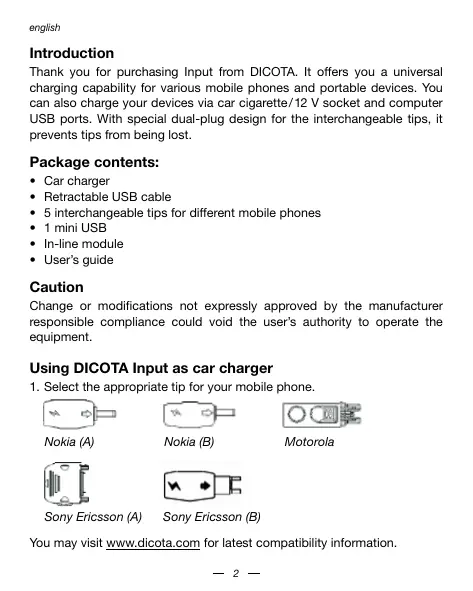
Using DICOTA Input as car charger
- Select the appropriate tip for your mobile phone.
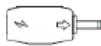
Nokia (A)
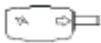
Nokia (B)
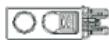
Motorola

Sony Ericsson (A)
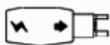
Sony Ericsson (B)
You may visit www.dicota.com for latest compatibility information.
- Connect the tip to the retractable USB cable.
- Plug the cable into the USB port of the car charger.
- Insert the car charger into the cigarette socket and start charging the phone.
Using DICOTA Input as USB charger
- Select the appropriate tips for your mobile phone.
- Connect the tip to the retractable USB cable.
- Plug the cable into the USB port of PC or Notebook.
- Start charging the phone.
Important note:
With certain models of Nokia phones or Mini-USB powered PDA devices the additional in-line module is required to ensure consistent charging. Please connect the module directly into the USB socket or cigar/12V adaptor then plug the cable into the in-line module.
Disclaimer:
Information in this document is subject to change without notice. The manufacturer does not make any representations or warranties (implied or otherwise) regarding the accuracy and completeness of this document and shall in no event be liable for any loss of profit or any commercial damage, including but not limited to special, incidental, consequential, or other damage. No part of this document may be reproduced or transmitted in any form by any means, electronic or mechanical, including photocopying, recording or information recording and retrieval systems without the express written permission of the manufacturer.
Customer service:
If you encounter any problem with your Input, please contact our local subsidiary, partner or dealer, or send us your inquiry to info@dicota.com.
2 years warranty. Please find the complete text in our guarantee on the internet: www.dicota.com.
All the products and software mentioned above are registered trademarks of their respective owners. Errors and omissions excepted.


This symbol (crossed out bin wheelie symbol according to WEEE Annex IV) indicates separate collection of waste electrical and electronic equipment in the EU countries. Please do not throw the equipment into the domestic refuse. Please use the return and collection systems available in your country for the disposal of this product.