ATTACK - Backpack DICOTA - Free user manual and instructions
Find the device manual for free ATTACK DICOTA in PDF.



| Product type | Laser mouse |
| Brand | DICOTA |
| Model | ATTACK |
| Detection technology | Class 1 laser |
| Available resolutions | 800, 1600, 2200 dpi |
| Default resolution | 800 dpi |
| Scanning frequency | Impressive (not specified) |
| Interface | USB (cable) |
| Power supply | Via USB port |
| Dimensions (estimated) | 12 × 7 × 4 cm |
| Weight (estimated) | 100 g |
| Main functions | Laser mouse, 3 selectable resolutions, speed button, fire button (double/triple/quadruple click), ergonomic flat base |
| Safety | Do not point the laser beam at eyes; keep out of reach of children |
| Maintenance and cleaning | Wipe with a soft, dry cloth |
| Spare parts | Not available |
| Repairability | Not user-repairable |
| Warranty | 2 years |
| After-sales service | Contact the retailer or info@dicota.com |
| General information | Reproduction prohibited; WEEE: separate collection |
Frequently Asked Questions - ATTACK DICOTA
User questions about ATTACK DICOTA
0 question about this device. Answer the ones you know or ask your own.
Ask a new question about this device
Download the instructions for your Backpack in PDF format for free! Find your manual ATTACK - DICOTA and take your electronic device back in hand. On this page are published all the documents necessary for the use of your device. ATTACK by DICOTA.
USER MANUAL ATTACK DICOTA
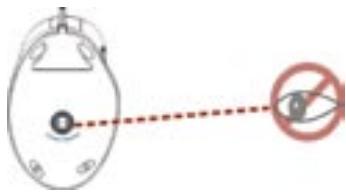
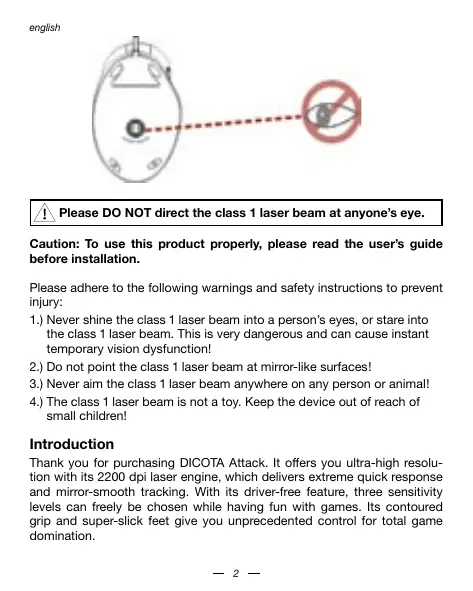
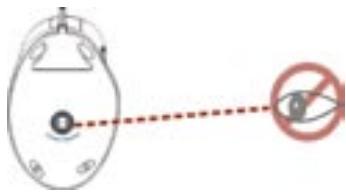
Please DO NOT direct the class 1 laser beam at anyone's eye.
Caution: To use this product properly, please read the user's guide before installation.
Please adhere to the following warnings and safety instructions to prevent injury:
1.) Never shine the class 1 laser beam into a person's eyes, or stare into the class 1 laser beam. This is very dangerous and can cause instant temporary vision dysfunction!
2.) Do not point the class 1 laser beam at mirror-like surfaces!
3.) Never aim the class 1 laser beam anywhere on any person or animal!
4.) The class 1 laser beam is not a toy. Keep the device out of reach of small children!
Introduction
Thank you for purchasing DICOTA Attack. It offers you ultra-high resolution with its 2200 dpi laser engine, which delivers extreme quick response and mirror-smooth tracking. With its driver-free feature, three sensitivity levels can freely be chosen while having fun with games. Its contoured grip and super-slick feet give you unprecedented control for total game domination.
Using your mouse
DICOTA Attack uses a new generation of technology: Its invisible laser module replaces the traditional optical LED sensor. DICOTA Attack provides amazing tracking abilities, and the invisible laser sensor is much more accurate (up to 20 times) than traditional optical LED sensors. You can work with your mouse on almost any kind of surface.
1. What is the difference of laser sensor:
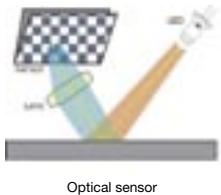
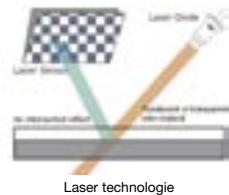
High resolution comparison

"Speckle Pattern Interferometry" by laser mouse

Structure Shadow by optical LED mouse
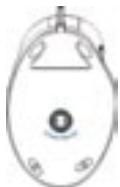
Features and benefits
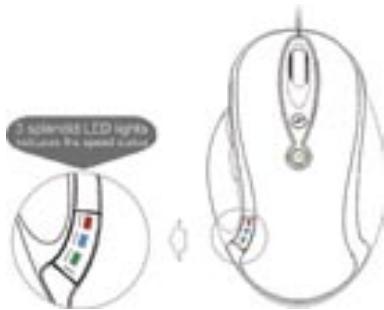
1. Speed button
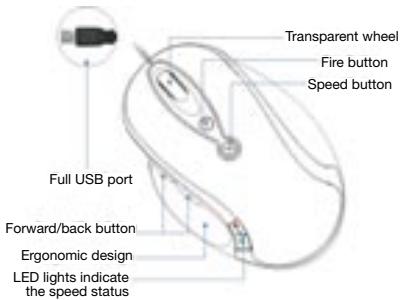
The sensor resolution can be selected between 800, 1600 and 2200 dpi. A special button is designed for instant sensitivity adjustment. You can switch effortlessly from pixel-precise targeting to fast-twitch acceleration!
Press "speed button" once: green light on, which indicates the current resolution is 1600 dpi;
Press "speed button" twice: blue light on, which indicates the current resolution is 2200 dpi;
Press "fire button" three times: red light on, which indicates the current resolution is 800 dpi;
(The default sensitivity is 800 dpi when DICOTA Attack is initially connected with the computer).
Note: All functions above can be used circularly!
2. Fire button
Press "fire button" once, and the transparent wheel glows red. Click the left mouse button simultaneously to have a two-bullet shot.
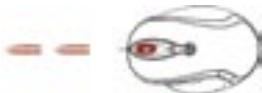
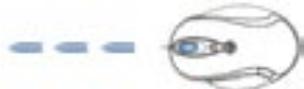
Press "fire button" twice, and the transparent wheel glows blue. Click the left mouse button simultaneously to have a three-bullet shot.
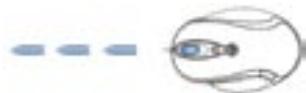
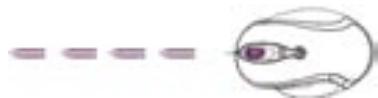
Press "fire button" three times, and the transparent wheel glows purple. Click the left mouse button simultaneously, to have a four-bullet shot.
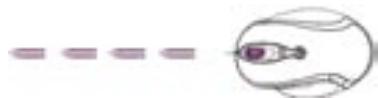
Press the fire button one more time, then there will be no light on the transparent wheel; click the left key of the mouse simultaneously to have a one-bullet shot. (Default setting when DICOTA Attack is initially connected with the computer).
Note: All functions above can be used circularly!
Troubleshooting
Mouse does not work upon installation.
Try one or more of the following:
- Make sure you have installed the mouse correctly.
- Make sure the cable is plugged into the right mouse or USB port.
- Unplug the mouse and then plug in the mouse again. Make sure that the mouse has been detected by the operating systems properly.
- Make sure your mouse port has the proper configuration.
Refer to your computer documentation for the correct port configuration.
Disclaimer
Information in this document is subject to change without notice. The manufacturer does not make any representations or warranties (implied or otherwise) regarding the accuracy and completeness of this document and shall in no event be liable for any loss of profit or any commercial damage, including but not limited to special, incidental, consequential, or other damage. No part of this document may be reproduced or transmitted in any form by any means, electronic or mechanical, including photocopying, recording or information recording and retrieval systems without the express written permission of the manufacturer.
Customer Service:
If you encounter any problem with your Attack, please contact our local subsidiary, partner or dealer, or send us your inquiry to info@cicota.com.
2 years warranty. Please find the complete text in our guarantee on the internet: www DICota.com.
All the products and software mentioned above are registered trademarks of their respective owners. Errors and omissions excepted.



This symbol (crossed out bin wheelie symbol according to WEEE Annex IV) indicates separate collection of waste electrical and electronic equipment in the EU countries. Please do not throw the equipment into the domestic refuse. Please use the return and collection systems available in your country for the disposal of this product.


Interferometria sale e pepe (speckle) in mouse al laser
HakMMTE "IyCKOBYK KHONKY" Dba paaa n np03paHoe KONEcIKo HAHTe CBETNbCa ronyb6mCBtOM. DnT OTOb6 BICTpeNTb TpeM ACHAPdAM, OHDBOpEMHO C 3TNM KNKKHETe Ha NEbyo KNABIWU Mblu.
HakMMTE NCKOBY KOHNY TPN pAa n PpOzPauHoe KONEcH aHcyET CBETbCBy FNIOIEOTbBmCBET. DnToro YTObbl BbCTpeNtBuYeIbMBA CHAPdAM,ODHOBPMeEHo C3TNM KNKHHETe Na Heyko KNBIAuWb MUsiH.
HaKmte "nyckobuy KhoNky" eue Odn pa3, nocne 3TOr B npOzpaHOM KOncike He 6bdt CBeT; dA TOr YTObbl BvCTpeINbO ndHM ChapRdOM, ONDOBpemehNO C 3TUM KNIKHETe Ha Nebuy KNaBnUy MbiuN. (To HAcTpoKa no yMOnHAnHIO, KOrda DICOTA Attack nepBOHauaIbHO npCoeDnHETc K KOMMbTopey).
This symbol (crossed out bin wheele symbol according to WEEE Annex IV) indicates separate collection of waste electrical and electronic equipment in the EU countries. Please do not throw the equipment into the domestic refuse. Please use the return and collection systems available in your country for the disposal of this product.