AF 5089 MS - Digital photo frame AGFAPHOTO - Free user manual and instructions
Find the device manual for free AF 5089 MS AGFAPHOTO in PDF.


| Product type | Digital photo frame |
| Brand | AGFAPHOTO |
| Model | AF 5089 MS |
| Dimensions (W × H × D) | 220 × 162 × 88 mm |
| Weight | 0.517 kg |
| Screen diagonal | 8 inches (20 cm) |
| Screen resolution | 800 × 600 pixels (4:3 format) |
| Supported photo formats | JPEG (*.jpg) |
| Compatible memory cards | SD, SDHC, MMC, MS, XD |
| Internal memory | Up to 500 photos |
| Power supply | Power adapter 5V / 1A (models HK-U-050A100-CP or KSAS0100500100D5) |
| Power consumption (standby) | 4.81 W during slideshow |
| Main functions | Slideshow, file copy/delete, display settings (brightness, contrast, color), image rotation, auto-off timer, alarm, custom frame |
| Maintenance and cleaning | Clean the screen with a soft, dry cloth. Unplug the device before cleaning. Do not use liquid or abrasive products. |
| Safety | Do not expose to moisture, heat sources or direct sunlight. Use only the provided power adapter. Do not open the device. |
| Spare parts and repairability | Power adapter provided. For any repair, contact an authorized technician. |
| General information | Warranty included. Compliant with EC directive 1999/5. Manufactured under license from Agfa-Gevaert. |
Frequently Asked Questions - AF 5089 MS AGFAPHOTO
User questions about AF 5089 MS AGFAPHOTO
0 question about this device. Answer the ones you know or ask your own.
Ask a new question about this device
Download the instructions for your Digital photo frame in PDF format for free! Find your manual AF 5089 MS - AGFAPHOTO and take your electronic device back in hand. On this page are published all the documents necessary for the use of your device. AF 5089 MS by AGFAPHOTO.
USER MANUAL AF 5089 MS AGFAPHOTO
Copyright © 2011 Sagemcom
Copyright © 2011 Sagemcom
General Safety Information
Do not make any changes or settings that are not described in this user manual. Physical injury or damage to the device or loss of data can result from improper handling. Take note of all warning and safety notes indicated.
The device is exclusively for indoor use. The device should be placed securely on a stable, flat surface. Position all cables in such a way that no one will stumble on them, thus avoiding possible injuries to persons or damage to the device itself.
Always handle the unit with care. Avoid touching the LCD screen. Never place heavy or sharp objects on the LCD panel, frame or power cord.
Protect the device against direct sunlight, heat, large temperature fluctuations and moisture. Do not place the device in the vicinity of heaters or air conditioners. Observe the information on temperature and humidity in the technical data.
The device should not be switched on immediately after being moved from a cold to a warm room or vice versa or into a cold room which has been heated up quickly. In such cases, wait at least three hours until the device has adapted to the changed conditions (temperature, humidity...).
In the event that the device becomes too hot, or if you see smoke coming from the device, you must immediately pull the power cable out of the power socket. Have your device examined by trained professionals at a technical service location. To prevent the spread of fire, open flames should be kept away from the device.
Do not plug in the device in moist rooms. Never touch the mains cable or the mains connection with wet hands.
Do not allow liquids to enter into the device. Disconnect the device from the power socket if liquids or foreign objects have entered the device and have your device examined by trained professionals at a technical service location.
Do not allow children to handle the device without supervision. The packing materials should be kept out of the hands of children.
Use only the enclosed power adapter (see chapter Appendix / Technical Data). Check whether the mains voltage of the power supply matches the mains voltage available at the setup location. This equipment complies with the voltage type specified on the unit.
Never touch the power cable if the insulation is damaged. Replace damaged wires immediately. Use suitable cables only; if necessary please contact our technical customer service or your retailer.
Before cleaning the surface of your device, disconnect it from the power network. Use a soft, lint-free cloth. Never use liquid, gaseous or easily flammable cleansers (sprays, abrasives, polishes, alcohol). Do not allow any moisture to reach the interior of the device.
Only clean the display with a dry, soft cloth. If the display breaks, a mildly corrosive liquid may escape. Avoid all contact with your skin and eyes.
Do not make any repairs to the device yourself. Improper maintenance can result in injuries or damage to the device. Only have your device repaired by an authorised service centre.
Do not remove the type label from your device; this would void the warranty.
Only use storage media that are compatible with the device. In order to prevent damage to the card or the unit, please turn off the power before removing or inserting the card.
Never pull out the memory card while the device is accessing it. This could cause data to be damaged or lost.
Packing Contents
Digital photo frame with bracket
-] Power supply with exchangeable plugs
Quick Start Guide
- Warranty card
Basic Operation [fig. 1]
- If there is a protective foil on the frame, please remove it before attempting to use.
- Insert a memory card or a USB storage medium into the appropriate slot at the rear of the device. Your device supports the following memory cards: SD/SDHC/MMC/MS/XD.
![AGFAPHOTO AF 5089 MS - Basic Operation [fig. 1] - 1](/content/2024/11/17793/images/cd72b4664516e8ae239fc84349deb99a2365f47186a81d8d46b83b60025eb4b2.jpg)
Take note of the correct insertion direction!
The memory card can only be inserted in one direction. Do not force the card into the slot.
- Insert the small plug of the power supply into the socket + on the rear side of your device.
- Plug the power supply into the mains. The player will start slide show after the start screen be displayed.
Buttons on the Reverse Side of the Device [fig. 2]
- Navigating in the Menu / Skips to the previous or next image.
A/—Navigating in the Menu - Confirms the selection / Starting, interrupting the slide show
Menu Overview [Playback] [fig. 3a]
Using MENU you can switch between Preview-Mode and slide show.
Menu Overview [Settings] [fig. 3b]
Using the key you call up the settings menu. Using select:
1 Copy Files
2 Delete Files
Basic Settings
Photo Playback (fig. 4a)
- Press MENU.
- Using / select a folder or source, and confirm with
- Use or to select the image from which to start the slide show an confirm using OK.
- Press (4) / (6) to skip to the previous or next image.
- Press OK to pause the slide show.
Copy Files [fig. 4b]
- Press
- Using / select the symbol and confirm with OK.
- Using / select a folder or source, and confirm with .
- Using / highlight the file you want to copy and confirm with .
- Mark further files using
- Press
- Use () / () to select a folder and start copy using OK.
![AGFAPHOTO AF 5089 MS - Copy Files [fig. 4b] - 1](/content/2024/11/17793/images/e823f13418744f3459fbf01b112879db1d91778b27616ec39d858d4d07a1fbd1.jpg)
Creating new directory/album
a) Use / to select the album "NEW" and confirm with OK.
b) Use ()I() , ()I() to select the desired character/letter and confirm with () .
c) After setting the name, click "Enter" and confirm with OK.
Delete Files [fig. 4c]
- Press
- Using / select the symbol and confirm with OK.
- Using / select a folder or source, and confirm with
-
Using (A) / (B) highlight the file you want to delete and confirm with OK. (Press again OK to cancel the selection)
-
Press then ON
- Use 4 to select 7 to delete or 8 to cancel.
- Confirm with
Settings
- Press
- Using / select the symbol and confirm with OK.
- Use (A) / () to select from the following settings:
Photo Settings [rotating image, slide show speed, transition effects, aspect ratio]
ECO Settings [Automatically switch on/off]
Display Settings (brightness, contrast, color saturation, backlight)
Setting the Fun Frame (personal frame)
Time (Setting the time)
Calendar [Setting of year, month, day]
Playback Mode of the slide show (Slideshow by sorted, slideshow by random)
Factory default (Restore the settings to the factory default)
Technical Data AF5089PS
| Dimensions (L × H × W) | 220 × 162 × 88 mm |
| Weight | 0,517 kg |
| Power Consumption | |
| Device is switched on (slide show) | 4,81 W |
| Screen size | 8” / 20 cm |
| USB Port | USB-Host |
| max. current load | < 150 mA |
Power supply
Manufacturer
1) Hon-Kwang Electric Co., Ltd;
2) Kuantech (Shenzhen) Co., Ltd
| Model No. | 1) HK-U-050A100-CP, 2) KSAS0100500100D5 |
| Input | 100~240V~ / 50/60Hz |
| Output | 5V---- / 1A |
Technical Data AF5109PS
| Dimensions (L × H × W) | 255 × 215 × 88 mm |
| Weight | 0,760 kg |
| Power Consumption | |
| Device is switched on (slide show) | 5,34 W |
| Screen size | 10,4" / 26 cm |
| USB Port | USB-Host |
Power supply
| Manufacturer | |
| 1) Hon-Kwang Electric Co., Ltd; | |
| 2) Kuantech (Shenzhen) Co., Ltd | |
| Model No. | 1) HK-AF-050A200-CP, 2) KSAD0500200W1UV-1 |
| Input | 100-240V~/50/60Hz |
| Output | 5V----/2A |
Technical Data AF5089PS / AF5109PS
| Recommended Ambient | 5-45°C |
| Relative Humidity | 20-80% |
| Aspect ratio | 4:3 |
| Resolution | 800 x 600 pixel |
Internal memory up to 500 photos (with internal copy function)
| Compatible Memory Cards | SD/SDHC/MMC/MS/XD |
| Photo formats | JPEG |
File format *.jpg All data are provided for reference purposes only. Ag-faPhoto reserves the right to make any changes without prior notice.
AgfaPhoto is used under license of Agfa-Gevaert NV & Co. KG or Agfa-Gevaert NV. Neither Agfa-Gevaert NV & Co KG nor Agfa-Gevaert NV manufacture this product or provide any product warranty or support.
For service, support and warranty information, contact the distributor or manufacturer.
Contact:AgfaPhoto Holding GmbH, www.agfaphoto.com
Manufacturer: Sagemcom, www.sagemcom.com

The CE marking certifies that the product meets the main requirements of the European Parliament and Council directive 1999/5/CE on telecommunications terminal equipment, regarding safety and health of users and regarding electromagnetic interference.
The declaration of compliance can be consulted on the site www.agfaphoto.com


Packaging: To facilitate packaging recycling, please conform to your local selective recycling rules.
Batteries: Old batteries have to be deposited in designated collection areas.
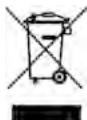
Product: The crossed out dustbin logo on your product signifies it is classified as Electrical and Electronic Equipment covered by special disposal regulations.
To enforce recycling, recovery of The Waste Electrical and Electronic Equipment (WEEE) and to protect the environment and human health, European regulations requires that you selectively collect waste equipment using one of the following options:
- Your retailer will take your equipment back if you are buying a replacement product.
- Waste equipment can also be deposited in designated collection areas.
The paper and cardboard packaging used can be disposed of as recyclable paper. Have the plastic wrapping and Styrofoam packaging recycled or dispose of it in the non-recyclable waste, depending on the requirements in your country.
Copyright © 2011 Sagemcom
EN
Dimensioni (L x A x P) 220x162x88mm
Peso 0,517kg
Modello N. 1) HK-AF-050A200-CP,
2] KSAD0500200W1UV-1
Entrata 100-240V\~/50/60Hz
Uscita 5V = - / 2A
Copyright © 2011 Sagemcom
Copyright © 2011 Sagemcom
Copyright © 2011 Sagemcom
Copyright © 2011 Sagemcom
Allmanna sakerhetsanvisiningar
Copyright © 2011 Sagemcom
Copyright © 2011 Sagemcom
Copyright © 2011 Sagemcom
Copyright © 2011 Sagemcom
Copyright © 2011 Sagemcom

Vseobecnbezpecnostnefinomacia
Copyright © 2011 Sagemcom
Copyright © 2011 Sagemcom
Copyright © 2011 Sagemcom
ObzaI INHOpMaIg O TexHnKe 6e3OpaChOCTn
He BHOCIne HnKaknx N3MeHEnn n HaCTpoek, He ONncaHbIx B 3OTm pyKOBOdCTBe NOB3ObaTeJr. HenpabunlbHoeNCN0lb3OBaHne MOKeT npBcETn K TpaBmPobAHuN UINMaTeepaHbHOMy yUe6bY, NOBpeXdEHHo YcTpoCTBaUNn Notpe DaHNbIX.CobJIoJaTbe BCE npBvdeEHhIePepypeNTbJIeYka3AHn nHCTpyKuNN no TeXhNike 6eONaCHOCTN.
3To yctpoCTBO npedha3HaueHO ToIbKO DnI INDINBHyAaIbHO rncOJIb3OBAHnIA. AnnapaT cneJyET yctaHOIBITb HA nIOCKUo yCTOINuBYo NOBepxHOCTb.PacNONaraTe BCE uHpyi N Ka6eIN TaKIM Obpa3OM, YTO6bl HIKTO He MOR HAcTyNtB Ha HIX INI CNOTKHytCBs, 3To NCKIIOuHaET BO3MOXHOCTb TpABMIPOBaHnI KIODe I NOBpeXDEHnCAMoro annapata.
YcTpoCTBO npEHa3NaHeO DNЯKcnPyataaUNBHyTpNI nomeUeHEn. He npKacaiTeB KKK-dmcNneIO.He pa3MeuaIe TjaKeIbe IIN octPbI npEmdTeI Ha KK-3KpaHe, pAMke IIN shuHype 3NeKtPoNTAHnA.
3aunuatae annapat OT nonadnnaH npramoro coIneHOro CBeta, BO3deiCTBNA TENA, pe3kNx nepenadOB TEMepaTbyu n Bnarn. He pa3meuatae annapat Bbnsn3n HarpeBaTeNeJ KOHNzIOHepOB Bo3yxa. CmOTpnte INHOFMaUHIO O DONYCTMOnI TEMnpaType N BnAxAHOCTOn BO3yxa BTexNHuecknx XapaKTePncSTnKax.
He BkIIOUaJIte yCTpoIcTBo cpa3y nocLe nepMeIeHInn 13 nOmeIeHN C H3KOK TMepHATpyB N omeIeHN C 6Boone bIcKOK TMepHATpyN IHH hAObOPOT, a TAKKe nocLe 6bICrTOPONDHMAnH NTEMpeHATpyB N omeIeHN. B TAKHX CNTuayAINX NOdoxJNTHe MEHee Tpex YAcOB, uTO6bl yCTpoIcTB0 aADANTropBOaNOCb K n3MEnBUIMCMC yCNOBnAM [TempeHATpyB, BnaXHoCTb BO3dyxa).
Ecnn BaW annapat cnNtKOM CnIbHO HArpeETc nNn BblYBnDte BByXoJHnM N3 Hero Dbl,TO HEmEeNHeHOOTKnIOHTeUHp CeTeBOrO 3NeKTPOnTAnHn M3 PO3EtKm. OtdaTbe Baanapat dNcOMtPka BKaINuNpuOBAHbM CneuNnCTAMn INB CEHTCepBnCHOrO 6ObCyKnBANHn. Jn PnpDTBaPauENHa BOzRopAHn 3AnPeuaTcER NOHOCNTk Aannapaty NcToHnIKn OTkpBTOrO pJaMeHN.
HnKOrda He nOdkJIOUaTe annapat K ceTn K TeLEFOHON HIneB BcbpIbX NOMEueHHx. HnKOrda He kacainTeCb ceTeBO BUNKn PO3eTKn TNeFEOHOrO pa3bemaBlaaKhbIM pyKaMn.
He donyckaite nonadaHnna JxdkocTe BHTpb annapata. Ecnn bHytpb annapata nonana JxdkocTb nnn noCToPONHH npdMet, HemeDneHNO OTKIOUHTe SHyp 3NeKTPonNTAHN n OTaJIte annapat dnoOCMToPa KBAIINΦHUNPOBAAHBM CNEuNAInCTAM NnB U CEHTp cepBNC-HORO 06cnykBaHnA.
He No3B0JIe TETrM NOnIb3OBAbCSa annapatom 6e3 npncmToPa. He donyckaTe deteK ynaKOBoHbIM MaTePuaanam.
Icnoj3yIte ToIbko 6nok nItaHnBxOJaun B KOMnJIeK NoCTABKn [CMOTPe TnPiNOXeHHe /TexNIcHecKe DaHhBe. IpOBepbTe, COOTBeTCTByeT Nn HApRJeHHe 6nOkA nITAHNIMEoucMyc cETeBOMy HApRJKeHHo B
Mece yctahOBKn. HanpXeHne B cTeN nepemEHORO TOKA BCERda DOnJXHO COOTBETCTBOBaTb Yka3aHHOMy Ha n3DENI.
He kacaiTecb shhpya 3neKtponHtAHn c nobpeXeHHoN hOJIJIeH. HEmeJdHNO 3aMeHNTe NOBpEeHNbI Ka6BeNb. IcNoIb3yIte TOnbKO COOTBETCTByUOJe KabeM; npH eNo6xOmoNocTo opBaouAaTeCB b Cnykby TeXnueC KO npOdePcknn INn K BaWemy NoctabuNky.
IpepeOnCTKO NOBepxHOCTn Annapata o63aTeNbHO OTKIOUHTe ERO OTE CEN 3NEKTPONITAHN. IJaOnCTKN NcNOJIb3yIte MRAKYO Cyxyo 6E3BOPCBOYIO TKAHb. He npImHeMJE DnO ONUCTKN KUnkX, Ra3006pa3HbIX n rOPOuHX ONUCTNTeNe [aAp3O1nn, a6Pa3NbHbIe N noIpNyUOJIe cpeCDTB, CnIPr]. He DonyckaTe NOnaDaHn BLnR BNYTpBa annapata.
OuHnauTe DnCnIe TOnbKO MmKoY cyXo TKaHbIO.Ecnn DnCnIe Ha KxDnIX KpNCTanJax 6yDet pa3Bt, To n3 Hrero MoKet BIttey UMepeHNO EkKa YKIOKcTb. N36e RaIte IIOBOrO KOHTAKTa KapTpndKe C BaSe KoxKe n rna3aMn.
He nIbTaIeTcB cAmocToTaeNbHO pEmOHtnIpOBaTb annapat. HenPabInbHbI pEmOH TMOKe TpNbEcTe K TpaMam N NobpeKdEHNIO annapata.Bau annapat MOxHo pEmOHtnIpOBaTb TOJIbKO B yONlHOMOeHHOM CepBnCHOM ueHTpe.
He ChmMaTe 3aBODcKo 7nIbDnK c annapaTa, npn 3tOM OTMeHApOTc rapaHTnHbIe 6Ob3aTeNbCTBa.
IcnoJIb3yIte ToIbKO CoMBeCTMlbE C yCTpOJCTBOM HocTeTNIHΦOpMaUIN. BcerDa OTKIOuHaTE 3NEKtPONITAHne yCTpOJCTBA npExJe, Yem N3BNeYb N3 Hero KapTy NaAMTo BO n36ExAHNN NOBpEXdHn KApTb I naTmN IIn6oY cTpOJCTBa.
HkoIgDa He BbIaKuBaiTe KaPty NaMRTn, KOtOpar IcNoIb3yETeB TeKyuIm Momet. 3To MoKet npMbECTN KOBpeJdHeIO NJI K yTpAe DaHNbIX.
KOMnJIeKT NocTaBKn
]LunpobarpaMkaIpyoToRpaHnCTOKe
]CeteBoi aanTep co CMeHHbIMn CeTeBbIMn BUNKAMn
]KpaTkoe pykoBoIDCTBO
]IapaHTnHnaKapTa
OchOBhble onepaunn [pnc.1]
- Ecni Ha nncnnee HmeeTc3aunTHna pHeHka, ydaJInte ee neped Hauanom IcnoIb3ObaHnia.
- BCTaBtE KapTy nAMrTn INI 3aONMHaIOuE yCTPOBCTBO USB B COOTBEcTBYoUpni pa3bEM Ha 06paTHO CTOpOE yCTPOJcTBa. OHO NOdEpXINBAOTKAPbTi nAMrTn cIeDyUOxH φOpMaTOB: SD/SDHC/MMC/MS/XD.
![AGFAPHOTO AF 5089 MS - OchOBhble onepaunn [pnc.1] - 1](/content/2024/11/17793/images/217e7ef43df5b37a4b91ba1892a8db368f77f59f9ed2753e63ad398669033af5.jpg)
CobnoaIte npabnHoe nOJoxeHne npu yCTAHOBke!
Kapta namrtn BCTabnreTc TOnIbKO b OJHOM noIooXenH. He npraarate YcuiNe npu yctaHOBe KapTb nAMrTN Ba pa3beM.
- BCTaBbTe MaJIeHbKyO BWIky KAbEJIe cTeBcTO aAnTepa B pa3bEm Ha 3aJdHei CTOpOHe yCtpoiC-TaBA.
- BCTaBtBe CTeBOi aadantep B cTeByU p03eTKy. Pocne noRbIeHnE 3KpaHa-3actabKn 3anyckaetcra cnaid-woy.
KhoNkHa 3aIHei CTOpOHe ycTpoiCTBa [pnc.2]
- Habirajna B MeHIO/pepexoK ppebIyueMy nn cneIyoIeMy n3O6paKeHHIO.
A/ -HabiragauB MeHIO
O-K -Подтверждени Быбopa/Занус,octaнов сладшоу
063op MeHIO [BocnpOn3BeDHeNIA] [pnc. 3a]
KHOIPA MENU INCNoB3yETcI DnI IepexOa MeJxdypeXIMAMNI PneDBarInTeHbIHO rPocMToPa I pOCMToPa B pEXIME cIaN-IoY.
O630p MeHIO (HaCToPoiKn) [pnc. 3b]
KhoNka INCnoJIb3aYETcIg OTKpItnMHeHIO HAcTpoEK. BbIbepnte npn NOMOUs ④/⑥:
KoNipOBaHne paJIOB
UdaiNbTb
Ba3ObIbe NaCTpoiKn
Bocnpo3BeJeHne foToIpaΦn [pnc. 4a]
- HaxMITE MENU
- BbIbepnte C nOMooubIO KhoTNIK 4/7 nnKy uNt NCTOHTNHIK N IOITBepNTe C nOMoUbIO KhoTNIK
- BbIbepnte c nOMOsbHKOHNK 4/√nIN 4/1n3o6paXeHne, c KOTOPORo HEOxOdMIO 3aynCTnTb cnaI-d-ooY, nIOdTBePNTe C NOMOsbHOKNKnOK
- Haxmnte KhoNky /O|Dnpe npexoJa K npebIy- IeMy nIIN CneIyoUeMy I3OpaXeHIO.
5.ДлЯoctaHOBa cnaId-woy haxMnte KhoNky (OK).
KoInpobAHne paIIOB [pnc. 4b]
- HaxMnte
- BbIepeTe npn nOmoU 1/ CmB0n n noTBePdTe npn nOmoU (OK).
- BbIbePHTe C nOMOuBHO KHOJKNK 4/7 npAnky nNn HcToHnK N IOITBePdNTe C NOMOuBHO KHOJKNK
- BbIbePte npn nOmoUs A/Φaun IJRA KOIpopoBAnHn IIOJTBePdNTE npn nOmoUs O
- BbIeJIeTe dpyrIe faIbI npn nOmoU 0K
-
HaxMute
-
Bb6epnTe C nOmoiIbIO KhoNKn (A) / (B) npAnky I noD- TbePdIe C nOmoiIbIO KhoNKn (C) 3aNyck IpoUeDyprbl KOnPiROBAHNI.
![AGFAPHOTO AF 5089 MS - KoInpobAHne paIIOB [pnc. 4b] - 1](/content/2024/11/17793/images/0aaee6b5e6eca523c66634d2201d49c3c39874c8376bbe9592f43c8cf9366c9c.jpg)
C03dHHe HOBo napan/ajb6oma
a]Bb6epntepnnpomooi 已 /已 anb60M 《HOBbl》noTBePnTe C nOmoIbHO KhoNk OK).
b]Bb6epnteC nOMOIOJIbHO KHOIIKIOI 已 / 已 1/ HUJHbI CNMBOI NIKIN 6yKBY I NOITBpeNTe C NOMOIOJIbHO KHOIIKIOI
c] HaaKMte nocne coCTaBHeHn IMeHN KhoNky «Enter» NpOttBePnte BbIbOp c NMOUcIO KhoNk (K).
YdaIbIbIaIIbI [pnc.4c]
- HaxMnte
- BbIbePHTe npn nomOuIN 已 /已 cNMBON n noD- TBepdnte npn nomOuIN OK).
- BbIbePHTe C NOMOuBIO KHOJIKN A/NTaNkY INIINCTOHTHMK IN IOITBEpDHTe C NOMOuBIO KHOJIKN
- Bb6epnTe npri NpomOnu / faaiN, KOTpbI He-6bxOdHMo ydaInTb NpOITBepnTe npri NpomOnu 已 (HaxMMTE epe la 0k JIpy OTMeHbI bUdEneHHa
- Haxmnte KhoNkY a 3aTeM - KhoNkY OK
- BbIbePnte C nOMOoiK HONIKN 1/☑ДЯ ydaNEHn IIN DnI ppebIbaHnI.
- NpOHTBepDITe BbIbOp c nOMoCbIO KHOIIK (0)
HactpoKn
- HaxMnte
- BbIepeHTe npn nOMOUs 出 / CnMBOJ I n noD- TBepdTe npn nOMOUs OK).
- C NOMOUSAH KHOJOK CO CTpeJIkAMN () / () BbIbepHTe OdHy n3 cIeIyUoiXn OIuI:
HactpoKm foto [BpaueHne IIO6bpaKeHn, Bpemr CMeHb KaPob B cnaI-d-woy, 30fpeKtBu nepexOda, COOTHOuWEHe NCTOPOH
HaCtpoKn ECO [aBTOMaTHueCKoe BKJIoueHne/Bbl-KIIOUeHne]
HahtpoKn DnCnIeR [aepKCTb, KOHTpaCTHOCTb, Hacbl-ueHHOCTb Zbeta, fOHOBaN oDCBETka]
Hactpojka Fun Frame [noIb3oBateIbcka pamka]
UacbI [HaCtpoKa bpeMeHn]
1 KaaneHapb [yCTaHOBKa rOda, Mecaua, DnH]
PexMM BOCPNON3BedeHnnaI-woy [cnaI-d-woy B 3aadHHoN nocneIOBaTeNbHOCTn, cnaI-d-woy B cnyauHOMnopAKe)
HactpoiKn no ymoJuaHnIO [BO3BpaT K hactpoiKaM no ymoJuaHnIO]
TexHnueckne daHhbIe AF5089PS
CoBmeTbIe KapTbI naTn SD/SDHC/MMC/MS/XD
ΦOTOpopMaTbI JPEG
ΦopMaTbI ΦaIIOB *.j
Bce daHbIe npBeDeHb IcklOHTeHb O CnpaBOHybIX cIeHNJ. AgFaPhotoocTAbIe3a C6oB IpABo BHOCHTb IIObIe N3MeHENb I KOHCTpyKUIO N3dENJIb 6E pIeD BAPrTeBbHO rYBEOMNHeJI.
I3dennnoTropBoomMapKoAgfaPhoto npon3B0aTcTNo NnueHmKOMnAHn Agfa-Gevaert NV & Co.KG nH Agfa-Gevaert NV.Hn Agfa-Gevaert NV & Co.KG, Hn Agfa-Gevaert NV He npon3Bovt daHHbIe yCTPOCTBA, a TACKe HE npedocTabnE rapaHTnHbIe yCnyr nn noNDepkKy.
No Bonpocam 06cnykbAHH, noDepkKn Hnn rapaHTHn 0bpaaaiTecb K noctabuNKu Hnn pOn3BDoNTHe.
Kontakthana INΦopmaζη: AgfaPhoto Holding GmbH, www.agfaphoto.com
Copyright © 2011 Sagemcom


- General Safety Information
- Packing Contents
- Basic Operation [fig. 1]
- Buttons on the Reverse Side of the Device [fig. 2]
- Menu Overview [Playback] [fig. 3a]
- Menu Overview [Settings] [fig. 3b]
- Photo Playback (fig. 4a)
- Copy Files [fig. 4b]
- Delete Files [fig. 4c]
- Settings
- Technical Data AF5089PS
- Power supply
- Allmanna sakerhetsanvisiningar
- Vseobecnbezpecnostnefinomacia
- ObzaI INHOpMaIg O TexHnKe 6e3OpaChOCTn
- KOMnJIeKT NocTaBKn
- OchOBhble onepaunn [pnc.1]
- KhoNkHa 3aIHei CTOpOHe ycTpoiCTBa [pnc.2]
- 063op MeHIO [BocnpOn3BeDHeNIA] [pnc. 3a]
- O630p MeHIO (HaCToPoiKn) [pnc. 3b]
- Bocnpo3BeJeHne foToIpaΦn [pnc. 4a]
- KoInpobAHne paIIOB [pnc. 4b]
- YdaIbIbIaIIbI [pnc.4c]
- HactpoKn
Brand : AGFAPHOTO
Model : AF 5089 MS
Category : Digital photo frame