
StrongVision A - Uncategorized Evolveo - Free user manual and instructions
Find the device manual for free StrongVision A Evolveo in PDF.


| Product Type | LED Projector |
| Dimensions (W x D x H) | 200 x 150 x 50 mm |
| Weight | 0.8 kg |
| Power Source | AC 100-240 V, 50/60 Hz |
| Power Consumption | 45 W |
| Lamp Life | 30,000 hours |
| Resolution | 1280 x 720 pixels (HD) |
| Brightness | 2000 lumens |
| Contrast Ratio | 2000:1 |
| Connectivity | HDMI, USB, AV, Audio Out |
| Built-in Speakers | 2 W |
| Projection Size | 30 - 150 inches |
| Throw Ratio | 1.2:1 |
| Keystone Correction | ±15° (Vertical) |
| Cooling System | Fan |
| Noise Level | < 30 dB |
| Remote Control | Included |
| Cleaning | Wipe with a soft, dry cloth |
| Safety | Avoid water, do not disassemble |
| Spare Parts | Lamp module available from manufacturer |
| General Information | Portable LED projector for home entertainment |
Frequently Asked Questions - StrongVision A Evolveo
User questions about StrongVision A Evolveo
0 question about this device. Answer the ones you know or ask your own.
Ask a new question about this device
Download the instructions for your Uncategorized in PDF format for free! Find your manual StrongVision A - Evolveo and take your electronic device back in hand. On this page are published all the documents necessary for the use of your device. StrongVision A by Evolveo.
USER MANUAL StrongVision A Evolveo
natural_image
Close-up of a camouflage-based video camera with lens and multiple lenses (no visible text or symbols)CZ
SK
EN
HU
IT
RO
DE
PL
Obsah / Content / Tartalom / Soddisfare / Continut / Inhalt / Zawartość
Čeština....3
Slovenština 25
English 48
Magyar....71
Italiano 95
Romanian 120
Deutsch.... 144
Polskie 168
1. Úvod
1.1 Použití
natural_image
Simple diagram showing a hand reaching toward a black rectangular object on a dark horizontal bar (no text or symbols)2. Nastavení
natural_image
Simple grayscale illustration of a hand making a peace sign next to a rectangular object (no text or symbols)1.3 Hlavní Funkce
natural_image
Interior view of a device showing a closed panel with a scroll and a directional arrow indicating rotation (no text or symbols)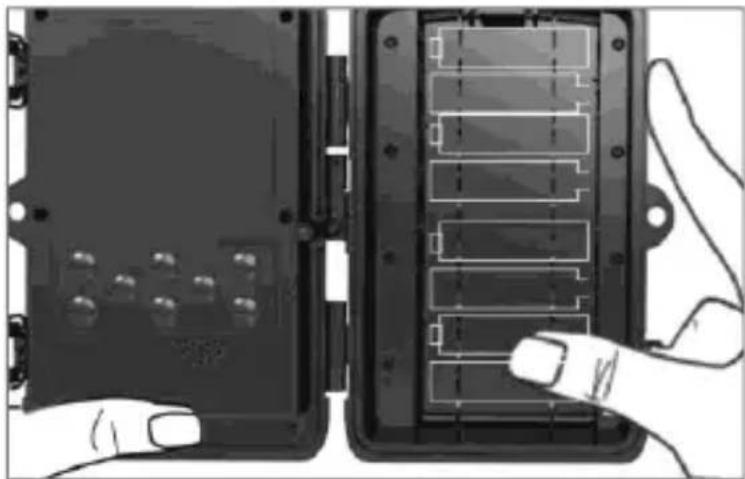
natural_image
Illustration of two electronic device modules with labeled components, one pointing at a button (no text or symbols visible)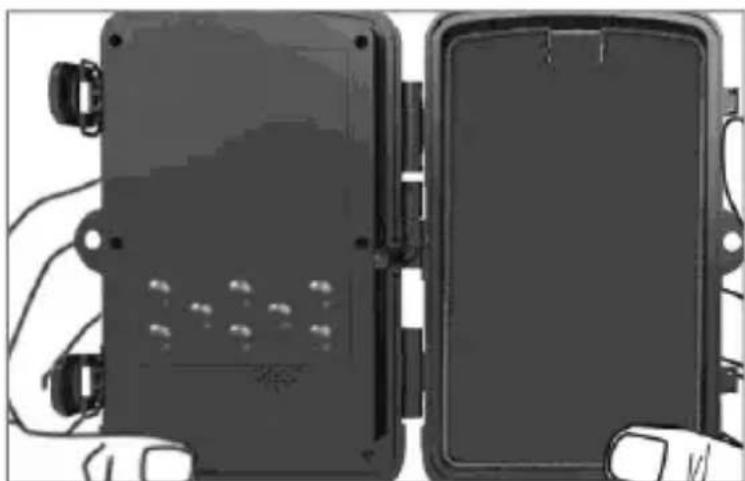
natural_image
Two black rectangular electronic devices with connectors and wiring, shown from different angles (no visible text or symbols)1.5 Pamětová karta
natural_image
Hand holding a small black card with metallic components, next to a device panel (no visible text or symbols)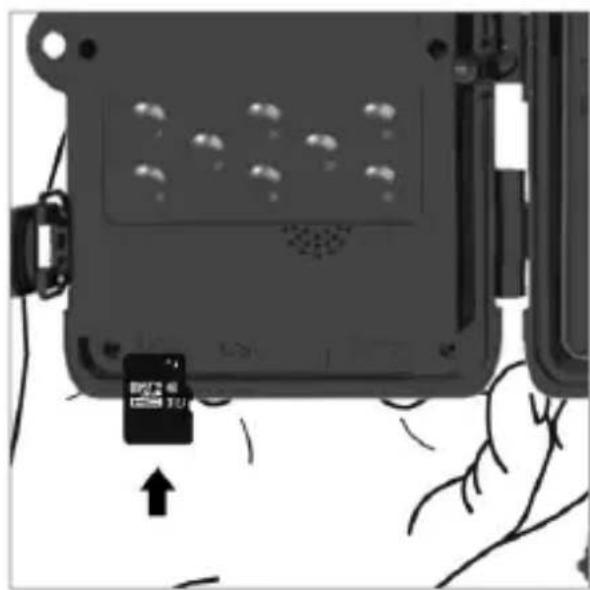
natural_image
Close-up of a hand holding a small black card with an arrow pointing to it, next to a device casing (no visible text or symbols)2. Ovládání
natural_image
Top-down view of a vintage camera with lens and frame (no text or symbols visible)
Fotopast
Návod


natural_image
Simple 3D illustration of a pen or tool inside a circle (no text or symbols)
Pásek pro upevnění
natural_image
Green cylindrical battery with a gray top, enclosed in a circular border (no text or symbols)No.5, 17/F, Strand 50, 50 Bonham Strand, Sheung Wan, Hong Kong
Vyrobeno v Číně
Copyright © Abacus Electric, s.r.o.
www.evolveo.com
www.facebook.com/EvolveoCZ
natural_image
Illustration of a hand holding a rectangular electronic component, with no visible text or symbols2. N astavenie
natural_image
Simple grayscale illustration of a hand pointing at a rectangular object, no text or symbols present1.3 Hlavné funkcie
▶ 20Mpix fotografie, 1080P FHD video.
▶ 90° FOV kamera, 120° detekčný uhol – PIR senzora.
▶ 0.4s rýchlost' spúšte, pre záznam v pravej chvíli
▶ 4 pracovné režimy: Kamera, Video, Kamera&Video, Časozber
▶ 36 infra LED diód, s dosahom až 25 metrov/82 ft pre nočné videnie.
▶ Vodeodolné telo kamery.
▶ Nízka spotreba energie (až 3-4 mesiace na 8X AA batérie.)*
natural_image
Exterior view of a mechanical device with a door and panel, showing internal components and a curved arrow indicating rotation (no text or symbols)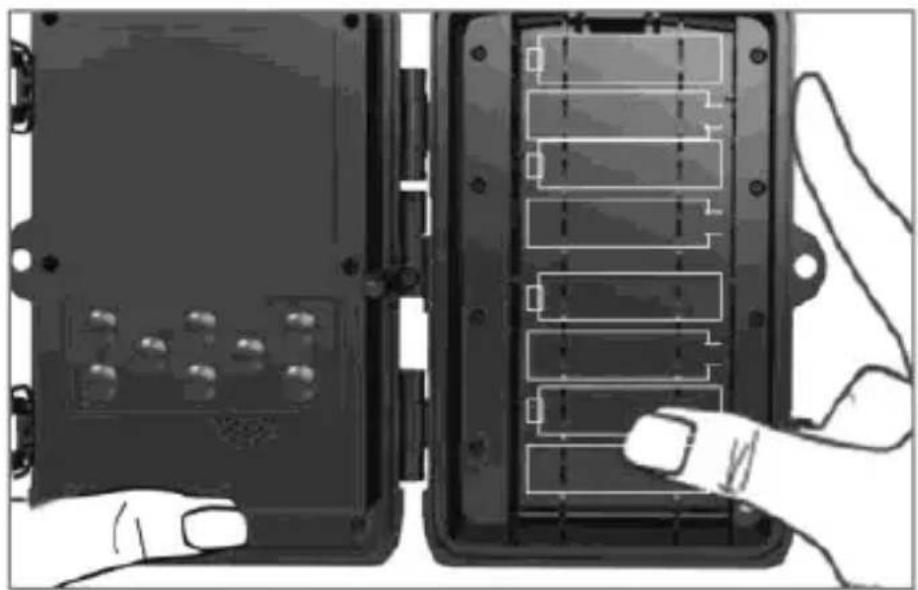
natural_image
Two black electronic device modules with labeled connectors and a hand pointing to one (no text or symbols visible)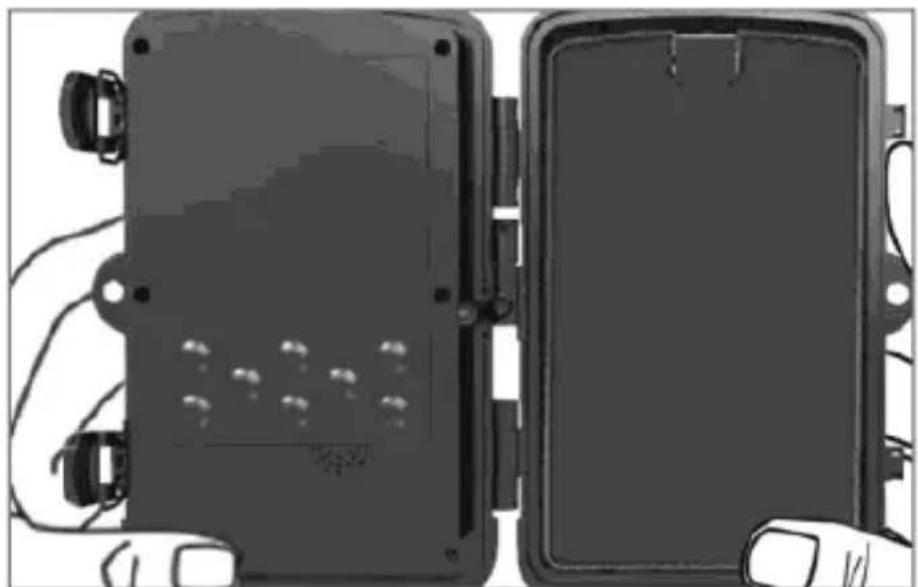
natural_image
Two black rectangular electronic enclosures with visible wiring and mounting holes, no text or symbols present.1.5 Pamätová karta
natural_image
Two-step illustration showing a hand holding a small black card next to a device panel, with no visible text or symbols.2. Ovládanie
natural_image
Top-down view of a vintage camera with lens and frame (no text or symbols visible)
Fotopasca
Návod


natural_image
Simple 3D illustration of a pen or tool inside a circle (no text or symbols)
Páska pro upevnenie
natural_image
Green cylindrical battery with a gray top, enclosed in a circular border (no text or symbols)No.5, 17/F, Strand 50, 50 Bonham Strand, Sheung Wan, Hongkong
Vyrobené v Číne
Copyright © Abacus Electric, s.r.o.
www.evolveo.com
www.facebook.com/EvolveoCZ
The camera can be used to take photos of animals, thieves, or as a time-lapse camera. Thanks to its small size it is easy to mount and at the same time difficult to detect.
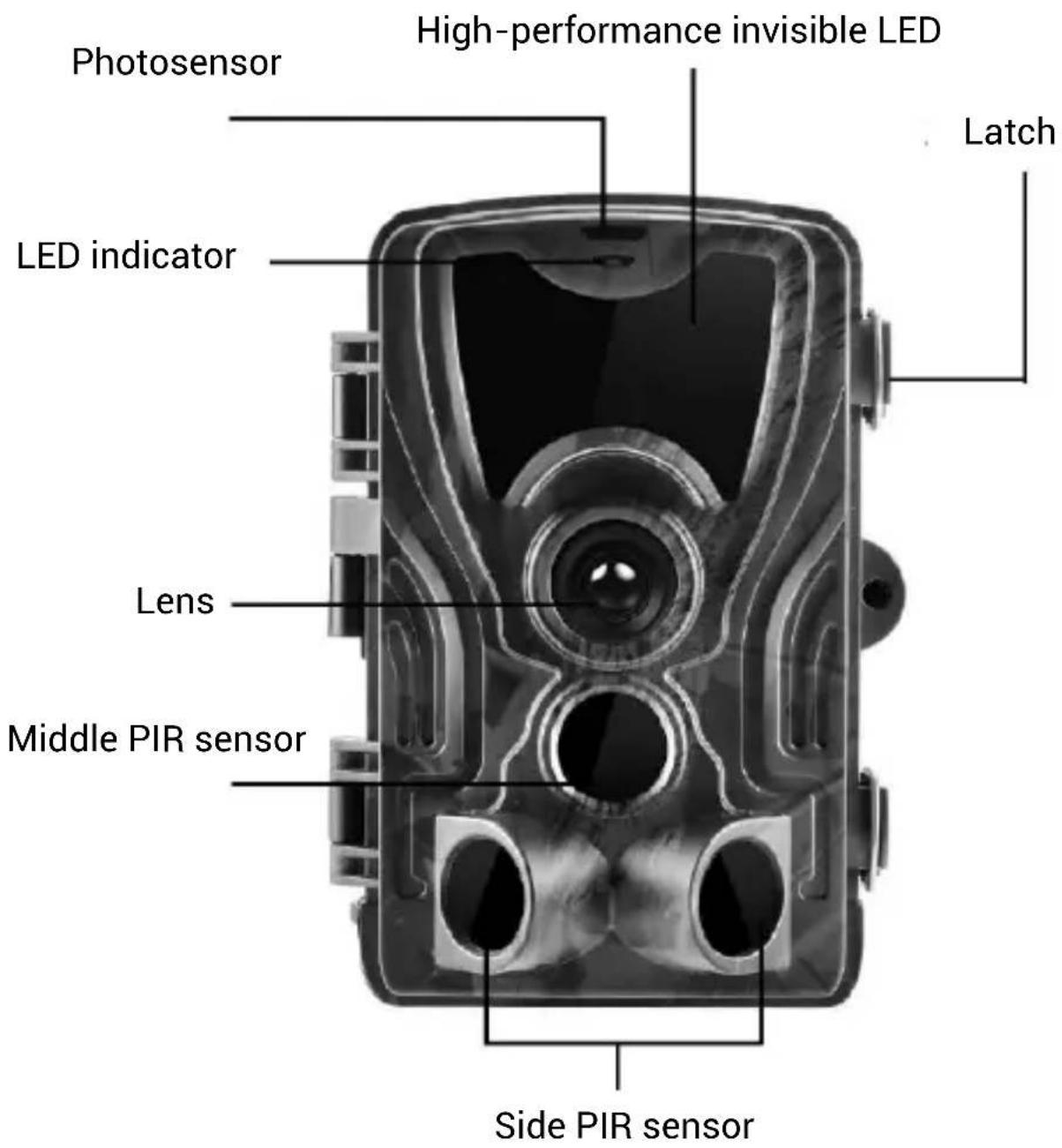
1.2 Quick start
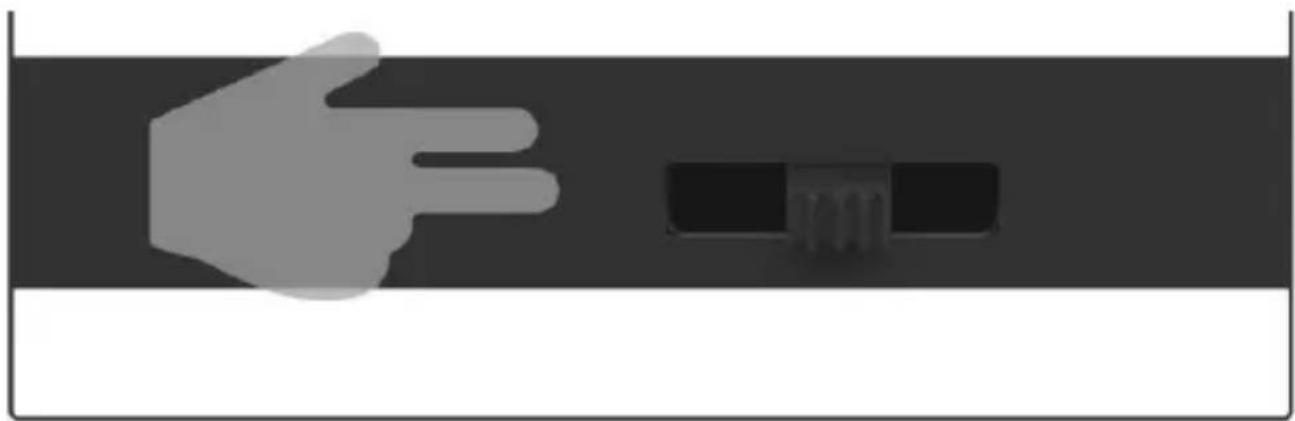
1. Turning on
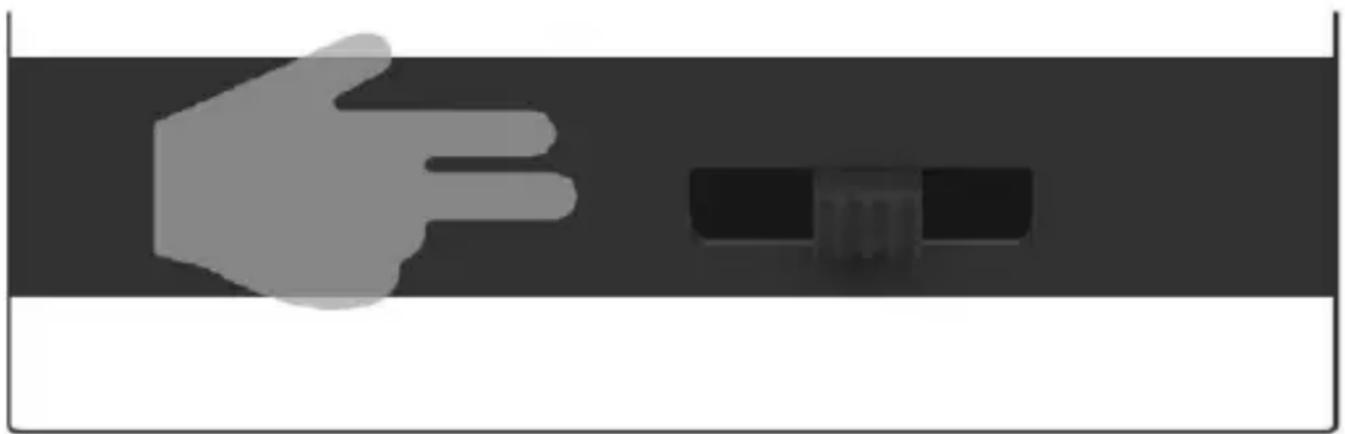
Move the switch from the OFF position to the TEST position to turn on the device in the setting mode. A preview of the camera image will be displayed on the screen.
natural_image
Simple grayscale illustration of a hand pointing at a small rectangular object with '701' label, set against a dark horizontal bar (no text or symbols on the object itself)2. S ettings
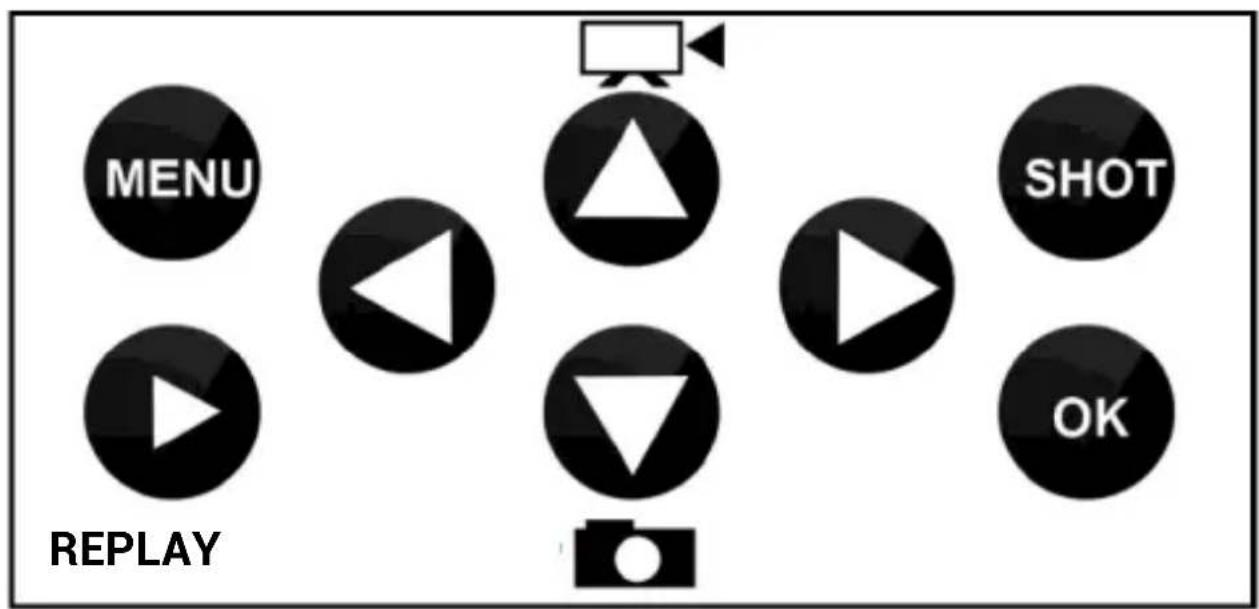
Press the MENU button to set the device. After pressing the button, the individual items of the setting described in the chapter will be displayed.
3. Start/Activation
Once you have completed the setting, you can activate the camera.
When the camera detects motion, it will take photos or record videos as specified in the setting. Activate the camera by moving the switch from the "TEST" position to the "ON" position on the front panel. A green LED will flash once and the device is activated. When the PIR sensor detects movement, the camera will take a photo/record a video. An SD card must be inserted in the camera, otherwise the camera will not work (see chapter 1.4).
natural_image
Simple grayscale illustration of a hand reaching toward a black rectangular object on a dark background (no text or symbols)1.3 Main functions
▶ 20Mpix photos, 1080P FHD video.
▶ 90° FOV camera, 120° detection angle – PIR sensor.
▶ 0.4s shutter speed to capture the right moment.
▶ 4 operating modes: Camera, Video, Camera&Video, Time-lapse
▶ 36 IR LEDs with a range of up to 25 m/82 ft for night vision.
▶ Waterproof camera body.
▶ Low energy consumption (up to 3-4 months with 8X AA batteries).*
▶ Date, Time, Temperature and Moon phrase displayed on the captured photo or recorded video.
1.4 Power supply
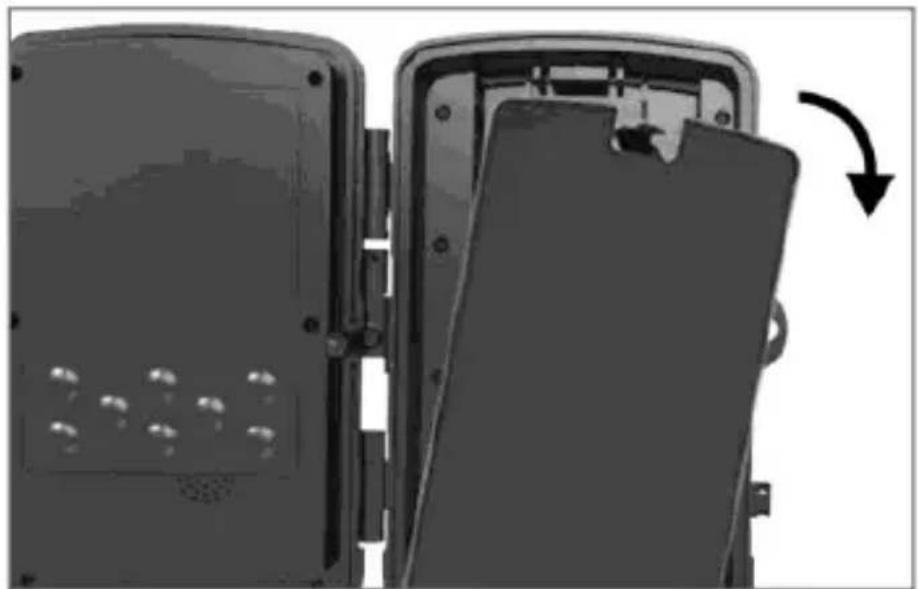
StrongVision A requires 8X AA alkaline batteries or rechargeable lithium batteries to operate.
▶ The batteries must be inserted exactly as indicated by the pictograms in the battery compartment; if you turn the battery around, the device will not work and you may damage it.
▶ Ways use batteries of the same type and manufacturer. The batteries must always be of the same charge. If you use batteries of different types, you may damage the device. Warranty does not apply to
such damage.
▶ If you do not plan to use the device for a longer period of time, remove the batteries. If you leave them in the device, they may damage it. Warranty does not apply to such damage.
▶ The large number of modes and setting options makes it impossible to specify the exact battery life of the operating device. Night mode or video recording have high power consumption and significantly shorten the battery life. For longer battery life, we recommend using alkaline or lithium rechargeable batteries.
Notice: Turn off the device before inserting the batteries!
natural_image
Exterior view of a mechanical device with a door and panel, showing internal components and a curved arrow indicating rotation (no text or symbols)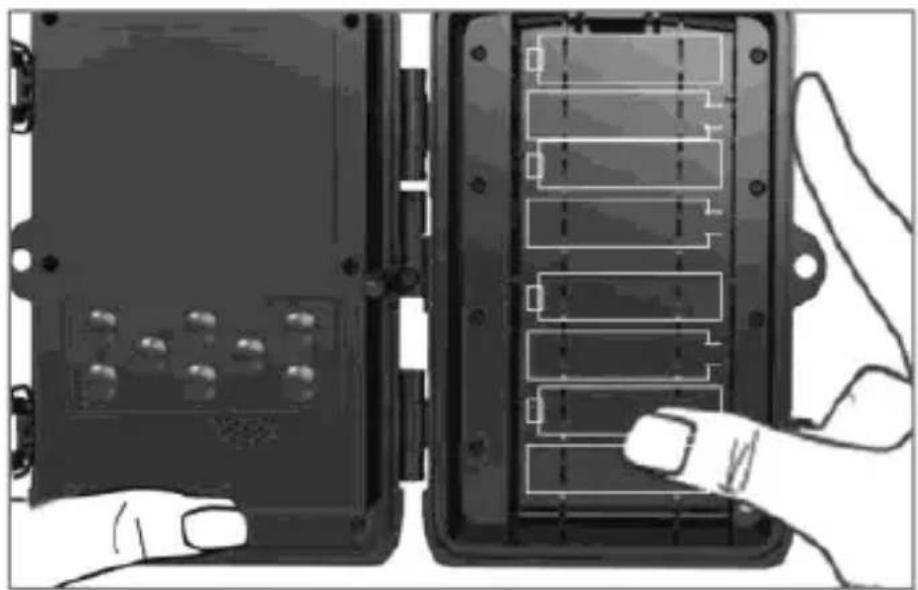
natural_image
Two black electronic device modules with labeled connectors and a hand pointing to one (no text or symbols visible)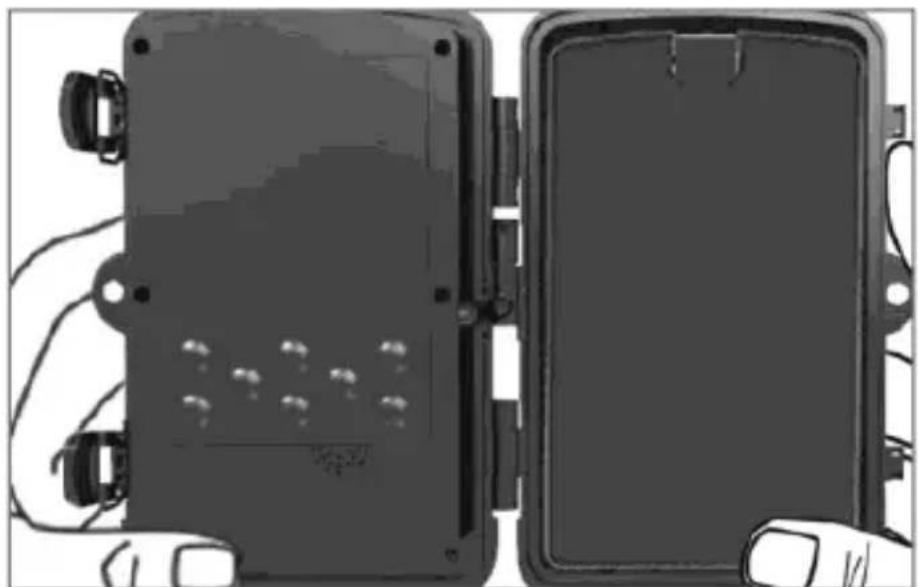
natural_image
Two black rectangular electronic devices with visible wiring and mounting holes, placed side by side (no text or symbols)1.5 Memory card
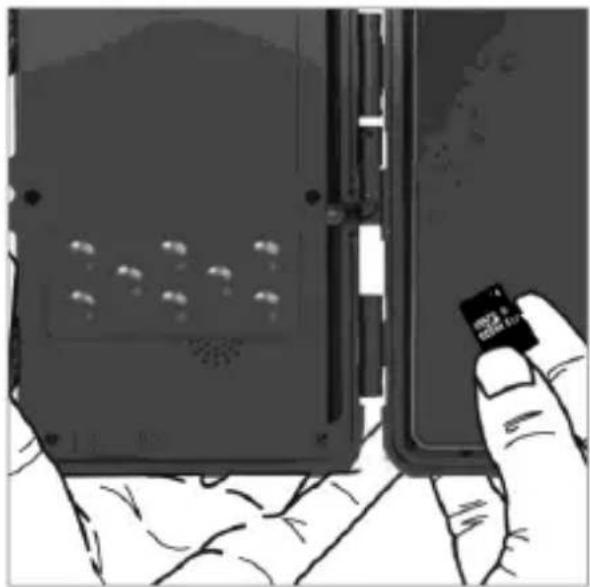
The card supports memory cards of up to 32 GB.
Turn off the device by moving the switch to the "OFF" position before inserting or removing the memory card.
If you manipulate with the card when the device is turned on, you may damage the card data.
▶ The camera does not have any built-in memory, it is necessary to insert the memory card into the device in order to use it. To ensure proper operation, we recommend format the memory card to the FAT32 format before use.
▶ A maximum of 32GB memory card can be used, 64GB cards and larger will not be recognized by the device.
▶ To ensure proper operation of the card, do not expose it to moisture. Ensure that the device is not exposed to vibrations or the card exposed to direct sunlight for a longer period of time.
▶ The camera supports loop recording. When the SD card memory is full, the camera starts to overwrite the oldest files.
▶ Insert the SD card into the slot carefully. Gently push it until you hear a click of the slot mechanism.
▶ To remove the SD card, push the edge of the card until it pops out of the camera body. Then you can safely remove it. The camera must be turned off the entire time, i.e. the switch must be in the “OFF” position.
natural_image
Hand holding a small black card with a grid of circular indentations, next to a device panel (no visible text or symbols)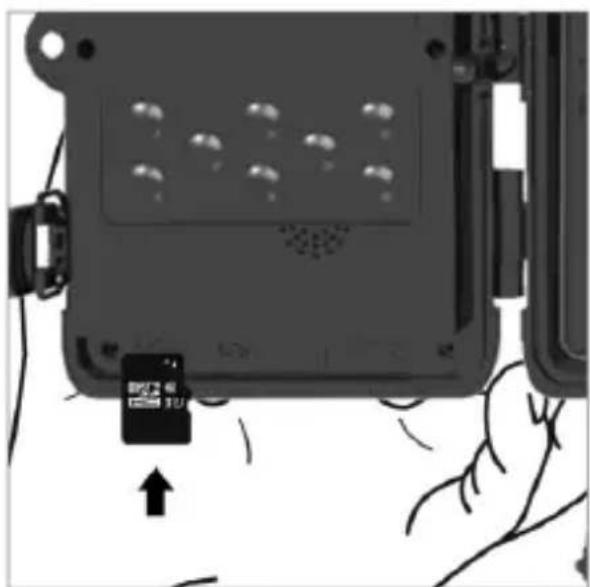
natural_image
Diagram of a device with a small card inserted into a black rectangular housing, showing no text or symbols.2. Control
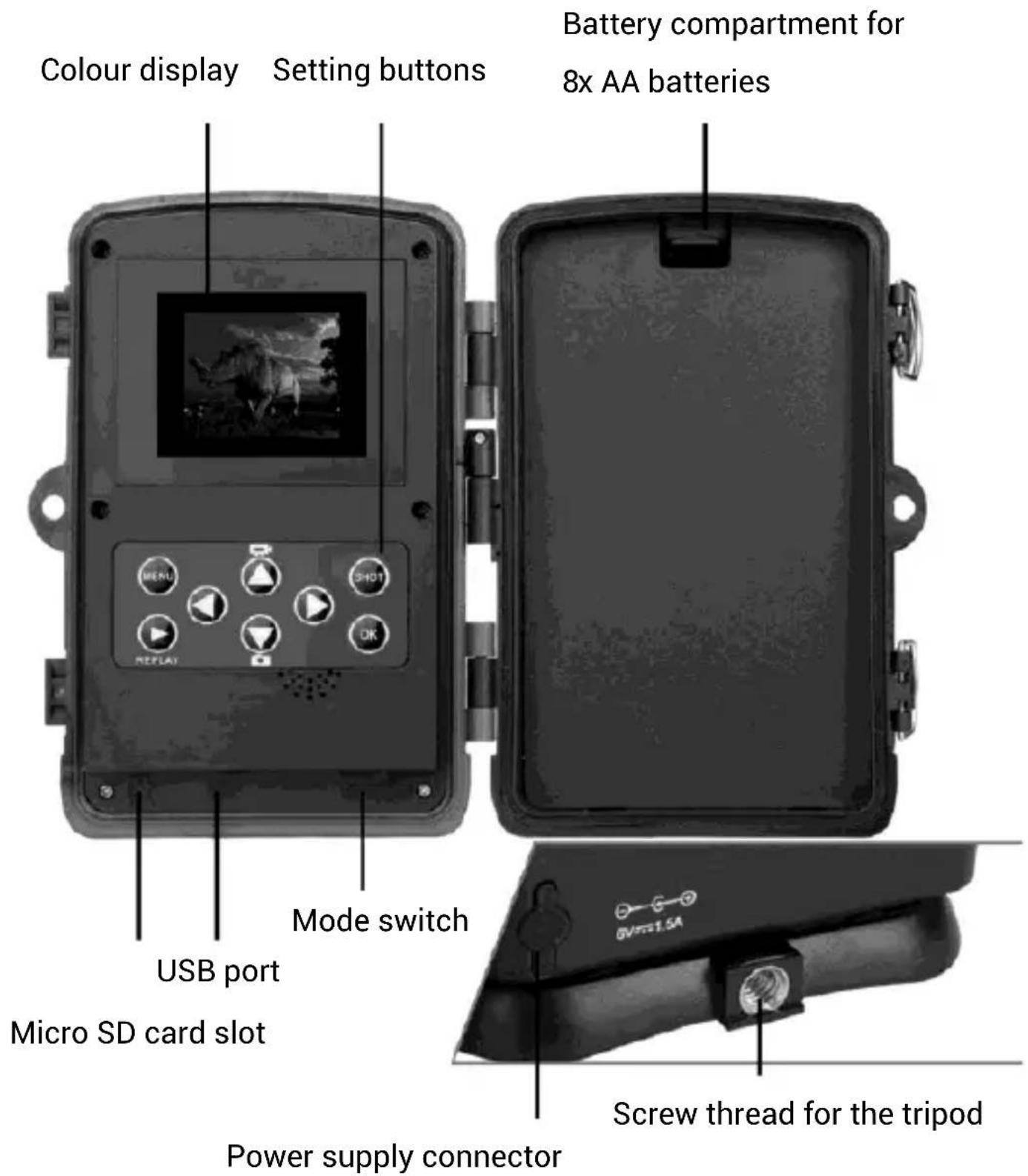
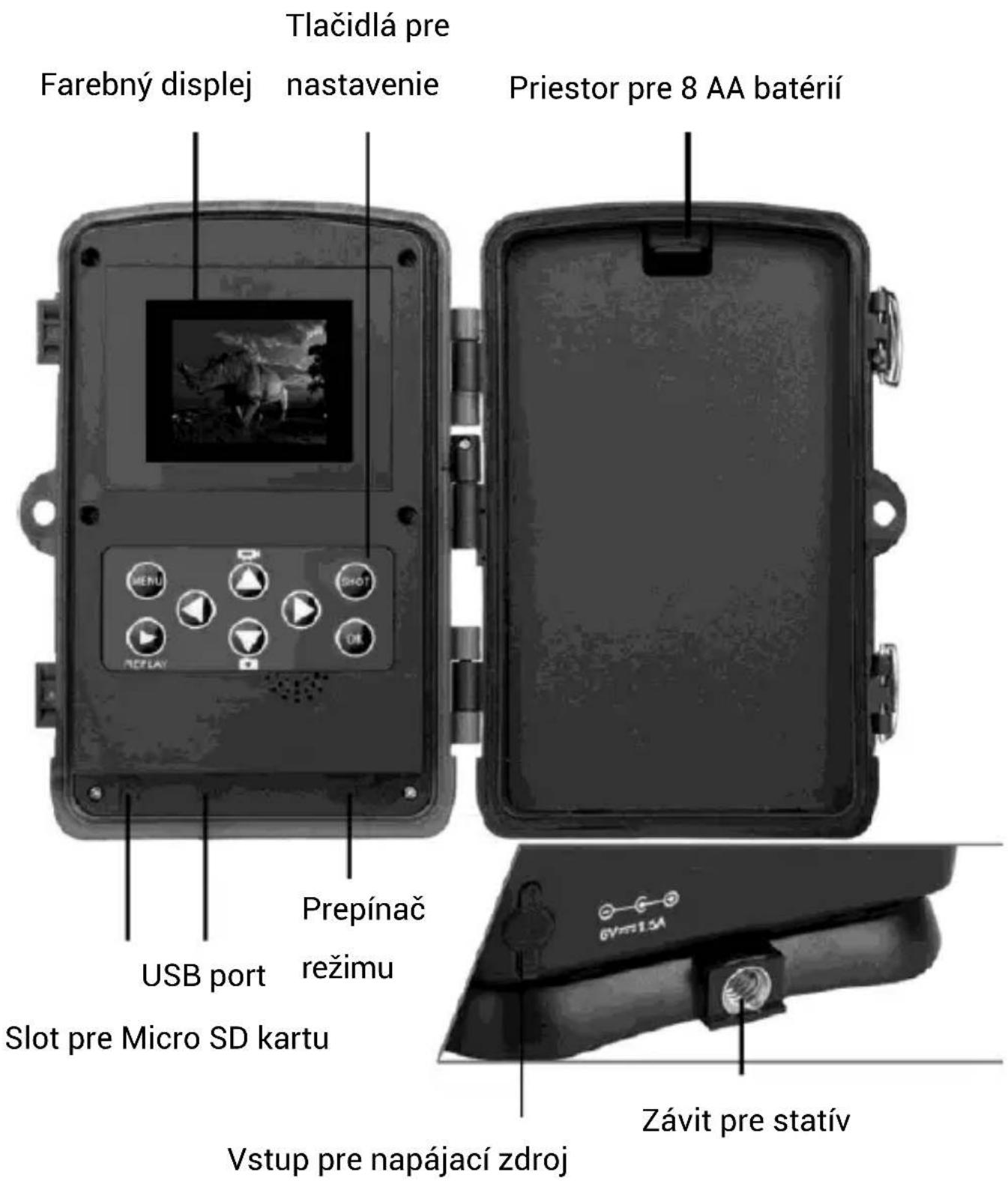
2.1 Setting and function description
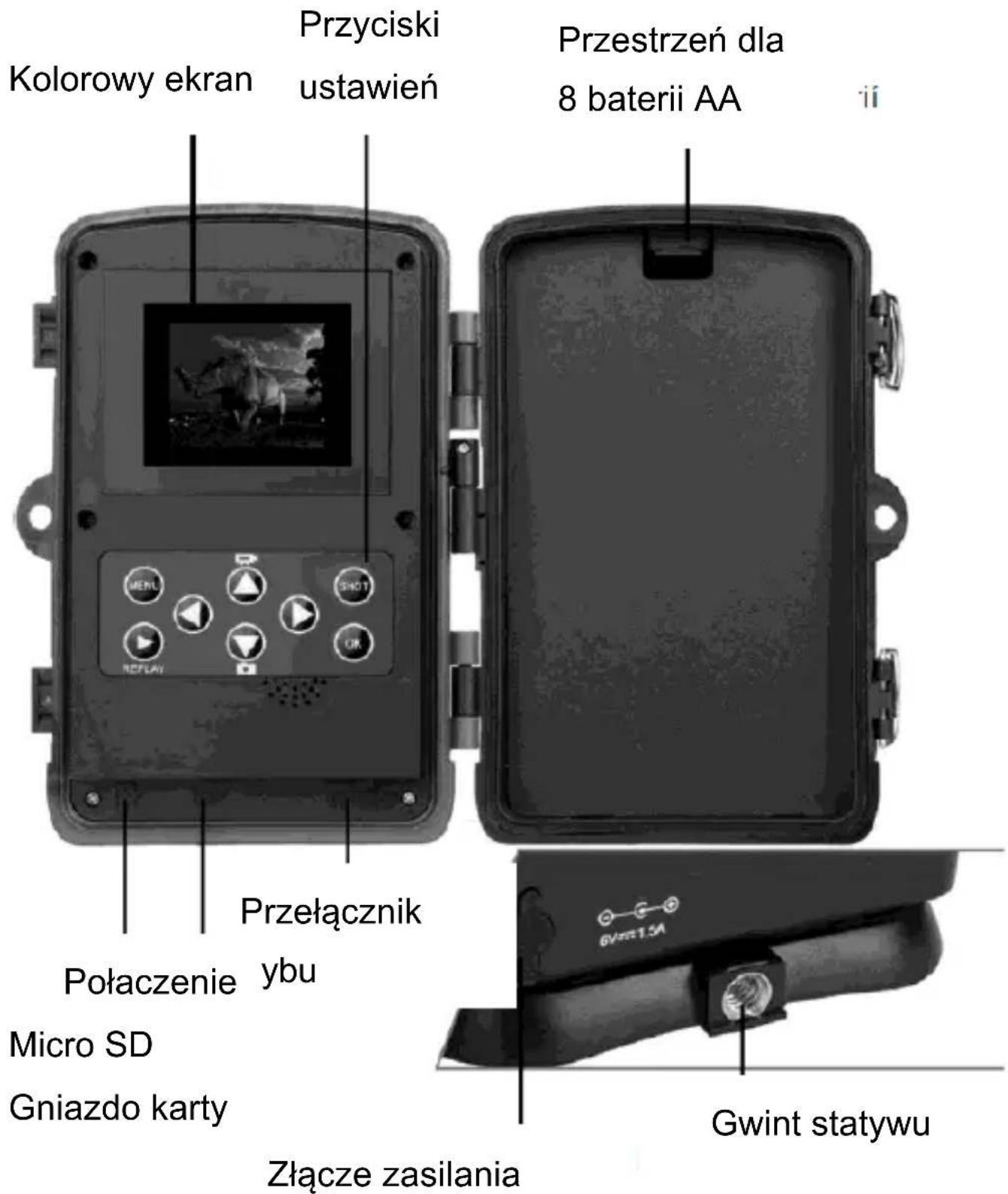
| Mode Depending | on the selected mode, the device will capture Photos / Photos and Videos / Video or Time-lapse. | CameraVideoPhoto and VideoTime-lapse |
| Photo resolution | Here you can select the resolution of the captured photos. | 1/2/3/5/12/16/20 MPThe default resolution is 8 MP. |
| Series of photos | How many photos the camera takes when activated by motion. | 1/2/3/10The default setting is 1 photo. |
| Video resolution | Video resolution setting – the higher the resolution, the more space the video takes up on the SD card. | 320x240p/640x480p/720x480p/848x480p/1280x720p/1920x1080pThe default setting is 1920x1080p. |
| Video length How | long the camera recordswhen activated by motion. | From 3 seconds to 10 minutes. |
| Sound recording | The camera records sound when recording a video. | On - default settingOff |
| Delay The delay between individual activations of the camera (no photo will be taken for the specified time after the 1st motion activation). | 5 s - 60 minThe default setting is 5 s. | |
| Side motion sensors | Off/On - the viewing angle of the PIR sensor decreases | Off/On |
| Sensitivity of the side motion sensors | You can adjust the sensitivity to movement as needed. | LowMedium (Default)High |
| Active mode You can set the On (Set the time.) | ||
| time period in which the camera will be active. (For the “Time-lapse” mode only.) | Off – Default setting | |
| Time-lapse You can set the Time-lapse setting and the time period of the recording. | OnOff – Default setting | |
| Language You can set the language. | English – Default settingCzech, Slovak, Hungarian...... | |
| Endless overwrite | If this option is enabled, the camera will not stop recording when the SD card is full, but it will delete the oldest file and continue recording. | OnOff – Default setting |
| Time & Date You can set the time and date and | Sets the Time, Date and their formats. | |
| also the time format (24 or 12h) and date format ((DD/MM/RRRR, RRRR/MM/DD or MM/RR/RRRR). | ||
| Stamp Displays the time and date on the captured photo or video. | Time & Date – Default settingOff | |
| Password protection | You can set a password to protect your camera trap. | OnOff – Default setting |
| Formatting the SD card | DELETES all data on the SD card. | YESNO |
| Device ID If you use multiple cameras, you can set the device name that will be copied to each captured image. | OnOff – Default setting | |
| Resetting the Resets all values to YES | ||
| settings default setting as described in this list. | NO | |
| Version Displays the SW version – can be used when troubleshooting with technical support. | ||
3. Troubleshooting
3.1 The camera does not take photos/record video when motion is detected
- Check the PIR sensor for damage and ensure that is it not obstructed by e.g. a leaf.
-
Test the camera in spaces where there are not hot surfaces. The PIR sensor detects motion based on the temperature difference; if the surroundings of the camera are overheated, the sensor will not be activated.
-
In some cases, the water surface may activate the PIR sensor, in which case turn the camera away from the water.
- Adjust the camera so that it does not point directly at the ground.
- Install the camera so that it does not move and ensure that there are no large moving object in front of it, such as a large tree.
- At night the device can detect movement outside of the IR night illumination range, so there may be no moving objects captured in the photos
- Sunset or sunrise may activate the recording – change the position of the camera.
- If the animal/person in front of the camera is moving fast, the camera may not detect them – move the camera away from, for example, the path where animals walk.
3.2 The camera does not take any photos
-
Make sure that there is free space on the inserted SD card. If you turn off the function of overwriting old files, the device will no longer take photos/record videos after the SD card is full.
-
Make sure that the alkaline AA batteries have enough power to operate the camera trap.
- Make sure that the switch is in the "ON" position and not in the "OFF" position.
- Before using the device for the first time, format the card in your computer to the FAT32 format.
3.3 The night illumination does not have sufficient range
- Use alkaline AA batteries of sufficient capacity; discharged batteries ensure only little illumination effect.
- To ensure good quality of the night-time photos, install the camera in a dark place where there are no additional light sources.
- Try to use the camera in places surrounded by other objects reflecting the IR illumination. If you install the camera in an open space, the resulting photo will not be sufficiently lit. It is the same as if you point a flashlight in the night sky – although the light of the flashlight is intense, you will not see a thing.
3.4 The camera cannot be turned on
- Check that the batteries are charged and of the same type and manufacturer.
- Check that the batteries are inserted exactly as indicated by the pictograms in the battery compartment.
3.5 The camera does not capture photos or videos
- Check that the SD card is of maximum capacity of 32 GB or lower and that it is Class 10.
- Test if the SD card works in another device.
- Format the SD card in a computer to the FAT32 file system.
3.6 The camera does not capture photos or videos at night, but only during the day
Check the battery level; if the battery level is below 30 %, the camera is unable to turn on the night illumination. To restore the function, replace the batteries with new fully charged batteries.
4. Notice
4.1 When you switch the camera from the TEST mode to the ON mode, the countdown from 15 s to 1 s starts. This is normal and during this time you can safely close the camera and place it in the desired place.
4.2 Never immerse the camera in water or place it under running water.
4.3 Do not expose the device to high temperatures nor place it near open flames.
- Technical specification
| Sensor 8 MP CMOS | |
| Memory | Micro SD Card Max 32GB |
| Lens F=3.1; FOV=60° | |
| Size 105 mm x 85 mm x 40 mm | |
| LED - night illumination | 940nm IR |
| Memory overwrite On/Off | |
| PIR sensor viewing angle | 120° |
| Number of IR LEDs | 36 LEDs |
| Maximum range of the night illumination | 82ft/25 m |
| Shutter speed 0.4 seconds | |
| Delay | 1/5/10/30 s default 1s |
| Photo resolution | 20MP/16MP/12MP |
| Multiple pictures per activation | 1/3/6/9 |
| Video resolution | 1080P/720P/VGA |
| Formats JPEG/AVI | |
| Date and time on the photo/video | Yes |
| Stand-by current | 0.2A |
| Stand-by time | *Up to 6 months |
| Power source | 8× AA batteries, external 6V DC – power supply connector 3.5 x 1.5 mm |
| Waterproof IP65 |
6. Package content
natural_image
Top-down view of a vintage camera with lens and frame (no text or symbols visible)
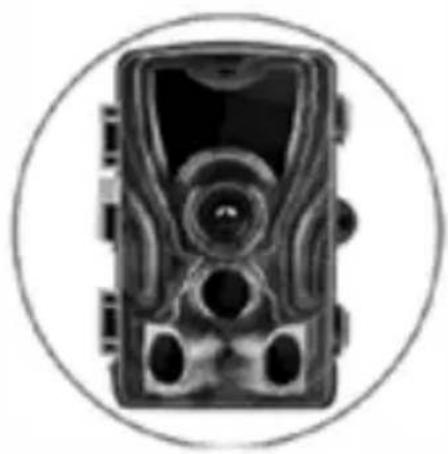
Camera trap
Manual


natural_image
Simple 3D illustration of a pen or tool inside a circle (no text or symbols)
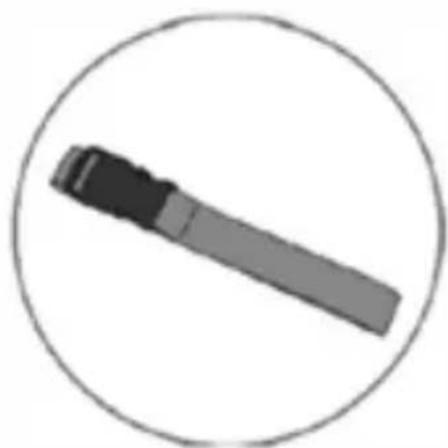
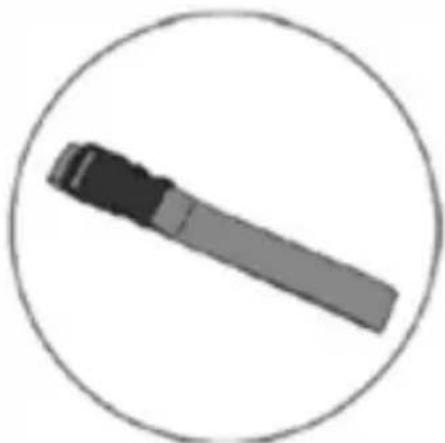
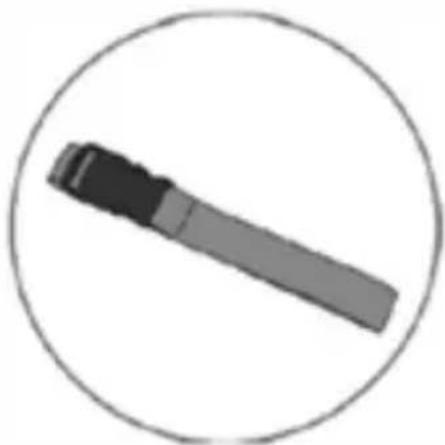
Fastening strap
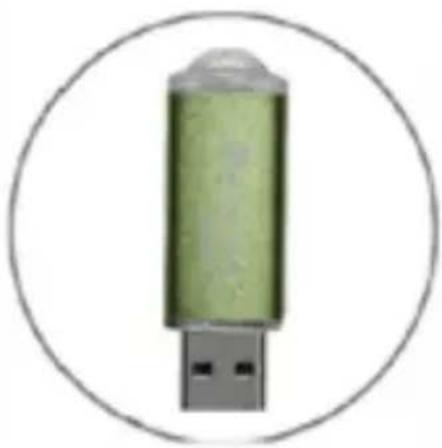
SD card reader

natural_image
Green cylindrical USB device enclosed in a circular border (no text or symbols)*The battery life decreases depending on the mode used, the number of taken photos and recorded videos. When using only the photo taking in the daily mode and taking 10 photos a day, the durability was calculated to be 3-4 months.
TECHNICAL SUPPORT
www.evolveo.com/en/support
The warranty DOES NOT APPLY to:
• using the device for other purposes than it was designed to;
- installing a firmware other than the one installed on your device;
• electrical or mechanical damage caused by improper use;
- damage caused by natural causes such as water, fire, static electricity, power surge etc.;
• damage caused by unauthorized repair;
- unreadable serial number;
- battery capacity decreases after 6 months of use (6-months battery life warranty)
Disposal
The symbol of crossed out container on the product, in the literature or on the wrapping means that in the European Union all the electric and electronic products, batteries and accumulators must be placed into the separate salvage after finishing their lifetime. Do not throw these products into the unsorted municipal waste.

DECLARATION OF CONFORMITY
Hereby, the company Abacus Electric, s.r.o. declares that the EVOLVEO StrongVision A is in compliance with the requirements of the standards and regulations, relevant for the given type of device.
For full Declaration of conformity, please visit ftp://ftp.evolveo.com/ce
Dovozce / Dovozca / Importer / Importőr
Abacus Electric, s.r.o.
No.5, 17/F, Strand 50, 50 Bonham Strand, Sheung Wan, Hong Kong
Made in China
Copyright © Abacus Electric, s.r.o.
www.evolveo.com
www.facebook.com/EvolveoCZ
All rights reserved.
Design and specification may be changed without prior notice.
1. Bevezető
1.1 Használat
natural_image
Silhouette of a hand reaching toward a dark rectangular object on a dark horizontal bar (no text or symbols)2. B eállítások
natural_image
Simple grayscale illustration of a hand reaching toward a black rectangular object on a dark horizontal bar (no text or symbols)1.3 A fő funkciók
natural_image
Interior view of a device showing a door with a scroll and a curved arrow indicating rotation (no text or symbols)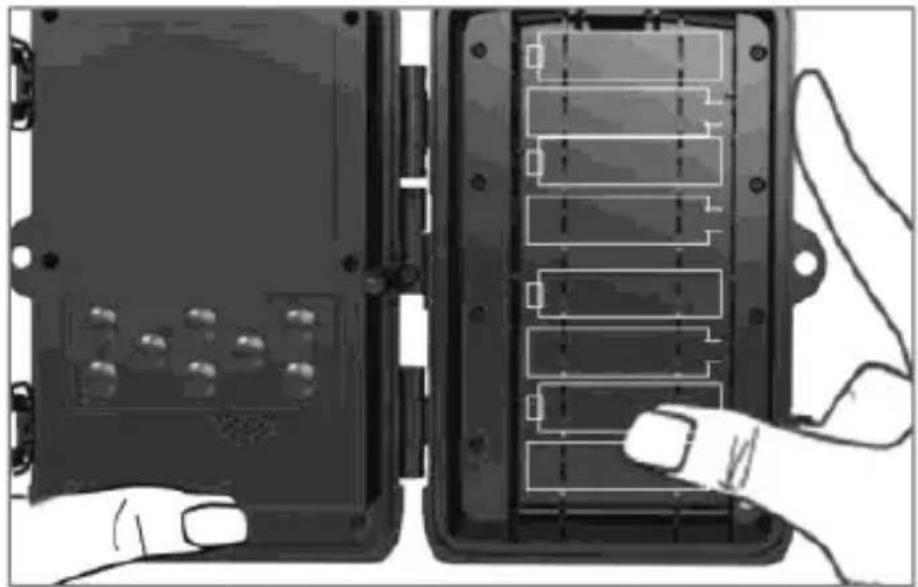
natural_image
Two black electronic device modules with labeled connectors and a hand pointing to one (no text or symbols visible)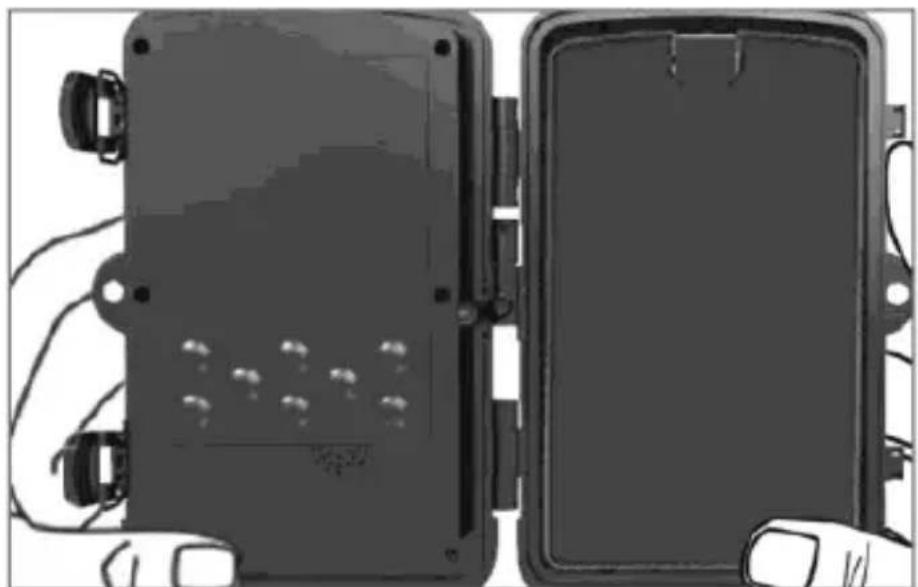
natural_image
Two black rectangular electronic devices with visible wiring and mounting holes, placed side by side (no text or symbols)1.5 Memóriakártya
2. Kezelés
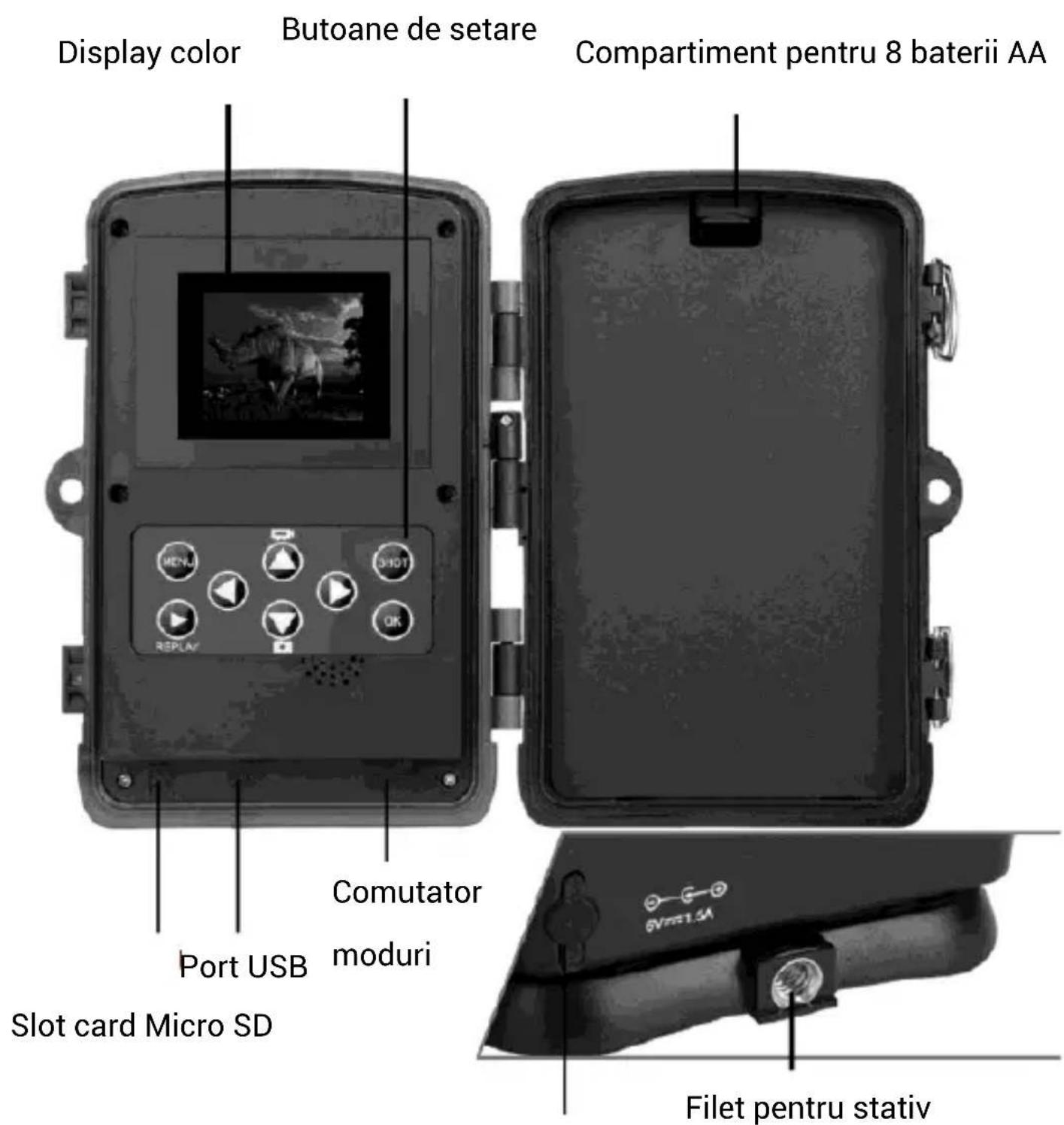
Színes kijelző
Beállítógombok
natural_image
Top-down view of a vintage camera with lens and frame (no text or symbols visible)
Fotócsapda
Útmutató


natural_image
Simple 3D illustration of a pen or tool inside a circle (no text or symbols)
Pánt a rögzítéshez
natural_image
Green cylindrical battery with a gray top, enclosed in a circular border (no text or symbols)No.5, 17/F, Strand 50, 50 Bonham Strand, Sheung Wan, Hong Kong
Copyright © ABACUS Electric, s.r.o.
www.evolveo.com
www.facebook.com/EvolveoCZ
Minden jog fenntartva.
natural_image
Simple diagram showing a hand gesture next to a black rectangular object with three pins, set against a dark horizontal bar (no text or symbols)2. I mpostazioni
natural_image
Simple grayscale illustration of a hand gesture and a battery symbol (no text or labels)natural_image
Exterior view of a device with two doors open, showing internal components and a curved arrow indicating rotation (no text or symbols)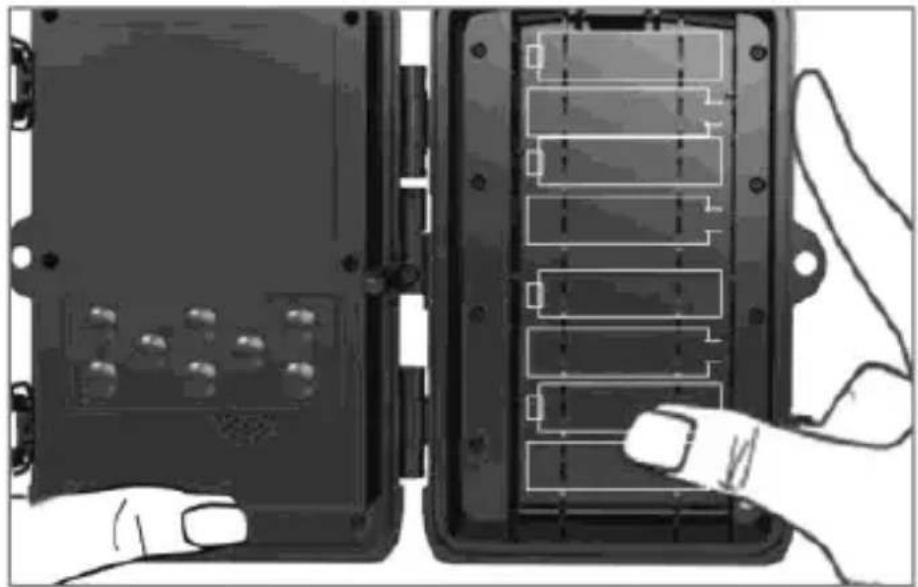
natural_image
Two black electronic device modules with labeled connectors and a hand pointing to one (no text or symbols visible)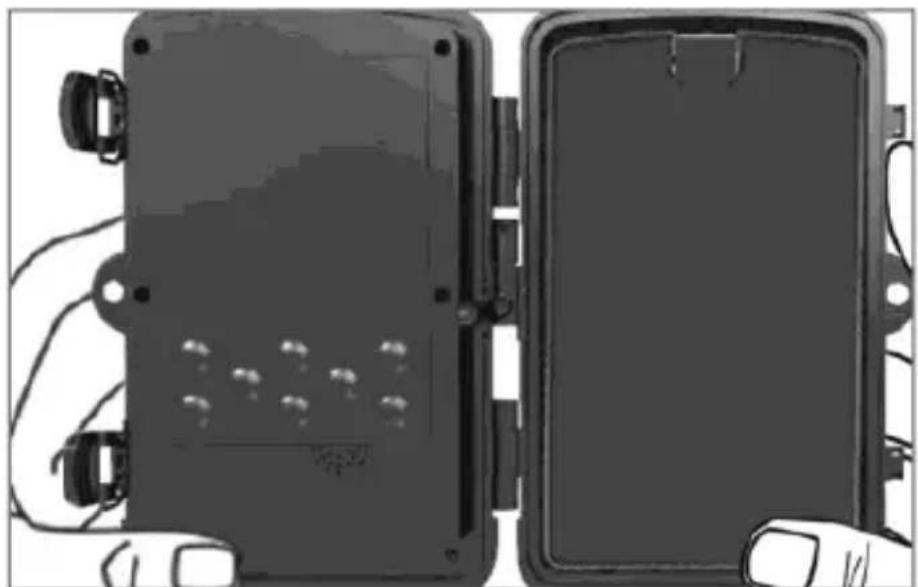
natural_image
Two black rectangular electronic devices with visible wiring and mounting holes, placed side by side (no text or symbols)2. Commando
natural_image
Top-down view of a vintage camera with lens and frame (no visible text or symbols)
Foto trapola
Manuale


natural_image
Simple 3D illustration of a pen or tool inside a circle (no text or symbols)natural_image
Green cylindrical USB device enclosed in a circular border (no text or symbols)https://www.evolveo.com/it/supporto
No.5, 17/F, Strand 50, 50 Bonham Strand, Sheung Wan, Hong Kong
Prodotto in China
Copyright © Abacus Electric, s.r.o.
www.evolveo.com
www.facebook.com/EvolveoCZ
natural_image
Simple grayscale illustration of a hand gesture and a small rectangular object on a dark background (no text or symbols)2. Se tări
3. Declanşare/Activare
natural_image
Simple illustration of a hand reaching toward a black rectangular object on a dark background (no text or symbols)natural_image
Exterior view of a mechanical device with a door and panel, showing internal components and a curved arrow indicating rotation (no text or symbols)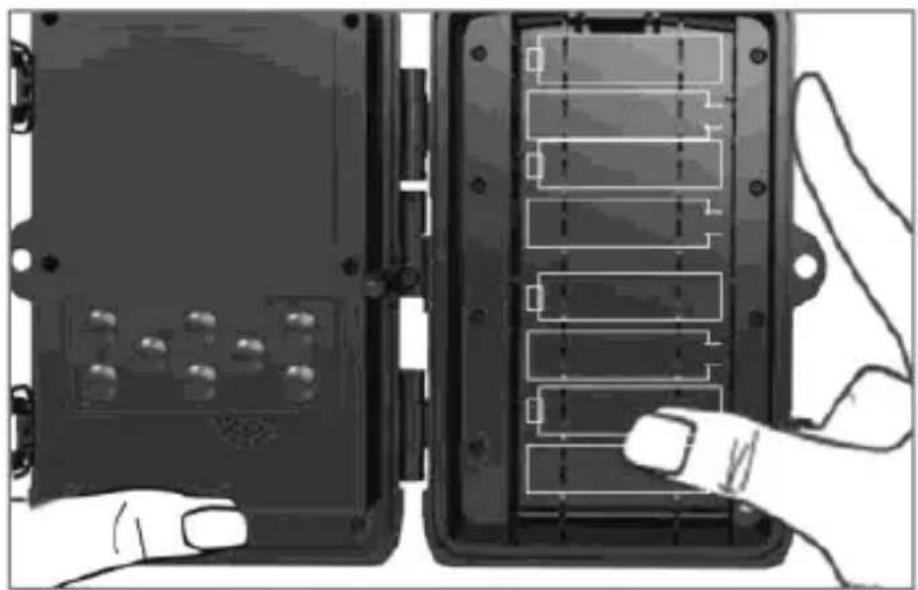
natural_image
Two black electronic device modules with internal components, one being held by a finger (no visible text or symbols)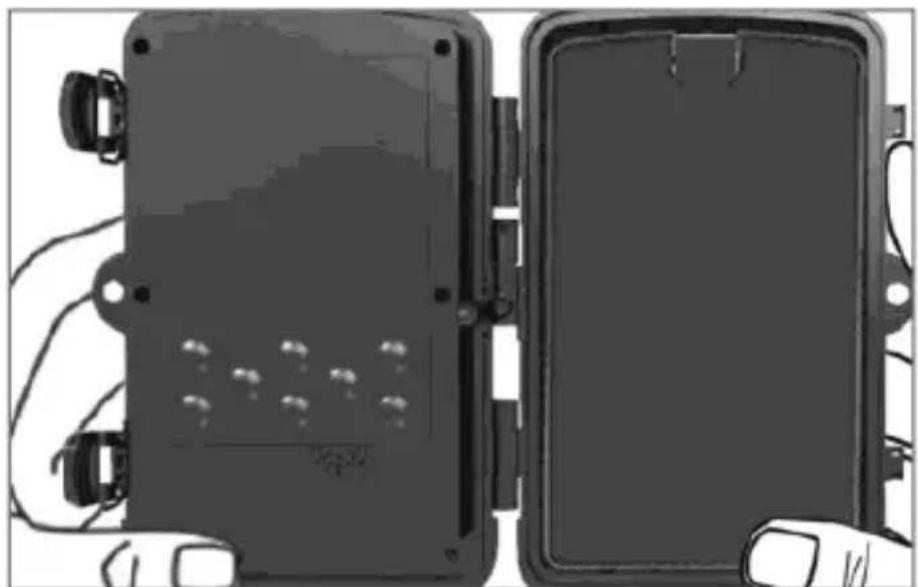
natural_image
Two black rectangular electronic enclosures with visible wiring and mounting holes, no text or symbols present.1.5 Cardul de memorie
natural_image
Hand holding a small black card with metallic components, next to a device panel (no visible text or symbols)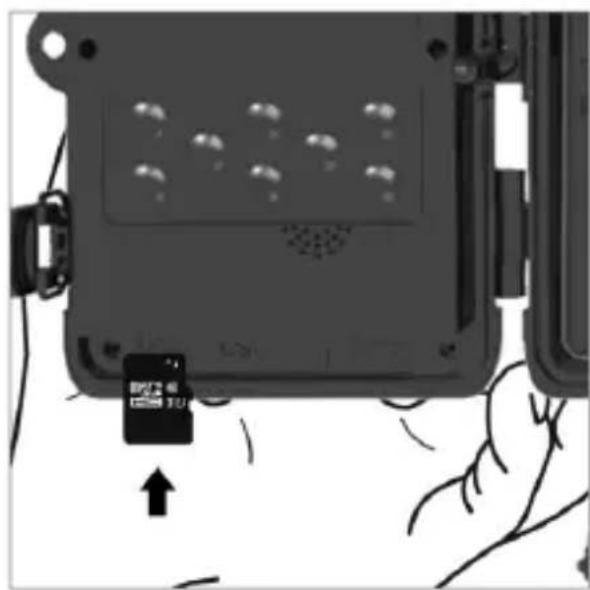
natural_image
Close-up of a hand holding a small black card with an arrow pointing to it, next to a device casing (no visible text or symbols)2. Operare
natural_image
Top-down view of a vintage camera with lens and frame (no text or symbols visible)
Capcană foto
Manual


natural_image
Simple line drawing of a pen or tool inside a circle (no text or symbols)
Curea de fixare
Micro cititor card SD

natural_image
Green cylindrical battery with a gray top, enclosed in a circle (no text or symbols)No.5, 17/F, Strand 50, 50 Bonham Strand, Sheung Wan, Hong Kong
Fabricat în China
Copyright © Abacus Electric, s.r.o.
www.evolveo.com
www.facebook.com/EvolveoCZ
natural_image
Simple grayscale illustration of a hand reaching toward a black rectangular object, no text or symbols present.5. Ein stellungen
natural_image
Simple diagram showing a hand reaching toward a black rectangular object on a dark background (no text or symbols)1.3 Hauptfunktionen
natural_image
Exterior view of a device panel with a black cover and a directional arrow indicating rotation (no text or symbols)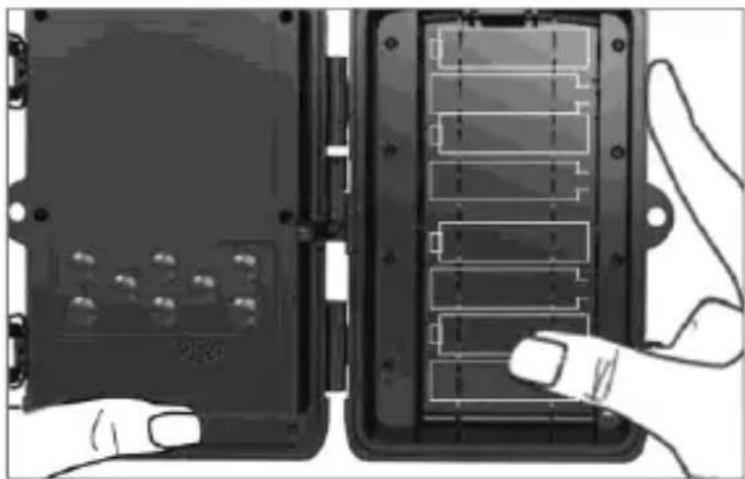
natural_image
Two views of a device casing with internal components and a hand pointing to it (no text or symbols visible)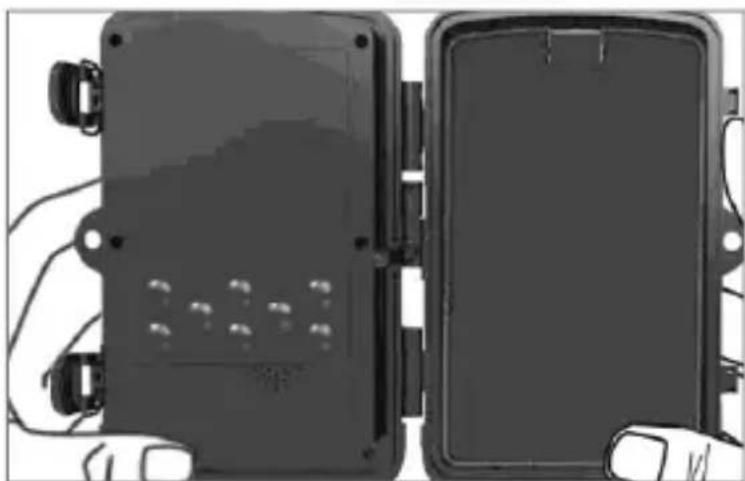
natural_image
Two black electronic device modules with visible wiring and connectors, shown from different angles (no text or symbols)1.5 Speicherkarte
natural_image
Top-down view of a vintage camera with lens and frame (no text or symbols visible)
Kamera
Anleitung


natural_image
Simple 3D illustration of a pen or tool inside a circle (no text or symbols)
Befestigungsgurt
Mikroleser
SD-Karte

natural_image
Green cylindrical battery with a gray top, enclosed in a circular border (no text or symbols)No.5, 17/F, Strand 50, 50 Bonham Strand, Sheung Wan, Hongkong
Copyright © Abacus Electric, s.r.o.
www.evolveo.com www.facebook.com/EvolveoCZ
natural_image
Simple grayscale illustration of a hand reaching toward a dark rectangular object, no text or symbols present.8. Us tawienia
natural_image
Simple diagram showing a hand reaching toward a black rectangular object on a dark background (no text or symbols)1.3 Główne funkcje
natural_image
Exterior view of a device panel with a black cover and a directional arrow indicating rotation (no text or symbols)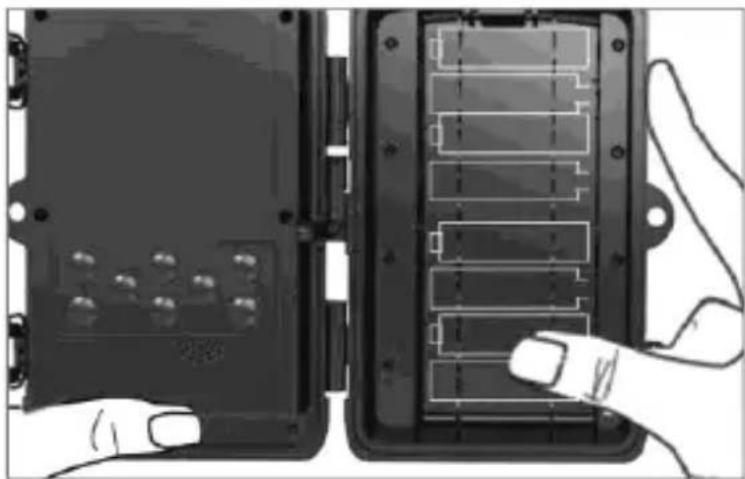
natural_image
Illustration of two electronic device modules with labeled components, one pointing at a button (no text or symbols visible)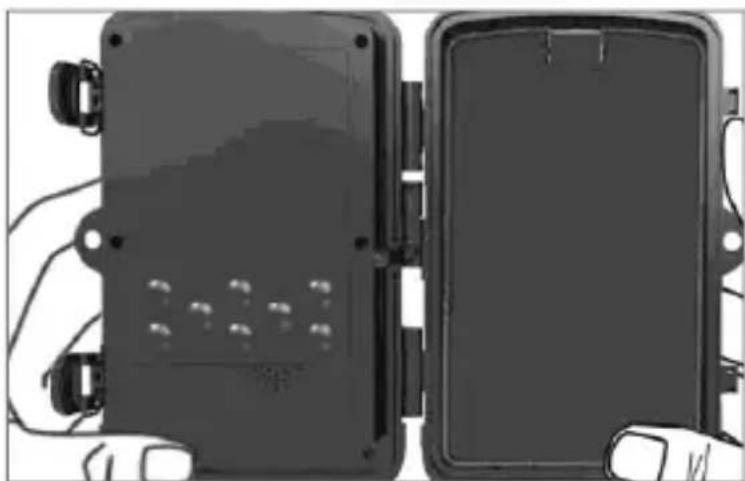
natural_image
Two black electronic device modules with visible wiring and connectors, shown from different angles (no text or symbols)1.5 Karta pamięci
2. Kontrole
No.5, 17/F, Strand 50, 50 Bonham Strand, Sheung Wan, Hong Kong
Made in China
Copyright © Abacus Electric, s.r.o.
www.evolveo.com www.facebook.com/EvolveoCZ


- Obsah / Content / Tartalom / Soddisfare / Continut / Inhalt / Zawartość
- Úvod
- Použití
- Nastavení
- Hlavní Funkce
- Pamětová karta
- Ovládání
- N astavenie
- Hlavné funkcie
- Pamätová karta
- Ovládanie
- Quick start
- Turning on
- S ettings
- Start/Activation
- Main functions
- Power supply
- Memory card
- Control
- Troubleshooting
- The camera does not take any photos
- The night illumination does not have sufficient range
- The camera cannot be turned on
- The camera does not capture photos or videos
- The camera does not capture photos or videos at night, but only during the day
- Notice
- Package content
- TECHNICAL SUPPORT
- The warranty DOES NOT APPLY to:
- Disposal
- DECLARATION OF CONFORMITY
- Bevezető
- Használat
- B eállítások
- A fő funkciók
- Memóriakártya
- Kezelés
- I mpostazioni
- Commando
- Se tări
- Declanşare/Activare
- Cardul de memorie
- Operare
- Ein stellungen
- Hauptfunktionen
- Speicherkarte
- Us tawienia
- Główne funkcje
- Karta pamięci
- Kontrole
Brand : Evolveo
Model : StrongVision A
Category : Uncategorized