
Sigma T2 - Uncategorized Evolveo - Free user manual and instructions
Find the device manual for free Sigma T2 Evolveo in PDF.


| Product Type | Tablet |
| Brand | Evolveo |
| Model | Sigma T2 |
| Display Size | 10.1 inches |
| Resolution | 1280 x 800 pixels |
| Operating System | Android |
| Processor | Quad-core 1.3 GHz |
| RAM | 2 GB |
| Internal Storage | 32 GB |
| Battery Capacity | 5000 mAh |
| Dimensions | 240 x 170 x 9 mm |
| Weight | 510 g |
| Connectivity | Wi-Fi 802.11 b/g/n, Bluetooth 4.0 |
| Cameras | Front 2 MP, Rear 5 MP |
| Ports | Micro USB, 3.5 mm audio jack, microSD slot |
| Power Supply | 5V/2A DC via Micro USB |
| Operating Temperature | 0°C to 35°C |
| Cleaning Instructions | Wipe with a soft dry cloth; avoid liquids |
| Safety Precautions | Do not expose to moisture or extreme temperatures |
| Repairability | Spare parts available from authorized service centers |
| Included Accessories | USB cable, power adapter, user manual |
Frequently Asked Questions - Sigma T2 Evolveo
User questions about Sigma T2 Evolveo
0 question about this device. Answer the ones you know or ask your own.
Ask a new question about this device
Download the instructions for your Uncategorized in PDF format for free! Find your manual Sigma T2 - Evolveo and take your electronic device back in hand. On this page are published all the documents necessary for the use of your device. Sigma T2 by Evolveo.
USER MANUAL Sigma T2 Evolveo
thank you for choosing the EVOLVEO Sigma T2.
We believe it will bring you a lot of fun and happiness.
Notice
- Follow this manual otherwise the device may not function properly. The improper use can cause instability or collapse of the operating system.
- USB port power supply is limited. When using a USB TV tuner, please disconnect all other USB devices. When the operating system cannot recognize the USB TV tuner after connecting, please disconnect all other USB devices and try to connect the tuner again, preferably to a different USB port.
- Please note that each USB device has a unique ID. If you connect a USB TV tuner to a different port than the one for which you have originally installed it, the driver would be automatically reinstalled.
Follow the instruction to ensure the installation goes smoothly. These situations can also occur when using USB hub.
- Terrestrial digital broadcasting is influenced by the terrain profile, buildings and weather. This may cause lower quality reception locally. Therefore, for the reception inside buildings, house antennas are highly recommended.
System requirements (watching and recording DVB-T): Windows 7,8,8.1,10, Pentium IV 2.0 GHz and higher, 2GB operating memory, graphics card with Microsoft DirectX support and higher or at least 16MB memory, sound card, one USB 2.0 port
System requirements (watching and recording DVB-T2): Windows 7,8,8.1,10, Intel i5 3GHz and higher / AMD FX 4350 4,2GHz and higher, 4GB operating memory, graphics card with Microsoft DirectX support, sound card, USB 2.0 port
Hardware and driver installation
- Remove the USB cap and plug the receiver into any available USB port on your PC or laptop
• The computer will detect a new hardware, install it - Then you can check that the installation was successful in Windows > Device manager > Audio, video and game controllers, where it should be detected as "DVB-T/T2/C USB Stick"
- In the case that the drivers are not found on the internet, download and install the them at:
ftp://ftp.evolveo.com/dvb-t2/windows-usb-pc-tuner/sigma-t2/software-with-drivers/totaltv-player/
• Download and extract the TotalTV Player file
- Open the TV-Card.exe file and the following dialog box will appear:

Click on "Driver Install", then click on all the "Next" buttons
• You will see this dialog box announcing the successful installation:
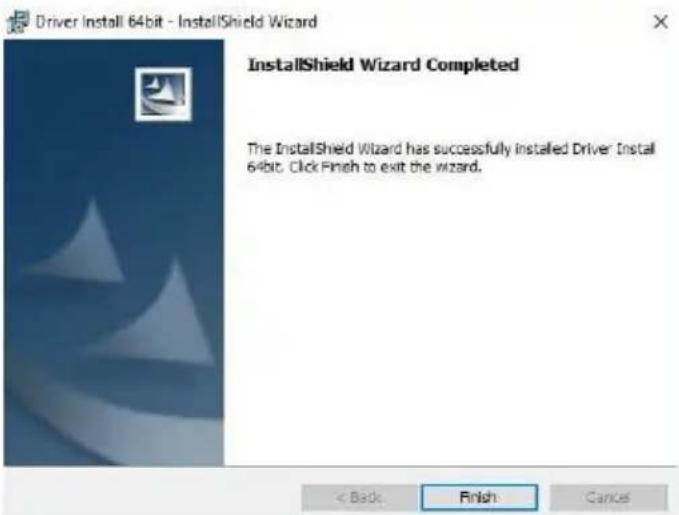
- Click on the "Finish" button
- Connect the DVB-T antenna into the USB tuner
Total TV Player software installation
- Click on the "Software" button in the main window
- Select the country in which you will tune the channels and then click on the "DVB-T/T2/C USB stick" option
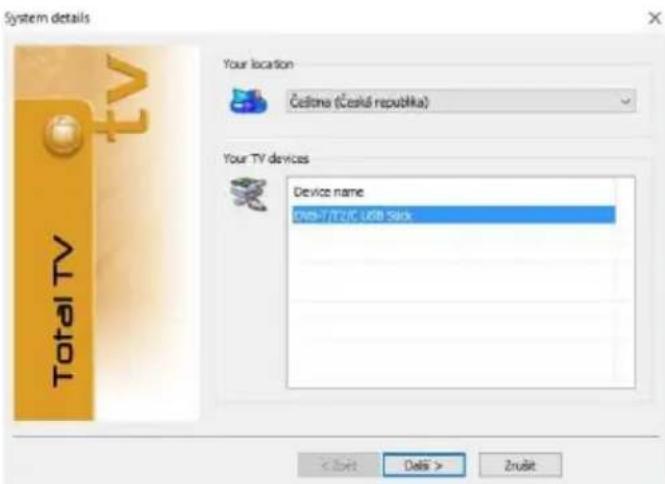
Click on the "Next" button
• Enter your name and email address (optional)
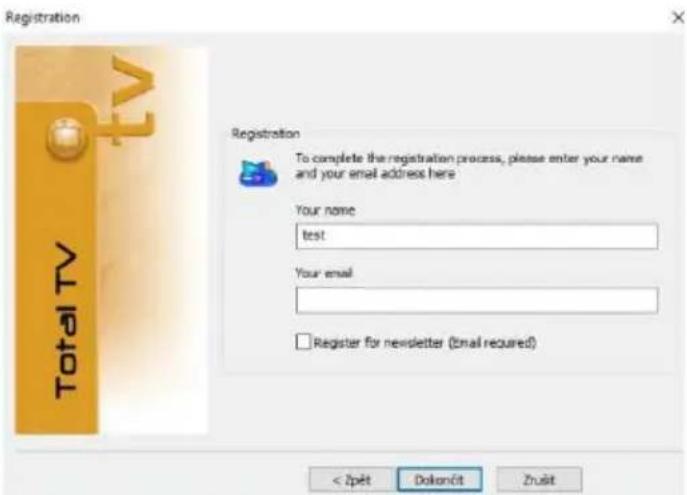
Click on the "Finish" button
- Select the "Complete" setup type
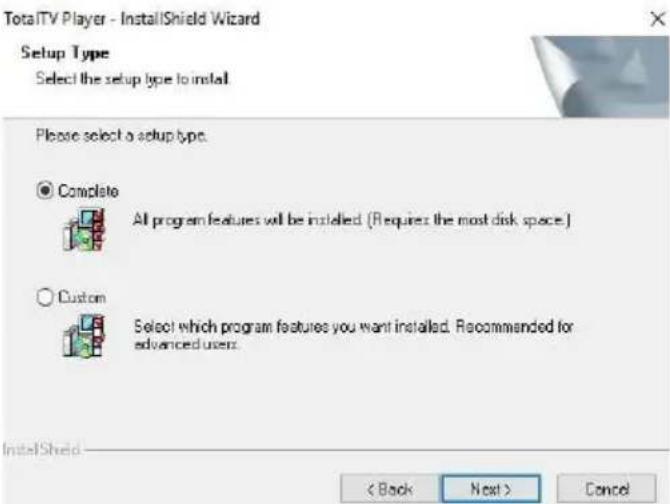
Click on the "Next>" button
- You will see this dialog box announcing the successful installation of the TotalTV Player:
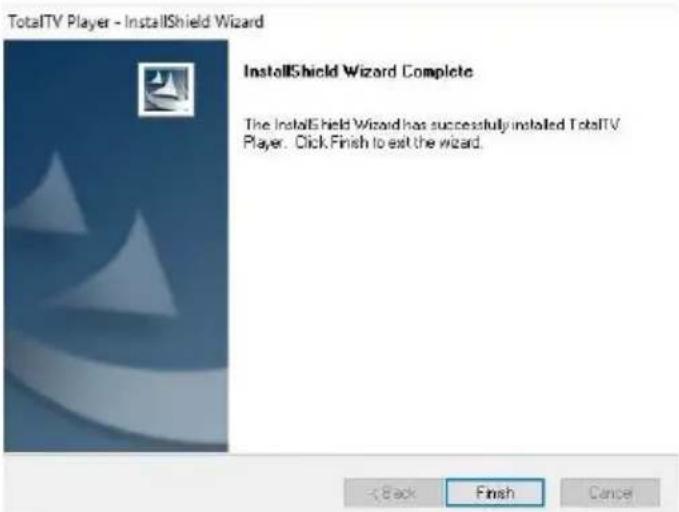
TotalTV Player setttings and first tuning of TV channels
- Double-click the TotalTV Player icon on the Windows desktop to open it
- Click on the "Setup" button (bottom right)
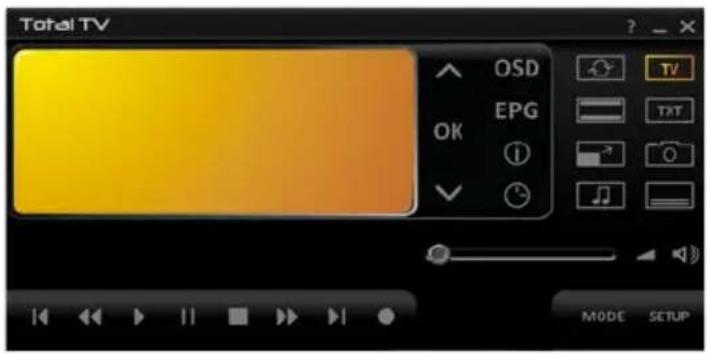
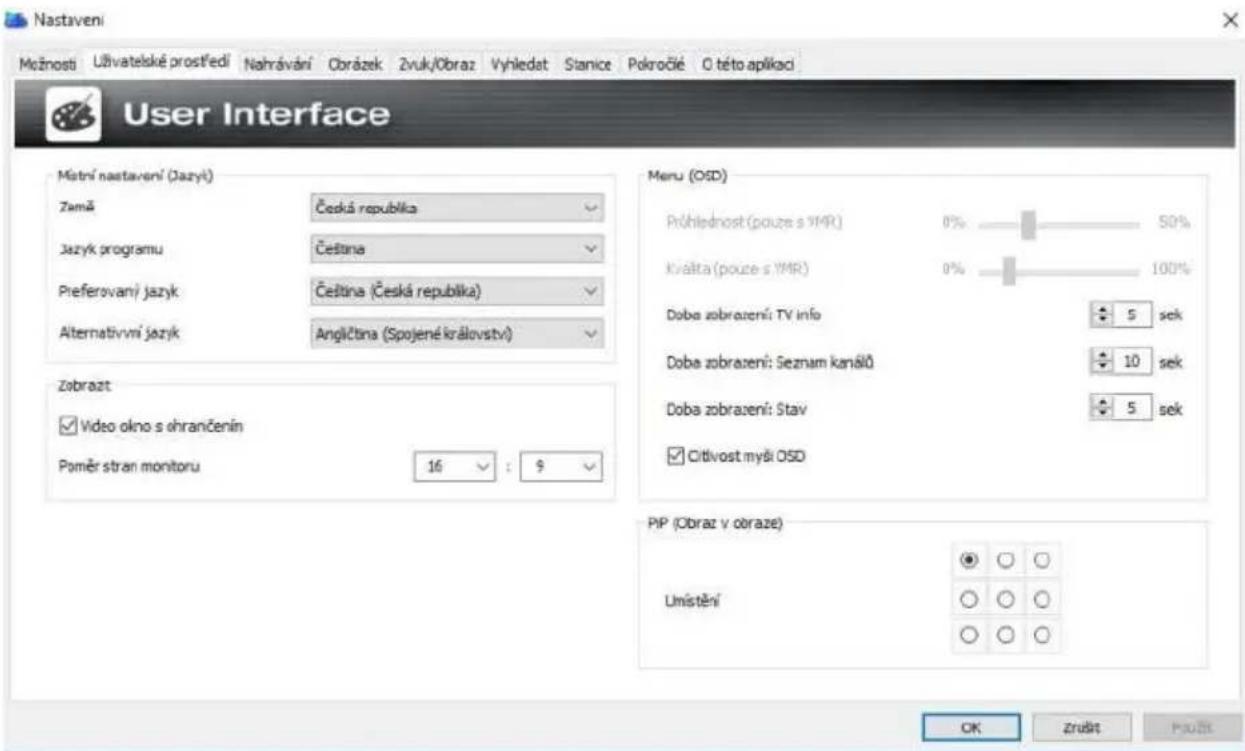
- Select the language of the user interface of the program in the "User interface" tab
Audio and video settings
- "Audio/Video" tab
- Set exactly the same parameters as shown in the picture below:
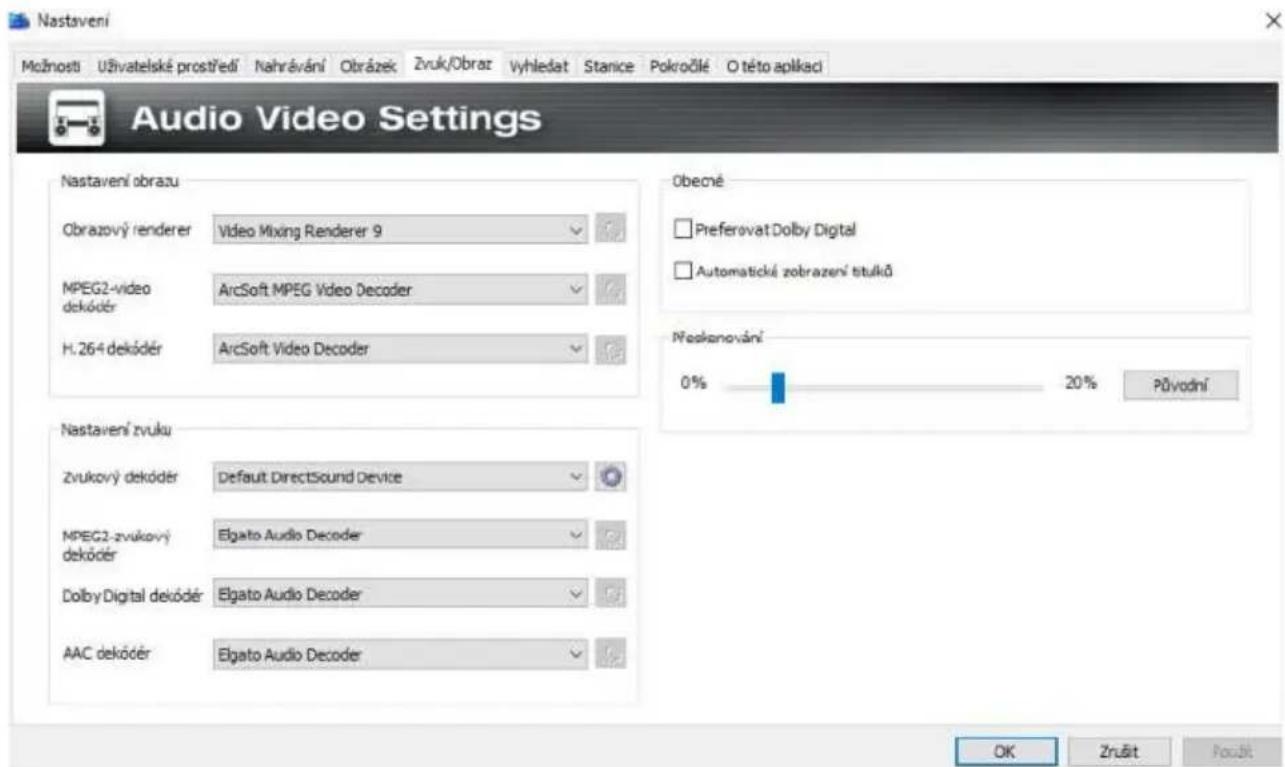
If you do not set the above values, the tuner WILL NOT receive the DVB-T2 broadcast!
• In the "Search" tab, select "Region - Czech Republic"
- Click on "Search" button
• The receiver will start the Automatic tuning of the available TV and radio channels
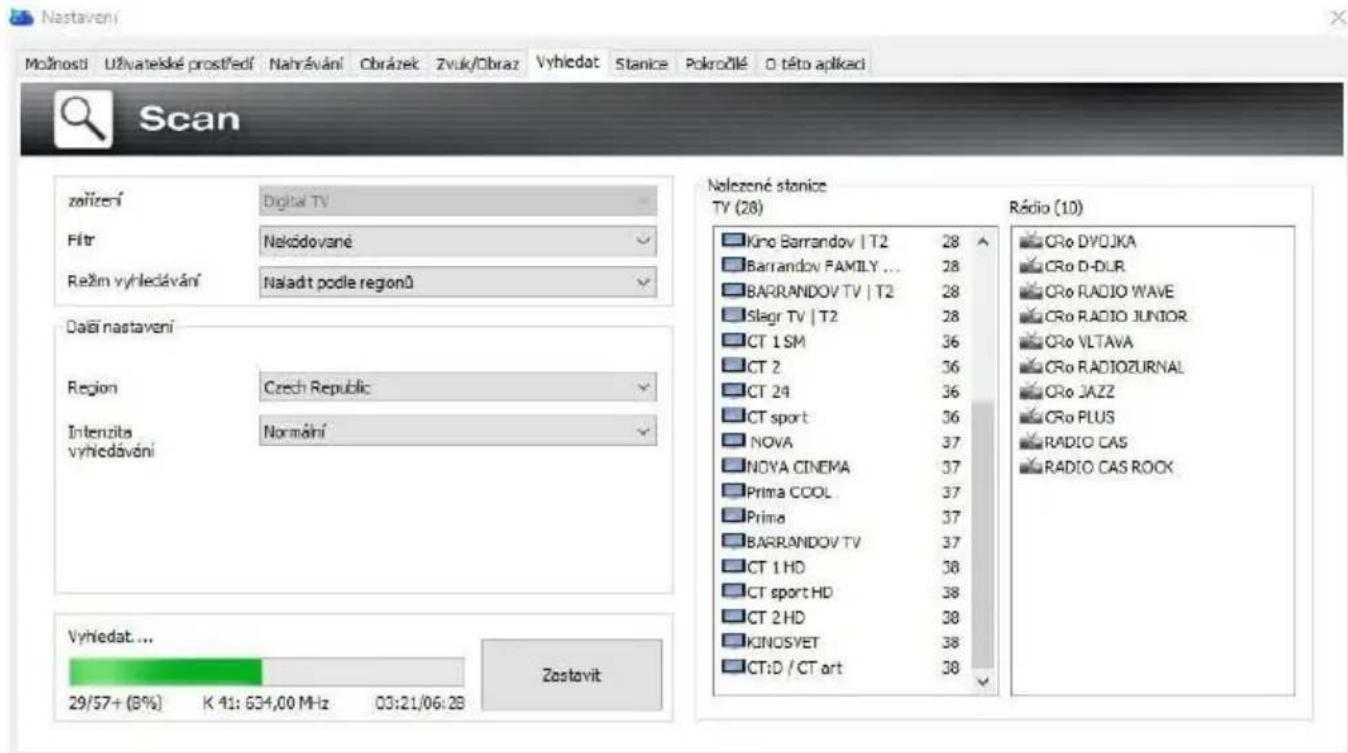
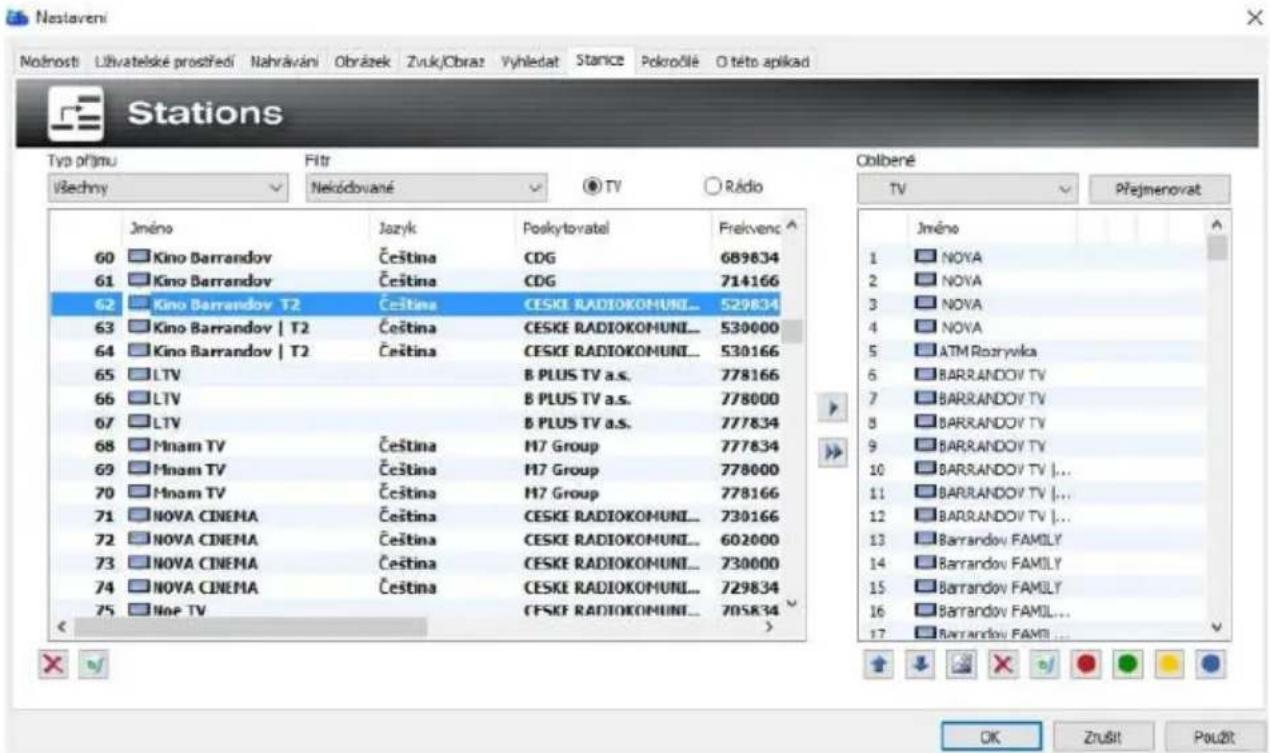
After tuning, you need to edit the "Name" of the tuned DVB-T2 TV channels in order to display them correctly in the "TV Station List":
- Click in the line with DVB-T2 station (e.g. "Kino Barrandov I T2")
• This line will highlight in blue - Click one more time to change the name of the station
- Delete the vertical bar "I" (between "Kino Barrandov" a "T2")
- Press the "Enter" key
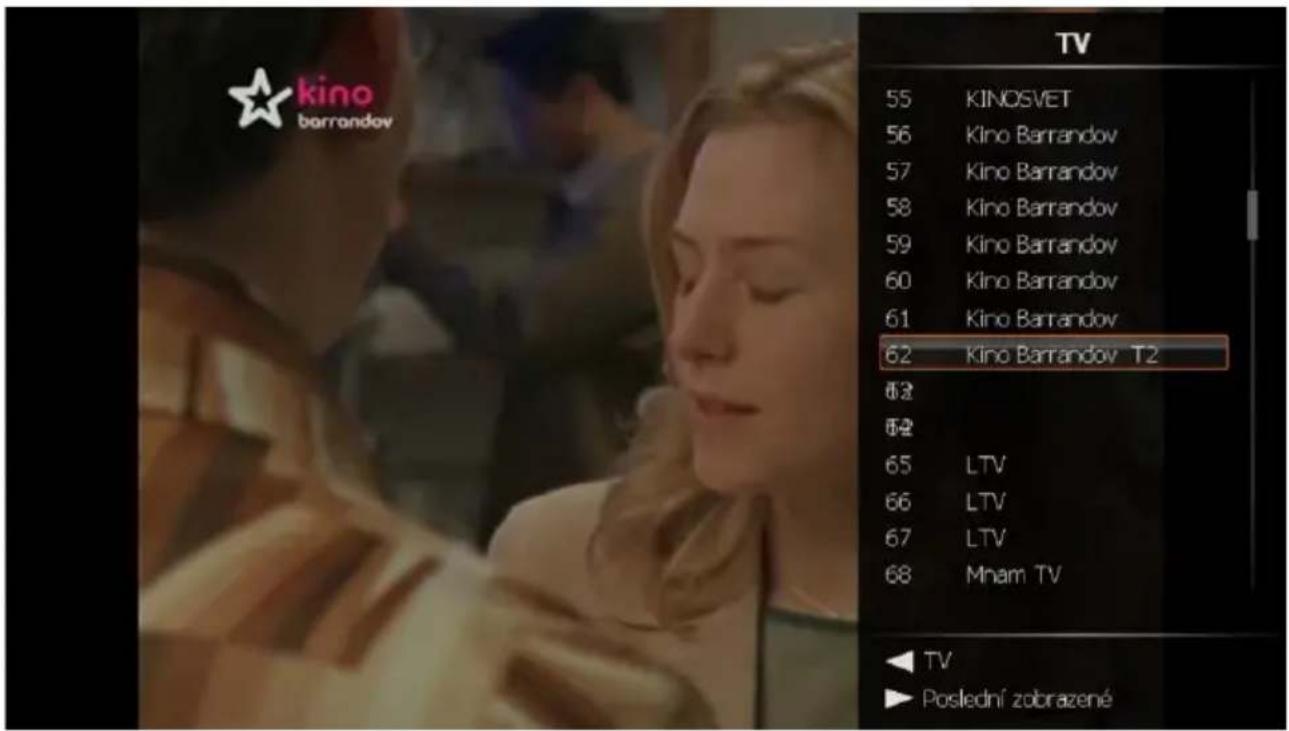
Correct display of the DVB-T2 station name in the "TV Station Lis":
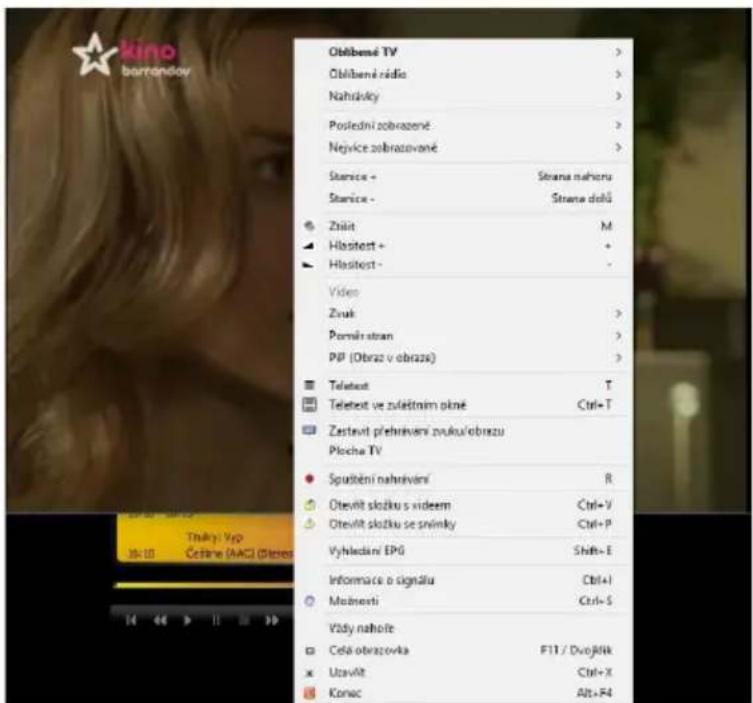
- You can display the menu of other functions of the "TotalTV Player" program by right-clicking the computer mouse directly in the window or the panel of the "TotalTV Player" program
Even after checking carefully, I do not tune in any DVB-T or DVB-T2 channels
- Check again that you have set the Audio/Video parameters correctly, see above (Audio and video settings), and perform a new Automatic tuning
I cannot tune in any DVB-T or DVB-T2 channels during automatic tuning
- Check that your area is covered by the DVB-T/DVB-T2 signal
- Make sure that the DVB-T signal is good enough; if it is, try to move the DVB-T T2 antenna closer to a window and repeat the Automatic tuning
- Check that your DVB-T/DVB-T2 antenna is correctly inserted and secured to the USB tuner
- Check that you have selected the correct broadcast country in the "TotalTV Player" initial setting
• Try to use a DVB-T/DVB-T2 outdoor antenna and repeat the automatic search
I have found less DVB-T/DVB-T2 channels than the last time I had launched the TotalTV Player program
• Maybe you have moved or relocated your DVB-T/DVB-T2 antenna
- The reception of the DVB-T/DVB-T2 signal is also affected by weather, e.g. the reception sensitivity and quality of the DVB-T/DVB-T2 signal may be reduced if it is raining or snowing
- Some changes on the side of the operator may have occurred, try the automatic tuning again to find DVB-T/DVB-T2 stations
While watching, the screen suddenly went black or "froze"
• The DVB-T/DVB-T2 signal reception got worse, see paragraph 2 above
The image stops or is "choppy"
- Check that your computer meets the system requirements (see the introduction of the manual)
The PiP (Picture in Picture) function does not allow me to display different combinations of TV stations
- The DVB-T2 USB receiver has one tuner, i.e. if in PiP mode, it can only display stations that broadcast on the same multiplex, e.g. CTsport and CT2, or Nova and Nova Cinema. TotalTV Player always indicates which station you can use for the PiP function.
The DVBT2 ČT channels are in TotalTV Player pixelated
- The problem may be caused by insufficient HW for watching the DVBT2 ČT channels that broadcast in FullHD resolution compared to the DVBT ČT channels that broadcast in HD resolution.
Check the minimum HW requirements for DVBT2 broadcasting, they are approximately: Intel i5 3GHz and higher / AMD FX 4350 4,2GHz and higher
If your HW meets the requirements and the DVBT2 CT channels are still pixelated, install the newer version of the LAV Video Decoder, the installation file (LAVFilters-
0.74.1-Installer.exe) can be found here: ftp://ftp.evolveo.com/dvb-t2/windows-usb-pc-tuner/sigma-t2/software-with-drivers/totaltv-player/
Restart the program, go to "TotalTV Player", then "Settings" and in "Audio/Video" select for the option: MPEG2-Video Decoder and H.264.decoder the "LAV Video Decoder", to check click on the "Settings" icon next to it and the "LAV Video Decoder 0.74.1" version must be on the bottom right.
The problem with pixelation should be resolved.
If for some reason you are not happy with the "TotalTV Player" program, try to download the "SichboPVR" program, installation file can be found here: ftp://ftp.evolveo.com/dvb-t2/windows-usb-pc-tuner/sigma-t2/software-with-drivers/sichbopvr/
There is also the decoder: (LAVFilters-0.74.1-Installer.exe), download and install it. In the "Advanced" settings of the SichboPVR program then assign the "LAV Video Decoder" to the H265Video decoder.
Perform channel tuning.
TROUBLESHOOTING
First read "FAQ - Frequently Asked Questions" at www.evolveo.com/cz/sigma-t2 or contact the EVOLVEO technical support.
TECHNICAL SUPPORT
www.evolveo.com/cz/helpdesk/prislusenstvi-k-pc/hd-dvb-t-usb-tuner
The warranty DOES NOT APPLY to:
• using the device for other purposes than it was designed for
- installing a firmware other than the one installed on your device
• electrical or mechanical damage caused by improper use
- damage caused by natural elements such as fire, water, static electricity, power surges etc.
• damage caused by an unauthorized repair
- unreadable serial number of the device

Disposal
The symbol of crossed out wheelie bin on the product, within the literature or on the packaging reminds you that in the European Union, all electric and electronic products, batteries and accumulators must be stored as assorted waste after the end of their service life. Do not throw these products into the unsorted municipal waste.
① C6 DECLARATION OF CONFORMITY
Hereby, the company ABACUS Electric spol. s r. o. declares that EVOLVEO Sigma T2 is in compliance with the requirements of the standards and regulations, relevant for the given type of device.
Find the complete text of Declaration of conformity at ftp://ftp.evolveo.com/ce
Dovozce / Dovozca / Importer / Importőr
Abacus Electric, s.r.o.
Planá 2, 370 01, Czech Republic
No.5, 17/F, Strand 50, 50 Bonham Strand, Sheung
Wan, Hong Kong
Made in China
Copyright © Abacus Electric, s.r.o.
www.evolveo.com
www.facebook.com/EvolveoEU
All rights reserved.
Design and specification may be changed without prior notice.


- Notice
- Hardware and driver installation
- Total TV Player software installation
- TotalTV Player setttings and first tuning of TV channels
- Audio and video settings
- If you do not set the above values, the tuner WILL NOT receive the DVB-T2 broadcast!
- Even after checking carefully, I do not tune in any DVB-T or DVB-T2 channels
- I cannot tune in any DVB-T or DVB-T2 channels during automatic tuning
- I have found less DVB-T/DVB-T2 channels than the last time I had launched the TotalTV Player program
- While watching, the screen suddenly went black or "froze"
- The image stops or is "choppy"
- The PiP (Picture in Picture) function does not allow me to display different combinations of TV stations
- The DVBT2 ČT channels are in TotalTV Player pixelated
- TROUBLESHOOTING
- TECHNICAL SUPPORT
- The warranty DOES NOT APPLY to:
- Disposal
- ① C6 DECLARATION OF CONFORMITY
Brand : Evolveo
Model : Sigma T2
Category : Uncategorized