
Focus Handwheel 2 - Remote control DJI - Free user manual and instructions
Find the device manual for free Focus Handwheel 2 DJI in PDF.


| Product type | Remote control for focus system |
| Brand | DJI |
| Model | Focus Handwheel 2 |
| Dimensions | 150 x 100 x 80 mm |
| Weight | 300 g |
| Power supply | Built-in rechargeable lithium-ion battery |
| Battery life | 5 hours |
| Range | 100 m (via Bluetooth) |
| Main functions | Remote focus control, tactile wheel, recording button |
| Compatibility | DJI RS 2, RS 3, RS 3 Pro, RS 4 |
| Connectivity | Bluetooth 5.0 |
| Maintenance and cleaning | Wipe with a soft, dry cloth |
| Safety | Do not expose to water or extreme temperatures |
| Spare parts and repairability | Spare parts available from DJI |
| Warranty | 1 year (depending on retailer) |
Frequently Asked Questions - Focus Handwheel 2 DJI
User questions about Focus Handwheel 2 DJI
0 question about this device. Answer the ones you know or ask your own.
Ask a new question about this device
Download the instructions for your Remote control in PDF format for free! Find your manual Focus Handwheel 2 - DJI and take your electronic device back in hand. On this page are published all the documents necessary for the use of your device. Focus Handwheel 2 by DJI.
USER MANUAL Focus Handwheel 2 DJI
DJI FOCUS Handwheel 2
User Guide
使用说明
使用說明
ユーザーガイド
사용자 가이드
Bedienungsanleitung
Guía del usuario
natural_image
Technical line drawing of a mechanical bearing assembly (no text or symbols)Contents
EN User Guide 4
CHS 使用说明 10
CHT 使用說明 16
JP ユーザーガイド 22
KR 사용자 가이드 28
Disclaimer and Warning
Congratulations on purchasing your new DJI™ product. The information in this document affects your safety and your legal rights and responsibilities. Read this entire document carefully to ensure proper configuration before use. Failure to read and follow instructions and warnings in this document may result in serious injury to yourself or others, or damage to your DJI product or damage to other objects in the vicinity. This document and all other collateral documents are subject to change at the sole discretion of DJI. For up-to-date product information, visit http://www.dji.com and click on the product page for this product.
By using this product, you hereby signify that you have read this disclaimer and warning carefully and that you understand and agree to abide by the terms and conditions herein. You agree that you are solely responsible for your own conduct while using this product, and for any consequences thereof. You agree to use this product only for purposes that are proper and in accordance with all applicable laws, rules, and regulations, and all terms, precautions, practices, policies and guidelines DJI has made and may make available.
DJI accepts no liability for damage, injury or any legal responsibility incurred directly or indirectly from the use of this product. The user shall observe safe and lawful practices including, but not limited to, those set forth in this document.
DJI is a trademark of SZ DJI TECHNOLOGY CO., LTD. (abbreviated as "DJI") and its affiliated companies. Names of products, brands, etc., appearing in this document are trademarks or registered trademarks of their respective owner companies.
Introduction
The DJI Focus Handwheel 2 enables users to control aperture, focus or zoom on the INSPIRE ^TM 2 and OSMO ^TM Pro/RAW cameras precisely and conveniently.
![[1] [2] [3] [4] [4] [5] [6] [7]](/content/2026/05/812856/images/40cf636a9863ced58206f1c99833525ca43b52a96bcd01603960a92256d9b79e.jpg)
![[8] [9] [10]](/content/2026/05/812856/images/1dfbb1c4e0d03f581656a44c7fbc6143c44d289dfe963e65d166299765adca68.jpg)
[1] Focus Wheel Controls the camera lens.
[2] Stiffness Control Adjusts focus wheel stiffness.
[3] Marking Ring Provides a marking scale.
[4] Hard Stop Screws Adjustable hard stops limit the focus wheel travel range.
[5] Power Switch Toggle the power switch to power on/off the Focus Handwheel 2.
[6] Status LED/Backlight Indicates the communication status and illuminates the marking ring from behind.
[7] LENS Button Opens lens travel settings and switching between focus, aperture or zoom control, subject to lens compatibility.
[8] DJI Rosette Mount Used when mounting and securing the Focus Handwheel 2.
[9] Communication Port Connects to the Osmo Pro/RAW.
[10] Pogo Pin Connects to the Inspire 2 DJI Focus Handwheel 2 Remote Controller Stand for power supply and communication. Ensure the Pogo Pin is clean and in good condition. Do not cause the Pogo Pin to short-circuit.
Installation
Mounting on Inspire 2 Remote Controller
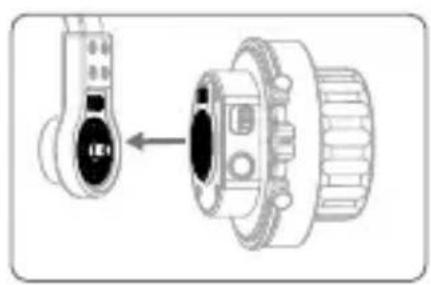
- Attach the Focus Handwheel 2 to the Remote Controller Stand mounted on Inspire 2 remote controller (visit the official DJI online store for more information on the DJI Focus Handwheel 2-Remote Controller Stand).
- Connect the cable on the Stand to the Inspire 2 Remote controller to power the Focus Handwheel 2.
natural_image
Mechanical assembly diagram showing a valve and gear assembly with no visible text or symbols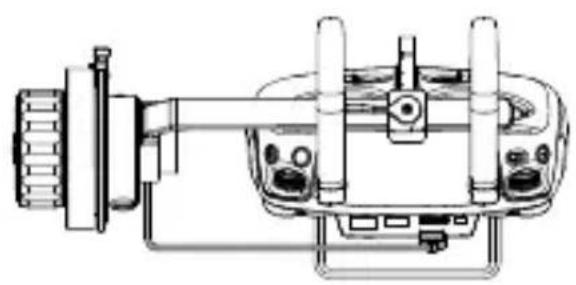
natural_image
Technical line drawing of a mechanical device with no visible text or symbols
The DJI Focus Handwheel 2 is compatible with the Inspire 2 only. The Inspire 1 series is not supported.
Mounting on Osmo Pro/RAW
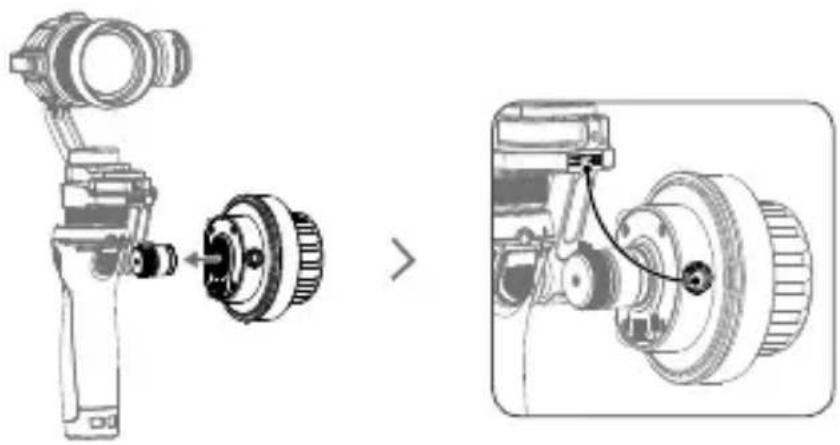
- Attach the Focus Handwheel 2 to the Osmo Pro/RAW as shown then tighten the screw.
- Connect the Communication Port on the Focus Handwheel 2 to the Osmo Pro/RAW for power supply and communication using the dedicated Focus Handwheel 2-Osmo Pro/RAW communication cable (not included, visit the official DJI online store for more information). Ensure the cable's orientation is correct before plugging into the ports.
natural_image
Technical illustration of a mechanical assembly showing a device with a close-up view of its internal components (no text or symbols present)Mounting on other Devices
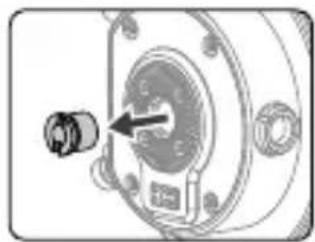
The Rosette Mount on the DJI Handwheel 2 provides two mounting dimensions: 1/4" and 3/8". If mounting the Handwheel 2 on other devices with 3/8" port, remove the screw in the Rosette Mount as shown.
natural_image
Mechanical component diagram showing a bolt inserted into a housing (no text or symbols visible)Status LED Description
The status LED indicates the communication status after the Focus Handwheel 2 is powered on. Refer to the table below for more information about the blinking patterns.
Blinking Patterns Description
Blinks quickly Upgrade failed.
Blinks slowly No device detected.
Solid on Working properly.
Settings
Setting Mechanical Limits
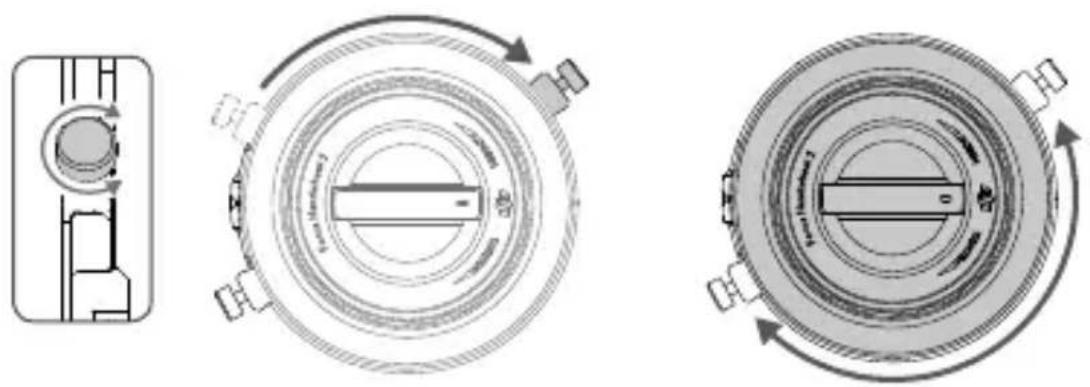
The two adjustable hard stop screws around the focus wheel can be used to limit the travel range physically.
- Loosen the hard stop screws, slide them to the desired positions and tighten.
- The travel range of the focus wheel is now limited to the distance between the two hard stop screws.
natural_image
Three technical diagrams showing mechanical components with rotational arrows, no text or symbols present.Adjusting the Stiffness
Turn the control knob at the center while holding the focus wheel to adjust the stiffness of the wheel. Adjust the focus wheel until it reaches a stiffness or looseness that feels comfortable.
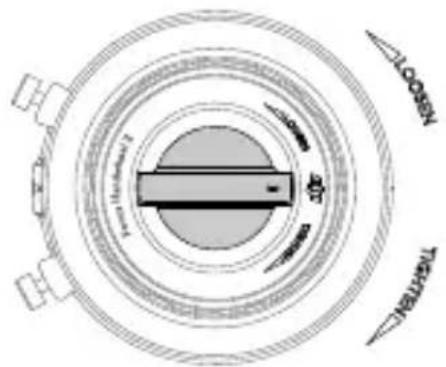

The rotation direction of the Focus wheel can be reversed in the DJI GO ^TM /DJI GO 4 app.
Travel Range Settings
Travel range settings are only available in the focus control mode.
- Turn the focus wheel to the desired upper travel limit and press the lens button once.
- Turn the focus wheel to the desired lower travel limit and press the lens button once. Turning the focus wheel a full cycle will now rotate the lens between the two travel limits.
- Press the lens button again to reset.
Switch Control Mode
- Press and hold the lens button to switch between focus, aperture and zoom control.
- Focus, aperture or zoom control can be switched in the DJI GO/DJI GO 4 app.
Calibration
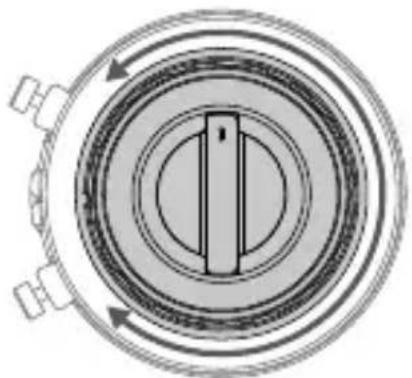
Only calibrate the Focus Handwheel when you feel lens control is not optimal.
How to Calibrate: Within the first five seconds after powering on, rotate the Focus wheel back and forth across its full travel range four times.
natural_image
Cross-sectional diagram of a mechanical component with concentric rings and directional arrows (no text or symbols)Update Firmware
The Focus Handwheel 2 can be upgraded through the Inspire 2 remote controller and Osmo Pro/RAW. Refer to the Inspire 2 user manual or the Osmo Pro/RAW upgrade guide for details.
Specifications
| Model FH02 |
| Weight 340g |
| Dimensions 86 (diameter)×68 (height) mm |
| Operating Temperature -4° to 131°F (-20°C to 55°C) |
| Operating Voltage 5V-12V |
| Operating Current 0.03A-0.072A |
| Power 0.36W |
This content is subject to change.
Download the latest version from
http://www.dji.com/focus
免责声明与警告
[1] 电机控制旋钮
[6] 状态指示灯 / 标记环 LED 灯
natural_image
Diagram showing a device with a left-side arrow pointing to a mechanical component (no text or symbols present)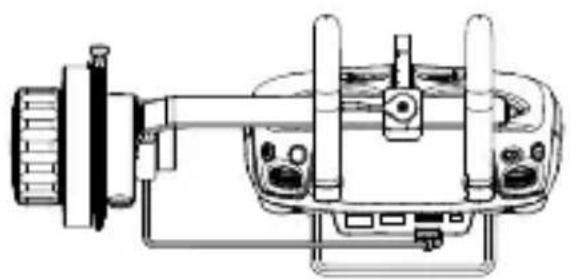
natural_image
Technical line drawing of a mechanical device with no visible text or symbols
natural_image
Technical illustration of a mechanical assembly showing a disassembled component and its exploded view (no text or symbols)安装至其它设备使用
natural_image
Mechanical component diagram showing a bolt inserted into a housing with a central hub (no text or symbols visible)系统状态指示灯信息
natural_image
Cross-sectional diagram of a mechanical component with concentric rings and directional arrows (no text or symbols)固件升级
http://www.dji.com/focus
免責聲明與警告
[1] 馬達控制旋鈕
natural_image
Mechanical assembly diagram showing a device with a left-side component and a close-up view of its internal components (no text or symbols)![DJI Focus Handwheel 2 - [1] 馬達控制旋鈕 - 1](/content/2026/05/812856/images/a4079dda3f8562c4739d73a2a26c858f7b722ef3b5badde23ddd82a87fded952.jpg)
natural_image
Technical line drawing of a mechanical device with no visible text or symbols![DJI Focus Handwheel 2 - [1] 馬達控制旋鈕 - 2](/content/2026/05/812856/images/3f98a15ef10112f8af671d50329badcbb439ddff779d38b1d34fb481383da4c8.jpg)
natural_image
Technical illustration of a mechanical assembly showing a disassembled component and its exploded view (no text or symbols)安裝至其它設備使用
natural_image
Mechanical component diagram showing a bolt inserted into a housing (no text or symbols visible)系統狀態指示燈說明

natural_image
Cross-sectional diagram of a mechanical component with concentric rings and directional arrows (no text or symbols)韌體升級
http://www.dji.com/focus
免責事項および警告
[1] フォーカスハンドホイール
カメラレンズの調整をします。
[2] 固さ調整ノブ
natural_image
Diagram showing a mechanical component with an arrow pointing to a circular assembly (no text or symbols present)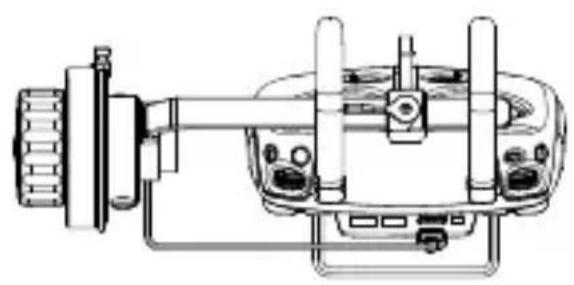
natural_image
Technical line drawing of a mechanical device with no visible text or symbols
natural_image
Technical illustration of a mechanical assembly showing a disassembled component and its exploded view (no text or symbols)他のデバイスへの接続
natural_image
Mechanical component diagram showing a bolt inserted into a housing (no text or symbols visible)ステータス LED の解説
natural_image
Three technical diagrams showing mechanical components with rotational arrows, no text or symbols present.固さの調整

natural_image
Circular mechanical component diagram with concentric rings and directional arrows (no text or symbols)ファームウェアのアップデート
http://www.dji.com/focus
고지 사항 및 경고
natural_image
Diagram showing a mechanical component with an arrow indicating direction, no text or symbols present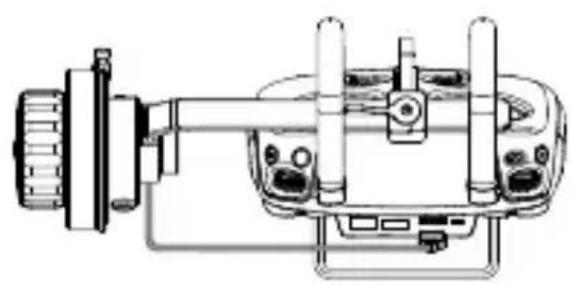
natural_image
Technical line drawing of a mechanical device with no visible text or symbols
natural_image
Technical illustration of a mechanical assembly showing a disassembled component and its exploded view (no text or symbols)기타 장치 장착
natural_image
Mechanical component diagram showing a bolt inserted into a housing (no text or symbols visible)상태 LED 설명
natural_image
Technical line drawings of three circular mechanical components with rotational arrows indicating motion (no text or symbols)강성 조정
natural_image
Technical diagram of a circular mechanical component with internal structure and directional arrows (no text or symbols)펌웨어 업데이트
http://www.dji.com/focus
natural_image
Mechanical assembly diagram showing a component being inserted into a housing (no text or symbols present)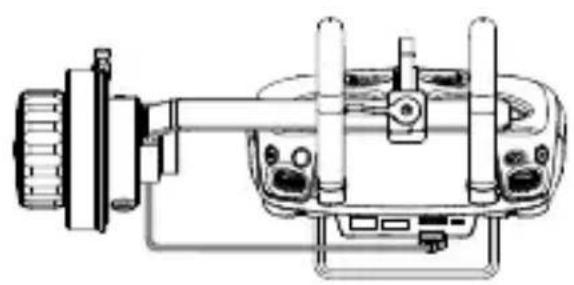
natural_image
Technical line drawing of a mechanical device with no visible text or symbols
natural_image
Technical illustration of a mechanical assembly showing a disassembled component and its exploded view (no text or symbols)natural_image
Mechanical component diagram showing a bolt inserted into a housing (no text or symbols visible)natural_image
Three technical diagrams showing mechanical components with rotational arrows, no text or symbols present.natural_image
Cross-sectional diagram of a mechanical component with concentric rings and directional arrows (no text or symbols)http://www.dji.com/focus
natural_image
Mechanical assembly diagram showing a component being inserted into a housing (no text or symbols visible)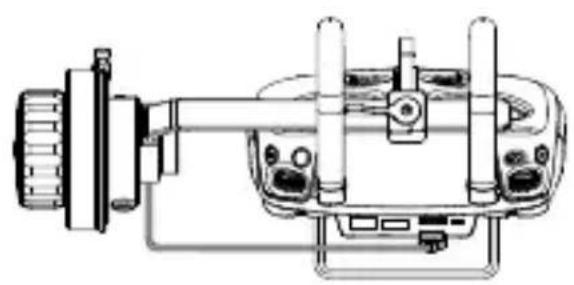
natural_image
Technical line drawing of a mechanical device with no visible text or symbols
natural_image
Technical illustration of a mechanical assembly showing a disassembled component before and after assembly (no text or symbols present)natural_image
Mechanical component diagram showing a bolt inserted into a housing (no text or symbols visible)natural_image
Technical line drawings of three circular mechanical components with rotational arrows indicating motion (no text or symbols)Ajuste de la dureza
natural_image
Circular mechanical component diagram with concentric rings and directional arrows (no text or symbols)http://www.dji.com/focus
[8] Support Rosette DJI
[9] Port de communication
natural_image
Mechanical assembly diagram showing a component being inserted into a housing (no text or symbols present)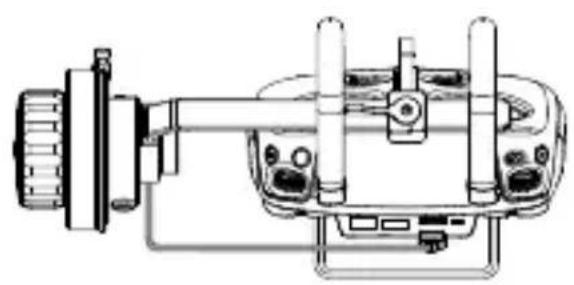
natural_image
Technical line drawing of a mechanical device with no visible text or symbols
natural_image
Technical illustration of a mechanical assembly showing a disassembled component and its exploded view (no text or symbols)natural_image
Mechanical component diagram showing a bolt inserted into a housing (no text or symbols visible)π刀

natural_image
Cross-sectional diagram of a mechanical component with concentric rings and directional arrows (no text or symbols)http://www.dji.com/focus
natural_image
Mechanical assembly diagram showing a component being inserted into a housing (no text or symbols visible)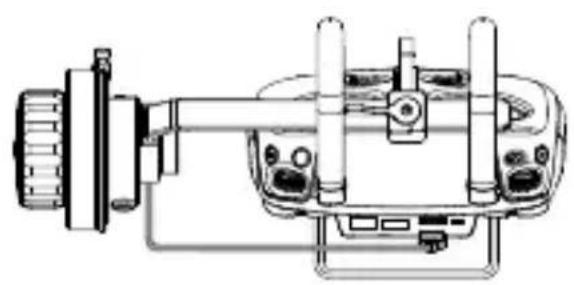
natural_image
Technical line drawing of a mechanical device with no visible text or symbols
natural_image
Technical illustration of a mechanical assembly showing a disassembled component before and after assembly (no text or symbols present)natural_image
Mechanical component diagram showing a bolt inserted into a housing (no text or symbols visible)natural_image
Cross-sectional diagram of a mechanical component with concentric rings and directional arrows (no text or symbols)http://www.dji.com/focus
[1] Scherpstelwiel Bedient de cameralens.
natural_image
Mechanical assembly diagram showing a component being inserted into a housing (no text or symbols visible)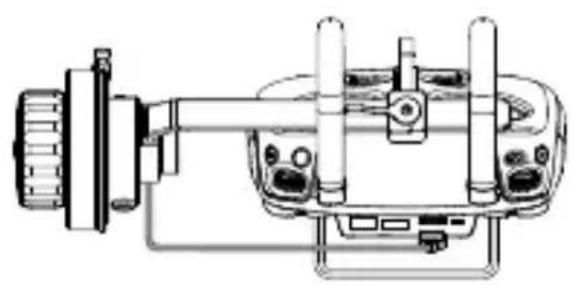
natural_image
Technical line drawing of a mechanical device with no visible text or symbols
natural_image
Technical illustration of a mechanical assembly showing a disassembled component before and after assembly (no text or symbols present)Montage op andere apparaten
natural_image
Mechanical component diagram showing a bolt inserted into a housing (no text or symbols visible)natural_image
Three technical diagrams showing mechanical components with rotational arrows, no text or symbols present.
natural_image
Circular mechanical component diagram with concentric rings and directional arrows (no text or symbols)Firmware updaten
http://www.dji.com/focus
[1] Botão Focus
natural_image
Diagram showing a mechanical component with a close-up view of its side view (no text or symbols present)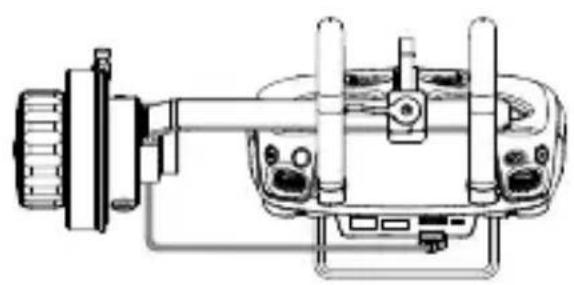
natural_image
Technical line drawing of a mechanical device with no visible text or symbols
natural_image
Technical illustration of a mechanical assembly showing a disassembled component and its exploded view (no text or symbols)natural_image
Mechanical component diagram showing a bolt inserted into a housing (no text or symbols visible)natural_image
Three technical diagrams showing mechanical components with rotational arrows, no text or symbols present.Ajustando a rigidez
natural_image
Cross-sectional diagram of a mechanical component with concentric rings and directional arrows (no text or symbols)Atualizar o firmware
http://www.dji.com/focus
natural_image
Mechanical assembly diagram showing a left-hand connector and a right-hand gear mechanism (no text or symbols)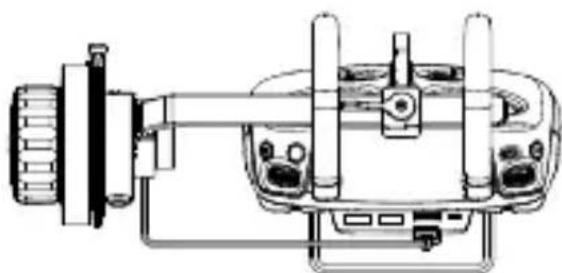
natural_image
Technical line drawing of a mechanical device with no visible text or symbols
natural_image
Mechanical assembly diagram showing a camera lens and gear assembly with close-up detail (no text or labels)natural_image
Mechanical component diagram showing a bolt inserted into a housing (no text or symbols visible)natural_image
Three technical diagrams showing mechanical components with rotational arrows, no text or symbols present.RU
natural_image
Circular mechanical component diagram with concentric rings and directional arrows (no text or symbols)Обновление прошивки
http://www.dji.com/focus
Compliance Informatron
FCC Compliance
This device complies with Part 15 of the FCC Rules. Operation is subject to the following two conditions: (1) This device may not cause harmful interference, and (2) This device must accept any interference received, including interference that may cause undesired operation.
Any changes or modifications not expressly approved by the party responsible for compliance could void the user's authority to operate the equipment.
EU Compliance Statement
SZ DJI TECHNOLOGY CO., LTD. hereby declares that this device is in compliance with the essential requirements and other relevant provisions of the EMC Directive.
A copy of the EU Declaration of Conformity is available online at www.dji.com/euro-compliance
EU-Compliance
If you have any questions about this document, please contact DJI by sending a message to DocSupport@dji.com.
OSMO and INSPIRE are trademarks of DJI.
Copyright © 2017 DJI All Rights Reserved.

- DJI FOCUS Handwheel 2
- Contents
- Disclaimer and Warning
- Introduction
- Installation
- Mounting on Inspire 2 Remote Controller
- Mounting on Osmo Pro/RAW
- Mounting on other Devices
- Status LED Description
- Blinking Patterns Description
- Settings
- Setting Mechanical Limits
- Adjusting the Stiffness
- Travel Range Settings
- Switch Control Mode
- Calibration
- Update Firmware
- 免责声明与警告
- 安装至其它设备使用
- 系统状态指示灯信息
- 固件升级
- 免責聲明與警告
- [1] 馬達控制旋鈕
- 安裝至其它設備使用
- 系統狀態指示燈說明
- 韌體升級
- 免責事項および警告
- 他のデバイスへの接続
- ステータス LED の解説
- 固さの調整
- ファームウェアのアップデート
- 고지 사항 및 경고
- 기타 장치 장착
- 상태 LED 설명
- 강성 조정
- 펌웨어 업데이트
- Ajuste de la dureza
- Montage op andere apparaten
- Firmware updaten
- Ajustando a rigidez
- Atualizar o firmware
- Обновление прошивки
- Compliance Informatron
- FCC Compliance
- EU Compliance Statement
- EU-Compliance
Brand : DJI
Model : Focus Handwheel 2
Category : Remote control