
LIFE S62025 (MD 43948) - Headphones MEDION - Free user manual and instructions
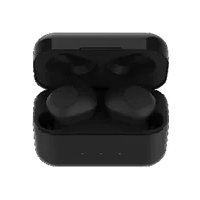
Find the device manual for free LIFE S62025 (MD 43948) MEDION in PDF.


| Product Type | Bluetooth Wireless Headset |
| Brand | MEDION |
| Model | LIFE S62025 (MD 43948) |
| Connection Technology | Bluetooth 4.0 |
| Bluetooth Profiles | A2DP, AVRCP, HFP |
| Weight | Approx. 22 g |
| Battery Type | Built-in Lithium-Ion |
| Battery Capacity | 125 mAh / 0.4625 Wh |
| Battery Voltage | 3.7 V |
| Estimated Battery Life | Approx. 6 to 8 hours (depending on usage) |
| Charging Time | Approx. 2 hours |
| Bluetooth Range | Up to 10 m (Class II) |
| Active Noise Reduction | Yes, switchable |
| Hands-Free Function | Yes |
| Controls | Multifunction buttons (on/off, volume, track, call) |
| LED Indicator | Operating, charging, pairing |
| Operating Temperature | 0 °C to 45 °C |
| Storage Temperature | -10 °C to 55 °C |
| Cleaning | Soft, dry cloth |
| Package Contents | Earphones, 3 pairs of ear cushions, USB cable, manual |
| After-Sales Service | See manual for contact details in France, Switzerland, Belgium, Luxembourg |
Frequently Asked Questions - LIFE S62025 (MD 43948) MEDION
User questions about LIFE S62025 (MD 43948) MEDION
0 question about this device. Answer the ones you know or ask your own.
Ask a new question about this device
Download the instructions for your Headphones in PDF format for free! Find your manual LIFE S62025 (MD 43948) - MEDION and take your electronic device back in hand. On this page are published all the documents necessary for the use of your device. LIFE S62025 (MD 43948) by MEDION.
USER MANUAL LIFE S62025 (MD 43948) MEDION
natural_image
Line drawing of a pair of black earphones with earbuds (no text or symbols)Bluetooth® ANC Kopfhörer Casque ANC Bluetooth® Auriculares Bluetooth® ANC Cuffie Bluetooth® ANC Bluetooth® ANC-hoofdtelefoon Bluetooth® ANC headphones MEDION® LIFE® S62025 (MD 43948)
Inhaltsverzeichnis
DE
natural_image
Black circular warning symbol with an exclamation mark (no text or numbers)natural_image
Black circular icon with a white lowercase 'i' in the center, representing information (no additional text or symbols)WARNUNG!
natural_image
Black circular warning symbol with an exclamation mark (no text or numbers)HINWEIS!
natural_image
Black circular icon with a white lowercase 'i' in the center, representing information (no additional text or symbols)natural_image
Black circular icon with a white lowercase 'i' in the center, commonly used to denote information (no additional text or symbols)natural_image
Black circular icon with a white lowercase 'i' in the center, representing information (no additional text or symbols)natural_image
Black circular icon with a white lowercase 'i' in the center, commonly used to denote information (no additional text or symbols)natural_image
Black circular icon with a white lowercase 'i' in the center, representing information (no additional text or symbols)natural_image
Black circular warning symbol with an exclamation mark (no text or numbers)HINWEIS!
natural_image
Recycling symbol composed of three chasing arrows forming a triangle (no text or labels)VERPACKUNG
natural_image
Symbol of a trash bin crossed with a diagonal line and a horizontal bar below (no text or labels)GERÄT
natural_image
Black circular warning symbol with an exclamation mark (no text or numbers)natural_image
Black circular icon with a white lowercase 'i' in the center, representing information (no additional text or symbols)AVERTISSEMENT !
AVERTISSEMENT! Risque de perte auditive!
natural_image
Warning symbol with exclamation mark inside a triangle (no text or numbers)AVERTISSEMENT !
natural_image
Black circular warning symbol with an exclamation mark (no text or numbers)AVIS!
Risque de dommage !
natural_image
Black circular icon with a white lowercase 'i' in the center, representing information (no additional text or symbols)natural_image
Black circular icon with a white lowercase 'i' in the center, representing information (no additional text or symbols)natural_image
Black circular icon with a white lowercase 'i' in the center, representing information (no additional text or symbols)natural_image
Black circular icon with a white lowercase 'i' in the center, representing information (no additional text or symbols)natural_image
Black circular icon with a white lowercase 'i' in the center, representing information (no additional text or symbols)natural_image
Black circular warning symbol with an exclamation mark (no text or numbers)AVIS !
Risque de dommage !
natural_image
Recycling symbol composed of three chasing arrows forming a triangle (no text or labels)EMBALLAGE
natural_image
Symbol of a trash bin crossed with a diagonal line and a horizontal line, representing waste sorting or disposal (no text present)APPAREIL
natural_image
Black circular warning symbol with an exclamation mark (no text or numbers)natural_image
Black circular icon with a white lowercase 'i' in the center, representing information (no additional text or symbols)natural_image
Warning symbol with exclamation mark inside a triangle (no text or numbers)natural_image
Black circular warning symbol with an exclamation mark (no text or numbers)iAVISO!
¡Peligro de daños!
¡PELIGRO!
natural_image
Black circular icon with a white lowercase 'i' in the center, representing information (no additional text or symbols)natural_image
Black circular icon with a white lowercase 'i' in the center, commonly used to denote information (no additional text or symbols)natural_image
Black circular icon with a white lowercase 'i' in the center, representing information (no additional text or symbols)natural_image
Black circular icon with a white lowercase 'i' in the center, representing information (no additional text or symbols)natural_image
Black circular icon with a white lowercase 'i' in the center, representing information (no additional text or symbols)natural_image
Black circular warning symbol with an exclamation mark (no text or numbers)natural_image
Simple line drawing of a recycling symbol (three chasing arrows), no text or labels present.EMBALAJE
natural_image
Symbol of a trash bin crossed with a diagonal line and a horizontal bar below (no text or labels)APARATO
natural_image
Black circular warning symbol with an exclamation mark (no text or numbers)AVVISO!
natural_image
Black circular icon with a white lowercase 'i' in the center, representing information (no additional text or symbols)AVVERTENZA!
natural_image
Warning symbol with exclamation mark inside a triangle (no text or numbers)AVVERTENZA!
natural_image
Black circular warning symbol with an exclamation mark (no text or numbers)AVVISO!
Pericolo di danni!
PERICOLO!
natural_image
Black circular icon with a white lowercase 'i' in the center, representing information (no additional text or symbols)natural_image
Black circular icon with a white lowercase 'i' in the center, representing information (no additional text or symbols)natural_image
Black circular icon with a white lowercase 'i' in the center, representing information (no additional text or symbols)natural_image
Black circular icon with a white lowercase 'i' in the center, representing information (no additional text or symbols)natural_image
Black circular icon with a white lowercase 'i' in the center, representing information (no additional text or symbols)natural_image
Black circular warning symbol with an exclamation mark (no text or numbers)AVVISO!
Pericolo di danni!
natural_image
Simple line drawing of a recycling symbol with three chasing arrows (no text or labels)IMBALLAGGIO
natural_image
Symbol of a trash bin crossed with a diagonal line and a horizontal bar below (no text or labels)DISPOSITIVO
natural_image
Black circular warning symbol with an exclamation mark (no text or numbers)natural_image
Black circular icon with a white lowercase 'i' in the center, representing information (no additional text or symbols)WAARSCHUWING!
WAARSCHUWING! Gehoorbeschadiging!
natural_image
Black circular warning symbol with an exclamation mark (no text or numbers)LET OP!
GEVAAR!
natural_image
Black circular icon with a white lowercase 'i' in the center, representing information (no additional text or symbols)natural_image
Black circular icon with a white lowercase 'i' in the center, commonly used to denote information (no additional text or symbols)natural_image
Black circular icon with a white lowercase 'i' in the center, representing information (no additional text or symbols)WAARSCHUWING! Gehoorbeschadiging!
natural_image
Black circular icon with a white lowercase 'i' in the center, representing information (no additional text or symbols)natural_image
Black circular icon with a white lowercase 'i' in the center, representing information (no additional text or symbols)natural_image
Black circular warning symbol with an exclamation mark (no text or numbers)LET OP!
▶ Vermijd contact met warm water.
natural_image
Recycling symbol composed of three arrows forming a triangle (no text or labels)VERPAKKING
natural_image
Symbol of a trash bin crossed with a diagonal line and a horizontal bar below (no text or numbers present)APPARAAT
- Information about these operating instructions ....219
FR
1.1. Key to symbols ......220
-
Proper use ......ES 223
-
Safety information ......225
IT
3.1. Unauthorised persons ...225
3.2. Health 226
3.3. Handling the rechargeable batteries ....227
EN
3.4. Using the device safely .229
3.5. Never carry out repairs yourself....230
-
Package contents ......231
-
Device overview ......233
-
Before using the device for the first time .....235
6.1. Charging the earphones 235
-
Switching on and pairing the earphones ......236
-
Operation ......239
8.1. Controlling audio play-
back......239
8.2. Setting the volume......239
8.3. Active noise suppression......241
8.4. Hands-free calls ......242
-
Switching off the ear-phones......242
-
Troubleshooting ......243
10.1. Cleaning 246
- Disposal 248
- Technical data ......249
- Declaration of Conformity 250
13.1. Trademark information ....250
- Service information .....251
- Legal Notice 253
1. Information about these operating instructions

Thank you for choosing our product. We hope you enjoy using this device.
Read the safety instructions and all other instructions carefully before using the device for the first time. Note the warnings on the device and in the operating instructions.
Always keep the operating instructions close to hand. If you sell the device or give it away, please ensure that you also pass on these operating instructions. They are an essential component of the product.
1.1. Key to symbols
If a block of text is marked with one of the warning symbols listed below, the hazard described in that text must be avoided to prevent the potential consequences described there from occurring.

DANGER!
Warning: risk of fatal injury!

WARNING!
Warning: risk of possible fatal injury and/or serious irreversible injuries!

CAUTION!
Warning: risk of mi- nor and/or moderate injuries!
NOTICE!

natural_image
Black circular warning symbol with an exclamation mark (no text or numbers)Comply with these notes to prevent dam- age to the device!

natural_image
Black circular icon with a white lowercase 'i' in the center, representing information (no additional text or symbols)More detailed information about using the device.

Comply with the notes in the operating instructions.
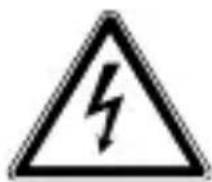
WARNING!
Warning: risk of electric shock!
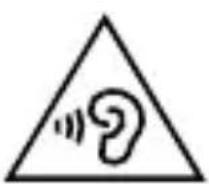
WARNING!
Warning: danger due to loud volume!
Bullet point/information on steps during operation
▶ Instruction to be carried out
CE labelling
Products that feature this symbol meet the requirements of the EU directives (see chapter entitled “Declaration of conformity”).
2. Proper use
The MD 43948 wireless ear- phones are designed for per- sonal audio and sound play- back.
The device is only intended for private use and not for industrial/commercial use.
Note that no liability will be accepted if the device is not used for its intended purpose:
▶ Do not modify the device without our express agreement and do not use any accessories that have not been supplied or approved by us.
▶ Only use replacement parts or accessories that we have supplied or approved.
▶ Comply with all the information in these operating instructions, especially the safety information. Any other use is improper and might cause personal injury or damage to property.
Do not use the device in potentially explosive atmospheres. This includes petrol stations, fuel storage areas and areas where solvents are processed. This device must also not be used in areas with particle-laden air (for example fl our or wood dust).
▶ Do not expose the device to extreme conditions. Avoid:
DE
- Extremely high or low temperatures
FR
- Open fl ames
ES
IT
3. Safety information
NL
3.1. Unauthorised persons
EN
This device is not intended for use by people (including children) with reduced physical, sensory or mental abilities or by those without experience and/or knowledge, unless they are supervised by a person responsible for their safety or they have been instructed in its use by that person.
Children should be super- vised to ensure they do not play with this device.
3.2. Health
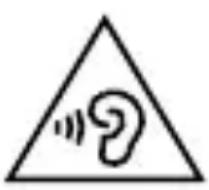
natural_image
Warning symbol with a sine wave inside a triangle (no text or numbers)WARNING!
Damage to hearing!
Your hearing can be damaged if exposed to high volumes suddenly or for a sustained period of time.
▶ Set the volume to the minimum level before using the earphones.
3.3. Handling the rechargeable batteries
The earphones are powered by a built-in rechargeable battery. Please note the following:

WARNING!
Risk of explosion!
There is a risk of explosion if rechargeable batteries are handled incorrectly.
▶ Do not throw the device into a fi re, and do not short-cir- cuit it or dismantle it.
The earphones should not be left unattended while they are being charged.

natural_image
Black circular warning symbol with an exclamation mark (no text or numbers)NOTICE! Risk of damage!
Risk of damage to the device due to improper use of the device.
The rechargeable battery is an integral component of the device, which means users cannot replace it themselves.
▶ Fully charge the earphones every 2 months to avoid damage to the battery.
3.4. Using the device safely
If the device has been moved from a cold room to a warm room, wait before charging the earphones.
The resulting condensation may damage the device. The device can be operated safely as soon as it has reached room temperature.
▶ Do not expose the earphones to direct heat sources (e.g. radiators).
▶ Never expose the earphones to excessive heat, such as direct sunlight, fire or similar.
▶ Do not operate the ear-phones below 0 °C or above 45 °C, and do not store them below -10 °C or above 55 °C.
3.5. Never carry out repairs yourself
DANGER!
Risk of electric shock!
To avoid risks, never open the earphone housing! It does not contain any parts for maintenance by the user.
In the event of a fault, please contact the MEDION Service Center.
4. Package contents

DANGER!
Risk of choking and suff ocation!
Risk of choking and suffocation through swallowing or inhaling small parts or plastic wrap.
▶ Keep the plastic packaging out of the reach of children.
▶ Do not let children play with the packaging material.
Please check your purchase to ensure that all items are included. If anything is missing, please contact us within 14 days of the purchase. Included in the package:
- Earphones
• 3 pairs of ear cushions - Charging cord: USB A to micro-USB B
-
Operating instructions and warranty documents
-
Device overview
DE
FR
ES
IT
NL
EN
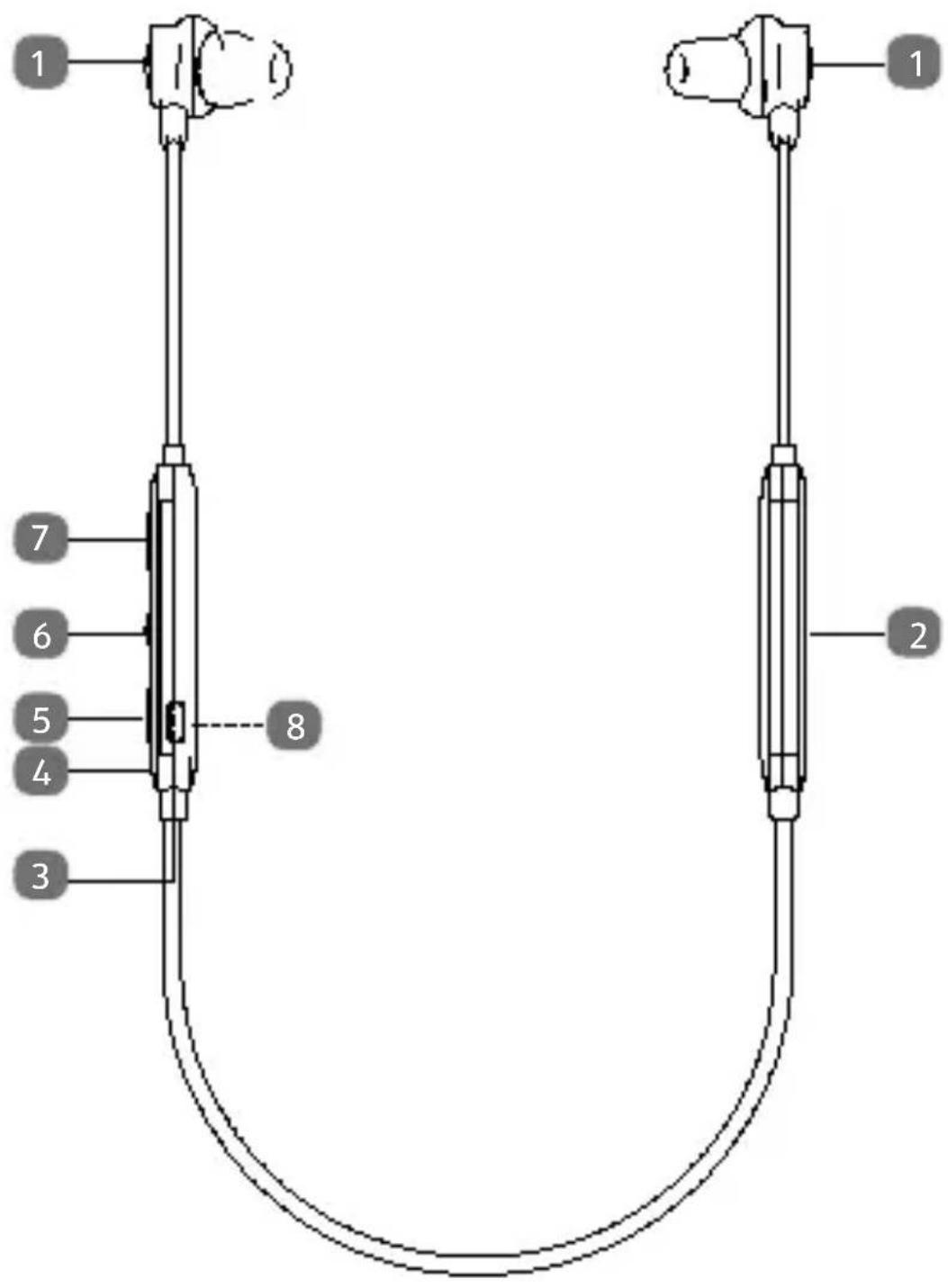
1 Earphones
2 Integrated battery
3 Switch: Active noise suppression
4 Operating LED
5 Volume + / Next track
6 Multifunction button
7 Volume - / Previous track
8 Micro-US connection (on the rear)
6. Before using the device for the first time
6.1. Charging the ear- phones
▶ Remove the earphones from the packaging.
▶ Ensure that all packaging materials have been removed.
▶ Attach the ear cushions that are the most comfortable for you to the earphones.
Connect the earphones with the USB cable provided to a USB power supply unit or the USB port on a PC or laptop.
As soon as the earphones are connected to a power source, the built-in rechargeable battery begins charging automatically.
The battery charging time is about 2 hours.
The operating LED lights up red during charging.
The red operating LED goes out as soon as the built-in battery is fully charged.

natural_image
Black circular icon with a white lowercase 'i' in the center, representing information (no additional text or symbols)The earphones will emit an acoustic signal if the battery charge level is too low and the battery needs to be charged.
7. Switching on and pairing the earphones
▶ Enable Bluetooth® on your audio playback device.
▶ Press and hold the multifunction button for about 3 seconds until the earphones are switched on.
The operating LED fl ashes blue.
After switching on, the earphones will search for the audio playback device last connected. If possible, the ear-
phones will automatically restore this connection.
If no previously connected audio play-back device is found, the earphones will switch to pairing mode to enable a new audio playback device to be connected.
The operating LED fl ashes alternately blue and red.
Now pair and connect your Bluetooth-enabled playback device to the earphones.

natural_image
Black circular icon with a white lowercase 'i' in the center, commonly used to denote information (no additional text or symbols)You can find more information on pairing devices in the operating instructions for the relevant audio playback device.
▶ Press and hold the multifunction button for about 5 seconds after switching on to interrupt the search for a previously connected audio playback device and switch directly to pairing mode.

natural_image
Black circular icon with a white lowercase 'i' in the center, representing information (no additional text or symbols)If pairing is not successful within 5 minutes of switching on, the earphones will automatically switch off.
8. Operation
The buttons on the earphones can be used to control audio playback, accept/decline incoming calls and switch the active noise suppression on/off.
8.1. Controlling audio playback
▶ Press the multifunction button to pause playback.
▶ Press the multifunction button again to resume playback.
▶ Press and hold the + button to play the next track.
▶ Press and hold the - button to play the previous track.
8.2. Setting the volume
▶ Press the + button to increase the volume.
▶ Press the - button to reduce the volume.
WARNING!
Damage to hearing!
Excessive sound pressure when using earphones can result in damage to and/or loss of hearing. Using earphones to listen to a device at high volume for an extended period can damage your hearing.
Before pressing play, set the volume to the lowest setting.
▶ Start playback and increase the volume to a comfortable level.
8.3. Active noise suppression
DE
▶ Press the switch for the active noise suppression to activate the noise suppression.
FR
The operating LED lights up green as soon as the noise suppression is activated.
ES
IT
NL
▶ Press the switch for the active noise suppression again to deactivate the noise suppression.
EN
The operating LED goes out.

natural_image
Black circular icon with a white lowercase 'i' in the center, representing information (no additional text or symbols)Deactivate the noise suppression function when the earphones are not in use to fully switch off the earphones and avoid unnecessary battery discharge.
8.4. Hands-free calls
When the earphones are connected to a mobile phone via Bluetooth® you can take incoming calls and use the earphones as a hands-free system.
▶ Press the multifunction button to accept an incoming call.
▶ Press and hold the multifunction button to reject an incoming call.
9. Switching off the ear- phones
▶ Press and hold the multifunction button for about 3 seconds to switch off the earphones.

natural_image
Black circular icon with a white lowercase 'i' in the center, representing information (no additional text or symbols)Also deactivate the noise suppression function to fully switch off the earphones and avoid unnecessary battery discharge.
10. Troubleshooting
If the device stops working properly, refer to the troubleshooting table shown below to see if you can resolve the problem yourself.
Never attempt to repair the devices yourself. If a repair is necessary, please contact our Service Centre.
| Fault Possible cause/Action | |
| All prob-lems | ▶ Check that the re-chargeable battery is charged.▶ Make sure that the earphones are within range of the audio playback device. |
| No sound | ▸ Check that the earphones are switched on.▸ Check that the audio playback device is switched on.▸ Check the volume settings on your audio playback device and earphones. |
| Sound interference | ▶ Check the volume setting on the ear-phones.▶ The range has been exceeded. Reduce the distance from the earphones to the audio playback device.▶ The audio signal is too weak. Increase the volume on the audio playback device. |
10.1. Cleaning
▶ Use a dry, soft cloth to clean the earphones.

natural_image
Black circular warning symbol with an exclamation mark (no text or numbers)NOTICE! Risk of damage!
Risk of damage to the device due to improper use of the device.
▶ Do not immerse the earphones in water.
Do not allow water to enter the earphones.
▶ Avoid contact with hot water.
▶ Avoid the use of chemical solutions and cleaning products because these may damage the device surface and/or markings.
▶ Avoid the use of sharp objects when cleaning the device.
11. Disposal

natural_image
Recycling symbol composed of three arrows forming a triangle (no text or labels)PACKAGING
Your device has been pack- aged to protect it from dam- age in transit. The packaging is made of materials that can be recycled in an environmen- tally friendly manner.
DEVICE
The device is fitted with an integrated battery. At the end of its service life, do not dispose of the device in the normal household rubbish. Instead, contact your local authority to find out how to dispose of it in an environmentally friendly manner at collection points for electrical and electronic scrap.
12. Technical data
Weight Approx. 22 g
Battery (built-in) 3.7 V, 125 mAh / 0.4625 Wh Lithium-ion
Bluetooth® V4.0, A2DP, AVRCP, HFP
Frequency range 2402–2480 MHz
Max. transmission power - 2.76 dBm
Range Up to 10 metres (Class II), depending on ambient conditions
13. Declaration of Con- formity
CE MEDION AG hereby declares that this device complies with the fundamental requirements and the other relevant provisions of:
• RE Directive 2014/53/EU
• RoHS Directive 2011/65/EU.
You can download the complete EU Declaration of Conformity at www.medion.com/conformity.
13.1. Trademark information
The Bluetooth ^® word mark and logos are registered trademarks of Bluetooth SIG, Inc. and are used by MEDION under licence.
Other trademarks are the property of their respective owners.
14. Service information
Please contact our Customer Service team if your device ever stops working the way you want or expect it to. There are several ways for you to contact us:
- In our Service Community, you can meet other users, as well as our staff, and you can exchange your experiences and pass on your knowledge there.
You will find our Service Community at http://community.medion.com.
• Alternatively, use our contact form at www.medion.com/contact.
- You can also contact our Service team via our hotline or by post.
| Opening times | Hotline number UK |
| Mon – Fri:08.00 – 20.00Sat – Sun:10.00 – 16.00 | ①0333 3213106 |
| Hotline number Ireland | |
| ②1 800 992508 | |
| Service address | |
| MEDION Electronics Ltd.120 Faraday Park, Faraday Road, DorcanSwindon SN3 5JF, Wiltshire United Kingdom | |
15. Legal Notice
Copyright © 2018
Date: 25.09.2018
All rights reserved.
These operating instructions are pro- tected by copyright.
Mechanical, electronic and any other forms of reproduction are prohibited without the written permission of the manufacturer.
Copyright is owned by the company:
MEDION AG
Am Zehnthof 77
45307 Essen
Germany
Please note that you cannot use the address above for returns. Please always contact our Customer Service team first.


- Inhaltsverzeichnis
- DE
- WARNUNG!
- HINWEIS!
- VERPACKUNG
- GERÄT
- AVERTISSEMENT !
- AVERTISSEMENT! Risque de perte auditive!
- AVIS!
- Risque de dommage !
- AVIS !
- EMBALLAGE
- APPAREIL
- iAVISO!
- ¡Peligro de daños!
- ¡PELIGRO!
- EMBALAJE
- APARATO
- AVVISO!
- AVVERTENZA!
- Pericolo di danni!
- PERICOLO!
- IMBALLAGGIO
- DISPOSITIVO
- WAARSCHUWING!
- WAARSCHUWING! Gehoorbeschadiging!
- LET OP!
- GEVAAR!
- VERPAKKING
- APPARAAT
- Information about these operating instructions
- Key to symbols
- DANGER!
- WARNING!
- CAUTION!
- NOTICE!
- CE labelling
- Proper use
- Safety information
- Unauthorised persons
- Health
- Damage to hearing!
- Handling the rechargeable batteries
- Risk of explosion!
- NOTICE! Risk of damage!
- Using the device safely
- Never carry out repairs yourself
- Risk of electric shock!
- Package contents
- Risk of choking and suff ocation!
- Before using the device for the first time
- Charging the ear- phones
- Switching on and pairing the earphones
- Operation
- Controlling audio playback
- Setting the volume
- Active noise suppression
- Hands-free calls
- Switching off the ear- phones
- Troubleshooting
- Cleaning
- Disposal
- PACKAGING
- DEVICE
- Technical data
- Declaration of Con- formity
- Trademark information
- Service information
- Legal Notice
- MEDION AG
- Am Zehnthof 77
- Essen
- Germany
Brand : MEDION
Model : LIFE S62025 (MD 43948)
Category : Headphones