
LIFE E69006 (MD 82010) - Headphones MEDION - Free user manual and instructions
Find the device manual for free LIFE E69006 (MD 82010) MEDION in PDF.


| Product Type | Wireless Stereo Headphone System |
| Brand | MEDION |
| Model | LIFE E69006 (MD 82010) |
| Frequency Band | 863 MHz |
| Maximum Range | Up to 100 meters (line of sight) |
| Transmitter Power Supply | AC/DC adaptor, input 230 V ~ 50 Hz, output DC 12 V, 200 mA |
| Headphone Battery Type | 2 x rechargeable NiMH AAA (HR03) |
| Battery Charging Time (Initial) | 24 hours for first use |
| Audio Input Connection | RCA left/right (red/white) and 3.5 mm jack (adaptor to 6.3 mm included) |
| Included Accessories | RF transmitter, RF receiver headphones, AC/DC adaptor, RCA audio cable, 2 x NiMH AAA batteries, 3.5mm to 6.3mm adaptor, documentation |
| Auto Scan Function | Yes, button on headphones for optimal channel selection |
| Volume Control | Rotary knob on headphones |
| Indicators | Transmitter: Red LED (signal), Green LED (charging). Headphones: Power LED, Auto Scan LED |
| Operating Environment | Dry indoor use only |
| Certification | Compliant with R&TTE Directive 1999/5/EC (CE) |
| Warranty | 3 years |
| Helpline | UK/NI: 0871 37 61 020, Rep. Ireland: 1-800-992 508 |
| Web Support | www.medion.co.uk |
| Automatic Power Off | Transmitter switches off after 4 minutes without audio signal |
| Maintenance | Clean with soft, lint-free cloth; no solvents |
| Disposal | Do not dispose with household waste; recycle batteries separately |
Frequently Asked Questions - LIFE E69006 (MD 82010) MEDION
User questions about LIFE E69006 (MD 82010) MEDION
0 question about this device. Answer the ones you know or ask your own.
Ask a new question about this device
Download the instructions for your Headphones in PDF format for free! Find your manual LIFE E69006 (MD 82010) - MEDION and take your electronic device back in hand. On this page are published all the documents necessary for the use of your device. LIFE E69006 (MD 82010) by MEDION.
USER MANUAL LIFE E69006 (MD 82010) MEDION
Congratulations on choosing to buy a Tevion® product. By doing so you now have the assurance and peace of mind that comes with purchasing a product made by one of Europe's leading manufacturers.
All products brought to you by Tevion® are manufactured to the highest standards of performance and safety, and, as part of our philosophy of customer service and satisfaction, are backed by our comprehensive 3 Year Warranty.
Please fill in and return the Warranty Card to the address provided.
We hope you will enjoy using your purchase for many years to come.
General Information 2
Read these instructions carefully under all circumstance and follow all the instructions listed. You will guarantee the reliable operation and a long life expectancy of your wireless headphones in this way. Always keep these instructions at hand, close to your wireless headphones. In the event that you transfer ownership of this wireless headphone, please provide these instructions to the new owner.
Purpose of use
- This 863MHz stereo wireless headphone system offers you advances in wireless transmission technology so that you can listen to ultra stereo sound from your audio components up to 100 meters. The transmitter is compatible to any audio sources, such as DVD players, CD players, i-pods, MP3 players, TV sets, VCRs, Hi-Fi systems or radios.
• This device is only suitable for using in dry, internal rooms. - This device is intended for personal use only. It not intended for commercial use in a heavy industry environment. Use under extreme environmental conditions can result in damage to your device.
Included in the box
Check that nothing is missing from the packaging and inform us of any missing parts within 14 days after purchase. The delivery of the wireless headphone system you have purchased includes:
- RF receiver headphones
- RF transmitter
- AC/DC adaptor output DC 12 V, 200 mA
Helpline No. UK/ North Ireland 0871 37 61 020 Rep. Ireland 1-800-992 508
Web Support www.medion.co.uk
Model Number: 82010
- RCA audio cable (3,5 mm)
- 2 rechargeable NiMH batteries type HR03/AAA
- Adaptor plug (from 3.5 mm to 6.3 mm)
- Documentation
Overview
3
Transmitter
- RED led: signal indicator / GREEN led: charge indicator
- Channel selector
- R - AUDIO IN -L: Connect the RCA audio cable to the audio output of any audio source (TV, HiFi system, VCR, radio cassette player etc.)
- DC IN 12V input: Connect the adaptor cable to the power-supply

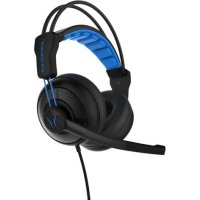
Headphones
- ON/OFF: switch the power on or off
- Power indicator: lights if the headphones are switched on
- Volume knob: you can regulate the volume of your headphones
- Auto Scan indicator: lights if the signal is strong enough
- Auto Scan button: press this button to get the fine scanned channel
- Battery compartment cover
- To open the battery compartment

Safety instruction 4
Safety
- Do not allow children to play unattended on electrical equipment. Children may not always correctly recognize danger.
- Keep the packing materials, such as foil away from children. The danger of suffocation could arise in the case of misuse.
- Do not insert any objects through the slots and openings into the inside of the device (electrical shock, short-circuit and the danger of fire)!
- Please proceed as outlined in the service centre section:
- if the AC cable overheats or is damaged
- if liquid has gotten into the device
- if the device does not work properly
– if the device is dropped or the housing damaged
Point of use
- In the first hours of operation, new devices may emit a typical, unavoidable but completely harmless smell, which will decline increasingly in the course of time.
- We recommend you to ventilate the room regularly, in order to counteract the formation of the smell.
- Keep your headphones and all units connected to it away from moisture and avoid dust, heat and direct sunlight. Failure to observe these instructions can lead to malfunctions or damage to the device.
- Do not operate your device in the open air, because external influences, such as rain, snow, etc. could damage the device.
- Do not subject the device to drops or splashes of water and do not place any vessels filled with water, such as vases, on the device. Water penetrating the device can impair its electrical safety.
- Do not place any open sources of fire (candles or similar objects) on the device.
Repair
• Leave all repairs of your device to authorized and qualified personnel only.
- Should a repair be necessary, please contact one of our authorized service centre.
Intended Environment
- Provide an interval of at least one meter from high-frequency and magnetic sources of interference (television sets, loudspeakers, mobile telephones, etc.) in order to avoid malfunctions.
- Disconnect the power plug from the power socket during storms or if the device is not being used for a long time.
Power Supply

Please pay attention: Parts of the device are still live, even if the mains switch is switched off. Pull the mains plug out of the socket, to interrupt the power supply to your device completely.
- Operate your RF transmitter mains (AC/DC adaptor) only on sockets with 230 V \~ 50 Hz. If you have doubts about the power supply in the location where the device is installed, consult your energy supplier.
- The power socket must be in the vicinity of your device and within reach of the power cables.
- If you use an extension cable, please ensure that it complies with the safety requirements. If necessary consult your electrical equipment supplier.
- You should lay the cables in a manner that no one can trip or step on it.
• To avoid damage of cable do not place any objects or furniture on the cable.
Batteries and Proper Treatment
Batteries may contain combustible materials. By misuse, this may cause battery leakage, heat, explosion or ignition, bringing about injury or damage to the device.
Please observe strictly the following matters:
- Keep children away from batteries. If by any chance, the batteries are swallowed, consult a doctor immediately.
- Never use another type of battery or non-rechargeable batteries to replace the supplied rechargeable (HR03/AAA) batteries.
- Do not charge batteries (except rechargeable batteries).
- Do not forcibly discharge batteries.
- Do not short-circuit batteries.
- Do not heat or dispose off in fire.
- Do not disassemble or deform batteries. Your hands and fingers may be injured, or the liquid of the battery may get into your eyes or adhere to your skin. If this happens, rinse with a large quantity of water immediately and consult a doctor.
-
Do not expose batteries to strong impact by dropping or throwing them.
-
Do not reverse the positive (+) and negative (-) terminals to avoid short-circuit.
- Do not mix used and new or different types of batteries together.
- Remove promptly the used batteries from the device.
- Remove the batteries from your device if it is not to be used for a longer period. The device could be damaged by leaking batteries.
- When the headphones are not in use, switch OFF the headphones to avoid damaging the batteries.
- Clean the battery and device contacts, if necessary, before inserting batteries.
- Replace all batteries with new batteries of the same type at the same time.
Information about the Regulatory Compliance according to R&TTE
The company declares that this device is in compliance with the essential requirements and other relevant provisions of Directive 1999/5/EC. Complete declarations of conformity are available under www.medion.com/conformity.
Setting Up

Read the Safety Information Chapter under all circumstances before bringing the device into operation.
Unpacking
- Open the box very carefully to prevent the equipment from being damaged. Damage can occur if a knife with a long blade is used to open the box.
- There are various small parts in the packaging (batteries, screws, etc.). Keep these out of the reach of children. There is a risk of swallowing the parts.
- Please keep the packaging material well and use it exclusively to transport the headphones.
Connecting the transmitter
- Insert the plug on the supplied AC/DC adaptor into the connecting jack on the device and insert the other end into an easily accessible 230 V \~ 50 Hz power socket.
- Connect the red and white plug of the RCA audio cable to the red and white jack of the transmitter.
- Connect the black plug (3.5 mm) with the audio output of the source. Use the adaptor plug if the audio output needs a 6.3 mm plug.
The red Auto On indicator led will light up as soon as you have connected both the AC/DC adaptor to the mains outlet and the audio cable to a signal source.
Helpline No. UK/ North Ireland 0871 37 61 020 Rep. Ireland 1-800-992 508
Web Support www.medion.co.uk
Model Number: 82010
If the signal indicator led remains off, switch on the audio source and increase its output level until the red indicator light comes on.
Putting the batteries into the headphone

The batteries must be fully charged before first use. An initial 24 hour charge is required to guarantee an acceptable service life for the rechargeable batteries. Always ensure that the headphones are switched to the position OFF while the batteries are charging.
- Remove the small cover on the battery compartment on left side of the receiver headphone.
- Install two AAA sized, rechargeable NiMH batteries (type HR03) according to the correct polarity (marked in the battery compartment).
- Close the battery compartment.
- Switch off the receiver headphones and place it into the transmitter to charge the batteries for 24 hours before the initial use.
Using the headphones 6

Using this appliance at full volume for extended periods of time may cause damage to the hearing capacity of the listener. In the first instance set the volume of the audio device to a value at the lowest end of the scale before you put on the headphones. Then select a comfortable volume. Excessive volume can damage your hearing.
Switch on
- Turn on the audio source (TV set or any audio devices) which the transmitter has connected.
- Switch on the headphones.
- Place the headphones on your head and adjust the volume to obtain the desired sound level.
- If you cannot find the best reception frequency, press the "Auto Scan" button on the headphones to get the fine scanned channel.
You should then be able to move around freely from one room to another without any interference. If interference does occur (interruptions in the signal), press the "Auto Scan" button once to find a better reception channel.
A For better stereo reception, stay approximately seven meters away from the transmitter when you press the "Auto Scan" button.
B If it is impossible to find a satisfactory frequency, change the channel setting on your transmitter, then press the "Auto Scan" button on the headphones to find the corresponding channel.
To protect the transmitter and to save power, the transmitter will automatically switch off after approximately four minutes if there is no audio signal, or the signal that it receives from the audio source is too weak for proper reception. If the signal returns to an acceptable level, then the transmitter will automatically switch back on.
Charging the batteries
- Switch OFF the receiver headphone.
- To recharge the headphone batteries, place the headphones on the transmitter, taking care to ensure that the charge contacts touch the transmitter's charge pins and the green charging indicator is ON.
- The charge process starts automatically and the green indicator light comes ON. Be sure to charge new batteries for 24 hours before using them for the first time in the headphones.
The green indicator light will be on continuously during battery charging.
Troubleshooting 7
Many times, problems have simple causes. We would like to give you some tips to solve some common problems. Should these tips not help, please call us!
- The headphones battery charge level may be too low. Recharge the batteries or replace them with fully charged batteries.
- The headphones output level is set too low. Adjust the volume to a suitable level.
- Ensure that the AC/DC adaptor is pushed fully into the power outlet and that its cable is properly connected to the DC IN 12V connector on the transmitter.
- Ensure that your TV set, Hi-Fi system or audio component is switched on and set to a channel that broadcasts an audio signal or is in playback mode.
• Use the headphones volume control to increase the sound level. - If distortion appears, press the "Auto Scan" button again. Use the channel selector to change the transmitter's transmission frequency. Then you will need to adjust the tuning control by press the "Auto Scan" button on the headphones.
The headphones may be too far away from the transmitter. Move closer to it. The audio signal input level is too low. Increase the volume from the audio source of Hi-Fi, CD, or TV, etc.
Helpline No. UK/ North Ireland 0871 37 61 020 Rep. Ireland 1-800-992 508
Web Support www.medion.co.uk
Model Number: 82010
- No battery charge: Make sure that the battery touching the charging contact has the coating removed.

Do you require additional Support?
If the suggestions in the above section have not solved your problem, please contact the hotline. We will try and help you over the telephone. However, before you contact your Service Centre, please keep the following information available:
• What external devices have been connected?
• What messages appear on your display?
• During which operating step has the problem arisen?
- When a PC has been connected to the device:
- What is the system configuration?
- Which software were you using when the problem arose?
• What steps have you already undertaken to solve the problem?
• If you have already been given a customer number, please keep this available.
Maintenance
8
The lifespan of the device can be extended by the following means:
- Before cleaning, always remove the power adaptor plug and all connecting cables.
- Do not use any solvents, corrosive or gaseous cleaning agents. Clean the device with a soft, lint-free cloth. Ensure that no water droplets remain on the screen. Water can cause permanent discoloration.
- Please keep the packaging material well and use it exclusively to transport the device.
There are no user-serviceable or user-cleanable parts inside the device.
Recycling
9
- Your device is packaged to protect it against damage during transportation. The packaging is manufactured from materials that can be sent to a specialist recycling facility and disposed of in an environmentally-friendly way.

- At the end of its life, the appliance must not be disposed of in household rubbish. Enquire about the options for environmentally-friendly disposal.

- Do not dispose of used batteries in the household rubbish! They must be deposited at a collection point for used batteries.

Helpline No. UK/ North Ireland 0871 37 61 020 Rep. Ireland 1-800-992 508
Web Support www.medion.co.uk
Model Number: 82010


- General Information 2
- Purpose of use
- Included in the box
- Overview
- 3
- Transmitter
- Headphones
- Safety instruction 4
- Safety
- Point of use
- Repair
- Intended Environment
- Power Supply
- Batteries and Proper Treatment
- Information about the Regulatory Compliance according to R&TTE
- Setting Up
- Read the Safety Information Chapter under all circumstances before bringing the device into operation.
- Unpacking
- Connecting the transmitter
- Putting the batteries into the headphone
- Using the headphones 6
- Switch on
- Charging the batteries
- Troubleshooting 7
- Do you require additional Support?
- Maintenance
- 8
- Recycling
- 9
Brand : MEDION
Model : LIFE E69006 (MD 82010)
Category : Headphones