
PLS 48 A1 - Soldering iron PARKSIDE - Free user manual and instructions
Find the device manual for free PLS 48 A1 PARKSIDE in PDF.


| Product Type | Soldering Iron |
| Brand | Parkside |
| Model | PLS 48 A1 |
| Power | 48 W |
| Input Voltage | 230 V ~ 50 Hz |
| Temperature Range | 150 – 450 °C |
| Temperature Control | Adjustable |
| Heating Time | Approx. 2 minutes to operating temperature |
| Tip Type | Replaceable copper tip |
| Tip Diameter | Standard 4.5 mm |
| Power Cord Length | 2.0 m |
| Weight | 280 g (including cable) |
| Dimensions (L × W × H) | 200 × 100 × 70 mm |
| Stand Included | Yes, metal soldering iron stand |
| Sponge | Included for tip cleaning |
| LED Indicator | Shows power status |
| Overheat Protection | Yes |
| Housing | Heat‑resistant plastic |
| Maintenance | Clean tip regularly; replace when worn |
| Spare Parts | Tips and heating element available separately |
| Safety Certifications | CE, RoHS |
Frequently Asked Questions - PLS 48 A1 PARKSIDE
User questions about PLS 48 A1 PARKSIDE
0 question about this device. Answer the ones you know or ask your own.
Ask a new question about this device
Download the instructions for your Soldering iron in PDF format for free! Find your manual PLS 48 A1 - PARKSIDE and take your electronic device back in hand. On this page are published all the documents necessary for the use of your device. PLS 48 A1 by PARKSIDE.
USER MANUAL PLS 48 A1 PARKSIDE
SOLDERING STATION PLS 48 A1
natural_image
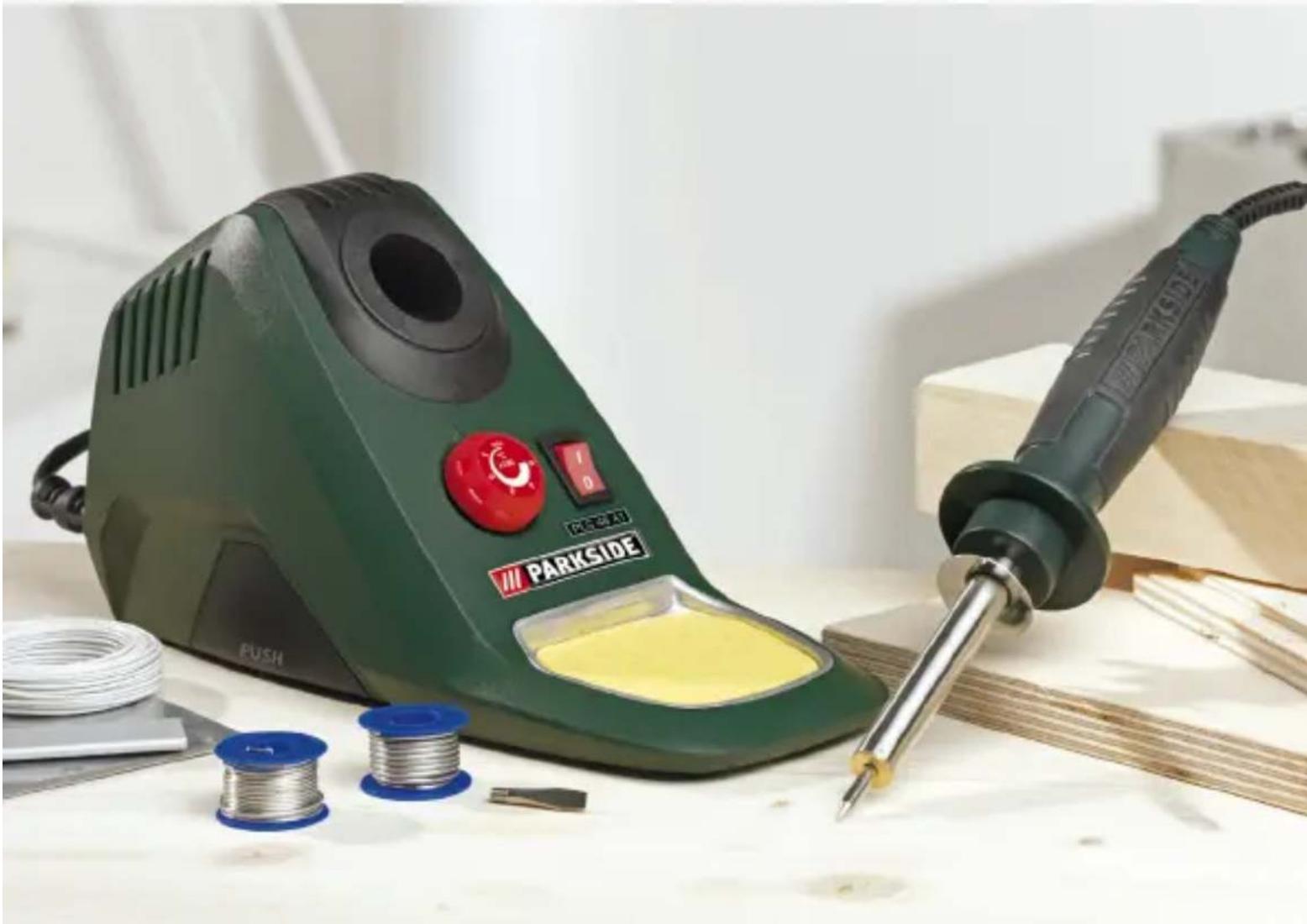
Green Parkside electric soldering machine with spool and soldering iron, placed on a workbench with tools and spools nearby (no visible text or symbols on main subject)GB
SOLDERINGSTATION
Operation and Safety Notes
HU
FORRASZTÓPÁKA
Before reading, unfold the page containing the illustrations and familiarise yourself with all functions of the device.
PL
GB Operation and Safety Notes Page 5
| PL Wskazówki dotyczące obsługi i bezpieczeństwa Strona 21 | ||
| HU Kezelési és biztonsági utalások Oldal 39 | ||
| SI Navodila za upravljanje in varnostna opozorila Stran 55 | ||
| CZ Pokyny pro obsluhu a bezpečnostní pokyny | Strana 73 | |
| SK Pokyny pre obsluhu a bezpečnostné pokyny | Strana 89 | |
| DE/AT/CH Bedienungs- und Sicherheitshinweise | Seite 105 | |
natural_image
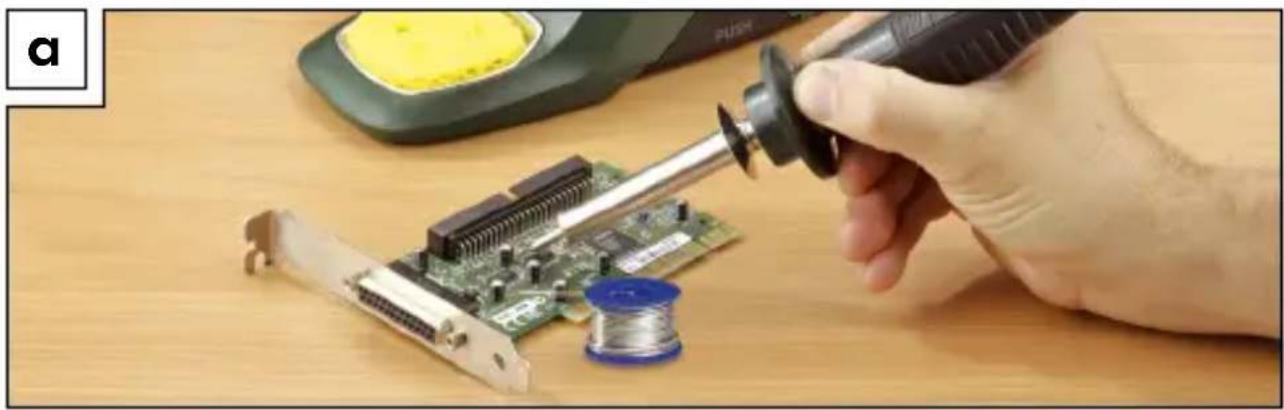
Close-up of a hand using a soldering iron to apply soldering onto a circuit board with a spool nearby (no visible text or symbols)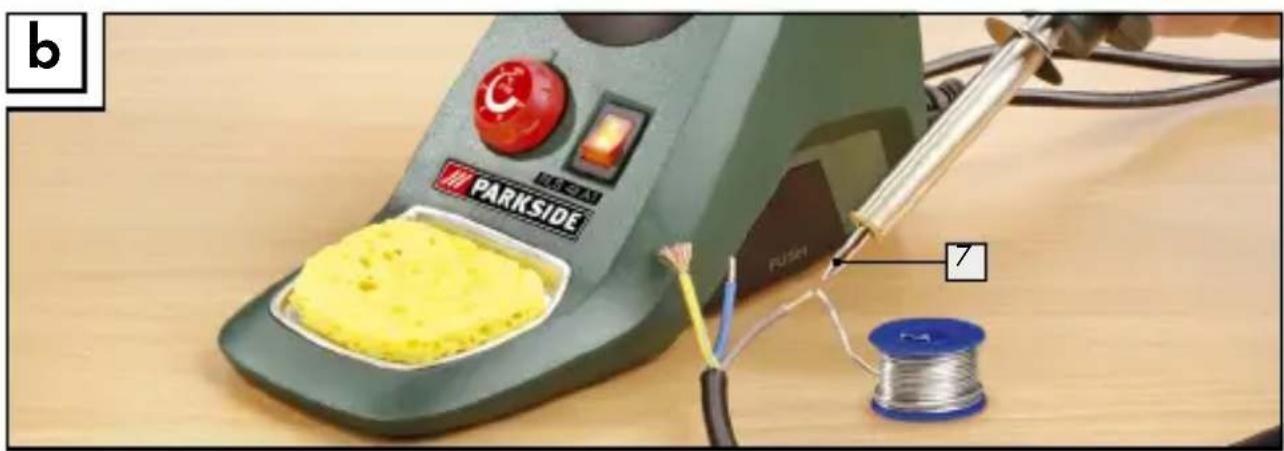
natural_image
Illustration of a parkside electric soldering machine with a yellow solder pad and wire, next to a spool and pen (no text or symbols)Introduction
Proper use ......Page 7
Features and equipment......Page 8
Included items......Page 8
Technical information Page 8
Safety advice
- Workplace safety......Page 9
- Electrical safety......Page 9
- Personal safety Page 10
- Careful handling and use of electrical power tools......Page 12
Original accessories/attachments......Page 13
Before first use
Inserting / replacing soldering tips......Page 13
Using the product
Switching on/off and setting the temperature....Page 14
Solder sponge......Page 15
Soldering....Page 15
Maintenance and cleaning......Page 16
Service centre Page 17
Warranty Page 17
Declaration of conformity / Producer......Page 19
| The following pictograms are used in these operating instructions / on the device: | |
 | Read instruction manual! |
 | Observe caution and safety notes! |
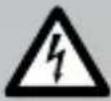 | Caution - electric shock! Danger to life! |
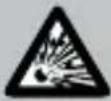 | Risk of explosion! |
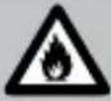 | Risk of fire! |
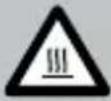 | Warning - Hot surfaces! |
 | Volt (AC) |
 | Watts (Effective power) |
  | Wear a breathing / dust mask, protective glasses,gloves and clothing. |
 | Keep children away from electrical devices! |
 | For indoor use only! |
 | Check that the device, mains lead and plug are ingood condition! |
 | Do not smoke! |
 | Do not eat! |
 | Do not drink! |
 | Dispose packaging and appliance in an environmentally-friendly way! |
Soldering station PLS 48 A1
- Introduction

Please make sure you familiarise yourself fully with the way the device works before you use it for the first time and that you understand how to handle it correctly. Please read the operating instructions below. Be careful to keep these advice notes and if necessary pass them on to a third party.
- Proper use
The appliance is intended for electronic soldering for leisure and DIY purposes. It is designed for uses such as soldering work, wood-engraving, welding and gluing plastics and the application of decorations. Use the device only as described and for the indicated purposes. The device is not intended for commercial use. Any other use or modification to the device shall be considered as improper use and could give rise to considerable dangers. The manufacturer will not accept liability for loss or damage arising from improper use.
- Features and equipment
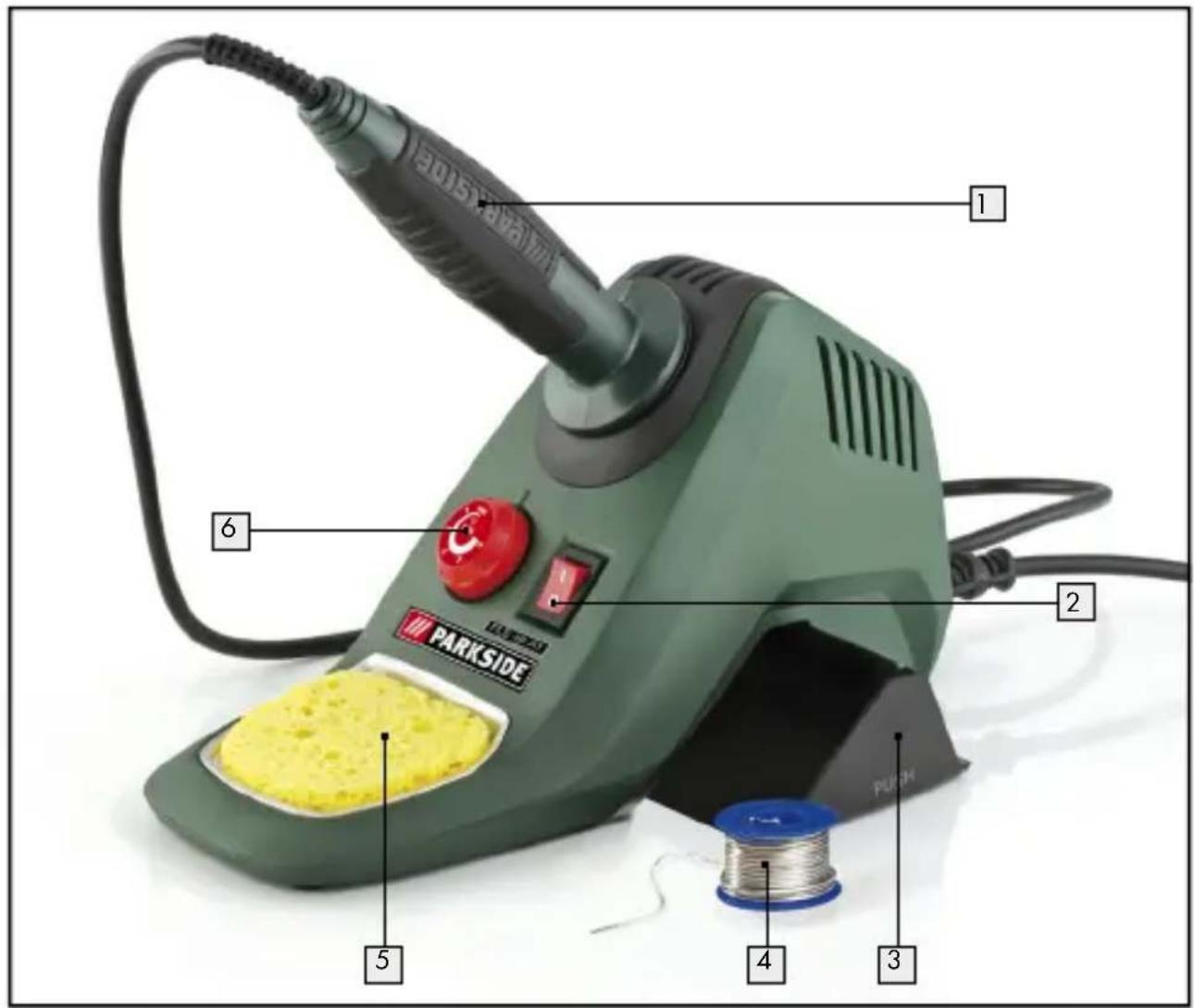
1 Soldering pencil
2 ON/OFF switch
3 Accessory compartment
4 Tin solder
5 Solder sponge
6 Temperature regulator
7 Soldering tip
Included items
1 Soldering station with PLS 48 A1 soldering pencil includes 2 standard soldering tips (1 x mounted)
1 Tin solder, 1.0 mm, 20 g
1 Tin solder, 1.5 mm, 20 g
1 Solder sponge
1 Operating instructions
● Technical information
Electricity supply: 230V \~
Frequency: 50 Hz
Power consumption: 48 W
Temperature range: 100-500 °C
Mains lead: 1.85 m from the mains outlet socket
1.00 m to tip holder

Safety advice
■ CAUTION! Failure to observe the instructions and advice given below may result in electric shock, fire and/or serious injury.
1. Workplace safety
a) Keep your working area clean and well lit. Untidy or poorly lit working areas can lead to accidents.
Do not work with the device in potentially explosive environments in which there are inflammable liquids, gases or dusts. Electrical power tools create sparks, which can ignite dusts or fumes.
Keep children and other people away while you are operating the electrical tool. Distractions can cause you to lose control of the device.
2. Electrical safety
To avoid danger to life from electric shock:
a) The mains plug on the device must match the mains socket. The plug must not be modified in any way. Do not use an adapter plug with devices fitted with a protective earth. Unmodified plugs and matching sockets reduce the risk of electric shock.
b) Keep the device away from rain or moisture. Water entering an electrical device increases the risk of electric shock.
c) Use a residual current device (RCD) for protection if operating the electrical power tool in a moist environment is unavoidable. The use of an RCD reduces the risk of electric shock.
d)
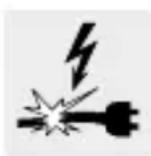
Do not use the mains lead for any purpose for which it was not intended, e.g. to carry the device, to hang up the device or to pull the mains plug out of the mains socket. Keep the mains lead away from heat, oil, sharp edges or moving parts of the device. Damaged or tangled mains leads increase the risk of electric shock.
e) Do not operate the device if the mains lead or mains plug is damaged.
WARNING! A damaged mains lead presents a serious danger to life from electric shock.
f) Always keep the mains lead out of the operating area and run it away from the rear of the device.
g) Always pull out the mains plug if you are about to leave the device unattended or wish to carry out any tasks on the device.
3. Personal safety
a) Children or persons who lack the knowledge or experience to use the device or whose physical, sensory or intellectual capacities are limited must never be allowed to use the device without supervision or instruction by a person responsible for their safety. Children must never be allowed to play with the device.
b) Remain alert at all times, watch what you are doing and always proceed with caution. Do not use the device if you are tired or under the influence of
drugs, alcohol or medication. One moment of carelessness when using the device can lead to serious injury.

DANGER OF BURNS! Never touch the hot soldering tip or the molten solder. You could suffer burn injuries. Always let the device cool before you replace components on the device, clean it or check its condition.
■ After use let the soldering pencil cool down in air only. Under no circumstances quench the tip in water!
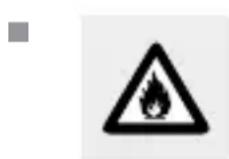
CAUTION! DANGER OF FIRE! Place the soldering pencil down only in the special multifunctional holder or on a fire-resistant pad.
- Place the soldering pencil in the multifunctional holder during pauses in your work.
- Keep the device away from combustible material.
■ Never leave the device switched on and unattended.

CAUTION! DANGER OF INJURY! Keep your hands away from the hot workpiece. The heat from soldering can be conducted through the workpiece. For this reason you should use the third hand to hold small workpieces.
- Avoid placing the hot soldering tip in contact with the plastic parts of the multifunctional holder. Failure to observe this advice may result in damage to the device.
If a dangerous situation arises, pull the mains plug immediately out of the mains socket.

CAUTION! DANGER OF POISONING! Do not breathe air contaminated with soldering fumes.
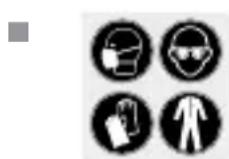
When working with the device for long periods do not allow the fumes from soldering to build up. They may be hazardous to health. Always provide adequate ventilation of your working area. In addition, it is recommended that you wear protective gloves, a face mask and a protective apron.

Do not eat, drink or smoke in rooms where soldering is carried out. Otherwise your hands may transfer any adhering traces of lead via food or cigarettes into your body.
■ Always wash your hands immediately after soldering.
- Do not dispose of soldering waste with the household rubbish. Soldering waste must disposed of as special waste.
4. Careful handling and use of electrical power tools
a) When not in use always ensure that electrical power tools are kept out of reach of children. Do not let anyone use the device if he or she is not familiar with it or has not read the instructions and advice. Electrical power tools are dangerous when they are used by inexperienced people.
b) Look after the device carefully. Check for broken parts or parts that are damaged to the extent they detrimentally affect the functioning of the device. Have any damaged parts repaired before you use the device. Many accidents have their origins in poorly maintained electrical tools.
● Original accessories/attachments
■ Use only the accessories detailed in the operating instructions. The use of attachments or accessories other than those recommended here could lead to you suffering an injury.
- Before first use
- Inserting / replacing soldering tips
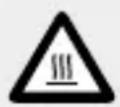
CAUTION! DANGER OF BURNS! Allow the soldering pencil to heat up without a soldering tip.
■ Remove a soldering tip only when the device has been switched off and the soldering tip has cooled.
☐ Turn the soldering tip out to replace it.
You must 'tin', i.e. thinly coat with solder, the soldering tip 7 before using the soldering station for the first time and before using a new soldering tip.
To do this follow these steps:
☐ Insert the mains plug into a mains socket and press the ON / OFF switch 2 into position "1".
☐ Turn the temperature regulator 6 to 2 and allow a little solder to flow and deposit a thin continuous film over the surface of the soldering tip.
- Using the product
- Switching on / off and setting the temperature
Switching on and setting the temperature:
☐ Insert the mains plug into a mains socket and press the ON / OFF switch 2 into position "I".
☐ Turn the temperature control 6 to set the temperature you wish to have.
Problems will occur during soldering if an unsuitable solder wire used. The right soldering temperature must be achieved to produce perfect soldering. If the temperature is too low the solder does not flow enough and causes contamination of the solder at the joint, a so-called “cold joint”. At too high a temperature, the flux (flowing aid) burns and the solder does not flow. The high temperatures may also damage the workpiece.
The temperature settings suitable for most soldering tasks are given below. The precise settings may vary, depending on the solder and the manufacturer.
Level min = room temperature
Setting 1 = approx. 100 ^ - warming up stage and for solder with a low melting point
Setting 2 = 200 °C melting point of most common soft solders
Setting 3 = 300 °C normal operating temperature, e.g. for high melting point solder
Setting 4 = 400 °C high soldering temperature, e.g. for desoldering small soldered joints
Setting 5 = 500 °C maximum soldering temperature, e.g. for desoldering large soldered joints
Switching off:
Note: After use always replace the soldering pencil 1 into the holder.
☐ Press the ON / OFF switch 2 into setting "0".
If the device is not being used, pull the mains lead out of the mains socket.
Overheating protection:
This device has overheating protection. This is triggered by the device reaching too high a temperature. The flow of current is interrupted. The device switches off and the ON/OFF switch 2 light ceases to illuminate. The device is ready for use again after approximately 10 minutes. The ON/OFF switch 2 light illuminates again.
- Solder sponge
CAUTION! The hot soldering tip 7 must never be placed in contact with a dry solder sponge 5, otherwise the solder sponge may be damaged.
☐ The solder sponge 5 is used to clean soldering tips.
□ Moisten the solder sponge 5 before you use it.
Soldering
- The soldering pencil has a rated output of 48 watts and is therefore ideal for electronics soldering (see Figs. A, B).
- The design of the soldering pencil makes it especially suitable for use where access is difficult or for fine soldering work.
Using the product / Maintenance and cleaning
□ Clean the soldering tip 7 on the moist solder sponge 5
☐ After cleaning the tip 7 it must be "tinned" (coated with solder). This is done by melting solder on to the hot soldering tip 7
☐ Guide the soldering tip 7 to the intended joint site and heat the joint.
☐ Place the solder (with flux) between the joint site and the tip to melt it.
□ Continue to feed further solder until the whole joint has a covering of solder.
☐ Then quickly remove the soldering tip in order to avoid overheating the molten solder.
☐ Allow the solder to harden while not subjecting it to vibration or movement.
Note: The flux is either already contained in the solder or applied separately. Ask the advice of the retailer when buying solder in order to choose the most suitable solder for your intended purpose.
Attachments and applications:
ATTENTION! Do not carry out any special changes or repairs to the electrics or other parts. Exceptions are permitted if the person carrying out such changes or repairs is qualified or trained to do so.
Try every application out on surplus material and see if you get the effect you wish to have. This means you will avoid damaging the item you wish to work on.
● Maintenance and cleaning
WARNING! RISK OF INJURY! Before you carry out any work on the device always pull the mains plug out of the mains socket and allow the device to cool.
Maintenance and cleaning / Service centre / Warranty
□ Clean the device after you have finished using it.
☐ Use a cloth and a little mild detergent for cleaning the device.
☐ In no circumstances use sharp objects, or petrol, solvents or cleaning agents that might attack plastic.
☐ Do not allow any liquids to enter the inside of the device.
- Service centre
WARNING! Have your device repaired only by qualified specialist personnel using original manufacturer parts only. This will ensure that your device remains safe to use.
WARNING! If the plug or mains lead needs to be replaced, always have the replacement carried out by the manufacturer or his service centre. This will ensure that your device remains safe to use.
- Warranty
The warranty for this appliance is for 3 years from the date of purchase. The appliance has been manufactured with care and meticulously examined before delivery. Please retain your receipt as proof of purchase. In the event of a warranty claim, please make contact by telephone with our Service Department. Only in this way can a post-free despatch for your goods be assured.
The warranty covers only claims for material and manufacturing defects, but not for transport damage, for wearing parts or for damage to fragile components, e.g. buttons or batteries. This product is for private use only and is not intended for commercial use.
Warranty / Disposal
The warranty is void in the case of abusive and improper handling, use of force and internal tampering not carried out by our authorized service branch. Your statutory rights are not restricted in any way by this warranty. The warranty period will not be extended by repairs made unter warranty. This applies also to replaced and repaired parts.
Any damage and defects extant on purchase must be reported immediately after unpacking the appliance, at the latest, two days after the purchase date. Repairs made after the expiration of the warranty period are subject to payment.
gB
DES UK LTD
Tel.: 0871 5000 700 (£ 0.10 / minute)
e-mail: support.uk@kompernass.com
- Disposal

The packaging is wholly composed of environmentally-friendly materials that can be disposed of at a local recycling centre.
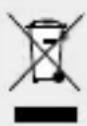
Do not dispose of electrical devices with the household rubbish!
In accordance with European Directive 2002 / 96 / EC (covering waste electrical and electronic equipment) and its transposition into national legislation, worn out electrical devices must be collected separately and taken for environmentally compatible recycling.
Contact your local refuse disposal authority for more details of how to dispose of your worn-out devices.
● Declaration of conformity / Producer CE
We, Kompernaß GmbH, the person responsible for documents: Mr Felix Becker, Burgstr. 21, D-44867 Bochum, Germany, hereby declare that this product complies with the following standards, normative documents and EU directives:
EU Low Voltage Directive (2006 / 95 / EC)
Electromagnetic Compatibility (2004/108/EC)
Applicable harmonized standards
EN 55014-1: 2006
EN 55014-2/A2: 2008
EN 60335-1: 2002+A1, A11: 2004+A2, A12: 2006+A13: 2008
Type / Machine designation:
Soldering station PLS 48 A1
Date of manufacture (DOM): 08 - 2010
Serial number: IAN 54327
Declaration of conformity / Producer
Bochum, 31.08.2010
Hans Kompernaß
- Managing Director -
We reserve the right to make technical modifications in the course of product development.
Wstep
Date of manufacture (DOM): 08 - 2010


Date of manufacture (DOM): 08 - 2010
natural_image
Simple line drawing of a person holding an object, no text or symbols presentDate of manufacture (DOM): 08 - 2010
Date of manufacture (DOM): 08 - 2010
Date of manufacture (DOM): 08 - 2010


© by ORFGEN Marketing