PIP1710 CONNECT - Video baby monitor MOTOROLA - Free user manual and instructions
Find the device manual for free PIP1710 CONNECT MOTOROLA in PDF.


| Product type | Video baby monitor |
| Brand | Motorola |
| Model | PIP1710 CONNECT |
| Main functions | Night vision, motorized pan, touch screen, cry translation, mobile app |
| Power supply parent unit | Built-in rechargeable battery, DC5V/2A mains adapter |
| Power supply baby unit | DC5V/1.5A mains adapter |
| Battery life parent unit | Up to 14 hours |
| Screen | Color touch |
| Wi-Fi connection | 2.4 GHz |
| Compatibility | Android 7.0+ and iOS 13.0+ |
| App | Motorola Bebé |
| Box contents | Baby unit, parent unit, mains adapters, USB cable, wall mounts, quick start guide |
| Wall mount | Possible with supplied bracket and screws |
| Night vision | Infrared LEDs, automatic activation in low light |
| Cry translation | Via app, detects discomfort, sleep, hunger, etc. |
| Control panel | Touch screen |
| Indicators | Power and link indicators |
| Temperature | Built-in sensor |
| Flashlight | Integrated on parent unit |
| Safety | Keep cords out of reach of children (more than 1 meter) |
| Maintenance | Clean with a soft, dry cloth |
| Support | motorolanursery.com/support |
Frequently Asked Questions - PIP1710 CONNECT MOTOROLA
User questions about PIP1710 CONNECT MOTOROLA
0 question about this device. Answer the ones you know or ask your own.
Ask a new question about this device
Download the instructions for your Video baby monitor in PDF format for free! Find your manual PIP1710 CONNECT - MOTOROLA and take your electronic device back in hand. On this page are published all the documents necessary for the use of your device. PIP1710 CONNECT by MOTOROLA.
USER MANUAL PIP1710 CONNECT MOTOROLA
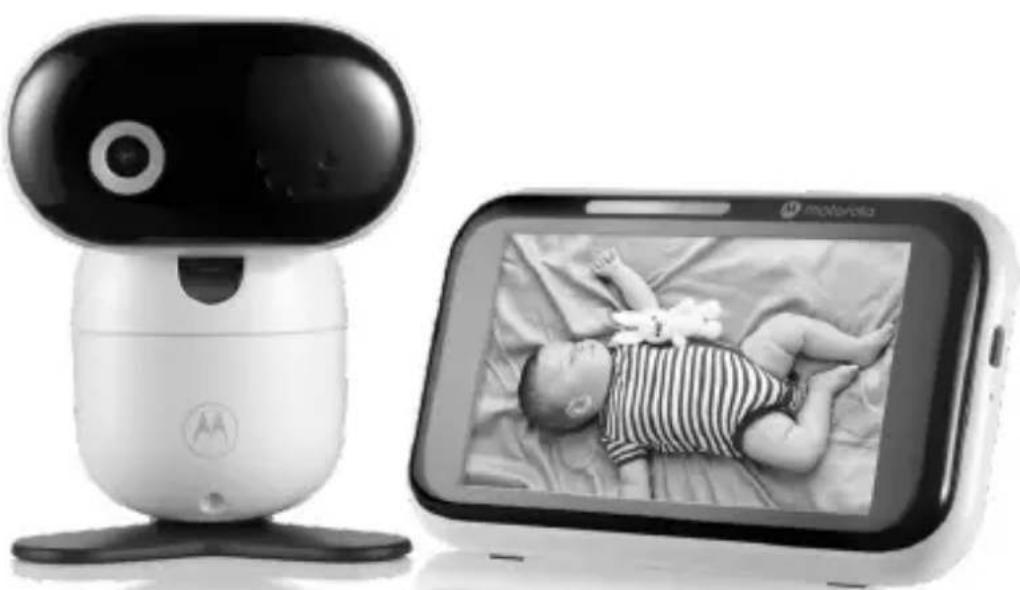
5.0" WI-FI® HD VIDEO BABY MONITOR WITH TOUCHSCREEN, CRY DETECTION AND TRANSLATION, INCLUDING FLEXIBLE CRIB MOUNT
Model: PIP1710 CONNECT, PIP1710-2 CONNECT PIP1710-3 CONNECT, PIP1710-4 CONNECT
natural_image
Two devices: a white humanoid robot and a black-and-white Motorola mobile phone displaying a sleeping baby on the screen (no text or symbols visible on device body)Quick Start Guide / Guía de inicio rápido / Guía de inicio rápido / Guide de démarrage rapide / Schnellstartanleitung / Guida rapida / Snelstartgids / Snabbstartsguide / Hurtigstart-guide / Skrócona instrukcja obsługi / Rychlý návod / Oðηγός Γρήγορης Εκκίνησης
English....3
Español....13
Português....23
Français....33
Italiano....43
Deutsch....53
Nederlands 63
Svenska....73
Dansk 83
Polski....93
Česky 103
Ελληνικά......113
1. Welcome
This booklet provides you the quick start information of your PIP1710 CONNECT. For a full explanation of all features, download the user guide from motorolanursery.com.
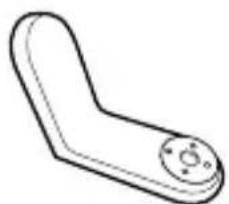
2. Contents inside the box
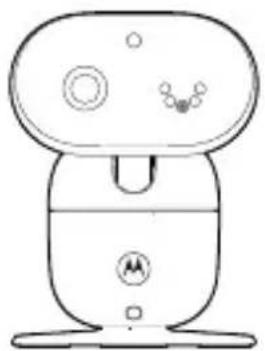
natural_image
Line drawing of a small electronic device with a top, side, and base components (no text or symbols)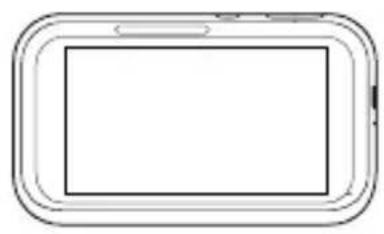
natural_image
Simple line drawing of a smartphone with rounded corners and a blank screen (no text or symbols)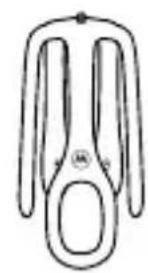
natural_image
Simple line drawing of a pair of scissors (no text or symbols)Baby unit Parent unit Stargrip crib mount
natural_image
Simple line drawing of a mechanical lever or handle (no text or symbols)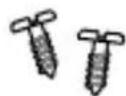
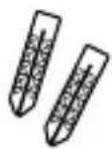
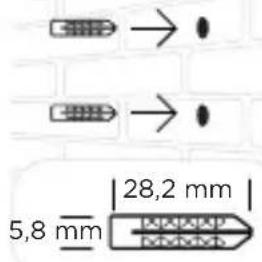
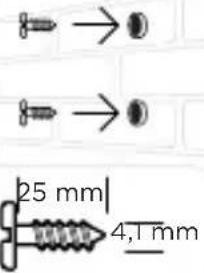
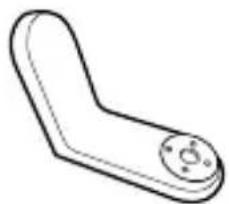
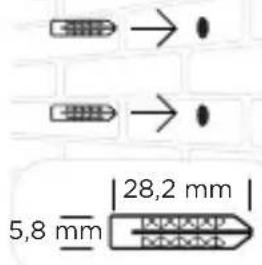
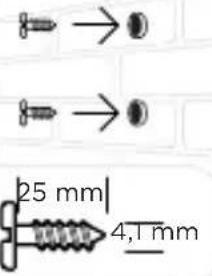
Wall mount bracket Wall mounting screws and wall anchors
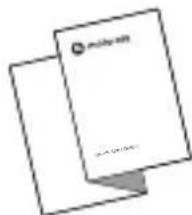
Quick Start Guide
- USB-A to USB-C cable
- USB-A power adapter with changeable UK and EU plug (for the parent unit)
- DC round power adapter with changeable UK and EU plug (for the baby/camera unit)
Need help?
If you have problems setting up or using your PIP1710 CONNECT, please contact Customer Services at motorolanursery.com/support or check the Help & Support section on the app.
3. At a glance
Baby (Camera) unit
Front view Back view
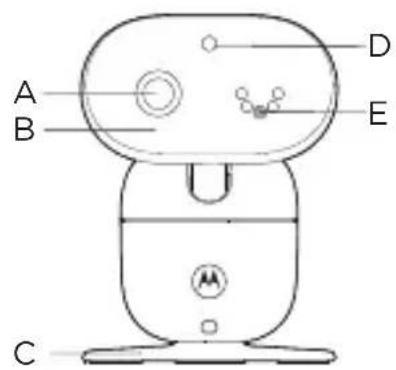
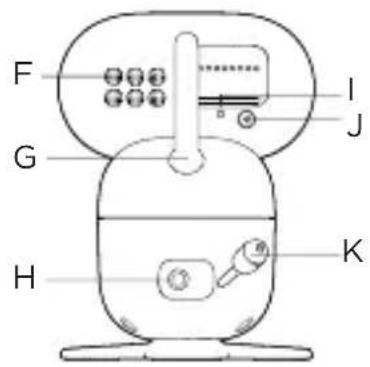
A Camera
B Motorized pan tilt head
It offers automated camera adjustments through swiping the touch screen of the parent unit.
C Desk stand
D Light sensor and Infrared LEDs
The light sensor detects a low level of ambient light to activate night vision mode. The infrared LEDs around the camera and behind the black lens are ON, and the screens on the parent unit and your smartphone turn black and white. The night vision icon will be displayed at the top of the screen.
E Microphone
It picks up the sound from the baby.
Note: Make sure you remove any cover or protective tape from it.
F Speaker
G Antenna
H Power jack
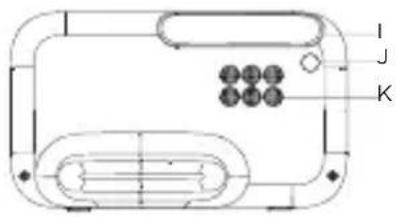
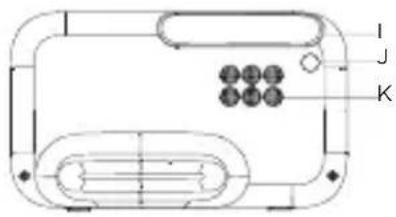
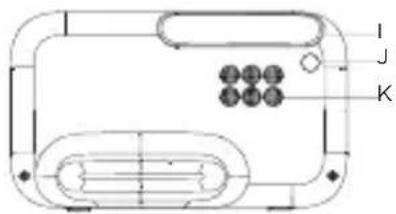
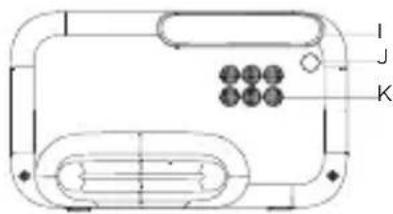
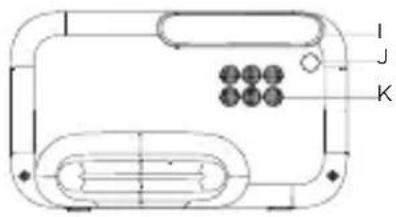
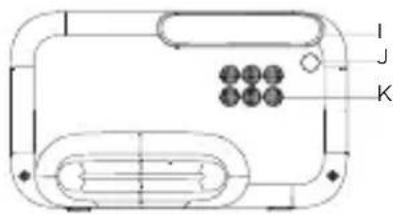
I Power / Linking LED indicator
It lights up in blue when the parent unit is powered on and linked to the baby (camera) unit.
It flashes red when the camera unit is not connected to either the parent unit or Wi-Fi routers.
It turns OFF automatically during night mode.
J Pair button
Press and hold to pair to the parent unit.
K Temperature sensor
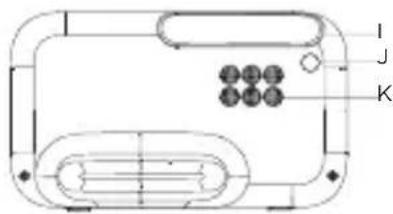
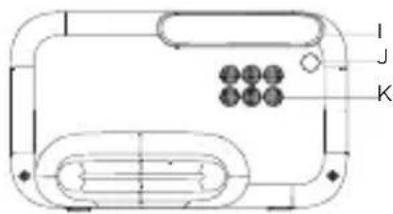
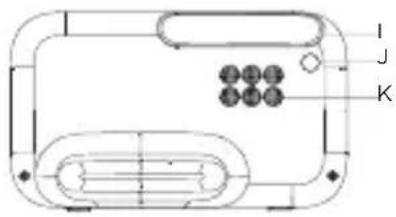
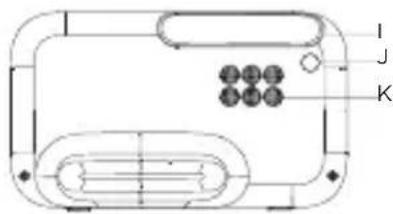
Parent unit
Front view Back view
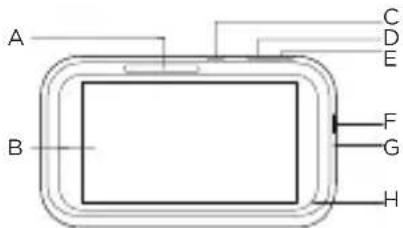
A Indications (green, green, orange, red, red)
Power indication: it lights up in red when charging and powered off; it lights up in green when powered on regardless charging or not.
Sound level indication: green, orange, red, red.
B Touch screen display
C Power button
Press and hold to turn the parent unit on or off. Single press to turn the screen on or off.
D Volume down
Press to decrease the speaker volume.
E Volume up
Press to increase the speaker volume.
F Power jack
G Reset hole
Use a small pin to insert into it to perform a system reset and recover the parent unit from a lock-up state.
H Microphone
I Antenna
J Flashlight
K Speaker
4. Connect and charge

WARNING
- Strangulation Hazard. Children have STRANGLED in cords. Keep adapter cords out of the reach of children (more than 1 metre away). Never use extension cords with AC adapters. Only use the AC adapters provided.

Note
Use only the supplied power adapters (DC5V / 1500 mA) for the baby (camera) unit and (DC5V / 2000mA) for the parent unit.
Connecting and charge
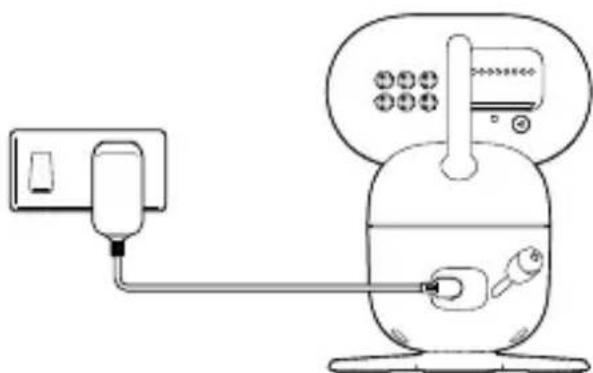
Baby unit
You will need to carry out this process for the single or multi baby (camera) units.
natural_image
Line drawing of a medical or laboratory device with tubing and a connector (no text or symbols)-
Plug the DC round socket adapter into the DC jack on the rear of the baby (camera) unit and plug the other end of the AC adapter into the AC power outlet.
-
Switch on the AC power (if your AC power outlet has a switch). The baby (camera) unit turns on and the power indicator lights up in blue and flashes in red after 30 seconds if the parent unit has not been powered up.
Parent unit
A rechargeable battery is already pre-installed inside the parent unit. When fully charged, you can move the parent unit without losing the link and picture from the baby (camera) unit. When charging the battery for the first time, allow it to be fully charged. The subsequent charging time is about 8 to 10 hours a day. Fully charged batteries should give up to 14 hours usage time.

- Plug the supplied USB cable with its USB-A plug into the power adapter.
- Plug the USB-C cable into the USB-C socket on the side of the parent unit and plug the power adapter into the wall socket.
- Switch on the AC power (if your AC power outlet has a switch).
- The parent unit turns on automatically.
- A language selection screen shows up, select the language and then a welcome screen will be shown.
- When the parent unit is fully charged, will appear steadily on the screen display.
Note
If the battery icon on the screen is red and an alert tone is heard, it means the battery level is low and needs recharging.
5. Mount the baby (camera) unit
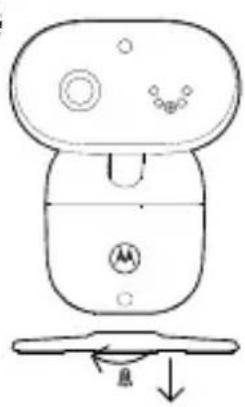
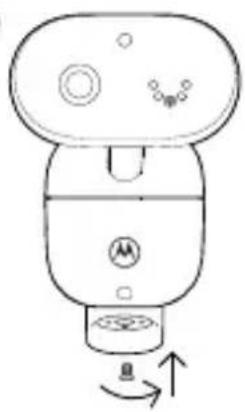
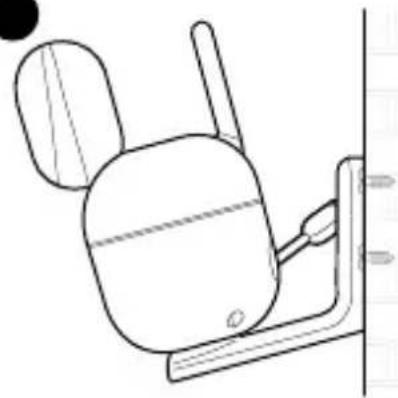
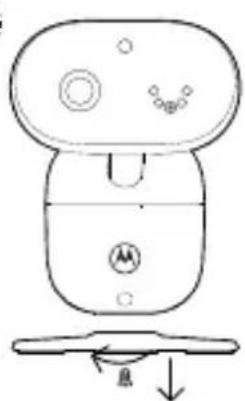
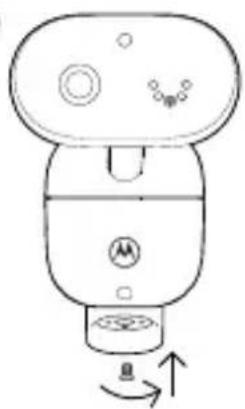
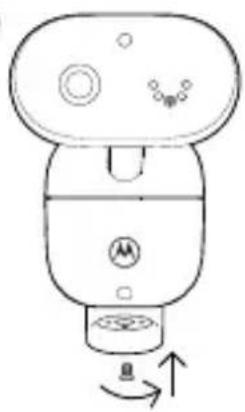
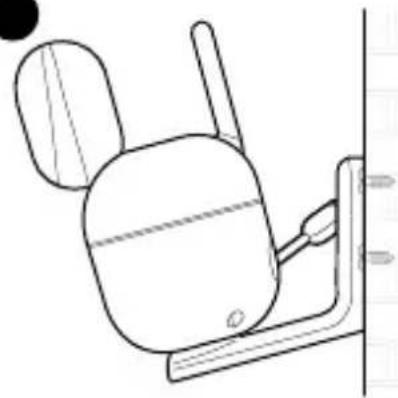
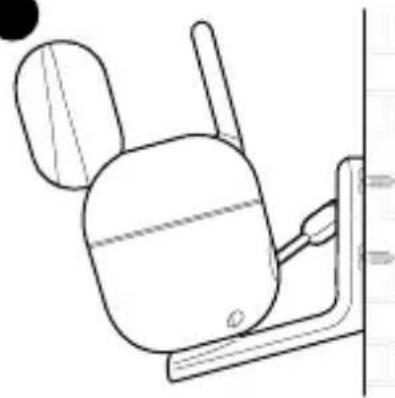
The baby (camera) unit supports both wall mounting and flexible stargrip mounting. At the bottom of the baby unit, there is a screw nut for the wall mounting and the flexible stargrip.
For the wall mounting
1
2

3
4
natural_image
Line drawing of a mechanical device with no visible text or symbols●
natural_image
Line drawing of a mechanical device with no visible text or symbols●
natural_image
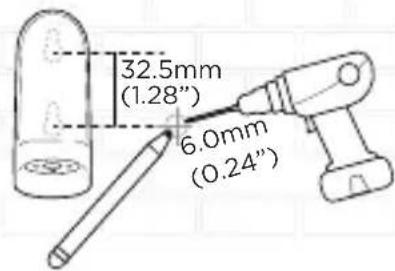
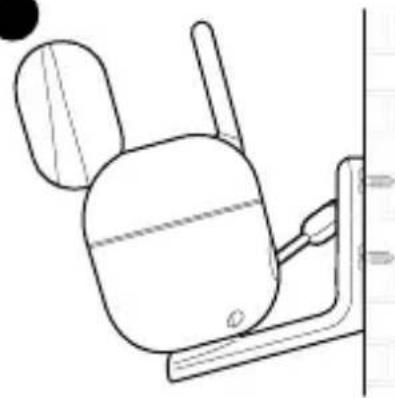
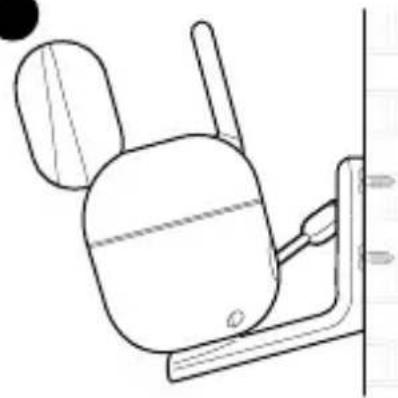
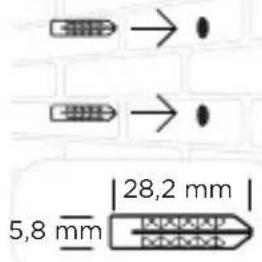
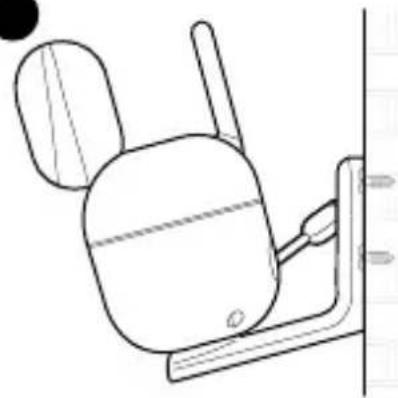
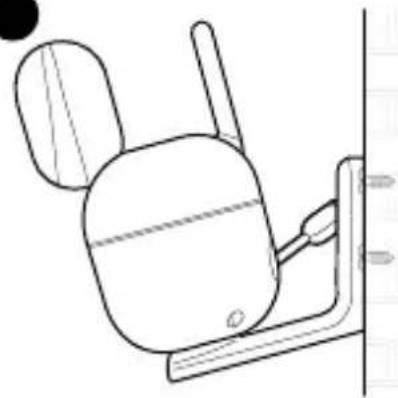
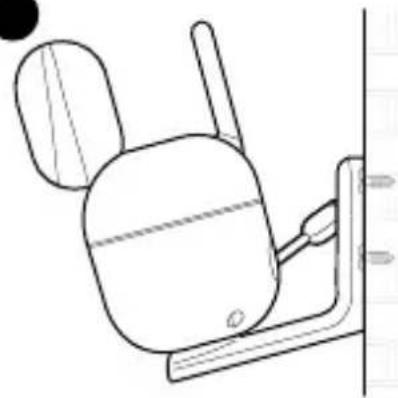
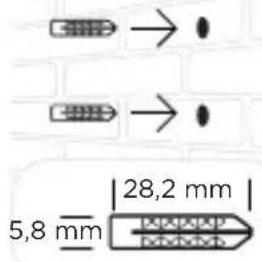
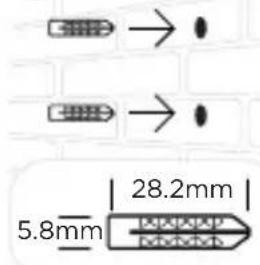
Line drawing of a mechanical device with a cylindrical body and attached lever (no text or symbols)- Place the supplied wall mount bracket on the wall and mark the positions of 2 screw holes. Drill a screw hole at each marking.
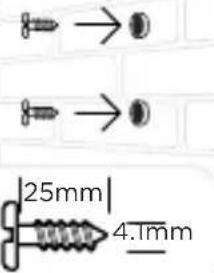
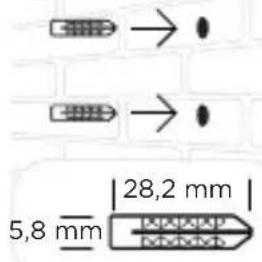
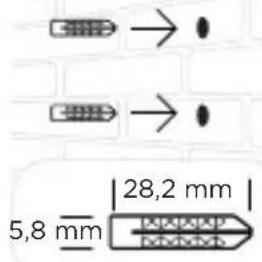
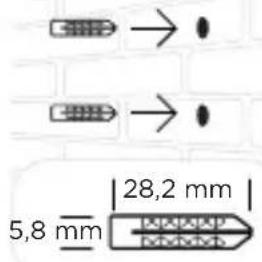
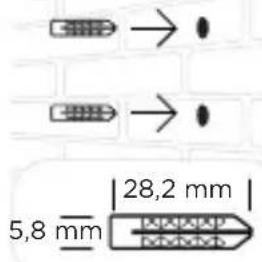
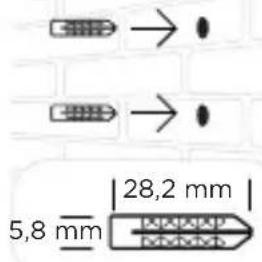
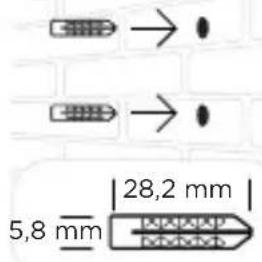
- Install the supplied wall anchors into 2 screw holes on the wall.
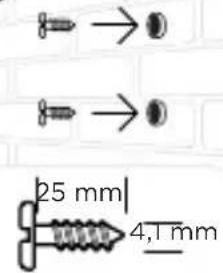
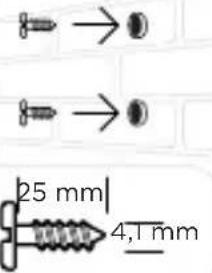
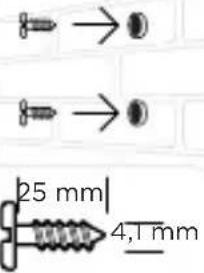
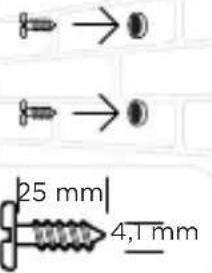
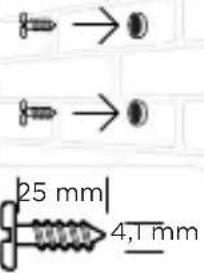
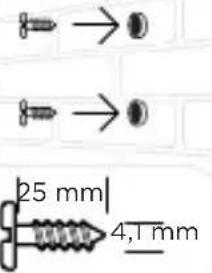
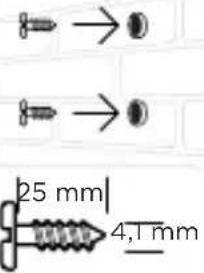
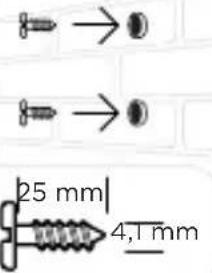
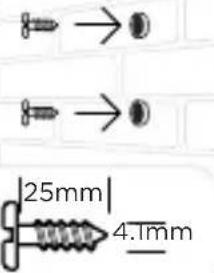
- Insert the supplied wall mounting screws into the wall anchors.
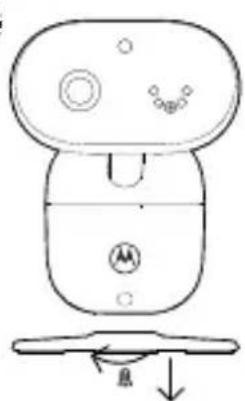
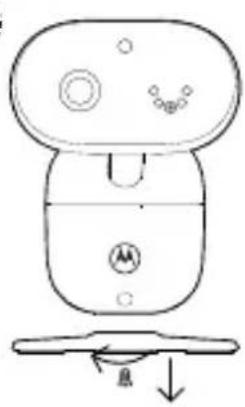
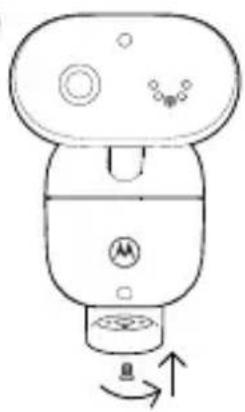
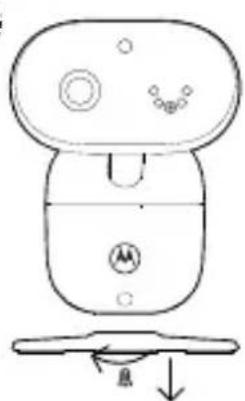
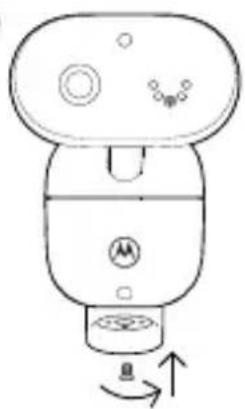
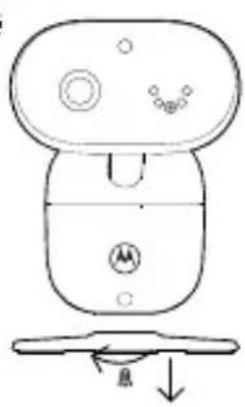
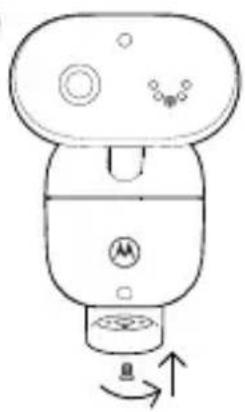
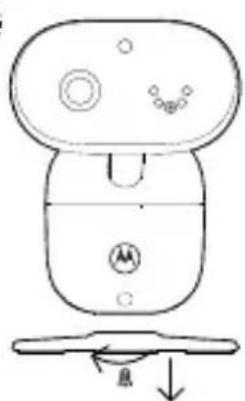
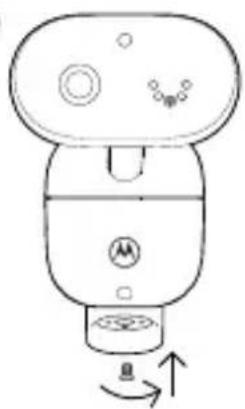
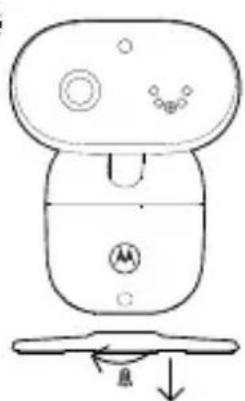
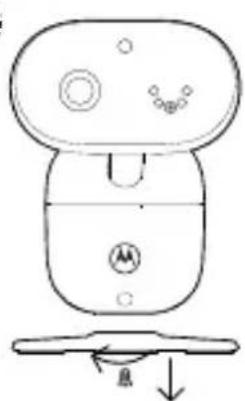
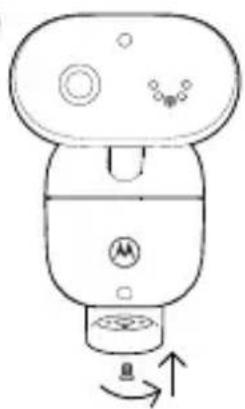
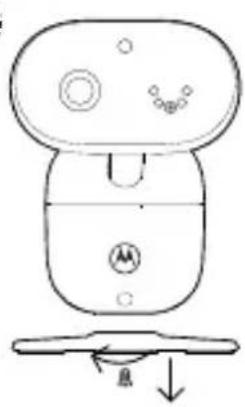
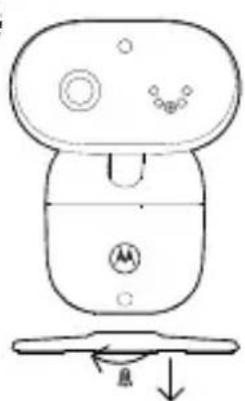
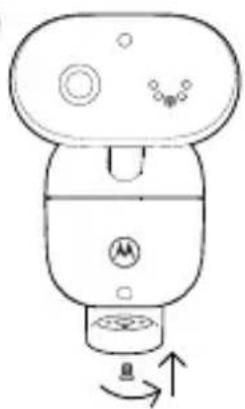
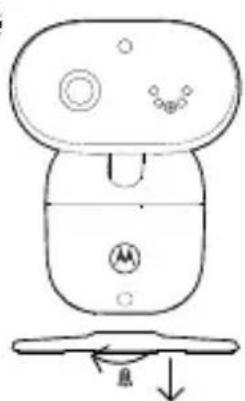
- Remove the desk stand by loosening the screw on the underside of the desk stand with a screwdriver (not supplied).
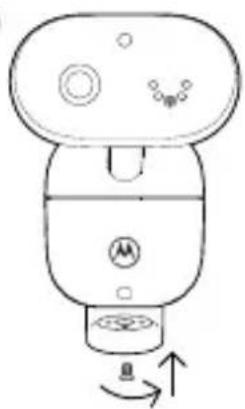
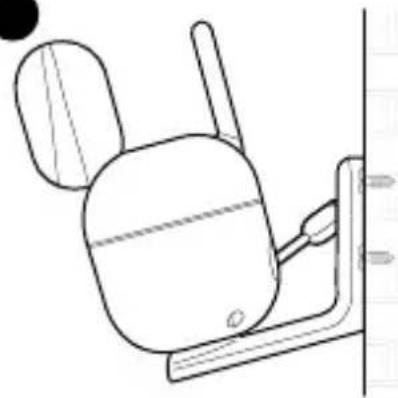
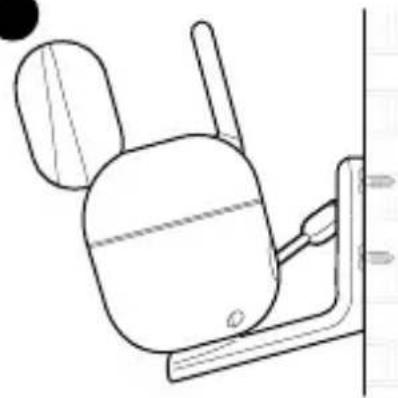
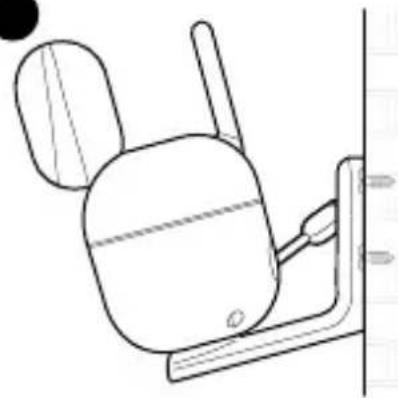
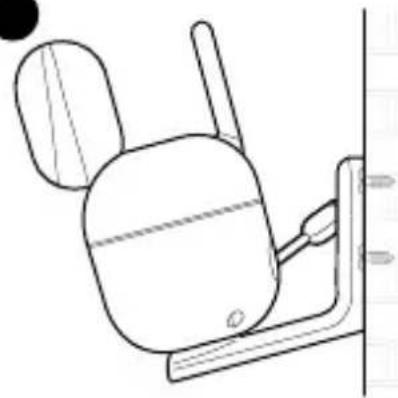
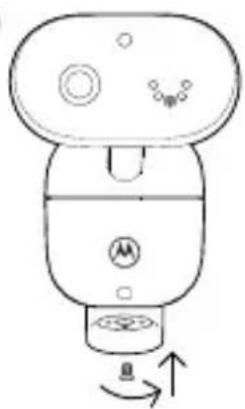
- Fix and fasten this screw on the baby (camera) unit and the wall mount bracket.
- Hang the wall mount bracket on the wall mounting screws on the wall.
For the flexible stargrip
Please refer to the stargrip manual in the box.
6. Using the video baby monitor
6.1 Use the touch screen
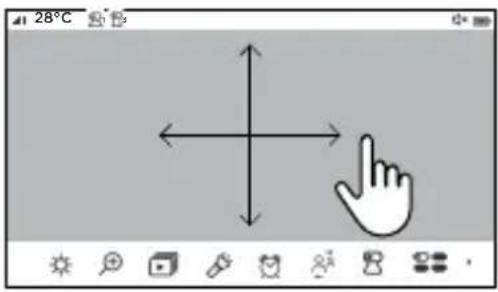
- Swipe up at the screen bottom to pop up the menu bar. Swipe down at the screen bottom or double tap the screen to hide the menu bar.
- Scroll left or right on the menu bar to see all options.
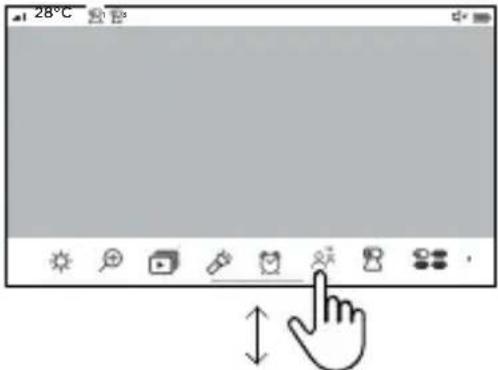
- Swipe left or right to pan the camera view.
- Swipe up or down to tilt the camera view.
6.2 Parent unit main menu

Adjust LCD brightness

Zoom in/out

Open the audio media playback

Turn on/off the flashlight

Set the alarm

Talk back

Camera selection

Turn on/off the Cry translation notification

View multiple cameras

Screen on/off timer

Temperature unit °C or °F

Setting for audio and visual alert on/off

Power, charging and sound level indication

Language selection

Enable or disable the feature of screen turns on when sound detected.
6.3 Status icons

Indicates the current signal strength level (4 levels).

Indicates the night vision mode is on. The video turns black and white.

Indicates the screen off time is set.

Unable to detect the baby (camera) unit.

Indicates the current battery level (4 levels).

The alarm is on.

The speaker is muted.

The flashlight is on.

Zoom is set up.


Camera selected.

Audio media is playing

Cycle view from camera.


Temperature unit.

Privacy mode is on. The Wi-Fi connection is disabled and the camera will show off-line on the app.

The cry translation is on.
Uncomfortable

Cry translated = Uncomfortable
Sleepy

Cry translated = Sleepy
Irritated

Cry translated = Irritated
Hungry

Cry translated = Hungry
Burp

Cry translated = Burp

Not possible to translate the sounds
Note
Depending on the video settings, the display will go blank after 5 minutes, 15 minutes, or 30 minutes of inactivity to save power.
7. Viewing your baby via mobile device
7.1 Minimum system requirement
- Android™ System: Version 7.0 or above
- iPhone® iOS: Version 13.0 or above
- High Speed 2.4 GHz (Wi-Fi®) Internet: At least 1.5 Mbps upload bandwidth per camera (you can test your internet speed on this site: http://www.speedtest.net).
7.2 Connect your device
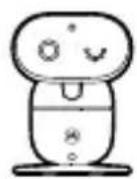
Camera
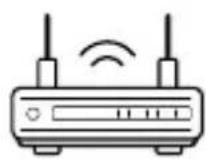
Connect to internet via Wi-Fi ^® router

natural_image
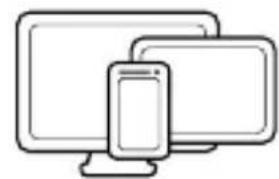
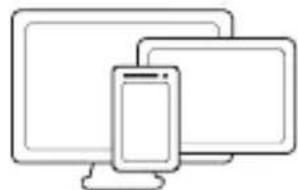
Line drawing of two desktop devices: a computer and a smartphone, both without any text or symbols.View your camera from any compatible device remotely
- Scan the QR code with your smart device and download the Motorola Bebé App from App Store for iOS devices or from Google Play™ Store for Android™ devices.
- Install the App on your device.
- Follow the on-screen instructions to run and sign up or log in to the APP.
- Open the Motorola Bebé App on your compatible smartphone.
- Follow the in-app instructions to create your account and connect to your device.



7.3 Set up user account to activate Cry detection and translation
- In the app, enter your PIP1710 CONNECT to view the live stream, tap and then tap the BeyondCry™ icon 😊 at the bottom of the screen.
- The app view of the Cry translation will be shown. Tap "Activate" and then set up the account in Zoundream's web view.

1. Bienvenido
natural_image
Line drawing of a small electronic device with a top, side, and base components (no text or symbols)
natural_image
Simple line drawing of a smartphone with rounded corners and a rectangular body (no text or symbols)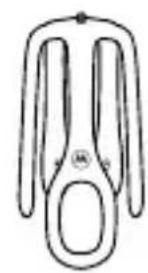
natural_image
Simple line drawing of a pair of scissors (no text or symbols)natural_image
Simple line drawing of a mechanical lever or handle (no text or symbols)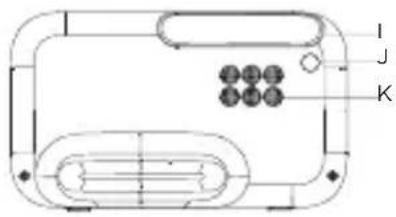
Nota
natural_image
Line drawing of a medical device with tubing and connector (no text or symbols)2
3
4
natural_image
Line drawing of a device with a circular button and a base, showing no text or symbols.●
natural_image
Line drawing of a mechanical device with a knob and control knob (no text or symbols)●
natural_image
Line drawing of a mechanical device with a cylindrical component and attached bracket (no text or symbols)natural_image
Line drawing of a wireless router with two antennas and signal waves (no text or symbols)Conectar a internet mediante router WiFi®
natural_image
Line drawing of two desktop devices: a computer and a smartphone, both without any text or symbols.
natural_image
Line drawing of a small electronic device with a top, side, and base components (no text or symbols)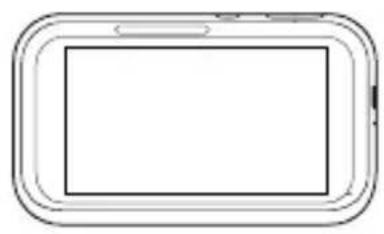
natural_image
Simple line drawing of a smartphone with rounded corners and a blank screen (no text or symbols)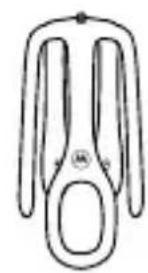
natural_image
Simple line drawing of a pair of scissors (no text or symbols)natural_image
Simple line drawing of a mechanical lever or handle (no text or symbols)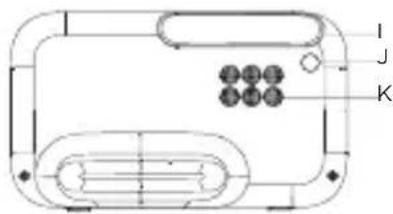
Nota
natural_image
Line drawing of a medical device connected to a device with tubing (no text or symbols)2
3
4
natural_image
Line drawing of a device with a circular button and a base, showing no text or symbols.●
natural_image
Line drawing of a mechanical device with a knob and control knob (no text or symbols)●
natural_image
Line drawing of a mechanical device with a cylindrical component and attached bracket (no text or symbols)natural_image
Line drawing of two desktop devices: a computer and a smartphone, both placed on a stand (no text or symbols)
natural_image
Line drawing of a small electronic device with a top, front, and side ports (no text or symbols)natural_image
Simple line drawing of a rounded rectangular device with a blank center (no text or symbols)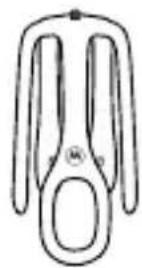
berceau Stargrip
natural_image
Simple line drawing of a mechanical lever or handle (no text or symbols)natural_image
Illustration of three different types of test tubes (no text or symbols present)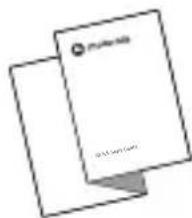
A Caméra
Remarque
natural_image
Line drawing of a medical device connected to a device with tubing (no text or symbols)natural_image
Pure electrical circuit lines without any symbols2
3
4
natural_image
Simple line drawing of a device with a handle and control panel (no text or symbols)●
natural_image
Line drawing of a mechanical device with no visible text or symbols●
natural_image
Line drawing of a mechanical device with a cylindrical component and attached bracket (no text or symbols)natural_image
Line drawing of two desktop devices: a computer and a smartphone (no text or symbols)
natural_image
Line drawing of a small robot with a circular head, triangular top, and circular side panels (no text or symbols)
natural_image
Simple line drawing of a smartphone with rounded corners and a blank screen (no text or symbols)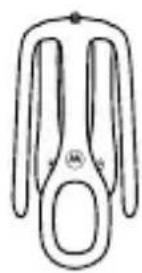
natural_image
Simple line drawing of a mechanical lever or bracket (no text or symbols)Guida rapida
Nota
natural_image
Simple line drawing of a medical device with tubing and a connector (no text or symbols)2
3
4
natural_image
Line drawing of a device with a circular button and a base, showing no text or symbols.●
natural_image
Line drawing of a mechanical device with a knob and control knob (no text or symbols)●
natural_image
Line drawing of a mechanical device with a cylindrical component and attached bracket (no text or symbols)
natural_image
Line drawing of a small robot with a circular head, triangular top, and circular side panels (no text or symbols)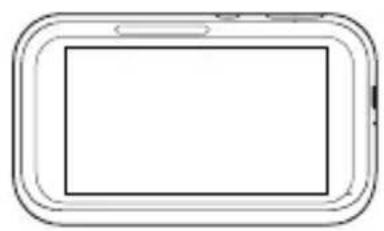
natural_image
Simple line drawing of a rounded rectangular device with a blank center (no text or symbols)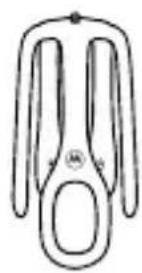
für Kinderbett
natural_image
Simple line drawing of a mechanical lever or bracket (no text or symbols)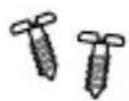
Kurzanleitung
Hinweis
natural_image
Line drawing of a medical device connected to a pressure vessel (no text or symbols)2
3
4
natural_image
Line drawing of a mechanical device with no visible text or symbols●
natural_image
Line drawing of a mechanical device with no visible text or symbols●
natural_image
Line drawing of a mechanical device with a cylindrical component and attached bracket (no text or symbols)natural_image
Line drawing of two desktop devices: a computer and a smartphone, both without any text or symbols.
natural_image
Line drawing of a small robot with circular buttons and a triangular head (no text or symbols)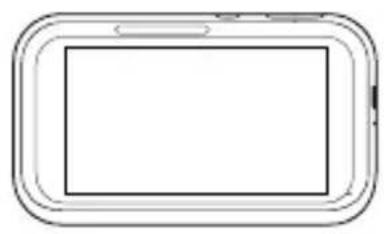
natural_image
Simple line drawing of a smartphone with rounded corners and a blank screen (no text or symbols)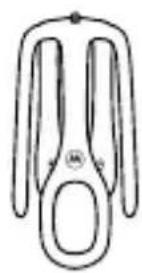
natural_image
Simple line drawing of a mechanical lever or handle (no text or symbols)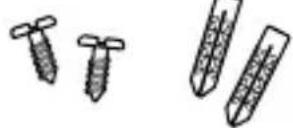
natural_image
Two overlapping sheets of paper with no visible text or symbolsA Camera
B Gemotoriseerde pan-kantelkop
Opmerking
natural_image
Line drawing of a medical device connected to a device with tubing (no text or symbols)2
3
4
natural_image
Line drawing of a mechanical device with no visible text or symbols●

natural_image
Line drawing of a mechanical device with no visible text or symbols●
natural_image
Line drawing of a mechanical device with a cylindrical component and attached bracket (no text or symbols)natural_image
Line drawing of a wireless router with two antennas and signal waves (no text or symbols)natural_image
Line drawing of two desktop devices: a computer and a smartphone, both overlapping (no text or symbols)
natural_image
Simple line drawing of a mechanical lever or handle (no text or symbols)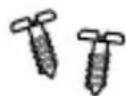
Snabbstartsguide
Obs
natural_image
Line drawing of a medical device connected to a pressure vessel (no text or symbols)2
3
4
natural_image
Line drawing of a mechanical device with no visible text or symbols●
natural_image
Line drawing of a mechanical device with no visible text or symbols●
natural_image
Line drawing of a mechanical device with a cylindrical component and attached bracket (no text or symbols)

natural_image
Simple line drawing of a mechanical lever or handle (no text or symbols)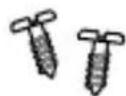
Hurtigstart-guide
A Kamera
B Motordrevet panorerings- og vippehoved
A Indikationer (grøn, grøn, orange, rød, rød)
Bemærk
natural_image
Simple line drawing of a medical or laboratory device connected to a wall-mounted device (no text or symbols)2
3
4
natural_image
Line drawing of a mechanical device with no visible text or symbols●
natural_image
Line drawing of a mechanical device with no visible text or symbols●
natural_image
Line drawing of a mechanical device with a cylindrical component and attached bracket (no text or symbols)

natural_image
Line drawing of a small robot with a butterfly-shaped head and control buttons (no text or symbols)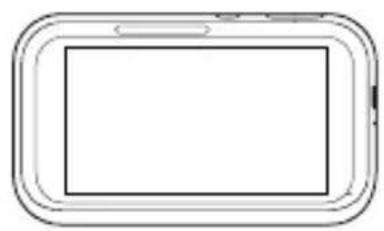
natural_image
Simple line drawing of a smartphone with rounded corners and a blank screen (no text or symbols)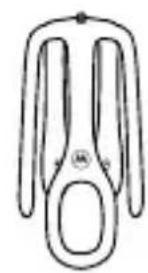
natural_image
Simple line drawing of a pair of scissors (no text or symbols)natural_image
Simple line drawing of a mechanical lever or handle (no text or symbols)natural_image
Illustration of three different types of screw-like objects with no text or symbolsA Kamera
B Głowica uchylno-obrotowa
Uwaga
natural_image
Line drawing of a medical device connected to a pressure vessel (no text or symbols)2
3
4
natural_image
Line drawing of a device with a circular button and a base, showing no text or symbols.●
natural_image
Line drawing of a mechanical device with a knob and control knob (no text or symbols)●
natural_image
Line drawing of a mechanical device with a cylindrical component and attached bracket (no text or symbols)
natural_image
Line drawing of a small robot with a circular head, triangular top, and control buttons (no text or symbols)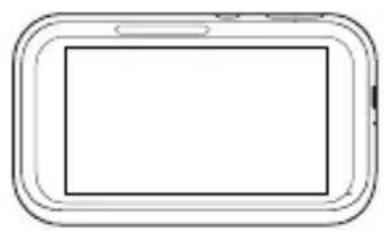
natural_image
Simple line drawing of a smartphone with rounded corners and a blank screen (no text or symbols)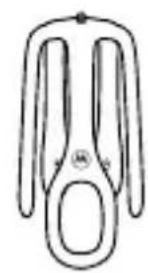
natural_image
Simple line drawing of a pair of scissors (no text or symbols)natural_image
Simple line drawing of a mechanical lever or handle (no text or symbols)A Kamera
Poznámka
natural_image
Line drawing of a medical device connected to a pressure vessel (no text or symbols)2
3
4
natural_image
Line drawing of a mechanical device with no visible text or symbols●
natural_image
Line drawing of a mechanical device with no visible text or symbols●
natural_image
Line drawing of a mechanical device with a cylindrical component and attached bracket (no text or symbols)natural_image
Line drawing of a wireless router with two antennas and signal waves (no text or symbols)natural_image
Line drawing of two desktop devices: a computer and a smartphone, both without any text or symbols.

natural_image
Simple line drawing of a mechanical lever or handle (no text or symbols)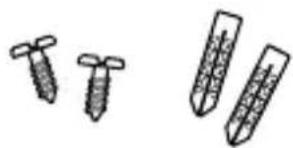
natural_image
Illustration of three different types of test tubes or probes, shown in separate line drawings (no text or symbols present)natural_image
Two overlapping document sheets with no visible text or symbolsΑ Κάμερα
Σημείωση
natural_image
Line drawing of a medical device connected to a pressure vessel (no text or symbols)2
3
4
natural_image
Line drawing of a mechanical device with no visible text or symbols●
natural_image
Line drawing of a mechanical device with no visible text or symbols●
natural_image
Line drawing of a mechanical device with a cylindrical body and attached lever (no text or symbols)

- Frequency band: 2400MHz to 2483.5MHz and Max. transmitted power < 20dBm
- Camera power off: short press the pair button 5 times, a beep will be heard to confirm power off.
- Camera power on: short press the pair button when camera power is off.
EU and UK Declaration of Conformity
Hereby, MZGW declares that this product is in compliance with the requirements for CE and UKCA marking. The Declaration of Conformity can be obtained at motorolanursery.com.
Manufactured by:
Meizhou Guo Wei Electronics Co., Ltd., AD1 Section, The Economic Development Area, Meizhou, 514000, Guangdong Province, China.
Imported & Distributed by:
Meizhou Guo Wei Electronics (UK) Co., Ltd., 207 Regent Street, Suite 8, Third Floor, London, W1B 3HH. UK
Meizhou Guo Wei Electronics (EU) Co., Ltd., 51 Bracken Road, Carlisle Offices, Dublin 18, D18 CV48. Ireland
Contact email address: support@motorolanursery.com
Manufactured, distributed or sold by Meizhou Guo Wei Electronics Co. LTD., official licensee for this product. MOTOROLA and the Stylized M Logo are trademarks or registered trademarks of Motorola Trademark Holdings, LLC. and are used under license. All other trademarks are the property of their respective owners. © 2025 Motorola Mobility LLC. All rights reserved.
Version 2 (EU)