VM45 CONNECT - Video baby monitor MOTOROLA - Free user manual and instructions
Find the device manual for free VM45 CONNECT MOTOROLA in PDF.


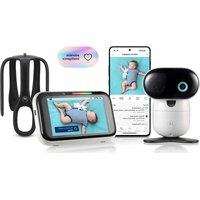
| Product type | Video baby monitor |
| Brand | Motorola |
| Model | VM45 CONNECT |
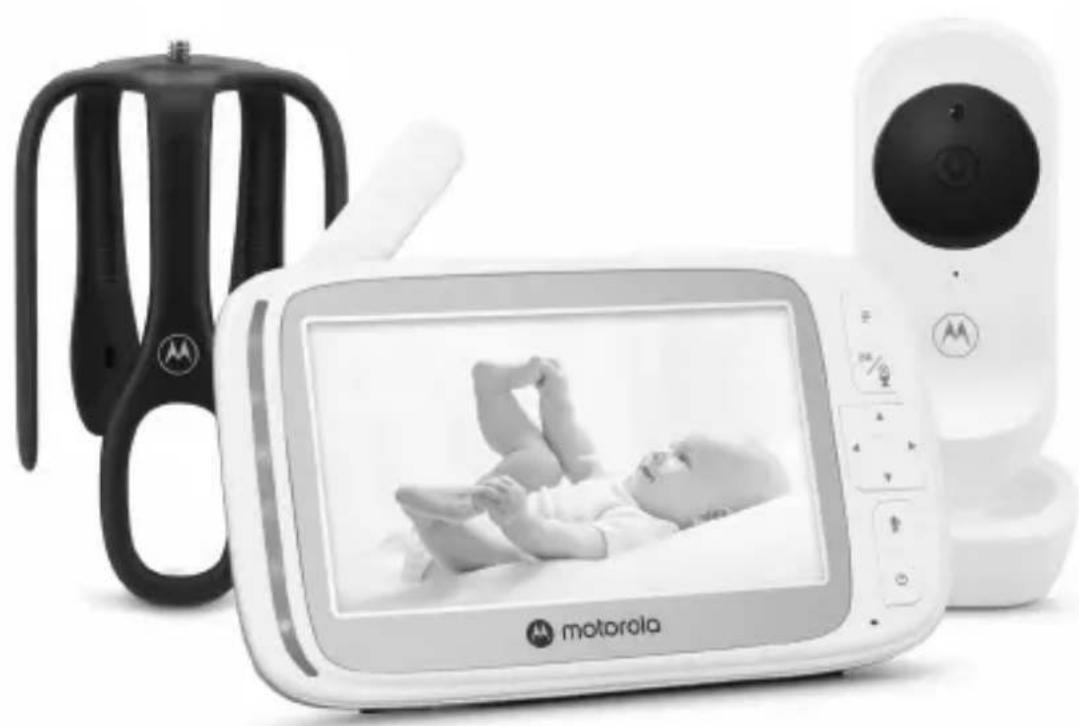
| Box contents | Parent unit, baby unit (camera), Stargrip stand, 2 DC adapters, quick start guide |
| Baby unit power supply | DC power adapter 5V / 1000 mA |
| Parent unit power supply | Built-in rechargeable battery, DC power adapter 5V / 1000 mA |
| Parent unit battery life | Up to 15 hours |
| Parent unit charging time | Approximately 8 to 10 hours |
| Screen | Color LCD, not backlit |
| Night vision | Yes, 8 infrared LEDs, automatic activation |
| Two-way communication | Yes, Talkback function (press the Talk button) |
| Digital zoom | x1 and x2 |
| Temperature monitoring | Yes, built-in sensor, display in °C or °F |
| Audio functions | Lullabies, audiobook, personal recording |
| Alarm | Programmable (6/4/2 hours or off) |
| Multi-camera | Up to 4 cameras, cycle or split-screen mode |
| Mobile app | Motorola Nursery (iOS 11.0+ / Android 7.0+) |
| Connection | Wi-Fi (2.4 GHz), proprietary protocol for parent unit |
| Range | Via home Wi-Fi network, depends on coverage |
| Care and cleaning | Clean with a soft, dry cloth. Do not use abrasive cleaners. |
| Safety | Keep cords out of reach of children (strangulation risk). Use only the supplied adapters. |
| Customer service | motorolanursery.com/support |
Frequently Asked Questions - VM45 CONNECT MOTOROLA
User questions about VM45 CONNECT MOTOROLA
0 question about this device. Answer the ones you know or ask your own.
Ask a new question about this device
Download the instructions for your Video baby monitor in PDF format for free! Find your manual VM45 CONNECT - MOTOROLA and take your electronic device back in hand. On this page are published all the documents necessary for the use of your device. VM45 CONNECT by MOTOROLA.
USER MANUAL VM45 CONNECT MOTOROLA
5.0" WI-FI® VIDEO BABY MONITOR WITH STARGRIP CRIB MOUNT
Model: VM45 CONNECT, VM45-2 CONNECT, VM45-3 CONNECT, VM45-4 CONNECT
natural_image
Black and white photo of a Motorola mobile phone displaying a baby image, alongside a black-and-white device with a logo (no visible text or symbols on the device body)Quick Start Guide / Guía de inicio rápido / Guia de inicio rápido / Guide de démarrage rapide / Schnellstartanleitung / Guida rapida / Snelstartgids / Snabbstartsguide / Hurtigstart-guide / Skrócona instrukcja obsługi / Rychlý návod / Oðnyóç Γρήγορης Εκκίνησης
English....3
Español 10
Português....17
Français.... 24
Italiano....31
Deutsch....38
Nederlands 45
Svenska....52
Dansk 59
Polski....66
Česky 73
Ελληνικά......80
1. Welcome
This booklet provides you the quick start information of your VM45 CONNECT. For a full explanation of all features, download the user guide from motorolanursery.com.
2. Contents inside the box
natural_image
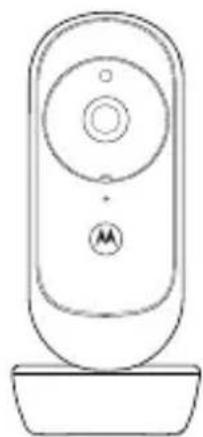
Line drawing of a remote control device with a circular dial and base (no text or symbols)Baby unit
natural_image
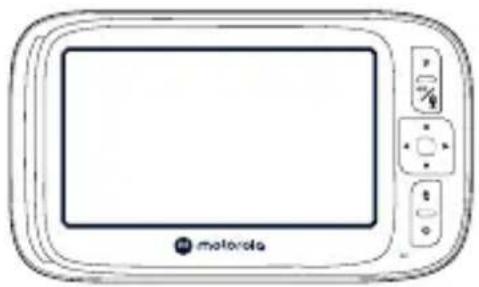
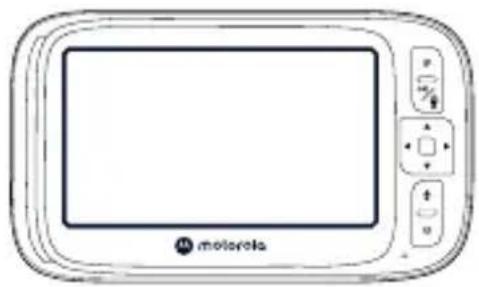
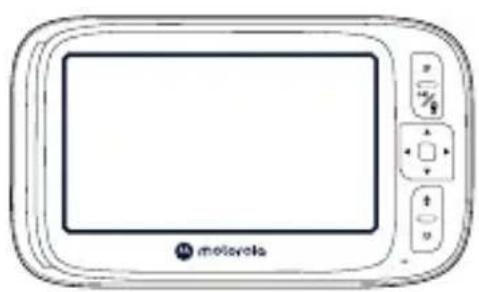
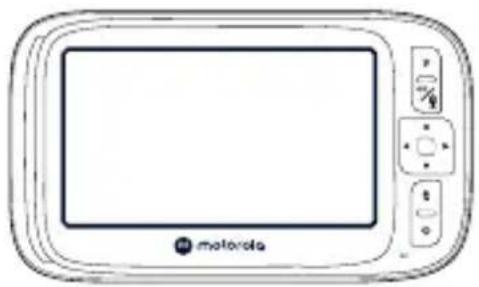
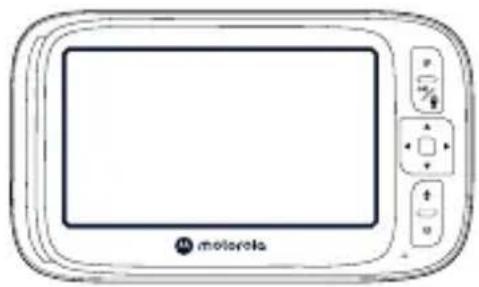
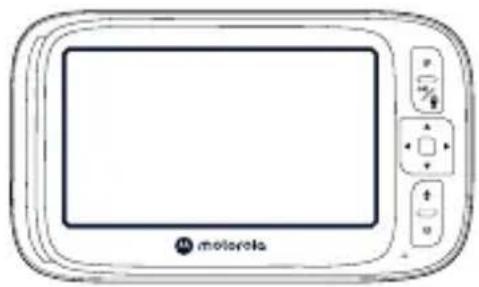
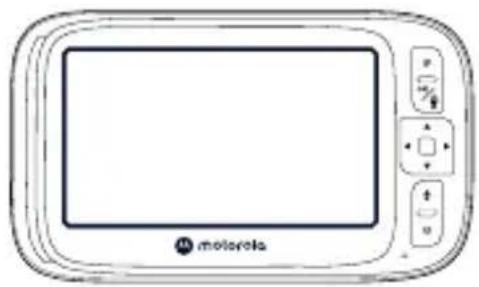
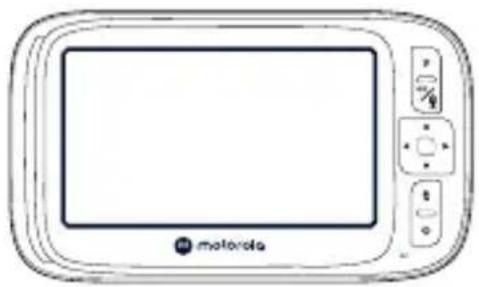
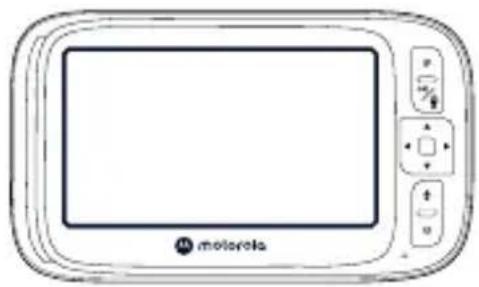
Front view of a portable electronic device with control buttons and a display screen (no readable text or symbols)Parent unit Stargrip crib mount
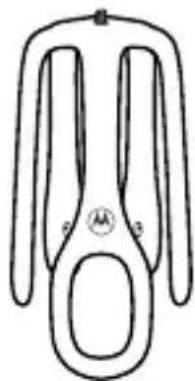
natural_image
Simple line drawing of a symmetrical mechanical or electrical component with no text or symbols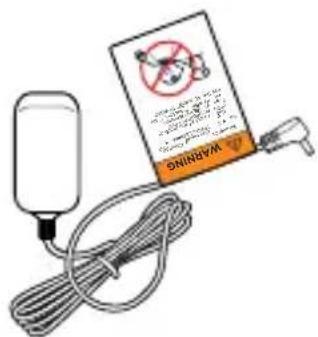
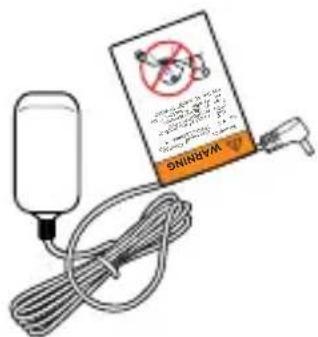
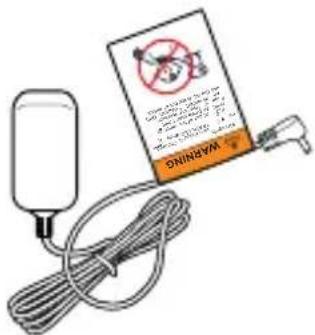
DC round socket adapter x 2
Quick Start Guide
Need help?
If you have problems setting up or using your VM45 CONNECT, please contact Customer Services at motorolanursery.com/support or check the Help & Support section on the app.
3. At a glance
Baby (Camera) unit
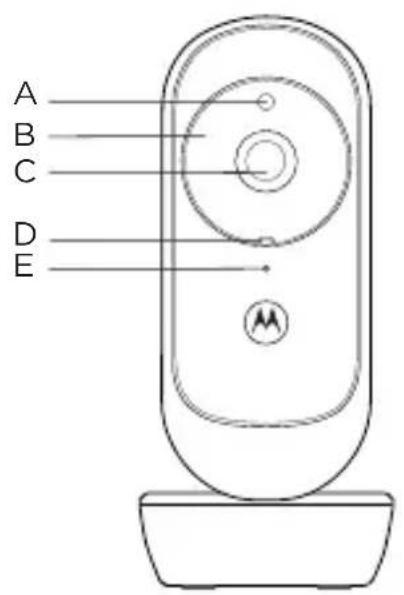
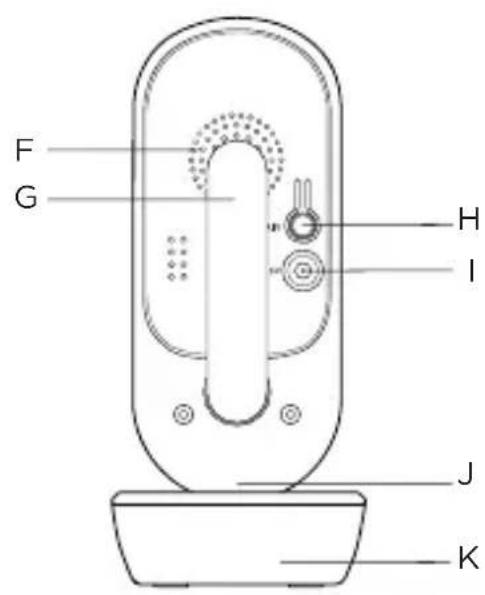
A Light sensor
It detects a low level of ambient light to activate night vision mode.
B Infrared LEDs
There are 8 infrared LEDs around the camera which capture clear images in the dark. They turn on automatically when the light sensor detects a low level of ambient light.
C Camera
D Power / Linking LED indicator
It lights up in blue when the parent unit is powered on and linked to the baby (camera) unit.
It flashes red when the camera unit is not connected to either the parent unit or Wi-Fi routers.
It turns off automatically during night mode.
E Microphone
It picks up sound from the baby.
Note: Make sure you remove any cover or protective tape from it.
F Speaker
G Antenna
H Pair button
Press and hold to pair with the parent unit or the Motorola Nursery app.
I Power jack
J Temperature sensor
K Desk stand
Parent unit
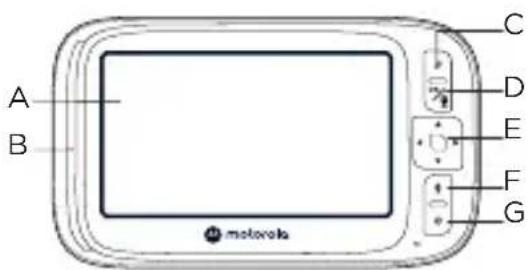
A LCD display
B Indicators (Battery, Power, Sound Level or Pairing)
Battery and power: it lights up green when powered on; it lights up red when battery low, purple when battery charging and blue when fully charged.
Sound level (green, orange, red, red): the louder the detected sound, the more LEDs will light up.
Pairing: It flashes green rapidly when in pairing mode.
C Main menu

Press to enter/exit the main menu.
D OK/
When in a menu, press to select an item or save a setting.
When in view mode, press to show navigation arrows.
E Direction control key panel
When in a menu, press to scroll up.
Preto increase the speaker volume.
When in a menu, press to scroll down.
Press to decrease the speaker volume.
When in a menu, press to scroll left.
Press to decrease the brightness in camera viewing mode.
When in a menu, press to scroll right.
Press to increase the brightness in camera viewing mode.
F Talk back

Press and hold to talk to the baby unit.
G Power on/off

Press to turn the display on or off. Press and hold to turn the parent unit on or off.
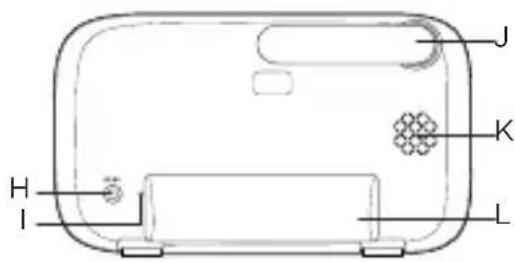
H Power jack
I Reset hole
Use a small pin to insert into it to perform a system reset and recover the parent unit from a lock-up state.
J Antenna
K Speaker
L Support stand
4. Connect and charge

WARNING
- Strangulation Hazard. Children have STRANGLED in cords. Keep adapter cords out of the reach of children (more than 1 metre away). Never use extension cords with AC adapters. Only use the AC adapters provided.

Note
Use only the supplied power adapters (DC5V / 1000 mA) for the baby (camera) and parent units.
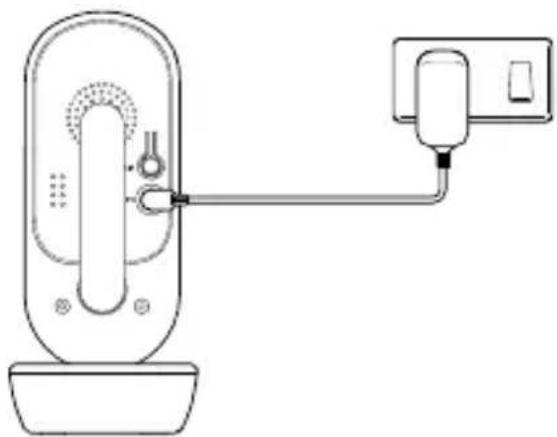
Baby (camera) unit
natural_image
Line drawing of a door handle with a connecting rod and outlet tube (no text or symbols)- Plug the DC round socket adapter into the DC jack on the rear of the baby (camera) unit and plug the other end of the AC adapter into the AC power outlet.
- Switch on the AC power (if your AC power outlet has a switch). The baby (camera) unit will turn on and its power indicator will light up blue and start flashing red after 30 seconds if the parent unit has not been powered on.
Parent unit
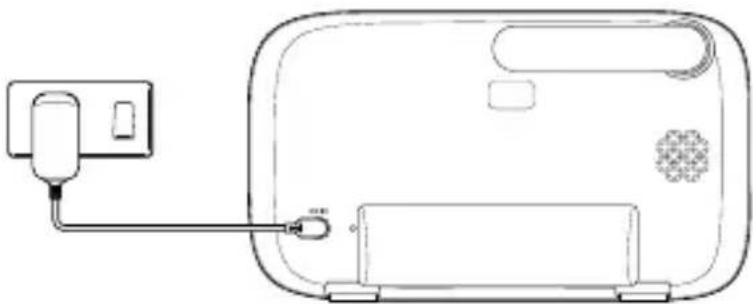
A rechargeable battery is already pre-installed inside the parent unit. When fully charged, you can move the parent unit without losing the connection or picture from the baby (camera) unit. When charging the battery for the first time, allow it to be fully charged. Subsequent charging typically takes about 8 to 10 hours per day. A fully charged battery should provide up to 15 hours of usage time.
natural_image
Line drawing of a device with a plug and cable, no text or symbols present- Plug the DC round socket adapter into the power jack on the side of the parent unit and plug the other end into the wall socket.
- Switch on the AC power (if your AC power outlet has a switch).
- When the parent unit is fully charged, 📄 appear steadily on the screen display.
Note
If on the screen flashes and an alert tone is heard, it means the battery level is low and needs recharging.
5. Mount the baby (camera) unit
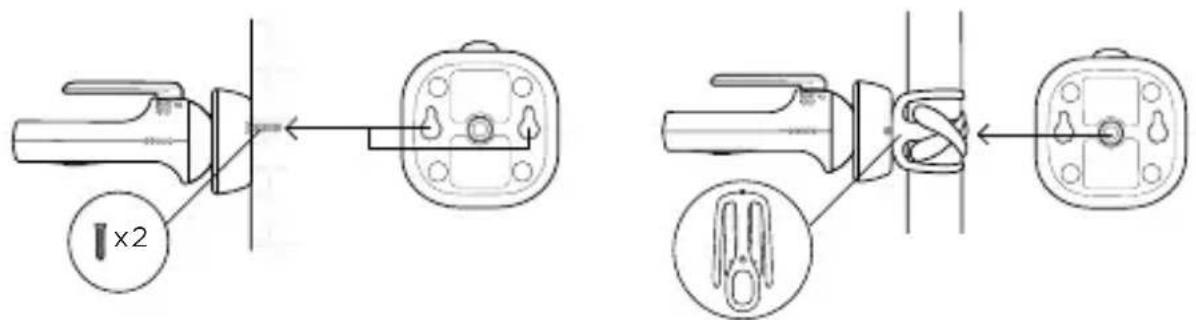
The baby (camera) unit supports both wall mounting and flexible stargrip mounting. At the bottom of the baby unit, there are slots for wall mounting and a screw nut for the flexible stargrip. The mounting screws are not included.
6. Use your video baby monitor
6.1 Parent unit main menu

Media playlist: lullaby, audiobook, personal recording and volume settings.

Alarm: 6/4/2 hours and off.

Screen on time out: 60/30/5 minutes and off.

Zoom level x1 and x2.

Temperature unit: ^ C and ^ F.

Add a camera.

Delete a camera.

View cameras: single camera (1/2/3/4), cycle mode and split screen mode.
6.2 Parent unit status icons

Zoom in/out.

Indicates the current signal strength level (4 levels).

Indicates the night vision mode is on.

The speaker is muted.

The speaker is on.

Indicates the current battery levels (4 levels).

Lullaby is playing.

Audiobook is playing.

Personal record is playing.

Talkback mode is on.

The alarm is set.

View the selected camera.

Cycle camera views.


A camera is being viewed.
7. View your baby via mobile device
Minimum system requirement
- Android™ System: Version 7.0 or above
- iPhone® iOS: Version 11.0 or above
- High Speed (Wi-Fi®) Internet: At least 0.6 Mbps upload bandwidth per camera (you can test your internet speed on this site: http://www.speedtest.net).
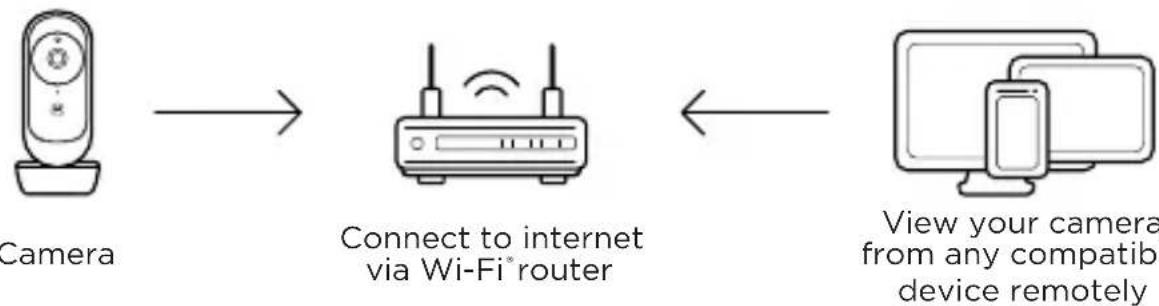
Connect to Wi-Fi® and use the Nursery App
flowchart
graph LR
    A["Camera"] --> B["Connect to internet via Wi-Fi® router"]
    B <--> C["View your camera from any compatib device remotely"]
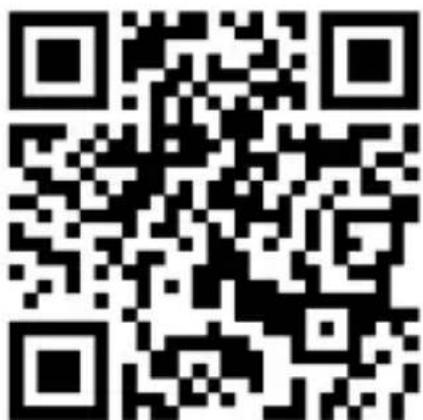
- Scan the QR code with your smart device and download the Motorola Nursery App from App Store for iOS devices or from Google Play™ Store for Android™ devices.
- Install the App on your device.
- Follow the on-screen instructions to run and sign up or log in to the App.
- Open the Motorola Nursery App on your compatible smartphone.
- Follow the in-app instructions to create your account and connect to your device.


1. Bienvenido
natural_image
Line drawing of a remote control device with a circular dial and base (no text or symbols)Unidad de bebé
natural_image
Line drawing of a vintage motorcycle front panel with control buttons and display screen (no text or symbols)natural_image
Simple line drawing of a symmetrical mechanical or architectural component with no text or symbols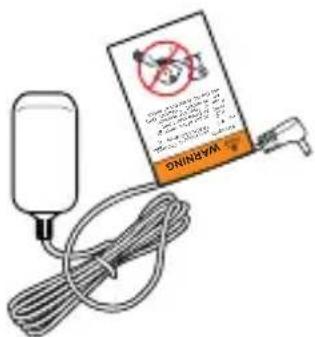
A Sensor de luz
A Pantalla LCD
Nota
natural_image
Line drawing of a door handle and outlet with connecting rod (no text or symbols)natural_image
Line drawing of a device with a plug and cable, no text or symbols presentnatural_image
Line drawing of two desktop devices: a computer and a smartphone, both without any text or symbols.

1. Boas-vindas
natural_image
Line drawing of a remote control device with a circular dial and base (no text or symbols)natural_image
Front view of a portable electronic device with control buttons and a blank screen (no text or symbols visible)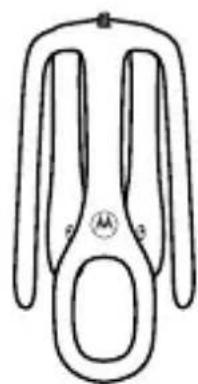
natural_image
Simple line drawing of a symmetrical mechanical or electrical component with no text or symbolsA Sensor de luz
A Visor LCD
Nota
natural_image
Line drawing of a door handle and outlet with connecting rod (no text or symbols)natural_image
Line drawing of a device with a plug and cable, no text or symbols present6. Utilizar o monitor de vídeo do bebé


1. Bienvenue
natural_image
Line drawing of a remote control device with a circular dial and base (no text or symbols)Unité bébé
natural_image
Line drawing of a mobile phone with control buttons and display screen (no text or symbols)natural_image
Simple line drawing of a symmetrical mechanical or architectural component with no text or symbols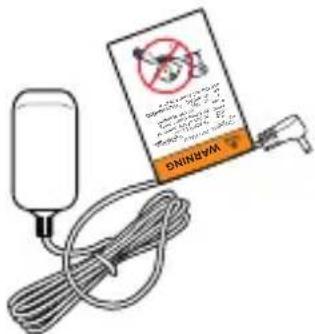
A Écran LCD
Remarque
natural_image
Line drawing of a doorbell with a hand connecting a wall-mounted device to a sink (no text or symbols)natural_image
Line drawing of a device with a plug and cable, no text or symbols present

1. Benvenuti
natural_image
Line drawing of a remote control device with a circular dial and base (no text or symbols)Unità bambino
natural_image
Front view of a portable electronic device with control buttons and a display screen (no readable text or symbols)natural_image
Simple line drawing of a symmetrical mechanical or electrical component with no text or symbolsper culla Stargrip
Guida rapida
Serve aiuto?
A Display LCD
Nota
natural_image
Line drawing of a door handle and outlet with connecting pipe (no text or symbols)natural_image
Line drawing of a device with a plug and cable, no text or symbols present
1. Willkommen
natural_image
Line drawing of a remote control device with a circular dial and base (no text or symbols)Babyeinheit
natural_image
Line drawing of a vintage motorcycle front panel with control buttons and display screen (no text or symbols)natural_image
Simple line drawing of a symmetrical mechanical or architectural component with no text or symbolsfür Kinderbett
Kurzanleitung
Brauchen Sie Hilfe?
A Lichtsensor
A LCD-Display
Hinweis
natural_image
Line drawing of a doorbell with a connecting rod and outlet tube (no text or symbols)natural_image
Line drawing of a device with a plug and cable, no text or symbols present

1. Welkom
natural_image
Line drawing of a remote control device with a circular dial and base (no text or symbols)Baby-eenheid
natural_image
Front view of a portable electronic device with control buttons and a blank screen (no readable text or symbols)natural_image
Simple line drawing of a symmetrical mechanical or electrical component with no text or symbolsmet stergreep

DC-adapter x 2 Snelstartgids
Hulp nodig?
A Lichtsensor
A LCD-scherm
B Indicatoren (batterij, voeding, geluidsniveau of koppelen)
Opmerking
natural_image
Line drawing of a door handle and electrical outlet connected via tubing (no text or symbols)natural_image
Line drawing of a device with a plug and cable, no text or symbols present

1. Välkommen
natural_image
Line drawing of a remote control device with a circular dial and base (no text or symbols)Babyenhet
natural_image
Line drawing of a vintage motorcycle front panel with control buttons and display screen (no text or symbols)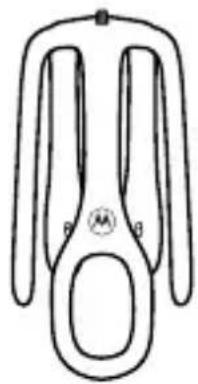
natural_image
Simple line drawing of a symmetrical mechanical or architectural component with no text or symbolsSnabbstartsguide
Behöver du hjälp?
A Ljussensor
A LCD-display
B Indikatorer (batteri, ström, ljudnivå eller ihopparning)
Obs
natural_image
Line drawing of a door handle with a connecting rod and outlet tube (no text or symbols)natural_image
Line drawing of a device with a plug and cable, no text or symbols present6. Använd din videobabymonitor


1. Velkommen
natural_image
Line drawing of a remote control device with a circular dial and antenna (no text or symbols)Babyenhed
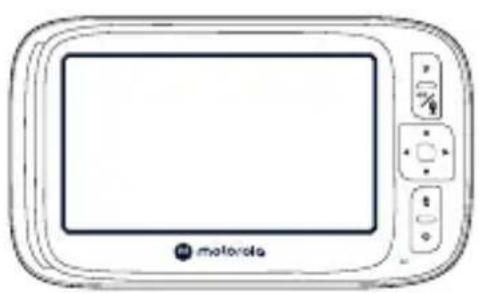
natural_image
Front view line drawing of a motorola device with control buttons and display screen (no text or symbols on main body)natural_image
Simple line drawing of a symmetrical mechanical or electrical component with no text or symbols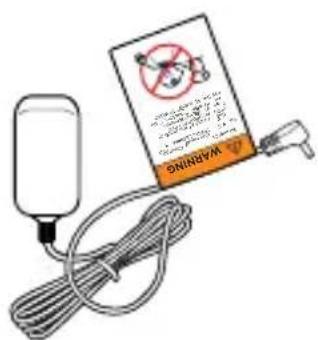
A Lysføler
Den registrerer et lavt niveau af omgivende lys for at aktivere nattilstand.
B Infrarøde LED'er
A LCD-display
B Indikatorer (Batteri, Strøm, Lydniveau eller Parring)
Bemærk
natural_image
Line drawing of a door handle and outlet with connecting rod (no text or symbols)natural_image
Line drawing of a device with a plug and cable, no text or symbols present

1. Wstęp
natural_image
Line drawing of a remote control device with a circular dial and base (no text or symbols)Urządzenie dziecka
natural_image
Line drawing of a vintage motorcycle front panel with control buttons and display screen (no text or symbols)natural_image
Simple line drawing of a symmetrical mechanical or architectural component with no text or symbols
A Czujnik światła
A Wyświetlacz LCD
Uwaga
natural_image
Line drawing of a door handle with a connecting rod and outlet tube (no text or symbols)natural_image
Line drawing of a device with a plug and cable, no text or symbols present

1. Vítáme vás
natural_image
Line drawing of a remote control device with a circular dial and base (no text or symbols)Dětská jednotka
natural_image
Front view of a portable electronic device with control buttons and a blank screen (no readable text or symbols)natural_image
Simple line drawing of a symmetrical mechanical or electrical component with no text or symbols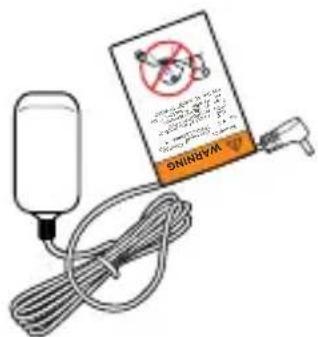
A Snímač světla
A LCD displej
Poznámka
natural_image
Line drawing of a door with a plug and connecting cable to a wall-mounted device (no text or symbols)natural_image
Line drawing of a device with a plug and cable, no text or symbols present
1. Καλωσορίσατε
natural_image
Line drawing of a remote control device with a circular dial and base (no text or symbols)Μονάδα μωρού
natural_image
Line drawing of a vintage motorcycle front panel with control buttons and display screen (no text or symbols)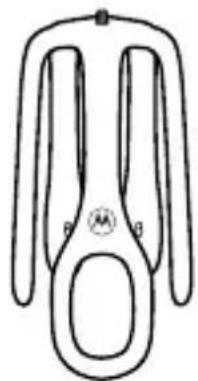
natural_image
Simple line drawing of a symmetrical mechanical or architectural component with no text or symbolsΑ Αισθητήρας φωτός
A Οθόνη LCD
Σημείωση
natural_image
Line drawing of a door handle with a connector and outlet tube (no text or symbols)natural_image
Line drawing of a device with a plug and cable, no text or symbols presentnatural_image
Line drawing of two devices: a desktop computer and a smartphone (no text or symbols)

Technical information
- Frequency band: 2400MHz to 2483.5MHz and Max. transmitted power < 20dBm
- Camera power off: short press the pair button 5 times, a beep will be heard to confirm power off.
- Camera power on: short press the pair button when camera power is off.
EU and UK Declaration of Conformity
Hereby, MZGW declares that this product is in compliance with the requirements for CE and UKCA marking. The Declaration of Conformity can be obtained at motorolanursery.com.
Manufactured by:
Meizhou Guo Wei Electronics Co., Ltd., AD1 Section, The Economic Development Area, Meizhou, 514000, Guangdong Province, China.
Imported & Distributed by:
Meizhou Guo Wei Electronics (UK) Co., Ltd., 207 Regent Street, Suite 8, Third Floor, London, W1B 3HH. UK
Meizhou Guo Wei Electronics (EU) Co., Ltd., 51 Bracken Road, Carlisle Offices, Dublin 18, D18 CV48. Ireland
Contact email address: support@motorolanursery.com
Manufactured, distributed or sold by Meizhou Guo Wei Electronics Co. LTD., official licensee for this product. MOTOROLA and the Stylized M Logo are trademarks or registered trademarks of Motorola Trademark Holdings, LLC. and are used under license. All other trademarks are the property of their respective owners. © 2025 Motorola Mobility LLC. All rights reserved.
Version 2 (EU)
- 5.0" WI-FI® VIDEO BABY MONITOR WITH STARGRIP CRIB MOUNT
- Welcome
- Contents inside the box
- Need help?
- At a glance
- Baby (Camera) unit
- Parent unit
- Connect and charge
- WARNING
- Note
- Mount the baby (camera) unit
- Use your video baby monitor
- Parent unit main menu
- Parent unit status icons
- View your baby via mobile device
- Minimum system requirement
- Bienvenido
- Nota
- Boas-vindas
- A Visor LCD
- Utilizar o monitor de vídeo do bebé
- Bienvenue
- Remarque
- Benvenuti
- Serve aiuto?
- A Display LCD
- Willkommen
- Brauchen Sie Hilfe?
- A Lichtsensor
- Hinweis
- Welkom
- Hulp nodig?
- A LCD-scherm
- B Indicatoren (batterij, voeding, geluidsniveau of koppelen)
- Opmerking
- Välkommen
- Behöver du hjälp?
- Obs
- Använd din videobabymonitor
- Velkommen
- Bemærk
- Wstęp
- Uwaga
- Vítáme vás
- Poznámka
- Καλωσορίσατε
- Σημείωση
- Technical information
- EU and UK Declaration of Conformity
- Manufactured by:
- Imported & Distributed by:
Brand : MOTOROLA
Model : VM45 CONNECT
Category : Video baby monitor