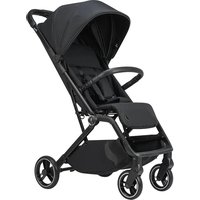
Boogy 2 - Stroller Osann - Free user manual and instructions
Find the device manual for free Boogy 2 Osann in PDF.


| Product type | Stroller |
| Brand | Osann |
| Model | Boogy 2 |
| Use | From birth to 22 kg or 4 years (whichever comes first) |
| Maximum child weight | 22 kg |
| Maximum basket load | 3 kg |
| Restraint system | Height-adjustable 5-point harness |
| Brake | Rear brake pedal |
| Front wheels | Swiveling, removable with metal button |
| Rear wheels | Fixed, removable with metal lever |
| Backrest | Adjustable from sitting to reclining via drawstring |
| Leg rest | Raised and lowered, adjustment by metal bar |
| Safety bar | Removable, side opening for easy installation |
| Canopy | Yes, with sun protection |
| Folding | Compact with integrated transport lock |
| Stroller weight (estimated) | Approx. 10 kg |
| Folded dimensions (estimated) | Approx. 80 x 50 x 40 cm |
| Unfolded dimensions (estimated) | Approx. 100 x 60 x 105 cm |
| Materials | Metal frame, synthetic fabric |
| Care | Clean with damp sponge and mild detergent; frame with soap and warm water |
| Compatible accessories | Adapters for car seat (not included, sold separately) |
| Standards | EN 1888-1:2018+A1:2022, EN 1888-2:2018 |
Frequently Asked Questions - Boogy 2 Osann
User questions about Boogy 2 Osann
0 question about this device. Answer the ones you know or ask your own.
Ask a new question about this device
Download the instructions for your Stroller in PDF format for free! Find your manual Boogy 2 - Osann and take your electronic device back in hand. On this page are published all the documents necessary for the use of your device. Boogy 2 by Osann.
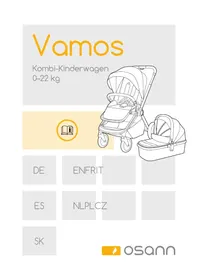
USER MANUAL Boogy 2 Osann
natural_image
Illustration of a hand using a tool to cut or adjust a piece of metal, with arrows indicating direction (no text or symbols)DE
natural_image
Line drawing of a person standing beside a stroller with a bag, no text or symbols present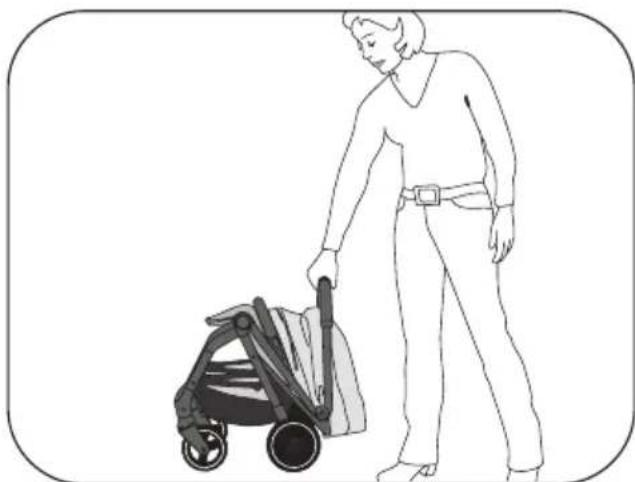
natural_image
Line drawing of a person pushing a stroller (no text or symbols)
natural_image
Illustration of a person sitting on a chair with legs extended (no text or symbols)DE
5-Punkt-Gurtsystem
natural_image
Diagram of a mechanical device with yellow connectors and black components, no visible text or symbols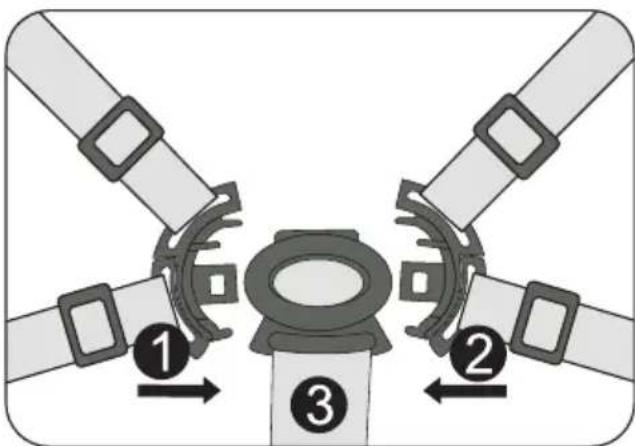
natural_image
Diagram of a four-pole mechanical component with central yellow core and four surrounding blades (no text or symbols)Beinstütze
natural_image
Illustration of a baby stroller with a magnified inset showing the seat area and adjustment arrows (no text or symbols)Rückenlehne
flowchart
graph TD
    A["Start: Stroller with handle and seat"] --> B["Make a bottle inside the seat"]
    B --> C["Adjust the bottle on one side"]
    C --> D["Close-up of bottle in one side"]
EN
Thank you for choosing our Boogy 2. If you need help with this product, please contact our customer service.
WARNING
- IMPORTANT – PLEASE READ CAREFULLY AND KEEP FOR FUTURE REFERENCE.
- WARNING: Always use the crotch strap in combination with the lap belt. We also recommend using the shoulder belt too.
- WARNING: Ensure that all locking parts are locked before use.
- WARNING: Do not allow your child to play with this product.
- WARNING: Before use, ensure that the pushchair and seat retaining devices are correctly locked.
- The product must be assembled by an adult.
- Use the pushchair only for children who weigh under 22 kg. Otherwise, the pushchair may be damaged.
- Never place more than 3 kg in the storage basket to prevent the pushchair from becoming unstable.
- Do not leave your child unsupervised at any time. Always keep your child in sight.
- Use the pushchair with only one child. Never place bags, shopping bags, packages or accessory parts on the handle or on the cover.
• Overloading, incorrect folding or the use of parts from other manufacturers can impair the safety of the pushchair or damage it. - All loads attached to the back of the backrest, the push handle or to the side of the trolley impair the stability of the trolley.
- Never use the pushchair with accessories from other manufacturers.
- Read all the information in this manual before using this product. Retain the manual so you can refer to it at a later date. Failure to follow these warnings and instructions could result in serious injury or death.
- The safety belts and the restraining device must be used correctly.
- Always use the seat belts to prevent serious injuries caused by falling or sliding out.
- Ensure that your child does not come into contact with moving parts when you set up the pushchair.
- If the belt system is not used, the child may slip into the leg openings and be strangled.
- Do not use the pushchair on stairs or escalators.
- Stay away from hot objects, liquids and electronic devices.
- Do not allow your child to climb on the pushchair or sit in it with their head hanging forwards.
- Do not park the pushchair on roads or sloping or
otherwise dangerous areas.
- Ensure that all mechanical parts are locked before using the pushchair.
- To avoid strangulation, do not place any objects with a strap around your child's neck. Remove the bands from such objects or secure them in another way.
- Do not place anything on the handle to prevent the pushchair from tipping over.
- Do not lift the pushchair while your child is sitting in it.
- Do not use the storage basket as a storage place for your child.
- Do not allow your child to climb onto the push-chair, as this may cause it to tip over. Always lift your child into or out of the pushchair.
• Always be careful when folding up or unfolding the pushchair to ensure that nothing gets stuck in it. - Make sure that the pushchair is fully folded or unfolded before leaving your child near it.
- To ensure your child's safety, check that all parts have been assembled and secured before using the pushchair.
- Keep your child away from the canopy so that they cannot get caught in it.
• Always activate the brakes when parking the pushchair. - Do not use the pushchair if it is damaged.
-
The pushchair may be used only at walking pace.
-
To avoid the risk of suffocation, remove plastic bags and packaging materials before using this product. Plastic bags and packaging materials should generally be kept away from babies and children.
- This product is not suitable for jogging or skating.
- Use the parking brake when you put the child in or take them out.
- In the case of child car seats used in conjunction with a chassis, this trolley does not replace either a cradle or a cot. If your child needs to sleep, they should be placed in a suitable pushchair seat, cradle or bed.
- The pushchair should be checked regularly for damage and signs of wear and tear.
- Never let other children play unsupervised near the buggy.
- All drawings and pictures in these operating instructions may differ from the buggy supplied and are only intended to illustrate and explain functions.
- The buggy is suitable for children from birth up to a maximum body weight of 22 kg or 4 years, whichever comes first.
- The maximum permissible load is, therefore, 22 kg on the seat and 3 kg in the shopping basket.
- Tested in accordance with EN 1888-1:2018+A1:2022 &EN 1888-2:2018
CARE INSTRUCTIONS
- Cleaning and maintenance of the buggy must be carried out only by adults.
- The covering is not removable. Clean fabric parts with a damp sponge and a neutral cleaning product. Please take note of the information on the care label.
- Only clean the frame with commercially available soap and warm water. Do not bleach or clean with any other cleaning products.
- Check your buggy regularly for loose screws, worn parts, worn materials or torn seams. Replace or repair the parts if necessary. Spare parts (e.g. wheels) can be reordered via your dealer or directly in the Osann web shop, if necessary on request, and can be replaced independently.
- In the event of excessive exposure to sun or heat, parts may fade or become deformed.
- If the pushchair gets wet, open the canopy and allow it to dry completely before storing it away.
- If the wheels squeak, apply a light oil (e.g. silicone spray, anti-rust oil, or sewing machine oil). It is important that the oil penetrates into the axle and the wheel connection.
- If you go for a walk on the beach with your push-chair, you must clean it thoroughly afterwards to remove sand and salt from the mechanism and the wheel connections.
MAINTENANCE
Regularly check the condition of the product for any damage. In the event of damage, do not use the product and keep it out of the reach of children.
Spare parts (e.g. wheels) can be ordered via your dealer or directly from the Osann webshop (www.osann.de), if necessary on request via e-mail.
If you have any problems, please contact Osann customer service on +49 (0) 7731 / 970077 or by e-mail at info@osann.de.
WARRANTY
You can find information about the warranty on our website osann.de.
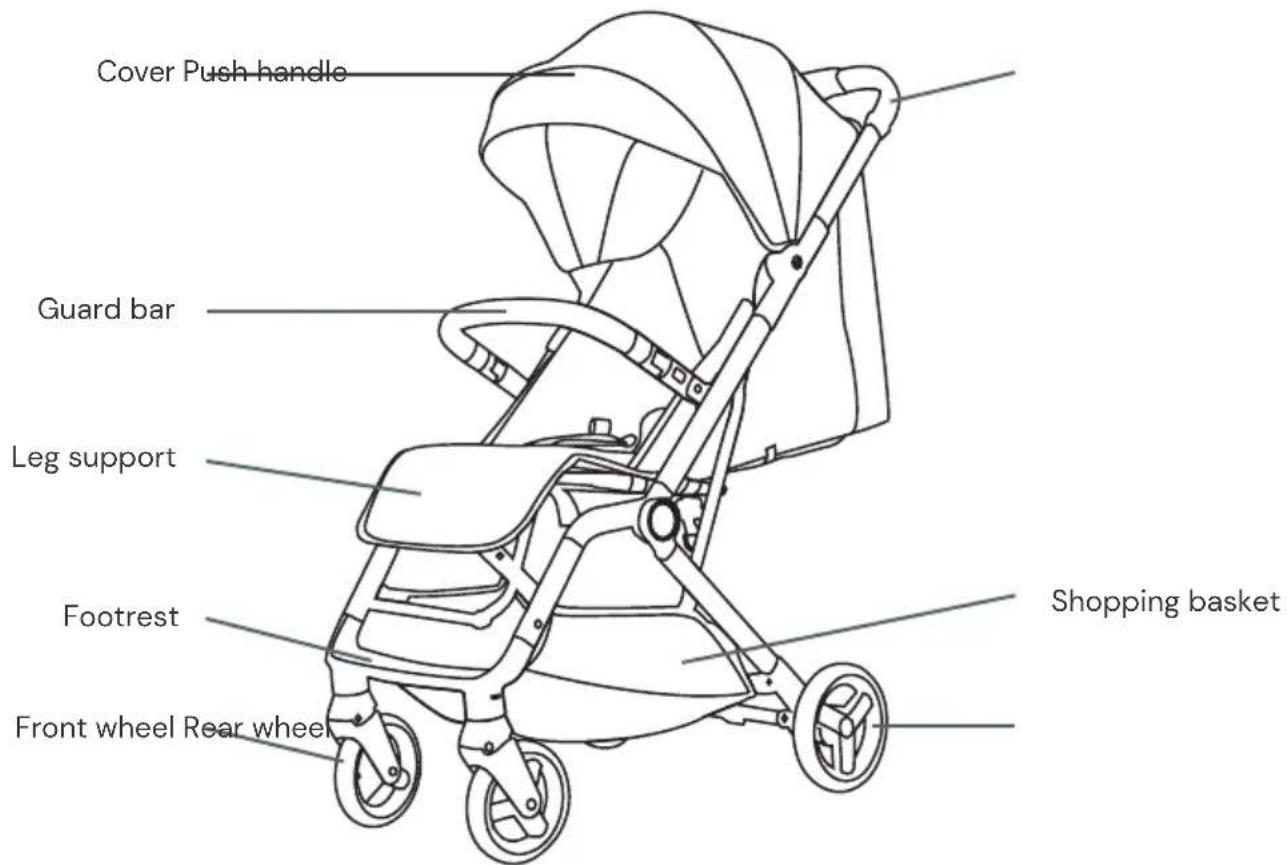
Parts overview
Unfolding the buggy
- The buggy is delivered partially assembled in a cardboard box. Only the wheels and the guard bar are fitted from your side.
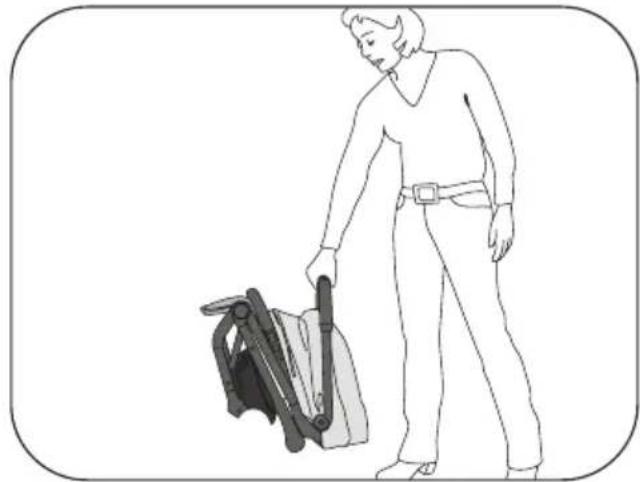
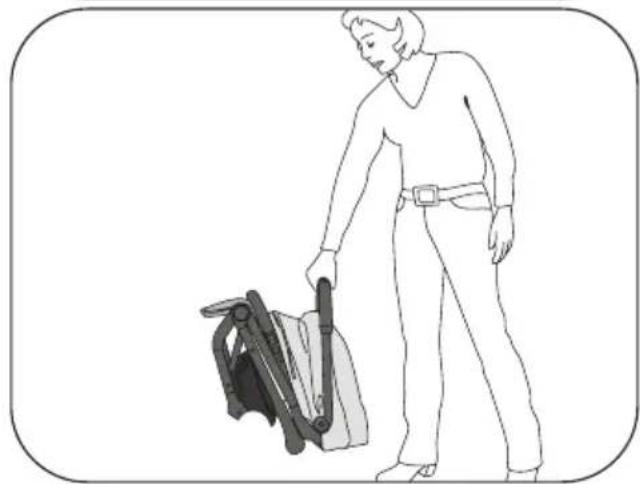
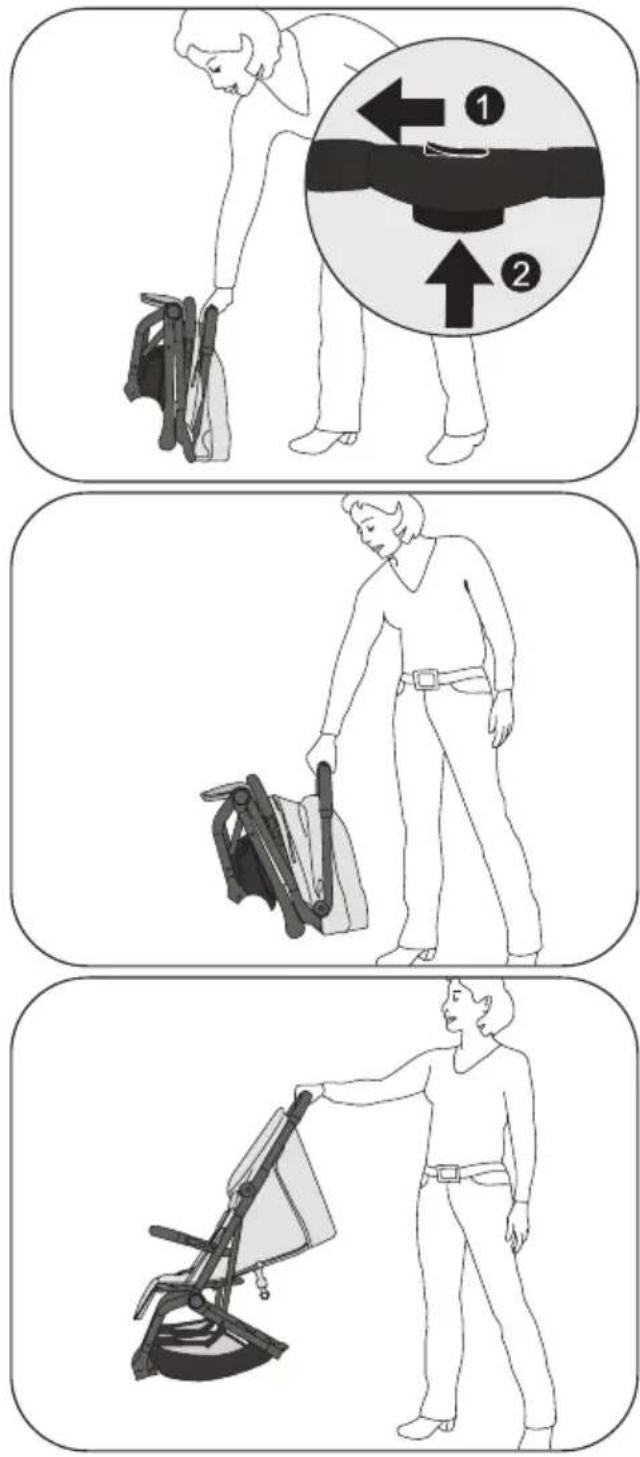
- When folded, the buggy has an integrated transport lock that prevents the buggy from unfolding while being carried.
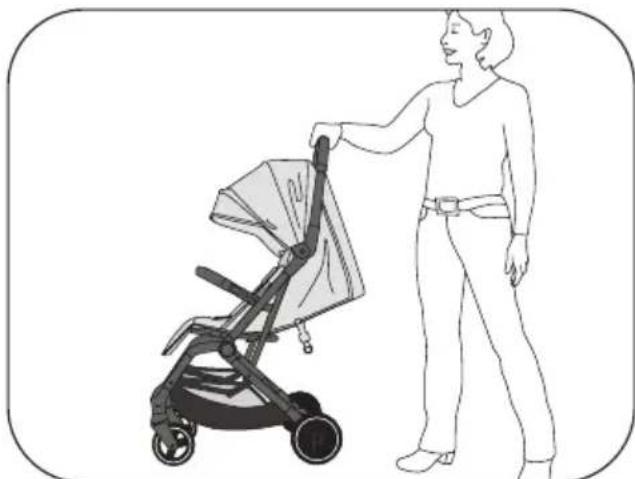
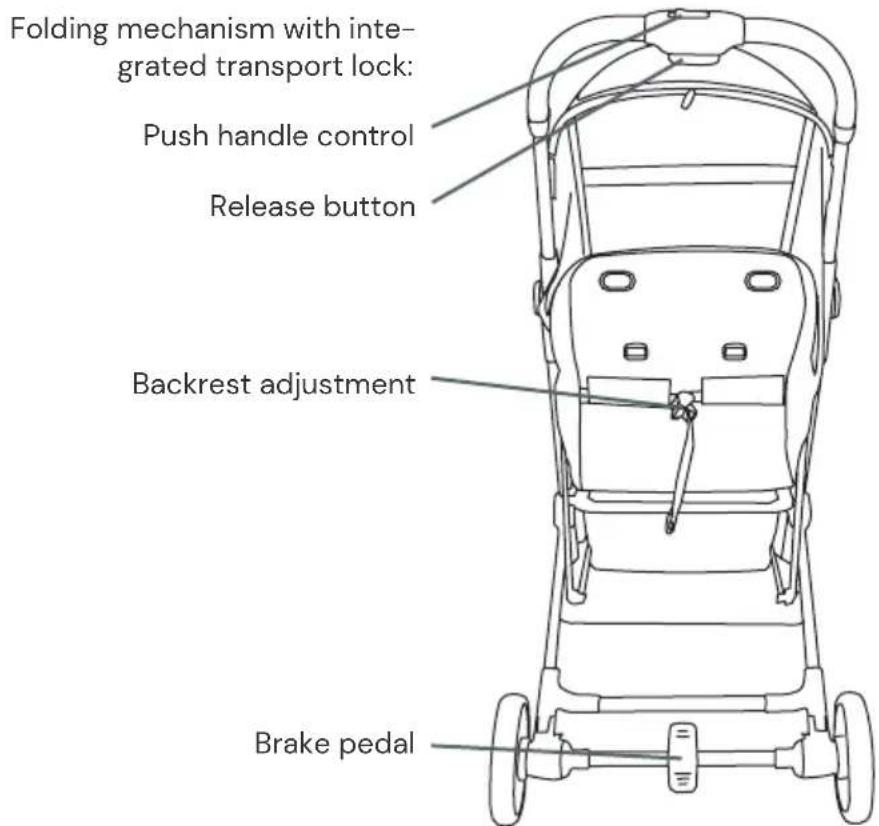
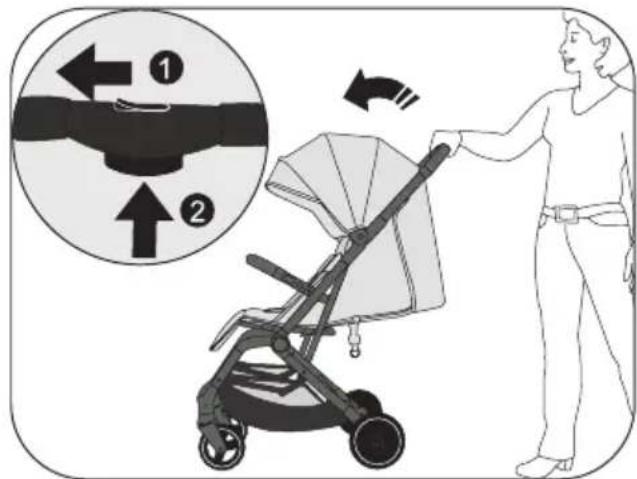
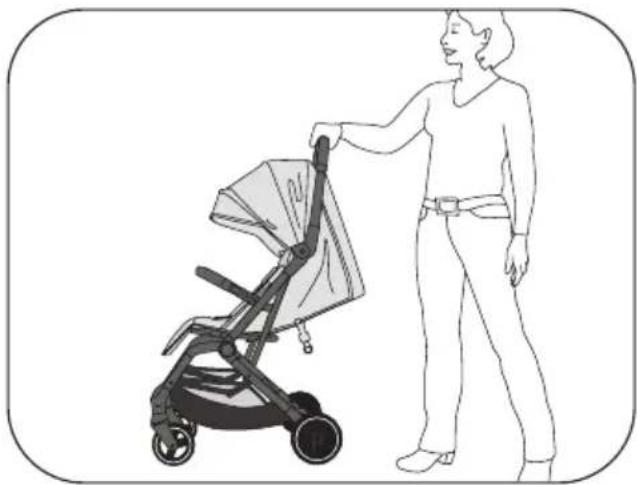
- To unfold the buggy, first push the push handle control (1) on the handle to the left and then press and hold the release button (2).
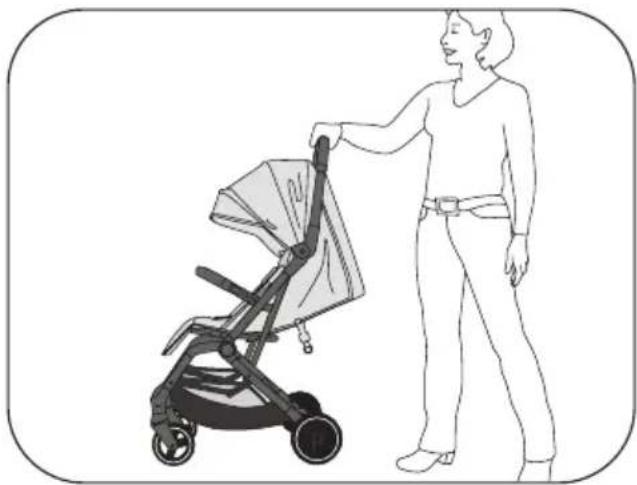
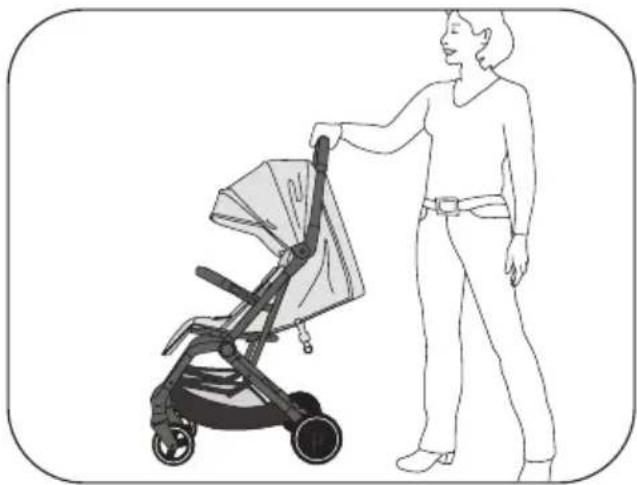
- Now you can unfold the buggy with a swinging movement until you hear it click into place.
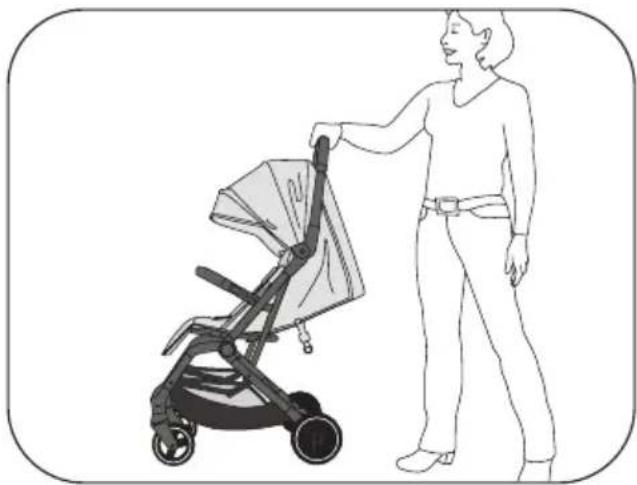
- Place the frame on the floor and make sure that the buggy is fully locked in place.
natural_image
Line drawing of a person holding a portable lawn mower (no text or symbols)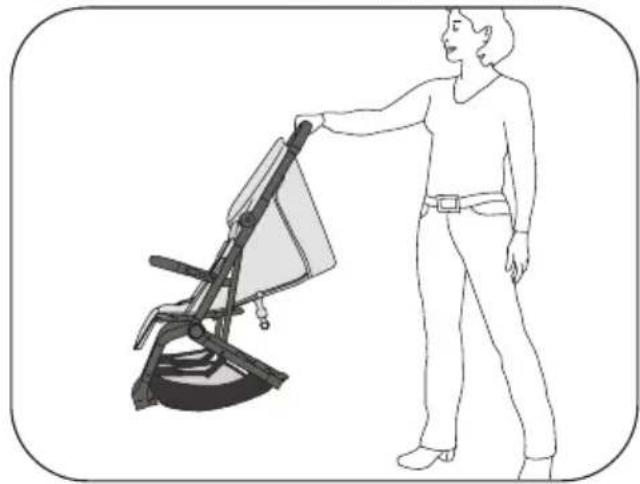
natural_image
Line drawing of a person standing beside a chair-like device with a handle (no text or symbols)Guard bar
- Insert the guard bar into its intended fixture on the frame until it is fully engaged.
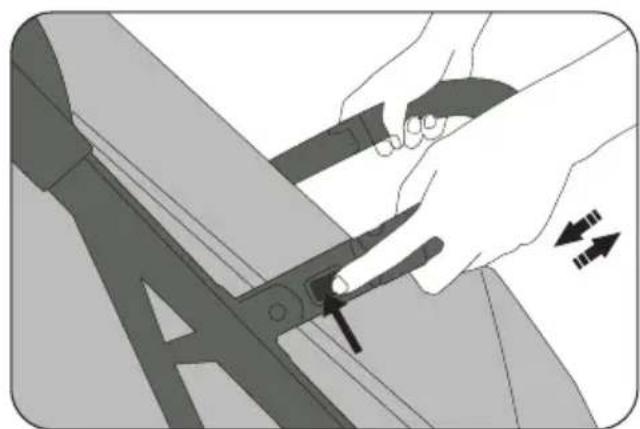
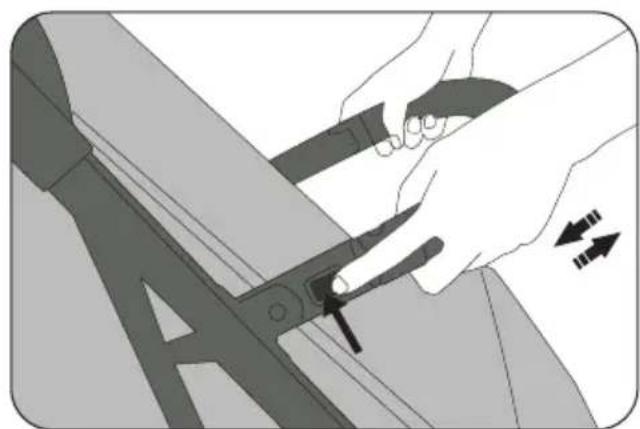
- The guard bar can only be opened on one side and folded away to the side to make it easier to insert the child. To do this, press the button on the corresponding side of the guard bar.
- The guard bar can be completely removed by pressing the buttons on both sides.
natural_image
Illustration of a hand using a tool to cut or adjust a piece of metal, with arrows indicating direction (no text or symbols)EN
Mounting front wheels & rear wheels
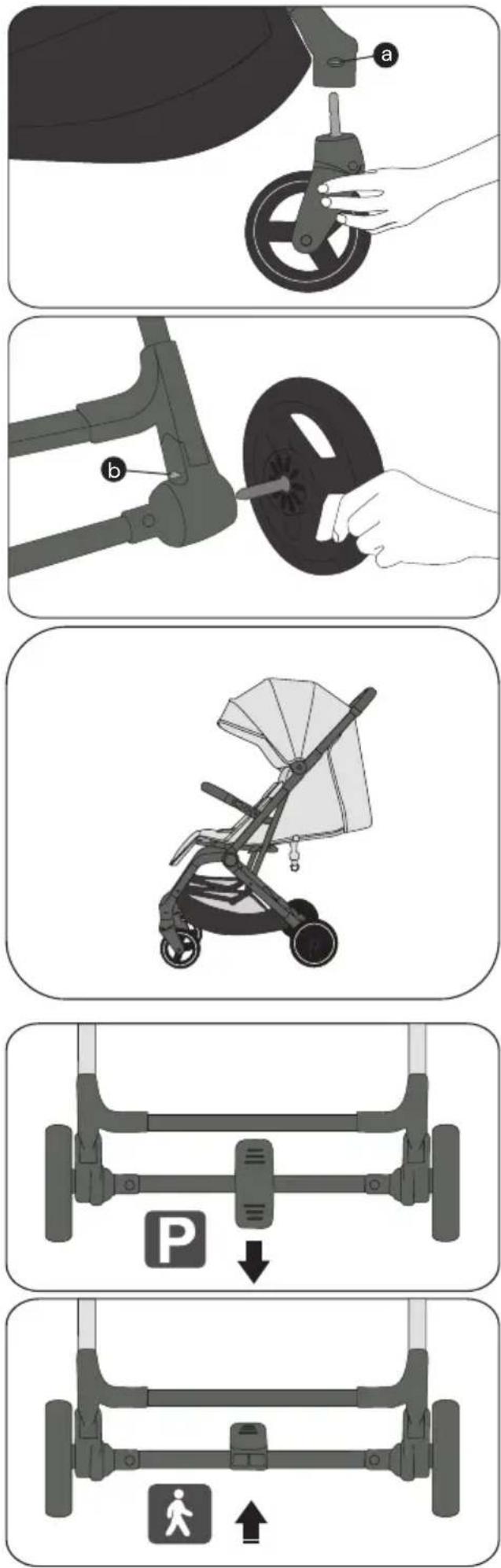
- Insert the front wheels into the front axle until you hear a click. Check that the front wheels are fully engaged.
• To remove the front wheels again, press the small metal button (a) on the side of the front axle and pull the wheels out of the axle. - Insert the rear wheels into the rear axle until you hear a click. Check that the rear wheels are fully engaged.
- To remove the rear wheels again, pull the metal lever (b) on the top of the respective rear axle upwards and pull the wheels out of the axle.
Brake
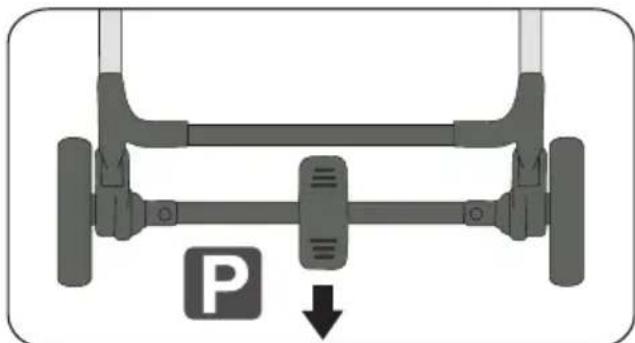
- The brake is activated by pressing the brake pedal downwards.
- If you press the brake pedal upwards again, the brake is released and you can continue driving.
Folding up the buggy
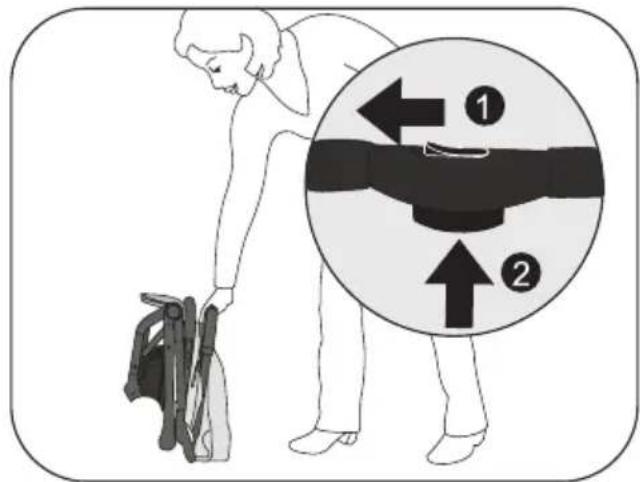
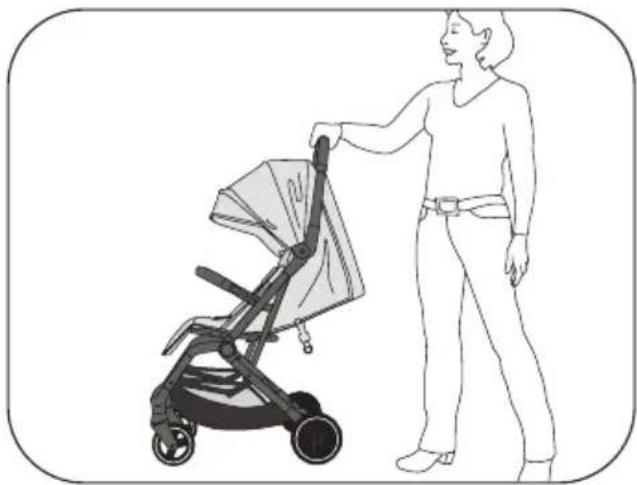
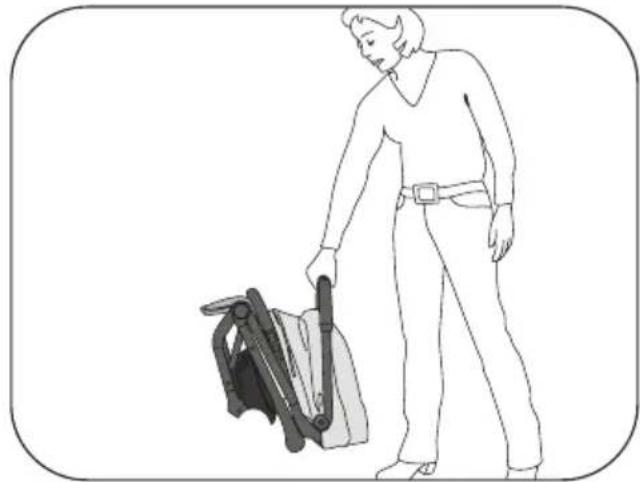
- To fold the buggy, fi rst push the push handle control (1) on the handle to the left and then press and hold the release button (2).
- You can now fold the buggy forwards towards the ground by pushing it.
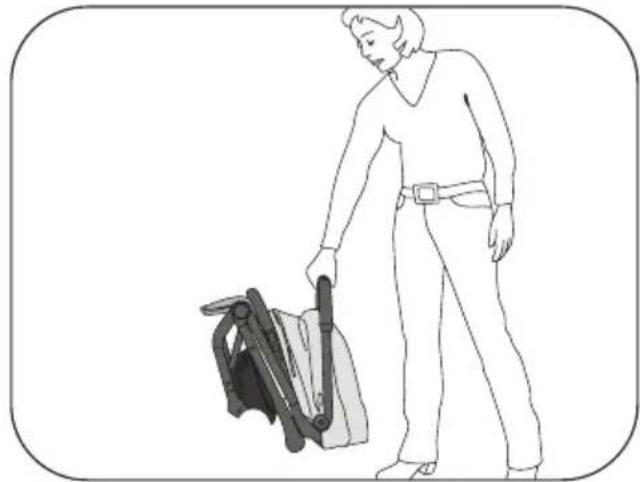
- When folded, the buggy has an integrated transport lock that prevents the buggy from unfolding while being carried. Before lifting the buggy, make sure that it is fully folded and held by the integrated transport lock.
- Depending on the equipment version, the buggy has a carrying strap to make transport easier.
natural_image
Line drawing of a person pushing a stroller with a bag, no text or symbols present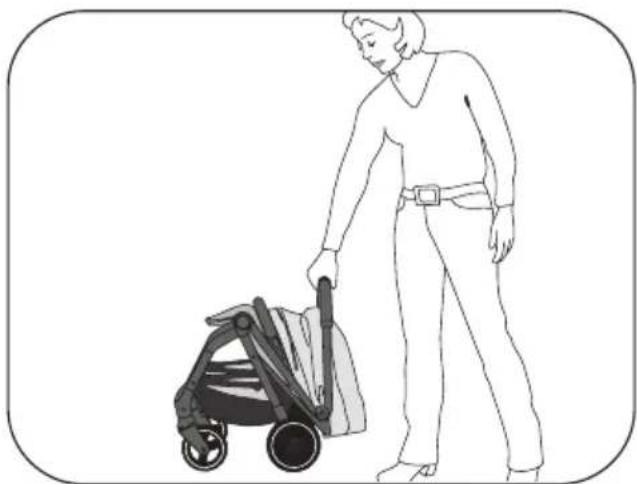
natural_image
Line drawing of a person pushing a stroller (no text or symbols present)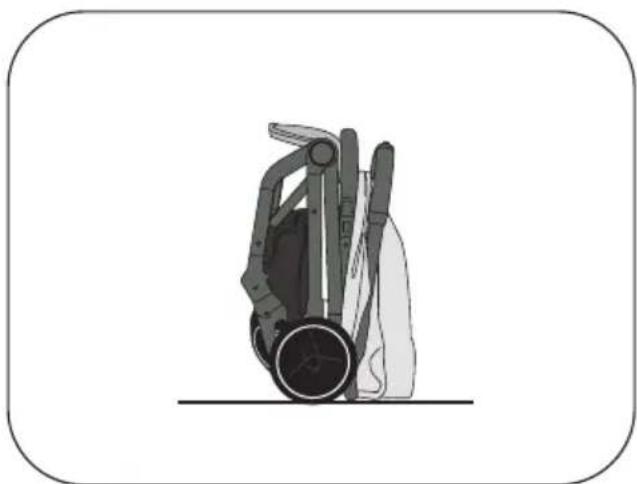
natural_image
Illustration of a hand holding a device with a circular base and mechanical components (no text or symbols)EN
5-point harness system
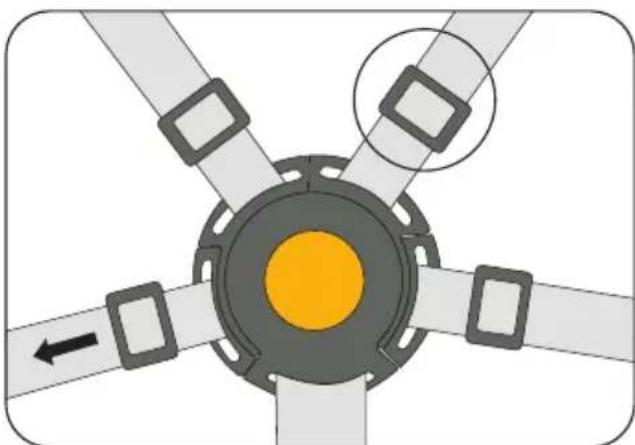
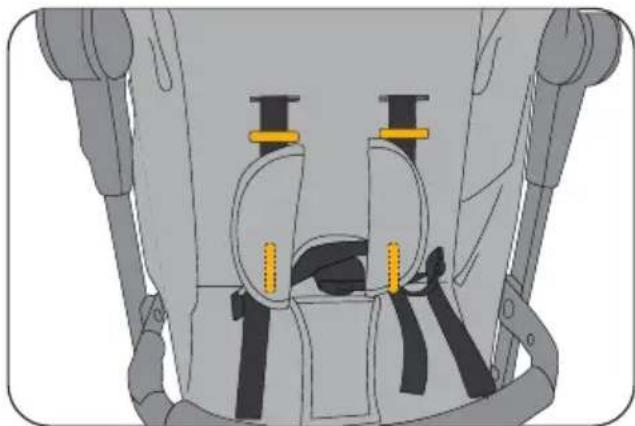
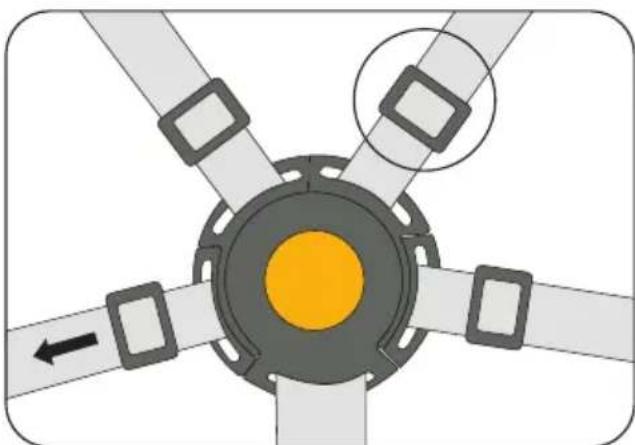
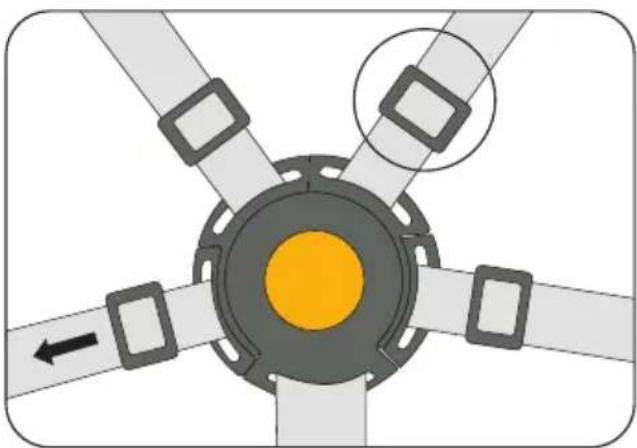
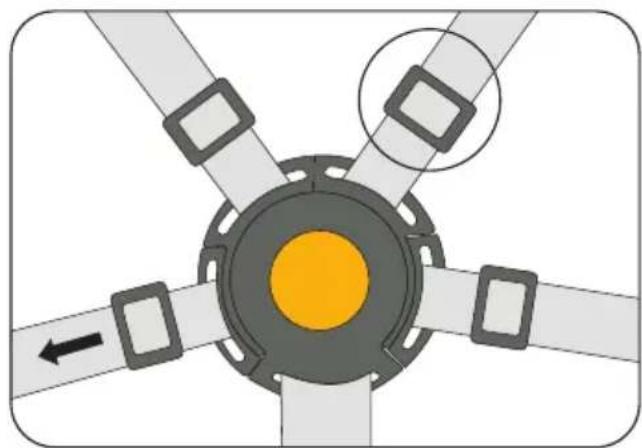
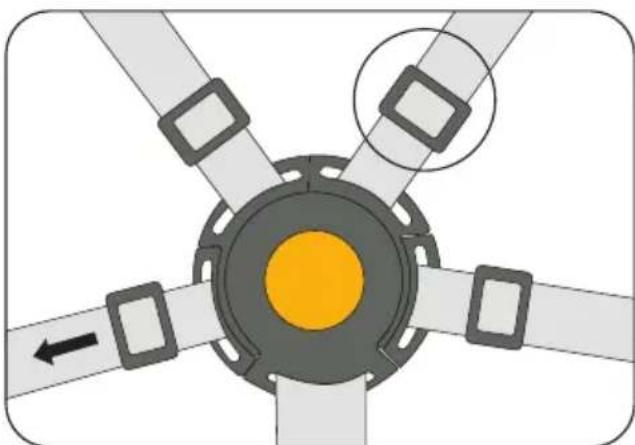
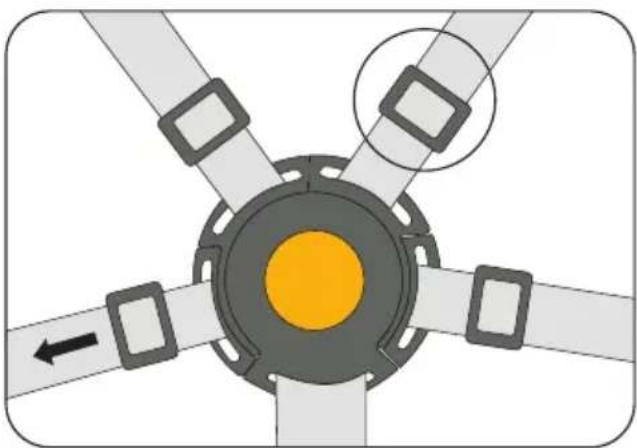
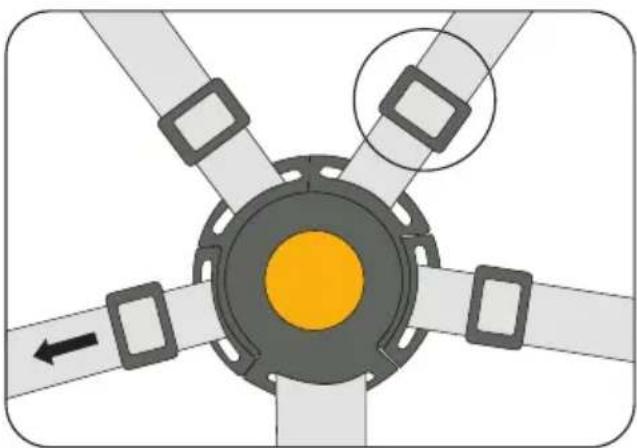
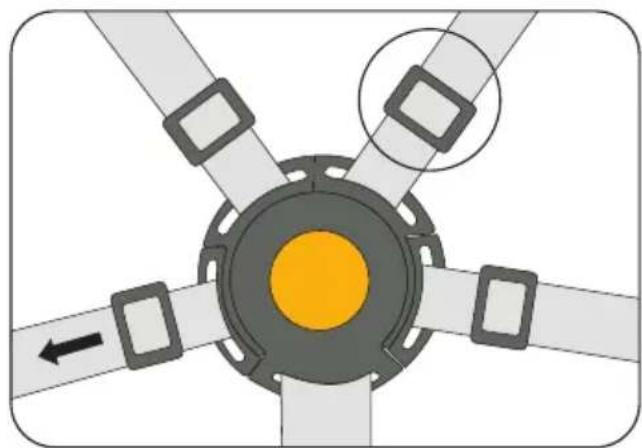
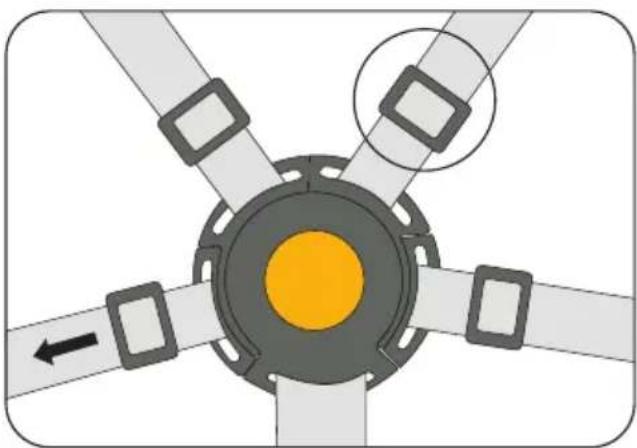
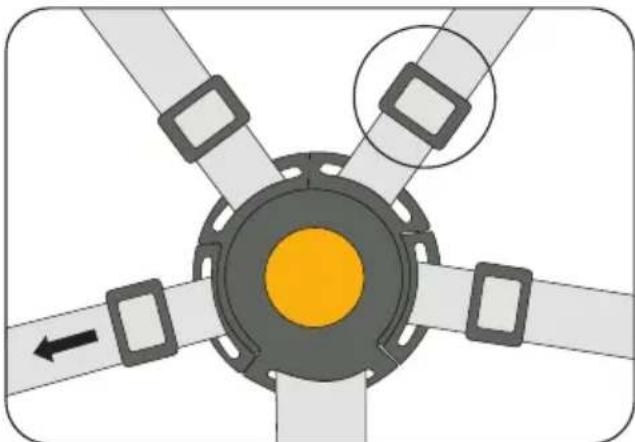
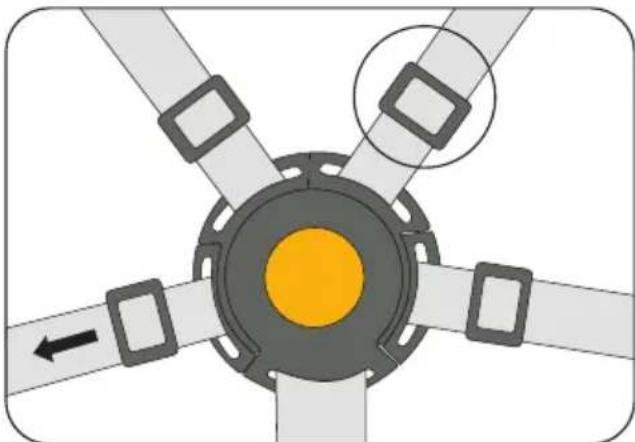
- The harness system can be individually adjusted in both the shoulder and pelvic areas using the individual buckles on the harness. There are also two height settings. To adjust the shoulder straps to the lower position, thread them through the sewn loops.
- IMPORTANT: Babies and toddlers under six months: Please use the lowest height setting and thread the side lap belts through the loops in the pelvic area.
- To open the belt, press the button in the centre of the belt buckle.
• To close the belt system, insert the belt buckles of the shoulder belt and lap belt together into the belt buckle on each side until you hear them click into place.
natural_image
Diagram of a mechanical device with yellow connectors and black components, no visible text or symbols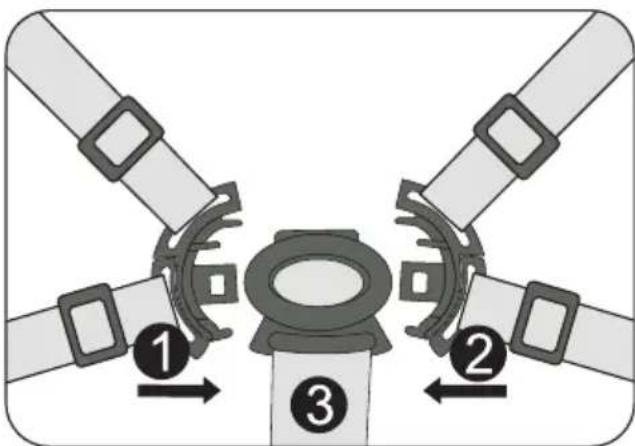
natural_image
Diagram of a four-pole mechanical component with central yellow core and four surrounding blades (no text or symbols)Leg support
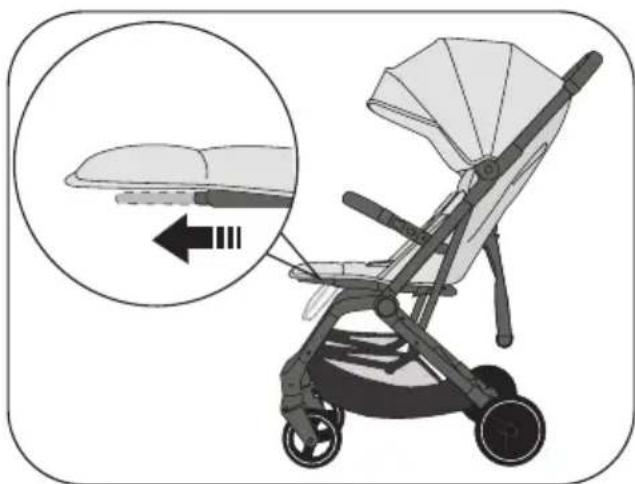
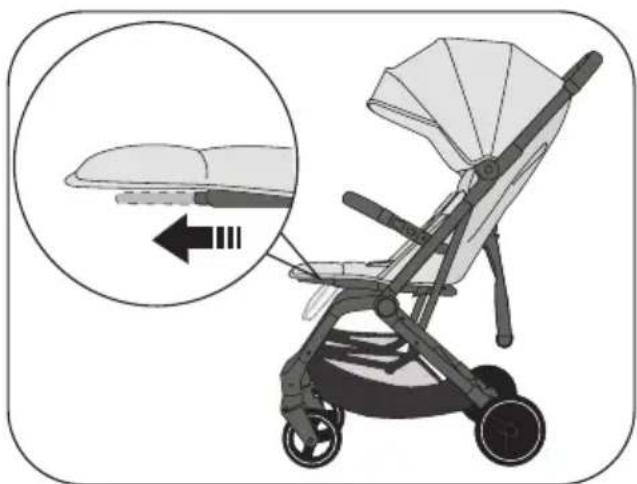
- The leg support can be folded up or down as required.
- By pulling the metal bar on the underside of the leg support forwards, it can be adjusted upwards.
natural_image
Illustration of a baby stroller with a magnified inset showing the seat area and adjustment arrows (no text or symbols)Backrest
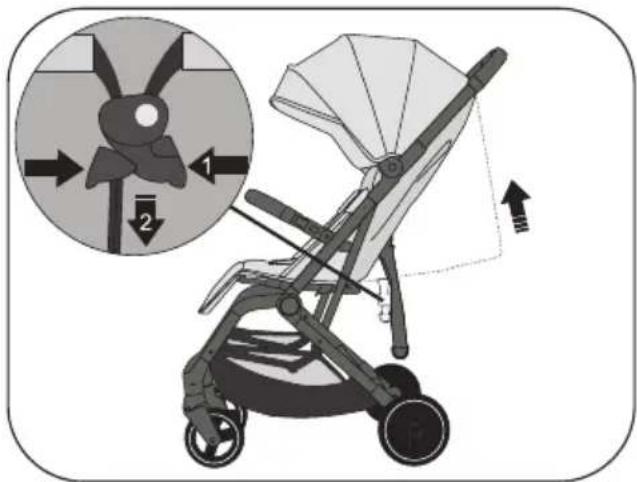
- The backrest can be individually adjusted from an upright sitting position to a reclining position using the drawstring.
- Press the centre button together with two fingers (1) and pull the strap (2) until the desired position is set.
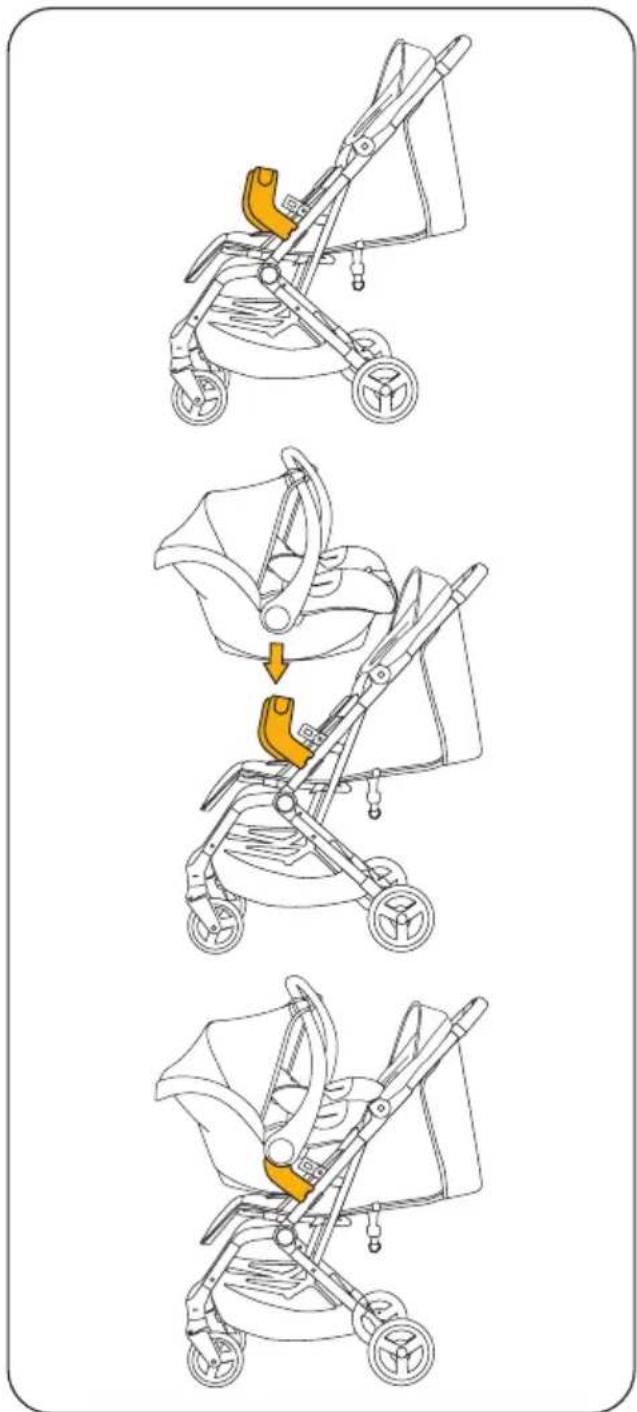
Travel system with adapter & baby car seat
- Note: The adapters and the baby car seat are not included in the scope of delivery. These can be purchased as accessories.
• Note: The adapters are suitable for all baby car seats available on the market. You can view a list in our Osann webshop. - First remove the guard bar.
- Carefully attach the adapter to the frame so that the round recess on the adapter is positioned around the stud on the frame, thus ensuring the correct position of the adapter.
- Now fi t your baby car seat onto the adapters and check to make sure that it is correctly engaged on the adapters. Depending on the baby car seat model, a separate locking mechanism must be triggered. If necessary, check the operating instructions for your baby car seat. On other models, a click can be heard as soon as the baby car seat clicks into place on the adapters.
• To remove the baby car seat from the adapters, please also refer to the operating instructions for your baby car seat.
• To remove the adapters from the frame, carefully push them outwards from the inside.
natural_image
Illustration of a hand using a tool to cut or adjust a piece of metal, with arrows indicating direction (no text or symbols)FR
natural_image
Illustration of a hand holding a bicycle tire with a labeled component (a), no text or symbols present.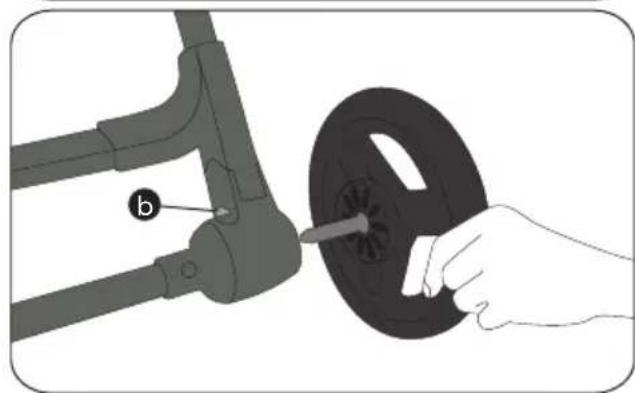
natural_image
Illustration of a hand holding a black metal coil next to a mechanical component (no text or symbols)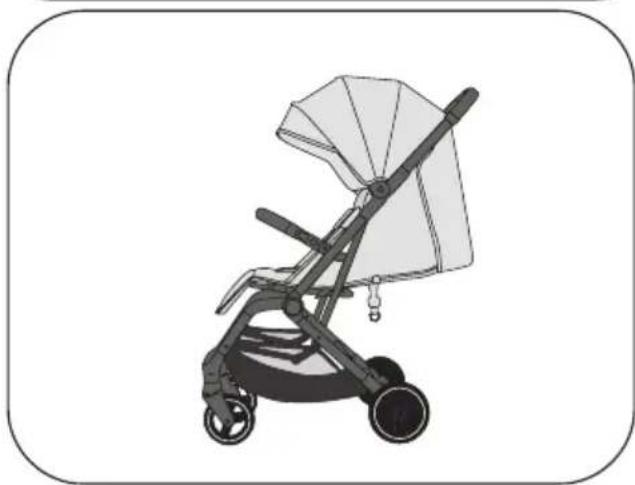
natural_image
Illustration of a baby stroller with a canopy and wheels (no text or symbols)Frein
natural_image
Diagram of a car suspension system with parking sign and downward arrow (no text or symbols on components)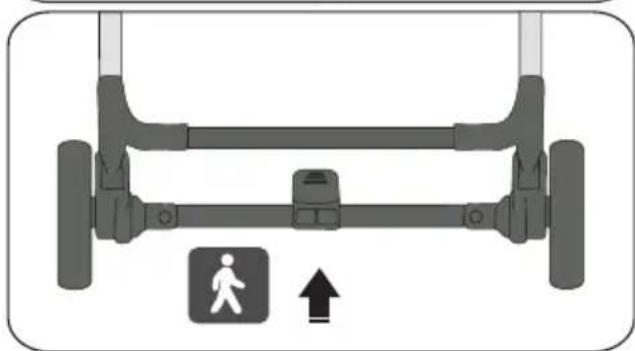
natural_image
Diagram of a vehicle suspension system with a pedestrian symbol and directional arrow (no text or labels)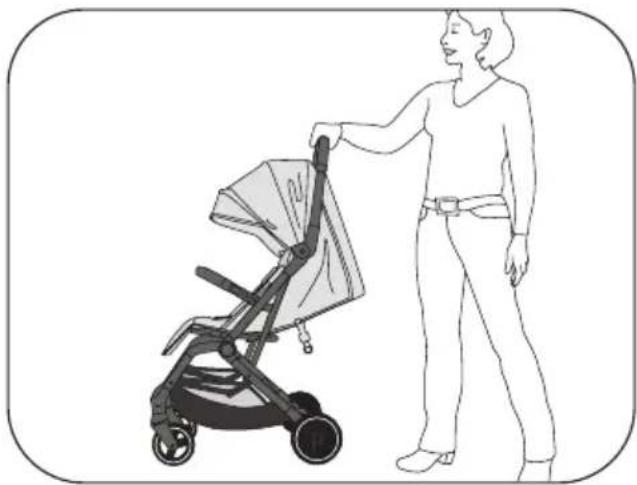
natural_image
Line drawing of a person pushing a stroller with a bag, no text or symbols present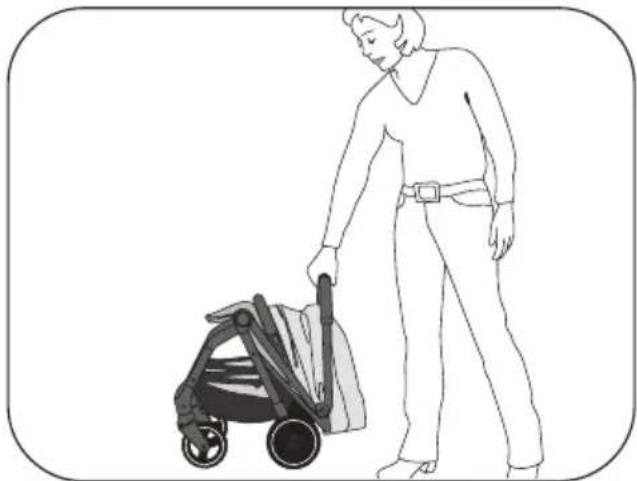
natural_image
Line drawing of a person pushing a stroller (no text or symbols present)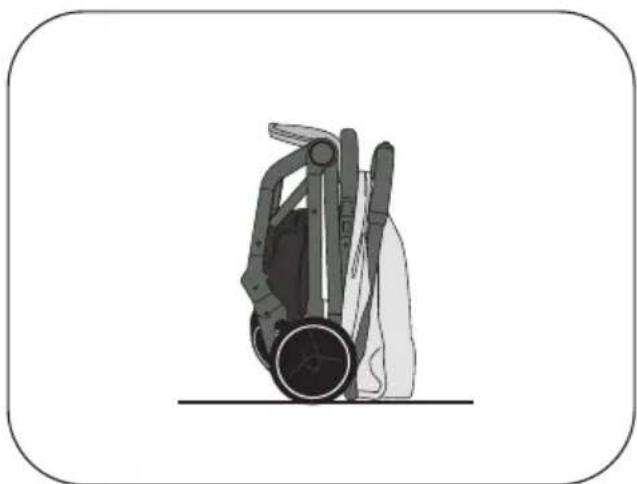
natural_image
Illustration of a hand holding a device with a circular base and mechanical components (no text or symbols)FR
natural_image
Diagram of a mechanical device with attached components and yellow connectors (no text or symbols)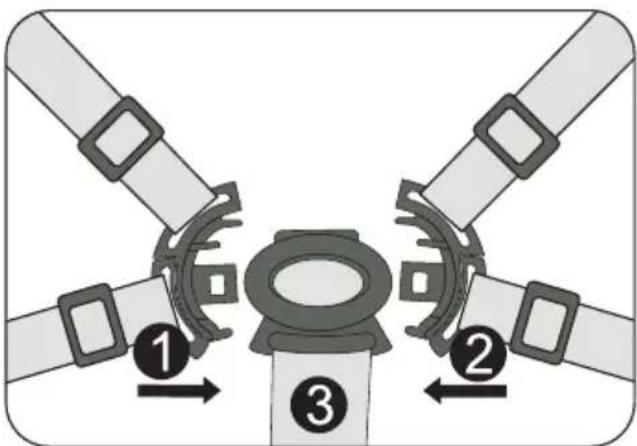
natural_image
Diagram of a four-pole traffic light system with central hub and directional arrows (no text or symbols)Repose-jambes
natural_image
Illustration of a baby stroller with a magnified inset showing the tray and seat area (no text or symbols)Dossier
flowchart
graph TD
    A["Step 1: Stroller with orange handle"] --> B["Step 2: Insert a seatbelt"]
    B --> C["Step 3: Stroller with yellow handle and seatbelt"]
IT
natural_image
Line drawing of a person holding a portable lawn mower (no text or symbols)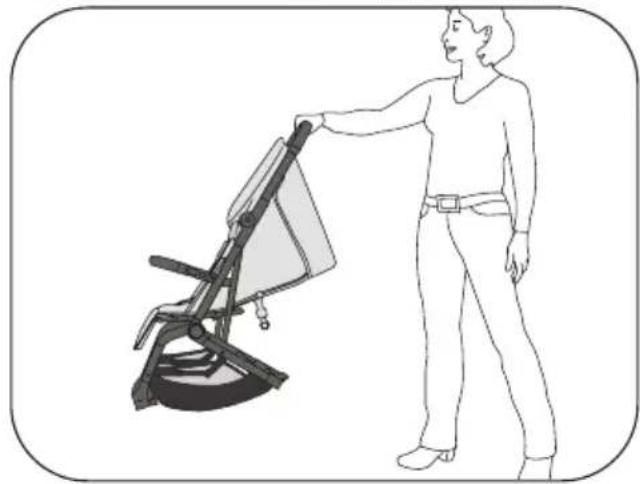
natural_image
Line drawing of a person standing beside a chair-like device with a handle (no text or symbols)Barra di protezione
natural_image
Illustration of a hand using a tool to cut or adjust a piece of metal, with arrows indicating direction (no text or symbols)IT
natural_image
Illustration of a hand holding a bicycle seatbelt with a labeled component (a), no text or symbols present.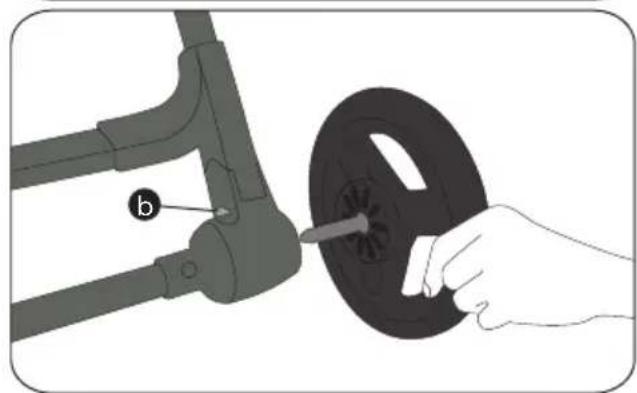
natural_image
Illustration of a hand holding a black circular component next to a mechanical arm, with no visible text or symbols.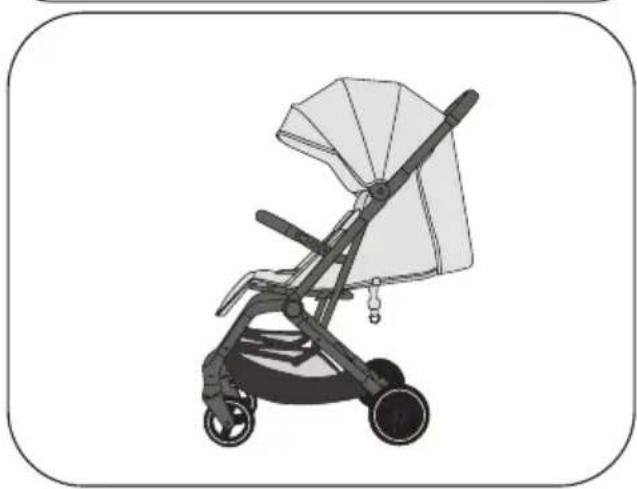
natural_image
Illustration of a baby stroller with a canopy and wheels (no text or symbols)Freno
natural_image
Diagram of a car suspension system with a parking sign and downward arrow (no text or symbols on the diagram itself)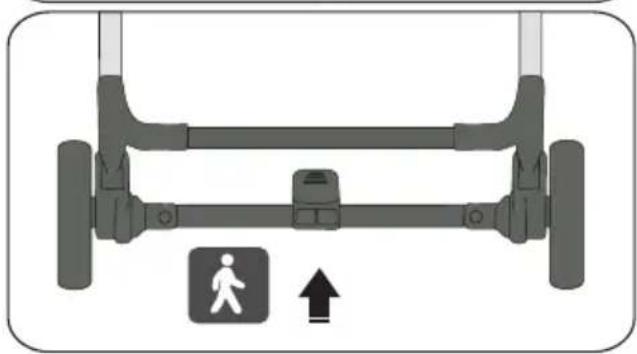
natural_image
Diagram of a vehicle suspension system with a pedestrian symbol and upward arrow (no text or labels)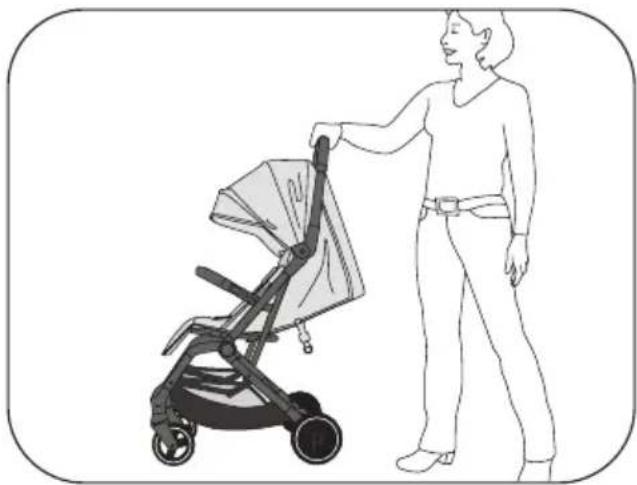
natural_image
Line drawing of a person pushing a stroller with a bag, no text or symbols present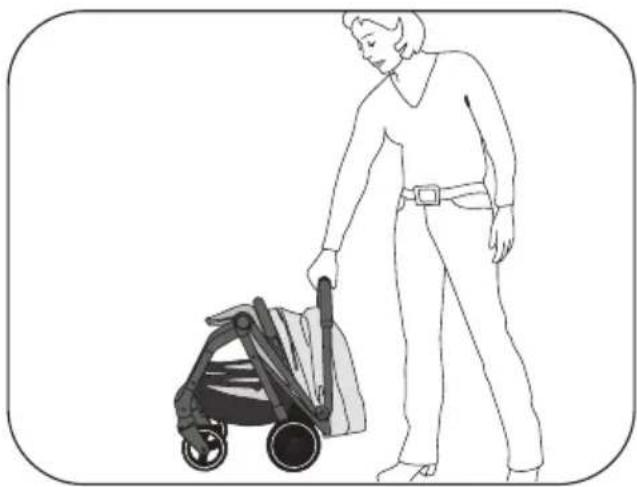
natural_image
Line drawing of a person pushing a stroller (no text or symbols present)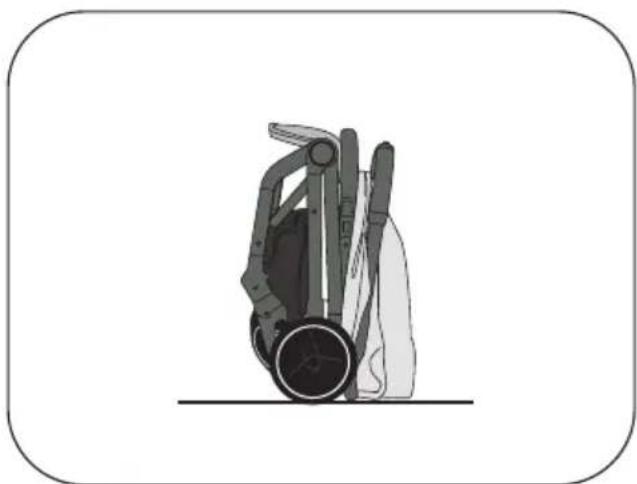
natural_image
Illustration of a hand holding a device with a circular base and mechanical components (no text or symbols)IT
natural_image
Diagram of a mechanical device with attached components and yellow connectors (no text or symbols)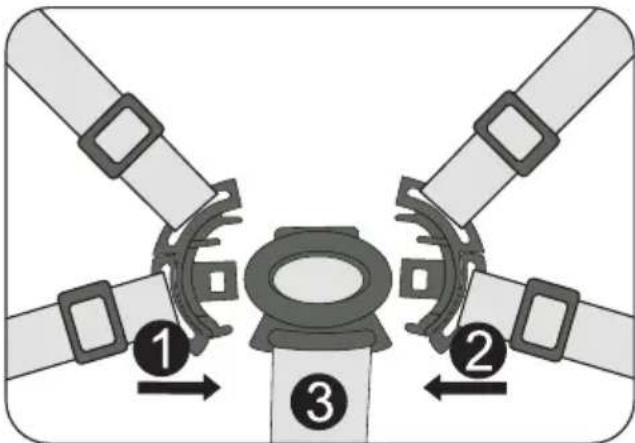

natural_image
Diagram of a four-pole mechanical component with central yellow core and four surrounding blades (no text or symbols)Poggiagambe
natural_image
Illustration of a baby stroller with a magnified inset showing the tray and seat (no text or symbols)Schienale
flowchart
graph TD
    A["Start: Stroller with handle and seat"] --> B["Make a bottle inside the seat"]
    B --> C["Adjust the bottle on one side"]
    C --> D["Close-up of bottle in one side"]
natural_image
Illustration of a hand using a tool to cut or adjust a piece of metal, with arrows indicating direction (no text or symbols)natural_image
Illustration of a hand holding a bicycle seatbelt with a labeled component (a), no text or symbols present.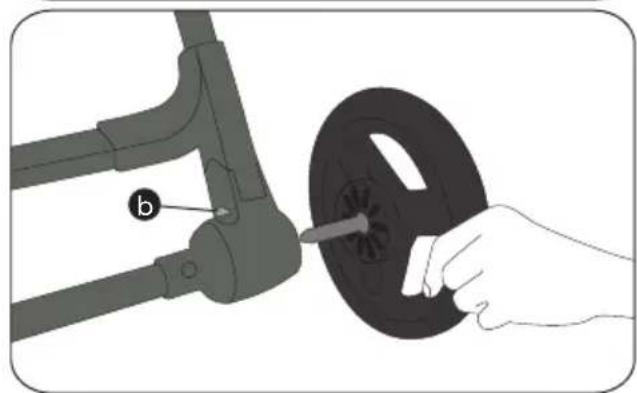
natural_image
Illustration of a hand holding a black circular component next to a mechanical arm, with no visible text or symbols.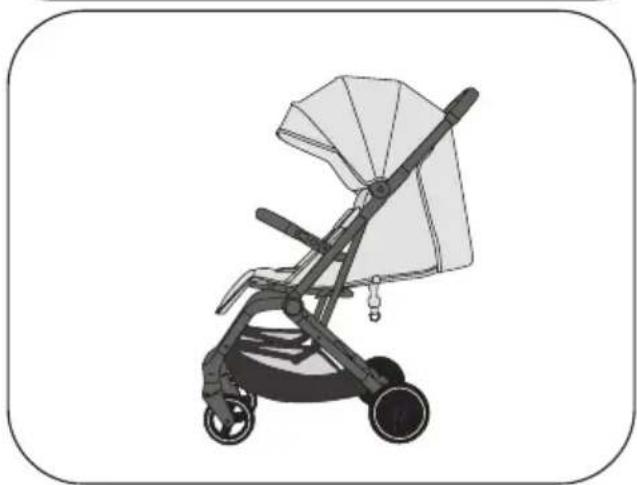
natural_image
Illustration of a baby stroller with a canopy and wheels (no text or symbols)Rem
natural_image
Diagram of a car suspension system with a parking sign and downward arrow (no text or symbols on the diagram itself)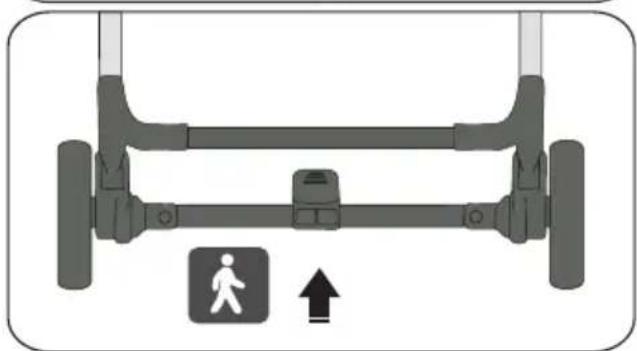
natural_image
Diagram of a vehicle suspension system with a pedestrian symbol and directional arrow (no text or labels)De buggy opvouwen
natural_image
Line drawing of a person pushing a stroller with a bag, no text or symbols present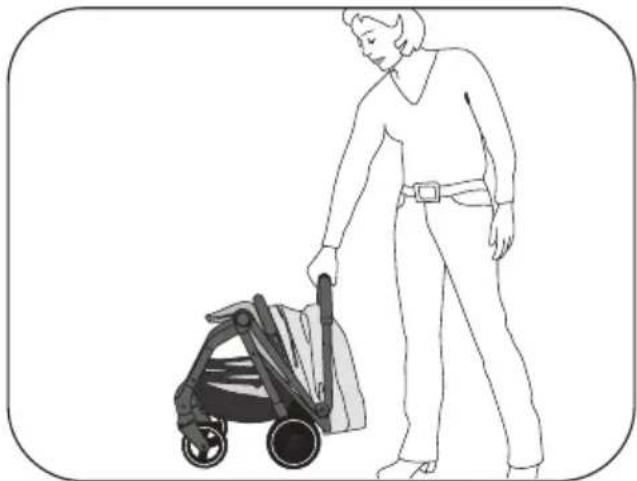
natural_image
Line drawing of a person pushing a stroller (no text or symbols present)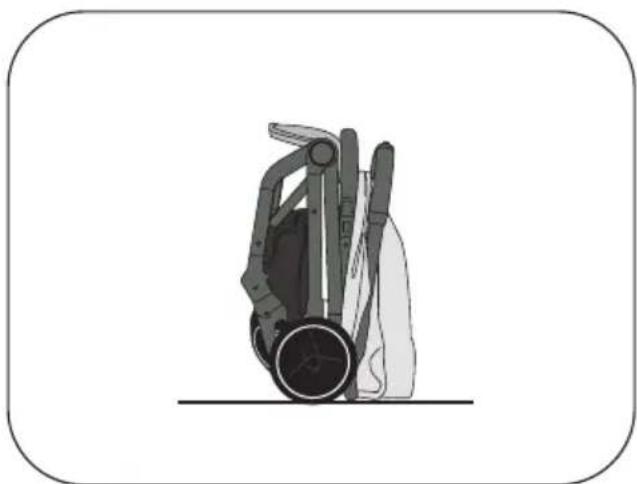
natural_image
Illustration of a hand holding a device with a circular base and mechanical components (no text or symbols)5-punts gordelsysteem
natural_image
Diagram of a mechanical device with internal components and yellow connectors (no text or symbols)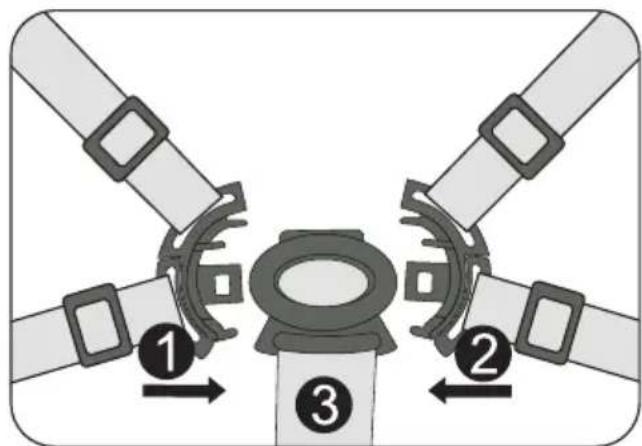
natural_image
Diagram of a four-pole mechanical component with central yellow core and four surrounding blades (no text or symbols)Beensteun
natural_image
Illustration of a baby stroller with a magnified inset showing the seat area and fold change (no text or symbols)Rugleuning
flowchart
graph TD
    A["Step 1: Stroller with orange handle"] --> B["Step 2: Insert a seatbelt"]
    B --> C["Step 3: Stroller with yellow handle and seatbelt"]
natural_image
Illustration of a hand using a tool to cut or adjust a piece of metal, with arrows indicating direction (no text or symbols)
natural_image
Line drawing of a person pushing a stroller with a bag, no text or symbols present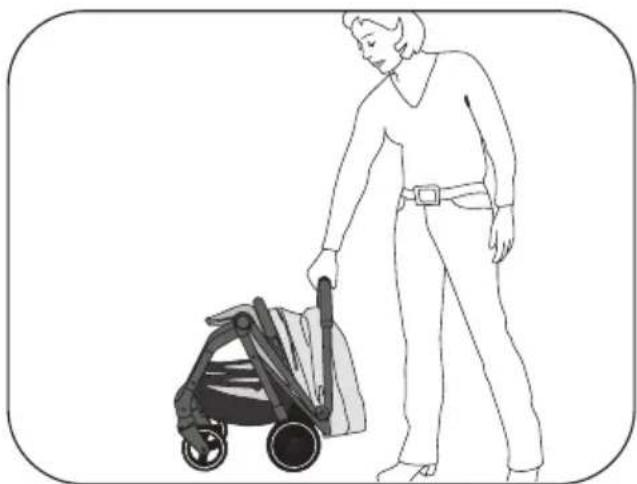
natural_image
Line drawing of a person pushing a stroller (no text or symbols present)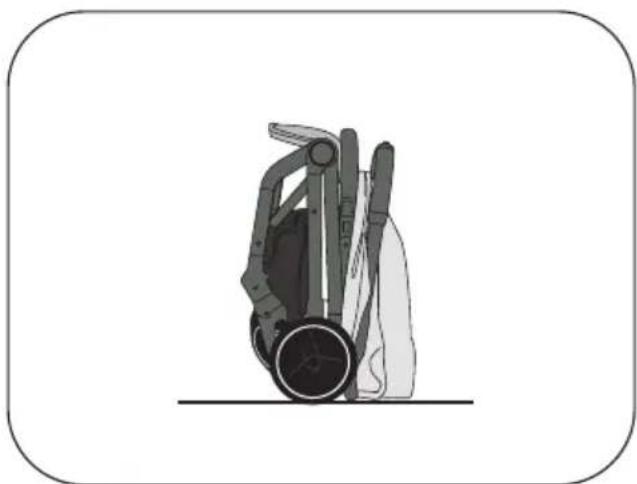
natural_image
Illustration of a hand holding a device with a circular base and mechanical components (no text or symbols)natural_image
Diagram of a mechanical device with attached clamps and brackets, no visible text or symbols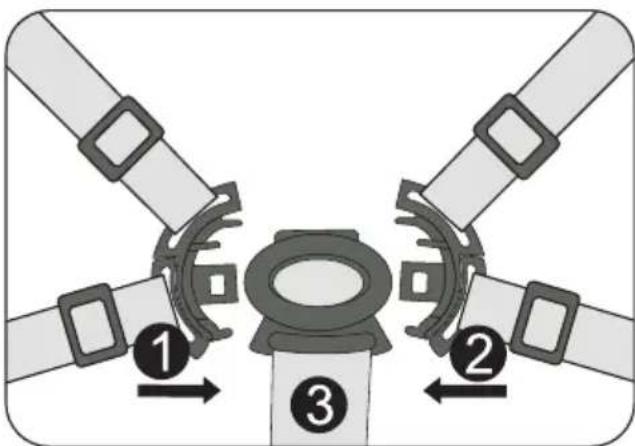
natural_image
Diagram of a four-pole mechanical component with central yellow core and four surrounding blades (no text or symbols)Reposapiernas
natural_image
Illustration of a baby stroller with a magnified inset showing the tray and seat area (no text or symbols)Respaldo
flowchart
graph TD
    A["Start: Stroller with handle and seat"] --> B["Check the bottle part"]
    B --> C["Adjustment to bottle part"]
    C --> D["End: Stroller with handle and seat"]
CZ
natural_image
Line drawing of a person standing next to a portable device (no text or symbols)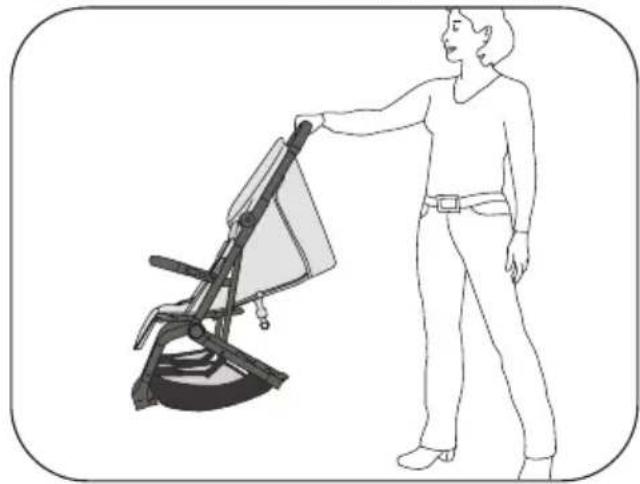
natural_image
Line drawing of a person standing beside a chair-like device with a handle (no text or symbols)Ochranné madlo
natural_image
Illustration of a hand using a tool to cut or adjust a piece of metal, with arrows indicating direction (no text or symbols)CZ
natural_image
Line drawing of a person pushing a stroller with a bag, no text or symbols present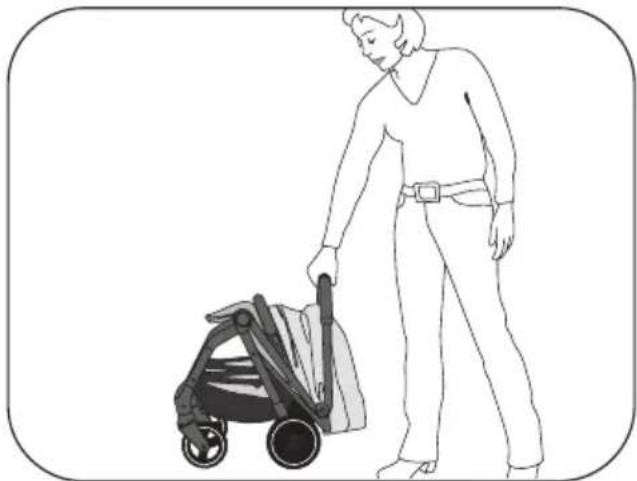
natural_image
Line drawing of a person pushing a stroller (no text or symbols present)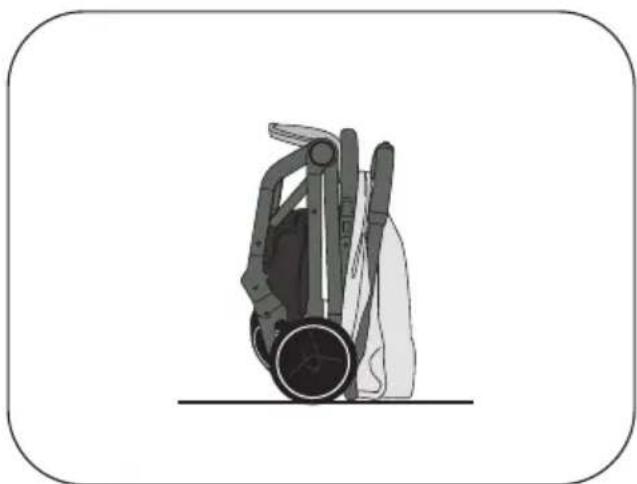
natural_image
Illustration of a hand holding a device with a circular base and mechanical components (no text or symbols)CZ
natural_image
Diagram of a mechanical device with attached components and yellow connectors (no text or symbols)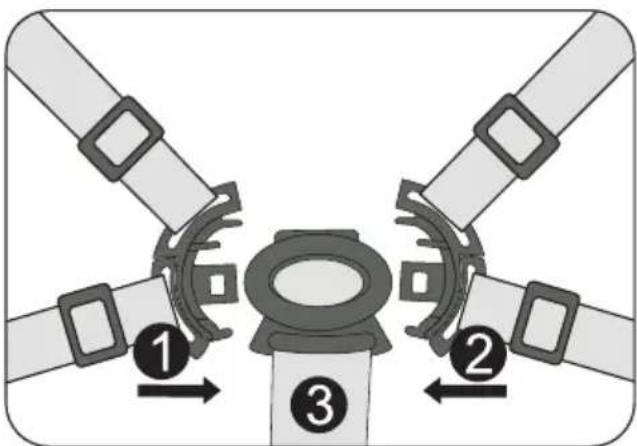
natural_image
Diagram of a four-pole traffic light system with central hub and directional arrows (no text or symbols)Opěrka nohou
natural_image
Illustration of a baby stroller with a magnified inset showing the tray and seat area (no text or symbols)Opěrka zad
flowchart
graph TD
    A["Step 1: Stroller with orange handle"] --> B["Step 2: Insert a seatbelt"]
    B --> C["Step 3: Stroller with yellow handle and seatbelt"]
natural_image
Illustration of a hand using a tool to cut or adjust a piece of metal, with arrows indicating direction (no text or symbols)PL
natural_image
Illustration of a hand holding a bicycle tire with a labeled component (a), no text or symbols present.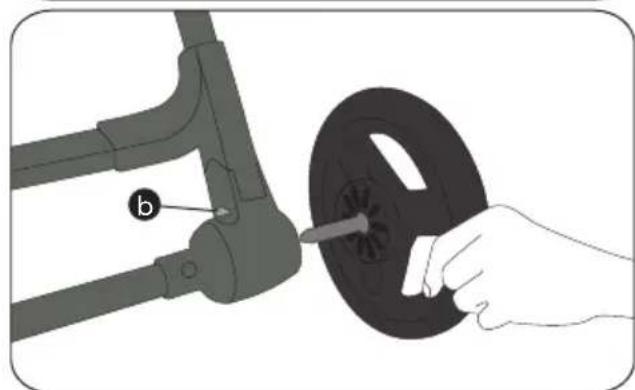
natural_image
Illustration of a hand holding a black circular component next to a mechanical arm, with no visible text or symbols.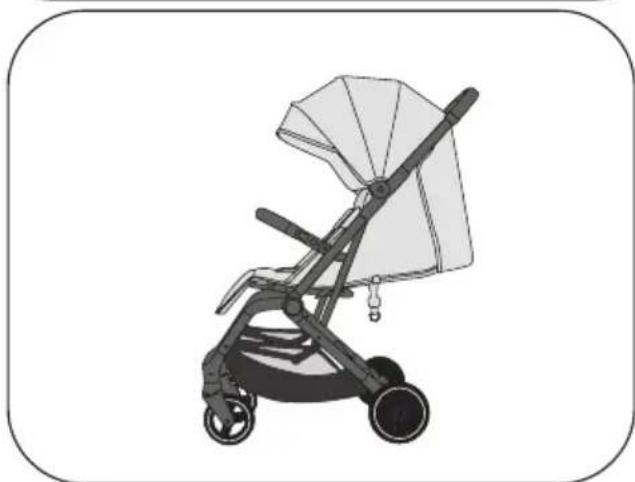
natural_image
Illustration of a baby stroller with a canopy and wheels (no text or symbols)Hamulec
natural_image
Diagram of a car suspension system with parking icon and downward arrow (no text or symbols)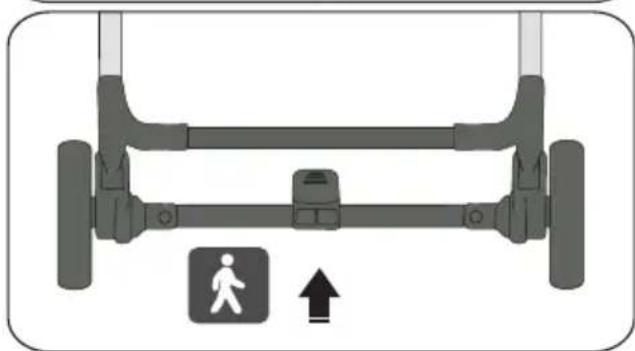
natural_image
Diagram of a vehicle suspension system with a pedestrian symbol and directional arrow (no text or labels)Składanie wózka
natural_image
Line drawing of a person pushing a stroller with a bag, no text or symbols present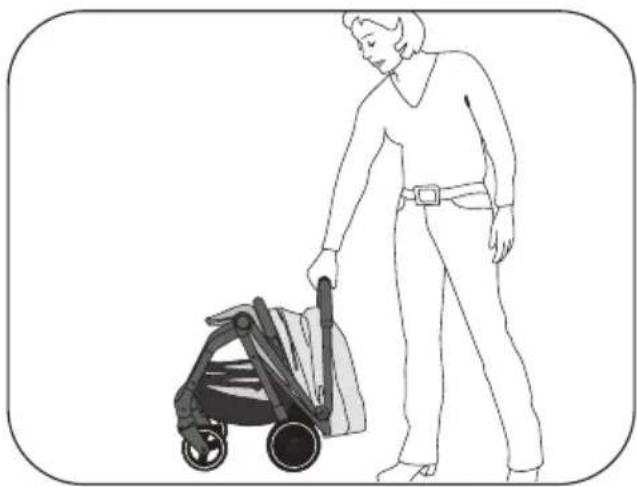
natural_image
Line drawing of a person pushing a stroller (no text or symbols present)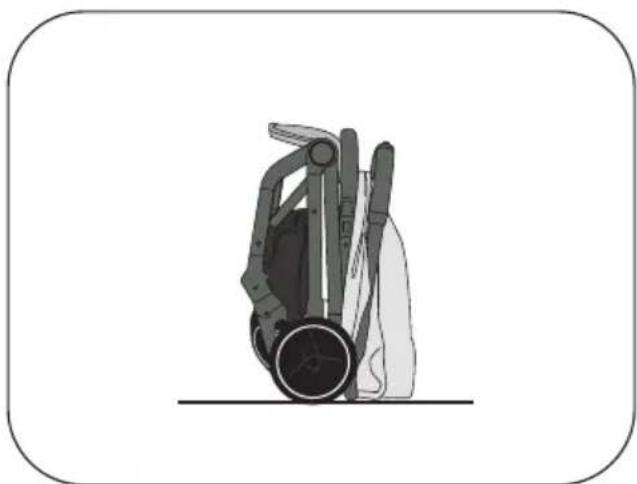
natural_image
Illustration of a hand holding a device with a circular base and mechanical components (no text or symbols)PL
natural_image
Diagram of a mechanical device with attached components and yellow connectors (no text or symbols)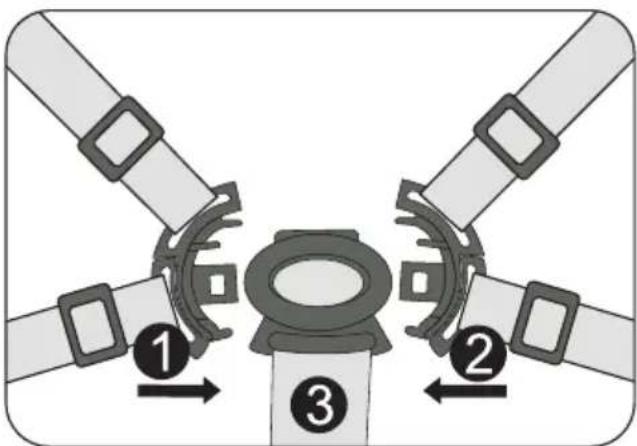
natural_image
Diagram of a four-pole traffic light system with central hub and directional arrows (no text or symbols)Podparcie nóg
natural_image
Illustration of a baby stroller with a magnified inset showing the tray and seat area (no text or symbols)Oparcie
flowchart
graph TD
    A["Step 1: Stroller with orange handle"] --> B["Step 2: Insert a seatbelt"]
    B --> C["Step 3: Stroller with yellow handle and seatbelt"]
natural_image
Illustration of a hand using a tool to cut or adjust a piece of metal, with arrows indicating direction (no text or symbols)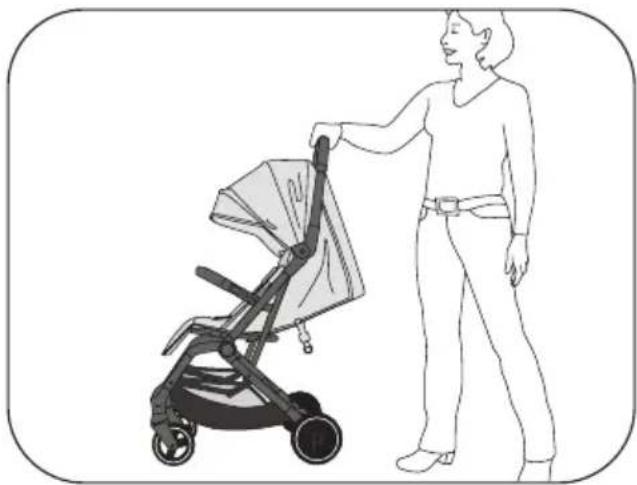
natural_image
Line drawing of a person standing beside a stroller with a bag, no text or symbols present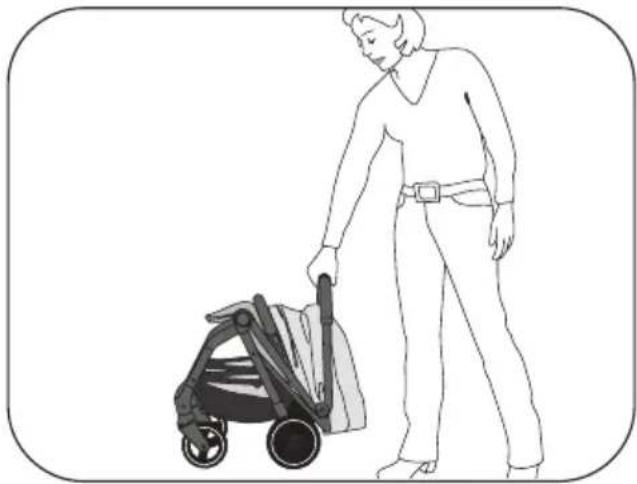
natural_image
Line drawing of a person pushing a stroller (no text or symbols present)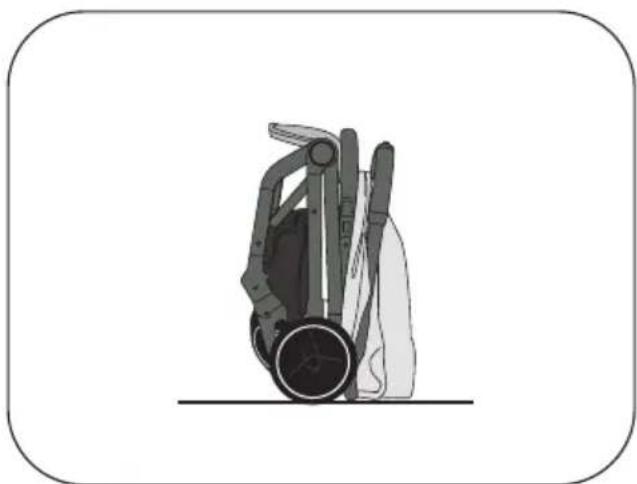
natural_image
Illustration of a hand holding a device with a circular base and mechanical components (no text or symbols)natural_image
Diagram of a mechanical device with internal components and yellow connectors (no text or symbols)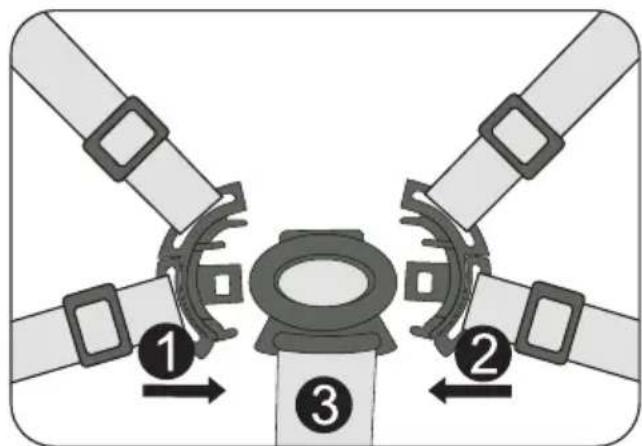
natural_image
Diagram of a four-pole mechanical component with central yellow core and four surrounding blades (no text or symbols)Podložka na nohy
natural_image
Illustration of a baby stroller with a magnified inset showing the seat area and fold change (no text or symbols)Operadlo
flowchart
graph TD
    A["Step 1: Stroller with orange handle"] --> B["Step 2: Insert a seatbelt"]
    B --> C["Step 3: Stroller with yellow handle and seatbelt"]
HR
Hvala što ste se odlučili za naš model Boogy 2. Ako vam je potrebna pomoć za ovaj proizvod, obratite se korisničkoj službi.
UPOZORENJA
- VAŽNO – PAŽLJIVO PROČITAJTE I SPREMITE ZA KASNIJE.
- UPOZORENJE: Uvijek upotrijebite međunožni pojas u kombinaciji s trbušnim pojasom. Preporučujemo da se dodatno upotrijebi i rameni pojas.
- UPOZORENJE: Prije upotrebe provjerite jesu li sve kopče zakopčane.
- UPOZORENJE: Ne dopustite djetetu da se igra sovim proizvodom.
natural_image
Line drawing of a lawn mower frame with visible seat, wheels, and handlebars (no text or symbols)Rasklapanje kolica
- Kolica se isporučuju u kartonskoj kutiji već djelomično sastavljena. Vi morate montirati samo kotače i zaštitnu prečku.
- Kada su sklopljena, kolica imaju integrirani transporti osigurač koji sprječava da se kolica rasklope tijekom nošenja.
- Kako biste rasklopili kolica, najprije gurnite regulator ručke za guranje (1) ulijevo, a zatim držite pritisnut gumb za otpuštanje (2).
- Sada možete otvoriti kolica zamahujućim pokretom dok se čujno ne uglave.
- Postavite okvir na pod i provjerite jesu li kolica potpuno uglavljena.
Zaštitna prečka
- Umetnite zaštitnu prečku u predviđen utor na okviru dok se potpuno ne uglavi.
- Radi lakšeg postavljanja djeteta, zaštitna prečka može se otvoriti samo s jedne strane i preklopiti u stranu. Da biste to učinili, pritisnite gumb na odgovarajućoj strani zaštitne prečke.
- Pritiskom na gumbe s obje strane, zaštitna prečka može se potpuno ukloniti.
natural_image
Illustration of a hand using a tool to cut or adjust a piece of metal, with arrows indicating direction (no text or symbols)natural_image
Illustration of a hand holding a bicycle tire with a labeled component (a), no text or symbols present.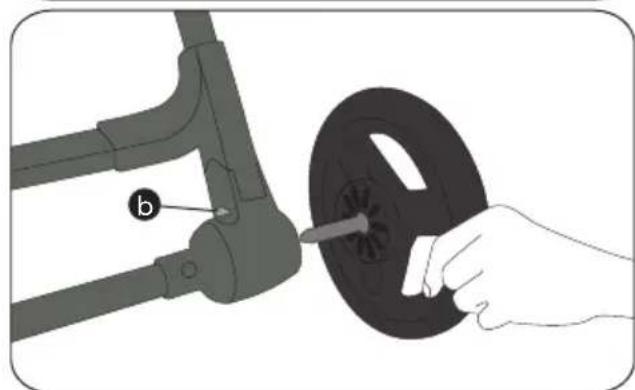
natural_image
Illustration of a hand holding a black circular component next to a mechanical arm, with no visible text or symbols.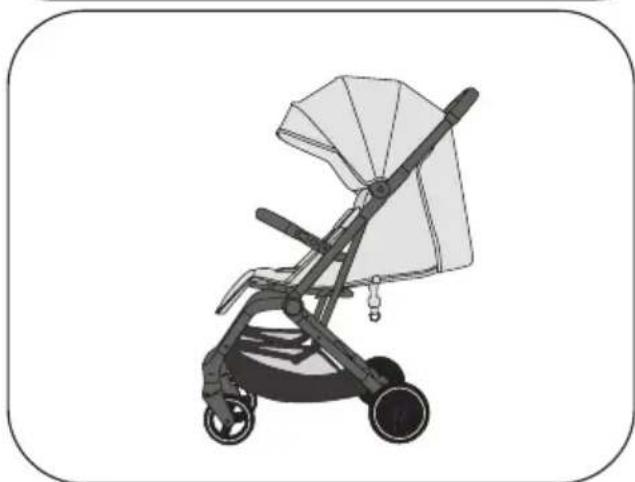
natural_image
Illustration of a baby stroller with a canopy and wheels (no text or symbols)Kočnica
- Kočnica se aktivira pritiskom na papučicu kočnice.
- Podignite papučicu kočnice ponovno prema gore, kočnica se otpušta i možete nastaviti s vožnjom.
natural_image
Diagram of a car suspension system with parking icon and downward arrow (no text or symbols)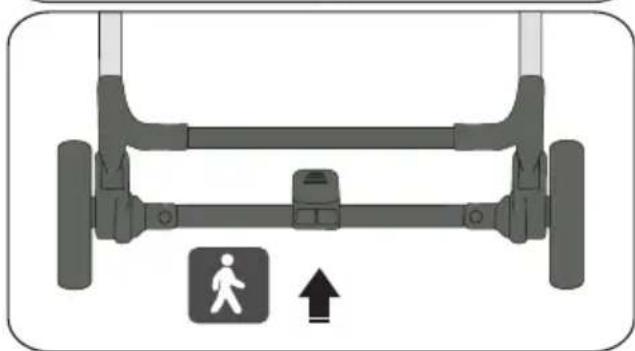
natural_image
Diagram of a vehicle suspension system with a pedestrian symbol and directional arrow (no text or labels)Sklapanje kolica
natural_image
Line drawing of a person standing beside a stroller with a bag, no text or symbols present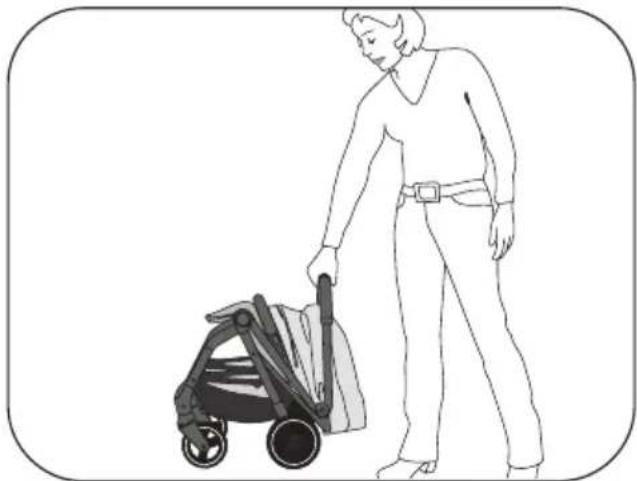
natural_image
Line drawing of a person pushing a stroller (no text or symbols present)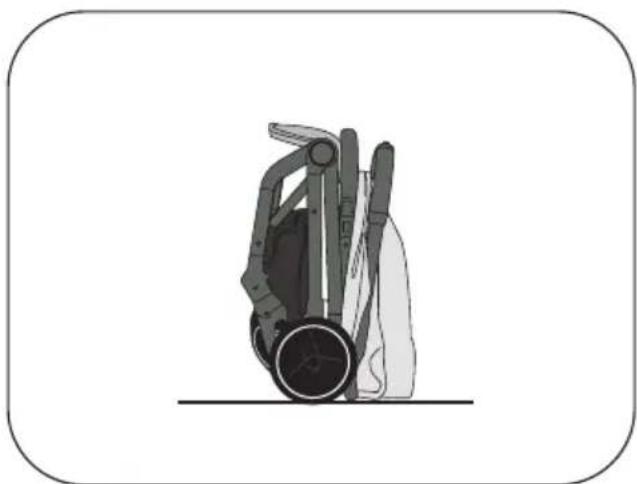
natural_image
Illustration of a hand holding a device with a circular base and mechanical components (no text or symbols)Sustav pojasa u 5 točaka
natural_image
Diagram of a mechanical device with attached components and yellow connectors (no text or symbols)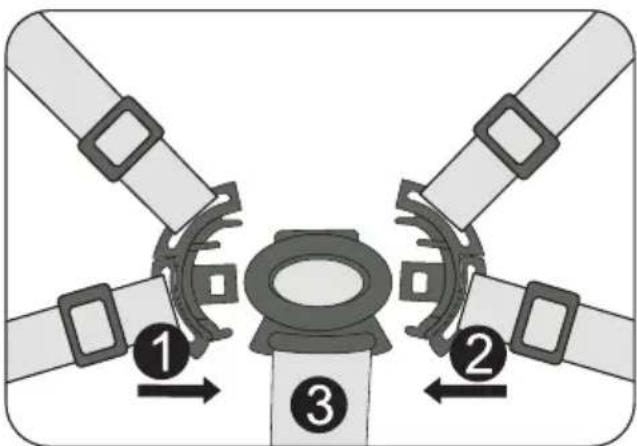
natural_image
Diagram of a four-pole traffic light system with central hub and directional arrows (no text or symbols)Oslonac za noge
- Oslonac za noge može se po potrebi preklopiti prema gore ili dolje.
- Povlačenjem metalne šipke na donjoj strani oslonca za noge prema naprijed, može ga se podesiti prema gore.
natural_image
Illustration of a baby stroller with a magnified inset showing the tray and seat area (no text or symbols)Naslon za leđa
natural_image
Line drawing of a person holding a portable lawn mower (no text or symbols)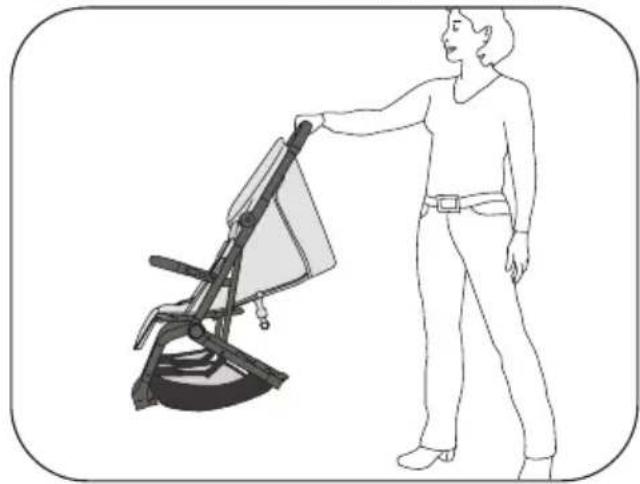
natural_image
Line drawing of a person standing beside a chair-like device with a handle (no text or symbols)Varovalno streme
natural_image
Illustration of a hand using a tool to cut or adjust a piece of metal, with arrows indicating direction (no text or symbols)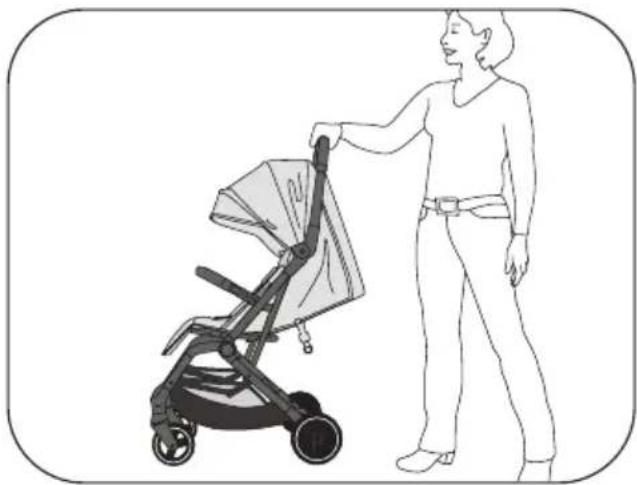
natural_image
Line drawing of a person pushing a stroller with a bag, no text or symbols present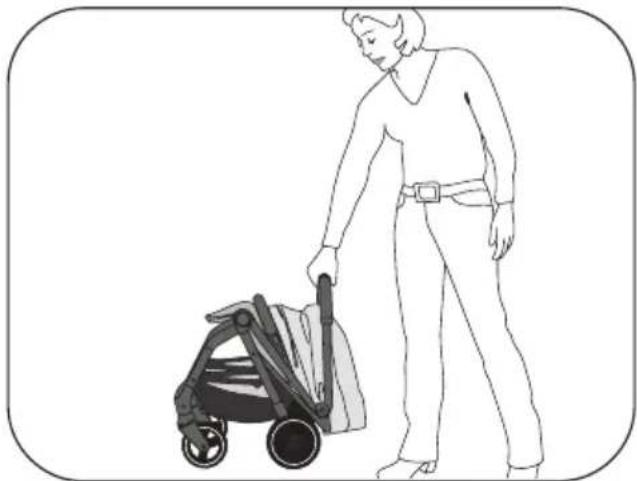
natural_image
Line drawing of a person pushing a stroller (no text or symbols present)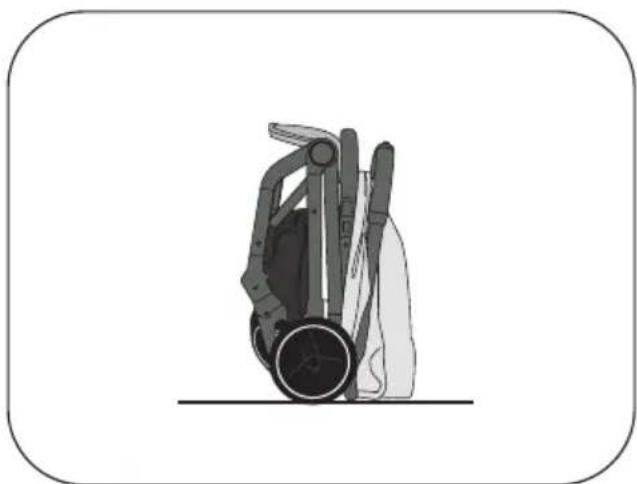
natural_image
Illustration of a hand holding a device with a circular base and mechanical components (no text or symbols)natural_image
Diagram of a mechanical device with attached components and yellow connectors (no text or symbols)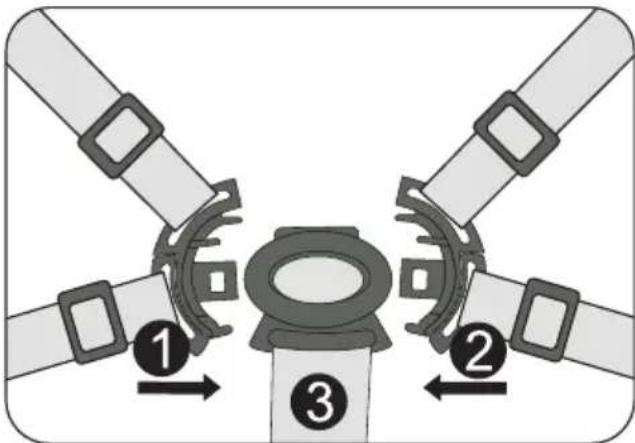
natural_image
Diagram of a four-pole mechanical component with central yellow core and four surrounding blades (no text or symbols)Opora za noge
natural_image
Illustration of a baby stroller with a magnified inset showing the tray and seat area (no text or symbols)Naslonjalo
Potovalni sistem z adapterjem in lupini- co
flowchart
graph TD
    A["Step 1: Stroller with orange handle"] --> B["Step 2: Insert a seatbelt"]
    B --> C["Step 3: Stroller with yellow handle and seatbelt"]
natural_image
Illustration of a hand using a tool to cut or mark a piece of wood, with arrows indicating direction (no text or symbols)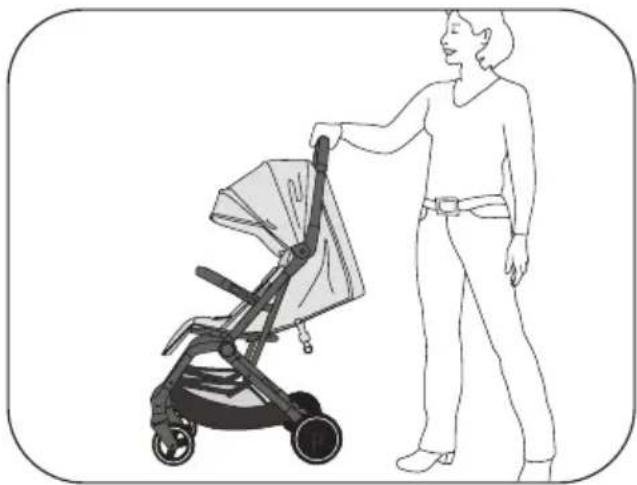
natural_image
Line drawing of a person pushing a stroller with a bag, no text or symbols present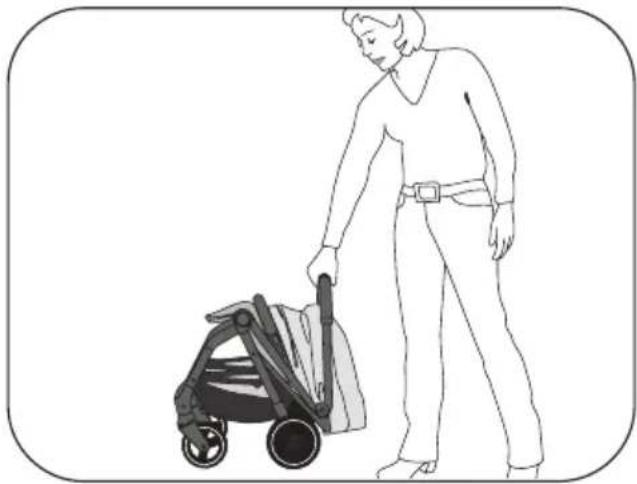
natural_image
Line drawing of a person pushing a stroller (no text or symbols present)
natural_image
Illustration of a hand holding a device with a circular base and mechanical components (no text or symbols)natural_image
Diagram of a mechanical device with attached components and yellow connectors (no text or symbols)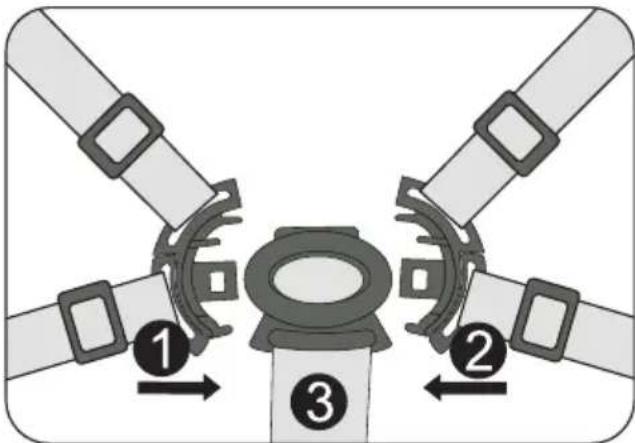
natural_image
Diagram of a four-pole mechanical component with central yellow core and four surrounding blades (no text or symbols)Lábtámasz
natural_image
Illustration of a baby stroller with a magnified inset showing the tray and seat area (no text or symbols)Háttámla
www.osann.de
Osann GmbH
Gewerbestr. 22
D-78244 Gottmadingen

- DE
- 5-Punkt-Gurtsystem
- Beinstütze
- Rückenlehne
- EN
- WARNING
- CARE INSTRUCTIONS
- MAINTENANCE
- WARRANTY
- Parts overview
- Unfolding the buggy
- Guard bar
- Mounting front wheels & rear wheels
- Brake
- Folding up the buggy
- 5-point harness system
- Leg support
- Backrest
- Travel system with adapter & baby car seat
- FR
- Frein
- Repose-jambes
- Dossier
- IT
- Barra di protezione
- Freno
- Poggiagambe
- Schienale
- Rem
- De buggy opvouwen
- 5-punts gordelsysteem
- Beensteun
- Rugleuning
- Reposapiernas
- Respaldo
- CZ
- Ochranné madlo
- Opěrka nohou
- Opěrka zad
- PL
- Hamulec
- Składanie wózka
- Podparcie nóg
- Oparcie
- Podložka na nohy
- Operadlo
- HR
- UPOZORENJA
- Rasklapanje kolica
- Zaštitna prečka
- Kočnica
- Sklapanje kolica
- Sustav pojasa u 5 točaka
- Oslonac za noge
- Naslon za leđa
- Varovalno streme
- Opora za noge
- Naslonjalo
- Potovalni sistem z adapterjem in lupini- co
- Lábtámasz
- Háttámla
- www.osann.de
Brand : Osann
Model : Boogy 2
Category : Stroller