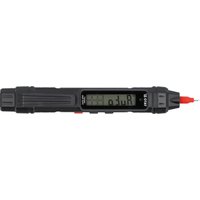
YT-730822 - Digital Multimeter Yato - Free user manual and instructions
Find the device manual for free YT-730822 Yato in PDF.


| Product type | Digital multimeter |
| Brand | Yato |
| Model | YT-730822 |
| Display | LCD, 3999 counts |
| Dimensions | 184 x 26 x 29 mm |
| Weight (without batteries) | 57 g |
| Power supply | 2 AAA batteries (1.5 V) |
| Rated voltage | 3 V DC |
| DC voltage range | 4 V, 40 V, 400 V, 600 V |
| AC voltage range | 4 V, 40 V, 400 V, 600 V |
| Resistance range | 4 kΩ, 40 kΩ, 400 kΩ, 4 MΩ, 40 MΩ |
| Additional functions | Continuity test, diode test, NCV detection, phase detection (LIVE), backlight, HOLD function, auto power off |
| Operating temperature | 5 to 35°C, relative humidity < 75% |
| Storage temperature | -10 to +50°C, relative humidity < 75% |
| Safety | Overload protection, insulated test leads, auto power off |
| Maintenance | Clean with a soft cloth; contacts cleaned with isopropyl alcohol |
| Spare parts / Repairability | Replaceable batteries; replaceable test leads |
Frequently Asked Questions - YT-730822 Yato
User questions about YT-730822 Yato
0 question about this device. Answer the ones you know or ask your own.
Ask a new question about this device
Download the instructions for your Digital Multimeter in PDF format for free! Find your manual YT-730822 - Yato and take your electronic device back in hand. On this page are published all the documents necessary for the use of your device. YT-730822 by Yato.
USER MANUAL YT-730822 Yato
- LCD
- measurement jack
- indicator light
- power switch
- LED light
- probe
RU
Read the operating instruction
This symbol indicates that waste electrical and electronic equipment (including batteries and storage cells) cannot be disposed of with other types of waste. Waste equipment should be collected and handed over separately to a collection point for recycling and recovery, in order to reduce the amount of waste and the use of natural resources. Uncontrolled release of hazardous components contained in electrical and electronic equipment may pose a risk to human health and have adverse effects for the environment. The household plays an important role in contributing to reuse and recovery, including recycling of waste equipment. For more information about the appropriate recycling methods, contact your local authority or retailer.
The pen multimeter not only automatically selects the measuring range, but also independently recognises whether resistance, circuit continuity, or DC or AC voltage is being tested at any given time. This makes the meter very easy to use. With standard meters, the user needs to correct measuring range and type of measurement before the measurement. With this meter, once switched on, all that needs to be done is apply the measurement probes to the battery terminals, for example, and then read the result.
Before using the meter, read the instruction manual in its entirety and keep it for later use.
The meter has a plastic housing, liquid crystal display, function keys and a built-in measuring probe. The housing is fitted with measurement jack and an LED light. The meter is equipped with a test lead.
The meter is sold without the batteries.
ATTENTION! This meter is not a measuring instrument within the meaning of "the Trade Metrology Act".
SPECIFICATIONS
Display: LCD, maximum displayed result: 3999
Overload symbol: "OL" symbol displayed
Polarity symbol: “—” sign displayed before the measurement result
Rated voltage: 3 V DC
Battery: 2 x AAA
Operating temperature: 5 to 35 °C at relative air humidity <75%
Storage temperature: -10°C ÷ +50°C at relative air humidity <75%
Outer dimensions: 184 × 26 × 29
Weight (without batteries): 57 g
CAUTION! It is forbidden to measure electrical values exceeding the maximum measuring range of the meter.
| DC voltage | |||
| Range Resolution | Accuracy | Maximum | |
| 4 V | 1 mV ± (1) | 0% + 5) 600 V | |
| 40 V | |||
| 400 V | |||
| 600 V | |||
| Overload protection: 600 V DC | |||
| AC voltage | |||
| Range Res | solution Accuracy | Maximum | |
| 4 V | 1 mV ± (1.2% + 5) 600 V | ||
| 40 V | |||
| 400 V | |||
| 600 V | |||
| Overload protection: 600 VAC | |||
| Resistance | |||
| Range Resolution Accuracy Maximum | |||
| 4 kΩ | 1 Ω ± (1.2% + 3) 40 MΩ | ||
| 40 kΩ | |||
| 400 kΩ | |||
| 4 MΩ | |||
| 40 MΩ | |||
| Overload protection: 250 VDC or 250 VAC | |||
Do not operate the meter in an atmosphere with excessive humidity or in the presence of toxic or flammable vapours, or in an explosive atmosphere. Before each use, check the condition of the meter and the test leads. In case of noticing any faults, do not start operation. Replace damaged leads with new ones, free from defects. If in doubt, contact the manufacturer. During measurement, hold the test leads (tips) only by the insulated sections. Do not touch the measurement points or unused jacks of the meter. Disconnect the test leads before changing the measured quantity. Never carry out maintenance work without ensuring that the test leads have been disconnected from the meter and that the meter itself has been turned off.
Replacing the battery
The multimeter requires batteries, the number, and type of which are defined in the technical data section. It is recommended to use alkaline batteries. To install the batteries, open the instrument housing or the battery compartment cover on the underside of the meter. It may be necessary to remove the screw securing the battery compartment cover before accessing it. Connect the batteries according to its terminal marking and close the housing or battery compartment cover. If a battery symbol appears on the screen, the batteries must be replaced. To ensure measurement accuracy, it is recommended to replace the batteries as soon as possible, after the battery symbol appears.
Switching the meter on and off
To switch the meter on, press and hold the switch for approx. 2 seconds. To switch the meter off, press and hold the switch for approx. 2 seconds. The meter will turn off automatically, if not in use. After about 15 minutes of inactivity, the meter will turn off automatically. This will reduce battery consumption. The user will be notified by a sound signal, approximately one minute before the power supply is turned off.
HOLD/* button
A single press of the button retains the value currently shown on the display. In this case, the display shows the H symbol. Pressing the button for approx. 2 seconds activates the display illumination. Press the button again and hold it for approx. 2 seconds to turn off the display illumination.
N/L button/torch symbol
A single press of the button allows you to select the measurement range, which will be confirmed by a symbol appearing on the display: "AUTO" – automatic measuring range, "NCV" – AC voltage detection by non-contact (inductive) method, "LIVE" – AC voltage detection by contact method.
Connecting the test lead
If the test lead plug is capped, remove the cap before plugging the lead into the jack. Connect the test lead in accordance with the instructions provided in the manual. Next, remove the measuring section caps (if any) and proceed with the measurements.
Built-in buzzer
The meter has a built-in buzzer that emits a short sound signal each time the button is pressed to confirm the action has taken place. The buzzer will emit several sound signals per minute before the meter is automatically switched off and one long signal immediately before it is automatically switched off. The meter switches off automatically 15 minutes after the last button was pressed.
MEASUREMENT PROCEDURE
ATTENTION! Never allow the measuring range of the meter to be smaller than the measured value. This can damage the meter and cause electrocution. Special care
EN
should be taken when measuring within the highest voltage range in order to avoid electrocution.
Measuring probes:
The measuring probe of the meter indicates the positive pole. The lead terminated with the measuring probe indicates the negative pole. Connect the test lead to the jack.
Ensure the optimum measurement conditions in order to achieve the highest possible accuracy of measurement. The ambient working temperature should be in the range from 18 to 28°C and relative air humidity <75%.
Example of accuracy determination
Accuracy: ± (% of the indication + weight of the least significant digit)
Measurement of DC voltage: 1.396 V
Accuracy: ±(0.8% + 5)
Calculation of error: 1.396 × 0.8% + 5 × 0.001 = 0.011168
+ 0.005 = 0.016168
Measurement result: 1.396 V ± 0.016 V
Voltage measurement
Caution! The meter will only display the measurement value if the voltage is higher than 0.8 V.
Connect the lead terminated with the probe to the jack. Press the switch for approx. 2 seconds. The meter will itself recognise whether you are measuring DC or AC voltage, which will be confirmed by the display of the "AC" symbol in the case of AC voltage measurement or "DC" in the case of DC voltage measurement. Connect the test leads in parallel to an electrical circuit and read the resultant voltage. Never measure voltage that is higher than the maximum measurement range. This can damage the meter and cause electrocution.
Measurement of resistance
Connect the lead terminated with the probe to the jack. Press the switch for approx. 2 seconds. The meter itself will recognise that you are measuring resistance, which will be confirmed by the display of the "Ω" symbol. Connect the test leads to the terminals of the measured element and read the measurement result. It is absolutely forbidden to measure the resistance of elements through which electric current is flowing.
Conductivity test
Connect the lead terminated with the probe to the jack. Press the switch for approx. 2 seconds. The meter itself will recognise that you are measuring conduction, this will be confirmed by the display of the "buzzer symbol" symbol. During conductivity measurement, the built-in buzzer will emit a sound signal and the built-in indicator light will illuminate whenever the measured impedance drops below 50 Ω. It is absolutely forbidden to test conductivity in circuits through which electric current is flowing.
Diode test
Connect the lead terminated with the probe to the jack. Press the switch for approx. 2 seconds. After starting the meter, press the switch briefly. The diode test function is selected, which is confirmed by the display of the "diode test" symbol and the overload symbol "OL". Connect the ends of the test leads to the diode terminals. The display shows the value of the conduction voltage or the symbol "OL" if the diode is tested in the reversed direction. Working diodes are characterized by a low resistance in the forward direction and a high resistance in the reverse direction. It is absolutely forbidden to test diodes through which electric current is flowing.
AC voltage detection by non-contact (inductive) method ATTENTION! Disconnect the test lead before measuring
The meter has a sensor that can detect the electromagnetic field generated by AC voltage. Press the switch for approx. 2 seconds. After starting the meter, briefly press the button
EN
marked "N/L/torch symbol". The selection of non-contact AC voltage detection will be confirmed by the display of the 'NCV' and 'EF' markers. Bring the measuring tip of the meter close to the location to be checked for the presence of an electromagnetic field at a distance of 0\~10 mm. As the field strength increases, the lines on the display will be visible. The more lines the higher the intensity, the pulsating sound emit and the backlight flashes. The higher the pulse rate, the higher the intensity of the emitted electromagnetic field. This measurement can be used, for example, to detect hidden AC voltage wires. However, it should be remembered that such a measurement is affected by many external factors and may be disturbed by external electromagnetic fields. Do not rely solely on this method to detect live wires.
AC voltage detection by contact method
ATTENTION! Disconnect the test lead before measuring.
ATTENTION! The measuring tip of the meter must not be touched during measurement to avoid electric shock.
Press the switch for approx. 2 seconds. After starting the meter, briefly press the button marked "N/L/torch symbol". The selection of a phase presence test will be confirmed by the "LIVE" symbol appearing on the display. Apply the measuring tip of the meter to the component to be checked. Voltage detection will be signalled by the pulsating sound of a buzzer, the flashing light of an indicator lamp and the display of the ---H" symbol.
MAINTENANCE AND STORAGE
Wipe the meter with a soft cloth. Larger amounts of dirt should be removed with a slightly damp cloth. Do not immerse the meter in water or any other liquid. Do not use solvents, or corrosive or abrasive agents for cleaning. Care should be taken to keep the contacts of the meter and the test leads clean. Clean the contacts of the measurement leads with a cloth slightly soaked in isopropyl alcohol. In order to clean the contacts of the meter, turn off the meter and remove the batteries. Turn the meter over and shake it gently so that larger pieces of dirt fall out of the meter connectors. Lightly soak a cotton swab in isopropyl alcohol and clean each contact. Wait for the alcohol to evaporate and then install the batteries. The meter should be stored in a dry room, inside the supplied unit packaging.
GERÄTEBESCHREIBUNG
ÚDRŽBA A USCHOVÁVANIE
N/L buton/simbol lanternă
- RU
- BEFORE USING THE METER, READ THE INSTRUCTION MANUAL IN ITS ENTIRETY AND KEEP IT FOR LATER USE
- SPECIFICATIONS
- REPLACING THE BATTERY
- SWITCHING THE METER ON AND OFF
- HOLD/* BUTTON
- N/L BUTTON/TORCH SYMBOL
- CONNECTING THE TEST LEAD
- BUILT-IN BUZZER
- MEASUREMENT PROCEDURE
- EN
- MEASURING PROBES
- EXAMPLE OF ACCURACY DETERMINATION
- VOLTAGE MEASUREMENT
- MEASUREMENT OF RESISTANCE
- CONDUCTIVITY TEST
- DIODE TEST
- MAINTENANCE AND STORAGE
- GERÄTEBESCHREIBUNG
- ÚDRŽBA A USCHOVÁVANIE
- N/L BUTON/SIMBOL LANTERNĂ
Brand : Yato
Model : YT-730822
Category : Digital Multimeter