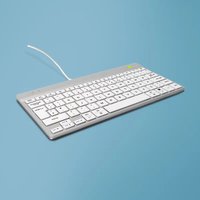
Go Compact Break - Keyboard R-Go Tools - Free user manual and instructions
Find the device manual for free Go Compact Break R-Go Tools in PDF.


| Product type | Compact ergonomic keyboard |
| Brand | R-Go Tools |
| Model | Go Compact Break |
| Connectivity | Wired (USB-C) or Bluetooth 5.0 |
| System compatibility | Windows XP/Vista/10/11, macOS |
| Number of Bluetooth devices | Up to 3 (channels 1, 2, 3) |
| USB ports | 1 USB-C hub (for other devices), 1 PC connection port |
| Break indicator | Yes (green = healthy work, orange = break recommended, red = too long work) |
| Caps lock | Built-in LED indicator |
| Scroll lock | Built-in LED indicator |
| Function keys | FN keys (marked in blue) for shortcuts |
| Power supply | Rechargeable battery (charges via USB-C) |
| Battery life | Approximately 40 hours (estimated) |
| Companion software | R-Go Break (downloadable at r-go.tools/bs) |
| Dimensions (L x W x H) | Approximately 300 x 140 x 20 mm (estimated) |
| Weight | Approximately 450 g (estimated) |
| Maintenance | Clean with a soft, dry cloth; avoid liquids |
| Repairability | Spare parts available from the manufacturer |
Frequently Asked Questions - Go Compact Break R-Go Tools
User questions about Go Compact Break R-Go Tools
0 question about this device. Answer the ones you know or ask your own.
Ask a new question about this device
Download the instructions for your Keyboard in PDF format for free! Find your manual Go Compact Break - R-Go Tools and take your electronic device back in hand. On this page are published all the documents necessary for the use of your device. Go Compact Break by R-Go Tools.
USER MANUAL Go Compact Break R-Go Tools
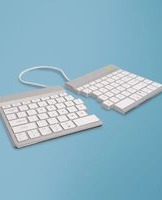
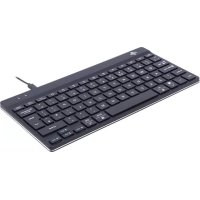
Our ergonomic R-Go Compact Break keyboard offers all the ergonomic features you need to type in a healthy way. Thanks to the light keystroke, minimal muscle tension is needed while typing. Its thin design ensures a relaxed, flat position of hands and wrists while typing. When using both keyboard and mouse at the same time, your hands always stay within shoulder width. This natural posture reduces muscle tension in your shoulder and arm and prevents RSI complaints. The R-Go Compact Break keyboard also has an integrated break indicator, which indicates with colour signals when it is time to take a break. Green means you are working healthy, orange means it is time to take a break and red means you have been working too long. #stayfit
System requirements/Compatibility: Windows XP/Vista/10/11
For more information about this product, scan the QR code! https://r-go.tools/compactbreak_web_en
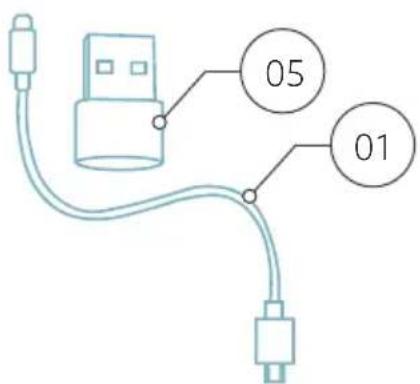
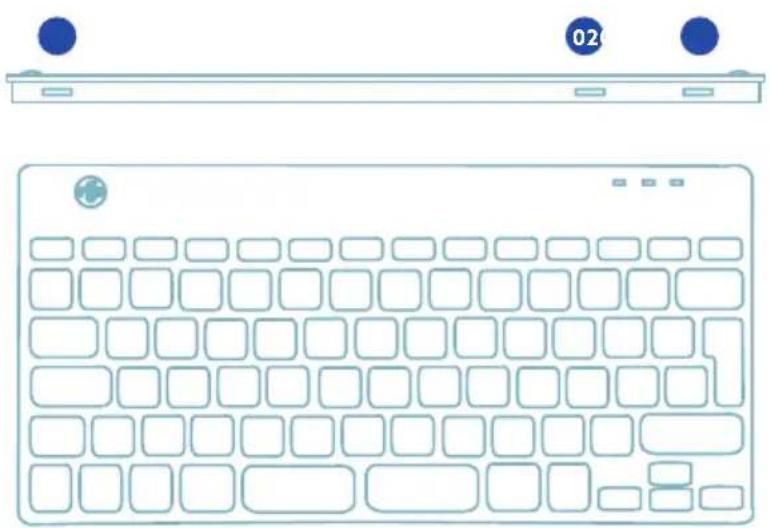
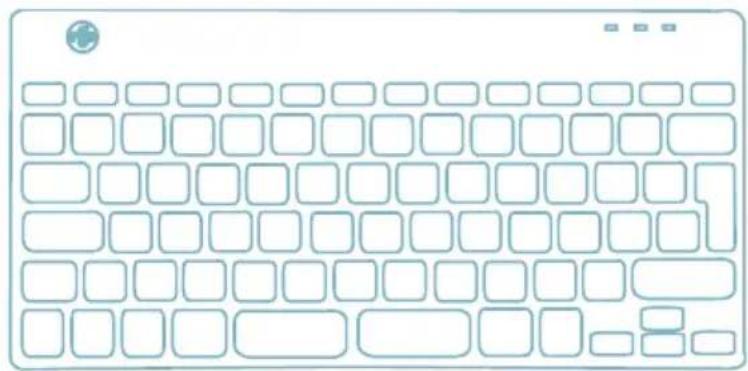
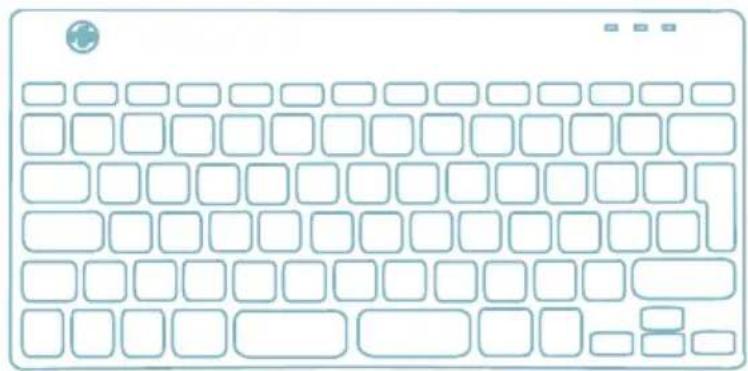
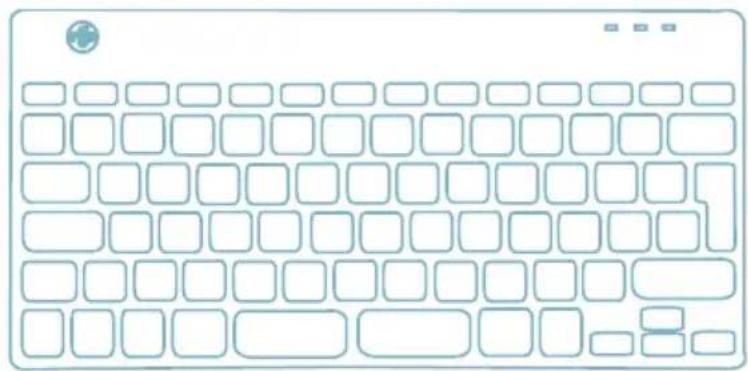
01 Wired version: Cable to connect keyboard to PC Wireless version: Charging cable
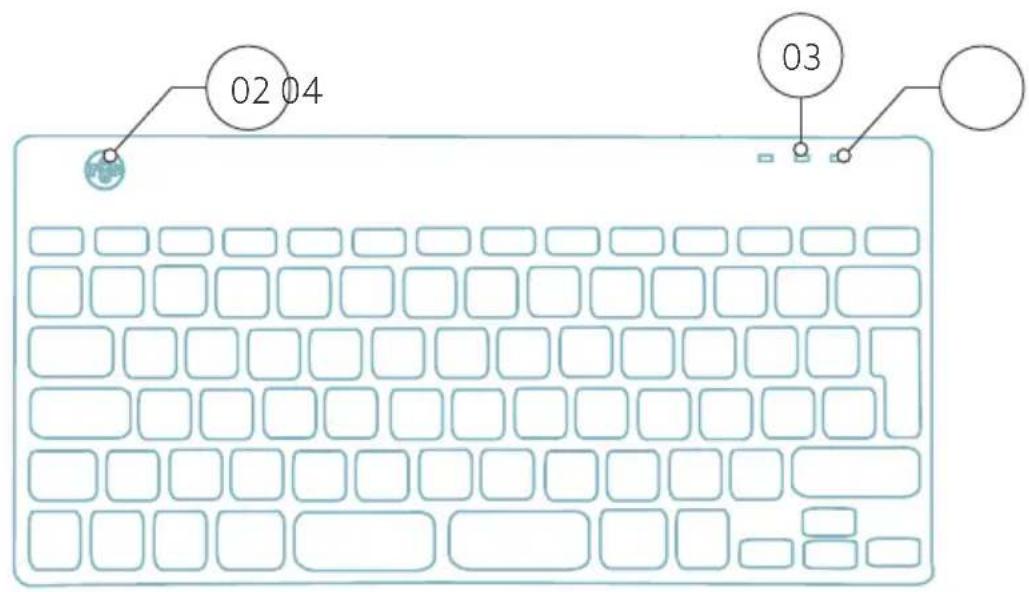
02 R-Go Break indicator
03 Caps Lock indicator
04 Scroll Lock indicator
05 USB-C to USB-A converter
Overview USB-ports
1 Hub - other devices (not to computer)
2 Connect to computer
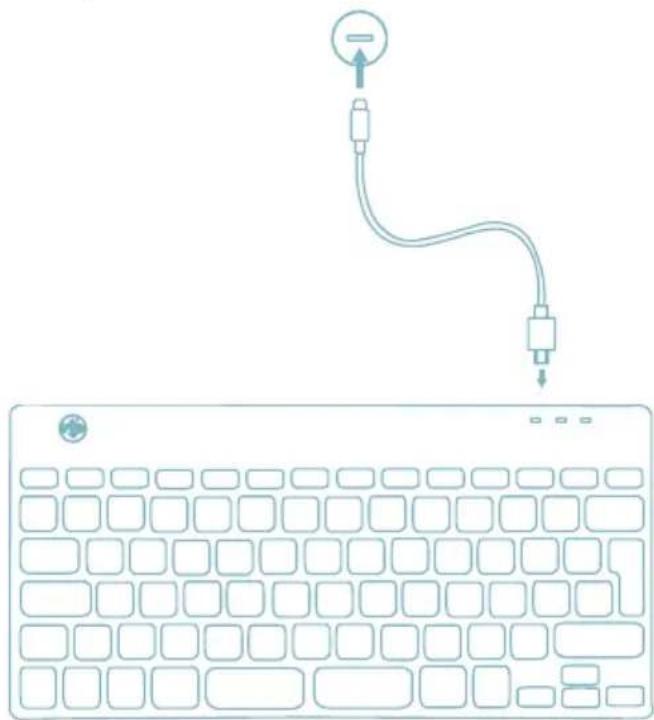
A Connect the keyboard to your computer by plugging the USB-C end of cable 01 into port 02 and USB-C end into your computer.
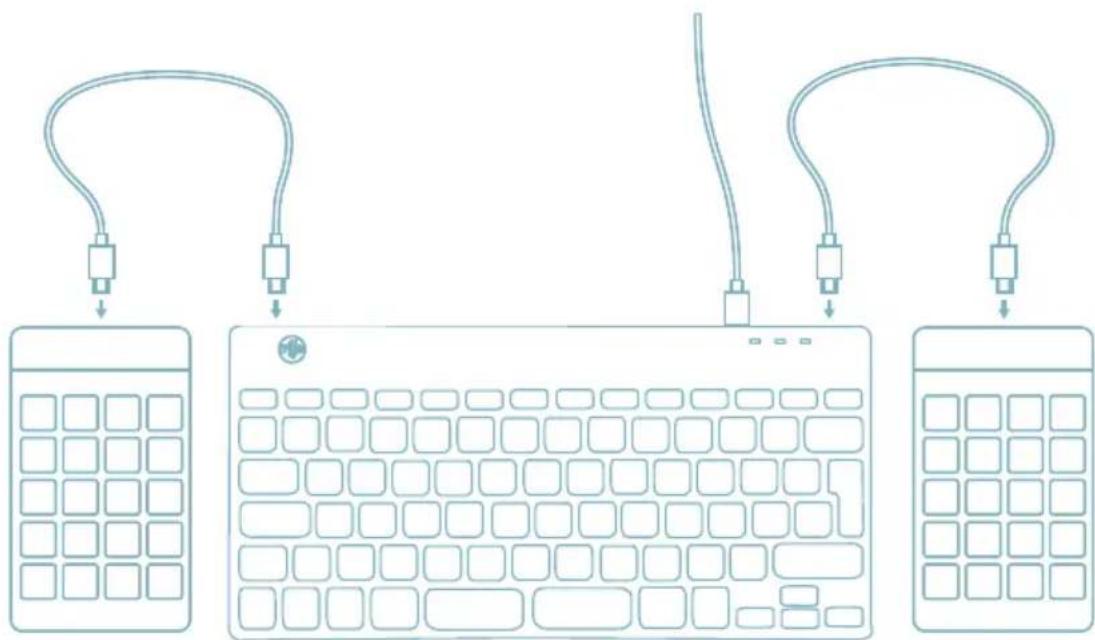
B (Optional) Connect Numpad or another device to the keyboard by plugging them into port 01 or 03.
- Turn your Break keyboard on. At the back of the keyboard you will find the on/off switch. Turn the switch to 'on' or, depending on the version, to green.
![graph TD A["Channel 1,2 and 3"] --> B["Ch. 1"] A --> C["Ch. 2"] A --> D["Ch. 3"] B --> E["Fn"]](/content/2026/05/754417/images/b62d113db7a2bcd735dcc4fbece6b637bf6ab66e05f6c39003bb52037764ab61.jpg)
-
It is possible to connect this keyboard to 3 different devices, such as your PC, laptop or mobile phone. To connect it, you can choose channel 1,2 or 3. Each channel can be connected to one device. To connect the keyboard to one device, for example your laptop, press and hold the Fn-key together with the key of your chosen channel for at least 3 seconds. It will search for a device to connect with. You will see the Bluetooth light on the keyboard blinking.
-
Go to Bluetooth & other devices menu on your computer. To find this you can typ "Bluetooth" in the left corner of your Windows bar.


bluetooth and other device


- Check if bluetooth is on. If not, turn on bluetooth or check if your PC has got Bluetooth.
Bluetooth & devices > Devices

Bluetooth
Discoverable as "DESKTOP-63M5H0B"
On

Connect a new device to "DESKTOP-63M5H0B"
Add device
Input

R GO BREAK Mouse
- Connected
63%
- Click on "Add device" and then "Bluetooth". Select your Break keyboard. The keyboard will then connect to your chosen device.
Add a device

Add a device
Choose the kind of device you want to add.

Bluetooth
Audio devices, mice, keyboards, phones, pens, controllers, and more

Wireless display or dock
Wireless monitors, TVs, or PCs that use Miracast, or wireless docks
I can't find my Break keyboard. What to do?
If you can't find your Break keyboard, please check if the battery is full (connect the charging cable with USB-C). When the battery is low the LED light on the keyboard will turn red to indicate that the keyboard is charging. When charged for minimal 5 minutes, you can try to connect again.
How do I know if my device had got Bluetooth?
To check if your PC has got Bluetooth, type at the bottom in the Windows bar "device manager".


device manag


You will see the following screen (see picture). When your PC hasn't got bluetooth, you won't find 'bluetooth' in the list. You won't be able to use Bluetooth devices'.

Device Manager
File
Action
View
Help


DESKTOP-63M5H0B
Audio inputs and outputs
Batteries
Biometric devices
- To connect 3 different devices to 3 channels please repeat steps above for each device.
- Do you want to switch between devices? Press shortly the Fn-key together with your chosen channel (1,2 or 3). Now you are able to quickly switch between for example your PC, laptop and mobile phone.
- To charge this keyboard, connect it to your computer using cable 01.
Mac
- Turn your Break keyboard on. At the back of the keyboard you will find the on/off switch. Turn the switch to 'on' or, depending on the version, to green.
-
It is possible to connect this keyboard to 3 different devices, such as your PC, laptop or mobile phone. To connect it, you can choose channel 1,2 or 3. Each channel can be connected to one device. To connect the keyboard to one device, for example your laptop, press and hold the Fn-key together with the key of your chosen channel for at least 3 seconds. It will search for a device to connect with. You will see the Bluetooth light on the keyboard blinking.
-
Go to Bluetooth on your screen. To find this you click on the Mac icon in the upper left and go to System settings.
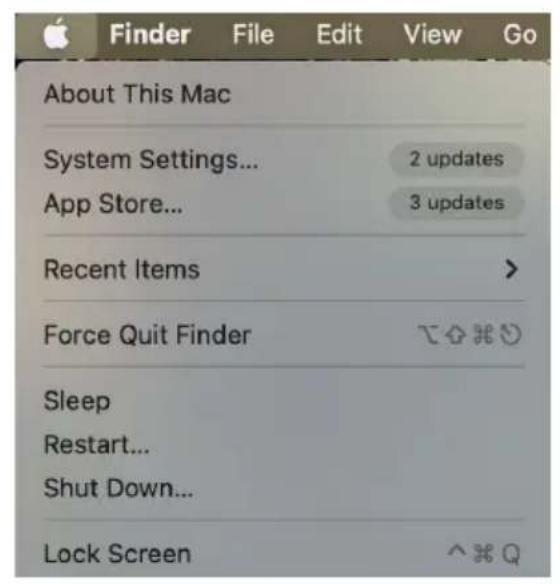
- Check if Bluetooth is on. If not, turn on Bluetooth or check if your PC has Bluetooth.

- Scroll down to 'Nearby Devices' and click Connect.
Nearby Devices


Connect
The function keys are marked on the keyboard in blue.
To activate a function key on your keyboard, press the Fn-key at the same time as the selected function key.
Note: Fn + A = Break indicator light On/Off
Download the R-Go Break software at https://r-go.tools/bs
The R-Go Break software is compatible with R-Go Break keyboards and mice. It gives you insight into your work behaviour.
The R-Go Break is a software tool that helps you to remember to take breaks from your work. As you work, the R-Go Break software controls the LED light on your Break mouse or keyboard. This break indicator changes color, like a traffic light. When the light turns green, it means you are working healthily. Orange indicates that it is time for a short break and red indicates that you have been working too long. This way you receive feedback on your break behavior in a positive way.
For more information about the R-Go Break software, scan the QR code! https://r-go.tools/break_web_en
Is your keyboard not working properly, or do you experience problems while using it? Please follow the steps mentioned below.
- Check if the keyboard is connected using the correct connector and cable (page 4-7)
- Connect the keyboard to another USB port of your computer
- Connect the keyboard directly to your computer if you are using an USB hub
- Restart your computer
- Test the keyboard on another computer, if it is still not working contact us via info@r-go-tools.com.

Choose the kind of device you want to add.

Bluetooth
Audio devices, mice, keyboards, phones, pens, controllers, and more

Wireless display or dock
Wireless monitors, TVs, or PCs that use Miracast, or wireless docks

clavier ergonomique
R-Go Compact Break
tous les modèles
avec fil | sans fil
Aperçu du produit
Configuration filaire
Configuration sans fil 38
Touches de fonction
R-Go Break
bluetooth and other device


Choose the kind of device you want to add.

Bluetooth
Audio devices, mice, keyboards, phones, pens, controllers, and more

Wireless display or dock
Wireless monitors, TVs, or PCs that use Miracast, or wireless docks
Choose the kind of device you want to add.

Bluetooth
Audio devices, mice, keyboards, phones, pens, controllers, and more

Wireless display or dock
Wireless monitors, TVs, or PCs that use Miracast, or wireless docks
Batteries
Biometric devices
bluetooth and other device


Bluetooth & devices > Devices

Bluetooth
Discoverable as "DESKTOP-63M5H0B"
On

Connect a new device to "DESKTOP-63M5H0B"
Add device
Input

R GO BREAK Mouse
- Connected
63% □…
Choose the kind of device you want to add.

Bluetooth
Audio devices, mice, keyboards, phones, pens, controllers, and more

Wireless display or dock
Wireless monitors, TVs, or PCs that use Miracast, or wireless docks
Audio inputs and outputs
Batteries
Biometric devices
bluetooth and other device


Bluetooth & devices > Devices

Bluetooth
Discoverable as "DESKTOP-63M5H0B"
On

Connect a new device to "DESKTOP-63M5H0B"
Add device
Input

R GO BREAK Mouse
- Connected
63%
Choose the kind of device you want to add.

Bluetooth
Audio devices, mice, keyboards, phones, pens, controllers, and more

Wireless display or dock
Wireless monitors, TVs, or PCs that use Miracast, or wireless docks
Audio inputs and outputs
Batteries
Biometric devices

teclado ergonómico
R-Go Compact Break
B (Opcional) Liga o Numpad ou outro dispositivo ao teclado, ligando-os à porta 01 ou 03.
![graph TD A["Keyboard 1"] --> B["Keyboard 2"] C["Keyboard 3"] --> D["Keyboard 4"] E["Keyboard 5"] --> F["Keyboard 6"] G["Keyboard 7"] --> H["Keyboard 8"]](/content/2026/05/754417/images/0f3ad7f0ed6c408871077557ef691194313975a8ba426743671dadce874412d0.jpg)
bluetooth and other device


Bluetooth & devices > Devices

Bluetooth
Discoverable as "DESKTOP-63M5H0B"
On

Connect a new device to "DESKTOP-63M5H0B"
Add device
Input

R GO BREAK Mouse
- Connected
63%
Choose the kind of device you want to add.

Bluetooth
Audio devices, mice, keyboards, phones, pens, controllers, and more

Wireless display or dock
Wireless monitors, TVs, or PCs that use Miracast, or wireless docks
Audio inputs and outputs
Batteries
Biometric devices
https://r-go.tools/bs
o software R-Go Break,
lê o código QR!
https://r-go.tools/break_web_pt

tastiera ergonomica
R-Go Compact Break
tutti i layout
bluetooth and other device


Bluetooth & devices > Devices

Bluetooth
Discoverable as "DESKTOP-63M5H08"
On

Connect a new device to "DESKTOP-63M5H0B"
Add device
Input

R GO BREAK Mouse
- Connected
63%
图 1
Choose the kind of device you want to add.

Bluetooth
Audio devices, mice, keyboards, phones, pens, controllers, and more

Wireless display or dock
Wireless monitors, TVs, or PCs that use Miracast, or wireless docks

bluetooth and other device


Bluetooth & devices > Devices

Bluetooth
Discoverable as "DESKTOP-63M5H0B"
On

Connect a new device to "DESKTOP-63M5H0B"
Add device
Input

R GO BREAK Mouse
- Connected
63%
Choose the kind of device you want to add.

Bluetooth
Audio devices, mice, keyboards, phones, pens, controllers, and more

Wireless display or dock
Wireless monitors, TVs, or PCs that use Miracast, or wireless docks
Audio inputs and outputs
Batteries
Biometric devices
För mer information om programvaran R-Go Break, skanna QR-koden! https://r-go.tools/break_web_se

Brand : R-Go Tools
Model : Go Compact Break
Category : Keyboard