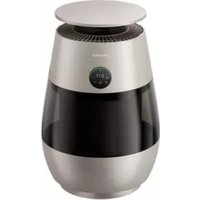
AP10 - Air purifier DREAME - Free user manual and instructions
Find the device manual for free AP10 DREAME in PDF.


User questions about AP10 DREAME
0 question about this device. Answer the ones you know or ask your own.
Ask a new question about this device
Download the instructions for your Air purifier in PDF format for free! Find your manual AP10 - DREAME and take your electronic device back in hand. On this page are published all the documents necessary for the use of your device. AP10 by DREAME.
USER MANUAL AP10 DREAME
Dreame AP10 Pet Air Purifier
EN User Manual 01
FR Manuel d'utilisation 18
DE Benutzerhandbuch 35
IT Manuale dell'utente 52
ES Manual de usuario 69
PT Manual do utilizador 86
VI Huống Dẫn Sử Dụng 103
TR Kullanıcı Kılavuzu 120
NL Gebruikershandleiding 136
Safety Precautions
Thank you for purchasing Dreame air purification products. Please download the mobile app by scanning the QR code before use to access the full functionality of this product. Please read this user manual carefully before using this product, and keep it in a safe place for future reference. This product complies regulations regarding exposure to electromagnetic fields.
- Before installing, maintaining, or repairing the equipment, disconnect the power supply!
- Do not use the power cord or plug if they are damaged or if the plug is loose when inserted, as this may cause electric shock, short circuits, or fires.
- Do not damage, break, excessively bend, stretch, twist, tie, crush, or squeeze the power cord, as this may cause fires, electric shock, or short circuits.
- If the power cord is damaged, it must be replaced by the manufacturer, its service center, or a qualified professional to avoid danger.
- Only use single-phase alternating current. Using other types of power may cause fires, electric shock, or other accidents.
- Do not modify the equipment. Do not disassemble or repair the equipment unless you are a qualified technician. Doing so may cause fires, electric shock, or injury. For repairs, contact the Technical Service Center.
- When replacing filters, moving, or cleaning the machine, turn off the power and unplug the power cord.
- Do not plug or unplug the power cord with wet hands, as this may cause electric shock or injury.
- When unplugging the power cord, hold the plug firmly and do not pull on the cord, as this may cause electric shock, short circuits, or fire.
- If the unit will not be used for an extended period, unplug the power cord to prevent deterioration of insulation performance, which may lead to electric shock, leakage, or fire.
-
This appliance is not intended for use by persons (including children) with reduced physical, sensory or mental capabilities, or lack of experience and knowledge, unless they have been given supervision or instruction concerning use of the appliance by a person responsible for their safety.
-
Children should be supervised to ensure that they do not play with the appliance.
- This appliance can be used by children aged from 8 years and above and persons with reduced physical, sensory or mental capabilities or lack of experience and knowledge if they have been given supervision or instruction concerning use of the appliance in a safe way and understand the hazards involved. Children shall not play with the appliance. Cleaning and user maintenance shall not be made by children without supervision.
- Move the air purifier onto a flat surface to prevent it from falling over.
- Do not use the air purifier in high-humidity environments, as this may affect its lifespan.
- The air purifier is designed for indoor use. Avoid placing it in locations where it may be exposed to rain or other outdoor environmental conditions.
- Do not place the machine in humid areas such as bathrooms or near humidifiers, as this may cause moisture damage, leading to electric shock or malfunction.
- To ensure smooth and quiet operation, place the device on a stable, level surface.
- Regularly clean the dust from the plug, as accumulated dust may cause moisture and electrical leakage, leading to fires, electric shocks, or other accidents.
- Do not use the air purifier in areas with heavy smoke or fumes (such as kitchens), as this may cause the paint crack.
- Do not clean the unit with gasoline, paint thinners, or similar substances, and do not spray insecticides directly onto the unit, as this may cause paint cracking, electric shock, or fire.
- Do not use this product when using aerosol insecticides indoors.
- Do not allow the unit to draw in flammable gases or sparks from cigarettes, incense, or similar sources, as this may cause fire.
- Do not insert your fingers or any foreign objects into the air intake or exhaust ports, as this may cause electric shock or other accidents.
- When the air purifier is not in use for an extended period, store the filter cartridge in a sealed bag. Using the unit in high-humidity environments may reduce the filter cartridge's lifespan. In environments with persistent high concentrations of volatile pollutants, the filter cartridge's lifespan will be significantly reduced.
- This appliance contains a UV-C emitter.
- Unintended use of the appliance or damage to the housing may result
EN
in the escape of dangerous UV-C radiation. UV-C radiation may, even in little doses, cause harm to the eyes and skin.
- Appliances that are obviously damaged must not be operated.
- The replacement of the UV-C emitter by the user is not allowed.
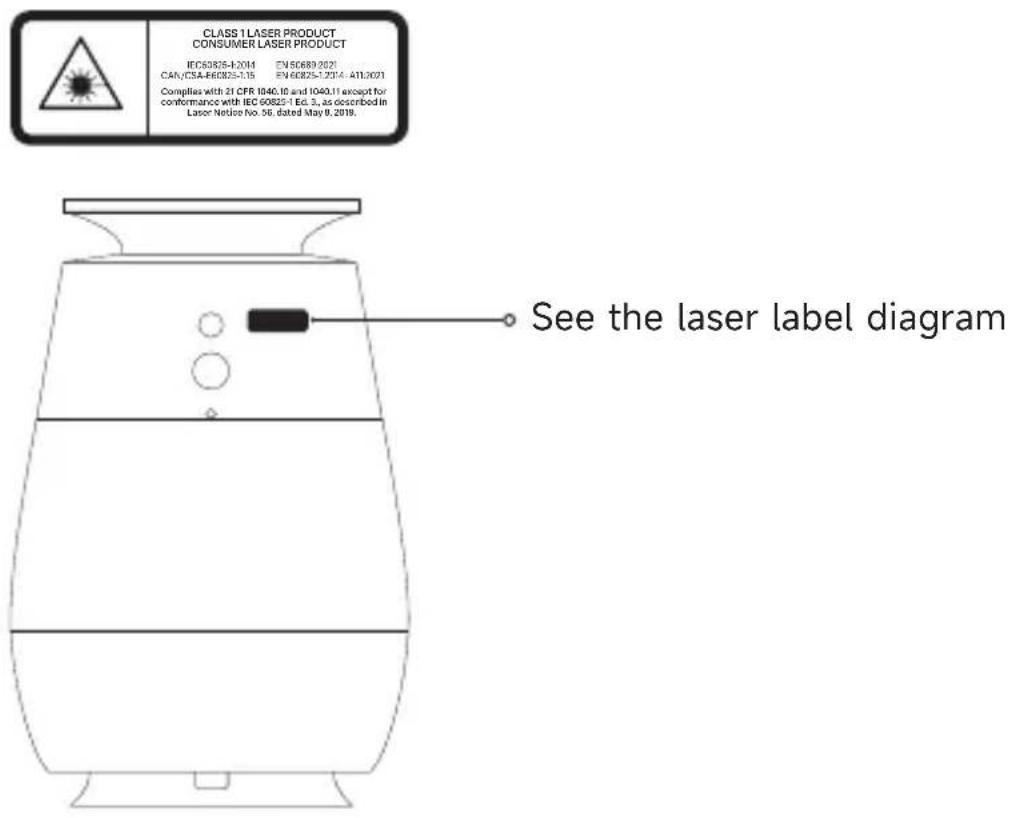
WARNING - Laser for cat entertainment only.
Packing List
EN
Main Unit
Product ManualFilter Cartridge
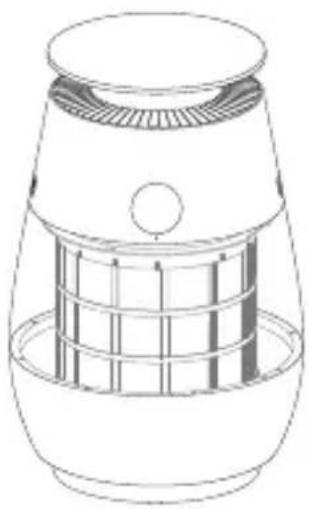
natural_image
Line drawing of a cylindrical device with a mesh internal structure (no text or symbols)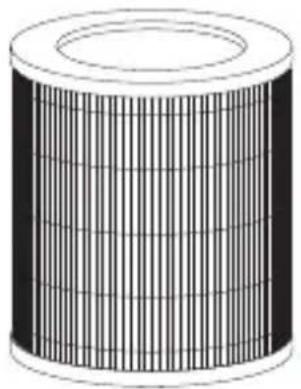
natural_image
3D rendering of a cylindrical mechanical component with internal grid structure (no text or symbols)
natural_image
Empty white rectangle with a thin black border (no text or symbols)Accessory
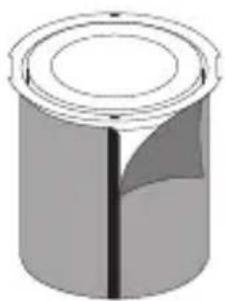
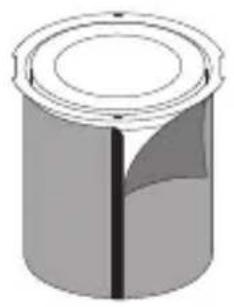
Primary Filter
Cat Scratcher Cat Teaser
natural_image
3D illustration of a cylindrical object with a central hole and a shaded section (no text or symbols)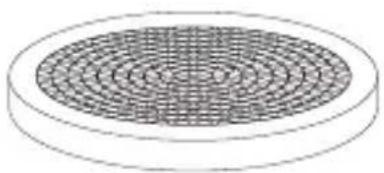
natural_image
Diagram of a circular grid pattern on a ring, no text or symbols present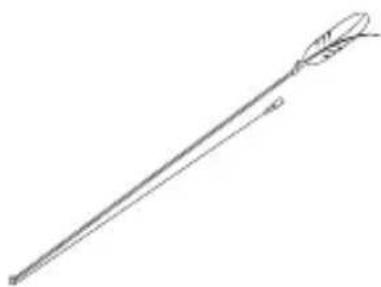
natural_image
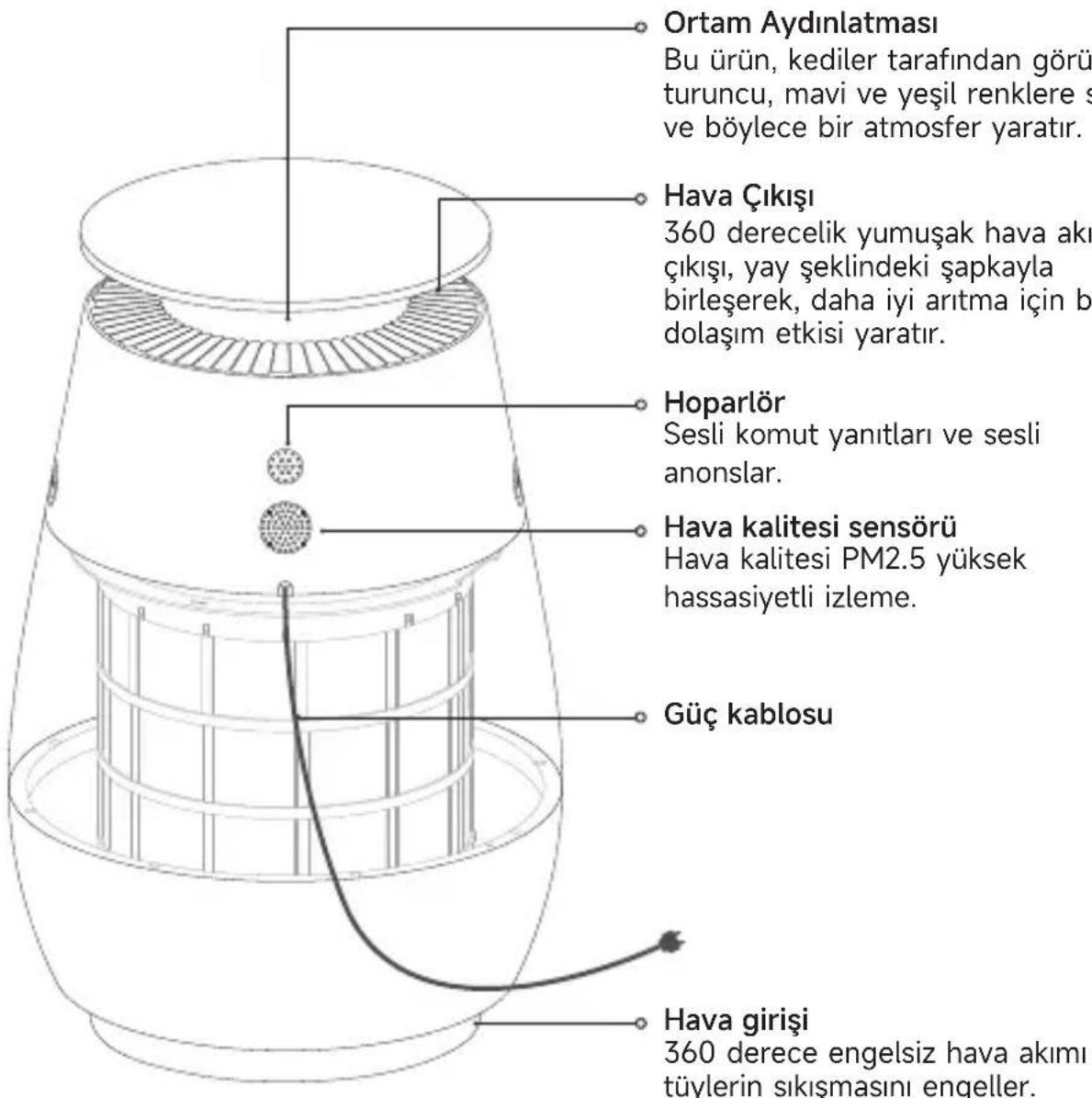
Line drawing of a long, elongated object with a curved top and arrowhead (no text or symbols)Product Introduction
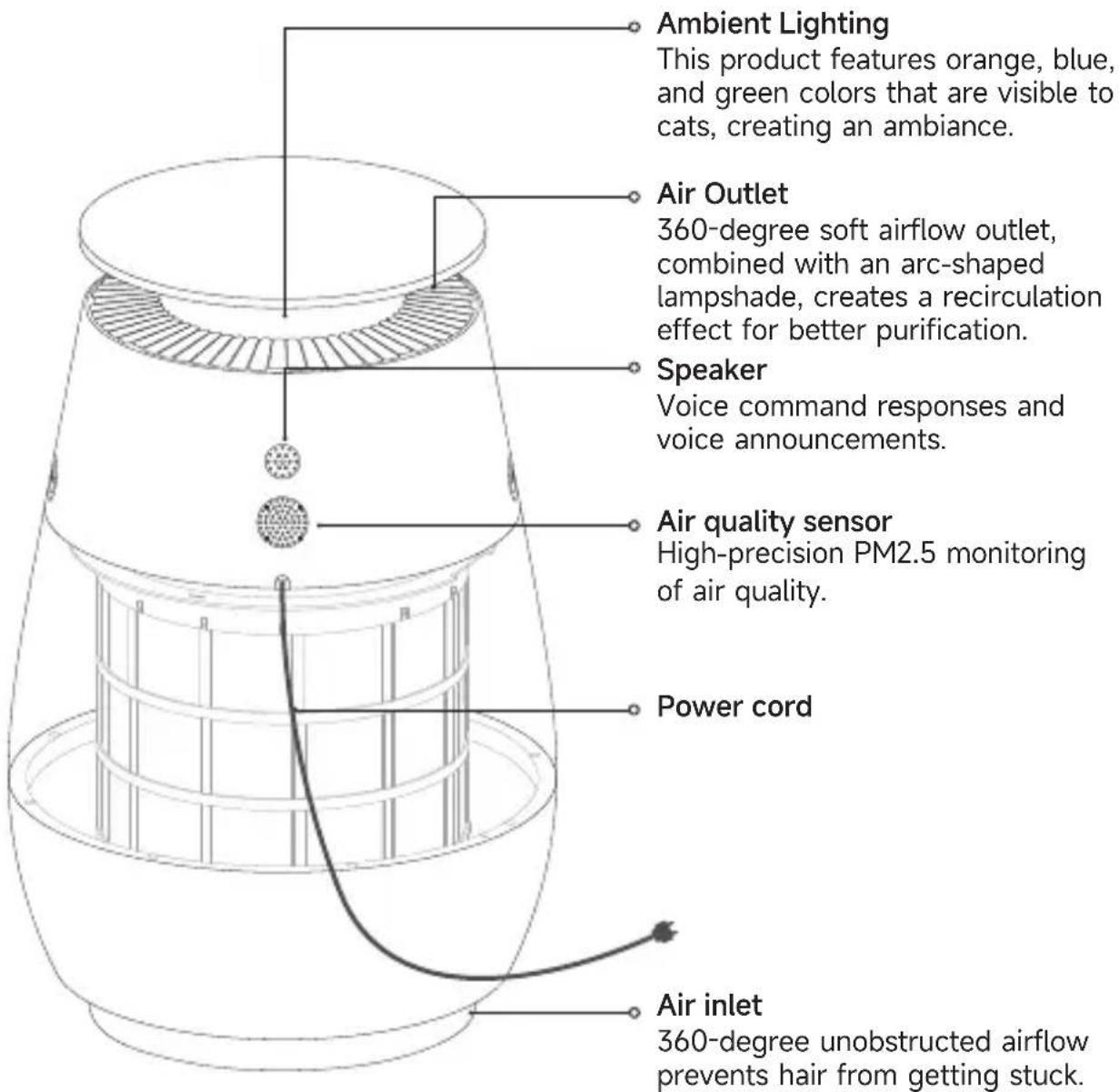
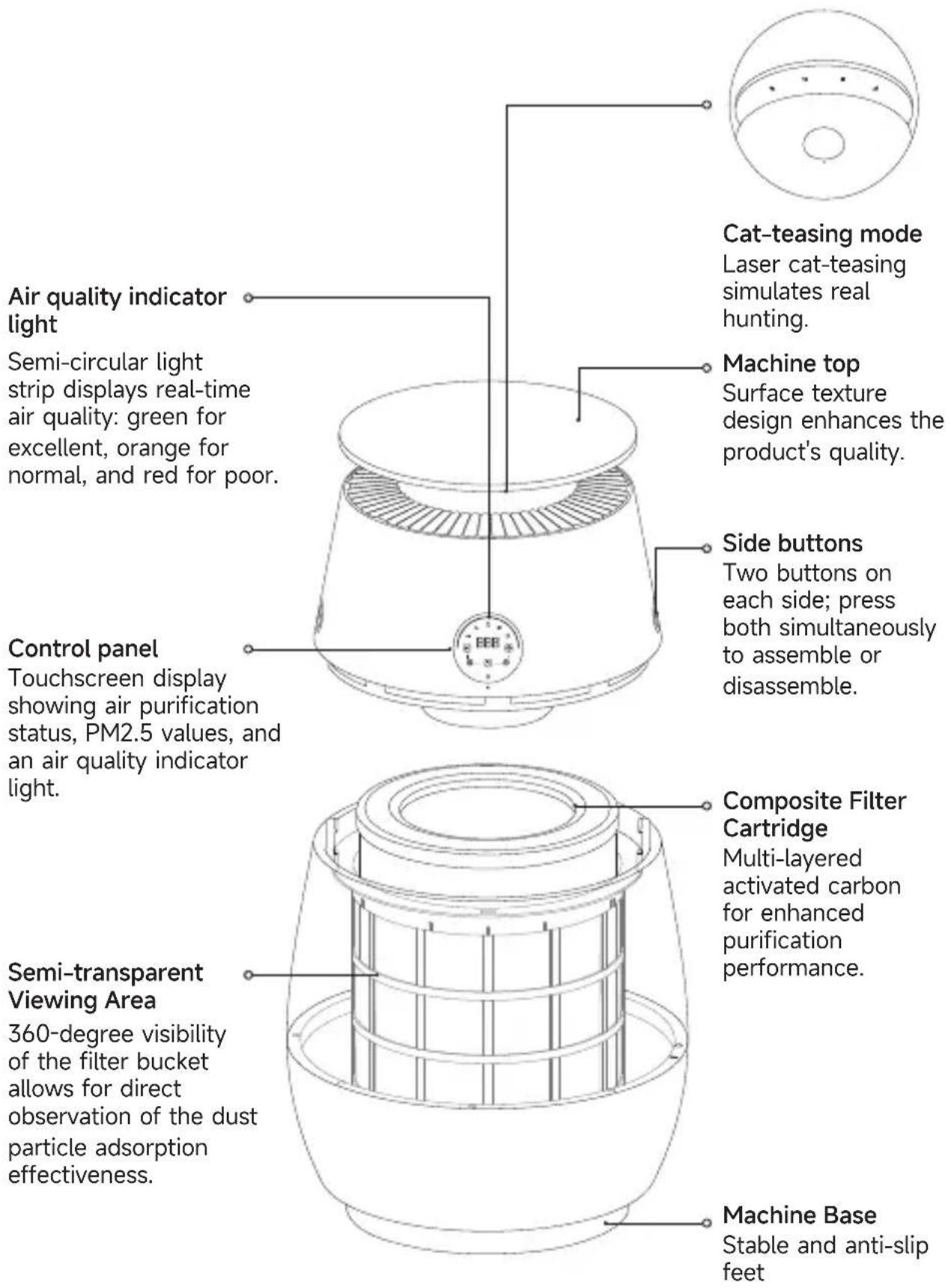
Note: The product appearance (including but not limited to color) shown in the manual and the information content (including but not limited to product images and text) displayed on the App page should be subject to the actual product.
Product Introduction
EN
EN
Installation Instructions
Before first use, install the accessories: Ensure the device is turned off and the wireless local area network is functioning properly. After installing the accessories, power on the device to register it to the network.
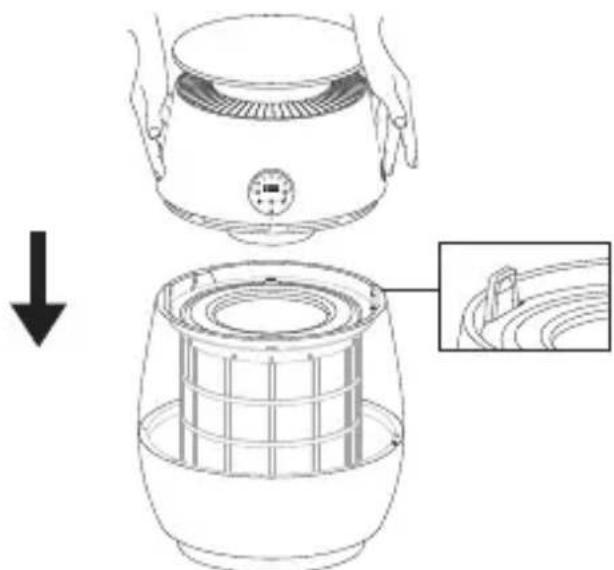
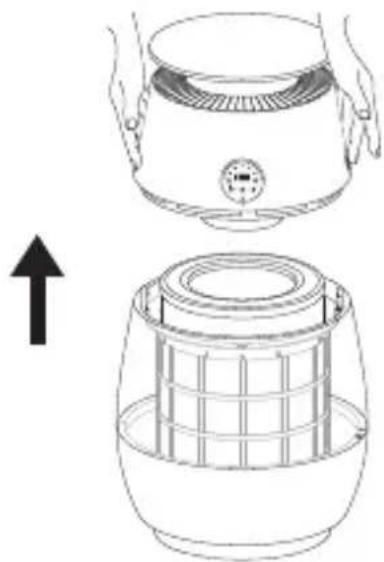
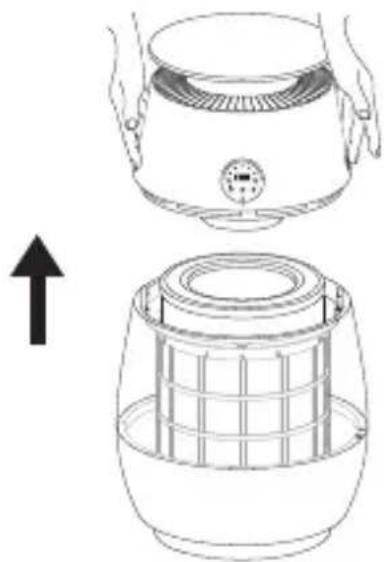
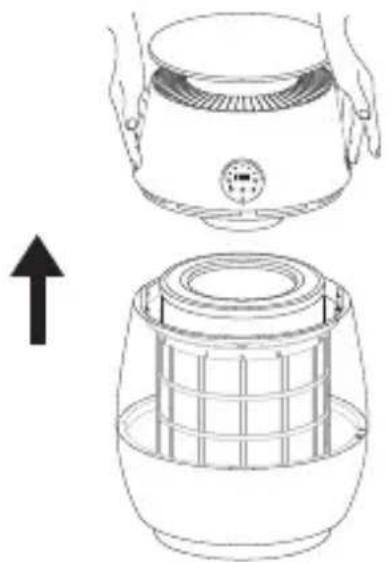
1. Open the filter compartment
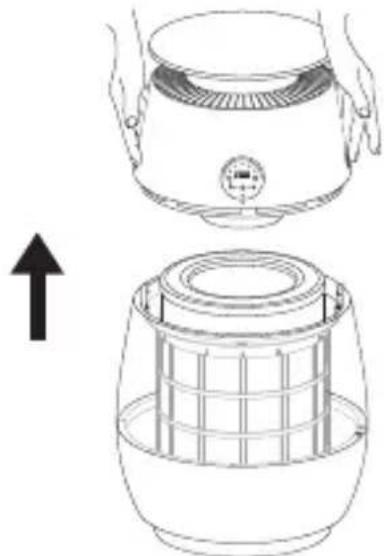
Press both buttons on either side of the machine simultaneously while lifting the upper part of the machine to open the filter compartment.
2. Install the accessories
Remove the outer packaging of the filter cartridge and install it into the filter housing in the correct order.
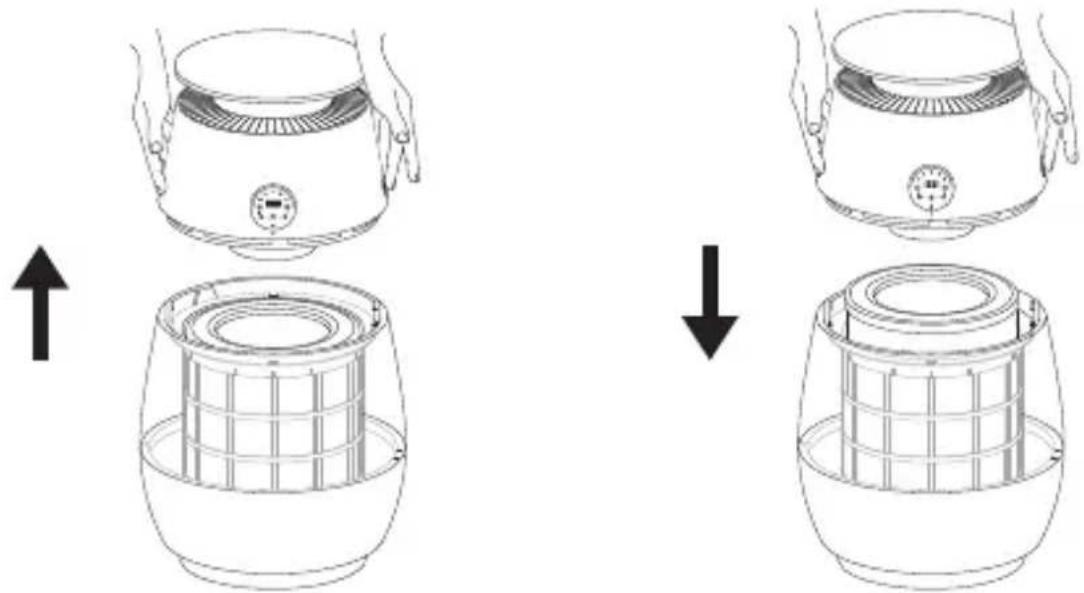
3. Close the filter compartment
Align the positioning points on both sides and secure the machine to complete the assembly.
natural_image
Line drawing of a kitchen appliance with a downward arrow indicating process (no text or symbols)Installation Instructions
EN
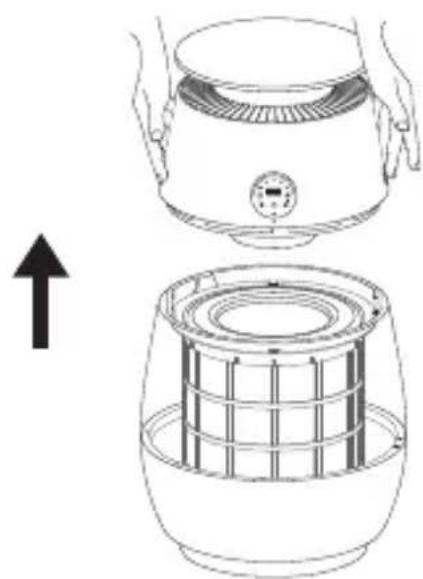
Please ensure the device is powered off and unplugged.
1. Remove the filter cylinder
Press the buttons on both sides simultaneously, then lift the upper housing to open the filter compartment and remove the filter cylinder.
2. Install the primary filter
Align the hook-and-loop fasteners on the new primary filter with the corresponding fasteners on the frame, then press firmly to secure.
natural_image
Line drawing of a toaster oven and its internal grid fan assembly (no text or symbols)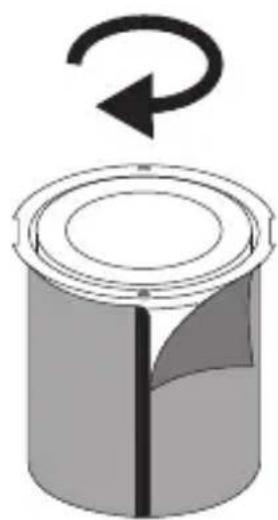
natural_image
Diagram of a cylindrical container with a rotating arrow indicating rotation (no text or symbols)Note: To enhance pet hair removal, power off the device, take out the filter cylinder, and clean any accumulated hair from the primary filter surface. Reinstall the filter cylinder after cleaning.
EN
Installation Instructions
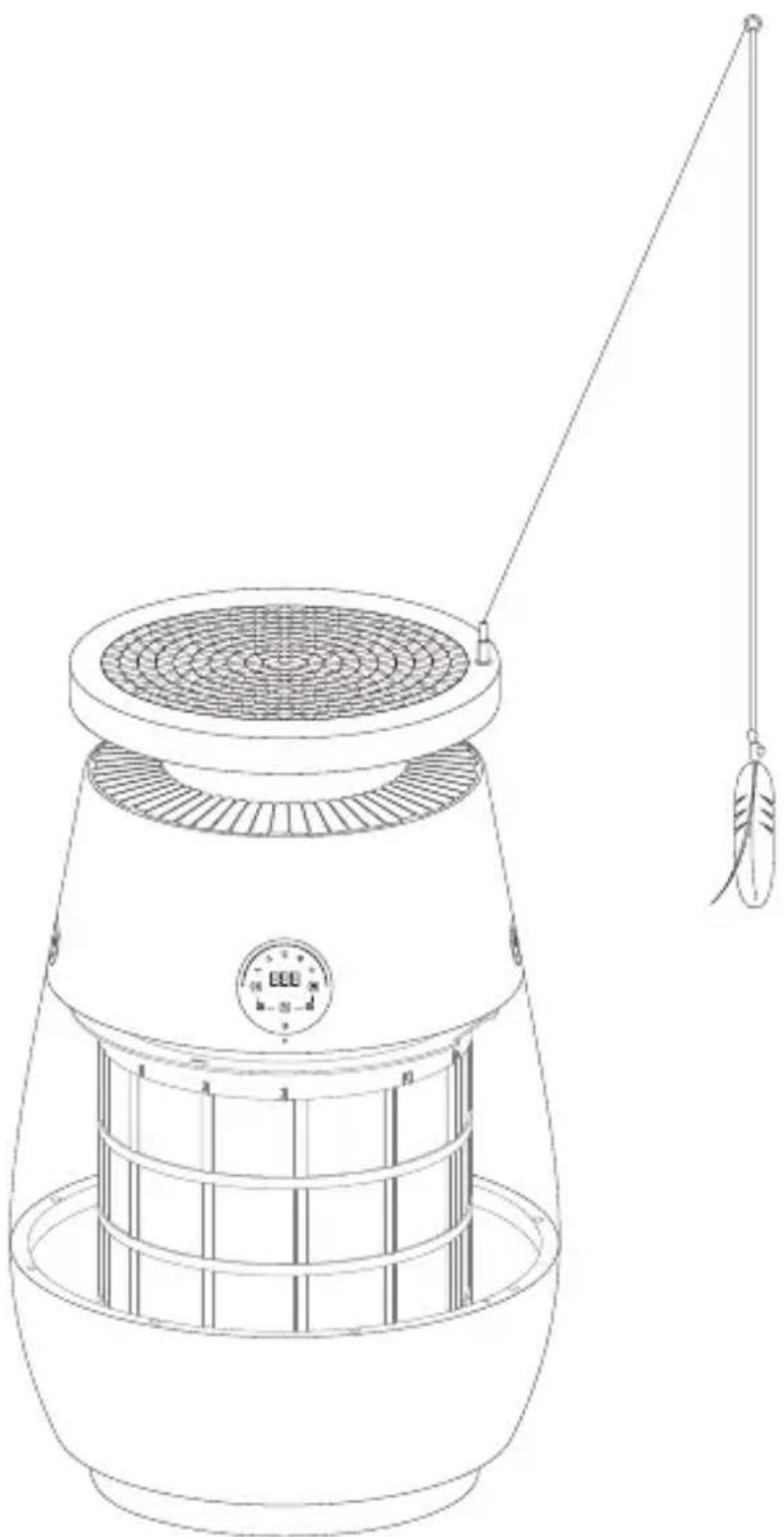
1. Install the cat scratcher
Place the cat scratcher on top of the machine and ensure that it is securely installed.
2. Insert the cat teaser
Insert the cat teaser into the reserved hole on the cat scratcher.
natural_image
Line drawing of a portable air conditioner with a hanging pointer and control panel (no text or symbols)Voice prompts
Welcome message: When the device is powered on, you will hear "Welcome to Dreame Air Purifier. You can use 'Dreame, Dreame' to wake me up".
Wake-up word: Say "Dreame, Dreame" to wake up the device, then follow with the command.
Command:
- Turn on the air purifier/ Turn it on
- Turn off the air purifier/ Turn it off
- Speed 1 (1...5)
• Maximum speed/Minimum speed
- Increase volume
- Decrease volume
• Maximum volume
- Medium volume
- Minimum volume
- Set timer for 1 hour (1...12 hours)
- Cancel timer/ Turn off timer
- Enable Child Lock/Disable Child Lock
- Turn on voice Control/ Turn off voice Control
- Turn on the light/ Turn on blue light
- Turn on orange light
- Turn on green light
- Turn off the light
- Enable sleep mode/Disable sleep mode
- Enable AI Purify/Disable AI Purify
- Enable Pet mode/Disable Pet mode
- Enable Play mode/Disable Play mode
- Enable strong purification
- Disable strong purification
Note: Strong purification mode is the highest purification setting, and pet mode is an independent mode. The cat-teasing mode will automatically turn off after 10 minutes.
Touchscreen display
Note: Ensure that the filter cartridge is properly installed in the filter compartment, the product is placed on a flat surface, and it is securely connected to a power source.
Control panel
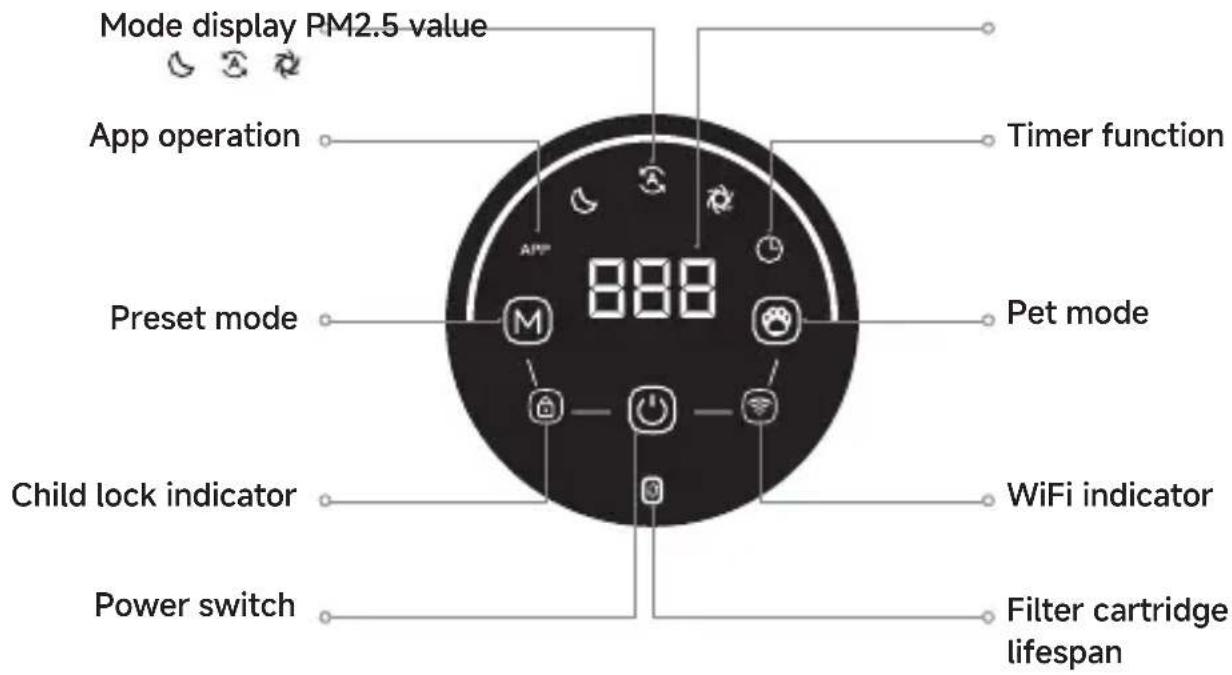
Function buttons

Power switch
Lightly press the power button to enter automatic mode.
Press briefly the power button to turn off the product and enter standby mode.

Switching between modes
The default startup mode is automatic mode. In automatic mode, lightly press the M mode switch button to enter sleep mode. Press it again to enter strong purification mode, and the cycle repeats.
Strong purification mode is the highest purification setting, and pet mode is an independent mode.
Touchscreen display
Function buttons

Pet mode
Pet mode is disabled by default at startup. Tap the Pet mode button to switch from standard mode to Pet mode. Tap the Pet mode button or the standard mode button again to exit Pet mode.

Child lock switch
Press and hold the "Mode" and "Power" buttons simultaneously for 2 seconds to enable the child lock function, rendering all other buttons inactive.
Press and hold the "Mode" and "Power" buttons simultaneously for 2 seconds to disable the child lock, restoring all other buttons to their original functions. (The device cannot be turned off directly while in child lock mode.)

WiFi Connection
Press and hold the "Power" and "Pet Mode" button simultaneously for 3 seconds to start the network configuration; if the WiFi is not configured successfully within 3 minutes, the WiFi indicator light will turn off.

Filter Cartridge Expiration Reset
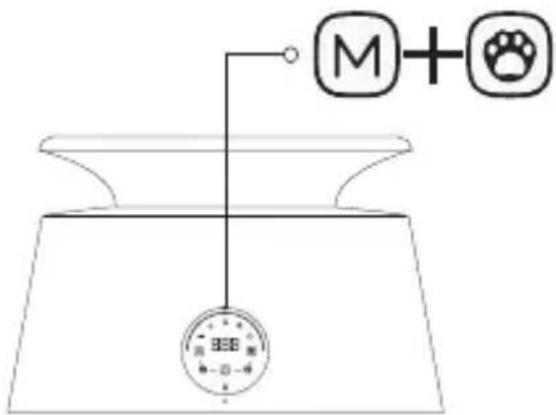
After replacing the filter cartridge, press and hold the "Preset Mode" and "Pet Mode" button simultaneously for 5 seconds while the device is powered on to reset the filter cartridge's expiration timer.
If the device shuts down due to tip-over protection, place the device flat for 5 seconds before turning it on again.
Other functions can be controlled via voice commands or through the App.
Filter cartridge lifespan: The device automatically detects the lifespan of its accessories. The filter status can be checked via the lifespan indicator light or the App interface, and users are notified via corresponding indicator light flashes and App alerts when it is time to replace the filter.
App Operation
Note: Please enable Wi-Fi and Bluetooth on your device when connecting the product to ensure a quick connection.
1. Download the Dreamehome App
Scan the QR code on the device or search for "Dreamehome" in the App store, then download and install the Dreamehome App according to the prompts.
Note:
- Wi-Fi wireless connection only support networks operating on the 2.4GHz frequency band.
- Due to App updates and improvements, the actual operation may differ slightly from the description above. Please follow the instructions within the current app for the most accurate guidance.
2. Add device
Open the Dreamehome App, tap "Scan to connect," scan the QR code on the device again to add the device, and follow the prompts on the App and screen to complete the connection.
Laser Operation Instructions
The cat-teasing laser can be controlled via the App or by voice:
App Control: The laser will automatically turn off after 10 minutes of operation by default.
Voice Control: Once activated, the laser will continue running until manually turned off.
Laser Maintenance and Replacement:
Non-professionals should not attempt to disassemble, repair, or modify this product. Any unauthorized disassembly, repair, or modification may void the laser safety protection and could potentially lead to radiation hazards.
Device maintenance
EN
Note: Device maintenance can only be performed when the power turned off.
The device can automatically detect the service life of accessories and notify users to replace them via corresponding indicator light flashes and App notifications.
1. Filter Replacement Reminder
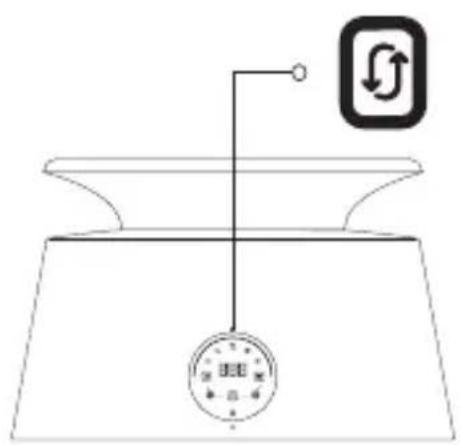
If the expiration indicator light on the display panel flashes white, it is time to replace the product filter.
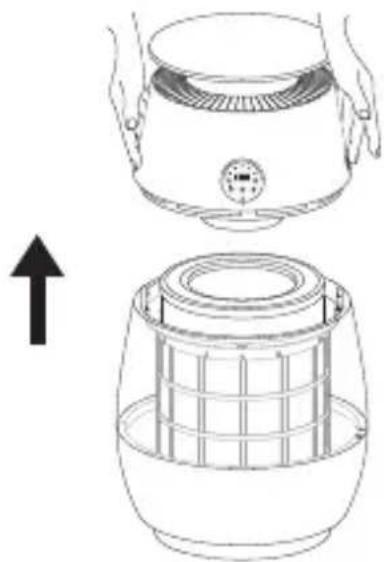
2. Filter Replacement
Turn off the device power, open the filter compartment according to the instructions, and replace the filter and other accessories.
natural_image
Line drawing showing a hand pressing down on a portable air purifier and then into a grid-patterned container (no text or symbols)3. Filter Replacement Confirmation
After replacing the filter, you can reset the expiration date via the App, or press and hold the "Mode" and "Pet Mode" button simultaneously for 5 seconds after turning on the device to restart the expiration timer.
Troubleshooting
Note: Refer to the following procedures when the fault warning light remains continuously illuminated.
1. Fault Confirmation
Refer to the table of common fault types and handling methods for routine handling.
| Fault Status Possible Causes | Handling Methods | |
| Control panel is unresponsive. | Power supply issue or filter compartment not properly secured. | Check power connection and ensure filter compartment is securely closed. |
| Excessive noise during operation. | Uneven placement of the unit or improper installation of the filter cartridge. | Ensure the device is level and recheck the filter cartridge assembly's position and sequence. |
| The device operates normally, but the airflow is significantly reduced. | Foreign objects are blocking the air outlet, or the filter has not been replaced in time. | Re-adjust the product placement to ensure adequate space, and verify whether the filter has been replaced with a new one as instructed. |
| The indicator light is flashing to indicate a fault. | Motor or sensor fault | Contact the after-sales department for technical assistance. |
| The device cannot be registered or cannot connect to the network. | There is network issue or the cloud service platform is under maintenance. | Re-check the network connection to ensure that internet access is normal, or wait for the cloud service platform maintenance to be completed. |
| The filter cartridge expiration indicator is illuminated. | The filter cartridge has reached its expiration date. | Replace the filter cartridge |
2. Technical Support
If you encounter an issue not listed above, please use the technical support feature in the mobile App or directly contact the after-sales department for technical assistance.
Basic Parameters
EN
1. Primary Sterilization Factor
Utilizes ultraviolet radiation from ultraviolet lamps for sterilization.
It is necessary to clean the UV lamps regularly. Disconnect the power plug! After the device completely cools, use cotton swabs to remove visible dust from the lamp.
It is recommended that cleaning be performed every 12 months for general households and every 6 months in pet environments.
2. Sterilization Principle
By utilizing ultraviolet light of an appropriate wavelength, the molecular structure of DNA (deoxyribonucleic acid) or RNA (ribonucleic acid) within microbial cells is destroyed, leading to the death of proliferative cells and/or regenerative cells, thereby achieving sterilization and disinfection.
3. Types of Microorganisms Eliminated
Effective against bacteria in the air.
4. Application Range
Suitable for use in hospitals, public places, homes, and other locations for air disinfection.
| Model CVF61A | |
| Dimensions 562*370*370 mm | |
| Rated Voltage 220-240 V | |
| Rated Power 68 W | |
| Rated Frequency 50-60 Hz | |
| Clean Air Delivery Rate for Particulate Matter (CADR Particulate Matter) | 430 m^3/h |
| Formaldehyde Clean Air Delivery Rate (CADR Formaldehyde) | 200 m^3/h |
| Laser Wavelength 650 nm | |
| Laser Maximum Power <0.39 mW | |
| Laser Classification Class 1 | |
| Networked standby ≤2.0W | |
| Standby ≤0.8W | |
| Product maintenance and filter replacement or cleaning information is detailed in the user manual. | |
WEEE Information
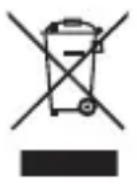
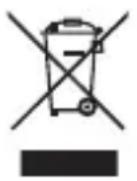
All products bearing this symbol are waste electrical and electronic equipment (WEEE as in directive 2012/19/EU) which should not be mixed with unsorted household waste. Instead, you should protect human health and the environment by handing over your waste equipment to a designated collection point for the recycling of waste electrical and electronic equipment, appointed by the government or local authorities. Correct disposal and recycling will help prevent potential negative consequences to the environment and human health. Please contact the installer or local authorities for more information about the location as well as terms and conditions of such collection points.
natural_image
Three technical illustrations of industrial components: a cylindrical container, a circular filter or drain cover, and a long-handled tool with a feather-like element (no text or symbols present)natural_image
Line drawing of a kitchen appliance with a lid and side view showing internal structure (no text or symbols)natural_image
Line drawing showing a kitchen appliance being placed on top of a cylindrical stove (no text or symbols present)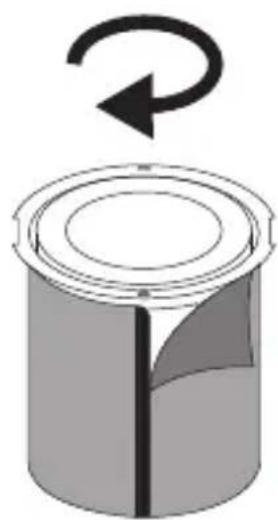
natural_image
Diagram of a cylindrical container with a rotating arrow indicating rotation (no text or symbols)natural_image
Line drawing of a portable air conditioner with a hanging pointer and control panel (no text or symbols)Message vocal
- Turn on the air purifier/ Turn it on
- Turn off the air purifier/ Turn it off
- Speed 1 (1...5)
• Maximum speed/Minimum speed
- Increase volume
- Decrease volume
• Maximum volume
- Medium volume
- Minimum volume
- Set timer for 1 hour (1...12 hours)
- Cancel timer/ Turn off timer
- Enable Child Lock/Disable Child Lock
- Turn on voice Control/ Turn off voice Control
- Turn on the light/ Turn on blue light
- Turn on orange light
- Turn on green light
- Turn off the light
- Enable sleep mode/Disable sleep mode
- Enable AI Purify/Disable AI Purify
- Enable Pet mode/Disable Pet mode
- Enable Play mode/Disable Play mode
- Enable strong purification
- Disable strong purification
natural_image
Line drawing of a kitchen appliance with a lid and side view showing internal structure (no text or symbols)2. Assistance technique
natural_image
Line drawing of a conical container with a side panel and lid (no text or symbols)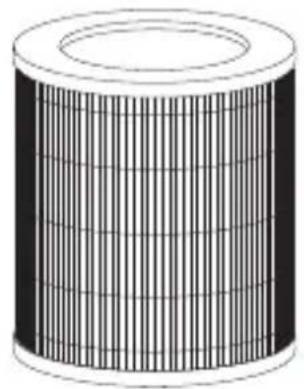
natural_image
Illustration of a cylindrical object with internal grid pattern (no text or symbols)
natural_image
Empty white rectangle with a thin black border (no text or symbols)Zubehör
natural_image
3D illustration of a cylindrical object with a central vertical line and shaded cross-section (no text or symbols)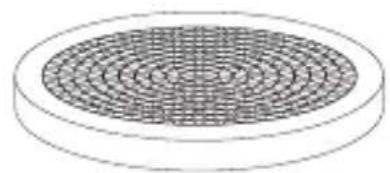
natural_image
Diagram of a circular object with concentric rings, resembling a filter or mesh pattern (no text or symbols)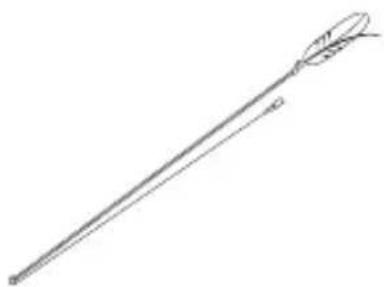
natural_image
Line drawing of a long, elongated object resembling a stylized arrow or tool (no text or symbols)Produktvorstellung
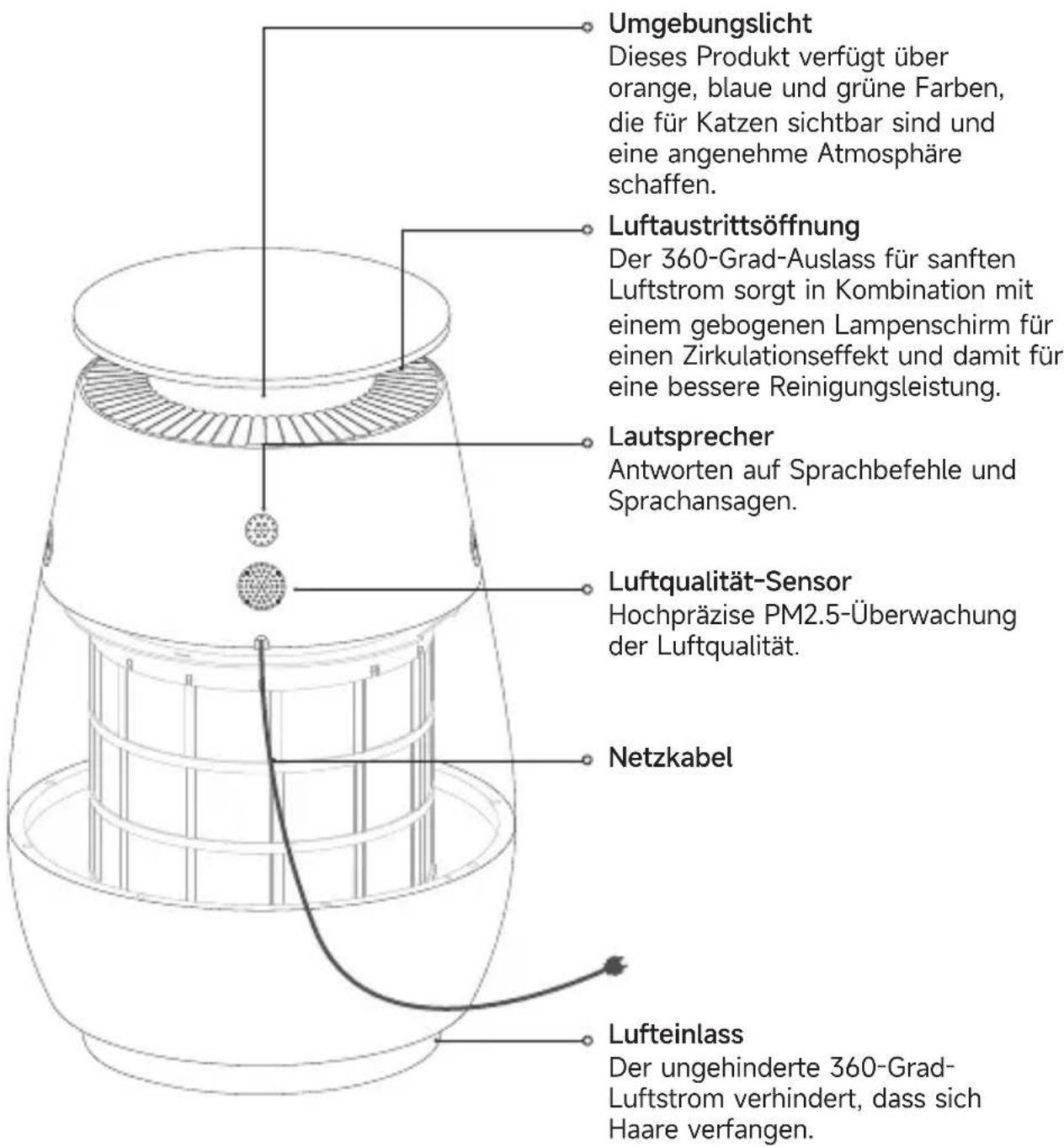
natural_image
Technical line drawing of a cylindrical mechanical component with internal grid structure (no text or symbols)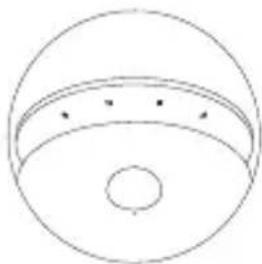
natural_image
Simple line drawing of a dome-shaped object with a central hole and three small dots on its surface (no text or symbols)natural_image
Line drawing showing a hand pressing down on a stroller and finally into a cylindrical container (no text or symbols)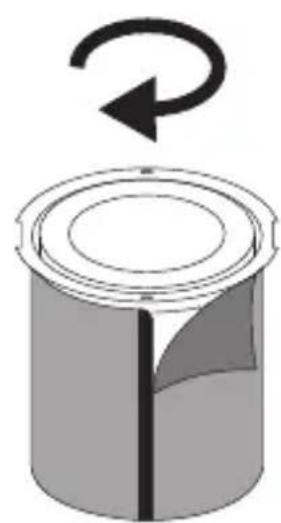
natural_image
Diagram of a cylindrical container with a rotating arrow indicating clockwise rotation (no text or symbols)natural_image
Line drawing of a portable air conditioner with a hanging pointer and control panel (no text or symbols)Sprachansagen
- Turn on the air purifier/ Turn it on
- Turn off the air purifier/ Turn it off
- Speed 1 (1...5)
• Maximum speed/Minimum speed
- Increase volume
- Decrease volume
- Maximum volume
- Medium volume
- Minimum volume
- Set timer for 1 hour (1...12 hours)
- Cancel timer/Turn off timer
- Enable Child Lock/Disable Child Lock
- Turn on voice Control/ Turn off voice Control
- Turn on the light/ Turn on blue light
- Turn on orange light
- Turn on green light
- Turn off the light
- Enable sleep mode/Disable sleep mode
- Enable AI Purify/Disable AI Purify
- Enable Pet mode/Disable Pet mode
- Enable Play mode/Disable Play mode
- Enable strong purification
- Disable strong purification
natural_image
Line drawing showing a kitchen appliance being placed on top and bottom, with an upward arrow indicating motion (no text or symbols)natural_image
Line drawing of a conical container with a side panel and lid (no text or symbols)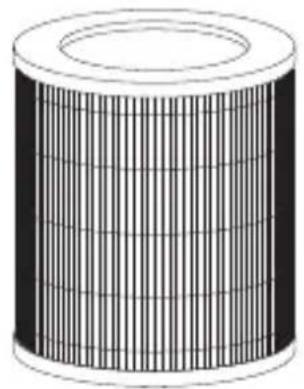
natural_image
Illustration of a cylindrical object with internal grid pattern (no text or symbols)
natural_image
Empty white rectangle with a thin black border (no text or symbols)Accessorio
natural_image
3D illustration of a cylindrical object with a central hole and a shaded section (no text or symbols)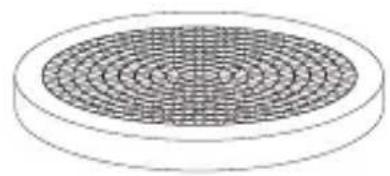
natural_image
Diagram of a circular object with concentric rings, resembling a filter or mesh structure (no text or symbols)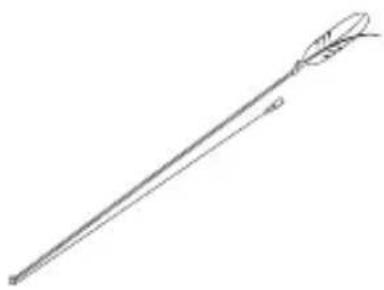
natural_image
Line drawing of a long, elongated object resembling a stylized arrow or spear (no text or symbols)natural_image
Line drawing of a kitchen appliance with a lid and side view showing internal structure (no text or symbols)IT
natural_image
Line drawing showing a hand pressing down on a digital kitchen appliance while the interior plate is compressed (no text or symbols)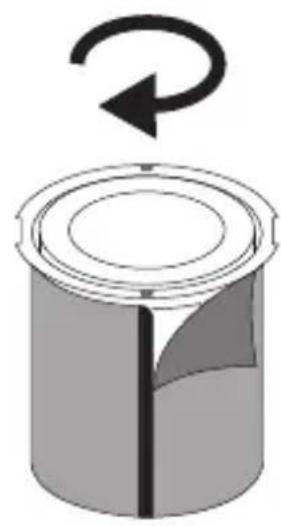
natural_image
Diagram of a cylindrical container with a rotating arrow indicating clockwise rotation (no text or symbols)natural_image
Line drawing of a portable air conditioner with a hanging pointer and control panel (no text or symbols)Messaggi vocali
- Turn on the air purifier/ Turn it on
- Turn off the air purifier/ Turn it off
- Speed 1 (1...5)
• Maximum speed/Minimum speed
- Increase volume
- Decrease volume
• Maximum volume
- Medium volume
- Minimum volume
- Set timer for 1 hour (1...12 hours)
- Cancel timer/ Turn off timer
- Enable Child Lock/Disable Child Lock
- Turn on voice Control/ Turn off voice Control
- Turn on the light/ Turn on blue light
- Turn on orange light
- Turn on green light
- Turn off the light
- Enable sleep mode/Disable sleep mode
- Enable AI Purify/Disable AI Purify
- Enable Pet mode/Disable Pet mode
- Enable Play mode/Disable Play mode
- Enable strong purification
- Disable strong purification
natural_image
Line drawing of a kitchen appliance with a lid and side view showing the interior structure (no text or symbols)natural_image
Line drawing of a conical air purifier with mesh insulation (no text or symbols)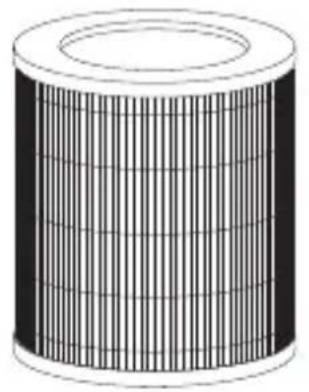
natural_image
Illustration of a cylindrical object with internal grid pattern (no text or symbols)
natural_image
Empty white rectangle with a thin black border (no text or symbols)Accesorio
natural_image
3D illustration of a cylindrical object with a central vertical line and a shaded section (no text or symbols)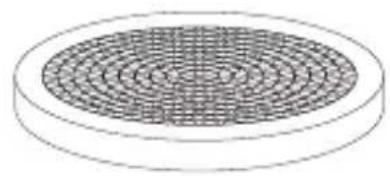
natural_image
Diagram of a circular object with concentric rings, resembling a filter or mesh pattern (no text or symbols)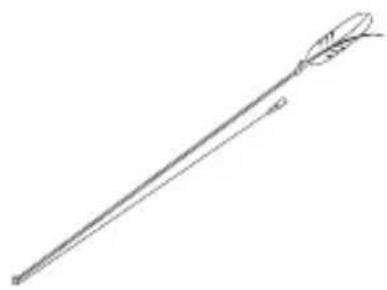
natural_image
Line drawing of a long, pointed tool with a curved handle and arrowhead (no text or symbols)natural_image
Diagram showing a hand pressing down on a grating device into a circular grid structure, with an inset detail view of the component (no text or symbols present)natural_image
Line drawing of a toaster oven and its internal grid fan assembly (no text or symbols)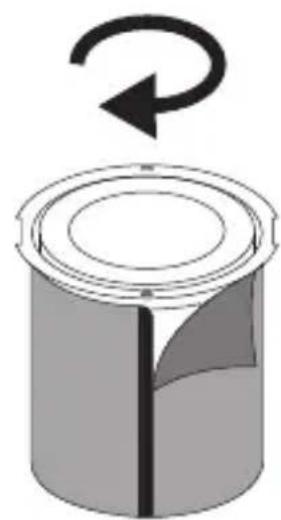
natural_image
Diagram of a cylindrical container with a rotating arrow indicating rotation (no text or symbols)natural_image
Line drawing of a portable air conditioner with a hanging pointer and control panel (no text or symbols)Mensajes de voz
ES
- Turn on the air purifier/ Turn it on
- Turn off the air purifier/ Turn it off
- Speed 1 (1...5)
• Maximum speed/Minimum speed
- Increase volume
- Decrease volume
- Maximum volume
- Medium volume
- Minimum volume
- Set timer for 1 hour (1...12 hours)
- Cancel timer/ Turn off timer
- Enable Child Lock/Disable Child Lock
- Turn on voice Control/ Turn off voice Control
- Turn on the light/ Turn on blue light
- Turn on orange light
- Turn on green light
- Turn off the light
- Enable sleep mode/Disable sleep mode
- Enable AI Purify/Disable AI Purify
- Enable Pet mode/Disable Pet mode
- Enable Play mode/Disable Play mode
- Enable strong purification
- Disable strong purification
natural_image
Line drawing showing a hand pressing down on a portable air purifier and then into a grid-patterned container (no text or symbols)natural_image
Line drawing of a cylindrical device with a grid-like structure and a top lid (no text or symbols)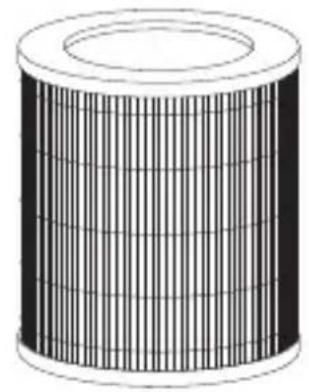
natural_image
Illustration of a cylindrical object with internal grid pattern (no text or symbols)
natural_image
Empty white rectangle with a thin black border (no text or symbols)Acessório
natural_image
Simple 3D illustration of a cylindrical container with a cutaway section (no text or symbols)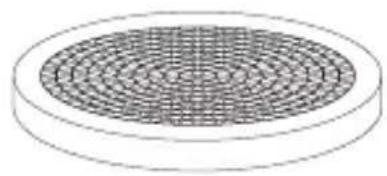
natural_image
Diagram of a circular object with a grid pattern on its surface, no text or symbols present.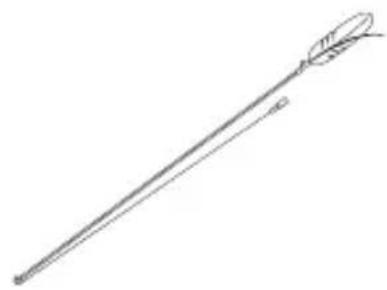
natural_image
Line drawing of a long, elongated object resembling a stylus or tool with a curved tip (no text or symbols)Iluminação ambiente
natural_image
Line drawing of a kitchen appliance with a downward arrow indicating process (no text or symbols)natural_image
Line drawing showing a hand pressing down on a portable air fryer and then into a grid-patterned container (no text or symbols)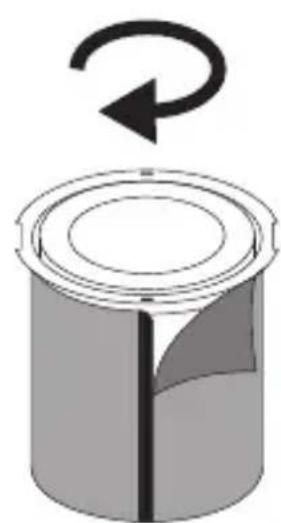
natural_image
Diagram of a cylindrical container with a rotating arrow indicating rotation (no text or symbols)natural_image
Line drawing of a portable air conditioner with a hanging pointer and control panel (no text or symbols)Pedidos de voz
- Turn on the air purifier/ Turn it on
- Turn off the air purifier/ Turn it off
- Speed 1 (1...5)
- Increase fan speed
- Decrease fan speed
• Maximum speed/Minimum speed - Increase volume
- Decrease volume
• Maximum volume - Medium volume
- Minimum volume
- Set timer for 1 hour (1...12 hours)
- Cancel timer/Turn off timer
-
Enable Child Lock/Disable Child Lock
-
Turn on voice Control/ Turn off voice Control
- Turn on the light/ Turn on blue light
- Turn on orange light
- Turn on green light
- Turn off the light
- Enable sleep mode/Disable sleep mode
- Enable AI Purify/Disable AI Purify
- Enable Pet mode/Disable Pet mode
- Enable Play mode/Disable Play mode
- Enable strong purification
- Disable strong purification
natural_image
Line drawing of a kitchen appliance with a lid and side panel, showing a hand pressing down (no text or symbols)natural_image
Line drawing of a cylindrical device with a mesh internal structure (no text or symbols)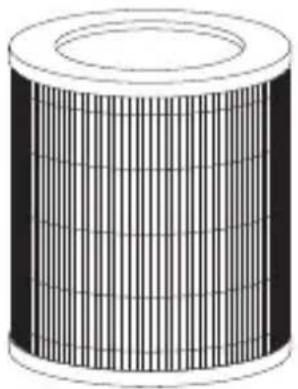
natural_image
Illustration of a cylindrical object with vertical grooves and a flat top (no text or symbols)
natural_image
Empty white rectangle with a thin black border (no text or symbols)Phụ kiện
natural_image
3D illustration of a cylindrical object with a hollow top and a cut section on the side (no text or symbols)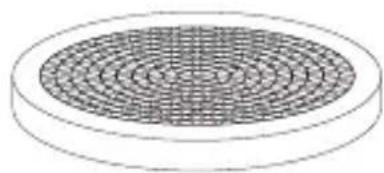
natural_image
Diagram of a circular object with concentric rings, resembling a filter or mesh pattern (no text or symbols)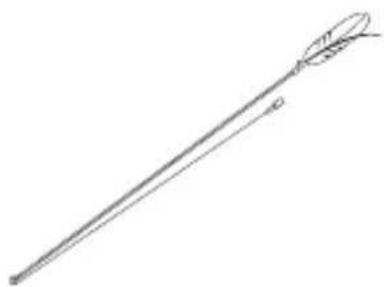
natural_image
Line drawing of a long, elongated object resembling a stylized tool or tool with a curved handle (no text or symbols)Giới thiệu sản phẩm
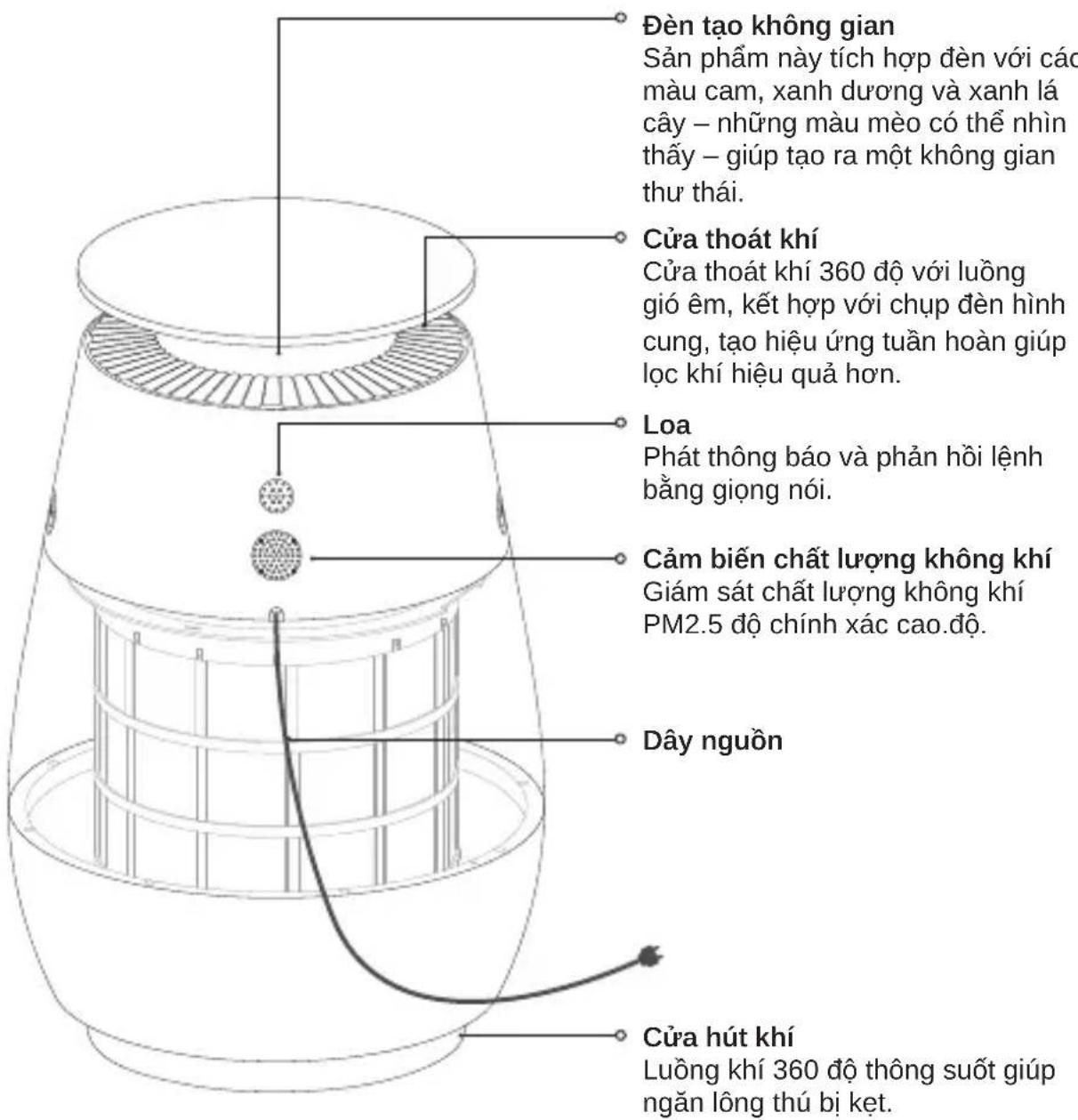
natural_image
Diagram showing a hand pressing down on a small electric heater with a magnified inset detail (no text or symbols)Hướng dẫn lắp đặt
VI
natural_image
Line drawing of a toaster oven and its internal air filter (no text or symbols)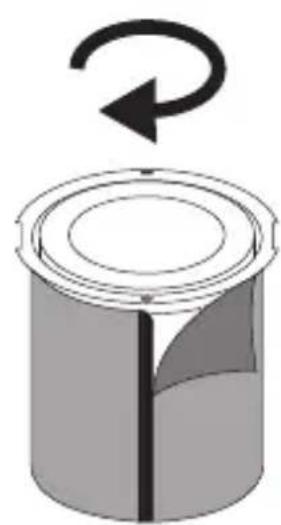
natural_image
Diagram of a cylindrical container with a rotating arrow indicating clockwise rotation (no text or symbols)natural_image
Line drawing of a portable air conditioner with a hanging pointer and control panel (no text or symbols)- Turn on the air purifier/ Turn it on
- Turn off the air purifier/ Turn it off
- Speed 1 (1...5)
- Increase fan speed
- Decrease fan speed
• Maximum speed/Minimum speed - Increase volume
- Decrease volume
• Maximum volume - Medium volume
- Minimum volume
- Set timer for 1 hour (1...12 hours)
- Cancel timer/ Turn off timer
-
Enable Child Lock/Disable Child Lock
-
Turn on voice Control/ Turn off voice Control
- Turn on the light/ Turn on blue light
- Turn on orange light
- Turn on green light
- Turn off the light
- Enable sleep mode/Disable sleep mode
- Enable AI Purify/Disable AI Purify
- Enable Pet mode/Disable Pet mode
- Enable Play mode/Disable Play mode
- Enable strong purification
- Disable strong purification

natural_image
Line drawing of a kitchen appliance with a lid and side panel, showing a hand pressing down on the top panel (no text or symbols)natural_image
Line drawing of a cylindrical device with internal grid structure (no text or symbols)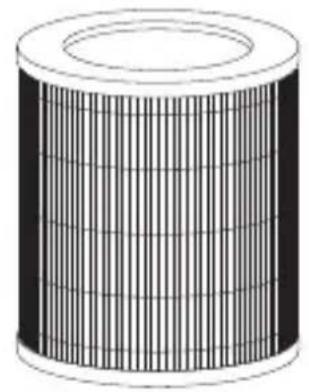
natural_image
Illustration of a cylindrical object with internal grid pattern (no text or symbols)
natural_image
Empty white rectangle with a thin black border (no text or symbols)Aksesuar
natural_image
3D illustration of a cylindrical container with a central hole and a shaded side (no text or symbols)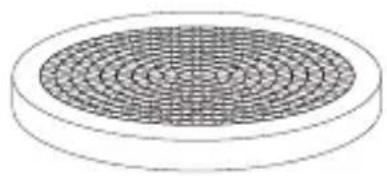
natural_image
Diagram of a circular object with concentric rings, resembling a filter or mesh pattern (no text or symbols)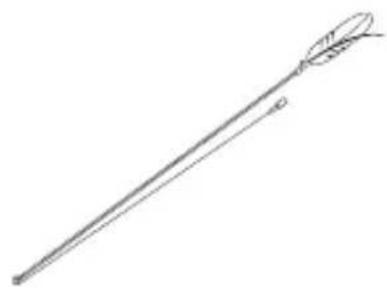
natural_image
Line drawing of a long, elongated object resembling a stylus or tool with a curved handle (no text or symbols)Ürün Tanıtımı
natural_image
Simple line drawing of a dome-shaped object with a central hole and two small dots on its surface (no text or symbols)natural_image
Diagram showing a hand pressing down on a small electric heater with a magnified inset detail (no text or symbols)Kurulum Talimatları
TR
natural_image
Line drawing showing a hand pressing down on a small electric heater with a grid-patterned lid, no text or symbols present.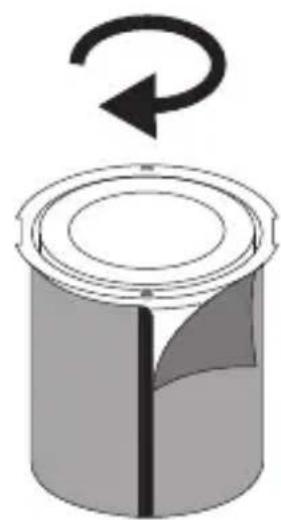
natural_image
Diagram of a cylindrical container with a rotating arrow indicating rotation (no text or symbols)natural_image
Line drawing of a portable air conditioner with a hanging pointer and control panel (no text or symbols)Sesli Bildirimler
TR
- Turn on the air purifier/ Turn it on
- Turn off the air purifier/ Turn it off
- Speed 1 (1...5)
- Increase fan speed
- Decrease fan speed
• Maximum speed/Minimum speed - Increase volume
- Decrease volume
• Maximum volume - Medium volume
- Minimum volume
- Set timer for 1 hour (1...12 hours)
- Cancel timer/ Turn off timer
-
Enable Child Lock/Disable Child Lock
-
Turn on voice Control/ Turn off voice Control
- Turn on the light/ Turn on blue light
- Turn on orange light
- Turn on green light
- Turn off the light
- Enable sleep mode/Disable sleep mode
- Enable AI Purify/Disable AI Purify
- Enable Pet mode/Disable Pet mode
- Enable Play mode/Disable Play mode
- Enable strong purification
- Disable strong purification
natural_image
Line drawing of a kitchen appliance with a lid and side panel, showing a hand holding the lid above and a side panel below (no text or symbols)3. İmha Edilen Mikroorganizma Türleri

4. Uygulama Aalanı

Model CVF61A

Lazer Dalga Boyu 650 nm
Lazer Maksimum Gücü
Class 1
□□□□□□□□□□□□□□□□□□□□□□□□□□□□□
Bekleme modu

TR
WEEE Bilgileri
natural_image
Line drawing of a conical container with internal grid structure (no text or symbols)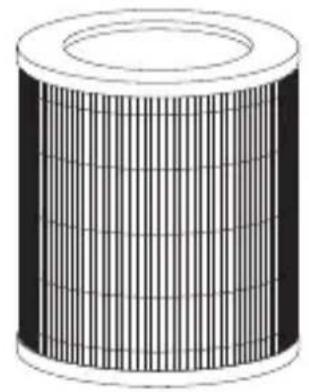
natural_image
Illustration of a cylindrical object with internal grid pattern (no text or symbols)
natural_image
Empty white rectangle with a thin black border (no text or symbols)Accessoire
Primair filter Kattenkrabpaal Kattenstimulatie
natural_image
Simple 3D illustration of a cylindrical container with a central seam and a shaded side (no text or symbols)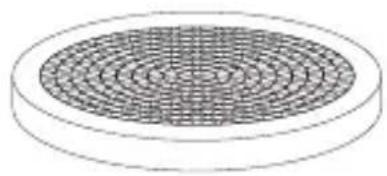
natural_image
Diagram of a circular object with concentric rings, resembling a filter or mesh pattern (no text or symbols)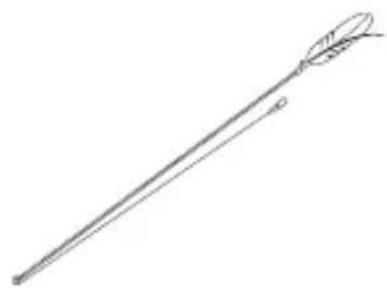
natural_image
Line drawing of a long, elongated object with a curved tip and a small protrusion at the end (no text or symbols)Productintroductie
NL
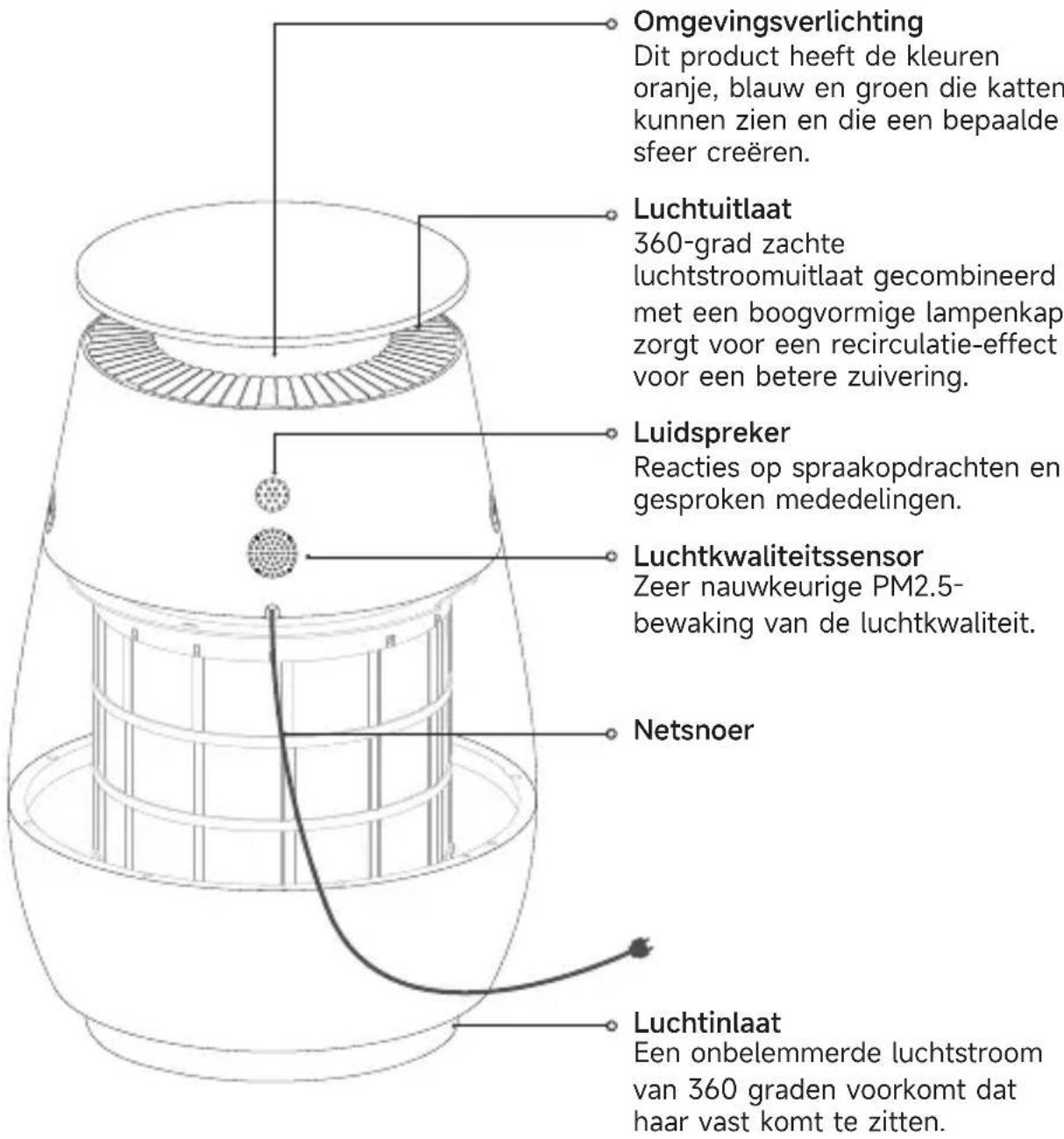
natural_image
Simple line drawing of a dome-shaped object with a central hole and four small dots on its surface (no text or symbols)Composietfilterpatroon
natural_image
Line drawing of a kitchen appliance with a downward arrow indicating process (no text or symbols)natural_image
Line drawing showing a toaster oven and its internal air vent (no text or symbols)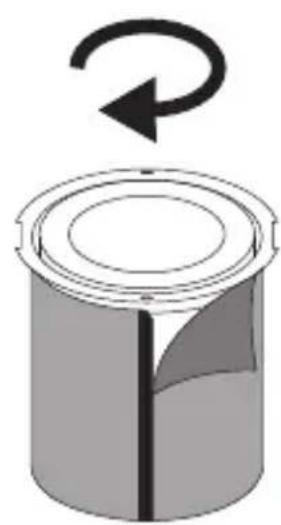
natural_image
Diagram of a cylindrical container with a rotating arrow indicating clockwise rotation (no text or symbols)natural_image
Line drawing of a portable air conditioner with a hanging pointer and control panel (no text or symbols)Spraakopdrachten
- Turn on the air purifier/ Turn it on
- Turn off the air purifier/ Turn it off
- Speed 1 (1...5)
• Maximum speed/Minimum speed
- Increase volume
- Decrease volume
- Maximum volume
- Medium volume
- Minimum volume
- Set timer for 1 hour (1...12 hours)
- Cancel timer/ Turn off timer
- Enable Child Lock/Disable Child Lock
- Turn on voice Control/ Turn off voice Control
- Turn on the light/ Turn on blue light
- Turn on orange light
- Turn on green light
- Turn off the light
- Enable sleep mode/Disable sleep mode
- Enable AI Purify/Disable AI Purify
- Enable Pet mode/Disable Pet mode
- Enable Play mode/Disable Play mode
- Enable strong purification
- Disable strong purification