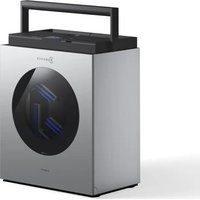
WINBOT W3 OMNI - Vacuum Cleaner ECOVACS - Free user manual and instructions
Find the device manual for free WINBOT W3 OMNI ECOVACS in PDF.


| Product Type | Robotic Window Vacuum Cleaner |
| Brand | ECOVACS |
| Model | WINBOT W3 OMNI |
| Robot Dimensions (mm) | 270 x 270 x 76 |
| Station Dimensions (mm) | 344 x 226 x 430 |
| Power Supply | 220-240 V ~ 50-60 Hz, 2.0 A |
| Standby Power | Less than 0.50 W |
| Wi-Fi Frequency Band | 2400-2483.5 MHz |
| Maximum Power (EIRP) | 16.721 dBm |
| Robot Water Tank Capacity | 80 ml |
| Station Clean Water Tank Capacity | 1.2 L |
| Composite Cable Length | 5.5 m |
| Window Cleaning Modes | Quick, Deep, Edges, Zone, Spot, Enhanced |
| Pad Washing Modes | Standard Wash, Intensive Wash |
| Built-in Sensors | Frameless, Atmospheric Pressure, IMU, Anti-Stall, Water Absence, Bumper, Support Position, Panel Position, Clean Water Tank, Dirty Water Tank Full, Cable Winding |
| Backup Battery Life | Allows operation without plug (duration not specified) |
| Battery Charging Time | Approximately 3 hours at room temperature |
| Operating Temperature | 0 °C to 40 °C |
| Maximum Operating Humidity | 85% |
| Maximum Operating Altitude | 2 000 m (6,562 ft) |
| Minimum Glass Thickness | 3 mm (glass), 4 mm (mirror) |
| Minimum Frame Height | 5 mm |
| Maximum Recommended Window Area | 8 m x 2.5 m |
| Wiping Pad Lifespan | Approximately 30 uses |
| Connectivity | Wi-Fi 2.4 GHz, Bluetooth |
| Control App | ECOVACS HOME |
| Maintenance and Cleaning | Clean the tracks, sensors, fan, water tanks, and cleaning compartment after each use |
| Safety | Safety tether with carabiner, emergency stop, fall sensors, safety ventilation |
| Spare Parts and Repairability | Battery replaceable only by professional, wiping pad replaceable, power cable to be replaced by manufacturer |
Frequently Asked Questions - WINBOT W3 OMNI ECOVACS
User questions about WINBOT W3 OMNI ECOVACS
0 question about this device. Answer the ones you know or ask your own.
Ask a new question about this device
Download the instructions for your Vacuum Cleaner in PDF format for free! Find your manual WINBOT W3 OMNI - ECOVACS and take your electronic device back in hand. On this page are published all the documents necessary for the use of your device. WINBOT W3 OMNI by ECOVACS.
USER MANUAL WINBOT W3 OMNI ECOVACS
For the Instruction Manual in further languages, visit: https://www.ecovacs.com.
Important Safety Instructions
When using an electrical appliance, basic precautions should always be followed, including the following:
READ ALL INSTRUCTIONS BEFORE USING THIS APPLIANCE. SAVE THESE INSTRUCTIONS
- This appliance can be used by persons with reduced physical, sensory or mental capabilities or lack of experience and knowledge if they have been given supervision or instruction concerning use of the appliance in a safe way and understand the hazards involved. Children shall not play with the appliance. The appliance is not to be used if it has been dropped, if there are visible signs of damage or if it is leaking. Keep the appliance out of reach of children when it is energized.
- Do not use and charge the Appliance in extremely hot or cold environments (below 0^ C/ 32^ F or above 40^ C/ 104^ F, above 85% humidity), or it may affect battery life span.
- The Appliance can be used to clean exterior windows if it is properly tethered to a safe position with the Carabiner, winds are calm,
and it is not raining or snowing.
- Before use, please use the Carabiner to lock the safety tether to a strong indoor railing, and make sure WINBOT is securely attached to it.
- Do not leave the Appliance unattended when using it. To prevent bodily injury or property damage caused by accidental falling of the Appliance, please make sure there are no people, animals, or valuable, fragile objects under the working area of WINBOT.
- Do not use the Appliance in whole gale storms and force-10 winds, or in areas where the altitude exceeds 2000 meters (6562 feet).
- Do not leave the Appliance unattended when it is plugged in.
- For household use ONLY (including exterior window). Do not use the Appliance in commercial or industrial environments.
-
Do not use on broken or uneven glass, such as glass with static cling stickers, advertising posters, or raised patterns, so as to prevent glass breaking or Appliance's falling. Do not use on surfaces with gaps, such as a piece of glass with gaps or holes, or two pieces of adjacent, frameless glass with a gap between them, so as to prevent the Appliance from falling due to poor attachment.
-
Only use accessories recommended or supplied by the manufacturer.
- Please ensure that the voltage of your power supply matches the voltage indicated on the label.
- Do not use the Appliance on a framed glass with a frame smaller than 5 mm (0.2 in).
- Do not use on glass less than 3 mm (0.12 in) thick or mirrors less than 4 mm (0.16 in) thick.
- Do not use on glass or mirrors with a handle height of 70\~105 mm (2.76\~4.13 in).
- Do not use the Appliance on greasy windows.
- When used in high humidity environment, the cleaning performance will be affected.
- Store the Appliance away from heat and flammable materials.
- In rainy weather, do not use the Appliance on the exterior window to avoid the risk of Appliance's damage or falling.
- Do not use the Appliance if it does not firmly attach to the glass or has visible signs of damage.
- To reduce the risk of electrical shock, do not put the Appliance in water or other liquid. Do not place or store Appliance where it can fall or be pulled into a tub or sink.
- Do not touch power plug with wet hands.
- When charging the Appliance, do not place it
on other electrical appliances and keep it away from fire and liquid.
- Take care not to damage the power cord. Do not pull on or carry the Appliance by the power cord, use the power cord as a handle, close a window on the power cord, or put heavy weights on the power cord. Keep power cord away from hot surfaces.
- Do not use with a damaged power cord or receptacle. Do not use the Appliance if it is not working properly, has been dropped, damaged, or come in contact with water. It must be repaired by the manufacturer or its service agent in order to avoid a hazard.
- If the supply cord is damaged, it must be replaced by the manufacturer or its service agent in order to avoid a hazard.
- The plug must be removed from the receptacle before cleaning or maintaining the Appliance.
- The Safety Battery must be replaced by the manufacturer or its service agent in order to avoid a hazard.
- The Safety Battery must be removed and discarded according to local laws and regulations before disposal of the Appliance.
- The Appliance must be disconnected from the receptacle before removing the battery for
disposal of the Appliance.
-
Please dispose of used batteries according to local laws and regulations.
-
Do not incinerate the Appliance even if it is severely damaged. The battery can explode in a fire.
-
The Appliance must be used in accordance with the directions in this Instruction Manual. The company cannot be held liable or responsible for any damages or injuries caused by improper use.
-
The robot contains batteries that are only replaceable by skilled persons.
-
The plug and the station must be used indoor.
-
If the insulated glass, which WINBOT is working on, is leaking, remove WINBOT immediately after cleaning is completed.
-
Before cleaning, please observe the area to attach WINBOT for any small particles. If there are any, please remove them or switch to a particle-free area to avoid scratching the glass.
-
Clean the Wiping pad in time and make sure that any small particles on it are completely removed to avoid scratching the glass.
-
To reduce the risk of injury, close supervision is necessary when an appliance is used near children.
-
Do not contact moving parts.
To satisfy RF exposure requirements, a separation distance of 20 cm or more should be maintained between this device and persons during device operation.
To ensure compliance, operations at closer than this distance is not recommended. The antenna used for this transmitter must not be co-located in conjunction with any other antenna or transmitter.
| Class II | |
 | Short-circuit-proof safety isolating transformer |
| [G34Z] | Switch mode power supply |
 | For indoor use only |
 | Direct current |
| [Y30Y] | Alternating current |
For EU Countries Device Update
For EU Declaration of Conformity information, visit https://www.ecovacs.com/global/compliance
Correct Disposal of this Product
This marking indicates that this product should not be disposed of with other household waste throughout the EU. To prevent possible harm to the environment or human health from uncontrolled waste disposal, recycle it responsibly to promote the sustainable reuse of material resources. To recycle your used device, please use the return and collection systems or contact the retailer where the product was purchased. They can safely recycle this product.
Typically, some devices are updated bi-monthly, but not always so specific.
Some devices, especially those that went on sale more than three years ago, will only be updated if a critical vulnerability is found and fixed.
To check the current version, open the ECOVACS HOME App and go to Settings > Robot Update. You can view the version of WINBOT and the Station display here. If a new version is available, tap Update to get the latest software.
1. Product Diagram
1.1 Package Contents
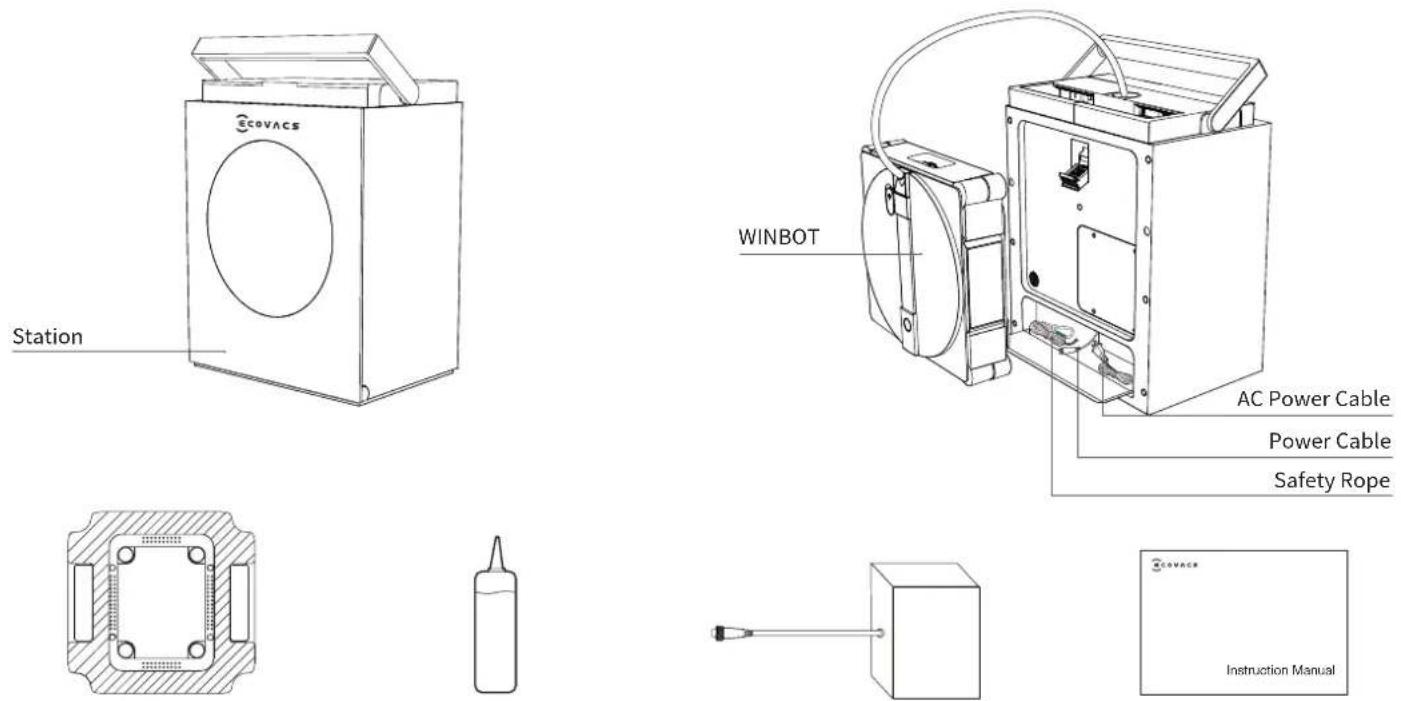
Wiping Pad ECOVACS WINBOT Cleaning Solution Instruction ManualBattery Pack
Note: Figures and illustrations are for reference only and may differ from actual product appearance.
1.2 Information Guide
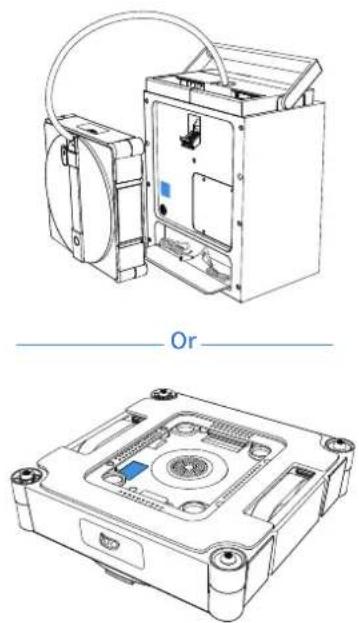
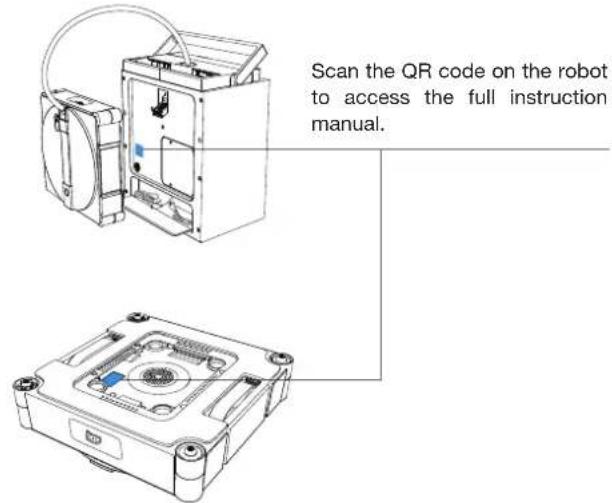
1 The network configuration QR code is located at the back of the station and on WINBOT's bottom.
natural_image
Technical line drawings of a device with internal components and mounting holes, labeled 'Or' (no text or symbols on the diagram itself)2 For troubleshooting, log in to the ECOVACS HOME App.
1.3 Product Diagram
Station Front View
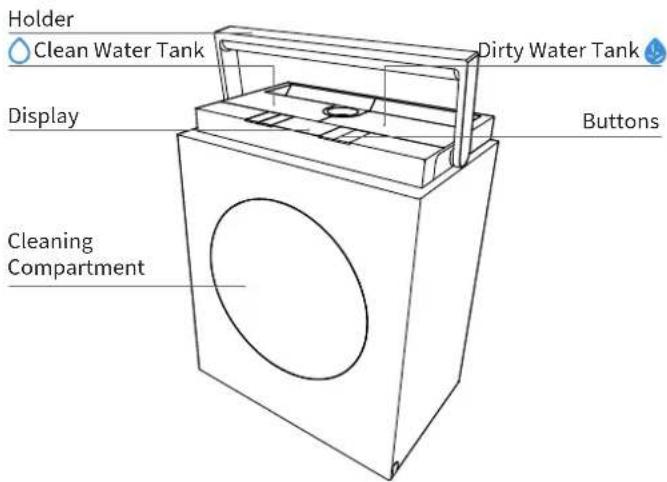
Station Back View
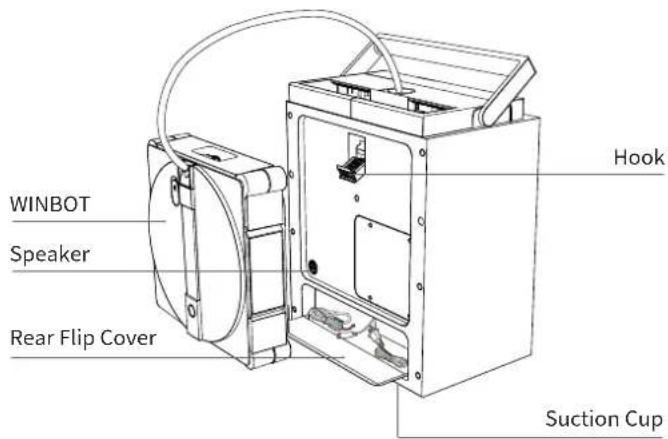
WINBOT front View
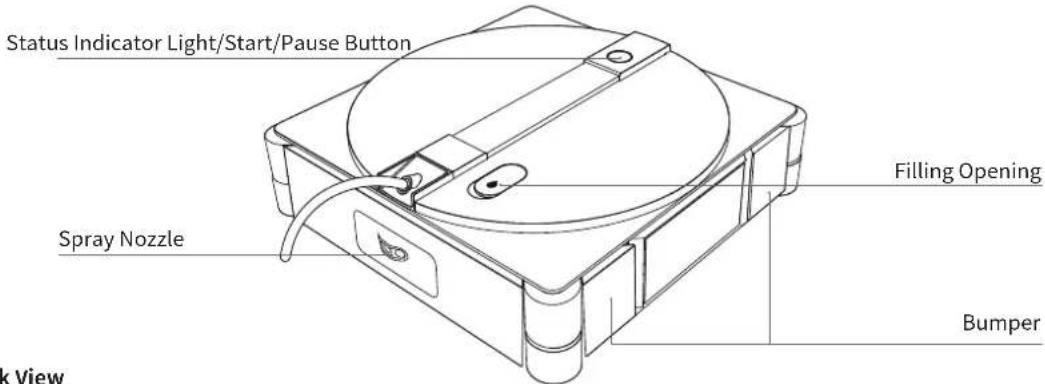
WINBOT Back View
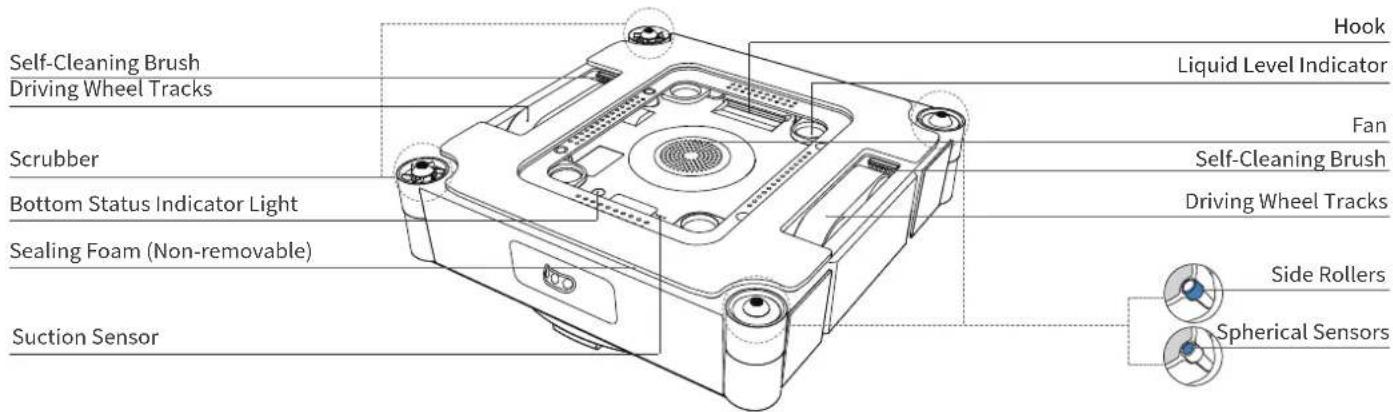
Sensor
| Component Description | |
| Frameless Sensor | Based on the principle of the optocoupler switch, when WINBOT's Spherical Sensors head extends beyond the glass, the machine recognizes the frameless glass and retreats. |
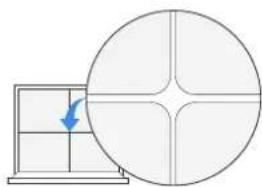
| Air Pressure Monitoring Sensor | By recognizing changes in air pressure within the vacuum chamber, it performs real-time air replenishment for WINBOT, or detects low steps greater than 2mm. |
| IMU Sensor (Inertial Measurement Unit Sensor) | The three-axis accelerometer and three-axis gyroscope detect WINBOT's motion state, assisting the processing chip in understanding the machine's movement and posture. |
| Anti-Stall Sensor | By detecting the driving wheel current in real-time, it identifies the driving wheel's operational status and prevents motor stalling. |
| WINBOT No-Water Detection Sensor | Based on the principle of electrode conductivity, when WINBOT runs out of water, the electrode plates inside the WINBOT's water tank disconnect. |
| Bumper Sensor | Detects obstacles and edges via physical collision to allow for timely response. |
| Wiping Pad Holder Position Sensor | Using Hall detection, when cleaning the pad, it must detect the wiping pad holder is in position to start the cleaning task; it must detect the pad is not in position to start the station self-cleaning. |
| Door Panel Position Sensor | Using Hall detection, it must detect the door panel is closed before starting the pad cleaning or station self-cleaning. |
| Clean Water Tank Position Sensor | Using Hall detection, it checks if the water tank is in position and triggers an alert if it is not. |
| Clean Water Tank No-Water Detection Sensor | Using Hall detection, it checks if the clean water tank has sufficient clean water and triggers an alert if the water level is too low. |
| Dirty Water Tank Full Sensor | Using Hall detection, it checks if the dirty water tank is full and triggers an alert when the tank is full. |
| Cable Winding Photo-Coupler Sensor | Using optocoupler detection, it measures the cable retrieval length, ensuring successful cable retraction. |
Interface
| Interface Description | |
| Bluetooth | Enables Bluetooth functionality during network setup to allow control of WINBOT's operation. Uses UUID 0xFFFF0 service for secure configuration and data interaction. |
| WiFi | Enables Wi-Fi functionality, allowing timely data transmission between the app and WINBOT for future OTA updates and message pushes. |
| ECOVACS HOME APP | Download and enable the latest version of the ECOVACS HOME APP to access smart features such as network settings and cleaning mode selection. |
| Charging | Connect WINBOT to the power supply to enable charging. |
2. Quick Start
2.1 Preparation Before Use
1 Installing the Battery
WINBOT can be used directly. Connecting the battery pack will further extend the battery life.
Installation Steps:
- Take out the battery pack.
- Open the rear flip cover of the station, pull out the black power cable plug, align the battery pack interface with the black plug of the station, and connect them firmly.
- Place the connected battery pack smoothly into the corresponding groove of the station, then close and snap the rear flip cover.

natural_image
Technical line drawing of a device with internal components and a magnified inset showing internal flow arrows (no text or symbols)2 Overview of Station
- Button Functions
| [DKYZ] |  |  |  | |
 | [6WKT] | [27ZW] |
☐: Open Cleaning Compartment
Retract Cable
Power On/Off
^:Up
∨: Down
→: Function Switch Button
ID: Start/Pause/Confirm
Return to Starting Point: Press and hold (while WINBOT is working).
2. Screen Functions
The display screen provides quick access and information for the following features:
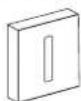
- 3 Glass Cleaning Modes: Fast, Deep, and Edge. (Other cleaning modes can be accessed and controlled via the app.)
• 2 Mop Cleaning Modes + Self-Cleaning:
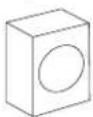
Mop Washing Modes: Standard Wash, Heavy-Duty Wash
• FAQ - Frequently Asked Questions
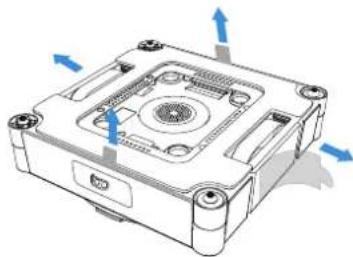
Note: Please remove all protective materials, including but not limited to the EPE protective strips wrapping WINBOT and the protective films on WINBOT's sides.
natural_image
3D diagram of a mechanical device with blue directional arrows indicating motion or force (no text or symbols)14EN
3 Power On
Press and hold the power button for more than 2 seconds to turn on both the station and WINBOT.
The station supports 2 working modes:
-
When not connected to a power outlet, the station uses its built-in battery to power WINBOT.
-
When connected to a power outlet, WINBOT can operate normally while the station's built-in battery charges slowly. For charging instructions, please refer to [2.4 Storage and Charging After Use].
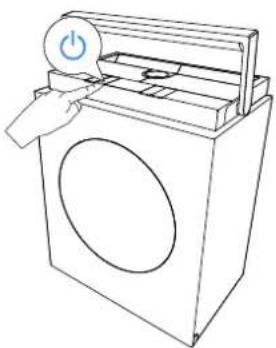
natural_image
Line drawing of a washing machine with a power button and handle (no text or symbols)Note: When WINBOT is powered on, but the fan is not running, it will automatically enter sleep mode and shut down if there is no operation on the station or WINBOT buttons for ≥slant 20 minutes. To restart, press and hold the station power button again. (WINBOT neither enters sleep mode nor shuts down automatically while charging)
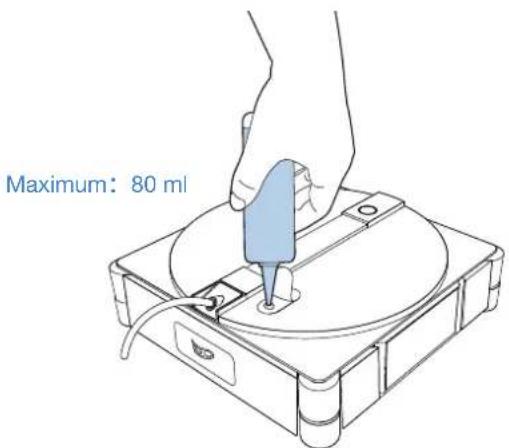
4 Add Cleaning Solution
Add the ECOVACS WINBOT cleaning solution to the water tank. The maximum capacity of the water tank is about 80 ml, which covers approximately 55 m ^2 of windows.
It is recommended that the ECOVACS WINBOT cleaning solution be used for optimal cleaning results. If the ECOVACS WINBOT cleaning solution runs out, tap water can be used temporarily. However, the ECOVACS WINBOT cleaning solution provides better cleaning results.
To avoid damage to the product, do not use any cleaning solutions other than the ECOVACS WINBOT cleaning solution. Do not use purified water or filtered water.
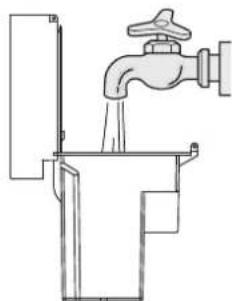
5 Water Tank Instructions
Add clean water to the clear water tank. The maximum capacity of the tank is 1.2 L. * Do not use other cleaning solutions. This will prevent the wiping pad from becoming slippery after washing.
natural_image
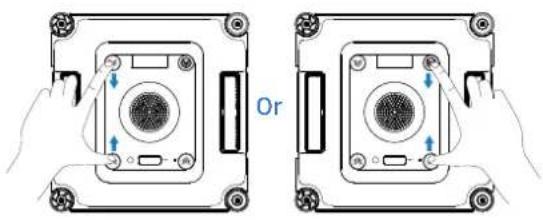
Line drawing of a faucet pouring liquid into a water tank (no text or symbols)6 Clean the Wiping Pad
- Remove the wiping Pad from WINBOT. Firmly pinch the clips on both sides of the wiping pad with both hands, and lift upwards to detach it from WINBOT.
natural_image
Two identical diagrams of a device with control buttons and arrows, no text or symbols present.2. Wet the wiping pad
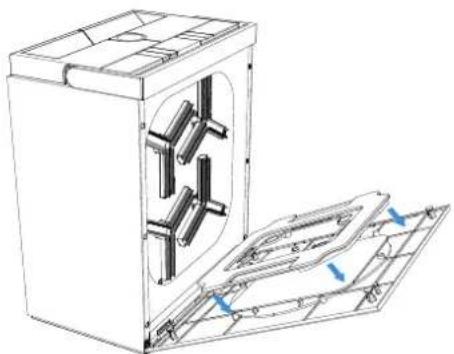
Click the button on the station to open the cleaning compartment door. Place the wiping pad into the compartment with the fleece side facing inward. Then, close the door, select Standard Wash, and the wiping pad will be thoroughly wetted.
natural_image
Technical line drawing of a mechanical device with internal components and mounting holes (no text or symbols)3. Install the wiping pad
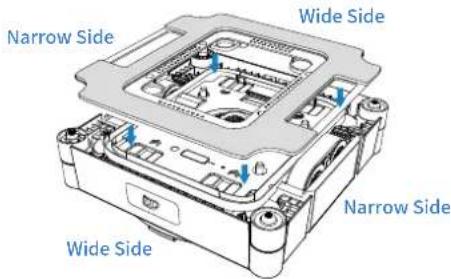
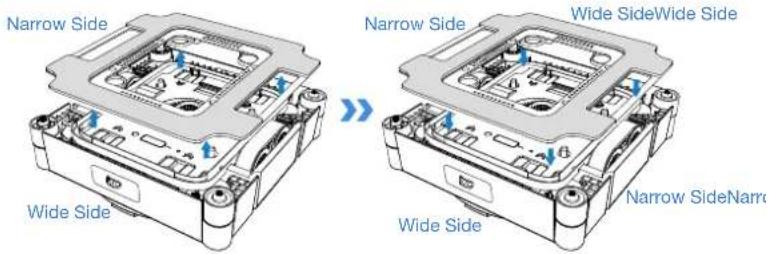
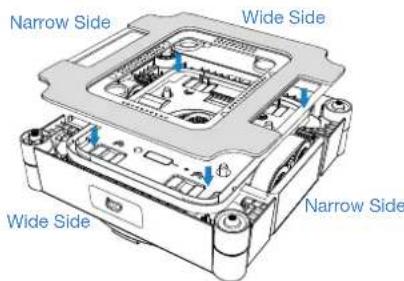
Take the moistened wiping pad and align it carefully. Ensure the wide and narrow edges correspond to the grooves on the driving wheels. Press down on the four installation clips until you hear a "click," confirming successful attachment.
2.2 Notes Before Cleaning
The following scenarios are not recommended for using WINBOT:
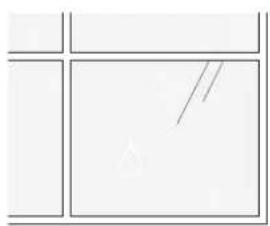
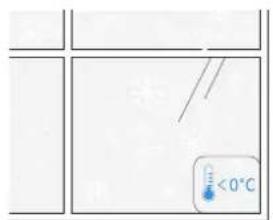
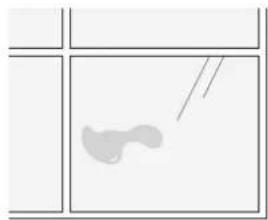
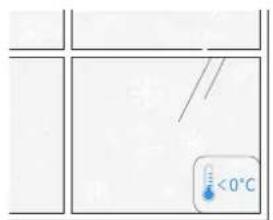
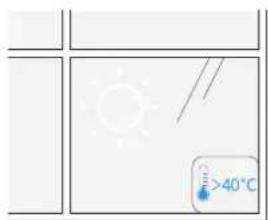
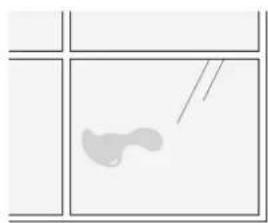
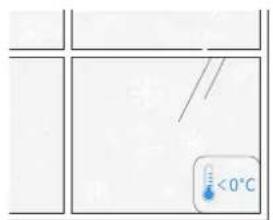
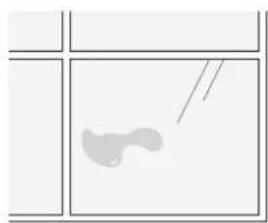
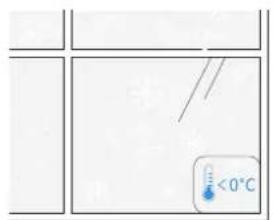
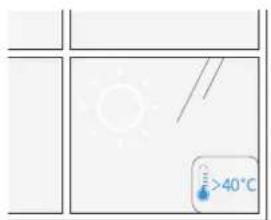
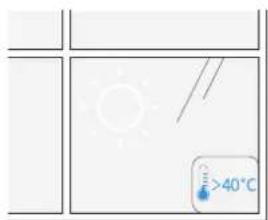
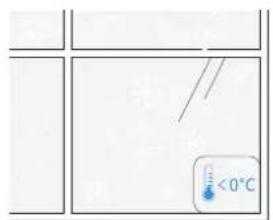
1 High Humidity/Extreme Cold
WINBOT may have difficulty moving in the following conditions.
natural_image
Pure geometric diagram with lines and shapes, no text or symbols presentCondensation
natural_image
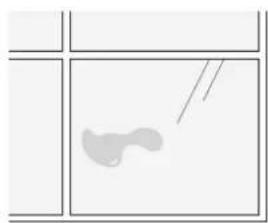
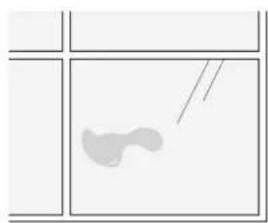
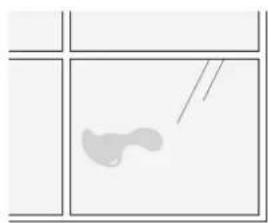
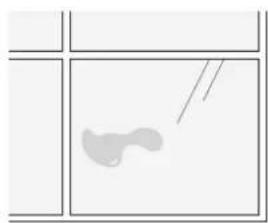
Simple line drawing of a fish inside a rectangular frame (no text or symbols)Oil stains
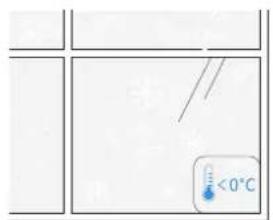
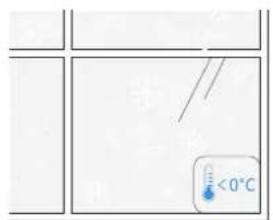
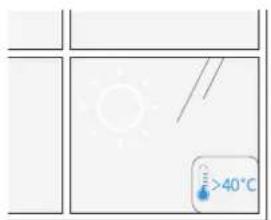
below 0°C above 40°C
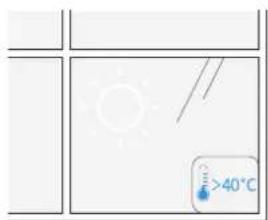

WINBOT delivers optimal performance on dry surfaces and in temperatures above 0°C.
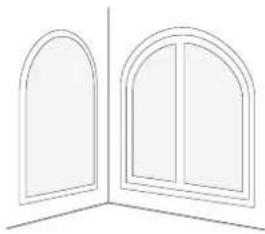
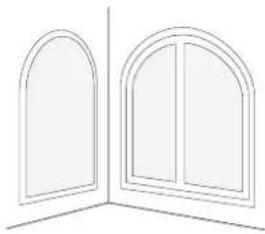
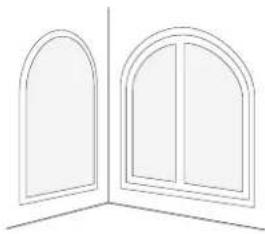
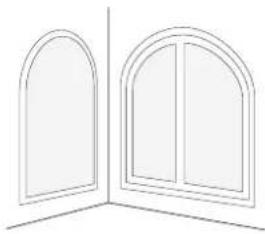
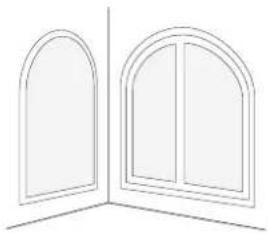
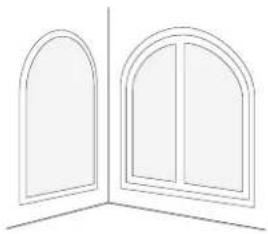
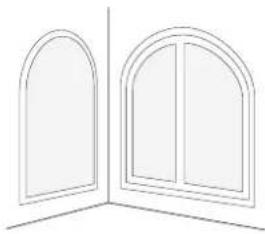
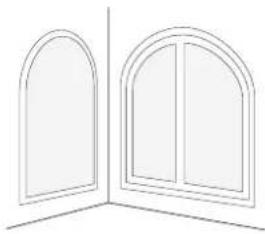
2 Small or Irregular Glass
WINBOT may have insufficient operating space in the following conditions.
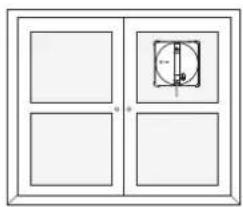
natural_image
Simple line drawing of a four-panel door with a central square and vertical dimension (no text or symbols)Small Glass
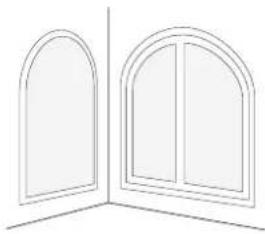
natural_image
Line drawing of two arched windows with vertical panes, no text or symbols presentIrregular Shapes

WINBOT delivers optimal performance on square and large windows.

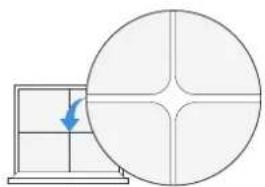
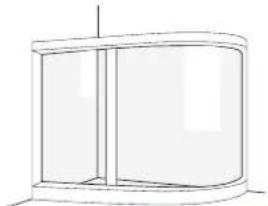
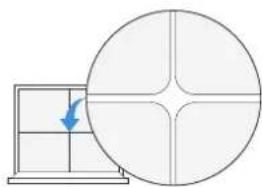
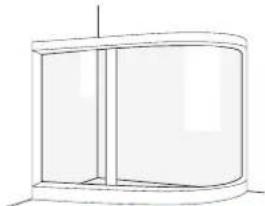
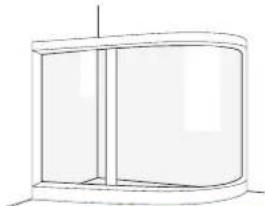
Uneven Windows
WINBOT may experience insufficient air pressure in the following conditions.
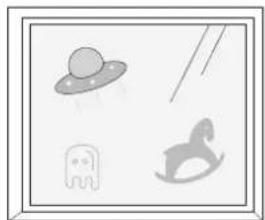
natural_image
Simple line drawings of four objects: a flying saucer, a elephant, a running shoe, and a bird (no text or symbols)Electrostatic Window Decals, Stickers, etc.
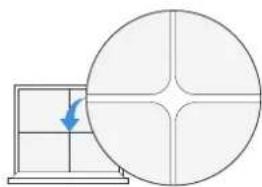
natural_image
Diagram showing a grid with a blue arrow pointing to a circular cross-section, no text or symbols present.Cracks
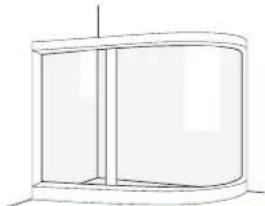
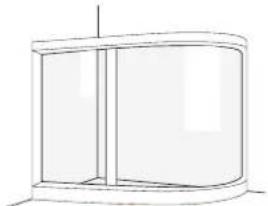
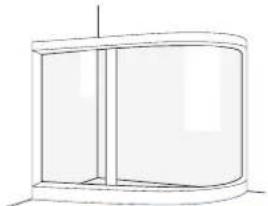
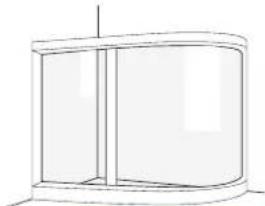
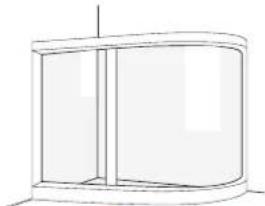
natural_image
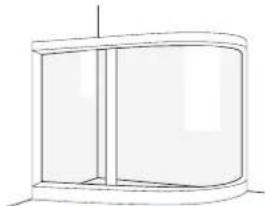
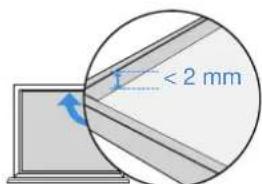
Simple line drawing of a cylindrical cabinet or enclosure with no text, numbers, or symbolsCurved Glass Obstacle Height < 2 mm
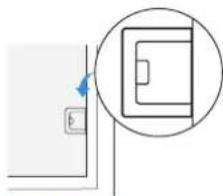
natural_image
Simple line drawing of a door with a circular inset showing a rectangular object (no text or symbols)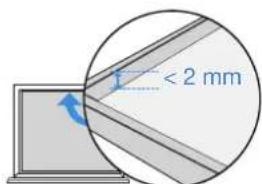
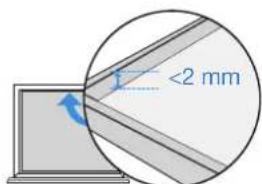
Frame Height < 2 mm

WINBOT performs better on a smooth and flat surface to ensure stable suction and smooth movement.

Oversized Exterior Windows
Limited by the length of Compound Cable, WINBOT may face challenges navigating across the entire window when it exceeds dimensions of 8m * 2.5m.
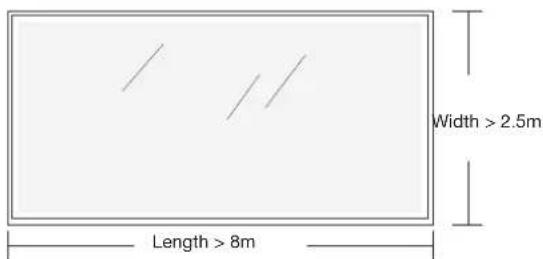
* Only available in zone clean mode.

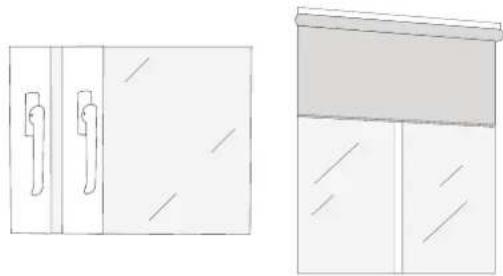
Close-Proximity Obstacles
WINBOT may get stuck when nearby narrow spaces, openings or gaps between window handles/door handles/ curtain boxes/ cabinets and surfaces such as walls/windows, are close to its height.
natural_image
Two simple line drawings of household appliances: one with a door handle and window, the other with a cabinet (no text or symbols)
Try placing WINBOT between the gap to confirm safe passage; if it's stuck, refrain from using the robot there to prevent damage to either itself or surrounding furniture.
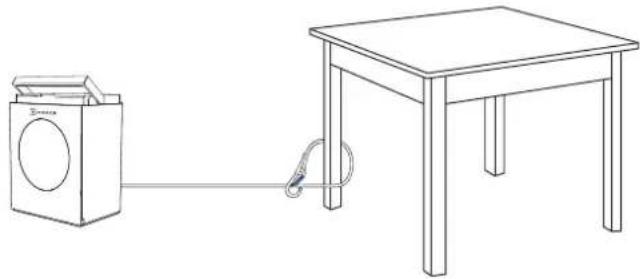
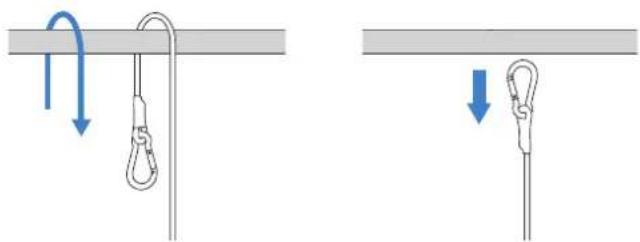
Before use, ensure the station's carabiner is securely attached to a stable, immovable object such as a table leg, chair leg, bed leg, sofa leg, curtain rod, or staircase handrail. Lock the carabiner to prevent any accidents.
The safety rope and its carabiner are pre-installed at the factory. Do not disassemble it at will.
natural_image
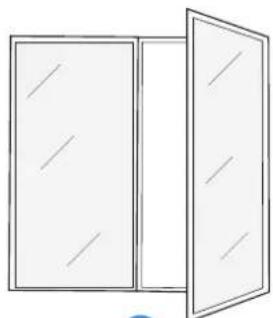
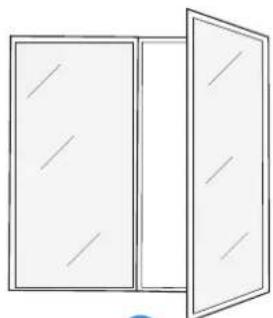
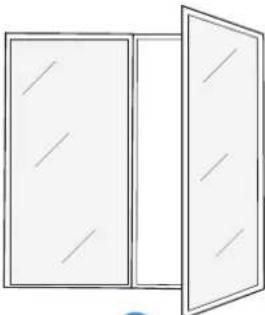
Line drawing of a washing machine connected to a table via cable (no text or symbols)To clean glass panel doors, open the door before attaching WINBOT to avoid WINBOT falling due to narrow door gaps.
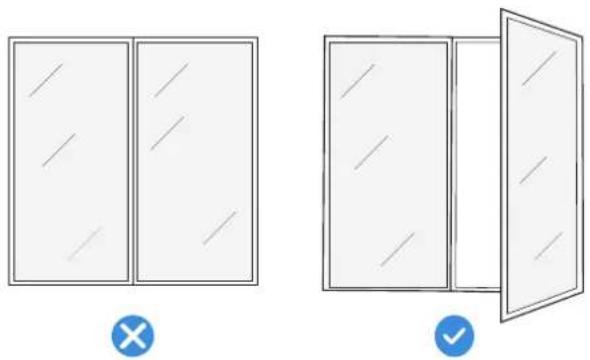
natural_image
Two simple line drawings of a double door with diagonal lines, one open and one closed, both without any text or symbols.2.3 Getting Started
1 Place the Station
Place the station next to the window that needs to be cleaned.
Notes:
-
Position the station as close to the window as possible to prevent the compound cable from becoming a tripping hazard for people or pets.
-
When cleaning large full-length windows, place the station on the floor near the window opening to prevent power cable strain.
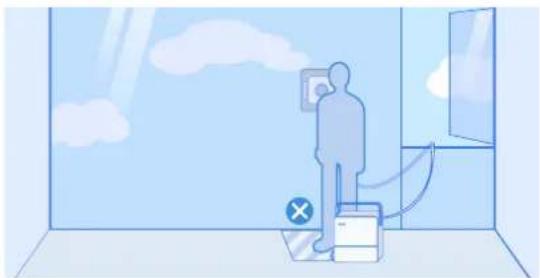
natural_image
Illustration of a person standing in a room with cloud and window, showing a switch near a door (no text or symbols)*WINBOT's power cable is 5.5 m long, and the maximum applicable single-window size is 8 m wide by 2.5 m high.
- Always place the station on flat, seamless ground.
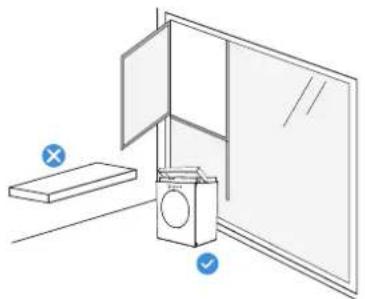
natural_image
Line drawing of a kitchen appliance with a washing machine and a door, no text or symbols present* Do not place the station on elevated surfaces such as tables or countertops.
- Do not place the station on uneven surfaces, such as carpets or tiled/wooden floors with gaps.
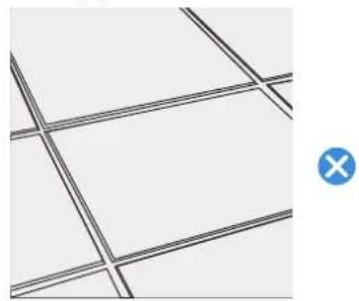
natural_image
Grid pattern with intersecting lines and a blue circular icon containing an 'X' (no text or symbols)* The suction cup at the bottom of the station is designed for smooth, seamless ground such as polished floors, tiles, and marble without gaps.

Start Cleaning
Ensure the station's power is turned on.
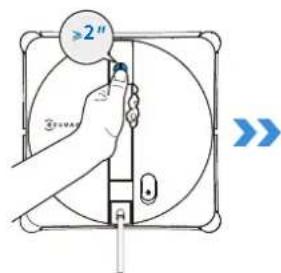
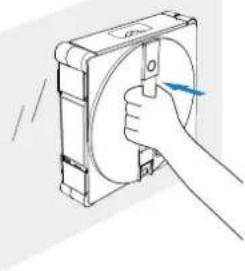
- Before cleaning, ensure a clean area larger than WINBOT's size, then attach it to the glass.
- Press and hold WINBOT's START button for 2 seconds to activate the fan.
- After hearing the fan start, place WINBOT's bottom (the side with the wiping pad) against the glass. WINBOT will adhere to the window automatically and start cleaning.
Notes:
* Do not stick the WINBOT too close to the edge when cleaning the frameless glass. It is recommended to be more than 10cm away from the edge.
* WINBOT can only be used on flat, seamless surfaces.
* After powering on, keep the fan away from hair and small objects to prevent blockages.
* Do not stand below or near the WINBOT while it is cleaning.
natural_image
Illustration of a hand holding a circular component with a blue arrow indicating direction (no text or symbols)
Switch Cleaning Modes
While WINBOT is operating, cleaning modes can be switched on the station. WINBOT will automatically begin cleaning in the newly selected mode.
Notes:
* The station's mode switch button can cycle through Fast Clean, Deep Clean and Edge Clean in sequence. To access more cleaning modes, refer to the ECOVACS HOME App.
Select a Cleaning Mode
Use the station's button to choose the appropriate cleaning mode. If no selection is made, WINBOT will default to the last used mode.
Recommended Cleaning Modes:
Interior windows: In general, interior windows are not heavily soiled — Fast Clean is recommended.
Exterior windows: In general, exterior windows are heavily soiled — Deep Clean is recommended.
For more details on cleaning modes, please refer to the App.
Note: Edge Clean is not saved. The default cleaning mode when WINBOT is first used is Deep Clean.

Wiping pad Washing Mode
When the wiping pad is stained with stubborn dirt or requires a thorough clean, please place the pad into the cleaning compartment of the station for washing.
Selecting the Washing Mode:
Please select the appropriate cleaning mode through on the station. If no mode is selected, the system will default to the last memorized mode.
- Standard Wash: Used for cleaning lightly soiled pads.
· Heavy-Duty Wash: Used for cleaning heavily soiled pads.
5 Pause and Move Station
Pause
To pause WINBOT's current operation, press the station's power button. Press the button again to resume the cleaning task.
Move the Station
If you need to move the station during cleaning, firmly grip the station's handle and lift it. The suction cup will automatically unlock. Once the handle is released and falls back into place, the suction cup will automatically reattach and lock.
Note:
Before use, ensure there are no walls, furniture, or other obstructions within a 10cm radius around the station's placement area. This allows the handle to naturally fall to its lowest point. If an obstruction prevents the handle from fully lowering, the suction cup's holding power may be reduced.
6 Finish
End Task Midway
To stop WINBOT's operation midway:
- Press and hold the station's | for 2 seconds or more. WINBOT will immediately stop the current task and return to the starting point, waiting to be removed.
- Press and hold the WINBOT's for 2 seconds or more. The fan will stop, and follow the voice prompts to remove WINBOT.
Task Completed
Once WINBOT finishes its cleaning task, it will automatically return to the starting point and wait to be removed.
Press and hold WINBOT's ☐ for 2 seconds or more to stop the fan. At this point, follow the voice prompts to remove WINBOT.
* When removing WINBOT, always grip the handle securely to prevent it from falling.
2.4 Storage and Charging After Use
Steps:
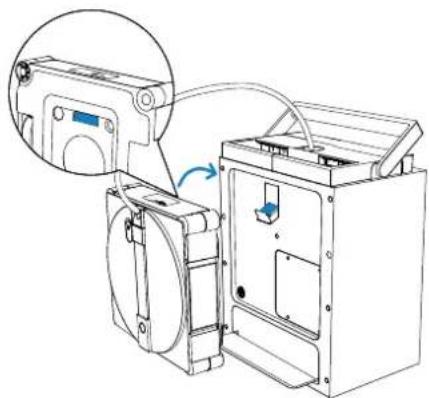
1. Store WINBOT
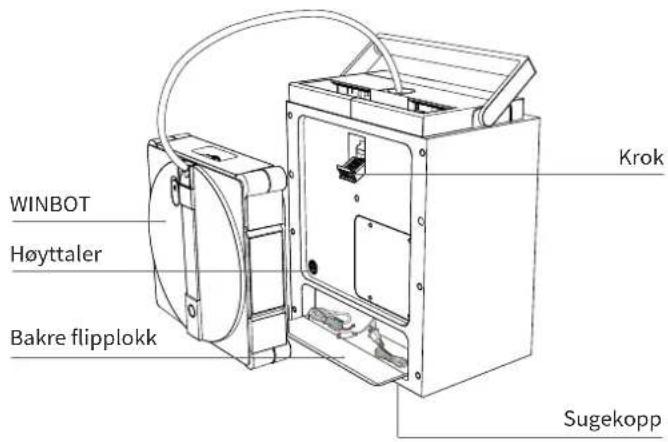
Place WINBOT facing outward, with the compound cable outlet facing up. Hook the colored side of WINBOT onto the hook at the back of the station.
Before storing WINBOT, remove the wet wiping pad. Allow it to dry completely before storage to prevent odors.
natural_image
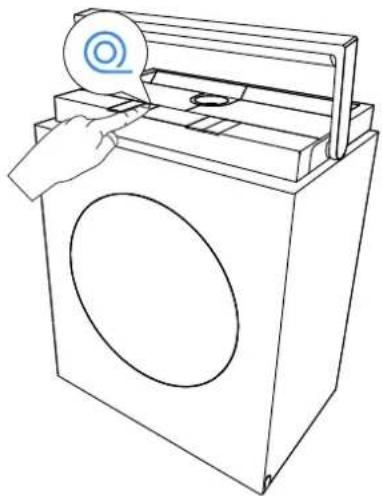
Technical line drawing of a mechanical device with an inset showing a device connected to a box (no text or symbols visible)2. Retract the Cable
Once WINBOT is placed on the hook, briefly press the cable retract button to initiate rapid cable retraction.
* Near the end of retraction, the process will slow down. This is normal and not a cause for concern.
* The power cable may coil during retraction. This is normal. If needed, manually straighten the cable before pressing the cable retract button again to complete the retraction.
natural_image
Line drawing of a hand using a washing machine to press or install a circular component (no text or symbols present)3. Cleaning the Station Water Tanks
After WINBOT has finished cleaning, pour out the remaining liquid from both the station's clean water tank and the dirty water tank, and then wash them out.
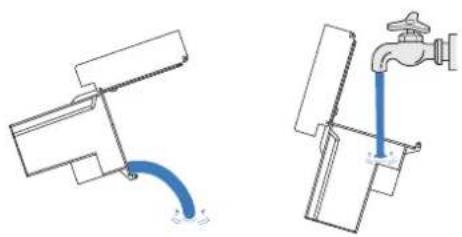
natural_image
Diagram showing two water flow paths: one with a pipe and arrow, the other with a faucet (no text or symbols)4. Cleaning the Cleaning Compartment
Once WINBOT finishes cleaning, the station will start self-cleaning. After the self-cleaning, please wipe or air-dry any remaining water to prevent odors.
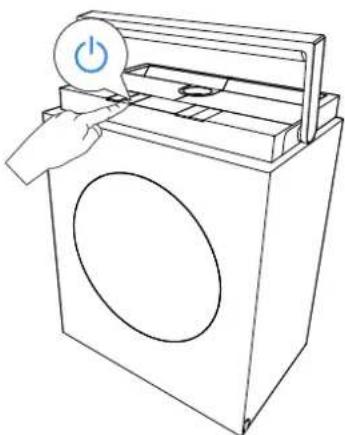
5. Power Off
Press and hold WINBOT's START button for 2 seconds to turn off WINBOT.
natural_image
Line drawing of a hand inserting a power button into a washing machine (no text or symbols)6. Unlock Safety Rope
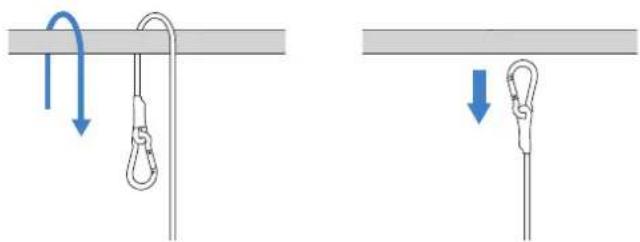
7. Charge
Place the station near a power outlet and connect it to power. At room temperature, charging takes approximately 3 hours.
8. Store the Station
Store the station in a dry environment to prevent moisture damage to the battery and mainboard.
Note:
- Low temperatures (e.g., 5°C) may slow down charging and extend charging time.
- WINBOT is designed for use in temperatures between 0-40°C. Do not charge it outside this range.
- To maintain charging time and efficiency, charge within a temperature range of 4\~40°C.
- WINBOT's fan cannot operate while charging. Use WINBOT only after charging is complete.
- The station cannot charge while WINBOT is in operation. Wait until cleaning is complete and WINBOT is removed before charging.
- If WINBOT is not used for an extended period, fully charge it before powering it off for storage. It is recommended to recharge the device every six months to maintain the battery's healthy state.
- If WINBOT is running while the station is charging, the charging speed will be significantly slower than when on standby. At room temperature (10–40°C), the estimated charging time is >6 hours.
- Upon receiving the low battery warning, it is crucial to fully charge WINBOT before any further use or storage to avoid reducing the battery's lifespan.
2.5 Advanced Features
Download the ECOVACS HOME App to control your WINBOT and unlock more features.
a. Multiple Cleaning Modes
Deep Clean: Denser cleaning path for tackling heavy dust.
Thorough Clean: Intensive cleaning for a spotless finish.
Fast Clean: Quick removal of light dust.
Edge Clean: Cleaning along edges to clear accumulated dust.
Zone Clean: Leftward & Rightward—flexible division for targeted cleaning.
Spot Clean: Repeated wiping to remove localized dust.
Heavy-Duty Clean: Segmented wiping for enhanced efficiency.
b. Troubleshooting
If WINBOT triggers an alarm, do not panic. Visit the App for detailed troubleshooting guidance.
c. Omnidirectional Remote Control
Use the App to control WINBOT with full-range remote functionality.
Features include: interior and exterior window views, 360° remote control, Spot Clean, and manual water spraying.
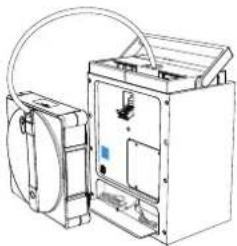
- Scan the QR Code on the bottom to download the ECOVACS HOME App, or search and download the APP in the APP store.
- Scan the QR code at the back of the station, follow the App's instructions to connect to WINBOT.
natural_image
Technical line drawing of a mechanical device with attached housing and tubing (no text or symbols)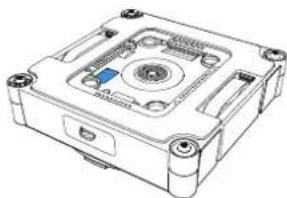
natural_image
Technical line drawing of a mechanical device with mounting holes and central hub (no text or symbols)Or

Download on the App Store

Get it on Google Play


ECOVACS HOME
3. Component Maintenance
3.1 Water Tanks
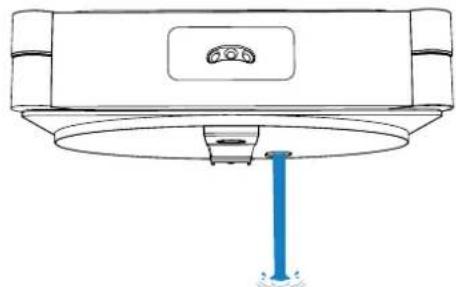
a. Cleaning the WINBOT Water Tank
After the WINBOT has finished cleaning, pour out the residual liquid from its tank.
natural_image
Line drawing of a ceiling-mounted device with a blue screw base and a circular top component (no text or symbols)b. Cleaning the Station Water Tanks
After the WINBOT has finished cleaning, pour out the remaining liquid from both the station's clean water tank and the dirty water tank, and wash them out. If the tanks will not be used for a long period, allow them to air-dry to prevent the generation of odors.
3.2 Wiping Pad
a. Replace Wiping Pad
Remove the soiled wiping pad, and install the clean wiping pad onto the bottom of WINBOT.
To ensure WINBOT's optimal cleaning performance, please replace a single wiping pad promptly after it has been used a total of 30 times. If you use two pads alternately, please replace the pads according to the actual usage condition.
Please replace the pad immediately if you frequently encounter low air pressure alerts during cleaning, if the pad surface shows obvious wear or deformation, or if the cleaning performance degrades.
b. Washing the Wiping Pad
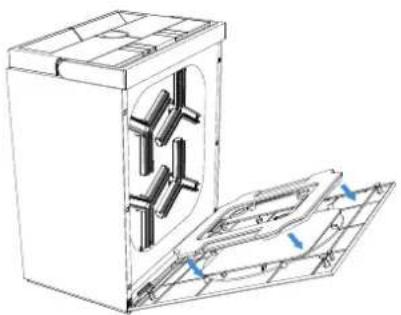
Remove the wiping pad, place the wiping pad into the station's cleaning compartment. Ensure the plush side of the pad is facing the washing brush plate. After closing the door, select the appropriate mode and wait for the washing to complete before installing the pad.
natural_image
Technical line drawing of a mechanical device with internal components and mounting holes (no text or symbols)* Regularly clean the wiping pad to extend its service life. If the wiping pad becomes worn, replace it with a new one to achieve optimal cleaning performance. Explore more accessories at the ECOVACS HOME App or at https://www.ecovacs.com/global.
3.3 Driving Wheel Tracks
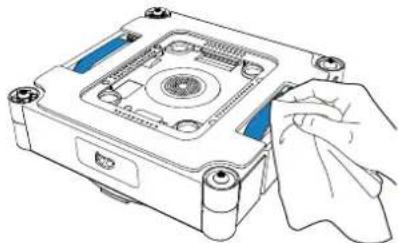
Before cleaning, ensure the fan is not running. Use the ECOVACS HOME App to remotely control WINBOT and check the driving wheel tracks. Pause the driving wheel tracks' operation if dirt is found. Then wipe the tracks clean with a clean cloth.
natural_image
Illustration of a hand cleaning a mechanical component with a cloth (no text or symbols)After cleaning the driving wheel tracks, install the wiping pad and resume cleaning tasks.
3.4 Bottom Component
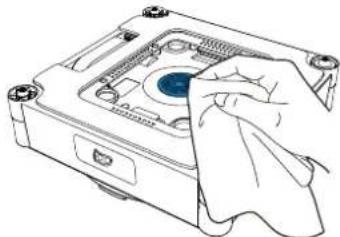
Fan: Wipe clean with a dry cloth to prevent damage to WINBOT's suction force.
natural_image
Line drawing of a computer case with a hand holding a cloth (no text or symbols)Spherical Sensors: Wipe clean with a dry cloth to maintain its sensitivity.
natural_image
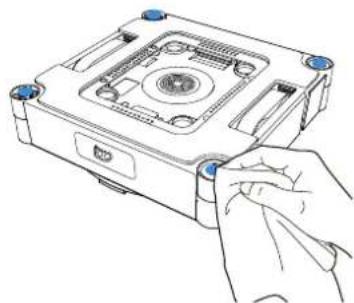
Line drawing of a hand inserting a component into a device housing (no text or symbols)Side Rollers: Wipe clean with a dry cloth to maintain its sensitivity.
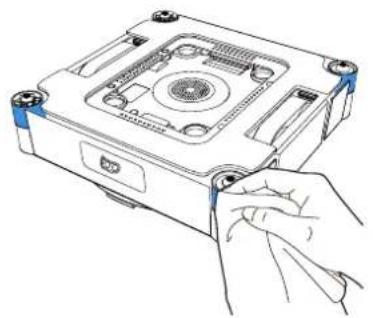
natural_image
Line drawing of a hand inserting a screw into a CD-ROM drive (no text or symbols)4. Status Indicator Light
| Indicator Light | Effect Meaning | |
| START Button/Bottom StatusIndicator Ligh | Solid Blue WINBOT is working properly. | |
| Flashing Red Malfunction. WINBOT is unable to function properly. | ||
- Troubleshooting
| No. Issues Possible Causes Solutions | |||
| 1 | The driving wheel tracks are slipping; Abnormal WINBOT walking path; WINBOT voice prompts "WINBOT slips" | The driving wheel tracks are dirty. | Refer to [Component Maintenance] in this manual to remove dust from the driving wheel tracks. |
| 2 | WINBOT does not move and the voice prompts "Insufficient air pressure". | There are gaps or cracks on the window. | Hold the safety rope or power cable with your hand. Meanwhile, use the ECOVACS Home App to control WINBOT to move away from the gap and obstacles. |
| A small obstacle on the cleaning surface is blocking the wiping pad holder. | |||
| 3 | WINBOT is moving slowly or spinning; WINBOT voice prompts "Stuck". | The driving wheel tracks are stuck. | Check if there is any dust or debris on the driving wheel tracks. If so, clean them with tools. Then restart WINBOT for auto cleaning. If the problem persists, please contact customer service. |
| There are low obstacles on the surface of the window. | WINBOT cannot detect obstacles or frames with a height lower than 1 mm. In this case, please go to the App and follow the instructions to help WINBOT out. | ||
| 4 | The WINBOT remains stationary or exhibits abnormal cleaning path, and the voice prompt indicates a hardware error. | Spherical Sensor Signal Abnormality. | A. Check whether the Spherical Sensors are obstructed or covered by the Wiping Pad; B. Check for foreign objects on the Spherical Sensors. If any are present, clean them immediately; C. Check if the Spherical Sensors are damaged. If damaged, please contact Customer Service. |
| Fan Abnormality. | Check for foreign objects on the fan. If any are present, clean them immediately; if the problem persists, please contact Customer Service. | ||
| 5 | WINBOT stops moving after rotating upon suctioning to the glass, and prompts: "Do not place WINBOT near an edge." | WINBOT is too close to the glass edge or an obstacle (e.g., a handle). | Use the ECOVACS HOME App to control WINBOT to move approximately 10cm away from the edge or obstacle, then restart cleaning. Alternatively, remove the WINBOT, restart it, and place it approximately 10cm away from the edge or obstacle to begin cleaning. |
| 6 | WINBOT voice prompts "Stuck". The driving wheels can spin, but the WINBOT cannot move. | Stuck by an obstacle. | After securing the safety lock buckle, gently pull the power cord by hand while using the ECOVACS HOME App to control WINBOT to move away from the trapped area. If the issue persists, please contact Customer Service. |
| 7 WINBOT does not spray. | There is no cleaning solution in the water tank. | Please add ECOVACS WINBOT cleaning solution in time. | |
| The auto-spraying function is turned off in the App. | Please go to the App and turn on the auto-spraying function. | ||
| WINBOT is cleaning at a low water level. | 1. Turn off WINBOT, restart it, and reattach it.2. Visit the App and follow the auto-spraying precautions to solve the problem.3. If the problem persists, please contact customer service. | ||
| 8 | The prompt indicates a sewage overflow from the Cleaning Compartment. | Water has accumulated in the bottom groove of the Cleaning Compartment. | Wipe dry the accumulated water in the bottom of the Cleaning Compartment to prevent it from spilling onto the floor. |
6. Connect WINBOT with APP
Turn on the Station's power switch and your phone's Bluetooth. Grant the ECOVACS HOME App permission to access your phone's Bluetooth. In the App, tap the 30 to enter Bluetooth pairing mode. You may skip the step of connecting to home Wi-Fi during the pairing process; however, connecting will allow you to remotely receive WINBOT message pushes.
- If WINBOT fails to connect to the App, try disconnecting any other connected Bluetooth devices and ensure WINBOT is not connected to any other phone, then try again.
- When remotely controlling WINBOT, Bluetooth disconnection may occur if the phone is too far away or if used through walls. If disconnected, please attempt to reconnect at a closer distance.
- To use WINBOT, you must allow the ECOVACS HOME App access permissions for Location, Bluetooth, and Phone Storage.
Wi-Fi Network Requirements
- Please ensure that both your WINBOT and your mobile phone are connected to the same 2.4GHz router network.
- When connecting to the home Wi-Fi network, you can configure the DDoS protection feature by adjusting your router settings.
How to Delete WINBOT?
WINBOT currently only supports binding to one account. Your WINBOT cannot connect to another account until it is unbound. You can delete WINBOT within the ECOVACS HOME App. Additionally, you can delete the robot by tapping the triangle icon next to the WINBOT's name.
Alternatively, you can perform a Factory Reset in the ECOVACS HOME App. After a Factory Reset, both your WINBOT and its Station will revert to factory settings, and WINBOT will be deleted from your account.
- Technical Specifications
| Model | WG858-07 | |
| Rated Input | 220-240V~ 50-60Hz 2.0A | |
| Station Dimensions (mm) | 344*226*430 | |
| WINBOT Dimensions (mm) | 270*270*76 | |
| Off/Standby Mode Power Less than 0.50 | W | |
| Frequency Bands 2400-2483.5 MHz | ||
The max.EIRP of the window cleaning robot is 16.721dBm.
Note: Technical and design specifications may be changed for continues product improvement.
Access Complete Instruction Manual
natural_image
Technical line drawing of a mechanical device with internal components and a magnified inset showing rotational flow (no text or symbols)natural_image
3D diagram of a mechanical device with arrows indicating directional flow or movement (no text or symbols)3 Einschalten
natural_image
Line drawing of a washing machine with a power button and handle (no text or symbols)natural_image
Line drawing of a faucet pouring liquid into a water tank (no text or symbols)natural_image
Technical line drawing of a mechanical device with internal components and mounting holes (no text or symbols)natural_image
Pure geometric diagram with lines and shapes, no text or symbols presentKondenswasser
natural_image
Simple diagram with a gray irregular shape inside a rectangular frame, no text or symbols present.Ölflecken
natural_image
Simple line drawing of a four-panel door with a central circular inset showing a vertical scale (no text or symbols)Kleine Scheiben
natural_image
Line drawing of two arched windows with vertical panes, no text or symbols presentUntypische Formen
natural_image
Illustration of four cartoon animals: a flying saucer, a surprised elephant, a rocking horse, and a small figure (no text or symbols)natural_image
Diagram showing a grid with a blue arrow pointing to a circular object, no text or symbols present.Risse
natural_image
Simple line drawing of a cylindrical container or cabinet with vertical lines indicating sections (no text or symbols)natural_image
Simple line drawing of a door with a circular inset showing a rectangular object (no text or symbols)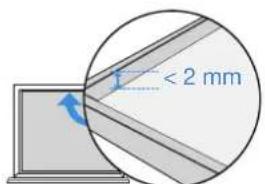
Rahmenhöhe < 2 mm
natural_image
Two simple line drawings of household appliances: one with a door handle and window, the other with a cabinet (no text or symbols)natural_image
Line drawing of a washing machine connected to a table with a hose (no text or symbols)natural_image
Two simple line drawings of a window frame with diagonal lines, one open and one closed, both without any text or symbols.150DE
2.3 Erste Schritte
natural_image
Illustration of a person standing in a room with cloud and window, showing a switch near a door (no text or symbols)natural_image
Line drawing of a kitchen appliance with a washing machine and a door, no text or symbols presentnatural_image
Pure grid pattern with intersecting lines and a blue circular icon (no text or symbols)natural_image
Hand holding a circular object with a blue arrow pointing to it, next to a rectangular device (no text or symbols visible)natural_image
Technical line drawing of a mechanical device with an inset showing a close-up of its component (no text or symbols present)2. Kabel einziehen
natural_image
Line drawing of a hand using a washing machine to press or install a circular button (no text or symbols present)natural_image
Diagram showing two mechanical or fluidic device configurations with blue flow arrows indicating direction (no text or symbols)natural_image
Line drawing of a washing machine with a power button and handle (no text or symbols)natural_image
Two-step diagram showing rope knotting and hanging hook, with no text or symbols present.7. Aufladen
natural_image
Technical line drawing of a mechanical device with attached components (no text or symbols)
natural_image
Technical line drawing of a mechanical device with mounting holes and central hub (no text or symbols)oder

Download on the App Store

Get it on Google Play


ECOVACS HOME
natural_image
Line drawing of a ceiling-mounted device with a blue screw and a circular top component (no text or symbols)natural_image
Technical line drawing of a mechanical device with internal components and mounting holes (no text or symbols)natural_image
Line drawing of a mechanical device with a hand holding a cloth (no text or symbols)natural_image
Line drawing of a computer case with a hand cleaning the interior (no text or symbols)natural_image
Line drawing of a hand inserting a component into a device housing (no text or symbols)natural_image
Line drawing of a hand inserting a CD into a device casing (no text or symbols)natural_image
Technical line drawings of an electronic device with internal components and wiring, labeled 'Ou' (no text or symbols on the diagram itself)natural_image
Technical line drawing of a mechanical device with internal components and a magnified inset showing rotational flow (no text or symbols)| [XSH4] | | |  | |
| [40TC] |  | [CBOX] |
natural_image
3D diagram of a mechanical device with arrows indicating directional flow or movement (no text or symbols)176FR
3 Mise sous tension
natural_image
Line drawing of a washing machine with a power button and handle (no text or symbols)natural_image
Simple line drawing of a faucet pouring liquid into a water-filled sink (no text or symbols)natural_image
Diagram showing two identical views of a device with labeled ports and directional arrows, no text or symbols present.natural_image
Technical line drawing of a mechanical device with internal components and mounting holes (no text or symbols)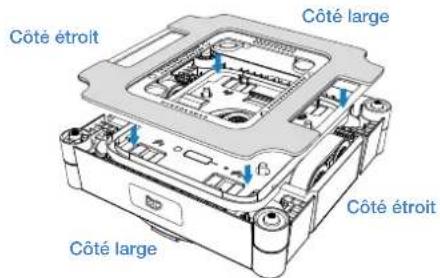
natural_image
Pure geometric diagram with lines and shapes, no text or symbols presentCondensation
natural_image
Simple line drawing of a fish inside a container with no text or symbolsTaches de graisse
natural_image
Simple line drawing of a four-panel door with a central square and vertical dimension (no text or symbols)Petit verre
natural_image
Line drawing of two arched windows with vertical panes, no text or symbols presentFormes irrégulières

natural_image
Simple line drawings of four objects: a flying saucer, a elephant, a rock, and a bird (no text or symbols)natural_image
Diagram showing a grid with a blue arrow pointing to a circular cross-section, no text or symbols present.Fissures
natural_image
Simple line drawing of a cylindrical cabinet or enclosure with no text or symbolsnatural_image
Simple line drawing of a door with an arrow pointing to the left side (no text or symbols)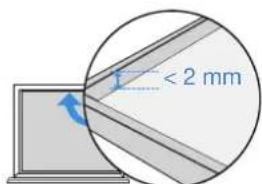
natural_image
Two simple line drawings of household appliances: one with a door handle and window, the other with a cabinet (no text or symbols)
natural_image
Line drawing of a washing machine next to a table with a cord, no text or symbols presentnatural_image
Two identical rectangular panels with diagonal lines inside, no text or symbols present.
natural_image
Simple line drawing of a two-framed cabinet or double door with no text or symbols
natural_image
Illustration of a person standing in a room with cloud and window, showing a switch near a door (no text or symbols)natural_image
Line drawing of a kitchen appliance with a washing machine and a shelf, no text or symbols presentnatural_image
Pure grid pattern with intersecting lines and a blue circular icon (no text or symbols)natural_image
Illustration of a hand holding a circular component with a blue arrow indicating direction (no text or symbols)natural_image
Technical line drawing of a mechanical device with an inset showing a close-up view of the component (no text or symbols present)natural_image
Line drawing of a hand inserting a CD into a washing machine (no text or symbols)natural_image
Diagram showing two mechanical or plumbing components with blue flow arrows, one with a pipe and the other with a faucet (no text or symbols)natural_image
Line drawing of a washing machine with a power button and handle (no text or symbols)7. Charger
8. Stocker la station
natural_image
Technical line drawing of a mechanical device with attached components (no text or symbols)
natural_image
Technical line drawing of a mechanical device housing (no text or symbols visible)Ou

Download on the App Store

Get it on Google Play


ECOVACS HOME
natural_image
Line drawing of a ceiling-mounted device with a blue screw base and a circular top component (no text or symbols)natural_image
Technical line drawing of a refrigerator with internal compartments and ventilation slots (no text or symbols)natural_image
Illustration of a hand cleaning a mechanical component with a cloth (no text or symbols)natural_image
Line drawing of a computer case with a hand cleaning the interior (no text or symbols)natural_image
Line drawing of a hand inserting a component into a device housing (no text or symbols)natural_image
Line drawing of a hand inserting a component into a CD drive (no text or symbols)natural_image
Technical line drawings of a device with internal components and mounting holes (no text or symbols)natural_image
Technical line drawing of a device with internal components and a magnified inset showing internal components (no text or symbols)natural_image
3D diagram of a mechanical device with arrows indicating directional flow or movement (no text or symbols)3 Accensione
natural_image
Line drawing of a washing machine with a power button (no text or symbols)natural_image
Line drawing of a faucet pouring liquid into a water tank (no text or symbols)natural_image
Two identical diagrams showing a device with a central circular component and two side views, each with a hand adjusting its top edge (no text or symbols present)natural_image
Technical line drawing of a mechanical device with internal components and mounting holes (no text or symbols)natural_image
Pure geometric diagram with lines and shapes, no text or symbols presentCondensa
natural_image
Simple line drawing of a fish inside a window frame (no text or symbols)Macchie di olio
natural_image
Simple line drawing of a four-panel door with a central circular inset showing a vertical dimension (no text or symbols)Vetro piccolo
natural_image
Line drawing of two arched windows with vertical panes, no text or symbols presentForme irregolari
natural_image
Illustration of four cartoon animals: a flying saucer, a surprised elephant, a rocking horse, and a small figure (no text or symbols)natural_image
Diagram showing a grid with a blue arrow pointing to a circular object, no text or symbols present.Crepe
natural_image
Simple line drawing of a cylindrical container or cabinet with vertical lines indicating depth (no text or symbols)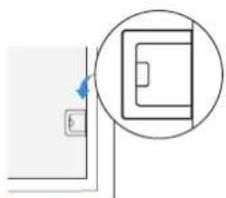
natural_image
Simple line drawing of a door with a circular inset showing a rectangular object (no text or symbols)natural_image
Two simple line drawings of household appliances: one with a door handle and window, the other with a cabinet (no text or symbols)natural_image
Line drawing of a washing machine connected to a table with a cord, no text or symbols presentnatural_image
Two simple line drawings of a door frame with cross and check symbols, no text or labels present.2.3 Per iniziare
natural_image
Illustration of a person standing in a room with cloud and window, showing a switch near a door (no text or symbols)natural_image
Line drawing of a kitchen appliance with a door, front panel, and side shelf (no text or symbols)natural_image
Pure grid pattern with intersecting lines and a blue circular icon (no text or symbols)natural_image
Illustration of a hand inserting a circular component into a rectangular device (no text or symbols)natural_image
Technical line drawing of a mechanical device with an inset showing a close-up of a component (no text or symbols visible)2. Ritirare il cavo
natural_image
Line drawing of a hand using a washing machine to clean or install a circular component (no text or symbols)natural_image
Diagram showing two mechanical or plumbing components with blue flow arrows, one with a pipe and the other with a faucet (no text or symbols)natural_image
Line drawing of a washing machine with a power button and handle (no text or symbols)7. Ricarica
natural_image
Technical line drawing of a mechanical device with attached components (no text or symbols)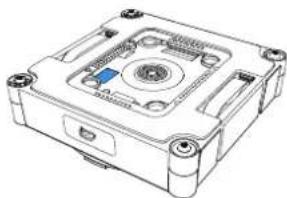
natural_image
Technical line drawing of a mechanical device with mounting holes and central hub (no text or symbols)
Download on the App Store

Get it on Google Play


ECOVACS HOME
natural_image
Line drawing of a mechanical device with a blue base and circular top component (no text or symbols)natural_image
Technical line drawing of a mechanical device with internal components and mounting holes (no text or symbols)natural_image
Line drawing of a mechanical device with a hand holding a cloth (no text or symbols)natural_image
Line drawing of a computer case with a hand cleaning the interior (no text or symbols)natural_image
Line drawing of a hand inserting a component into a device housing (no text or symbols)natural_image
Line drawing of a hand inserting a component into a CD drive (no text or symbols)4. Spia di stato
natural_image
Technical line drawings of a device with internal components and mounting holes (no text or symbols)natural_image
Technical line drawing of a mechanical device with internal components and a magnified inset showing rotational flow (no text or symbols)natural_image
3D technical diagram of a mechanical device with mounting holes and internal components, showing directional arrows (no text or symbols)138ES
3 Encendido
natural_image
Line drawing of a washing machine with a power button and handle (no text or symbols)natural_image
Line drawing of a faucet pouring liquid into a water tank (no text or symbols)natural_image
Two identical diagrams showing a device with a central circular component and two side views, each with hands adjusting its top edge (no text or symbols present)natural_image
Technical line drawing of a mechanical device with internal components and mounting holes (no text or symbols)natural_image
Pure geometric diagram with lines and shapes, no text or symbols presentCondensación
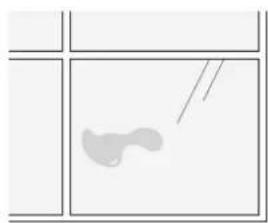
natural_image
Simple line drawing of a light-colored abstract shape inside a divided rectangular frame (no text or symbols)Manchas de aceite
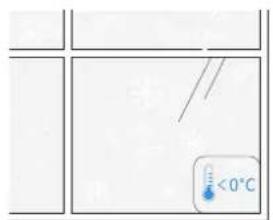
natural_image
Simple line drawing of a four-panel door with a central circular inset showing a vertical dimension (no text or symbols)Cristal pequeño
natural_image
Line drawing of two arched windows with vertical panes, no text or symbols presentFormas irregulares
natural_image
Illustration of four cartoon animals: a flying saucer, a surprised elephant, a rocking horse, and a small figure (no text or symbols)Adhesivos electrostáticos para ventanas, pegatinas, etc.
natural_image
Diagram showing a grid with a blue arrow pointing to a circular object, no text or symbols present.Grietas
natural_image
Simple line drawing of a cylindrical container or cabinet with vertical lines indicating sections (no text or symbols)natural_image
Simple line drawing of a door with an arrow pointing to the left side (no text or symbols)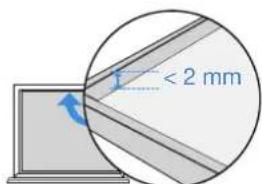
natural_image
Two simple line drawings of household appliances: one with a door handle and window, the other with a cabinet (no text or symbols)natural_image
Line drawing of a washing machine connected to a table via cable (no text or symbols)natural_image
Two identical rectangular panels with diagonal lines inside, no text or symbols present.
natural_image
Simple line drawing of a two-framed cabinet or double door with no text or symbols
2.3 Guía de inicio
natural_image
Illustration of a person standing in a room with cloud and window, showing a device and warning symbol (no text or symbols present)natural_image
Line drawing of a kitchen appliance with a washing machine and a door, no text or symbols presentnatural_image
Pure grid pattern with intersecting lines and a small blue circular icon (no text or symbols)natural_image
Hand holding a circular component with a blue arrow indicating rotation (no text or symbols)natural_image
Technical line drawing of a mechanical device with an inset showing a device connected to a housing (no text or symbols visible)natural_image
Line drawing of a hand inserting a circular component into a washing machine (no text or symbols)natural_image
Diagram showing two mechanical or plumbing components with blue flow arrows, one with a pipe and the other with a faucet (no text or symbols)natural_image
Line drawing of a washing machine with a power button and handle (no text or symbols)natural_image
Two diagrams showing rope knotting and hanging hook, with arrows indicating motion direction (no text or symbols)7. Carga
natural_image
Line drawing of a ceiling-mounted air conditioner unit with a blue screw base (no text or symbols)natural_image
Technical line drawing of a mechanical device with internal components and mounting holes (no text or symbols)natural_image
Illustration of a hand cleaning a mechanical component with a cloth (no text or symbols)natural_image
Line drawing of a computer case with a hand holding a cloth (no text or symbols)natural_image
Line drawing of a hand inserting a component into a device housing (no text or symbols)natural_image
Line drawing of a hand inserting into a CD into a drive (no text or symbols)natural_image
Technical line drawings of an electronic device with labeled 'Eller' (no other text or symbols)natural_image
Technical line drawing of a device with internal components and a magnified inset showing internal flow arrows (no text or symbols)2 Oversigt over stationen
- Knapfunktioner
 |  | [H673] |  | |
| [0088] | |  |
natural_image
3D diagram of a mechanical device with arrows indicating directional flow or movement (no text or symbols)168DK
3 Tænd for strømmen
natural_image
Line drawing of a washing machine with a power button and handle (no text or symbols)natural_image
Line drawing of a faucet pouring liquid into a water tank (no text or symbols)natural_image
Technical line drawing of a mechanical device with internal components and blue arrows indicating motion (no text or symbols)natural_image
Pure geometric diagram with lines and shapes, no text or symbols presentKondensering
natural_image
Simple line drawing of a light-colored abstract shape inside a divided rectangular frame (no text or symbols)Oliepletter
under 0 °C over 40 °C
natural_image
Simple line drawing of a four-panel door with a central circular inset showing a vertical dimension (no text or symbols)Småt glas
natural_image
Line drawing of two arched windows with vertical panes (no text or symbols)Uregelmæssige former
WINBOT leverer optimalt resultat på firkantede og store vinduer.

natural_image
Simple line drawings of four objects: a flying saucer, a elephant, and a rocking horse (no text or symbols)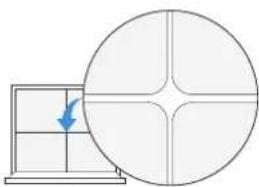
natural_image
Diagram showing a grid with a blue arrow pointing to a circular cross-section, no text or symbols present.natural_image
Simple line drawing of a cylindrical cabinet or enclosure with no text, numbers, or symbols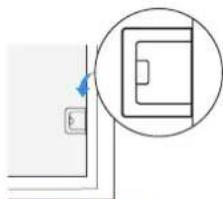
natural_image
Simple line drawing of a door with an arrow pointing to the left side (no text or symbols)natural_image
Two technical line drawings of household appliances: one with a door handle and window, the other with a cabinet (no text or symbols)
natural_image
Line drawing of a washing machine connected to a table with a cord, no text or symbols presentnatural_image
Two identical rectangular panels with diagonal lines inside, no text or symbols present.
natural_image
Simple line drawing of two doors with windows, no text or symbols present
2.3 Kom godt i gang
1 Placer stationen
natural_image
Illustration of a person standing in a room with cloud and window, showing a switch and a 'X' symbol (no text or labels)natural_image
Line drawing of a kitchen appliance with a washing machine and a door, no text or symbols presentnatural_image
Pure grid pattern with intersecting lines and a blue circular icon (no text or symbols)natural_image
Illustration of a hand inserting a circular component into a rectangular device (no text or symbols)natural_image
Technical line drawing of a mechanical device with an inset showing a device connected to a housing (no text or symbols present)natural_image
Line drawing of a hand using a washing machine to press or install a circular component (no text or symbols present)natural_image
Diagram showing two water flow paths: one with a pipe and arrow, the other with a faucet (no text or symbols)natural_image
Line drawing of a hand inserting a power button into a washing machine (no text or symbols)7. Opladning
natural_image
Technical line drawing of a mechanical device with attached components (no text or symbols)
natural_image
Technical line drawing of a mechanical device housing with mounting holes and internal components (no text or symbols)Eller

flowchart
graph TD
    A["Download on the App Store"] --> C["ECOVACS HOME"]
    B["Get it on Google Play"] --> C["ECOVACS HOME"]
natural_image
Diagram of a ceiling-mounted device with a blue vertical support and a circular top component (no text or symbols)natural_image
Technical line drawing of a mechanical cabinet or enclosure with internal components (no text or symbols)natural_image
Illustration of a hand cleaning a mechanical component with a cloth (no text or symbols)natural_image
Line drawing of a computer case with a hand cleaning the interior (no text or symbols)natural_image
Line drawing of a hand inserting a component into a device housing (no text or symbols)natural_image
Line drawing of a hand inserting a screw into a CD-ROM drive (no text or symbols)4. Statusindikatorlampe
natural_image
Technical line drawings of a device with labeled 'tai' and internal components (no text or symbols beyond label)natural_image
Technical line drawing of a device with internal components and a magnified inset showing internal flow arrows (no text or symbols)natural_image
3D diagram of a mechanical device with blue directional arrows indicating movement or force (no text or symbols)198FI
3 Virta päälle
natural_image
Line drawing of a washing machine with a power button (no text or symbols)natural_image
Line drawing of a faucet pouring liquid into a water tank (no text or symbols)natural_image
Two identical diagrams of a device with labeled ports and arrows, showing hand positioning and assembly (no text or symbols present)natural_image
Technical line drawing of a mechanical device with internal components and blue arrows indicating motion (no text or symbols)natural_image
Pure geometric diagram with lines and shapes, no text or symbols presentKondensaatio
natural_image
Simple line drawing of a light-colored abstract shape inside a divided rectangular frame (no text or symbols)Öljytahrat
alle 0 °C yli 40 °C
natural_image
Simple line drawing of a four-panel door with a central square and vertical dimension (no text or symbols)Pieni lasi
natural_image
Line drawing of two arched windows with vertical panes (no text or symbols)natural_image
Simple line drawings of four objects: a flying saucer, a elephant, a running shoe, and a bird (no text or symbols)natural_image
Diagram showing a grid with a blue arrow pointing to a circular cross-section, no text or symbols present.Halkeamat
natural_image
Simple line drawing of a cylindrical cabinet or enclosure with no text or symbolsnatural_image
Simple line drawing of a door with an arrow pointing to the left side (no text or symbols)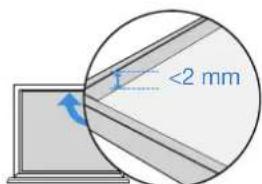
natural_image
Two simple line drawings of household appliances: one with a door handle and window, the other with a cabinet (no text or symbols)natural_image
Line drawing of a simple electrical circuit setup with a device and a table, no text or symbols presentnatural_image
Two simple line drawings of a window frame with diagonal lines, one open and one closed, both with blue checkmarks below (no text or symbols)2.3 Aloittaminen
1 Sijoita telakka
natural_image
Illustration of a person standing in a room with cloud and window, showing a switch and a cross symbol (no text or labels)natural_image
Line drawing of a kitchen appliance with a washing machine and a door, no text or symbols presentnatural_image
Pure grid pattern with intersecting lines and a blue circular icon (no text or symbols)natural_image
Illustration of a hand inserting a circular component into a rectangular device (no text or symbols)natural_image
Technical line drawing of a mechanical device with an inset showing a device connected to a housing (no text or symbols present)natural_image
Line drawing of a hand using a washing machine to press or install a circular button (no text or symbols present)natural_image
Diagram showing two water flow paths: one with a pipe and arrow, the other with a faucet (no text or symbols)natural_image
Line drawing of a hand inserting a power button into a washing machine (no text or symbols)208FI
7. Lataa
natural_image
Technical line drawing of a mechanical device with attached housing and cable (no text or symbols)
natural_image
Technical line drawing of a mechanical device with mounting holes and central hub (no text or symbols)tai

Download on the App Store

Get it on Google Play


ECOVACS HOME
3. Osien huolto
3.1 Vesisäiliöt
natural_image
Diagram of a ceiling-mounted device with a blue vertical support and a small circular component (no text or symbols)natural_image
Technical line drawing of a mechanical housing or enclosure with internal components and mounting brackets (no text or symbols)natural_image
Illustration of a hand holding a cloth next to a mechanical device with no visible text or symbolsnatural_image
Line drawing of a computer monitor with a cloth partially inserted, no text or symbols presentnatural_image
Line drawing of a hand inserting a component into a device housing (no text or symbols)natural_image
Line drawing of a hand inserting a screw into a CD drive casing (no text or symbols)4. Tilan merkkivalo
natural_image
Technical line drawings of an electronic device with labeled parts, showing top and side views (no text or symbols beyond labels)Stasjon sett bakfra
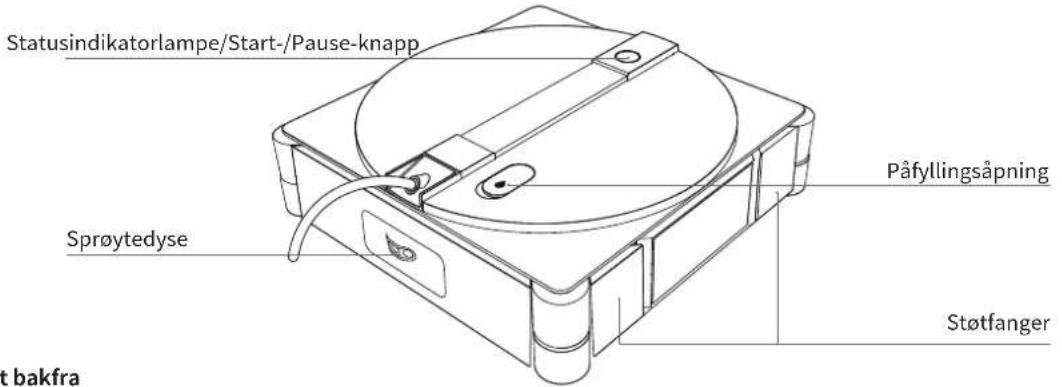
WINBOT sett forfra
natural_image
Technical line drawing of a mechanical device with an inset showing internal components and directional arrows (no text or symbols) | [TD24] | | | |
| [OK20] | | [KW05] |
: Åpne rengjøringsrommet
@ : Træk kabel ind
: Strøm på/av
^: Opp
V:Ned
: Funksjonsbryterknapp
ID: Start/pause/Bekreft
Gå tilbake til startpunktet: Trykk og hold inne (mens WINBOT er i drift).
2. Skjermfunksjoner
natural_image
3D diagram of a mechanical device with blue directional arrows indicating movement or force (no text or symbols)228NO
3 Strøm på
natural_image
Line drawing of a washing machine with a power button and handle (no text or symbols)natural_image
Line drawing of a faucet pouring liquid into a water tank (no text or symbols)natural_image
Diagram showing two identical electronic device setups with hands adjusting their components (no text or symbols visible)2. Fukt tørkeputen
natural_image
Technical line drawing of a mechanical device with internal components and blue arrows indicating motion (no text or symbols)natural_image
Pure geometric diagram with lines and shapes, no text or symbols presentKondens
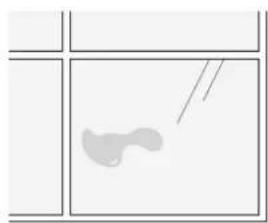
natural_image
Simple line drawing of a fish inside a rectangular frame (no text or symbols)Oljeflekker
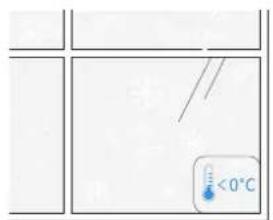
under 0 °C over 40 °C

natural_image
Simple line drawing of a four-panel door with a central square and vertical dimension (no text or symbols)Små glass
natural_image
Line drawing of two arched windows with vertical panes, no text or symbols presentUregelmessige former
natural_image
Simple line drawings of four objects: a flying saucer, a elephant, a running shoe, and a bird (no text or symbols)Elektrostatiske vindusdekaler, klistremerker osv.
natural_image
Diagram showing a grid with a blue arrow pointing to a circular cross-section, no text or symbols present.Sprekker
natural_image
Simple line drawing of a cylindrical cabinet or enclosure with no text, numbers, or symbolsnatural_image
Simple line drawing of a door with an arrow pointing to the door (no text or symbols)mm
Rammehøyde < 2 mm
natural_image
Two simple line drawings of household appliances: one with a door handle and window, the other with a cabinet (no text or symbols)natural_image
Line drawing of a washing machine connected to a table with a cord, no text or symbols presentnatural_image
Two simple line drawings of a window frame with cross and check symbols, no text or symbols present.2.3 Komme i gang
1 Plasser stasjonen
natural_image
Illustration of a person standing in a room with cloud and window, showing a switch near a door (no text or symbols)natural_image
Line drawing of a kitchen appliance with a washing machine and a door, no text or symbols presentnatural_image
Pure grid pattern with intersecting lines and a blue circular icon (no text or symbols)natural_image
Illustration of a hand inserting a circular component into a rectangular device (no text or symbols)
natural_image
Technical line drawing of a mechanical device with an inset showing a device connected to a housing (no text or symbols present)2. Trekk inn kabelen
natural_image
Line drawing of a hand inserting a coin into a washing machine (no text or symbols)natural_image
Diagram showing two water flow paths: one with a pipe and arrow, the other with a faucet (no text or symbols)natural_image
Line drawing of a hand inserting a power button into a washing machine (no text or symbols)6. Låse opp sikkerhetstauet
238NO
7. Lading
natural_image
Technical line drawing of a mechanical device with attached housing and cable (no text or symbols)
natural_image
Technical line drawing of a mechanical device with mounting holes and central hub (no text or symbols)eller

Download on the
App Store

Get it on
Google Play


ECOVACS HOME
natural_image
Line drawing of a ceiling-mounted device with a blue screw base and a small inset component (no text or symbols)natural_image
Technical line drawing of a mechanical device with internal components and mounting bracket (no text or symbols)natural_image
Illustration of a hand cleaning a mechanical component with a cloth (no text or symbols)3.4 Bunnkomponent
natural_image
Line drawing of a computer monitor with a cloth partially inserted, no text or symbols presentnatural_image
Line drawing of a hand inserting a component into a device housing (no text or symbols)natural_image
Line drawing of a hand inserting a screw into a CD drive housing (no text or symbols)4. Nedre statusindikatorlampe
| Indikator Lyseffekt Betydning | ||
| Startknapp / statusindikatorlampe i bunnen | Fast blå WINBOT fungerer som den skal. | |
| Blinkende rødt Funksjonsfeil. WINBOT fungerer ikke som den skal. | ||
- Feilsøking
natural_image
Technical line drawings of a device with internal components and mounting holes, no text or symbols presentnatural_image
Technical line drawing of a device with internal components and a magnified inset showing internal components (no text or symbols)natural_image
3D diagram of a mechanical device with blue directional arrows indicating movement or force (no text or symbols)3 Inschakelen
natural_image
Line drawing of a washing machine with a power button and handle (no text or symbols)natural_image
Line drawing of a faucet pouring liquid into a water tank (no text or symbols)6 De dweil wassen
natural_image
Diagram showing two identical views of a device with labeled ports and directional arrows, no text or symbols present.- Maak de dweil nat.
natural_image
Technical line drawing of a mechanical device with internal components and mounting holes (no text or symbols)- Breng de dweil aan.
natural_image
Simple line drawings of four objects: a planet, a flying saucer, an elephant, and a playground (no text or symbols)Elektrostatische plakplaat- jes, stickers, enz.
natural_image
Diagram showing a grid with a blue arrow pointing to a circular cross-section (no text or symbols)Groeven
natural_image
Simple line drawing of a cylindrical cabinet or enclosure with no text or symbolsnatural_image
Simple line drawing of a door with an arrow pointing to the left side (no text or symbols)<2 mm
natural_image
Two simple line drawings of household appliances: one with a door handle and window, the other with a cabinet (no text or symbols)natural_image
Line drawing of a washing machine connected to a table with a cord, no text or symbols presentnatural_image
Illustration of a person standing in a room with cloud and window, showing a switch near a door (no text or symbols)natural_image
Line drawing of a kitchen appliance with a washing machine and a door, no text or symbols presentnatural_image
Pure grid pattern with intersecting lines and a blue circular icon (no text or symbols)natural_image
Hand holding a circular object with a blue arrow pointing to it, next to a rectangular device (no text or symbols visible)natural_image
Technical line drawing of a mechanical device with an inset showing a device connected to a box (no text or symbols visible)2. De kabel oprollen
natural_image
Line drawing of a hand using a washing machine to press or install a tray, with no text or symbols present.natural_image
Diagram showing two mechanical or plumbing components with blue flow arrows, one with a faucet and the other with a pipe (no text or symbols)natural_image
Line drawing of a washing machine with a power button and handle (no text or symbols)7. Opladen
natural_image
Technical line drawing of a mechanical device with attached housing and tubing (no text or symbols)
natural_image
Technical line drawing of a mechanical device with mounting holes and central hub (no text or symbols)
Download on the App Store

Get it on Google Play

ECOVACS HOME
natural_image
Line drawing of a ceiling-mounted device with a blue screw base and a circular top component (no text or symbols)natural_image
Technical line drawing of a mechanical device with internal components and mounting holes (no text or symbols)natural_image
Illustration of a hand cleaning a mechanical device with a cloth (no text or symbols)natural_image
Line drawing of a computer case with a hand cleaning the interior (no text or symbols)natural_image
Line drawing of a hand inserting a component into a device housing (no text or symbols)natural_image
Line drawing of a hand inserting into a CD into a drive housing (no text or symbols)4 Statusindicatorlampje
natural_image
Technical line drawings of a mechanical device with labeled 'lub' (no text or symbols on the diagram itself)natural_image
Technical line drawing of a device with internal components and a magnified inset showing internal flow arrows (no text or symbols)2 Przegład stacji
- Funkcje przycisków
| [3TB4] | | [7RCA] | [2KDS] | |
| [WWCE] | [7RHX] | [4XXE] |
natural_image
3D diagram of a mechanical device with blue directional arrows indicating motion or force (no text or symbols)290PL
natural_image
Line drawing of a washing machine with a power button and handle (no text or symbols)natural_image
Line drawing of a faucet pouring liquid into a water tank (no text or symbols)natural_image
Diagram showing two identical views of a device with labeled components and directional arrows, no text or symbols present.natural_image
Technical line drawing of a mechanical device with internal components and mounting holes (no text or symbols)natural_image
Pure geometric diagram with lines and shapes, no text or symbols presentRosa
natural_image
Simple line drawing of a fish inside a rectangular frame (no text or symbols)Plamy oleju
natural_image
Simple line drawing of a four-panel door frame with a central circular inset showing a vertical scale (no text or symbols)Małe szybki
natural_image
Line drawing of two arched windows with vertical panes, no text or symbols presentnatural_image
Simple line drawings of four objects: a planet, a flying saucer, an elephant, and a rocking horse (no text or symbols)natural_image
Diagram showing a grid with a blue arrow pointing to a circular cross-section, no text or symbols present.Pęknięcia
natural_image
Simple line drawing of a cylindrical cabinet or enclosure with no text, numbers, or symbolsnatural_image
Simple line drawing of a door with a circular inset showing a rectangular object (no text or symbols)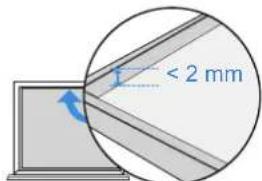
natural_image
Two simple line drawings of household appliances: one with a door handle and the other with a cabinet (no text or symbols)
natural_image
Line drawing of a washing machine next to a table with a cord, no text or symbols presentnatural_image
Two simple line drawings of a double door with diagonal lines, one open and one closed, both marked with blue checkmarks (no text or symbols)2.3 Pierwsze kroki
natural_image
Illustration of a person standing in a room with cloud and window, showing a switch near a door (no text or symbols)natural_image
Line drawing of a kitchen appliance with a washing machine and a door, no text or symbols presentnatural_image
Pure grid pattern with intersecting lines and a blue circular icon (no text or symbols)natural_image
Hand holding a cylindrical object with a blue arrow indicating direction (no text or symbols)natural_image
Technical line drawing of a mechanical device with an inset showing a close-up of its component (no text or symbols visible)2. Wciągnąć przewód
natural_image
Line drawing of a hand inserting a circular component into a washing machine (no text or symbols)natural_image
Diagram showing two mechanical or plumbing components with blue flow arrows, one with a pipe and the other with a faucet (no text or symbols)natural_image
Line drawing of a washing machine with a power button and handle (no text or symbols)β00PL
7. Ładowanie
natural_image
Technical line drawing of a mechanical device with attached components (no text or symbols)
natural_image
Technical line drawing of a mechanical device housing with mounting holes and central hub (no text or symbols)lub




natural_image
Line drawing of a ceiling-mounted device with a blue screw base and a small inset component (no text or symbols)natural_image
Technical line drawing of a refrigerator with internal compartments and ventilation ducts (no text or symbols)natural_image
Line drawing of a mechanical device with a hand holding a cloth (no text or symbols)natural_image
Line drawing of a computer case with a hand cleaning the interior (no text or symbols)natural_image
Line drawing of a hand inserting a component into a device housing (no text or symbols)natural_image
Line drawing of a hand inserting into a CD into a drive (no text or symbols)4. Lampka kontrolna stanu
natural_image
Technical line drawings of an Arba industrial device, showing front and side views (no text or symbols on the diagram itself)natural_image
Technical line drawing of a device with internal components and a magnified inset showing internal flow arrows (no text or symbols)2 Stoties apžvalga
- Mygtukų funkcijos
| | [5KGH] | [4YKZ] | |
 | [KHSB] | [YBYG] |
natural_image
3D technical diagram of a mechanical device with directional arrows indicating motion or force (no text or symbols)β22LT
3 ljungimas
natural_image
Line drawing of a washing machine with a power button and handle (no text or symbols)natural_image
Line drawing of a faucet pouring liquid into a water tank (no text or symbols)natural_image
Technical line drawing of a mechanical device with internal components and mounting holes (no text or symbols)3. Valymo pagalvélés ídéjimas
natural_image
Pure geometric diagram with lines and shapes, no text or symbols presentKondensatas
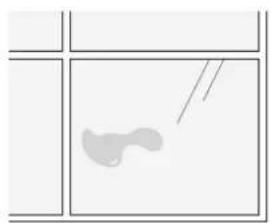
natural_image
Simple line drawing of a fish inside a container with no text or symbolsRiebalų dėmės
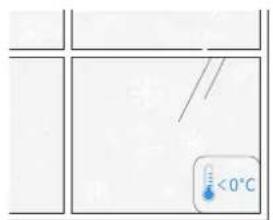
žemiau 0 °C virš 40 °C
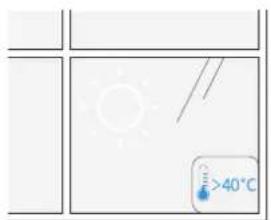

natural_image
Simple line drawing of a four-panel door frame with a central circular inset showing a vertical scale (no text or symbols)Mažas stiklas
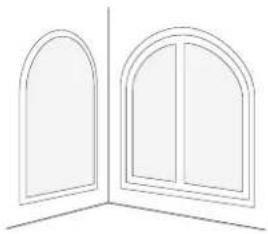
natural_image
Line drawing of two arched windows with vertical panes (no text or symbols)Netaisyklingos formos

natural_image
Simple line drawings of four objects: a flying saucer, a elephant, a rock, and a bird (no text or symbols)natural_image
Diagram showing a grid with a blue arrow pointing to a circular cross-section, no text or symbols present.Jtrūkimai
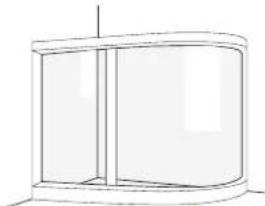
natural_image
Simple line drawing of a cylindrical cabinet or enclosure with no text, numbers, or symbolsnatural_image
Simple line drawing of a door with a circular inset showing a rectangular object (no text or symbols)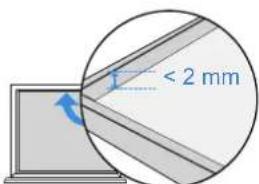
Rémo aukštis < 2 mm
natural_image
Two simple line drawings of household appliances: one with a door handle and window, the other with a cabinet (no text or symbols)natural_image
Line drawing of a washing machine connected to a table with a cord, no text or symbols presentnatural_image
Two simple line drawings of a window frame with diagonal lines, one open and one closed, both with blue checkmarks below (no text or symbols)2.3 Pradžia
natural_image
Illustration of a person standing in a room with cloud and window, showing a switch near a door (no text or symbols)natural_image
Line drawing of a kitchen appliance with a washing machine and a door, no text or symbols presentnatural_image
Pure grid pattern with intersecting lines and a blue circular icon (no text or symbols)natural_image
Illustration of a hand inserting a circular component into a rectangular device (no text or symbols)natural_image
Technical line drawing of a mechanical device with an inset showing a device connected to a housing (no text or symbols present)natural_image
Line drawing of a hand using a washing machine to press or install a circular component (no text or symbols present)natural_image
Diagram showing two water flow paths: one with a pipe and arrow, the other with a faucet (no text or symbols)natural_image
Line drawing of a washing machine with a power button and handle (no text or symbols)7. Ikrovimas
natural_image
Technical line drawing of a mechanical device with attached housing and tubing (no text or symbols)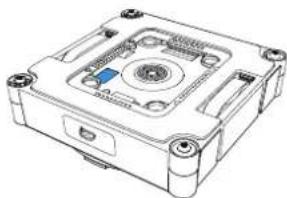
natural_image
Technical line drawing of a mechanical device with mounting holes and central hub (no text or symbols)Arba

Download on the App Store

Get it on Google Play


ECOVACS HOME
natural_image
Line drawing of a ceiling-mounted air conditioner unit with a blue screw base (no text or symbols)natural_image
Technical line drawing of a mechanical device with internal components and mounting bracket (no text or symbols)natural_image
Line drawing of a mechanical device with a hand holding a cloth (no text or symbols)natural_image
Line drawing of a computer monitor with a cloth partially inserted, no text or symbols presentnatural_image
Line drawing of a hand inserting a component into a device housing (no text or symbols)natural_image
Line drawing of a hand inserting into a CD into a drive housing (no text or symbols)4. Büsenos indikatoriaus lemputė
natural_image
Technical line drawings of a device with internal components and mounting holes, shown from two different angles (no text or symbols present)natural_image
Technical line drawing of a device with internal components and a magnified inset showing internal flow or movement (no text or symbols)2 Pregled stanice
- Funkcije gumb
| | | | |
| [SZSD] | | [H20Y] |
: Otvoreni odjeljak za čišćenje
@: Uvlačenje kabela
: Uključivanje/isključivanje
^: Gore
V: Dolje
Tipka za prekidač funkcija
ID: Početak/pauza/Potvrdi
Povratak u početnu točku: Pritisnite i držite (dok WINBOT radi).
2. Funkcije zaslona
natural_image
3D diagram of a mechanical device with blue directional arrows indicating force or movement (no text or symbols)β52HR
3 Uključivanje
Pritisnite i dulje od 2 sekunde držite gumb za uključivanje čhako biste uključili i stanicu i WINBOT.
natural_image
Line drawing of a washing machine with a power button and handle (no text or symbols)natural_image
Line drawing of a faucet pouring liquid into a water tank (no text or symbols)natural_image
Two identical diagrams showing hands operating a device with labeled ports and directional arrows, no text or symbols present.natural_image
Technical line drawing of a mechanical device with internal components and mounting holes (no text or symbols)3. Postavite podlogu za brisanje
Uzmite navlaženu krpu za brisanje i pažljivo je poravnajte. Pazite da široki i uski rubovi odgovaraju žljebovima na pogonskim kotačima. Pritisnite četiri kopče za postavljanje dok ne začujete „klik“ koji potvrđuje uspješno pričvršćivanje.
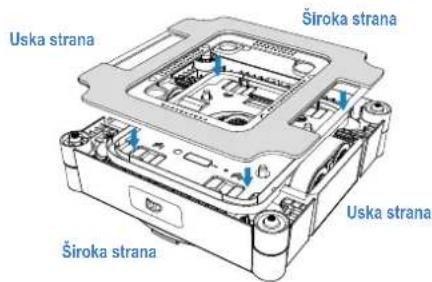
natural_image
Pure geometric diagram with lines and shapes, no text or symbols presentKondenzacija
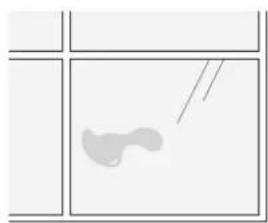
natural_image
Simple line drawing of a light-colored abstract shape inside a divided rectangular frame (no text or symbols)Mrlje od ulja
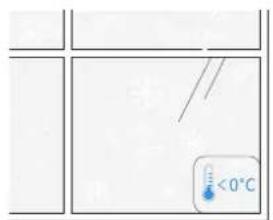
ispod 0°C iznad 40°C
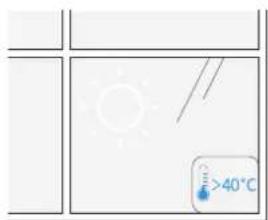

WINBOT postiže optimalne rezultate na suhim površinama i na temperaturama preko 0°C.
2 Malo ili nepravilno staklo
natural_image
Simple line drawing of a four-panel door frame with a central circular inset showing a vertical scale (no text or symbols)Malo staklo
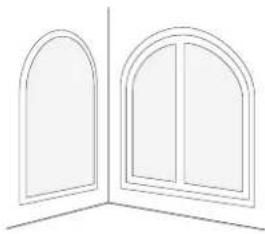
natural_image
Line drawing of two arched windows with vertical panes, no text or symbols presentNepravilni oblici

WINBOT postiže optimalne rezultate na kvadratnim i velikim prozori- ma.

natural_image
Simple line drawings of four objects: a flying saucer, a elephant, a running shoe, and a small figure (no text or symbols)Elektrostaticke naljepnice za prozore, naljepnice itd.
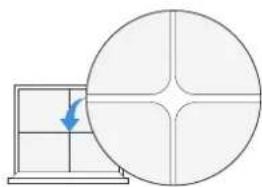
natural_image
Diagram showing a grid with a blue arrow pointing to a circular cross-section, no text or symbols present.Pukotine
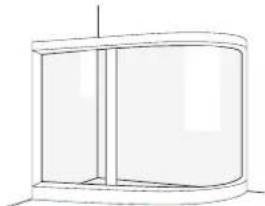
natural_image
Simple line drawing of a cylindrical cabinet or enclosure with no text or symbols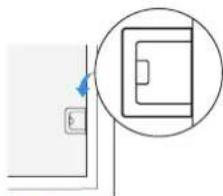
natural_image
Simple line drawing of a door with a circular inset showing a rectangular object (no text or symbols)Zakrivljeno staklo Visina prepreke < 2 mm
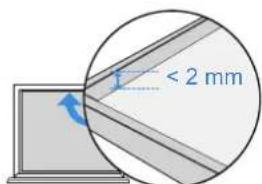
Visina okvira < 2 mm

WINBOT bolje radi na glatkoj i ravnoj površini kako bi se osiguralo stabilno usisavanje i glatko kretanje.
β56HR

Preveliki vanjski prozori
Ograničen duljinom složenog kabela, WINBOT se može suočiti s poteškoćama pri kretanju preko cijelog prozora kada dimenzije premaše 8 m * 2,5 m.
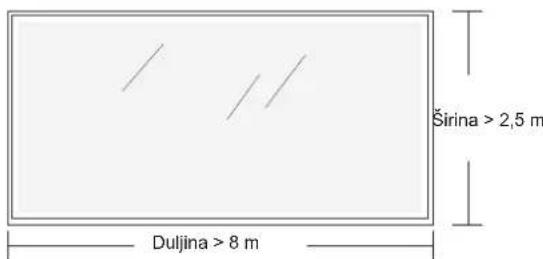
* Dostupno samo u načinu rada zonskog čišćenja.

Prepreke u blizini
natural_image
Two simple line drawings of household appliances: one with a door handle and window, the other with a cabinet (no text or symbols)
natural_image
Line drawing of a washing machine connected to a table with a cord, no text or symbols presentnatural_image
Two simple line drawings of a window frame with diagonal lines, one open and one closed, both marked with blue checkmarks (no text or symbols)2.3 Početak
1 Postavljanje stanice
natural_image
Illustration of a person standing in a room with cloud and window, showing a switch near a door (no text or symbols)*Kabel za napajanje uređaja WINBOT dug je 5,5 m, a maksimalna primjenjiva veličina jednog prozora jest 8 m širine i 2,5 m visine.
natural_image
Line drawing of a kitchen appliance with a washing machine and a door, no text or symbols present* Stanicu ne postavljajte na povišene površine poput stolova ili radnih ploča.
- Nemojte stavljati stanicu na neravne površine, kao što su tepisi ili popločani/drveni podovi s fugama.
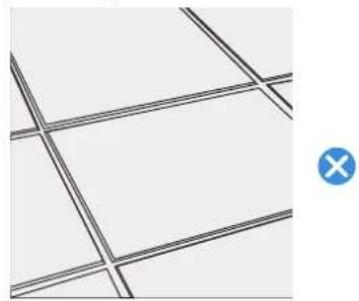
natural_image
Pure grid pattern with intersecting lines and a blue circular icon (no text or symbols)natural_image
Hand holding a circular device with a pointer, no text or symbols visiblenatural_image
Technical line drawing of a mechanical device with an inset showing a device connected to a housing (no text or symbols present)2. Uvlačenje kabela
natural_image
Line drawing of a hand using a washing machine to press or install a circular component (no text or symbols present)3. Čišćenje spremnika za vodu na stanici
Nakon što Winbot završi s čišćenjem, izlijte preostalu tekućinu iz spremnika za čistu vodu i spremnika za prljavu vodu stanice, a zatim ih isperite.

natural_image
Diagram showing two water flow paths: one with a pipe and arrow, the other with a faucet (no text or symbols)natural_image
Line drawing of a washing machine with a power button and handle (no text or symbols)β62HR
7. Punjenje
Postavite stanicu pokraj utičnice i priključite je na napajanje. Punjenje na sobnoj temperaturi traje približno 3 sata.
8. Spremanje stanice
natural_image
Technical line drawing of a mechanical device with attached housing and tubing (no text or symbols)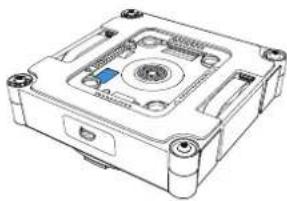
natural_image
Technical line drawing of a mechanical device housing with mounting holes and central hub (no text or symbols)
Download on the App Store

Get it on Google Play


ECOVACS HOME
3. Održavanje komponenti
3.1 Spremnici za vodu
a. Čišćenje spremnika za vodu uređaja Winbot
Kada Winbot završi s čišćenjem, izlijte preostalu tekućinu iz spremnika.
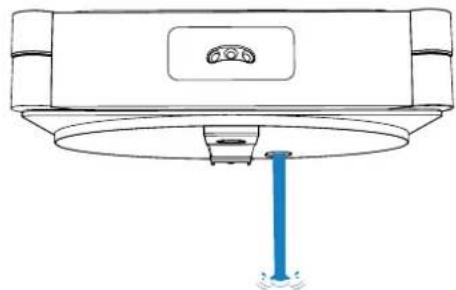
natural_image
Diagram of a ceiling-mounted device with a blue screw and indicator lights (no text or symbols)b. Čišćenje spremnika za vodu na stanici
natural_image
Technical line drawing of a mechanical device with internal components and mounting bracket (no text or symbols)natural_image
Illustration of a hand holding a cloth next to a mechanical device component (no text or symbols visible)Nakon čišćenja gusjenica pogonskih kotača, postavite podlogu za brisanje i nastavite čišćenje.
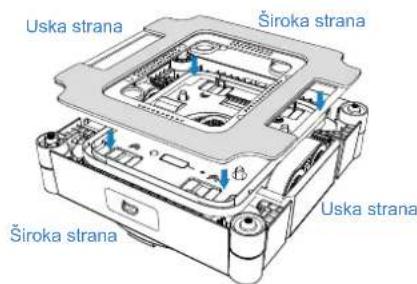
3.4 Donja komponenta
natural_image
Line drawing of a computer case with a hand cleaning the interior (no text or symbols)natural_image
Line drawing of a hand inserting into a CD into a mechanical housing (no text or symbols)natural_image
Line drawing of a hand inserting a component into a CD drive (no text or symbols)4. Svjetlosni indikator statusa
| Indikator Svjetlosni efekt Značenje | |
| Tipka START/donja svjetlosni indikator statusa | Svijetli plavo WINBOT radi ispravno. |
| Bljeska crveno Kvar. WINBOT ne može pravilno funkcionirati. |
- Rješavanje problema
| Br. Problemi Mogući uzroci Rješenja | |||
| 1 | Gusjenice pogonskih kotača proklizavaju; nenormalna putanja kretanja uređaja Winbot; WINBOT upućuje glasovnu obavijest „WINBOT proklizava“ | Gusjenice pogonskih kotača prljave su. | Za uklanjanje prašine s gusjenica pogonskih kotača pogle-dajte [Održavanje komponenti] u ovom priručniku. |
| 2 | WINBOT se ne pomiče i objavljuje glasovnu obavijest „Nedovoljan tlak zraka“. | Na prozoru postoje praznine ili pukotine. | Držite sigurnosno uže ili kabel za napajanje rukom. U me-đuvremenu, pomoću aplikacije ECOVACS Home upravljaj-te uređajem WINBOT-om kako biste se udaljili od pukotine i prepreka. |
| Mala prepreka na površini koja se čisti blokira držač podloge za brisanje. | |||
| 3 | WINBOT se kreće sporo ili se vrti; WINBOT emitira gla-sovnu obavijest „Zaglavljen“. | Gusjenice pogonskih kotača zaglavile su se. | Provjerite ima li prašine ili krhotina na gusjenicama pogon-skih kotača. Ako ih ima, očistite ih s pomoću alata. Potom ponovno pokrenite WINBOT za automatsko čišćenje. Ako problem i dalje postoji, obratite se službi za korisnike. |
| Na površini prozora nalaze se niske pre-preke. | WINBOT ne može detektirati prepreke ili okvire visine niže od 1 mm. U tom slučaju, otvorite aplikaciju i slijedite upute kako biste pomogli uređaju WINBOT. | ||
| 4 | WINBOT se ne miče ili ima abnormalnu putanju čišćenja, a glasovna uputa ukazu-je na hardversku grešku. | Abnormalnost signala sfernog senzora. | A. Provjerite jesu li sferni senzori blokirani ili prekriveni podlogom za brisanje;B. Provjerite ima li stranih predmeta na sfernim senzorima. Ako ih ima, odmah ih očistite;C. Provjerite jesu li sferni senzori oštećeni. U slučaju ošte-ćenja, obratite se službi za korisnike. |
| Abnormalnost ventilatora. | Provjerite ima li stranih predmeta na ventilatoru. Ako ih ima, odmah ih očistite; ako problem i dalje postoji, obratite se službi za korisnike. | ||
| 5 | WINBOT se zaustavlja nakon što okretanja pri prisisavanju na staklo i prika-zuje poruku: „Ne stavljajte WINBOT blizu ruba.“ | WINBOT je preblizu rubu stakla ili prepreci (npr. ručki). | Pomoću aplikacije ECOVACS HOME možete upravljati WINBOT-om i udaljiti ga približno 10 cm od ruba ili prepreke, a zatim ponovno pokrenuti čišćenje. Alternativno, uklo-nite WINBOT, ponovno ga pokrenite i postavite ga približno 10 cm od ruba ili prepreke kako biste započeli s čišćenjem. |
| 6 | WINBOT emitira glasov-nu obavijest „Zaglavljen“. Pogonski se kotači mogu okretati, ali WINBOT se ne može pomaknuti. | Zaglavljivanje na prepreci. | Nakon što pričvrstite sigurnosnu kopču, lagano povucite kabel za napajanje rukom dok aplikacijom ECOVACS HOME aplikaciju upravljajte uređajem WINBOT kako biste se udaljili od područja zaglavljivanja. Ako se problem na-stavi, obratite se službi za korisnike. |
| 7 WINBOT ne prska. | U spremniku za vodu nema otopine za čišćenje. | U ECOVACS WINBOT na vrijeme dodajte otopinu za čišćenje. | |
| Funkcija automatskog prskanja isključena je u aplikaciji. | Otvorite aplikaciju i uključite funkciju automatskog prskanja. | ||
| WINBOT čisti s niskom razinom vode. | 1. Isključite WINBOT, ponovno ga pokrenite i ponovno pričvrstite.2. Otvorite aplikaciju i slijedite mjere opreza za automatsko prskanje kako biste riješili problem.3. Ako problem i dalje postoji, obratite se službi za korisni-ke. | ||
| 8 | Glasovni poziv ukazuje na prelijevanje otpadnih voda iz odjeljka za čišćenje. | Voda se nakupila u donjem utoru odjeljka za čišćenje. | Obrišite nakupljenu vodu na dnu odjeljka za čišćenje kako biste spriječili njezino prolijevanje po podu. |
6. Povezivanje uređaja WINBOT s aplikacijom
natural_image
Technical line drawings of a device with labeled parts, showing top and side views (no text or symbols beyond labels)natural_image
Technical line drawing of a mechanical device with internal components and a magnified inset showing rotational flow (no text or symbols)natural_image
3D diagram of a mechanical device with blue directional arrows indicating motion or force (no text or symbols)β82SE
3 Slå på strömmen
natural_image
Line drawing of a washing machine with a power button and handle (no text or symbols)natural_image
Line drawing of a faucet pouring liquid into a water tank (no text or symbols)natural_image
Diagram showing two identical electronic device setups with hands adjusting their components (no text or symbols visible)2. Fukta rengöringsduken
natural_image
Technical line drawing of a mechanical device with internal components and blue arrows indicating motion (no text or symbols)3. Sätt dit rengöringsduken
natural_image
Pure geometric diagram with lines and shapes, no text or symbols presentKondens
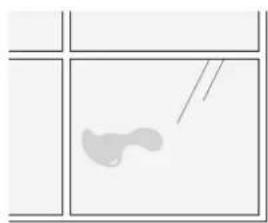
natural_image
Simple line drawing of a light-colored abstract shape inside a divided rectangular frame (no text or symbols)Oljefläckar
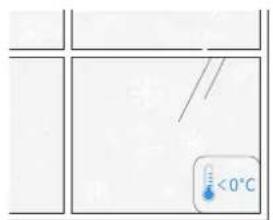
natural_image
Simple line drawing of a four-panel door with a central square and vertical dimension (no text or symbols)Litet glas
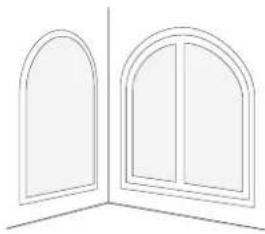
natural_image
Line drawing of two arched windows with vertical panes, no text or symbols presentOregelbundna former
natural_image
Simple line drawings of four objects: a flying saucer, a elephant, a running figure, and a bird (no text or symbols)natural_image
Diagram showing a grid with a blue arrow pointing to a circular cross-section, no text or symbols present.Sprickor
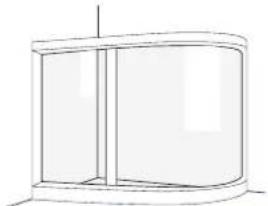
natural_image
Simple line drawing of a cylindrical container or cabinet with vertical lines indicating sections (no text or symbols)natural_image
Simple line drawing of a door with a blue arrow indicating direction, no text or symbols present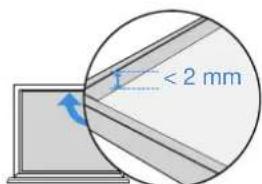
Ramhöjd < 2 mm
natural_image
Two simple line drawings of household appliances: one with a door handle and window, the other with a cabinet (no text or symbols)natural_image
Line drawing of a washing machine connected to a table with a cable (no text or symbols)natural_image
Two simple line drawings of a window frame with diagonal lines, one open and one closed, both marked with blue checkmarks (no text or symbols)2.3 Komma igång
1 Placera stationen
natural_image
Illustration of a person standing in a room with cloud and window, showing a switch near a door (no text or symbols)natural_image
Line drawing of a kitchen appliance with a washing machine and a door, no text or symbols presentnatural_image
Pure grid pattern with intersecting lines and a blue circular icon (no text or symbols)natural_image
Illustration of a hand holding a circular device with a blue arrow pointing to it (no text or symbols present)natural_image
Technical line drawing of a mechanical device with an inset showing a device connected to a housing (no text or symbols present)natural_image
Line drawing of a hand using a washing machine to press or install a circular component (no text or symbols present)natural_image
Diagram showing two water flow paths: one with a pipe and arrow, the other with a faucet (no text or symbols)natural_image
Line drawing of a washing machine with a power button and handle (no text or symbols)β92SE
7. Ladda
natural_image
Technical line drawing of a mechanical device with attached housing and tubing (no text or symbols)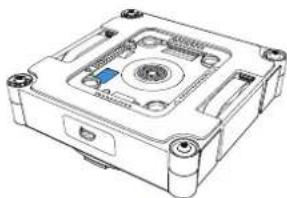
natural_image
Technical line drawing of a mechanical device with mounting holes and central hub (no text or symbols)eller

Download on the App Store

Get it on Google Play


ECOVACS HOME
natural_image
Line drawing of a ceiling-mounted device with a blue screw base and a circular top component (no text or symbols)natural_image
Technical line drawing of a mechanical device with internal components and mounting holes (no text or symbols)natural_image
Illustration of a hand cleaning a mechanical component with a cloth (no text or symbols)natural_image
Line drawing of a computer case with a hand cleaning the interior (no text or symbols)natural_image
Line drawing of a hand inserting a component into a device housing (no text or symbols)natural_image
Line drawing of a hand inserting a screw into a CD drive casing (no text or symbols)natural_image
Technical line drawings of an electronic device with internal components and wiring (no text or symbols).ECOVACS HOME 2
תְרָה בַעִי אַלְבָם
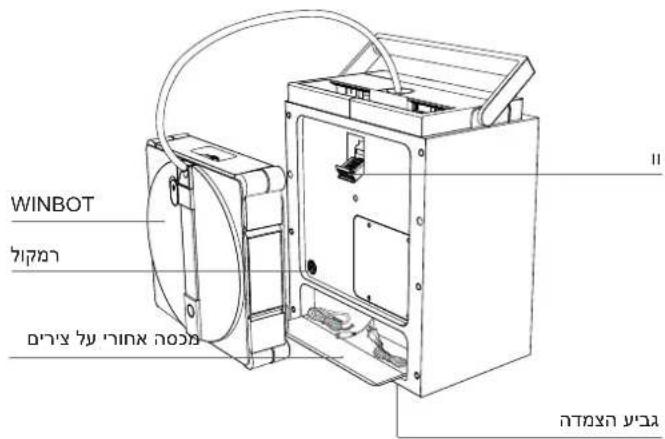
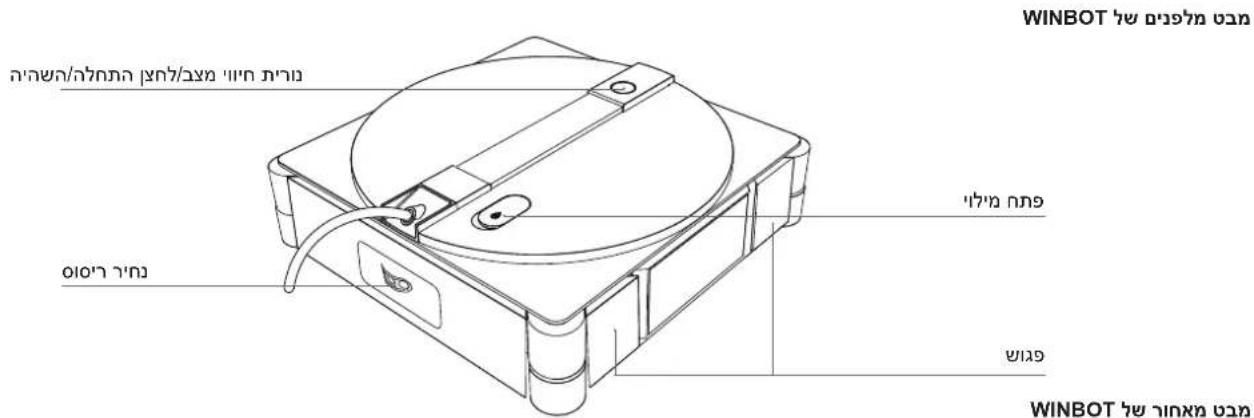
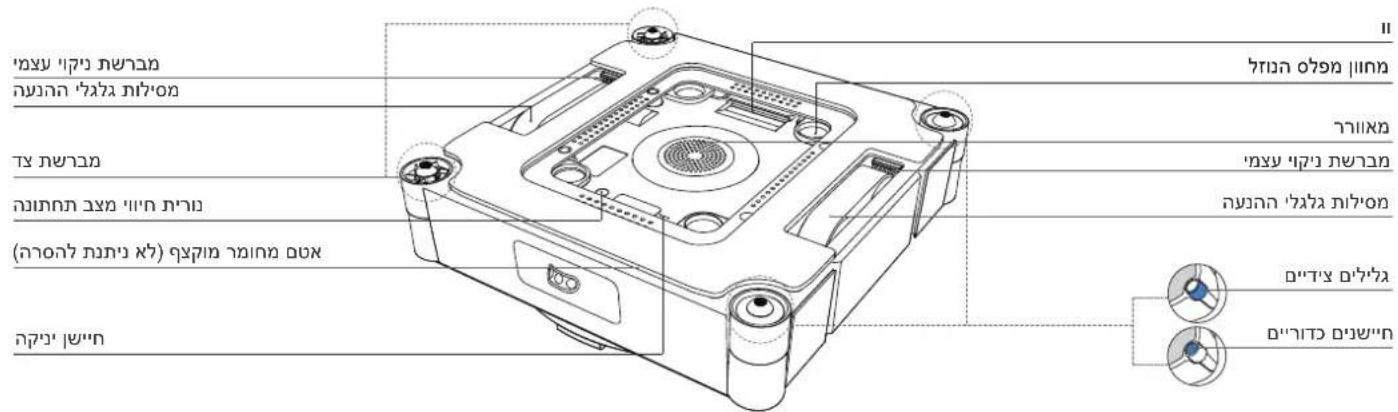
natural_image
Technical line drawing of a mechanical device with internal components and a magnified inset showing internal flow or movement (no text or symbols)תְרָהִיַעֹן.2
natural_image
3D technical illustration of a mechanical housing with blue directional arrows indicating motion or force (no text or symbols)412HE
הכלה

natural_image
Line drawing of a washing machine with a power button (no text or symbols)natural_image
Line drawing of a faucet pouring liquid into a water tank (no text or symbols)natural_image
Two identical diagrams showing hands operating a device with a central button and a side panel, no text or symbols present.תִיַעְה אָרְאָה

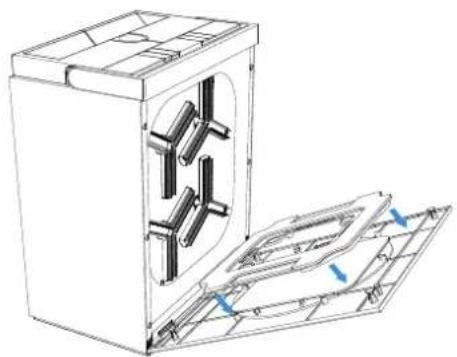
natural_image
Technical line drawing of a mechanical device with internal components and mounting holes (no text or symbols)הכלה 2
natural_image
Simple line drawing of a four-panel door with a central square and vertical line, no text or symbols present.תְבָרִי בְּלָה

natural_image
Line drawing of two arched windows with vertical panes, no text or symbols presentתְרָה בַלְאָה
natural_image
Pure geometric lines forming a grid-like pattern with no text, numbers, or symbolsתְבָרִי
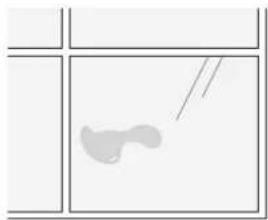
natural_image
Simple line drawing of a curved object inside a divided square frame (no text or symbols)הכלה
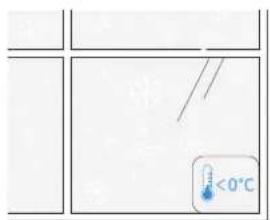

0°C-7 nnnn 40°C-7 7yn
בְרָה אַלְאָה

/הכלהה, כרְׁהָה, אַרְׁהָה, אַרְׁהָה, אַרְׁהָה, אַרְׁהָה, אַרְׁהָה, אַרְׁהָה, אַרְׁהָה, אַרְׁהָם, אַרְׁהָם, אַרְׁהָם, אַרְׁהָם, אַרְׁהָם, אַרְׁהָם, אַרְׁהָם, אַרְׁהָם, אַרְׂ
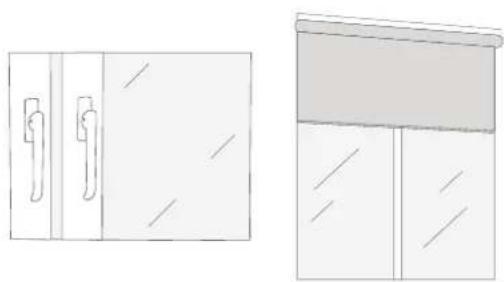
natural_image
Two simple line drawings of household appliances: one with a door handle and window, the other with a cabinet (no text or symbols)WINBOT

416HE
תְרָה אַלְאָה

natural_image
Illustration of four cartoon-style objects: a planet, a surprised elephant, a rocking horse, and a flying saucer (no text or symbols)natural_image
Diagram showing a grid with an arrow pointing to a circular cross-section (no text or symbols)D'7TO
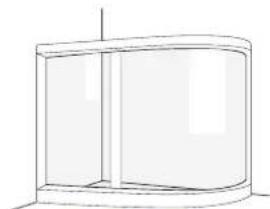
natural_image
Simple line drawing of a cylindrical container or enclosure with vertical side lines (no text or symbols)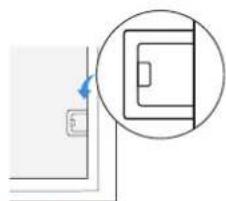
natural_image
Simple line drawing of a door with a blue arrow pointing to the left side (no text or symbols)הכלהה 2-ה כרְשׁה
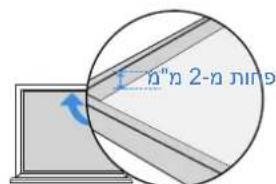
natural_image
Line drawing of a washing machine connected to a table with a cord, no text or symbols present. WinBOT
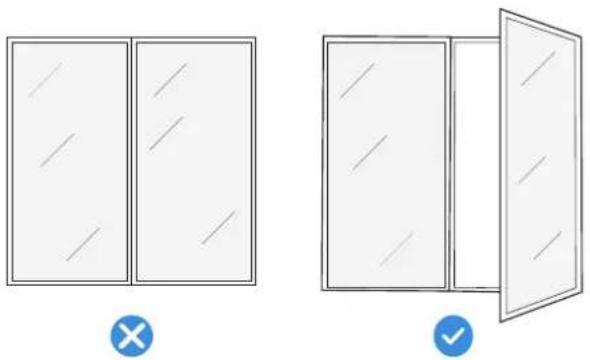
natural_image
Two simple line drawings of a door frame with cross and check symbols, no text or labels present.הכלה 2.3
תְבָרִי אַלְה

natural_image
Line drawing of a kitchen appliance with a door, front panel, and side shelf (no text or symbols)natural_image
Illustration of a person standing in a room with cloud and window, no text or symbols present/הכלהה,הכלהה-הכלהה-הכלהה-הכלהה-הכלהה-הכלהה-הכלהה-הכלהה-הכלהה-הכלהה-הכלהה-הכלהה-הכלהה-הכלהה-הכלהה-הכלהה-הכלהה-הכלהה-הכלהה-הכלהה-הכלהה
בִרְשָׁה בַרְשָׁה

WINBOT.
natural_image
Technical line drawing of a mechanical device with an inset showing a close-up of a component (no text or symbols visible)הכלההוּרָה 5
תָרִי
natural_image
Pure architectural floor plan lines without any text, numbers, or symbols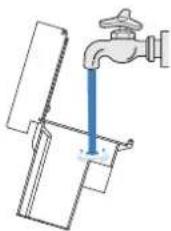
natural_image
Diagram of a faucet with blue liquid flowing into a water tank (no text or symbols)הכלה 4
natural_image
Line drawing of a hand inserting a CD into a washing machine (no text or symbols)תְרַעִי 7
natural_image
Line drawing of a hand inserting a power button into a washing machine (no text or symbols)natural_image
Diagram showing two rope knotting techniques with downward arrows indicating motion (no text or symbols)natural_image
Technical line drawing of a mechanical device with internal components and mounting brackets (no text or symbols)natural_image
Line drawing of a mechanical component with a blue anchor and circular base (no text or symbols)natural_image
Line drawing of a computer case with a cloth partially inserted, no text or symbols presentnatural_image
Line drawing of a hand inserting a component into a computer case (no text or symbols)הכלה 3.3
natural_image
Illustration of a hand cleaning a mechanical component with a cloth (no text or symbols)בַרְשָׁה אַרְשָׁה.4
| ### | ||
| ### | ### | |
| ### | ### |
natural_image
Line drawing of a hand inserting a component into a CD drive (no text or symbols)תְרָהִיָה.5
| 'الله" | |||
| הכלהההכלהההכלהההכלהההכלהההכלהההכלהההכלהההכלהההכלהההכלהההכלהההכלהההכלהההכלהההכלהההכלהההכלהההכלהההכלהההכלהההכלהההכלהההכלהההכלהההכלה | .הכלהההכלהההכלהההכלהההכלהההכלהההכלהההכלהההכלהההכלהההכלהההכלהההכלהההכלהההכלהההכלהההכלהההכלהההכלהההכלהההכלהההכלהההכלהההכלהההכלה | ||
| הכלההכלההכלההכלההכלההכלההכלההכלההכלההכלההכלההכלההכלההכלההכלההכלההכלההכלההכלההכלההכלההכלההכלההכלההכלההכלההכלההכלההכלההכלההכלההכלההכלההכלה | |||
| .הכלההכלההכלההכלההכלההכchia | |||
| .הכchia | .הכchia | 2 | |
| הכchia,הכchia,הכchia,הכchia,הכchia,הכchia,הכchia,הכchia,הכchia,הכchia,הכchia,הכchia,הכchia,הכchia,הכchia,הכchia,הכchia,הכchia,הכchia,הכchia,הכchia,הכchia,הכchia,הכchia,הכchia,הכchia | .הכchia,הכchia,הכchia,הכchia,הכchia,הכchia,הכchia,הכchia,הכchia,הכchia,הכchia,הכchia,הכchia,הכchia,הכchia,הכchia,הכchia,הכchia,הכchia,הכchia,הכchia,הכchia,הכchia,הכchia,הכchia | ||
| הכchia,הכchia,הכchia,הכchia,הכchia,הכchia,הכchia,הכchia,הכchia,הכchia,הכchia,הכchia,הכchia,הכchia,הכchia,הכchia,הכchia,הכchia,הכchia,הכchia,הכchia,הכchia,הכchia,הכchia, | .הכchia,הכchia,הכchia,הכchia,הכchia,הכchia,הכchia,הכchia,הכchia,הכchia,הכchia,הכchia,הכchia,הכchia,הכchia,הכchia,הכchia,הכchia,הכchia,הכchia,הכchia,הכchia,הכchia,הכchia,ה | .הכchia,הכchia,הכchia,הכchia,הכchia,הכchia,הכchia,הכchia,הכchia,הכchia,הכchia,הכchia,הכchia,הכchia,הכchia,הכchia,הכchia,הכchia,הכchia,הכchia,הכchia,הכchia,הכchia,הכchia,ה | |
| הכchia,הכchia,הכchia,הכchia,הכchia,הכchia,הכchia,הכchia,הכchia,הכchia,הכchia,הכchia,הכchia,הכchia,הכchia,הכchia,הכchia,הכchia,הכchia,הכchia,הכchia,הכchia,הכchia,הכchia | .הכeria,הכchia,הכchia,הכchia,הכchia,הכchia,הכchia,הכchia,הכchia,הכchia,הכchia,הכchia,הכchia,הכchia,הכchia,הכchia,הכchia,הכchia,הכchia,הכchia,הכchia,הכchia,הכchia,הכchia,הכchia,הכ<|box_start|> | 3 | |
| הכchia,הכchia,הכchia,הכchia,הכchia,הכchia,הכchia,הכchia,הכchia,הכchia,הכchia,הכchia,הכchia,הכchia,הכchia,הכchia,הכchia,הכchia,הכchia,הכchia,הכchia,הכchia,הכchia,הכchia | |||
| הכchia,הכchia,הכchia,הכchia,הכchia,הכchia,הכchia,הכchia,הכchia,הכchia,הכchia,הכchia,הכchia,הכchia,הכchia,הכchia,הכchia,הכchia,הכchia,הכchia,הכchia,הכchia,הכchia,הכ<|box_start|> | .הכchia,הכchia,הכchia,הכchia,הכchia,הכchia,הכchia,הכchia,הכchia,הכchia,הכchia,הכchia,הכchia,הכchia,הכchia,הכchia,הכchia,הכchia,הכchia,הכchia,הכchia,הכchia,הכchia,הכchia,ה- | ||
| הכchia,הכchia,הכchia,הכchia,הכchia,הכchia,הכchia,הכchia,הכchia,הכchia,הכchia,הכchia,הכchia,הכchia,הכchia,הכchia,הכchia,הכchia,הכchia,הכchia,הכchia,הכchia,הכchia,הכicia | |||
| הכchia,הכchia,הכchia,הכchia,הכchia,הכchia,הכchia,הכchia,הכchia,הכchia,הכchia,הכchia,הכchia,הכchia,הכchia,הכchia,הכchia,הכchia,הכchia,הכchia,הכchia,הכchia,הכchia,ה- | |||
| ECOVACS,הכchia,הכchia,הכchia,הכchia,הכchia,הכchia,הכchia,הכchia,הכchia,הכchia,הכchia,הכchia,הכchia,הכchia,הכchia,הכchia,הכchia,הכchia,הכchia,הכchia,הכchia,ה- |
natural_image
Technical line drawing of an electrical enclosure with a coiled cable and internal components (no text or symbols)natural_image
Technical line drawing of a mechanical device with mounting holes and central hub (no text or symbols)natural_image
Technical line drawings of a Veya device showing front and top views (no text or symbols on the diagram itself)natural_image
Technical line drawing of a mechanical device with internal components and a magnified inset showing rotational flow (no text or symbols)natural_image
3D diagram of a mechanical device with blue directional arrows indicating force or movement (no text or symbols)442TR
3 Güç Açık
natural_image
Line drawing of a washing machine with a power button and handle (no text or symbols)natural_image
Line drawing of a faucet pouring liquid into a water tank (no text or symbols)natural_image
Technical line drawing of a mechanical device with internal components and mounting holes (no text or symbols)- Silme pedini takın
natural_image
Pure geometric diagram with lines and shapes, no text or symbols presentYoğuşma
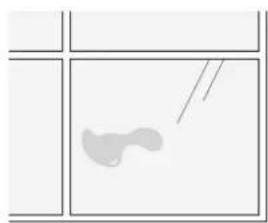
natural_image
Simple line drawing of a fish inside a window frame (no text or symbols)Yağ lekeleri
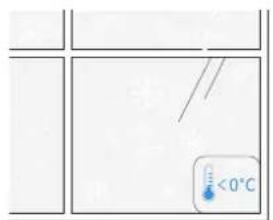
natural_image
Simple line drawing of a four-panel door with a central square and vertical dimension (no text or symbols)Küçük Cam
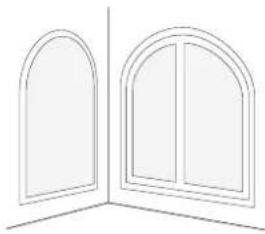
natural_image
Line drawing of two arched windows with vertical panes, no text or symbols presentDüzensiz Şekiller

Düz Olmayan Pencereler
natural_image
Simple line drawings of four objects: a flying saucer, a elephant, a running shoe, and a bird (no text or symbols)natural_image
Diagram showing a grid with a blue arrow pointing to a circular cross-section, no text or symbols present.Çatlaklar
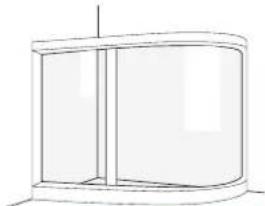
natural_image
Simple line drawing of a cylindrical cabinet or enclosure with no text, numbers, or symbolsnatural_image
Simple line drawing of a door with a circular inset showing a rectangular object (no text or symbols)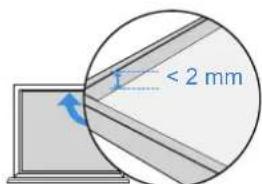
natural_image
Two simple line drawings of household appliances: one with a door handle and window, the other with a cabinet (no text or symbols)natural_image
Line drawing of a washing machine connected to a table with a cord, no text or symbols presentnatural_image
Two identical rectangular panels with diagonal lines inside, no text or symbols present.×
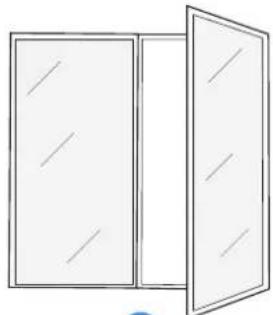
natural_image
Simple line drawing of a two-framed cabinet with open door (no text or symbols)√
2.3 Başlangıç
natural_image
Illustration of a person standing in a room with cloud and window, showing a switch near a door (no text or symbols)natural_image
Line drawing of a kitchen appliance with a washing machine and a door, no text or symbols presentnatural_image
Pure grid pattern with intersecting lines and a blue circular icon (no text or symbols)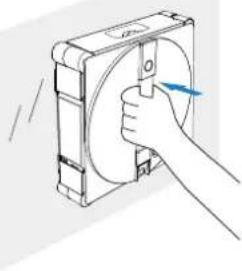
natural_image
Illustration of a hand holding a circular component with a blue arrow indicating direction (no text or symbols)
natural_image
Technical line drawing of a mechanical device with an inset showing a device connected to a housing (no text or symbols visible)natural_image
Line drawing of a hand inserting a coin into a washing machine (no text or symbols)natural_image
Diagram showing two water flow paths: one with a pipe and arrow, the other with a faucet (no text or symbols)natural_image
Line drawing of a hand inserting a power button into a washing machine (no text or symbols)7. Şarj
natural_image
Technical line drawing of a mechanical device with attached housing and tubing (no text or symbols)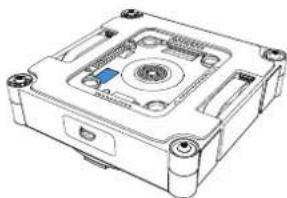
natural_image
Technical line drawing of a mechanical device with mounting holes and central hub (no text or symbols)Veya

Download on the App Store

Get it on Google Play


ECOVACS HOME
3. Bileşen Bakımı
3.1 Su Tankları
natural_image
Line drawing of a ceiling-mounted device with a blue screw base and a circular top component (no text or symbols)natural_image
Technical line drawing of a mechanical device with internal components and mounting bracket (no text or symbols)natural_image
Illustration of a hand cleaning a mechanical component with a cloth (no text or symbols)natural_image
Line drawing of a computer case with a hand holding a cloth (no text or symbols)natural_image
Line drawing of a hand inserting a component into a device housing (no text or symbols)natural_image
Line drawing of a hand inserting into a CD into a drive (no text or symbols)No. 518 Songwei Road, Wusongjiang industry Park, Guoxiang Street,
Wuzhong District, Suzhou, Jiangsu, China.