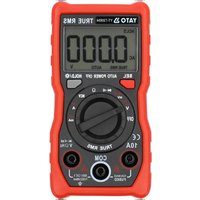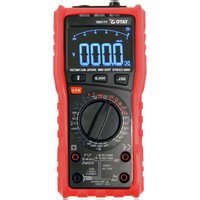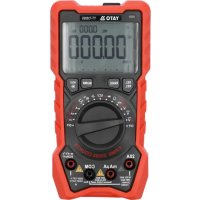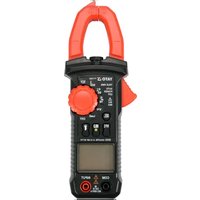
YT-73092 - Multimeter Yato - Free user manual and instructions
Find the device manual for free YT-73092 Yato in PDF.


| Product Type | Digital Clamp Multimeter |
| Brand | Yato |
| Model | YT-73092 |
| Display | ACL 3 5/6 digits, max 5999 |
| Sampling Frequency | 2.5 to 3 times per second |
| Clamp Opening | 26 mm |
| Max Cable Diameter | 18 mm |
| DC Voltage Ranges | 600 mV, 6 V, 60 V, 600 V |
| AC Voltage Ranges | 6 V, 60 V, 600 V (40-1000 Hz) |
| AC Current Ranges (Clamp) | 6 A, 60 A, 600 A (50-60 Hz) |
| Resistance Ranges | 600 Ω, 6 kΩ, 60 kΩ, 600 kΩ, 6 MΩ, 60 MΩ |
| Continuity Test | Yes (threshold < 60 Ω) |
| Diode Test | Yes |
| NCV Detection | Yes (AC voltage > 90 V) |
| Low Impedance Mode (LoZ) | Yes |
| Built-in Flashlight | Yes |
| Power Supply | 2 AAA 1.5 V batteries |
| Dimensions | 191 x 70 x 31 mm |
| Weight (without batteries) | 190 g |
| Operating Temperature | 0 to 40 °C, RH < 75% |
| Storage Temperature | -10 to +50 °C, RH < 85% |
| Auto Power Off | After 15 minutes of inactivity |
| Overload Protection | 600 V DC/AC rms |
| Maintenance and Cleaning | Clean with a soft cloth; for contacts, use a cotton swab moistened with isopropyl alcohol |
| Safety | Do not use in humid or explosive atmosphere; disconnect cables before opening; do not exceed maximum ranges |
| Spare Parts | Replaceable test leads (red and black) |
Frequently Asked Questions - YT-73092 Yato
User questions about YT-73092 Yato
0 question about this device. Answer the ones you know or ask your own.
Ask a new question about this device
Download the instructions for your Multimeter in PDF format for free! Find your manual YT-73092 - Yato and take your electronic device back in hand. On this page are published all the documents necessary for the use of your device. YT-73092 by Yato.
USER MANUAL YT-73092 Yato
- LCD screen
- measurement switch
- measurement jack
- test leads
- measuring clamp
- NCV sensor
DE
This symbol indicates that waste electrical and electronic equipment (including batteries and storage cells) cannot be disposed of with other types of waste. Waste equipment should be collected and handed over separately to a collection point for recycling and recovery, in order to reduce the amount of waste and the use of natural resources. Uncontrolled release of hazardous components contained in electrical and electronic equipment may pose a risk to human health and have adverse effects for the environment. The household plays an important role in contributing to reuse and recovery, including recycling of waste equipment. For more information about the appropriate recycling methods, contact your local authority or retailer.
The universal clamp meter is a digital measuring instrument designed to measure various electrical quantities. In the case of some measurement quantities, the meter can select the range depending on the measurement result. The meter is fitted with a measuring clamp allowing the measurement of AC current in a single wire using an inductive method.
Before using the meter, read the instruction manual in its entirety and keep it for later use.
The meter has a plastic casing, liquid crystal display, and a measuring range switch. The casing has measurement jacks fitted. The meter comes with test leads terminated with plugs. The meter is sold without a battery.
CAUTION! This meter is not a measuring instrument within the meaning of the Trade Metrology Act.
TECHNICAL DATA
Display: 3 5/6 digits LCD – maximum displayed result: 5999
Sampling frequency: 2.5-3 samples/sec
Overload marking: "OL" symbol displayed
Polarity marking: “—” sign displayed before the result
Maximum clamp gap: 26 mm
Maximum diameter of the tested cable using the clamp: 18 mm
Battery: 2 x AAA; 2 x 1.5 V
Working temperature range: 0 to 40°C at relative air humidity <75%
Temperature at which the declared accuracy is maintained: 18 to 28C at relative air humidity <75%
Storage temperature: -10°C to +50°C at relative air humidity <85%
Outer dimensions: 191 x 70 x 31 mm
Weight (without batteries): 190 g
CAUTION! It is forbidden to measure electrical values exceeding the maximum measuring range of the meter.
| DC voltage AC voltage | |||||
| R_IN = 10 M R | _IN = 10 M; f_IN = 40 ÷ 1000 Hz | ||||
| Range Resolution Accuracy Range Res | |||||
| 600 mV 0.1 mV | ±(0.8% + 2) | 6 V 0.001 V | ±(1% + 10) | ||
| 6 V 0.001 V 60 V 0.01 V | |||||
| 60 V 0.01 V | 600 V 0.1 V | ||||
| 600 V 0.1 V | |||||
| Overload protection: 600 V DC or 600 V AC RMS Overload protection: 600 V DC or 600 V AC RMS | |||||
| Constant and alternating voltage in low impedance mode | ||
| R_IN = 1 M; f_IN = 40 ÷ 1000 Hz | ||
| Range Resolution | Accuracy | |
| 600 V | 0.1 V | ±(0.8% + 2) |
| Overload protection: 600 V DC or 600 V AC RMS | ||
| Alternating current using clamp | Resistance | ||||
| f_IN=50÷60Hz | Range | Resolution | Accuracy | ||
| Range | Resolution | Accuracy | 600 Ω | 0.1 Ω | ±(1.2%+2) |
| 6 A | 0.001 A | ≤0.5 A: ±(3.5%+20) 6 kΩ | 0.001 kΩ | ||
| ±(3.0%+10) 60 kΩ | 0.01 kΩ | ||||
| 60 A | 0.01 A | ≤5 A: ±(3.0%+10) | 600 kΩ | 0.1 kΩ | |
| ±(2.5%+10) | 6 MΩ | 0.001 MΩ | |||
| 600 A | 0.1 A | ±(2.5%+10) | 60 MΩ | 0.01 MΩ | ±(1.2%+2) |
| Overload protection: 600 V DC or 600 V AC RMS | |||||
Accuracy: ±(% of indication + weight of the least significant digit)
OPERATION
CAUTION! To avoid the risk of electric shock, disconnect the test leads and switch off the meter before opening the casing.
Safety instructions
Do not operate the meter in an atmosphere with excessive humidity or in the presence of toxic or flammable vapours, or in an explosive atmosphere. Before each use, check the condition of the meter and the test leads. If you notice any faults, do not start its operation. Replace damaged cables with new ones, devoid of defects. In the case of any doubts, you should contact the manufacturer. During measurement the test leads should be held by the insulated parts. Do not touch the measurement points or unused measuring jacks of the meter. Disconnect the test leads before changing the measured quantity. Never carry out maintenance work without ensuring that the test leads have been disconnected from the meter and that the meter itself has been switched off.
EN
Replacing the battery
The multimeter requires batteries, the number and type of which are specified in the technical specifications. It is recommended to use alkaline batteries. To install a battery, open the instrument casing or the battery compartment cover on the underside of the meter. Before accessing the battery compartment it may be necessary to slide off the cover of the meter casing. Connect the battery according to its terminal marking, close the casing or battery compartment cover. If a battery symbol appears on the screen, the battery must be replaced. For the sake of measurement accuracy, it is recommended to replace the battery as soon as possible after the battery symbol appears.
Switching the meter on and off
Set the measurement switch to the OFF position to turn the meter off. The remaining switch positions activate the meter and permit selection of the measured quantity and its range. The meter has a function of automatic switching off in case of inactivity of the user; after about 15 minutes from the last user's reaction, the meter will switch off automatically. This will reduce battery consumption.
Flashlight symbol button
Press this button to turn on the small flashlight located in the front of the meter. Press the button again to turn off the flashlight.
VFC button
In case of measurement of alternating voltage or alternating current, press the button to switch the meter to the measurement mode of voltage or current of alternating frequency - V.F.C. marker.
SEL button
Press the button to select measured quantity in the case of the settings of the main switch described using few quantities.
MEASUREMENT PROCEDURE
Depending on the current position of the range switch, the display shows four digits. If the battery needs to be replaced, the multimeter indicates this by showing the battery symbol on the display. If the sign “-” appears on the display before the measured value, it means that it has a reversed polarity relative to the meter's connection. If an overload symbol appears on the display, it means that the measuring range has been exceeded and the measuring range must be changed to a higher one.
If the scale of the measured value is not known, set the highest measuring range and reduce it after reading the measured value. The measurement of small quantities with a high measuring range involves the greatest measurement error. Special care should be taken when measuring quantities within the highest voltage range to avoid electric shock.
CAUTION! Never allow the measuring range of the meter to be smaller than the measured value. This can damage the meter and cause electric shock.
The correct connection of the test leads is:
The red lead goes in the jack marked INPUT.
The black test lead goes in the jack marked COM.
In order to achieve the highest possible measurement accuracy, optimal measurement conditions should be ensured. The range of temperature and humidity is given in the technical data.
Example of accuracy determination
Accuracy: ±(% of indication + weight of the least significant digit)
Measurement of DC voltage: 1.396 V
Accuracy: ±(0.8% + 5)
Calculation of error: 1.396 x 0.8% + 5 x 0.001 = 0.011168 + 0.005 = 0.016168
Measurement result: 1.396 V ± 0.016 V
Voltage measurement
Connect the test leads to the jacks marked "INPUT" and "COM". Set the main switch to the voltage measurement position. Press the SEL button to select the type of the voltage to be measured. Connect the test leads in parallel to an electrical circuit and read the resultant voltage. Never measure a voltage which is higher than the maximum measuring range. This can damage the meter and cause electric shock. After selecting the lowest measurement range and when the test leads are disconnected, a changing measurement value can be seen on the display. It is a normal phenomenon. To eliminate it, is enough to connect the tips of test leads with each other.
Measurement of AC current using a clamp
Use the selector to set the appropriate measuring range. Open the measuring clamp by pressing the lever. Place a single wire through which alternating current is flowing within the clamp and close it. Make sure that the jaws of the clamps adhere exactly to each other. For the most accurate measurement it is necessary to make sure that the cable is held centrally between the jaws. This is facilitated by the markers engraved on the clamp jaws. The error due to the non-central location of the wire is 2.5% of the measured value, but it can be avoided by placing the wire centrally inside the jaws. Read the result. Do not touch exposed conductive surfaces during measurement. This may cause electric shock.
Voltage measurement mode with low input impedance
The meter allows to measure voltage at low input impedance, which eliminates the interference associated with residual voltage. Connect the test leads to the jacks marked INPUT and COM, set the knob to the position marked LowZ. Never measure a voltage which is higher than the maximum measuring range. This can damage the meter and cause electric shock.
EN
Resistance measurement
Connect the test leads to the jacks marked INPUT and COM, set the knob to the position marked . Choose the resistance measurement with SEL button - AUTO and marks. Apply the test leads to the terminals of the measured element and read the measurement result. In order to obtain more accurate measurement results, change the measuring range if necessary. It is absolutely forbidden to measure the resistance of elements through which electric current is flowing. For measurements of high value resistance, the measurement may take a few seconds before the readout becomes stable, which is the normal response for high resistance measurements. Before applying the tips to the terminals of the measured element, an overload symbol is shown on the display.
Conductivity test
Connect the test leads to the jacks marked INPUT and COM, set the knob to the position marked . Use the SEL button to select the conductivity test - the "buzzer symbol" and marks. Apply the tips of the test leads to the place to be measured. The built-in buzzer emits a sound whenever the measured resistance drops below 60 . The buzzer can also emit a sound when the resistance is in the range from 60 to 120 . It is absolutely forbidden to test conductivity in circuits through which electric current is flowing.
Diode test
Connect the test leads to the jacks marked INPUT and COM, set the knob to the position marked . Use the SEL button to select the conductivity test - "LED symbol" and V markers. Apply the tips of the test leads to the diode terminals. The display shows the value of the conduction voltage or the symbol "OL" if the diode is tested in the reversed direction. It is absolutely forbidden to test diodes through which electric current is flowing.
Contactless alternating voltage detection
The meter has a sensor capable of detecting the electromagnetic field generated by alternating voltages higher than 90 V. Move the knob to the NCV position, this will be confirmed by the displayed "EF" symbol. Bring the sensor closer at the top of the fixed measuring jaw to the location to be checked for the presence of an electromagnetic field. As the field strength increases, the lines on the display will be visible. The more lines the higher the intensity, the pulsating sound emit and the backlight flashes. The higher the pulse rate, the higher the intensity of the emitted electromagnetic field. This measurement can be used, for example, to detect hidden alternating voltage wires. However, it should be remembered that such measurement is influenced by many external factors and may be interfered with by external electromagnetic fields. Do not rely solely on this method to detect live wires.
MAINTENANCE AND STORAGE
Wipe the meter with a soft cloth. Larger amounts of dirt should be removed with a slightly damp cloth. Do not immerse the product in water or any other liquid. Do not use solvents, corrosive or abrasive agents for cleaning. Care should be taken to keep the contacts of the meter and the test leads clean. Clean the contacts of the test leads with a cloth slightly soaked in isopropyl alcohol. In order to clean the contacts of the meter, turn off the meter and remove the battery. Turn the meter over and shake it gently so that larger pieces of dirt fall out of the meter connectors. Lightly soak a cotton stick with isopropyl alcohol and clean each contact. Wait until the alcohol evaporates, then install the battery. The meter should be stored in a dry room in the supplied unit packaging.
GERÄTEBESCHREIBUNG
Akumulators: 2 x AAA; 2 x 1.5 V
Darba temperatūra: 0 ÷ 40 °C; ar relativo mitrumu <75%