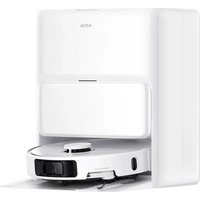
P50 Ultra - Robot vacuum MOVA - Free user manual and instructions
Find the device manual for free P50 Ultra MOVA in PDF.


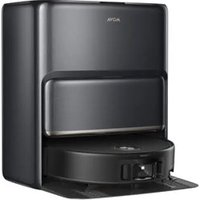
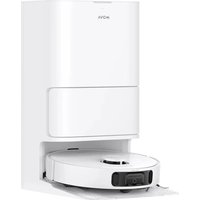
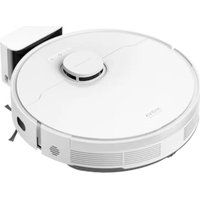
| Product type | Robot vacuum with base station |
| Brand | MOVA |
| Model | P50 Ultra (RLP235E) |
| Base station model | RCPE0105 |
| Robot power supply | Rechargeable lithium-ion battery 14.4 V, 75 W |
| Station power supply | 220-240 V ~ 50/60 Hz, 20 V, 2 A |
| Charging time | About 3.5 hours |
| Station power (emptying) | 700 W |
| Station power (hot water cleaning) | 1150 W |
| Station power (charging and drying) | 87 W |
| Main functions | Vacuuming, mopping, automatic emptying, mop washing and drying, fast mapping, automatic resume, spot cleaning, vacuum only, mop only, Do Not Disturb mode |
| Connection | Wi-Fi 2.4 GHz, MOVAhome app |
| Safety | Class 1 laser (IEC 60825-1), drop detection, child lock, Do Not Disturb mode |
| Maintenance | Main brush, side brush, dust compartment filter, mop, dust bag, dirty water tank, sensors, charging contacts |
| Spare parts and repairability | Main brush (every 5-6 months), side brush (every 1-2 months), filter (every 2-4 months), mop (every 1-2 months), dust bag (every 3-6 months), mop holder, washing plate |
| Frequency band | 2085.5 MHz, max power < 20 dBm |
| Operating temperature | 0 °C to 40 °C |
| General information | CE certification, EU declaration of conformity available at www.mova-tech.com, indoor use only |
Frequently Asked Questions - P50 Ultra MOVA
User questions about P50 Ultra MOVA
0 question about this device. Answer the ones you know or ask your own.
Ask a new question about this device
Download the instructions for your Robot vacuum in PDF format for free! Find your manual P50 Ultra - MOVA and take your electronic device back in hand. On this page are published all the documents necessary for the use of your device. P50 Ultra by MOVA.
USER MANUAL P50 Ultra MOVA
Move on, ventures await
MOVA P50 Ultra
Robot Vacuum and Mop with
Auto-Empty and Mop Self-Cleaning
User Manual

natural_image
Abstract geometric shapes forming a stylized 'A' or chevron, rendered in grayscale with no text or symbols.


Far more support, contact us via www.mova-tech.com
Manufactured by: Moonstone Technology (Shaoxing) Co., Ltd.
Made in China EU AGO

The illustrations in this manual are for reference only. Please refer to the actual product.
MOVA
Contents
-74 User Manual 01
Benutzerhandbuch 20
F R Manuel d'utilisation 56
11 Manuale utente 83
es Manual de usuario 110
Instrukcja obsługi 137
M Gebruikershandleiding 165
NC Brukerhändbok 192
37 Användarmanual 219
Εγχειρίδιο χρήστη 246
Manual do utilizador 273
הכלה 300
AR دليل الاستخدام 327
Safety Information
To avoid electric shock, fire or injury caused by improper use of the appliance, please read the user manual carefully before using the appliance and keep it for future reference.
Usage Restrictions
This product should not be used by children younger than 8 years old nor persons with physical, sensory, intellectual deficiencies, or limited experience or knowledge without the supervision of a parent or guardian to ensure safe operation and to avoid any risks. Cleaning and maintenance shall not be performed by children without supervision.
The appliance is only to be used with the power supply unit provided with the appliance.
This appliance contains batteries that are only replaceable by skilled persons. Clear the area to be cleaned. Children shall not play with the appliance. Ensure children and pets are kept at a safe distance from the robot while it is operating.
Do not install, charge or use the appliance in the bathrooms or around the pools.
This product is for floor cleaning in a home environment only. Do not use it outdoors, on non-floor surfaces, or in a commercial or industrial setting. Ensure that the appliance operates correctly in a proper environment. Otherwise, do not use the appliance.
If the power cord is damaged, it must be replaced by a special cord or assembly available from the manufacturer or its service agent.
EN
EN Safety Information
Usage Restrictions
Do not use the robot in an area suspended above ground level without a protective barrier.
Do not place the robot upside down. Do not use the LOS cover, robot cover, or bumper as a handle for the robot.
Use the robot in environments with an ambient temperature above 0^ C and below 40^ C. Make sure there is no liquid or sticky substance on the floor.
To prevent damage or harm from dragging, clear any loose objects from the floor, and remove cables or power cords on the cleaning path before operating the appliance.
Remove fragile or small items from the floor to prevent the robot from bumping into and damaging them.
Keep hair, fingers, and other body parts away from the suction opening of the robot.
Do not operate the appliance in a room where an infant or child is sleeping. Do not place children, pets, or any item on top of the robot regardless of whether it is stationary or moving.
Only clean water and the officially-approved cleaning solution can be added to the clean water tank. Do not add any other liquid such as alcohol or disinfectant. The ratio of the cleaning solution to clean water can be checked on the cleaning solution bottle. Keep the cleaning solution out of reach of children.
Do not use the robot to clean any burning objects. Do not use the robot to pick
Safety Information
Usage Restrictions
up flammable or combustible liquids, corrosive gases, or undiluted acids or solvents.
Do not vacuum hard or sharp objects. Do not use the appliance to pick up objects such as stones, large pieces of paper or any item that may clog the appliance.
Plug must be removed from the socket-outlet before cleaning or maintaining the appliance.
Do not wipe the robot or the base station with a wet cloth or rinse them with any liquid. After cleaning washable parts, fully dry the parts before reinstalling and using them.
Please use this product in accordance with the instructions in the User Manual. Users are responsible for any loss or damage that arise from improper use of this product.
Batteries and
Charging
Do not use any third-party battery or base station. The robot can only be used with the model RCPE0105 base station.
Do not attempt to disassemble, repair, or modify the battery or the base station on your own.
Do not place the base station near a heat source,
Do not use a wet cloth or wet hands to wipe or clean the base station's charging contacts.
EN
EN Safety Information
Batteries and Charging
Do not improperly dispose of old batteries. Unneeded batteries should be discarded at an appropriate recycling facility.
If the power cord becomes damaged or broken, stop using it immediately and contact after-sales service.
Make sure the robot is turned off when being transported and kept in its original packaging if possible.
If the robot will not be used for an extended period of time, fully charge it, then turn it off and store it in a cool, dry place. Recharge the robot at least once every 3 months to avoid over-discharging the battery.
Laser Safety Information
The laser sensor in this product meets the IEC 60825-1:2014/EN 60825-1:2014/A11:2021 Standard for Class 1 laser products. Please avoid direct eye contact with it during use.
CLASS 1 LASER PRODUCT
CONSUMER LASER PRODUCT
EN 50689:2021

For Indoor use only

Read operator's manual
Heroby, Moonstone Technology (Shaoxing) Co., Ltd. declares that the radio equipment type RLP735E is in compliance with Directive 2014/58/EU. The full text of the EU declaration of conformity is available at the following internet address: www.mova-tech.com For detailed e-manuals, please go to https://www.mova-tech.com/pages/user-manuals-and-faqs
Product Overview
Package Contents
Robot
Base Station
EN
Other Accessories


Edersum Plate

User Manual/Power Cord Base Station Ramp

Mop Pac x 2
(please check)

Moa Pat
Hammel 2

Dust Bay

Westward Ritter
EN
Product Overview
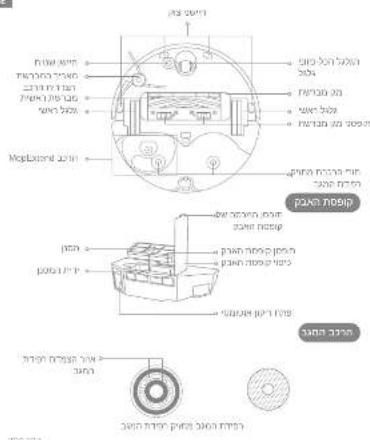
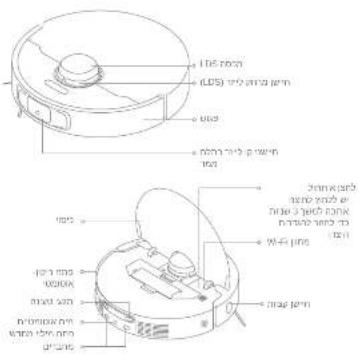
Robot
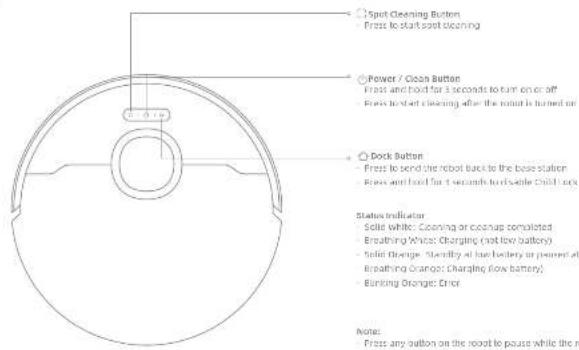
Product Overview
Robot and Sensors
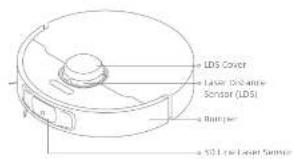
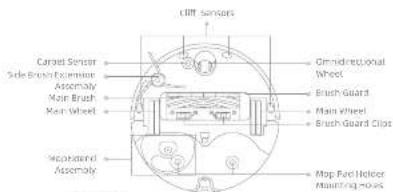
Dust Box
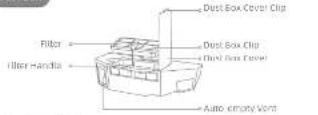
Map Assembly
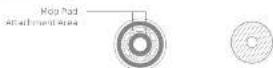
Mop Pad Holder Mop Pad
EN
[Non-Text]
Note:
Press any button on the root to pause while the root is cleaning or returning to charge.
Child lock can be enabled/disabled through the movehome app.
child lock can be another/disabled through the movehome app.
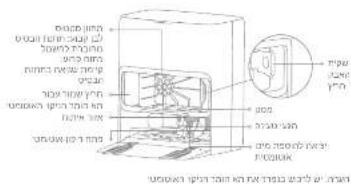
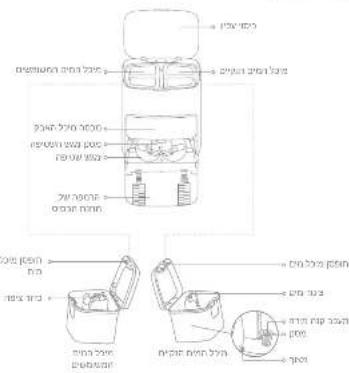
EN Product Overview
Base Station
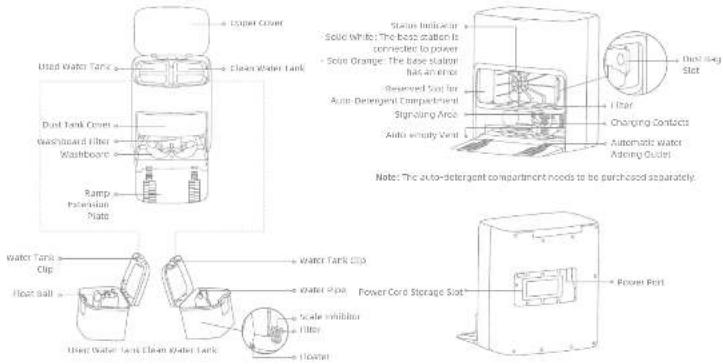
注
Preparing Your Home
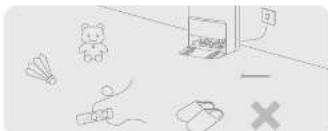
natural_image
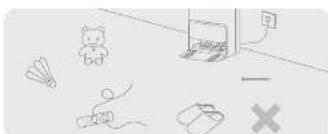
Illustration of a room with scattered objects including a teddy bear, airplane, and a laptop (no text or symbols)Before cleaning, please move away unstable, fragile, valuable or dangerous items, and clean up cables, clothes, toys, hard objects and sharp objects on the ground to avoid being entangled, scratched or knocked over by the robot and causing josses.
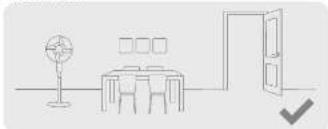
natural_image
Simple line drawing of a dining area with table, chairs, lamp, and door (no text or symbols)Open the door of the room to be cleaned, and put the furniture in its proper place to leave more space.
Note:
- When operating the robot for the first time, follow it around while clearing to remove any potential obstacles in time.
- the not-ventum band objects like shoes, steel bars and toy parts, in shape objects like construction walls, broken glass and rails, otherwise the ground may be scratched.
EN
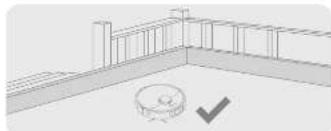
natural_image
Architectural floor plan showing wall and floor structure with a circular detail marked by a checkmark (no text or symbols)Before cleaning, place a physical barrier at the edge of the stairs to ensure the secure and smooth operations of the robot.
natural_image
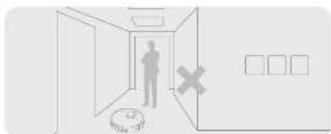
Interior hallway scene with a person standing near the door and a cross symbol on the wall (no text or labels)To prevent the robot from not recognizing areas that need to be cleaned, do not stand in front of the robot, threshold, hallway, or narrow places.
三
Before Use
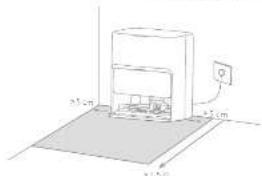
- Place the Base Station and Connect to an Electrical Outlet Place the base station in a location that is as open as possible with a good Wi-Fi signal. Leave enough space as shown in the figures and remove any objects in the shaded area, insert the power card into the base station and plug into the socket.
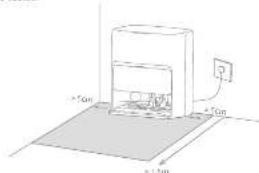
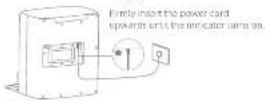
Note: - Make sure that no objects might block the signaling area. - To prevent water slabs from viewing visual floors or carpets, placing the base station on the floors or mantle floor is recommended.
- Install the Ramp Extension Plate
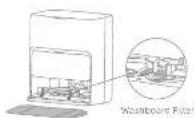
Note: Ensure the vaseboard offer is installed into place.
- Remove Robot Protections and install the Mop Assembly
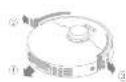
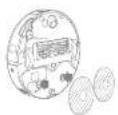
Before Use
- Connect the Robot to the Base Station
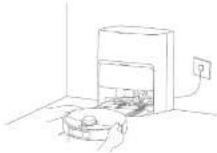
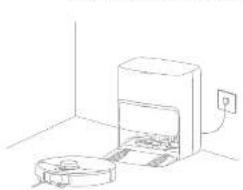
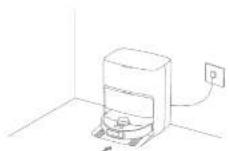
Cross and hold the button for the robot for 3 seconds to turn it on. Place the robot onto the base station with the mode assembly facing toward the washroom, then you will hear a voice and fixation when the robot successfully connects to the base station. After the robot is fully charged, the status indicators on the robot and the base station will remain lit for 10 minutes and then dim.
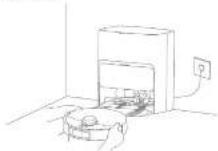
Notes: It is recommended to fully charge the robot before its first use, when the robot cannot be turned on after the battery is deployed, manually connect the robot with the station to charge it.
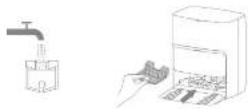
- Add Water to the Clean Water Tank
Take out the clean water tank from the base station and fill up the bank with clean water. Then install a back into the base station.
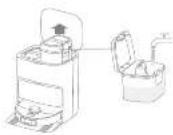
Note: No nor sold hot water into the water tank, as this may cause the tank to become surfaced.
EN
Connecting with the MOVAhome App
1. Download the MOVAhome App
Scan the QR code on the robot or search "HCAVHome" in the app store to download and install the app.
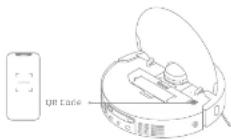
Note:
- Only 2.4 GHz Wi-Fi is supported.
- Due to upgrades in the app software, the actual operations may differ from the directions in this manual. Please follow the instructions based on the current app version.
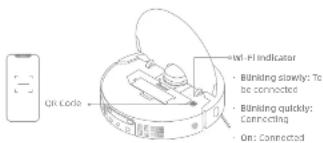
2. Add Device
Open the Kosovo home app, tap "scan QR code to connect", and scan the same QR code on the robot again to add the device. Please follow the prompts to finish the Wi-Fi connection.
Note: To reset Wi-Fi, repeat step 2 and then follow the prompts to finish the Wi-Fi connection.
How to Use
Turn On/Off
Press and hold the button (for 3 seconds to turn on the robot. The power indicator should be illuminated. Place the robot onto the base station, the robot should turn on automatically and begin charging. To turn off the robot, move the robot away from the base station and press and hold the button (for 3 seconds.
Fast Mapping
After configuring the network for the first time, follows the instructions in the app to quickly create a map. The robot will start mapping without cleaning. When the robot returns to the base station, the mapping process has been completed and the map will be saved automatically.
Pause/Sleep
When the robot is running, press any button to pause it. If the robot is paused for more than 10 minutes, it automatically enters sleep mode. All indicators on the robot will turn off. Press any button on the robot, or use the app to wake up the robot.
Notes: If the robot is paused and placed onto the base station, the current cleaning process will end.
Auto Resume Cleaning
If the battery is too low, the robot will automatically return to the base station to charge. After charging to the appropriate battery level, it will resume unfinished cleaning tasks.
Note: To use this function, please enable it in the app.
EN
Do Nat Disturb (OND) Mode
When the robot is set to the Do Not Disturb (DND) mode, the robot will be prevented from resuming cleaning. The DND mode is disabled by default at the factory. You can use the app to enable the DND mode or modify the DND period. The DND period is 22:00-8:00 by default.
Note:
- The scheduled cleaning tasks will be performed as usual during the DVD period. - The robot will resume cleanup where it left off after the DVD period expire.
Spot Cleaning
When the robot is on standby, press briefly the button to enable the spot cleaning mode. In this mode, the robot cleans a square-shaped area of 1.5 × 1.5 meters around it and returns to its starting point once the spot cleaning is completed.
Robot Restarting
if the robot stops responding or cannot be turned off, press and hold the button ↓ for 11 seconds to forcefully turn it off. Then, press and hold the button ↓ for 3 seconds to turn the robot on.
Note: When using the mcp assembly for the first time, the robot performs the "Vocuum and Mcp" task by default.
- Start cleaning
Press the button on the route, or use the app to make the route start from the name station. Then the robot will plan the optimal cleaning route and perform the cleaning task based on the created map.
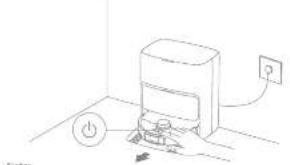
natural_image
Simple line drawing of a device with a power button and electrical outlet (no text or symbols)Note:
To ensure the robot daily returns to the base station after clearing, it is uncontrolled to scan the robot seat from the base station.
The map pods will be cleaned before the robot starts mapping, please wait patiently.
Do not move the base station, the clean water tank, the used water tank, or the washboard filter during operation.
Hot water cleaning can be enabled in the app for mop pad, which applies to all modes, to prevent staining, do not touch the water outlet when the function is on.
[Non-Text]
- Auto mop washing When cleaning, the robot will automatically return to the base station to wash mop parts based on the mop parts clearing frequency specified in the area. The base station will automatically refill the robot's cover tank and the robot will resume cleanup.
![MOVA P50 Ultra - [Non-Text] - 1](/content/2026/04/739096/images/d38a0d4eb9156d61dec26c2e68883b018e0a77f129d43d5335b5155d0c97ac4a.jpg)
natural_image
Line drawing of a robotic vacuum cleaner inside a room with an electrical outlet (no text or symbols)How to Use
- Automatically empty the dust box and wash and dry the mop pads
After the robot finishes a cleaning task and returns to the base station to charge, the base station will automatically start employing the first box. Then it will wash and dry the map pads.
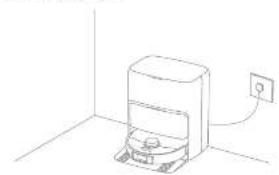
natural_image
Simple line drawing of a device with an outlet and power outlet, no text or symbols present.Norbe:
- If the auto-empty function is turned off in the app, the base station will not automatically empty the dust ads.
The base station will simply the dust box according to the setting in the app.
4. Clean the used water tank
After the root has completed its sink, please clean the used water tank to prevent any odor.
Enable the mapping after vacuuming function in the app, and the robot will automatically lift the map assembly to vacuum the floor. After vacuuming is composed, the robot will return to empty the dust box and then start mapping after lowering the map assembly and raising the side brush.
Enable the vacuuming function in the apo, and the roost will automatically lift the mop assembly and start vacuuming.
Enable the mapping function in the app, and the robot will check if the map assembly is installed. If not, manually install the map assembly, and then the robot will automatically start mapping after raising the side button.
Routine Maintenance
Parts
To keep the roast in good condition, it is recommended to refer to the accessory usage in the age or the following table for routine maintenance.
| Part Maintenance Frequency Replacement Period | |
| Use water tank After each one | / |
| Clean water tank | |
| Main brush Every 5 to 12 months | Every 3 to 6 months |
| Inust book's filter Once every 7 weeks | |
| Side brush | |
| Map part holder / | |
| Washborne filter Once every 1 to 2 months / | |
| Base station's signaling area | Once every month / |
| Chanding contact | |
| Auto-empty vent | |
| Generalized wheel | |
| Edge sensor | |
| Later Distance Sensor (LDS) | |
| at line later sensor |
| Part Maintenance Frequency Replacement Period | ||
| Carpel sensor | Once weekly month | / |
| Cliff sensor | ||
| Bumper | ||
| Roasted automatic water refilling inlet | ||
| Bottom of the roof | ||
| Dust box Clean it as needed | ||
| Door bag | / | Every 2 to 9 months |
| Hop pod | Every 1 to 3 months | |
| Steak inhibitor | Every 10 to 36 months | |
Note: The replacement frequency will depend on your usage of the room, if an exception occurs due to special circumstances, the parts should be replaced.
Routine Maintenance
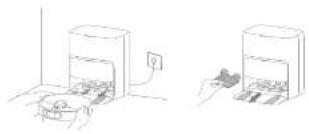
Washboard Filter
-
Take out the robot and remove the washboard filter after the map pad cleaning is complete.
-
Use the app or press the button ☐ to return the robot to the base station, or manually put the robot back.
natural_image
Two line drawings of a printer with a paper feeding into a container, showing no text or symbols.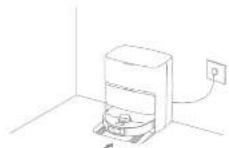
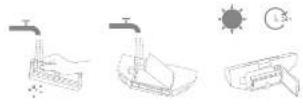
- Rinse the washboard filter with clean water, wipe it clean, and then reinstall it in the washboard.
Routine Maintenance
Dust Bag
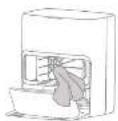
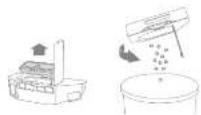
- remove the dust tank carer and discard the dust bag.
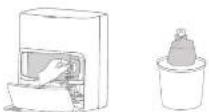
Note: Pulling outwards on the handle will seal the bag to prevent the rust and debris from accurately falling out.
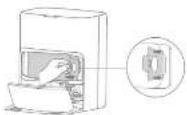
- Remove the dust and debris from the filter with a dry clor.
- install a new dust bag.
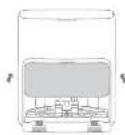
- no/install the dust tank cover.
Routine Maintenance
Dust Box and Filter
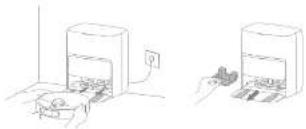
Upon the robot cover and press the dust box clip to remove the duct box.
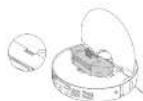
- Gently (sp the hessel of the fist to recaved the girl

Note: Error is broken in clear the filter with a brush, a fragment or visual objects to present damage.
- Open the dust box cover, remove the filter, and then empty the dust box as shown in the figure.
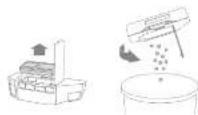
- Rinse the dual box and filter with vaster and dry items completely before intracting.
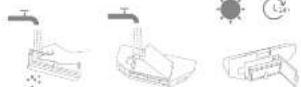
Note:
- tilsa the dust box and filter with clean water only. Do not use any detergent. - Use the dust box and filter only when they are completely dry.
Routine Maintenance
Main Brush
- Press the brush guard clips awards to remove the brush guard and lift the brush out of the robot.
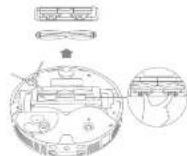
A. Full out the brush covers at both ends of the brush as shown in the figure. Use a proper cleaning tool to remove any hair tangled in the brush. Remistall the brush covers on both ends of the brush, and then reinstall the brush. Press on the brush guard to lock it in place.

2011
Side Brush
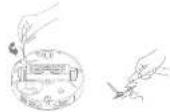
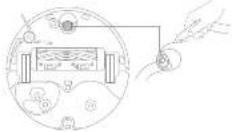
Unstrew the side brush with a screwdriver, clean the hair from the brush, and then surge it back on.
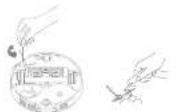
Omnidirectional Wheel
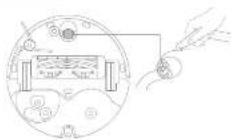
Note:
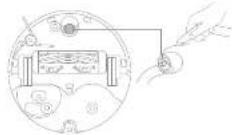
Use a tool such as a small screwdriver to separate the axle and tire of the omnidirectional vries. Do not use excessive force.
- versus the commidirectional wheel under the running water and put it back after drying it completely.
Routine Maintenance
Used Water Tank
- Remove the user water tank, open its cover and pour out the head water.
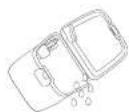
- rinse the used water tank with clean water, and use a proper coating tool to clean the inner wall of the used water tank.
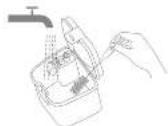
Note: The float ball, in the used water tank is a moveable port. Do not apply too much force when cleaning it to avoid damaging it.
Robot Sensors
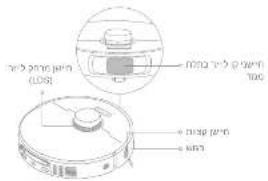
Wise the robot sensors by using a salt and dry cloth, as shown in the below figure:
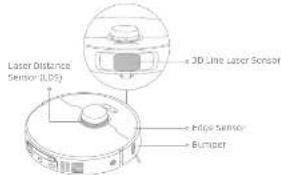
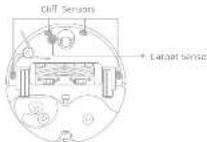
Note: A wet cloth can damage sensitive elements within the robot and the base station. Please use a dry cloth for cleaning.

Routine Maintenance
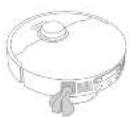
Charging Contacts and Signaling Area
clean the charging contacts and the signaling area with a soft and dry cloth.
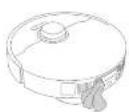

Auto-empty Vents
Clean the auto-empty vents of the robber and the base station with a soft and dry cloth.
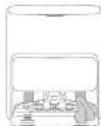
2715
Map Pad Holder
Remove and clean the mop pad holders.
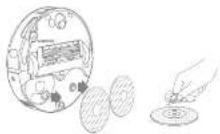
Mop Pad
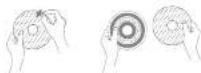
Remove the moa pan from the moa pan holder to replace it.
Battery
The robot contains a high-performance lithium-ion battery pack. Make sure that the battery remains well-charged for daily use to maintain optimal battery performance. If the robot is not used for an extended period of time, turn it off and put it away. To prevent damage from over-discharging, charge the robot at least once every three months.
Troubleshooting
| Problem solution | |
| The robot will not turn on. | The battery is low. Recharge the robot on both sides or in front of the base station to prevent the robot from being blocked. The temperature of the battery is too low or too high. It is recommended to outside the appliance at a temperature above (C°C (32°F) and below 40°C (134°F). |
| The robot will not change. | The base station is not connected to power, please make sure both ends of its power command are correctly plugged in. The contact between the charging contacts on the base station and the robot is poor, please clear the charging contacts. Does whether more is any foreign object at the converter of the robot and remove the foreign object if any. |
| The robot falls to connect to Wi-Fi. | The Wi-Fi network password is correct. Make sure the password used to correct in your Wi-Fi network is correct. The robot does not support a 5 GHz Wi-Fi connection, make sure the robot is connection to a 4 GHz Wi-Fi connection. The Wi-Signal is weak. Make sure the robot is in area with good Wi-Fi coverage. The robot may not be readily to be configured, please add and re insert the app, and then try again as instructed. |
| The robot cannot find and return to the base station | The base station is disconnected from power or moved when the robot is not on it. Please connect the base station to the power supply or place the robot onto the base station to charge. There are also many constructions around the base station. Place the base station is more open area. Alving the robot may cause its re-position itself, and it will reacticate a map if re-positioning falls. If the robot is too far from the base station, it might not be able to automatically return on its own, in which case you will need to seriously place the robot into the base station. Wape the running area on the base station to remove dust or debris. |
| The robot gets stuck in front of the base station and cannot return to it. | Check whether there is enough space on both sides or in front of the base station to prevent the robot from being blocked. The robot for returning is change in blocks, e.g., the door is closed. The robot may split if the floor in front of the base station is closely west, if so clean the access water before trying again. It's recommended to move the base station to a different place and try again. Make sure the ramp odbos on plate is installed properly. |
| The robot will not turn off | The robot cannot be turned off when it is charging, it is recommended to move the robot from the base station, and then press and hold the button (i) for 3 seconds to turn it off. If the robot cannot be turned off by performing up 1, press and hold the button (ii) for 15 seconds to turn off the robot. If the problem acquires, please contact off-sales service. |

EN Troubleshooting
| Problem solution | |
| The charging speed is slow. | It takes about 3.5 hours to fully charge the robot when its battery is low.If you operate the robot at temperatures outside of the specified range, the charging speed will automatically slow down to extend the battery life.The charging contacts on both the robot and the base may be dirty, please wipe them with a dry cloth. |
| The noise increases while the robot is operating. | Check whether the dust box filter is sloped. If so, clean it or replace it.A band object may be caught in the main brush or the dust box. Check and remove any hard object.The main brush on the side brush may become tangled. Check and remove any foreign objects.Switch the suction mode to Standard or Quiet. |
| The robot moves without following the set route. | Objects such as power cords and slippers should be organized before using the robot.Working on wet slippery surfaces causes the main wheel to sip. It is recommended to dry the vac plates before using the robot.wipe the sit line laser sensor on the robot with a clean, soft cloth to keep it clean and unobatracted. |
| The robot moves the rooms to be cleaned. | Make sure that the doors of the rooms to be cleaned are open.Check whether there is a threshold higher than about 2 cm at the door of the room. The robot cannot climb over high thresholds or steps.The place in front of the room to be cleaned may be wet and slippery, causing the robot to slip and work abnormally.Please try crying the floor before using the robot. |
| The robot will not resume cleaning after cleaning. | Make sure that the robot is not set to the Do Not Distura (DAV) mode, which will prevent it from resuming cleaning.The robot will not resume cleaning after you manually place the robot on the base station or send the robot to charge via the soap or the button. |
Troubleshooting
| Problem solution | |
| The station cannot automatically empty the clust box. | Check whether the clust bag in the clust tank is full.If the dust bag is not full, check whether there is any obstruction at the auto-empty vent of the robot, the base station, or the dust box. If any clean the blocked part in time. |
| The water level in the washboard is abnormal. | Check whether the seal on the used water tank is loose or not correctly installed, and mutually reset it if so. If the problem persists, please contact the after-sales service team.Gently press down on the used water tank to make sure it is installed correctly—with the washboard filter and check whether the sewage drain is blocked and clean it.Check the cleaning solution. Do not add any liquid other than the officially-sprayed cleaning solution. |
| The mop pad holder is raised anomalyally. | Please remove the mop pad holder to check if there is any foreign object struck in it, and try to restart the robot. If the problem persists, please contact the after-sales service team. |
| There is water under the clean water tank or around the seal. | When taking out the clean water tank, some water in the pipe may be left under the tank or around the seal. This is normal. Please wipe with a dry cloth. |
For more support, contact us via www.mose-tech.com
EN Specifications
Robot
| Model RUF235E | |
| Charging Time Approx. 3.5 hours | |
| Rated Voltage 14.4V | - - - |
| Rated Power 75 Ω | |
| Operation Frequency 7400, 745Ω | MHz |
| Maximum Output Power <20 dBm |
Base Station
| Model RCPED105 | |
| Rated input 200-340 V | -50 sH Hz |
| Rated Output 30 V | -2 A |
| Rated Power (during hot water emptying) | 700 W |
| Rated Power (during hot water cleaning) | 1160 W |
| Rated Power (during charging and frying) | 87 W |
under normal use of condition, this equipment should be kept a separation
distance of at least 20 cm between the antenna and the body of the user.
Note:
. Rated Pulse (dining hot water cleaning) is determined by the power value
during the representative period (Water temperature 25°C).
- Rated Power (ranging, charging and crying) is determined by the power value during full year period.
Battery Disposal and Removal
The built-in lithium-ion battery contains substances that are hazardous to the environment. Before disposing of the battery, make sure the battery is removed by modified techniques and disordered as appropriate underlying facility.
- the battery must be removed from the appliance before it is scraped.
the appliance must be disconnected from the supply mains when removing the battery;
the battery is to be disposed of safety.
CAUTION:
Before removing the battery, disconnect the power and run out the battery as much as possible.
Unneeded batteries should be discarded at an appropriate recycling facility.
Do not expose to high temperature environment to avoid risks of explosion.
under abusive conditions, liquid may be ejected from the battery. If contact occurs, flush with water and seek medical help.
Removal Guide:
-
Turn over the robot, use a proper tool to remove the screws on the back of the robot, and then remove the cover.
-
Unplung the hemisals between the battery and for board to remove the battery
WEEE Information
As products covering this material, weise electrical and electronic equipment (NELL) as in exercise 2012/19/01, which should not be mixed with unearned household waste. Instead, you should protect human health and the environment by lending over your waste equipment to a designated collection point for the recycling of waste electronics and electronic equipment, appointed by the government or local authorities. Correct, disposals, and recycling will help prevent potential negative consequences to the environment and human health. Please contact the leather or lines, eutraces for more information about the location at well as terms and conditions of such collection points.

Sicherheitshinweise
natural_image
Simple line drawing of a room with scattered objects including a teddy bear, fan, airplane, and a computer (no text or symbols)natural_image
Simple line drawing of a dining area with table, lamp, and door (no text or symbols)natural_image
Architectural line drawing of a building corner with a circular object and checkmark (no text or symbols)natural_image
Interior hallway scene with a person standing near the door and a robot marked with an 'X' (no text or symbols present)natural_image
Simple line drawing of a washing machine with power button and electrical outlet (no text or symbols)Hinweis:
natural_image
Line drawing of a microwave oven with a small refrigerator and power outlet (no text or symbols)DE Benutzung
natural_image
Line drawing of a device with a power outlet connected to its wall (no text or symbols)Hirraveis:
natural_image
Pure technical line drawing of a circular mechanical part with centerlines and mounting holes (no text or symbols)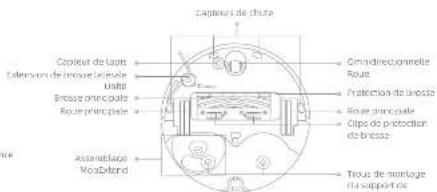
natural_image
Illustration of a room with scattered items including a teddy bear, fan, airplane, and a cross symbol (no text or labels)natural_image
Simple line drawing of a dining area with table, chairs, lamp, and door (no text or symbols)natural_image
Architectural line drawing of a building corner with a circular object and checkmark (no text or symbols)natural_image
Interior hallway scene with a person standing near a wall, a clock on the left, and a cross symbol (no text or labels)natural_image
Simple line drawing of a device with a power button and electrical outlet (no text or symbols)Remarque
natural_image
Line drawing of a microwave oven with a small refrigerator and power outlet (no text or symbols)
Mode d'utilisation
natural_image
Line drawing of a simple kitchen appliance with a power outlet, no text or symbols presentRemaritum:
natural_image
Two hand-drawn sketches of a kitchen appliance, one with a pot and the other with a tray (no text or symbols)natural_image
Simple line drawing of a room with a teddy bear, airplane, and scattered objects (no text or symbols)natural_image
Simple line drawing of a dining table with a lamp and door, no text or symbols presentnatural_image
Architectural floor plan showing a wall and adjacent structure with a circular detail marked by a checkmark (no text or symbols present)natural_image
Interior hallway scene with a person standing near the door and a cross symbol on the wall (no text or labels)- I support the world's 24 GHz
natural_image
Simple line drawing of a device with a power button and electrical outlet (no text or symbols)natural_image
Line drawing of a robotic vacuum cleaner inside a room with an electrical outlet (no text or symbols)Utilizzo
natural_image
Line drawing of a portable device with a power outlet, no text or symbols presentnatural_image
Two line drawings of a printer with a paper feeding into a container, showing no text or symbols.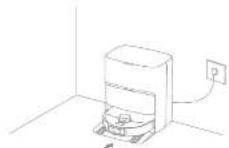
natural_image
Simple line drawing of a room with scattered objects including a teddy bear, fan, airplane, and a bag (no text or symbols)natural_image
Simple line drawing of a dining area with table, lamp, and door (no text or symbols)natural_image
Architectural line drawing of a building corner with a circular object and checkmark (no text or symbols)natural_image
Interior hallway scene with a person standing near a wall, a clock on the left, and a cross symbol (no text or labels)natural_image
Line drawing of a microwave oven with power button and electrical outlet (no text or symbols)Note:
natural_image
Line drawing of a microwave oven with a small refrigerator and power outlet (no text or symbols)E5 Modo de uso
natural_image
Line drawing of a smart air conditioner unit with a power outlet (no text or symbols)Note:
natural_image
Two hand-drawn line drawings of a kitchen appliance, one with a pot and the other with a tray (no text or symbols)14日43
natural_image
Illustration of a toy airplane flying near a window with a bear, airplane, and airplane (no text or symbols)natural_image
Simple line drawing of a room layout with a desk, chair, lamp, and door (no text or symbols)natural_image
Architectural floor plan showing a room with horizontal railings and a circular object marked with a checkmark (no text or symbols)natural_image
Interior hallway scene with a person standing near a wall, a cross symbol on the wall, and a small object on the left (no text or labels)natural_image
Simple line drawing of a cylindrical device mounted on a base with an electrical outlet, no text or symbols present.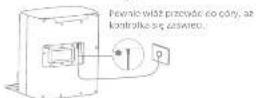
Uwargar:
natural_image
Simple line drawing of a device with a power button and electrical outlet (no text or symbols)Uwago:
natural_image
Line drawing of a washing machine with a vacuum cleaner inside and a power outlet nearby (no text or symbols)Użytkowanie
natural_image
Line drawing of a device with a power outlet and a small component, no text or symbols presentLive again:
natural_image
Two line drawings of a printer with a hand inserting a paper into the base (no text or symbols)KLASSE 1 LASERPRODUCT
LASERPRODUCT VOOR CONSUMENTEN
EN 50689:2021

natural_image
Illustration of a room with scattered objects including a bear, airplane, and a laptop (no text or symbols)natural_image
Simple line drawing of a dining area with table, chairs, lamp, and door (no text or symbols)natural_image
Architectural floor plan sketch showing wall and floor structure with a circular detail (no text or symbols)natural_image
Interior hallway scene with a person standing near a door, a cross symbol on the wall, and a circular object on the left (no text or labels)natural_image
Simple line drawing of a device with a mounted box and a wall-mounted power outlet, no text or symbols present.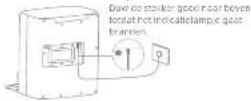
Operating
natural_image
Line drawing of a room interior with an oven, a toilet, and a wall-mounted power outlet (no text or symbols)Hoe te gebruiken
natural_image
Simple line drawing of a washing machine with a power outlet, no text or symbols presentCommerkino!
natural_image
Two line drawings of a printer with a paper feeding into a container, showing hands operating the printer (no text or symbols present)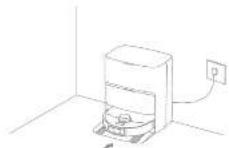
The following table is provided in the image.

^1 Meppesute × 2 (for Sardar oxtet)

Koupeputenolder x 2

Stavopore (Turbanismonetart)
natural_image
Simple line drawing of a room with scattered objects including a teddy bear, airplane, and a cross symbol (no text or labels)natural_image
Simple line drawing of a dining table with a lamp and door, no text or symbols presentnatural_image
Architectural line drawing of a building corner with a circular object and checkmark (no text or symbols)natural_image
Interior hallway scene with a person standing near a wall, a clock on the left, and a cross symbol (no text or labels)natural_image
Simple line drawing of a device with a power button and electrical outlet (no text or symbols)Merk:
natural_image
Line drawing of a microwave oven with a small refrigerator and power outlet (no text or symbols)NO
ND Bruk
natural_image
Simple line drawing of a device with a power outlet, no text or symbols presentnatural_image
Two line drawings of a kitchen appliance with a bowl and a side view showing food items (no text or symbols)- I own step on track a filter on card on gate (bit).
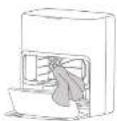
- installer en nystavpase,
Ikle absed bilateriet for hyes temperature for å unmagå riske for espiogon.
natural_image
Simple line drawing of a room with a teddy bear, airplane, hand, and scattered objects (no text or symbols)natural_image
Simple line drawing of a dining area with table, lamp, and door (no text or symbols)natural_image
Architectural floor plan view showing a circular object and vertical supports (no text or symbols)natural_image
Interior hallway scene with a person standing near the door and a cross symbol on the wall (no text or labels)natural_image
Simple line drawing of a cylindrical device mounted on a flat base with a wall-mounted power outlet (no text or symbols)
Obs:
- Endless 2.4 GHz with starts.
natural_image
Simple line drawing of a device with a power button and electrical outlet (no text or symbols)natural_image
Simple line drawing of a washing machine with a lid and electrical outlet (no text or symbols)Bruksanvisning
natural_image
Line drawing of a smart air purifier with a power outlet connected to the wall (no text or symbols)City
Moppa after dammsugning
natural_image
Two line drawings of a kitchen appliance with a pot and electrical outlet (no text or symbols)- Kruskels-ursdicht pos fillings exergy for all remal situations

Olive: Indak at franskos nengins Elst men en hueste, all frager eller vassas Internal für fümleranzpande av xsterin.
. Forecasted effect (under rendering and validation) becomes as effective
under en representally perint valtenamperatur 25 °C
natural_image
Pure technical line drawing of a circular mechanical component with centerlines and mounting holes (no text or symbols)Light source monitoring, 2015
12.3.10.11.12.13.14.15.16.17.18.19.20.21.22.23.24.25.26.27.28.29.30.31.32.33.34.35.36.37.38.39.40.41.
natural_image
Simple line drawing of a room with scattered objects including a teddy bear, umbrella, and a cross symbol (no text or labels)natural_image
Simple line drawing of a dining table with a lamp and door, no text or symbols presentnatural_image
Architectural line drawing of a building corner with a circular object and checkmark (no text or symbols)natural_image
Interior hallway scene with a person standing near the door and a robot on the floor, no visible text or symbolsTo popular to the world, they are also to be able to have their own interests.
Καθαρισμός λεκέβων
natural_image
Line drawing of a microwave oven with a small appliance inside and an outlet connected to the wall (no text or symbols)
Οδηγίες χρήσης
natural_image
Line drawing of a simple kitchen appliance with a power outlet, no text or symbols presentEnellesen:
natural_image
Two hand-drawn illustrations of a kitchen appliance, one with a pot and the other with a tray (no text or symbols)natural_image
Illustration of a room with scattered objects including a bear, airplane, and a laptop (no text or symbols)natural_image
Architectural floor plan showing a wall and floor with a circular object marked with a checkmark (no text or symbols)natural_image
Simple line drawing of a dining area with table, chairs, lamp, and door (no text or symbols)natural_image
Interior hallway scene with a person standing near a wall, a cross symbol on the wall, and a clock on the floor (no text or labels)natural_image
Simple line drawing of a device with a power button and electrical outlet (no text or symbols)Note:
natural_image
Line drawing of a microwave oven with a small appliance inside and an electrical outlet nearby (no text or symbols)Modo de utilização
natural_image
Simple line drawing of a washing machine with a power outlet, no text or symbols presentNote:
natural_image
Two line drawings of a printer with a paper feeding into a container, showing the same process (no text or symbols present)
- Basic microdiscrete to die: the filter per receiver of this

• Among all the men who are in the U.S. and the U.K. that they are in the U.S. and the U.K. that they are in the U.S.
The following table is provided in the image.
https://www.niova-tech.com/pages/user-manuals-and-fags:הכלהה-הכלהה-הכלהה-הכלהה-הכלהה-הכלהה-הכלהה-הכלהה-הכלהה-הכלהה-הכלהה-הכלהה-הכלהה-הכלהה-הכלהה-הכלהה-הכלהה-הכלהה-הכchia
Hit
תָאַתְרִי
The image contains no legible text or symbols.
תָאַתְרִי
HE
The image is too blurry to recognize any text content.
natural_image
Architectural sketch of a building corner with a circular object and checkmark symbol (no text or labels)The image is too blurry to recognize any text content.
natural_image
Simple line drawing of a room with a bear, airplane, and equipment (no text or symbols)natural_image
Interior hallway with a person standing near a robot and a cross symbol on the door (no text or labels)natural_image
Simple line drawing of a dining area with table, chairs, lamp, and door (no text or symbols)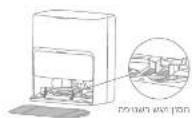
The following table is provided in the image.
The following table is in English:

The image is too blurry to recognize any text content.
JITAKI
•
第53四
Ht
אַרְשָׁה
We have been a year's plan to be called by the name of the year. We have been a year's plan to be called by the name of the year.
The following table is provided in the image:
1.2
MOVAhome הַלְבָהִיֹתָהִיֹתָהִיֹתָהִיֹתָהִיֹתָהִיֹתָהִיֹתָהִיֹתָהִיֹתָהִיֹתָהִיֹתָהִיֹת
H.
The following table is provided in the image:
至05日
CDN: 701256
The following table is a simple diagram illustrating the relationship between two variables: (1) and (2).
无法识别
The following table provides the information in a tabular format:
VISA
- 2017, 10:30 a.m., 1986, 10:30 a.m., 1985, 10:30 a.m., 1984, 10:30 a.m., 1983, 10:30 a.m., 1982, 10:30 a.m., 1981, 10:30 a.m., 1980, 10:30 a.m., 1979, 10:30 a.m., 1978, 10:30 a.m., 1977, 10:30 a.m., 1976, 10:30 a.m., 1975, 10:30 a.m., 1974, 10:30 a.m., 1973, 10:30 a.m., 1972, 10:30 a.m., 1971, 10:30 a.m., 1970, 10:30 a.m., 1969, 10:30 a.m., 1968, 10:30 a.m., 1967, 10:30 a.m., 1966, 10:30 a.m., 1965, 10:30 a.m., 1964, 10:30 a.m., 1963, 10:30 a.m., 1962, 10:30 a.m., 1961, 10:30 a.m., 1960, 10:30 a.m., 1959, 10:30 a.m., 1958, 10:30 a.m., 1957, 10:30 a.m., 1956, 10:30 a.m., 1955, 10:30 a.m., 1954, 10:30 a.m., 1953, 10:30 a.m., 1952, 10:30 a.m., 1951, 10:30 a.m.,
בַרְשָׁה
カロマスクマレ
The image is too blurry to recognize any text content.
The image is too blurry to recognize any text content.
The following table provides the information in English:
תְרָׁהַעֹן
Theorem 4.1.1. (Theorem 4.2.) Let () be a finite field and let (0) be the set of all finite elements in () . Then, if (0) is a finite field, then if (0) is a finite field, then if (0) is a finite field.
הכלהה
The image is too blurry to recognize any text content.
The following table is a simple diagram and cannot be extracted.
The following table is a simple diagram and cannot be accurately represented in the image.
• Among the men who are being married in Israel, and among the women who are being married in Israel, and among the men who are being married in Israel,
natural_image
Simple line drawing of a refrigerator with an open refrigerator and a small appliance, no text or symbols present.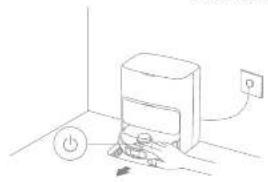
natural_image
Simple line drawing of a washing machine with power button and electrical outlet (no text or symbols)31.124
natural_image
Simple line drawing of a device with a power outlet and a label 'P' (no text or symbols on the device itself)The following table provides the information in a tabular format:
The following table is provided in the image:
| ### ### ### ### ### | ||
| / | ### ### | ### ### |
| ### ### | ||
| ### ### | ||
| ### ### | ||
| ### ### ### ### ### ### | ||
| ### ### ### ### ### | ### ### | |
| ### ### ### ### ### | ||
| ### ### ### ### ### | ||
The image is too blurry to recognize any text content.
الله بعربية ٢٠٠٠٠
nove je pro nove na neve neve nove pno neve nve neve kne
natural_image
Two line drawings of a printer setup with a printer and a printer, no text or symbols present.The following table is in English:
The following table is provided in the image:

The following table provides the information in a tabular format:
•
הכלה
•
The following table is in English:
The image is too blurry to recognize any text content.
1943 2078 22 2360
In this case, the following is
17.6.13
川上50725
- 2013-2014, 1965, 1970, 1971, 1972, 1973, 1974, 1975, 1976, 1977, 1978, 1979, 1980, 1981, 1982, 1983, 1984, 1985, 1986, 1987, 1988, 1989, 1990, 1991, 1992, 1993, 1994, 1995, 1996, 1997, 1998, 1999, 2000, 2001, 2002, 2003, 2004, 2005, 2006, 2007, 2008, 2009, 2010, 2011, 2012, 2013, 2014, 2015, 2016, 2017, 2018, 2019, 2020, 2021, 2022, 2023, 2024, 2025, 2026, 2027, 2028, 2029, 2030, 2031, 2032, 2033, 2034, 2035, 2036, 2037, 2038, 2039, 2040, 2041, 2042, 2043, 2044, 2045, 2046, 2047, 2048, 2049, 2050, 2051, 2052, 2053, 2054, 2055, 2056, 2057, 2058, 2059, 2060, 2061, 2062, 2063, 2064, 2065, 2066, 2067, 2068, 2069, 2070,
(1) 2016年1月25日
The following table is a simple diagram and cannot be extracted.
תְפַרָה בְּרָה
[Unreadable]
הכלהה
(1) 2017年1月15日
![MOVA P50 Ultra - [Unreadable] - 1](/content/2026/04/739096/images/37d810aed9f549026048e82e7d38bace6617d3dd07337cb238c31a40043b2305.jpg)
The image is too blurry to recognize any text content.
![MOVA P50 Ultra - [Unreadable] - 2](/content/2026/04/739096/images/d1d0a34f3a26e636abeab111c120a1c4a417fe59cda06b7c50246e33308335d3.jpg)
![MOVA P50 Ultra - [Unreadable] - 4](/content/2026/04/739096/images/edc3d8af6e9b35cd3143f4a2cd3eb4292c0d78906412c0e95b5aa304700a4707.jpg)
![MOVA P50 Ultra - [Unreadable] - 5](/content/2026/04/739096/images/0099161e260b0695148729bb7209bbd6792dd98269db7d94f3c6c9b04e213def.jpg)
![MOVA P50 Ultra - [Unreadable] - 6](/content/2026/04/739096/images/e37a77a59754dee93f9ca68442490efae033a76eb12cf88df3202cef2921ac7b.jpg)
![MOVA P50 Ultra - [Unreadable] - 7](/content/2026/04/739096/images/ae63b6deb7b6ba9a6b26ff3ec8bd289f3612b0a43a41e4f116578e9f6ee4ca55.jpg)
![MOVA P50 Ultra - [Unreadable] - 8](/content/2026/04/739096/images/140b4e2a820a18c85cd4d8380ecc6f981a35cacf1636854d830f0397a377840d.jpg)
![MOVA P50 Ultra - [Unreadable] - 9](/content/2026/04/739096/images/3077cf700f184cce511a62ae768e897ba5b334eca6bc70c2522642ec32007e60.jpg)
![MOVA P50 Ultra - [Unreadable] - 10](/content/2026/04/739096/images/2f02a871ec6fc76378dfab14d0e2e964700d025562df118bc5ba4a3457271489.jpg)
![MOVA P50 Ultra - [Unreadable] - 11](/content/2026/04/739096/images/3952e5b6f2b26032fec954727ea325a07f96c80701b953fb41ee3c38e3a3c76a.jpg)
![MOVA P50 Ultra - [Unreadable] - 12](/content/2026/04/739096/images/cd8bab809d3a4730a7a827d240465bd4489afc52e2f039707fb1e1cbbde9ce91.jpg)
תְּלָהִי הַרְ
| nurate in 2015 | |
| nurate in 2016 and 2017, we have been a new project to be the project that was not being used to build a new project in the project. We have been a new project in the project that was not being used to build a new project in the project. | |
| nurate in 2015 and 2016 and 2017, we have been a new project in the project that was not being used to build a new project in the project. We have been a new project in the project that was not being used to build a new project in the project. | nurate in 2016 and 2017, we have been a new project in the project that was not being used to build a new project in the project. |
| nurate in 2015 and 2016 and 2017, we have been a new project in the project that was not being used to build a new project in the project. We have been a new project in the project that was not being used to build a new project in the project. | nurate in 1998 and 2000, we have been a new project in the project that was not being used to build a new project in the project. |
| nurate in 2015 and 2016 and 2017, we have been a new project in the project that was not being used to build a new project in the project. We have been a new project in the project that was not being used to build a new project in the project. | nurate, we have been a new project in the project that was not being used to build a new project in the project. |
www.mitsubishi.com/10.12.2023
בְרַעָה
HE
vicon rong
| REPEEUE | EX |
| 220-240 V, 50-60 Hz | JUN (800) |
| 28 V—3 A | JUN (800) |
| 90 W | JUN (800) |
| 110 W | JUN (800) |
| 57 W | JUN (800) |
הכלהה
•
The image is too blurry to recognize any text content.
The following table is provided in the image.
The following table is provided in the image:
תְבָרִיּ
•
natural_image
Architectural floor plan view showing a wall and a circular object with a checkmark (no text or symbols)natural_image
Illustration of a room with scattered objects including a teddy bear, airplane, and computer monitor (no text or symbols)أَمْتَّامُ وَلَجْرِيَّةِ إِمْدَّاً أَنْ عَبَّرِهُ لَمْرَّةٍ أَمْتَّامُ لَكَّرُ وَقَيْمًا وَحْمَّارِ وَرَفَ الْكَالِاتِ وَلَجْرِيَّةِ وَلَجْرِيَّةِ الْكَالِاتِ وَلَجْرِيَّةِ الْكَالِاتِ وَلَجْرِيَّةِ الْكَالِاتِ وَلَجْرِيَّةِ الْكَالِاتِ وَلَجْرِيَّةِ الْكَالِاتِ وَلَجْرِيَّةِ الُمْمُسْدًا عَلَى أَرْشِ لَجْتَ لَمْتَّاً أَمْتَّامُ وَلَجْرِيَّةِ الْكَالِاتِ وَلَجْرِيَّةِ الْكَالِاتِ وَلَجْرِيَّةِ الْكَالِاتِ وَلَجْرِيَّةِ الْكَالِاتِ وَلَجْرِيَّةِ الْمُسْدًا عَلَى أَرْشِ لَجْتَ لَمْتَّاً
![MOVA P50 Ultra - [Unreadable] - 13](/content/2026/04/739096/images/eef56f1048ad340e22ea0d9df42277d262036504ea28e4d78870127ae6e920ef.jpg)
natural_image
Interior hallway with a person standing near the door and a cross symbol on the wall (no text or labels)natural_image
Simple line drawing of a dining table with a lamp and door, no text or symbols presentnatural_image
Diagram of a cylindrical device mounted on a base with a wall-mounted power outlet and dimension annotations (no text or symbols present)![MOVA P50 Ultra - [Unreadable] - 14](/content/2026/04/739096/images/c14d4db39f4442d5ee55ea6ca4e22bdef7d6e253d99505bf9c083a8a3b59ba67.jpg)
The quick brown fox jumps over the lazy dog.
الإجمالي للاوي وَلَّهُمْتُ الْأَيْنَّةِ الْأَيْنَّةِ الْأَيْنَّةِ الْأَيْنَّةِ الْأَيْنَّةِ الْأَيْنَّةِ الْأَيْنَّةِ الْأَيْنَّةِ الْأَيْنَّةِ الْأَيْنَّةِ
natural_image
Simple line drawing of a printer with a paper airplane inside, placed in a corner room (no text or symbols)natural_image
Simple line drawing of a kitchen appliance with a power button and electrical outlet (no text or symbols)الإستعمال
natural_image
Simple line drawing of a portable device with a power outlet, no text or symbols presentملاحظة:
natural_image
Two line drawings of a printer with a paper feeding into a container, showing the same operation (no text or symbols present)For _1 and _2 , the right ball of _1 is a _2 ball of _1 .
The following table is provided in the image.
346347
العربية
x_甲 = 1
- MOVA P50 Ultra
- Contents
- Safety Information
- Usage Restrictions
- EN Safety Information
- Batteries and
- Charging
- Batteries and Charging
- Laser Safety Information
- For Indoor use only
- Read operator's manual
- Product Overview
- Package Contents
- EN
- EN Product Overview
- Preparing Your Home
- Before Use
- Connecting with the MOVAhome App
- Download the MOVAhome App
- Note:
- Add Device
- How to Use
- Turn On/Off
- Fast Mapping
- Pause/Sleep
- Auto Resume Cleaning
- Do Nat Disturb (OND) Mode
- Spot Cleaning
- Robot Restarting
- [Non-Text]
- Norbe:
- Clean the used water tank
- Routine Maintenance
- Parts
- Washboard Filter
- Dust Bag
- Dust Box and Filter
- Main Brush
- Side Brush
- Omnidirectional Wheel
- Used Water Tank
- Robot Sensors
- Charging Contacts and Signaling Area
- Auto-empty Vents
- Map Pad Holder
- Mop Pad
- Battery
- EN Specifications
- Battery Disposal and Removal
- CAUTION:
- Removal Guide:
- WEEE Information
- Sicherheitshinweise
- Hinweis:
- DE Benutzung
- Remarque
- Mode d'utilisation
- Remaritum:
- Utilizzo
- E5 Modo de uso
- Uwargar:
- Uwago:
- Użytkowanie
- Live again:
- Hoe te gebruiken
- Commerkino!
- NO
- ND Bruk
- Bruksanvisning
- Moppa after dammsugning
- Καθαρισμός λεκέβων
- Οδηγίες χρήσης
- Enellesen:
- Modo de utilização
- CDN: 701256
- 无法识别
- VISA
- בַרְשָׁה
- カロマスクマレ
- The image is too blurry to recognize any text content.
- תְרָׁהַעֹן
- הכלהה
- 川上50725
- תְפַרָה בְּרָה
- [Unreadable]
- The quick brown fox jumps over the lazy dog.
Brand : MOVA
Model : P50 Ultra
Category : Robot vacuum