
DZ-260A-V2 - Vacuum packaging machines Vevor - Free user manual and instructions
Find the device manual for free DZ-260A-V2 Vevor in PDF.
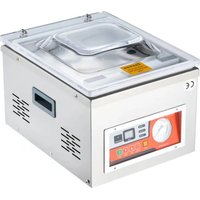


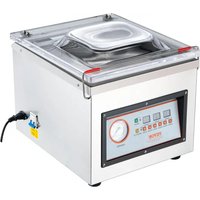
| Product Type | Vacuum Packaging Machine |
| Brand | Vevor |
| Model | DZ-260A-V2 |
| Chamber Dimensions | 330 × 270 × 50 mm |
| Sealing Length | 260 mm |
| Vacuum Pump Type | Oil Pump |
| Pumping Speed | 6.5 m³/h |
| Power Supply | 230 V ~ 50 Hz |
| Max Power | 950 W |
| Vacuum Pump Power | 180 W |
| Machine Material | Stainless Steel 201 |
| Main Functions | Vacuum sealing, sealing, cooling |
| Vacuum Pump Oil Included | Yes (46# or 68# vacuum oil) |
| Included Accessories | Heating wire, Teflon cloth, chamber seal, vacuum bags (×30), Allen key, fuses |
| Maintenance and Cleaning | Clean the surface after use; drain and replace oil every 800 hours of operation |
| Safety | For indoor dry use only; do not expose to moisture; unplug if damaged |
| Spare Parts and Repairability | Heating wire, Teflon cloth, chamber seal, fuse user-replaceable; other repairs by qualified technician |
| Disposal | Compliant with WEEE directive (2012/19/EU) – do not dispose of with household waste |
| Warranty | Technical support and electronic warranty at www.vevor.com/support |
Frequently Asked Questions - DZ-260A-V2 Vevor
User questions about DZ-260A-V2 Vevor
0 question about this device. Answer the ones you know or ask your own.
Ask a new question about this device
Download the instructions for your Vacuum packaging machines in PDF format for free! Find your manual DZ-260A-V2 - Vevor and take your electronic device back in hand. On this page are published all the documents necessary for the use of your device. DZ-260A-V2 by Vevor.
USER MANUAL DZ-260A-V2 Vevor
Technical Support and E-Warranty Certificate www.vevor.com/support
VACUUM PACKING MACHINE USER MANUAL
Model: DZ-260A-V1, DZ-260A-V2, DZ-260A-V3, DZ-260S-V1, DZ-260S-V2, DZ-260S-V3
We continue to be committed to provide you tools with competitive price. "Save Half", "Half Price" or any other similar expressions used by us only represent estimate of savings you might benefit from buying certain tools with us compared to top brands and does not necessarily mean to cover all categories of tools offered. We kindly remind you to verify carefully when you are placing an order with us that you are actually saving half in comparison with the top major brands.
VEVOR®
TOUGH TOOLS, HALF PRICE
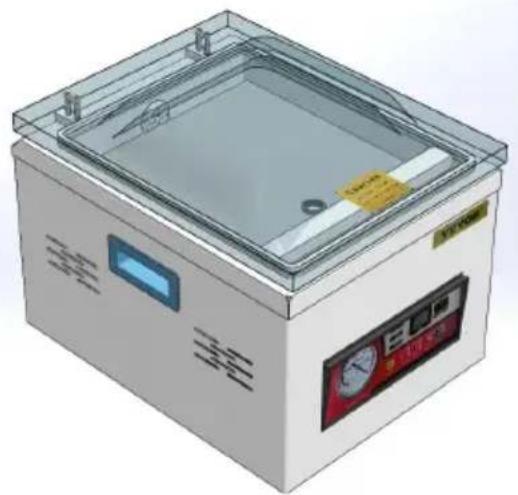
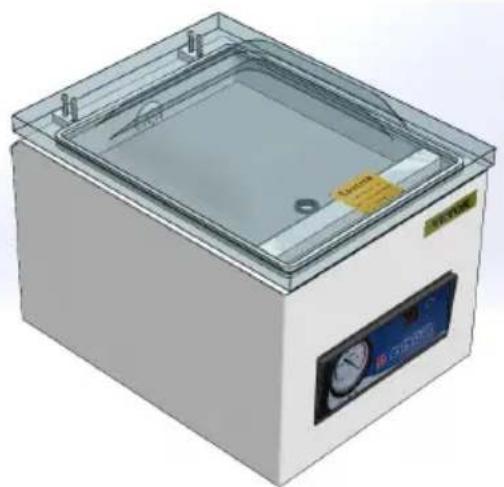
VACUUM PACKING MACHINE
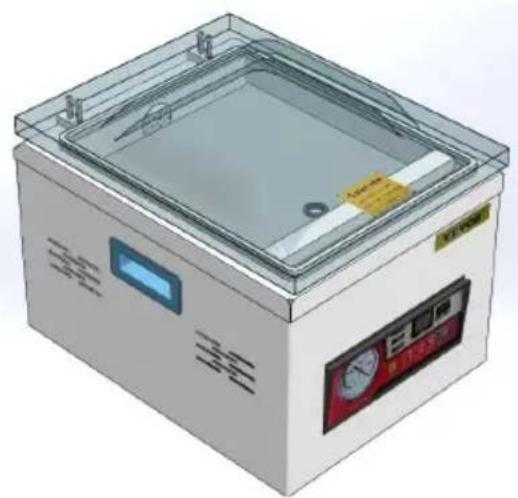
DZ-260A-V1
DZ-260A-V2
DZ-260A-V3
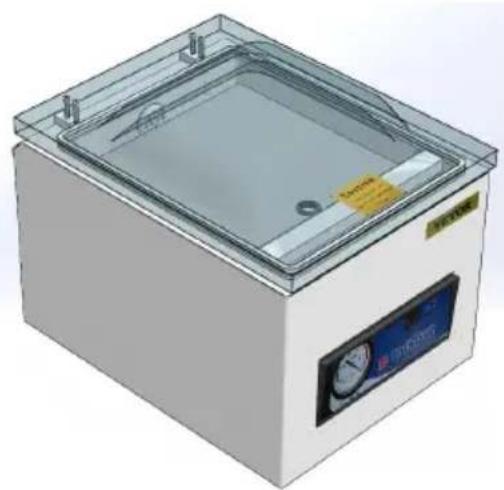
DZ-260S-V1
DZ-260S-V2
DZ-260S-V3
NEED HELP? CONTACT US!
Have product questions? Need technical support? Please feel free to contact us:
Technical Support and E-Warranty Certificate www.vevor.com/support
This is the original instruction. Please read all manual instructions carefully before operating. VEVOR reserves a clear interpretation of the user manual. The appearance of the product shall be subject to the product you received. Please forgive us that we won't inform you of any technology or software updates on our product.
WARNING
- Read carefully and understand all ASSEMBLY AND OPERATION INSTRUCTIONS before operating.
- Failure to follow the safety rules and other basic safety precautions may result in serious personal injury.
GENERAL SAFETY RULES
Please read the entire operating instructions before using the product for the first time; they contain important information about the correct operation.
The guarantee/warranty will be void if damage is incurred resulting from non-compliance with the operating instructions. Liability for any and all consequential damage is excluded!
We do not assume any liability for damage to property or personal injury caused by improper use or the failure to observe the safety instructions. In such cases, the guarantee/warranty will be void.
The unauthorized conversion, modification, or disassembly of the product is inadmissible because of safety and approval reasons (CE).
The product is not a toy and must be kept out of the reach of children. Particular care must therefore be exercised if children are present.
The product must not get damp or wet; it is only intended for use in indoor locations (not bathrooms or similarly damp areas). There is a risk of fatal electric shock.
Do not expose the product or its accessories to damp or extremely low temperatures.
Do not leave packing materials unattended. They may become dangerous playing material for children.
Dropping, falling, pressure or tensile forces could destroy or at least limit function of the product.
Never position the device in the vicinity of combustible or easily inflammable materials.
Always make sure that the rotary table on which the object is placed is located in the center of the housing!
This machine uses plastic film or plastic aluminum film as materials to vacuum package paste foods, fruits, sauce vegetables, chemicals, pharmaceuticals, electronic components, precision instruments, rare metals, and other items. Products packaged under vacuum are not equalized or moldy. Especially suitable for industries such as tea, food, medicine.
If you have reason to assume that safe operation is no longer possible, disconnect the device immediately and secure it against inadvertent operation.
It can be assumed that safe operation is no longer possible if:
- the device shows visible signs of damage,
- the device no longer functions,
- after a longer period of storage under unfavourable conditions,
- following heavy stress during transportation.
SAVE THESE INSTRUCTIONS
MODEL AND PARAMETERS
| Model | DZ-260A-V1 | DZ-260A-V2 | DZ-260A-V3 | DZ-260S-V1 | DZ-260S-V2 | DZ-260S-V3 |
| Seal Length | 260mm | 260mm | 260mm | 260mm | 260mm | 260mm |
| Chamber Dimensions | 330×270×50mm | 330×270×50mm | ||||
| Vacuum Pump Type | Oil Pump | Oil Pump | Oil Pump | Oil Pump | Oil Pump | Oil Pump |
| Pumping Speed of Vacuum Pump | 6.5m3/h | 6.5m3/h | 6.5m3/h | 4.2m3/h | 4.2m3/h | 4.2m3/h |
| Voltage | AC120V60Hz | AC230V50Hz | AC230V50Hz | AC120V60Hz | AC230V50Hz | AC 230V50Hz |
| Max. Power | 950W | 950W | 950W | 950W | 950W | 950W |
| Vacuum Pump Power | 180W | 180W | 180W | 120W | 120W | 120W |
| Machine Material | 201 Stainless Steel | 201 Stainless Steel | ||||
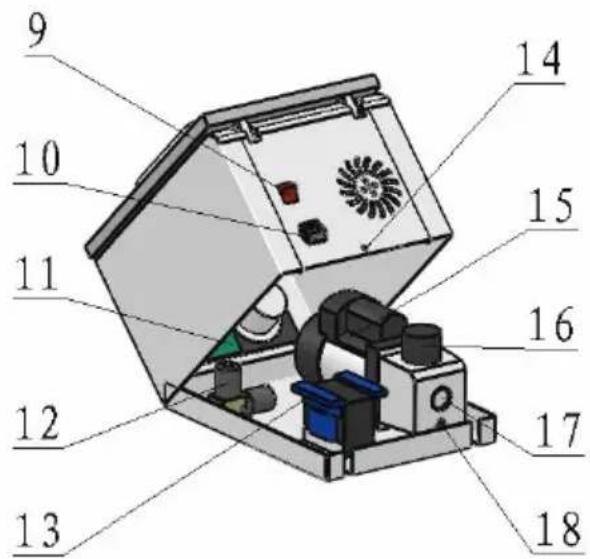
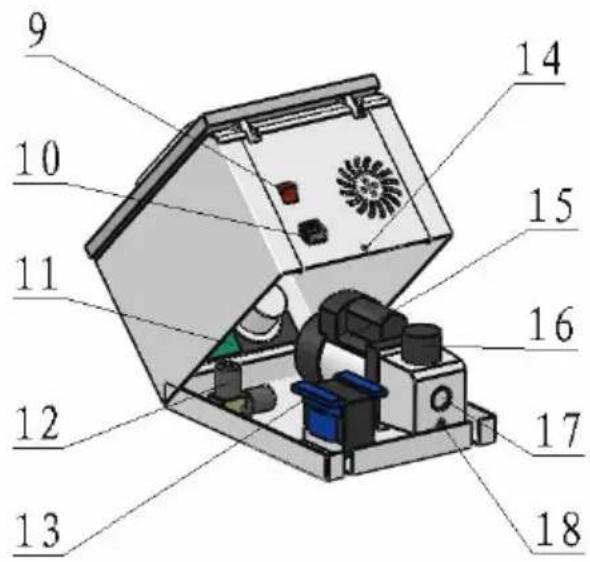
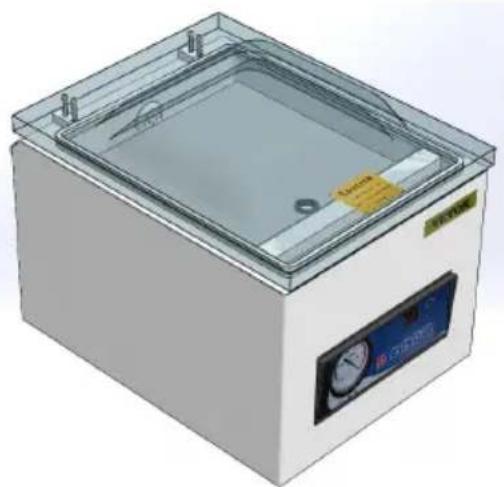
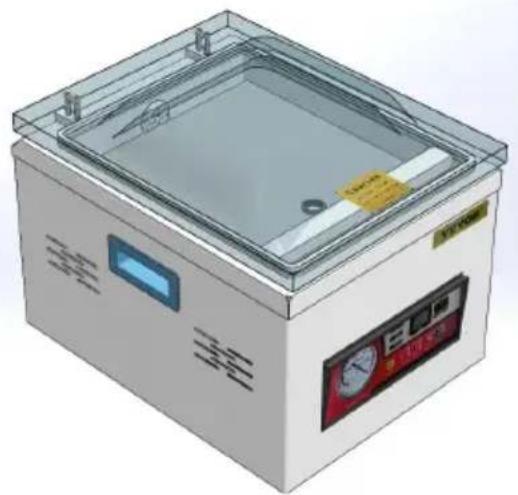
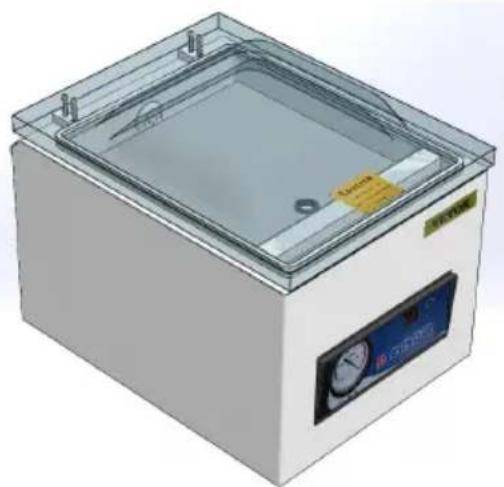
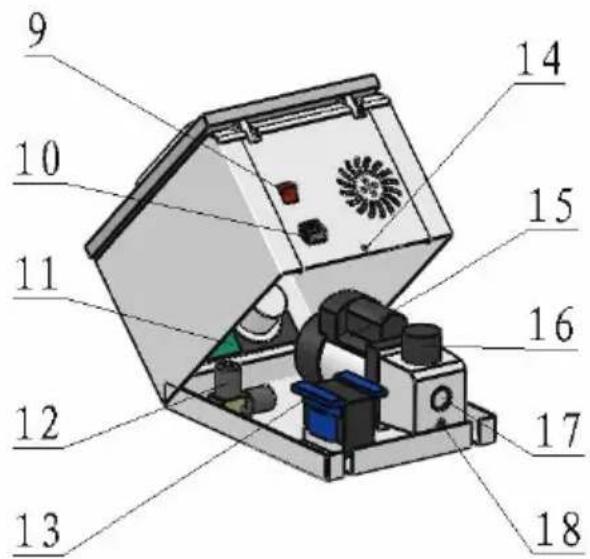
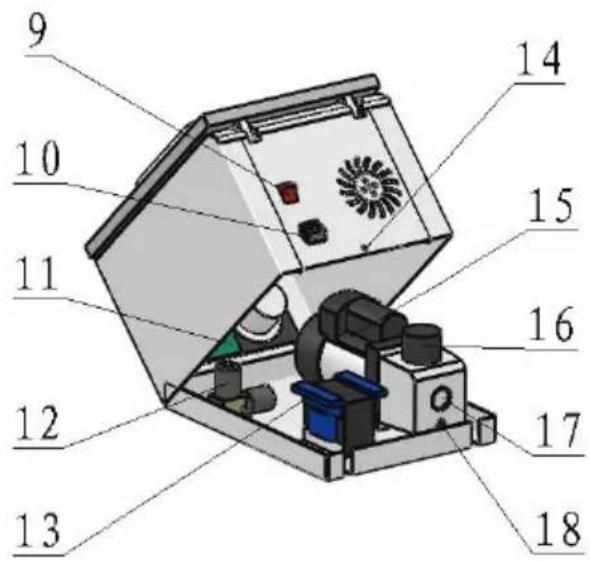
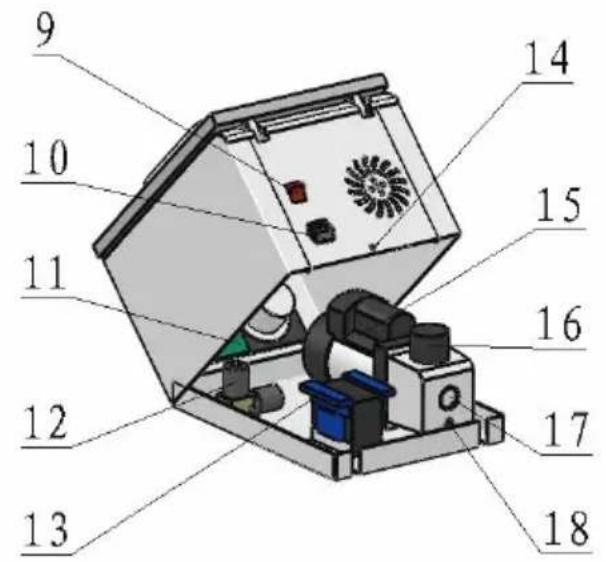
STRUCTURE DIAGRAM
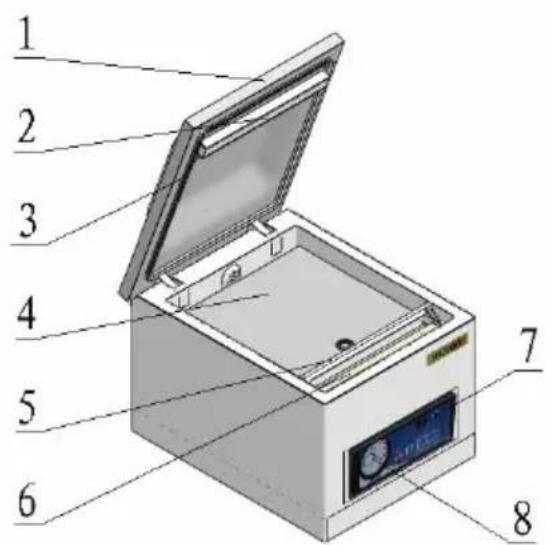
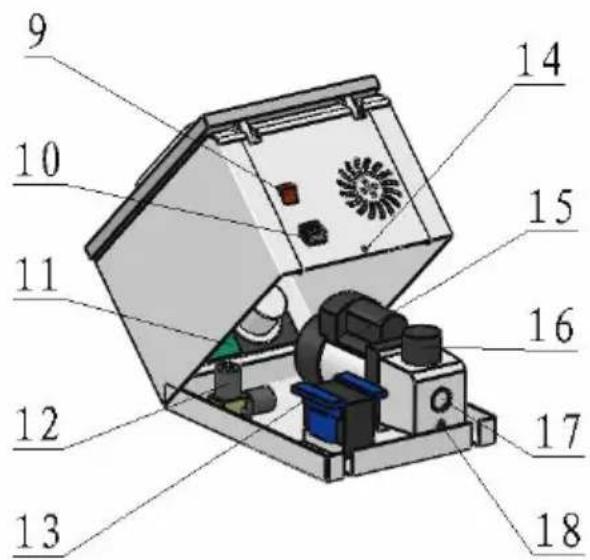
| 1 | Vacuum cover | 10 | Power plug |
| 2 | Silicone strip | 11 | Circuit board |
| 3 | Vacuum sealing bar | 12 | Vacuum pump solenoid valve |
| 4 | Base plate | 13 | Heating transformer |
| 5 | Bag pressing rod | 14 | Rear cover screw hole |
| 6 | Sealing heating strip | 15 | Vacuum pump |
| 7 | Indicator | 16 | Oil injection port |
| 8 | Vacuum gauge | 17 | Oil level observation wind |
| 9 | Power switch | 18 | Oil drain screw |
| Parts\Model | DZ-260A-V1 | DZ-260A-V2 | DZ-260A-V3 | DZ-260S-V1 | DZ-260S-V2 | DZ-260S-V3 |
| Heating Wire | ×1 | ×1 | ×1 | ×1 | ×1 | ×1 |
| Teflon Cloth | ×1 | ×1 | ×1 | ×1 | ×1 | ×1 |
| Filler Board | ×1 | ×1 | ×1 | ×1 | ×1 | ×1 |
| Vacuum Pump Oil | ×1 | ×1 | ×1 | ×1 | ×1 | ×1 |
| Allen Key | ×1 | ×1 | ×1 | ×1 | ×1 | ×1 |
| Vacuum Bag | ×30 | ×30 | ×30 | ×30 | ×30 | ×30 |
| Chamber Sealing Strip | ×1 | ×1 | ×1 | ×1 | ×1 | ×1 |
| Power Cord | ×1 | ×1 | ×1 | ×1 | ×1 | ×1 |
| Fuse | ×2 | ×2 | ×2 | ×2 | ×2 | ×2 |
| User Manual | ×1 | ×1 | ×1 | ×1 | ×1 | ×1 |
OPERATING INSTRUCTIONS
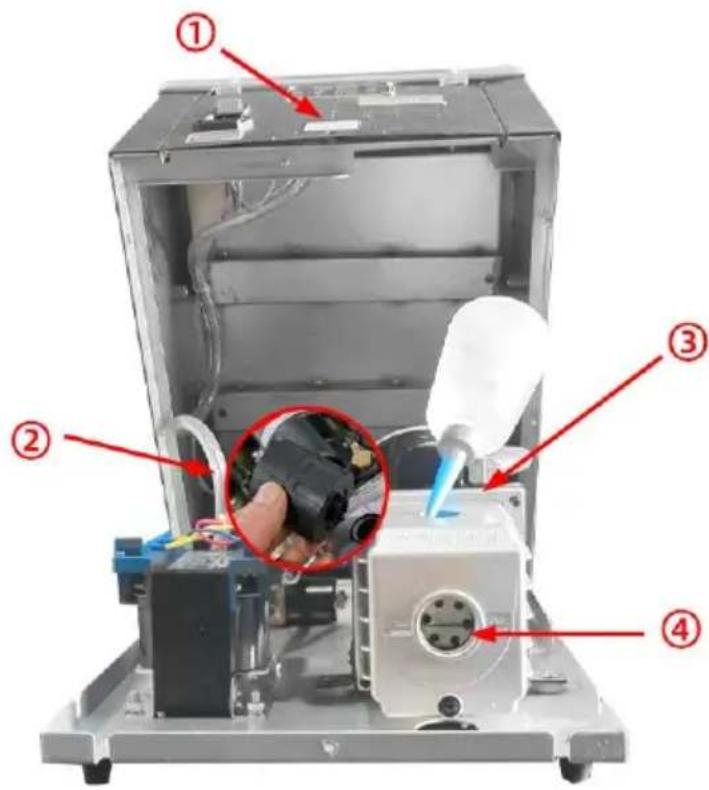
1.
1. Unscrew the back cover screw and lift the back cover; 2. Take out the oil mist filter; 3. Add vacuum pump oil; 4. Oil level should be between 1/2 and 3/4 of the observation hole (do not overfill); 5. After adding the oil, screw back the oil mist filter and close the back cover. It is strictly prohibited to start the vacuum pump without oil.
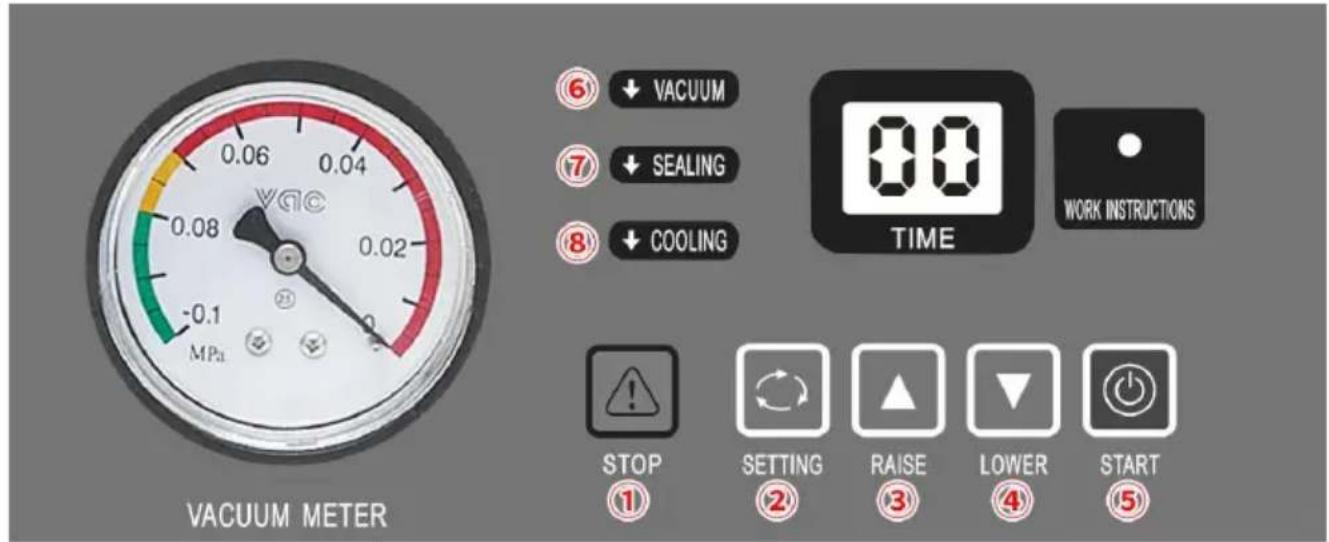
2. PANEL USAGE INSTRUCTIONS
Step 1: Connect the matching power supply.
Step 2: Turn on the POWER SWITCH.
Step 3: VACUUM: Click the SETTING button (②) on the control panel to select the target setting. Click the RAISE (③) or LOWER (④) button to set the ideal vacuum time. Vacuum time is generally set to 30-40 seconds.
Step 4: SEALING: Click the SETTING button (②) twice, and set the sealing time, generally 1.5-2 seconds. The sealing time is set according to the thickness of the vacuum bag. It is strictly prohibited to set the sealing time too long or to overheat the sealing strip.
Step 5: COOLING: After setting the sealing time, click the SETTING button (②) again to set the cooling time, usually 3-5 seconds. After setting the cooling time, click the SETTING button (②) and the control panel will display a letter indicating the end of the setting process.
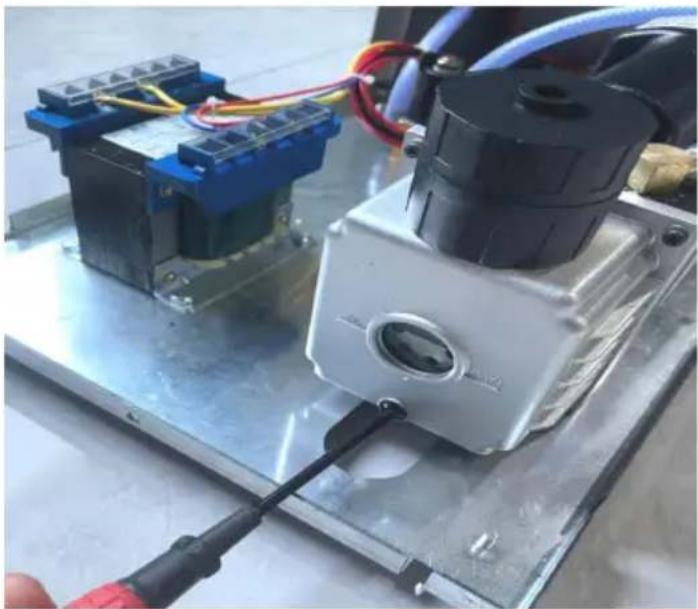
- When the machine needs an oil change or is not used for a long time, unscrew the screw under the oil window and drain the vacuum pump oil. It is recommended to replace the vacuum pump oil after the machine has been working continuously for 800 hours.
CIRCUIT DIAGRAM
![graph TD A["The vacuum pumps"] --> B["Transformer"] B --> C["Electromagnetism valve"] C --> D["Switch"] D --> E["110V/220VAC"] D --> F["Put spirit valve"] style A fill:#f9f,stroke:#333 style B fill:#ccf,stroke:#333 style C fill:#cfc,stroke:#333 style D fill:#fcc,stroke:#333 style E fill:#ffc,stroke:…](/content/2026/04/737469/images/b6148f64a07e3ac38413c82db5c033abed5a039187f4053a5771cbe233d241e1.jpg)
MAINTENANCE
- After use, clean the surface of the machine and remove any residual materials inside the machine.
- When storing, keep in a clean, dry, and safe location away from children.
- All maintenance, service, and repairs not discussed in the manual should only be performed by qualified service technicians.
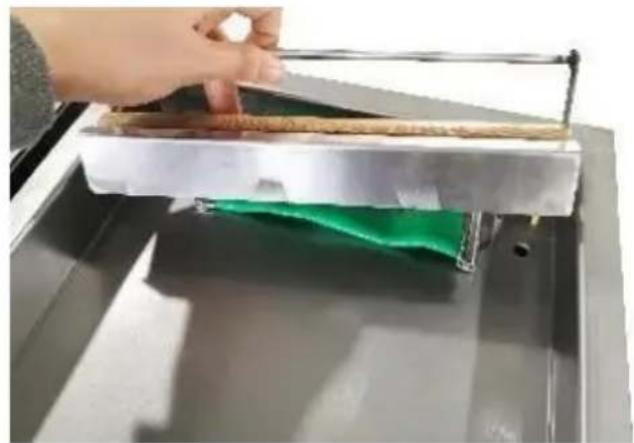
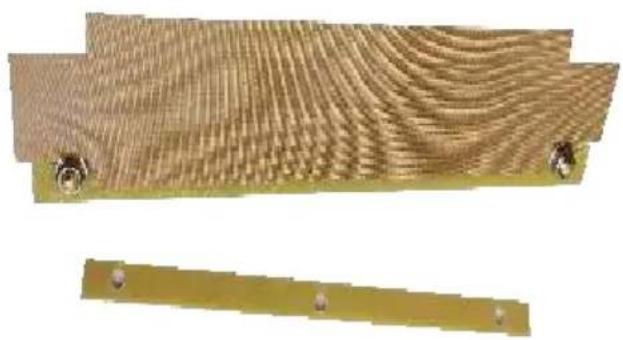
Replace the high temperature cloth (Teflon Cloth).
- Remove the screws on both sides of the tray, and then lift out the entire tray.
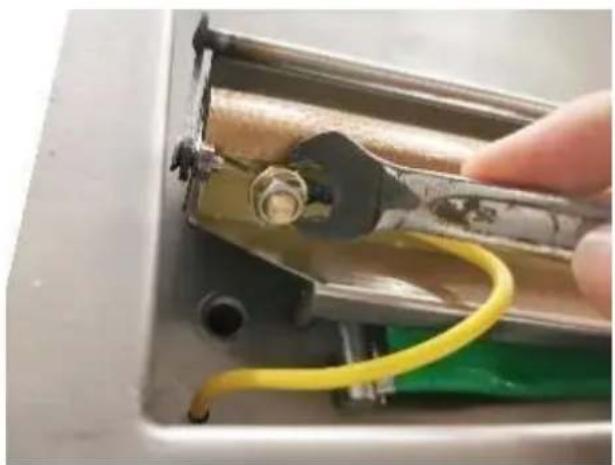
- Remove the upper screws.
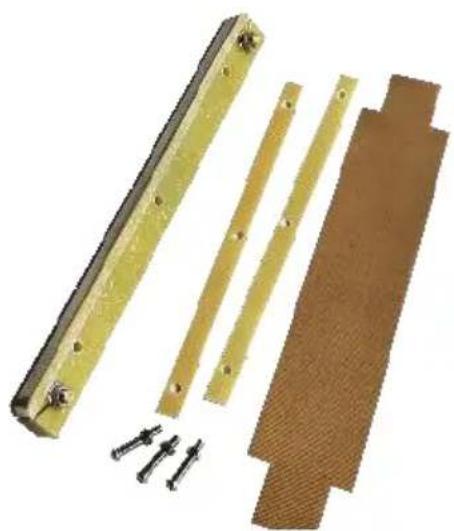
- Remove the old high-temperature cloth.
4. Apply new high-temperature cloth.
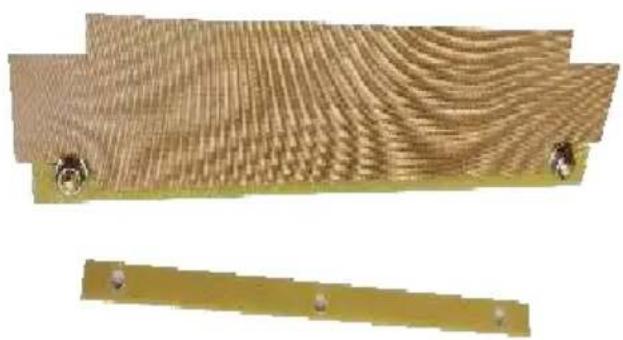
- Reinstall the original screws.
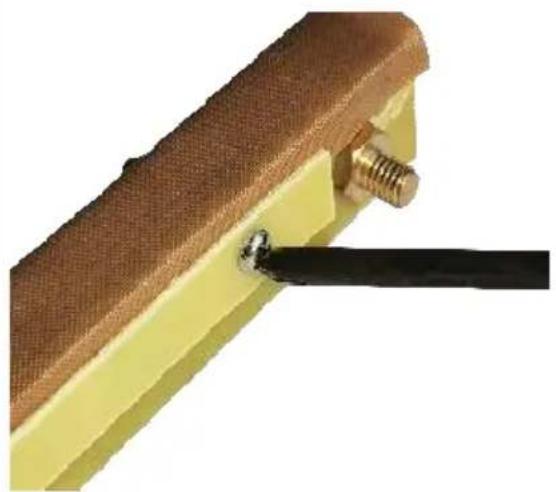
- Complete the installation.

Replace the chamber sealing strip.
- Remove the chamber sealing strip.
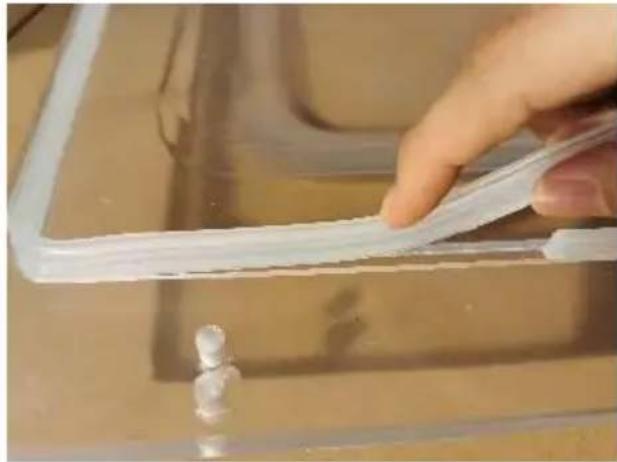
- Replace the chamber sealing strip with a new one.
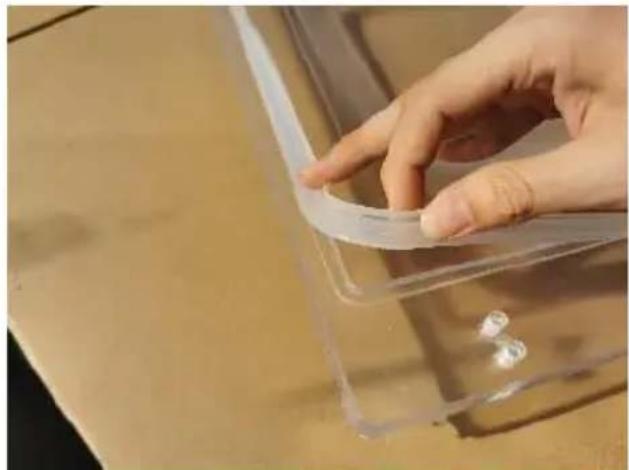
- Complete the installation.
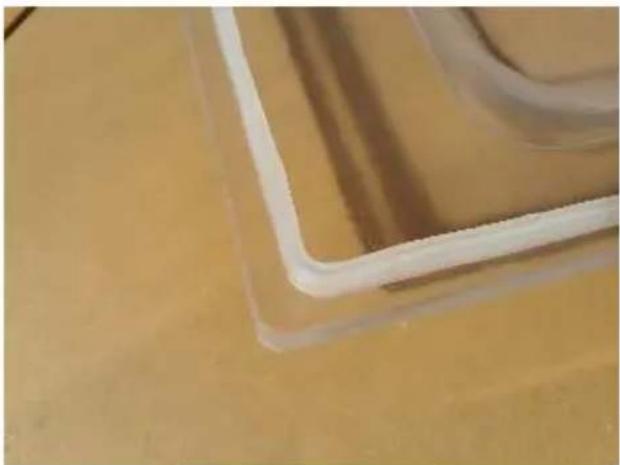
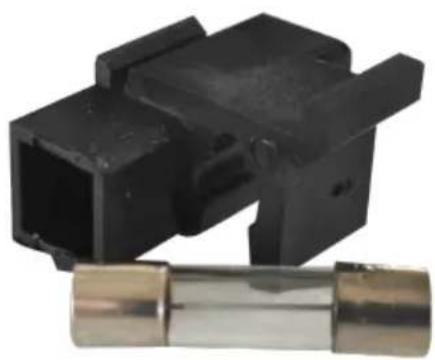
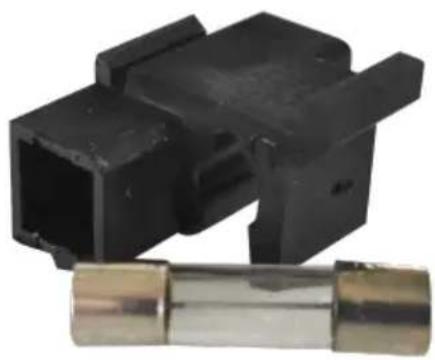
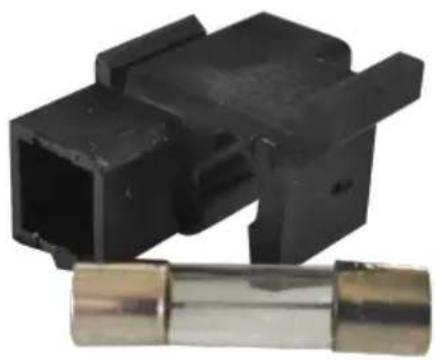
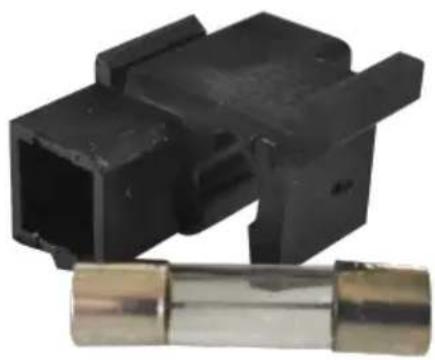
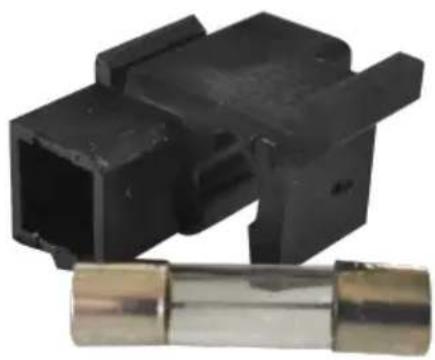
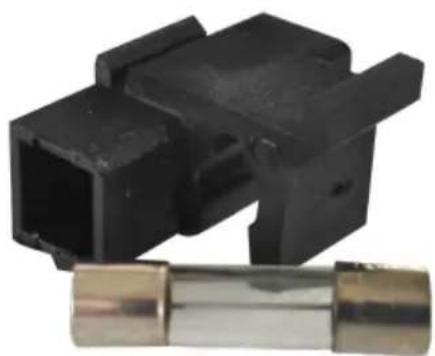
If the fuse is damaged, replace it as shown.
- Find the power outlet on the
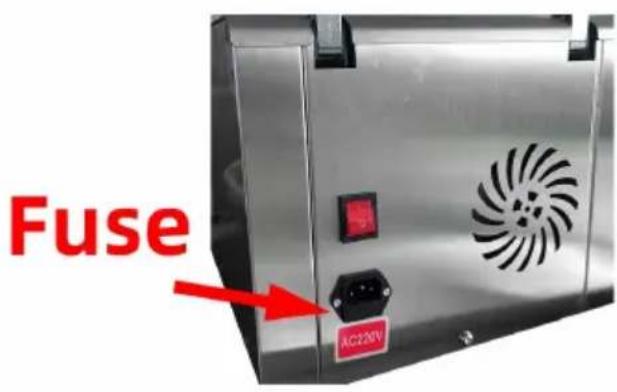
2. Take out the slot.
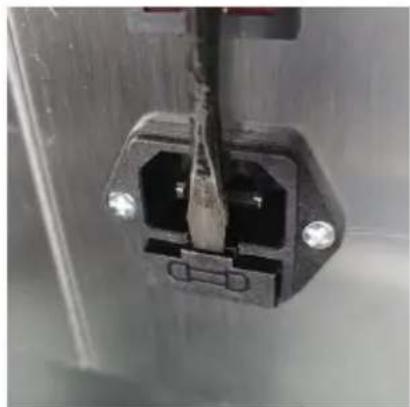
- The fuse is in the groove of the card slot.
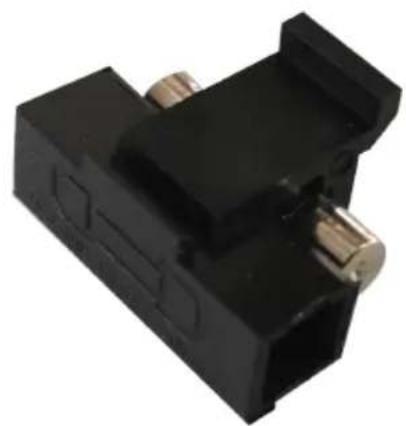
- Take out a fuse.
TROUBLESHOOTING AND SOLUTIONS
| Problem | Possible Cause | Solution |
| The machine doesn't work and the control panel shows nothing. | 1.No connection of the power supply.2.The contact of the power switch looses. | 1.Check whether the plug and socket are effectively connected.2.Check whether the wiring of the power in part inside the machine is loose or detached. |
| The control panel startup,but the machine doesn't work. | The parameter is being set. | Complete the parameter setting. |
| The best vacuum state can't be achieved.The vacuumizing speed is slow. | 1.Short vacuumizing time.2.The oil in the vacuum pump is not enough of the oil is not clean.3.Air leakage and wea of the sealing ring. | 1.Extend the vacuum time.2.Check the oil level, refuel or change the (pay attention to the type (vacuum oil 46#,68#) and oil quantity.3.Replace the sealing ring. |
| Sealing failure or poor sealing. | 1.The bags are not correctly placed on the heating plates.2.Too long/short sealing time.3.Inappropriate heating temperature..4.Silicon strip damaged or with impurity.5.Damage of electric heating wire. | 1.Place the bags on the plate in order.2.Shorten/prolong the sealing time.3.Choose proper temperature.4.Clean or replace the silicon rubber.5.Change electric heating wire. |
CORRECT DISPOSAL


This product is subject to the provisions of European Directive 2012/19/EC. The symbol showing a wheelie bin crossed through indicates that the product requires separate refuse collection in the European Union. This applies to the product and all
accessories marked with this symbol. Products marked as such may not be discarded with normal domestic waste, but must be taken to a collection point for recycling electrical and electronic devices.
Manufacturer: Shanghai Muxin Muye Youxian Gongsi
Address: Shuangchenglu 803nong11hao1602A-1609shi, Baoshanqu, Shanghai 200000 CN.
Imported to AUS: SIHAO PTY LTD. 1 ROKEVA STREET EASTWOOD NSW 2122 Australia
Imported to USA: Sanven Technology Ltd. Suite 250, 9166 Anaheim Place, Rancho Cucamonga, CA 91730
| EC | REP |
E-CrossStu GmbH
Mainzer Landstr.69, 60329 Frankfurt am Main
| UK | REP |
YH CONSULTING LIMITED.
C/O YH Consulting Limited Office 147, Centurion House, London Road, Staines-upon-Thames, Surrey TW18 4AX
VEVOR®
TOUGH TOOLS, HALF PRICE
Technical Support and E-Warranty Certificate www.vevor.com/support
VEVOR®
TOUGH TOOLS, HALF PRICE
We continue to be committed to provide you tools with competitive price. "Save Half", "Half Price" or any other similar expressions used by us only represent the estimate of savings you might benefit from buying certain tools with us compared to top brands and does not necessarily mean to cover all categories of tools offered. Are kindly reminded to verify carefully when you are placing an order with us actually saving half in comparison with the top major brands.
VEVOR®
TOUGH TOOLS, HALF PRICE
VACUUM PACKING MACHINE
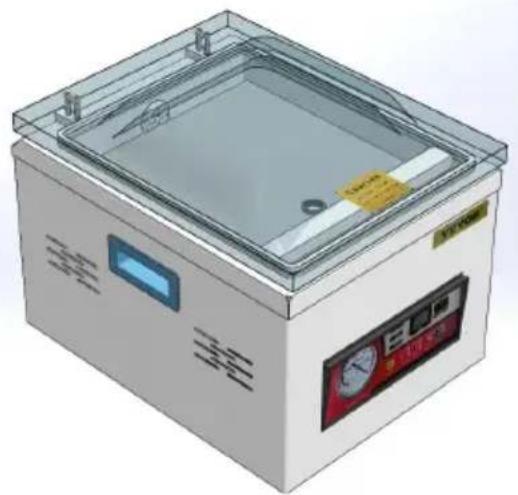
DZ-260A-V1
DZ-260A-V2
DZ-260A-V3
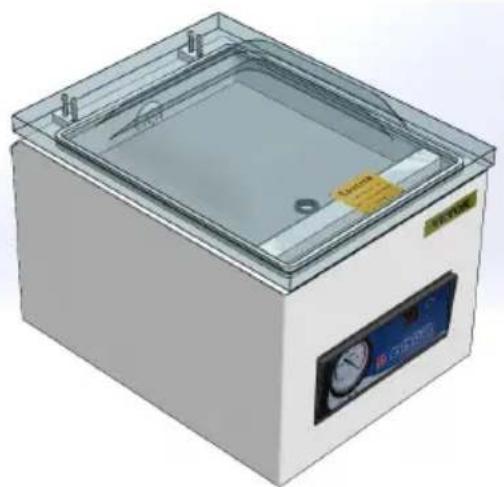
DZ-260S-V1
DZ-260S-V2
DZ-260S-V3
NEED HELP? CONTACT US!
Have product questions? Need technical support? Please feel free to contact us:
Technical Support and E-Warranty Certificate www.vevor.com/support
This is the original instruction, please read all manual instructions carefully before operating. VEVOR reserves a clear interpretation of the user manual. The appearance of the product shall be subject to the product you received. Please forgive us that we won't inform you of any technology or software updates on our product.
WARNING
2. INSTRUCTIONS FOR USING THE PANEL
CIRCUIT DIAGRAM
![graph TD A["The vacuum pumps"] --> B["Transformer"] B --> C["Electromagnetism valve"] C --> D["Switch"] D --> E["110V/220VAC"] D --> F["Put spirit valve"] style A fill:#f9f,stroke:#333 style B fill:#ccf,stroke:#333 style C fill:#cfc,stroke:#333 style D fill:#fcc,stroke:#333 style E fill:#ffc,stroke:…](/content/2026/04/737469/images/e71e72c5446a9f30b83fc6628fffe7a4c0eeea545fae65101e58057f005b255f.jpg)
MAINTENANCE
TROUBLESHOOTING AND SOLUTIONS
Anaheim Place, Rancho Cucamonga, CA 91730
| EC | REP |
E-CrossStu GmbH
Mainzer Landstr.69, 60329 Frankfurt am Main
| UK | REP |
YH CONSULTING LIMITED.
C/O YH Consulting Limited Office 147, Centurion House, London Road, Staines-upon-Thames, Surrey TW18 4AX
VEVOR®
TOUGH TOOLS, HALF PRICE
www.vevor.com/support
Model: DZ-260A-V1, DZ-260A-V2, DZ-260A-V3, DZ-260S-V1, DZ-260S-V2, DZ-260S-V3
We continue to be committed to providing you with tools at competitive prices. "Save Half", "Half Price", or any other similar expressions used by us only represent an estimate of savings you might benefit from buying certain tools with us compared to top brands, and does not necessarily mean to cover all categories of tools offered. We kindly remind you to verify carefully when placing an order with us that you are actually saving half in comparison with the top major brands.
VEVOR®
TOUGH TOOLS, HALF PRICE
VACUUM PACKING MACHINE
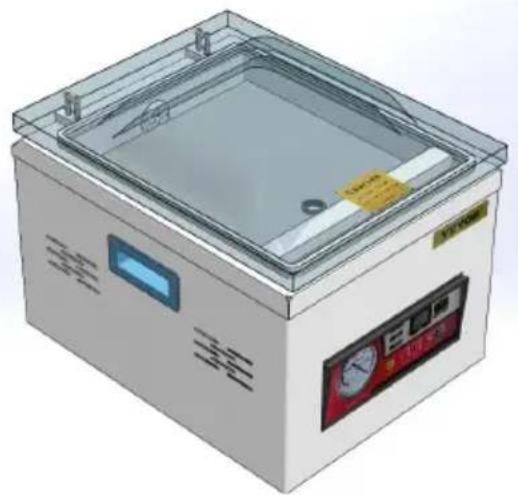
DZ-260A-V1
DZ-260A-V2
DZ-260A-V3
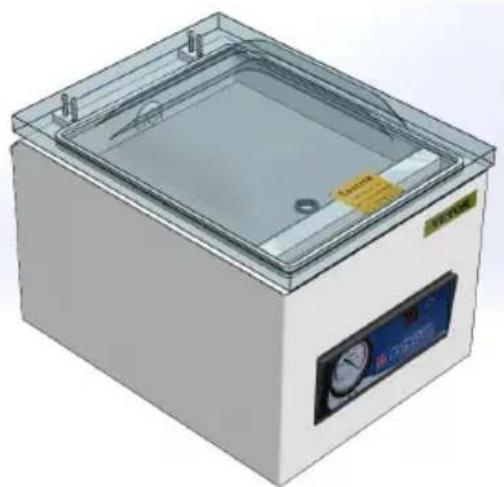
DZ-260S-V1
DZ-260S-V2
DZ-260S-V3
NEED HELP? CONTACT US!
Have product questions? Need technical support? Please feel free to contact us:
Technical Support and E-Warranty Certificate www.vevor.com/support
This is the original instruction. Please read all manual instructions carefully before operating. VEVOR reserves a clear interpretation of the user manual. The appearance of the product shall be subject to the product you received. Please forgive us that we won't inform you if there are any technology or software updates on our product.
WARNING
CIRCUIT DIAGRAM
![graph TD A["The vacuum pumps"] --> B["Transformer"] B --> C["Electromagnetism valve"] C --> D["Switch"] D --> E["110V/220VAC"] D --> F["Put spirit valve"] style A fill:#f9f,stroke:#333 style B fill:#ccf,stroke:#333 style C fill:#cfc,stroke:#333 style D fill:#fcc,stroke:#333 style E fill:#ffc,stroke:…](/content/2026/04/737469/images/6a740c721af5b19ec184725db434ca63cc8ddf277a4fb160b1c92334de202079.jpg)
MAINTENANCE
TROUBLESHOOTING AND SOLUTIONS
C/O YH Consulting Limited Office 147, Centurion House, London Road, Staines-upon-Thames, Surrey TW18 4AX
VEVOR®
TOUGH TOOLS, HALF PRICE
Models: DZ-260A-V1, DZ-260A-V2, DZ-260A-V3, DZ-260S-V1, DZ-260S-V2, DZ-260S-V3
We continue to be committed to provide you tools with competitive price. "Save Half", "Half Price" or any other similar expressions used by us only represent estimate of savings you might benefit from buying certain tools with us compared to top brands and does not necessarily mean to cover all categories of tools offered. We kindly remind you to verify carefully when placing an order with us to ensure you are actually saving half in comparison with the top major brands.
VEVOR®
TOUGH TOOLS, HALF PRICE
VACUUM PACKING MACHINE
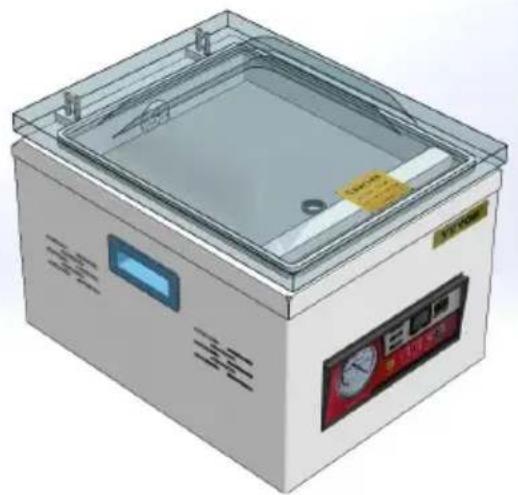
Model DZ-260A-V1
Model DZ-260A-V2
Model DZ-260A-V3
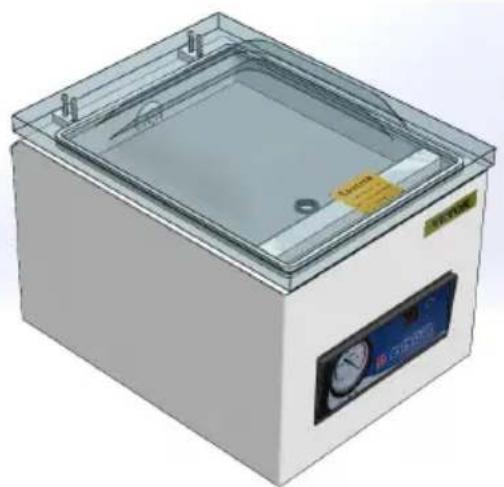
Model DZ-260S-V1
Model DZ-260S-V2
Model DZ-260S-V3
NEED HELP? CONTACT US!
Have product questions? Need technical support? Please feel free to contact us:
Technical Support and E-Warranty Certificate www.vevor.com/support
This is the original instruction. Please read all manual instructions carefully before operating. VEVOR reserves a clear interpretation of the user manual. The appearance of the product shall be subject to the product you received. Please forgive us that we won't inform you if there are any technology or software updates on our product.
WARNING

2. INSTRUCTIONS FOR USING THE PANEL
CIRCUIT DIAGRAM
![graph TD A["The vacuum pumps"] --> B["Transformer"] B --> C["Electromagnetism valve"] C --> D["Switch"] D --> E["110V/220VAC"] D --> F["Put spirit valve"] style A fill:#f9f,stroke:#333 style B fill:#ccf,stroke:#333 style C fill:#cfc,stroke:#333 style D fill:#fcc,stroke:#333 style E fill:#ffc,stroke:…](/content/2026/04/737469/images/1f42c3dc00b814f17f425c59419e324641148e31079f5a129c7c51b01c0bccb2.jpg)
MAINTENANCE
TROUBLESHOOTING AND SOLUTIONS
Imported in AUS: SIHAO PTY LTD. 1 ROKEVA STREET EASTWOOD NSW 2122 Australia
Imported in USA: Sanven Technology Ltd. Suite 250, 9166 Anaheim Place, Rancho Cucamonga, CA 91730
| EC | REP |
E-CrossStu GmbH
Mainzer Landstr.69, 60329 Frankfurt am Main
| UK | REP |
YH CONSULTING LIMITED.
C/O YH Consulting Limited, Office 147, Centurion House, London Road, Staines-upon-Thames, Surrey TW18 4AX
VEVOR®
TOUGH TOOLS, HALF PRICE
Model: DZ-260A-V1, DZ-260A-V2, DZ-260A-V3, DZ-260S-V1, DZ-260S-V2, DZ-260S-V3
We continue to be committed to providing you tools with competitive prices. "Save Half", "Half Price", or any other similar expressions used by us only represent an estimate of savings you might benefit from buying certain tools with us compared to top brands, and does not necessarily mean to cover all categories of tools offered. We kindly remind you to verify carefully when placing an order with us whether you are actually saving half in comparison with the top major brands.
VEVOR®
TOUGH TOOLS, HALF PRICE
VACUUM PACKING MACHINE
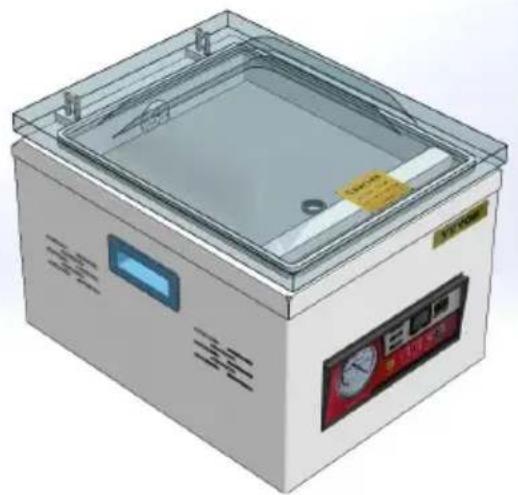
DZ-260A-V1
DZ-260A-V2
DZ-260A-V3
DZ-260S-V1
DZ-260S-V2
DZ-260S-V3
NEED HELP? CONTACT US!
Have product questions? Need technical support? Please feel free to contact us:
Technical Support and E-Warranty Certificate www.vevor.com/support
This is the original instruction. Please read all manual instructions carefully before operating. VEVOR reserves the right to interpret the user manual. The appearance of the product shall be subject to the product you received. Please forgive us that we won't inform you if there are any technology or software updates on our product.
WARNING

2. PANEL OPERATING INSTRUCTIONS
CIRCUIT DIAGRAM
![graph TD A["The vacuum pumps"] --> B["Transformer"] B --> C["Electromagnetism valve"] C --> D["Switch"] D --> E["110V/220VAC"] D --> F["Put spirit valve"] style A fill:#f9f,stroke:#333 style B fill:#ccf,stroke:#333 style C fill:#cfc,stroke:#333 style D fill:#fcc,stroke:#333 style E fill:#ffc,stroke:…](/content/2026/04/737469/images/2810fd90570bb7cbd908d82a6350c4ecc84a0973ff08d96d65cd733ea087a1d9.jpg)
MAINTENANCE
- Remove a fuse

TROUBLESHOOTING AND SOLUTIONS
C/O YH Consulting Limited Office 147, Centurion
VEVOR®
TOUGH TOOLS, HALF PRICE
Model: DZ-260A-V1, DZ-260A-V2, DZ-260A-V3, DZ-260S-V1, DZ-260S-V2, DZ-260S-V3
We continue to be committed to provide you tools with competitive price. "Save Half", "Half Price" or any other similar expressions used by us only represent the estimate of savings you might benefit from buying certain tools with us compared to top brands and does not necessarily mean to cover all categories of tools offered. We kindly remind you to verify carefully when you are placing an order with us that you are actually saving half in comparison with the top major brands.
VEVOR®
TOUGH TOOLS, HALF PRICE
VACUUM PACKING MACHINE
DZ-260A-V1
DZ-260A-V2
DZ-260A-V3
DZ-260S-V1
DZ-260S-V2
DZ-260S-V3
NEED HELP? CONTACT US!
Have product questions? Need technical support? Please feel free to contact us:
Technical Support and E-Warranty Certificate www.vevor.com/support
This is the original instruction. Please read all manual instructions carefully before operating. VEVOR reserves a clear interpretation of the user manual. The appearance of the product shall be subject to the product you received. Please forgive us that we won't inform you if there are any technology or software updates on our product.
WARNING
2. INSTRUCTION FOR USING THE PANEL
CIRCUIT DIAGRAM
![graph TD A["The vacuum pumps"] --> B["Transformer"] B --> C["Electromagnetism valve"] C --> D["Switch"] D --> E["110V/220VAC"] C --> F["Put spirit valve"] style A fill:#f9f,stroke:#333 style B fill:#ccf,stroke:#333 style C fill:#cfc,stroke:#333 style D fill:#fcc,stroke:#333 style E fill:#ffc,stroke:…](/content/2026/04/737469/images/04501043d77c33f30ab631e043e26739f7393c1a0502ab92fbb720da92bf964e.jpg)
MAINTENANCE
- Remove the socket
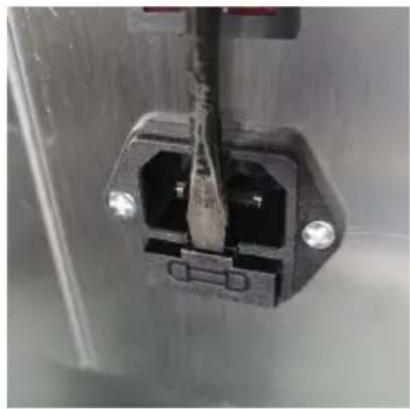
- Remove the fuse
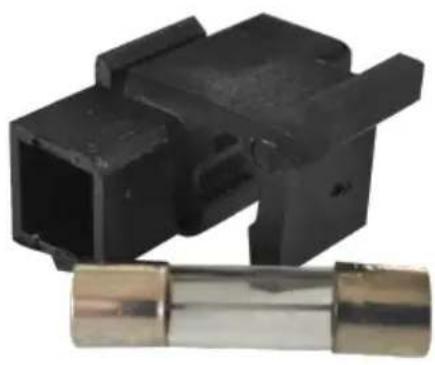
TROUBLESHOOTING AND SOLUTIONS
STREET EASTWOOD NSW 2122 Australia
Imported into the USA: Sanven Technology Ltd. Suite 250, 9166 Anar Place, Rancho Cucamonga, CA 91730
| EC | REP |
E-CrossStu GmbH
Mainzer Landstr.69, 60329 Frankfurt am Main
| UK | REP |
YH CONSULTING LIMITED.
C/O YH Consulting Limited Office 147, Centurion House, London Road, Staines-upon-Thames, Surrey TW18 4AX
VEVOR®
TOUGH TOOLS, HALF PRICE
Model: DZ-260A-V1, DZ-260A-V2, DZ-260A-V3, DZ-260S-V1, DZ-260S-V2, DZ-260S-V3
We continue to be committed to provide you tools with competitive price. "Save Half", "Half Price" or any other similar expressions used by us only represent the estimate of savings you might benefit from buying certain tools with us compared to top brands and does not necessarily mean to cover all categories of tools offered. Are kindly reminded to verify carefully when you are placing an order with us actually saving half in comparison with the top major brands.
VEVOR®
TOUGH TOOLS, HALF PRICE
VACUUM PACKING MACHINE
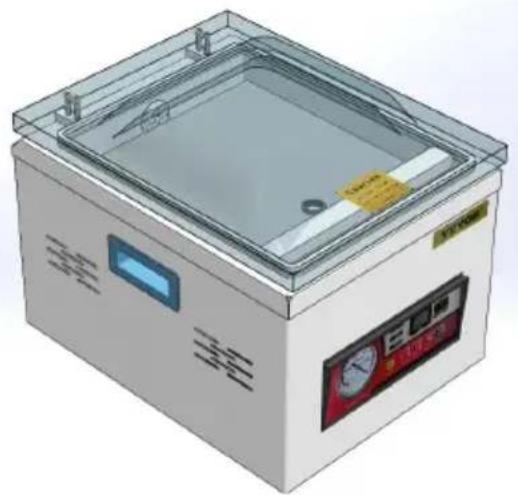
DZ-260A-V1
DZ-260A-V2
DZ-260A-V3
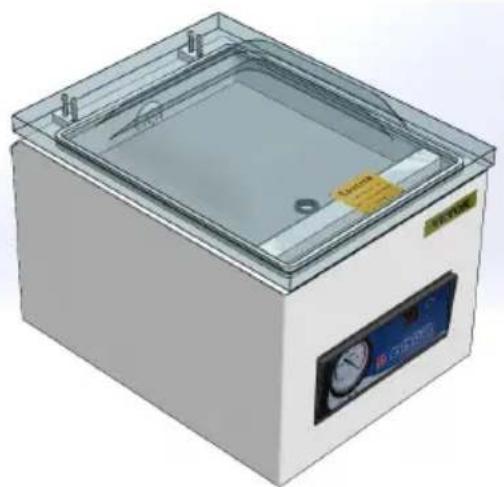
DZ-260S-V1
DZ-260S-V2
DZ-260S-V3
NEED HELP? CONTACT US!
Have product questions? Need technical support? Please feel free to contact us:
Technical Support and E-Warranty Certificate www.vevor.com/support
This is the original instruction. Please read all manual instructions carefully before operating. VEVOR reserves a clear interpretation of the user manual. The appearance of the product shall be subject to the product you received. Please forgive us that we won't inform you if there are any technology or software updates on our product.
WARNING
2. INSTRUCTIONS FOR USING THE PANEL
CIRCUIT DIAGRAM
![graph TD A["The vacuum pumps"] --> B["Transformer"] B --> C["Electromagnetism valve"] C --> D["Switch"] D --> E["110V/220VAC"] C --> F["Put spirit valve"] style A fill:#f9f,stroke:#333 style B fill:#ccf,stroke:#333 style C fill:#cfc,stroke:#333 style D fill:#fcc,stroke:#333 style E fill:#ffc,stroke:…](/content/2026/04/737469/images/436e726cd9be82f9b078511766db637b7676f316a81dfa70f0f980acddb6ee7c.jpg)
MAINTENANCE
Replace the chamber sealing strip.
TROUBLESHOOTING AND SOLUTIONS
C/O YH Consulting Limited Office 147, Centurion House, London Road, Staines-upon-Thames, Surrey TW18 4AX
VEVOR®
TOUGH TOOLS, HALF PRICE
Technical Support and E-warranty Certificate www.vevor.com/support
VEVOR®
TOUGH TOOLS, HALF PRICE
Model: DZ-260A-V1, DZ-260A-V2, DZ-260A-V3, DZ-260S-V1, DZ-260S-V2, DZ-260S-V3
We continue to be committed to provide you tools with competitive price. "Save Half", "Half Price" or any other similar expressions used by us only represent estimate of savings you might benefit from buying certain tools with us compared to top brands and does not necessarily mean to cover all categories of tools offered. We kindly remind you to verify carefully when placing an order with us to ensure you are actually saving half in comparison with the top major brands.
VEVOR®
TOUGH TOOLS, HALF PRICE
VACUUM PACKING MACHINE
DZ-260A-V1
DZ-260A-V2
DZ-260A-V3
DZ-260S-V1
DZ-260S-V2
DZ-260S-V3
NEED HELP? CONTACT US!
Have product questions? Need technical support? Please feel free to contact us:
Technical Support and E-Warranty Certificate www.vevor.com/support
This is the original instruction. Please read all manual instructions carefully before operating. VEVOR reserves a clear interpretation of the user manual. The appearance of the product shall be subject to the product you received. Please forgive us that we won't inform you if there are any technology or software updates on our product.
WARNING
2. INSTRUCTIONS FOR USING THE PANEL
CIRCUIT DIAGRAM
![graph TD A["The vacuum pumps"] --> B["Transformer"] B --> C["Electromagnetism valve"] C --> D["Switch"] D --> E["110V/220VAC"] D --> F["Put spirit valve"] style A fill:#f9f,stroke:#333 style B fill:#ccf,stroke:#333 style C fill:#cfc,stroke:#333 style D fill:#fcc,stroke:#333 style E fill:#ffc,stroke:…](/content/2026/04/737469/images/7357c6b3d4f71e3ca4c58c641e305b19af21f8340c0f6f7fe536a39718f6e2b2.jpg)
MAINTENANCE
- Apply a new high-temperature cloth.
- Remove a fuse
TROUBLESHOOTING AND SOLUTIONS
C/O YH Consulting Limited Office 147, Centurion House, London Road, Staines-upon-Thames, Surrey TW18 4AX
VEVOR®
TOUGH TOOLS, HALF PRICE
www.vevor.com/support


- VACUUM PACKING MACHINE USER MANUAL
- VEVOR®
- NEED HELP? CONTACT US
- WARNING
- GENERAL SAFETY RULES
- SAVE THESE INSTRUCTIONS
- STRUCTURE DIAGRAM
- OPERATING INSTRUCTIONS
- PANEL USAGE INSTRUCTIONS
- CIRCUIT DIAGRAM
- MAINTENANCE
- REPLACE THE HIGH TEMPERATURE CLOTH (TEFLON CLOTH)
- REPLACE THE CHAMBER SEALING STRIP
- IF THE FUSE IS DAMAGED, REPLACE IT AS SHOWN
- CORRECT DISPOSAL
- TOUGH TOOLS, HALF PRICE
- INSTRUCTIONS FOR USING THE PANEL
- PANEL OPERATING INSTRUCTIONS
- INSTRUCTION FOR USING THE PANEL
Brand : Vevor
Model : DZ-260A-V2
Category : Vacuum packaging machines