Zen Box Meditation - Sound meditation device TERRAILLON - Free user manual and instructions
Find the device manual for free Zen Box Meditation TERRAILLON in PDF.


User questions about Zen Box Meditation TERRAILLON
0 question about this device. Answer the ones you know or ask your own.
Ask a new question about this device
Download the instructions for your Sound meditation device in PDF format for free! Find your manual Zen Box Meditation - TERRAILLON and take your electronic device back in hand. On this page are published all the documents necessary for the use of your device. Zen Box Meditation by TERRAILLON.
USER MANUAL Zen Box Meditation TERRAILLON
MANUEL D'UTILISATION – INSTRUCTION MANUAL
ZEN BOX MÉDITATION

EN Meditation and sleep box USER MANUAL .... 16
text_image
QR code image containing encoded data, no visible human-readable textPRÉCAUTIONS DE SÉCURITÉ
CHARGEMENT DU PRODUIT
natural_image
Circular diagram with abstract symbols and no readable text or labelsCHOISIR UNE DURÉE
natural_image
Circular icon set with icons for music, music notes, sun, heart, and landscape (no text or symbols)Terraillon.
FR
natural_image
Circular diagram with abstract symbols and no readable text or labels
Mode veilleuse
Thank you for purchasing this product. To be completely satisfied with your product, we recommend reading this user manual carefully.
If you have any difficulties or need more information, you can find our help centre by scanning the QR code opposite with your smartphone. If you cannot find the answer to your question, you can also contact our After Sales Service: support.uk@terraillon.com
text_image
QR code image containing encoded data, no visible human-readable textSAFETY INSTRUCTIONS
- The following precautions must always be taken into consideration before using the Zen Box Méditation, hereinafter referred to as the 'device'.
General information
- Read the instructions for use carefully and keep them safe. If you give this device to other people, please also pass on this manual.
- Only use this device in accordance with the instructions in this user manual.
- The device is not a toy. Keep it out of the reach of children and pets.
- This device is intended for domestic or similar use, not for professional use.
- The guarantee will expire immediately if damage has been caused by failing to comply with this user manual. The manufacturer accepts no liability for damage caused by non-compliance with the user manual, negligent use or use which does not comply with conditions in this user manual.
- WARNING! Do not leave packaging material lying around carelessly. This may become dangerous playing material for children. Risk of suffocation!
Terraillon.
EN
Batteries, electricity & heat
- Make sure your hands are dry before touching the device, power cord or plug. - When plugging in the power cable, make sure people cannot accidentally pull it out or trip over it.
- Never leave the device to charge unattended.
- Regularly check the charging cable for damage.
- Do not charge the device if the charging cable shows signs of damage.
- Make sure the charging cable cannot be trodden on or pinched.
- Do not allow the charging cable to hang over sharp edges and keep it away from hot objects and naked flames.
- Remove the power cable during lightning storms or if unused for long periods of time.
- Do not use the device if it has become faulty, or if it has fallen or become damaged in any way. Send the device to the manufacturer or the closest qualified service centre for inspection.
- Ensure that the device and cable do not come into contact with heat sources, such as hotplates or naked flames.
- Always remove the charger cable from the device once charging has been completed.
- Do not attempt to charge the device when the battery is damaged.
- To reduce or prevent the risk of personal injury, electrical shock, fire or damage to the device, never insert metal objects in any opening of the USB charging port or any other openings or ports.
Terraillon.
EN
- The rechargeable batteries are built into the device and cannot be replaced.
- WARNING! Do not open the casing as this may result in electric shock!
- Do not expose the device to direct sunlight, heat sources, excessive humidity or corrosive environments.
- Do not crush, puncture or dismantle the device; this might damage the battery.
- WARNING! Damaging the casing and/or piercing the device, can lead to explosion or fire!
- WARNING! To reduce the risk of fire or electric shock, protect the device from dripping or splashing water and keep away from objects filled with liquids, such as vases. Such objects should not be placed on or near the device.
- Leaks from battery cells can occur under extreme conditions. If the liquid gets on the skin, wash it off immediately with soap and water. If the liquid gets into the eyes, flush them immediately with clean water for a minimum of 10 minutes and seek medical attention.
- WARNING! Do not throw the device into a fire, as it may explode!
- Do not dispose of the device in your household waste. Take it to your local recycling station. Contact your local government offices for details.
- The device does not contain any parts which can be serviced by the user.
- WARNING! Never cover the power cable or device with cloths, curtains or any other material in order to prevent overheating and potential fire hazards.
Use
- Prior to use, check the device for visible external damage. Never operate the device if it is damaged.
- Do not use the device in the vicinity of flammable materials.
Terraillon.
EN
- Do not place the device under any mechanical stress.
- Improper use of the device could damage the product.
- Please handle the device carefully. Jolts, impacts or falls, even from a low height, can damage the device.
- Do not attempt to disassemble or repair the device or modify it in any manner.
- The device must be serviced if it has been damaged in any way, i.e. the power supply cord/plug is damaged, or if it does not operate properly.
- Do not use or store the device in an environment subject to strong static electricity or magnetic fields.
- Only allow repairs to be carried out by a qualified service centre. Qualified service centre: after-sales department of the manufacturer or store, which is recognised and authorised to carry out such repairs, so that potential hazards can be prevented. If problems are encountered with the device, please return it to this department.
Important information, follow these instructions
- Keep children under strict supervision to prevent them from using the device as a toy.
- Do not allow unsupervised children to clean or maintain this device.
- Only use the device indoors, in dry areas and not in the vicinity of water, other liquids or humidity.
- Do not use the device if it, the cable or power plug has fallen into water or any kind of fluid.
- Never immerse the device, cable and power plug in water or any kind of fluid.
Terraillon.
EN
Cleaning
- Before cleaning the device, always disconnect the device from the power cord.
- Do not use abrasive cleaning solvents to clean the device.
- Clean the exterior of the device with a damp cloth.
DoC
Terraillon SAS hereby declares that Zen Box Méditation complies with the essential health and safety regulations. This product complies with the fundamental requirements and other applicable provisions of the European directive RED 2014/53/EU. The full declaration of conformity is available on https://terraillonhelp.zendesk.com/hc/en-us/categories/360000322733-Declaration-of-Conformity
CHARGING THE DEVICE
- Carefully plug the USB-C connector into the USB-C charging port of the device.
- Plug the USB connector of the charging cable into a USB port on your computer or USB charger.
- The LED turns red when the device is charging. When the battery is charged, the light goes out and charging stops automatically.
- The rechargeable battery of the device should be charged for approximately 2 hours before using the device for the first time.
- Unplug the charging cable from the device, which is now ready for use.
- If the battery level is low, you will see red LED flashing at charging port every 10 seconds, indicating that the battery needs to be recharged.
Terraillon.
EN
USING THE PRODUCT
Push the "on/off" switch to the "on" position to turn the product on Ⓗ.
Push the "on/off" switch to the "off" position to save the battery and/or switch Zen Box Méditation off 📊.
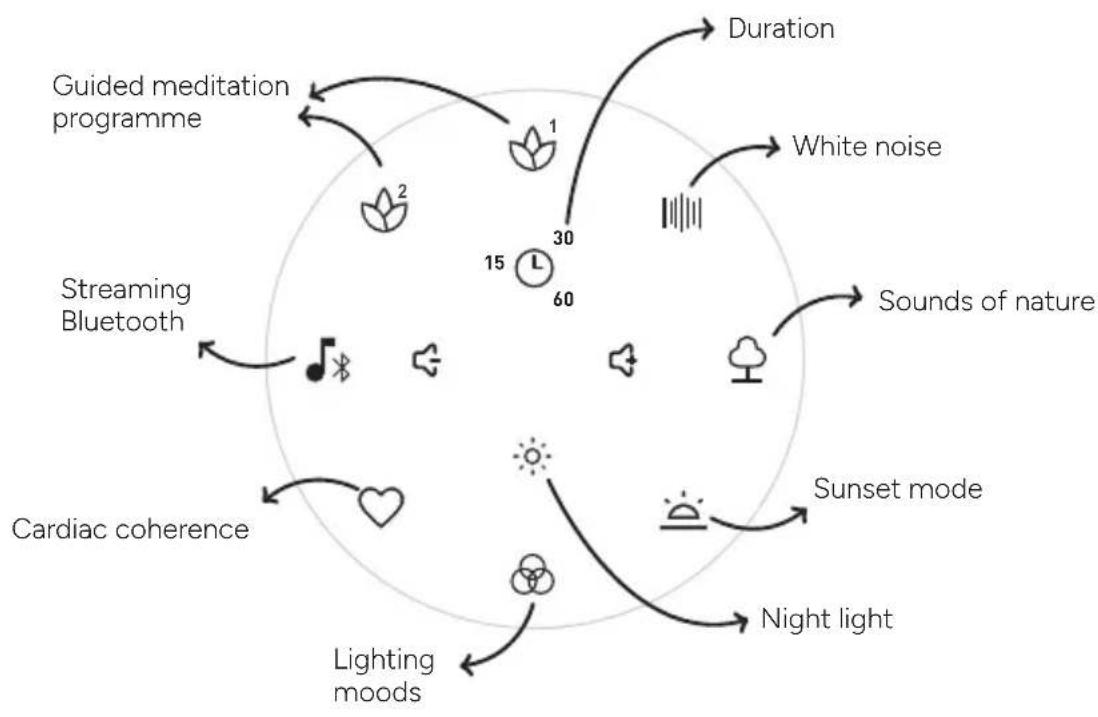
flowchart
graph TD
    A["Guided meditation programme"] --> B["1"]
    B --> C["30"]
    C --> D["60"]
    D --> E["15"]
    E --> F["Lighting moods"]
    F --> G["Cardiac coherence"]
    G --> H["Streaming Bluetooth"]
    H --> I["2"]
    I --> J["Duration"]
    J --> K["White noise"]
    K --> L["Sounds of nature"]
    L --> M["Sunset mode"]
    M --> N["Night light"]
    N --> O["Lighting moods"]
    O --> P["Cardiac coherence"]
    P --> Q["Streaming Bluetooth"]
    Q --> R["2"]
    R --> S["Duration"]
    S --> T["Lighting moods"]
    T --> U["Cardiac coherence"]
    U --> V["Streaming Bluetooth"]
    V --> W["2"]
    W --> X["Duration"]
    X --> Y["Lighting moods"]
    Y --> Z["Cardiac coherence"]
    Z --> AA["Streaming Bluetooth"]
    AA --> AB["2"]
    AB --> AC["Duration"]
    AC --> AD["Lighting moods"]
    AD --> AE["Cardiac coherence"]
    AE --> AF["Streaming Bluetooth"]
    AF --> AG["2"]
    AG --> AH["Duration"]
    AH --> AI["Lighting moods"]
    AI --> AJ["Cardiac coherence"]
    AJ --> AK["Streaming Bluetooth"]
    AK --> AL["2"]
    AL --> AM["Duration"]
    AM --> AN["Lighting moods"]
    AN --> AO["Cardiac coherence"]
    AO --> AP["Streaming Bluetooth"]
    AP --> AQ["2"]
    AQ --> AR["Duration"]
    AR --> AS["Lighting moods"]
    AS --> AT["Cardiac coherence"]
    AT --> AU["Streaming Bluetooth"]
    AU --> AV["2"]
    AV --> AW["Duration"]
    AW --> AX["Lighting moods"]
    AX --> AY["Cardiac coherence"]
    AY --> AZ["Streaming Bluetooth"]
    AZ --> BA["2"]
    BA --> BB["Duration"]
    BB --> BC["Lighting moods"]
    BC --> BD["Cardiac coherence"]
    BD --> BE["Streaming Bluetooth"]
    BE --> BF["2"]
    BF --> BG["Duration"]
You can use the product while it is charging, but we recommend waiting until it is fully charged before using it.
Terraillon.
EN
MANAGE THE VOLUME
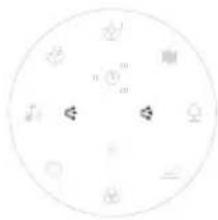
Use the 🔊 or 🔊 buttons to adjust the volume of your selected sound.
natural_image
Circular diagram with abstract symbols and arrows, no readable text or labelsSELECT A DURATION
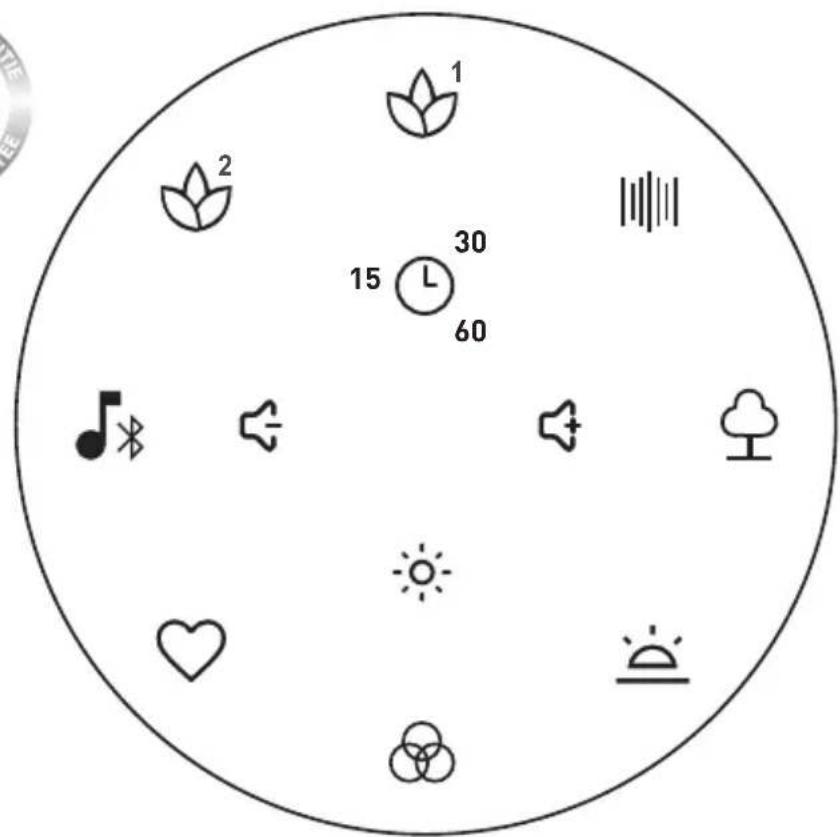
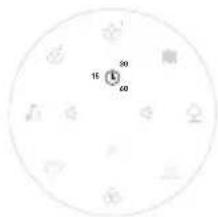
You can choose how long to play one of the sounds, one of the light programs (sunset, cardiac coherence, mood light, night light) or to combine sounds and lights. Preset programmes lasting 15, 30 or 60 minutes are available. Press ☐ to choose the programme length of your choice. A white circular arc indicates the length of your selected programme. The 15-30-60 min time can be activated at any time, but it is advisable to select one of the functions before selecting the program time. When the programme finishes, the product switches off automatically (sound and light).
text_image
16 30 60SELECT A SOOTHING SOUND
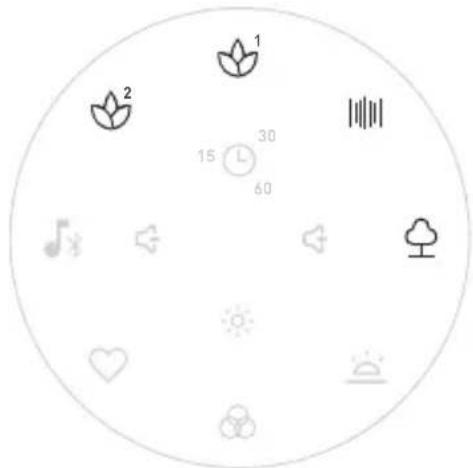
Once the product is charged, you can select one of the 4 programs below:
text_image
1 2 30 15 L 60Terraillon.
EN
| White noise and sounds of nature | |
| 6 sounds of nature 6 white noisesounds | |
| BirdsongCicada songRain and stormSoothing musicRelaxing musicSound of waves | TV cracklingAir conditioningFireplaceCat purringRainFan |
Press briefly to start the 1st nature sound or white noise. Press successively to move on to subsequent sounds. If no duration is selected, press and hold to stop.
| Guided meditationGuided meditation sessions developed in collaboration with a hypnosis and meditation practitioner and a music therapist to accompany you throughout the day. | |
 6 morning meditation programs 6 morning meditation programs | 6 evening meditation programs |
| A successful day - 10 minPositive energy - 10 minMorning stretch - 10 minInner harmony - 10 minDeep relaxation - 10 minRelaxing break - 10 min | Soothing - 15 minLetting go - 10 minSleep ritual - 10 minRestorative sleep - 15 minPeaceful night - 10 minRocked by the waves - 15 min |
Terraillon.
EN
Press briefly to start the 1st morning or evening meditation sound. Press successively to move on to subsequent sounds. It is not possible to modify the duration of this function; meditation sessions will automatically stop at the preset times (see table above).
CHOOSING A SLEEP PROGRAM

Cardiac coherence mode
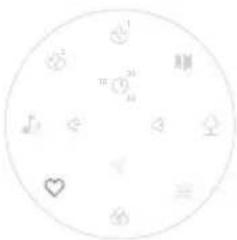
Breathing exercises are known to help relaxation and combat stress. In addition, by having a beneficial effect on your heart rate, cardiac coherence exercises naturally lead you to a state of relaxation, then sleep. Inhale as the red light gets more intense and exhale as it dims. You will slowly begin to relax and be under the best conditions to fall asleep.
natural_image
Circular diagram with abstract symbols and a heart, no readable text or labels- Press briefly to switch on the cardiac coherence program. If no time is selected, press briefly to switch it off.
• Inhale as the intensity of the red light increases
• Exhale as red light decreases

Sunset mode
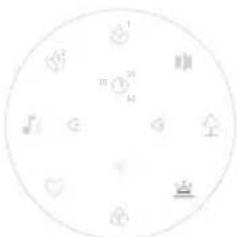
This program uses orange tones which gradually evolve towards a warm red, so as not to block the secretion of melatonin, the sleep hormone, to help you fall asleep more easily.
natural_image
Circular diagram with geometric symbols and no readable text or labels- Press briefly to switch the sunset mode on or off.
- If no duration is selected, the device switches off automatically at the end of the program (duration: 30 minutes).
Terraillon.
EN
SELECT LED LIGHTS
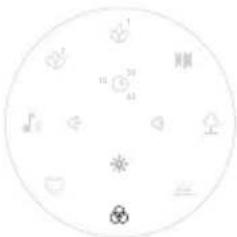
You can select a mood light from the 16 million colors available. Long press on the button 📋 to select the desired color. The product remembers the last light selected.
natural_image
Circular diagram with geometric symbols and numbers, no readable text or labels
Night light mode
- Press briefly to switch on the nightlight.
If no time is selected, press briefly to switch off. - Long press to change nightlight intensity.
• The product remembers the last selected intensity.
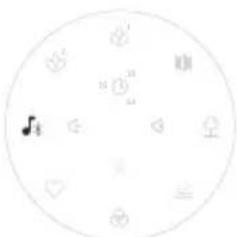
To stream your own soothing sounds and/or music:
- Switch the product on
- Press and hold the 🎨 icon: the product can now be paired.
- Turn on Bluetooth on the device that you would like to pair and start to try to pair your Zen Box Méditation, while keeping your
Zen Box Méditation within one metre of the device that you would like to sync. Zen Box Méditation will be displayed under the name "Zen box M". Simply select it in order to pair it.
natural_image
Circular diagram with musical notes, heart symbols, and directional arrows (no text or labels)-
A "beep" will indicate that the pairing process is complete.
-
When listening to your music, you can use the volume buttons as follows:
-
Press the button: to control music volume.
• To pause your music, press the icon 🎨.
Terraillon.
EN
-
Press and hold the 🎨 icon in order to deactivate the streaming function.
-
Press and hold the icon in order to reactivate the streaming function. The product that was previously paired with Zen Box Méditation will be automatically reconnected.
TECHNICAL SPECIFICATION
| Product Name Zen Box Méditation |
| Battery type and capacity Li-Ion, 1200 mAh |
| Charging interface USB-C |
| Charging time about 2 hours |
| Power input DC 5V, 1A max |
| RF band (GHz) 2.40 to 2.48 |
| E.I.R.P ≤ 0 dBm |
| Maximum wireless range 10 m |
| Speaker 4 Ω, 5W |
| Dimensions (cm) Diameter 12, height 5.5 |
| Weight 256 g |
EN
WARRANTY
This product is guaranteed against defects in materials and workmanship. During the warranty period, such defects will be serviced free of charge (proof of purchase must be presented for warranty claims). This warranty does not cover damage resulting from accidents, improper use or negligence. If you have a complaint, first contact the store where you made your purchase.
ENVIRONMENTAL PROTECTION
When the product is no longer usable, please take it to a collection point for the recycling of waste electrical and electronic equipment.
Terraillon.
DE
natural_image
Circular diagram with abstract symbols and arrows, no readable text or labelsDAUER WÄHLEN
text_image
Circular diagram with icons and numerical labels, likely representing a device or system layoutTerraillon.
DE
natural_image
Circular arrangement of icons including hearts, musical notes, and stars (no text or symbols)natural_image
Circular diagram with geometric symbols and numbers, no readable text or labelstext_image
Circular diagram with symbolic icons including hearts, planets, and a central asterisk, likely representing a scientific or educational concept.
Nachtlicht-Modus
text_image
Circular diagram with musical notes and symbols, including a musical note and heart patternsHET APPARAAT OPLADEN
text_image
Circular diagram with Chinese characters and symbols, possibly representing a diagram or layout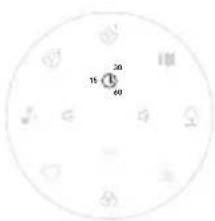
text_image
10 20 30 40EEN RUSTGEVEND GELUID KIEZEN
natural_image
Circular icon set with icons for music, music notes, sound waves, trees, and a plant (no text or symbols)Terraillon.
NL
natural_image
Circular arrangement of small icons including hearts, flowers, and a bird, with no text or symbols present.natural_image
Circular diagram with abstract symbols and numbers, no readable text or labelsnatural_image
Circular diagram with abstract symbols and no readable text or labels
Nachtlichtmodus
text_image
Circular diagram with musical notes and icons, including a musical note symbol and heart symbolsnatural_image
Circular diagram with abstract symbols and numbers, no readable text or labelsnatural_image
Circular diagram with icons representing music, music notes, heart, sun, moon, tree, and signal symbols (no text or labels)Terraillon.
natural_image
Circular arrangement of simple icons including heart, musical notes, hearts, and a heart symbol (no text or labels)natural_image
Circular diagram with icons representing various objects or symbols (no text or labels)natural_image
Circular diagram with abstract symbols and no readable text or labels
text_image
QR code image containing encoded data, no visible human-readable textnatural_image
Circular diagram with abstract symbols and numbers, no readable text or labelsnatural_image
Circular diagram with icons representing weather, music, music note, sun, heart, sun, cloud, and sound waves (no text or labels)Terraillon.
natural_image
Circular diagram with icons including hearts, hearts, hearts, hearts, hearts, hearts, hearts, hearts, hearts, hearts, hearts, hearts, hearts, hearts, hearts, hearts, hearts, hearts, hearts, hearts, hearts, hearts, hearts, hearts, hearts, hearts, hearts, hearts, hearts, hearts, hearts, hearts, hearts, hearts, hearts, hearts, hearts, hearts, hearts, hearts, hearts, hearts, hearts, hearts, hearts, hearts, hearts, hearts, hearts, hearts, heartsnatural_image
Circular diagram with icons representing various symbols (no text or labels)natural_image
Circular diagram with abstract symbols and no readable text or labels
natural_image
Circular diagram with icons and numbers, no readable text or symbolstext_image
Circular diagram with symbols including '顺', '正', '心', and various geometric shapes around a central point.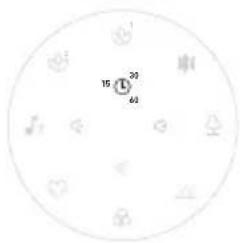
text_image
15 30 60VÄLJ ETT LUGNANDE LJUD
natural_image
Circular diagram with icons representing weather, music, sun, heart, and landscape elements (no text or labels)Terraillon.
SV
VÄLJA ETT SÖMNPROGRAM

Hjärtkoherensläge
natural_image
Circular arrangement of icons including heart, musical notes, guitar, and heart symbol (no text or labels)natural_image
Circular arrangement of small icons including hearts, wings, and a crown on white background (no text or symbols)natural_image
Circular diagram with abstract symbols and no readable text or labels
Nattljusläge
text_image
Circular diagram with musical notes and symbols, including heart, guitar, and moon iconsSV
Terraillon SAS France & Headquarters
1, rue Ernest Gouin
78290 Croissy-sur-Seine – France
Quarry Bay – Hong Kong
Tel: +852 (0)2960 7200
customerservice@terraillon-asia.com