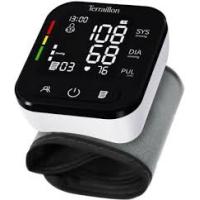
Tensio Connect - Blood pressure monitor TERRAILLON - Free user manual and instructions
Find the device manual for free Tensio Connect TERRAILLON in PDF.


User questions about Tensio Connect TERRAILLON
0 question about this device. Answer the ones you know or ask your own.
Ask a new question about this device
Download the instructions for your Blood pressure monitor in PDF format for free! Find your manual Tensio Connect - TERRAILLON and take your electronic device back in hand. On this page are published all the documents necessary for the use of your device. Tensio Connect by TERRAILLON.
USER MANUAL Tensio Connect TERRAILLON
MANUEL D'UTILISATION – INSTRUCTION MANUAL
TENSIO CONNECT
ARM-HA101+
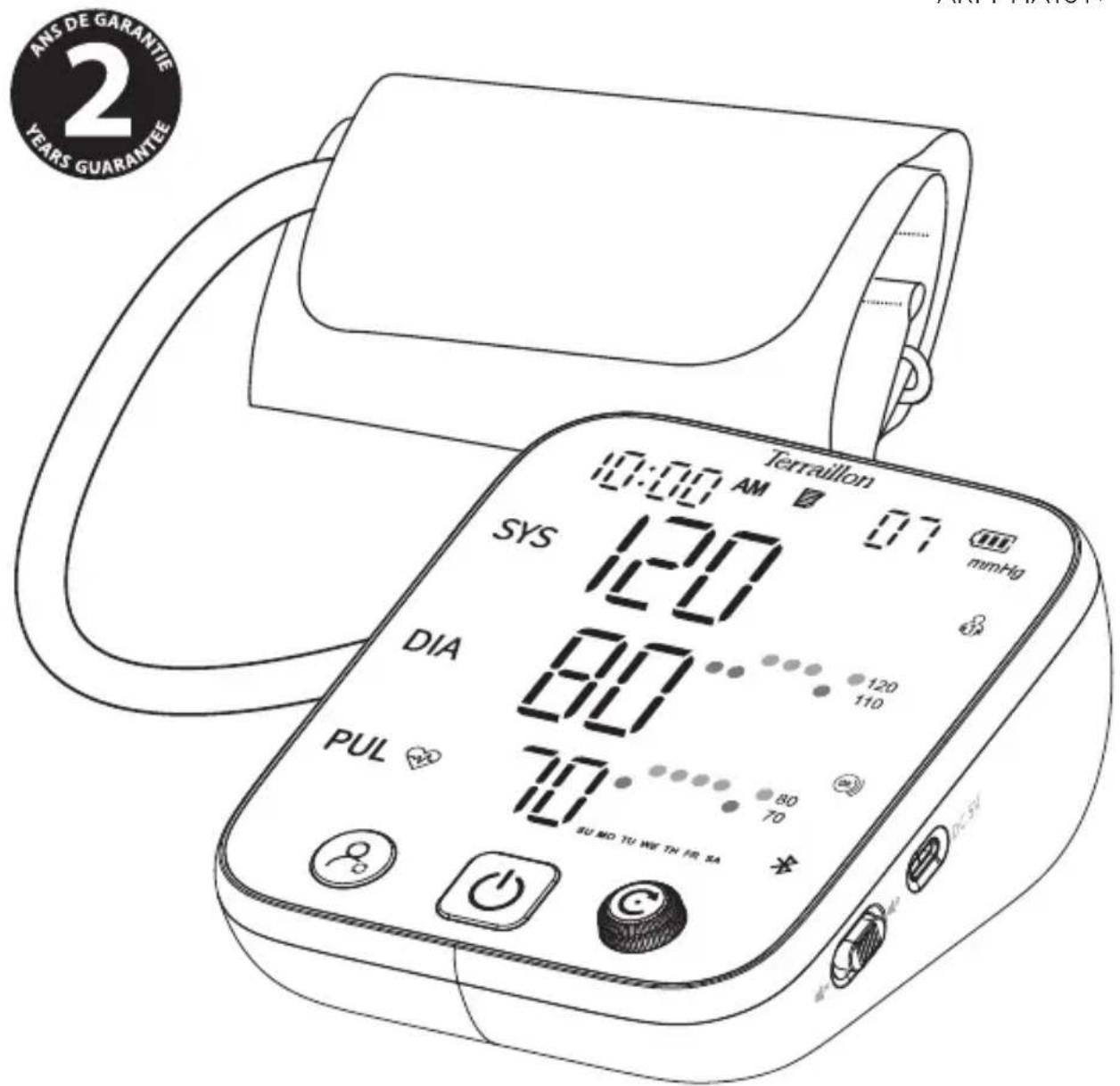
text_image
ANS DE GARANTIE YEARS GUARANTEE 10:00 AM 07 mmHg SYS 120 DIA 80 120 110 PUL 70 SU MO TU WE TH FR SAVersion:10/2025
Model: ARM-HA101+
CE0123
Terraillon®
www.terraillon.com

FR
Shenzhen AOJ Medical Technology Co., Ltd.
Room 301&4F, Block A, Building A, Jingfa Intelligent Manufacturing Park, Xiaweiyuan, Gushu Community, Xixiang Street, Bao'an District, 518126 Shenzhen, PEOPLE'S REPUBLIC OF CHINA
EU REP
Share Info GmbH
Am Schulzentrum 12, 41564 Kaarst, Germany
CH REP
St. Leonhard-Strasse 35, 9000 St. Gallen, Switzerland

MedEnvoy Switzerland
Gotthardstrasse 28, 6302 Zug, Switzerland
TENSIO CONNECT
FR TENSIOMÈTRE CONNECTÉ TERRAILLON NOTICE D'UTILISATION .... 5
EN TERRAILLON CONNECTED BLOOD PRESSURE MONITOR INSTRUCTION MANUAL 23
DE VERBUNDENES BLUTDRUCKMESSGERÄT TERRAILLON BEDIENUNGSANLEITUNG 41
NL VERBONDEN BLOEDDRUKMETER TERRAILLON HANDLEIDING 59
IT MISURATORE DI PRESSIONE CONNESSO TERRAILLON MANUALE DI ISTRUZIONI 77
text_image
QR code image containing encoded data, no visible human-readable textPRÉCAUTIONS
INFORMATIONS PRODUIT :
text_image
Line drawing of a blood pressure monitor with digital display and control buttonsTensiomètre x1
natural_image
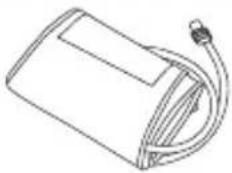
Line drawing of a rectangular device with a curved cable and connector (no text or symbols)Brassard 22-42 cm
x1
Pochette
de transport
x1
I. MISE EN TENSION DU PRODUIT
INSERTION DES PILES
natural_image
Technical diagram showing two views of a mechanical or electrical component with no visible text or symbolstext_image
Download on the App Store GOCON Google Playnatural_image
Illustration showing two steps of a medical procedure: one being held by hands, the other holding a blood pressure monitor (no text or symbols present)natural_image
Line drawing of a person sitting at a desk, viewed from the side (no text or symbols)natural_image
Line drawing of a human leg with a heart symbol and medical catheter, no text or labels presenttext_image
10:01 AM 60 OK rating 1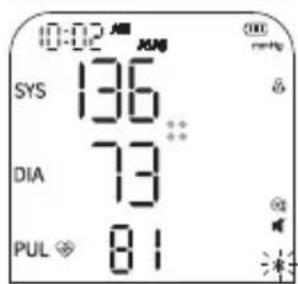
text_image
0:02 AM SYS 136 DIA 73 PUL 81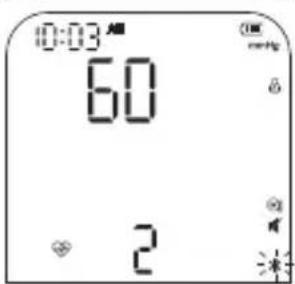
text_image
0:03 AM 60 2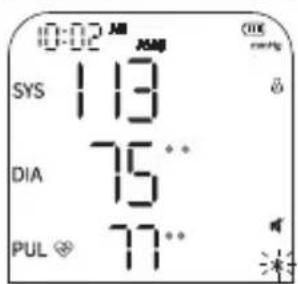
text_image
10:02 AM SYS 113 DIA 75** PUL 77**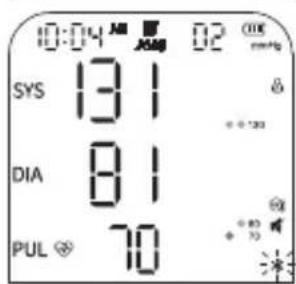
text_image
10:04 AM AM 02 ON SYS 131 DIA 81 PUL 70Terraillon.
FR
Sécurité :
Thank you for purchasing this product. To be completely satisfied with your product, we recommend reading this user manual carefully.
If you have any difficulties or need more information, you can find our help centre by scanning the QR code. If you cannot find the answer to your question, you can also contact our After Sales Service: support.uk@terraillon.com
text_image
QR code image containing encoded data, no visible human-readable textPRECAUTIONS
The following precautions should always be taken before using your ARM-HA101+ blood pressure monitor, hereinafter referred to as "the device".
GENERAL INFORMATION
- Read the operating instructions carefully and keep them for future reference. If you pass this device on to others, please also pass on this manual.
- Use this device only in accordance with the instructions in this user manual.
PRODUCT INFORMATION
- The blood pressure monitor is a digital monitor for measuring arterial pressure and heart rate with an arm circumference of 22 cm to 42 cm. It is intended for adult use only.
- This device uses the oscillometric method. This non-invasive method is used to measure systolic pressure, diastolic pressure and heart rate. This technique detects variations in the brachial artery and interprets them digitally to facilitate reading.
• This device meets the requirements of ISO 81060-2, ensuring reliability and accuracy. - The blood pressure monitor and cuff are suitable for use in the patient environment. That is, for indoor use at home.
- This device must be installed and started up in accordance with the information provided in this user manual.
- You can use this device to take your own measurements — no third party operator is required.
- Do not use this device for the diagnosis or treatment of a health condition or disease. Contact a healthcare professional in case of repeated abnormal measurements. Do not change your medication without the advice of your doctor or healthcare professional.
- Only use accessories approved by the manufacturer. The use of unapproved accessories may damage the device, injure users or provide incorrect data.
- Please use the device in the environment provided in the user manual. Otherwise, the performance and lifetime of the device will be affected and reduced.
• Similarly, performance can be affected by extreme temperature, humidity and altitude.
EN
- Do not drop your device or expose it to strong shocks or vibrations.
- No modification of this equipment is permitted.
• Report any malfunctions or unexpected events to the manufacturer.
- Keep the device, cuff and hose, charging cable and batteries out of reach of infants, children and elderly persons as they may present a choking or strangulation risk if used incorrectly.
- Keep small parts out of reach of children as they may swallow them. Contact a doctor immediately if ingested accidentally.

This device may only be used for the intended purpose described in this manual. The manufacturer cannot be held liable for incidental, consequential or special damage caused by misuse or abuse.
CONTRAINDICATIONS
- The device uses the oscillometric method to measure arterial pressure. The arm used for the measurement must have normal blood circulation. It is not suitable for people with restricted or impaired blood circulation.
- Avoid taking measurements on people who are unable to communicate clearly, such as newborns, infants, children, or unconscious patients.
- The device is not suitable for use on women who are or may be pregnant; people with diabetes; patients with implanted electronic devices such as cardiac stimulators, defibrillators, pacemakers, etc.; patients with pre-eclampsia, ventricular extrasystole, atrial fibrillation, peripheral arterial disease or kidney disease. Patients undergoing intravascular treatment or arteriovenous anastomosis; individuals who have undergone mastectomy.
- The device is not suitable for measurements on people with illnesses that cause uncontrollable movements (shaking, chills, etc.).
If you are in any of these four situations or suffer from an illness, please consult your doctor before using the device.
• Similarly, if you are taking medication, consult your doctor to determine the appropriate time to measure your arterial pressure.
- Do not use this device if you are allergic to polyester, nylon or plastic.
USEFUL TO KNOW:
• The cuff meets the requirements of ISO 10993-5, ISO 10993-10 and ISO 10993-23.
However, some sensitive people may have allergic reactions.
EN
PACKAGE CONTENTS
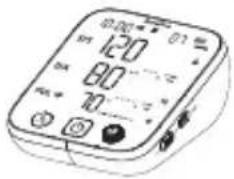
text_image
Diagram of a digital multimeter with display and control buttons, showing measurement ranges and function labelsBlood pressure monitor x1
natural_image
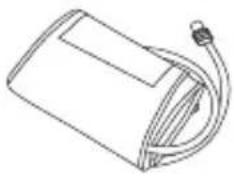
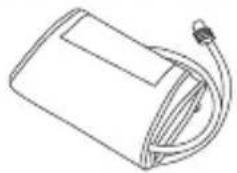
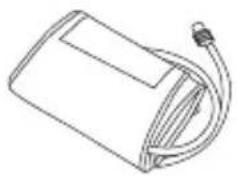
Line drawing of a rectangular device with a curved cable and connector (no text or symbols)Arm cuff 22-42 cm x1
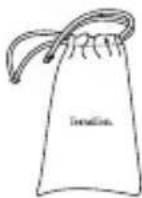
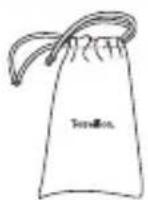
Carry pouch
x1

Instruction manual
x1
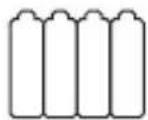
AA batteries
x4

USB-C
charging cable
x1
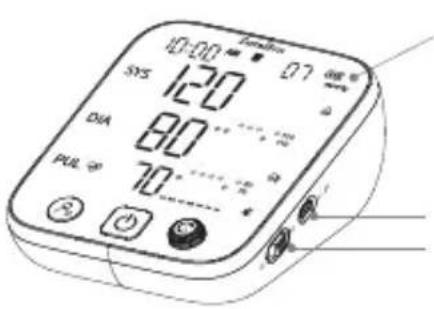
PRODUCT OVERVIEW
text_image
10:00 SYS 120 DIA 80 PUL 70 + - + - + - + - + - + -LED screen
External power supply port
Function not available on this product
text_image
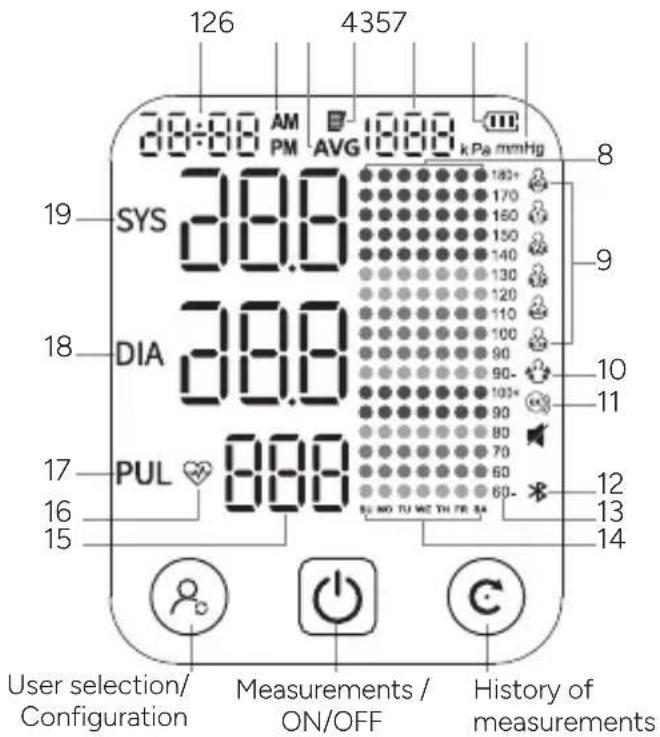
126 4357 28:00 AM 1800 kPa mmHg PM AVG SYS 38.0 DIA 38.0 PUL 800 User selection/ Configuration Measurements / ON/OFF History of measurementsREADING THE DATA
- Date and Time
- AM/PM Icon
- Average for the last three measurements
- Memory: stored measurements
- Measurement position (1-1000)
- Battery Symbol
- Blood pressure Unit
- Weekly Memory Display Area
- User symbol
- "Stay still" symbol
- Warning for incorrect cuff positioning
- Bluetooth Icon
- Vertical axis: blood pressure scale (mmHg)
- Horizontal axis: day of the week
- Measurement Display Area: SYS, DIA, PUL
- Heart rate (pulse): number of heart beats per minute
- Pulse symbol: heartbeat detection during measurement
- Diastolic pressure symbol
- Systolic pressure symbol
EN
PREPARATION BEFORE USE
Before use, make sure that the device is operating safely and in good working order. Do not use if it is damaged in any way. The continuous use of a damaged device may cause injury, improper results or serious danger.
I. POWERING UP THE PRODUCT
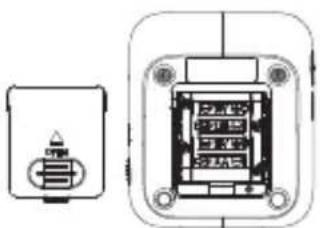
INSERTING BATTERIES
- Open the battery cover according to the method shown in the figure.
- Insert four AA batteries into the battery compartment, observing the + and - polarity.
natural_image
Technical line drawing of a mechanical component with two views: one showing a small cylindrical component and the other showing a rectangular housing with internal components (no text or symbols)CAUTION: Remove the batteries if you do not intend to use the device for a long period of time (more than 3 months)
USB-C CONNECTION FOR POWER
In addition to the batteries, power can also be provided by connecting to an external 5V DC, 1A power supply via a USB-C port.
NOTE: The USB-C power connection is suitable for temporary use when you do not have suitable AA batteries.
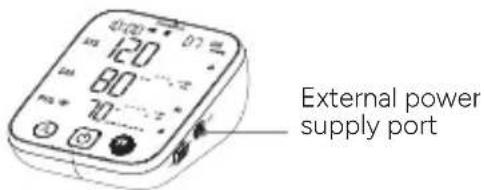
text_image
External power supply portThe adapter must comply with the IEC 60601-1 standard, and the specifications must comply with the following requirements: Input: AC 100\~240V 50/60 Hz, Output: DC 5V 1.0A. Other AC adapters may vary in terms of output voltage and polarities and may pose a risk to your life and damage the device.
II. USER SELECTION
This monitor offers six user profiles: five users with a memory capacity of 1000 records each, and a guest mode.
When the device is off, press the button ⌘ to select the user. Keep pressing the button until you reach the desired user interface, then press the center button to confirm and turn off the device.
Press the center button Ⓐ again to take a measurement for this user.

flowchart
graph LR
    A["Input Hand Icon"] --> B["0:00 Step"]
    B --> C["0:00 Step"]
    C --> D["0:00 Step"]
    D --> E["0:00 Step"]
    E --> F["0:00 Step"]
    F --> G["0:00 Step"]
    G --> H["Output Hand Icon"]
Guest User 1 User 2 User 3 User 4 User 5
EN
III. MyHealth app
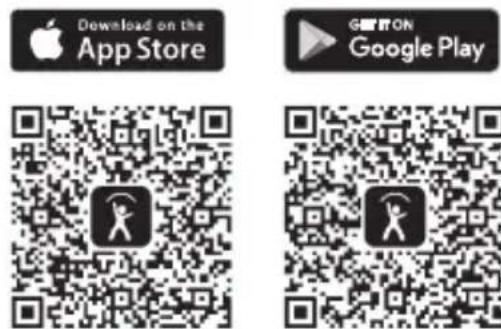
- Download the Myhealth - Wellness Coach app from the Apple Store or Google Play to transfer data to your phone.
-
Activate the Bluetooth function on your smartphone (Settings > Bluetooth > ON).
-
To fully use the features of your connected blood pressure monitor, please open the My Health app and create an account by following the in-app instructions.
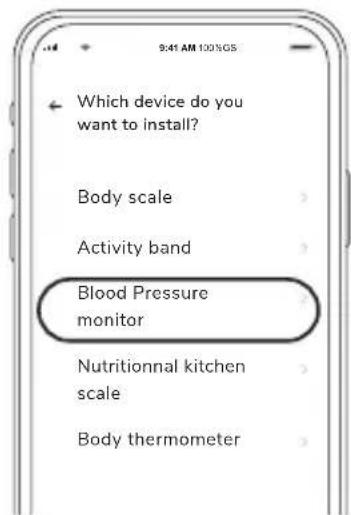
text_image
Which device do you want to install? Body scale Activity band Blood Pressure monitor Nutritional kitchen scale Body thermometer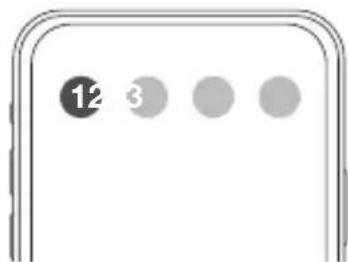
text_image
12 3Follow the instructions on the mobile application.
- Select the corresponding user. The Bluetooth symbol will flash and then stop once the connection is established.
Note: The Bluetooth connection allows your phone's time to be synchronized directly with the blood pressure monitor, without needing to set it manually.
Note: Each user must have a separate account in the app to keep their own measurements. After the first connection, it is not necessary to keep the app open or to pair the device before each measurement. The monitor's internal memory allows data to be retrieved during each connection, up to a maximum of 1,000 measurements per profile
EN
IV. TIME, DATE AND UNIT SETTINGS
This blood pressure monitor automatically records the user's measurement results with the date and time. Before using the device, make sure the date and time are set correctly for optimal results.
Note: The date and time cannot be changed while taking measurements.
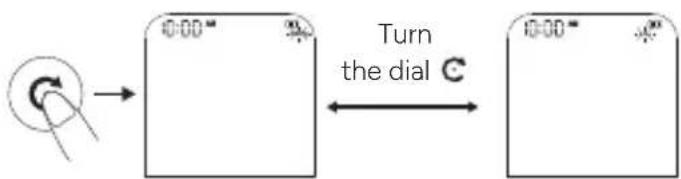
- When the device is off, press the button ⚠ for 5 seconds until the year flashes.
- Turn the dial C to select the year, then press to confirm.
- You will then move to the month selection. Scroll through the months by turning the dial C, then press again to confirm your choice.
- Repeat the procedure to set the day, hour, and minutes.

flowchart
graph LR
    A["Start"] --> B["Year Months Day Hour Minutes"]
    B --> C["1:00:00"]
    C --> D["3:00:00"]
    D --> E["5:00:00"]
    E --> F["12:00:00"]
- Once the date and time settings are completed, the device will directly prompt you to set the unit. Two units are available: mmHg and kPa. Turn the dial C to switch between kPa and mmHg, then press the button again to confirm your selection
text_image
Turn the dial CEN
TAKING MEASUREMENTS
I. PLACING THE CUFF
The cuff is placed on the left arm.
However, if your doctor has diagnosed you with poor blood circulation on this arm, or if you are in one of the situations explained in the "Warnings" section on page 30, you can use the right arm.
- Remove all jewellery, such as watches and bracelets.
Roll or push up your sleeve to expose the skin. Make sure that your sleeve does not squeeze your arm too tightly.
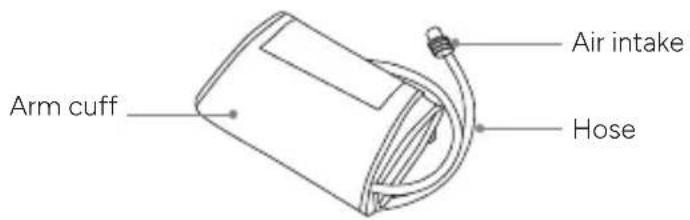
- Connect the cuff to the monitor by inserting the air Intake into the Air Jack.
text_image
Arm cuff Air intake Hose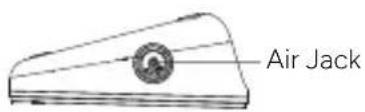
text_image
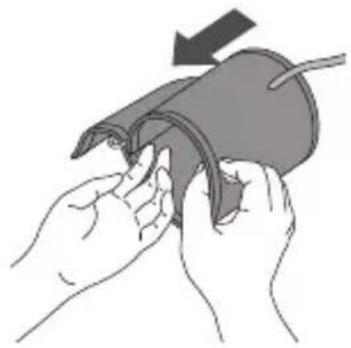
Air Jack- Place your hand in the cuff loop. Pull on the cuff until it reaches the upper part of your arm.
natural_image
Illustration of hands holding a medical device with an arrow indicating force (no text or symbols present)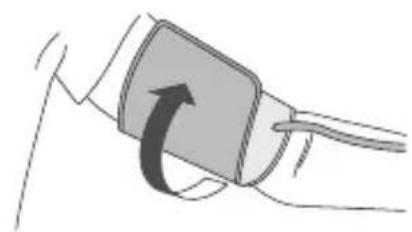
natural_image
Illustration of a hand holding a medical or surgical device with an arrow indicating rotation (no text or symbols present)- Make sure that:
• the lower edge of the cuff is 2 to 3 cm above the elbow,
• the hose is outside, aligned with your middle finger.
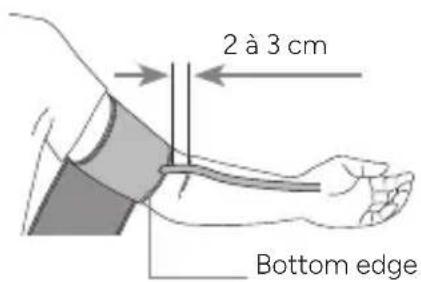
Tip: your cuff is tight if you can insert one finger between your arm and the cuff.
Terraillon.
EN
Warnings:
- Do not place the cuff on:
- Extremities other than the arm.
- A wound as this can lead to additional injuries.
- The arm of a person whose arteries or veins are undergoing medical treatment, i.e. intravascular access, intravascular therapy or an arteriovenous (A-V) shunt, which could disrupt blood circulation and cause injury.
- The arm on the same side as a mastectomy (especially when lymph nodes have been removed). It is recommended to measure on the unaffected side.
- An arm to which an intravenous drip or blood transfusion is attached.
- An arm where another monitoring device is applied. One or both devices may temporarily stop working if you try to use them at the same time.
-
Patient areas where skin is delicate or damaged.
-
Frequently check the cuff location for irritation or to ensure there is no irritation.
- Do not bend, stretch, squeeze or deform the hose during the measurement, as the cuff pressure may increase continuously, which may prevent blood flow and cause injury.
Safety:
In the rare event that the cuff remains fully inflated during the measurement, loosen and remove the cuff immediately. Prolonged high pressure applied to the arm (cuff pressure >295 mm Hg or constant pressure >15 mm Hg for more than 3 minutes) may cause ecchymosis and discolouration of the skin.
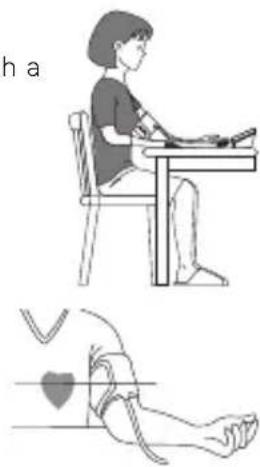
II. SITTING IN THE RIGHT POSITION
To take a measurement, you should be relaxed and comfortable in a room with a pleasant temperature.
- Sit upright in a comfortable chair with your back resting on the backrest.
- Do not cross your legs and keep your feet flat on the floor.
- Your arm should rest comfortably on a table or flat surface, palm up.
- Your cuff should be placed on your arm at the same level as your heart.
- Relax as much as possible.
natural_image
Illustration showing a person sitting at a desk and another person lying on the ground with a heart symbol (no text or labels)IMMOBILITY INDICATOR
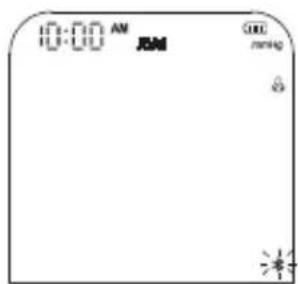
The icon flashes if you move or shake during the measurement, which can lead to incorrect results. Please adjust your posture and start the measurement again.
DETECTION OF "CUFF" POSITION
The icon Ⓧ will appear on the display when the cuff is wrapped correctly. If the cuff is too loose, the icon will flash continuously to indicate a problem. In this case, press the button Ⓧ to stop the measurement and reposition the cuff correctly before restarting the measurement.
EN
III. MEASURING ARTERIAL PRESSURE
STANDARD MEASUREMENT MODE
This product uses the oscillometric measurement method to detect arterial pressure. Before each measurement, the unit establishes a "zero pressure" equivalent to the air pressure. Then the product starts to inflate the cuff, while the unit detects the pressure oscillations generated by the pulse, beat by beat, which are used to determine the systolic and diastolic pressure as well as the pulse rate.
- Select the user who will take the measurement.
- Press the center button ⏻ to start the blood pressure measurement.
- The monitor will begin inflating for the measurement and display "00".
-
Inflation and measurement
The value on the screen will increase, then slowly decrease, while the heart rate symbol flashes. -
Display of results and memory storage
Once the measurement is complete, the systolic pressure, diastolic pressure, and pulse will be shown on the screen.
Consult your doctor if you obtain unexpected results.
TRIPLE MEASUREMENT MODE
In triple measurement mode, the device automatically takes three consecutive readings and calculates the average.
- With the device on standby, press the central button ⏻ for about 3 seconds to initiate triple measurement mode.
- "The "AVG" icon will blink three times as the device starts the first measurement. The number 1 appears at the bottom of the screen, indicating the first measurement.
- After the first measurement is complete, the value is displayed for about 5 seconds, and the device takes a 60-second break with a countdown display
- The device will repeat this process two more times. It will display 2 and then 3 for the second and third measurements. After the third and final measurement, it will automatically show the average of the three readings for blood pressure and heart rate.
- These results are stored in the memory associated with the user. "AVG" is displayed to indicate that it is the average of the measurements.
text_image
0:00 AM AM mmHg *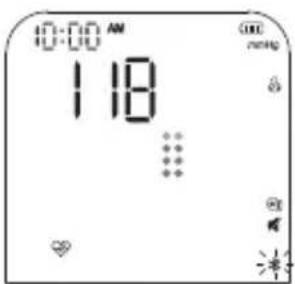
text_image
10:00 AM 118 ... OK no.ing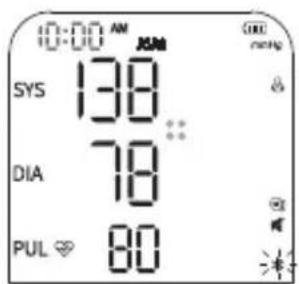
text_image
0:00 AM SYS 138 DIA 78 PUL 80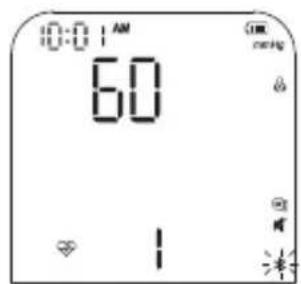
text_image
0:01 AM 60 OK no.ing - - + - + - + -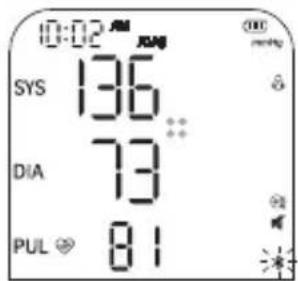
text_image
0:02 AM SYS 136 DIA 73 PUL 81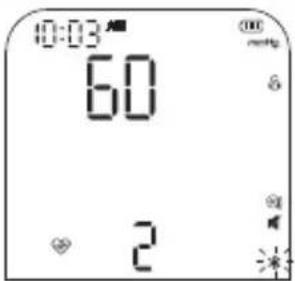
text_image
10:03 60 2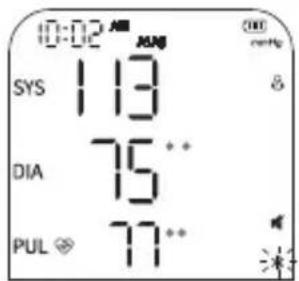
text_image
0:02 AM SYS 113 DIA 75** PUL 77**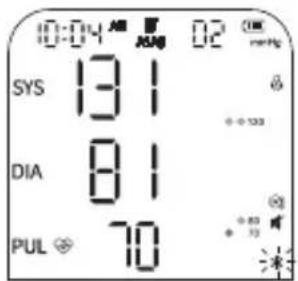
text_image
0:04 AM 02 SYS 131 DIA 81 PUL 70Terraillon.
EN
Safety:
If you feel uncomfortable during the measurement press the button ⏻immediately to stop it. If you experience any discomfort during a measurement, such as arm pain or other problems, press the button ⏻immediately to release the air from the cuff.
Recommendations:
- Do not measure your arterial pressure immediately if you feel like urinating, after exercising, bathing or eating or after drinking tea, coffee or smoking a cigarette. Rest for 20 to 30 minutes before taking the measurement.
- Rest for 5 minutes before the first measurement.
- Stay still and do not speak during the measurement.
- Wait at least 3 minutes between each measurement.
• Measure your arterial pressure at approximately the same time every day.
Note: While measuring, there is a 3-color indicator (two round dots) according to AHA standards on the right side of the display. After the measurement is done, if the user has no operation in 10 seconds, it will switch to the 1000-day mode, with a 7-days trend graph, the latest measurement result is always on the far right, refer to the 1000-day mode, and the voice will not be broadcasted; If the user does other operations during the 10 seconds, it will not go to the 1000 memory mode.
IV. TURNING OFF THE DEVICE
Press the button ⏻ to switch off the blood pressure monitor. Otherwise, the monitor will switch off automatically after 1 minute of inactivity.
Warnings:
- Avoid using your blood pressure monitor simultaneously on the same limb. Similarly, too frequent arterial pressure measurement can disrupt blood circulation, cause injuries and display inaccurate measurements.
- Please ensure that the device does not cause any prolonged impairment of blood circulation during operation.
- The device contains sensitive electronic components. To avoid measurement errors, avoid taking arterial pressure measurements in the vicinity of an interference signal emitted by a strong electromagnetic field or a fast transient/burst electric signal. Exemples: high-frequency (HF) surgical equipment; magnetic resonance imaging (MRI); scanner, computer-aided tomography (CT), etc.
- Wireless communications equipment such as wireless home network devices, mobile phones, cordless telephones and their base stations and walkie-talkies can cause interference that can affect the accuracy of measurements. A minimum distance of 1 foot (30 cm) from these devices must be maintained during a measurement.
- This device is portable, but not intended to be used during patient transportation.
- This device is not suitable for continuous monitoring during emergencies or medical procedures.
- This device is not AP/APG equipment. Do not use the device in the presence of flammable anaesthetics or in environments mixed with air or oxygen or nitrous oxide.
EN
DATA MANAGEMENT
In addition to the memory accessible via the app, the device also has internal storage capacity.
MEMORY FUNCTION:
Each measured value is automatically recorded under the previously selected user. The device can store up to 1000 measurements per user. Measurements are not recorded for the "Guest" user.
When the number of stored values reaches 900, "FUL" will appear in place of the pulse rate.
When the number of values reaches 1000, "END" will be displayed, and the oldest measurements will gradually be replaced by new ones.
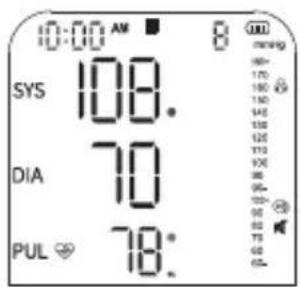
You can access your measurements in two formats: weekly format or 7-measure format.
- The weekly format organizes measurements by week, from Monday to Sunday. To access this view, press the button C once while the device is off.
The most recent measurement is displayed on the left side of the screen. A "1" appears at the top of the screen to indicate that it is the latest measurement. By turning the button C clockwise, you can scroll through previously recorded values, which are displayed on the right side of the screen and represented by a colored dot.
If multiple measurements are taken on the same day, the graph on the right side of the screen remains unchanged. If measurements are spread over several days within the same week, the right-side graph displays up to seven days of data, with each day represented by a separate colored dot. If no measurement was recorded on a given day, no dot will appear for that day.
text_image
0:00 AM SYS 108. DIA 70 PUL 78.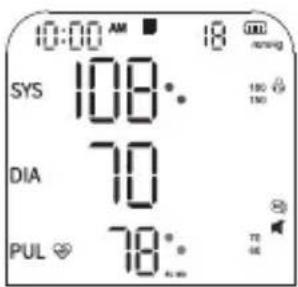
text_image
0:00 AM 18 SYS 108°. DIA 70° PUL 78°. 150 150 TE SE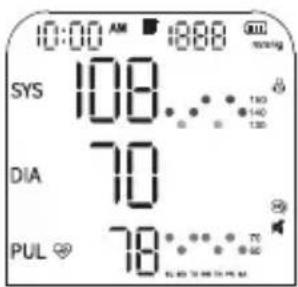
text_image
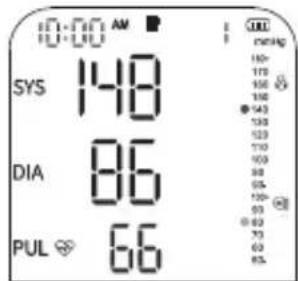
0:00 AM 1888 SYS 108... DIA 70 PUL 78...- The 7-measurement format displays the last 7 recorded measurements. To access this view, press and hold the button C while the device is off until the screen shows the latest measurement.
The oldest value is shown on the left side of the screen, while the last seven measurements are displayed as a graph on the right side. The value displayed on the left always corresponds to the point at the far right of the graph. Each point on the graph illustrates the trend of results over a set of seven consecutive measurements.
EN
Reminder: If multiple measurements are taken in a single day, the device memory remains limited to 1000 measurements in total, which corresponds to fewer than 1000 days.
text_image
10:00 AM SYS 148 DIA 86 PUL 66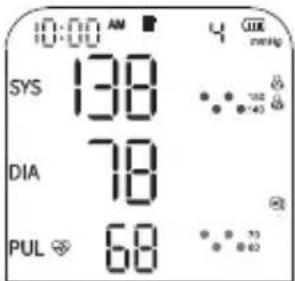
text_image
0:00 AM SYS 138 DIA 78 PUL 68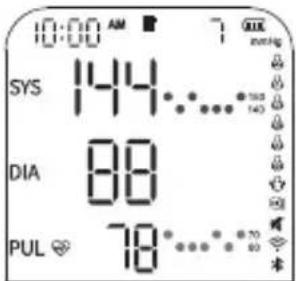
text_image
10:00 AM SYS 144 DIA 88 PUL 78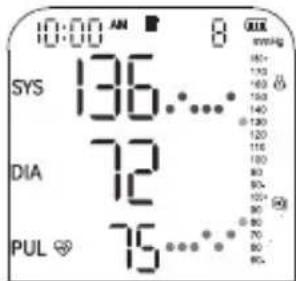
text_image
10:00 AM SYS 136... DIA 72 PUL 75...To delete stored measurements, first select the user whose recorded values you wish to erase by pressing the button. Then press the button to turn off the device. Press the button once the latest recorded measurement will be displayed.
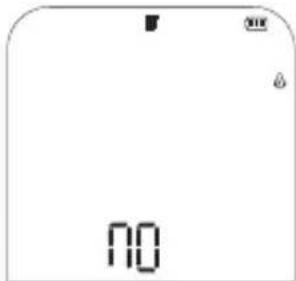
Next, press and hold the same button for about 3 seconds to delete all data associated with the selected user. Once the deletion is complete, a icon no will appear on the screen.
text_image
NOWHO ARTERIAL PRESSURE INDICATOR READING
For information, please refer to the pressure classification table (mmHg unit) established by the WHO and the International Society of Hypertension (ISH) in 1999.
| Colour display BP classification | Systolic blood pressure (mmHg) | Diastolic blood pressure (mmHg) | |
| Red Serious Hypertension ≥180 ≥110 | |||
| Red Moderate hypertension 160-179 100-109 | |||
| Orange Mild hypertension 140-159 90-99 | |||
| Green High normal value 130-139 85-89 | |||
| Green Normal blood pressure 120-129 80-84 | |||
| Green | Optimal blood pressure | <120 | <80 |
Reminder: This device enables you to monitor your blood pressure.
It is not intended to be a diagnostic device. Always contact your doctor for advice, diagnosis and treatment.
EN
WARRANTY AND ENVIRONMENTAL PROTECTION
This appliance is guaranteed against material and manufacturing defects for two years. During this period, the product will be replaced free of charge (proof of purchase must be presented if the product is under warranty). This warranty does not cover damage resulting from accidents, improper use or negligence. If you have a complaint, please contact the store where you purchased your product first. Waste electrical products should not be disposed of with household waste.
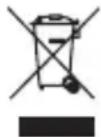
Please recycle where facilities exist. Check with your local authority or retailer for recycling advice.
TECHNICAL CHARACTERISTICS
| Model ARM-HA101+ | ||
| Display LED screen | ||
| Measurement method Oscillometric measurement | ||
| Measurement part Upper arm | ||
| Pneumatic pressure measurement range | 0~295 mmHg (0~39.3 kPa) | |
| Maximum pressure protection 295 mmHg (39,3 kPa) | ||
| Measurement range | Arterial pressure value | SYS : 57~255 mmHg (7,6~34,4 kPa)DIA : 25~195 mmHg (3.3~26.0 kPa) |
| Pulse frequency 40~199 bpm | ||
| Precision | Arterial pressure value ±3 mmHg (±0,4 kPa) | |
| Pulse frequency ±5% | ||
| Low battery | When the voltage is below 4V ±0.1V, the device switches off automatically. | |
| Power source 4 X AA batteries or 5V, 1A power supply | ||
| Memory 5 users x 1000 memories + guest mode | ||
| Dimensions 140 mm (L) x 120 mm (l) x 63 mm (H) | ||
| Screen size 95 mm (L) x 105 mm (l) | ||
| Cuff size 22~42 cm | ||
| Weight Approx. 320g (without batteries) | ||
| Automatic Shut-Off 1 minute without use | ||
EN
| Degree of protection against electric shock | Type BF |
| Operating mode Continuous operation | |
| Protection against ingress of water or particles | IP21 |
| Blood pressure monitor service life | 5 years |
| Cuff service life 10,000 uses | |
| Protection against electric shock | Internally powered ME equipment (battery-powered only)Class II ME equipment (when mains power is used) |
| Operating environment | Temperature: 5°C ~ 40°CHumidity: 15% ~ 90% RHAir pressure: 70 kPa ~ 106 kPa |
| Transport and storage conditions | Store in a clean and safe place.Storage temperature: -20oC ~ 55°CHumidity: 10% ~ 93% RHAir pressure: 70 kPa ~ 106 kPaStore in a well-ventilated area, away from corrosive gases. |
| Standard | The product has undergone clinical testing in compliance with ISO 81060-2 |
| Essential performance | 1. Measurement range (arterial pressure):- SYS: 57-255 mmHg-DIA: 25-195 mmHg-Pulse rate: 40-199 bpm2. Accuracy: Arterial pressure: ±3 mmHg (±0.4 Kpa);Pulse rate: ±5% |
| Power supply | The specified power supply must meet the following requirements:- Output voltage: DC 5V,- Output current: 1000 mA,- Class II- Complies with IEC 60601-1,- Must provide at least two layers of MOPP insulation between the AC input and DC output, in accordance with US and Canadian deviation requirements. |
The Tensio Connect upper-arm blood pressure monitor has been tested in accordance with the recommendations of the technical report IEC TR 60601-4-2: Medical electrical equipment – Part 4-2: Guidance and interpretation – Electromagnetic immunity; performance of medical electrical equipment and medical electrical systems.
Hereby, Terraillon SAS declares that the product Tensio Connect complies with the essential health and safety regulations. This product meets the fundamental requirements and other applicable provisions of the European RED Directive 2014/53/EU. The fulle declaration of conformity is available at: https://terraillonhelp.zendesk.com/hc/en-us/categories/360000322733-Declaration-of-Conformity E.I.R.P: 3.89 dBm
EN
MAINTENANCE & CARE
CLEANING
- Clean the device and cuff with a soft, dry cloth. If necessary, use a damp cloth and a natural detergent. Do not use alcohol, benzene or other harsh chemicals.
- When cleaning, make sure that you never immerse any part of the blood pressure monitor in order to prevent liquid from entering the device.
- Do not clean the cuff in a washing machine or dishwasher!
- Clean within 3 minutes each time. The number of consecutive cleans must not exceed three.
- The service life of the cuff may vary depending on washing frequency, skin condition and storage condition. Typical service life is 10,000 uses.
DISINFECTION
- The body of the device can be cleaned with a soft, clean cloth slightly dampened with 75% medical alcohol for disinfection.
- Avoid using disinfection methods such as high-temperature steam or ultraviolet radiation, as these can damage the device and reduce its service life.
- It is recommended that the display unit be disinfected before and after each use. The number of consecutive cleans must not exceed two.
- The blood pressure monitor must not be used again if liquid has penetrated and damaged the device or cuff.
STORAGE
• Make sure your device is clean and dry before storing it.
- Store the device and cuff in a clean, dry place and protect them from heat, lint, dust, direct sunlight and corrosive gases. Never place heavy objects on top of it. Avoid places where there is a high risk of vibration, shock, moisture or exposure to splashes, as this may damage the device.
- Remove the cuff from your device and fold it gently.
• Make sure that the rubber hose of the cuff is not crushed, stretched or kinked during storage.
- Store your device in its original cover or packaging. Store indoors at temperatures between -20^ and 55^ , 10% to 93% relative humidity, and 70kPa to 106kPa atmospheric air pressure. Make sure that it is stored in a well-ventilated area, free of corrosive gases.
- It may take up to 30 minutes for the device to warm up/cool down from the minimum/maximum storage temperature before it is ready for use.
MAINTENANCE
• No calibration is required.
- Do not attempt to repair the device yourself if it is not working properly. Repairs must only be carried out by authorised service centres.
- Do not use the device during maintenance or service.
EN
FAQS
What are systolic pressure and diastolic pressure?
Arterial pressure is produced by the heart beating as it contracts and relaxes. The maximum (systolic) and minimum (diastolic) arterial pressure can be measured.
Why is the arterial pressure value obtained at home different than that obtained in the hospital?
- The difference in arterial pressure between home and hospital measurements is approximately 20 mmHg - 30 mmHg (2.7 kPa - 4.0 kPa). This is because people tend to be more relaxed at home than in the hospital.
- Also, when the device is placed above the heart, the arterial pressure value tends to be much lower than it actually is. Make sure that the device is positioned at the same level as the heart.
- Pressure varies throughout the day, depending on time, physical effort and emotions. Furthermore, "white coat syndrome" often causes the pressure to rise when taken by a healthcare professional.
- The antihypertensive drug may have lost its efficacy. Please follow your doctor's instructions.
- The cuff may not be in the correct position. If the cuff is not placed correctly, no arterial pressure value will be obtained, and the arterial pressure value may be much higher than it is. Therefore, position the cuff correctly.
- The cuff is not tight enough. If the cuff is too loose, the compressive force may not be transferred to the artery and the arterial pressure value may be much higher than it is. Therefore, readjust and tighten the cuff further.
- The patient is not sitting correctly during the measurement. It is not advisable to squat, tilt, lean over or sit with legs crossed when taking arterial pressure due to increased abdominal pressure or the position of the arm below the heart.
- Please take the measurements in the correct position.
Why does my arterial pressure change during the day?
- Arterial pressure is not stable, it varies during the day. It is therefore important that the measurements are taken under identical conditions: regularly and at a fixed time, in quiet conditions and in the same environment.
- If you are taking medication, the measurements may vary further.
When can I get better measurements?
- It is best to take the measurements in the morning, just after urinating, or when your mind and body are stable. We recommend taking the measurements at the same time of day each time.
Why is the arterial pressure value measured different each time?
- During systole, the arterial pressure varies to a certain extent. For example, a person with a pulse rate of 70 beats per minute will see their arterial pressure vary from 100 to 800 per day. Since the arterial pressure changes constantly, it is difficult to obtain the correct arterial pressure value by measuring it only once. Therefore, the measurement should be taken two to three times. The first measurement will usually be higher due to nervousness or inadequate preparation; in the second measurement the nervous emotion will be slightly attenuated, so that the second measurement will typically be 5mmHg to 10mmHg (0.7 kPa to 1.3 kPa) lower the first time. This phenomenon is more obvious for people with high arterial pressure.
EN
- When measuring continuously, please note that: There may be extravasation of blood because the arm is squeezed, causing blood from the fingertip to not flow smoothly. If you continue the measurement in the event of blood extravasation, you will not be able to obtain the correct value measured. Loosen the cuff, lift your hand over your head, grasp and stretch the left and right palms 15 times in a row. The extravasated blood can then be removed and you can continue measuring your arterial pressure.
- Cuff position and wrapping method. The value measured varies depending on the cuff size. In particular, if the cuff is wrapped around your elbow, you will not be able to obtain the correct measured value.
- Please use the correct cuff wrapping method to take the measurement. The arm circumference of the cuff is between 22 cm and 42 cm (centre of arm). If the model does not match, please purchase separately.
Are the results the same with the right arm?
- Arterial pressure may be measured on both arms, but the results may differ from person to person. We therefore recommend that you always measure your arterial pressure on the same arm.
SPECIAL INDICATIONS
ERROR SYMBOLS
If the measurement is abnormal, one of the following symbols may appear. Please use the recommended measurement method.
| Error Cause/Solution | |
| Er U The arm cuff is too loose. | |
| Er H Inflation reaches 295 mmHg and deflates automatically after 20 ms. | |
| Er 1 Pulse is not detected correctly. | |
| Er 2 | Too many disturbances (movement, conversation or magnetic disturbance during a measurement). |
| Er 3 The pulse rate is too low (<40bpm) or too high (>199bpm). | |
| Er 23 The SYS value is below 57 mmHg. | |
| Er 24 The SYS value is greater than 255 mmHg. | |
| Er 25 The DIA value is below 25 mmHg. | |
| Er 26 The DIA value is greater than 190 mmHg. | |
EN
ANOMALIES & TROUBLESHOOTING
| Anomaly Possible fault Solution | ||
| No power supply | If the battery level is low | Replace batteries or insert power cable for power supply |
| Batteries are upside down Install batteries correctly | ||
| No pressurisation | The air intake is inserted incorrectly Firmly insert the air intake | |
| The cuff is damaged | Please contact the retailer to replace it with a new cuff | |
| Unable to measure due to display error | If the arm is moved when pressurising Keep your arm and body still | |
| If you talk during the measurement | Do not make any noise during measurement | |
| Slow pressurisation The cuff is too loose Please tighten the cuff | ||
 | If the arterial pressure can still not be measured after trying the solutions mentioned above, please contact the dealer. Do NOT attempt to disassemble the device yourself. | |
Understanding the relevant warning signs and symbols is essential for the correct and safe use of this medical device. The following signs and symbols may appear in this user manual or on the product labeling:
SAFETY INFORMATION
 | Caution |
 | TYPE BF APPLIED PART |
 | Symbol for marking of electrical and electronic equipment in accordance with the directive 2012/09 EU |
 | Refer to instruction manual |
 | Keep dry |
 | Low battery |
 | Keep out of direct sunlight |
 | Vertical upwards |
| IP21 | 2 protected against solid foreign bodies 12.5mm long ø and above; 1 protection against |
| CE0123 CE | |
 | Manufacturer |
 | Date of manufacture |
 | Serial number |
 | Batch number |
| EU REP | Authorised representative in the european community |
| RoHs | RoHs Mark |
| MD | Medical appliance |
| UDI | Unique device identifier |
| Importer in Switzerland | |
| CH REP | Authorised representative in Switzerland |
| EU REP | Authorised representative in the european community |
| RoHs | RoHs Mark |
| MD | Medical appliance |
| UDI | Unique device identifier |
| Importer in Switzerland | |
| CH REP | Authorised representative in Switzerland |
DE
text_image
QR code image containing encoded data, no visible human-readable textVORSICHTSMASSNAHMEN
PRODUKTINFORMATIONEN:
natural_image
Two technical diagrams showing a device with internal components and mounting holes, no text or symbols present.flowchart
graph LR
    A["Input"] --> B["4-bit binary"]
    B --> C["4-bit binary + 2-bit binary"]
    C --> D["4-bit binary + 1-bit binary"]
    D --> E["4-bit binary + 3-bit binary"]
    E --> F["4-bit binary + 2-bit binary"]
    F --> G["4-bit binary + 1-bit binary"]
    G --> H["4-bit binary + 3-bit binary"]
    H --> I["Output"]
text_image
Which device do you want to install? Body scale Activity band Blood Pressure monitor Nutritional kitchen scale Body thermometer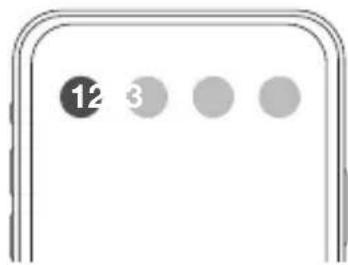
text_image
12 3natural_image
Illustration of hands holding a medical device with an arrow indicating force or pressure (no text or symbols present)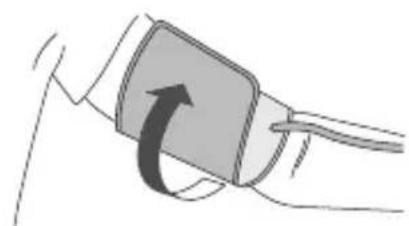
natural_image
Illustration of a hand holding a blood pressure monitor with an arrow indicating rotation (no text or symbols)natural_image
Line drawing of a person sitting at a desk using a computer (no text or symbols)natural_image
Line drawing of a human leg with a heart symbol placed on the knee, no text or labels presenttext_image
0:00 AM 118 ... ✓ OK no.ig ✓ ✓ +/-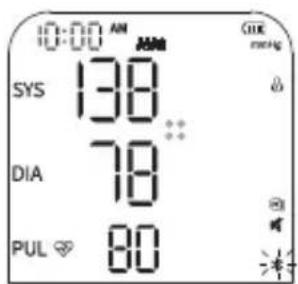
text_image
10:00 AM SYS 138 DIA 78 PUL 80 OK no.ig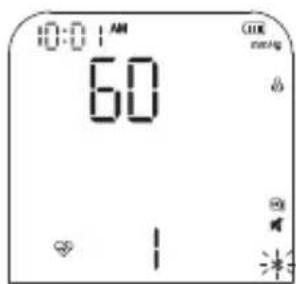
text_image
10:01 AM 60 OK no.ing # # 米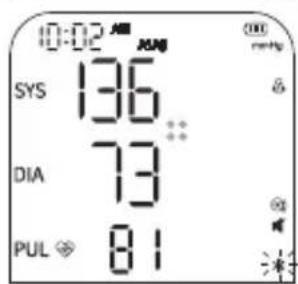
text_image
0:02 AM SYS 136 DIA 73 PUL 81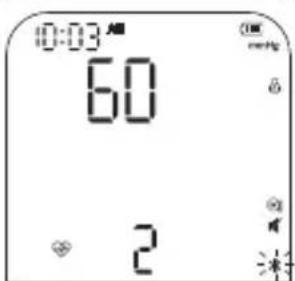
text_image
0:03 AM 60 2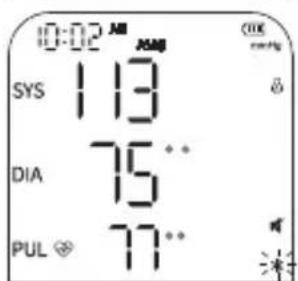
text_image
0:02 AM SYS 113 DIA 75** PUL 77**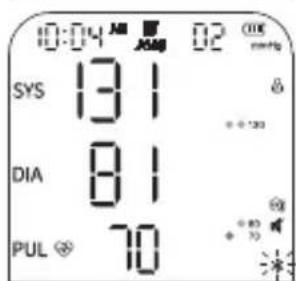
text_image
10:04 AM AM 02 ON SYS 131 DIA 81 PUL 70Terraillon.
DE
Sicherheit:
https://terraillonhelp.zendesk.com/hc/en-us/categories/360000322733-Declaration-of-Conformity E.I.R.P: 3,89 dBm
DE
WARTUNG & PFLEGE
REINIGUNG
text_image
QR code image containing encoded data, no visible human-readable textVOORZORGSMAATREGELEN
natural_image
Line drawing of a rectangular device with a curved cable and connector (no text or symbols)Manchet 22-42 cm x1
Draagtasje
x1
I. HET PRODUCT INSCHAKELEN
DE BATTERIJEN PLAATSEN
natural_image
Two technical diagrams showing a device with internal components and a central display panel (no text or symbols)USB-C AANSLUITING VOOR VOEDING
text_image
Which device do you want to install? Body scale Activity band Blood Pressure monitor Nutritional kitchen scale Body thermometer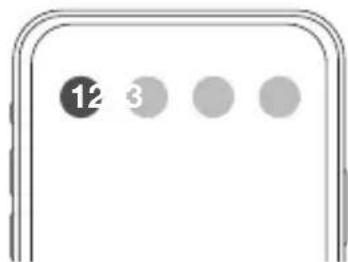
text_image
12 3natural_image
Illustration showing two steps of a medical procedure: one being held by hands, the other holding a blood pressure monitor (no text or symbols present)natural_image
Line drawing of a person sitting at a desk using a computer (no text or symbols)natural_image
Line drawing of a human leg with a heart symbol placed on the knee, no text or labels presenttext_image
10:00 AM 118 ... OK no.ing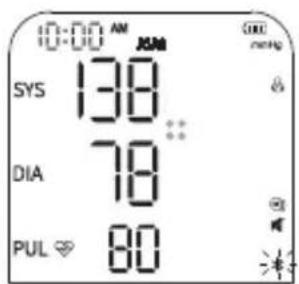
text_image
10:00 AM SYS 138 DIA 78 PUL 80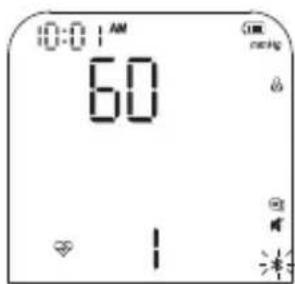
text_image
10:01 AM 60 GIM no.ing - - *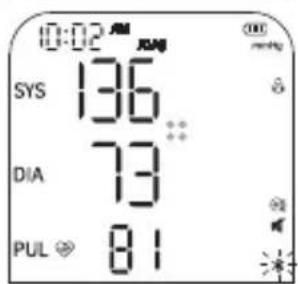
text_image
0:02 AM SYS 136 DIA 73 PUL 81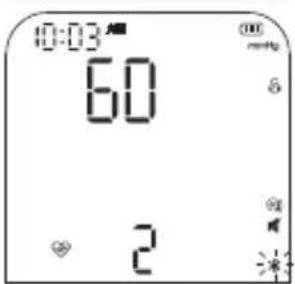
text_image
10:03 60 2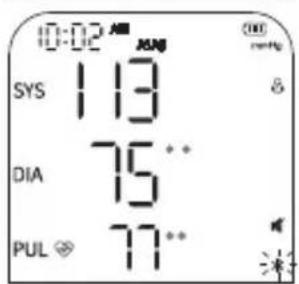
text_image
0:02 AM SYS 113 DIA 75** PUL 77**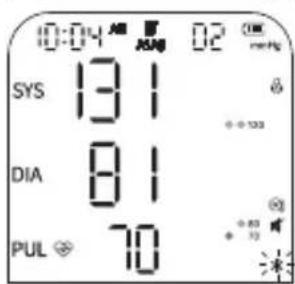
text_image
0:04 AM 02 00 SYS 131 DIA 81 PUL 70Terraillon.
NL
Veiligheid:
GARANTIE EN MILIEUBESCHERMING
text_image
QR code image containing encoded data, no visible human-readable textPRECAUZIONI
text_image
Hand-drawn diagram of a blood pressure monitor with labeled buttons and display screenSfigmomanometro x1
natural_image
Line drawing of a rectangular device with a curved cable and connector (no text or symbols)natural_image
Technical line drawing of a mechanical component with two views: one showing a cylindrical component and the other showing a rectangular housing (no text or symbols)text_image
Which device do you want to install? Body scale Activity band Blood Pressure monitor Nutritional kitchen scale Body thermometer
text_image
12 3natural_image
Illustration of hands holding a rolled-up document or package, with an arrow indicating direction (no text or symbols present)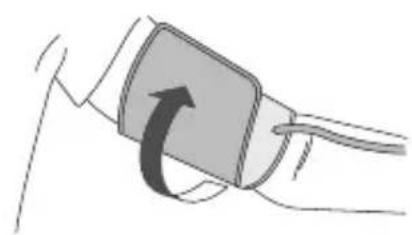
natural_image
Illustration of a hand holding a blood pressure monitor with an arrow indicating rotation (no text or symbols)natural_image
Line drawing of a person sitting at a desk, viewed from the side (no text or symbols)natural_image
Line drawing of a human leg with a heart symbol and measurement lines (no text or labels)text_image
10:01 AM 60 OK rating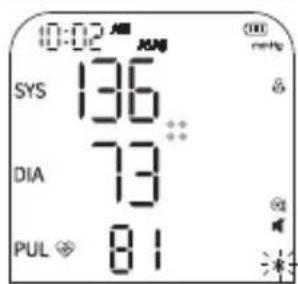
text_image
0:02 AM SYS 136 DIA 73 PUL 81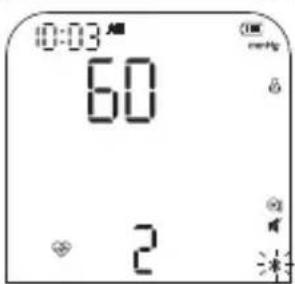
text_image
0:03 AM 60 2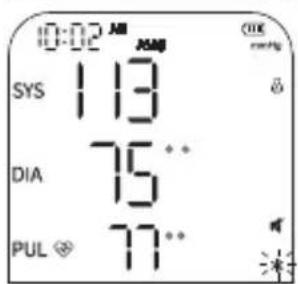
text_image
10:02 AM SYS 113 DIA 75** PUL 77**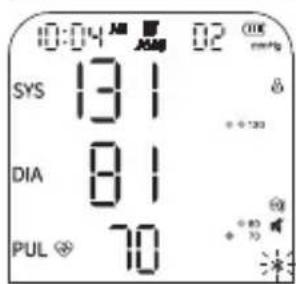
text_image
10:04 AM AM 02 ON SYS 131 DIA 81 PUL 70Terraillon.
IT
Sicurezza:
text_image
QR code image containing encoded data, no visible human-readable textPRECAUCIONES
text_image
Hand-drawn diagram of a medical or diagnostic device with labeled buttons and display screenTensiómetro x1
natural_image
Line drawing of a rectangular device with a curved cable or plug, no text or symbols presentBrazalete 22-42 cm x1
natural_image
Technical line drawing of a mechanical component with two views: one showing a cylindrical component and the other showing a rectangular housing (no text or symbols)text_image
Which device do you want to install? Body scale Activity band Blood Pressure monitor Nutritional kitchen scale Body thermometer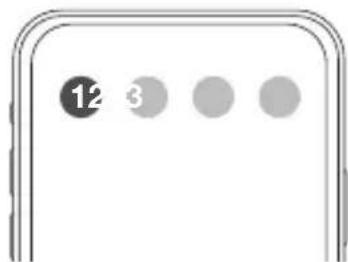
text_image
12 3natural_image
Illustration showing two steps of a medical procedure: one being held by hands, the other holding a blood pressure monitor (no text or symbols present)natural_image
Line drawing of a person sitting at a desk, viewed from the side (no text or symbols)natural_image
Line drawing of a human leg with a heart symbol placed on the knee, no text or labels presentINDICADOR DE INMOVILIDAD
text_image
00:00 AM 00:00 AM 00:00 AM 00:00 AM *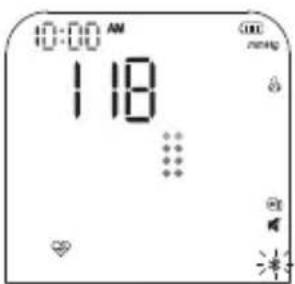
text_image
10:00 AM 118 ... OK no.ing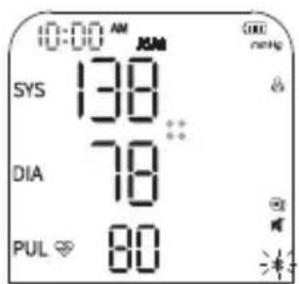
text_image
10:00 AM SYS 138 DIA 78 PUL 80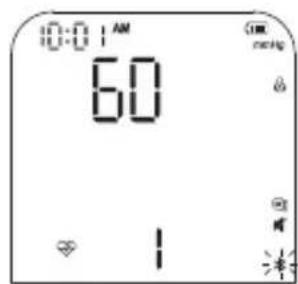
text_image
0:01 AM 60 OK reset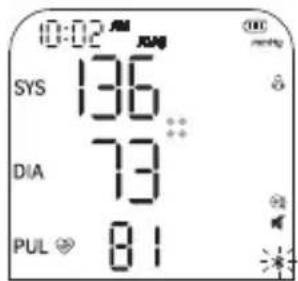
text_image
0:02 AM SYS 136 DIA 73 PUL 81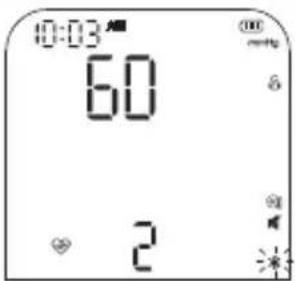
text_image
10:03 60 2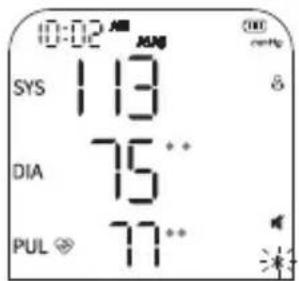
text_image
0:02 AM SYS 113 DIA 75** PUL 77**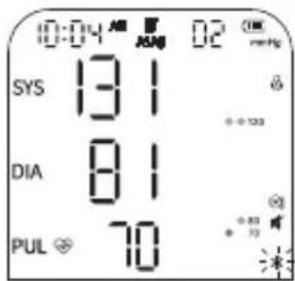
text_image
0:04 AM 02 mmHg SYS 131 DIA 81 PUL 70Terraillon.
ES
Seguridad:
text_image
QR code image containing encoded data, no visible human-readable textFÖRSIKTIGHETSÅTGÄRDER
natural_image
Line drawing of a rectangular device with a curved cable and attached plug (no text or symbols)Manschett 22-42 cm x1
Transportväska
x1

Bruksanvisning
x1
AA-batterier
x4
natural_image
Technical line drawing of a mechanical component with two views: one showing a small cylindrical component and the other showing a rectangular housing with internal components (no text or symbols)text_image
Download on the App Store GOFFON Google Playtext_image
Which device do you want to install? Body scale Activity band Blood Pressure monitor Nutritional kitchen scale Body thermometer
text_image
12 3natural_image
Illustration showing two steps of a blood pressure measurement procedure: one being held by hands, the other holding a blood pressure monitor (no text or symbols present)4. Kontrollera att:
natural_image
Line drawing of a person sitting at a desk using a laptop (no text or symbols)natural_image
Line drawing of a human leg with a heart symbol and bandage, no text or labels presentThe ME EQUIPMENT or ME SYSTEM is suitable for home healthcare environments.
Warning: Don't be near the active HF surgical equipment and the RF shielded room of an ME system for magnetic resonance imaging, where the intensity of EM disturbances is high.
Warning: Use of this equipment adjacent to or stacked with other equipment should be avoided because it could result in improper operation. If such use is necessary, this equipment and the other equipment should be observed to verify that they are operating normally.
Warning: Use of accessories, transducers and cables other than those specified or provided by the manufacturer of this equipment could result in increased electromagnetic emissions or decreased electromagnetic immunity of this equipment and result in improper operation.
Warning: Portable RF communications equipment (including peripherals such as antenna cables and external antennas) should be used no closer than 30 cm (12 inches) to any part of the equipment TMB-1490-BHJ including cables specified by the
Technical description:
- All necessary instructions for maintaining BASIC SAFETY and ESSENTIAL PERFORMANCE with regard to electromagnetic disturbances for the excepted service life.
- Guidance and manufacturer's declaration-electromagnetic emissions and Immunity.
Table 1
| Guidance and manufacturer's declaration - electromagnetic emissions | |
| Emissions test Compliance | |
| RF emissionsCISPR 11 | Group 1 |
| RF emissionsCISPR 11 | Class B |
| Harmonic emissionsIEC 61000-3-2 | Not applicable |
| Voltage fluctuations / flicker emissionsIEC 61000-3-3 | Not applicable |
EN
Table 2
| Guidance and manufacturer's declaration – electromagnetic Immunity | ||
| Immunity Test | IEC 60601-1-2Test level | Compliance level |
| Electrostatic discharge (ESD)IEC 61000-4-2 | ±8 kV contact±2 kV, ±4 kV, ±8 kV, ±15kV air | ±8 kV contact±2 kV, ±4 kV, ±8 kV, ±15kV air |
| Electrical fast transient/burstIEC 61000-4-4 | ±1 kV signal input/output100 kHz repetition frequency | ±1 kV signal input/output100 kHz repetition frequency |
| SurgeIEC61000-4-5 | Not applicable Not applicable | |
| Voltage dips, short interruptions and voltage variations on power supply input lines IEC 61000-4-11 | Not applicable Not applicable | |
| Power frequency magnetic fieldIEC 61000-4-8 | 30 A/m50 Hz / 60 Hz | 30 A/m50 Hz / 60 Hz |
| Conduced RFIEC61000-4-6 | 3 V0,15 MHz – 80 MHz6 V in ISM and amateur radio bands between 0,15 MHz and 80 MHz80% AM at 1 kHz | 3 V0,15 MHz – 80 MHz6 V in ISM and amateur radio bands between 0,15 MHz and 80 MHz80% AM at 1 kHz |
| Radiated RFIEC61000-4-3 | 10 V/m80 MHz – 2,7 GHz80% AM at 1 kHz | 10 V/m80 MHz – 2,7 GHz80% AM at 1 kHz |
| NOTE UT is the a.c. mains voltage prior to application of the test level. | ||
EN
Table 3
| Guidance and manufacturer's declaration - electromagnetic Immunity | |||||||
| Radiated RF IEC61000-4-3 (Test specifications for ENCLOSURE PORT IMMUNITY to RF wireless communications equipment) | Test Frequency (MHz) | Band (MHz) | Service Modulation | Modulation (W) | Distance (m) | IMMUNITY TEST LEVEL (V/m) | |
| 385 | 380-390 | TETRA 400 | Pulse modulation 18Hz | 1.8 0.3 27 | |||
| 450 | 430-470 | GMRS 460, FRS 460 | FM ± 5kHz deviation 1kHz sine | 2 0.3 28 | |||
| 710 | 704-787 | LTE Band 13, 17 | Pulse modulation 217Hz | 0.2 0.3 9745 | |||
| 780 | |||||||
| 810 | 800-960 | GSM 800/900, TETRA 800, iDEN 820, CDMA 850, LTE Band 5 | Pulse modulation 18Hz | 2 0.3 28870 | |||
| 930 | |||||||
| 1720 | 1700-1990 | GSM 1800; CDMA 1900; GSM 1900; DECT; LTE Band 1, 3, 4,25; UMTS | Pulse modulation 217Hz | 2 0.3 28 | |||
| 1845 | |||||||
| 1970 | |||||||
| 2450 | 2400-2570 | Bluetooth, WLAN, 802.11 b/g/n, RFID 2450, LTE Band 7 | Pulse modulation 217 Hz | 2 0.3 28 | |||
| 5240 | 5100-5800 | WLAN 802.11 a/n | Pulse modulation 217 Hz | 0.2 0.3 95500 | |||
| 5785 | |||||||
EN
| Guidance and manufacturer's declaration - electromagnetic Immunity | ||||
| Test Frequency | Modulation | IEC 60601-1-2 Test Level (A/m) | Compliance level (A/m) | |
| Radiated RF IEC61000-4-39 (Test specifications for ENCLOSURE PORT IMMUNITY to proximity magnetic fields) | 30 kHz CW 8 8 | |||
| 134.2 kHz | Pulse modulation 2.1 kHz | 65 65 | ||
| 13.56 MHz | Pulse modulation 50 kHz | 7.5 7.5 | ||
Terraillon SAS France & Headquarters
1, rue Ernest Gouin
78290 Croissy-sur-Seine – France
Quarry Bay – Hong Kong
Tel: +852 (0)2960 7200
customerservice@terraillon-asia.com
Terraillon Corp USA
text_image
QR code image containing encoded data, no visible human-readable texttext_image
QR code image containing encoded data, no visible human-readable textEN Scan the QR Code to access the TENSIO CONNECT installation and operation video guide.