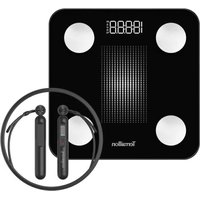
Gymfit Connect - Scale TERRAILLON - Free user manual and instructions
Find the device manual for free Gymfit Connect TERRAILLON in PDF.


User questions about Gymfit Connect TERRAILLON
0 question about this device. Answer the ones you know or ask your own.
Ask a new question about this device
Download the instructions for your Scale in PDF format for free! Find your manual Gymfit Connect - TERRAILLON and take your electronic device back in hand. On this page are published all the documents necessary for the use of your device. Gymfit Connect by TERRAILLON.
USER MANUAL Gymfit Connect TERRAILLON
text_image
PESAGE KG WEIGHINGMANUEL D'UTILISATION – INSTRUCTION MANUAL

text_image
ANS DE GARANTE YEARS GUARANTEEGYMFIT CONNECT
text_image
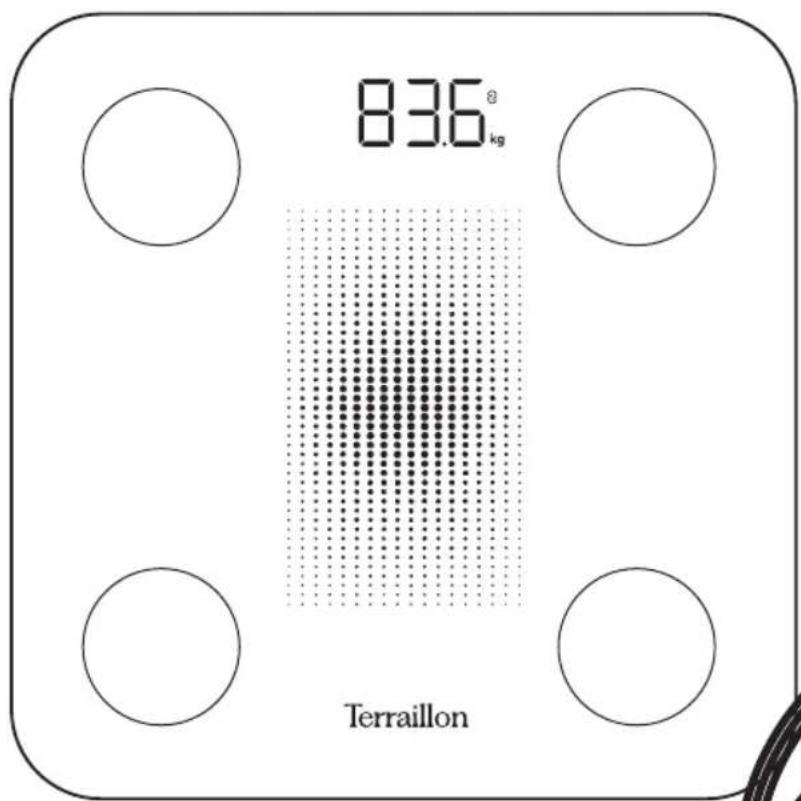
83.6° kg Terraillon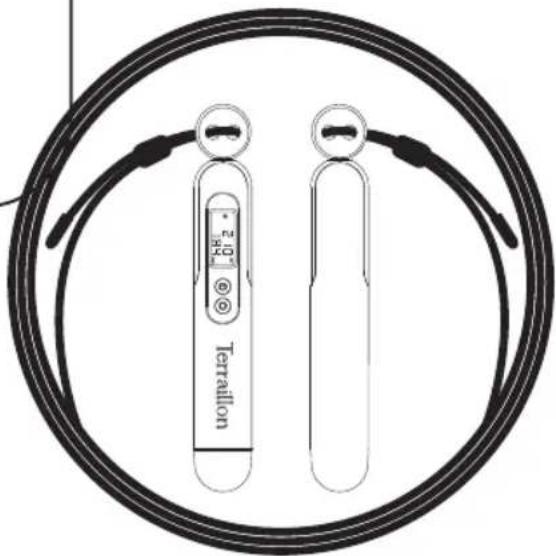
natural_image
Diagram of two Tierraillon sensors enclosed in a circular wire, no text or symbols presentTerraillon®
CE
www.terraillon.com
text_image
QR code image containing encoded data, no visible human-readable text
text_image
QR code image containing encoded data, no visible human-readable text

iPhone is registered trademark of Apple Inc.
Android is a trademark of Google Inc.
The Bluetooth ^® word mark and logos are registered trademarks owned by Bluetooth SIG, Inc. Other trademarks and trade names are those of their respective owners.
DÉCLARATION DE CONFORMITÉ
natural_image
Close-up of a square electronic component with four corner holes and a central grid pattern (no text or symbols)Download on the App Store

GET IT ON Google Play
text_image
Test tube Test tube Test tubetext_image
Diagram illustrating the assembly of a cylindrical device with labeled components and a circular component, showing progressive assembly from top to bottom.UTILISATION DE L'APPLICATION MYBODYCHECK
Thank you for choosing Terraillon's WEIGHT CONNECT body fat analyzer and skipping rop.
CONNECTED BODY COMPOSITION ANALYZER

Don't use this product if you wear a pacemaker or implantable electronic device • Any information provided by this device is in no way meant to treat, cure or prevent any disease or illness from happening.
PRODUCT OVERVIEW
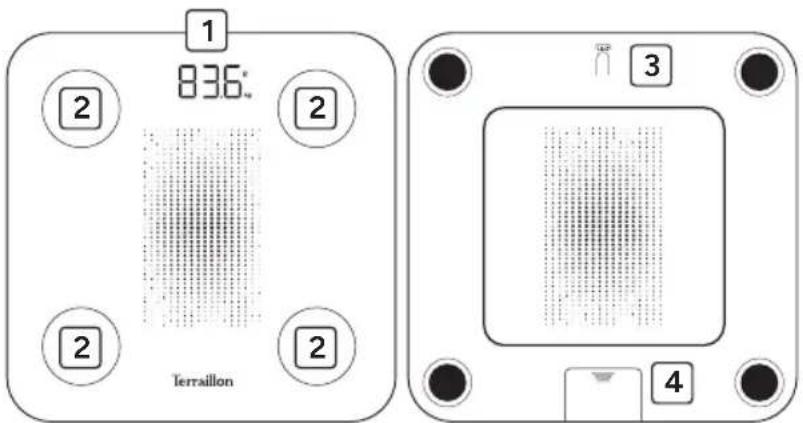
text_image
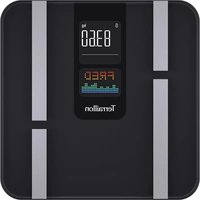
1 836° 2 2 2 Terraillon 3 41 Magic LED display
2 Electrodes
3 Unit button
4 Battery compartment
FIRST USE
- Insert the batteries (3AAA not included).
- You will need your smartphone to install your bathroom scales.
- Download the MyBodyCheck app, then open it.

Download on the
App Store

GET IT ON
Google Play
- Follow the instructions that appear on your smartphone. Ensure you enter all the information requested.
- Your smartphone must remain near to the bathroom scales throughout the installation process.
If you have any difficulties or need more information, you can find our help centre by scanning this QR code with your smartphone. If you cannot find the answer to your question, you can also contact our After Sales Service: support.uk@terraillon.com

EN
CONNECTED BODY COMPOSITION ANALYZER & JUMPING ROPE
START MEASURING
- You must have bare feet to be able to analyse your body mass.
- Open the MyBodyCheck application.
- Step onto your bathroom scale. Maintain contact with the electrodes and wait for the measurement to complete. The data is transmitted directly to the app.
- If the application is not open, the data will not be saved on the bathroom scale.
- In the case of weighing without the app open, and if the user is recognized (+/- 2Kg), the scale will display weight, body fat percentage and BMI twice in succession before switching off.
Be sure to always weigh yourself on a hard and flat surface.
CONNECTED SKIPPING ROPE
PRODUCT OVERVIEW
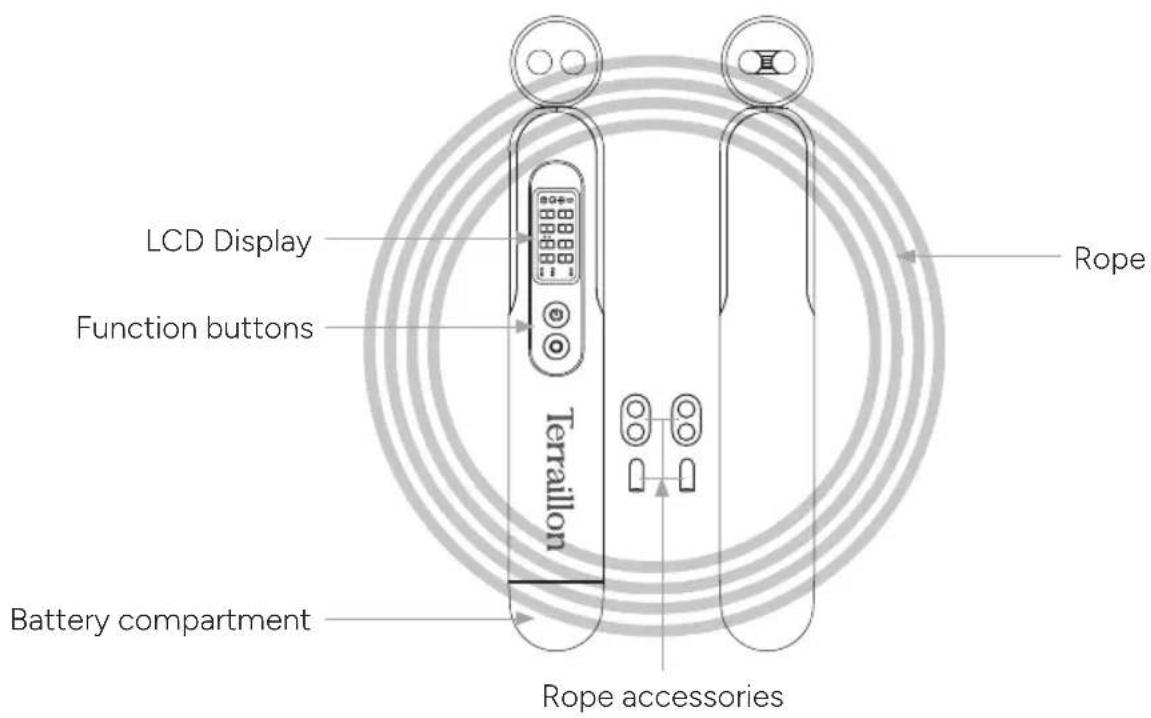
text_image
LCD Display Function buttons Terraillon Battery compartment Rope accessories RopeLCD DISPLAY

text_image
Bluetooth icon Free jump Timer Counting JUMP TIME kcal Jump count Time Calories countTerraillon.
EN
CONNECTED BODY COMPOSITION ANALYZER & JUMPING ROPE
JUMP ROPE SET UP
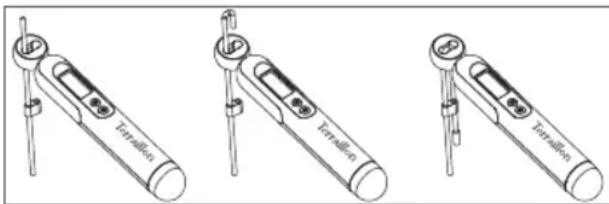
You can choose to use the skipping rope with the (classic) rope or with the short ball ropes (for indoor use).
Fit the rope to the main handle (with screen) as shown in the diagram. Secure the rope at the required length using the accessories included.
Do the same for the second handle.
text_image
Test tube Test tube Test tube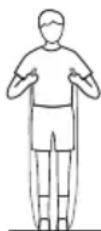
When using the long rope, adjust the length of the rope to your height as shown in the diagram.
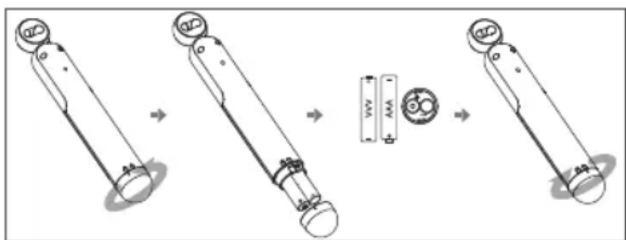
Open the battery compartment at the bottom of the main handle (with screen). Turn slightly to unlock.
Insert the batteries (2xAAA) into the battery compartment, making sure that the polarity is correct.
Close the battery compartment cap with marker 'l' opposite the 'lock open' symbol, press down and turn slightly so that marker "l" is opposite the 'lock closed' symbol.
text_image
Diagram illustrating the assembly of a mechanical component with labeled parts and motion arrowsMYBODYCHECK APP USE
- To use the skipping rope with the application, open MyBodyCheck application.
- Go to the Device tab and select 'Add device'.
- Select the skipping rope and follow the instructions that appear on your smartphone.
Once the skipping rope has been recognised, the Jump Rope section is displayed and you can start skipping by selecting the desired mode from the list:
• Free jump: jumps are counted until you want to stop (up to a maximum of 9999 jumps).
- Timer: triggers a timer (between 30s and 99min and 59s).
- Counting: launches a target number of jumps to be made (between 50 and 9999).
Terraillon.
EN
CONNECTED BODY COMPOSITION ANALYZER & JUMPING ROPE
You can activate/deactivate the sound, and change the voice and music settings, by going to the "More" tab at the bottom right, then to the voice settings.
USING THE CONTROL BUTTONS ON THE ROPE'S MAIN HANDLE
You can set the different modes you want directly from the main handle of the rope.
To do this, press the ON/OFF button to move from one mode to the next, and choose your settings using the red circle button.
A short press on the button increases the number of jumps or seconds setting by 10. A long press rapidly scrolls through the number of jumps or seconds until the desired setting is reached.
To confirm, press 'ON/OFF'.
You can now start jumping.
SAFETY WARNINGS
Failure to follow these warnings may result in serious injury.
RISKS RELATED TO SMALL PARTS
This product contains small detachable parts (e.g. fasteners, balls, battery compartment) that can be swallowed or inhaled, with a risk of suffocation.
Not suitable for children under 8.
Always keep small parts out of the reach of small children.
RISK OF STRANGULATION, TRIPPING AND INJURY
This product contains a rope that can cause a risk of strangulation or falling if used incorrectly.
Never wrap the rope around your neck, limbs or body.
Always adjust the rope length correctly and make sure the training area is clear and safe.
Product intended for sports use, not considered a toy.
Not recommended for children under 10 without active adult supervision.
Never allow children to use this product independently.
PRECAUTIONS FOR USE AND MAINTENANCE
Do not dismantle the handles or electronic components.
Do not expose the product to moisture, extreme temperatures or shock.
Discontinue use if the product shows visible damage.
Uses 2 x AAA 1.5V batteries. Please observe the correct polarity.
Keep batteries out of the reach of children.
Risk of swallowing that could cause serious internal burns.
Do not attempt to recharge non-rechargeable batteries.
Replace the batteries as soon as the 'Lo' indicator appears on the display.
EN
CONNECTED BODY COMPOSITION ANALYZER & JUMPING ROPE
FEATURES
Power supply 2 x AAA
Length of rope 3 m
Number of jumps 9999
Duration 30 s - 99 min
Estimated autonomy 25 days for 15 min / day
E.I.R.P 0 dbm
MAINTENANCE
Use water only. DON'T use propellant or other chemicals.
WARRANTY & ENVIRONMENT PROTECTION
This product is guaranteed for 2 years against material and manufacturing defects. During this period, such defects will be repaired free of charge (proof of purchase must be presented if the scale is under warranty). This warranty does not cover damage resulting from accidents, improper use or negligence. If you have a complaint please contact the store where you purchased the scale first.
Waste electrical products should not be disposed of with household waste. Please recycle where facilities exist. Check with your local authority or retailer for recycling advice.
DE
KÖRPERFETTANALYSEWAAGE & SPRINGSEIL
text_image
Test tube Test tube Test tube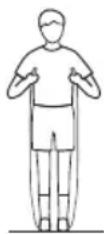
text_image
Diagram illustrating the assembly of a mechanical device with labeled components and directional arrows indicating motion.MYBODYCHECK APP NUTZEN
natural_image
Top-down view of a square electronic component with four corner holes and a central grid pattern (no text or symbols)text_image
Test tube Test tube Test tubetext_image
Diagram illustrating the process of a device with rotating components and a sensor, showing transformation from left to right.MYBODYCHECK APP GEBRUIK
VEILIGHEIDSWAARSCHUWINGEN
natural_image
Top-down view of a square electronic component with four corner holes and a central grid pattern (no text or symbols)text_image
Test tube Test tube Test tube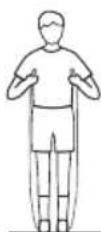
text_image
Diagram illustrating a mechanical assembly or assembly process with labeled components and directional arrows indicating progression.UTILIZZO DELL'APP MYBODYCHECK
natural_image
Top-down view of a square electronic component with four corner holes and a central grid pattern (no text or symbols)natural_image
Three identical line drawings of a laboratory pipette device with labeled ports (no text or symbols on the devices themselves)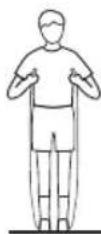
text_image
Diagram illustrating the process of a device with labeled components and transformation stepsnatural_image
Top-down view of a square electronic component with four corner holes and a central grid pattern (no text or symbols)natural_image
Three identical line drawings of a laboratory pipette device with labeled components (no text or symbols on the devices themselves)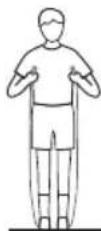
text_image
Diagram illustrating the assembly of a cylindrical device with labeled components and directional arrows indicating motion or transformation.Terraillon SAS France & Headquarters
1, rue Ernest Gouin
78290 Croissy-sur-Seine – France
Quarry Bay – Hong Kong
Tel: +852 (0)2960 7200
customerservice@terraillon-asia.com