X-Line Connect - Scale TERRAILLON - Free user manual and instructions
Find the device manual for free X-Line Connect TERRAILLON in PDF.


User questions about X-Line Connect TERRAILLON
0 question about this device. Answer the ones you know or ask your own.
Ask a new question about this device
Download the instructions for your Scale in PDF format for free! Find your manual X-Line Connect - TERRAILLON and take your electronic device back in hand. On this page are published all the documents necessary for the use of your device. X-Line Connect by TERRAILLON.
USER MANUAL X-Line Connect TERRAILLON
text_image
PESAGE KG WEIGHINGMANUEL D'UTILISATION – INSTRUCTION MANUAL

text_image
ANS DE GARANTIE YEARS GUARANTEEX-LINE CONNECT
text_image
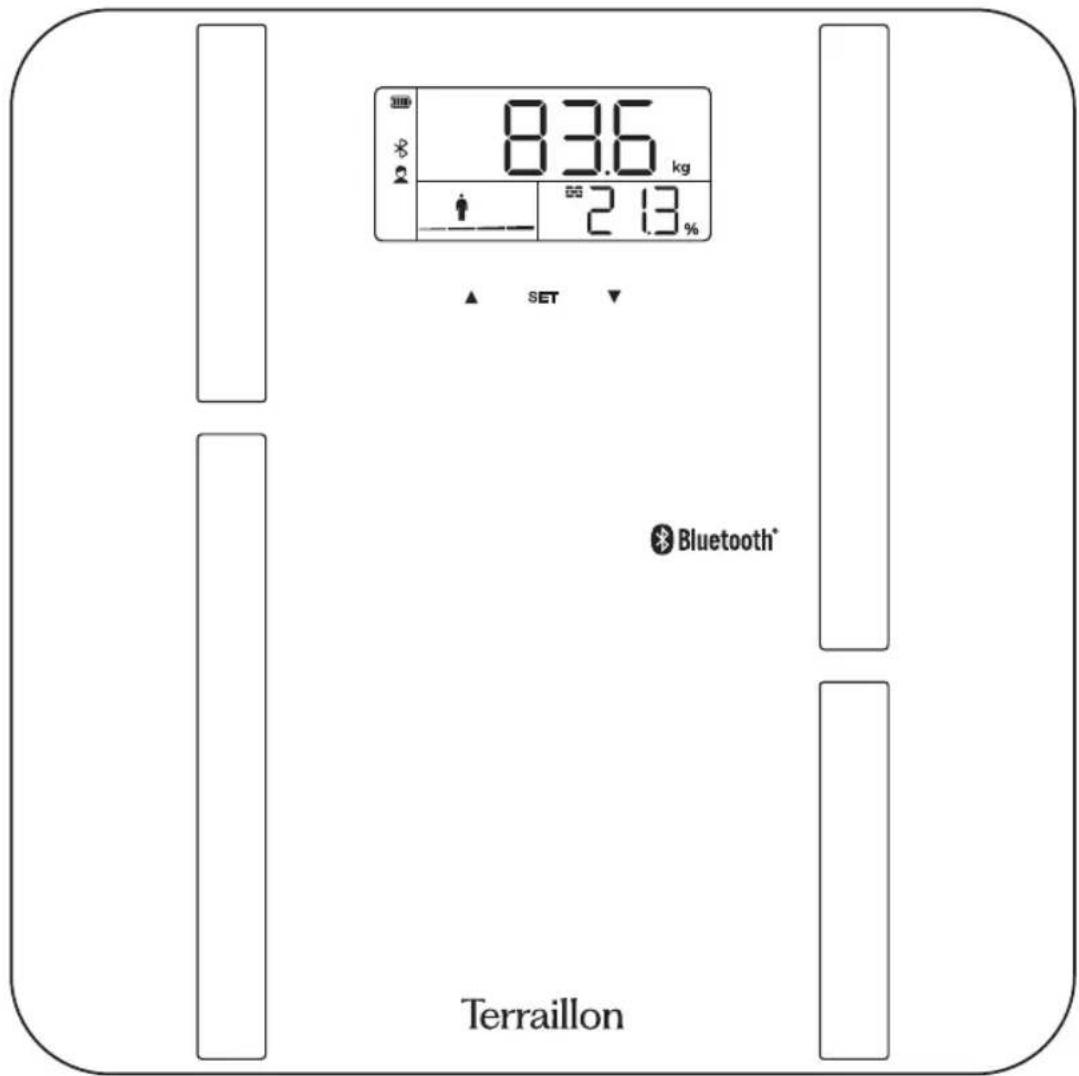
8.36 kg 2.13 % ▲ SET ▼ Bluetooth® TerraillonTerraillon®
CE
www.terraillon.com
text_image
QR code image containing encoded data, no visible human-readable text
text_image
QR code image containing encoded data, no visible human-readable text

iPhone is registered trademark of Apple Inc.
Android is a trademark of Google Inc.
The Bluetooth® word mark and logos are registered trademarks owned by Bluetooth SIG, Inc.
Other trademarks and trade names are those of their respective owners.
DÉCLARATION DE CONFORMITÉ
natural_image
Solid dark gray image with no visible content or textDownload on the App Store

GET IT ON Google Play
Thank you for purchasing this product. Please read these instructions carefully to take full advantage of your product
- Don't use this product if you wear a pacemaker or implantable electronic device.
- Any information provided by this device is in no way meant to treat, cure or prevent, any disease or illness from happening.
Safety instructions for charging the product's lithium Ion Polymer battery:
For your safety, always use an appropriate 5V charger/adapter to charge the scale. DO NOT USE a quick-charging USB adapter as this may damage the product.
- Use the Type-C cable included.
- Connect the USB-C plug to the charging port on the side of the scale.
- Connect the USB end to a USB socket on a computer or standard wall adapter to start charging.
- When the scale is charging, the battery picto on display will blink. When fully charged, the battery indicator will remain steady.
NOTE:
- You must select a qualified USB charger from a reputable manufacturer.
- You must charge the scale every 3 month.
- Only charge the product in ambient temperatures between 10^ / 40^ and 40^ / 104^ .
- Do not heat above 70^ / 158^ . Do not dispose of in a fire.
- Keep out of direct sunlight.
- Terraillon will not take any responsibility for the misuse of the product, such as using voltage higher than indicated. Misuse may result in serious injury or loss of property.
- In extreme cases, abuse or misuse of a lithium battery can lead to an explosion, heat generation, fire, or smoke development.
NOTES ON SAFETY
Please read this section carefully to familiarize yourself with features and operations before using the unit.
- The warning signs and the sample icons shown here are listed in order for you to use this product safely and correctly as well as to prevent product damage, risk and injury to you or others.
| PRECAUTION WARNING | Indicate the right condition to use the product and prevent damage risk and injury. |
| IMPORTANT FOR USERS | Indicate the important elements users should read before using the product. |
| CARE AND MAINTENANCE | Indicate matters in which the possibility of damage may happen as a result of incorrect handling and improper maintenance. |
EN
TERRAILLON CONNECTED BODY COMPOSITION ANALYZER

PRECAUTION WARNING
- Do not use the scale on subjects who have a pacemaker or implantable electronic device. It may cause the device to malfunction. When in doubt, please consult your physician. For pregnant women and people who have body implants such as artificial limbs, contraceptive devices, metal plates or screws, the results given by the Body Fat Analyser may be inaccurate. However there is no health risk associated with using the Body Fat Analyzer.
- Do not disassemble the scale as incorrect handling may cause injury.

IMPORTANT FOR USERS
- The «Athlete» mode is only applicable to those aged 18 or over.
- Body fat percentage estimates will vary with the amount of water in the body, and can be affected by dehydration or over-hydration due to such factors as alcohol consumption, menstruation, illness, intense exercise, etc.
- Do not use on pregnant women. The result is inaccurate.

CARE AND MAINTENENCE
- Do not disassemble the scale; it contains no user serviceable parts. Damage to the scale may occur as a result of improper handling.
- Clean the scale after use with a dampened cloth. Do not use solvents or immerse the unit in water.
- Avoid excessive impact or vibration to the scale, such as dropping it onto the floor.
- For body fat and body water estimates, subject must always be barefoot on the electrodes.
PRODUCT OVER VIEW
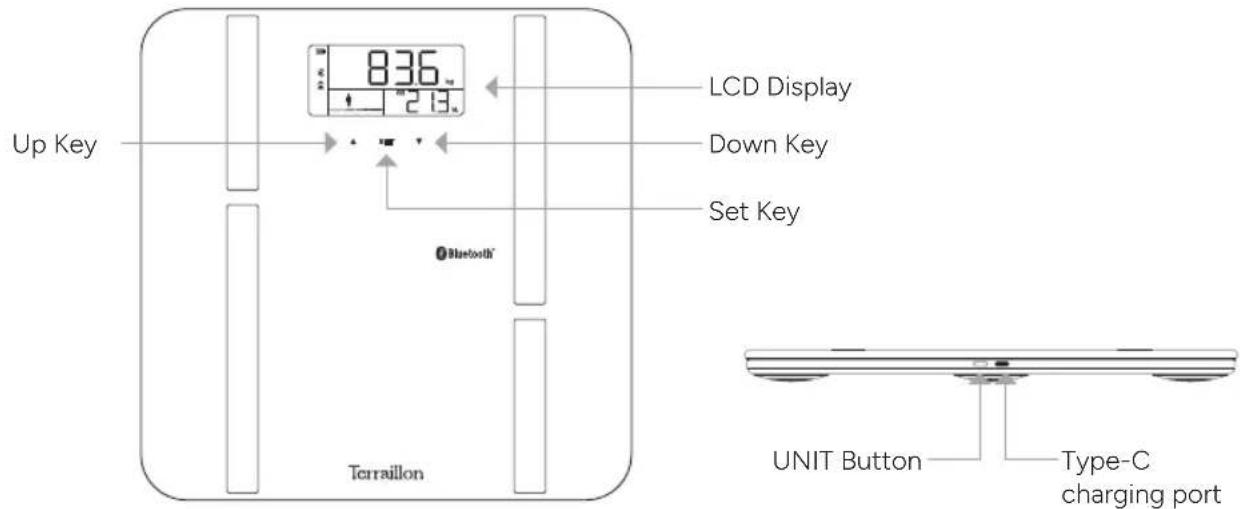
text_image
Up Key LCD Display 213 Down Key Set Key Bluetooth® Terrallon UNIT Button Type-C charging portTerraillon®
EN
TERRAILLON CONNECTED BODY COMPOSITION ANALYZER
LCD DISPLAY

text_image
18:00:00" ft cm Age st:lb kg BMI 88.8 kg lb %| Age | Age | cm | Height unit |
| Gender | ft | ||
| Body muscle % | kg | Weight unitBody bone kg | |
| lb | |||
| Body hydration % | st:lb | ||
| Body fat % Underfat | |||
| Athlete mode Healthy | |||
| BMI | Body mass index Overfat | ||
| Electric quantity Obese | |||
| Bluetooth | |||

PREPARATION BEFORE USE
Charging the battery for first-time use.
To charge the scales, plug the supplied cable (to be used with a USB charger, not supplied) into the connector on the side of your scales.

Charge your scale when is displayed.

natural_image
Solid dark gray image with a small white icon in the top-left corner (no text or symbols)Once charging is complete, unplug the charger. Leaving the product charging for too long is not recommended as this may damage the battery.
If you have any difficulties or need more information, you can find our help centre by scanning the QR code opposite with your smartphone. If you cannot find the answer to your question, you can also contact our After Sales Service: support.uk@terraillon.com
EN
TERRAILLON CONNECTED BODY COMPOSITION ANALYZER
FIRST USE
- You will need your smartphone to install your bathroom scales.
- Download the Wellness Coach - MyHealth app, then open it.

text_image
Download on the App Store GETIT ON Google Play- Follow the instructions that appear on your smartphone. Ensure you enter all the information requested.
- Your smartphone must remain near to the bathroom scales throughout the installation process.
- If you encounter any problems, please consult the help centre:
- It's important to bind your account with the scale for automatic recognition of user during weighing. You can pair the scale with 8 smartphones maximum. Before you first weighing, please select your profile number on the scale.
- When the user is not recognized, two profiles are displayed (here P1 and P8).
- Press ▲ to select the left-hand profile, ▼ for the right-hand one.
START MEASURING
Measurement unit
The default measurement unit is "Kilogram". To select the desired unit (kg, lb or st), briefly press the button next to the connector until the desired unit appears. The unit is then selected.
Initialization
Press the platform centre and remove your foot. "0.0" will be displayed. The scale will switch off and is now ready for use. This initialisation process must be repeated if the scale is moved. At all other times step straight on the scale.
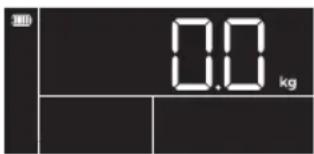
text_image
H 0.0 kgEN
TERRAILLON CONNECTED BODY COMPOSITION ANALYZER
To weigh and measure
- You must have bare feet to be able to analyse your body mass.
- Open the MyHealth application. If the application is not opened, the data will be saved in the scale.
- Get on your scale. Stand still. Maintain contact with the electrodes until the "☐" signal stops moving from left to right.
- Display the measurement
The LCD screen then displays BMI and body masses (fat percentage, water percentage, muscle mass and bone mass) for three times.
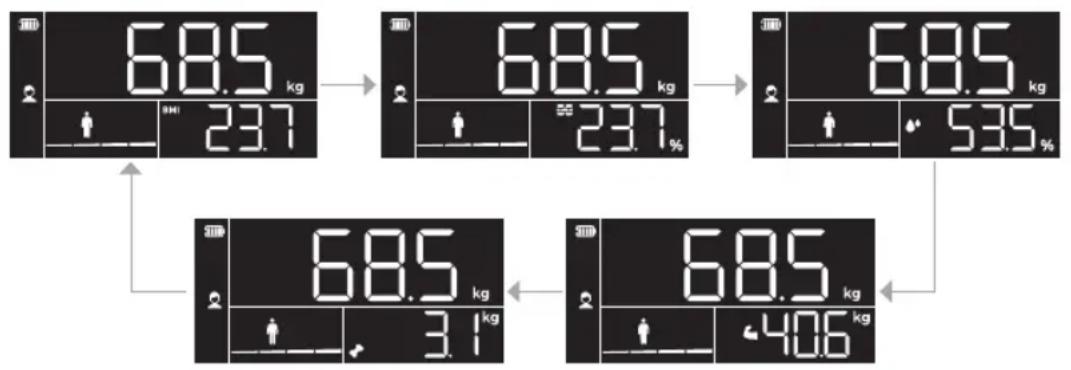
flowchart
graph TD
    A["68.5 kg"] --> B["23.7"]
    B --> C["68.5 kg"]
    C --> D["23.7%"]
    D --> E["68.5 kg"]
    E --> F["53.5%"]
    F --> G["68.5 kg"]
    G --> H["3.1 kg"]
    H --> I["68.5 kg"]
    I --> J["40.6 kg"]
When your scale is successfully paired with your smartphone and the Bluetooth is ON, the scale will process data transmission.
Automatically identify the user measurement.
- When the user stand on the scale directly, the scale will turn on and lock the weight.
-
When the weight is stable, display moving " ", means it is measuring. If it can identify the user successfully, it will display the measurement. If it detect several similar weights, the profile number flashes. Use the UP and DOWN buttons to select the user number, then press SET. Once you have selected the user, the measurements will be displayed and then the unit will turn off. If you do not select a user within 10 seconds, the weight will be displayed for a few seconds and then the unit will shut off (the weight will not be assigned to a user).
-
If it occurred error or it can't identify the user, it will display the present weight and turn off.
WARNING INDICATORS
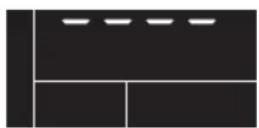
Overload :
remove weight immediately
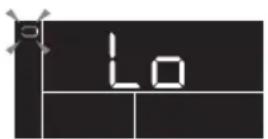
Battery low, charge scales

Failure of pairing up your scale with your smartphone.
Terraillon®
EN
TERRAILLON CONNECTED BODY COMPOSITION ANALYZER
PROTECT THE ENVIRONMENT
After life, dispose of this product at a designated waste recycling point.
E.I.R.P.: 0.74 dBm
GUARANTEE
This product is guaranteed against defects in materials or manufacturing. During the guarantee period, any such defects will be repaired free of charge (proof of purchase must be shown in the case of a complaint under guarantee).
The guarantee does not cover damage resulting from improper use or negligence. In the event of a claim, first contact the shop where you purchased the product.
DE
TERRAILLON KÖRPERFETTANALYSEWAAGE
Sehr geehrter
text_image
Download on the App Store GET IT ON Google Play⚠ WAARSCHUWING VOOR GEBRUIK
natural_image
Solid dark gray image with a small white icon in the top-left corner (no text or symbols)WAARSCHUWINGSSIGNALEN
natural_image
Solid dark gray image with a small white icon in the top-left corner (no text or symbols)text_image
Download on the App Store GET IT ON Google Playnatural_image
Solid dark gray image with a small white icon in the top-left corner (no text or symbols)text_image
Download on the App Store GETT ON Google Playnatural_image
Solid dark gray image with a small white icon in the top-left corner (no text or symbols)text_image
Download on the App Store GETIT ON Google Playnatural_image
Solid dark gray image with a small white icon in the top-left corner (no text or symbols)natural_image
Solid dark gray image with a small white square in the top-left corner (no text or symbols)STELL OG VEDLIKEHOLD
natural_image
Solid black image with a small white square icon in the top-left corner (no text or symbols)Terraillon SAS France & Headquarters
1, rue Ernest Gouin
78290 Croissy-sur-Seine – France
Quarry Bay – Hong Kong
Tel: +852 (0)2960 7200
customerservice@terraillon-asia.com