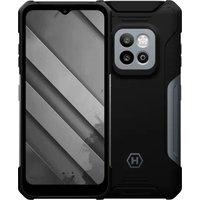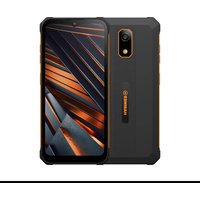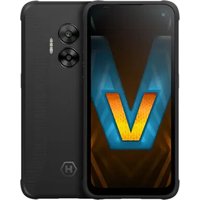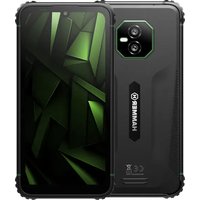
Ranger 8 - Smartphone Hammer - Free user manual and instructions
Find the device manual for free Ranger 8 Hammer in PDF.


| Product type | Smartphone |
| Brand | Hammer |
| Model | Ranger 8 |
| Processor | MediaTek G99 |
| Display | 6.1" HD+ (720x1560), Gorilla Glass 5 |
| RAM | 6 GB or 8 GB |
| Internal storage | 128 GB or 256 GB |
| Card reader | microSD up to 1 TB |
| Operating system | Android 15 |
| Dual SIM | nanoSIM + nanoSIM + microSD + eSIM |
| Durability | IP69 (dust and water) |
| Connector | USB-C |
| Connectivity | Wi-Fi 2.4/5 GHz (802.11 a/b/g/n/ac), GPS, Bluetooth 5.2 |
| Main camera | 50 MP + 8 MP wide-angle |
| Front camera | 16 MP |
| Recommended power adapter | Hammer RAPIDCHARGE DUO 30 W charger (USB-C) |
| Maintenance and cleaning | Dry cloth only, avoid acidic or alkaline products |
| Safety | Use original accessories; battery: avoid extreme temperatures and liquids |
| Repair | Qualified personnel or authorized center only |
| Manufacturer | mPTech Sp. z o.o., Warsaw, Poland |
| Place of manufacture | China |
Frequently Asked Questions - Ranger 8 Hammer
User questions about Ranger 8 Hammer
0 question about this device. Answer the ones you know or ask your own.
Ask a new question about this device
Download the instructions for your Smartphone in PDF format for free! Find your manual Ranger 8 - Hammer and take your electronic device back in hand. On this page are published all the documents necessary for the use of your device. Ranger 8 by Hammer.
USER MANUAL Ranger 8 Hammer
natural_image
Black exclamation mark symbol on white background (no text or numbers)—POŁĄCZENIA ALARMOWE—
natural_image
Yellow triangular warning sign with sun and eye symbol (no text)4G: 700/800/900/1800/2100/2600 MHz
Bateria: Li-Po 4900 mAh
Waga: 269 g
Wymiary: 160.9*80*12.2 mm
natural_image
Hand cursor clicking a green circular button with a blue ring (no text or symbols)11.2 Przesunięcie
natural_image
Hand pressing a button with a green circular icon and curved arrows above (no text or symbols)natural_image
Hand touching a circular button with green and purple segments, symbolizing wireless or digital signal (no text or symbols present)natural_image
White hand gesture with a blue arrow pointing downward (no text or symbols)12. Komunikacja
natural_image
Simple line drawing of a trash bin with crossed lines indicating no waste or plastic discharge (no text or symbols)natural_image
Simple line drawing of a trash bin with crossed lines indicating no waste or restriction (no text or symbols)https://www.hammerphones.com/support-warranty/
1. Table of contents
- Table of contents......22
- Safety....23
- The use of the manual ....25
- Important information ....26
4.1 Trademarks......26
- Package content ......27
- Technical Specifications....27
- Appearance of the phone....28
- Installing the SIM card....29
- eSIM function ....30
9.1 Starting and activating the eSIM card....30
9.2 Disabling and deleting the profile....31
- Buttons ....31
- Using the touch screen ....32
11.1. Touch....32
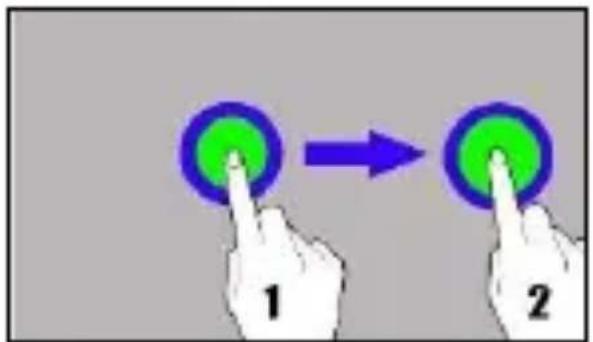
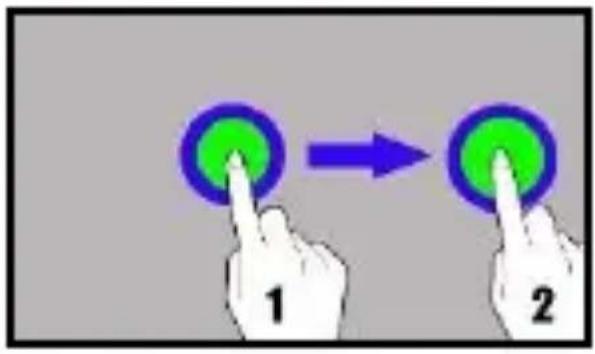
11.2 Swipe....32
11.3 Triple click....32
11.4 Hold and swipe....33
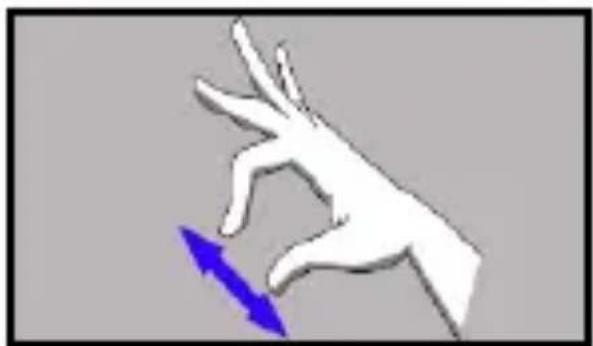
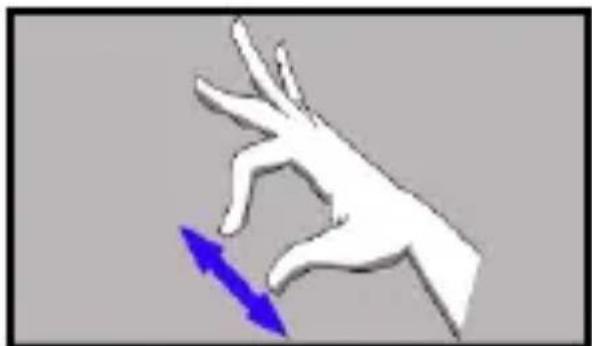
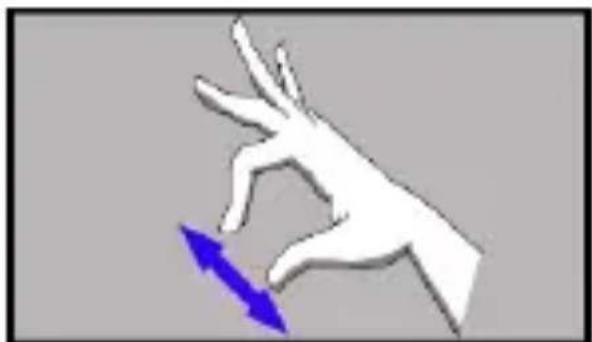
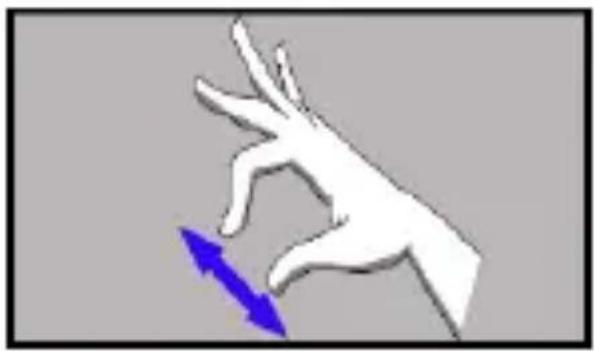
11.5 Slide in and out....33
-
Communication ....33
-
1 Making calls....33
-
2 SMS - Messages ....33
-
Battery management....34
- Maintenance of the device....34
- Troubleshooting ....34
- Correct disposal of used equipment....35
- Correct disposal of used battery....36
| CAUTION! | Statement |
| The manufacturer is not responsible for the consequences of situations caused by improper use of the phone or failure to follow the instructions in the operating manual. | The software version can be upgraded without earlier notice. The manufacturer's representative reserves the right to decide on the correct interpretation of this manual. |
2. Safety
—DO NOT RISK—
All wireless devices may cause interferences, which could affect the quality of other connections. Do not switch the device on in places which are prohibited from using cell phones, or when it may cause interferences or other dangers. Always abide by any kinds of prohibitions, regulations and warnings conveyed by the staff.

natural_image
Black and white icon of an exclamation mark on a stylized book (no text or symbols)—RESTRICTIONS IN USE—
Wi-Fi wireless connectivity uses the 2.4 GHz band and the 5 GHz band. The 5 GHz Wi-Fi band shall not be used outdoors in the European Union. Please observe the national and local regulations at the place of use.
—QUALIFIED SERVICE—
Only qualified personnel or an authorized service center may install or repair this product. Repairing the device by an unqualified or unauthorized service technician may result in damage to the device and void the warranty.
—ALARM CALLS—
Making alarm calls may not be possible in some areas or circumstances. It is recommended to find an alternative way to notify emergency services if you are going to this type of remote areas.
—PETROL STATIONS—
Do not use your mobile phone while refuelling at a petrol station or in the vicinity of chemicals.
CAUTION! In places where there is a risk of explosion (i.e. Petrol stations, chemical factories etc.), it is advisable to turn off the phone. Please refer to regulations governing the use of GSM equipment in these places.
—WI-FI (WLAN)—
In the European Union Member States, a WLAN network may be used indoors without any restrictions.
—ROAD SAFETY—
Apart from emergency situations, using the phone while driving should be carried out only with use of a headset or a speakerphone, which ensures safety and does not limit motor abilities of the user. If one does not own a headset and still wants to use the phone, one should pull over and stop the car. Pay attention to the legal regulations of the country you are in, concerning the use of mobile phone while driving.
—WATER AND OTHER LIQUIDS—
The device has resistance certificate IP69. It means that the device is dust-proof and waterproof when all of the rubber seals are intact and properly put in place. As far as possible protect the device from water and other liquids. Water and other fluids do not have a positive effect on phone electronic components. If wet, wipe and dry the device as soon as possible. Make sure the USB cable is dry before connecting it to the phone's charging socket. Plugging the cable into a wet or damp outlet exposes it to slow corrosion and may cause problems with charging your phone.
—CHILDREN,&PHYSICALLY/MENTALLY DISABLED PEOPLE—
This device should not be operated by people (including children) with limited physical or mental abilities, as well as by people with no earlier experience in operation of electronic equipment. They may
use the device only under supervision of people responsible for their safety. This device is not a toy. Memory card and SIM card are small enough to be swallowed by a child and cause choking. Keep the device and its accessories out of reach of children.
—BATTERY AND ACCESSORIES—
Avoid exposing the battery to very high/low temperatures (below 0^ C / 32^ F and over 40^ C / 104^ F). Extreme temperatures may influence capacity and battery life. Avoid contact with liquids and metal objects as it may cause partial or complete battery damage. The battery should be used according to its purpose. Do not destroy, impair or throw the battery into flames - it might be dangerous and may cause fire. Worn-out or impaired battery should be placed in a dedicated container. Installing an incorrect battery type can cause an explosion. Never open the battery. Please dispose of battery according to the instructions. Disconnect an unused charger from power grid. In case of the charger wire damage, it should not be repaired but replaced with a new one cable or a new charger.
Use only original manufacturer's accessories.
—HEARING—
To avoid hearing damage, do not use the device at high volume levels for a long period of time, do not put operating device directly to the ear.

natural_image
Yellow triangular warning sign with sun and eye symbol (no text)—EYESIGHT—
To avoid eyesight damage do not look closely onto the flash light during its work. A strong bean of light may cause permanent eye damage!
3. The use of the manual
Pictures of the device and screenshots contained in this user manual may differ from the actual product. Accessories attached to the smartphone set may differ from the illustrations included in manual. Options described in the manual are found in Android system. Those
descriptions may differ, depending on the version of the operating system and applications installed on the device.
Without prior written consent of the manufacturer, no part of this manual may be photocopied, reproduced, translated or transmitted in any form or by any means, electronic or mechanical, including photocopying, recording or storing in any systems of storing and sharing information.
4. Important information
The majority of applications which can be installed on the device are mobile apps. Modus operandi of such applications may be different from their counterparts installed on a personal computer. Apps installed on the device may vary depending on country, region, and hardware specifications. The manufacturer is not liable for problems caused by third party software. The manufacturer is not responsible for anomalies that may occur when editing the registry settings and modifying the operating system software. Attempts to modify the operating system can cause malfunctions and problems with applications. It may cause a loss of warranty.

Google Play
Google Play is your entertainment unbound. It brings together all of the entertainment you love and helps you explore it in new ways, anytime, anywhere. We’ve brought the magic of Google to music, movies, TV, books, magazines, apps and games, so you get more from your content every day.
4.1 Trademarks
- Google, Android, Google Play are Google LLC trademarks.
- Oracle and Java are a registered trademarks of Oracle and / or its affiliates.
- Wi-Fi® Wi-Fi logo are a registered trademarks Wi-Fi Alliance
association.
- All other trademarks and copyrights belong to their respective owners.
Manufacturer
mPTech Ltd.
00-511 Warsaw, Poland
Manufactured in China
5. Package content
We advise you to keep the packaging in case of any complaints. Keep the packaging out of the reach of children.
For environmental reasons, this package does not include a charger. This device can be powered by most USB power adapters and a cable with a USB Type-C plug.
6. Technical Specifications
Processor: MediaTek G99
Display: 6,1" HD+ 720*1560 Gorilla Glass 5
Rear camera (main): 50MP+8MP Wide
Front camera (selfie): 16 Mpx
RAM memory: 6 GB or 8 GB
Internal memory: 128 GB or 156 GB
Card reader: microSD (up to 1 TB)
Operating system: Android 15
Dual SIM: nanoSIM+nanoSIM+microSD+eSIM
Connector: USB-C
Connectivity: 2.4/5GHz, 802.11 a/b/g/n/ac, GPS, Bluetooth 5.2
2G: 850/900/1800/1900 MHz
3G: 900/2100 MHz
4G: 700/800/900/1800/2100/2600 MHz
Battery: Li-Po 4900 mAh
Weight netto: 269 g
Dimensions: 160.9*80*12.2 mm
It is recommended to use the charger: Hammer RAPIDCHARGE DUO 30W
Power supply technical specifications
The power delivered by the charger must be between min 5 Watts required by the radio equipment, and max 30 Watts in order to achieve the maximum charging speed.
USB PD fast charging, PE 15W
- Appearance of the phone
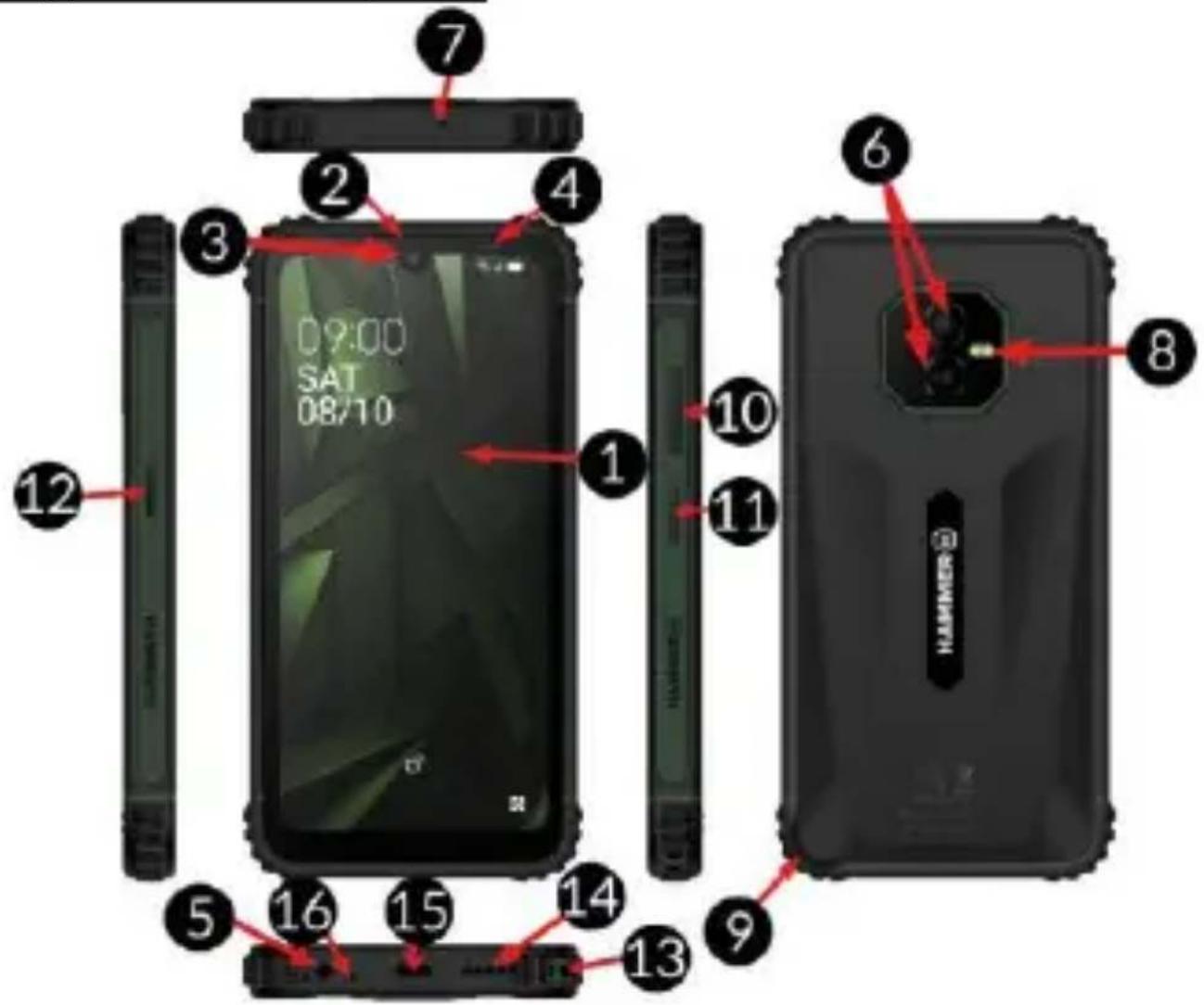
Function
| 1 | Touchscreen 6.1” HD |
| 2 | Internal speaker |
| 3 | 16 Mpx digital camera lens (selfie) |
| 4 | Notification diode |
| 5 | Minijack socket 3.5 mm |
| 6 | 50MP+8MP Wide digital camera lens (rear) |
| 7 |  Service opening! Do not insert any objects into it! Damage will void the warranty! Service opening! Do not insert any objects into it! Damage will void the warranty! |
| 8 | Camera flash / Torch |
| 9 | The slot allows you to remove the battery cover. |
| 10 | Volume control buttons |
| 11 | Blockade on/off button |
| 12 | Programmable button HAMMER Key |
| 13 | Lanyard attachment |
| 14 | External speaker |
| 15 | Multifunctional USB-C port |
| 16 | Microphone |
8. Installing the SIM card
The smartphone is equipped with SIM/microSD card slots. If the phone is switched on, switch it off. Remove the back cover – pry it off with your fingernail using the gap in the casing and remove the battery. Insert the SIM card(s) – the SIM card should be placed with the gold contacts facing downwards, as indicated by the recess.
Insert the microSD memory card with the gold contacts facing downwards, as indicated by the recess.
Insert the battery so that its gold contacts touch the triple connector in the phone's recess. Close the cover and gently press it until you hear the latches click. Make sure the cover is closed properly.
9. eSIM function
The smartphone supports eSIM technology.
9.1 Starting and activating the eSIM card
An Internet connection (Wi-Fi or cellular data) is required to install the eSIM profile).
Go to [Settings] and select [Mobile Network/eSIM] from the menu list. Activating the eSIM card involves downloading its profile by going through the configuration.
If the SIM card is in the phone and already has an eSIM profile assigned by the carrier, the phone will automatically download and install this profile.
To set up a new eSIM profile, you will need to enter a special QR code you receive from your carrier, which you can scan with a QR code scanner or enter manually by going to the [Need help?] tab while scanning.
After scanning or entering the code, the card's profile will download automatically.
Once the profile is downloaded, [Menu] > [Settings] > [Mobile Network/eSIM] will show a tab with the name of the operator and eSIM signature, and a network coverage icon in the top status bar.
You can also see the process of launching and activating an eSIM card on the page linked below:
9.2 Disabling and deleting the profile
To disable the eSIM card's profile, go to [Settings] > [Mobile Network/eSIM] > [eSIM card's operator name] expand advanced options, then in the [Operator] tab go to the settings icon and select Disable/Enable. Once the card is disabled, the coverage icon will disappear from the top bar.
To remove the selected eSIM card profile completely, select Delete.
10. Buttons
Menu (virtual)
Pressing it will cause the list of open apps to appear, where you can switch in-between or turn them off.
Home (virtual)
One quick press takes you to phone desktop. A longer press launches Google Assistant.
Back (virtual)
Press to exit the application / return to the previous screen.
Blockade on/off button
- One quick press locks/unlocks the screen.
- One short press of the lock + volume up button launches the phone's shutdown or restart menu.
- Pressing the button for about 2 sec. will cause:
○ If the smartphone is off - the device would switch on.
- If the smartphone is turned on - calling the Google assistant.

11.4 Hold and swipe
Touch an element (an icon perhaps) and hold it for about 1 seconds. Then you can delete/uninstall that element.
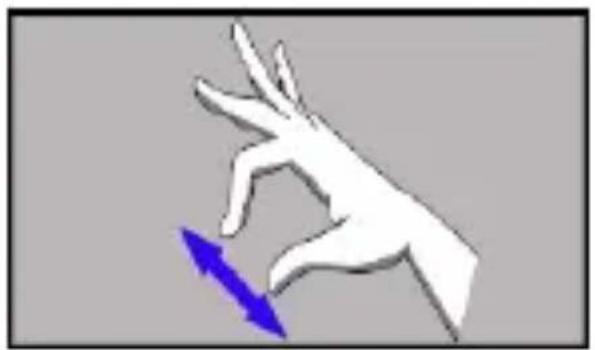
11.5 Slide in and out
Touch the screen with two fingers and slide them together or apart to zoom in or out a photo or a map.
natural_image
White hand gesture with a blue arrow pointing downward (no text or symbols)12. Communication
12. 1 Making calls
To make a call touch [Phone] icon placed on the main screen or in Android applications menu. Insert the phone number you wish to call. Press "green handset" placed at the bottom of the screen and choose which SIM card you wish to use.
12. 2 SMS - Messages
You can manage your messages using the [Messages]

application in the home screen or smartphone menu. Start the
application and touch the icon , type the phone
number, name of the contact or select a contact from the list. When you have chosen the contact a screen will appear where you type the message itself. Type the message body.
Before you send a text message you can transform it into a
multimedia message by pressing symbol ,situated in the left
corner of the textbox and adding a sticker, audio or location. To add a photo from the gallery or directly from your camera, tap the symbol

. To send the message press .
13. Battery management
This feature is available when you first start up your phone [Initial setup] or later at any time under [Settings] > [Battery] > [Battery status].
Battery management allows you to extend the battery life by setting a charging limit. With this feature, you can disable the limit completely (which means charging to 100%) or set one of the available thresholds: 70%, 80% or 90%. The device will stop charging when the selected level is reached, e.g. 80%.
In the battery status settings section, you will also find useful information such as the battery's date of manufacture, date of first use and number of full charge cycles.
14. Maintenance of the device
Follow the instructions below.
- For cleaning use only a dry cloth. Never use any agent with a high concentration of acids or alkalis.
-
Use the original accessories only. Violation of this rule may result in an invalidation of the warranty.
-
Troubleshooting
| Message | Possible solution |
| Input PIN | If the SIM card is secured with the PIN code you have to enter the PIN when turning the phone or and press. |
| Network fail | In areas where signal or reception is weak, calls may not be possible. Also receiving calls may not be possible. Move to another location and try again. |
| No one can call me | The phone has to be on and within GSM network reach. |
| The connection cannot be established | Check if the typed-in phone number is correct. Check if the phone number entered to the [Contacts] is correct. Enter the correct phone number if necessary. |
| I cannot hear the caller./ The caller cannot hear me | The mic. should be close to mouth. Check if the built-in mic. is not covered. When a headset is ur use, check if it has been connected correctly. Check if the built-in speaker isn’t covered. |
16. Correct disposal of used equipment
natural_image
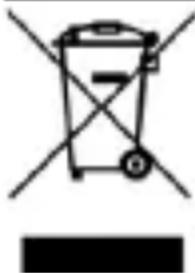
Symbol of a trash bin with crossed lines indicating no waste, and a solid black rectangle below (no text or labels)The device is marked with a crossed-out garbage bin, in accordance with the European Directive 2012/19/EU on used electrical and electronic Equipment (Waste Electrical and Electronic equipment - WEEE). Products marked with this symbol should not be disposed of or dumped with
other household waste after a period of use. The user is obliged to get rid of used electrical and electronic equipment by delivering it to designated recycling point in which dangerous waste are being recycled. Collecting this type of waste in designated locations, and the actual process of their recovery contribute to the protection of natural resources. Proper disposal of used electrical and electronic equipment is beneficial to human health and environment. To obtain information on where and how to dispose of used electrical and electronic equipment in an environmentally friendly manner, user should contact their local government office, the waste collection point, or point of sale, where the equipment was purchased.
17. Correct disposal of used battery
natural_image
Simple line drawing of a trash bin with no text or symbolsAccording to the EU directive 2006/66/EC with changes contained in EU directive 2013/56/UE on the disposal of batteries, this product is marked with crossed-out garbage bin symbol. The symbol indicates that the batteries used in this product should not be disposed with regular household waste, but treated according to the legal directives and local regulations. It is not allowed to dispose of batteries and accumulators with unsorted municipal waste. Users of batteries and accumulators must use the available collection points of these items, which allows them to return, recycle and disposal. Within the EU, the collection and recycling of batteries and accumulators is a subject to separate procedures. To learn more about existing procedures of recycling of batteries and accumulators please contact your local office or an institution for waste disposal or landfill.
NÁVOD
HAMMER HS2510\_HS2510e 6/128
HAMMER HS2511\_HS2511e 8/256
1. Obsah balení
natural_image
Black and white icon of an exclamation mark on a stylized book (no text or symbols)—OMEZENÍ VYUŽITÍ—
—SLUCH—
natural_image
Yellow triangular warning sign with sun and eye symbol (no text)—ZRAK—
4G: 700/800/900/1800/2100/2600 MHz
Baterie: Li-Po 4900 mAh
Hmotnost: 269 g
natural_image
Hand cursor clicking a green circular button with a blue ring (no text or symbols)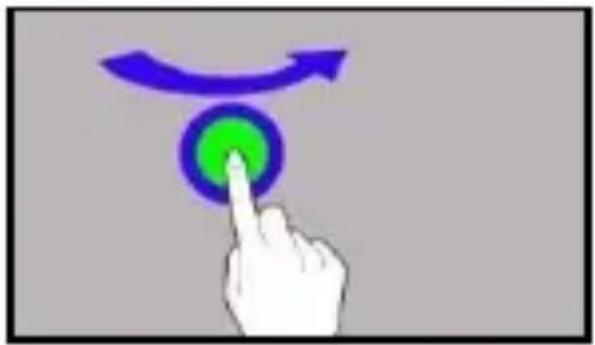
natural_image
Hand pressing a button with a green circular icon and curved arrow above it (no text or symbols)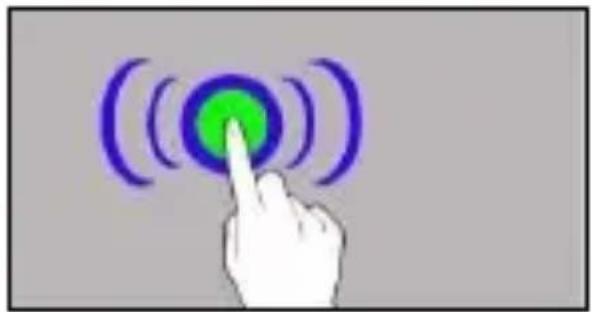
natural_image
Hand pressing a circular button with green center and purple arcs, symbolizing wireless or signal input (no text or symbols)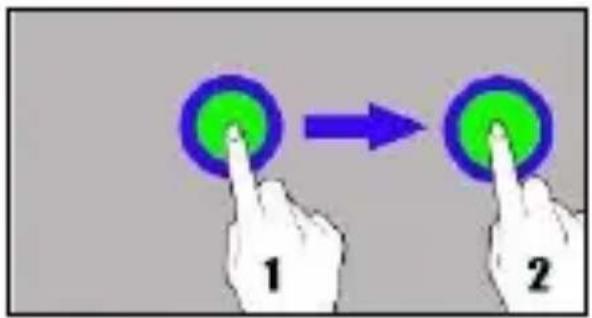
natural_image
White hand reaching toward a blue arrow, no text or symbols present12. Komunikace
12. 1 Volání
natural_image
Simple line drawing of a trash bin with crossed lines indicating no waste or plastic (no text or symbols)natural_image
Simple line drawing of a trash bin with no text or symbolsnatural_image
Black icon of a stylized book with an exclamation mark (no text or symbols)—OBMEDZENIA V POUŽITÍ—
—SLUCH—
natural_image
Yellow triangular warning sign with sun and eye symbol (no text)—ZRAK—
4G: 700/800/900/1800/2100/2600 MHz
Batérie: Li-Po 4900 mAh
Váha netto: 269 g
Rozmery: 160.9*80*12.2 mm
natural_image
Hand cursor clicking a green circular button with a blue ring (no text or symbols)11.2 Posunút
natural_image
Hand cursor clicking a button with a green circular icon and curved arrow above it (no text or symbols)11.3 Trojité kliknutie
natural_image
Hand pressing a button with a green circular icon and purple wave signals (no text or symbols)11.4 Držte a posuňte
natural_image
White hand gesture with a blue arrow pointing downward (no text or symbols)12. Komunikácia
12. 1 Volanie
natural_image
Symbol of a trash bin with crossed lines indicating no waste, and a solid black rectangle below (no text or labels)natural_image
Simple line drawing of a trash bin with no text or symbolsnatural_image
Black and white icon of an exclamation mark on a stylized book (no text or symbols)—HALLÁS—
natural_image
Yellow triangular warning sign with a sun and eye symbol (no text)—LÁTÁS—
Honlap: www.myphone.pl
Gyártás helye Kína
5. Csomag tartalma
4G: 700/800/900/1800/2100/2600 MHz
natural_image
Hand cursor clicking a green circular button with a blue ring (no text or symbols)11.2 Csúsztatás
natural_image
Hand pressing a button with a green circular icon and curved arrow above it (no text or symbols)11.3 Tripla kattintás
natural_image
Hand touching a circular button with purple and green arcs, symbolizing wireless signal or notification (no text or symbols present)11.4 Nyomvatartás
12. Kommunikáció
natural_image
Simple line drawing of a trash bin with crossed lines indicating no waste or restriction (no text or symbols)natural_image
Simple line drawing of a trash bin with no text or symbolsnatural_image
Black and white icon of an exclamation mark on a stylized book (no text or symbols)natural_image
Yellow triangular warning sign with sun and eye symbol (no text)—SEHKRAFT—
Kartenleser: microSD (max. 1TB)
4G: 700/800/900/1800/2100/2600 MHz
Batterie: Li-Po 4900 mAh
natural_image
Hand cursor clicking a green circular button with a blue ring (no text or symbols)11.2 Verschieben
natural_image
Hand pressing a button with a green circular icon and curved arrow above it (no text or symbols)natural_image
Hand pressing a button with a green circular icon and purple wave signals (no text or symbols)natural_image
White hand reaching toward a blue arrow, no text or symbols present12. Kommunikation
12.1 Telefonieren
natural_image
Simple line drawing of a trash bin with crossed lines indicating no waste or plastic, and a solid black bar below (no text or symbols)natural_image
Simple line drawing of a trash bin with two crossed lines indicating no waste or prohibition (no text or symbols)natural_image
Black exclamation mark symbol on white background (no text or numbers)—RESTRIZIONI D'USO—
acceso!
-UDITO-
4G: 700/800/900/1800/2100/2600 MHz
Batteria: Li-Po 4900 mAh
Peso netto: 269 g
Dimensioni: 160.9*80*12.2 mm
natural_image
Hand pressing a button with a green circular button and curved arrow above it (no text or symbols)natural_image
Hand touching a circular button with green center and purple arcs, no text or symbols presentnatural_image
White hand gesture with a blue arrow pointing downward (no text or symbols)12. Comunicazione
natural_image
Simple line drawing of a trash bin with crossed lines indicating no waste or discharge (no text or symbols)natural_image
Simple line drawing of a trash bin with no text or symbolsnatural_image
Black and white icon of an exclamation mark on a stylized document or book (no text or symbols)—AUDICIÓN—
natural_image
Yellow triangular warning sign with sun and eye symbol (no text)—VISTA—
4G: 700/800/900/1800/2100/2600 MHz
natural_image
Hand cursor clicking a green circular button with a blue ring (no text or symbols)11.2 Deslizar
natural_image
Hand pressing a button with a green circular icon and curved arrow above it (no text or symbols)11.3 El click triple
natural_image
Hand pressing a circular button with green center and purple waves, symbolizing wireless or signal input (no text or symbols)natural_image
White hand with a blue arrow pointing downward, no text or symbols present12. Comunicación
natural_image
Simple line drawing of a trash bin with crossed lines indicating no waste or plastic, and a solid black bar below (no text or symbols)natural_image
Simple line drawing of a trash bin with crossed lines indicating no waste or discharge (no text or symbols)natural_image
Black and white icon of an exclamation mark on a stylized book (no text or symbols)—AUDICIÓN—
natural_image
Yellow triangular warning sign with sun and eye symbol (no text)—VISTA—
Câmara principal (traseira): 50MP+8MP Wide
Câmara frontal: 16 Mpx
4G: 700/800/900/1800/2100/2600 MHz
Bateria: Li-Po 4900 mAh
Peso líquido: 269 g
9.2 Desactivar e apagar o perfil
natural_image
Hand cursor clicking a green circular button with a purple ring (no text or symbols)11.2 Deslizar
natural_image
Hand pressing a button with a green circular icon and curved arrow above it (no text or symbols)
natural_image
Hand touching a circular button with green center and purple waveform lines (no text or symbols)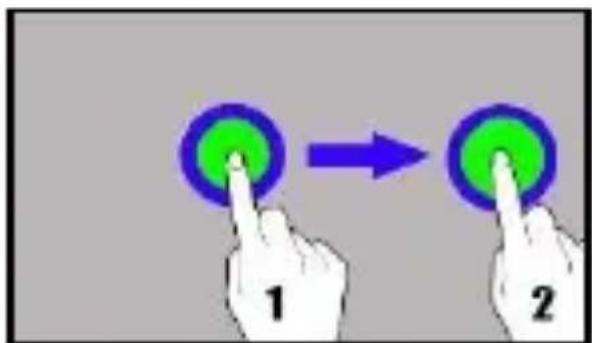
natural_image
White hand reaching toward a blue arrow, no text or symbols presentnatural_image
Simple line drawing of a trash bin with crossed lines indicating no waste or discharge (no text or symbols)natural_image
Simple line drawing of a trash bin with two crossed lines indicating no waste or prohibition (no text or symbols)- Communication ....161
12.1 Effectuer des appels ....161
12.2 Messages textes ....161
natural_image
Black and white icon of an exclamation mark on a stylized book (no text or symbols)—SERVICE PROFESSIONNEL—
natural_image
Yellow triangular warning sign with sun and eye symbol (no text)4G: 700/800/900/1800/2100/2600 MHz
Batterie: Li-Po 4900 mAh
Poids netto: 269 g
Dimensions: 160.9*80*12.2 mm
USB Power Delivery, PE 15W
natural_image
Blue rectangular device with white panels and a black 'CPU' button (no text or symbols on the device itself)natural_image
Hand cursor clicking a green circular button with a blue ring (no text or symbols)11.2 Déplacer
natural_image
Hand pressing a button with a green circular icon and curved arrows above (no text or symbols)11.3 Triple-clic
natural_image
Hand pressing a button with a green circular icon and purple curved lines, symbolizing wireless or signal input (no text or symbols present)natural_image
White hand holding a sharp object with a blue arrow pointing downward (no text or symbols)12. Communication
natural_image
Simple line drawing of a trash bin with crossed lines indicating no waste or discharge (no text or symbols)natural_image
Simple line drawing of a trash bin with no text or symbolsnatural_image
Black and white icon of an exclamation mark on a stylized book (no text or symbols)—KASUTAMISPIIRANGU—
—KUULMINE—
natural_image
Yellow triangular warning sign with sun and eye symbol (no text)—NÄGEMINE—
Veebileht: www.myphone.pl
Toodetud Hiinas
5. Pakendi sisu
4G: 700/800/900/1800/2100/2600 MHz
Aku: Li-Po 4900 mAh
Kaal netto: 269 g
Mõõdud: 160.9*80*12.2 mm
Soovitatav on kasutada laadija: Hammer RAPIDCHARGE DUO 30W
natural_image
Hand cursor clicking a green circular button with a blue ring (no text or symbols)11.2 Pühkimine
natural_image
Hand pressing a button with a green circular icon and curved arrow above it (no text or symbols)11.3 Kolmekordne klöps
natural_image
Hand icon pointing at a circular button with purple and green segments (no text or symbols)natural_image
White hand gesture with a blue arrow pointing downward (no text or symbols)12. Suhtlemine
12.1 Helistamine
natural_image
Simple line drawing of a trash bin with crossed lines indicating no waste or discharge (no text or symbols)natural_image
Simple line drawing of a trash bin with no text or symbolsnatural_image
Black exclamation mark symbol on white background (no text or numbers)—DZIRDE—
natural_image
Yellow triangular warning sign with sun and eye symbol (no text)—REDZE—
4G: 700/800/900/1800/2100/2600 MHz
Akumulatoraa: Li-Po 4900 mAh
Svars netto: 269 g
Izmēri: 160.9*80*12.2 mm
natural_image
Hand cursor clicking a green circular button with a blue ring (no text or symbols)11.2 Pavilkšana
natural_image
Hand pressing a button with a green circular icon and curved arrow above it (no text or symbols)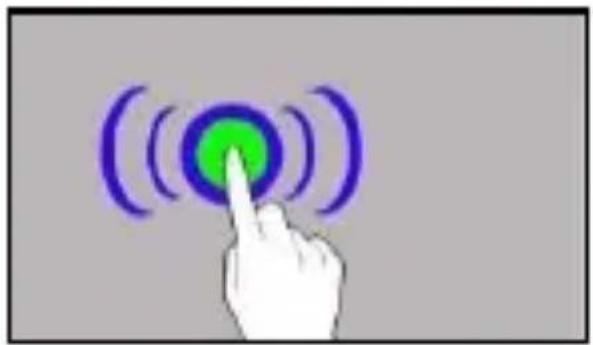
natural_image
Hand pressing a button with a green circular icon and purple wave signals (no text or symbols)
natural_image
White hand with blue directional arrows pointing downward (no text or symbols)12. Sakari
12.1 Zvanu veikšana
Lai zvanītu, pieskarieties [Tālruṇa]
natural_image
Simple line drawing of a trash bin with crossed lines indicating no waste or discharge (no text or symbols)natural_image
Simple line drawing of a trash bin with two crossed lines indicating no waste or prohibition (no text or symbols)natural_image
Black and white icon of an exclamation mark on a stylized document or book (no text or symbols)—PAGALBOS SKAMBUČIAI—
—KLAUSA—
4G: 700/800/900/1800/2100/2600 MHz
Baterijos: Li-Po 4900 mAh
Svoris netto: 269 g
Matmenys: 160.9*80*12.2 mm
Rekomenduojama naudoti jkroviklj: Hammer RAPIDCHARGE DUO 30W
natural_image
Hand pressing a button with a green circular icon and curved arrow above it (no text or symbols)natural_image
Hand pressing a circular button with green center and purple arcs (no text or symbols)natural_image
White hand gesture with a blue arrow pointing downward (no text or symbols)12. Bendravimas
12.1 Skambinimas
natural_image
Simple line drawing of a trash bin with no text or symbolsnatural_image
Simple line drawing of a trash bin with no text or symbolsnatural_image
Black and white icon of an exclamation mark on a stylized book (no text or symbols)natural_image
Yellow triangular warning sign with a black eye symbol and sunburst (no text)—ЗРЕНИЕ—
4G: 700/800/900/1800/2100/2600 MHz
natural_image
Hand pressing a button with a green circular icon and blue curved arrow above it (no text or symbols)
natural_image
Hand pressing a circular button with green center and purple arcs, symbolizing wireless or digital signal (no text or symbols)
natural_image
White hand gesture with blue directional arrows indicating movement or force (no text or symbols)12. Связь
natural_image
Simple line drawing of a trash bin with crossed lines indicating no waste or discharge (no text or symbols)natural_image
Simple line drawing of a trash bin with diagonal lines crossing it, no text or symbols present.natural_image
Black and white icon of a stylized letter 'D' with an exclamation mark (no text or symbols)natural_image
Yellow triangular warning sign with sun and eye symbol (no text)Camera principală (spate): 50MP+8MP Wide
Camera frontala: 16 Mpx
Memorie RAM: 6 GB sau 8 GB
4G: 700/800/900/1800/2100/2600 MHz
Bateriei: Li-Po 4900 mAh
Greutate netto: 269 g
Dimensiuni: 160.9*80*12.2 mm
natural_image
Hand cursor clicking a green circular button with a blue ring (no text or symbols)11.2 Glisare
natural_image
Simple line drawing of a trash bin with crossed lines indicating no waste or restriction (no text or symbols)natural_image
Simple line drawing of a trash bin with no text or symbolsnatural_image
Black exclamation mark symbol on white background (no text or numbers)natural_image
Yellow triangular warning sign with sun and eye symbol (no text)4G: 700/800/900/1800/2100/2600 MHz
Акумулаторна батерия: Li-Po 4900 mAh
Нетно тегло: 269 g
Размери: 160.9*80*12.2 mm
Touch an element (an icon perhaps) and hold it for about 1 seconds. Then you can delete/uninstall that element.
11.5 Slide in and out
Touch the screen with two fingers and slide them together or apart to zoom in or out a photo or a map.
natural_image
Hand cursor clicking a green circular button with purple ring (no text or symbols)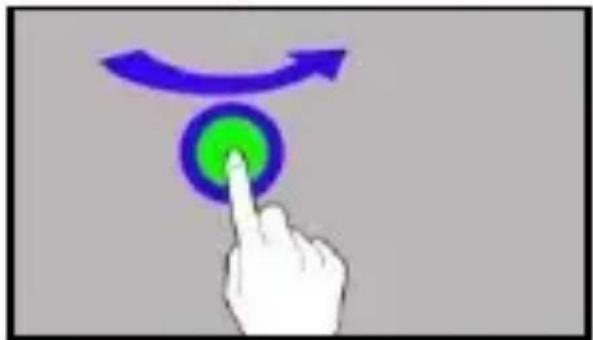
natural_image
Hand pressing a button with a green circular icon and curved arrows above (no text or symbols)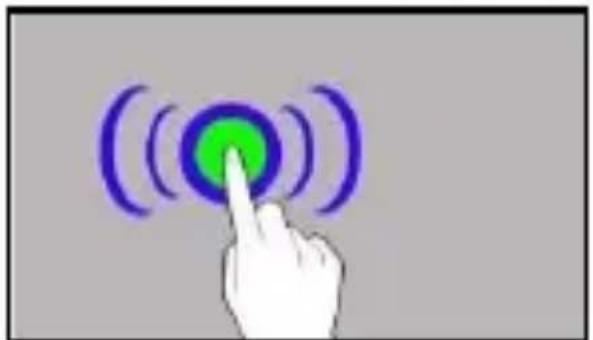
natural_image
Hand pressing a button with a green circular icon and purple curved lines, symbolizing wireless or signal input (no text or symbols present)