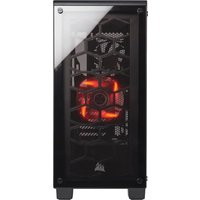
Crystal Series 460X - Computer Case CORSAIR - Free user manual and instructions
Find the device manual for free Crystal Series 460X CORSAIR in PDF.


| Product Type | Compact Mid-Tower ATX Computer Case |
| Brand | Corsair |
| Model | Crystal Series 460X |
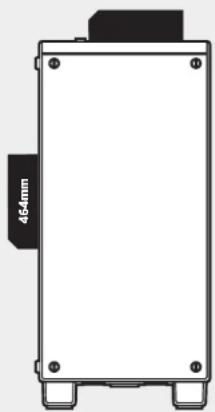
| Dimensions (W x D x H) | 440 x 220 x 464 mm |
| Front Panel Material | Tempered Glass |
| Side Panel Material | Tempered Glass (main side), Steel (opposite side) |
| Compatible Motherboard Form Factor | ATX, Micro-ATX, Mini-ITX |
| Maximum GPU Length | 370 mm |
| Maximum CPU Cooler Height | 170 mm |
| Maximum PSU Length | 200 mm |
| Fan Mounts | Front: 3x120 mm or 2x140 mm Top: 2x120 mm or 2x140 mm Rear: 1x120 mm |
| Radiator Compatibility | Front: 280/360 mm Top: 240 mm Rear: 120 mm |
| Front Panel Connectors | 2x USB 3.0, headphone jack, microphone jack, Power/Reset buttons |
| Main Features | Tempered glass panels, Direct Airflow Path design, removable PSU and drive cover, dust filters, integrated RGB controller (RGB version) |
| Accessories Kit Contents | Screws, standoffs, hard drive trays, RGB controller (RGB version) |
| Maintenance and Cleaning | Regularly clean dust filters with a soft cloth or vacuum cleaner. |
| Safety | Use on a stable surface. Be careful with glass edges. Disconnect power before any manipulation. |
| Spare Parts and Repairability | Contact Corsair support at support.corsair.com for replacement parts under warranty (RMA). |
| General Information | Compliant with directive 2011/65/EU (RoHS). Recycle according to directive 2012/19/EU (WEEE). |
Frequently Asked Questions - Crystal Series 460X CORSAIR
- Front: 3 x 120 mm or 2 x 140 mm
- Top: 2 x 120 mm or 2 x 140 mm
- Rear: 1 x 120 mm.
User questions about Crystal Series 460X CORSAIR
0 question about this device. Answer the ones you know or ask your own.
Ask a new question about this device
Download the instructions for your Computer Case in PDF format for free! Find your manual Crystal Series 460X - CORSAIR and take your electronic device back in hand. On this page are published all the documents necessary for the use of your device. Crystal Series 460X by CORSAIR.
USER MANUAL Crystal Series 460X CORSAIR
© 2016-2019 CORSAIR MEMORY, Inc.
All rights reserved. CORSAIR and the sails logo are registered
trademarks of CORSAIR in the United States and/or other
countries. All other trademarks are the property of their respective owners. Product may very slightly from those pictured.
49-001509 AB

CORSAIR
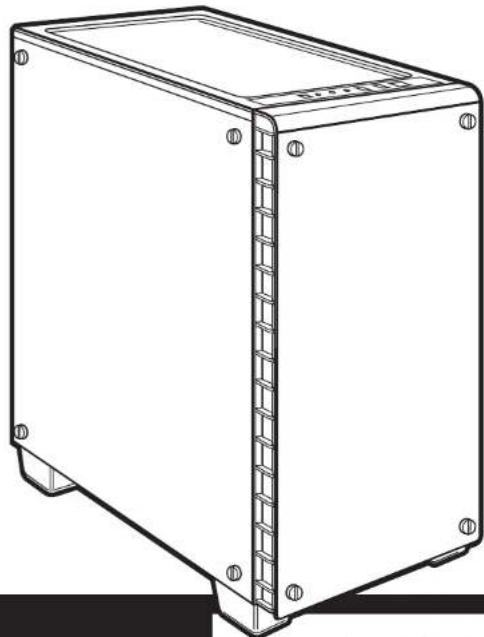
natural_image
Line drawing of a rectangular electronic device casing with mounting holes and internal structure (no text or symbols)CRYSTAL SERIES®
460X
INSTALLATION GUIDE ■ GUIDE D'INSTALLATION
Table of contents Case specifications
| Congratulations | 1 |
| Case specifications | 2 |
| Accessory kit contents | 3 |
| Case features | 4 |
| Removing the side panels | 5 |
| Installing the motherboard | 5 |
| Installing HDDs | 6 |
| Installing SSDs | 6 |
| Installing the power supply | 7 |
| Installing PCI-e / PCI card(s) | 7 |
| Removing the front fascia | 8 |
| Installing the front I/O connectors | 8 |
| Using RGB fan controller (460X - RGB) | 9 |
| Frequently asked questions | 10 |
Congratulations!
Thank you for purchasing the Crystal Series 460X Tempered Glass, Compact-ATX Mid-Tower PC Case.
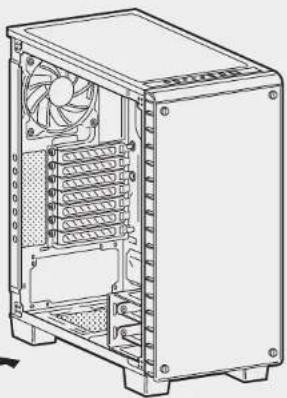
With its tempered glass front and side panel, the CORSAIR Crystal Series 460X is a compact and gorgeous ATX case with great cooling potential. Wires and drives are stowed away under a removable two-piece PSU and HDD cover. The Direct Airflow Path design ensures that fans don't have to work to get air through unused drive cages, but can gently direct air to your hottest components and keep things quiet and still cool.
| Length | 440mm |
| Width | 220mm |
| Height | 464mm |
| Maximum GPU length | 370mm |
| Maximum CPU cooler height | 170mm |
| Maximum PSU length | 200mm |
| Fan locations | |
| Front | 3 x 120mm / 2 x 140mm |
| Top | 2 x 120mm / 2 x 140mm |
| Rear | 120mm |
| Radiator compatibility | |
| Front | 280mm / 360mm |
| Top | 240mm |
| Rear | 120mm |
natural_image
Front view of a rectangular electronic device with mounting holes and a 464mm dimension label (no other text or symbols)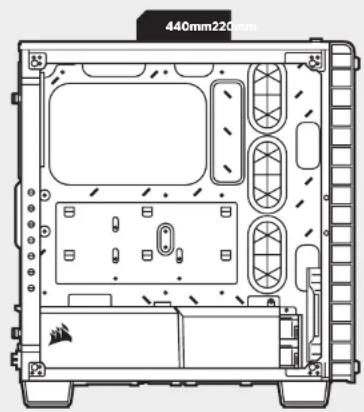
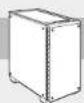
CRYSTAL SERIES 460X
Accessory kit contents
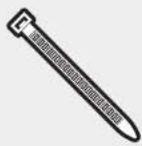
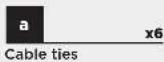
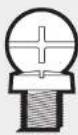
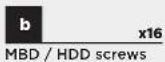

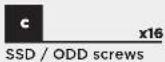
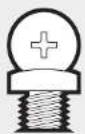
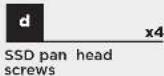


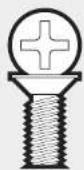

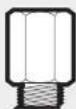
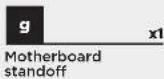
Case features
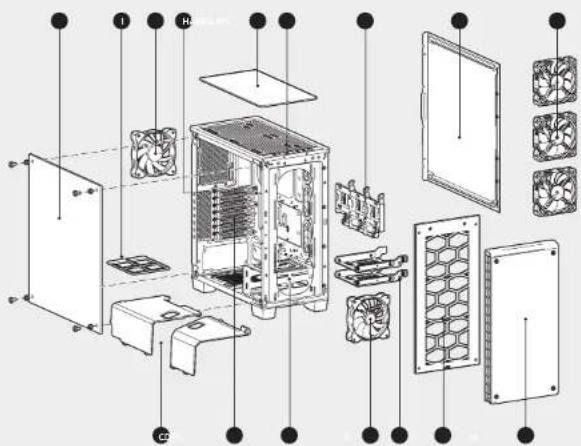
Tempered glass side panel
Solid side panel
Removable, modular PSU and 3.5" drive covers
Modular HDD cage & sleds
E Rear SSD mounts
AF140L front intake fan
AF120L rear exhaust fan
CPU backplate cutout, and built-in cable routing cutouts with grommets
Dust filters
Top cover
Front I/O panel (x2 USB 3.0, headphone, mic, power, and reset)
(x7) Expansion slots
Removable tempered glass front fascia
N (x3) SP120 RGB LED fans (460X - RGB)
CRYSTAL SERIES 460X
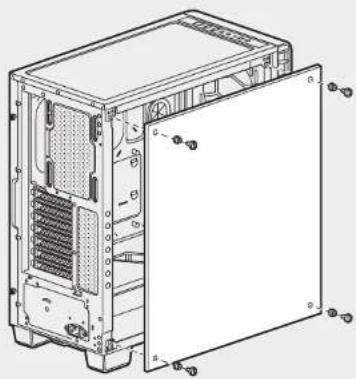
1. Removing the side panels
Remove the thumb screws and pull the side panel off.
natural_image
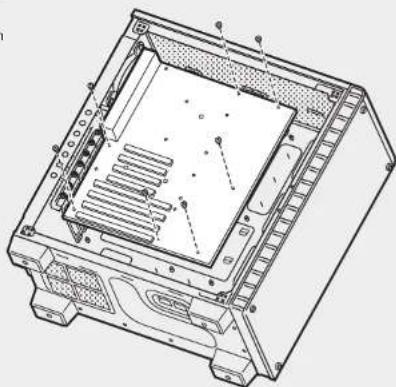
Technical line drawing of a computer tower case with visible internal components and mounting holes (no text or labels)2. Installing the motherboard
Snap your motherboard's I/O shield into the cutout.
Align the motherboard with the standoffs in the case.
Secure with the included screws. b
natural_image
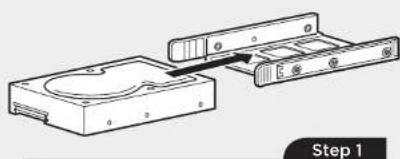
Technical line drawing of a computer chassis showing internal components and mounting points (no text or labels)3. Installing HDDs
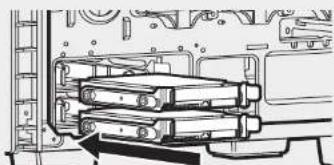
Step 1 - Place the drive into the 3.5" drive tray.
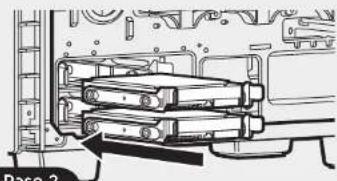
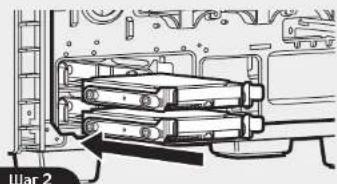
Step 2 - Slide the drive and rail assembly into the HDD cage from behind the motherboard as shown.
natural_image
Diagram of a mechanical device with two parts, one showing internal components and the other showing a housing (no text or symbols)4. Installing SSDs
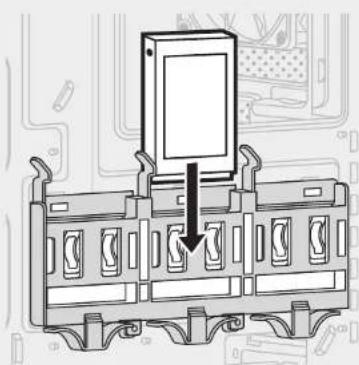
Slide the 2.5" drive into the tray until it snaps into place.
natural_image
Diagram of a device panel with an open lid and arrow indicating assembly or connection (no text or symbols present)
CRYSTAL SERIES 460X
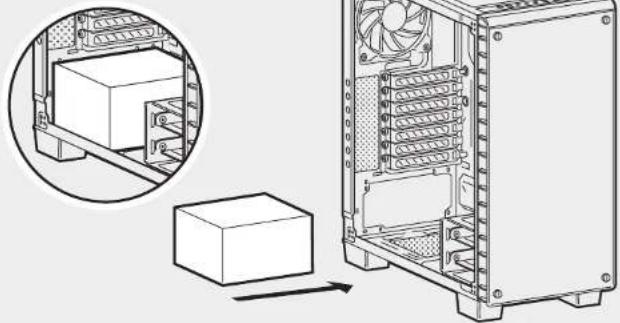
5. Installing the power supply
Install the PSU into the lower chamber of the case, and secure with four screws from behind.
natural_image
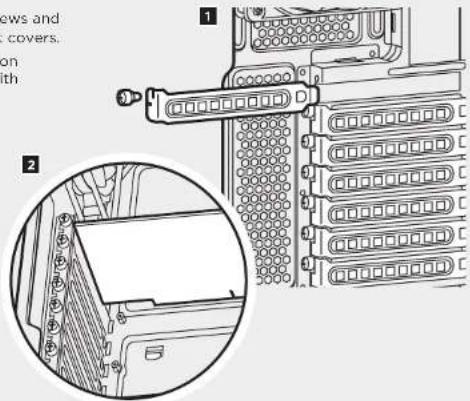
Technical line drawing of a computer tower with an inset showing a rack-mounted unit and a box, no text or symbols present.6. Installing PCI-e / PCI card(s)
- Remove thumbscrews and corresponding slot covers.
- Install the expansion card and secure with thumbscrews.
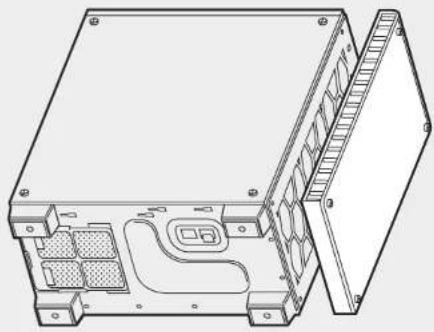
7. Removing the front fascia
Unscrew the front panel, then gently but firmly pull away from the chassis.
natural_image
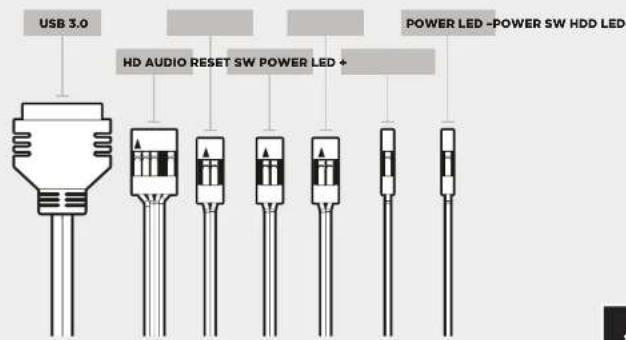
Technical line drawing of an open electronic device casing with internal components and mounting holes (no text or symbols)8. Installing the front I/O connectors
See your motherboard's manual for front panel header locations and pin-outs.

CRYSTAL SERIES 460X
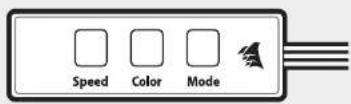
See included RGB Fan controller
Quick Start Guide for detailed instructions.
Frequently asked questions9. Using RGB fan controller (460X - RGB)
- Does the polarity matter with the I/O panel's power and reset header? No, only the LED headers.
- Who should I contact if I received my case damaged or one of the fans is no longer working? Please go to support.corsair.com and request an RMA so that we can replace the damaged part(s).
- Where can I mount a fan?
| Fan mount locations | |
| Front 3 x 120mm, 2 x 140mm | |
| Top 2 x 120mm / 2 x 140mm | |
| Rear 120mm | |
To learn more about this case visit the product page at corsair.com.
CRYSTAL SERIES 460X
natural_image
Front view of a rectangular electronic device with mounting holes and a 454mm dimension label (no other text or symbols)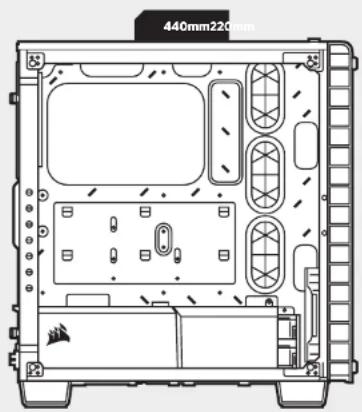
CRYSTAL SERIES 460X
CRYSTAL SERIES 460X
natural_image
Technical line drawing of a computer tower case with visible internal components and mounting holes (no text or labels)natural_image
Technical line drawing of a computer chassis showing internal components and mounting points (no text or labels)natural_image
Technical line drawing of a mechanical assembly with two components, no text or symbols presentÉtape 1
natural_image
Technical line drawing of a mechanical assembly with no visible text or symbols4. Installation des SSD
natural_image
Diagram of a device panel with an arrow pointing to a screen, no text or symbols present
CRYSTAL SERIES 460X
natural_image
Technical line drawing of a computer tower with an inset showing a rack-mounted unit and a box, no text or symbols present.6. Installation des cartes PCI-e / PCI
natural_image
Technical line drawing of an open electronic device casing with internal components and mounting holes (no text or symbols)natural_image
Front view of a rectangular electronic device with mounting holes and a 454mm dimension label (no other text or symbols)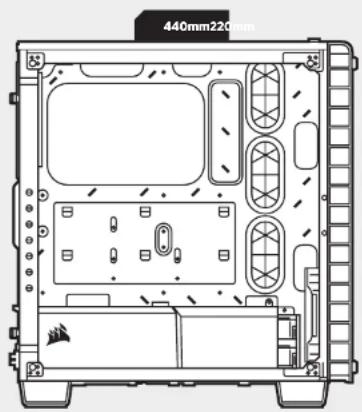
CRYSTAL SERIES 460X
CRYSTAL SERIES 460X
natural_image
Technical line drawing of a computer tower case with visible internal components and mounting holes (no text or labels)2. Installation des Motherboards
natural_image
Diagram of a computer drive assembly showing two components with no visible text or symbolsSchritt 1
natural_image
Mechanical assembly diagram showing internal components and mounting brackets (no text or labels)Schritt 2
natural_image
Diagram of a device panel with an open lid and arrow pointing to a component, surrounded by circuit traces (no text or symbols)
CRYSTAL SERIES 460X
natural_image
Technical line drawing of a computer tower with an inset showing a rack-mounted unit and a box, no text or symbols present.natural_image
Technical line drawing of an open electronic device casing with internal components and mounting holes (no text or symbols)natural_image
Front view of a rectangular electronic device with mounting holes and a 464mm dimension label (no other text or symbols)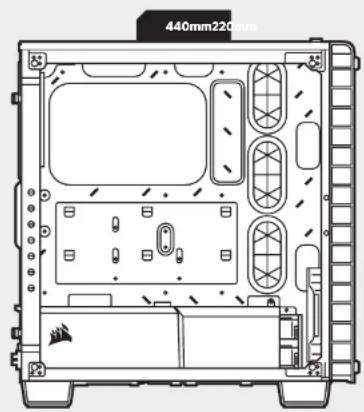
CRYSTAL SERIES 460X
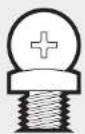
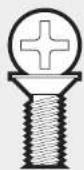
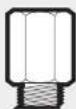
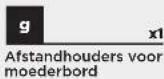
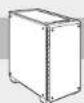
Inhoud accessoireskit



CRYSTAL SERIES 460X
natural_image
Technical line drawing of a computer tower case with visible internal components and mounting holes (no text or labels)natural_image
Technical line drawing of a computer chassis showing internal components and mounting holes (no text or labels)3. HDD's installeren
natural_image
Diagram of a mechanical assembly showing two components with arrows indicating movement, labeled 'Step 1' (no text or symbols on the diagram itself)natural_image
Diagram of an electronic component with a mounted device and circuit board background (no text or symbols)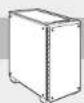
CRYSTAL SERIES 460X
natural_image
Technical line drawing of a computer tower with an inset showing a rack-mounted unit and a box, no text or symbols present.6. PCI-e / PCI-kaart(en) installeren
natural_image
Technical line drawing of an open electronic device casing with internal components and mounting holes (no text or symbols)natural_image
Front view of a rectangular electronic device with mounting holes and a 464mm dimension label (no other text or symbols)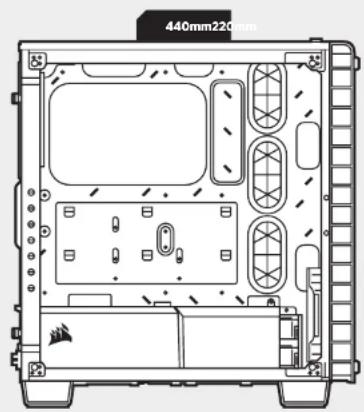
CRYSTAL SERIES 460X
CRYSTAL SERIES 460X
natural_image
Technical line drawing of a computer tower case with visible internal components and mounting holes (no text or labels)natural_image
Technical line drawing of a computer chassis showing internal components and mounting points (no text or labels)natural_image
Diagram of a mechanical assembly showing two components with arrows indicating movement (no text or symbols)Passaggio 1
natural_image
Mechanical assembly diagram showing rollers and gears inside a housing (no text or labels)Passaggio 2
natural_image
Diagram of a device panel with an arrow pointing to a screen, no text or symbols present
CRYSTAL SERIES 460X
natural_image
Technical line drawing of a computer tower with an inset showing a rack-mounted unit and a box, no text or symbols present.natural_image
Technical line drawing of an open electronic device casing with internal components and mounting holes (no text or symbols)natural_image
Front view of a rectangular electronic device with mounting holes and a 464mm dimension label (no other text or symbols)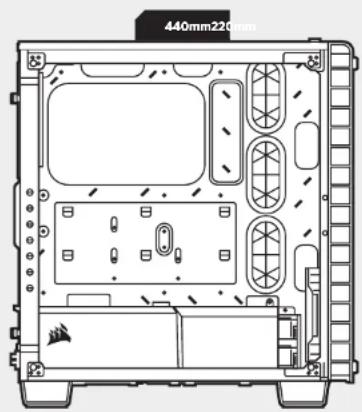
CRYSTAL SERIES 460X
CRYSTAL SERIES 460X
natural_image
Technical line drawing of a computer tower case with visible internal components and mounting holes (no text or labels)2. Cómo instalar la placa base
natural_image
Technical line drawing of a computer chassis showing internal components and mounting points (no text or symbols)natural_image
Diagram of a mechanical assembly showing two components with arrows indicating direction (no text or symbols)Paso 1
natural_image
Technical line drawing of a mechanical assembly with rollers and housing (no text or symbols)Paso 2
natural_image
Diagram of a device panel with an arrow pointing to a screen, no text or symbols present
CRYSTAL SERIES 460X
natural_image
Technical line drawing of a computer tower with an inset showing a rack-mounted unit and a box, no text or symbols present.6. Cómo instalar la(s) tarjeta(s) de PCI-e / PCI
natural_image
Technical line drawing of an open electronic device casing with internal components and mounting holes (no text or symbols)natural_image
Front view of a rectangular electronic device with mounting holes and a 464mm dimension label (no other text or symbols)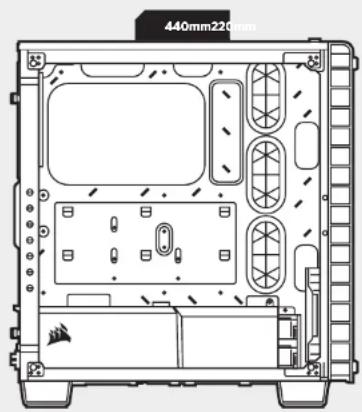
CRYSTAL SERIES 460X
CRYSTAL SERIES 460X
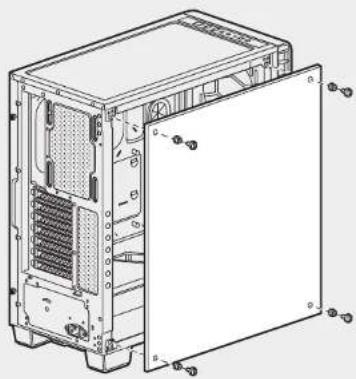
1. Remover os painéis laterais
Remova os parafusos de suporte e puxe o painel lateral.
natural_image
Technical line drawing of a computer tower case with visible internal components and mounting holes (no text or labels)natural_image
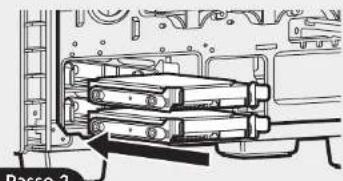
Technical line drawing of a computer chassis showing internal components and mounting points (no text or labels)3. Instalar HDDs
natural_image
Diagram of a mechanical assembly showing two components with arrows indicating direction (no text or symbols)Passo 1
natural_image
Mechanical assembly diagram showing a multi-layered component inside a housing (no text or symbols visible)Passo 2
4. Instalar SSDs
natural_image
Diagram of an electronic component with a mounted panel and mounting bracket, showing internal circuitry (no text or symbols)
CRYSTAL SERIES 460X
natural_image
Technical line drawing of a computer tower case with an inset showing a rack-mounted unit and a box, no text or symbols present.6. Instalar placa(s) PCI-e / PCI
natural_image
Technical line drawing of an open electronic device casing with internal components and mounting holes (no text or symbols)natural_image
Front view of a rectangular electronic device with mounting holes and a 464mm dimension label (no other text or symbols)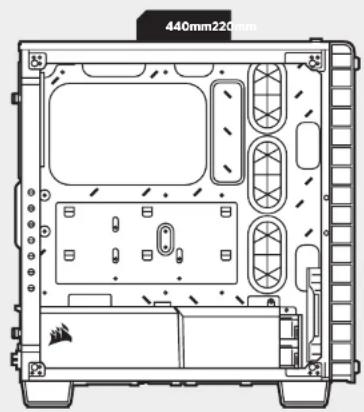
CRYSTAL SERIES 460X
CRYSTAL SERIES 460X
natural_image
Technical line drawing of a computer tower case with visible internal components and mounting holes (no text or labels)natural_image
Technical line drawing of a computer chassis showing internal components and mounting points (no text or labels)natural_image
Mechanical assembly diagram showing a component with stacked parts and labeled 'Krok 2' (no readable text or symbols beyond label)natural_image
Diagram of an electronic component with a mounted device and circuit board background (no text or symbols)
CRYSTAL SERIES 460X
natural_image
Technical line drawing of a server rack with an inset showing a box and a separate view of the internal structure (no text or symbols)natural_image
Technical line drawing of an open electronic device casing with internal components and mounting holes (no text or symbols)natural_image
Front view of a rectangular electronic device with mounting holes and a 454mm dimension label (no other text or symbols)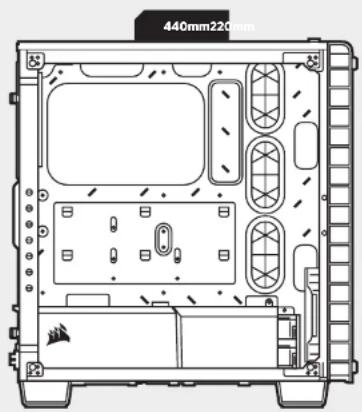
CRYSTAL SERIES 460X
CRYSTAL SERIES 460X
natural_image
Technical line drawing of a computer tower case with visible internal components and mounting holes (no text or labels)natural_image
Diagram of a computer drive assembly showing two components with no visible text or symbolsWar 1
natural_image
Mechanical assembly diagram showing a multi-layered component inside a housing (no text or symbols visible)natural_image
Diagram of a device panel with an arrow pointing to a screen, no text or symbols present
CRYSTAL SERIES 460X
natural_image
Technical line drawing of a computer tower case with an inset showing a box inside the rack (no text or symbols)6. Установка карт PCI-e / PCI
natural_image
Technical line drawing of an open electronic device casing with internal components and mounting holes (no text or symbols)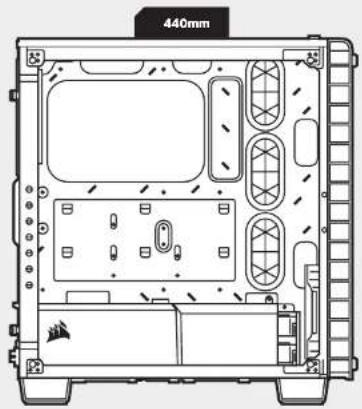
CRYSTAL SERIES 460X
CRYSTAL SERIES 460X
natural_image
Technical line drawing of a computer tower case with visible internal components and mounting holes (no text or labels)- retirement motivation
natural_image
Technical line drawing of a computer chassis showing internal components and mounting points (no text or labels)natural_image
Diagram of a mechanical assembly showing two components with arrows indicating movement (no text or symbols)1 الخطة
natural_image
Mechanical assembly diagram showing a multi-layered component with no visible text or symbolsnatural_image
Diagram of a device panel with an arrow pointing to a screen, no text or symbols present
CRYSTAL SERIES 460X
natural_image
Diagram of a mechanical assembly with a rectangular component inside a circular frame (no text or symbols)
natural_image
Technical line drawing of a desktop computer case with visible internal components and ventilation fan (no text or labels)natural_image
Technical line drawing of an electronic device casing with internal components and mounting holes (no text or symbols)- retirement messages الإخال / الإクリج农业大学
natural_image
Technical line drawing of a dual-camera device casing with internal components and mounting holes (no text or symbols)
CRYSTAL SERIES 460X
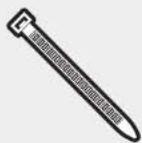
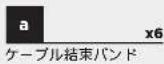
アクセサリーキットの内容
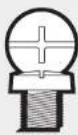
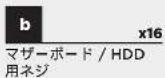

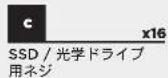
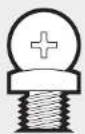
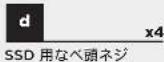

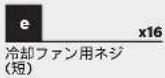
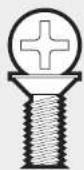
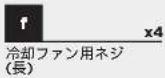
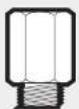
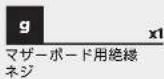
ケースの特徴
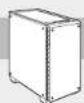
CRYSTAL SERIES 460X
1. サイドパネルの取り外し
natural_image
Technical line drawing of a computer tower case with visible internal components and mounting holes (no text or labels)2. マザーボードの取り付け
natural_image
Technical line drawing of a computer chassis showing internal components and mounting holes (no text or symbols)3. HDD の取り付け
natural_image
Diagram of a mechanical assembly showing two components with arrows indicating motion (no text or symbols)ステップ1
natural_image
Diagram of a device panel with a monitor and connector, showing internal components (no text or symbols)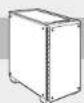
CRYSTAL SERIES 460X
5. 電源ユニットの取り付け
natural_image
Technical line drawing of a computer tower with an inset showing a rack-mounted unit and a box, no text or symbols present.natural_image
Technical line drawing of an open electronic device casing with internal components and mounting holes (no text or symbols)The manufacturer is not responsible for any radio or TV interference caused by unauthorized modifications to this equipment. Such modifications could void the user authority to operate the equipment.

This equipment has been tested and found to comply with the limits for a Class B digital device, pursuant to part 15 of the FCC Rules. These limits are designed to provide reasonable protection against harmful
Interference in a residential installation. This equipment generates, uses and can radiate radio frequency energy and, if not installed and used in accordance with the instructions, may cause harmful interference to radio communications. However, there is no guarantee that interference will not occur in a particular installation. If this equipment does cause harmful interference to radio or television reception, which can be determined by turning the equipment off and on, the user is encouraged to try to correct the interference by one or more of the following measures:
Reorient or relocate the receiving antenna
Increase the separation between the equipment and receiver.
Connect the equipment into an outlet on a circuit different from that to which the receiver is connected.
Consult the dealer or an experienced radio/TV technician for help
This device must not be co-located or operating in conjunction with any other antenna or transmitter.
Operation is subject to the following two conditions:
(1) this device may not cause harmful interference, and
(2) this device must accept any interference received, including interference that may cause undesired operation.

CORSAIR MEMORY, Inc. declares that this equipment is compliance with Directive 2011/65/EU. A copy of the original declaration of conformity can be obtained at "regulatory@corsair.com".
Wormerweg 8, 1311 XB, Almere, Netherlands

NOTE ON ENVIRONMENTAL PROTECTION
After the implementation of the European Directive 2012/19/EU in the national legal system, the following applies:
Electrical and electronic devices may not be disposed of with domestic waste.
Consumers are obligated by law to return electrical and electronic devices at the end of their service lives to the public collecting points set up for this purpose of point of sale. Details to this are defined by the national law of the respective country. This symbol on the product, the instruction manual or the package indicates that a product is subject to these regulations. By recycling, reusing the materials or other forms of utilizing old devices, you are making an important contribution to protecting our environment.