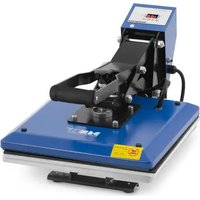
C&A HP 100 - Heat press MSW - Free user manual and instructions
Find the device manual for free C&A HP 100 MSW in PDF.


User questions about C&A HP 100 MSW
0 question about this device. Answer the ones you know or ask your own.
Ask a new question about this device
Download the instructions for your Heat press in PDF format for free! Find your manual C&A HP 100 - MSW and take your electronic device back in hand. On this page are published all the documents necessary for the use of your device. C&A HP 100 by MSW.
USER MANUAL C&A HP 100 MSW
This User Manual has been translated for your convenience using machine translation. Reasonable efforts have been made to provide an accurate translation; however, no automated translation is perfect nor is it intended to replace human translators. The official User Manual is the English version. Any discrepancies or differences created in the translation are not binding and have no legal effect for compliance or enforcement purposes. If any questions arise related to the accuracy of the information contained in the User Manual, please refer to the English version of those contents which is the official version.
Technical data
| Parameter description | Parameter value | |
| Product name | Heat press | |
| Model | MSW-C&A HP Z1 | MSW-C&A HP 100 |
| Supply voltage [V~] / frequency [Hz] | 230/50 | 230/50 |
| Rated power [W] | 1600 | 850 |
| Maximum temperature [°C] | 250 | 250 |
| Time range [min] | 0-17 | 0-17 |
| Overheating protection | Yes | Yes |
| IP protection class | IP21 | IP21 |
| Working surface [cm] | 38 x 38 | 23 x 30 |
| Dimensions (width x depth x height) [cm] | 61 x 38 x 75 | 36 x 30.5 x 46 |
| Weight [kg] | 19.25 | 9 |
1. General description
The user manual is designed to assist in the safe and trouble-free use of the device. The product is designed and manufactured in accordance with strict technical guidelines, using state-of-the-art technologies and components. Additionally, it is produced in compliance with the most stringent quality standards.
DO NOT USE THE DEVICE UNLESS YOU HAVE THOROUGHLY READ AND UNDERSTOOD THIS USER MANUAL.
To increase the product life of the device and to ensure trouble-free operation, use it in accordance with this user manual and regularly perform maintenance tasks. The technical data and specifications in this user manual are up to date. The manufacturer reserves the right to make changes associated with quality improvement. The device is designed to reduce noise emission risks to a minimum, taking into account technological progress and noise reduction opportunities.
Legend

The product meets the requirements of relevant safety standards.

Please read the instructions before use.
Recyclable product.
ATTENTION! or WARNING! or REMEMBER! A general warning sign describing a given situation.
Use protective gloves.
ATTENTION! Warning against electric shock!
ATTENTION! Danger of crushing your hands!
Do not touch!
Attention! Hot surface may cause burns!
For indoor use only.
PLEASE NOTE! Drawings in this manual are for illustration purposes only and in some details may differ from the actual product.
2. Safety of use a
ATTENTION! Read all safety warnings and all instructions. Failure to follow the warnings and instructions may result in electric shock, fire and/or serious injury or even death.
The terms "device" or "product" are used in the warnings and instructions to refer to: Heat press
2.1. Electrical safety
a) The plug must fit the socket. Do not modify the plug in any way. Using original plugs and matching sockets reduces the risk of electric shock.
b) Avoid touching earthed elements such as pipes, heaters, boilers and refrigerators. There is an increased risk of electric shock if the earthed device is exposed to rain, comes into direct contact with a wet surface or is operating in a damp environment. Water getting into the device increases the risk of damage to the device and of electric shock.
c) Do not touch the device with wet or damp hands.
d) Use the cable only for its designated use. Never use it to carry the device or to pull the plug out of a socket. Keep the cable away from heat sources, oil, sharp edges or moving parts. Damaged or tangled cables increase the risk of electric shock.
e) Do not use the device if the power cord is damaged or shows obvious signs of wear. A damaged power cord should be replaced by a qualified electrician or the manufacturer's service centre.
f) To avoid electric shock, do not immerse the cord, plug or device in water or other liquids. Do not use the device on wet surfaces.
g) ATTENTION! DANGER TO LIFE! While cleaning, never immerse the device in water or other liquids.
h) Do not use in very humid environments or in the direct vicinity of water tanks.
i) Prevent the device from getting wet. Risk of electric shock!
j) Before the first use, please check whether the main voltage type and current comply with the indicated data on the type plate.
2.2. Safety in the workplace
a) Make sure the workplace is clean and well lit. A messy or poorly lit workplace may lead to accidents. Try to think ahead, observe what is going on and use common sense when working with the device.
b) Do not use the device in a potentially explosive environment, for example in the presence of flammable liquids, gases or dust. The device generates sparks which may ignite dust or fumes.
c) If you discover damage or irregular operation, immediately switch the device off and report it to a supervisor without delay.
d) If there are any doubts as to the correct operation of the device, contact the manufacturer's support service.
e) Only the manufacturer's service point may repair the device. Do not attempt any repairs independently!
f) In case of fire, use a powder or carbon dioxide (CO2) fire extinguisher (one intended for use on live electrical devices) to put it out.
g) Children or unauthorized persons are forbidden to enter a work station. A distraction may result in loss of control over the device.
h) Use the device in a well-ventilated space.
i) Regularly inspect the condition of the safety labels. If the labels are illegible, they must be replaced.
j) Please keep this manual available for future reference. If this device is passed on to a third party, the manual must be passed on with it.
k) Keep packaging elements and small assembly parts in a place not available to children.
I) Keep the device away from children and animals.
m) If this device is used together with another equipment, the remaining instructions for use shall also be followed.

Remember! Protect children and other bystanders when operating the device.
2.3. Personal security
a) Do not use the device when tired, ill or under the influence of alcohol, narcotics or medication which can significantly impair the ability to operate the device.
b) The device can be handled only by physically fit persons who are capable of handling it, properly trained, familiar with this manual and trained within the scope of occupational health and safety.
c) When working with the device, use common sense and stay alert. Temporary loss of concentration while using the device may lead to serious injuries.
d) To prevent the device from accidentally switching on, make sure the switch is on the OFF position before connecting to a power source.
e) Do not overestimate your abilities. When using the device, keep your balance and remain stable at all times. This will ensure better control over the device in unexpected situations.
f) Do not wear loose clothing or jewellery. Keep hair, clothes and gloves away from moving parts. Loose clothing, jewellery or long hair may get caught in moving parts.
g) The device is not a toy. Children must be supervised to ensure that they do not play with the device.
h) ATTENTION! Some parts of the device remain hot for some time after switching it off - be careful.
i) During operation of the device, high temperature treatment may produce unpleasant fumes that may be irritating to sensitive people - they should not be inhaled.
2.4. Safe use of the device
a) Do not overload the device. Use the appropriate tools for the given task. A correctly-selected device will perform the task for which it was designed better and in a safer manner.
b) Do not use the device if the "ON/OFF" switch does not function properly (does not switch the device on and off). Devices which cannot be switched on and off using the ON/OFF switch are hazardous, should not be operated and must be repaired.
c) Make sure the plug is disconnected from the socket before attempting any adjustments, accessory replacements or before putting the device aside. Such precautions will reduce the risk of accidentally activating the device.
d) When not in use, store in a safe place, away from children and people not familiar with the device who have not read the user manual. The device may pose a hazard in the hands of inexperienced users.
e) Keep the device in perfect technical condition. Before each use check for general damage, especially check moving components for cracked parts or elements, and for any other conditions which may impact the safe operation of the device. If damage is discovered, hand over the device for repair before use.
f) Keep the device out of the reach of children.
g) Device repair or maintenance should be carried out by qualified persons, only using original spare parts. This will ensure safe use.
h) To ensure the operational integrity of the device, do not remove factory-fitted guards and do not loosen any screws.
i) When transporting and handling the device between the warehouse and the destination, observe the occupational health and safety principles for manual transport operations which apply in the country where the device will be used.
j) Do not move, adjust or rotate the device in the course of work.
k) Do not leave this appliance unattended while it is in use.
I) It is forbidden to interfere with the structure of the device in order to change its parameters or construction.
m) Keep the device away from sources of fire and heat.
n) Do not cover the ventilation openings! o) NOTE: During operation, some elements of the device become very hot – scalding hazard

ATTENTION! Despite the safe design of the device and its protective features, and despite the use of additional elements protecting the operator, there is still a slight risk of accident or injury when using the device. Stay alert and use common sense when using the device.
3. Terms of Use
The device is designed to transfer patterns, graphics or prints to various surfaces, such as fabrics, ceramics, metal or wood, using heat and pressure. It enables permanent and precise application of images, often used in the textile and advertising industry. This allows you to create high-quality, personalized products.
The user is liable for any damage resulting from unintended use of the device.
3.1. Description of the device
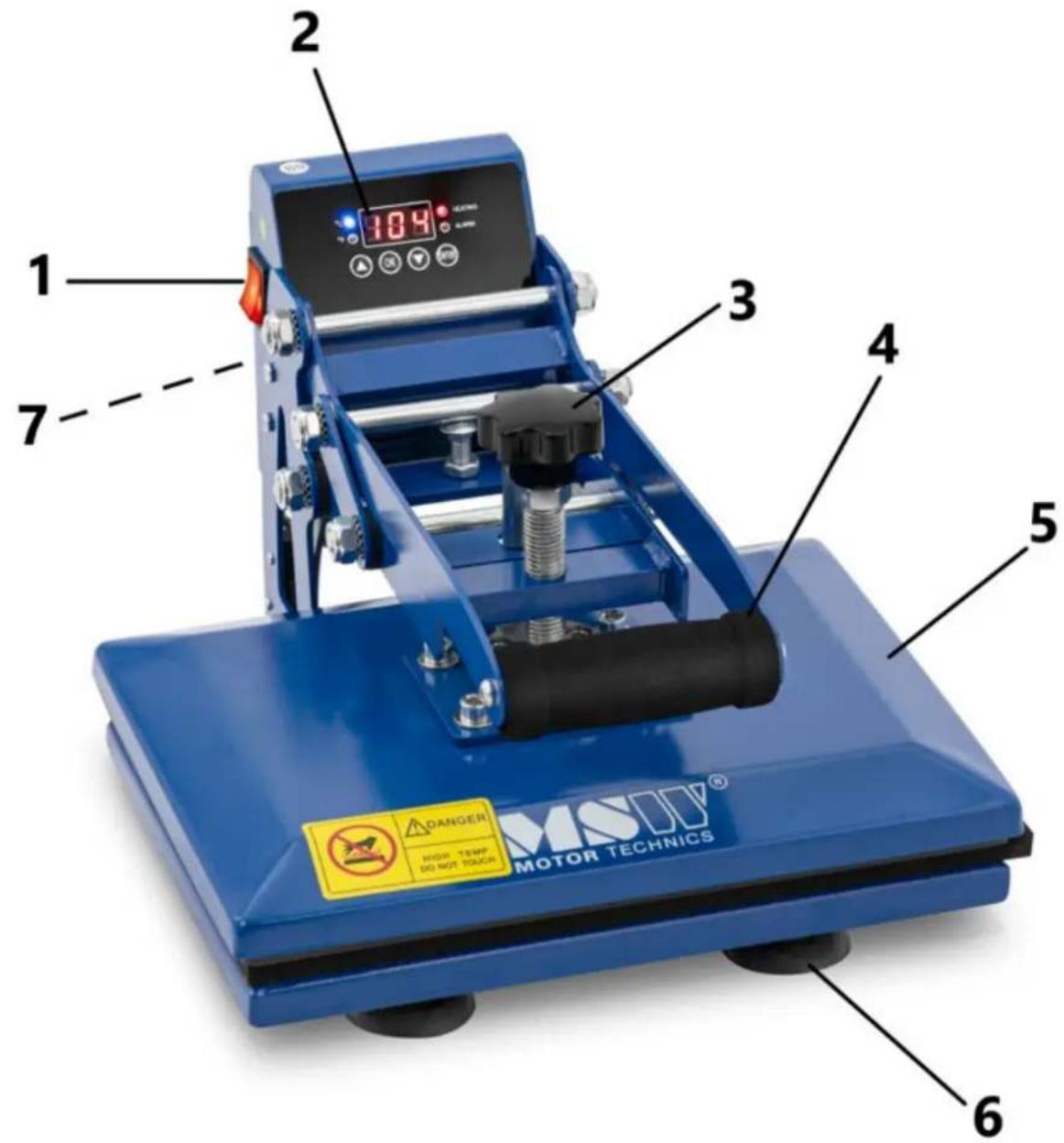
MSW-C&A HP 100
MSW-C&A HP Z1
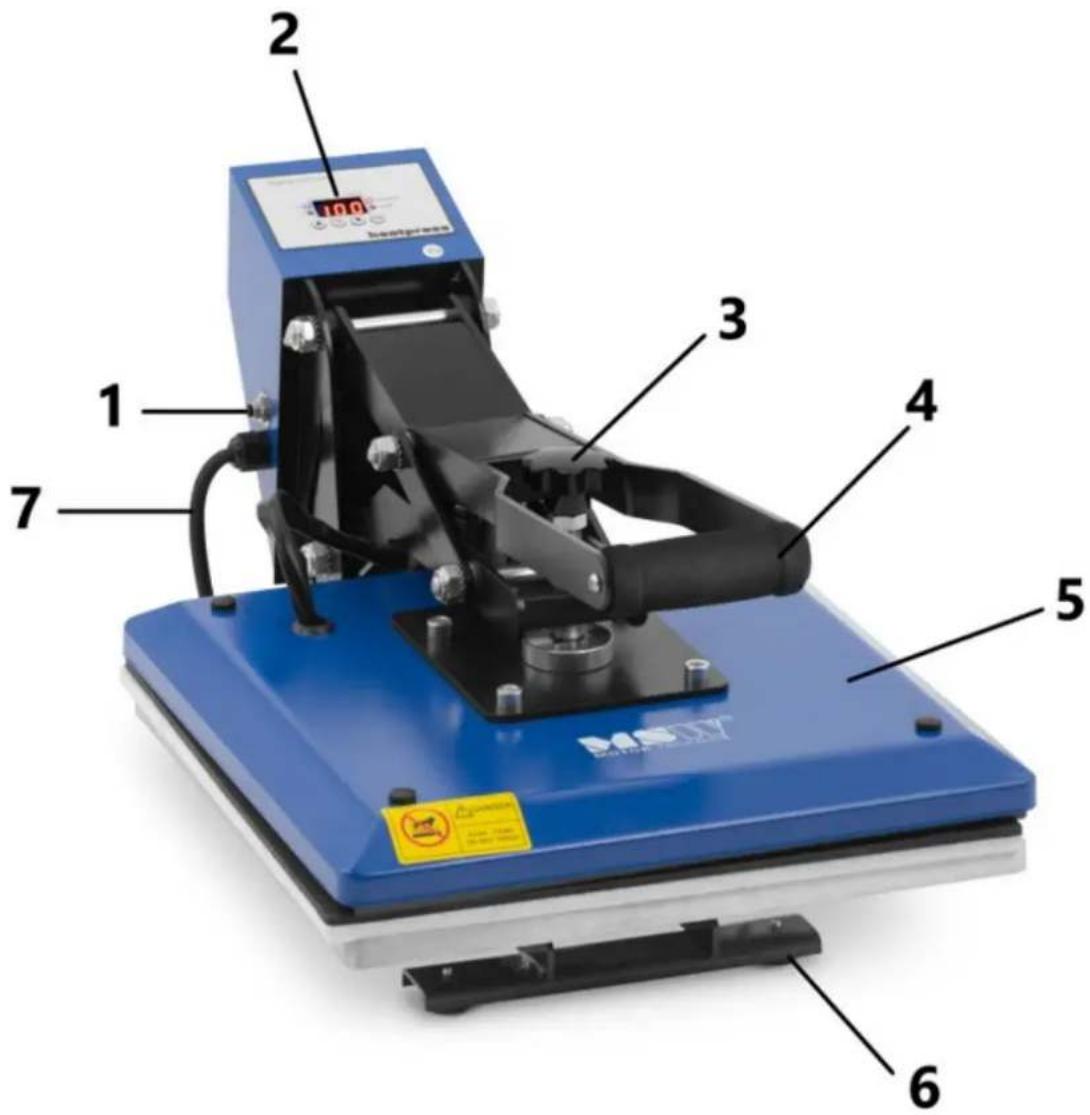
1 - Main ON/OFF button
2 - Control panel
3 - Pressure knob
4 - Pressure arm holder
5 – Heating plates
6 - Legs
7 - Power cord socket (not visible in the photo)
3.2. Preparation to work
Device location
The temperature of environment must not be higher than 40^ and the relative humidity should be less than 85% . Ensure good ventilation in the room in which the device is being used. There should be at least 10 cm distance between each side of the device and the wall or other objects. The device should always be used when positioned on an even, stable, clean, fireproof and dry surface, and be out of the reach of children and persons with
limited mental and sensory functions. Position the device such that you always have access to the power plug. The power cord connected to the appliance must be properly grounded and correspond to the technical details on the product label.
3.3. Working with the device
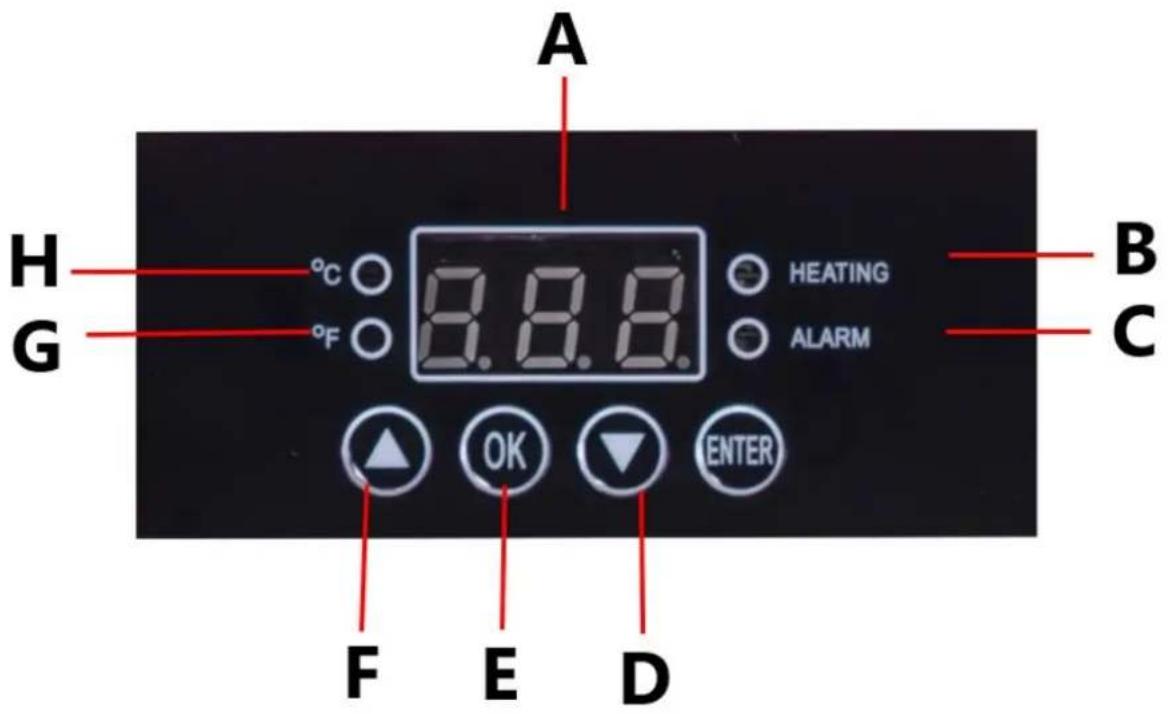
Setting the temperature
1) Press the OK button.
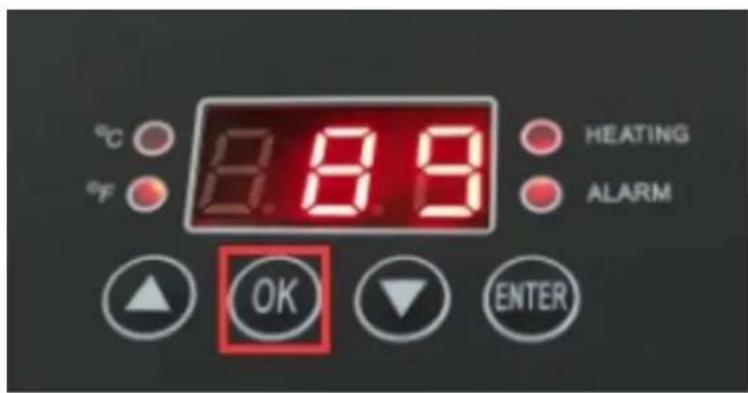
2) "P-1" appears on the display.
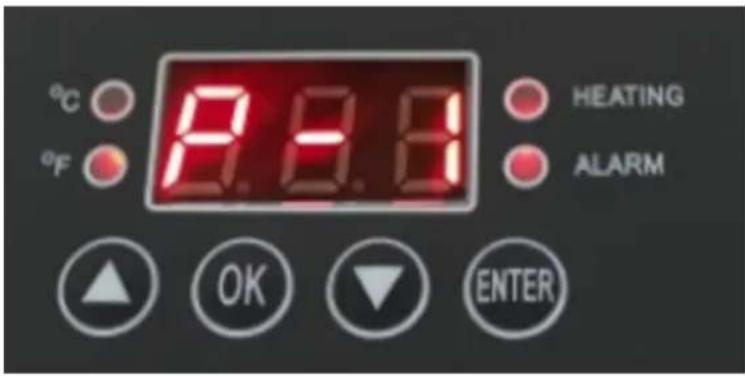
3) Press the “△” or “▽” arrows to set the desired temperature.
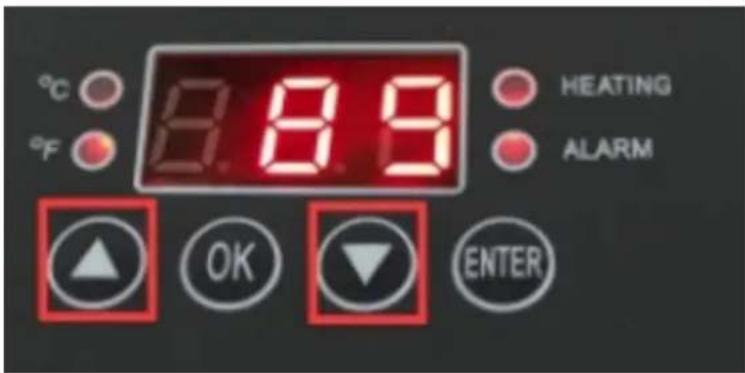
Setting the time
4) After setting the temperature, press the OK button.
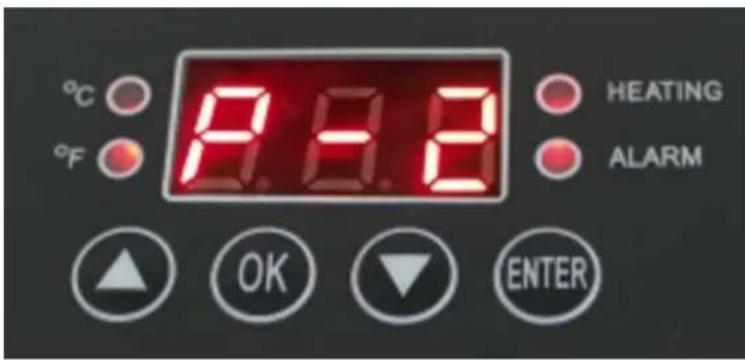
5) "P-2" appears on the display.
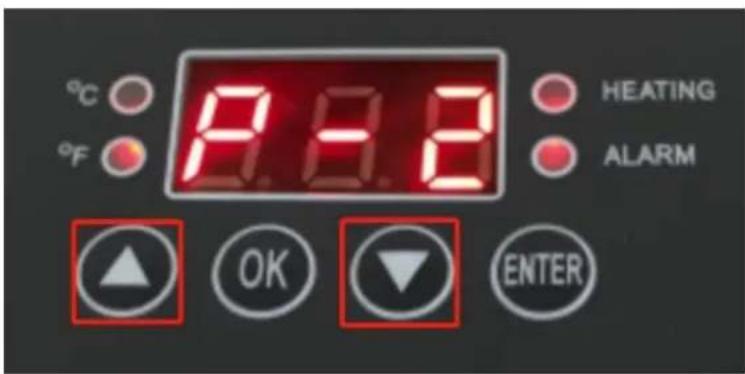
6) Press " △ " or " ▽ " arrows to set the time you need, then press OK button for 2-3 seconds to save the setting.
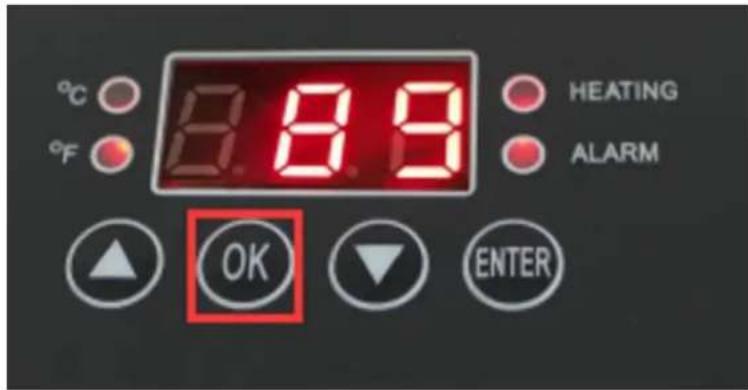
Switch between Celsius and Fahrenheit
1) Press and hold the "OK" key.
2) The display shows P-3.
3) Press "△" or "▽" arrows to switch between Fahrenheit and Celsius.
4) Hold down the "OK" key to save the setting.
Pressure adjustment
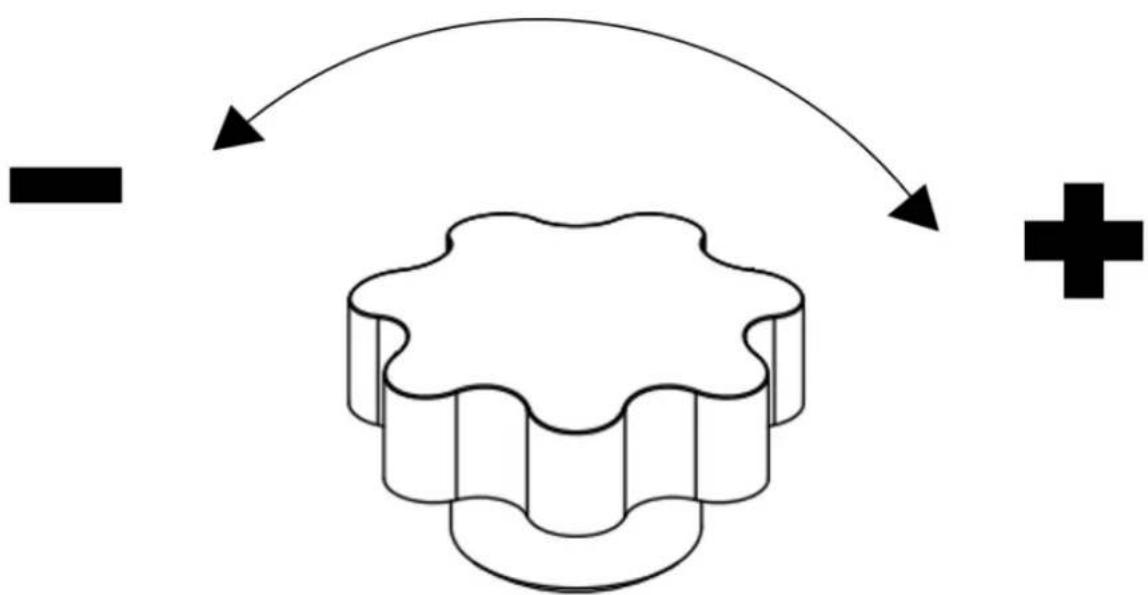
- Place the material on the work table, adjust the pressure knob to the appropriate position.
- Rotate clockwise to increase pressure.
- Rotate counterclockwise to relieve pressure.
flowchart
graph TD
    A["Start"] --> B{Decision}
    B -->|Yes| C["Process"]
    B -->|No| D["End"]
Recommended settings
| Material | Temperature | Time | Comments |
| Cotton clothing | 320-360°F (160-180°C) | 30 sec. | ·Use thermal transfer paper with the image in reverse format.·Make sure that parts of clothing that are not heat resistant (such as plastic buttons) do not touch the heated plate.·Print under high pressure. |
| Linen fabric | |||
| Man-made fiber fabric | 300-320°F (150-160°C) | 20 sec. | ·Use thermal transfer paper with the image in reverse format.·Make sure that parts of clothing that are not heat resistant (such as plastic buttons) do not touch the heated plate.·Print with medium pressure. |
| Pillows | 340°F (190°C) | 50 sec. | ·Use thermal transfer paper with the image in reverse format.·Make sure that parts of clothing that are not heat resistant (such as plastic buttons) do not touch the heated plate.·Print under high pressure. |
| "Typical white non-cotton fabric" |
Note : The above parameters are for informational purposes only. It is recommended to test the selected parameters on a small sample to find the best parameters for your product
Applying graphics to the material
1) Place the material on the work surface and adjust the pressure knob to obtain the proper pressure required.
2) Plug in the power plug and turn on the power button.
3) Set the desired time and temperature.
4) The temperature of the heating plate will start to rise when it reaches the set temperature, place the material on the worktable and press the handle to close the platen
5) When the time is up, the machine alarm will sound, take out the product.
6) Turn off the device and unplug the power when not in use.
Attention:
- If it is difficult to press the handle, turn the pressure adjustment nut counterclockwise to reduce the pressure and increase the distance between the hob and the worktop.
- When the handle is pressed, the pressure adjustment nut should not be overtightened. This may be felt when there is a lot of resistance.
- Do not attempt to process products that are not heat resistant.
3.4. Cleaning and maintenance
a) Before each cleaning, adjustment, replacement of accessories, and when the device is not in use, disconnect the power plug and cool the device completely.
b) Only agents that do not contain corrosive substances should be used to clean the surfaces.
c) After each cleaning, all components should be dried thoroughly before the device is used again.
d) The device should be stored in a dry and cool place protected from moisture and direct sunlight.
e) It is prohibited to spray the device with a jet of water or immerse the device in water.
f) The device should be regularly inspected for its technical efficiency and any damage.
g) Use a soft cloth for cleaning.
Disposal of used devices:
Do not dispose of this device in municipal waste systems. Hand it over to an electric and electrical device recycling and collection point. Check the symbol on the product, instruction manual and packaging. The plastics used to construct the device can be recycled in accordance with their markings. By choosing to recycle you are making a significant contribution to the protection of our environment.
Contact local authorities for information on your local recycling facility.
Troubleshooting :
| Problem | Possible cause | Solution |
| The countdown does not work and the temperature has risen normally. | The pressure is not appropriate. | Re-adjust the pressure knob and press the handle until you hear a click and the countdown timer icon appears |
| It does not heat up or does not reach the displayed temperature. | Problem with the heating device or relay failure. | 1.Check the heating connection connections.2.Replace the heating element. |
| No color, faded image. | Due to insufficient ironing temperature and/or time. | Adjust the temperature or increase the heating time.Make sure the design is firmly attached to the materials. |
| Dim, deep color, blurred image. | The temperature was too high or pressure was applied for a long time. | Set a lower temperature or time.Set more appropriate parameters for your materials. |
| The temperature control meter does not control the temperature, the temperature keeps rising. | Relay damage. | Replace the relay |

For the disposal of the device please consider and act according to the national and local rules and regulations.
CONTACT
expondo Polska sp. z o.o. sp. k.