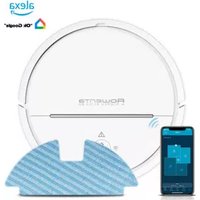
X-Plorer Serie 80 RR7747 - Vacuum Cleaner ROWENTA - Free user manual and instructions
Find the device manual for free X-Plorer Serie 80 RR7747 ROWENTA in PDF.


| Brand | Rowenta |
| Model | X-Plorer Series 80 RR7747 |
| Product type | Intelligent robot vacuum cleaner |
| Color | Black and silver |
| Dimensions (L x W x H) | 33 x 33 x 8 cm (estimated) |
| Weight | 3 kg (estimated) |
| Power supply | Rechargeable Lithium-Ion battery, removable mains charger (100-240 V) |
| Battery life | Up to 120 minutes (estimated) |
| Charging time | Approximately 4 hours (estimated) |
| Dustbin capacity | 0.5 L (estimated) |
| Filtration | Washable motor protection foam filter |
| Navigation technology | Class 1 laser (navigation sensor) |
| Main functions | Automatic cleaning, suction, motorized brush, Min and Turbo/Boost modes, automatic return to base |
| Maintenance and cleaning | Empty and clean the dustbin, clean the foam filter, clean the motorized brush with the provided tool, clean the drop sensors |
| Safety | Automatic shutdown in case of overheating, drop detection, motor protection, laser safety |
| Spare parts and repairability | Use only Rowenta original parts; battery replaceable only by an Authorized Service Center |
| General information | Domestic use only, compliance with European standards |
Frequently Asked Questions - X-Plorer Serie 80 RR7747 ROWENTA
User questions about X-Plorer Serie 80 RR7747 ROWENTA
0 question about this device. Answer the ones you know or ask your own.
Ask a new question about this device
Download the instructions for your Vacuum Cleaner in PDF format for free! Find your manual X-Plorer Serie 80 RR7747 - ROWENTA and take your electronic device back in hand. On this page are published all the documents necessary for the use of your device. X-Plorer Serie 80 RR7747 by ROWENTA.
USER MANUAL X-Plorer Serie 80 RR7747 ROWENTA
For your safety, this appliance complies with the applicable standards and regulations.
- This appliance is designed for domestic use only. Please read this safety advice carefully. The manufacturer shall accept no liability for any use that does not comply with the instructions.
- Your vacuum cleaner is an electrical appliance: it should be used in normal operating conditions.
- Do not use the appliance if it has been knocked or dropped and there is visible damage to it, or if it fails to function normally. In this case do not open the appliance, but take it to the nearest Service Centre to your home as special tools are required to carry out any repairs safely.
- Repairs must only be carried out by specialists using original spare parts: it may be dangerous for users to try to repair appliances themselves. Use only guaranteed original spare parts (filters, batteries, etc.).
- WARNING - Use only with - designation - charger
- To recharge the battery, please use only the detachable power unit (charger) supplied with the appliance (page 107).
- Please remove the battery before discarding it.
- Please ensure that the appliance is unplugged before taking out the battery.
- Please ensure the battery is disposed of safely.
- If the cord of the detachable power unit (charger) is damaged or does not work: do not use any detachable power unit (charger) other than the model provided by the manufacturer and contact Customer Support or your nearest approved Service Centre (use of a universal detachable power unit (charger) voids the guarantee).
- Never pull the electric cord to disconnect the detachable power unit (charger).
- Always switch off the appliance before maintenance or cleaning.
- Do not touch the rotating parts without turning off the vacuum cleaner.
- Do not vacuum wet surfaces, water or any type of liquids, hot substances, super smooth substances (plaster, cement, ashes, etc.), large sharp items of debris (glass), hazardous products (solvents, abrasives, etc.), aggressive products (acids, cleaning products, etc.), inflammable and explosive products (oil or alcohol based).
- Never immerse the appliance in water or any other liquid; do not spill water on the appliance and do not store it outside.
-
For cleaning and maintenance please refer to the manual.
-
For countries subject to European regulations (marking ): This appliance can be used by children aged 8 years and above and persons with reduced physical, sensory or mental capabilities or who lack experience and knowledge if they have been given supervision or instruction concerning safe use and understand the hazards involved. Children should not be allowed to play with the appliance. Children should not clean or perform maintenance on the appliance unless they are supervised by a responsible adult. Keep the appliance and its charger out of the reach of children under 8 years old.
-
For other countries that are not subject to European regulations: This appliance is not designed to be used by people (including children) with reduced physical, sensory or mental capabilities, or by people with no prior knowledge or experience, unless they have had supervision or previous instructions relating to the use of the appliance, from a person responsible for their safety. Children must be supervised to ensure they do not play with the appliance.
PLEASE READ BEFORE USE
Before using the appliance, please collect all the objects on the floor (please refer to the IFU)
- To avoid any incident, do not let the robot pass over other appliances electric cords.
- Ensure that the voltage indicated on the rating plate of your vacuum cleaner's charger is the same as your wall outlet voltage. Any connection error could cause irreversible damage to the product and invalidate the guarantee.
- The vacuum cleaner should be put on charge after use so that its battery is always fully charged for optimal dust removal performance and battery life.
- For prolonged absences (holidays, etc.), the charger should be unplugged from the mains. This may mean some loss of battery life due to self-discharge.
- Do not vacuum large items that may clog and damage the air inlet.
According to model:
- Do not use the appliance on deep pile carpet, animal hair or fringes.
- Switch to "min" to vacuum thick or delicate carpets and rugs and fragile surfaces.
- Switch to "TURBO/BOOST" for optimum dust removal performance (depending on the model) on all types of very dirty floors.
- Do not use your vacuum without an engine protection filter.
- Do not wash the dust collector components or the engine protection filter in a dishwasher.
SAFETY GUIDELINES FOR LASER PRODUCTS* (*depending on the model)
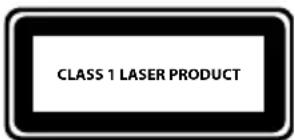
LASER: the navigation sensor contains a Class 1 laser in compliance with the EN 60825-1 standard during all operating procedures.
- Never point the laser at another person.
- Do not look at the direct or reflected beam.
- Always turn off the robot vacuum cleaner when carrying out any maintenance tasks.
-
Any change or attempt to repair the robot vacuum cleaner or the navigation sensor is strictly prohibited and poses a risk of hazardous exposure to radiation.
-
This unit contains batteries (Lithium Ion) which for safety reasons are only accessible by a professional repairer. Do not place a block of rechargeable batteries with non-rechargeable batteries. When the battery is no longer able to hold the charge, the battery pack (Lithium Ion) should be removed. To replace the batteries, contact your nearest Approved Service Centre.
-
The batteries must be handled with care. Do not put the batteries in your mouth. Do not let the batteries come in contact with other metal objects such as rings, nails or screws. Be careful not to provoke internal short-circuits in the batteries by inserting metal objects through their extremities. If a short-circuit does occur, the temperature of the batteries could rise dangerously, causing serious burns or even catching fire. If the batteries are leaking, do not rub your eyes or mucous membranes. Wash your hands and your rinse eyes in clean water. If discomfort persists, contact your doctor.
It is important that you remove the batteries before throwing away your appliance. In order to do this, visit an authorised Service Centre. Do not throw the battery block into the waste bin; take it to the authorised Tefal Service Centre nearest to your home or to a place specially designated to process such type of waste.
SAFETY GUIDELINES FOR MOPPING SYSTEM
Please refer to the instructions supplied with your robot vacuum cleaner and the instructions supplied with this accessory so that you are aware of the instructions for use.
Please take note of the following additions to the safety manual for using this accessory.
TO BE READ BEFORE FIRST USE
- Do not allow the robot vacuum cleaner to move over the power cable of other appliances or other types of cables as this may result in danger.
- Do not use any cleaning solutions on your robot vacuum cleaner; use water only. Fill the tank up to the maximum level mark.
- The cable must be disconnected from the power outlet before performing any maintenance or before cleaning the appliance.
ENVIRONMENT
In accordance with existing regulations, any end-of-life appliances must be taken to an approved Service Centre which will take responsibility for managing their disposal.
Think of the environment!
① Your appliance contains valuable materials which can be recovered or recycled.
Leave it at a local civic waste collection point.
According to model:
- The charger is getting hot:
This is perfectly normal. The vacuum cleaner can remain permanently connected to the charger without any risk.
- The charger is connected but your appliance is not charging:
- The charger is incorrectly attached to the appliance or is faulty.
- Check that the charger is properly connected or contact an Approved Services Centre to change the charger.
- Your appliance stops during use:
- Your appliance may be overheating.
- Stop the appliance and leave cool for at least 1 hour.
If it overheats on repeated occasions, contact the Approved Services Centre.
- The appliance stopped after the charge light was flashing:
- The appliance has run out of battery charge.
Recharge the vacuum cleaner.
- The power-brush is not working properly or makes a noise:
- The rotating brush or hose are obstructed.
- Stop the vacuum cleaner and clean them.
- The brush is worn.
Contact an Approved Service Centre to change the brush. - The belt is worn.
Contact an Approved Service Centre to change the belt.
- The power-brush stops during vacuuming:
-
The safety function has been triggered.
-
Stop the vacuum cleaner. Check that nothing is obstructing the rotation of the brush; if there is an obstruction, remove it and clean the power-brush, then turn on the vacuum cleaner.
- Your vacuum cleaner is not vacuuming as well, is making noise, whistling:
- The intake channel is partially blocked.
Unblock it - The dust collector is full.
Empty it and clean it.
- The dust collector is not properly fitted.
Re-position it correctly. - The intake head is clogged.
Remove the power-brush and clean it. - The protective foam filter is saturated.
Clean it.
| Display Description of the error Possib|e cause/solution | ||
| 1032 | The robot is unable to locate its docking station | The docking station is not connected to the mains. Please connect the base to the mains. The docking station is not easily accessible due to the cluttered floor space. Ensure the robot has easy access by clearing any clutter around the docking station. |
| 2001 | The robot will turn off due to low battery power | The battery power is weak and the robot is not able to return to the docking system. Return the robot manually to the docking station in order for it to recharge. |
| 2010 | The robot is no longer positioned on the ground | The robot is not at ground-level. Please place the robot on the ground. |
| 2020 One of the robot's wheels is jammed | One of the wheels is jammed and is not working properly. Turn off the robot and remove the blocking element. | The robot is unable to properly turn on. Call the after-sales service centre, quoting error code 2021. |
| 2021 The vacuuming motor is jammed | The robot is unable to properly turn on. Call the after-sales service centre, quoting error code 2021. | The power-brush is not working correctly. Turn off the robot and remove the blocking element. Remember to clean the power-brush using the tool provided to remove hair. |
| 2022 The power-brush is jammed/blocked | The robot is unable to find its route | The robot is blocked. Move the robot, repositioning it in an uncluttered space and re-start the vacuuming. Move the robot. |
| 2024 The robot has a problem with its fall sensors | The robot has a problem with its fall sensors | The fall sensors are dirty. Clean the fall sensors with the cloth provided. The robot is jammed at the top of the stairs. Move the robot. |
| 2025 | The robot has a problem with its fall sensors | The robot cannot start without its dust collector. Attach the dust collector and its filter properly. Place the dust collector and filter inside the appliance. |
| 2030 | The robot's dust collector is not attached | The robot is unable to properly turn on. Call the after-sales service centre, quoting error code 2040. |
| 2040 | The robot's navigation sensors are damaged | The robot is unable to properly turn on. Call the after-sales service centre, quoting error code 2041. |
| 2041 The robot's gyroscope is damaged | The robot is unable to properly turn on. Call the after-sales service centre, quoting error code 2041. | Switch off and switch on the robot and put it back on the docking station. After booting, the robot will be ready for any command. |
| 2050 The robot faced an issue | The robot does not turn on | The robot does not have sufficient battery power to turn on. Place the robot on the docking station; ensure the ON/OFF switch under the robot is in the OFF position. Set the switch to the ON position. |

PpeaIeToBnyHKT3aBTOpUHNcypOBuHN,KbTeToToiue6bTeTpEtnpaH.
B 3aBnCmOcT OT MoDena:
- 3aŋdHTo 3aŋpBa:
ToBa e HopMaJIHo. IpaXocMyKaUkaTa MoKe Ja octaHe CBbp3aHa CbC 3apAHHOT OIOCTOAHHO 6eHnKaKbB PnCK.
- 3apraHTo e cBbP3aHo, Ho ypeIbT He ce 3apeKda:
- 3apraHTo He e npabunHO Cbbp3aHo Cypea nn He pa6oTn.
PpOBepTe dann 3apAHO e npabUNHO CBpb3aHO nn Ce o6bpHeTe KbM OTOpN3npaH cepBn3 3a CMHaTa My.
- UpeDbT cnnpa no BpeMe Ha pa60Ta:
- YpeBt MoKeJa e npperpJ.
Cnpete ypea n ro octabe Ta ce oxlaan nohe 1 qac.
B cnuyaHa nOBTOHO 3aRpaBaHe ce o6bPHeTe KbM OTOpU3IpaH cepBn3.
- UpeTcnpa cneI npMmRbHe Ha mHnkaTopa 3a 3apeKdaHe:
- YpeBtepa3peHn.
3apepeTe npaxocmykaKkata.
- Enejtpnueckata yeTka pa60Tu no-3ne nnn n3daBa Heo6uayen wym:
-Bbpttata Ce YeTka Nn MapKyuBcTa 3aJpbCTeHn.
13KIOUeTe npaxOcMyKaKaTaI rN NOuCTeTe.
- YeTkata e n3HOceHa.
06bpeTe ce KbM OTOpn3npaH cepBn3 3a CMHa Ha YeTkata.
- PembkbTe n3HOCEH.
06bphETe ce KbM OTOpN3npaH cepBn3 3a CmHa Ha peMbka.
- Enejktpnueckata YeTka cnipa no BpeMe Ha pa6ota:
-3aJeICTBaIaCe e 3aIITata.
I3KJIIOUeTe npaxOCMykaKaTa. IPOBepeTe 3a HaJIuYHe Ha IpeMEnI, Bb3PpenTCTBaUu N BbPteHTo Ha YeTKaTa; aKO Ima TaKnBa, INBaJeTe 6NOKupaunr eJeMeHT n NOUcTeTe eNeKTpUueckKaTa YeTKa, CJEd TOBa BKJIIOUeTe OTHOBO npaxOCMykaKaTa.
- PpaxocmykaKaTa He 3acMyKBa Do6pe, n3daBa Wym nIIN CBnCTeHe:
- 3acMyKbaIaIyT KaHaJI e qaCTNuH0 3aNyUeH.
OtnyweTero
-KoHTeHepbT 3a npax e nbJeH.
V3npa3HETe ro nro NOHCTeTe. - KoHTeHepbT 3a npax He e npabuHNoCTaBeH.
IocTaBeTe ro npabuJIHo. - 3acmykbaaTa rJaBa e 3aJanaHa.
CbaIe eJekTpueckaTa YeTka Ia NOHCTe.
-ПретпаигдуHaнренфитbpHa MoTopa e 3aДрбTeH.
→NouchteTe ro.

B 3aBncMocT OT MoDena:*
| Диаспел Oписанne Ha rpeшкata Bьзм | Описанne Ha rpeшкata Bьзм | Описанne Ha rpeшкata Bьзм |
| 1032 | Роботг He усанудаHA hamepriЗарднatable STANCUЯ | Зaporдануда STANCUЯ He e CBvрзаHa KBm 3axpaHbaцatampeixa. He zabrabайte Дa вКлочite STANCUЯ BAmpexatura.Зaporдануда STANCUЯ e Trudno dioctbInha noporadi\PpekaLENo MhOROToПрeДmetnВ StAryta.Osirypete DoCTbNdo STANCUЯ, KaTO pa3uHCTITEpbTЯHA pOБOTa. |
| 2001 | Роботг У се ce n3kILOUH noporadin3ToSceHa bATEPRA | Батеряда e пекалени StAbe и роботг He yconyaDA ce BeBpHe Do zapraДna STANCUЯ. Пocstabete рчhoRobota HA zapraДнatable STANCUЯ, 3a da CE preezapevi. |
| 2010 Poobotb | t e 3ary6nil kontakt c noda | Роботг e NOVBINrHAT.PocstabeteRobota OTHOBO Ha noda. |
| 2020 | EДно OT KOLJIeТа HaRobota ce e 3akLeuHIO | ЕДно OT KOLJIeТа e 3akLeuHIOи He paBOTNIpavilnHO.N3kLIOUeTe Robotaи OTCTPAHETe 6lOKIPAuHNelement. |
| 2021 | ДвигателТ ha npaxocMуkaчКATA e 6lOKIPal | Роботг He може DA StAPTIRa ПраВILnHO.ОбадетeCE Na OTdena 3a CLEndpoJdaxBeHo 6cLnyKBaHe, KaTO cStOBIIte 3a rpeSHAka 2021. |
| 2022 | Еlektrpvueckata cheTka e 3akLeuHema/6lOKIPala | ЕLEKtrpvueckata cheTka Na PaBOTNI pravilnHO.N3kLIOUeTe Robotaи OTCTPAHETe 6lOKIPAuHNelement.He zabrabayte CSbIo Taka Da loNUCTBaTeЕLEKtrpvueckata cheTka CPreDIOCTABeHnY INCHTPyMeHT,3a Da OTCTPAHITe KOCMITE. |
| 2024 Poobotb | t He hamira PbTcSi | Роботг e 3akLeuHEN.PimeCTeTeRobota, NOCTABeTe roB C6bODHa OTpemeTm 3OHa N IONDOBeTe ChSTeHTo.PimeCTeTeRobota. |
| 2025 | PobotbТ Има npoblemс d aTchUZITEcpeu naDAHe | ДатчциNTe cpeuy naDAHe ca 3ambyrceni.IoynCTeTeDA tchUZITEcpeuy naDAHe c DOCTABeHATA MeKa KbprNa.Pobotb t e 3akLeuHEN B rOpHATA qaCt Na CTbIbITE.PimeCTeTeRobota. |
| 2030 KonTe | IHerbТ 3a npax He e NaLIuHEn | PobotbT He може DA StAPTIRa 6e3 KONTeHepa 3a npax.HameTete npavilnHO KONTeHepa 3a npax cФИтlbpa.IIIN NOCTABeTe KONTeHepa 3a npax cФИтlbpaBpObota. |
| 2040 | HaviraioHNHe T daTchUZCa nOBpeDeHn | PobotbT He може DA StAPTIRa IpaVilnHO.ОбадeteceHa OTdena 3a CLEndpoJdaxBeHo 6cLnyKBaHe, KaTO cStOBIIte 3a rpeSHAka 2040. |
| 2041 JIkpO | IcONbT NaRobota e NobpeHeden | PobotbT He може DA StAPTIRa IpaVilnHO.ОбадeteceHa OTdena 3a CLEndpoJdaxBeHo 6cLnyKBaHe, KaTO cStOBIIte 3a rpeSHAka 2041 |
| 2050 Poobotb | t Ce e 6bIbCKaI c npobEm | I3kLIOUeTe n BKVIOUeTeRobota n To BpHete HaDOKINrT StANCUЯ.TcIed zarejdahe RobotbT uSe6bIe rOTOB 3a HOBI KOMaHIM. |
| PobotbT He ce BKNIOUVA | Баерида NaRobota e n3toUSeHa n ToI e He може daCe BKNIOU.NIOCTABeTe Robota Na ZAPaHATA STANCUЯ.IpeBKnIOUByaTeJI ON/OFF nOДRobota e BNOLOJeHne OFF.NIOCTABeTe IpeBKnIOUByaTeJI B NOLOJeHne ON. |
BOCPJIaMeHЯUxxCa I B3pbIBOOpaChbIX BeuEcTB (coJepkaux ropUoyee nIIN cInpt).
- HnKoIa He nOrgyKaIte npIbOp B Body, He NaIbAaiTe B Hero Body n He XpaHInTe BHe NOMEuEHNIA.
- Иструкции по чinctke иTekhnueckomy облухиваню ппбора ппвedeны в руководстve по заци.
-Дястран,В KOToPbIX DeIcTByeT eBpOneIckoe 3aKoHODaTeNbCTBO (MapKnupobka C):прбop можET nCNoJIb3OBaTbCSЯTebMnВ Bo3paCTe 8 Letи CTapшe,a TAKKe IINZAMN 6e3 COOTBeTCTByIOUx 3HaHnI N OblTa N IIOdbMn C ORpaHnueHHbIMN Φn3NueCKIMN,CEHCOPHBIMN IIN YMCtBeHHbIMN CTOco6HOCTaMn,eCInnx PpOHnCTpyKTIpOBaJIuO pa6Ote CпрбopOM N OHN O3HaKOMLeHbI O BO3MOXHbIX pNcKaX.ДeTЯ 3aIpeuaeTcYrPaTb CпрбopOM. DeTu He DOnJxHbI 3aHnMaTbCSЯNTKOJ IN TexHnueCKIM O6CnyKuBaHNeM Прбopa 6e3 Ha6JIouDeHnA B3PoCsblIx.XpaHnTe ррбopИ erO cbeMHbI 6Iok PtHTAHnA (3apJdHoe yCTpoIcTBO) B MeCTe,HeNOCTyINHom dIra DeTeMmAdIe 8 Let. - Дя дугinx CTpaH, B KOTOpbIX He DeiCTByIOT eBpOneckne HopMbI: np6op He npedHa3HaueH ДЯ ИСпОьЗOBaHЯ ЛцamN (В TOM чисLE DeTbMn) C ORpaHnueHHbIMN ΦИЗNUeCKIMN, CEHCOPHBIMN ILIN YMCTBeHHbIMN CNoCObHocTAmN, a TAKKe JInzAMN 6e3 DoCTaTOUHOrO ONbITa N 3HaHIN. 3TN JIOdN MOrY TOnb3OBaTbCS np6OpOM TOlbKO NOJ Ha6JIHOdeHNem JInZ, OTBeuAIOxN 3a INX 6e3OJaACHOcTB, INN POCNe ПОЛУeHЯ OT HNX npedBaPHTeNbHbIX INHCTpyKcI N O erO 3KcNPyatauN. He pa3pewaTe DeTAM nIrpaTb C np6opom.
