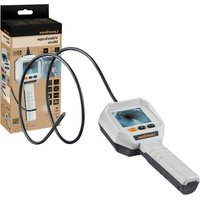
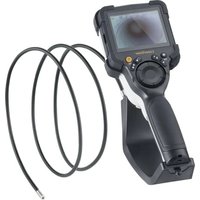
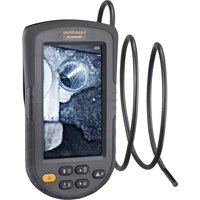
VideoScope Micro - Video camera Laserliner - Free user manual and instructions
Find the device manual for free VideoScope Micro Laserliner in PDF.


| Product type | Inspection video camera (VideoScope) |
| Brand | Laserliner |
| Model | VideoScope Micro |
| Dimensions (l × h × d) | 85 × 235 × 60 mm |
| Weight (batteries included) | 360 g |
| Power supply | 4 AA 1.5V LR6 batteries |
| Battery life | Approximately 6 hours |
| Display | 2.4-inch color TFT, resolution 320 × 240 pixels |
| Camera resolution | 640 × 480 pixels |
| Probe length | 1 m |
| Probe diameter | 4.5 mm |
| Camera head diameter | 5.5 mm |
| Protection rating (probe) | IP67 (waterproof up to 1 m) |
| LED lighting | 6 LEDs, adjustable intensity (20% to 100%) |
| Digital zoom | 2x (100% to 200%) |
| Image rotation and mirroring | 180° rotation and horizontal flip |
| Included accessories | Mirror, hook, magnet |
| Field of view (FOV) | 45° |
| Depth of field (DOF) | 2 to 8 cm |
| Min. bending radius of probe | 30 mm |
| Operating temperature | -15°C to 50°C |
| Storage temperature | -20°C to 60°C |
| Max. humidity (operating) | 85% RH, non-condensing |
| Maintenance and cleaning | Slightly damp cloth, no harsh products |
| Safety instructions | Do not use near dangerous voltages, chemicals, or hot parts |
| Recycling and disposal | Device, accessories, and batteries to be recycled according to local regulations |
| Warranty | Use only original accessories; failure to do so voids warranty |
Frequently Asked Questions - VideoScope Micro Laserliner
User questions about VideoScope Micro Laserliner
0 question about this device. Answer the ones you know or ask your own.
Ask a new question about this device
Download the instructions for your Video camera in PDF format for free! Find your manual VideoScope Micro - Laserliner and take your electronic device back in hand. On this page are published all the documents necessary for the use of your device. VideoScope Micro by Laserliner.
USER MANUAL VideoScope Micro Laserliner
natural_image
Medical endoscopy device with a curved tube and digital display (no visible text or symbols)

| DE 02 |
| EN 08 |
| NL 14 |
| DA 20 |
| FR 26 |
| ES 32 |
| IT 38 |
| PL 44 |
| FI |
| PT |
| SV |
| NO |
| TR |
| RU |
| UK |
| CS |
| ET |
| RO |
| BG |
| EL |
| SL |
| HU |
| SK |
| HR |
!
natural_image
Three vertical metal rods with black bases, one with a curved tip and the other two with a spring-like top (no text or symbols)1 Haken
2 Magnet
3 Spiegel
natural_image
Simple icon of a light bulb above a black bar, no text or symbols presentTaste drücken
| 1x = 20% |
| 2x = 40% |
| 3x=60% |
| 4x=80% |
| 5x=100% |
Laserliner
5 Zoom

Taste kurz drücken
$$ - = 100 \% $$
$$ 1x = 150 \% $$
$$ 2 x = 200 \% $$
6 Bildrotation
4x

1x

Rotations-Taste
https://packd.li/ll/ANE/in
Laserliner

Completely read through the operating instructions, the „Warranty and Additional Information“ booklet as well as the latest information under the internet link at the end of these instructions. Follow the instructions they contain. These documents must be kept in a safe place and passed on together with the product.
Intended use
The VideoScope Micro video inspection system is suitable for visual inspection of hard-to-reach places in pipes, cavities, shafts, masonry and motor vehicles.
General safety instructions
- The device must only be used in accordance with its intended purpose and within the scope of the specifications.
- The measuring tools and accessories are not toys. Keep out of reach of children.
– The structure of the device must not be modified in any way. - Do not expose the device to mechanical stress, extreme temperatures, moisture or significant vibration.
- The device may no longer be used if one or more of its functions has failed, the housing is damaged, or the battery has a low charge.
- When using the device outdoors, make sure that the weather conditions are appropriate and/or that suitable protection measures are taken.
- The LCD unit must not be immersed in water. The base unit must not come in contact with liquids.
- The camera head is not acid-resistant or fireproof.
- It is absolutely vital to ensure that the VideoScope Micro does not come into contact with chemicals, voltage, moving or hot objects. This can damage the device and put its user at risk of serious injury.
- The VideoScope Micro must not be used for medical examinations / examining people.
- The camera head can heat up considerably during use and lead to damage to sensitive inspection objects.
- The unit is not suitable for taking measurements close to dangerous voltages. Therefore always make sure that conductive parts are at zero potential when carrying out measurements in the vicinity of electrical systems. Safe isolation from the power supply and precautions to prevent systems being switched on again must be ensured by implementing suitable measures.
- Use only genuine accessories. Use of inappropriate accessories will invalidate the warranty.
- To preserve the IP 67 rating, the camera probe may only be immersed up to a distance of 10cm from the housing.
- Note local and national safety instructions to ensure proper use of the device.
Safety instructions
Using artificial, optical emission (OStrV)
LED outlet
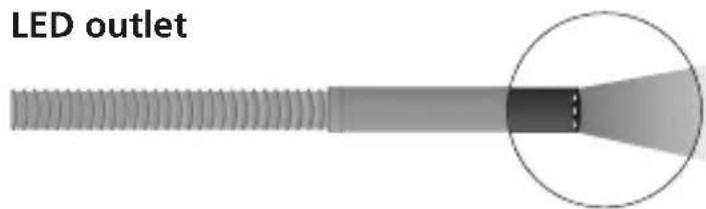
- The device works with LEDs of risk group RG 0 (exempt, no risk) in accordance with the latest versions of applicable standards relating to photobiological safety (EN 62471:2008-09ff / IEC/TR 62471:2006-07ff).
- When used for the intended purpose and under reasonably foreseeable conditions, the accessible radiation of the LEDs is safe for the human eye and skin.
Safety instructions
Dealing with electromagnetic radiation
- The measuring device complies with electromagnetic compatibility regulations and limit values in accordance with EMC-Directive 2014/30/EU.
- Local operating restrictions – for example, in hospitals, aircraft, petrol stations or in the vicinity of people with pacemakers – may apply. Electronic devices can potentially cause hazards or interference or be subject to hazards or interference.
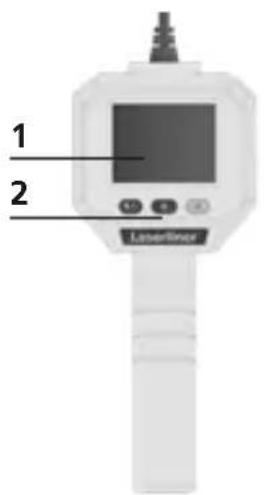
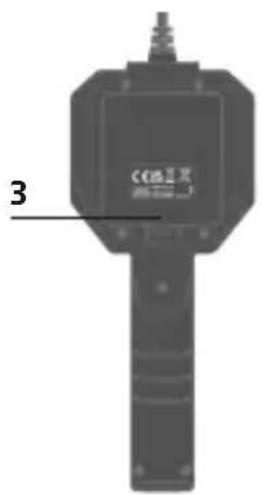
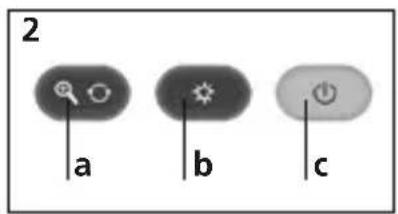
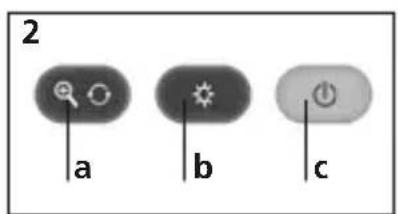
1 LCD
2 Hot keys
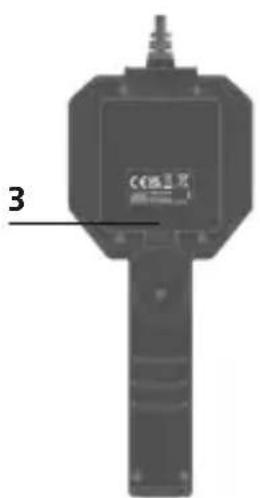
3 Battery compartment
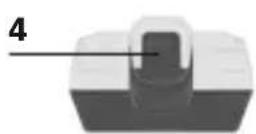
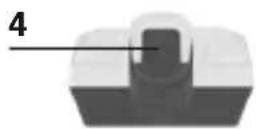
4 Accessory compartment
a 2x zoom /
rotation 180° / mirroring
b LED lighting +
c ON/OFF
Laserliner
Camera
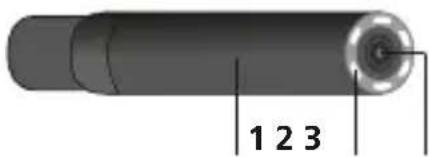
1 Camera head
2 LED lighting
3 Optics
Symbols

Battery status
LED lighting

2.0×
Zoom (2 steps)
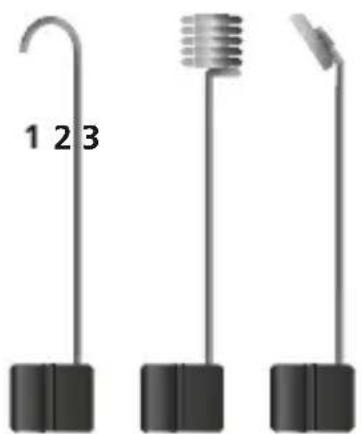
Tools
natural_image
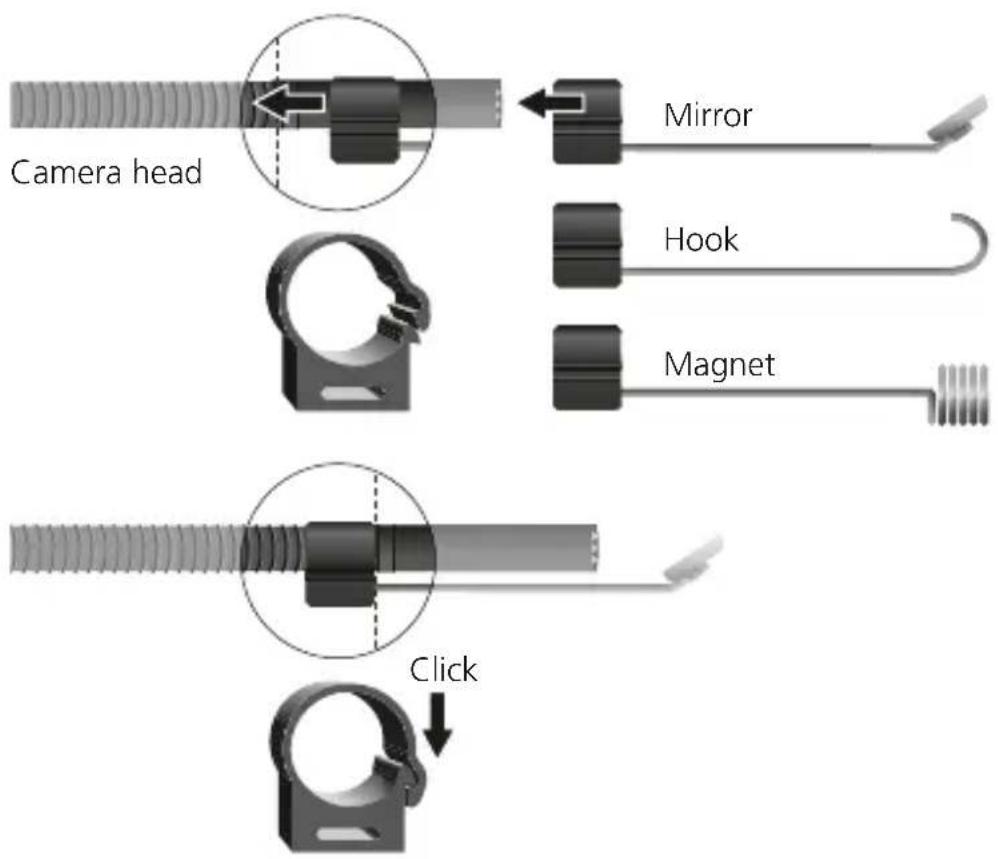
Three vertical metal rods with black bases, one curved and two angled (no text or symbols)1 Hook
2 Magnet
3 Mirror
1 Inserting and removing the batteries
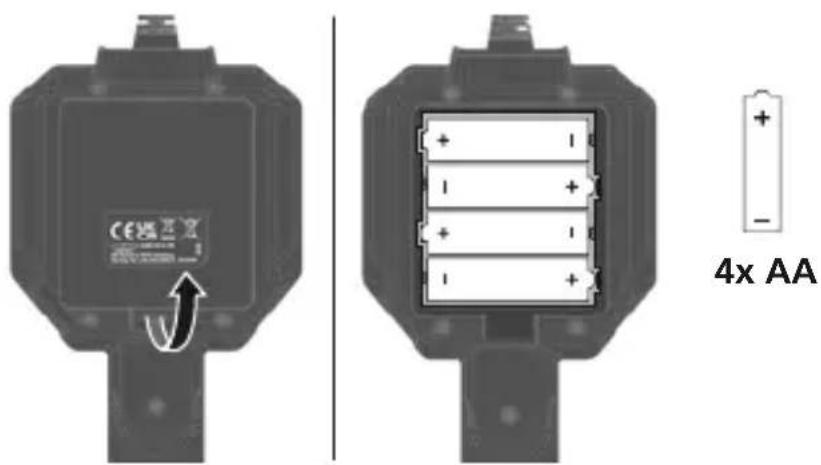
Open the battery compartment and insert batteries (4 x typ AA) according to the symbols. Be sure to pay attention to polarity. Switch off the device before removing the battery.
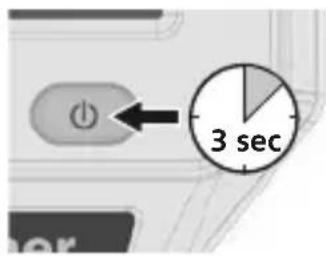
2 ON/OFF
3 Fixing for tools
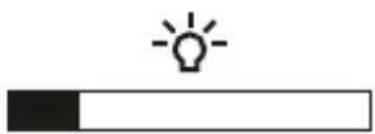
4 LED lighting
natural_image
Simple icon of a light bulb above a black bar, no text or symbols present
Press button
$$ 1x = 20\% $$
$$ 2x = 40 \% $$
$$ 3 x = 60 \% $$
$$ 4x = 80 \% $$
$$ 5x = 100 \% $$
Laserliner
5 Zoom

Press button briefly
$$ - = 100 \% $$
$$ 1x = 150 \% $$
$$ 2 x = 200 \% $$
6 Image rotation
4x

1x

Hold rotation button down for 2 seconds.
3x

2x
From the original image
1x = Horizontal mirroring
2x = Rotation180°
3x = Vertical mirroring
4x=Original image
Information on maintenance and care
Clean all components with a damp cloth and do not use cleaning agents, scouring agents and solvents. Remove the battery(ies) before storing for longer periods. Store the device in a clean and dry place.
Note
Over time, the flexible camera probe may not maintain is visually perfect, smooth condition. This has no effect on its function and does not require the device to be serviced or repaired.
Technical data (Technical revisions reserved. Rev23W49)
| Display resolution 320 x 240 pixels | |
| Camera resolution | 640 x 480 pixels |
| Probe length | 1 m |
| Probe diameter | 4.5 mm |
| Probe min. bending radius | 30 mm |
| Length camera head | 35 mm |
| Camera head diameter | ø 5.5 mm |
| Field of view (FOV) | 45° |
| Depth of focus (DOF) | 2 ... 8 cm |
| Operating time | approx. 6 hours |
| Screen type | 2.4" TFT colour display |
| Number of LED lights | 6 |
| Camera probe protection class | IP 67 |
| Power supply | 4 x 1,5V LR6 (AA) |
| Operating conditions | -15°C ... 50°C, max. humidity 85% rH, no condensation, max. working altitude 2000 m above sea level |
| Storage conditions | -20°C ... 60°C, max. humidity 85% rH, no condensation |
| Dimensions (W x H x D) 85 x 235 x 60 mm | |
| Weight 360 g (incl. batteries) | |
EU and UK directives and disposal
This device complies with all necessary standards for the free movement of goods within the EU and the UK.
This product, including accessories and packaging, is an electrical appliance that must be recycled in an environmentally appropriate manner in accordance with European and UK directives on waste electrical and electronic equipment, batteries and packaging, in order to recover valuable raw materials. Electrical devices, batteries and packaging do not belong in household waste. Users are obliged by law to surrender used batteries or battery packs to a public collection point, to sales outlets, or to technical customer services, free of charge. Remove the batteries from the device without damaging it using standard tools and a separate collection arranged before returning the device for disposal. Please do not hesitate to contact the UMAREX-LASERLINER service department if you have any queries regarding removing the battery. Look for information on local disposal facilities and note the relevant disposal and safety information at the collection points.
Further safety and supplementary notices at:
https://packd.li/ll/ANE/in
Laserliner
!
natural_image
Diagram of a mechanical component with a circular inset showing a tip and cross-section (no text or symbols)natural_image
Three vertical metal rods with black bases, one with a curved tip and the other two with a spring-like top (no text or symbols)1 Haak
2 Magneet
3 Spiegel
natural_image
Simple icon of a light bulb above a black bar, representing illumination or progress (no text or symbols)
$$ 1x = 20 \% $$
$$ 2x = 40 \% $$
$$ 3 x = 60 \% $$
$$ 4x = 80 \% $$
$$ 5x = 100 \% $$
Laserliner
5 Zoom

natural_image
Three mechanical components with labeled parts, no text or symbols present1 Krog
2 Magnet
3 Spejl
natural_image
Simple icon of a light bulb above a black bar, no text or symbols present
Tryk knappen
$$ 1x = 20 \% $$
$$ 2 x = 40 \% $$
$$ 3 x = 60 \% $$
$$ 4x = 80 \% $$
$$ 5x = 100 \% $$
Laserliner
5 Zoom

Tryk knappen kort
$$ - = 100 \% $$
$$ 1x = 150 \% $$
$$ 2 x = 200 \% $$
6 Billedrotation
4x

1x

Rotationsknappen holdes trykket i 2 sek.
3x

2x
Fra udgangsbilledet
1x = Horizontal spejling
2x = Drejning 180°
3x = Vertikal spejling
4x=Udgangsbillede
https://packd.li/ll/ANE/in
Laserliner

natural_image
Simple diagram of a pointed object inside a circle, no text or symbols presentnatural_image
Three mechanical components with labeled parts, no text or symbols present1 Crochet
2 Aimant
3 Miroir
natural_image
Simple icon of a light bulb above a black bar, no text or symbols present
natural_image
Three vertical metal rods with black bases, one curved and one threaded, labeled 123 (no text or symbols on the rods themselves)1 Gancho
2 Imán
3 Reflector
natural_image
Simple icon of a light bulb above a black bar, no text or symbols presentPulse el botón
| 1x = 20% |
| 2x = 40% |
| 3x=60% |
| 4x=80% |
| 5x=100% |
Laserliner
5 Zoom

natural_image
Diagram of a screw with a highlighted section showing internal structure (no text or symbols)natural_image
Three vertical metal rods with black bases, one curved and two angled (no text or symbols)1 Gancio
2 Magnete
3 Specchio
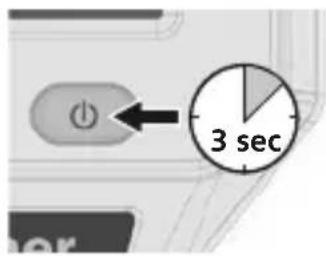
2 ON/OFF
natural_image
Simple icon of a light bulb above a black bar, no text or symbols present
Premere il tasto
$$ 1x = 20 \% $$
$$ 2 x = 40 \% $$
$$ 3 x = 60 \% $$
$$ 4x = 80 \% $$
$$ 5x = 100 \% $$
Laserliner
5 Zoom

https://packd.li/ll/ANE/in
Laserliner
!
natural_image
Close-up of a threaded screw with a magnified inset showing a small protrusion (no text or symbols)natural_image
Three vertical metal rods with black bases, one curved and one threaded, labeled 123 (no text or symbols on rods)1 Hak
2 Magnes
3 Lustro
natural_image
Simple icon of a light bulb above a black bar, no text or symbols presentNacisnąć przycisk
| 1x = 20% |
| 2x = 40% |
| 3x=60% |
| 4x=80% |
| 5x=100% |
Laserliner
5 Zoom

natural_image
Illustration of a medical or laboratory setup with a medical device connected to a wall-mounted device, no visible text or symbols.Manuale
PAP 22
CARTA
RACCOLTA CARTA
- Laserliner
- Zoom
- Bildrotation
- Intended use
- General safety instructions
- Safety instructions
- LED outlet
- Camera
- Symbols
- Tools
- Inserting and removing the batteries
- Image rotation
- From the original image
- Information on maintenance and care
- Note
- EU and UK directives and disposal
- Billedrotation
- Fra udgangsbilledet
- !
Brand : Laserliner
Model : VideoScope Micro
Category : Video camera