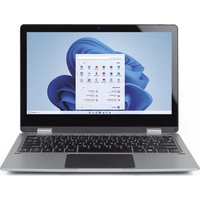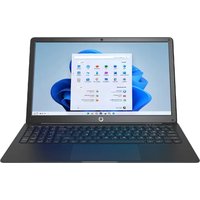
PC15PRO - Laptop Prixton - Free user manual and instructions
Find the device manual for free PC15PRO Prixton in PDF.
User questions about PC15PRO Prixton
0 question about this device. Answer the ones you know or ask your own.
Ask a new question about this device
Download the instructions for your Laptop in PDF format for free! Find your manual PC15PRO - Prixton and take your electronic device back in hand. On this page are published all the documents necessary for the use of your device. PC15PRO by Prixton.
USER MANUAL PC15PRO Prixton
natural_image
Line drawing of a laptop computer with visible keyboard and screen (no text or symbols)ORDENADOR PORTÁTIL NETBOOK PRO
NETBOOK PRO LAPTOP
INDEX
ES 3
EN 9
FR 15
IT 21
DE 27
PT 33
NL 39
text_image
Network & internet Not connected You can't be connected to any network Documentation Cellular Smart TV Properties Data usage App Actions Text Language Eating Accountability Privacy & security Weblink Update Connective updates Web Actions Text Language Eating Accountability Privacy & security Weblink Update Connective updates
text_image
Network & internet > Wi-Fi Local settings System Bluetooth & Device Network & Internet Recommendation Asia Accounts Tues & Language Currency Accessibility Privacy & Security Security Systems Show available networks IP IP Link_1 to Google C3 Send800 IP Link_MESHAC Hidden Access Manage network networks Data security and web networks Database properties Data type: network IP - Wi-Fitext_image
Snap Next to Next Planned Microsoft Edge Mail Customs Microsoft Store Windows Settings Recommended Get Next Instructions for next
text_image
Start Microsoft Office Excel Java Pro Mac OS X iTunes iTunes iTunes iTunes iTunes iTunes iTunes iTunes iTunes iTunes iTunes iTunes iTunes iTunes iTunes iTunes iTunes iTunes iTunes iTunes iTunes iTunes iTunes iTunes iTunes iTunes iTunes iTunes iTunes iTunes iTunes iTunes iTunes iTunesCuadro de búsqueda
text_image
Snap home to screen Phone Microsoft Apps QQ Cypruser Microsoft Teams Power Settings Recommended Sleep What Sleep About
text_image
Phips Settings Get at your impression in your place private details Options Help Cancel Help Cancel Help CancelCentro de Windows
text_image
Screenshot of a Windows desktop showing a blue abstract wallpaper with file explorer and context menu in Chinese.Personalización
text_image
Personalization > Background Personalization your background Browse Images Choose a photo Choose a file for your linkage image Browse photosPrecautions before use
- This production is suitable for use in non-tropic areas below 2,000 meters.
- Prevent the device from falling to the ground or being strongly impacted otherwise.
- Do not use it in the long term in any environment where the air is too cold, too hot (<35 °C) too humid or with too much dust. Do not expose the Device to sunlight.
- Avoid using it in the strong magnetic and strong static environment as much as possible.
- Once any water or other liquid splashes onto the Device, close it immediately and do not use it until it dries out.
- Do not clean the Device with any detergent containing chemical element or other liquid to avoid causing damage due to corrosion and becoming damp. If cleaning is really necessary clean it with dry soft cloth tissue paper.
- Our company shall not bear any and all responsibilities for loss or deletion of material inside the machine caused due to abnormal software and hardware operation, maintenance or any other accident.
- Please back up your important material at any time to avoid loss.
- Please do not disassemble the Device by yourself; otherwise you will lose the right to warranty
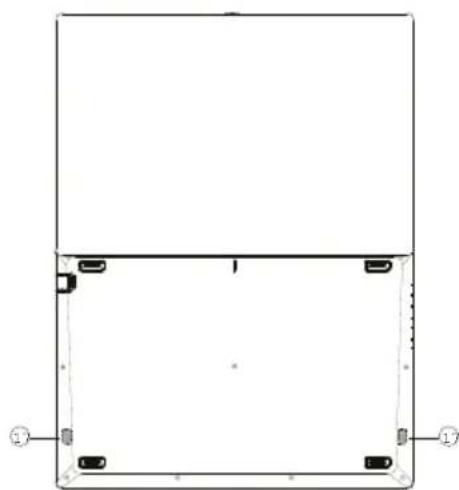
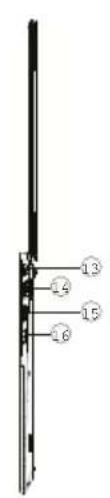
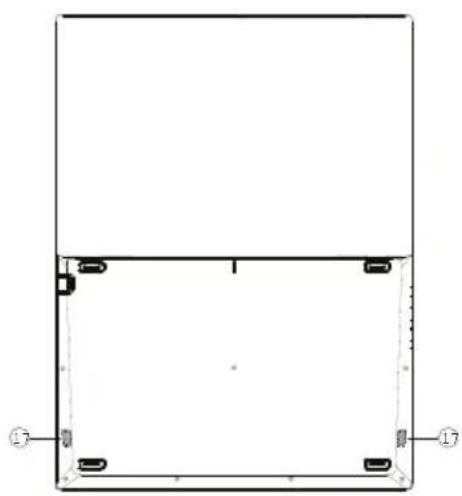
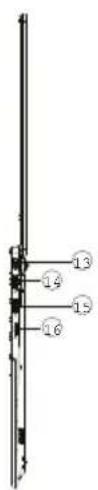
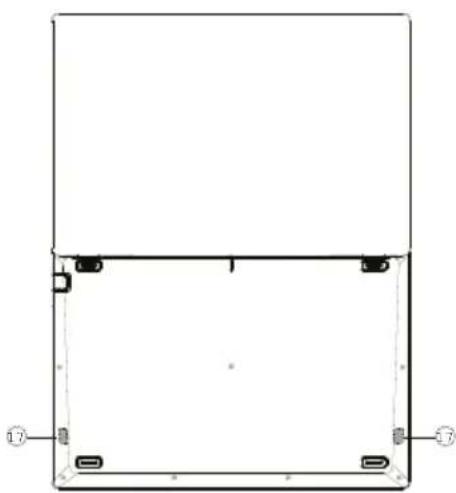
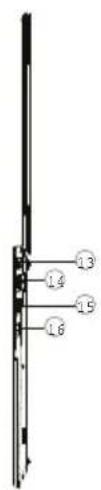
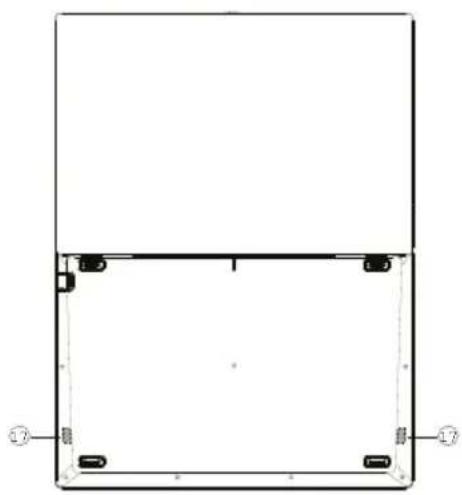
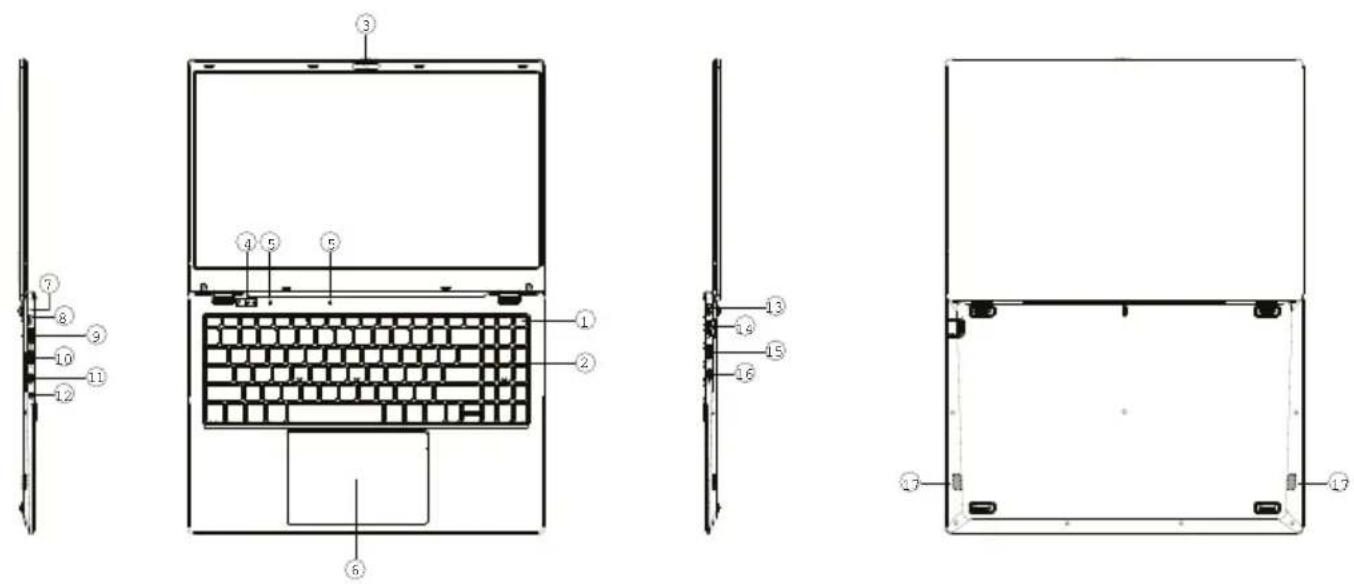
Unit at a glance
1.Power button
2. Keyboard board
3. Camera
4. Indicators: Power indicator / Caps Lock indicator / Numlock indicator
5.Microphone
6.Touchpad
7. Charge indicator
8.DC charging base
9.HDMI
10.USB Interface
11.Type C
12. Headphone jack
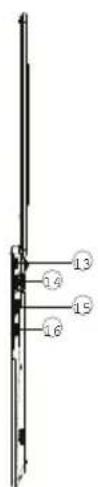
13.keyhole
14.RJ45
15.USB Interface
16. Micro SD card slot
17.Speakers
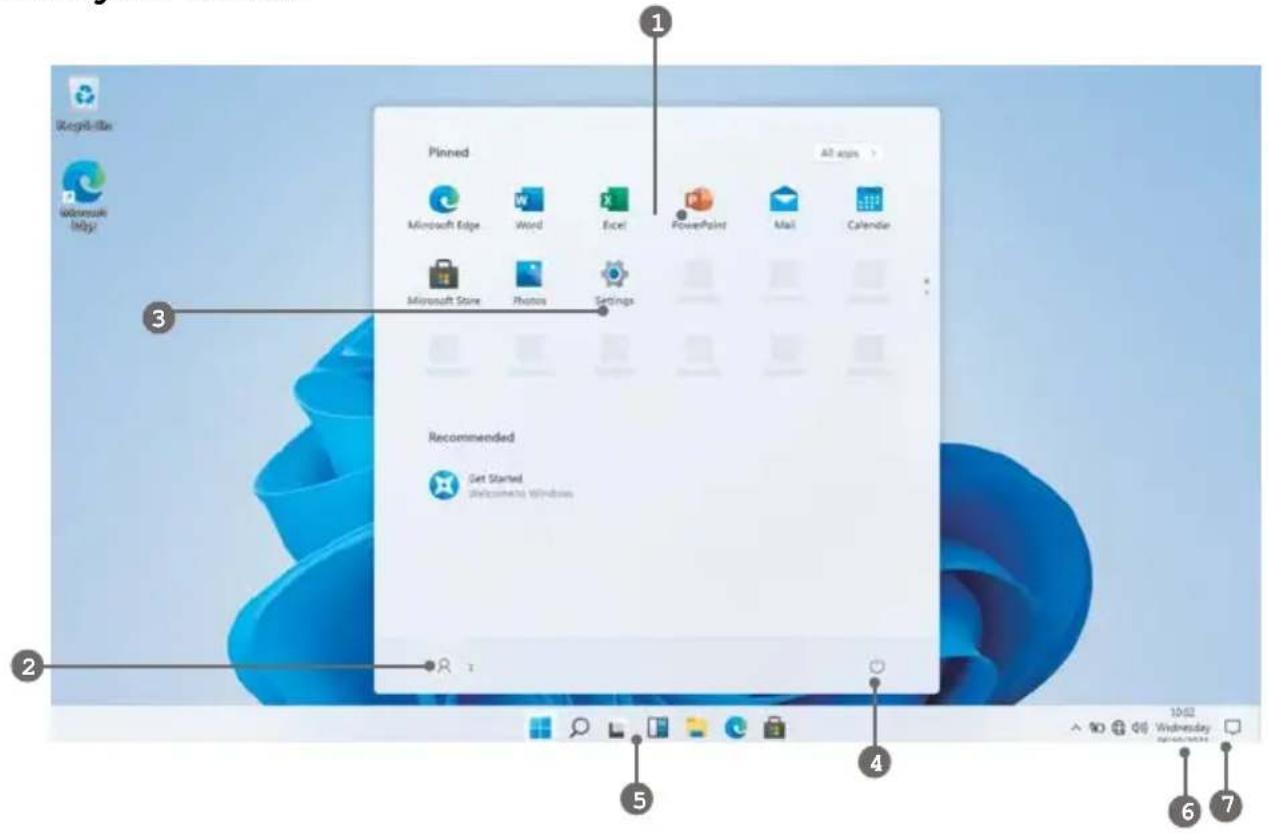
Know your Screen
text_image
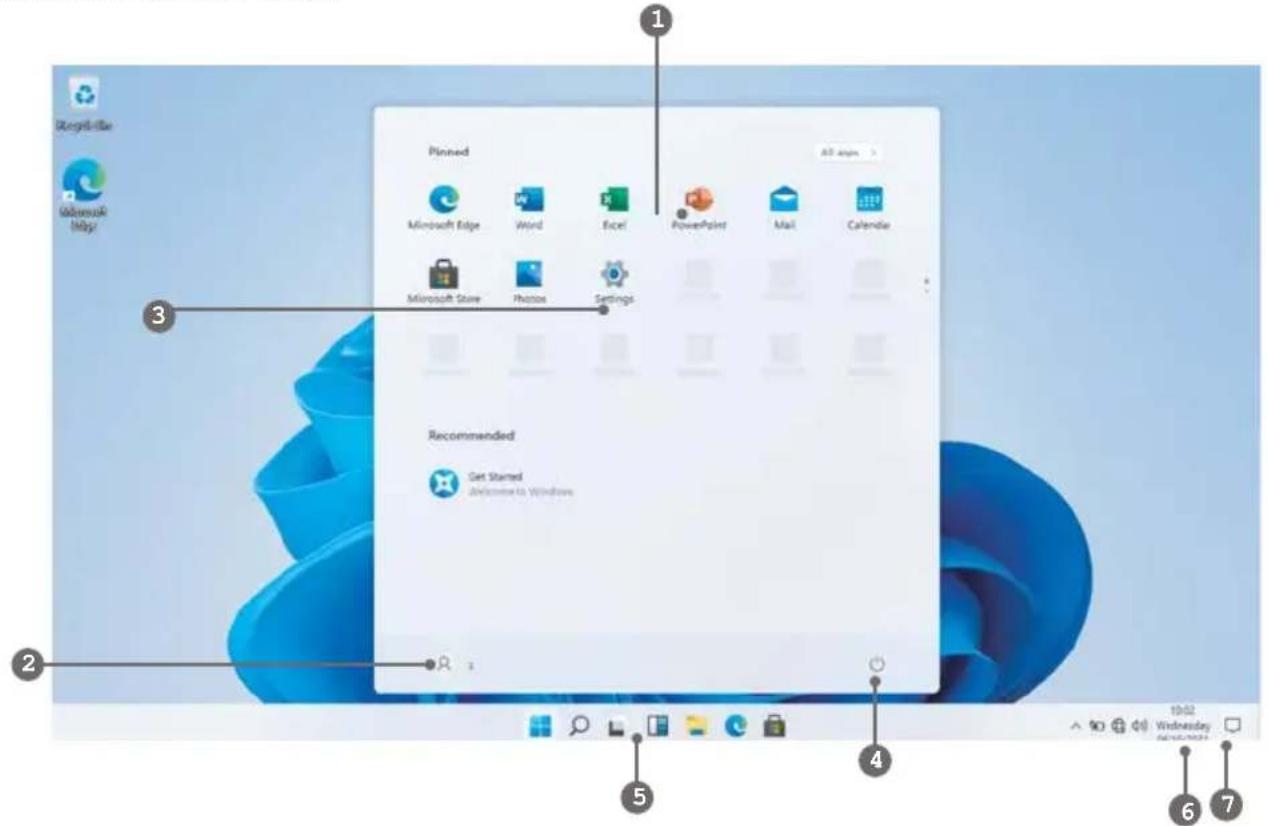
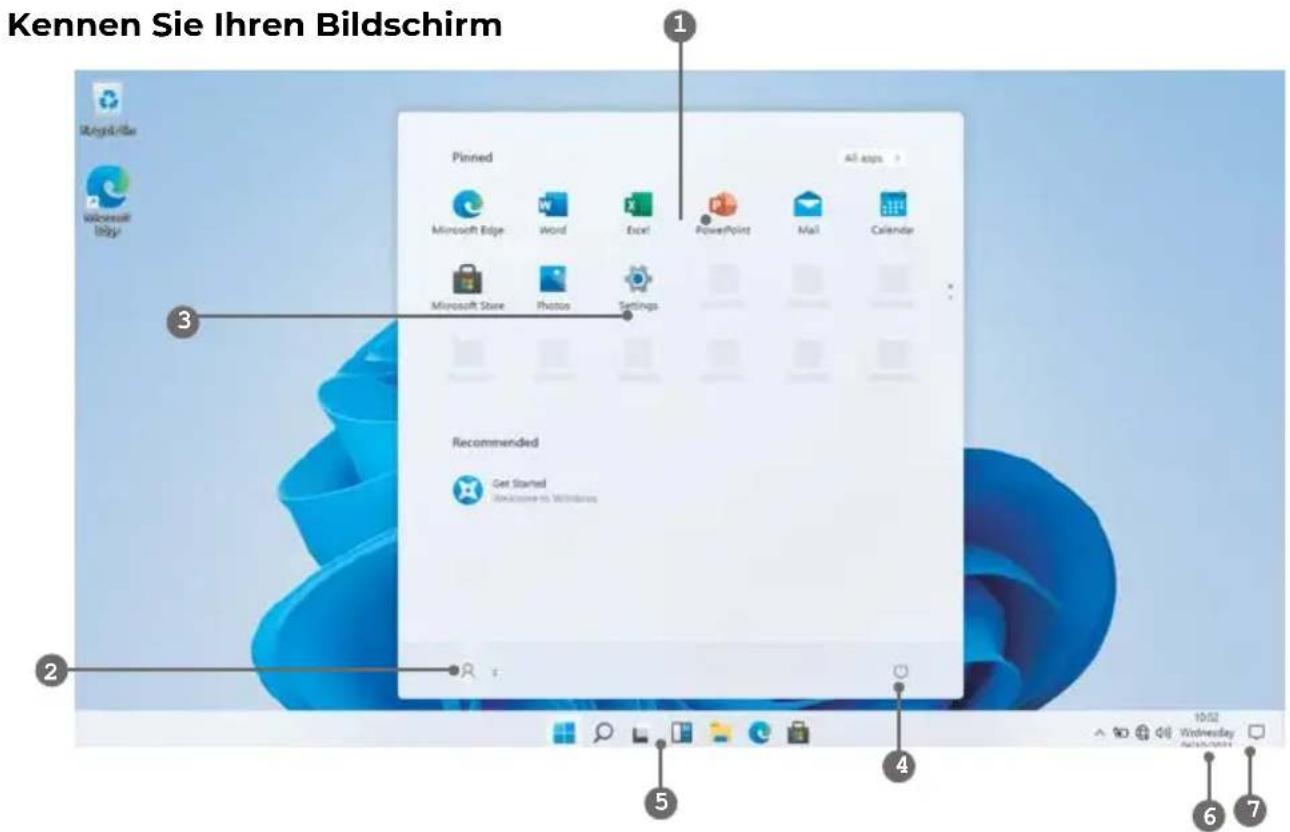
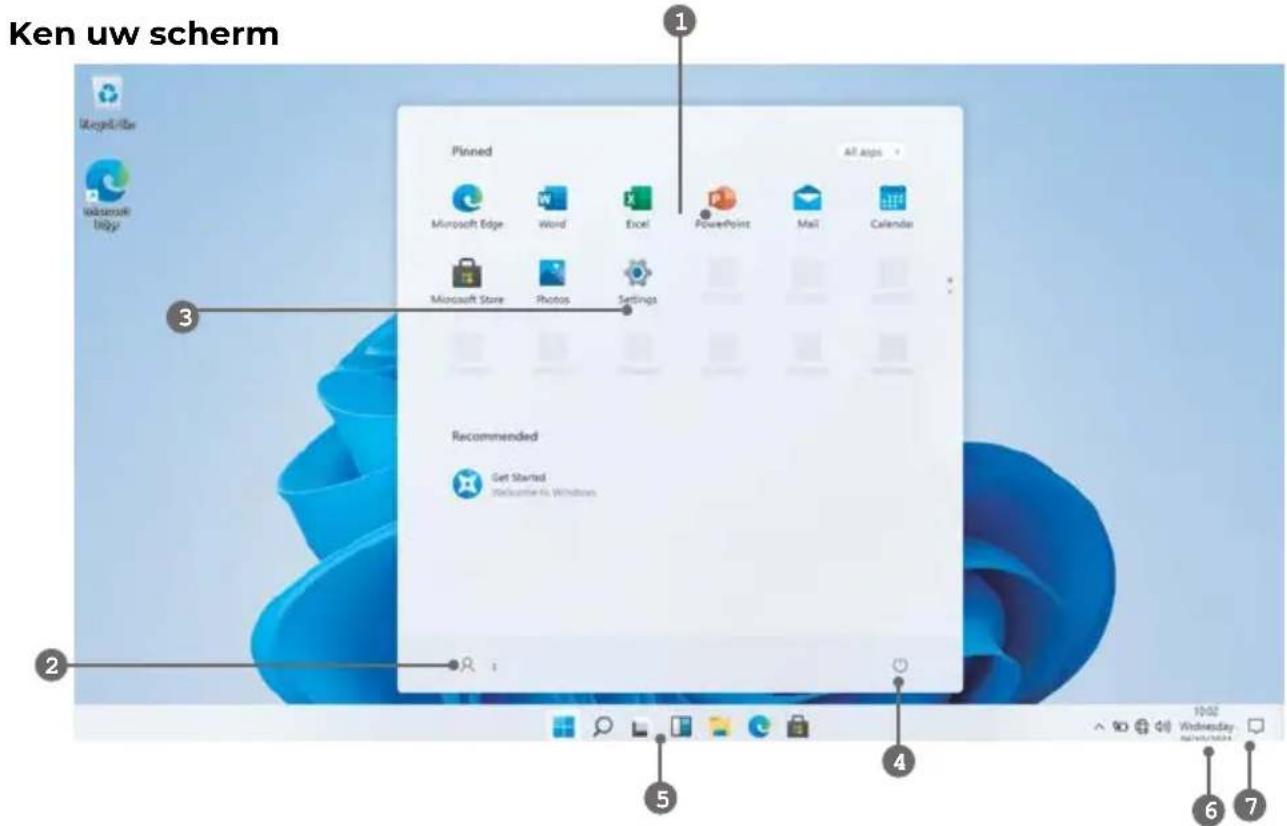
Pinned Microsoft Edge Word Excel PowerPoint Mail Calendar Microsoft Store Photos Settings Recommended Get Started (所带来的 Windows) All apps 10:02 Wednesday 6 7- Start Screen - Display useful information at a glance without opening the app.
- Microsoft™ Account - Change account settings or switch to another user account.
- Settings - View and change any system settings.
- Power - Shut Down, Hibernate or put your PC to sleep.
- Search Bar - Quickly find files, directions, information or the name of a song.
- Notification Area - View all notifications, date and time.
- Peek - Quickly show your desktop

You need to log on your Microsoft account before the application program completely runs.
Using the Laptop
Before First Use
- Before first use, please make sure the Laptop is fully charged. If not, connect the power adaptor, so your Laptop can charge fully.
- Charging time is at least 6 hours the first time, 4 hours there after.
Note: This Laptop contains a Built-in type rechargeable Lithium-ion battery, the charger must be a standard adaptor (12V/2A plug adaptor), this Laptop includes DC charging.
- Ensure that you have a good Wi-Fi connection, with your network name and password available.
Starting up
Press and hold the Power key until the screen turns on. Wait until the Desktop screen appears. The computer is now ready for use.
The first time you use your device, the startup wizard will help you set up your device:
• Language
- Date & Time
• Wi-Fi Connection
- Location service options
• Third-party applications
- Necessary Updates
- Account Synchronization
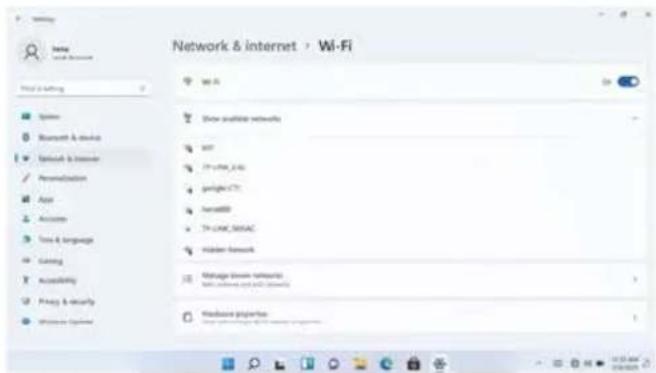
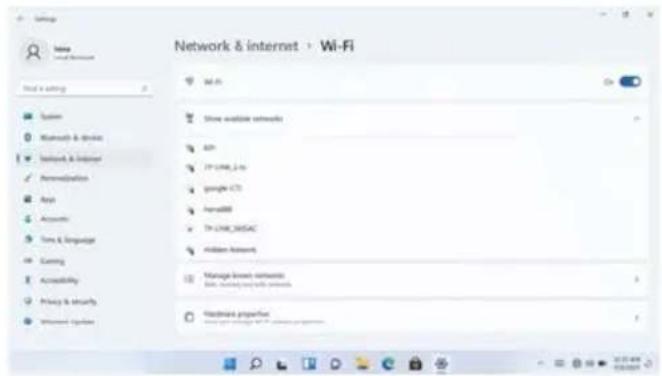
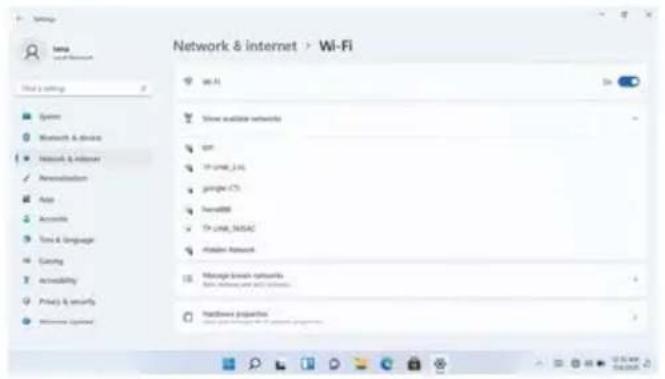
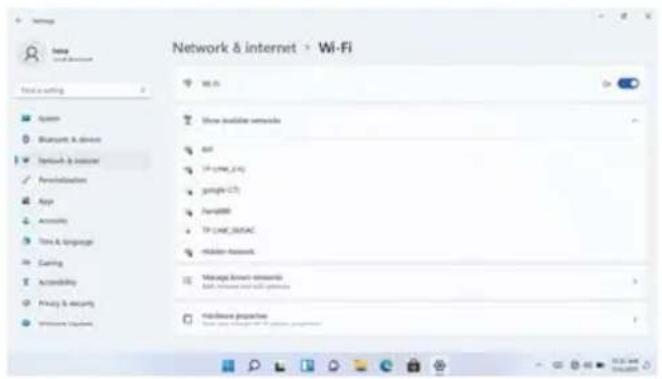
Connect to a Wi-Fi network
The Notification bar displays icons that indicate your Laptop's internet status.

Connected to a Wi-Fi network (waves indicate connection strength).

There are no Wi-Fi networks in range, or the Wi-Fi is not connected.
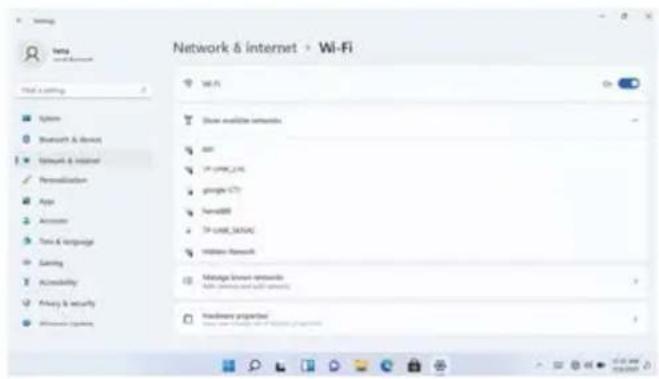
Open the Settings menu by pressing the start button and clicking on the cog / settings icon
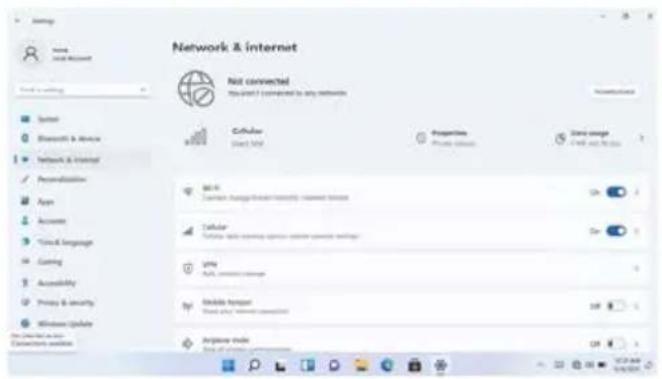
Select your network from the list of available networks. The Laptop will prompt you to confirm connection to the network. Touch Connect to confirm. If the network is secured (as indicated by a Lock icon), the Laptop will prompt you to enter a password or other credentials.

Settings icon can also be found on the desktop. Open the Network and Internet menu and turn the WiFi on.
text_image
Network & internet Not connected This grant I is completed by any networks Cathulas Start: 100% Properties Private information Carry range Carry and the bus Cellular Cellular type: non-continuous, non-continuous, non-continuous Cellular Cellular type: non-continuous, non-continuous, non-continuous City City, carry or other Mobile router Mobile router, carry or other Airplane mode Airplane mode, carry or other
text_image
Network & Internet > Wi-Fi File 1: Working System Network & Internet Network & Internet Personalization Apps Accounters Tools & Language Serving Accessibility Privacy & security Information System Wi-Fi Show available networks API IP CNTN_CNTN gango (GT) SendDB IP CNTN_30004 Hidden Network Manage network networks Add: (Windows and Web) networks Hardware propertiesUser Interface
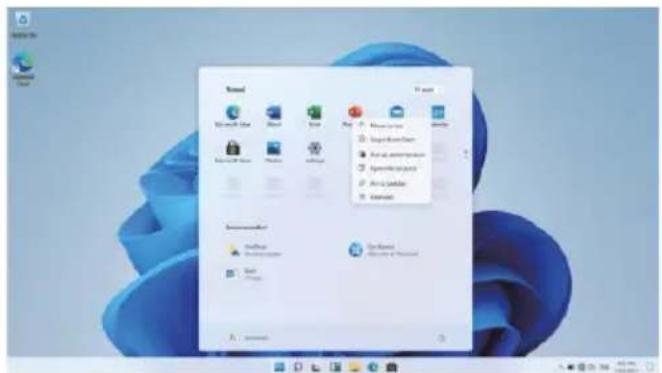
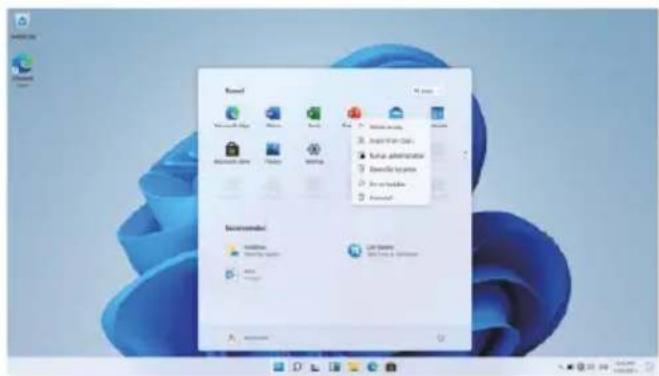
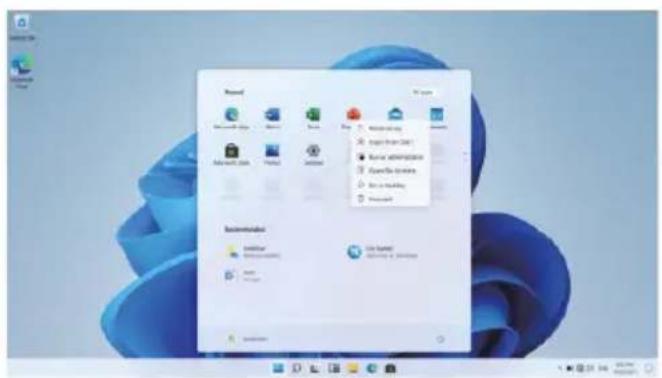
Start Menu
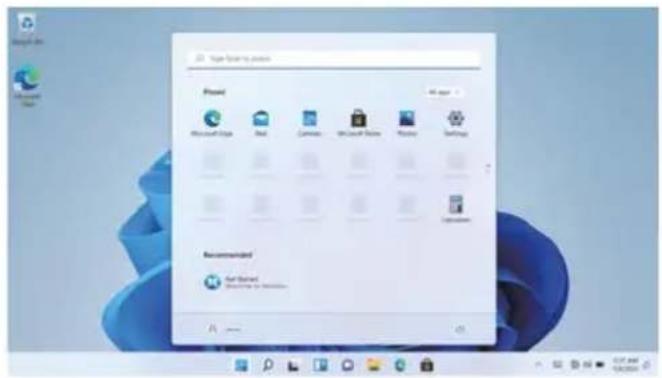
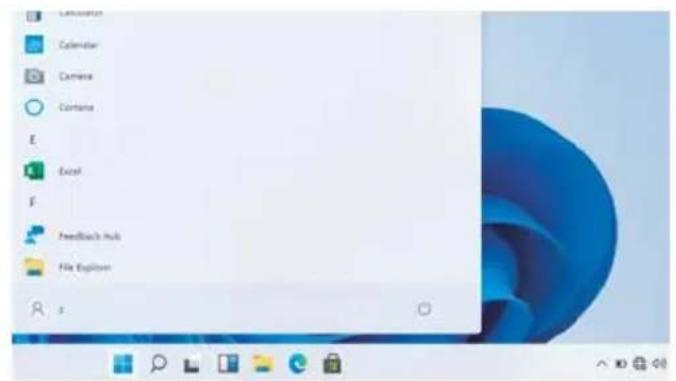
To open the start menu select the icon in the bottom left hand corner of the desktop. Once the menu has been opened you will be greeted with a variety of options.
Applications
In addition to already fixed on the start screen of the application, you can open all applications in the home page.
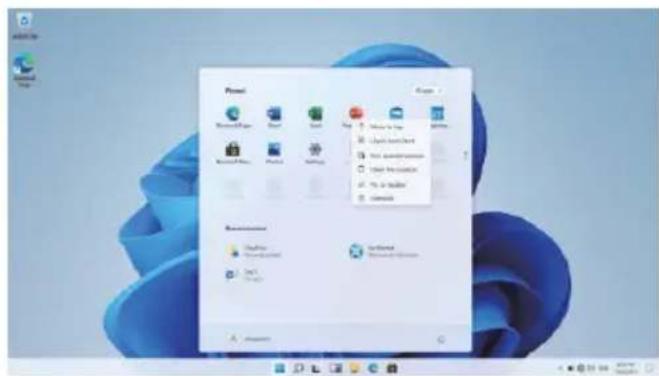
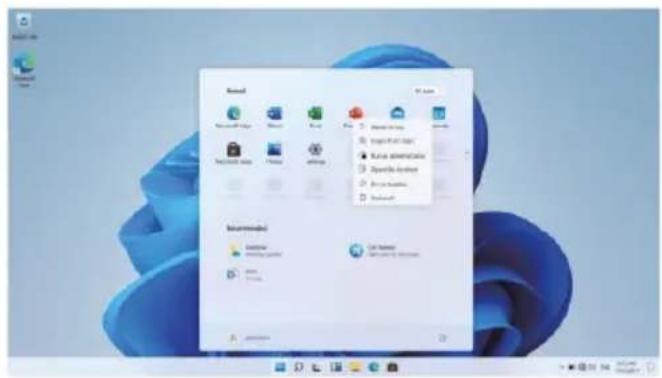
Adding a shortcut tile to start menu
- Right-click on properties
- Select fixed at the beginning of the page
text_image
Target Building Project Project Microsoft Style Real Camden Microsoft Style Windows Settings Recommended Get Started Get Started to Continue...
text_image
Start Send to Send to Settings Microsoft Teams Microsoft Teams Windows Windows Windows Windows Windows Windows Windows Windows Windows Windows Windows Windows Windows Windows Windows Windows Windows Windows Windows Windows Windows Windows Windows Windows Windows Windows Windows Windows Windows Windows Windows Windows Windows Windows Windows Windows Windows Windows Windows Windows Windows Windows Windows Windows Windows Windows Windows Windows Windows Windows Microsoft Teams Microsoft Teams Microsoft Teams Microsoft Teams Microsoft Teams Microsoft Teams Microsoft Teams Microsoft Teams Microsoft Teams Microsoft Teams Microsoft Teams Microsoft Teams Microsoft Teams Microsoft Teams Microsoft Teams Microsoft Teams Microsoft Teams Microsoft Teams Microsoft Teams Microsoft Teams Microsoft Teams Microsoft Teams Microsoft Teams Microsoft Teams Microsoft Teams Microsoft Teams Microsoft Teams Microsoft Teams Microsoft Teams Microsoft Teams Microsoft Teams Microsoft Teams Microsoft Teams Microsoft TeamsSearch Box
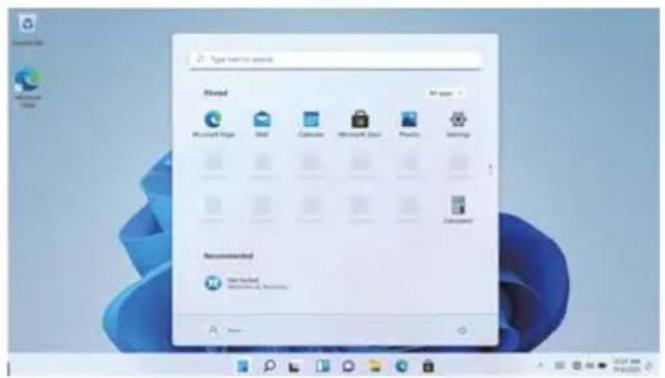
Right-click the taskbar and go to Taskbar settings. Under Taskbar items, toggle the switch to On/Off next to Search to set up.
Change the taskbar location
Right-click any empty space on the taskbar. Select Taskbar settings > Taskbar behaviors > Taskbar alignment and then select Center or Left.
Rearrange taskbar buttons
Drag a button from its current position to a different one.
text_image
My home to expand Installed Microsoft Edge Red Google Microsoft Word Python Mac OS Recommended New Installed Recommended to Expand
text_image
Lemonstation Calendar Camera Contains E Excel F Feedback Hub File Explorer sMenu bar
Expand the menu bar from the screen.
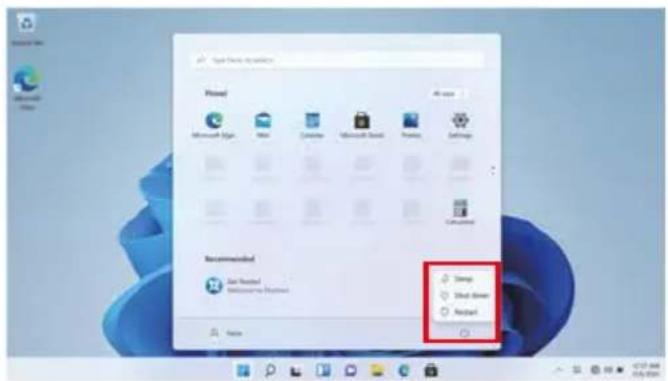
File manager, settings, power supply and all applications, you can sleep / shutdown / restart the device

Power

Manage files and applications

Set up your machine
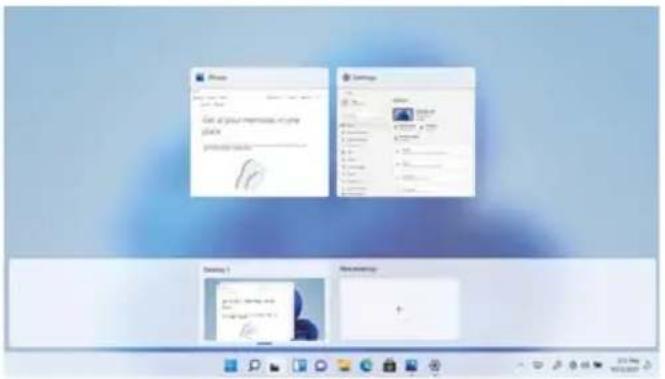
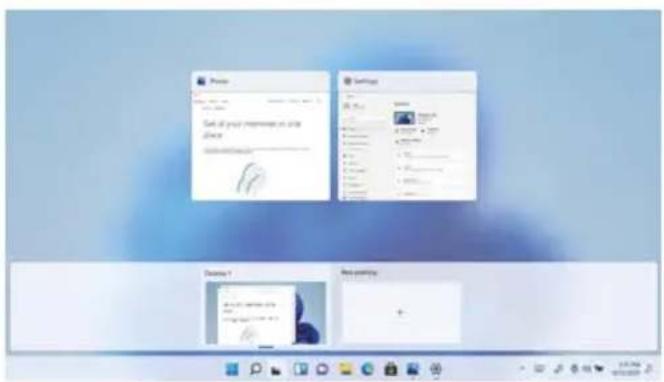
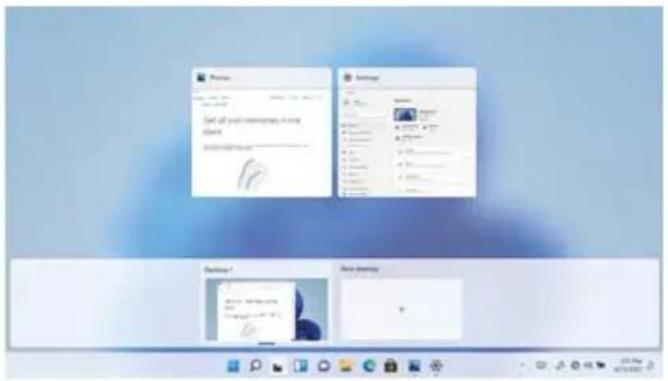
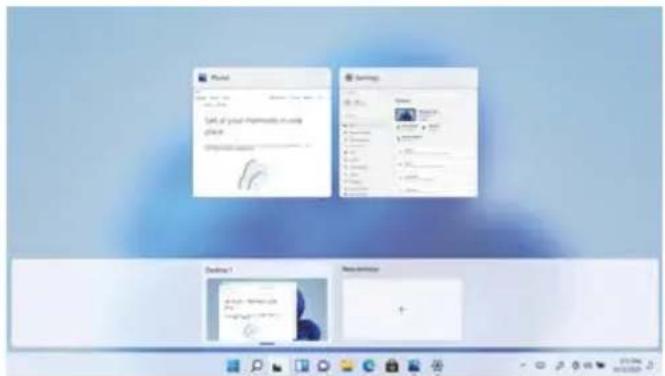
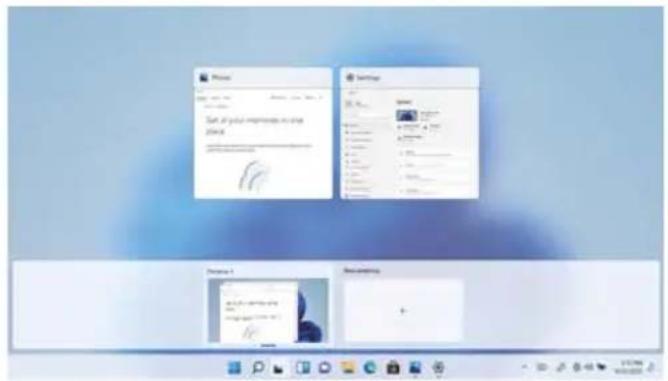
Multitasking operating interface
Click the Desktop task view to operating a multi-operating interface.
text_image
Options Powered Microsoft Excel New Commerce Microsoft Quick Play2 Help Settings Recommended Get Started Windows Not Started Name Options Options Short Short Sheet About
text_image
Phone Settings Start at your impression to use place 100% or more Details Details Details Details Details Details Details Details Details Details Details Details Details Details Details Details Details Details Details Details Details Details Details Details Details Details Details Details Details Details Details Details Details Details Details Details Details Details Details Details Details Details Details Details Details Details Details Details Details Details Options 1 Options 2 Options 3Windows Centre
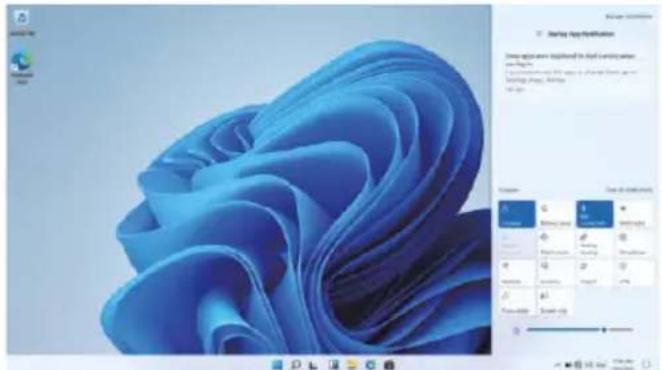
The Action Center is where you can find application notifications and quick actions. On the bottom right corner of the screen, look for the Action Center icon.
The Action Center allows access to quick settings, in the form of small boxes at the bottom of the panel.
Notifications within the action centre are sorted into categories by app.
The Action Center also supports actionable notifications, such as recent text messages, emails or social media integration.
text_image
Windows 95 Microsoft Office 开始应用 Starts Application Show options were highlighted to plot any other user files. I was used to create a new file or print file. It is also used to create a new file or print file. The image is not available for this image.Personalising
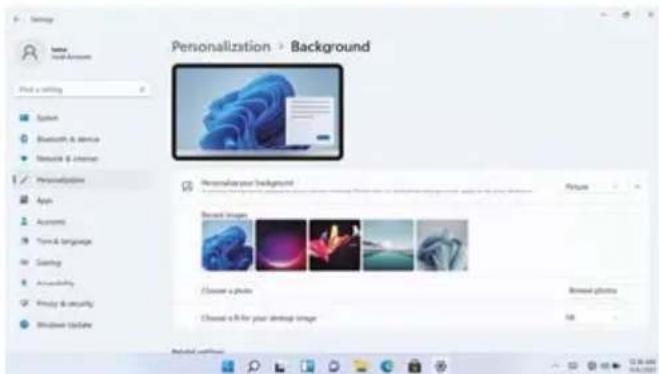
Changing your wallpaper and themes
Press start and select the settings icon Select the personalisation menu where you will be greeted with the options to change your background/theme for the Desktop and lockscreen. In this section you also have the option to change the Windows accent colours and choose which elements will use the colour.
To download new apps
To install new apps approved by Windows, click the Windows Store icon on the bottom task bar. There you will find over 1 million apps including many of which are free. Even if you only going to use free apps you will still need to create a Windows account but you don't need to enter your credit card details to do this.
text_image
Personalization > Background Personalization your background Browse images Choose a photo Choose a file for your desktop image Browse photosBefore installing any application on the computer, you must activate the Windows Home 11 license as it comes protected by default. When attempting the installation, a message will appear. Click on "See how." After this, click "Get" on the screen, and after a few seconds, the license type will have changed.
Specifications
| Processor Intel Celeron Gemini Lake N4020 | |
| Storage 4 GB Sodimm, ROM 128 GB SATA SSD | |
| Screen 15.6" IPS 1920*1080 FHD IPS | |
| Wi-Fi Networking IEEE 802.11 ac/b/g/n | |
| Audio output 3.5mm headphone | |
| USB Host 2xUSB3.0 | |
| HDMI HDMI x1 | |
| Wireless connection 5.0 | |
| Camera 2 MP | |
| O.S Windows 11 Home in S mode | |
| Battery Power adapter | 7.6V/5000mAh (DC IN 12V,2A) |
| Speakers 2x1W | |
| TYPE C 1xType-C (Data Transfer Only) | |
Warranty policy
This product complies with the warranty law in force in the country of purchase. When you have a problem that you can not solve, you must access the web www.prixton.com and click on the contact option to send us your assistance form.
These technical and electrical specifications are those of typical units and may be changed without prior notice in order to provide improved equipment.
Simplified EU Declaration Of Conformity
We, La Trastienda Digital located in Avenida Cervantes 49, módulo 25, Basauri 48970, Bizkaia hereby declare that the following goods, imported and selling at European market:
| BRAND | MODEL NAME DESCRIPTION | CATEGORY | |
| Prixton | PC15PRO | NETBOOK PRO LAPTOP | Computing |
Are in compliance with the EC Council Directive of 2014/53/EU (EM DIRECTIVE) and harmonized standards and with the board of the 16th of April 2014.
The complete text of the UE Declaration of conformity is available anytime at this website address:
www.prixton.com
LA TRASTIENDA DIGITAL
text_image
Laptop interior diagram with numbered parts for identification and assembly reference
text_image
13 14 15 16
natural_image
Pure technical diagram of a rectangular frame with corner markers and no text or symbolsConnaître son écran
text_image
1 Pinned Microsoft Edge Word Excel PowerPoint Mail Calendar 3 Microsoft Store Photos Settings Recommended Get Started Welcome to Windows 2 4 5 6 7text_image
Network & Internet > Wi-Fi File Edit View System Bluetooth & Street Network & Internet Personalization App Account Data & Language Dating Accessibility Privacy & Security Windows Systems Wi-Fi Show available networks API IP address_i.m.s. google i75 Paramount IP address_56596. Western Network Manage known networks Apple, Windows and will support... Hardware propertiestext_image
Phone Settings Get all your memories in your place Settings 1 Settings 2Centre Windows
text_image
Screenshot of Windows desktop showing a blue abstract wallpaper with file explorer and context menu in ChinesePersonnalisation
text_image
Settings Name: Personal-Document Find a spring System Bluetooth & Services Network & Internet Personalization Search Automatics Java & Language Carting Microsoft Teams VMware & desktops Windows Options Personalization + Background Personalized user background Picture Recent Image Create a picture Browse photos Create a file for your desktop image 74x Backlog windowstext_image
Laptop diagram with numbered parts for identification and assembly reference
text_image
13 14 15 16
natural_image
Pure technical diagram of a rectangular frame with corner markers and dimension lines (no text or symbols)text_image
Network & internet > Wi-Fi File selection System Cloudnet & cloud Network & cloud Personality App Accounts Tools & languages Carry Accessibility Privacy & security Information Environment Mac Fi Show analysis networks TCP TCP User_1.p.c. Google CT: ParamBI TCP User_302AC Hidden-forward Manage basic networks Data transfer and access services Hardware properties Software propertyInterfaccia utente
Menu di avvio
text_image
Options Purchased Recommended Get Next! Recommended
text_image
Startbox Startbox Save As-Box Save As-Box - Add/Remove Save As-Box - Add/Remove Startbox Startbox Startbox Startbox Startbox Startbox Startbox Startbox Startbox Startbox Startbox Startbox Startbox Startbox Startbox Startbox Startbox Startbox Startbox Startbox Startbox Startbox Startbox Startbox Startbox Startbox Startbox Startbox Startbox Startbox Startbox Startbox Startbox StartboxCasella di ricercar
text_image
Print Settings Call to your instructions to print please: Settings 1 New SettingsCentro di Windows
text_image
Screenshot of a Windows desktop showing a blue abstract wallpaper with file explorer and context menu in Chinese.Personalizzazione
text_image
Personalization > Background Personalized your background Choose images Choose a photo Choose a file for your desktop imagetext_image
Laptop interior diagram with numbered parts for identification and assembly reference
text_image
13 14 15 16
natural_image
Pure technical diagram of a rectangular frame with corner markers, no text or symbols present
text_image
Kennen Sie Ihren Bildschirm 1 Pinned Microsoft Edge Word Excel All apps PowerPoint Mail Calendar Microsoft Store Photos Settings Recommended Get Started Welcome to Windows 2 3 4 5 6 7text_image
Network & internet Net connected The app is connected to any networks Downloaded Cellular Properties Data usage Cellular Cellular Data usage Cellular Properties Data usage Cellular Cellular Data usage Cellular Properties Data usage Cellular Cellular Data usage Cellular Properties Data usage Cellular Cellular Data usage Cellular Properties Data usage Cellular Cellular Data usage Cellular Properties Data usage Cellular Cellular Data usage Cellular Properties Data usage Cellular Cellular
text_image
Network & internet > Wi-Fi System Bluetooth & devices Network & Internet Personalization Asia Accounts Time & Language Language Accessibility Privacy & security Maintenance System Wi-Fi Show available networks own Dr. web, i.vq. goorge CT. Home88 Dr. web, SEAC Hidden Network Manage network networks Use website or web platforms Network propertiesBenutzeroberfläche
Start-Menü
text_image
Open Security Search Planned All rights Microsoft Excel Mail Google Microsoft Excel Planned Settings Recommended Edit Required Windows 12 March 2007
text_image
Project Specialty Other Specialty Other Specialty Other Specialty Other Specialty Other Specialty Other Specialty Other Specialty Other Specialty Other Specialty Other Specialty Other Specialty Other Specialty Other Specialty Other Specialty Other Specialty Other Specialty Other Specialty Other Specialty Other Specialty Other Specialty 其他Suchfeld
text_image
New! Recommendated Sleep Quick Store Audio
text_image
Prepare Prepare Set all your members in the Office Prepare Browse Browse Browse Browse Browse Browse Browse Browse Browse Browse Browse Browse Browse Browse Browse Browse Browse Browse Browse Browse Browse Browse Browse Browse Browse Browse Browse Browse Browse Browse Browse Browse Browse Browse Browse Browse Browse Browse Browse Browse Browse Browse Browse Browse Browse Browse Browse Browse Browse Browse Briemnity BriemnityWindows-Zentrum
text_image
Screenshot of a Windows desktop interface showing a blue abstract wallpaper with file browser and context menu in Chinese.text_image
Personalization > Background Personalize your Background Recent Images Choose a photo Choose a 57 for your design image Browse photostext_image
Network & internet Not connected Household connected to any networks Database System Bluetooth & remote Network & Internet Personalities App Accessory Thread Language Getting Accessibility Privacy & security Windows Capture Information access Description errors Cellular General Data Properties Data image Auto-Internet Cellular Auto-Internet Mobile https://www.123.com/ Access via: 123.com/123.com/123.com/123.com/123.com/123.com/123.com/123.com/123.com/123.com/123.com/123.com/123.com/123.com/123.com/123.com/123.com/123.com/123.com/123.com/123.com 0 0% or 0% (Current: Android, Internet, Web-based) 0% or 0% (Current: Android, Web-based) 0% or 0% (Current: Android, Web-based) 0% or 0% (Current: Android, Web-based) 0% or 0% (Current: Android, Web-based) 0% or 0% (Current: Android, Web-based) 0% or 0% (Current: Android, Web-based) 0% or 0% (Current: Android, Web-based) 0% or 0% (Current: Android,Web-based) 0% or 0% (Current: Android, Web-based) 0% or 0% (Current: Android, Web-based) 0% or 0% (Current: Android, Web-based) 0% or 0% (Current: Android, Web-based) 0% or 0% (Current: Android, Web-based) 0% or 0% (Current: Android, Web-based) 0% or 0% (Current: Android, Web-based)
text_image
Network & internet > Wi-Fi File Edit View System Microsoft & devices Network & Internet Personalization App Accounts Test & language Carving Accessibility Proxy & security Windows System Show platform networks MT 7P video, iOS google CTC Accident 7P LIME, SISAC Webster Network Manage Access networks New user access to the network Database properties 1Interface do utilizador
Menu Iniciar
text_image
New User Password Password Mail Customer Settings Settings Recommendated Get Started Recommended to Microsoft
text_image
Project Microsoft Excel Microsoft PowerPoint Microsoft PowerPoint 2013 Windows Project Microsoft PowerPoint Microsoft PowerPoint 2013 Windows Project Microsoft PowerPoint Microsoft PowerPoint 2013 Windows Project Microsoft PowerPoint Microsoft PowerPoint 2013 Windows Project Microsoft PowerPoint Microsoft PowerPoint 2013 Windows Project Microsoft PowerPoint Microsoft PowerPoint 2013 Windows Project Microsoft PowerPoint Microsoft PowerPoint 2013 Windows Project Microsoft PowerPoint Microsoft PowerPoint 20 Windows Project Microsoft PowerPoint Microsoft PowerPoint 2013 Windows Project Microsoft PowerPoint Microsoft PowerPoint 2013 Windows Project Microsoft PowerPoint Microsoft PowerPoint 2013 Windows Project Microsoft PowerPoint Microsoft PowerPoint 2013 Windows Project Microsoft PowerPoint Microsoft PowerPoint 2013 Windows Project Microsoft PowerPoint Microsoft PowerPoint 2013 Windows Project Microsoft PowerPoint Microsoft Paints Microsoft Paints 2013 Microsoft Paints 2013 Microsoft Paints 2013 Microsoft Paints 2013 Microsoft Paints 2013 Microsoft Paints 2013 Microsoft Paints 2013 Microsoft Paints 2013 Microsoft Paints 2013 Microsoft Paints 2013 Microsoft Paints 2013 Microsoft Paints 2013Caixa de pesquisa
text_image
Takeaway to access Pineset Microsoft Excel Mail Catalyst Microsoft Teams Pineset Settings Settings Recommended Get Format Get Open Ask Window Ask Start
text_image
Options Send all your messages in any store. Settings Desktop 1 Data Pricingtext_image
Personalization > Background Personalized Background Record Images Choose a photo Choose a file for your desktop image Browse photos 58text_image
Laptop keyboard diagram with numbered parts for identification
text_image
13 14 15 16
natural_image
Pure technical diagram of a rectangular frame with internal components and mounting holes, no text or symbols present.
text_image
Ken uw scherm Pinned Microsoft Edge Word Excel All apps PowerPoint Mail Calendar Microsoft Store Photos Settings Recommended Get Started Welcome to Windows 1 2 3 4 5 6 7text_image
Network & internet Not connected You want it connected to any networks Cellular Class F USA Properties Data range 3 Web 10.0 Categorized: https://www.csc.org/ Internet link Cellular Class B: (using network configuration) UPL 2.0 (accession/transfer) Mobile linkset 3.0 (user connection) Analog mode 3.0 (user connection)
text_image
Network & Internet > Wi-Fi File Edit View Open Blankets & devices Network & server Perchidization Maps Accessibility Time & language Carving Accessibility Privacy & security Windows Management Show available networks Add IP C#PE_JAG Google (GT) SendTo IP C#PE_JAGAC Mobile Network Manage local resources Back home and all providers Configure propertiesGebruikersinterface
Startmenu
text_image
Use History in this Preview Microsoft Open Help Commerce Microsoft Watch Phone Settings Recommendated Sleep Sleepbox About