Auto Evolution Sensor CVG9613 - Iron SOLAC - Free user manual and instructions
Find the device manual for free Auto Evolution Sensor CVG9613 SOLAC in PDF.

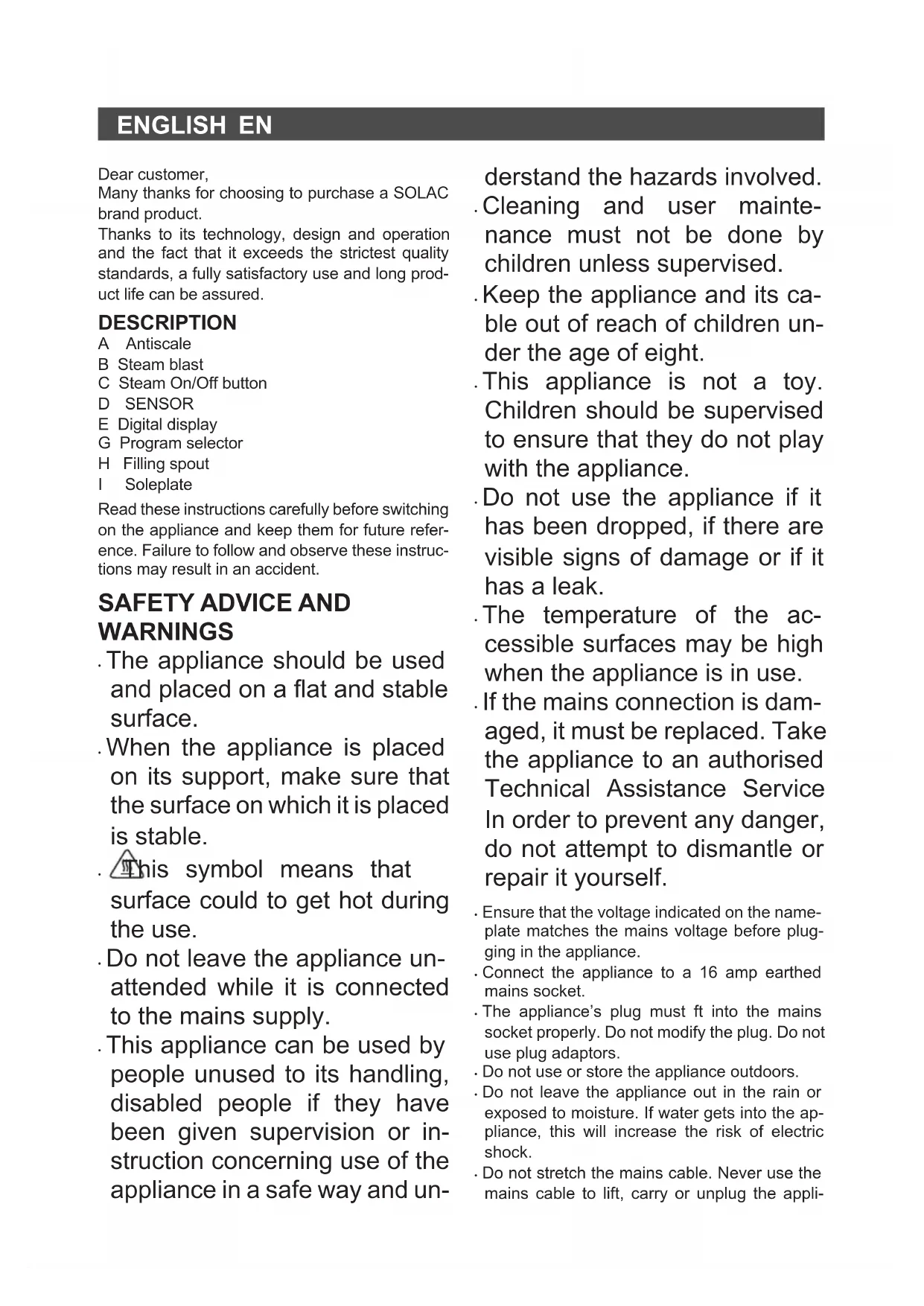


| Brand | Solac |
| Model | Auto Evolution Sensor CVG9613 |
| Product type | Steam iron |
| Ironing programs | 8 programs: Anti-glare, ECO, Delicate, AUTO, Shirts, Jeans, Linen, TURBO |
| Presence sensor | Yes - interrupts steam when no contact on handle |
| Automatic shut-off | Yes - after approximately 3 minutes without movement |
| Steam function | Yes - with on/off control, extra steam, steam burst (programs 7 and 8) |
| Vertical ironing | Yes |
| Soleplate type | Non-stick soleplate (precisely: not specified, estimated compatible) |
| Anti-scale system | Yes (indicated by 'A Anti-scale') |
| Tank capacity | Not specified - fill up to MAX level |
| Power supply | 220-240 V ~, 50/60 Hz, at least 16 A (grounded socket) |
| Power | Estimated: 2000-2400 W (not explicitly specified) |
| Weight | Estimated: approximately 1.5 kg (not specified) |
| Material | Plastic and metal |
| Color | Not specified |
| Maintenance | Clean with a damp cloth and mild detergent; do not immerse; descale with low-mineral water |
| Safety | Automatic shut-off, presence sensor, overheat protection, do not use unattended |
| Spare parts / Repairability | Contact an approved service center; original parts recommended |
| General information | Manual available in multiple languages; household use only |
Frequently Asked Questions - Auto Evolution Sensor CVG9613 SOLAC
User questions about Auto Evolution Sensor CVG9613 SOLAC
0 question about this device. Answer the ones you know or ask your own.
Ask a new question about this device
Download the instructions for your Iron in PDF format for free! Find your manual Auto Evolution Sensor CVG9613 - SOLAC and take your electronic device back in hand. On this page are published all the documents necessary for the use of your device. Auto Evolution Sensor CVG9613 by SOLAC.
USER MANUAL Auto Evolution Sensor CVG9613 SOLAC
natural_image
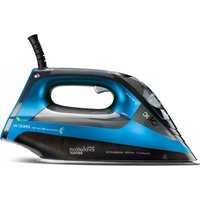
Electric iron with visible branding and specifications, no readable text or symbols beyond brand name and model informationKOMPAKTOWY GENERATOR PARY
INSTRUKCJA OBSŁUGI
KOMPAKTNÉ ŽEHLIACE SYSTÉMY
NÁVOD NA POUŽITIE
KOMPAKT VASALÓRENDSZER
HASZNÁLATI UTASÍTÁS
natural_image
Abstract graphic with a circular design featuring the number 8 and surrounding icons (no readable text or symbols)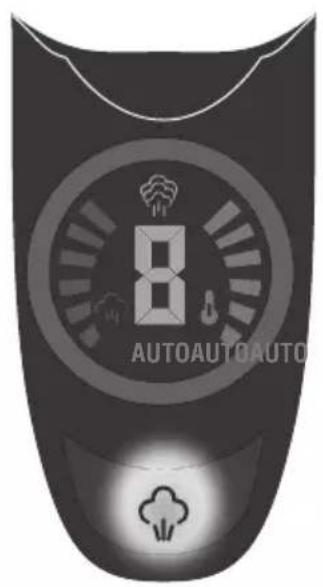


Many thanks for choosing to purchase a SOLAC brand product.
Thanks to its technology, design and operation and the fact that it exceeds the strictest quality standards, a fully satisfactory use and long product life can be assured.
DESCRIPTION
A Antiscale
B Steam blast
C Steam On/Off button
D SENSOR
E Digital display
G Program selector
H Filling spout
I Soleplate
Read these instructions carefully before switching on the appliance and keep them for future reference. Failure to follow and observe these instructions may result in an accident.
SAFETY ADVICE AND WARNINGS
. The appliance should be used and placed on a flat and stable surface.
. When the appliance is placed on its support, make sure that the surface on which it is placed is stable.
This symbol means that surface could to get hot during the use.
. Do not leave the appliance un-attended while it is connected to the mains supply.
. This appliance can be used by people unused to its handling, disabled people if they have been given supervision or instruction concerning use of the appliance in a safe way and un-
derstand the hazards involved.
.Cleaning and user maintenance must not be done by children unless supervised.
- Keep the appliance and its cable out of reach of children under the age of eight.
. This appliance is not a toy. Children should be supervised to ensure that they do not play with the appliance.
. Do not use the appliance if it has been dropped, if there are visible signs of damage or if it has a leak.
. The temperature of the accessible surfaces may be high when the appliance is in use.
. If the mains connection is damaged, it must be replaced. Take the appliance to an authorised Technical Assistance Service In order to prevent any danger, do not attempt to dismantle or repair it yourself.
- Ensure that the voltage indicated on the name-plate matches the mains voltage before plugging in the appliance.
- Connect the appliance to a 16 amp earthed mains socket.
- The appliance's plug must fit into the mains socket properly. Do not modify the plug. Do not use plug adaptors.
- Do not use or store the appliance outdoors.
- Do not leave the appliance out in the rain or exposed to moisture. If water gets into the appliance, this will increase the risk of electric shock.
- Do not stretch the mains cable. Never use the mains cable to lift, carry or unplug the appli-
EN
ance.
- Do not wrap the cable around the appliance.
- Ensure that the electric cable does not get trapped or tangled.
- Do not allow the connection cable to hang freely or to come into contact with the appliance's hot surfaces.
- Check the condition of the mains cable. Damaged or twisted cables increase the risk of electric shock.
- Do not touch the plug with wet hands.
- Do not use the appliance if the cable or plug is damaged.
- If any of the appliance casings breaks, immediately disconnect the appliance from the mains to prevent the possibility of an electric shock.
- Do not touch any heated parts, as this may cause serious burns.
USE AND CARE:
- Fully unroll the appliance's power cable before each use.
- Do not use the appliance if the on/off switch does not work.
- Do not use the appliance if the on/off switch does not work.
- Use the appliance handle/s, to lift or move it.
- Do not use the appliance at an angle or turn it over.
- Do not turn the appliance over while it is in use or connected to the mains.
. To keep the non-stick coating in good condition, do not use metal or pointed utensils on it. - Respect the MAX level indicator. (Fig.1)
- Unplug the appliance from the mains when not in use and before undertaking any cleaning task.
- This appliance is for household use only, not professional or industrial use.
- Store this appliance out of reach of children and/or those with reduced physical, sensorial or mental abilities or who are unfamiliar with its use
- Do not store or transport the appliance if it is still hot.
- If the iron is left on at maximum temperature for prolonged periods, this may cause discolouration, which will not affect appliance operation in any way.
- To ensure that the iron functions correctly, keep the soleplate scratch free and do not use it on metal objects (e.g. the ironing board, but-
tons, zips...)
- The use of distilled water is recommended, especially if the water in your area contains any type of silt or is "hard" (contains calcium or magnesium).
- Check that the lid is closed properly before switching the appliance on.
- Never leave the appliance connected and unattended if is not in use. This saves energy and prolongs the life of the appliance.
- Never rest the appliance on a surface while in use.
- Do not use the appliance on any part of the body of a person or animal.
- Do not use the appliance on pets or animals.
- Do not use the appliance to dry garments of any kind.
- To switch the appliance off, turn the program selector anticlockwise to the 0 position..
SERVICE:
- Make sure that the appliance is serviced only by specialist personnel, and that only original spare parts or accessories are used to replace existing parts/accessories.
- Misuse or failure to follow the instructions may be dangerous and renders the manufacturer's guarantee null and void.
INSTRUCTIONS FOR USE
BEFORE USE:
- Peel off appliance's protective film.
- Make sure that all the product's packaging has been removed.
- Some parts of the appliance have been lightly greased, consequently, the appliance may give off a light smoke the first time it is used. After a short time, this smoke will disappear.
- Prepare the appliance according to the function you wish to use:
FILLING WITH WATER:
- It is essential to have filled the tank with water to be able to work with steam.
- Open the lid on the filling spout.
- Fill the tank, taking care to respect the MAX level (Fig. 1).
- Close the filling spout lid.
- If, during ironing, the water tank runs dry, the pump will automatically switch off after 25" to 30" to protect the micro-pump
- If the appliance were to run out of water completely with the steam selector activated,
you would hear a strange noise from the micro-pump. Switch off the steam selector to prevent any damage to the system.
- Switch off the appliance and fill the water tank. When switching it on again, this noise will disappear.
USE:
- Unroll the cable completely before plugging it in.
- Connect the appliance to the mains.
- Temperature and steam status are shown on the screen (E), when both values remain steady this indicates that the CVG is ready for use, it will also beep when it reaches its setting.
- To select the various programs just turn the digital screen to the left or right depending on whether we wish to increase or decrease the program number, the program will change with a slight turn. Left decreases, right increases. (Fig. 2) once turned, the dial will return to position.
- Given that the soleplate takes a long time to cool, we recommend starting off with delicate garments and then increasing the program setting.
PROGRAM GARMENTS
| 0 | Off |
| 1 | Antisheen, special setting to avoid creating sheen on dark garments |
| 2 | ECO setting, the most efficient, optimised for cost-effective ironing. |
| 3 | Delicates; ironing directly on T-shirts with printed decals and any delicate garment. |
| 4 | AUTO; single setting suitable for all type of ironing, except for very delicate garments. |
| 5 | Ironing shirts and cotton garments |
| 6 | Denim jeans and heavy cotton |
| 7 | Linen; fabrics that are difficult to iron. |
| 8 | TURBO; Maximum temperature and steam flow for ULTRA FAST ironing. |
- IMPORTANT: If the fabric is made up of various kinds of fibres, select the temperature for the fibre that requires the lowest temperature. (For example, select the temperature for polyester for a fabric made out of 60% polyester and 40% cotton (pos. 3)).
- Temperature and steam status are shown on the
PRESENCE SENSOR (D)
- The CVG is equipped with a presence sensor (D) that instantly shuts off the steam outlet if
the handle is not being held. This leads to energy savings and increased autonomy of the water tank (lower water consumption).
- Steam flow is automatically re-established by holding the handle on the CVG
- Removing your hand from the handle does not switch off the selected steam function, it only interrupts the steam flow temporarily until it detects that the handle is being gripped again. The screen continues to display the icon for the selected steam function.
DRY AND/OR STEAM IRONING
- The appliance has a steam control button (C) which, when set to off, allows dry ironing (without steam) or with steam if it is switched on, a light indicates its status, on/enabled off/disabled.
EXTRA STEAM:
- It is possible to iron with maximum steam flow regardless of the setting. To do this, in the case of steam ironing, just press the steam button (c), the steam flow will increase to maximum, to stop steam production just press the steam button again. The screen displays the current setting, with a steam bar which shows empty when switched off, up through the various settings for each program to maximum when the super steam setting is activated.
STEAM BLAST:
- This function provides extra steam for removing creases.
- Press the steam blast button (B) only in programs 7 and 8, the screen will display an icon to indicate when the EXTRA function (Fig 2) is ready. With the lower programs, sole-plate temperature is not sufficient to produce a steam blast, consequently the super steam icon will not be displayed. Wait a few seconds until the steam penetrates the fibres of the garment before pushing the button again. For optimum steam quality, do not apply more than three successive blasts.
- During initial use it is necessary to press repeatedly in order to prime the super steam water circuit.
VERTICAL IRONING:
- It is possible to iron hanging curtains, items of clothing on their own hanger, etc. To do so, follow these instructions:
- Iron from top to bottom while pressing the steam control (B), follow the instructions given
EN
in the Steam Blast section.
- Important: for cotton and linen, it is recommended to put the base of the iron in contact with the material. For other more delicate fabrics, it is recommended to keep the base of the iron a few centimetres away.
AUTO-OFF FUNCTION (AUTO-OFF):
- For the purpose of saving energy, the appliance switches to auto-off mode (auto-off) if it is not moved for a particular period of time. When this happens, a beep will sound and the auto-off indicator light will flash, indicating that this function is activated.
- Auto-off: after about 3 minutes without moving the appliance.
- To resume ironing just touch any button or the handle of the iron.
- The iron will emit beeps every so often to indicate that it is plugged into the mains supply in stand-by mode.
ONCE YOU HAVE FINISHED USING THE APPLIANCE:
. Unplug the appliance from the mains.
- Remove the water from the water tank.
- Clean the appliance
CLEANING
- Unplug the appliance from the mains and let it cool down before performing any cleaning task.
- Clean the appliance using a damp cloth with a few drops of detergent and then dry it.
- Do not use solvents, or products with an acid or base pH such as bleach, or abrasive products, for cleaning the appliance.
- Do not immerse the appliance in water or any other liquid, or place it under a running tap.
\* HOW TO DEAL WITH LIME SCALE INCRUSTATIONS:
- For the appliance to work correctly it should be kept free of lime scale or magnesium incrustations caused by the use of hard water.
- To prevent this kind of problem, we recommend the use of water with low lime or magnesium mineralisation.
- Homemade solutions, such as the use of vinegar, are not recommended for de-scaling this appliance and will result in the loss of product warranty.
FAULTS AND REPAIR
· Take the appliance to an authorised technical
support service if problems arise. Do not try to dismantle or repair it, as this may be dangerous.
- If the mains cable has been damaged, it must be replaced, proceed as in the case of a fault.
- Do not use scented water, as this damages the coating inside the steamer.
FOR EU PRODUCT VERSIONS AND/OR IN THE CASE THAT IT IS REQUESTED IN YOUR COUNTRY:
ECOLOGY AND RECYCLABILITY OF THE PRODUCT
- The packaging materials for this appliance are included in a collection, classification and recycling system. Should you wish to dispose of them, use the appropriate public containers for each type of material.
- The product does not contain concentrations of substances that could be considered harmful to the environment.

This symbol means that if you wish to dispose of the product once its useful life has ended, it must be deposited with an authorised waste management agent for the selective collection of Waste Electrical and Electronic Equipment (WEEE)
This appliance complies with Directive 2014/35/EC on Low Voltage, with Directive 2014/30/EU on Electromagnetic Compatibility, with Directive 2011/65/EU on restrictions on the use of certain dangerous substances in electrical and electronic appliances and with Directive 2009/125/EC on the ecological design requirements applicable to products related to energy.
Cher Client,
AANWEZIGHEIDSSENSOR (D)
C Przycisk pary On/Off
D CZUJNIK
E Ekran cyfrowy
NIEPRAWIDŁOWOŚCI I NAPRAWA


- DESCRIPTION
- SAFETY ADVICE AND WARNINGS
- EN
- USE AND CARE:
- SERVICE:
- INSTRUCTIONS FOR USE
- BEFORE USE:
- FILLING WITH WATER:
- USE:
- PRESENCE SENSOR (D)
- DRY AND/OR STEAM IRONING
- EXTRA STEAM:
- STEAM BLAST:
- VERTICAL IRONING:
- AUTO-OFF FUNCTION (AUTO-OFF):
- ONCE YOU HAVE FINISHED USING THE APPLIANCE:
- CLEANING
- \* HOW TO DEAL WITH LIME SCALE INCRUSTATIONS:
- FAULTS AND REPAIR
- FOR EU PRODUCT VERSIONS AND/OR IN THE CASE THAT IT IS REQUESTED IN YOUR COUNTRY:
- ECOLOGY AND RECYCLABILITY OF THE PRODUCT
- AANWEZIGHEIDSSENSOR (D)
- NIEPRAWIDŁOWOŚCI I NAPRAWA
Brand : SOLAC
Model : Auto Evolution Sensor CVG9613
Category : Iron