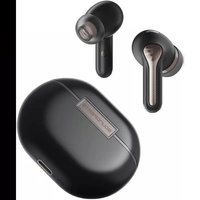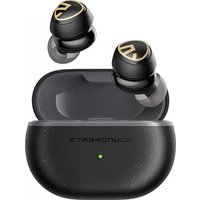
Air3 Deluxe HS - Earphones SoundPEATS - Free user manual and instructions
Find the device manual for free Air3 Deluxe HS SoundPEATS in PDF.


| Product Type | Wireless In-Ear Headphones |
| Brand | SoundPEATS |
| Model | Air3 Deluxe HS |
| Power | Rechargeable via USB-C (max current 1A) |
| Battery Life (Earbuds) | Approximately 5 hours per charge |
| Total Battery Life with Case | Approximately 22 hours (case provides 3.5 charges) |
| Charge Indicator (Case) | Green (100-50%), Yellow (49-10%), Red (<10%); flashing according to level |
| Connectivity | Bluetooth 5.2 (estimated) |
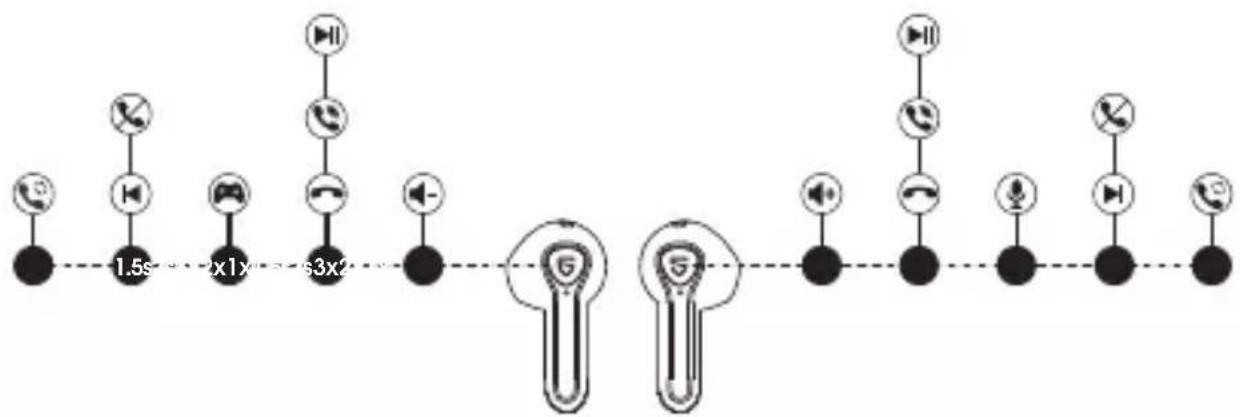
| Touch Controls | Play/Pause (2 taps), Volume +/- (1 tap), Next/Previous track (1.5s), Call (2 taps), Reject (1.5s), Voice assistant (3 taps right), Game mode (3 taps left) |
| Game Mode | Reduces latency for audio/video synchronization |
| Reset | Place the earbuds in the case, press the case button for 10 seconds |
| Maintenance | Clean the charging contacts with a soft cloth |
| Safety | Compliant with Industry Canada's RSS (license-exempt radio devices) |
Frequently Asked Questions - Air3 Deluxe HS SoundPEATS
User questions about Air3 Deluxe HS SoundPEATS
0 question about this device. Answer the ones you know or ask your own.
Ask a new question about this device
Download the instructions for your Earphones in PDF format for free! Find your manual Air3 Deluxe HS - SoundPEATS and take your electronic device back in hand. On this page are published all the documents necessary for the use of your device. Air3 Deluxe HS by SoundPEATS.
USER MANUAL Air3 Deluxe HS SoundPEATS
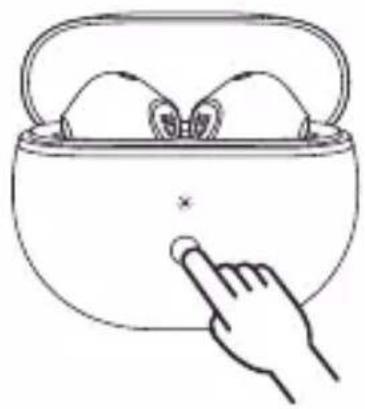
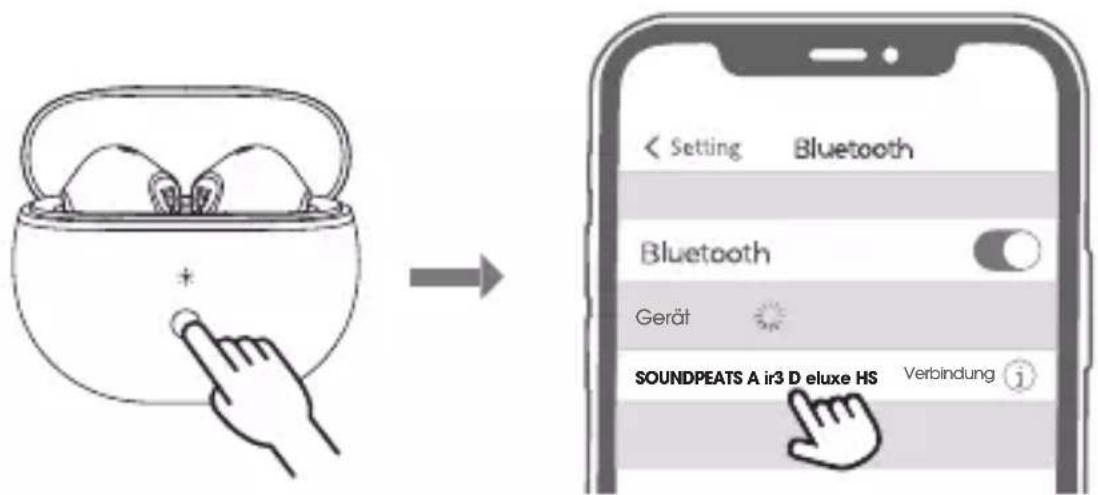
- Open the charging case lid while the case is with enough power left, press and hold the button on the charging case for 3 seconds until the white light flashes, both earbuds will turn on and enter pairing mode.
- Activate the Bluetooth on your device and choose "SOUNDPEATS Air3 Deluxe HS" to connect.
Reset
- Place back both earbuds, the white light on the charging case flashes twice, the earbuds start charging.
- With the case lid open, press and hold the charging case button for 10 seconds until the white light flashes 2 times, reset complete.
- Close the case lid and reopen to activate the earbuds.
natural_image
Line drawing of a hand pointing at a basket containing two objects (no text or symbols)Wearing
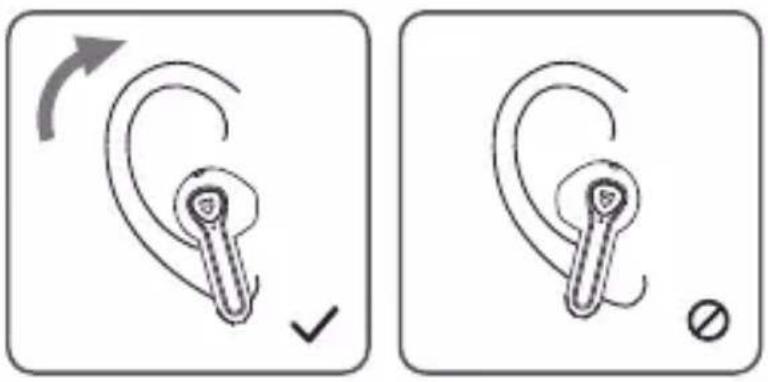
Product Diagram
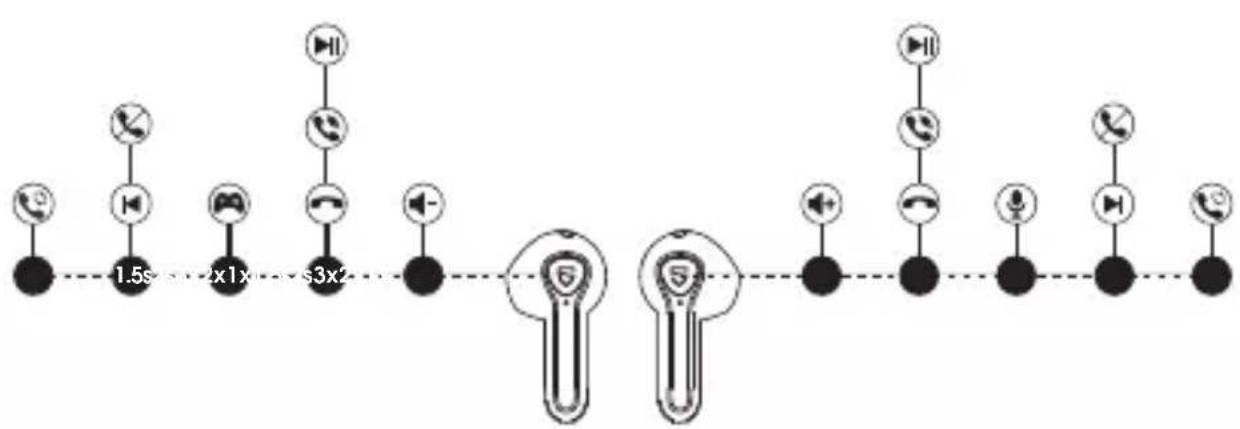
flowchart
graph LR
    A["Phone"] --> B["Radio"]
    B --> C["Video"]
    C --> D["Mobile"]
    D --> E["Smartphone"]
    E --> F["Signal"]
    F --> G["Speaker"]
    G --> H["User Device"]
    H --> I["Wireless Device"]
    I --> J["Wireless Device"]
    J --> K["Wireless Device"]
    K --> L["Wireless Device"]
    L --> M["Wireless Device"]
    M --> N["Wireless Device"]
    N --> O["Wireless Device"]
    O --> P["Wireless Device"]
    P --> Q["Wireless Device"]
    Q --> R["Wireless Device"]
    R --> S["Wireless Device"]
Touch Control
| Power On | Auto: Open up the case lidManually: Press and hold the MFB for 1.5s |
| Power Off | Auto: Place back into charging case and close the lidManually: Press and hold the MFB for 10s |
| Play / Pause | Auto: Take off either earbud to pause musicWear either earbud or both together to play musicManually: Double tap the MFB |
| Volume - | Single tap the left MFB |
| Volume + | Single tap the right MFB |
| Previous Track | Press and hold the left MFB for 1.5s |
| Next Track | Press and hold the right MFB for 1.5s |
| Answer / Hang Up Phone Call | Double tap the MFB |
| Reject Phone Call | Press and hold the MFB for 1.5s |
| Switch Between Two Calls | Press and hold the MFB for 2s |
| Manually Enter Pairing Mode | Press and hold the charging case button for 3s |
| Activate Voice Assistant | Triple tap the right MFB |
| Enter / Exit Game Mode | Triple tap the left MFB |
Game Mode
SOUNDPEATS Air3 Deluxe HS adopts the latest technology to ensure low latency in game mode and make sure the sound sync with the image.
Triple tap on the left to activate the game mode with a voice prompt "Game Mode" and deactivate the mode with a prompt "Exit Game Mode".
Q&A
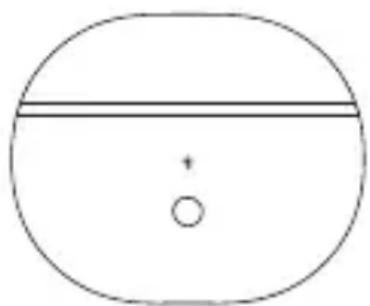
Q1: What does the indicator on the charging case tell?
It shows the battery power left in the charging case.
| Charging Case Indicator | Battery Left |
| Green | 50% - 100% |
| Yellow | 10% - 49% |
| Red | 10% or less |
While charging the case, the indicator flashes slowly.
| Charging Case Indicator | Battery Power |
| Red | 0 - 19% |
| Yellow | 20% - 69% |
| Green | 70% - 99% |
| Green LED stays on | 100% |
natural_image
Simple diagram with a horizontal line and a small circle inside a larger oval (no text or symbols)Q2: How to charge the charging case?
-
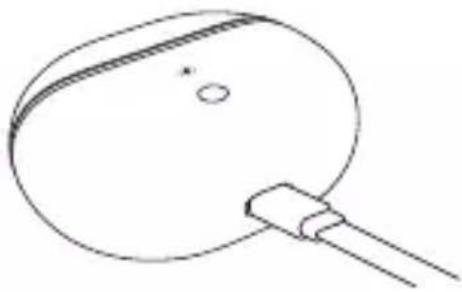
Use a Type-C adapter to charge the case (current no more than 1A). The indicator flashes while charging.
-
Please charge the earbuds and charging case at least once per 3 months when not in use for a long time.
natural_image
Simple line drawing of a circular object with a handle and small circular mark (no text or symbols)Q3: Why are the earbuds still connected to my phone after placing them back and closing the case lid?
-
The charging case has no remaining power. The case can't turn off the earbuds if the case battery is dead.
-
Please make sure the earbuds are correctly placed in the charging case, and the contactors on both the charging case and earbuds are clean. Please try to clean them with something like microfiber cloth.
Q4: Why is the playtime not same as described?
A single charge will not support continuous use for 22 hours. The earbuds work 5 hours for a single charge and the charging case provides extra 3.5 recharges.
FCC Statement
This equipment has been tested and found to comply with the limits for a Class B digital device, pursuant to Part 15 of the FCC rules. These limits are designed to provide reasonable protection against harmful interference in a residential installation. This equipment generates uses and can radiate radio frequency energy and, if not installed and used in accordance with the instructions, may cause harmful interference to radio communications. However, there is no guarantee that interference will not occur in a particular installation. If this equipment does cause harmful interference to radio or television reception, which can be determined by turning the equipment off and on, the user is encouraged to try to correct the interference by one or more of the following measures:
- Reorient or relocate the receiving antenna.
– Increase the separation between the equipment and receiver. - Connect the equipment into an outlet on a circuit different from that to which the receiver is connected.
- Consult the dealer or an experienced radio/TV technician for help.
This device complies with part 15 of the FCC rules. Operation is subject to the following two conditions:
(1) This device may not cause harmful interference.
(2) this device must accept any interference received, including interference that may cause undesired operation.
Changes or modifications not expressly approved by the party responsible for compliance could void the user's authority to operate the equipment.
IC ID
- English: "
This device complies with Industry Canada licence-exempt RSS standard(s). Operation is subject to the following two conditions:
(1) this device may not cause interference, and
(2) this device must accept any interference, including interference that may cause undesired operation of the device."
- French:"
RF warning statement:
The device has been evaluated to meet general RF exposure requirement. The device can be used in portable exposure condition without restriction.
Paarung
natural_image
Line drawing of a hand pointing at a basket containing two objects (no text or symbols)Tragen
natural_image
Simple diagram with a horizontal line and a small circle inside an oval shape (no text or symbols)natural_image
Simple line drawing of a circular object with a handle and a small dot, no text or symbols present.natural_image
Line drawing of a hand pointing at a basket containing food items (no text or symbols)Port des écoueurs
natural_image
Simple diagram of a circle with a horizontal line and a small circle below, no text or symbols present.natural_image
Simple line drawing of a circular object with a handle and small circular mark (no text or symbols)natural_image
Line drawing of a hand pointing at a bowl containing two eggs (no text or symbols)Llevar
Ejemplo de Producto
flowchart
graph LR
    A["Phone"] --> B["1.5s"]
    B --> C["2x1x"]
    C --> D["3x2"]
    D --> E["+"]
    E --> F["Lightbulb icon"]
    F --> G["+"]
    G --> H["Lightbulb icon"]
    H --> I["+"]
    I --> J["+"]
    J --> K["+"]
    K --> L["+"]
    L --> M["+"]
    M --> N["+"]
    N --> O["+"]
    O --> P["+"]
    P --> Q["+"]
    Q --> R["+"]
    R --> S["+"]
    S --> T["+"]
    T --> U["+"]
    U --> V["+"]
    V --> W["+"]
    W --> X["+"]
    X --> Y["+"]