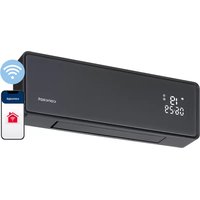
QH4100 - Fan Concept - Free user manual and instructions
Find the device manual for free QH4100 Concept in PDF.


| Product Type | Ceramic wall heater with fan function |
| Power Supply | 220-240 V ~ 50/60 Hz |
| Nominal Heat Output | 2000 W |
| Minimum Power | 1000 W |
| Sound Power Level | 45 dB |
| Protection Class | IP22 |
| Wireless Connectivity | Wi-Fi 2.4 GHz (2412-2472 MHz), power ≤18 dBm |
| Mobile App | Concept Home (Android 5.0+ / iOS 9.0+) |
| Installation Type | Wall-mounted, at least 2 m from floor, 25 cm from corner, 20 cm from ceiling |
| Functions | Remote control, schedule programming, open window function, tilt, child lock, manual/auto mode, 24h timer |
| Heating Modes | Warm air (1000 W), hot air (2000 W), fan only |
| Temperature Setting | 10 to 49 °C |
| Remote Control | CR2025 battery, 3 V (remove protective film) |
| Safety | Overheat protection fuse, automatic shutdown in case of temperature drop (open window) |
| Maintenance | Clean grilles with a damp sponge, vacuum dust. Do not use abrasive products or solvents |
| Repairability | Intervention only by an approved service centre |
| Warranty | Void if recommendations are not followed |
| Wi-Fi Compatibility | WPA1/WPA2 (WPA2 recommended), not compatible IEEE 802.1X |
| Environment | Domestic use only, in well-insulated rooms, area ≥ 4 m² |
Frequently Asked Questions - QH4100 Concept
User questions about QH4100 Concept
0 question about this device. Answer the ones you know or ask your own.
Ask a new question about this device
Download the instructions for your Fan in PDF format for free! Find your manual QH4100 - Concept and take your electronic device back in hand. On this page are published all the documents necessary for the use of your device. QH4100 by Concept.
USER MANUAL QH4100 Concept
Wall-mounted ceramic heater
Wandkeramikheizung
natural_image
Digital remote control device with 'concept' branding and digital display showing 18:06' and 29:06' (no additional text or symbols)QH4100
CZ
HULVDEFR ENSKPL
ITES
RO
POPIS PRODUKTU/ POPIS PRODUKTU/ OPIS PRODUKTU/ TERMÉKLEÍRÁS/ PRODUKT A APRAKSTS/ PRODUCT DESCRIPTION/ PRODUCTOMSCHRIJVING/ DESCRIPTION DU PRODUIT/ DESCRIZIONE DEL PRODOTTO/ DESCRIPCIÓN DEL PRODUCTO/ DESCRIEREA PRODUSULUI
CZ
concept
concept
CZ
Poděkování
NÁVOD K OBSLUZE
ČISTĚNÍ A ÚDRŽBA
Pozor!
ČISTENIE A ÚDRŽBA
Pozor!
PL
concept
concept
HU
CZYSZCZENIE I KONSERWACJA
Uwacal
HU
concept
concept
LV
LV
concept
concept
EN
TİRİŞANA UN APKOPE
Uzmanibul
Thank you for purchasing a Concept product. We wish you much joy with your new appliance every day you use it. Please read the instruction manual carefully before initial use. To refer to this manual any time you need to, we recommend you to keep it in a safe place. And please pass it to any future owner of the appliance.
| Technical specifications | |
| Voltage 220-240 V, 50/60 Hz | |
| Input 2000 W | |
| Sound performance level 45 dB | |
| IP code IP22 | |
| Frequency range 2412-2472 MHz | |
| Transmitter power ≤18 dBm | |
IMPORTANT
Before connecting to the mains, make a visual check to ensure that the unit is intact and that no damage occurred during transport.
IMPORTANT SAFETY PRECAUTIONS
- Do not use the appliance in any other way than as described in this manual.
- Remove all the covering and marketing materials from the appliance before the first use.
- Make sure the mains voltage corresponds to the values on the rating plate of the product. Do not connect the appliance to the distribution sockets and extension leads.
- Do not use this appliance with a program, timer, or any other component that automatically switches the appliance on, because a fire may occur if the appliance is covered or incorrectly placed.
- Only place the appliance on a stable and heat-resistant surface away from other heat sources.
- When connecting and disconnecting the appliance from the electrical outlet, the function selector must be in position OFF (or 0).
- When disconnecting the appliance from the wall outlet, never pull the power cord, grasp the plug end and disconnect it by removing it from the receptacle.
- The appliance must not be placed directly under the electrical socket.
- The appliance must be positioned so that its plug is always accessible.
- Observe the safe distance of the appliance at least 100 cm from flammable
55
EN
concept
concept
EN
materials such as furniture, curtains, blankets, paper, clothing, etc.
- Do not use the appliance in rooms of area of less than 4m^2
- Never place any objects in the air outlet. This could result in short circuits and possible damage to the appliance.
- Do not bend or place heavy objects on the power cord. A short circuit could occur.
- Leave the air inlet and outlet grids free (at least 100 cm in front of and 50 cm behind the appliance).
- Caution! The outlet grid reaches a temperature above 80 °C during operation. Do not touch it, there is a risk of burns.
- Do not carry the appliance when it is switched on, or if it is hot.
- Do not touch the hot surface. Use handles and buttons.
- Do not allow children or unauthorized people to handle the appliance, use it out of their reach.
- Persons with reduced mobility, reduced sensory perception, mental disadvantage or persons not familiar with the operation must use the appliance only under the supervision of responsible person, who is familiar with the instructions.
- Pay extra attention if the appliance is used near children.
- Do not use the appliance as a toy.
- Do not cover the appliance, there is a risk of overheating. Do not use it to dry the laundry.
- Do not put anything on the appliance or place anything in front of it.
- Do not use the appliance in any other way than as described in this manual.
• The appliance must be always used only in the upright position. - Do not use the appliance near shower, bathtub, sink or pool.
- Do not use the appliance in an environment where there are explosive gases and flammable substances (solvents, varnishes, adhesives, etc.).
- Before cleaning and after use of the appliance, switch the appliance off, disconnect it from the mains and allow it to cool down.
- Keep the appliance clean, do not allow foreign objects to into the grid openings. It could cause short circuit, damage to the appliance or cause fire.
-
Do not use coarse and chemically aggressive substances to clean the appliance.
-
Do not use the appliance with a damaged cord or plug and have it repaired immediately by an authorized service centre.
- Do not use the appliance if it is not working properly, has been dropped, damaged or immersed in liquid. Have it checked and repaired by an authorized service centre.
- Do not use the appliance outdoors.
- The appliance is only suitable for home use and is not intended for commercial use.
- Do not touch the appliance with wet hands.
- Do not immerse the power cord, plug or appliance in water or any other liquid.
- The appliance must not be used in vehicles.
- Do not repair the appliance yourself. Contact an authorized service centre.
- This appliance can be used by children aged from 8 years and above and persons with reduced physical, sensory or mental capabilities or lack of experience and knowledge if they have been given supervision or instruction concerning the use of the appliance in a safe way and understand the hazards involved. Cleaning and maintenance performed by the user must not be carried out by children unless they are 8 years old and under supervision. Children aged under 8 years of age must be kept away from the appliance and its power cord. Do not let children play with the appliance.
• Children aged under 3 years of age must be prevented from accessing the appliance unless they are permanently supervised. - WARNING: Some parts of this product can be very hot and cause burns. Take special care in the presence of vulnerable persons or children.
- Children from the age of 3 and under 8 may switch the appliance on or off only if the appliance is in its place or installed in its normal operating position and they are supervised or instructed how to use the appliance safely and they understand the risks that are associated with it. Children from the age of 3 and under 8 may not connect, regulate or clean the appliance, or perform maintenance by the user.
- This product is only suitable for well-insulated rooms or occasional use.
Damages from failure to follow the manufacturer's instructions are not covered by the warranty.
EN
concept
concept
EN
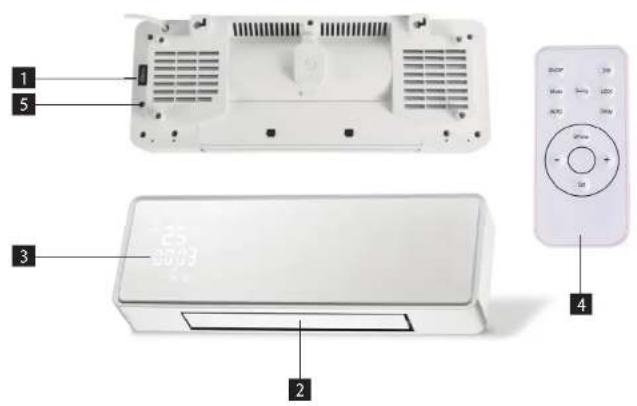
PRODUCT DESCRIPTION
1 Main switch 0/1 (on/off)
2 Outlet grille
3 Display
4 Remote control
5 START/STOP button (manual start without using the remote control)
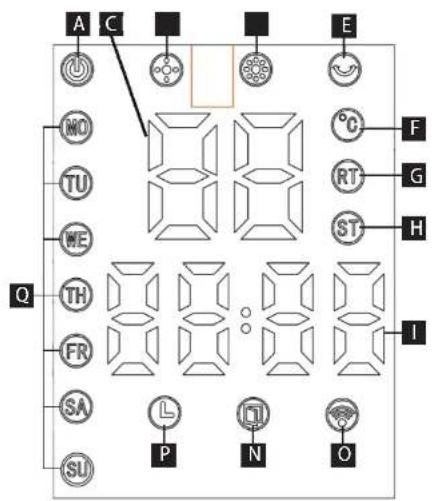
Display
A Power supply
B Temperature
C Minimum input
D Maximum input
E Oscillation
F Temperature indicator
G Ambient temperature
H Set temperature
1 Hours/Minutes
N Open window function
P Day timer
Q Days of the week (MO-Monday, TU-Tuesday, WE-Wednesday, TH-Thursday, FR-Friday, SA-Saturday, SU-Sunday)
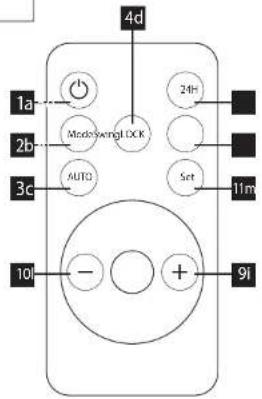
Remote control
1a On/Off
2b Power setting
3c Open window function
4d Oscillation
5e Day timer
6f Child lock function
9i + button
101 - button
11m Time/date setting
The remote control comes with a battery (type
CR2025, 3 V). Remove the protective film before
first use.
MOUNTING THE DEVICE ON THE WALL
The appliance is designed to be wall-mounted. Installation may only be performed by a qualified person.
Before installing the appliance, make sure that there are no electrical cables or water pipes in the place of installation.
Place the appliance at least 2 m above the floor, 25 cm from the corner of the room and 20 cm below the ceiling. Air outlet hole must be directed downwards (see Fig. 1).
Drill two holes in the wall according to the holes for hanging on the back of the device.
Insert the dowels into the holes and screw the screws into them so that they protrude 5 mm from the holes.
Hang the appliance on the screws and make sure that it is properly installed.
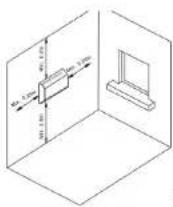
Fig.1
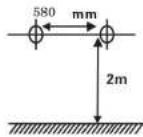
Fig. 2
OPERATING INSTRUCTIONS
- Before plugging in the appliance, make sure that the main switch I/O is in the O (Off) position.
- Place the heater on a solid stable surface and switch the main switch to the I position (On). You will hear a sound signal, the device is in the standby mode.
- Press the On/Off button on the remote control or START/STOP directly on the appliance to turn on the heater operating mode.
Time and date setting (only in operating mode)
- Press the Set button (11m) and by pressing the +/- buttons (9i/10l) set the day.
- Press the Set button for the second time (11m) and by pressing the +/- buttons (9i/10l) set the hour.
- Press the Set button for the third time (11m) and by pressing the +/- buttons (9i/10i) set the minute.
- Press the Set button for the fourth time (11m) – time and date are saved.
Note: If there is a delay of more than 5 seconds between each pressings of the buttons, the current setting will be saved automatically.
Warning: When the appliance is turned off by pressing the main button O/I, due to a power failure or unplugged power cord, the time and date settings will be lost.
Manual operating mode setting (only in operating mode)
- Press the On/Off button (1a) and put the device into operating mode.
-
Press the Mode button (2b) and select the desired mode:
-
Warm air, power 1000 W (C)
- Hot air, power 2000 W (D)
-
Fan function (no icon on the display)
-
Press the Swing button (4d) to activate/deactivate automatic air oscillation.
EN
concept
concept
EN
Automatic operating mode setting (only in operating mode)
In this mode the appliance automatically selects the desired mode according to the set/ambient room temperature.
- Press the 4/- buttons(9i/10l) to select the desired temperature from 10 to 49 °C. The ST icon is active during setting (H).
- The selected option is automatically saved after 5 seconds. The ST icon (H) goes out, the RT icon lights up (G)
- Press the Mode button to deactivate (2b) and select the desired mode (min/max/fan)
Note: If the temperature drops 2 degrees below the set temperature, the heater switches to warm airflow (1000 W). If the temperature drops 4 degrees below the set temperature, the heater switches to hot airflow (2000 W). If the temperature rises 1 or more degrees above the set temperature, the heater switches to cold airflow.
Day timer setting (only in operating mode) - Press the 24H button (5e) and by repeated pressings of the button set the desired shut down time (1 - 24 hours).
- The day timer is active if the clock icon is lit on the display (P).
- To deactivate the timer, press the 24H button again (5e) until the time 00 appears on the display, the clock icon (P) is inactive.
Open window function setting (only in operating mode)
This function stops the operation of the appliance if the ambient temperature drops by at least 3 °C within 1 minute. - Press the AUTO button to activate it (3c). The open window icon (P) will appear on the display.
- Press the AUTO button to deactivate it (3c). The open window icon (P) goes out.
Child lock setting (only in operating mode) - Press the Lock button to activate it (6f). Only one icon is lit on the display (A).
- In this mode, only the ON/OFF (1a) and Lock (6f) buttons work.
- Press the Lock button to deactivate it (6f).
| Table of local electric heater data P | |||||
| Model identification no.: QH4100 BPT-2000B 5406L-Wifi | |||||
| Parameter | Symbol | Value | Unit | Parameter | Unit |
| Rated heat output Temperature entering methods, only for electric storage heaters (select one) | |||||
| Rated heat output | Pnom | 2.0 | kW | Manual regulation of accumulated heat with integrated thermostat | [no] |
| Minimum heating capacity (indicated) | Pmin | 1.0 | kW | Manual regulation of accumulated heat according to room temperature and / or outdoor temperature | [no] |
| Maximum continuous heating power | Pmax | 2.0 | kW | Electronic regulation of accumulated heat according to room temperature and / or outdoor temperature | [no] |
| Additional electricity consumption | Heat output with fan | [no] | |||
| At rated heating output | elmax | 0 | kW | Type of heat output / room temperature control (select one) | |
| With minimum heat output | elmin | 0 | kW | Single mode heat output without room temperature control | [no] |
| In standby mode | elSB | 0.001 | kW | Two or more modes set manually, without room temperature control | [no] |
| With room temperature control by mechanical thermostat | [no] | ||||
| With electronic room temperature control | [no] | ||||
| Electronic temperature room control with daily timer | [no] | ||||
| Electronic temperature room control with weekly timer | [yes] | ||||
| More control options (multiple choices) | |||||
| Room temperature control with person presence detection | [no] | ||||
| Room temperature control with open window detection | [yes] | ||||
| With remote control | [yes] | ||||
| With adaptive on/off mode | [no] | ||||
| With reduced operating hours | [no] | ||||
| With infrared sensor | [no] | ||||
| Contact: | Jindrich Valenta - ConceptVysakomytska 1800565 01 Chocen, CZECH REPUBLIC | ||||
| Note:The measured seasonal energy efficiency of heating of local electric heaters shall not be lower than the declared value at the nominal heating capacity of the unit. | |||||
| Seasonal energy efficiency of all local heaters except commercial, ns (%) | 38 | ||||
EN
concept
concept
EN
WIRELESS CONNECTION AND COMPATIBILITY
Company Jindrich Valenta - CONCEPT cannot be held liable for incidental, indirect or consequential damages, loss of data or losses resulting from divulgence of information in the course of wireless communication.
Successful wireless communication cannot be fully guaranteed in all Smart units and Wi-Fi networks (routers). Considering wide variety of available devices, there may be cases, where the character or specification of the relevant Smart unit or Wi-Fi network (router) does not allow the connection or, as the case may be, the connection may be disturbed. The success of wireless communication via Wi-Fi networks can also be affected by various factors, including hardware and software configuration. The connection between the robot vacuum and your Wi-Fi network can also be affected by neighbouring Wi-Fi networks that are using the same channel, thus affecting the connection (typically, in housing estates, apartment houses etc.). In this event, quality complaints are not accepted.
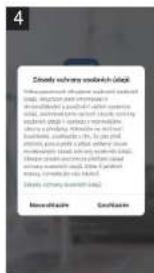
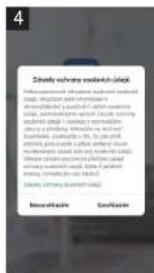
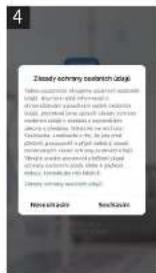
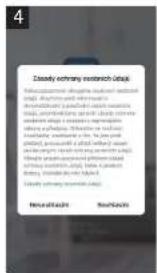
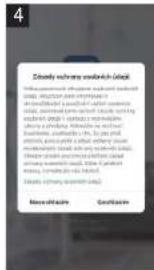
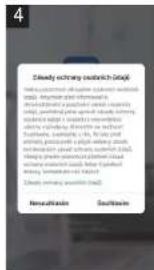
The app is owned and operated by an independent operator (hereinafter: Operator), which is not controlled by Jindrich Valenta - CONCEPT (hereinafter: Seller). The Operator does not receive any personal data from the Seller. When accessing to the app, the customer is sending personal data directly to the Subject, hence, the Subject becomes personal data administrator. The app and relevant personal data protection measures are controlled by the Subject.
Compatibility:
Operation system of smart units - Android 5.0 and higher
- IOS 9.0 and higher
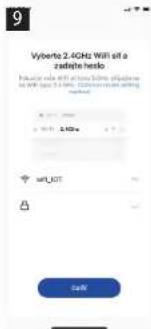
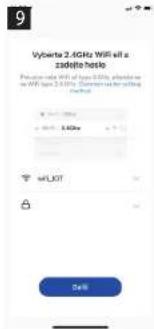
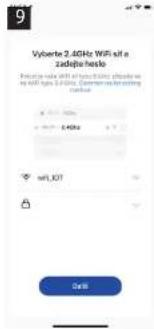
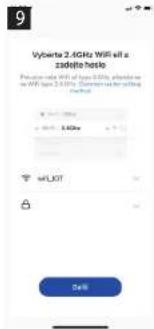
Wi-Fi network - 2.4 GHz
- protection WPA1 and WPA2 (WPA2 recommended)
NOTE: The system cannot be operated in Wi-Fi networks with protocol IEEE 802.1X (as a rule, corporate Wi-Fi networks).
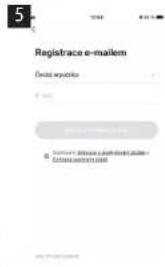
Before operation using the app, your unit will have to be connected to your smartphone allowing access to your Wi-Fi network.
Recommended distance during the adjustment: less than 4 meters.
Be sure your robot vacuum, router and your smartphone are not far from each other, thus avoiding problems at pairing the units.
Downloading and installation of the app and pairing with the robot vacuum
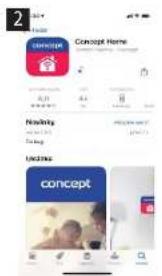
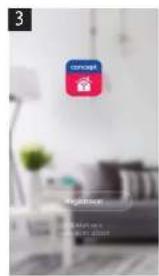
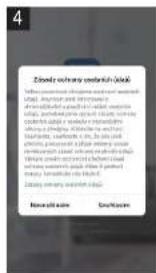
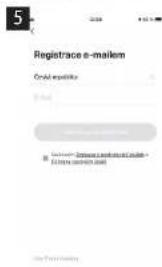
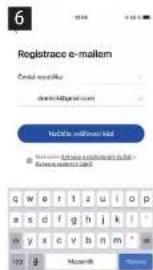
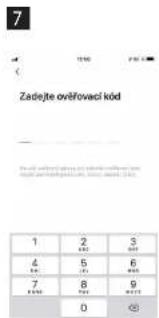
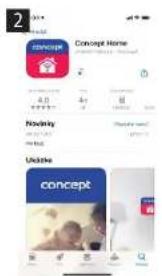
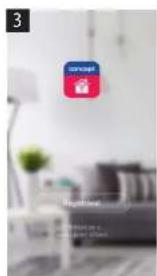
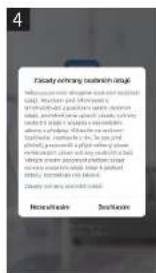
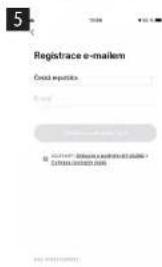
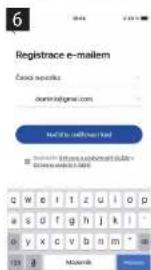
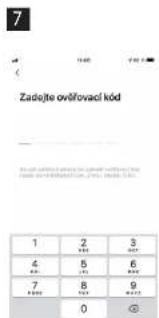
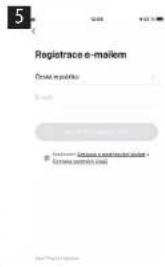
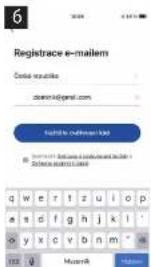
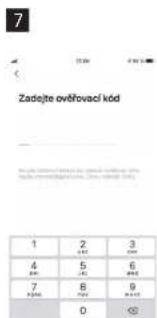
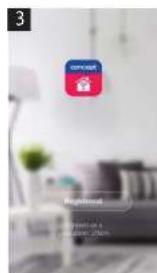
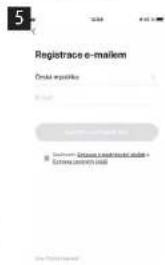
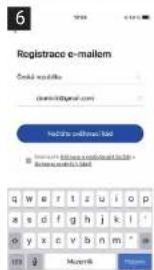
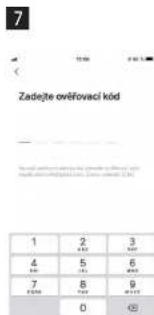
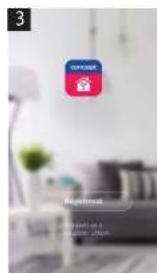
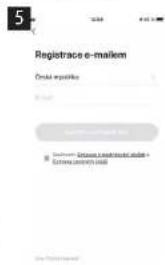
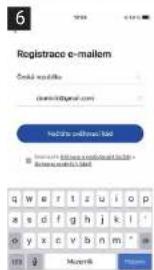
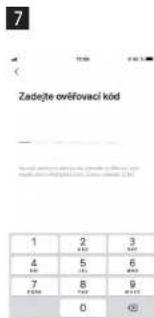
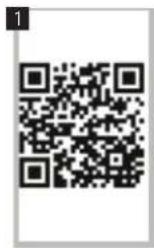
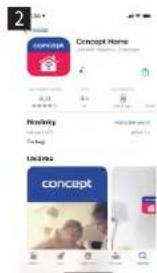
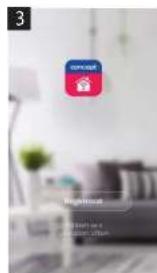
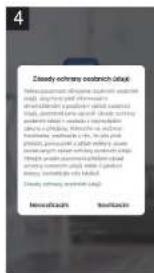
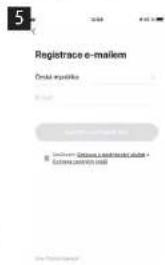
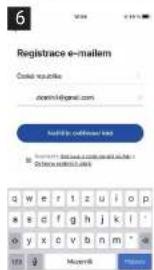
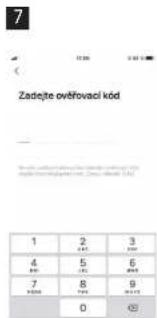
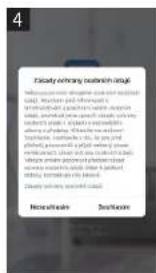
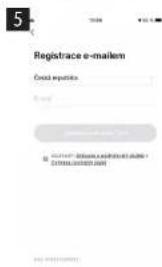
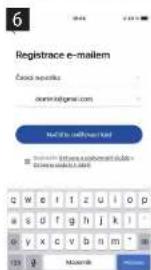
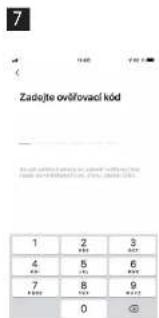
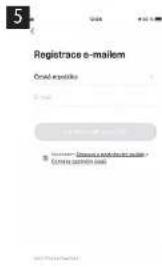
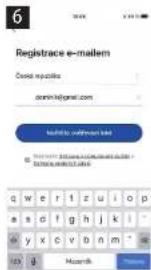
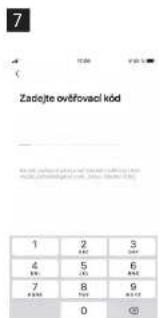
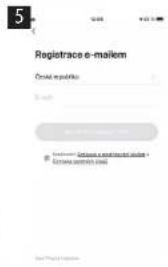
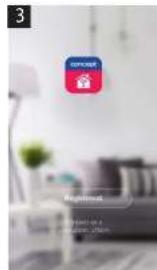
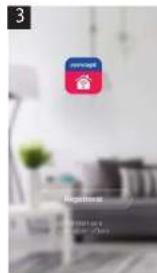
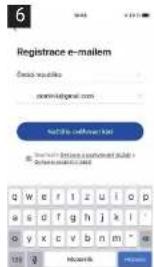
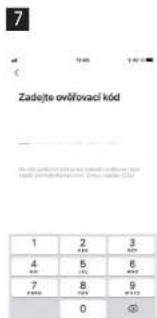
- Scan QR code, see below (fig. 1) or find Concept Home app in Google Play or App Store and download the app to your smartphone. If you already have Concept Home, open the app, log in and follow the instructions for correct pairing.
- Press button number 5 for a long time.
- Then press + or Add device in the app.
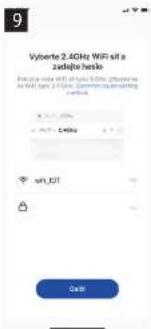
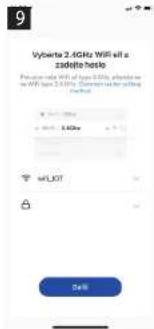
- A list of devices will be displayed. Select the device.
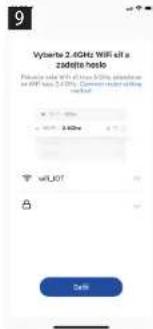
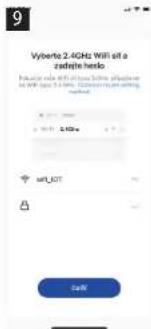
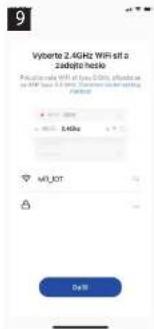
- Enter your Wi-Fi network and the password, or it will be added automatically.
- Press Next
- Confirm your selection, the device is flashing, press Next.
- Wait until the device has been paired. After finalisation of pairing, you can start using your robot vacuum using mobile app.
Make sure your device, router and mobile phone are close to each other for a smooth pairing. Long press on the wifi symbol on your device.
EN
concept
concept
DE
CLEANING AND MAINTENANCE
Caution!
Before each cleaning of the appliance, unplug the power cord from the electrical outlet! Make sure the appliance has cooled before handling it!
To clean the surface of the appliance, use only a damp cloth, no detergents or hard objects, as they can damage the surface of the appliance!
Clean and inspect the inlet and outlet grids of the appliance frequently to ensure good operation of the appliance and to prevent overheating.
The dust in the appliance can be blown or vacuumed.
Never clean the appliance under running water, do not rinse it or immerse it in water!
CAUTION for cleaning: Do not use gasoline, benzene, thinner, aggressive detergents, etc., as this may damage the appliance. Never use alcohol or solvents.
TROUBLESHOOTING
The appliance is equipped with a safety fuse which, in the event of overheating, interrupts the power supply of the heater and, once cooled, switches it on again. If this occurs during normal operation, check the cleanliness of the inlet and outlet grids, or change the position of the appliance to improve the airflow inside and around the appliance.
SERVICE CENTRE
Extensive maintenance or repair, which requires access to internal parts of the product, has to be performed by a qualified specialist or the service centre.
ENVIRONMENTAL CONCERNS
• Packaging materials and old appliances should be recycled.
- Packaging materials may be disposed of as sorted waste.
- Dispose the plastic bags made of polyethylene (PE) of as sorted waste.
Recycling of the appliance at the end of its lifespan:

This appliance is labelled in accordance with European Directive 2012/19/EU concerning used electrical and electronic appliances (waste electrical and electronic equipment - WEEE). The symbol on the product or on its packaging indicates that this product may not be treated as household waste. Instead it should be taken to the appropriate collection point for the recycling of electrical and electronic equipment. By ensuring this product is disposed of correctly, you will help prevent potential negative consequences for the environment and human health, which could otherwise be caused by inappropriate waste handling of this product. The disposal of such material has to be done according to the recycling regulations. For more detailed information about recycling of this product, please contact your local council, your household waste disposal service or the shop where you purchased the appliance.

The product meets all the necessary requirements of the EU directives applicable to the specific product.
Changes in text, design, and technical specifications are subject to change without prior notice and we reserve the right to change them.
64
Danksagung
Reseau Win - 2.4 GHz
IT
concept
concept
ES
ES
concept
concept
RO
LIMPIEZA Y MANTENIMIENTO
¡Atención!
- concept
- Poděkování
- NÁVOD K OBSLUZE
- ČISTĚNÍ A ÚDRŽBA
- ČISTENIE A ÚDRŽBA
- CZYSZCZENIE I KONSERWACJA
- TİRİŞANA UN APKOPE
- IMPORTANT
- IMPORTANT SAFETY PRECAUTIONS
- PRODUCT DESCRIPTION
- Display
- Remote control
- MOUNTING THE DEVICE ON THE WALL
- OPERATING INSTRUCTIONS
- WIRELESS CONNECTION AND COMPATIBILITY
- Compatibility:
- Downloading and installation of the app and pairing with the robot vacuum
- CLEANING AND MAINTENANCE
- TROUBLESHOOTING
- SERVICE CENTRE
- ENVIRONMENTAL CONCERNS
- Recycling of the appliance at the end of its lifespan:
- Danksagung
- LIMPIEZA Y MANTENIMIENTO
Brand : Concept
Model : QH4100
Category : Fan