SDR 15 A2 - Radio SILVERCREST - Free user manual and instructions
Find the device manual for free SDR 15 A2 SILVERCREST in PDF.



| Type de produit | Radio DAB+/FM avec Bluetooth |
| Marque | SilverCrest |
| Modèle | SDR 15 A2 |
| Dimensions (L x H x P) | Env. 17 x 9,8 x 5,2 cm |
| Poids (sans adaptateur) | Env. 340 g |
| Alimentation | Adaptateur secteur CC 5 V / 1 A ; batterie intégrée Li-ion 3,7 V / 2000 mAh (7,4 Wh) |
| Autonomie batterie | Jusqu'à 10 heures |
| Puissance de sortie | 1 W RMS |
| Plages de fréquences | FM : 87,5 – 108 MHz ; DAB+ : 174,9 – 239,2 MHz |
| Bluetooth | Version 5.0, portée jusqu'à 10 m, profils A2DP et AVRCP |
| Nombre de présélections | 30 pour DAB, 30 pour FM |
| Fonctions principales | Radio DAB+ et FM, Bluetooth, double alarme, fonction sommeil, affichage d'informations (DLS, RDS) |
| Entretien et nettoyage | Nettoyer avec un chiffon doux et sec uniquement. Ne pas utiliser de solvants ou produits chimiques. |
| Sécurité | Ne pas ouvrir le boîtier. Utiliser uniquement l'adaptateur fourni. Ne pas exposer à l'eau ou à la chaleur excessive. Tenir hors de portée des enfants. |
| Pièces détachées et réparabilité | Batterie intégrée non remplaçable par l'utilisateur. Adaptateur secteur spécifique. Réparations uniquement par le SAV agréé. |
| Informations générales | Usage intérieur uniquement. Classe de protection II. Marquage CE. Garantie 3 ans. |
Frequently Asked Questions - SDR 15 A2 SILVERCREST
User questions about SDR 15 A2 SILVERCREST
0 question about this device. Answer the ones you know or ask your own.
Ask a new question about this device
Download the instructions for your Radio in PDF format for free! Find your manual SDR 15 A2 - SILVERCREST and take your electronic device back in hand. On this page are published all the documents necessary for the use of your device. SDR 15 A2 by SILVERCREST.
USER MANUAL SDR 15 A2 SILVERCREST
DAB+ RADIO / DAB+ RADIO / RADIO DAB+ SDR 15 A2
GBIE
DAB+ RADIO
Operating instructions
FRBE
RADIO DAB+
Mode d'emploi
CZ
RÁDIO DAB+
Návod k obsluze
SK
DAB+ RÁDIO
Návod na obsluhu
DK
DAB+ RADIO
| GB IEBefore reading, unfold the page containing the illustrations. | DE AT CHKlappen Sie vor dem Lesen die Seite mit den Abbildungen aus. |
| FR BEAvant de lire le mode d'emploi, ouvrez la page contenant les illustrations. | NL BEVouw vóór het lezen de pagina met de afbeeldingen open. |
| CZPřed čtením si rozložte stránku s ilustracemi. | PLPrzed przeczytaniem proszę rozłożyć stronę z ilustracjami. |
| SKPred čítaním rozložte stranu s ilustráciami. | ESAntes de empezar a leer abra la página que contiene las imágenes. |
| DKFør du læser, vend siden med billeder frem. | ITPrima di leggere aprire la pagina con le immagini. |
| HUOlvasás előtt hajtsa ki az illusztrációkat tartalmazó oldalt. | SIPred branjem razgrnite stran z ilustracijami. |
GB/IE Operating Instruction Page 5
| DE/AT/CH Bedienungsanleitung Seite 55 | ||||
| FR/BE Mode d'emploi Page 107 | ||||
| NL/BE Gebruiksaanwijzing Pagina 161 | ||||
| CZ Návod k obsluze Strano 213 | ||||
| PL | Instrukcja obsługi Strona | 261 | ||
| SK | Návod na obsluhu | Strana | 313 | |
| ES | Instrucciones de uso Página | 363 | ||
| DK Betjeningsvejledning | Side | 413 | ||
| IT | Istruzioni per l'uso | Pagina | 461 | |
| HU | Kezelési útmutató Oldal 513 | |||
| SI | Navodila za uporabo | Stran | 565 | |
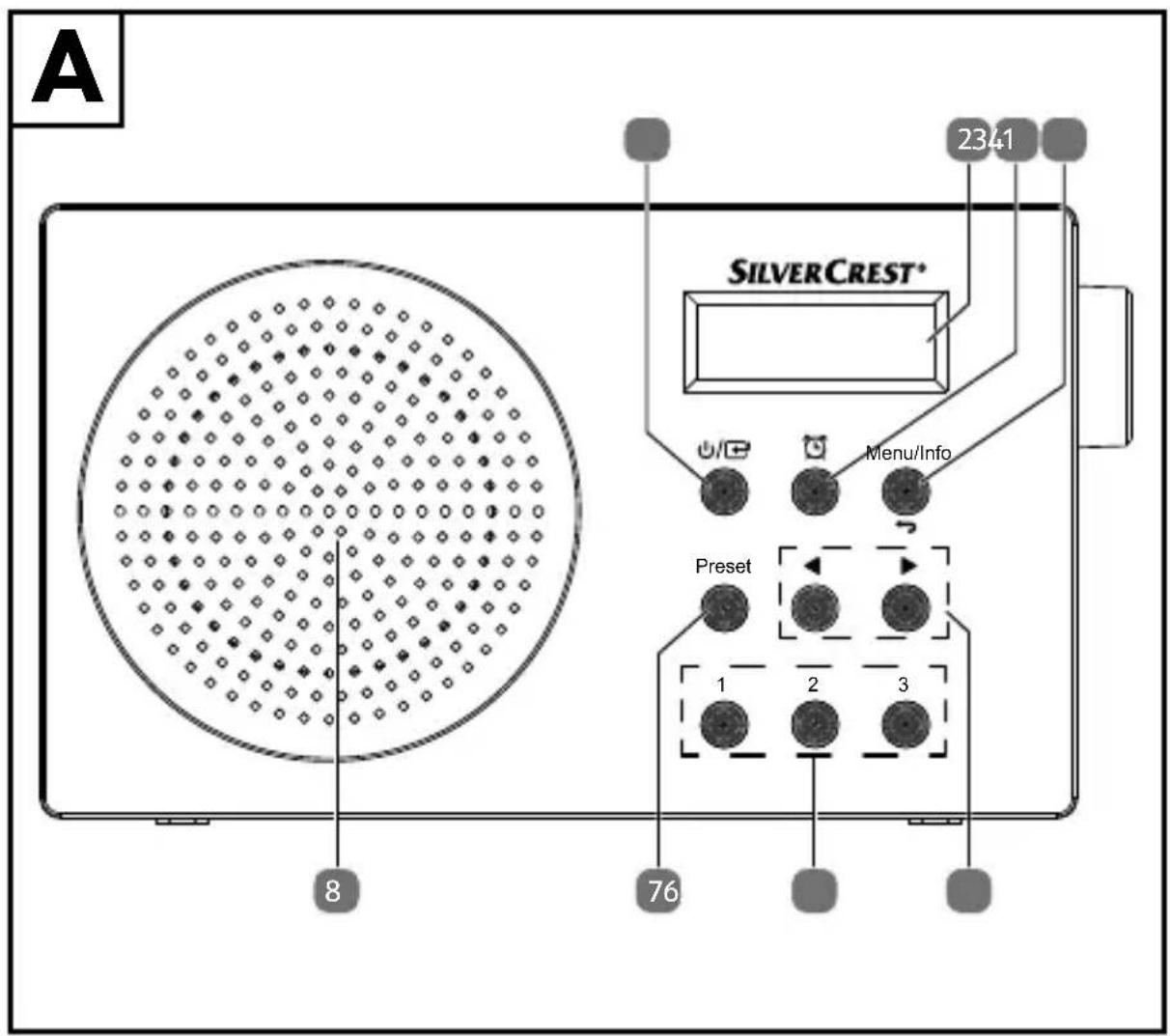
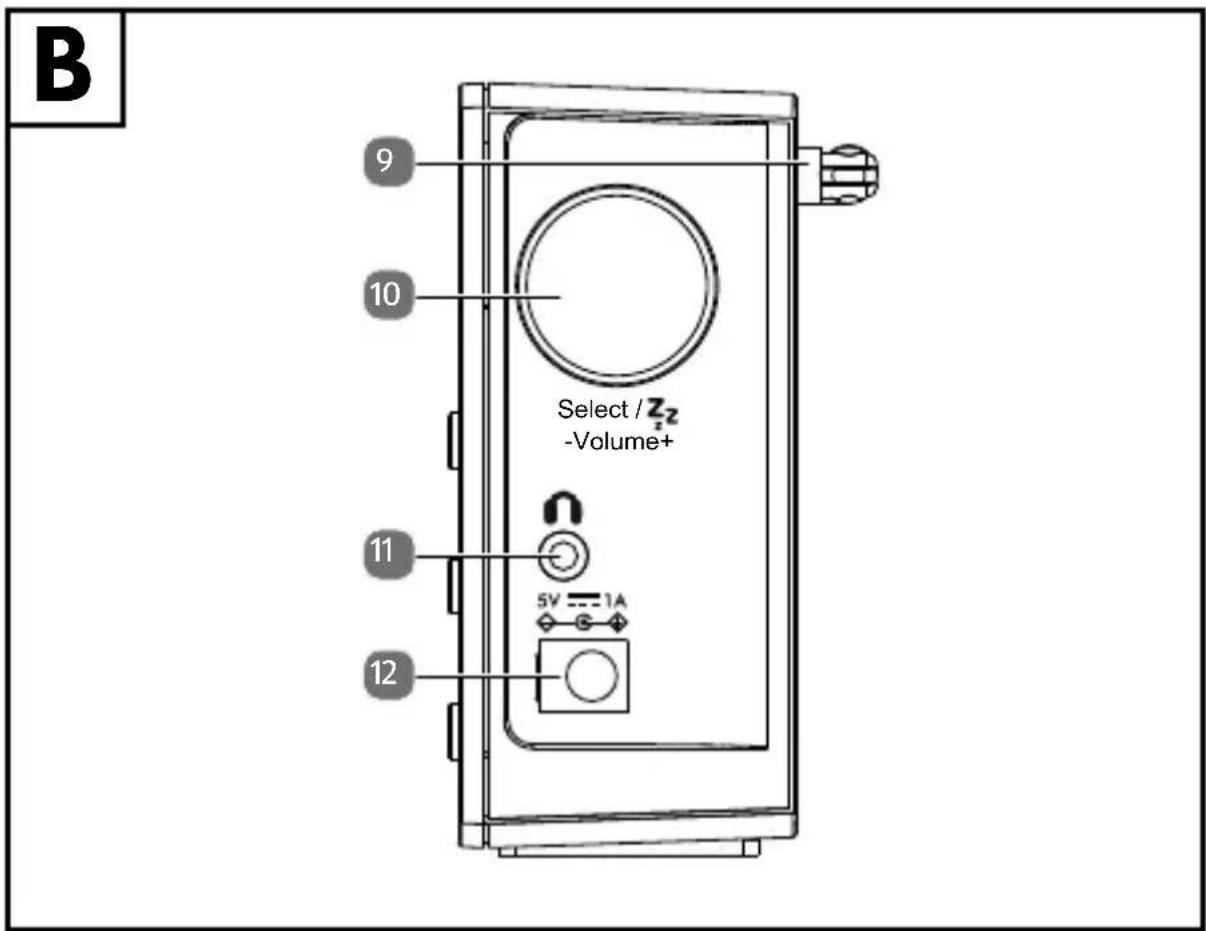
Table of Contents
1. Information about this user manual ....7
1.1. Explanation of symbols ......7
-
Proper use
-
Safety information ....
3.1. Restricted group of people 12
3.2. Operating safety
-
Damage to hearing 20
-
Declaration of conformity ....20
-
Unpacking the device 21
6.1. Package contents....21
6.2. Setting up the device 21
- Description of components...... 22
7.1. Front
7.2. Right-hand side
-
Connecting the mains adapter 23
-
Battery operation/charging the device.....23
-
Using the device for the first time 24
10.1. Switching the device on/off 24
10.2. Adjusting the aerial 24
- Setting the time .....24
11.1. Setting the language 25
-
Setting the volume 26
-
Connecting the earphones/headphones 26
-
Radio mode.... 27
14.1. DAB mode....27
14.2. FM mode.... 29
14.3. Display information/select views.... 32
- Bluetooth® mode ....32
15.1. Pairing Bluetooth ^® devices.... 32
- Using the alarm 33
SILVERCREST®
16.1. Setting the alarm 33
16.2. Stopping the alarm/activating the snooze function 35
16.3. Sleep timer
17. Settings 3
17.1. Overview of the menus in FM, DAB and Bluetooth operating modes ....36
18. Cleaning
- Troubleshooting 41
- Repairs 43
21. Storing the device when not in use ....44
- Disposal 45
- Technical specifications 46
23.1. Trademark information 48
24. MLAP GmbH Warranty......48
24.2. Conditions of warranty 49
24.3. Warranty period and legal claims for defects ..... 49
24.4. Scope of warranty....50
24.5. Processing of warranty claims....51
25. Service 51
25.1. Supplier/Producer/Importer 53
1. Information about this user manual

Thank you for choosing our product. We hope you enjoy using this device.
Please read the safety instructions and the user manual carefully before using the device for the first time. Note the warnings on the device and in the user manual.
Always keep the user manual close to hand. If you sell the device or give it away, please ensure that you also pass on this user manual. It is an essential component of the product.
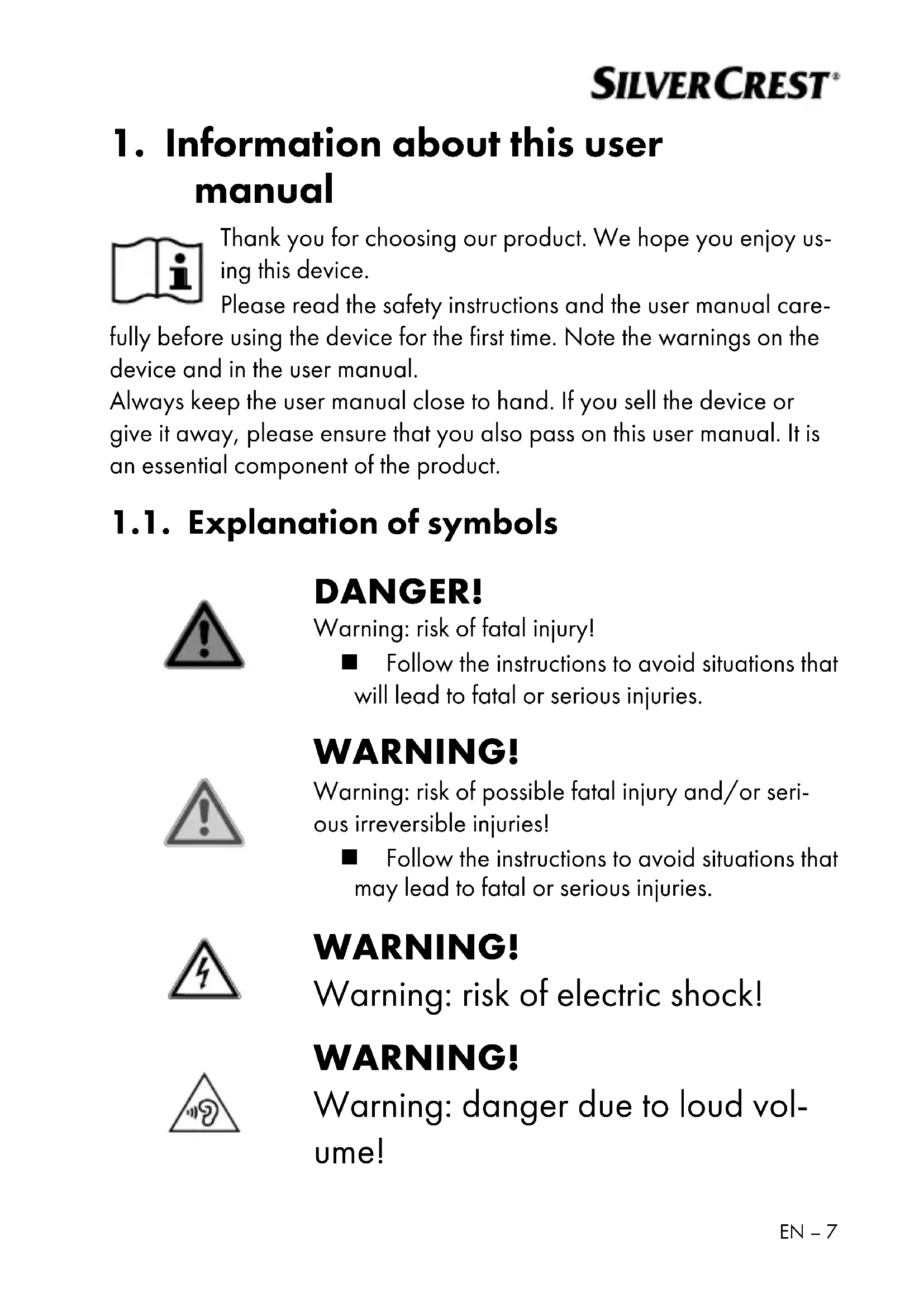
1.1. Explanation of symbols

DANGER!
Warning: risk of fatal injury!
■ Follow the instructions to avoid situations that will lead to fatal or serious injuries.

WARNING!
Warning: risk of possible fatal injury and/or serious irreversible injuries!
■ Follow the instructions to avoid situations that may lead to fatal or serious injuries.
WARNING!
Warning: risk of electric shock!
WARNING!
Warning: danger due to loud volume!
SILVERCREST®

CAUTION!
Warning: risk of minor and/or moderate injuries!
■ Follow the instructions to avoid situations that may lead to moderate or minor injuries.

NOTICE!
Follow the instructions to avoid property damage.
■ Follow the instructions to avoid situations that may damage the device.

Instructions and tips on operating the device.

Follow the instructions in the user manual!

Symbol for direct current (DC)

Symbol for alternating current (AC)

CE labelling
Products that feature this symbol meet the requirements of the EU directives (see section entitled "Declaration of conformity").

Packaging material label regarding waste separation. Label includes abbreviations (a) and numbers (b) with the following meaning: 1–7: plastics/20–22: paper and cardboard/80–98: composite materials.
SILVERCREST®



Dispose of the device in compliance with environmental regulations (see section "Disposal").
Safety note
Instruction

List

Protection class II
Electrical devices in protection class II are devices that have double and/or reinforced insulation throughout, and do not have the option of connecting a protective earth. The housing of an electrical device in protection class II, with surrounding insulating material, might either form all of the additional or reinforced insulation, or part of it.


Indoor use
Devices with this symbol are intended solely for indoor use.
Polarity symbols
Symbol denoting the polarity of the DC connector (according to IEC 60417)
On devices carrying this marking, positive is on the inside and negative on the outside.
For EU mains adapters only:

Tested safety
Products that feature this symbol meet the requirements of the German Product Safety Act.
SILVERCREST®
2.Properuse
This is an entertainment electronics device. Your DAB+/FM radio is intended for music and sound playback of radio programmes as well as play-back of sound media via Bluetooth®.
The device is only intended for private use and not for industrial/commercial use.
Please note that we shall not be liable in cases of improper use. Any other use is considered improper and can cause personal injury or property damage.
The specified reception frequency range represents the technical possibilities of the device. Information received outside this range may not be used or further distributed. The respective national laws must be observed.
SILVERCREST®
3. Safety information
■ Do not modify the device without our consent and do not use any auxiliary equipment that we have not approved or supplied.
■ Only use replacement parts or accessories that we have supplied or approved.
■ Comply with all the information in this user manual, especially the safety information.
■ Do not use the device in potentially explosive atmospheres. This includes petrol stations, fuel storage areas and areas where solvents are processed. This device must also not be used in areas with particle-laden air (for example, flour or wood dust).
■ Do not expose the device to extreme conditions. Avoid:
- high humidity or wet conditions
- extremely high or low temperatures
- direct sunlight
- open flames.
SILVERCREST®
3.1. Restricted group of people
This device can be used by children of eight years and older, and by people with limited physical, sensory or mental capacity, or with a lack of experience and knowledge, but only with proper supervision, or if they have been told how to use the device safely, and have understood the risks involved if they use it improperly.
■ Children must not be allowed to play with the device.
■ Cleaning and maintenance by the user must not be carried out by children unless they are supervised.
- Keep the device and its accessories out of the reach of children.

DANGER!
Risk of choking and suffocation!
There is a risk of choking and suffocation due to swallowing or inhaling small parts or plastic wrap.
■ The packaging material is not a toy for children to play with. Children must not be allowed to
SILVERCREST®
play with the plastic bags. There is a risk of choking and suffocation.
3.2. Operating safety
■ Before using the device for the first time, check the device and mains adapter for damage. A defective or damaged radio or mains adapter may not be used.
■ Do not place containers filled with liquid, e.g. vases, on or near the product, and protect all the parts from drips or splashes. Such containers may tip over and the liquid may impair the electrical safety of the device.
If the mains adapter, mains cable or device is damaged, immediately unplug the mains adapter from the socket.
■ When disconnecting the mains power adapte from the power socket, always pull on the plug rather than on the cable.
If the device has been moved from a cold to a warm space, condensation may form inside the device and mains adapter. Wait a few hours before using the device.
SILVERCREST®
■ Unplug the mains adapter from the socket if you are away for a long period or there is a thunder storm.
3.2.1. Power supply

WARNING!
Risk of electric shock!
There is a risk of electric shock from live parts. Please follow the safety advice below closely:
■ Only use the mains adapter supplied with this DAB+/FM radio.
■ Only connect the mains adapter to a properly installed earthed mains socket that is easy to reach and close to the place where you have set up the device. Always keep the power socket free of obstructions so that the plug can be pulled out easily. The mains adapter must always be easily accessible, so the device can be unplugged in an emergency. For this reason, it is important that the power socket is always easily accessible.
SILVERCREST®
■ Always unplug the mains adapter from the socket before cleaning.
In an emergency, for example, if you see smoke coming out of the device or if it makes unusual noises, immediately unplug the mains adapter from the mains socket and the device.
■ The device uses a small amount of electricity, even when it is switched off. To completely switch off the device, unplug the mains adapter from the power socket.
- Observe the following safety instructions:
■ Never expose the mains adapter or the device to excessive heat such as direct sunlight, fire, strong artificial light or similar.
■ Do not expose the device to extreme cold conditions.
■ Avoid heavy impacts and vibrations.
SILVERCREST®
3.2.2. Installation location/surroundings
In the first few hours of use, new products may give off a typical, unavoidable but totally harmless smell which will wear off with time. We recommend you ventilate the room regularly to help dissipate this odour. We have taken appropriate measures during the development of this product to ensure that levels are well below legal limits.
The device is equipped with non-slip plastic feet. Since furniture is coated with a variety of varnishes and plastics which are cleaned with different cleaning agents, it cannot be completely excluded that some of these cleaning agents contain ingredients which might damage the plastic feet, and cause them to become soft. If necessary, place a non-slip mat under the device.
■ To prevent the device from falling, only install and operate it and its components on a sturdy, level and vibration-free surface.
SILVERCREST®
■ During the set-up process, maintain a minimum distance of 5 cm around the device for sufficient ventilation.
■ Ventilation must not be impeded by covering the device with objects such as mag azines, table cloths, curtains etc.
■ Do not place the device near direct heat sources (e.g. heaters) that could affect it.
■ Do not place naked flames (e.g. lit candles) on or near the device.
■ Do not throw the device into a fire, and do not short-circuit it or dismantle it.
■ Do not place any objects on the cables as they may be damaged.
■ Only use the device in living rooms or similar.
3.2.3. Electromagnetic compatibility
■ To avoid malfunctions, keep the device at a distance of at least one metre from high-frequency or magnetic interference sources (televisions, other loudspeakers, mobile and cordless telephones etc.).
SILVERCREST®
3.2.4. Safe handling of rechargeable batteries

WARNING!
Risk of explosion!
Rechargeable batteries may contain combustible materials. If handled incorrectly, rechargeable batteries can leak, become very hot, ignite or even explode, which could damage your device and/or your health.
- Charge the battery only with the original accessory (mains adapter).
■ Recharge flat batteries immediately to prevent damage.
■ Do not expose the device to direct sunlight, heat or fire.
■ The rechargeable battery is an integral component of the device, which means users cannot replace it themselves.

WARNING!
Risk of explosion!
There is a risk of explosion if the battery is replaced incorrectly.
■ Only replace batteries with the same type or an equivalent type recommended by the manufacturer.
3.2.5. Repairs
Please contact our Service Centre if you have technical problems with your device.

WARNING!
Risk of electric shock!
There is a risk of electric shock from live parts. Never open the housing of the mains adapter.
If the housing of the mains adapter or the mains cable is damaged, the mains adapter must be disposed of and replaced with a new mains adapter of the same type.
SILVERCREST®
4. Damage to hearing
Damage to hearing!
Excessive sound pressure when using ear- phones and headphones can result in damage to and/or loss of hearing.
■ Before pressing play, set the volume to the lowest setting by turning the -VOLUME+ controller.
5. Declaration of conformity
CE
MLAP GmbH hereby declares that the radio equipment type clock radio IAN 380123_2110 complies with the directive 2014/53/EU (RE directive), as well as the directive 2009/125/EC (ecodesign directive) and the directive 2011/65/EU (RoHS directive).
The complete EU declaration of conformity is available at: www.mlap.info/conformity.
6. Unpacking the device
Remove the product from the packaging and remove all packaging material.

DANGER!
Risk of choking and suffocation!
Risk of choking and suffocation through swallowing or inhaling plastic wrap.
- Keep the plastic packaging out of the reach of children.
6.1. Package contents
Please check your purchase to ensure that all items are included. If anything is missing, please contact us within 14 days of purchase. The following items are supplied with your product:
- DAB+ radio
- Mains adapter
- Quick start guide
6.2. Setting up the device
Place the device on a sturdy, level surface. Take care to ensure that:
• the device and battery are not exposed to intense sources of heat;
• the device and battery are not left in direct sunlight;
- the device (DAB radio and mains adapter) does not come into contact with liquids, not even water droplets or spray.
SILVERCREST®
7. Description of components
7.1. Front
See Fig. A
1) / button ← Switch device on/switch to standby mode; switch between DAB+, FM and Bluetooth
2) Dot-matrix display
3) button - Open alarm menu
4) MENU/INFO/ button – Open menu; display station information; return to previous menu
5) or button – Navigate in the menu
6) 1, 2, 3 button - Memory slot buttons for stations
7) PRESET button – Station list of stored stations, store station
8) Loudspeaker
7.2. Right-hand side
See Fig. B
9) Telescopic aerial
10) SELECT/2/VOLUME/ controller – Navigate in the menu; open menu item; confirm entry; activate snooze function; set the volume
11) - Headphone jack
12) 5VJA Connection for mains adapter
8. Connecting the mains adapter
The device can be operated using the mains adapter or the integrated rechargeable battery.

Only use the supplied mains adapter to connect the radio. The mains adapter has a type plate detailing the technical specifications of the mains adapter.
Connect the plug of the mains adapter cable to the 5V-1A- connection of the device.
Plug the mains adapter into an easily accessible mains socket.

If you do not need to use the device for a relatively long time, take it out of operation by unplugging the mains plug from the mains socket.
9. Battery operation/charging the device
The device is fitted with an integrated rechargeable battery. The device is operated using the integrated battery if no mains adapter is connected to the 5V+1A socket.
To charge the battery, connect the mains adapter as described in section 8.
The charge process is shown on the display.

The date/time display in standby mode is only visible during mains operation.
SILVERCREST®
10. Using the device for the first time
When using the device for the first time, the radio starts in DAB+ mode with a station search. The date and time are set automatically. The display language is set to English by default.
10.1. Switching the device on/off
When operating the device using the mains adapter, press the button briefly to switch on the device.
When operating the device using the battery, press and hold the button for at least 2 seconds to switch on the device.
To switch the device to standby mode, press and hold the button until switch off is shown on the display.

During mains operation, the time is also displayed when the device is switched off. During battery operation, the device automatically switches itself off from standby mode.
10.2. Adjusting the aerial
▶ Pull out the telescopic aerial on the back of the device completely.

The aerial should be fully extended to ensure good signal reception and sound quality. When adjusting the telescopic aerial, the stations may have to be searched again (see section "14. Radio mode" on page 27).
11. Setting the time
When using for the first time and after resetting to the factory settings, the device carries out an automatic station search in the DAB + reception range. The time and date are set automatically. If it is not possible to set the date and time automatically, e.g. B. due to a weak signal, the data can also be set manually:
▶ Press and hold the MENU/INFO/ button until the menu is shown on the display.
SILVERCREST®
▶ Press the ◀ / ▶ button or turn the controller to select
Then press thSELECT controller to open the system settings.
▶ Press the / ▶ button or turn the controller to select
Then press thSELECT controller to open the time settings.
▶ Press the / ▶ button or turn the controller to select
Then press the SELECT controller to open the time settings.
▶ Use the SELECT controller to set the desired hour.
▶ Press thSELECT controller to confirm the set hour.
▶ Use the SELECT controller to set the desired minutes.
▶ Press the SELECT controller to confirm the set minutes.
▶ Use the SELECT controller to set the desired calendar day.
▶ Press thSELECT controller to confirm the set calendar day.
▶ Use the SELECT controller to set the desired month.
▶ Press thSELECT controller to confirm the set month.
▶ Use the SELECT controller to set the desired year.
▶ Press thSELECT controller to confirm the set year.
If you do not press any button within 30 seconds, the device switches back to standby mode.
11.1. Setting the language
▶ Press and hold the MENU/INFO/↔ button until the menu is shown on the display.
▶ Press the / ▶ button or turn the controller to select
Then press thSELECT controller to open the system settings.
▶ Press the / ▶ button or turn the controller to select
Then press the SELECT controller to open the language settings.
▶ Press the / ▶ button or turn the controller to select the desired language, e.g.
SILVERCREST®
Then press the SELECT controller to confirm the language setting.
12. Setting the volume
When the device is in use, turn the -VOLUME+ controller anti-clockwise to decrease the volume.
When the device is in use, turn the VOLUME+ controller clockwise to increase the volume.
The volume set is briefly shown on the display.
▶ Press and hold the VOLUME+ controller for 2 seconds to switch the device volume to "mute".
The loudspeaker is set to mute and VOLUME MUTED is shown on the display.
▶ Turn the VOLUME+ controller to switch off the mute setting.
13. Connecting the earphones/headphones
The headphone jack is located on the right-hand side of the device.
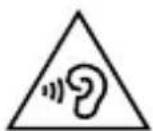
Damage to hearing!
Excessive sound pressure when using ear- phones and headphones can result in damage to and/or loss of hearing.
Before pressing play, set the volume to the lowest setting by turning the -VOLUME+ controller.
▶ Use a 3.5 mm jack to plug the headphones into the connection on the right-hand side of the device. The loudspeaker then switches off automatically.
▶ Start playback and increase the volume to a comfortable level.
Using headphones to listen to a device playing at a high volume for an extended period can damage your hearing.
14. Radio mode
You can use this radio to receive FM and DAB+ stations.
Your radio has the Dynamic Label Segment (DLS) information service, which displays information such as artist, song titles or current traffic news on the display.
After switching on for the first time, the device automatically searches for DAB stations that can be received and stores them.
A manual search is required in FM mode.

Configure the basic settings as described in section "17. Settings" on page 36.
14.1. DAB mode
Press the ← button several times until DAB is shown on the display.

When the device is used for the first time, the DAB radio automatically performs a station search. The received stations are stored in alphabetical order.
14.1.1. Complete search
▶ Press and hold the MENU/INFO/↔ button until the menu is shown on the display.
▶ Press the / ▶ button or turn the controller to select
Then press the SELECT controller to start the automatic station search.

The list of previously stored stations is overwritten in case of a new station search.
SILVERCREST®
14.1.2. Selecting DAB stations from the station list
▶ Press the ◀ / ▶ button to open the station list.
▶ Press the / ▶ button again to select the desired DAB station from the stations list.
▶ Press thSELECT controller to play the station.
14.1.3. Editing the DAB favourites list
Once the device has been used for the first time, the automatic station search stores all stations that can be received in alphabetical order. You can set your own favourites list using your preferred station list order.
▶ Set a station as described above.
▶ Press and hold the PRESET button until

If no stations have been stored,
▶ Press the / ▶ button or turn the SELECT controller to select the desired memory slot.
▶ Press thSELECT controller to save the station.
The message
The first three programme positions in the station list are reserved for the fast keys 1, 2, 3. Stations can be stored to the fast key slots as described above.
Alternatively, proceed as follows:
▶ Set a station.
▶ Press and hold the 1, 2 or 3 button until the a message appears on the display confirming that the set station has been stored.
14.1.4. Selecting DAB favourites
▶ Briefly press the PRESET button.
▶ Press the / ▶ button or turn the controller to select the desired memory slot.
▶ Press the SELECT controller to select the station.
Alternatively:
You can also select the first three memory slots directly by using fast keys 1, 2 and 3.
14.1.5. Selecting favourites via the menu
▶ Press and hold the MENU/INFO/↔ button until the menu is shown on the display.
▶ Press the / ▶ button or turn the controller to select
▶ Press thSELECT controller to select the list of programmes.
▶ Press the / ▶ button or turn the controller to select the desired station and confirm your selection by pressing the SELECT controller.
14.2. FM mode
You can listen to FM radio in this mode.
▶ Press the button several times until FM is shown on the display.
14.2.1. Searching for FM stations
▶ Press the ◀ / ▶ button to set a particular frequency.
▶ Hold down one of the buttons to automatically search for the next station.
SILVERCREST®
14.2.2. Using the AMS (Automatic Station Search with station) function

The AMS function performs an automatic station search and stores the stations found.
In FM mode, press and hold the MENU/INFO/button until the menu is shown on the display.
▶ Press the / ▶ button or turn the controller to select
Then press the SELECT controller to select the AMS functions.
▶ Press the / ▶ button or turn the controller to
Then press the SELECT controller to start the AMS functions.

Previously stored station lists are deleted when the AMS function is performed.
▶ Press the ◀ / ▶ button or turn the controller to
Then press the SELECT controller to confirm that you do not want to start the AMS function.
14.2.3. Storing FM stations
You can store up to 30 preset FM stations.
▶ Set a station as described above.
▶ Press and hold the PRESET button until the station list with the stored stations appears in the display.
▶ Press the / ▶ button or turn the controller to select the desired memory slot.
▶ Press thSELECT controller to save the station.

Previously stored stations will be deleted without advance warning.
The first three programme positions in the station list are reserved for the fast keys 1, 2, 3. Stations can be stored to the fast key slots as described above. Alternatively, proceed as follows:
▶ Set a station.
▶ Press and hold the 1, 2 or 3 button until the a message appears on the display confirming that the set station has been stored.
14.2.4. Selecting FM stations
▶ Briefly press the PRESET button. The list of stored stations appears on the display.
▶ Press the / ▶ button or turn the controller to select the desired memory slot.
▶ Press thSELECT controller to select the station.
Alternatively:
▶ Press one of the fast key1, 2, 3 to select the station in memory slots 1, 2 or 3 directly.
SILVERCREST®
14.3. Display information/select views
In DAB or FM mode, press the MENU/INFO/←button to view the following information on the display:
| DAB | FM |
| Radio textSignal strengthProgramme sectionMultiplexBlock/frequencySignal faultBit rate/DAB variantsTimeDate | Radio textSignal strengthProgramme sectionStation nameMono/stereoTimeDateRDS |
15. Bluetooth® mode
You can use Bluetooth® to play tracks wirelessly from external devices (such as MP3 players or mobile phones with Bluetooth®) on this device.
▶ Press the button several times until
15.1. Pairing Bluetooth® devices
- Enable the Bluetooth function on your external device and pair the devices. Refer to the user manual for your audio playback device for more information. The name of the DAB radio is "SDR 15 A2". - If you are prompted to enter a password on the external device, enter "0000" as the password.
During the pairing process,
▶ Pairing is complete once an acoustic signal sounds. The external device can only be used on the DAB radio.
If you would like to end Bluetooth transmission, switch off Bluetooth® on the external device, change the source on the radio or
SILVERCREST®
press and hold the SELECT controller until pairing mode restarts. This is also confirmed by an acoustic signal.
You can control how tracks are played, the volume and a range of special functions on your external device and on the DAB radio. What functions are available is dependent on your external device and the software that you use.
- Turn the-VOLUME+ controller to increase or decrease the volume.
- Press or hold the SELECT controller to start playback.
- Use the ◀ / ▶ buttons to go back to the previous track or skip to the next track.
16. Using the alarm
The device has two alarm functions, using either an alarm tone or the radio as a wake-up call. You can also set the alarm to start on certain days or daily.
The alarm is only available when the unit is operated in mains mode. No alarm is possible in battery mode.
16.1. Setting the alarm
▶ Press the button. The general alarm menu opens.
▶ Use the◀ / ▶ buttons or turn the controller to select ALARM 1 or 2.
▶ Press thSELECT controller to confirm your selection.
Then use the /▶ buttons or turn the SELECT controller to set the desired wake-up time (hour 0 - 23) and press the SELECT controller to confirm your selection.
▶ Use the◀ / ▶ buttons or turn the SELECT controller to set the desired wake-up time (minutes 0 - 59) and press the SELECT controller to confirm your selection.
SILVERCREST®
▶ Use the ◀ / ▶ buttons or turn the SELECT controller to set the desired wake-up time (in minutes) and press the SELECT controller to confirm your selection.

The following alarm durations can be selected:
15 minutes, 30 minutes, 45 minutes, 60 minutes, 90 minutes or 120 minutes.
▶ Use the /▶ buttons or turn the SELECT controller to set the desired source. You can be woken by either the alarm or a DAB/FM radio station. Press the SELECT controller to confirm your selection.
If DAB radio is selected as the source, now press the /▶ buttons or turn the controller to select the last station listened to from the station list and confirm your selection by pressing the SELECT controller.
If FM radio is selected as the source, now press the /▶ buttons or turn the controller to select a station from the station list or the last station and confirm your selection by pressing the SELECT controller.
Now use the / buttons or turn the controller to set whether the alarm is to sound daily, once only on weekends (Saturday, Sunday) or only on work days (Monday–Friday) and confirm your selection by pressing the SELECT controller.
▶ Set the alarm volume using the scale on the display. To this end, use the ◀ / ▶ buttons or turn the controller and then confirm your selection by pressing the SELECT controller.
▶ Finally, use the / ▶ buttons or turn the controller to switch the alarm on or off and confirm your selection by pressing the SELECT controller.
When the alarm is enabled during operation with the mains adapter, a bell symbol is shown on the display when in standby mode.
16.2. Stopping the alarm/activating the snooze function
When the alarm sounds and the display flashes, you can end the alarm by pressing either the button or the button.
- Pressing the controller activates the snooze function. A 15-minute countdown takes place on the display. After this, the alarm sounds again.

The controller can be pressed several times to select the following snooze durations:
15 minutes, 30 minutes, 45 minutes, 60 minutes, 90 minutes or 120 minutes.
The snooze function can be cancelled by briefly pressing either the ⏻ button or the ⏻ button.
- Pressing thSELECT controller while the snooze function is active will reset the snooze duration to 15 minutes.
16.3. Sleep timer
It is possible to programme a sleep timer on the device. After the set time, the device automatically switches to standby mode.
When the device is in use, press and hold the MENU/INFO/ button until the menu is shown on the display.
▶ Press the / ▶ button or turn the controller to select
Then press thSELECT controller to select the system settings.
▶ Press the / ▶ button or turn the controller to select
Then press the SELECT controller to select the sleep timer.
▶ Press the / ▶ button or turn the controller to select the desired duration. The following can be selected:
<15 MINUTES>, <30 MINUTES>, <45 MINUTES>, <60 MINUTES>, <90 MINUTES>, <120 MINUTES> or
SILVERCREST®
Then press the SELECT controller to select the desired duration.

While the set timer elapses, the battery symbol and the remaining time
17. Settings
System settings can only be adjusted when the device is switched on.
Proceed as follows to navigate in the menu and make settings:
▶ First, select the operating mode you wish to configure, as described above. Different settings can be configured depending on the selected operating mode.
▶ Press and hold the MENU button until the menu is shown on the display.
▶ Press the / ▶ buttons or turn the controller to select a specific menu or entry.
▶ Press the controller button to open a specific menu or to confirm a setting.
▶ You can return to the previous menu by briefly pressing the MENU button again.
17.1. Overview of the menus in FM, DAB and Bluetooth operating modes
The current setting is shown in the top right of the display, marked with *.
17.1.1. Menus in DAB+ mode
All setting options for DAB+ mode can be found here.
| Menu name Description | |
| FULL SCAN | |
| Automatic station search | |
| PRESET RECALL | |
| Select one of 30 stored stations. | |
| PRESET SAVE | |
| Select a memory slot for storing the desired station. | |
| DRC (Dynamic Range Control) | |
| OFF | Dynamic Range Control (DRC): Com-pression selection; default setting: off |
| LOW | |
| HIGH | |
SILVERCREST®
17.1.2. Menus in FM mode
All setting options for FM mode can be found here.
| Menu name Description | |
| PRESET RECALL | |
| Select one of 30 stored stations. | |
| PRESET SAVE | |
| Select a memory slot for storing the desired station. | |
| SCAN SETTING | |
| STRONG STATIONS ONLY | Select whether to search for all (even weak) or only strong stations. |
| ALL STATIONS | |
| AMS | |
| YES | Select whether the old station list is to be overwritten by a newer, up-to-date station list. |
| NO | |
| AUDIO SETTING | |
| MONO | Select whether to play mono or stereo sound (only for sound playback through headphones). |
| STEREO | |
17.1.3. System menu
All settings options that can be configured in DAB+, FM or Bluetooth mode can be found here.
| Menu name Description | |
| SYSTEM | |
| SLEEP | Set sleep timer |
| TIME | |
| SET TIME/DATE | Manually set the time and date. |
| UPDATE | Choose whether or not the date and time are set automatically via the DAB or FM signal. |
| SET 12/24 HOUR | Set the 12-hour or 24-hour time format. |
| SET DATE FORMAT | Set the date format. |
| BACKLIGHT | |
| TIMEOUT | Turn the automatic lighting on or off. Select the duration of inactivity to elapse before the display brightness is dimmed. The following settings can be configured:OFF, 10 sec., 20 sec., 30 sec., 45 sec., 60 sec., 90 sec., 120 sec or 180 sec. |
| ON LEVEL | Specify the desired display lighting intensity.The following settings can be configured:Bright (bright display lighting)Medium (medium display lighting)Dim (dim display lighting) |
SILVERCREST®
| Menu name Description | |
| DIM LEVEL | Specify the desired dimmed display lighting intensity.The following settings can be configured:Bright (high dim strength)Medium (medium dim strength)Dim (low dim strength) |
| LANGUAGE | |
| Select the menu languageThe following languages can be selected:English, Deutsch, Français or Italiano | |
| FACTORY RESET | |
Reset to factory settings All stored settings and stations will be deleted. All stored settings and stations will be deleted. | |
| SW VERSION | |
| Display of software version | |
18. Cleaning
Before cleaning, please pull the mains adapter out of the socket. Use a soft, dry cloth to clean the device. Do not use chemical solutions or cleaning agents because these may damage the device's surface or the labels on it.
19. Troubleshooting
| Problem Possible cause | Remedy |
| The device cannot be switched on. | The battery may be dead.The mains adapter is not connected properly. |
| Incorrect display of time and date | The time/date is set incorrectly.The time/date was not synchronised properly due to insufficient reception. |
| The device switches off when it is in use. | The battery may be dead. |
| No or poor radio reception | The station signals are too weak. |
SILVERCREST®
| Problem Possible cause | Remedy |
| No sound | The volume is set too low.Headphones are connected. Increase the volume as required.Remove the connected headphones, if applicable. |
20. Repairs
Please contact our Service Centre if you have technical problems with your device.

WARNING! Risk of electric shock!
There is a risk of electric shock from live parts. Never open the housing of the mains adapter or device to repair it yourself.
If the housing of the mains adapter or the mains cable is damaged, the mains adapter must be disposed of and replaced with a new mains adapter of the same type.
SILVERCREST®
21. Storing the device when not in use

NOTICE!
Possible material damage!
Risk of damage to the device due to improper use of the device.
■ Fully charge the device every 2 months to avoid damage to the battery.
■ Store the DAB+ radio and respective mains adapter in a dry, cool place and take care to ensure that the DAB+ radio and mains adapter are protected against dust and extreme temperature fluctuations.
22. Disposal
PACKAGING

natural_image
Silhouette of a person sorting trash into a bin next to a recycling symbol (no text or labels)Your device has been packaged to protect it from damage in transit. The packaging is made of materials that can be recycled in an environmentally friendly manner.
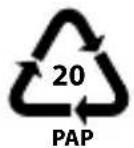
Packaging material label regarding waste separation. Label 20: Paper and cardboard
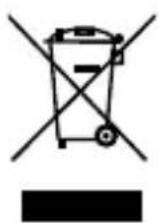
DEVICE
All old devices marked with the symbol shown must not be disposed of in normal household waste.
In accordance with Directive 2012/19/EU, the device must be properly disposed of at the end of its service life.
This involves separating the materials in the device for the purpose of recycling and minimising the environmental impact.
The device is equipped with one integrated rechargeable battery. At the end of its service life, do not dispose of the device with normal household waste. If you can no longer use your electrical device, dispose of it in accordance with the legal provisions applicable in your area. This involves separating the materials in the device for the purpose of recycling and minimising the environmental impact.
SILVERCREST®
23. Technical specifications
| Mains adapter | |
| Manufacturer DongGuan Obelieve Electronic Co., Ltd. | |
| Importer MLAP GmbH | Meitnerstr. 970563 StuttgartGermanyHR number: HRB 763735 |
| Model OBL-0501000E (EU)OBL-0501000B (UK) | |
| Input voltage,alternating current frequency, input current | AC 100–240 V ~50/60 Hz, max. 0.3 A |
| Output voltage,output current | DC 5.0 V —— 1.0 A |
| Output power 5.0 W | |
| Average efficiency dur-ing operation | 76.5% |
| Power consumption with zero load | 0.08 W |
| For EU mains adapters only: | |
 | |
| Radio | |
| Input voltage/frequency | DC 5 V =1000 mA |
| Integrated battery DC 3.7 V | --- 2000 mAh, 7.4 WhRuntime of up to 10 hours |
| Output power 1 W RMS | |
| Headphone output voltage | 150 mV max. |
| UKW frequency band 87.5–108 MHz | |
| DAB+ frequency band 174.9–239.2 MHz | |
| Number of memory slots 30 (DAB), 30 (FM) | |
| Bluetooth | |
| Frequency 2402–2480 MHz | |
| Maximum transmission power | -3.4 dBm |
| Version 5.0 | |
| Profile A2DP, AVRCP | |
| Range Up to 10 metres (without obstacles) | |
SILVERCREST®
| Environmental conditions, dimensions, weight | |
| Environmental conditions for operation | 0°C ~ +35°C10% ~ 90% humidity |
| Environmental conditions for storage | -10°C ~ +60°C10% ~ 90% humidity |
| Dimensions (W x H x D) Approx. 17 x 9.8 x 5.2 cm | |
| Weight (without mains adapter) | Approx. 340 g |
23.1. Trademark information
The Bluetooth® word mark and logos are registered trademarks of Bluetooth SIG, Inc. and are used by the manufacturer under licence.
SilverCrest ^® is a registered trademark of Lidl Stiftung & Co. Kg.
Other trademarks are the property of their respective owners.
24. MLAP GmbH Warranty
Dear customer,
The warranty on this product is 3 years from the date of purchase. In the event of defects in this product, you have legal rights against the product vendor. These legal rights are in no way limited by the warranty described below.
24.2. Conditions of warranty
The warranty period begins on the date of purchase. Please take care to keep the original purchase receipt. This document will serve as a proof of purchase.
If, within three years of the date of purchase of this product, any defect in material or manufacture should become evident, the product will – as we choose – be repaired free of charge or replaced. This warranty is subject to presentation, within the three-year term, of the defective product and the proof of purchase (receipt) and a brief, written description of what constitutes the defect and when it became evident.
If the defect is covered by our warranty, you will receive back the repaired product or a new replacement. Repair or exchange of the product does not lead to a renewed warranty period.
24.3. Warranty period and legal claims for defects
The warranty period is not prolonged by the above fulfilment. This also applies for replaced and repaired parts. Any damage or defects present at the time of purchase must be notified immediately after unpacking. Repairs that are carried out after the expiration of the warranty period are subject to a charge.
SILVERCREST®
24.4. Scope of warranty
The product is manufactured in accordance with strict quality guidelines and thoroughly tested before dispatch.
The warranty applies for defects in materials or manufacture. This warranty does not extend to product parts that are subject to normal wear and can therefore be regarded as wearing parts or to damage to fragile parts, e.g. switches, batteries or parts made of glass.
This warranty is void if the product has been damaged or not properly used or serviced. For proper use of the product, exact compliance with all instructions listed in the user manual is required. It is essential to avoid procedures and use for purposes against which the user manual advises or warns.
The product is intended for private use only and not for industrial/commercial use. Improper handling and usage not in accordance with the intended purpose, use of force and any interventions that are not carried out by our authorised service centre will render the warranty null and void.
24.5. Processing of warranty claims
For speedy processing of your request, please observe the following instructions:
- For all enquiries, please keep the receipt and the article number (IAN 380123_2110) to hand as proof of purchase.
- The article number is to be found on the type plate, an engraving, on the title page of your instructions (bottom left) or on an adhesive label on the rear or underside.
- If functional or other defects occur, first contact the service department named below by telephone or via our contact form.
25. Service
At www.lidl-service.com, you can download this and many other hand-books, product videos and software.
SILVERCREST®
 | Service United KingdomHotline1 +44 20 34811602Mon - Fri: 09:00 - 17:00Please use the contact form at www.mlap.info/contact |
 | Service IrelandHotline1 +353 1 6533859Mon - Fri: 09:00 - 17:00Please use the contact form at www.mlap.info/contact |
 | Service North IrelandHotline1 +44 28 95922074Mon - Fri: 09:00 - 17:00Please use the contact form at www.mlap.info/contact |
| CY | Service CyprusHotline3 +357 2 2008081Mon - Fri: 09:00 - 17:00Please use the contact form at www.mlap.info/contact |
| IAN 380123_2110 |
25.1. Supplier/Producer/Importer
Please note that you cannot use the address below for returns. Please contact the Service Centre mentioned above.
MLAP GmbH
Meitnerstr. 9
70563 Stuttgart
GERMANY
SILVERCREST®
Inhaltsverzeichnis
natural_image
Silhouette of a person sorting trash into a bin next to a recycling symbol (no text or labels)natural_image
Silhouette of a person sorting trash into a bin next to a recycling symbol (no text or labels)natural_image
Silhouette of a person sorting trash into a bin next to a recycling symbol (no text or labels)natural_image
Symbolic illustration of a person disposing of paper into a bin next to a recycling symbol (no text or labels)natural_image
Silhouette of a person sorting trash into a bin next to a recycling symbol (no text or labels)natural_image
Silhouette of a person sorting trash into a bin next to a recycling symbol (no text or labels)natural_image
Silhouette of a person sorting trash into a bin next to a recycling symbol (no text or labels)Symbol for vekselstrøm

CE-mærkning
natural_image
Three black-and-white icons: a trash bin with a person, a crossed-out trash can, and a recycling symbol (no text or labels)natural_image
Silhouette of a person sorting trash into a bin next to a recycling symbol (no text or labels)natural_image
Silhouette of a person sorting trash into a bin next to a recycling symbol (no text or labels)natural_image
Silhouette of a person sorting trash into a bin next to a recycling symbol (no text or labels)natural_image
Silhouette of a person sorting trash into a bin next to a recycling symbol (no text or labels)


- DAB+ RADIO / DAB+ RADIO / RADIO DAB+ SDR 15 A2
- Table of Contents
- Information about this user manual ....7
- SILVERCREST®
- Settings 3
- Cleaning
- Storing the device when not in use ....44
- MLAP GmbH Warranty......48
- Service 51
- Information about this user manual
- Explanation of symbols
- DANGER!
- WARNING!
- CAUTION!
- NOTICE!
- CE labelling
- Protection class II
- Indoor use
- Polarity symbols
- Tested safety
- 2.Properuse
- Safety information
- Restricted group of people
- Risk of choking and suffocation!
- Operating safety
- Power supply
- Risk of electric shock!
- Installation location/surroundings
- Electromagnetic compatibility
- Safe handling of rechargeable batteries
- Risk of explosion!
- Repairs
- Damage to hearing
- Damage to hearing!
- Declaration of conformity
- CE
- Unpacking the device
- Package contents
- Setting up the device
- Description of components
- Front
- See Fig. A
- Right-hand side
- See Fig. B
- Connecting the mains adapter
- Battery operation/charging the device
- Using the device for the first time
- Switching the device on/off
- Adjusting the aerial
- Setting the time
- Setting the language
- Setting the volume
- Connecting the earphones/headphones
- Radio mode
- DAB mode
- Complete search
- Selecting DAB stations from the station list
- Editing the DAB favourites list
- Selecting DAB favourites
- Selecting favourites via the menu
- FM mode
- Searching for FM stations
- Using the AMS (Automatic Station Search with station) function
- Storing FM stations
- Selecting FM stations
- Display information/select views
- Bluetooth® mode
- Pairing Bluetooth® devices
- Using the alarm
- Setting the alarm
- Stopping the alarm/activating the snooze function
- Sleep timer
- Settings
- Overview of the menus in FM, DAB and Bluetooth operating modes
- Menus in DAB+ mode
- Menus in FM mode
- System menu
- Troubleshooting
- Repairs
- WARNING! Risk of electric shock!
- Storing the device when not in use
- Possible material damage!
- Disposal
- PACKAGING
- DEVICE
- Technical specifications
- Trademark information
- MLAP GmbH Warranty
- Conditions of warranty
- Warranty period and legal claims for defects
- Scope of warranty
- Processing of warranty claims
- Service
- Supplier/Producer/Importer
- Inhaltsverzeichnis
- CE-mærkning
Brand : SILVERCREST
Model : SDR 15 A2
Category : Radio