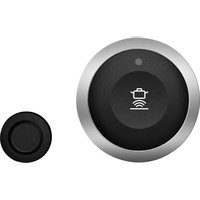
CA060300 - Cooker GAGGENAU - Free user manual and instructions
Find the device manual for free CA060300 GAGGENAU in PDF.



| Product Type | Cooktop |
| Brand | Gaggenau |
| Model | CA060300 |
| Wireless cooking sensor | Yes, with temperature probe |
| Silicone patch | Included (ref. 17007119, pack of 5 available) |
| Battery type | CR2032 |
| Sensor power supply | Button cell |
| Main functions | Cooking with precise temperature control, monitoring of cooking processes |
| Cleaning the sensor | Damp cloth, do not put in dishwasher |
| Cleaning the silicone patch | Dishwasher safe |
| Safety | Instructions for children, magnetic hazard (10 cm distance for implants), risk of suffocation |
| Connectivity | Bluetooth® (registered trademark) |
| Certification | Directive 2014/53/EU (RED) |
| Delivery contents | Wireless cooking sensor, silicone patch, stencil |
| Repairability | Replaceable battery, silicone patches available separately |
| Manual pages | 144 pages |
| Available languages | French, English, German, Spanish, etc. |
Frequently Asked Questions - CA060300 GAGGENAU
User questions about CA060300 GAGGENAU
0 question about this device. Answer the ones you know or ask your own.
Ask a new question about this device
Download the instructions for your Cooker in PDF format for free! Find your manual CA060300 - GAGGENAU and take your electronic device back in hand. On this page are published all the documents necessary for the use of your device. CA060300 by GAGGENAU.
USER MANUAL CA060300 GAGGENAU
Observe the following safety instructions.
1.1 General information
- Read this instruction manual carefully.
- Keep the instructions, the appliance pass and the product information safe for future reference or for the next owner.
- Do not connect the appliance if it has been damaged in transit.
1.2 Intended use
Only use this appliance:
- To prepare meals and drinks.
- Under supervision. Never leave the appliance unattended when cooking for short periods.
In private households and in enclosed spaces in a domestic environment.
1.3 Restriction of the user group
Do not let children play with the appliance.
This appliance may be used by children aged 8 or over and by people who have reduced physical, sensory or mental abilities or inadequate experience and/or knowledge, provided that they are supervised or have been instructed on how to use the appliance safely and have understood the resulting dangers.
1.4 Safe use
WARNING - Risk of injury!
The wireless temperature sensor is equipped with a battery, which may become damaged if it is exposed to high temperatures.
- Remove the sensor from the cookware and store it away from any heat sources.
The temperature sensor may be very hot when removing it from the saucepan.
Wear oven gloves or use a tea towel to remove it.
WARNING - Danger: Magnetism!
The wireless temperature sensor is magnetic and can damage electronic implants, e.g. heart pacemakers or insulin pumps.
- Persons with electronic implants must stand at least 10cm away from the magnetic control element.
- Never put the control element in your pockets.
WARNING - Risk of suffocation!
Children may put packaging material over their heads or wrap themselves up in it and suffocate.
- Keep packaging material away from children.
Do not let children play with packaging material.
Children may breathe in or swallow small parts, causing them to suffocate.
- Keep small parts away from children.
Do not let children play with small parts.
2 Environmental protection and saving energy
2.1 Disposing of packaging
The packaging materials are environmentally compatible and can be recycled.
- Sort the individual components by type and dispose of them separately.
3 Before the first use
In order to be able to use the cooking functions, you must pair the wireless cooking sensor to the control panel. You can find further information in the section on cooking functions in the user manual for your hob.
3.1 Scope of delivery
After unpacking all of the parts, check for any transport damage and for completeness of delivery.
- AWireless cooking sensor
■ ESilicone patch - Template
Fig. 1
3.2 Attaching the silicone patch
The silicone patch secures the cooking sensor to the cookware. For fitting on the cookware:
-
The adhesive area on the cookware must be free from grease. Clean and dry the container thoroughly, and rub the adhesive area using alcohol, for example.
-
Remove the protective film from the silicone patch. Adhere the silicone patch to the outside of the cookware in the correct place using the enclosed template as a guide.
$$ \rightarrow F i g. \boxed {2} $$
- Press down all over the surface of the silicone patch, including in the centre.
- Leave the adhesive to dry for one hour. Do not use or rinse out the cookware during this time.
Note: If the silicone patch comes loose, use a new one. If required, you can purchase a set with five silicone patches from specialist retailers, from our customer service or on our official website www.gaggenau.com by quoting the article number 17007119.
All adhesives break down over time when they are stored. To prevent this from happening, place the silicone bases on their containers as soon as they are cleaned.
3.3 Attaching the wireless cooking sensor
- Ensure that the silicone patch is completely dry before attaching the cooking sensor.
- Attach the cooking onto the silicone patch so that it fits perfectly.
Fig. 3
4 Replacing the battery
If the LED on the wireless cooking sensor does not light up when pressed, the battery is discharged. Changing the battery:
- Remove the silicone cover from the lower section of the cooking sensor casing and remove both screws using a screwdriver. Fig. 4
- Open the cooking sensor lid and remove the battery from the base. Fig. 5
- Insert a new battery, observing the instructions for the battery poles. Only use premium-quality CR2032 batteries. Fig. 6
Note: Do not use any metal objects to remove the battery. Do not touch the battery connection points.
- Close the cap on the cooking sensor. The indentations for the screws on the cap must be aligned with the indentations on the lower section of the housing. Use a screwdriver to tighten the screws and secure the silicone cover on the lower section of the cooking sensor housing.
Fig. 7
5 Cleaning
5.1 Cooking sensor
Clean with a damp cloth. Do not place in the dishwasher and do not get it wet.
When you are not using the cooking sensor, remove it from the cookware and store it in a clean, secure location, away from any heat sources.
5.2 Silicone patch
Clean and dry before attaching the cooking sensor. Dishwasher safe.
Note: The cookware with the silicone patch must not be left to soak for long periods in soapy water.
5.3 Window for the wireless cooking sensor
Always keep the window clean and dry. Important:
- Remove dirt and oil splatters regularly.
- For cleaning, use a cloth or a cotton bud and window-cleaning solution.
Fig. 8
Notes
- Do not use hard or rough objects such as bristle brushes or scouring pads to clean the hob, and do not use scouring agents.
- Do not touch the window for the wireless cooking sensor with your fingers; this will soil or scratch it.
6 Declaration of Conformity
BSH Hausgeräte GmbH hereby declares that the appliance with wireless cooking sensor function meets the basic requirements and other relevant provisions of the Directive 2014/53/EU.
A detailed Declaration of Conformity in accordance with Directive RED can be found at www.gaggenau.com on the product page for your appliance under "Additional documents. The logos and the Bluetooth® brand are registered trademarks and property of Bluetooth SIG, Inc. These trademarks are used by BSH Hausgeräte GmbH under licence. All other trademarks and trade names are owned by the respective companies.
7 Disposal
7.1 Disposing of old appliance
Valuable raw materials can be reused by recycling.
- Dispose of the appliance in an environmentally friendly manner.
Information about current disposal methods are available from your specialist dealer or local authority.

This appliance is labelled in accordance with European Directive 2012/19/EU concerning used electrical and electronic appliances (waste electrical and electronic equipment - WEEE). The guideline determines the framework for the return and recycling of used appliances as applicable throughout the EU.
7.2 Disposing of batteries
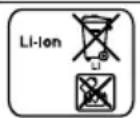
Batteries should be recycled in an environmentally friendly manner. Do not dispose of the batteries in the household rubbish.
- Dispose of batteries in an environmentally friendly manner.
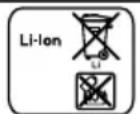
According to the European Guideline 2006/66/EC, defective or used battery packs/batteries, must be collected separately and disposed of in an environmentally correct manner.

1 Sécurité
1.4 Utilisation sure
AVERTISSEMENT - Risque de blessure!
7.2 Eliminar as bacterias/pilhas
Cn3BaIte yka3aHnIra 3a 6e3OpaCHOCT NO-dOly.
1.1 O6uynka3aHn
- Почетete BHIMATEJIHO TOBa рьководъBO.
3ana3eTe pBKOBOcTBaTa, nacnOpTa Ha ypeDa n npOdyKTOBaTa HΦopMaζη 3a NO-HaTaTbUHa cnpaBka nIi 3a CneDbaζη CO6-CTBeHnK.
He cBbP3BaIte ypeDa B cIyaua Ha nobpeDa, noIyuyeHa nO BpeMe Ha TpaHcnpTnpaHeto.
I P E D U N P E X J D E H N E - O n a c h o c t O T H a p a n h y B a h e!
I P E D U N P E K I D E H N E - O n a c h o c t: M a r h e T n 3 b m!
БeЗкавел网сензорза Temпература e MaHNTeHи може да NOВрди селКТрОннITE ИМПlaHTN,HaNP.пeйСмeнКьрИ ИНСУЛINHOВИ ПOMПИ.
Лица сеелковни IMпалантура за спа3Ват мнималноотсторные ot 10 cm спразmo магиншая лемент за обслужва-he.
Hnkora He Hocete elemente 3a 06cnykBaHe B IXKOOBeTe Ha obKeIoto.
ПРЕДУПЕЖДЕНЕ -ОпасноCT оТ заушаBaHe!
ДeцamoratdaHaxny3rHa rIaBaTa CN ONaKOBbUHnMaTePnaJI nIa Ce yBnT B Hero n Da ce 3aDywaT.
-Дрьжte далец OT Deça onaKOBbHnmaTePnaI.
He donyckaTe deca da nrgpaT c onaKOBbHnMaTePnaI. Deca morat da Bdnwat nn da noBlnHaT MaIKn qactn n da ce 3aDyuwaT.
-ДрьжTe Далец OT Deça MaßкITE уасти.
He donyckaite deca da nrgaT c maKn yactn.
2 Ona3BaHe Ha OKoJHaTa CpeJa N IKOHOMNIA
2.1 Праза ве на опakовka-ta 3a OTnaDbuH
ONaKOBbUHnTe MaTePnaJI Na CbB-MecTmN C OKoJHaTa CpeJa N MoRaT Da Ce I3NoJ3BaT NOBTOpHO.
- ПпебаиTe OTдeнITE KOMnoHENTI 3a OTnaIbCn Pa3dEJIHO CnopeiBnDa.
CnIKHObTaJeHekaΦNKcnpa ceH3opa 3a BapeHe Bbpxy Cbda.3a NOCTaBAre He BbpxY rOTBapCKNcBd:
- Mactoto Ha 3aJenBaHe Bbpxy rotBapcknra CbI TpRbBa Da e oBe3MacJeHo. Pounctete Cbda, n3CyWeTe Do6pe N n3TbpKaIte Mactoto Ha 3aJenBaHe HAnp. c aIKOXoN.
2.CBaJIeTe 3aIHTHOTo FOJIO OT CnIKOHOBaTa IeIeHka. C NOMOuTa Ha DoCTaBeHna Wa6IoN 3aJeNeTe CNIKOHOBaTa IeIeHka Ha CbOT-BETHa BAICOUHnA OTBbH Ha rOT-BAPCKnA CbD.
$$ \rightarrow \Phi_ {H R}. 2 $$
3.Пптисецялata NOBbpxHOCHT Ha cnIKOHObata leneHka,Дори NBtpeHATA 30Ha.
4. OctaBeTe IeneHKata Da n3cbxHe eINH yac. Ipe3 TOBa BpeMe He n3- NOI3BaIte rOITbapCKnA CbI n He rO MInTe.
Белека: Ако силикоювату ленинka ce pa3хлаби, ИЗползваite HOBA.
Ipn Hxka MoKTe Da Cn Haabnte KOMnKeT C nET CNlNkoHOBn JelenHKn B CneuaN3npaHaTa TbproBCKa MpeKa, npn Haun Otden No oCnyBaHe Ha KIneHTn Nn Ha Haun OoNuAnen Ye6caNT www.gaggenau.com C NocOuBaHe Ha apTKyHnH Homep 17007119.
BcunknIeHnla C BpeMeTo ce pa3rpaKdA, KOrato Ce cbxpaHbAt. 3a da n36eHHeTe TOBa, CNIKHOBOITE bHa BnHaT TpOBA Da CE NOCTABT CneI NOnyUaBaHe Ha BaWNTe CbIOBe.
3.3 Пocтаваян ha 6e3ka6eJnHЯ ceH3Op 3a BapeHe
- YBepete ce, ye cnIkoHObata Je- nEHa e n3uLo cyxa npeDi nocTaBAHe Ha ceH3opa 3a BapeHe.
2.Пoctabete ceH3opa 3a Bapehe TaKa Bbpxy cnlnkoHObata JelenHa, Ye da nacBa nepoekTHO.
→Φur. 3
4 CmHa Ha 6aTepeHra
AkoLED Bbpxy 6e3ka6enHncaEH3Op 3aBapeHe npHaTnCKaHe He CBeTba, 6aTePnraTa e n3ToUeHa. CmHa Ha 6aTePnraTa:
1.И3TeIeTe CUNIKOHOBnKaNak OT DOJHaTa Yact Ha KOpnyCa Ha CeH30pa 3a BapeHe N CBaJIeTe DBaTa BNHTa C OTBeptka. ΦIr.4
2. OTbopete KaNaKa Ha ceH3Opa 3a BapeHe n N3BaTe Te 6aTePnra Ta OT rHe3dTo. DnR. 5
3.ПocTaBeTe HOBa 6aTePnI IN npITOBa CnA3BaIte NHCtpyKcNITe 3aNOJIocNte Ha 6aTePnIra.N3NoJ3BaIte CaMo BnCOKokaeCTBeHn 6aTePnIOTnPa CR2032. DnR. 6
Белека: He n3noJ3BaIte npedMetn OT MeTaN, 3a Da OTcPAnHBA-Te 6atepna. He doKocBaIte TouKITE Ha CBbp3BaHe Ha 6atepna.
- 3aTbOpTe 3aTbApHHeTo Ha cEH3Opa 3a BapeHe. OTBepCTnIa 3a BInHTOBeTe B KaNaUeTO TpR6Ba DaCe npINOKpnrT C BdIb6HaTHInTe BdoJHaTa qAcT Ha Kopnyca. 3aterHeTe BInHTOBeTe C BInHTOBbPT N 3aKpeNeTe CNIIKNHOBOTo NOKpnTne 3a DoJIHaTa qAcT Ha KopnyCa Ha cEH3Opa 3a BapeHe. DnR.7
5Почистванe
5.1 Cen3op 3a BapeHe
IouncTeTe C BnaJHa Kbpna. He noCTaBnTe B CbDOMnJIHa N He HABnKaHnBaIte.
Ako He n3noJ3BaTe ceH3opa 3a BapeHe,OTCTpaHete FO OT Cbda n FO CbxpaHBAIte Ha CNrpyHO uNCTO MACTO,JaIeU OT N3TOUHNiHa TOnJIHa.
5.2 CnInkoHOBa IepeHka
IpeiNoctabBHeToHaceH3opa 3a
BapeHe rO nouchTeE n NOcSyweTe.
IoXoJnO 3a cBdOMnJIHa MaunHa.
Беленka: CbДbT cbc cnlnkoHOba Ленинka He 6nBa da ce octabr 3a ПО-длro BpeMe B canyHeH pa3TBOp.
- PpeaTe ypeTa 3a OTpaBcuN NO eKoIorocbO6pa3eH NaUN.
AkyaHa HOpMaun OTHOCHo NaHnTe Ha npedabaHe 3a OTn-aDbuN ue noJyUHTe ot Bauncne
UnaIIN3npaH TbprOBeU, KaKTo N OT CbOTBeTHaT a O6uHcKa IIn rpaDcKa ynpaba.
To3n ypeJe o6o3HaueH B CbOTBETCTBHe C eBPOneCKaTa DInpeKTnBa 2012/19/EC 3a cTapn eJekTpnueCKn I eJekTpoHNu ypeNi (waste electrical and electronic equipment - WEEE). Ta3n DInpeKTnBa peIamMeHTnpa BaJIiDnITE B pamKnte Ha EC npabNla 3a npneMaHe n N3NoJ3-BAHe Na CTapn ypeDi.
7.2 N3xBbPJIHe Ha aKymyataTOpHn 6aTeepn/6aTeepn
AkymylaTOPHnTe 6aTePnN/6aTePnNTe TpRoBa Da ce npedabat 3a cboobpa3eHo C OKoJHaTcpeDa peuNKlnpaHe. He n3xBpbIyIe aKymylaTOPHnTe 6aTePnN/6aTePnNTe B 6ntOBnTE OTNaDbU.
- I3xBpIaTe aKymyIaTOPte/6aTepnTe NO eKOIoIruHc bO6pa3eH HaunH.

CbIaCHO eBpOneiCKa IInpeKTHBa 2006/66/EO TpAba Da ce Cb6npaT pa3dJIHo DeΦeKTHnte UINu IN3pa3XoDBAHn aKyMylatOpN/6aTePnN Ja ce npedabAT 3a ekOIo-ΓuHNO NOBtOPHO N3NoJ3BaHe.

1 Be3onacHocTb
Co6IouaIte cIeDyUoIne yKa3aHnI NO texHnke 6e3OpaCHocTn.
1.1 O6uNe yka3aHnA
BHHMaTeIbHo npOuHTaIte daHHOe pyKOBoDCTBO.
CoxpaHnte HNCTpyKcH, Texnacnopt n HnΦopMauHO o6 n3delen dIaJIbHeJSeRo hCNoB3OBAHn IIN dIepeDaun cIeDyUoSeMy Bla-DeIbuy.
B clyuae o6hapykeHnI NOBpeKdEHN, CBa3aHHbIX C TpaHCnOpTINpOBko, He noDKJIouaTe npH6op.
I P E D U N P E X J D E H N E - O n a c h o c t b: m a r h e T n 3 M!
He noDnyckaIte deteK MeIkm MTeTajM.
He no3B0JrTe DeTm HrpaTb C MeKIMN DeTaJIaMn.
2 3auntata okpykaoucei cpebln 3koHOMN
2.1 YTNJIH3aUNyNAKOBKN
YnakoBouHbI MaTePnaJIbI 3KoJIoRnueCKN 6e3ONaChbI N MoTy HcNoJIb3OBaTbCra NOBTOpHO.
- Ytun3npyTe OTdEJIbHbIe qactn, npedBapnteJbHO paccopTnpoBaB nX.
He nCnoJIb3OBAbT TBepDbe I JxecTkne npEpmTebl, TaKHe KaK UeTKn, rY6Kn nn a6pa3NBbIe YnCTaUne CpeCDtBa dJa OuNCtKn BapouHoi NaHeII.
He Tporatb CMOTPOBOe CTeKIO pyKaMN, UTO6bI He IcnaUkAtb N He NoUapanaTb erO.
6ДeКлараци O COOTBeTCTBHN
HactoBnB BSH Hausgerate GmbH 3aB- nReT,TO np6Op c yHKuNei 6ecnpoBOdHOro ceHCopa BapKn COOTBeTCTByET OCHOBOnlaIauOuIM Tpe6OBaHNrM N dpYrM DeiCTbUoIIM NOLOKeHnM DnpeKtNBbl 2014/53/EU.
Ioppo6Hyo DeKnapauHc COOTBeTCTBnB B COOTBeTCTBnC DnpeKTHBOr RED MoHHo HauTN Ha www.gaggenau.com Ha cTpaHnce npOdykTa BaWero np6opa B pa3dene Do-ONHHTeJbHbIe DOKymENTbl.
Iorotnbl Mapka Bluetooth® ABnHOTc 3apeHCTpnpoBaHHbIMN TOPROBIMN 3HaKaMn H CO6CTBeHHocTbIO Bluetooth SIG, Inc., N03Tomy IIO6oe nCNOJb3OBAHne 3TNX MaPOK KOMNaHne BSH Hausgerate GmbH OcyueCTBnEeTcB pamkax IInceH3nn. Bce OCTaJIbHbIe MApKN IΦnpeMHbIe Ha3BaHNRAIBLIOTc CO6CTBeHHOCtBIO COOTBETCTByUOxN X KOMNaHn.
7 YTNIN3aun
7.1 Ytihn3aunr cTaporo 6bITOBORO npH6opa
YTHIN3aUNB COOTBETCTBUN C 3KOLOHueCKMN HOpMaMNI OeCneuNBAeT BO3MOKHOCTb BTOPHORO NcNoJIb3OBAHNr CEHHbIXCbIPBeBbIX MaTePnAIOB.
Ytun3npyuTe np6Op B COOTBeTCTBnC 3KOJOrnueCKMn HOpMaMn.
CBeDeHnO BO3MOXhBIX CnOCo6ax yTIN3aUNM OXXHO NOLyUHTb B CneuNAHN3IPOBaHHOM TOPROBOM PpeDpNtTN, a TaKKe B paOHhBix INI TROPCKNX OPraHAX ynpaBHeHn.

ДанныnpиборИмeeТOT-MeTKyO COOTBeTCTBnEБрОпeнckm HopMaM 2012/19/EU yTNIN3aunn əJIeKtpnue-
CKNX n əJIeKtpoHbIX npIbOpob (waste electrical and electronic equipment - WEEE).
JaHHbIe HOpMbI oppeJeJIaIOT DeHCTByUOuIne Ha TeppINTopn EbpocOHa npaBnA B03Bpata N yTnN3aunn CtaPbIX npnbopOB.
7.2 YTHIN3aunna aKKymyIATOPOB/6aTapei
AkkymyIaTOPb/6aTapen CneDyET OTnpaBHTb Ha DaJIbHeNShUO yTHIN3aCNIH B COOT-BetCTBn C Tpe6oBaHNMaOxpaHbI OKpyKaIOSei CpeDbI. He yTHIN3nPyIe aKKMyIaTOPb/6aTapen BMeCTe C 6bITOBbIM Mycopom.
YTNIN3npyIte aKKymyIaTOpbl/6aTapeN BCOTBeTCTBHN C 3KOJIOrHueCKIMN HOpMaMn.
B COOTBeTCTBnC eBponeckoI DnpeKTHBOI 2006/66/EC NOBpeXdEHHbIe HnN NcNoJIb3OBAHHbIe aKKyMylrTOpbI/6aTapen DoJXHbI cObnpaTbcra OTdeJIbHO IOTnpaBILTbcra Ha DaJIbHeNsuYU TIN3aUNo B COOTBeTCTBnC Tpe6OBaHNMaOxpaHbI OKpyKaHOSe Cpebl.

1 Be3neka
DotpmyTeCn HAcTyHnx npaBn TeXhIk 6e3neKn.
1.1 3araJIbHi Bka3iBKn
BydJIaCKa,yBaJHo npOHTaIe IIO iHCTpyKciI.
36epejitb iHCTpykci, texHiuHn nacnopt iHopmaio npo npiIaI dIy Ni3HIOKOpcntyBaHHaO dIy HAcTyHOro BlaChnka npiJa.
He niklouaTe npnaIad, kso noKoKeNo iJ qac TpaHcnpTyBaHHa.
1.2 BnKOpncTaHHa 3a npn3HaueHHaM
Kopnstyntecn npnilaon Ins 3a TaKnx yMOB:
ДлгпригOTуВаннгСТрав iHaNoiB.
■Пд Нагладom. Контюйт e коротковache приrotуванг Бe3перети.
y npnbathnx domorocnoapctbax i B 3aKpntux npmiueHHx nobytoboro npn3naueHnra.
1.3 O6MeJKeHЯ Kola KopnctyBaayB
ДiTЯМ 3a6bOPOHeNo rpaTnCS 3 npIlaIOM.
ДiTиВIKOM BiI 8 pOKiB, a TaKoJX OCO6N 3 O6mExKeHIMn φi3nUHMN, CEHCOPHIMn a6O pO3yMOBIMn 3di6HOCTaMn YI 3 6paKOM DoCBiDy Ta/a6O 3HaHb MoKyTb KOpNCtYBaTINcA ZIM npIaIOM TIlbKn PId HaRJaIOM a6O NiCIAO TpIMaHH BKa3IBOK i3 6e3neuHOrO KOpNCTyBaHHI npIaIOM I NiCIAI TOrO, AK BOHN yCBiDOMNI MOxJIINI IOB'3aHI 3 ZIM He6e3NeKN.
1.4 Be3neuHa ekcnlyaTaCiy
YBAG! - He6e3neKa TpaBMyBaHHa
- Ytni3yIte 6aTapei, He 3aBdaIoun IkoDn DOBkIJIIO.

3riIHO 3ДиpeKTHBOIO EC2006/66/EC yci HeCnpaBHi a6o BnKOpNCTaHi akymyIaTOpn/6ata
pei cIId OKpemO COPTyBaTn Ta NiIaBaTn EKoIorHni ytni3aui.

1 Bezbednost
(waste electrical and electronic equipment - WEEE).
(waste electrical and electronic equipment - WEEE).
2 3aHTHa Ha JxHBOTHaTa CpeiHa N WTeJeHbe
2.1 OTeTpaHyBaHbe Ha naKyBaHbeTo
MaTePnJaJIInTe OJ NaKyBaHbETo Ce ekOJIoUShK N MoXe Da ce peuNKJIInpaat.
OdJIHNTe KOMNoHEnTn pIajTe rN BO OTnAd NOCeHO, BO 3aBnCHoCT OJ HNBHNOT TIN.
3 Ппек пвату уnotpeба
3a da rN KOpNCNTe ФyHKcUNTe 3a
rotBeHbe, Mopate Da rO NOBp3eTe
6e3KNUHNO TceH3Op CO KOHTPOJHOTO
NoIe. IOnoJIHnTeJIHN INΦOpMauIN
Ke HajDeTe BO nOrIaBjeto yHKcUN
3a rotBeHbe BO yNaTCTBOTO 3a
KOpNCTeHBe Ha BaWeTo NoIe 3a
rotBeHbe.
3.1 O6em Ha HcnpopaKa
No OTnakyBaHbeTo npOBepTe rN CNTe DeIOBn DaJI NMaat OwTeYBaHa oTpaHCnOpTOT n DaJI N e cEIoCHA NCnopaKaTa.
ABe3KuueH cEH3Op 3a rotBeHe
BCnIkoHcNJIeNeHKN
Ua6JOnH
→Cπ. 1
3.2 CtabaHe Ha cnJIHKOHCKHTe JeIeHKN
CnIKoHcKaTa IeHKe Ra o Kcnpa ceH3OpOT 3a rOtBeHe Ha caT. 3a NOCTaByBaHbE Ha caT O T 3a rOtBeHe:
- MecToHa IeHe Ha caT 3a TOTBeHbHe He Cmee Da 6nDe MaCHO. NcUncTe Ro caT, Do6po NcyuTe Ro H nCtprjTe Ro MeCTOHa IeHe Ha np. Co aIKOXoJ.
2.ИЗва对接е ѳ зашитпата Фолиja od силнонската Леника.Со nOMOш Ha Испорачанite Шаблони 3алене ѳ силнонската Леника Ha COODBeTHaТа ВиCUHa OДHAДВОР Ha caIDOT 3a rotBEHbe. →Cn. 2
3.ПиТиСHTe ja ZeIaTа NOBpUHnHa IN BHaTpeUHnOT DeI Ha CINIKOHCKata IeNEHka.
4.ЛeплOTO OCTaBete ro da ce nCyuN eDeH yac.He KopucTeTe ro H He MInTe Ro caIoT 3a RotBeHbe BO OBA BpeMe.
3a6eNeuHa: Ako cnIHKoHcKaTa
JIeENKa ce OTCTpaHn, KOpNCTeTe
HOBa. JOKOLy Bn e NOTpe6Ho,
MOKeTe Da KUnite CET OJ NT
CNIIKOHsKn IeENKn OJ
CneUJaN3npaHa npOdaBnua,
IpeKy Haaata cepBncha CnyXb a nn
Ha Hauata OfNunjaJaHa Be6- CTpaHnca www.gaggenau.com NOd
6pojOT Ha npOn3BOIoT 17007119.
CITE IeINla ce pa3rpaDyBa co
TEKOT Ha BpEMTo KOra Ce
CKlaInpaat. 3a da ro n36eHete
OBA, NOCTaBeTe rN CNIIKOHcKtE
OCHOBn Ha caIOBNTe BeiHaW No
IIpnEMOT.
3.3 CTabeTe 6e3KnueH ceH3Op 3a rotBeHbe
1.Бидete cnrgpHn,deKa cnIKOHCKaTaNenEHa e cIeIOCHO cyBa,Ipei Da rO CTaBITE ceH3OpOT 3a rotBeHbe.
2.ПocTaBete ro ceH3OpOT 3a rOtBeHbe Ha cnIHKOHcKaT a IeIeHka Taka uTO nepKekTHo Ke CE BKJIOH.
→Cπ. 3
7.2 OTeTpaHyBaHbe Ha aKymyIaTOPcKHTe 6aTeepn/6aTeepnTe
AkymylaTOPCKITE 6atepnu/
6atepnuTE Tpe6a Da ce peuKlnpaat
Ha ekOLOwKn 3dpab HauH.
AkymylaTOPCKITE 6atepnu/
6atepnuTe He rN 0pnaJTe BO
DOMaSHOTO ryope.
OTCTpaHete rnaKymyIaTOPCKNTE 6aTeepn/6aTeepnTe Ha eKOJIoWKn HauHH.

Cnopei eBpOncKaTa
DnpeKtNbA 2006/66/EG,
HeNCnPpaBNHte Nll
NCKOpNCTeHNTE bATEPN
Mopa Da ce cohepaT OndeHNo N da ce peunKInpaaT Ha ekOJIoUKN HauH.

1 安全性
请注意以下安全注意事项。