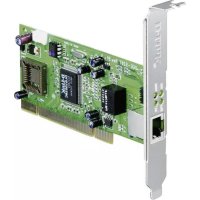
DGE528T - Network adapter D-LINK - Free user manual and instructions
Find the device manual for free DGE528T D-LINK in PDF.

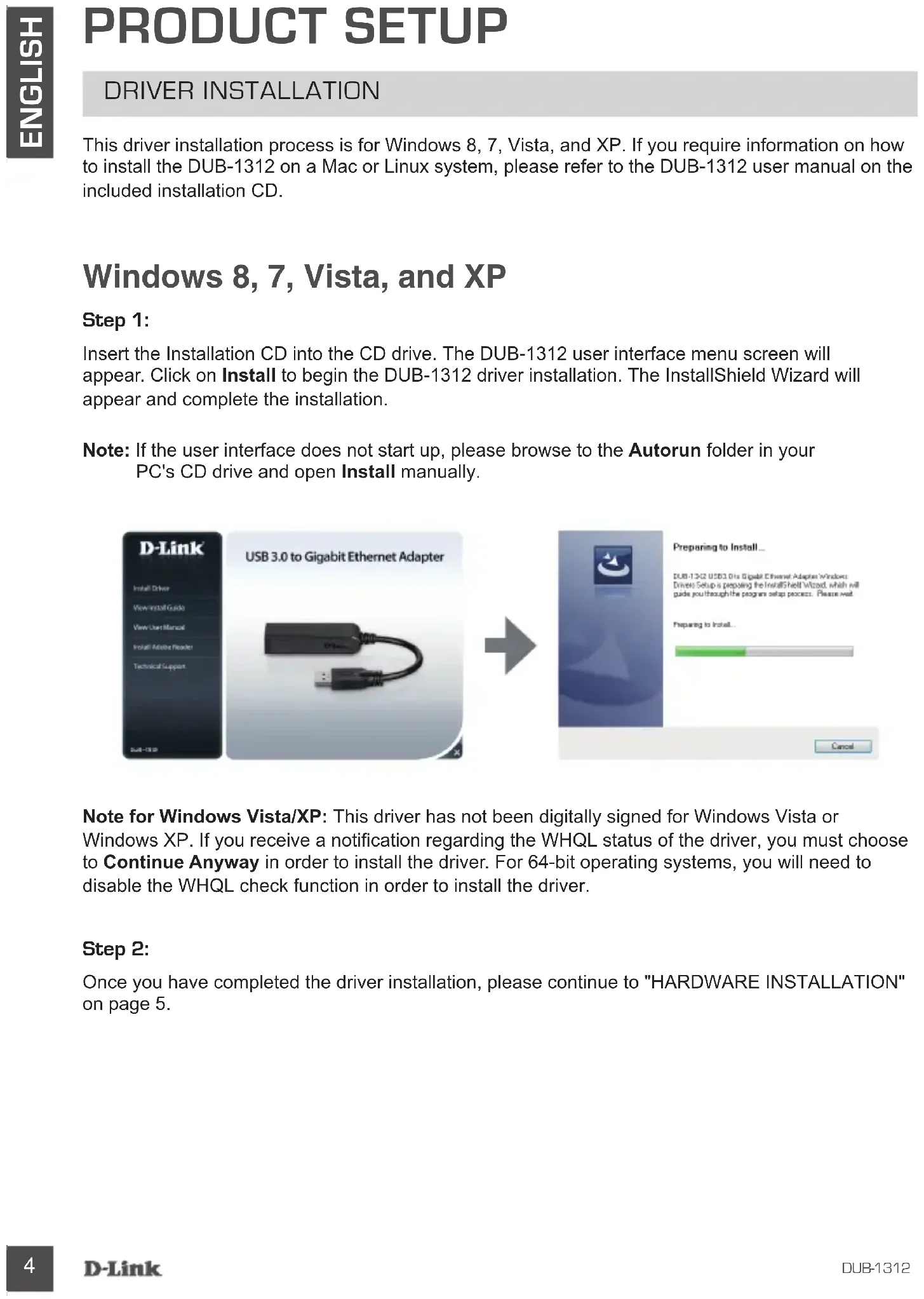


| Product Type | Gigabit Ethernet PCI Express Network Adapter |
| Brand | D-Link |
| Model | DGE528T |
| Interface | PCI Express 1.1 |
| Data Rate | 10/100/1000 Mbit/s |
| Dimensions | 120 x 80 x 22 mm |
| Weight | 50 g |
| Power Supply | Via PCI Express bus |
| Supported Operating Systems | Windows 8/7/Vista/XP, Mac OS X 10.6-10.8, Linux kernel 2.6.14+ |
| Main Features | Gigabit Ethernet connectivity, Jumbo Frame support, VLAN, Wake-on-LAN, flow control |
| LED Indicators | 1 speed LED (solid green = 1 Gbit/s, off = 10/100), 1 link/activity LED (solid green = link, blinking = activity) |
| Operating Temperature | 0 °C to 40 °C |
| Operating Humidity | 10% to 90% non-condensing |
| Compliance | IEEE 802.3, 802.3u, 802.3ab |
| Maintenance and Cleaning | Clean with a dry, soft cloth. Do not use liquid or abrasive products. |
| Security | No built-in security features. Security depends on the network. |
| Spare Parts and Repairability | Not user-repairable. No spare parts available. |
| Package Contents | DGE528T adapter, installation CD, quick installation guide |
| Warranty | 3-year limited warranty |
Frequently Asked Questions - DGE528T D-LINK
User questions about DGE528T D-LINK
0 question about this device. Answer the ones you know or ask your own.
Ask a new question about this device
Download the instructions for your Network adapter in PDF format for free! Find your manual DGE528T - D-LINK and take your electronic device back in hand. On this page are published all the documents necessary for the use of your device. DGE528T by D-LINK.
USER MANUAL DGE528T D-LINK
If any of these items are missing from your packaging, please contact your reseller.
SYSTEM REQUIREMENTS
MINIMUM REQUIREMENTS
- Computer with Microsoft Windows® 8, 7, Vista®, XP® (Service Pack 3); Mac OS® 10.6 to 10.8; or Linux kernel 2.6.14 or higher
Available USB port - At least 32 MB of available disk space
PRODUCT SETUP
DRIVER INSTALLATION
This driver installation process is for Windows 8, 7, Vista, and XP. If you require information on how to install the DUB-1312 on a Mac or Linux system, please refer to the DUB-1312 user manual on the included installation CD.
Windows 8, 7, Vista, and XP
Step 1:
Insert the Installation CD into the CD drive. The DUB-1312 user interface menu screen will appear. Click on Install to begin the DUB-1312 driver installation. The InstallShield Wizard will appear and complete the installation.
Note: If the user interface does not start up, please browse to the Autorun folder in your PC's CD drive and open Install manually.
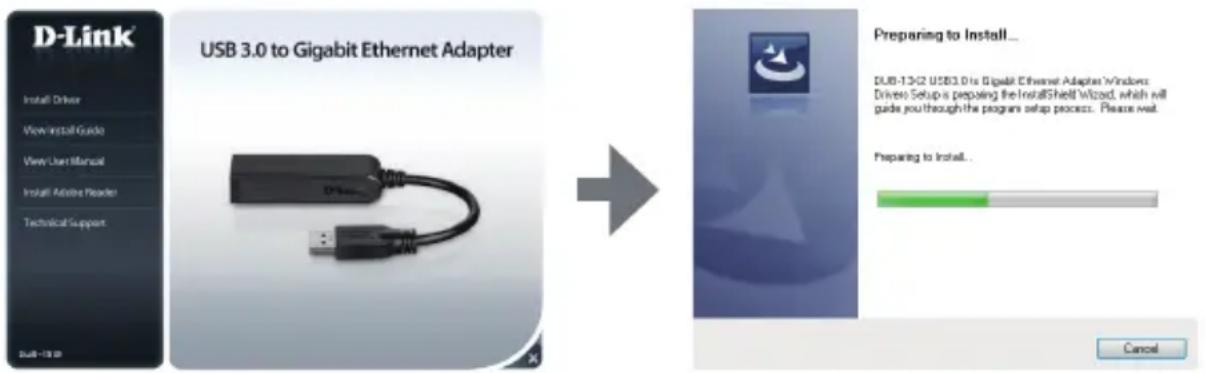
Note for Windows Vista/XP: This driver has not been digitally signed for Windows Vista or Windows XP. If you receive a notification regarding the WHQL status of the driver, you must choose to Continue Anyway in order to install the driver. For 64-bit operating systems, you will need to disable the WHQL check function in order to install the driver.
Step 2:
Once you have completed the driver installation, please continue to "HARDWARE INSTALLATION" on page 5.
PRODUCT SETUP
HARDWARE INSTALLATION
Step 1:
Plug the DUB-1312's USB cable into an available USB port on your computer. If available, you should use a USB 3.0 port in order to achieve the fastest possible transfer speeds.
Step 2:
Attach an Ethernet cable to the Ethernet port on the DUB-1312.
Step 3:
Attach the other end of the Ethernet cable to your network switch, hub, or router.
Step 4:
Windows will detect the new hardware and prompt you for the drivers.
For Windows 7 and Vista:
The driver software installation will start automatically.
For Windows XP:
The Found New Hardware Wizard box will pop up. Select Yes, this time only and click Next to continue.
On the next screen, choose the option to install the software automatically and click Next to Next to continue. The driver software installation will then start automatically.
INSTALLATION COMPLETE
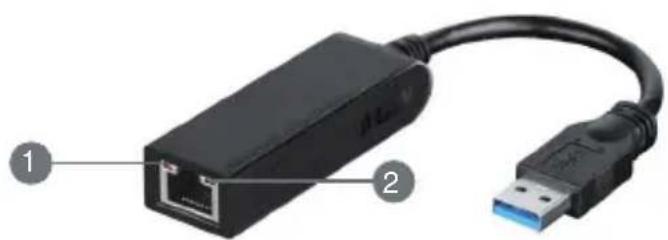
When the installation of the DUB-1312 is complete, the LINK LED should be solid green, indicating a good physical connection between the DUB-1312 and the network, and will flash when data is being sent or received. The Connection Speed LED will light solid to indicate a Gigabit connection, or remain unlit to indicate a 10/100 Mbps connection. If both LEDs are unlit, there may be a problem with the physical connection. Check the cables between your DUB-1312, the computer, and the network. Verify that your network switch, hub, or router is powered on.
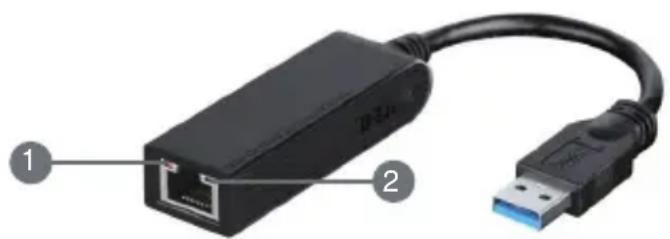
| Number Indication Status Description | |||
| 1 Connection Speed | Solid 1 Gbps | connection present | |
| Off 10/100 | Mbps connection present | ||
| 2 Link/ACT | Solid An active connection is present | ||
| Flashing Data | is being transmitted/received | ||
TECHNICAL SUPPORT
dlink.com/support
PACKUNGSINHALT
INHALT

INSTALLATIONS-CD
INSTALLATION DU PRODUIT
INSTALLATION DES PILOTES
INSTALLATION DU PRODUIT
INSTALLATION DU MATÉRIEL
Étape 1:
USB 3.0 to Gigabit Ethernet Adapter
DUB-1312
USB 3.0 to Gigabit Ethernet Adapter
DUB-1312
Hvis en eller flere dele mangler i pakken, bedes du kontakte forhandlieren.
SYSTEMKRAV
MINDSTEKRAV
- Computer med Microsoft Windows® 8, 7, Vista®, XP® (Service Pack 3); Mac OS® 10.6 til 10.8; desser Linux kernel 2.6.14 desser hoge
- Ledig USB-port
- Mindst 32 MB tilgaardig diskplads
INDSTILLING AF PRODUKTET
DRIVER-INSTALLATION
INDSTILLING AF PRODUKTET
INSTALLATION AF HARDWARE
Trin 1:
INSTALLATIONEN GENNEMFØRT
USB 3.0 to Gigabit Ethernet Adapter
DUB-1312
Om参加会议者发言。
SYSTEMKRAV
MINIMIKRAV
- Dator med Microsoft Windows® 8, 7, Vista®, XP® (Service Pack 3); Mac OS® 10.6 till 10.8 erer Linux kernel 2.6.14 eller högre
- Tillganglig USB-port
- Minst 32 MB tillgangligt diskutrymme
PRODUKINSTALLATION
DRIVRUTININSTALLATION
INSTALLATIONEN AR KLAR
INSTALACIJA JE ZAVRŠENA
Nakon što se dovrsi instalacija DUB-1312, LED LINK ce svijetliti zeleno, što označava dobru fizickuvezu izmedu DUB-1312 i mreže, a treptat ce kada se podaci budu slali ili primali. LED brzine veze svijetlit ce označavajuć Gigabit bez u ili nece svijetlitu slucaju 10/100 Mbps veze. Ako ne svijetli nijedan od obaju LED indicatora, možda postoji problem s fizickim povezivanjem. Provjerite kabele izmedu DUB-1312, računala i mreže. Uvjerite se da su mrežni preklopnik, Čvorište ili usmjernik uključeni.
| Broj Oznacavanje Stanje Opis | ||
| 1 Brzina veze | Jak Prisutna je 1 Gbps veza | |
| Isključeno Prisutna je 10/100 Mbps veza | ||
| 2 Link/ACT | Jak Prisutna je aktivna veza | |
| Treperi Podaci se prenose/primaju | ||
TEHNIČKA PODRŠKA
dlink.com/support
VSEBINA PAKETA
VSEBINA

CDZA NAMESTITEV
VSEBUJE GONILNIKE ZA PROGRAMSKO OPREMO IN TEHNIŠKE PRIROČNIKE
USB 3.0 TO GIGABIT ETHERNET ADAPTER
DUB-1312
Če kateri koli izmed teh predmetov manjka, kontaktirajte svojega trgovca.
SISTEMSKE ZAHTEVE
MINIMALNE SISTEMSKE ZAHTEVE
- Računalnik z Microsoft Windows® 8, 7, Vista®, XP® (Service Pack 3); Mac OS® 10.6 do 10.8; ali Linux kernel 2.6.14 ali novejiši
Prostavrata USB - Najmanj 32 MB dostopnegaprostora na disku
NAMESTITEV IZDELKA
NAMESTITEV GONILNIKA
- SYSTEM REQUIREMENTS
- PRODUCT SETUP
- Windows 8, 7, Vista, and XP
- Step 1:
- Step 2:
- HARDWARE INSTALLATION
- Step 3:
- Step 4:
- For Windows 7 and Vista:
- For Windows XP:
- INSTALLATION COMPLETE
- PACKUNGSINHALT
- INSTALLATIONS-CD
- INSTALLATION DU PRODUIT
- INSTALLATION DES PILOTES
- Étape 1:
- USB 3.0 to Gigabit Ethernet Adapter
- SYSTEMKRAV
- MINDSTEKRAV
- INDSTILLING AF PRODUKTET
- INSTALLATION AF HARDWARE
- Trin 1:
- INSTALLATIONEN GENNEMFØRT
- PRODUKINSTALLATION
- INSTALLATIONEN AR KLAR
- INSTALACIJA JE ZAVRŠENA
- VSEBINA PAKETA
- CDZA NAMESTITEV
- SISTEMSKE ZAHTEVE
- NAMESTITEV IZDELKA
Brand : D-LINK
Model : DGE528T
Category : Network adapter