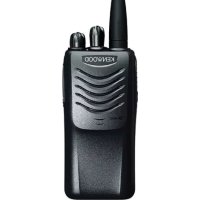
TK3000 M6 - Walkie-talkie KENWOOD - Free user manual and instructions
Find the device manual for free TK3000 M6 KENWOOD in PDF.



| Product Type | PMR446 Two-Way Radio |
| Brand | Kenwood |
| Model | TK3000 M6 |
| Frequency Range | 446 MHz (PMR446 band) |
| Number of Channels | 16 preset channels |
| Transmit Power | 0.5 W (max per regulations) |
| Approximate Range | Up to 10 km in open field |
| Power Supply | Rechargeable Li-ion battery pack (7.4 V typical) |
| Estimated Battery Life | Approximately 8 to 12 hours depending on usage |
| Dimensions (L x H x W) | 120 x 55 x 35 mm (estimated) |
| Weight (with battery) | Approximately 150 g |
| Display | LCD screen showing zone, channel, and battery level |
| Main Functions | Transmission/reception, zone/channel selection, adjustable volume, squelch, monitor |
| Microphone Type | Built-in microphone with speaker |
| Accessory Connector | Jack for external microphone/earpiece (Kenwood type) |
| Operating Temperature | -20 °C to +60 °C |
| Cleaning and Maintenance | Soft dry cloth, avoid solvents and immersion |
| Safety | Compliant with RF exposure limits (1999/519/EC) |
| Included Accessories | Mains charger, battery pack, belt clip, user manual |
| Repairability | Spare parts available through Kenwood after-sales service |
Frequently Asked Questions - TK3000 M6 KENWOOD
User questions about TK3000 M6 KENWOOD
0 question about this device. Answer the ones you know or ask your own.
Ask a new question about this device
Download the instructions for your Walkie-talkie in PDF format for free! Find your manual TK3000 M6 - KENWOOD and take your electronic device back in hand. On this page are published all the documents necessary for the use of your device. TK3000 M6 by KENWOOD.
USER MANUAL TK3000 M6 KENWOOD
TRANSCEPTOR MÓVIL [PMR]
GUÍA SENCILLA
RICETRASMETTITORE PORTATILE [PMR]
GUIDA RAPIDA
TRAGBARER TRANSCEIVER [PMR]
EINFACHE ANLEITUNG
DRAAGBARE TRANSCEIVER [PMR]
EENVOUDIGE GIDS
The title to and ownership of copyrights for firmware embedded in KENWOOD product memories are reserved for JVCKENWOOD Corporation.
Information on Disposal of Old Electrical and Electronic Equipment and Batteries (applicable for countries that have adopted separate waste collection systems)
Products and batteries with the symbol (crossed-out wheeled bin) cannot be disposed as household waste.
Old electrical and electronic equipment and batteries should be recycled at a facility capable of handling these items and their waste byproducts.
Contact your local authority for details in locating a recycle facility nearest to you.
Proper recycling and waste disposal will help conserve resources whilst preventing detrimental effects on our health and the environment.
PRECAUTIONS
- Do not charge the transceiver and battery pack when they are wet.
- Ensure that there are no metallic items located between the transceiver and the battery pack.
- Do not use options not specified by KENWOOD.
- If the die-cast chassis or other transceiver part is damaged, do not touch the damaged parts.
- If a headset or headphone is connected to the transceiver, reduce the transceiver volume. Pay attention to the volume level when turning the squelch off.
- Do not place the microphone cable around your neck while near machinery that may catch the cable.
- Do not place the transceiver on unstable surfaces.
- Ensure that the end of the antenna does not touch your eyes.
- When the transceiver is used for long transmissions, the radiator and chassis will become hot. Do not touch these locations when replacing the battery pack.
- Do not immerse the transceiver in water.
• Always switch the transceiver power off before installing optional accessories. - The charger is the device that disconnects the unit from the AC mains line. The AC plug should be readily accessible.

WARNING
Turn the transceiver power off in the following locations:
◆ In explosive atmospheres (inflammable gas, dust particles, metallic powders, grain powders, etc.).
◆ While taking on fuel or while parked at gasoline service stations.
◆ Near explosives or blasting sites.
◆ In aircraft. (Any use of the transceiver must follow the instructions and regulations provided by the airline crew.)
◆ Where restrictions or warnings are posted regarding the use of radio devices, including but not limited to medical facilities.
◆ Near persons using pacemakers.

CAUTION
◆ Do not disassemble or modify the transceiver for any reason.
Do not place the transceiver on or near airbag equipment while the vehicle is running. When the airbag inflates, the transceiver may be ejected and strike the driver or passengers.
If an abnormal odor or smoke is detected coming from the transceiver, switch the transceiver power off immediately, remove the battery pack from the transceiver, and contact your KENWOOD dealer.
◆ Use of the transceiver while you are driving may be against traffic laws. Please check and observe the vehicle regulations in your area.
◆ Do not expose the transceiver to extremely hot or cold conditions.
◆ Do not carry the battery pack with metal objects, as they may short the battery terminals.
◆ Danger of explosion if the battery is incorrectly replaced; replace only with the same type.
When attaching a commercial strap to the transceiver, ensure that the strap is durable. In addition, do not swing the transceiver around by the strap; you may inadvertently strike and injure another person with the transceiver.
◆ If a commercially available neck strap is used, take care not to let the strap get caught on nearby machine.
When operating the transceiver in areas where the air is dry, it is easy to build up an electric charge (static electricity). When using an earphone accessory in such conditions, it is possible for the transceiver to send an electric shock through the earphone and to your ear. We recommend you use only a speaker/microphone in these conditions, to avoid electric shocks.
◆ Do not expose the transceiver to long periods of direct sunlight, nor place it near heating appliances.
INFORMATION CONCERNING THE BATTERY PACK
The battery pack includes flammable objects such as organic solvent. Mishandling may cause the battery to rupture producing flames or extreme heat, deteriorate, or cause other forms of damage to the battery. Please observe the following prohibitive matters.

DANGER
◆ Do not disassemble or reconstruct battery.
◆ Do not short-circuit the battery.
◆ Do not incinerate or apply heat to the battery.
◆ Do not leave the battery near fires, stoves, or other heat generators (areas reaching over 80°C).
◆ Do not immerse the battery in water or get it wet by other means.
◆ Do not charge the battery near fi res or under direct sunlight.
◆ Use only the specified charger and observe charging requirements.
◆ Do not pierce the battery with any object, strike it with an instrument, or step on it.
◆ Do not jar or throw the battery.
◆ Do not use the battery pack if it is damaged in any way.
◆ Do not solder directly onto the battery.
◆ Do not reverse the battery polarity (and terminals).
◆ Do not reverse-charge or reverse-connect the battery.
Do not touch a ruptured and leaking battery. If the electrolyte liquid from the battery gets into your eyes, wash your eyes out with fresh water as soon as possible, without rubbing your eyes. Go to the hospital immediately. If left untreated, it may cause eye-problems.

WARNING
◆ Do not charge the battery for longer than the specified time.
◆ Do not place the battery pack into a microwave or high pressure container.
◆ Keep ruptured and leaking battery packs away from fire.
◆ Do not use an abnormal battery.
SAR VALUES FOR PMR446 TRANSCEIVER
| Model SAR face SAR trunk | ||
| TK-3701D-E 0.63 | W/kg | 0.95 W/kg |
| TK-3601D-E 0.47 | W/kg | 1.36 W/kg |
| TK-3501-E 0.37 | W/kg | 0.54 W/kg |
| PKT-23-E 0.42 | W/kg | 0.67 W/kg |
RF EXPOSURE LIMITS FOR PMR446 TRANSCEIVER
ATTENTION:
Before using this PMR446 transceiver, read this simple guide.
This PMR446 transceiver uses radio frequency (RF) electromagnetic energy to allow communication between two or more users over a distance.
It uses radio frequency (RF) energy or radio waves to send and receive calls.
KENWOOD PMR446 transceiver is designed, manufactured and tested to meet Council Recommendation 1999/519/EC RF exposure limits, and exposure limits provide recommended exposure levels to the general public.
To keep RF exposure within acceptable limits, do not transmit for more than 50% of the transceiver total usage time.
Transmitting over 50% of the total use time may exceed the limits in accordance to the FCC RF exposure requirements.
To ensure compliance, hold the transceiver in a vertical position in front of your face, with the microphone and other parts of the transceiver including the antenna at least 2.5 cm away from the nose or lips.
Longer distance between your face and the antenna reduces RF exposure.
SWITCHING POWER ON/OFF
Key type:
Press [ð] to switch the transceiver ON.
Press [⏻] again to switch the transceiver OFF.
Knob type:
Turn the [Power switch/ Volume control] clockwise to switch the transceiver ON.
Turn the [Power switch/ Volume control] counterclockwise fully to switch the transceiver OFF.
ADJUSTING THE VOLUME
Key type:
Press the key programmed as [Volume Up] to increase the volume. Press the key programmed as [Volume Down] to decrease the volume.
Knob type:
Rotate the [Power switch/ Volume control] to adjust the volume. Clockwise increases the volume and counterclockwise decreases it.
SELECTING THE ZONE AND CHANNEL
Select the desired zone and channel using the keys programmed as [Zone Up]/ [Zone Down] and [Channel Up]/ [Channel Down].
TRANSMITTING
1 Select the desired zone and channel.
2 Press the key programmed as [Monitor] or [Squelch Off] to check whether or not the channel is free.
• If the channel is busy, wait until it becomes free.
3 Press the PTT switch and speak into the microphone. Release the PTT switch to receive.
• For best sound quality at the receiving station, hold the microphone approximately 3 cm to 4 cm (1.5 inches) from your mouth.
RECEIVING
Select the desired zone and channel. If signaling has been programmed on the selected channel, you will hear a call only if the received signal matches your transceiver settings.
AVIS AUX UTILISATEURS
MISE SOUS/ HORS TENSION
Type de touche:
TÆNDE/SLUKKE (ON/OFF)
Tasttype:
JUSTERING AF LYDSTYRKEN
Tasttype:
Aghfas [biex tixghel it-transceiver.
Aghfas [💡] mill-ğdid biex titfi t-transceiver.
Tip ta' knob:
Dawwar il-[Power switch/ Kontroll tal-Volum] fid-direzzjoni tal-arlogg biex tixghel it-transceiver.
Dawwar il-[Power switch/ Kontroll tal-Volum] kontra d-direzzjoni tal-arlogg biex titfi t-transceiver.
AĞĞUSTAMENT TAL-VOLUM
Tip tal-key:
Aghfas il-key programmata bhala [Gholli I-Volum] biex iżżid il-volum. Aghfas il-key programmata bhala [Baxxi I-Volum] biex tnaqqas il-volum.
Tip ta' knob:
SES SEVIYESINI AYARLAMA
Tuş ile:
- Information on Disposal of Old Electrical and Electronic Equipment and Batteries (applicable for countries that have adopted separate waste collection systems)
- PRECAUTIONS
- WARNING
- CAUTION
- INFORMATION CONCERNING THE BATTERY PACK
- DANGER
- RF EXPOSURE LIMITS FOR PMR446 TRANSCEIVER
- ATTENTION:
- SWITCHING POWER ON/OFF
- Key type:
- Knob type:
- ADJUSTING THE VOLUME
- SELECTING THE ZONE AND CHANNEL
- TRANSMITTING
- RECEIVING
- AVIS AUX UTILISATEURS
- MISE SOUS/ HORS TENSION
- Type de touche:
- TÆNDE/SLUKKE (ON/OFF)
- Tasttype:
- JUSTERING AF LYDSTYRKEN
- Tip ta' knob:
- AĞĞUSTAMENT TAL-VOLUM
- Tip tal-key:
- SES SEVIYESINI AYARLAMA
- Tuş ile:
Brand : KENWOOD
Model : TK3000 M6
Category : Walkie-talkie