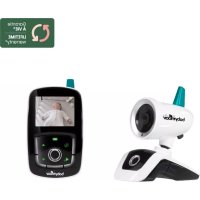
YOOFeel A014420 - Baby monitors BABYMOOV - Free user manual and instructions
Find the device manual for free YOOFeel A014420 BABYMOOV in PDF.


| Product type | Baby monitor (babyphone) |
| Brand | Babymoov |
| Model | YOOFeel A014420 |
| Transmission technology | 2.4 GHz digital FHSS |
| Range in open field | 250 m (about 80 m indoors with walls) |
| Receiver screen | 3.5-inch color touch screen |
| Night vision | Automatic, for visibility in the dark |
| Remote camera control | Camera pan from the receiver |
| Number of supported cameras | Up to 4 cameras |
| Walkie-talkie function | Yes, to talk to baby |
| Digital zoom | 2x |
| Night light and lullabies | Built-in night light, up to 5 melodies |
| VOX function | Receiver activation on sound detection (adjustable) |
| Camera power supply | AC adapter 5 V DC / 1000 mA (included) |
| Receiver power supply | Rechargeable lithium-polymer battery 1440 mAh + AC adapter 5 V DC |
| Receiver battery life | Approximately 8 to 10 hours (depending on use) |
| Out-of-range alarm | Yes |
| Low battery indicator | Yes, on the receiver |
| Safety | Minimum distance of 20 cm between transmitter and body; only use provided adapters; do not expose to water |
| Maintenance | Clean with a dry, soft cloth; unplug before cleaning |
| Spare parts | Battery and adapters available from manufacturer |
| Warranty | Lifetime warranty under conditions (registration within 2 months) |
| Operating temperature | 0 °C to +40 °C |
Frequently Asked Questions - YOOFeel A014420 BABYMOOV
User questions about YOOFeel A014420 BABYMOOV
0 question about this device. Answer the ones you know or ask your own.
Ask a new question about this device
Download the instructions for your Baby monitors in PDF format for free! Find your manual YOOFeel A014420 - BABYMOOV and take your electronic device back in hand. On this page are published all the documents necessary for the use of your device. YOOFeel A014420 by BABYMOOV.
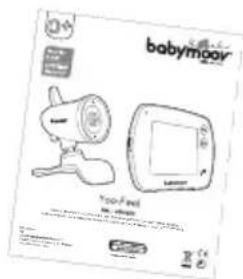
USER MANUAL YOOFeel A014420 BABYMOOV
natural_image
Line drawing of a babymoov remote control device with no text or symbols on the device body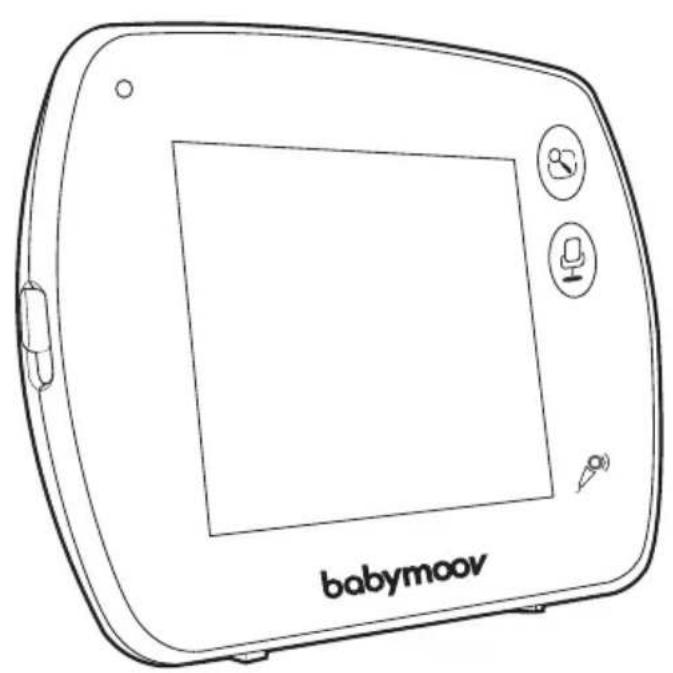
natural_image
Line drawing of a babymoov tablet device with control buttons and display screen (no text or symbols on the device itself)Yoo-Feel
Réf.: A014420
Notice d'utilisation • Instructions for use • Benutzungsanleitung • Gebruikshandleiding Instrucciones de uso • Instruções de uso • Istruzioni per l'uso • Návod k použití • دلاليل المستخدم
COMMANDES - CONTROLS - BEDIENELEMENTE - BEDIENINGSORGANEN
text_image
Diagram of a device with labeled parts, showing two numbered components and internal oval shapes.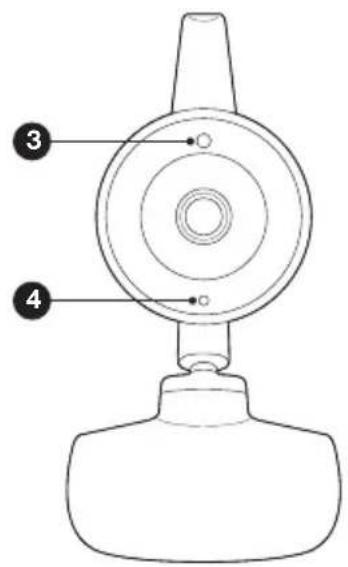
text_image
Technical diagram of a mechanical device with numbered parts labeled 3 and 4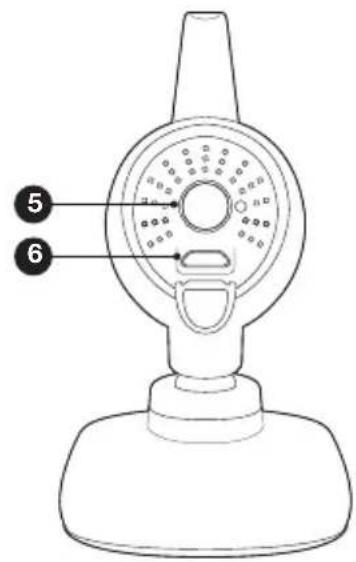
text_image
Diagram of a portable showerhead with numbered labels pointing to its internal components.natural_image
Line drawing of a handheld device resembling a webcam or camera, with no visible text or symbols.a
natural_image
Line drawing of a babymoor device with a screen and buttons (no text or symbols on the device itself)b
C
d
e
text_image
babymoar Too Feel too feel too feel too feel too feel too feel too feel too feel too feel too feel too feel too feel too feel too feel too feel too feel too feel too feel too feel too feel too feel too feel too feel too feel too feel too feel too feel too feel too feel too feel too feel too feel too feel too feel too feelf
COMMANDES
CAMÉRA
natural_image
Line drawing of a medical device with a hand holding a tool near its tip (no text or symbols)natural_image
Top-down schematic of a circular device with internal components and a power button (no text or symbols)natural_image
Illustration of a hand holding a screwdriver next to a computer monitor (no text or symbols present)natural_image
Simple line drawing of a mechanical component with no text or symbolsnatural_image
Pure technical line drawing of a corner detail with no text or symbolsnatural_image
Diagram of a device with a screen and control buttons, no text or symbols presentnatural_image
Line drawing of a device with a screen, button, and cursor icon (no text or symbols)text_image
11:11AM Camera Volume Brightness Settingstext_image
11:11AM Camera Volume Brightness Settingstext_image
MENI > Camera View Camera > Cam_4 Scan View ON OFF Add Camera > Delete Camera >natural_image
Technical line drawing of a circular mechanical component with internal components and a central power button (no text or symbols)text_image
MENU > Camera View Camera > Cam_4 Scan View ON OFF Add Camera > Delete Camera >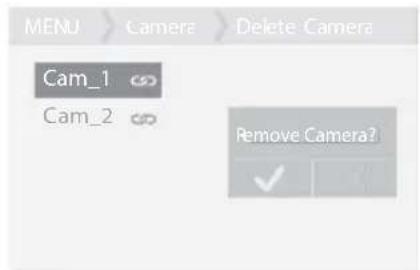
text_image
MENU > Camera > Delete Camera Cam_1 Cam_2 Remove Camera?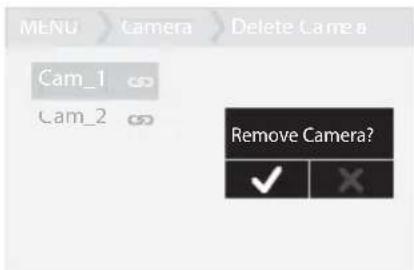
text_image
MENU > camera > Delete Camera Cam_1 Cam_2 Remove Camera? ✓ Xtext_image
11:11AM ON OFF VOXtext_image
11:11AM VOX VOLX
text_image
11:11AM VOX ON OFF ON OFF Sensitivity < High > VOX
text_image
MENU Camera View Camera > Cam_4 Scan View ON OFF Add Camera > Delete Camera >
Fabricant : E-TEK Electronics Manufactory Ltd.
Thank you for choosing our Yoo-Feel baby monitor. Please read these instructions carefully to learn how to use your appliance properly and guarantee long-lasting use. If you notice a defect or any problem whatsoever, please contact our consumer department.
MAIN FUNCTIONS
• 2.4 GHz digital FHSS technology.
- Range of 250 m in an open space. The ranges stated on the pack are measured in free-field. It is therefore necessary to divide the range by 3 to obtain an estimated range in real-world conditions (presence of walls, etc.).
• 3.5" colour touchscreen.
• Automatic night vision for better visibility in the dark.
- Remote control of the camera to see your baby as they sleep.
- Walkie-talkie function for talking to baby.
- Zoom function (x2).
- Out-of-range alarm.
- Battery level indicator.
- Option to connect up to 4 cameras.
- Direction adjustable camera.
• Night light and lullaby function (up to 5 melodies).
• VOX noise-activated function and night light - The receiver is fitted with a rechargeable Lithium battery.
- Out-of-range and low battery alarms.
WARNING
- The Yoo-Feel baby monitor should not be considered to be a medical device. In addition to using the Yoo-Feel baby monitor, it is strongly recommended to have an adult regularly check on your baby in person.
- Premature babies or children considered at risk must be supervised by your paediatrician or other medical staff.
- Never leave your child alone in the house, even for a short time.
- Keep out of reach of children.
- Do not use the Yoo-Feel baby monitor next to a source of water (bathwater, sink etc.).
- The appliance must not be exposed to drips or splashes, and no items containing liquids, such as vases, must be placed on top of the device.
- Always use the receiver battery supplied by the manufacturer: if the battery is damaged, contact our after-sales service department.
- For optimal use of your Yoo-Feel baby monitor and to limit any interference, we recommend not connecting any other electrical appliances to the same socket as your Yoo-Feel baby monitor (don't use a multi-socket adapter).
- Risk of explosion if the battery is not correctly replaced. Replace only with the same battery, or a type of battery equivalent to the one provided by the manufacturer
- The batteries (battery compartment or installed batteries) must not be exposed to excessive heat such as direct sunlight, fire or any other heat source
- The adapters or sockets (USB port) must be accessible and easy to disconnect in the event of any danger.
- This equipment should be installed and operated with a minimum distance of 20 cm bewteen the radiator and your body.
DO NOT EXPOSE THE BATTERY TO HEAT OR WATER, DO NOT PIERCE OR ATTEMPT TO DISMANTLE THE BATTERY: RISK OF EXPLOSION.
PRECAUTIONS
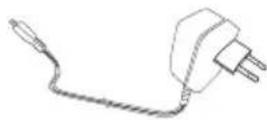
- Only use the power adapters supplied. The use of other adapters is liable to damage the baby monitor.
- When the baby monitor is not in use for an extended period, remove the battery from the receiver to avoid any damage associated with a battery leak.
- Unplug the power adapter from the wall socket if you are not using the baby monitor.
- The baby monitor works better in temperatures ranging between 0°C and 40°C
-
Never expose the baby monitor to direct sunlight for long periods, and never place it next to a heat source or in a damp or very dusty room.
-
Do not dismantle the appliance: it does not contain any parts that may be used independently.
- Electrical and electronic equipment must be collected separately from household waste. Do not discard electrical and electronic appliances with non-separated municipal waste. Make sure they are disposed of via a separated waste collection.
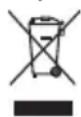
This symbol indicates that, throughout the European Union, this product must not be thrown away or mixed with household waste but must be collected separately.
STANDARD ACCESSORIES
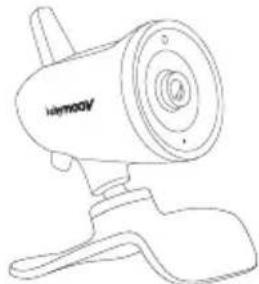
a. Camera
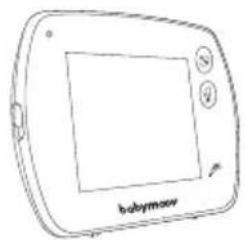
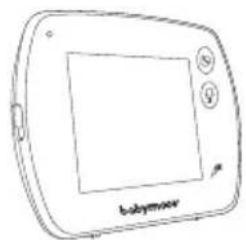
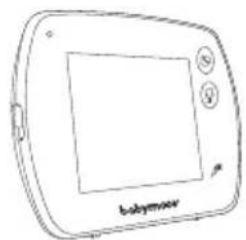
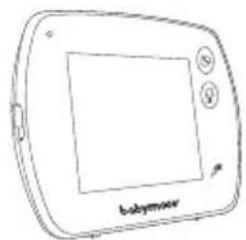
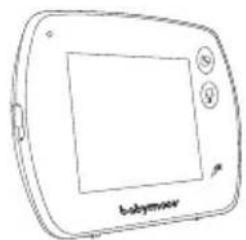
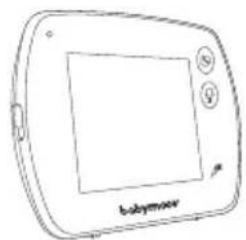
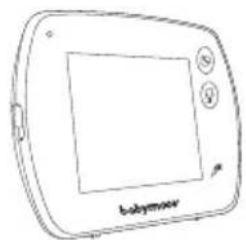
b. Receiver
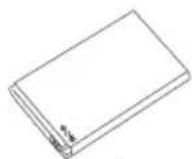
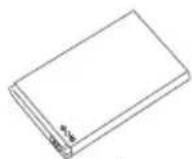
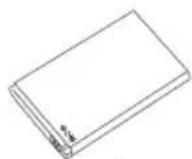
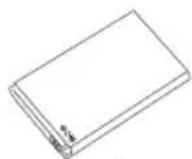
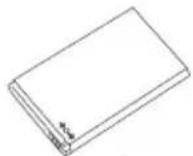
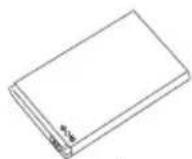
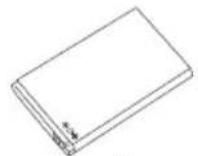
c. 1440 mAh rechargeable Lithium-Polymer battery
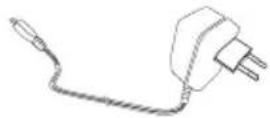
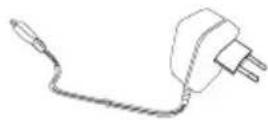
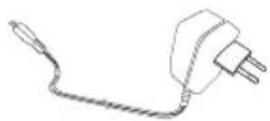
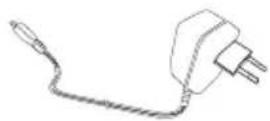
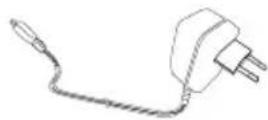
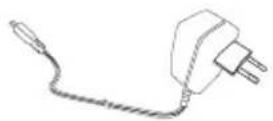
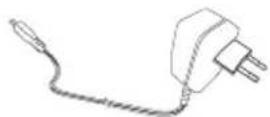
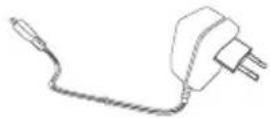
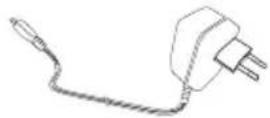
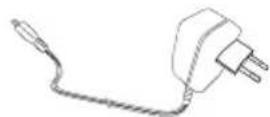
d. 5V DC power adapter (camera)
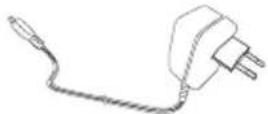
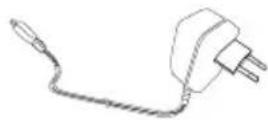
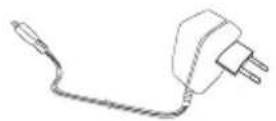
e. 5V DC power adapter (receiver)
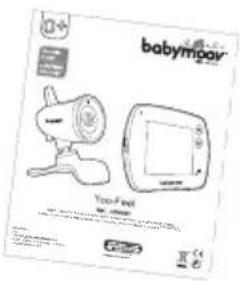
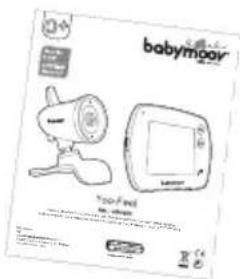
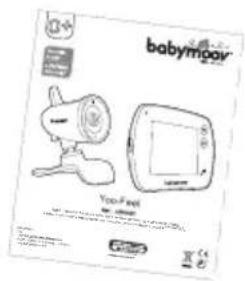
f. Instruction manual
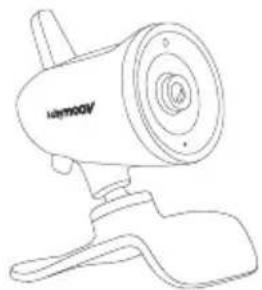
natural_image
Line drawing of a handheld device resembling a webcam or camera, with no visible text or symbols.a
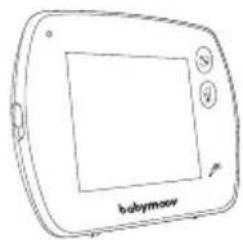
natural_image
Line drawing of a babymoor device with a screen and buttons (no text or symbols on the device itself)b
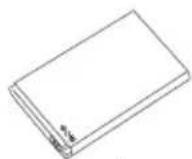
C
d
e
text_image
babymoar You Feelf
CONTROLS
CAMERA
- Led ON/OFF
- Night light
- Light detector
- Microphone
- ON/OFF and pairing button
- Micro-USB port and power socket
RECEIVER
- Touchscreen lock button
- LED: green when the receiver is switched on, red when the receiver is charging
- LCD touchscreen
-
ON/OFF button
-
'Menu' button
- 'Reply to baby' button
- Microphone
- Speaker
- Micro USB power port
- Lithium battery compartment
SETTING UP THE APPLIANCE
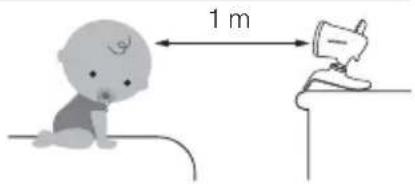
Place the camera on a flat surface between 1 m and 2.50 m from baby's head. Point the camera lens and microphone towards the baby.
text_image
1 mSTARTING THE APPLIANCE
A. CAMERA
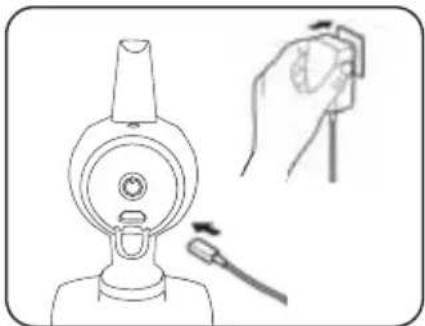
The camera works using mains power (only use the 5V DC/1000 mA power adapter supplied).
natural_image
Line drawing of a medical device with a hand holding a tool near its tip (no text or symbols)- Connect the adapter's output jack to the camera's micro USB port (6), making sure it is properly positioned. Plug the adapter into the wall socket.
natural_image
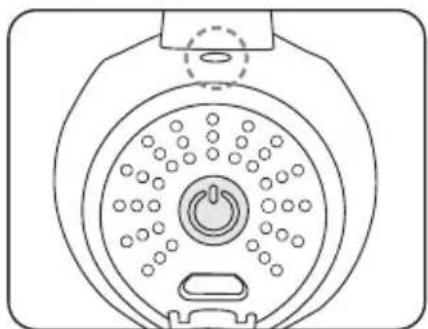
Diagram of a circular device with internal components and a power button, no text or symbols present- To turn on your camera, press the ON/OFF button briefly (less than 3 seconds). The power light will turn green.
B. RECEIVER
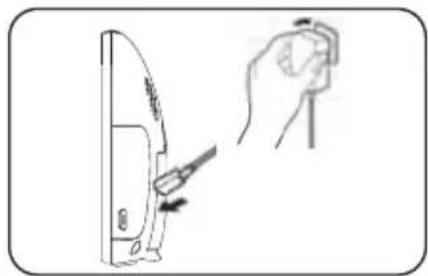
The 1440 mAh rechargeable Li battery is already installed in the receiver.
natural_image
Illustration of a hand holding a screwdriver next to a computer monitor (no text or symbols present)- Plug the output jack of the adapter to the USB port (15) making sure it is properly positioned. Plug the adapter into the wall socket.
natural_image
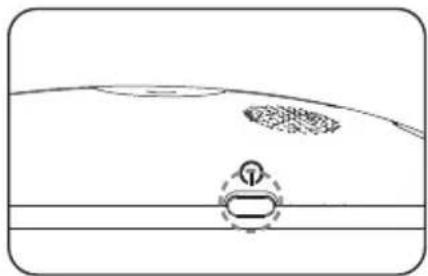
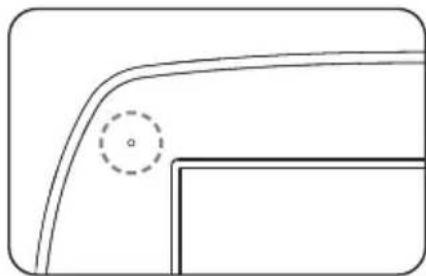
Simple line drawing of a boat hull with a circular marker and dashed outline (no text or symbols)- To turn on your receiver, press the ON/OFF button ⏻ on the receiver for 3 seconds.
natural_image
Pure technical line drawing of a curved component with a dashed circular annotation (no text or symbols)- The power light will turn green.
N.B. before using the receiver for the first time, charge the battery for at least 3 hours.
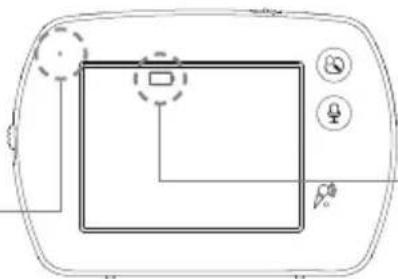
Battery status and recharging
- Green: correct battery level.
- Red: battery low.
- Orange: receiver battery empty.
- Flashing green: battery recharging, receiver turned on.
natural_image
Diagram of a device front view with control buttons and a central display (no text or symbols)Battery level indicator: flashes when the battery is very low.
Changing the battery
If required or if you need to perform a reboot, unplug the adapter and open the battery compartment using a flat-head screwdriver to change the battery.
N.B. Remember to disconnect the power adapter once the battery is completely recharged. To extend battery life and make it last longer, do not leave the battery fully flat for long periods of time.
WARNING: ONLY USE THE ORIGINAL BATTERY OR ONE SUPPLIED BY THE DEALER. KEEP THE BATTERY OUT OF REACH OF CHILDREN.
STARTING THE APPLIANCE
A. CHOICE OF LANGUAGE
natural_image
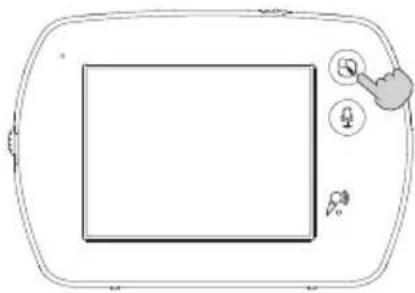
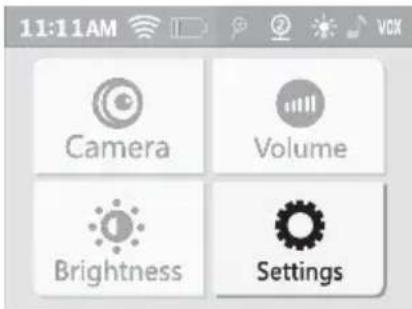
Line drawing of a device with a screen, button, and cursor icon (no text or symbols)- Access the main menu &
text_image
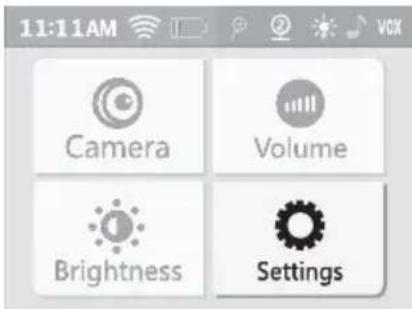
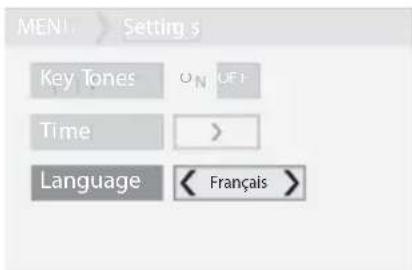
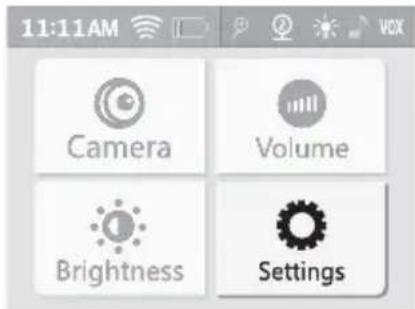
11:11AM Camera Volume Brightness Settings- Select 'Settings'.
text_image
MEN1 > Setting s Key Tones ON (OF) Time > Language < Français >- Choose your language from English, French, German, Spanish and Dutch.
B. USING THE INTERFACE AND MENU
text_image
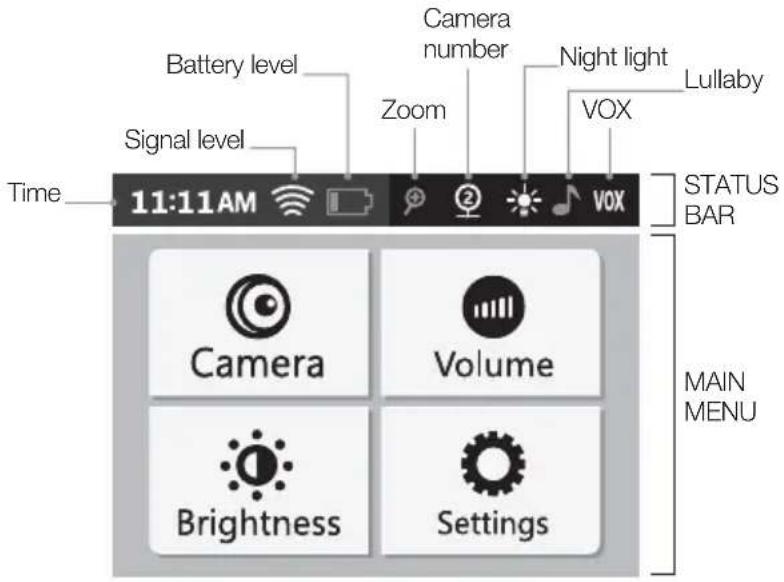
Battery level Signal level Time 11:11AM Zoom Camera number Night light VOX Lullaby STATUS BAR Camera Volume Brightness Settings MAIN MENU
CONNECTING THE CAMERA TO THE RECEIVER
A. CONNECTION BETWEEN THE CAMERA AND THE RECEIVER
The connection process (pairing) links the receiver to the camera so that they can communicate without the risk of other appliances (even other Yoo-Feel cameras) interfering with the receiver or receiving your signal.
- Access the main menu.
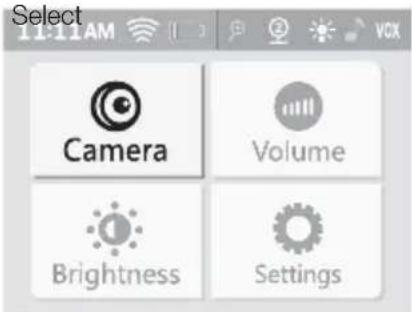
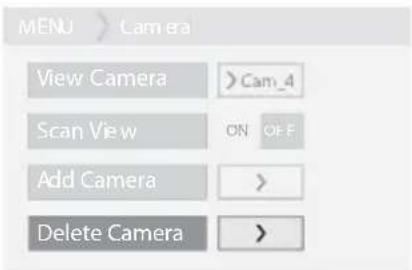
- Select 'Camera'. 3. Select
text_image
Select 11:11AM Camera Volume Brightness Settings'Add camera'.
text_image
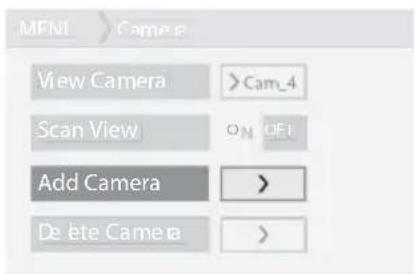
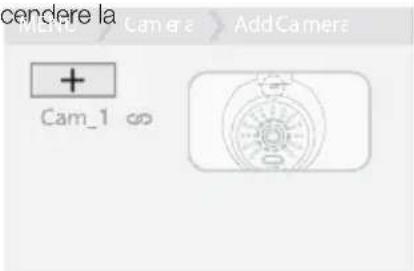
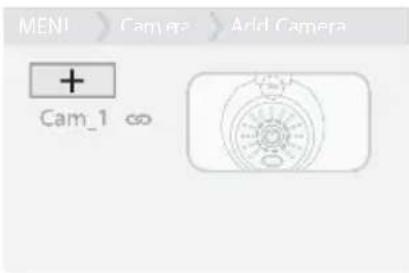
MFNI >Cam-4 View Camera >Cam_4 Scan View ON OFI Add Camera > Delete Camera >- Press the '+' symbol.
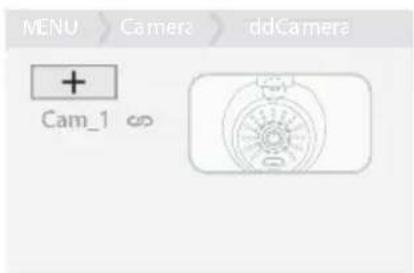
text_image
MENU > Camera > ddCamera + Cam_1 ∞- Turn on the camera and press ⏻ for 3 seconds.
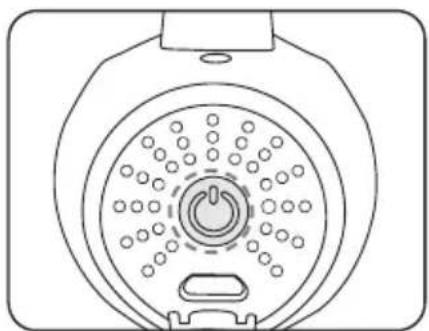
natural_image
Line drawing of a circular device with a central power button and surrounding dots (no text or symbols)Congratulations! Your camera is now connected!
To add other cameras (up to 4 cameras), repeat steps 3 to 4 for each camera, one at a time.
N.B. you can only connect YOO-FEEL cameras to the receiver. If connection fails, delete the camera and repeat steps 1 to 5.
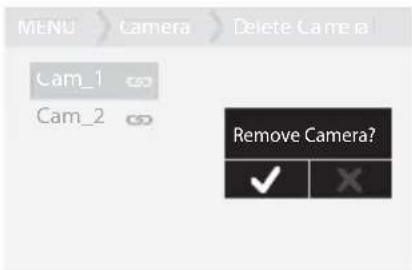
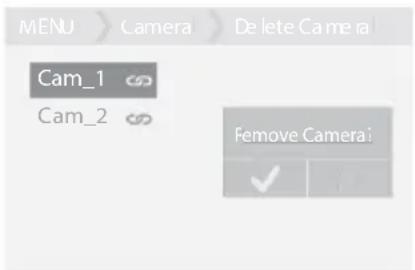
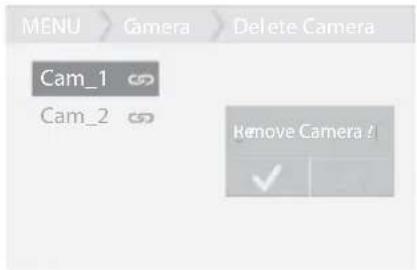
B. DISCONNECTING ONE OR MORE CAMERAS
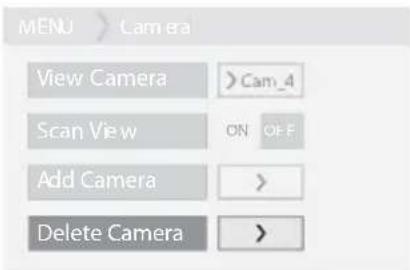
text_image
MENU > Camera View Camera >Cam_4 Scan View ON OFF Add Camera > Delete Camera >- Select 'Delete camera'.
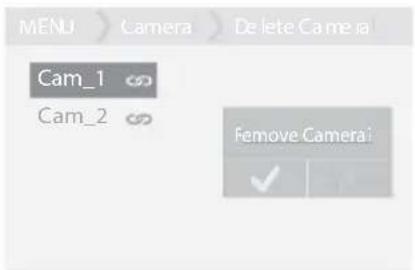
text_image
MENU > Camera > Delete Camera Cam_1 Cam_2 Remove Camera- Select the camera to be deleted.
text_image
MENU > Camera > Delete Camera Cam_1 Cam_2 Remove Camera? ✓ X- Confirm.
RECEIVER OPERATION
The touchscreen has a status bar and a main menu.
A. STATUS BAR
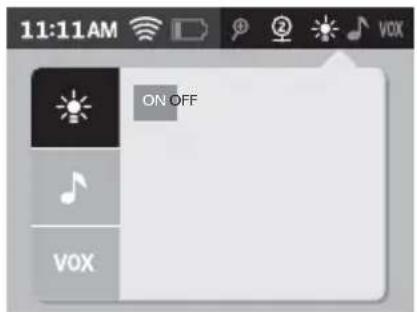
The horizontal status bar is located at the top of the screen. It enables you to set up the zoom, night light, lullaby and VOX functions.

text_image
11:11AM Touch to zoom in. 2 VOX Touch this zone to display the night light, lullaby and VOX functions. Highlighted icons show that they are activated.Night light function
text_image
11:11AM ON OFF VOXPress ON/OFF to turn the night light on/off.
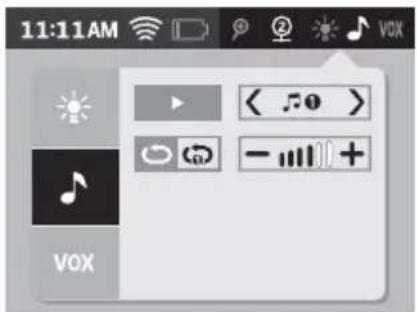
Lullaby function
text_image
11:11AM VOX VOX
Activate/deactivate the lullaby.
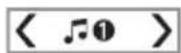
Choose a melody from 1 to 5.

Repeat all 5 melodies, one after the other.

Repeat the melody of your choice on a loop.
Adjust the volume of the melodies on the camera.
N.B. it is not possible to change the melody once you have chosen 'Repeat melody on a loop' mode.
VOX function
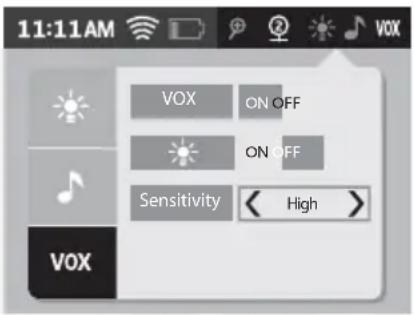
The VOX function enables you to activate the receiver only when the camera detects a noise.
Yoo-Feel has 2 VOX functions:
- VOX receiver: the receiver turns on as soon as the camera detects a noise.
- VOX night light + receiver: the receiver + night light turn on as soon as the camera detects a noise.
text_image
11:11AM VOX ON OFF ON OFF Sensitivity < High > VOX
Press ON/OFF to turn the VOX receiver function on/off.

Press ON/OFF to turn the VOX receiver + night light function on/off.

Adjusting sensitivity levels:
- low: if you want to hear your baby only when making a loud noise.
- medium: if you want to hear your baby when making moderate noise.
- high: if you want to hear your baby when making a quiet noise.
To quit the status bar simply press the status bar again, or press the menu button (11) on the receiver.
B. MENU
Press the & key to access the main menu.
Camera
text_image
MENU Camera View Camera > Cam_4 Scan View ON OFF Add Camera > Delete Camera >
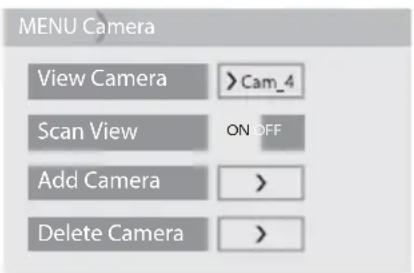
This is the camera you wish to display on the screen.

Press ON/OFF to move from one camera to another.

Used for adding a camera. See the section 'CONNECTION BETWEEN THE CAMERA AND THE RECEIVER'

Used to delete a camera. See the section 'DISCONNECTING ONE OR MORE CAMERAS'.
Volume and brightness
Used for adjusting the sound volume of the receiver and brightness, using the +/- keys.
Settings
text_image
MENU Settings Key Tones ON OFF Time > Language
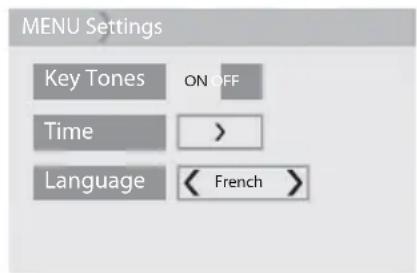
Used for activating or deactivating the key sounds.

Used for setting the time.

Used for setting the language.

TROUBLESHOOTING TABLE
| Problem Possible | causes Solutions | |
| No sound and no image on the receiver. | The microphone's sensitivity is too low.The power adapter is not properly connected to the transmitter.VOX mode active.Battery empty. | Increase the receiver volume.Check the connection.Press a button to activate the screen.Charge your receiver. |
| Continuous transmission. | The VOX mode sensitivity is too high. | Reduce the sensitivity of the VOX mode (see section 'RECEIVER OPERATION'). |
| Out-of-range alarm permanently activated. | The distance between the camera and the receiver exceeds the range. | Move the receiver and camera closer together. |
| The image on the screen is breaking up.The 'signal loss' image is displayed. | The range limits have been reached.The transmitter or camera is placed next to other electrical appliances. | Bring the receiver closer to the camera.Move away any nearby electrical appliances or move the camera away from any source of interference. |
| The image on the screen freezes or appears in black and white. | The light intensity in baby's bedroom is too low, night vision mode is activated. | Increase the brightness level in baby's bedroom if you want to switch back to daytime mode. |
| Range too small. | Walls/partition walls too thick between the camera and receiver. | Move the camera and receiver. |
• Frequency: 2406 MHz \~ 2475 MHz
• Maximum output power. Camera: 19.09 dBm (e.i.r.p.)
Receiver: 17.89 dBm (e.i.r.p.)
- Nominal input values: 100 – 240 V AC, 50/60 Hz, 0.2 A
• Nominal output values: 5.0 V DC - 1000 mA
Manufacturer: E-TEK Electronics Manufactory Ltd.
Model: ZD5C050100EUDW
Device version: V02
natural_image
Line drawing of a handheld device resembling a stylus or camera, with no visible text or symbols.a
natural_image
Line drawing of a babymoor device with screen and buttons (no text or symbols on the device itself)b
C
d
e
text_image
babymoor Too Feel too feel too feel too feel too feel too feel too feel too feel too feel too feel too feel too feel too feel too feel too feel too feel too feel too feel too feel too feel too feel too feel too feel too feel too feel too feel too feel too feel too feel too feel too feel too feel too feel too feel too feelf
BEDIENELEMENTE
KAMERA
natural_image
Line drawing of a medical device with a hand holding a clip (no text or symbols)natural_image
Diagram of a circular device with internal components and a power button, no text or symbols presentnatural_image
Line drawing of a hand holding a screwdriver next to a computer monitor (no text or symbols)natural_image
Simple line drawing of a human head with abstract shapes above and below (no text or symbols)natural_image
Pure technical line drawing of a corner detail with no text or symbolsnatural_image
Diagram of a device with a screen, buttons, and a cursor icon (no text or symbols)natural_image
Simple line drawing of a rectangular device with a screen and control buttons (no text or symbols)text_image
11:11AM Camera Volume Brightness Settingstext_image
11:11AM Camera Volume Brightness Settingstext_image
MENI > Camera View Camera > Cam_4 Scan View ON OFF Add Camera > Delete Camera >natural_image
Top-down schematic of a circular device with internal components and a power button (no text or symbols)text_image
MENU > Camera View Camera > Cam_4 Scan View ON OFF Add Camera > Delete Camera >text_image
MENU > Camera > Delete Camera Cam_1 Cam_2 Remove Camera?text_image
MENU > camera > Delete Camera Cam_1 Cam_2 Remove Camera? ✓ ×- Bestätigen Sie.
text_image
11:11AM ON OFF VOXtext_image
11:11AM VOX VOXtext_image
11:11AM VOX ON OFF ON OFF Sensitivity < High > VOX
text_image
MENU Camera View Camera >Cam_4 Scan View ON OFF Add Camera > Delete Camera >
natural_image
Line drawing of a handheld device resembling a webcam or camera, with no visible text or symbols.a
natural_image
Line drawing of a babymoor device with screen and buttons (no text or symbols on the device itself)b
C
d
e
text_image
babymoar You Feelf
BEDIENINGSELEMENTEN
CAMERA
INSTALLATIE VAN HET APPARAAT
natural_image
Line drawing of a medical device with a hand holding a clip (no text or symbols)natural_image
Top-down schematic of a circular device with internal components and a power button (no text or symbols)natural_image
Illustration of a hand holding a tool near a device (no text or symbols present)natural_image
Simple line drawing of a fish-like shape with a circular inset showing a small figure, no text or symbols present.natural_image
Pure technical line drawing of a curved component with a dashed circular detail (no text or symbols)natural_image
Diagram of a device with a screen and control buttons, no text or symbols presentnatural_image
Simple line drawing of a device with a screen and control buttons (no text or symbols)text_image
11:11AM Camera Volume Brightness Settingstext_image
11:11AM Camera Volume Brightness Settingstext_image
MENU > Camera View Camera > Cam_4 Scan View ON OFF Add Camera > Delete Camera >natural_image
Line drawing of a circular device with internal components and a power button (no text or symbols)text_image
MENU > Camera View Camera >Cam_4 Scan View ON OFF Add Camera > Delete Camera >text_image
MENU > Camera > Delete Camera Cam_1 Cam_2 Remove Camera :text_image
MENU > Camera > Delete Camera Cam_1 Cam_2 Remove Camera? ✓ ×- Valideer.
WERKING VAN DE ONTVANGER
text_image
11:11AM ON OFF VOXtext_image
11:11AM VOX < >text_image
11:11AM VOX ON OFF ON OFF Sensitivity < High > VOX
text_image
MENU Camera View Camera >Cam_4 Scan View ON OFF Add Camera > Delete Camera >
Fabrikant: E-TEK Electronics Manufactory Ltd.
Model: ZD5C050100EUDW
Hardwareversie: V02
natural_image
Line drawing of a handheld device resembling a webcam or camera, with no visible text or symbols.a
natural_image
Line drawing of a babymoor device with screen and buttons (no text or symbols on the device itself)b
C
d
e
text_image
babymoar Too Feel too feel too feel too feel too feel too feel too feel too feel too feel too feel too feel too feel too feel too feel too feel too feel too feel too feel too feel too feel too feel too feel too feel too feel too feel too feel too feel too feel too feel too feel too feel too feel too feel too feel too feelf
CONTROLES
CÁMARA
natural_image
Line drawing of a medical device with a hand holding a tool near its tip (no text or symbols)natural_image
Technical line drawing of a circular mechanical component with internal components and mounting holes (no text or symbols)natural_image
Line drawing of a hand holding a screwdriver next to a vertical tool, with no text or symbols present.natural_image
Simple line drawing of a human head with a dotted outline and abstract shapes above, no text or symbols present.natural_image
Pure technical line drawing of a corner detail with no text or symbolsnatural_image
Diagram of a device with a screen and control buttons, no text or symbols presentnatural_image
Line drawing of a device with a screen, button, and cursor icon (no text or symbols)- Acceda al menú principal
text_image
11:11AM Camera Volume Brightness Settingstext_image
11:11AM Camera Volume Brightness Settingstext_image
MENI > Camera View Camera > Cam_4 Scan View ON OFF Add Camera > Delete Camera >- Pulse en "+". 5. Encienda

text_image
cienda Camera > Camera > AddCamera + Cam_1 ∞natural_image
Top-down schematic of a circular device with internal components and a power button (no text or symbols)text_image
MENU > Camera View Camera >Cam_4 Scan View ON OFF Add Camera > Delete Camera >text_image
MENU > Camera > Delete Camera Cam_1 Cam_2 Remove Camera?text_image
MENU > camera > Delete Camera Cam_1 Cam_2 Remove Camera? ✓ ×- Valide.
text_image
11:11AM ON OFF VOXtext_image
11:11AM VOX VOX
Active o detenga la nana.
text_image
11:11AM VOX ON OFF ON OFF Sensitivity < High > VOX
text_image
MENU Camera View Camera >Cam_4 Scan View ON OFF Add Camera > Delete Camera >
natural_image
Line drawing of a handheld device resembling a webcam or camera, with no visible text or symbols.a
natural_image
Line drawing of a babymoor device with screen and buttons (no text or symbols on the device itself)b
C
d
e
text_image
babymoar You're not C4f
COMANDOS
CÂMARA
natural_image
Line drawing of a medical device with a hand holding a clip (no text or symbols)natural_image
Diagram of a circular device with internal components and a power button, no text or symbols presentnatural_image
Illustration of a hand holding a tool near a device (no text or symbols present)natural_image
Simple line drawing of a fish-like shape with a circular inset showing a small figure, no text or symbols present.natural_image
Pure technical line drawing of a curved component with a dashed circular detail (no text or symbols)natural_image
Diagram of a device with a screen and control buttons, no text or symbols presentnatural_image
Line drawing of a device with a screen, button, and cursor icon (no text or symbols)- Aceda ao menu principal &
text_image
11:11AM Camera Volume Brightness Settingstext_image
11:11AM Camera Volume Brightness Settingstext_image
MENU > Camp View Camera > Cam_4 Scan View ON/OFF Add Camera > Delete Camera >natural_image
Technical line drawing of a circular device with internal components and a central power button (no text or symbols)B. DESLIGAR UMA OU MAIS CÂMARAS
text_image
MENU > Camera View Camera >Cam_4 Scan View ON OFF Add Camera > Delete Camera >text_image
MENU > Camera > Delete Camera Cam_1 Cam_2 Remove Cameratext_image
MENU > Camera > Delete Camera Cam_1 Cam_2 Remove Camera? ✓ X- Valide.
text_image
11:11AM ON OFF VOXtext_image
11:11AM VOX VOX
text_image
11:11AM VOX ON OFF ON OFF Sensitivity < High > VOX
text_image
MENU Camera View Camera > Cam_4 Scan View ON OFF Add Camera > Delete Camera >
natural_image
Line drawing of a handheld device resembling a stylus or camera, with no visible text or symbols.a
natural_image
Line drawing of a babymoor device with screen and buttons (no text or symbols on the device itself)b
C
d
e
text_image
babymoor Too Feel you feel you feel you feel you feel you feel you feel you feel you feel you feel you feel you feel you feel you feel you feel you feel you feel you feel you feel you feel you feel you feel you feel you feel you feel you feel you feel you feel you feel you feel you feel you feel you feel you feel you feelf
COMANDI
VIDEOCAMERA
natural_image
Line drawing of a medical device with a hand holding a clip (no text or symbols)natural_image
Diagram of a circular device with internal components and a power button, no text or symbols presentnatural_image
Line drawing of a hand holding a screwdriver next to a vertical tool, with no text or symbols present.natural_image
Simple line drawing of a human head with abstract shapes above and below (no text or symbols)natural_image
Pure technical line drawing of a corner detail with no text or symbolsnatural_image
Diagram of a device with a screen and control buttons, no text or symbols presentnatural_image
Line drawing of a device with a screen, button, and mouse pointer (no text or symbols)text_image
11:11AM Camera Volume Brightness Settingstext_image
11:11AM Camera Volume Brightness Settingstext_image
MENI > Camera View Camera > Cam_4 Scan View ON OFF Add Camera > Delete Camera >- Premere “+”. 5. Accendere la
text_image
cendere la Cam 1 + AddCameranatural_image
Top-down line drawing of a circular device with internal components and a central button (no text or symbols)text_image
MENU > Camera View Camera >Cam_4 Scan View ON OFF Add Camera > Delete Camera >text_image
MENU > Camera > Delete Camera Cam_1 Cam_2 Remove Camera?text_image
MENU > camera > Delete Camera Cam_1 Cam_2 Remove Camera? ✓ ×- Confermare.
text_image
11:11AM ON OFF VOXtext_image
11:11AM VOX VOX
text_image
11:11AM VOX ON OFF ON OFF Sensitivity < High > VOX
text_image
MENU Camera View Camera > Cam_4 Scan View ON OFF Add Camera > Delete Camera >
natural_image
Line drawing of a handheld device resembling a webcam or camera, with no visible text or symbols.a
natural_image
Line drawing of a babymoor device with screen and buttons (no text or symbols on the device itself)b
C
d
e
text_image
babymoor You Feelf.
OVLÁDÁNÍ
KAMERA
natural_image
Line drawing of a medical device with a hand holding a tool near its tip (no text or symbols)natural_image
Top-down schematic of a circular device with internal components and a power button (no text or symbols)natural_image
Illustration of a hand holding a tool near a device (no text or symbols present)natural_image
Simple line drawing of a fish-like shape with a circular inset showing a small figure, no text or symbols present.natural_image
Pure technical line drawing of a curved component with a dashed circular detail (no text or symbols)natural_image
Diagram of a device front view showing a screen with control buttons and a highlighted square (no text or symbols)natural_image
Line drawing of a device with a screen, button, and cursor icon (no text or symbols)text_image
11:11AM Camera Volume Brightness Settingstext_image
11:11AM Camera Volume Brightness Settingstext_image
MENU > Cam_P View Camera > Cam_4 Scan View ON/OFF Add Camera > Delete Camera >natural_image
Top-down schematic of a washing machine fan with central power button (no text or symbols)text_image
MENU > Camera View Camera >Cam_4 Scan View ON OFF Add Camera > Delete Camera >- Vyberte „Odstranit kameru“.
text_image
MENU > Camera > Delete Camera Cam_1 Cam_2 Remove Camera:text_image
MENU > Camera > Delete Camera Cam_1 Cam_2 Remove Camera? ✓ ×- Potvrd'te.
FUNKCE PŘIJÍMAČE
text_image
11:11AM VOXtext_image
11:11AM ON OFF VOXtext_image
11:11AM VOX < >
text_image
11:11AM VOX ON OFF ON OFF Sensitivity < High > VOX
text_image
MENU Camera View Camera > Cam_4 Scan View ON OFF Add Camera > Delete Camera >
natural_image
Line drawing of a babymoor device with a screen and buttons (no text or symbols on the device itself)b
natural_image
Line drawing of a handheld device resembling a webcam or camera, with no visible text or symbols.a
مفاتيح الالتحكم
"القائمة" مفتاح 11
natural_image
Diagram of a circular device with a power button and control knob (no text or symbols)natural_image
Line drawing of a medical device with a hand holding a clip (no text or symbols)natural_image
Pure technical line drawing of a curved component with a dashed circular detail (no text or symbols)natural_image
Simple line drawing of a boat hull with a small boat and a gear-like structure, no text or symbols present.natural_image
Illustration of a hand holding a screwdriver next to a vertical tool, with no visible text or symbols.natural_image
Diagram of a device front view showing a screen with control buttons and a square display (no text or symbols)text_image
11:11AM Camera Volume Brightness Settingsnatural_image
Line drawing of a rectangular electronic device with a screen and control buttons (no text or symbols)text_image
MENU > Camera View Camera > Cam_4 Scan View ON OFF Add Camera > Delete Camera >text_image
11:11AM Camera Volume Brightness Settingsnatural_image
Line drawing of a circular device with internal components and a power button (no text or symbols)- اض菀ط علاى "+".
text_image
MENI > Camera > Add Camera + Cam_1 ∞Peninsula : YOO FEEL
text_image
MEN U > Camera > Delete Camera Cam_1 Cam_2 Remove Camera?- أكد الاختيار.
text_image
MENU > Camera > Delete Camera Cam_1 Cam_2 Remove Camera ? ✓text_image
MENU > Camera View Camera >Cam_4 Scan View CN OFF Add Camera > Delete Camera >text_image
11:11AM VOXtext_image
11:11AM VOX < 0 > - +شخل/أوقف التهويدة.

text_image
11:11AM ON OFF VOXtext_image
11:11 AM VOX ON OFF ON OFF Sensitivity < High > VOX.E-TEK Electronics Manufactory Ltd : الصانع
ZD5C050100EUDW : الطراز
V02: إصدار المنتج
EC DÉCLARATION DE CONFORMITÉ
Babymoov
EC DECLARATION OF CONFORMITY
Babymoov
Declare that the following product(s):
Model: Yoo-Feel
Reference: A014420
Model: BMB-BT1YSP-00
is in conformity with the following relevant harmonised:
EMC: EN 301 489-1 V2.2.0 (2017-03)
Following the provisions of Council Directive 99/05/CE on radio equipment and telecommunications terminal equipment and the mutual recognition of their conformity.
Name: Mr Laurent Windenberger
www.service-babymoov.com


* Lifetime warranty. Warranty subject to terms and conditions. List of countries involved, activation timescales and information available online at the following address: www.service-babymoov.com
NL.
Designed and engineered
by Babymoov in France