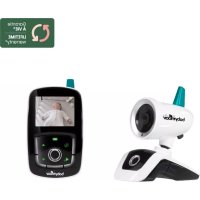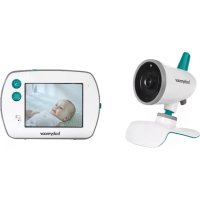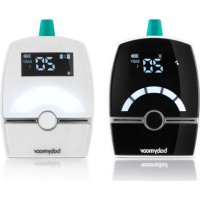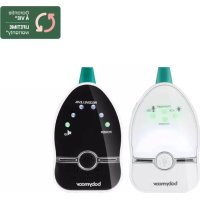
Easy Care A014015 - Baby monitors BABYMOOV - Free user manual and instructions
Find the device manual for free Easy Care A014015 BABYMOOV in PDF.



| Product type | Baby monitor (babyphone) |
| Brand | Babymoov |
| Model | Easy Care A014015 |
| Range | 500 m in open field (no obstacles) |
| Technology | Digital, low consumption (DIGITAL GREEN TECHNOLOGY) |
| Frequency | 863-870 MHz |
| Power supply transmitter | 3 AAA 1.5 V batteries (not included) or via USB cable (5 V / 600 mA) |
| Power supply receiver | Built-in rechargeable battery (included) or via USB cable (5 V / 600 mA) |
| Battery life | Approximately 8 hours (depending on use) |
| Cry detection | Yes, with automatic activation of the receiver |
| Nightlight | Yes, soft with adjustable brightness and VOX mode |
| Volume control | On the receiver, with +/- buttons |
| Out of range alarm | Visual and audible |
| Microphone sensitivity adjustment | Yes, on the transmitter |
| Battery indicator | On transmitter and receiver (status and low battery alert) |
| Pairing | Automatic with channel search |
| Warranty | Lifetime (subject to conditions, online activation) |
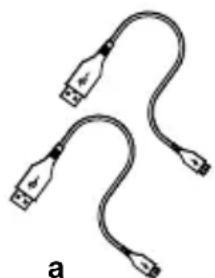
| Included accessories | 2 USB cables, transmitter, receiver, user manual |
| Weight | Approximately 200 g (transmitter) / 250 g (receiver) |
| Dimensions | Approximately 10 x 6 x 4 cm (transmitter) / 12 x 7 x 4 cm (receiver) |
| Care | Clean with a soft dry cloth. Do not immerse. |
| Safety instructions | Do not use as a medical device. Keep out of reach of children. |
Frequently Asked Questions - Easy Care A014015 BABYMOOV
User questions about Easy Care A014015 BABYMOOV
0 question about this device. Answer the ones you know or ask your own.
Ask a new question about this device
Download the instructions for your Baby monitors in PDF format for free! Find your manual Easy Care A014015 - BABYMOOV and take your electronic device back in hand. On this page are published all the documents necessary for the use of your device. Easy Care A014015 by BABYMOOV.
USER MANUAL Easy Care A014015 BABYMOOV
natural_image
Two USB cable connectors with twisted leads, labeled 'a' at bottom (no text or symbols on cables)b
text_image
babrymeartext_image
babyhair Easy Care M. 1987 418d
COMMANDES
Émetteur
text_image
Diagram showing a device's internal components and assembly steps, with arrows indicating direction of movement.natural_image
Illustration of a hand holding a device next to a device with a magnified view (no text or symbols visible)Prise non fournie

natural_image
Pure technical line drawing of a mechanical part with no text or symbols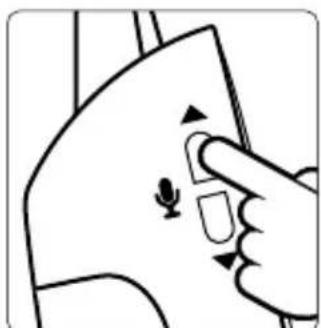
natural_image
Illustration of a hand pressing a button on a device (no text or symbols visible)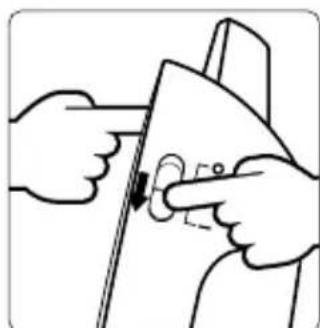
natural_image
Illustration of hands installing or adjusting a door panel (no text or symbols visible)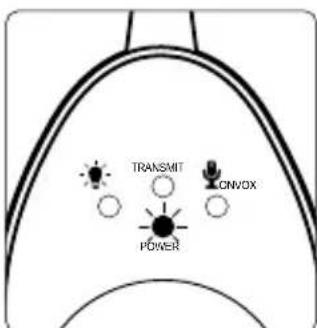
text_image
TRANSMIT CNVOX POWERRÉCEPTEUR
text_image
VOX TRAVEL COVEX POCKSE. VOLUME DU RÉCEPTEUR
natural_image
Illustration of two hand gestures interacting with a device, showing sound waves (no text or symbols)TABLEAU DE DIAGNOSTIC DES PANNES
Thank you for choosing our Easy Care baby monitor. Please read these instructions carefully to learn how to use your appliance properly and guarantee long-lasting use. If you notice a defect or any problem whatsoever, please contact our consumer department.
DIGITAL GREEN TECHNOLOGY: this baby monitor uses low emission power, in order to protect baby's health. The receiver and the transmitter don't communicate continuously, in order to limit the emission of radiations in the room. When baby cries, the system is activated immediately to alert parents; when the baby doesn't cry, the transmitter and the receiver communicate only each 20 seconds to check the good communication.
MAIN FUNCTIONS
- 500 m range in free field, in an environment free from any source of waves or interference and without obstacles.
- Full digital technique operating in the 863-870 MHz with zero interference.
- Automatic hop and search for free channel. • Audio and visual alert for out of range.
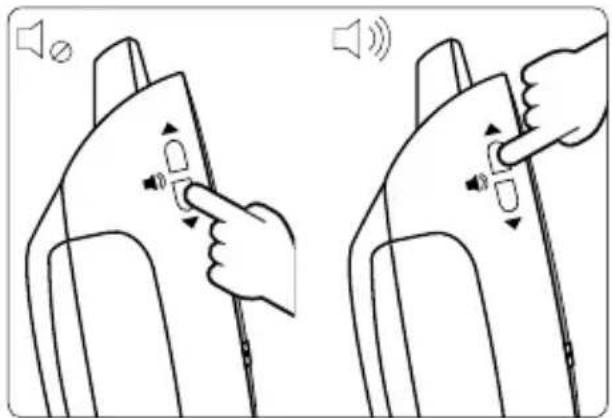
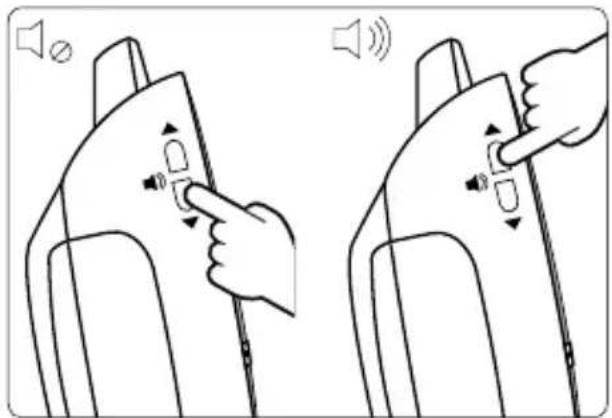
• Volume control on receiver.
- Gentle night light on the transmitter.
- Microphone sensitivity can be adjusted on the transmitter.
- Battery condition indicated on both the transmitter and receiver, and alarm when batteries need changing or recharging.
WARNING
- The Baby monitor Easy Care should not be seen as a medical device. In addition to using Baby monitor Easy Care, it is strongly recommended that an adult checks on your baby directly, on a regular basis. Premature babies or children considered to be at risk should be monitored by your pediatrician or a health professional.
- Never go away from your baby outside the house, even a short moment.
- Non-rechargeable batteries are not to be recharged.
- Rechargeable batteries are to be removed from the device before being charged with a dedicated charger (not included). Connecting the unit to the power supply does not charge rechargeable batteries.
- Different types of batteries : new and used batteries, or rechargeable and not rechargeable batteries, are not to be mixed.
- Rechargeable batteries are only to be charged under adult supervision.
- Batteries are to be inserted with the correct polarity (+/-).
- Exhausted batteries are to be removed from the device.
- The supply terminals are not to be short-circuited.
- Always use the supplied battery for the receiver: if the battery is damaged it must be replaced by the manufacturer, the after-sales service or people with similar qualifications, in order to avoid any risk.
- For best performance of your babyphone, and to reduce any interference, we recommend you do not plug any other electrical appliance into the same socket as your babyphone (do not use multiple socket outlets).
- Dismantling the product invalidates the guarantee.
PRECAUTIONS
• Always use a 5V - 1000 mA plug.
- When the Easy Care Baby Monitor is not in use for an extended period, remove all the batteries from the baby monitor to avoid any damage associated with a battery leak.
- The baby monitor is best performed within a temperature range of - 9 °C to + 50 °C.
- Do not leave the monitor expose to strong sunlight for a long time or nearby any heat source, moisture and excessive dusty environment.
- Do not open the cabinet, no serviceable part inside.
- Waste Electrical and Electronic Equipment should be disposed of by selective collection. Do not throw electrical and electronic equipment away with unsorted household waste, but dispose of it at a selective collection point.
Within the European Union, this symbol indicates that this product can not be thrown in the garbage or together with household waste, but should be disposed of using the appropriate separate waste collection.
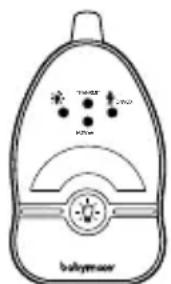
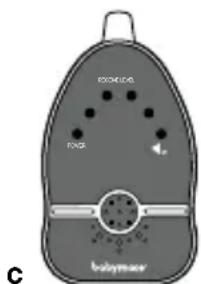
STANDARD ACCESSORIES
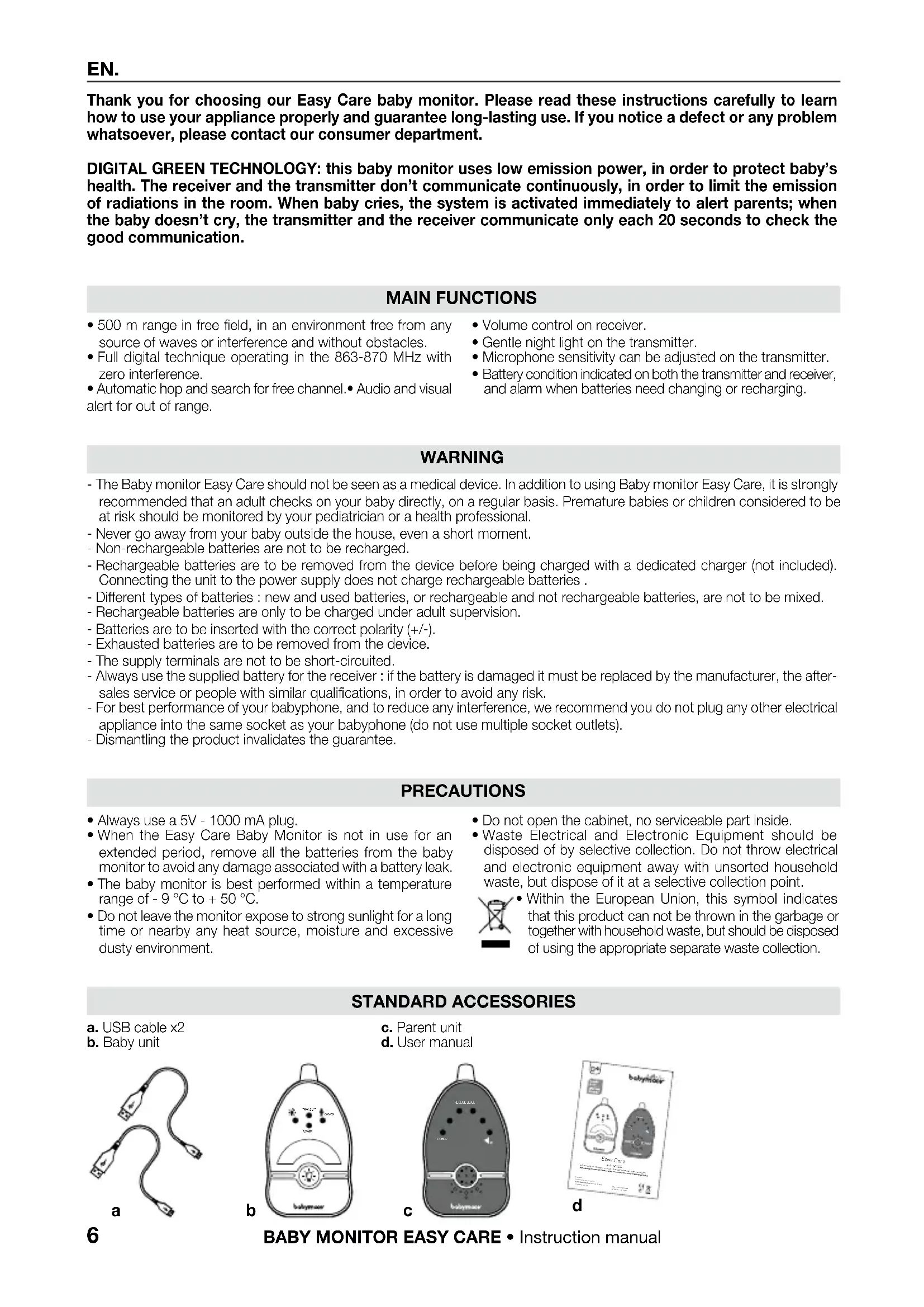
a. USB cable x2
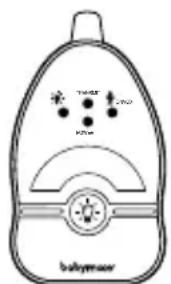
b. Baby unit
natural_image
Two USB cable connectors with twisted leads, labeled 'a' at bottom (no text or symbols on cables)b
text_image
TOMOT BUTY babymearc. Parent unit
d. User manual
text_image
BONICA FOS C babymear
text_image
babyhair Easy Care 30-100g 128d
CONTROLS LAYOUT
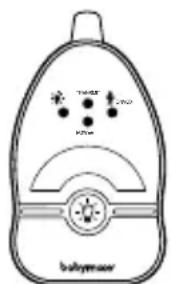
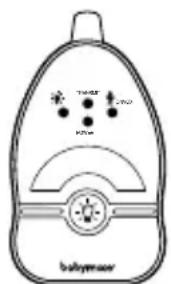
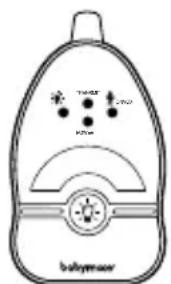
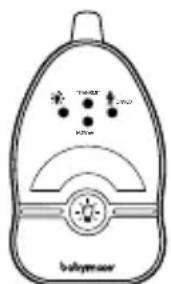
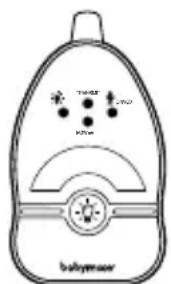
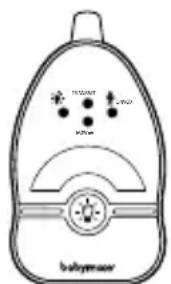
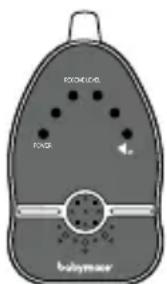
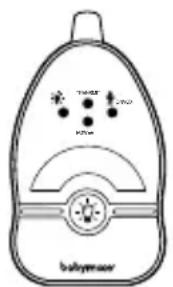
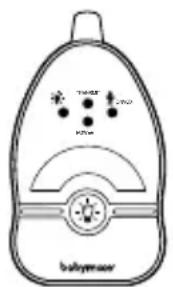
Baby unit
- ON/OFF and pairing button
2-3. Microphone sensitivity down adjustment button - VOX night light
- Night light
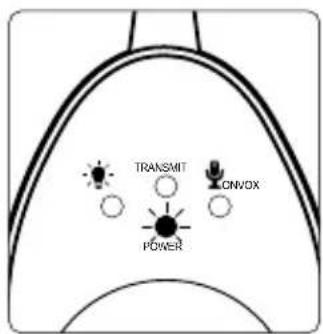
- Power On / Battery low icon
- Transmit icon
- Night Light VOX icon
- Microphone always ON icon
- Micro-USB port and power socket
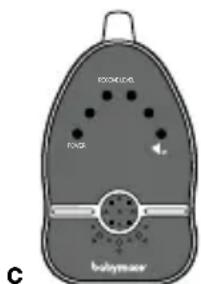
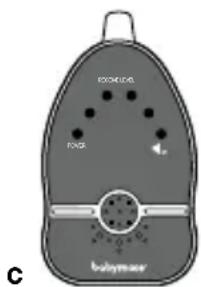
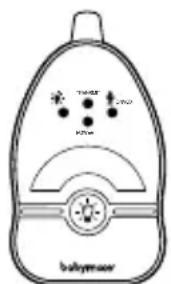
Parent unit
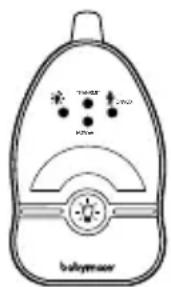
- ON/OFF and pairing button
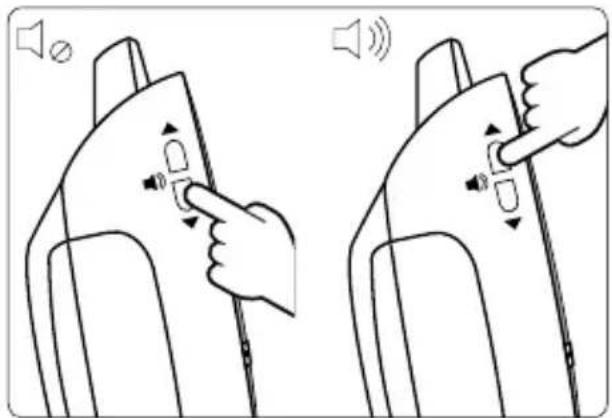
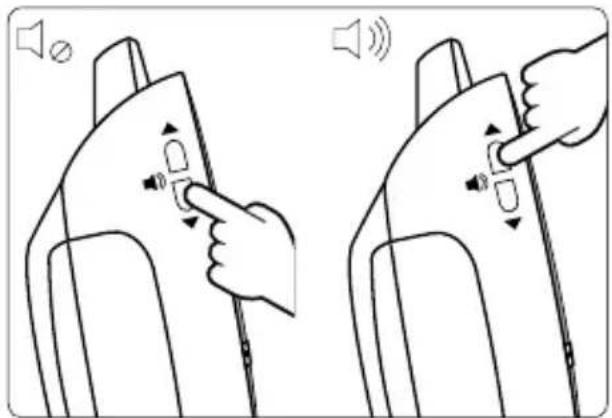
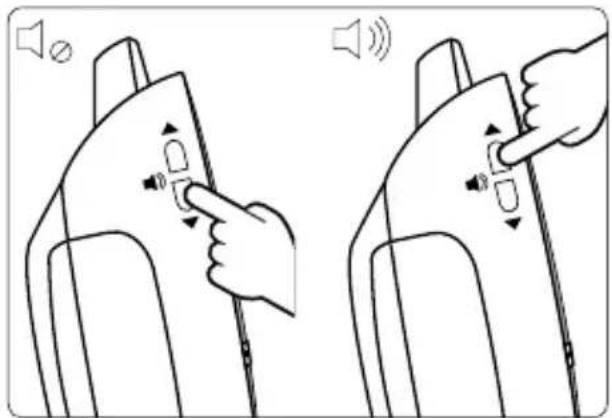
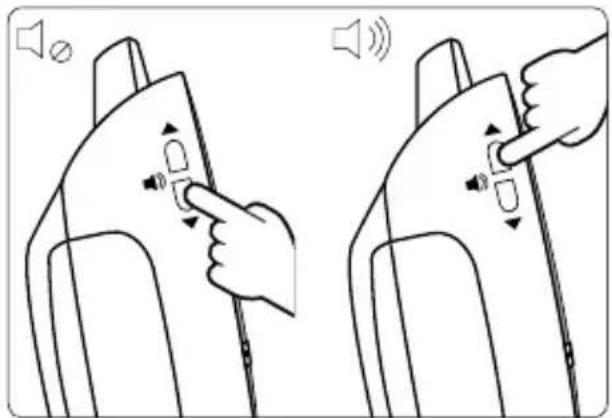
- Volume up button
- Volume down button
- Power On / Battery Low / Charging icon
- Visual level meter/Out-of-range icon
- Speaker mute icon
- Micro-USB port and power socket
SETTING UP THE APPLIANCE
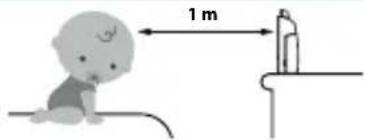
Place the transmitter out of the child's reach, on a flat surface between 1 m and 2.50 m from baby's head. Point the transmitter microphone towards the baby.
text_image
1 mPOWER SUPPLY
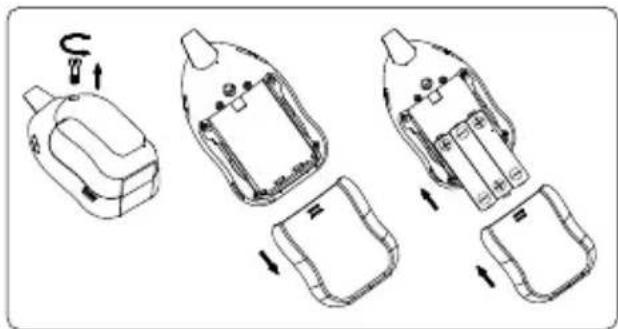
BABY UNIT + PARENT UNIT
• Operation from batteries 3 X AAA 1,5 V (not included)
text_image
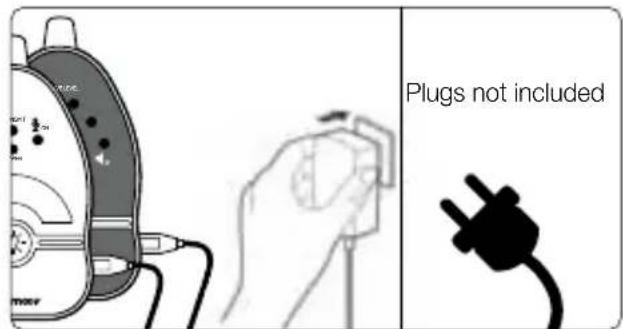
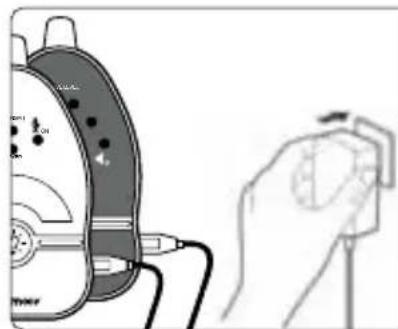
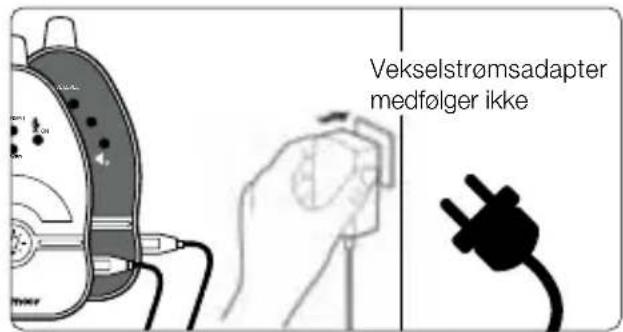
Diagram illustrating a multi-step assembly or manufacturing process with labeled components and directional arrows indicating movement.• USB Cables power supply
text_image
Plugs not includedN.B. The range is longer when the transmitter is running on a power outlet.
PAIRING
This process links the receiver to the transmitter so that they communicate on a different frequency to other nearby appliances (even baby monitors of an identical model).
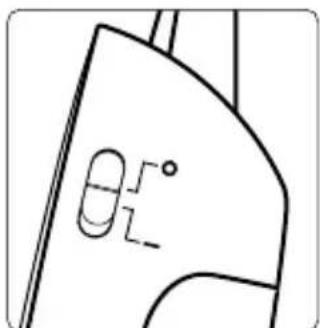
BABY UNIT
-
OFF button. 2. Keep pressing the volume up button.
-
Switch down the button to ON (-).
-
The power icon is flashing.
natural_image
Pure technical line drawing of a mechanical part with no text or symbols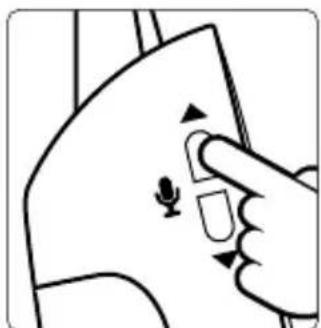
natural_image
Hand pointing at a device with a mouse icon (no text or symbols)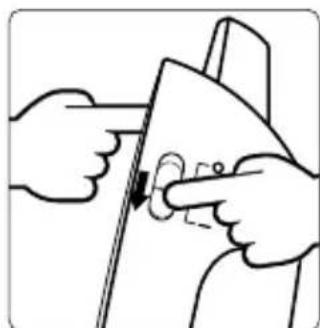
natural_image
Illustration of hands installing or adjusting a door panel with a knob (no text or symbols)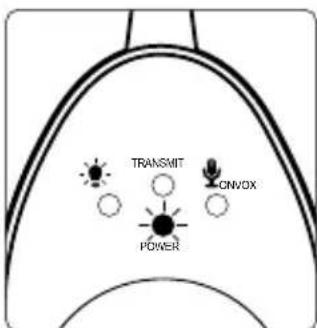
text_image
TRANSMIT ON/OX POWERPARENT UNIT
- Repeat the same operations on the PARENT UNIT.
- Press the night light button to finalise pairing. A double 'beep' sounds. The units are now paired.
Congratulations!
OPERATION
natural_image
Illustration of two hand gestures interacting with a device, showing sound waves (no text or symbols)TROUBLE SHOOTING GUIDE
| Problem Possible cause Solution | ||
| No sound on the receiver • The microphone's sensitivity is too low.• The receiver volume is too low.• The power adapter is not properly connected.• VOX mode active.• Batteries are empty/dead. | • Increase the microphone sensitivity.• Increase the receiver volume.• Check the connection.• Press a button to activate the receiver.• Replace with new/recharged batteries. | |
| Transmission always on | • The VOX mode sensitivity is too high. | • Reduce the sensitivity of the VOX mode (2). |
| Audible alarm permanently activated | • The receiver batteries are empty/dead.• Distance between baby and parent unit exceeds the operating range. | • Replace with new/recharged batteries.• Move the baby & parent unit closer together. |
| Battery life is short | • Night light is permanently switched on. | • Switch off night light or set to VOX operate. |
| Communication is frequently interrupted or off | • The transmitter and/or receiver are located near other electrical appliances.• Using the babyphone on a power strip.• The two appliances are separated by metal structures, thick walls, floors, etc.• Baby unit battery has run down. | • Move the transmitter and/or receiver away from sources of interference or re-set the pairing.• Do not connect your baby monitors to power strips.• Re-locate baby or parent unit.• Replace with new battery or use AC adapter. |
natural_image
Two USB cable connectors with twisted leads, labeled 'a' at bottom (no text or symbols on cables)b
text_image
TOMAT BUTY babrymeartext_image
Technical diagram showing exploded view of a device with labeled components and directional arrows indicating assembly or repair steps.natural_image
Pure technical line drawing of a mechanical part with no text or symbols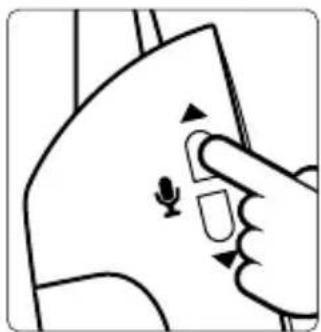
natural_image
Illustration of a hand pressing a button on a device (no text or symbols visible)natural_image
Illustration of hands holding a tool with a circular component, no text or symbols presentnatural_image
Illustration of two hand gestures interacting with a device, showing sound waves (no text or symbols)ENTSTÖRHILFE
natural_image
Two USB cable connectors with twisted leads, labeled 'a' at bottom (no text or symbols on cables)b
text_image
babysmearINSTALLATIE VAN HET APPARAAT
text_image
Diagram illustrating the step-by-step assembly of a battery pack with labeled components and directional arrows indicating motion.natural_image
Pure technical line drawing of a mechanical part with no text or symbols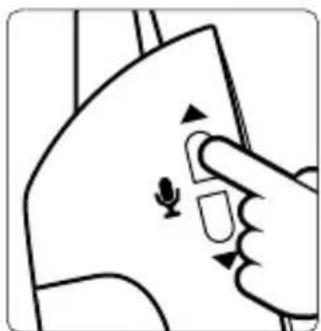
natural_image
Illustration of a hand pressing a button on a device (no text or symbols visible)natural_image
Illustration of hands using a tool to adjust or install a mechanical component (no text or symbols visible)text_image
VOX TRAVEL COVEX POX POTE. VOLUME VAN DE ONTVANGER

natural_image
Illustration of two hand gestures interacting with a device, showing sound waves (no text or symbols)REPARATIEGIDS
natural_image
Two USB cable connectors with leads, labeled 'a' at bottom (no text or symbols on cables)b
text_image
TOMAT POT babymeartext_image
baby formula Easy Care 91.1000 91.1000d
MANDOS
Emisor
natural_image
Diagram showing a device's internal components and assembly steps, including a switch and battery pack (no text or labels)natural_image
Pure technical line drawing of a mechanical part with no text or symbols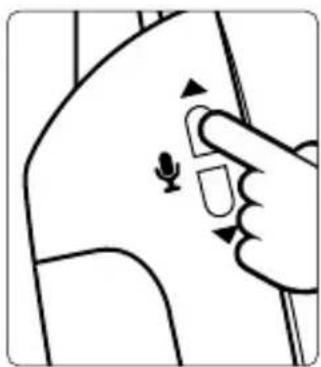
natural_image
Illustration of a hand pointing at a device with a small ear icon on the skin (no text or symbols)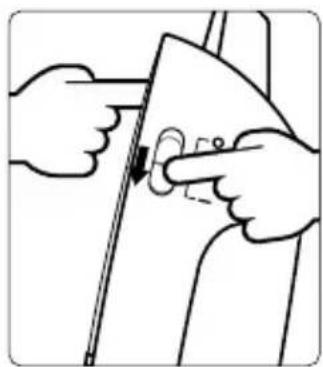
natural_image
Illustration of hands holding a tool with a circular component, no text or symbols present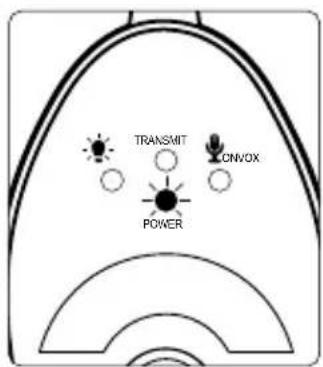
text_image
TRANSMIT CNVOX POWERRECEPTOR
text_image
VOX TRAVEL COVEX POX POTE. EL VOLUMEN DEL RECEPTOR
natural_image
Illustration of two hand gestures interacting with a device, showing sound waves (no text or symbols)GUÍA DE REPARACIÓN
natural_image
Two USB cable connectors with leads, labeled 'a' at bottom (no text or symbols on cables)b
text_image
babysmearc. Ricevitore
d. Manuale d'uso
text_image
BONZKA FNG C babymacker
text_image
babyhair Easy Care 80-100% 9/23/2017d
COMANDI
Emettitore
text_image
Diagram showing a device's internal components and assembly steps, with arrows indicating direction of movement.natural_image
Illustration of a hand holding a device next to a device with a dial indicator (no text or symbols present)text_image
Technical diagram showing a mechanical part with angular annotations and dimension lines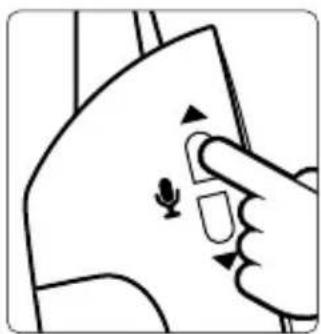
natural_image
Illustration of a hand pressing a button on a device component (no text or symbols visible)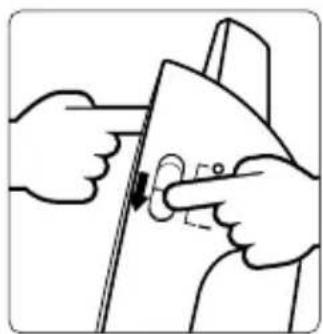
natural_image
Illustration of hands using a tool to adjust or install a piece of paper (no text or symbols visible)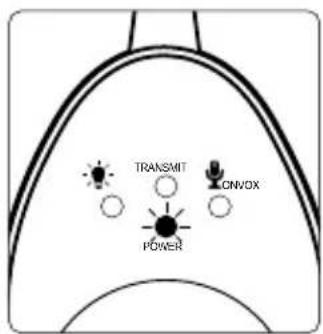
text_image
TRANSMIT CNVOX POWERRICEVITORE
natural_image
Illustration of two hand gestures interacting with a device, showing sound waves (no text or symbols)natural_image
Two USB cable connectors with leads, labeled 'a' (no text or symbols on the cables themselves)b
text_image
TAWAR TAWA TAW babymeartext_image
babylhair Easy Care 80, 100% 52%d
COMANDOS
Émissor
text_image
Technical diagram showing exploded view of a device with labeled components and directional arrows indicating assembly or repair steps.natural_image
Pure technical line drawing of a mechanical part with no text or symbols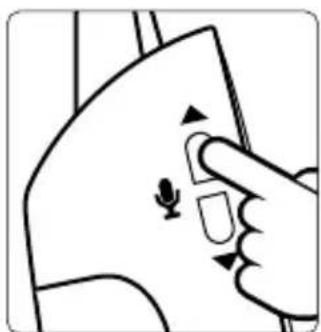
natural_image
Illustration of a hand pressing a button on a device (no text or symbols visible)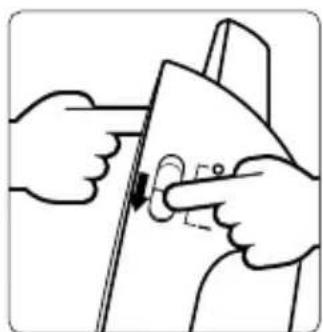
natural_image
Illustration of hands using a tool to adjust or install a component (no text or symbols visible)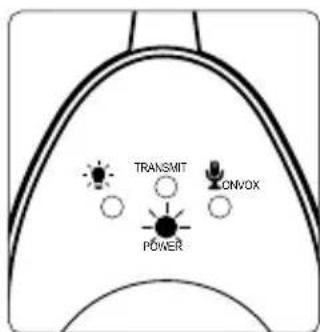
text_image
TRANSMIT ONVOX POWERRECEPTOR
natural_image
Illustration of two hand gestures interacting with a device, showing sound waves (no text or symbols)natural_image
Two USB cable connectors with leads, labeled 'a' at bottom (no text or symbols on cables)b
text_image
TOMOT POT babrymeartext_image
babyhair Easy Care 80-1000 80-1000d
text_image
Diagram showing a device's internal components and assembly steps, with arrows indicating direction of movement.natural_image
Pure technical line drawing of a mechanical part with no text or symbols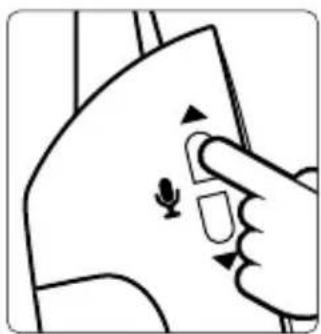
natural_image
Illustration of a hand pressing a button on a device with a small leaf symbol (no text or labels)natural_image
Illustration of hands using a tool to adjust or install a piece of paper (no text or symbols visible)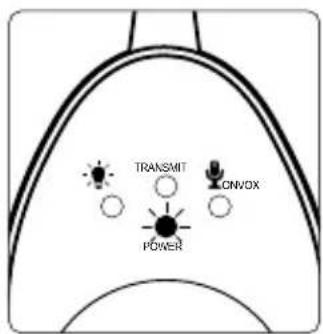
text_image
TRANSMIT CNVOX POWERPŘIJÍMAČ
text_image
VOX TRAVEL COVEX POX POTE. HLASITOST PŘIJÍMAČE
natural_image
Illustration of two hand gestures interacting with a device, showing sound waves (no text or symbols)ODSTRANĚNÍ PORUCH
natural_image
Two USB cable connectors with twisted leads, labeled 'a' at bottom (no text or symbols on cables)b
text_image
babymearc
text_image
EXCIOUS FOOD babrymoor
text_image
babyhair Easy Care M. 2017 48 128d
PARANCSOK
Adókészülék
text_image
Technical diagram showing exploded view of a device with labeled components and directional arrows indicating assembly or repair steps.natural_image
Illustration of a hand holding a small electronic device next to a device with a circular component (no text or symbols visible)natural_image
Pure technical line drawing of a mechanical part with no text or symbols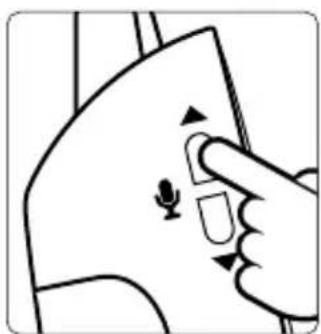
natural_image
Illustration of a hand pressing a button on a device with a mouse icon (no text or symbols)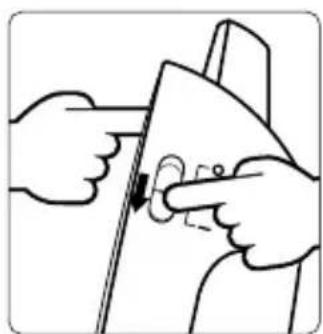
natural_image
Illustration of hands using a tool to adjust or install a circular component (no text or symbols visible)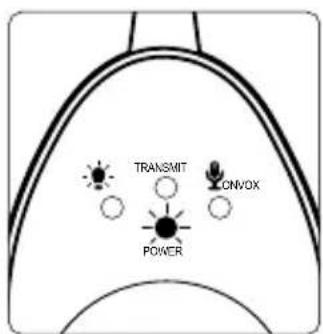
text_image
TRANSMIT CNVOX POWERVEVŐKÉSZÜLÉK
natural_image
Illustration of two hand gestures interacting with a device, showing sound waves (no text or symbols)HIBAELHÁRÍTÁS
natural_image
Two USB cable connectors with twisted leads, labeled 'a' at bottom (no text or symbols on cables)b
text_image
TAMOR TWO KNO babysmaserc. Receptor
d. Manual de utilizare
text_image
Fogl BOMAOL C
text_image
babylhair Ecoy Care M. 1987d
text_image
Technical diagram showing exploded view of a device with labeled components and directional arrows indicating assembly steps.• Cablu de alimentare USB
natural_image
Illustration of a hand holding a small electronic device next to a device with cables (no text or symbols visible)natural_image
Pure technical line drawing of a mechanical part with no text or symbols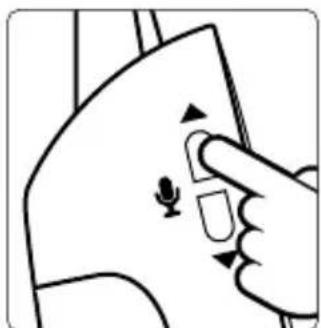
natural_image
Hand pointing at a device with a mouse icon (no text or symbols)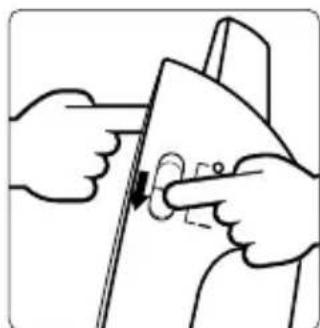
natural_image
Illustration of hands installing or adjusting a door panel (no text or symbols visible)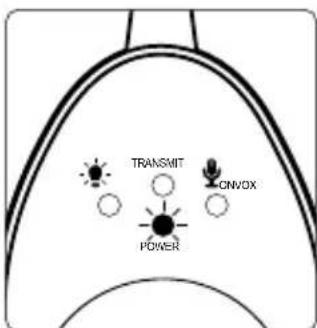
text_image
TRANSMIT ONVOX POWERRECEPTOR
text_image
VOX TRAVEL COVEX POX POTB. VOLUMUL RECEPTORULUI
natural_image
Illustration of two hand gestures interacting with a device, showing sound waves (no text or symbols)GHID DE DEPANARE
natural_image
Two USB cable connectors with leads, labeled 'a' at bottom (no text or symbols on cables)b
text_image
TAMOR TWO KNO babysmaserc

text_image
BONION RUG babymoon
text_image
babylhair Easy Care 60-1200 1/2d
POLECENIA
Nadajnik
text_image
Diagram showing a device's internal components and assembly steps, with arrows indicating movement or transformation.natural_image
Pure technical line drawing of a mechanical part with no text or symbols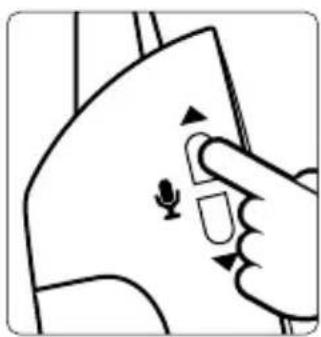
natural_image
Hand pressing a button on a device component with a small ear icon (no text or symbols)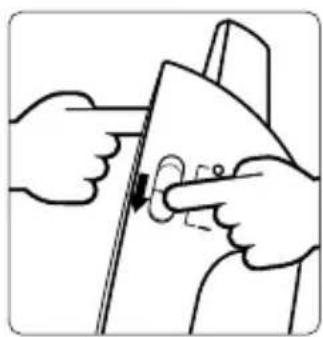
natural_image
Illustration of hands using a tool to adjust or install a component, no text or symbols present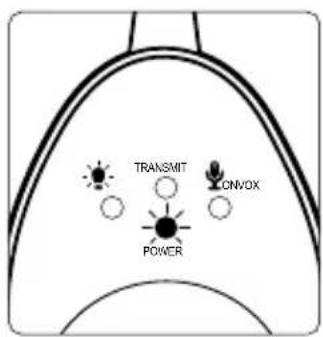
text_image
TRANSMIT ONVOX POWERODBIORNIK
text_image
VOX TRAVEL COVEX POX POTB. GŁOŚNOŚĆ ODBIORNIKA
natural_image
Illustration of two hand gestures interacting with a device, showing sound waves (no text or symbols)PORADY DOTYCZĄCE NAPRAW
natural_image
Two USB cable connectors with leads, labeled 'a' at bottom (no text or symbols on cables)b
text_image
babrymeartext_image
babyhair Easy Care 80-100% 9/23/2017d
BETJENING/KONTROL
Sender
- ON / OFF og parringsknappen
2-3. Følsomhedskontrol til mikrofonen - VOX natlys
- Vågelampe
- Ikon for strømforsyning / batteriopladning
- Ikon for transmission
- Ikon for stand by, VOX mode
- Ikon for permanent mikrofon
- Micro-USB-port og stikkontakt
Modtager
INSTALLATION AF APPARATET
text_image
Technical diagram showing exploded view of a battery pack assembly with labeled components and directional arrows• USB Kabler strømforsyning
natural_image
Pure technical line drawing of a mechanical part with no text or symbols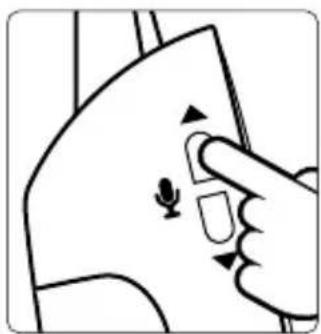
natural_image
Illustration of a hand pressing a button on a device with a small ear symbol (no text or labels)natural_image
Illustration of hands using a tool to adjust or install a component, no text or symbols present- Indikator for strøm begynder at blinke.
text_image
TRANSMIT CNVOX POWERMODTAGER
text_image
VOX TRAVEL COVEX POX POTB. MODTAGERENS LYDSTYRKE
natural_image
Illustration of two hand gestures interacting with a device, showing sound waves (no text or symbols)GUIDE TIL FEJLRETTELSER
DÉCLARATION CE DE CONFORMITÉ
CE DECLARATION OF CONFORMITY
This declaration is issued under the sole responsibility of the manufacturer.
Babymoov
Declare that the following product:
Model: Easy Care
Reference: A014015
Model: BC 64
Is in conformity with the relevant Union harmonisation legislations :
- Directive 2014/30/UE: Electromagnetic compatibility;
- Directive 2014/35/UE: Low Voltage;
- Directive 2014/53/UE: Radio equipment;
and with the relevant harmonised standards used:
CEM: EN 301 489-1 V2.2.0 (2017-03)
EN 301 489-3 V2.1.1 (2017-03)
Radio: EN 300 220-1 V3.1.1 (2017-02)
EN 300 220-2 V3.1.1 (2017-02)
Safety: EN 60065 :2014
Health: EN 62479 :2010
Signed for and on behalf of:
Name: M. Laurent Windenberger
Function: Marketing Director
Signature:
text_image
Bup.Date:
Place:

text_image
Garantie À VIE* LIFETIME Warranty*

* Lifetime warranty. Warranty subject to terms and conditions. List of countries involved, activation timescales and information available online at the following address: www.service-babymoov.com