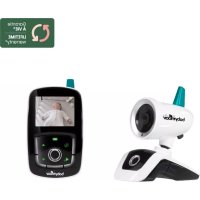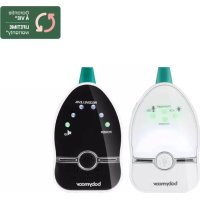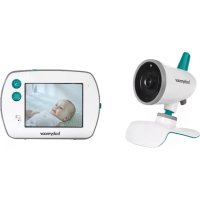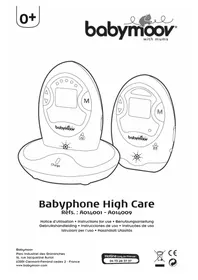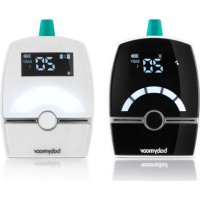
Premium Care A014204 - Baby monitors BABYMOOV - Free user manual and instructions
Find the device manual for free Premium Care A014204 BABYMOOV in PDF.



User questions about Premium Care A014204 BABYMOOV
0 question about this device. Answer the ones you know or ask your own.
Ask a new question about this device
Download the instructions for your Baby monitors in PDF format for free! Find your manual Premium Care A014204 - BABYMOOV and take your electronic device back in hand. On this page are published all the documents necessary for the use of your device. Premium Care A014204 by BABYMOOV.
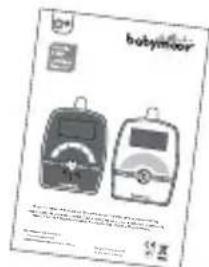
USER MANUAL Premium Care A014204 BABYMOOV
natural_image
Illustration of two USB cable with labeled endpoints (a, b, c, d) — no text or symbols on the cables themselves.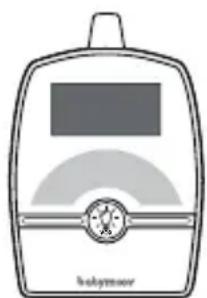
natural_image
Simple line drawing of a baby bottle with a screen and lid, no text or symbols present.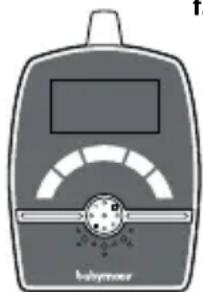
natural_image
Illustration of a babymeyer device with a screen and circular dial (no text or symbols)natural_image
Simple line drawing of a rectangular device with a handle and internal curved lines (no text or symbols)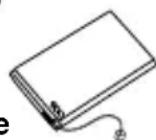
text_image
babyfloor 104 25 30 35 40 45 50 55 60 65 70 75 80 85 90 95 100COMMANDES
ÉMETTEUR
natural_image
Diagram showing two views of a device with arrows indicating process flow (no text or symbols present)natural_image
Illustration of a medical device with a bag connected to a pressure pump (no text or symbols visible)B. RÉCEPTEUR
natural_image
Technical line drawing of two mechanical components with no visible text or symbolsThank you for choosing our Premium Care baby monitor. Please read these instructions carefully to learn how to use your appliance properly and guarantee long-lasting use.
DIGITAL GREEN TECHNOLOGY: This baby monitor uses low emission power, in order to protect baby's health. The receiver and the transmitter don't communicate continuously, in order to limit the emission of radiations in the room. When baby cries, the system is activated immediately to alert parents; when the baby doesn't cry, the transmitter and the receiver communicate only each 20 seconds to check the good communication.
MAIN FUNCTIONS
- 1 400 m range in free field, in an environment free from any source of waves or interference and without obstacles.
- Full digital technique operating in the 863-870 MHz with zero interference.
• Automatic hop and search for free channel - Alarms: audible, visual and vibrations on the receiver.
- «Baby answering» function on the receiver to quieten your baby at a distance
- Possibility of connecting up to 2 transmitters
- 6 Lullabies
• Temperature on-screen display
• Volume control on receiver
- Gentle night light on the transmitter
- Microphone sensitivity can be adjusted on the transmitter.
- Battery condition indicated on both the transmitter and receiver, and alarm when batteries need changing or recharging.
- Battery level indicator and low battery alert on the transmitter and receiver.
WARNING
- The Baby monitor Premium Care should not be seen as a medical device. In addition to using Baby monitor Premium Care, it is strongly recommended that an adult checks on your baby directly, on a regular basis. Premature babies or children considered to be at risk should be monitored by your pediatrician or a health professional.
- Never go away from your baby outside the house, even a short moment.
- Non-rechargeable batteries are not to be recharged.
- Rechargeable batteries are to be removed from the device before being charged with a dedicated charger (not included). Connecting the unit to the power supply does not charge rechargeable batteries.
- Different types of batteries : new and used batteries, or rechargeable and not rechargeable batteries, are not to be mixed.
- Rechargeable batteries are only to be charged under adult supervision.
- Batteries are to be inserted with the correct polarity (+/-).
- Exhausted batteries are to be removed from the device.
- The supply terminals are not to be short-circuited.
- Always use the supplied battery for the receiver: if the battery is damaged it must be replaced by the manufacturer, the after-sales service or people with similar qualifications, in order to avoid any risk.
- For best performance of your babyphone, and to reduce any interference, we recommend you do not plug any other electrical appliance into the same socket as your babyphone (do not use multiple socket outlets).
- Dismantling the product invalidates the guarantee.
- This product must not be left within the reach of children.
PRECAUTIONS
• Always use a 5V - 1000 mA plug.
- When the Premium Care Baby Monitor is not in use for an extended period, remove all the batteries from the transmitter and the battery from the receiver to avoid any damage associated with a battery leak.
- The baby monitor is best performed within a temperature range of - 9 °C to + 50 °C
- Do not leave the monitor expose to strong sunlight for a long time or nearby any heat source, moisture and excessive dusty environment
- Do not open the cabinet, no serviceable part inside.
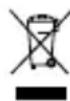
- Waste Electrical and Electronic Equipment should be disposed of by selective collection. Do not throw electrical and electronic equipment away with unsorted household waste, but dispose of it at a selective collection point.
Within the European Union, this symbol indicates that this product can not be thrown in the garbage or together with household waste, but should be disposed of using the appropriate separate waste collection. - Note: dropping or striking the product, or using it in any way that does not comply with the manufacturer's recommendations, may damage it and invalidate the guarantee.
STANDARD ACCESSORIES
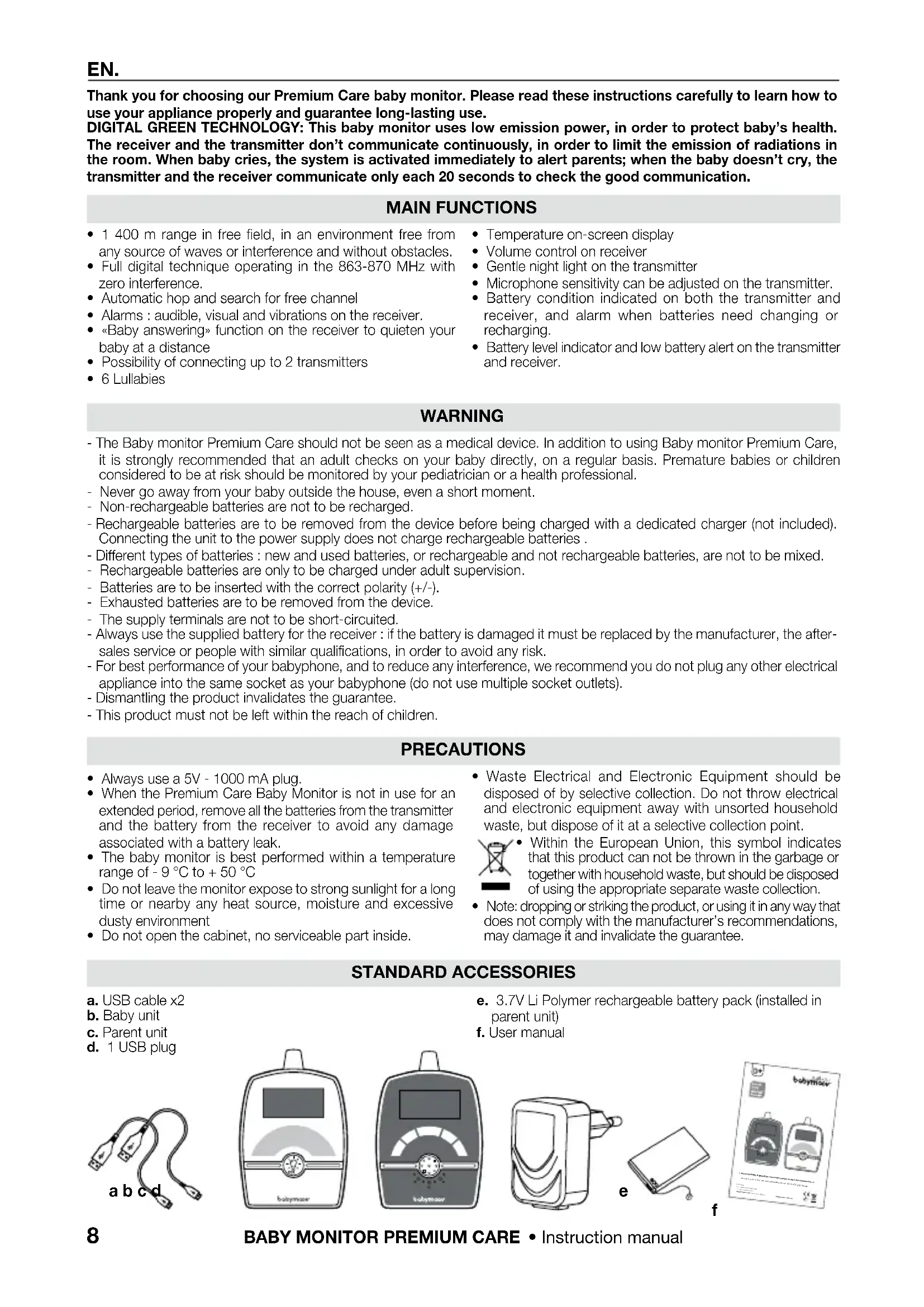
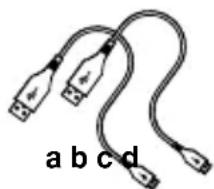
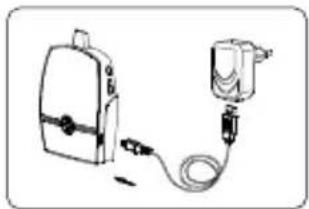
a. USB cable x2
b. Baby unit
c. Parent unit
d. 1 USB plug
e. 3.7V Li Polymer rechargeable battery pack (installed in parent unit)
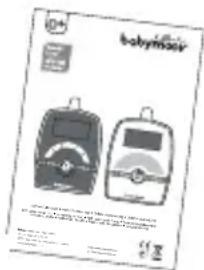
f. User manual
natural_image
Illustration of two USB cables with labeled endpoints (a, b, c, d) — no text or symbols on the cables themselves.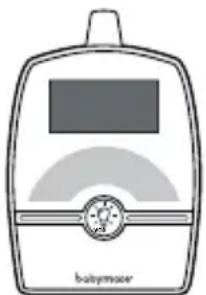
natural_image
Simple line drawing of a babymacer device with no text or symbols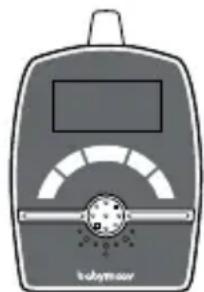
natural_image
Illustration of a baby meter device with a display and control knob (no text or symbols)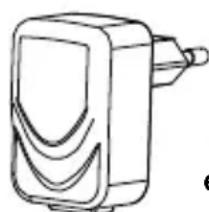
natural_image
Simple line drawing of a rectangular device with a handle and curved internal elements (no text or symbols)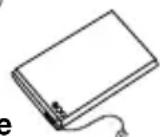
text_image
babymilk 12 12CONTROLS LAYOUT
Baby unit
- ON/OFF and pairing button
- «MAIN MENU»
3-4. Microphone sensitivity down adjustment button
5-6. Night Light - Microphone
- Transmit icon
-
Temperature on-screen display
-
Power On / Low battery indicator
- Microphone always ON icon
- Sound volume
- Night Light icon
- Baby unit's number
- «Menu exit» icon
- Micro-USB port and power socket
- Speaker
Parent unit
- ON/OFF and pairing button
- «MAIN MENU»
-
- Volume control
- Microphone
- Speaker
- Visual level meter/Out-of-range icon
- Temperature on-screen display
-
Power On/Battery Low/Charging icon
-
Transmit icon
- Vibration icon
- Speaker mute icon
- Baby unit's number
- « Play all lullabies» icon
- Lullabies icon
- Battery low icon
- «Menu exit» icon
- Reply to baby
- Micro-USB port and power socket
SETTING UP THE APPLIANCE
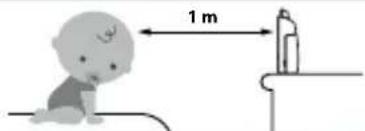
Place the transmitter out of the child's reach, on a flat surface between 1m and 2.50m from baby's head. Point the transmitter microphone towards the baby.
text_image
1 mPOWER SUPPLY
A. BABY UNIT
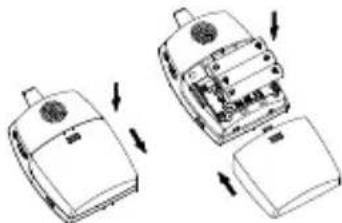
• Operation from batteries (3 x AAA 1.5 V not included)
natural_image
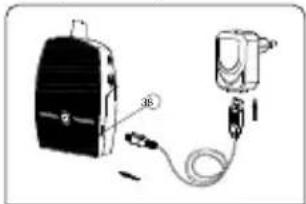
Diagram showing two views of a device with arrows indicating process flow (no text or symbols present)• USB Cables power supply
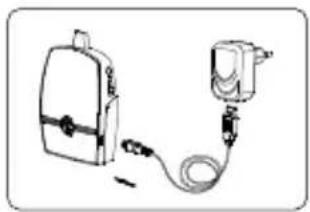
natural_image
Illustration of a medical or electrical device with a backpack, cable, and plug (no text or symbols visible)B. PARENT UNIT
• Operation from lithium battery pack
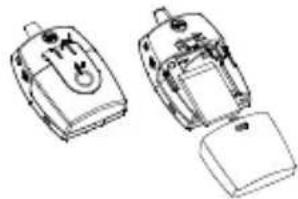
natural_image
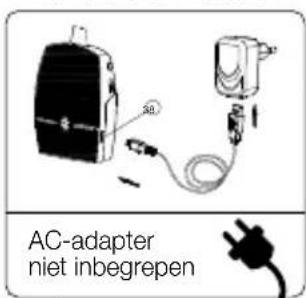
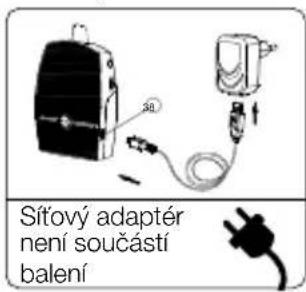
Line drawing of two electronic devices with internal components (no text or symbols)- Charging up with USB cables
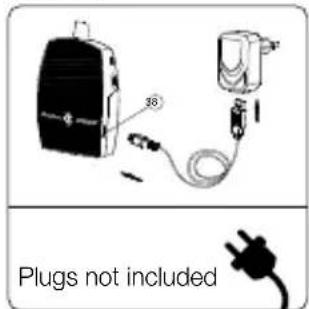
text_image
38 Plugs not includedWhen a «BUPP» sounds on your receiver it means that your transmitter has lost 1/3 of its battery.
N.B. The range is longer when the transmitter is running on a power outlet.
Before the first use, charge the Lithium-Polymer battery for at least 3 hours. It is recommended to turn off the device during the first charge.
PAIRING
This process links the receiver to the transmitter so that they communicate on a different frequency to other nearby appliances (even baby monitors of an identical model).
PARENT UNIT
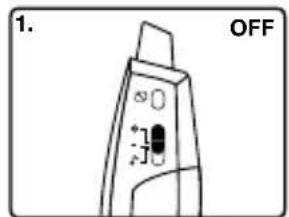
text_image
1. OFFOFF Button Keep pressing the

text_image
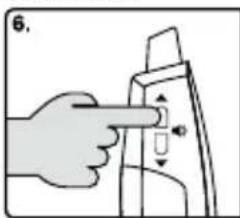
2.3.volume up button
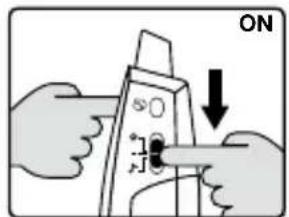
text_image
ONSwitch down the button to ON
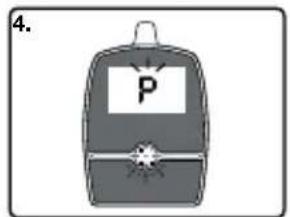
text_image
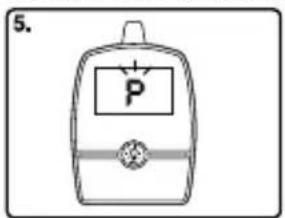
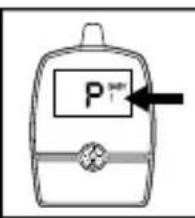
4. PThe «P» icon is flashing
BABY UNIT
Repeat the same operations on the RECEIVER.
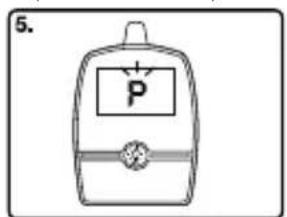
text_image
5.The «P» icon is flashing Choose the number of the transmitter and confirm with the «Menu» button
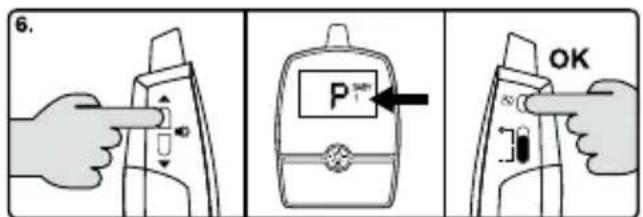
text_image
6. P OK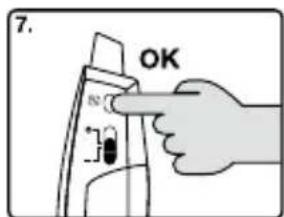
text_image
7. OKConfirm pairing by pressing the «Menu» button a second time»
- Turn off both units and then turn back on. Congratulations! Your camera is now connected!
MAIN MENU OPERATION
NB.: when an icon is followed by a figure 1 or 2, this means that the 2 transmitters are connected. Once the two transmitters are connected, repeat and confirm for the 'Out-of-range alarm' and 'Lullabies' functions.
| Parent Unit | |
 | Main menuTapto access the main menu.Then press the arrows to scroll through the functions ('Lullabies', 'Low temperature alarm', 'High temperature alarm', 'Vibration', 'Exit menu'). |
 | Alert for Out of rangeUsing the arrowsselect the transmission icon confirming with the menu buttonChoose ON or OF, using the arrows to activate or deactivate the out-of-range alarm.Confirm your choice using the menu button |
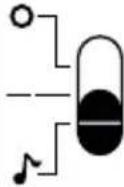 | LullabiesUsing the arrowsselect the lullabies iconThen use the arrows to select the number of the chosen lullaby or AL to play all the lullabies randomly or OF for no lullabies.Confirm your choice using the menu buttonWarning: If the lullabies have been activated and then the receiver turned off, the transmitter will continue to play them. Come back to (→) position to turn off the lullabies. |
 | Low temperature alarmUsing the arrowsselect the low temperature iconUsing the arrows to select the temperature below which you would like the alarm to sound.Confirm your choice using the menu button |
 | High temperature alarmUsing the arrowsselect the high temperature iconUsing the arrows to select the maximum temperature above which you would like the alarm to sound.Confirm your choice using the menu button |
 | VibrationUsing the arrowsselect the vibration iconUsing the arrows to elect vibration ON (activated) or OF (deactivated).Confirm your choice using the menu button |
 | Exit menuUsing the arrowsselect the 'Exit menu' iconOnce the 'Exit menu' icon displays, press the menu button to exit the menu. |
| Baby Unit | |
 | Main menuTapto access the main menu.Then press the arrows to scroll through the functions (VOX, Exit menu).Confirm your choice using the menu button |
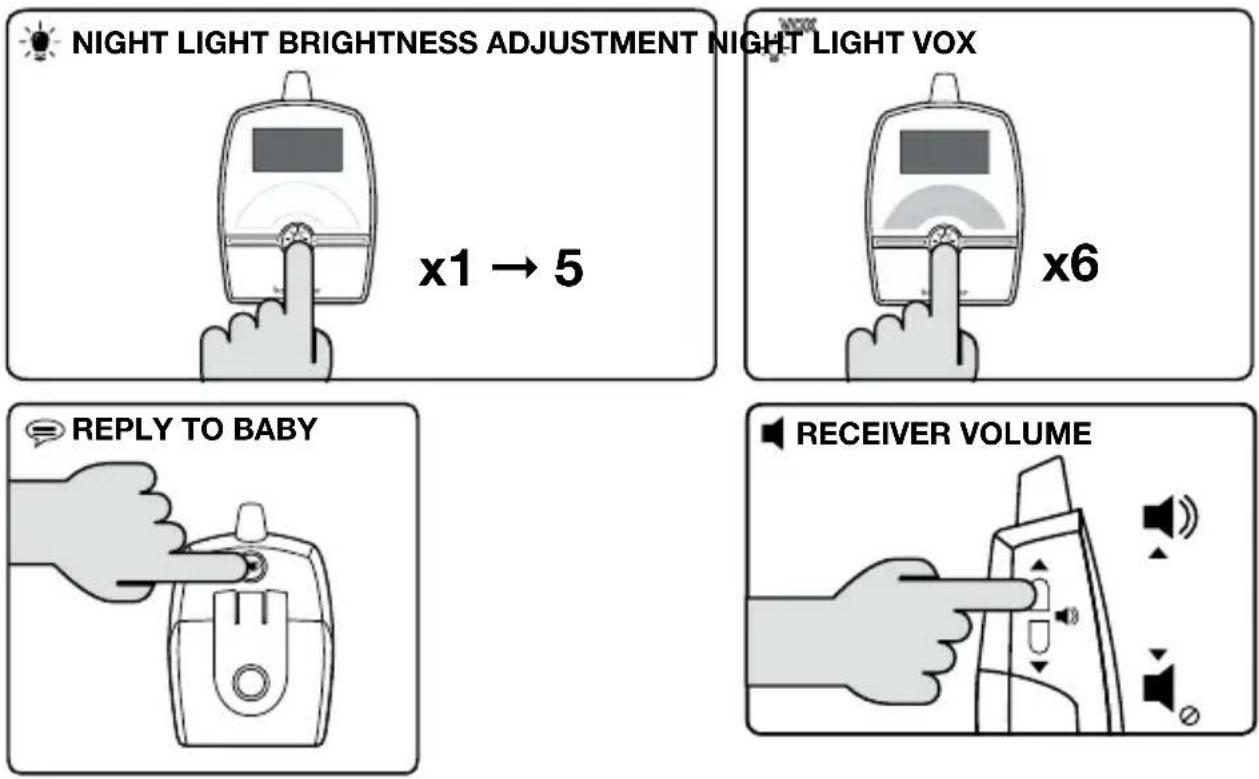
 | VOX + Adjust the VOX's sensitivityUsing the arrows adjust the sensitivity to the required level 1, 2, 3, 4 or 5 or select NO VOX to continuously transmit the sounds detected.Confirm your choice using the menu button |
 | Exit menuUsing the arrowsselect the 'Exit menu' iconOnce the 'Exit menu' icon displays, press the menu button to exit the menu. |
SETTINGS
TROUBLE SHOOTING GUIDE
| Problem Possible cause Solution | ||
| No sound on the receiver • The microphone's sensitivity is too low.• The receiver volume is too low.• The power adapter is not properly connected.• VOX mode active.• The batteries are empty. | • Increase the microphone sensitivity.• Increase the receiver volume.• Check the connection.• Press a button to activate the screen.• Charge your receiver or replace the batteries in the transmitter or plug the units into the mains. | |
| Transmission always on • The VOX mode sensitivity is too high.• VOX mode is not activated. | • Activate and/or adjust the VOX sensitivity (19). | |
| Audible alarm permanently activated | • The receiver batteries are empty/dead.• Distance between baby and parent unit exceeds the operating range. | • Replace the batteries in the transmitter or plug the transmitter into the mains.• Move the baby & parent unit closer together. |
| Always showing low battery alert | • Battery has run down.• The battery is damaged or empty. | • Recharge battery using AC adapter (parent unit).• Replace with new battery or use AC adapter (baby unit).• Replace with new battery pack. |
| Battery life is short • Night light is permanently switched on.• Vibration alert is switched on. | • Switch off night light or set to VOX operate.• Switch off vibration alert. | |
| Communication is frequently interrupted or off | • The transmitter and/or receiver are located near other electrical appliances.• Using the babyphone on a power strip.• The two appliances are separated by metal structures, thick walls, floors, etc.• Baby unit battery has run down. | • Move the transmitter and/or receiver away from sources of interference or re-set the pairing.• Do not connect your baby monitors to power strips.• Re-locate baby or parent unit.• Replace with new battery or use AC adapter. |
natural_image
Illustration of two USB cables with labeled endpoints (a, b, c, d) — no text or symbols on the cables themselves.
natural_image
Illustration of a babymaser device with no visible text or symbols on the device itself
natural_image
Illustration of a baby meter device with a digital display and control knob (no text or symbols)natural_image
Simple line drawing of a rectangular device with a handle and internal curved lines (no text or symbols)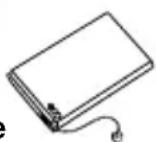
f
text_image
babymilk 100g Babymilk 100g BabymilkBEDIENELEMENTE
Sender
natural_image
Diagram showing two views of a device with arrows indicating assembly or operation (no text or symbols present)natural_image
Illustration of a portable device connected to a cable and plug (no text or symbols visible)B. EMPFÄNGER
natural_image
Technical line drawing of two mechanical components with no visible text or symbolsnatural_image
Diagram of a device with a black box connected to a cable and a small device (no text or symbols visible)natural_image
Illustration of two USB cables with labeled endpoints (a, b, c, d) — no text or symbols on the cables themselves.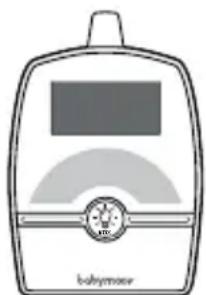
natural_image
Illustration of a babymoor device with no visible text or symbols on the device itself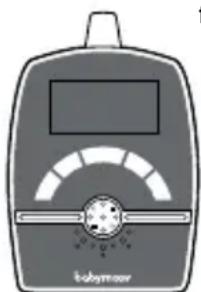
natural_image
Illustration of a laboratory instrument with a screen and scale, labeled 'kohyrmor' (no other text or symbols)natural_image
Simple line drawing of a rectangular device with a handle and curved internal lines (no text or symbols)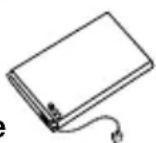
f
text_image
babymasks 10+BEDIENING
Zender
INSTALLATIE VAN HET APPARAAT
natural_image
Diagram showing two views of a device with arrows indicating movement or assembly (no text or symbols present)natural_image
Simple line drawing of a backpack connected to a medical device via tubing (no text or symbols)B. ONTVANGER
natural_image
Line drawing of two electronic devices with no visible text or symbolsmet de USB-kabels
natural_image
Hand pointing at a mechanical component with arrows indicating motion (no text or symbols)natural_image
Coiled cable with two USB connectors, labeled 'a b c d' below (no other text or symbols)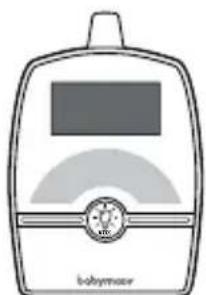
natural_image
Illustration of a babymaser device with no visible text or symbols on the device body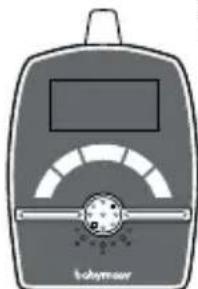
natural_image
Illustration of a baby meter device with a digital display and control panel (no text or symbols)natural_image
Simple line drawing of a rectangular device with a handle and curved internal lines (no text or symbols)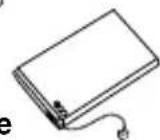
f
text_image
babymicrometerMANDOS
Emisor
natural_image
Diagram of two open mobile phones with internal components and directional arrows indicating movement (no text or symbols)natural_image
Simple line drawing of a medical or electrical device with a bag, cable, and plug (no text or symbols)B. RECEPTOR
natural_image
Line drawing of two electronic devices with ports and casing (no text or symbols)natural_image
Diagram of a device with a black box connected to a cable and a sensor device (no text or symbols visible)natural_image
Illustration of two USB cables with labeled endpoints (a, b, c, d) — no text or symbols on the cables themselves.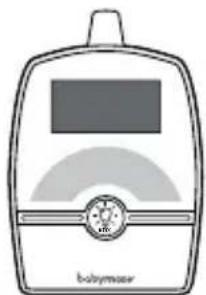
natural_image
Illustration of a babymaser device with no visible text or symbols on the device itself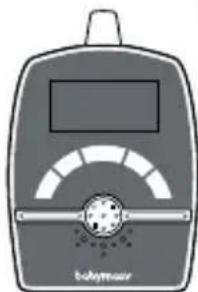
natural_image
Illustration of a babymear meter with a display and scale (no text or symbols on the device itself)natural_image
Simple line drawing of a rectangular device with a handle and curved internal lines (no text or symbols)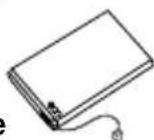
f
text_image
babymclevCOMANDI
Emettitore
natural_image
Diagram of two open mobile phones with internal components and directional arrows indicating movement (no text or symbols)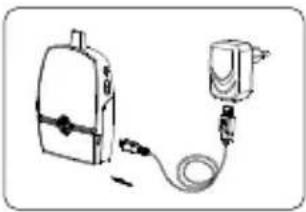
natural_image
Simple line drawing of a backpack connected to a medical device with tubing (no text or symbols)B. RICEVITORE
natural_image
Technical line drawing of two electronic devices with ports and casing (no text or symbols)natural_image
Diagram of a device with a black box connected to a cable and a small component (no text or symbols visible)natural_image
Hand pressing a button on a mechanical component (no text or symbols visible)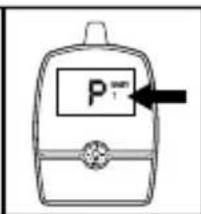
text_image
P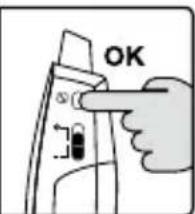
text_image
OKtext_image
VOX-DELLA LUCE NOTTURNA x6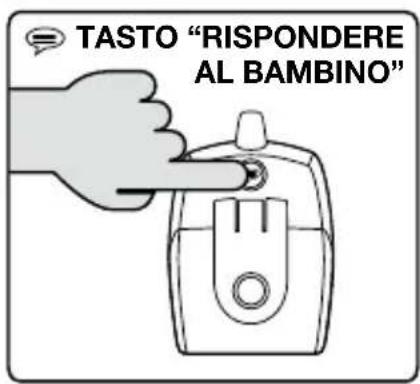
text_image
TASTO "RISPONDERE AL BAMBINO"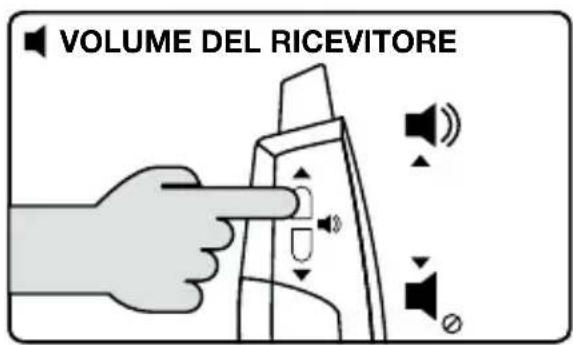
text_image
VOLUME DEL RICEVITOREnatural_image
Illustration of two USB cables with labeled endpoints (a, b, c, d) — no text or symbols on the cables themselves.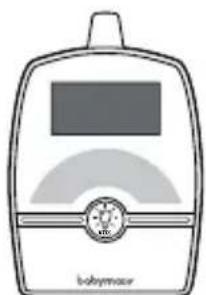
natural_image
Illustration of a babymaser device with no visible text or symbols on the device body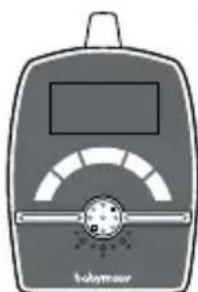
natural_image
Illustration of a handheld electronic device with a screen and indicator lights (no text or symbols)natural_image
Simple line drawing of a rectangular device with a handle and curved internal lines (no text or symbols)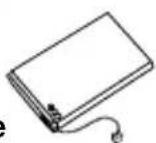
text_image
babywatchCOMANDOS
Émissor
natural_image
Technical line drawing of a mechanical device with two views showing internal components and directional arrows (no text or symbols)natural_image
Simple line drawing of a medical or electrical device with a bag, cable, and plug (no text or symbols)B. RECEPTOR
natural_image
Technical line drawing of two electronic devices with internal components (no text or symbols)natural_image
Coiled network cable with two USB connectors, labeled 'a b c d' below (no additional text or symbols)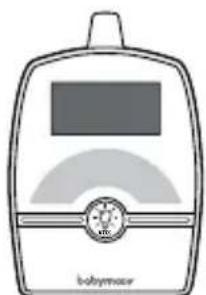
natural_image
Illustration of a babymaser device with no visible text or symbols on the device body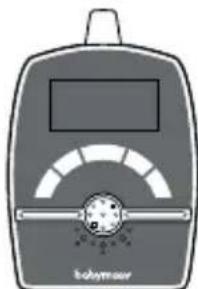
natural_image
Illustration of a babymear device with a screen and meter (no text or symbols)natural_image
Simple line drawing of a rectangular device with a handle and curved internal lines (no text or symbols)
f
text_image
babyminderOVLADAČE
Vysílačka
natural_image
Diagram of two mechanical components with arrows indicating assembly or movement (no text or symbols)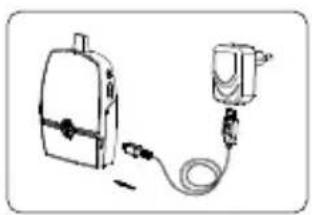
natural_image
Illustration of a backpack connected to a medical device with tubing (no text or symbols)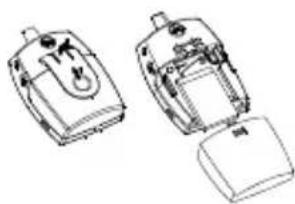
natural_image
Technical line drawing of two mechanical components with no visible text or symbolskabely USB
natural_image
Illustration of two USB cables with labeled endpoints (a, b, c, d) — no text or symbols on the cables themselves.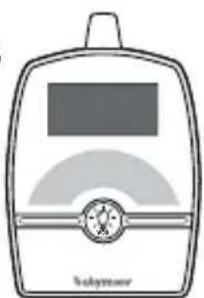
natural_image
Simple line drawing of a baby bottle with no text or symbols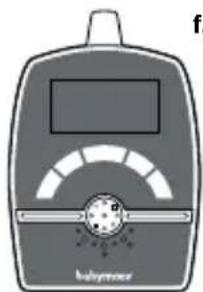
natural_image
Illustration of a laboratory instrument with a digital display and a central circular component (no text or symbols visible)natural_image
Simple line drawing of a rectangular device with a handle and internal curved lines (no text or symbols)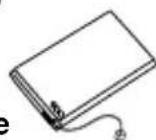
text_image
babyfloor 12+PARANCSOK
ADÓKÉSZÜLÉK
natural_image
Diagram showing two views of a device with internal components and directional arrows indicating movement (no text or symbols)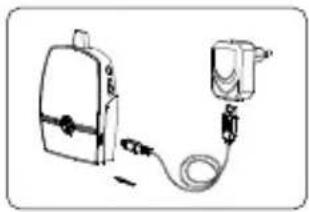
natural_image
Illustration of a medical or emergency device with a bag, cable, and connector (no text or symbols)B. VEVÓKÉSZÜLÉK
natural_image
Technical line drawing of two mechanical components with no visible text or symbolsnatural_image
Illustration of two USB cables with labeled endpoints (a, b, c, d) — no text or symbols on the cables themselves.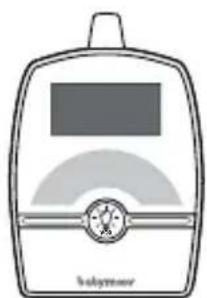
natural_image
Illustration of a babyhood device with a screen and button (no text or symbols)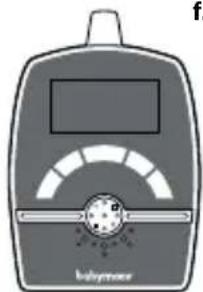
natural_image
Illustration of a laboratory instrument with a digital display and scale, labeled 'batterwater' (no text or symbols on the device itself)natural_image
Simple line drawing of a rectangular device with a handle and internal curved lines (no text or symbols)
text_image
babyfloor 14.50COMENZI
EMITATOR
natural_image
Diagram showing two views of a device with arrows indicating motion (no text or symbols present)• Cablu de alimentare USB
natural_image
Illustration of a medical device with a box connected to a pressure pump (no text or symbols visible)B. RECEPTOR
natural_image
Technical line drawing of two open mobile phone modules (no text or symbols)natural_image
Diagram of a device with a black device connected to a cable and a small device (no text or symbols visible)natural_image
Illustration of a school backpack with a parking tag and starburst design (no text or symbols)EMITATOR
natural_image
Illustration of two USB cables with labeled endpoints (a, b, c, d) — no text or symbols on the cables themselves.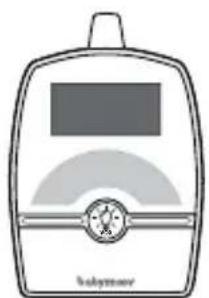
natural_image
Simple line drawing of a babyhood device with no text or symbols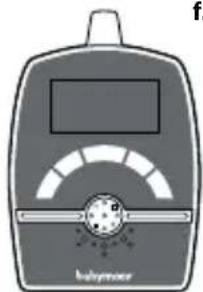
text_image
babywashernatural_image
Simple line drawing of a rectangular device with a handle and internal curved lines (no text or symbols)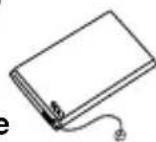
text_image
babyfloor 14 20 30 40 50 60 70 80 90 100 110 120 130 140 150 160 170 180 190 200 210 220 230 240 250 260 270 280 290 300 310 320 330 340 350 360 370 380 390 400 410 420 430 440 450 460 470 480 490 500 510 520 530 540 550 560 570 580 590 600 610 620 630 640 650 660 670 680 690 700 710 720 730 740 750 760 770 780 790 800 810 820 830 840 850 860 870 880 890 900 910 920 930 940 950 960 970 980 990POLECENIA
NADAJNIK
natural_image
Diagram showing two views of a device with arrows indicating assembly or operation (no text or symbols present)natural_image
Illustration of a medical device with a box connected to a pressure pump (no text or symbols visible)B. ODBIORNIK
natural_image
Technical line drawing of two electronic devices with internal components (no text or symbols)za pomocą kabli USB
natural_image
Diagram of a portable electronic device connected to a plug and cable (no text or symbols visible)natural_image
Illustration of a USB cable with three connectors and label 'a b c d' below (no text or symbols on the cable itself)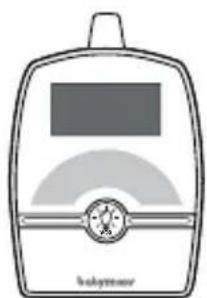
natural_image
Illustration of a babyhood device with a screen and circular button (no text or symbols)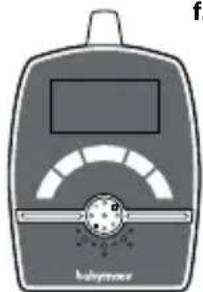
natural_image
Illustration of a laboratory instrument with a digital display and scale, no visible text or symbolsnatural_image
Simple line drawing of a rectangular device with a handle and internal curved lines (no text or symbols)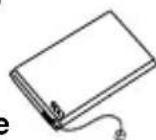
text_image
babyfloor 14 20 30 40 50 60 70 80 90 100 110 120 130 140 150 160 170 180 190 200 210 220 230 240 250 260 270 280 290 300 310 320 330 340 350 360 370 380 390 400 410 420 430 440 450 460 470 480 490 500 510 520 530 540 550 560 570 580 590 600 610 620 630 640 650 660 670 680 690 700 710 720 730 740 750 760 770 780 790 800 810 820 830 840 850 860 870 880 890 900 910 920 930 940 950 960 970 980 990 1000BETJENING/KONTROL
SENDER
- ON / OFF
og parringsknappen
- Hovedměnu
INSTALLATION AF APPARATET
natural_image
Illustration of three different medical devices: a box, a device with internal components, and a medical device connected via tubing (no text or symbols visible)B. MODTAGER
natural_image
Technical line drawing of two electronic devices with internal components (no text or symbols)natural_image
Diagram of a device with a black box and connected cable, showing no visible text or symbolsnatural_image
Illustration of a school backpack with a parking tag and starburst design (no text or symbols)SENDER
Gentag samme procedure for MODTAGEREN
text_image
5.
text_image
6.
text_image
P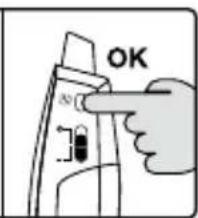
text_image
OK«P» indikatoren blinker Vælg nummeret for senderen, og bekræft med «Menu» knappen
DÉCLARATION CE DE CONFORMITÉ
CE DECLARATION OF CONFORMITY
This declaration is issued under the sole responsibility of the manufacturer.
Babymoov
Declare that the following product:
Model: Premium Care
Reference: A014204
Model: BC 63
Is in conformity with the relevant Union harmonisation legislations :
- Directive 2014/30/UE: Electromagnetic compatibility;
- Directive 2014/35/UE: Low Voltage;
- Directive 2014/53/UE: Radio equipment;
and with the relevant harmonised standards used:
CEM: EN 301 489-1 V2.2.0 (2017-03)
EN 301 489-3 V2.1.1 (2017-03)
Radio: EN 300 220-1 V3.1.1 (2017-02)
EN 300 220-2 V3.1.1 (2017-02)
Safety: EN 60065 :2014
Health: EN 62479 :2010
Signed for and on behalf of:
Name: M. Laurent Windenberger
Function: Marketing Director
Signature:
text_image
Bup.Date:
Place:

text_image
Garantie À VIE* LIFETIME Warranty*

www.service-babymoov.com


* Lifetime warranty. Warranty subject to terms and conditions. List of countries involved, activation timescales and information available online at the following address: www.service-babymoov.com